Line Separators and Breaks
A printed rule across the page—<hr/> or a page break?
✅ NormativeSettled. The requirement holds as written.📄 Page ruleCan be applied from the page alone.Read §6.3 in the RFC ↗
A printed section separator MUST be rendered as <hr/>, at its place in reading order. ---
MUST NOT be used for it: --- is reserved for page boundaries. A rule MUST NOT be inserted where
the page prints only whitespace.
When it applies
A horizontal rule or separator printed between sections of a page. It is printed content: it tells a reader that one block has ended and another begun, so it survives into the output.
… end of the first section.
────────────────────────────        ← printed rule between sections  →  <hr/>
Start of the next section …
Reading the examples. Each one pairs a source page with the output the rule expects. ✅ Sample: the rule applies. ❌ Counter-sample: it looks like it applies and does not, or a rendering got it wrong. A non-conforming output, in red, is shown only for contrast. … marks content left out of an excerpt.
The point, in a small example
The first sample has a divider on one page. The second has two source pages. They require different separators. These pages are made up to isolate the rule.
A printed divider is not a page boundary
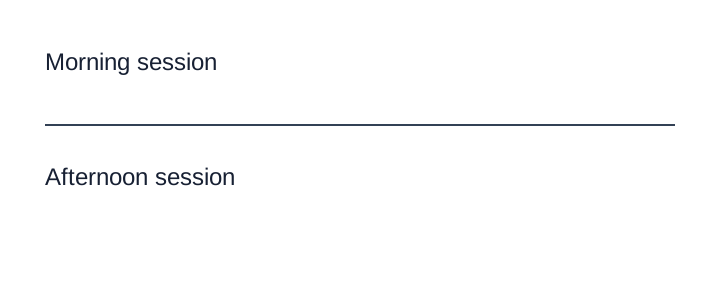
Both labels are on one page with a visible divider. Use <hr/>; reserve --- for a change of page.
Source page
Non-conforming output
What the rule rules out.
Morning session

---

Afternoon session
Expected output
Morning session

<hr/>

Afternoon sessionDocument structure continues across pages
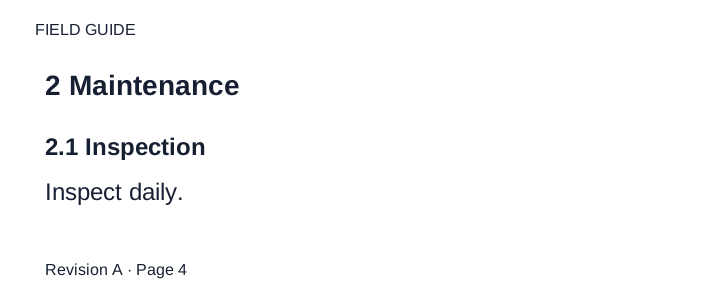
Two consecutive interior pages are shown in order. The document title is on an earlier cover; sections use level 2 and subsections level 3. The running header is plain text on both pages. The printed folios stay in their footer bands; they are not physical sheet indices.
Source page

Expected output
FIELD GUIDE

## 2 Maintenance

### 2.1 Inspection

Inspect daily.

Revision A · Page 4

---

FIELD GUIDE

### 2.2 Cleaning

Clean weekly.

Revision A · Page 5Requirements
- Each printed separator between sections MUST produce one
<hr/>line, placed between the elements it separates in reading order. - The separator MUST NOT be written as
---,***,___or any other Markdown thematic break. - Vertical whitespace between sections, with no printed line, MUST NOT produce
<hr/>.
Why never ---
--- is already load-bearing twice. It is the page-break marker of Markdown Rendering (§3.2), and at
the top of a file it opens frontmatter. A separator that renders identically to a page break makes
page attribution ambiguous for anything splitting on it, and can silently truncate a document at
the top of a file. <hr/> avoids both collisions and follows the general posture of falling back
to HTML wherever a Markdown spelling is ambiguous — see Text Formatting Conventions (§7.1).
Neighbouring rules, and how they differ
More
Rule id layout-line-separators-and-breaks · rule layout model-divergence