Heading Depth Across Pages
A heading on a new page—does the hierarchy restart?
✅ NormativeSettled. The requirement holds as written.📚 Document ruleNeeds other pages of the same document; decided once and applied on every page.Read §4.5 in the RFC ↗
A new page MUST NOT restart the heading hierarchy. A heading MUST be given the depth its place in the document implies, and a top-level heading MUST appear only where the page prints one.
When it applies
A page break is a printing accident, not a structural boundary. The section that was open at the foot of one page is still open at the head of the next, and a heading that continues it keeps its depth.
page 4 …    ## 9.2 Pressure
                9.2.1 Pascal's Law          ← depth 3: inside 9.2
─── page break ───
page 5 …    9.2.2 Variation with Depth      ← still depth 3, not a fresh top level
Reading the examples. Each one pairs a source page with the output the rule expects. ✅ Sample: the rule applies. ❌ Counter-sample: it looks like it applies and does not, or a rendering got it wrong. A non-conforming output, in red, is shown only for contrast. … marks content left out of an excerpt.
The point, in a small example
Both source pages belong to one document. Preserve the heading depth, classify repeated margin bands consistently, and keep each printed folio with its footer. Separate folio extraction is not requested in this example. These pages are made up to isolate the rule.
Document structure continues across pages
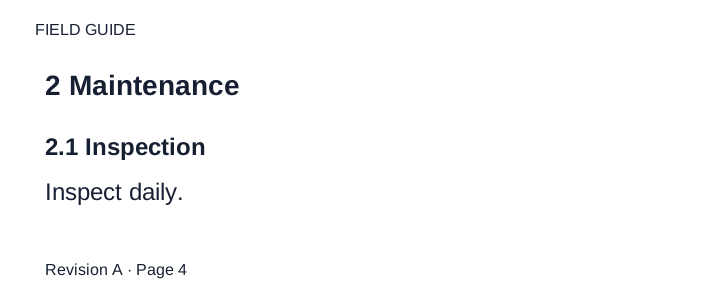
Two consecutive interior pages are shown in order. The document title is on an earlier cover; sections use level 2 and subsections level 3. The running header is plain text on both pages. The printed folios stay in their footer bands; they are not physical sheet indices.
Source page

Expected output
FIELD GUIDE

## 2 Maintenance

### 2.1 Inspection

Inspect daily.

Revision A · Page 4

---

FIELD GUIDE

### 2.2 Cleaning

Clean weekly.

Revision A · Page 5Depth comes from the document, not the page
Two signals settle almost every case, in this order:
- Printed numbering.
9.2.1sits under9.2sits under9. Where the document numbers its sections, the numbering MUST decide the depth, even where the typography disagrees. - Typography, compared across pages. Where nothing is numbered, a heading's depth MUST be judged against the other headings of the same document, not against the rest of its own page. The largest line on page 5 is not automatically a top-level heading.
A subsection MUST NOT come out at the same depth as its parent, or shallower. If 9.2 is depth 2
then 9.2.1 is depth 3, on whatever page it lands.
Decks are the exception
In a slide deck the slides are peers and each slide title is legitimately top level. Whether the document is a deck is decided once for the whole document — see Document Type (§4.4) — never slide by slide.
A single page
Where only one page is available, the hierarchy the page itself shows MUST be consistent — a subsection always deeper than its parent — and the depth MUST be taken from printed numbering where there is any. Where the absolute depth depends on pages that are not available, the output takes the depth the page supports and asserts nothing more.
Whether it is a heading at all
Recognising Ambiguous Headings (§6.7) separates standalone section titles from run-in labels, repeated item labels and captions. Principal statement and numbered schedule titles are structural; a company line directly above one stays a separate paragraph (see Stacked Headings (§6.9)), as do units lines. A title inside a grid is transcribed once, in its table position.
The following MUST NOT be rendered as headings:
- a running header — see Recurring Page Furniture (§4.6);
- a label naming the kind of document, such as
ORIGINAL ARTICLEorEXHIBIT 2— it is text; the title beneath it is the heading; - a value typed into a form field, however prominent;
- a table or figure caption — see Titles Banners Captions (§9.7.3).
Neighbouring rules, and how they differ
More
Rule id headings-heading-depth-across-pages · headings rule layout