Sections and Grouped Fields
Fields under a printed heading—when do they get a section?
✅ NormativeSettled. The requirement holds as written.📄 Page ruleCan be applied from the page alone.Read §10.5.3 in the RFC ↗
A printed heading that names a group of fields opens a section. Only a printed grouping MAY get a parent: fields MUST NOT be wrapped in a section or group the form does not print.
When it applies
A printed grouping takes one of two shapes, depending on its size.
Reading the examples. Each one pairs a source page with the output the rule expects. ✅ Sample: the rule applies. ❌ Counter-sample: it looks like it applies and does not, or a rendering got it wrong. A non-conforming output, in red, is shown only for contrast. … marks content left out of an excerpt.
The point, in a small example
Only the printed CONTACT and PAYMENT headings create groups. The output keeps each field sequence inside its actual section. These pages are made up to isolate the rule.
Lettered and numbered sections do not interleave
The page prints two distinct section headings. Complete CONTACT’s A/B sequence, then PAYMENT’s 1/2 sequence. Do not produce A, 1, B, 2 or invent a common wrapper around the sections.
Source page
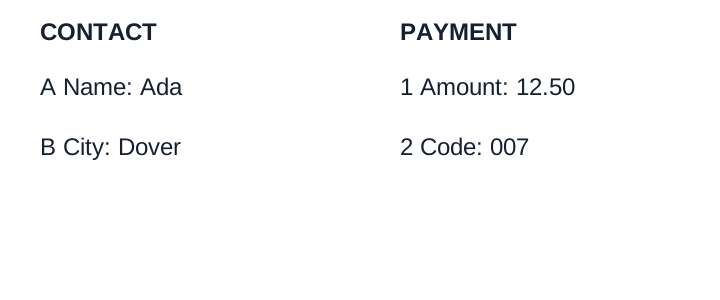
Expected output
### CONTACT

- \[A\] **Name:** Ada
- \[B\] **City:** Dover

### PAYMENT

- \[1\] **Amount:** 12.50
- \[2\] **Code:** 007Form grouping and the document outline
The Markdown headings of this rule delimit local form groups. They do not make every form label a section of the document: a form's section labels are form content and MUST NOT be added to the containing page's outline — least of all inside an embedded screenshot of a form. See Recognising Ambiguous Headings (§6.7) for form furniture and real document titles.
Band or part headings become Markdown headings
A bold or boxed caption in the margin or spanning the page — Part I, Filing Status,
POLICY INFORMATION, Sign Here — MUST be rendered as a ### heading, and every field printed
under or beside it MUST follow that heading.
The heading is in addition to the field labels inside it; both MUST be kept.
Where a printed designator sits beside a descriptive title, the designator is the id and the title is the heading text:
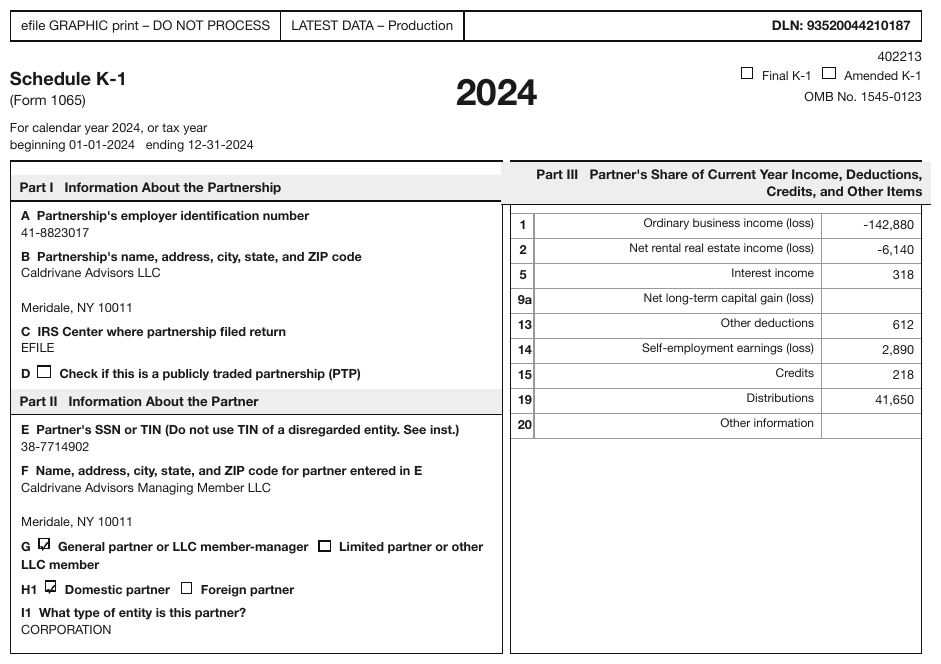
### \[Part II\] Information About the Partner

- \[E\] **Partner's SSN or TIN (Do not use TIN of a disregarded entity. See inst.)**: 38-7714902
- \[I1\] **What type of entity is this partner?**: CORPORATION
Bands with no printed ids work the same way:
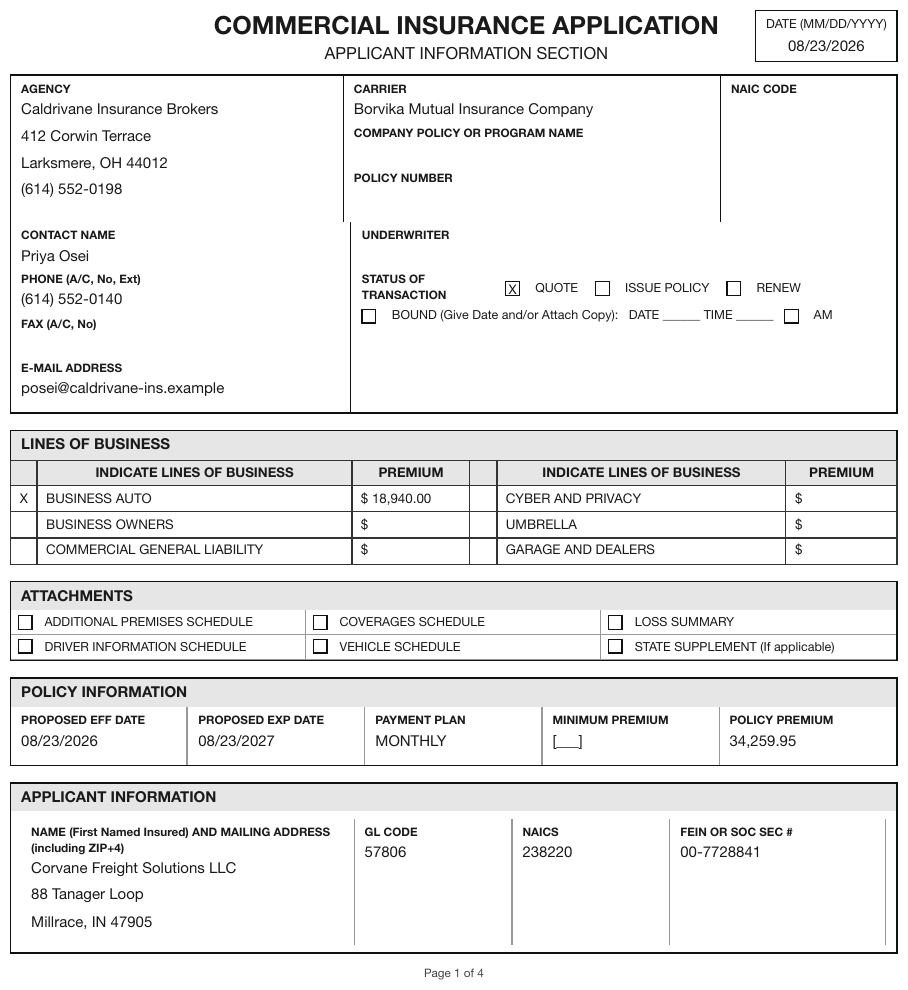
### POLICY INFORMATION

- **PROPOSED EFF DATE**: 08/23/2026
- **PROPOSED EXP DATE**: 08/23/2027
- **PAYMENT PLAN**: MONTHLY
- **MINIMUM PREMIUM**: [blank]
- **POLICY PREMIUM**: 34,259.95
A section almost never holds a single field. One field under a heading usually means the heading was invented.
Small captioned boxes become nested list items
A printed box whose label groups a few entries MUST be rendered as a parent list item with its entries nested one level beneath it:
- \[e\]
  - **Employee's first name and initial**: Joan Jackson
  - **Last name**: [blank]
  - **Suff.**: [blank]
- \[12a\]
  - **Code**: D
  - 1,500.00
- \[15\]
  - **State**: SC
  - **Employer's state ID number**: 00-0000056
The 12a amount slot prints no label, so it is the bare value; an unlabelled empty entry would be
a bare [blank] — see Fill-Ins (§10.4.4).
Repeating groups without labels
Field groups that repeat without a printed heading are anonymous groups in printed order,
separated by blank lines, with no invented Vehicle 1 heading — see
Repeated and Unlabelled Fields (§10.2).
Never invent a wrapper
The W-2 is almost entirely flat. It prints no Identification or Employer grouping, so neither
appears in the output. Inventing one is the same failure as inventing a table header: it adds
structure the page does not have.
Neighbouring rules, and how they differ
More
Rule id forms-sections-and-grouped-fields · forms