Document Representation Protocol
About this document
Working title — draft. A standard for representing a document as text: how each part of a page is interpreted (is this a table? a heading? page furniture?), how each interpreted element is rendered as Markdown, and how every Markdown element is traced back to its box on the page.
Markdown is the output because it is what language models read best. Where Markdown has no syntax, the protocol names the HTML element to use; where a fact does not fit in text at all — the position of each element — it is carried in a sidecar§3.4 alongside the Markdown.
Reading the protocol
- Requirements Language§1.1 — MUST, SHOULD and MAY
- Conformance§1.2 — what a conforming output is, and how a check reports findings
- Rule Status and Scope§1.3 — ✅ normative · ⚖️ equivalent forms · ❓ open point; 📄 page or 📚 document rule
- The Page Is the Ground Truth§2.1 and Never Drop, Never Invent§2.2 — the principles every rule serves
- Elements§3.1 and Markdown Rendering§3.2 — the output model in two pages
- Quick Reference§D.1 — every requirement on one page
Every rule carries worked examples: a page and its expected Markdown. The whole protocol is also available as one long document and as two generated agent skills — one that produces conforming Markdown from page images and one that checks an output against the rules (skills).
Contents
Contents
- §1 Conventions
- §2 Principles
- §3 Output model
- §4 Document level
- §5 Layout
- §6 Headings and page structure
- §7 Text
- 7.1 Text Formatting Conventions
- 7.2.1 Bold and Italics
- 7.2.2 Displayed Equations
- 7.2.3 Drop Caps
- 7.2.4 Escaping Printed Marks
- 7.2.5 Highlighted Text
- 7.2.6 Inline Equations
- 7.2.7 Line-End Hyphenation
- 7.2.8 Links
- 7.2.9 Quote Blocks
- 7.2.10 Small Capitals
- 7.2.11 Superscript and Subscript
- 7.2.12 Underlined Text
- 7.2.13 Verse and Hard Line Breaks
- 7.3.1 Clipped Text
- 7.3.2 E-Signature Tags
- 7.3.3 Handwritten Annotations
- 7.3.4 Iconography and Symbols
- 7.3.5 Margin Banners
- 7.3.6 Overlapping Text
- 7.3.7 QR Codes and Bar Codes
- 7.3.8 Redacted Text
- 7.3.9 Seals and Round Stamps
- 7.3.10 Signatures
- 7.3.11 Stamps
- 7.3.12 Text Colors
- 7.3.13 Watermarks
- §8 Lists
- §9 Tables
- 9.1.1 Borderless Whitespace Tables
- 9.1.2 Chart With a Printed Data Grid
- 9.1.3 Empty Pre-Printed Grids
- 9.1.4 Header-Only Tables
- 9.1.5 Is This Even a Table
- 9.2.1 Bands Inside the Grid
- 9.2.2 Column Continuation
- 9.2.3 Continued in the Title
- 9.2.4 Duplicated Tables
- 9.2.5 Group and Cohort Bands
- 9.2.6 Horizontal Slicing
- 9.2.7 Repeated Headers and Title Bands
- 9.2.8 Side-by-Side Mini Tables
- 9.2.9 Split Tables Sharing a Header
- 9.3.1 Barely-Existing Columns and Headers
- 9.3.2 Header Wrap vs Real Tier
- 9.3.3 Multi-Row Header Tiers
- 9.3.4 SEC Period Tiers
- 9.3.5 Units Row
- 9.4.1 Gutter Columns
- 9.4.2 Header Body Column Count Mismatch
- 9.5.1 Blank and Spacer Rows
- 9.5.2 Nested Tables
- 9.5.3 Record Groups and Multi-Line Cells
- 9.5.4 Repeated Identical Values
- 9.5.5 Row-Label Hierarchy
- 9.5.6 Total and Subtotal Rows
- 9.6.1 Accounting Number Formats
- 9.6.2 Bold and Italic Inside Tables
- 9.6.3 Cell Text Fidelity
- 9.6.4 Color as the Value
- 9.6.5 Handwriting and Stamps
- 9.6.6 Marks and Symbols in Cells
- 9.6.7 Struck and Replaced Values
- 9.7.1 Bottom Edge Totals and Islands
- 9.7.2 Footnotes Inside the Frame
- 9.7.3 Titles Banners Captions
- 9.8.1 Rotated and Diagonal Content
- 9.8.2 Triangles and Matrix Tables
- §10 Forms
- 10.1 Forms and Key-Value Regions
- 10.2 Repeated and Unlabelled Fields
- 10.3.1 Ids and Labels
- 10.3.2 The Key-Value List
- 10.3.3 Values Are Verbatim
- 10.4.1 Blanks Inside Sentences
- 10.4.2 Checkboxes
- 10.4.3 Checklists
- 10.4.4 Fill-Ins
- 10.4.5 Option Groups
- 10.4.6 Printed Buttons and Placeholders
- 10.5.1 Fields Outside the Form
- 10.5.2 Form Reading Order
- 10.5.3 Sections and Grouped Fields
- 10.5.4 Tables Inside Forms
- §11 Charts
- 11.1.1 Cover Every Data Point
- 11.1.2 Labels
- 11.1.3 Multiple Charts and Reference Ink
- 11.1.4 Values and Tolerances
- 11.2.1 Bars and Histograms
- 11.2.2 Dual-Axis and Combo Charts
- 11.2.3 Gantt and Sankey Charts
- 11.2.4 Legend and Overlay Values
- 11.2.5 Line Charts
- 11.2.6 Log Scale Charts
- 11.2.7 Maps and Treemaps
- 11.2.8 Scatter and Error Bars
- 11.2.9 Stacked Bars and Waterfalls
- §12 Images and diagrams
- §13 Other
- §A Equivalent forms
- §C Producing ground truth
- C.1 Producing Ground Truth
- C.2 About the Examples
- C.3 Ground Truth — Charts
- C.4 Ground Truth — Headings and Page Structure
- C.5 Ground Truth — Images, Diagrams and Other
- C.6 Ground Truth — Inline Formatting
- C.7 Ground Truth — Layout
- C.8 Ground Truth — Lists and Forms
- C.9 Ground Truth — Marks on the Page
- C.10 Ground Truth — Tables 1-3
- C.11 Ground Truth — Tables 4-8
- C.12 The annotation QA checklist
- C.13 The Ground-Truth File
- §D Quick reference
§1 Conventions
1.1 Requirements Language
Requirement keywords
The key words MUST, MUST NOT, SHOULD, SHOULD NOT and MAY in this protocol are to be interpreted as described in RFC 2119 and RFC 8174 when, and only when, they appear in capitals.
| Keyword | Meaning | A violation is |
|---|---|---|
| MUST / MUST NOT | An absolute requirement of the protocol. | an error: the output does not conform |
| SHOULD / SHOULD NOT | A strong recommendation. Deviation is allowed only for a reason that holds for this document. | a warning |
| MAY | A truly optional behaviour. A consumer MUST accept output with or without it. | never reported |
The same words in lower case carry their ordinary English meaning and state no requirement.
Examples, sketches and captions are informative: they illustrate a requirement and never add one. Where an example and a requirement disagree, the requirement governs and the example is a defect.
Related
- Conformance§1.2 — what an output has to satisfy to conform
- Rule Status and Scope§1.3 — how settled each requirement is
1.2 Conformance
✅ Normative · 📚 document rule
✅ Normative
A conforming output is a Markdown rendering of a document that satisfies every MUST of this protocol, optionally accompanied by a sidecar that satisfies The Sidecar§3.4. A producer conforms when every output it emits conforms.
What is judged
An output is judged against the document as rendered — the pages a reader sees — and never against the file's text layer, OCR, or another output. See The Page Is the Ground Truth§2.1.
| Part | Required | Governed by |
|---|---|---|
| Markdown | always | Markdown Rendering§3.2 and chapters 4–13 |
| Sidecar | when boxes are requested | The Sidecar§3.4, Boxes and Granularity§3.3 |
Verdicts
A check of an output against the protocol yields findings, each tied to one requirement:
- a violated MUST is an error; any error makes the output non-conforming;
- a violated SHOULD is a warning; warnings do not affect conformance;
- a requirement marked ❓ open yields warnings only, whatever its keyword, until it is settled.
Equivalent forms
Where the protocol accepts more than one rendering (⚖️), every accepted rendering conforms, and a consumer MUST treat them as equal. A document MUST NOT mix accepted renderings of the same situation — see Choices Made Once Per Document§4.2 and Accepted Alternatives§A.1.
Output options
A few requirements depend on what the producer was asked to produce, such as whether table fragments are joined across pages. They are listed in Output Options§3.5; an output is judged under the options it was produced with.
Related
- Requirements Language§1.1 — the meaning of MUST, SHOULD and MAY
- Output Options§3.5 — requirements that depend on the producer's settings
- Accepted Alternatives§A.1 — renderings that are equal for conformance
1.3 Rule Status and Scope
Every rule carries two badges: its status, which says how settled it is, and its scope, which says what evidence applying it needs.
Status
| Badge | Meaning |
|---|---|
| ✅ Normative | Settled. The requirement holds as written. |
| ⚖️ Equivalent forms | Two renderings conform. A document uses one of them throughout. |
| ❓ Open point | Not yet settled. The rule states a working default, which conforming output follows, and a proposed resolution. Violations are reported as warnings only. Every open point is closed before the protocol is published — see Ambiguity List. |
Scope
| Badge | Meaning |
|---|---|
| 📄 Page rule | Can be applied from the page alone. |
| 📚 Document rule | Needs other pages of the same document; decided once and applied on every page. See Document Rules§4.1. |
How a rule is laid out
- The requirement — in the status callout, in the language of Requirements Language§1.1.
- The situation — how the element is recognised on the page, often with a sketch.
- Sub-cases — each with its own requirement and its examples beneath it.
- Examples — ✅ Sample (the rule applies) or ❌ Counter-sample (it looks like it applies and does not, or a rendering got it wrong), each with its Expected Markdown.
- Related — neighbouring rules, with why each resolves differently.
Conventions in the examples
- Fenced
textblocks sketch printed layout, not output. Expected Markdownblocks are conforming output for the region shown. A line holding only<!-- … -->marks elided content.Non-conforming outputblocks show a rendering that violates the rule, for contrast.ROW_SPAN_CONTINUEin a sketch marks a cell covered by a rowspan from the row above.
Related
- Requirements Language§1.1 · Conformance§1.2 · Document Rules§4.1
§2 Principles
2.1 The Page Is the Ground Truth
✅ Normative · 📄 page rule
✅ Normative
The output MUST represent the document as rendered: what a careful reader extracts from the pages, semantic structure over visual appearance, with text transcribed verbatim — typos included.
The PDF text layer, OCR and any other output are supporting evidence, never authority. Where they disagree with the rendered page, the page governs.
- Text MUST be transcribed exactly as printed. Spelling, punctuation, capitalisation and numbers MUST NOT be corrected, normalised or completed.
- Content that is not visible on the rendered page — hidden text-layer strings, text clipped by the page edge, white-on-white text — MUST NOT appear in the output. See Clipped Text§7.3.1.
- Structure MUST be read from what the page prints and how it is laid out, not from what the content "should" be: a table is a table because the page lays it out as one.
- A disputed character SHOULD be settled from a zoomed view of the page or the word geometry, never from what looks plausible.
Which text counts as page content
Text is in scope only when it has a visually perceptible presence in the rendered page. A string existing in the source file, being selectable, or being returned by OCR does not make it visible content. Visibility is judged on the supplied rendition with its original colours, opacity, clipping and overlays intact. Ordinary zoom or a higher-resolution rendering MAY be used to inspect real fine print; changing contrast, recolouring text, removing an overlay, or magnifying a microscopic source object until it becomes readable MUST NOT bring hidden content into scope.
| Situation | Required treatment |
|---|---|
| Hidden OCR/text layer, transparent text, invisible rendering mode, text behind an opaque object, or text wholly outside the crop | Omit the hidden string. It MUST NOT be transcribed or given an output element or box. |
White text on white, black on black, or effectively imperceptible contrast such as #010101 on #000000 |
Omit text whose presence cannot be perceived with the original appearance. Contrast enhancement or the source colour values MUST NOT be used to recover it into the output. |
Microscopic text such as 0.01 pt at its final rendered scale |
Omit it when it has no perceptible textual presence. Arbitrarily large zoom or a source-text dump does not make it page content. |
| Small but visible fine print, a faint watermark, or low-contrast text still perceptible as text | Keep it. Inspect at ordinary zoom or higher rendering resolution; size or low contrast alone is not an exclusion. |
| A visible text region whose characters remain unreadable | Preserve legible fragments and use [illegible] for the unreadable span. Do not guess from OCR or context, and do not treat a visibly present region as invisible. |
| Partly clipped, covered or redacted text | Keep only visible characters and apply Clipped Text§7.3.1, Overlapping Text§7.3.6 or Redacted Text§7.3.8; never recover concealed characters from the source layer. |
A font-size or colour threshold alone MUST NOT decide visibility: source transforms can enlarge a
small font, and contrast depends on the actual rendered background. 0.01 pt refers to final
appearance, not an untransformed font-size field. The distinction is no perceptible text
(omit) versus perceptible text with unreadable characters (retain the evidence without guessing).
The hidden string MUST NOT leak into labels, descriptions, alternate text or sidecar metadata.
An optional review note MAY describe the exclusion without copying the hidden content.
These exclusions define the scope of Never Drop, Never Invent§2.2. They do not permit dropping readable footnotes, margin text, rotated text, dense tables or deliberately faint but visible marks. For damaged regions or unusable pages, apply Ignoring and Rejecting§5.6.
Related
- Never Drop, Never Invent§2.2 — the two failures every rule guards against
- Cell Text Fidelity§9.6.3 — verbatim transcription inside tables
- Clipped Text§7.3.1 — what is visible is what is transcribed
2.2 Never Drop, Never Invent
✅ Normative · 📄 page rule
✅ Normative
Every piece of printed content MUST survive into the output (never drop), and the output MUST NOT contain a label, value, span, header, structure or relationship that the page does not print (never invent).
Almost every rule in this protocol exists to prevent one of these two failures.
Never drop
Printed content means visually perceptible content under The Page Is the Ground Truth§2.1. Hidden,
microscopic or imperceptibly low-contrast source strings are outside that scope; visible but
unreadable text is retained as evidence with [illegible], not silently discarded.
A visible row, column, cell, marker, header, caption, footnote, stamp or repeated table MUST appear in the output. The most-dropped items are the last row of a table, trailing summary lines, detached cells beside a grid, sparse columns proven only by their header, and text in the margins.
Where the protocol is unsure how to represent something, the rendering that loses no content is the conforming one.
Never invent
The output MUST NOT add what the page does not print. A rowspan is a claim that the page merged
those cells; if the page printed them separately, the claim is false. A heading level, a header
tier, a list nesting or a table boundary is likewise a claim about the page and MUST be supported
by it.
Placeholders that stand for content — [image], [The image shows…], ... — are invented and
MUST NOT appear, except the explicit markers this protocol defines (such as [blank] for an empty
form field and [signature]).
Related
- The Page Is the Ground Truth§2.1 — what the output is judged against
- Traceability§2.3 — every output element points back at printed content
- Accepted Alternatives§A.1 — where two renderings are equally faithful
2.3 Traceability
✅ Normative · 📄 page rule
✅ Normative
Every element of the output MUST be attributable to the place on the page it was read from. When boxes are requested, every Markdown element MUST have a box, and every box MUST cover exactly the printed content of its element.
Traceability is what lets a reader of the Markdown — a person or a model — go back to the page to check, cite or highlight a statement. It is also what makes the two principles checkable: a Markdown element with no printed source is invented; printed content with no Markdown element is dropped.
- An element is traced by its box: the region of the page its content occupies. What a box covers and how fine boxes go are defined in Boxes and Granularity§3.3; how boxes are carried is defined in The Sidecar§3.4.
- Content the protocol moves out of its printed position — a watermark placed first, a sidenote placed after its paragraph, a folio recorded on its own — still traces to where it was printed.
- A Markdown element that was synthesised rather than transcribed (for example a chart table built from marks) traces to the region of the page it was read from.
Related
- Boxes and Granularity§3.3 — what a box covers, and how fine boxes go
- The Sidecar§3.4 — where boxes are carried
- Never Drop, Never Invent§2.2 — traceability makes both failures visible
§3 Output model
3.1 Elements
✅ Normative · 📄 page rule
✅ Normative
A document is represented as a sequence of pages, each a sequence of elements in reading order. Every element MUST have exactly one class from the table below and MUST be rendered in Markdown as that class prescribes.
An element is the smallest unit the protocol reasons about: it has one class, one rendering, one position in reading order and — when boxes are requested — one box. The classes are the layout classes of Block Classes§5.3; the rendering column says how each appears in the Markdown. An element's class MUST be identical in its layout annotation and its Markdown representation. Its Markdown syntax MAY be shared by several classes; the element's role determines the class.
| Class | Rendering in Markdown | Defined in |
|---|---|---|
| Title | ATX heading at the document's top level | Document Type§4.4, Heading Depth Across Pages§4.5 |
| Section-header | ATX heading (#…######) at its document depth |
Heading Depth Across Pages§4.5, Recognising Ambiguous Headings§6.7 |
| Text | Paragraph; inline marks per Text Formatting Conventions§7.1 | chapter 7 |
| List-item | Markdown list item, nesting by printed indentation | Bullets and Sub-Bullets§8.1 |
| Table | HTML <table> |
chapter 9 |
| Caption | For a table or chart, <caption> first or last inside its table HTML according to reading order; otherwise a paragraph adjacent to its object |
Titles Banners Captions§9.7.3 |
| Footnote | Paragraph at its printed position | Footnotes Inside the Frame§9.7.2 |
| Formula | $$ … $$ LaTeX, with its printed equation number |
Displayed Equations§7.2.2 |
| Picture | Its content as text: a chart table (<table data-source="chart">), a diagram/<language> block, a description fallback block, or a prose description |
Images and Figures§12.1.2 |
| Code | Fenced code block | Block Classes§5.3 |
| Page-header / Page-footer | Its own block, never a heading | Recurring Page Furniture§4.6, Markdown Rendering§3.2 |
| Form / Key-Value Region | Key-value lines with [blank] for empty fields |
chapter 10 |
| Checkbox-Selected / -Unselected | [x] / [ ] before its label |
Checkboxes§10.4.2 |
| Document Index | Nested list, label then page number | Table of Contents§6.10 |
Elements inside elements
A table contains cells; a list contains items; a form contains fields. These inner elements are rendered inside their parent's Markdown and receive boxes only at the granularity that was requested — see Boxes and Granularity§3.3.
A table or chart caption is rendered inside its object's <table> but retains the Caption class
and its own layout box. HTML nesting does not merge the caption into the Table or Picture class.
Content outside the reading flow
Watermarks, margin banners, stamps, seals, handwriting and sidenotes are elements too. Each has a defined place in the Markdown even though it sits outside the body flow on the page — see Watermarks§7.3.13, Margin Banners§7.3.5, Seals and Round Stamps§7.3.9, Handwritten Annotations§7.3.3 and Marginal Notes§6.4.
Related
- Block Classes§5.3 — how to tell the classes apart on the page
- Markdown Rendering§3.2 — the rules that hold across every class
- Boxes and Granularity§3.3 — which elements get boxes
3.2 Markdown Rendering
✅ Normative · 📚 document rule
✅ Normative
The output MUST be one Markdown document for the whole document, with pages in order separated
by a line holding only ---, and each page's elements in reading order. Where Markdown has no
syntax for a construct, the output MUST use the HTML element this protocol names, and MUST NOT
invent a notation of its own.
Page boundaries
- Pages MUST appear in document order, each separated from the next by a line containing only
---, preceded and followed by a blank line. ---MUST NOT be used for anything else. A printed separator rule is<hr/>— see Line Separators and Breaks§6.3 — and printed text that begins with---is escaped — see Escaping Printed Marks§7.2.4.- A page with no ink at all is represented by the single line
<!-- blank page -->— see Ignoring and Rejecting§5.6. - Content MUST stay on the page it is printed on: a table, paragraph or cell that runs onto the next page is split at the boundary — see Cross-Page Tables§4.3 and Output Options§3.5.
Markdown first, HTML where Markdown cannot
| Construct | Rendering |
|---|---|
| Headings | ATX # headings |
| Bold / italic | Markdown ** / *; inside HTML tables, see Bold and Italic Inside Tables§9.6.2 |
| Underline, superscript, subscript, highlight | <u>, <sup>, <sub>, <mark> |
| Meaningful text colour | <font color="NAME"> |
| Tables | HTML <table> with <tr>, <th>, <td>, rowspan, colspan |
| Tables representing charts | HTML <table data-source="chart"> — see Cover Every Data Point§11.1.1 |
| Table and chart captions | <caption>…</caption> first or last inside <table> according to reading order — see Titles Banners Captions§9.7.3 |
| Printed separator rule | <hr/> |
| Line break inside one block | a plain newline — see Line Breaks Inside a Block§6.2 |
| Maths | $$ … $$, inline and displayed |
| Diagrams and blueprints | fenced diagram/<language> block; fenced description only when no suitable language can faithfully represent the content |
Tables MUST be HTML because spanning cells, multi-tier headers and multi-line cells cannot be expressed in pipe tables; pipe tables MUST NOT be used. See Nested Tables§9.5.2.
Markers
The protocol defines a small set of bracketed markers for printed things that are not text. They
are the only placeholders allowed: [blank] an empty field, [x] / [ ] a checkbox,
[signature] / [signature:{name}], [seal: …], [logo: …] / [logo], [watermark: …], [stamp: …] / [stamp], [handwritten: …], [REDACTED]. Each is
defined in its own rule.
Page header and footer bands
A header band MUST be rendered as its own paragraph(s) at the start of its page's content and a
footer band at the end, never as a heading. A producer MAY wrap each band in <header>…</header> /
<footer>…</footer>, so a consumer can drop or keep furniture without guessing where it ends; the
wrapper is optional, and output with or without it conforms.
Related
- Elements§3.1 — the rendering of each element class
- Text Formatting Conventions§7.1 — the inline markup table
- Line Separators and Breaks§6.3 — why
---is reserved for page boundaries
3.3 Boxes and Granularity
✅ Normative · 📄 page rule
✅ Normative
A box is the region of the page that an element's printed content occupies. Boxes MUST be given at exactly the granularity that was requested, and at that granularity every element MUST have one box. A producer MUST NOT return several granularities in place of one.
What a box covers
A box MUST enclose all of its element's printed content and SHOULD enclose nothing else. What belongs to an element — whether a caption is inside a table's box, whether a list item's box includes its bullet, where a picture ends — is decided by the layout rules: Block Boundaries§5.2, Block Annotation§5.1 and Block Classes§5.3. A box never covers content moved out of its position in the Markdown: a watermark's box is where the watermark is printed.
The four levels
| Level | A box is given for… | Suited to |
|---|---|---|
| none | each element (region level) | the default: region-level grounding |
| cell | each element, and each table cell | per-value verification and highlighting |
| line | each element, and each printed line | line-level citation, reading-order checks |
| word | each element, and each word | per-token grounding |
The levels are a ladder
The levels subsume one another, and the resolution rule is strict precedence:
word > line > cell > none
A request naming several levels MUST be served at the finest one named; naming coarser levels alongside it changes nothing.
Choosing a level
Finer is not better. Each step down multiplies the number of boxes, and every box can be wrong, mis-attributed or drift out of alignment with its text. A consumer SHOULD request the coarsest level that answers its question.
Where a rule turns on geometry — is this value printed once or three times? does this ruling line stop before that column? — the evidence lives at cell level or finer. A coarser output can neither settle nor dispute those questions.
Related
- Traceability§2.3 — why every element has a box
- Block Boundaries§5.2 — what a Picture or Table box contains
- The Sidecar§3.4 — how boxes are carried
3.4 The Sidecar
✅ Normative · 📚 document rule
✅ Normative
When boxes are requested, the output MUST include a sidecar: a structured file that lists, page by page, every element with its class, its Markdown and its box. The sidecar is the source the Markdown is rendered from; the Markdown MUST be exactly the concatenation of the sidecar's element Markdown in reading order, each element preceded by its inline box anchor, with pages joined as Markdown Rendering§3.2 requires.
The sidecar is secondary to the rest of this protocol: the rules that matter are how the document is interpreted and rendered, and what a box covers. This note fixes only what a sidecar must carry. Its encoding is the page-and-items structure LlamaParse already returns, normalised.
Contents
| Level | Carries |
|---|---|
| Document | its pages, in order |
| Page | 1-based page number; page width and height; printed page number when requested — see Printed Page Numbers§6.6; line_numbers when requested — see Pleading Line Numbers§5.8 |
| Element | class — see Elements§3.1; its Markdown; its box; finer boxes at the requested granularity |
| Box | x, y, w, h in the page's coordinate space, origin top-left |
| Table element | additionally continuesFromPreviousPage and continuesOnNextPage, booleans — see Cross-Page Tables§4.3 |
| Finer box | as a box, plus the character range of the element's Markdown it covers (startIndex, endIndex, end exclusive, counted in the element's Markdown including its syntax) |
{"page": 3, "width": 612, "height": 792, "printedPageNumber": "iv",
 "items": [{"type": "Section-header", "md": "## 9.2 Pressure",
            "bBox": {"x": 72, "y": 80, "w": 200, "h": 18},
            "layoutAwareBbox": [{"x": 72, "y": 80, "w": 200, "h": 18, "startIndex": 3, "endIndex": 15}]}]}
- Every element of the Markdown MUST correspond to one sidecar item, and every item to one element.
- Character ranges MUST point into the element's own Markdown, so any span of the Markdown resolves to a box.
Boxes in the Markdown itself
When boxes are requested, the Markdown MUST also carry each element's box inline, so that a single Markdown file is traceable on its own: each element is preceded by an HTML comment anchor holding the same box as the sidecar.
<!-- el p=3 x=72 y=80 w=200 h=18 -->
## 9.2 Pressure
The anchors are invisible when rendered and are stripped when the Markdown is given to a model that does not need them. When boxes are not requested, the Markdown carries no anchors.
Related
- Boxes and Granularity§3.3 — what the boxes cover and how fine they go
- Traceability§2.3 — why every element is traced
- Printed Page Numbers§6.6 — the page-level printed number
3.5 Output Options
❓ Open point · 📚 document rule
❓ Open point
Four situations have more than one conforming output, depending on what the producer was asked to produce. Working default: the narrower reading — fragments separate, graphics described, everything printed recorded — which conforms under either setting. Proposed resolution: make each an explicit, named option of the request, and judge the output under the options it was produced with.
Every other requirement holds whatever the producer was configured to do. These four do not: an output that assumes a setting the producer did not use is not held to a stricter standard; it is held to an unreachable one.
The four options
| The page shows | With the option | Without it (working default) |
|---|---|---|
| A printed folio | The number is also recorded on its own, per page | It survives only inside the band text |
| A logo, seal or icon | The mark MAY be referenced as a saved image | Its content MUST be put into the text stream — see Images§12.1.1 |
| A table continuing overleaf | The fragments MAY be joined into one table | Each fragment MUST stand alone — see Cross-Page Tables§4.3 |
A table titled (continued) |
As above | The marker is kept and the fragment stands alone — see Continued in the Title§9.2.3 |
Why the narrower reading is the default
Nothing in the narrower reading is wrong under the wider setting; it is only less than the wider setting allows. The reverse is not true: an output that fuses two fragments cannot be split into two again if the setting turns out to be off.
Related
- Cross-Page Tables§4.3 — fragments and their continuation flags, which a join would build on
- Printed Page Numbers§6.6 — the folio option
- Images§12.1.1 — what a mark becomes when it is not referenced
§4 Document level
4.1 Document Rules
Almost every rule in this protocol is a page rule: it can be applied with only the page in view. A handful are document rules: applying them needs other pages of the same document. Every rule carries a 📄 or 📚 badge saying which it is — see Rule Status and Scope§1.3.
| 📄 Page rule | 📚 Document rule | |
|---|---|---|
| Evidence | this page alone | this page and others in the document |
| When it is decided | on each page | once, at or before the first page that forces it |
| What a later page does | decides again from its own print | follows the earlier decision |
The document rules
- Document Type§4.4 — slide deck or paged document, and which sheet is the cover
- Recurring Page Furniture§4.6 — a band that is furniture anywhere is furniture everywhere
- Heading Depth Across Pages§4.5 — a new page does not restart the hierarchy
- Choices Made Once Per Document§4.2 — every ⚖️ rendering is held for the whole document
- Cross-Page Tables§4.3 — fragments stay on their pages, with continuation flags set across each break
Precedence
The document decisions come first: the document type and the cover gate the Title class and the heading depth on every page, and the furniture decision gates which margin bands are headers and footers. Page rules are then applied within those decisions, and each ⚖️ choice, once made, holds for the rest of the document.
A single page
A document rule cannot be settled from a single page. Each document rule states the conforming behaviour for that case, and the pattern is always the same: the output applies what the page itself supports and never assumes what other pages print.
Related
- The Page Is the Ground Truth§2.1 — the requirement every rule, page or document, serves
- Document Representation Protocol — the full index
4.2 Choices Made Once Per Document
✅ Normative · 📚 document rule
✅ Normative
Where the protocol accepts two renderings of a situation, the rendering chosen at the first page that forces the choice MUST be used on every later page of the same document. A document MUST NOT mix the accepted renderings of one situation.
An ⚖️ rule accepts either of two renderings. Accepting either does not mean switching between them: a document whose units rows are header rows on page 3 and folded into labels on page 7 is non-conforming, even though each page on its own conforms.
The choices
| Choice | The two renderings | Rule |
|---|---|---|
| Units line under a header | second header row · folded into the label above | Units Row§9.3.5 |
| Printed blank row | kept · left out | Blank and Spacer Rows§9.5.1 |
| Full-width band inside a grid | spanning header cell · spanning body cell | Bands Inside the Grid§9.2.1 |
| Section-divider row | bold <td> · <th> |
Titles Banners Captions§9.7.3 |
| Totals block with no frame either way | footer rows · its own key-value table | Bottom Edge Totals and Islands§9.7.1 |
| Gantt bar edge on a period tick | last period filled · tick reached | Gantt and Sankey Charts§11.2.3 |
- Where a rule names a default rendering, the output SHOULD use the default, unless an earlier page of the same document already used the other rendering; in that case the output MUST keep the earlier one.
- The choice holds for the situation, not for the page: two pages that both print a units line MUST render it the same way, however far apart they are.
A single page
Where only one page of a document is available, the output SHOULD use the rule's default, and MUST be consistent within that page. Consistency with the rest of the document cannot be judged until the other pages are available.
Related
- Accepted Alternatives§A.1 — the full list of renderings that are equal for conformance
- Recurring Page Furniture§4.6 — the other decision made once and applied to every page
- Conformance§1.2 — why mixing two accepted renderings is non-conforming
4.3 Cross-Page Tables
✅ Normative · 📚 document rule
✅ Normative
A table that runs across a page break MUST be rendered as one fragment per page, each on its own page, complete and exactly as that page prints it. Fragments MUST NOT be joined. In the sidecar, each fragment MUST carry two continuation flags — continues from the previous page and continues onto the next page — decided at document level, from the pages on both sides of the break.
A table runs off the bottom of one page and picks up on the next, sometimes with the headers repeated, sometimes not, sometimes with "(continued)" in the title.
── page 12 ──                    ── page 13 ──
| State | Rate |                 | State | Rate |   ← header repeated
| AL    | 1.10 |                 | MT    | 0.95 |     (sometimes it isn't)
| …     | …    |                 | …     | …    |
Fragments stay on their pages
- Rows from two pages MUST NOT be merged into one table, unless a join is requested under Output Options§3.5.
- A header from one page MUST NOT be copied onto another page's fragment. What is printed on a page is what that page's fragment holds (never invent).
- A cell cut by the page break MUST end at the page boundary; the next page's fragment holds only the text visible there. Missing labels or values MUST NOT be repeated to complete either half.
- A printed continuation marker such as
(continued)is text and MUST be transcribed — see Continued in the Title§9.2.3.
Reading a table's true extent needs a page that is not in view, so a join made from one page is a guess. A fragment with its continuation flags loses nothing and claims nothing false; a wrong join loses both fragments, and a fused table cannot be split again.
Continuation flags — a document-level decision
Each table fragment in the sidecar carries two boolean flags, continuesFromPreviousPage and
continuesOnNextPage (see The Sidecar§3.4). They are decided with both sides of the break in view,
not from one page alone:
- A fragment that ends a page and the fragment that opens the next page are one table when the
second has the same columns and either prints no header, repeats the first one's header, or is
marked as continued. Then the first MUST have
continuesOnNextPage: trueand the secondcontinuesFromPreviousPage: true. - The two flags MUST agree across the break: a fragment flagged as continuing onto the next page requires the first table of the next page to be flagged as continuing from the previous one, and the reverse.
- A fragment that does not continue across a break MUST have both flags
false.
page 12  last table     continuesFromPreviousPage: false   continuesOnNextPage: true
page 13  first table    continuesFromPreviousPage: true    continuesOnNextPage: false
Signals worth reading
- A repeated header at the top of the second fragment does not mean it is a new table — a continued table routinely re-declares its columns after a page break. This is the one place where header repetition is not a boundary; see Repeated Headers and Title Bands§9.2.7.
- A second fragment that starts straight into data rows, with no header, is the strongest ordinary continuation signal.
- An explicit "(continued)" in the title or at the foot of the page is stronger still.
- A first fragment whose rows run to the foot of the page with no total row supports the reading; a closing total row argues against it.
✅ Sample — dt1
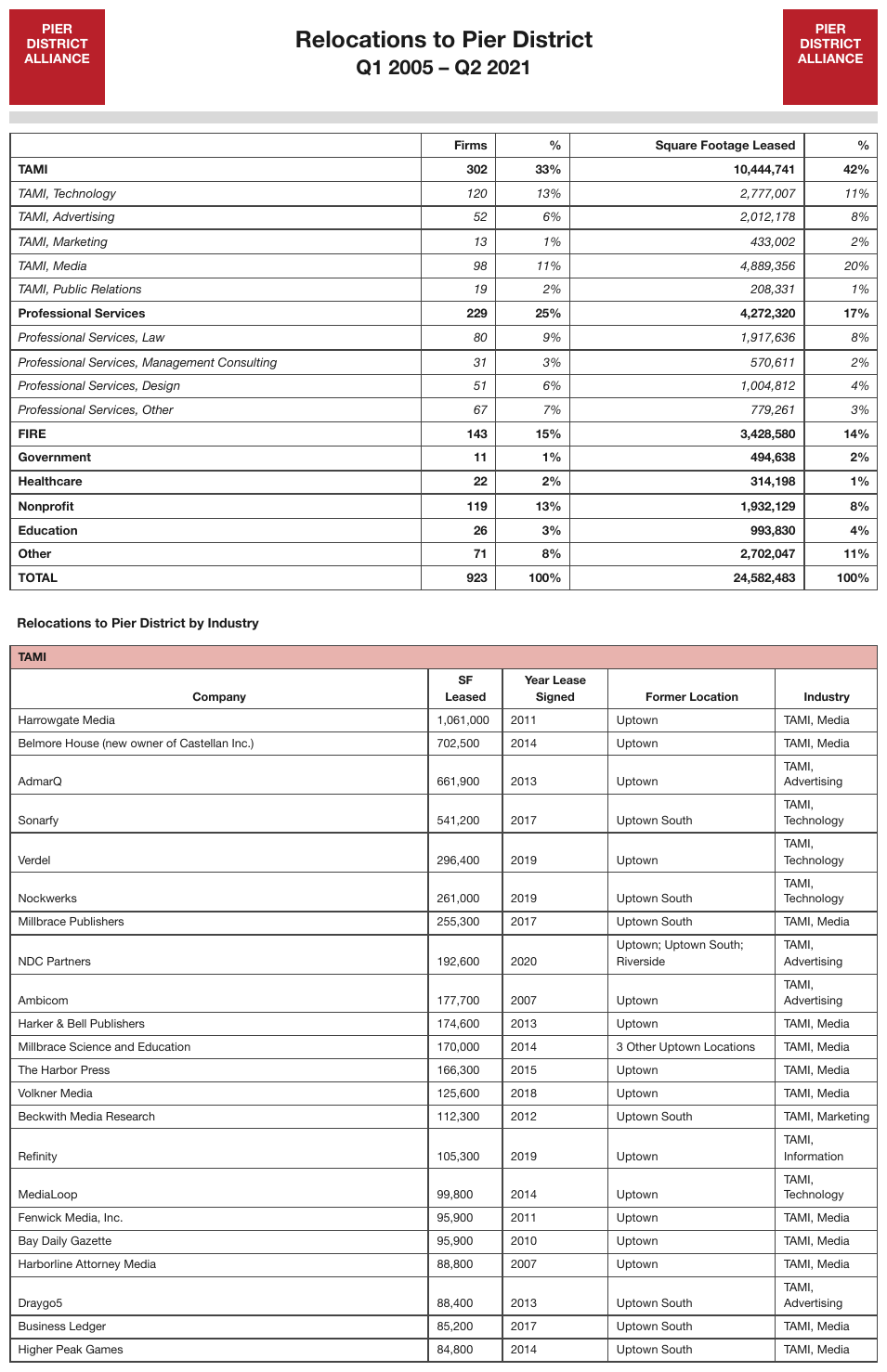
Page one: the company-relocation table under Relocations to Pier District by Industry prints its
TAMI band and header row once, and runs to the foot of the page with no closing total. The
italic industry sub-rows of the summary table above are not indented.
Relocations to Pier District by Industry
| TAMI | ||||||||||||||||||||||||||||||||||||||||||||||||||||||||||||||||||||||||||||||||||||||||||||||||||
|---|---|---|---|---|---|---|---|---|---|---|---|---|---|---|---|---|---|---|---|---|---|---|---|---|---|---|---|---|---|---|---|---|---|---|---|---|---|---|---|---|---|---|---|---|---|---|---|---|---|---|---|---|---|---|---|---|---|---|---|---|---|---|---|---|---|---|---|---|---|---|---|---|---|---|---|---|---|---|---|---|---|---|---|---|---|---|---|---|---|---|---|---|---|---|---|---|---|---|
| Company | SF Leased | Year Lease Signed | Former Location | Industry | ||||||||||||||||||||||||||||||||||||||||||||||||||||||||||||||||||||||||||||||||||||||||||||||
| Harrowgate Media | 1,061,000 | 2011 | Uptown | TAMI, Media | ||||||||||||||||||||||||||||||||||||||||||||||||||||||||||||||||||||||||||||||||||||||||||||||
| Belmore House (new owner of Castellan Inc.) | 702,500 | 2014 | Uptown | TAMI, Media | ||||||||||||||||||||||||||||||||||||||||||||||||||||||||||||||||||||||||||||||||||||||||||||||
| AdmarQ | 661,900 | 2013 | Uptown | TAMI, Advertising | ||||||||||||||||||||||||||||||||||||||||||||||||||||||||||||||||||||||||||||||||||||||||||||||
| Sonarfy | 541,200 | 2017 | Uptown South | TAMI, Technology | ||||||||||||||||||||||||||||||||||||||||||||||||||||||||||||||||||||||||||||||||||||||||||||||
| … | ||||||||||||||||||||||||||||||||||||||||||||||||||||||||||||||||||||||||||||||||||||||||||||||||||
| NDC Partners | 192,600 | 2020 | Uptown; Uptown South; Riverside | TAMI, Advertising | ||||||||||||||||||||||||||||||||||||||||||||||||||||||||||||||||||||||||||||||||||||||||||||||
| … | ||||||||||||||||||||||||||||||||||||||||||||||||||||||||||||||||||||||||||||||||||||||||||||||||||
| Draygo5 | 88,400 | 2013 | Uptown South | TAMI, Advertising | ||||||||||||||||||||||||||||||||||||||||||||||||||||||||||||||||||||||||||||||||||||||||||||||
| Business Ledger | 85,200 | 2017 | Uptown South | TAMI, Media | ||||||||||||||||||||||||||||||||||||||||||||||||||||||||||||||||||||||||||||||||||||||||||||||
| Higher Peak Games | 84,800 | 2014 | Uptown South | TAMI, Media | ||||||||||||||||||||||||||||||||||||||||||||||||||||||||||||||||||||||||||||||||||||||||||||||
Markdown source
**Relocations to Pier District by Industry**

<table>
<tr> <th colspan="5">TAMI</th> </tr>
<tr> <th>Company</th> <th>SF Leased</th> <th>Year Lease Signed</th> <th>Former Location</th> <th>Industry</th> </tr>
<tr> <td>Harrowgate Media</td> <td>1,061,000</td> <td>2011</td> <td>Uptown</td> <td>TAMI, Media</td> </tr>
<tr> <td>Belmore House (new owner of Castellan Inc.)</td> <td>702,500</td> <td>2014</td> <td>Uptown</td> <td>TAMI, Media</td> </tr>
<tr> <td>AdmarQ</td> <td>661,900</td> <td>2013</td> <td>Uptown</td> <td>TAMI, Advertising</td> </tr>
<tr> <td>Sonarfy</td> <td>541,200</td> <td>2017</td> <td>Uptown South</td> <td>TAMI, Technology</td> </tr>
<!-- … -->
<tr> <td>NDC Partners</td> <td>192,600</td> <td>2020</td> <td>Uptown; Uptown South; Riverside</td> <td>TAMI, Advertising</td> </tr>
<!-- … -->
<tr> <td>Draygo5</td> <td>88,400</td> <td>2013</td> <td>Uptown South</td> <td>TAMI, Advertising</td> </tr>
<tr> <td>Business Ledger</td> <td>85,200</td> <td>2017</td> <td>Uptown South</td> <td>TAMI, Media</td> </tr>
<tr> <td>Higher Peak Games</td> <td>84,800</td> <td>2014</td> <td>Uptown South</td> <td>TAMI, Media</td> </tr>
</table>
✅ Sample — dt2
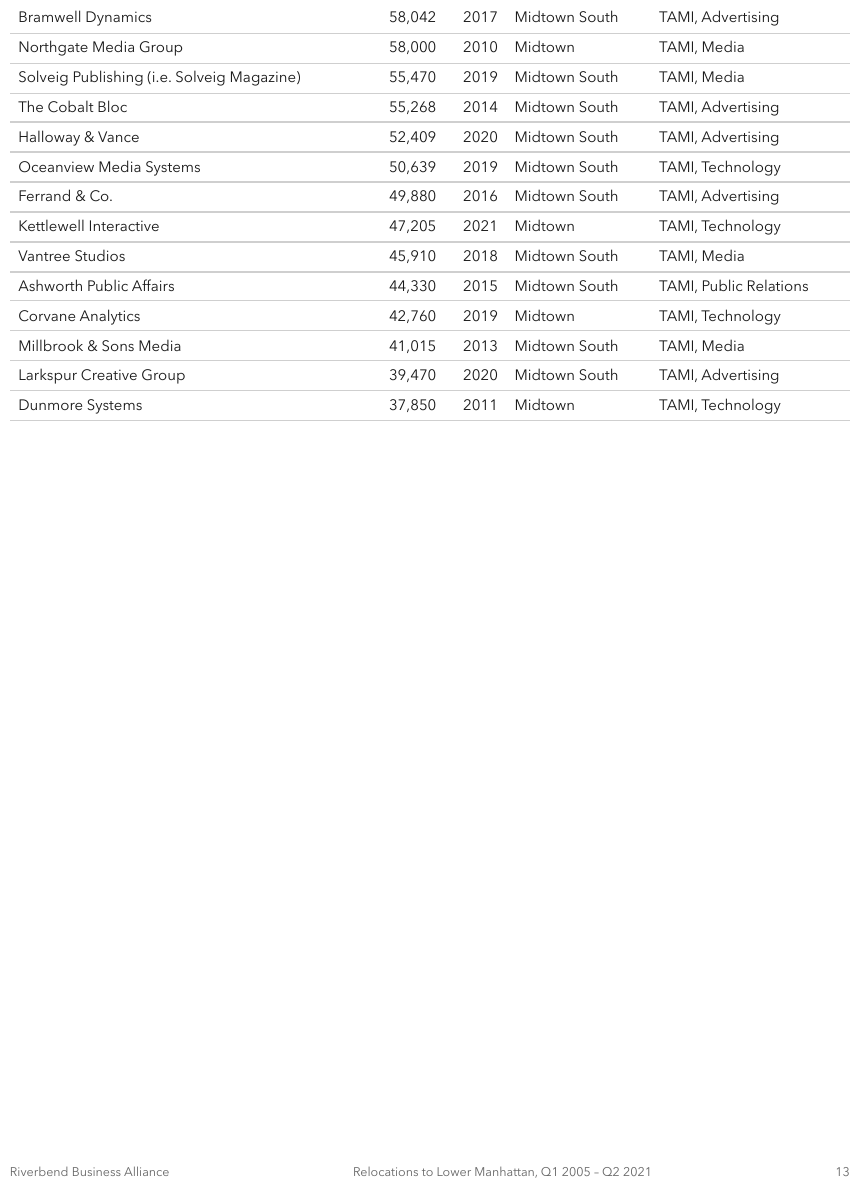
Page two: pure data rows continuing it, with no header row at all. The fragment is rendered headerless, exactly as printed — which shows why a per-page fragment can be unreadable alone.
| Bramwell Dynamics | 58,042 | 2017 | Midtown South | TAMI, Advertising |
| Northgate Media Group | 58,000 | 2010 | Midtown | TAMI, Media |
| Solveig Publishing (i.e. Solveig Magazine) | 55,470 | 2019 | Midtown South | TAMI, Media |
| The Cobalt Bloc | 55,268 | 2014 | Midtown South | TAMI, Advertising |
| Halloway & Vance | 52,409 | 2020 | Midtown South | TAMI, Advertising |
| Oceanview Media Systems | 50,639 | 2019 | Midtown South | TAMI, Technology |
| Ferrand & Co. | 49,880 | 2016 | Midtown South | TAMI, Advertising |
| Kettlewell Interactive | 47,205 | 2021 | Midtown | TAMI, Technology |
| Vantree Studios | 45,910 | 2018 | Midtown South | TAMI, Media |
| Ashworth Public Affairs | 44,330 | 2015 | Midtown South | TAMI, Public Relations |
| Corvane Analytics | 42,760 | 2019 | Midtown | TAMI, Technology |
| Millbrook & Sons Media | 41,015 | 2013 | Midtown South | TAMI, Media |
| Larkspur Creative Group | 39,470 | 2020 | Midtown South | TAMI, Advertising |
| Dunmore Systems | 37,850 | 2011 | Midtown | TAMI, Technology |
Markdown source
<table>
<tr> <td>Bramwell Dynamics</td> <td>58,042</td> <td>2017</td> <td>Midtown South</td> <td>TAMI, Advertising</td> </tr>
<tr> <td>Northgate Media Group</td> <td>58,000</td> <td>2010</td> <td>Midtown</td> <td>TAMI, Media</td> </tr>
<tr> <td>Solveig Publishing (i.e. Solveig Magazine)</td> <td>55,470</td> <td>2019</td> <td>Midtown South</td> <td>TAMI, Media</td> </tr>
<tr> <td>The Cobalt Bloc</td> <td>55,268</td> <td>2014</td> <td>Midtown South</td> <td>TAMI, Advertising</td> </tr>
<tr> <td>Halloway & Vance</td> <td>52,409</td> <td>2020</td> <td>Midtown South</td> <td>TAMI, Advertising</td> </tr>
<tr> <td>Oceanview Media Systems</td> <td>50,639</td> <td>2019</td> <td>Midtown South</td> <td>TAMI, Technology</td> </tr>
<tr> <td>Ferrand & Co.</td> <td>49,880</td> <td>2016</td> <td>Midtown South</td> <td>TAMI, Advertising</td> </tr>
<tr> <td>Kettlewell Interactive</td> <td>47,205</td> <td>2021</td> <td>Midtown</td> <td>TAMI, Technology</td> </tr>
<tr> <td>Vantree Studios</td> <td>45,910</td> <td>2018</td> <td>Midtown South</td> <td>TAMI, Media</td> </tr>
<tr> <td>Ashworth Public Affairs</td> <td>44,330</td> <td>2015</td> <td>Midtown South</td> <td>TAMI, Public Relations</td> </tr>
<tr> <td>Corvane Analytics</td> <td>42,760</td> <td>2019</td> <td>Midtown</td> <td>TAMI, Technology</td> </tr>
<tr> <td>Millbrook & Sons Media</td> <td>41,015</td> <td>2013</td> <td>Midtown South</td> <td>TAMI, Media</td> </tr>
<tr> <td>Larkspur Creative Group</td> <td>39,470</td> <td>2020</td> <td>Midtown South</td> <td>TAMI, Advertising</td> </tr>
<tr> <td>Dunmore Systems</td> <td>37,850</td> <td>2011</td> <td>Midtown</td> <td>TAMI, Technology</td> </tr>
</table>Sub-case: headers printed at the bottom too
Some reports print the column headers at both the top and the bottom of each page's block. The bottom repeat is printed content and MUST be kept, as a row of the fragment (never drop).
✅ Sample — a two-column comparison table continued from the previous page
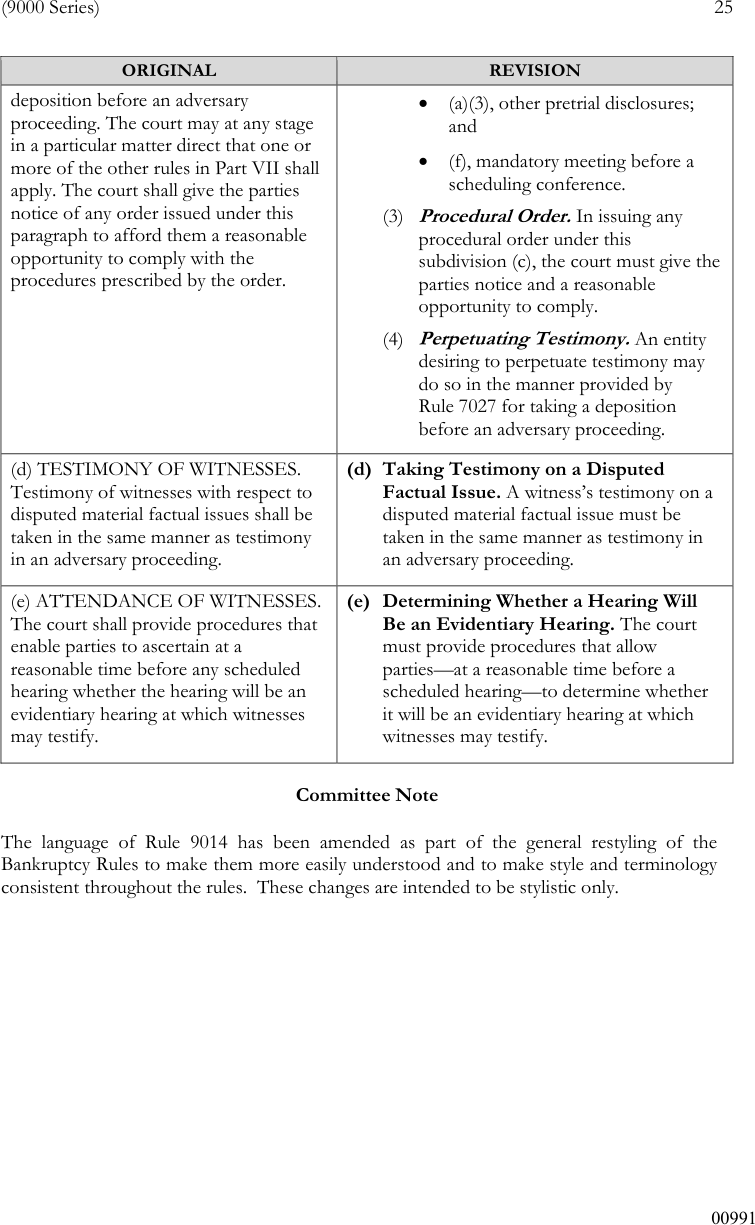
Source: Advisory Committee on Bankruptcy Rules (U.S. Courts), Committee Note to proposed Rule 9014 amendments (9000 Series), restyling redline (public domain)
ORIGINAL / REVISION headers are repeated, and the first row starts mid-sentence in both
columns. The cells hold paragraphs and bulleted lists — see
Record Groups and Multi-Line Cells§9.5.3 for lists inside a cell.
| ORIGINAL | REVISION |
|---|---|
| deposition before an adversary proceeding. The court may at any stage in a particular matter direct that one or more of the other rules in Part VII shall apply. The court shall give the parties notice of any order issued under this paragraph to afford them a reasonable opportunity to comply with the procedures prescribed by the order. |
(4) Perpetuating Testimony. An entity desiring to perpetuate testimony may do so in the manner provided by Rule 7027 for taking a deposition before an adversary proceeding. |
| (d) TESTIMONY OF WITNESSES. Testimony of witnesses with respect to disputed material factual issues shall be taken in the same manner as testimony in an adversary proceeding. | (d) Taking Testimony on a Disputed Factual Issue. A witness’s testimony on a disputed material factual issue must be taken in the same manner as testimony in an adversary proceeding. |
| (e) ATTENDANCE OF WITNESSES. The court shall provide procedures that enable parties to ascertain at a reasonable time before any scheduled hearing whether the hearing will be an evidentiary hearing at which witnesses may testify. | (e) Determining Whether a Hearing Will Be an Evidentiary Hearing. The court must provide procedures that allow parties—at a reasonable time before a scheduled hearing—to determine whether it will be an evidentiary hearing at which witnesses may testify. |
Markdown source
<table>
  <tr> <th>ORIGINAL</th> <th>REVISION</th> </tr>
  <tr> <td>deposition before an adversary proceeding. The court may at any stage in a particular matter direct that one or more of the other rules in Part VII shall apply. The court shall give the parties notice of any order issued under this paragraph to afford them a reasonable opportunity to comply with the procedures prescribed by the order.</td> <td><ul><li>(a)(3), other pretrial disclosures; and</li><li>(f), mandatory meeting before a scheduling conference.</li></ul>(3) <strong><em>Procedural Order.</em></strong> In issuing any procedural order under this subdivision (c), the court must give the parties notice and a reasonable opportunity to comply.<br/>(4) <strong><em>Perpetuating Testimony.</em></strong> An entity desiring to perpetuate testimony may do so in the manner provided by Rule 7027 for taking a deposition before an adversary proceeding.</td> </tr>
  <tr> <td>(d) TESTIMONY OF WITNESSES. Testimony of witnesses with respect to disputed material factual issues shall be taken in the same manner as testimony in an adversary proceeding.</td> <td><strong>(d) Taking Testimony on a Disputed Factual Issue.</strong> A witness’s testimony on a disputed material factual issue must be taken in the same manner as testimony in an adversary proceeding.</td> </tr>
  <tr> <td>(e) ATTENDANCE OF WITNESSES. The court shall provide procedures that enable parties to ascertain at a reasonable time before any scheduled hearing whether the hearing will be an evidentiary hearing at which witnesses may testify.</td> <td><strong>(e) Determining Whether a Hearing Will Be an Evidentiary Hearing.</strong> The court must provide procedures that allow parties—at a reasonable time before a scheduled hearing—to determine whether it will be an evidentiary hearing at which witnesses may testify.</td> </tr>
</table>
✅ Sample — a continuation page with no header at all
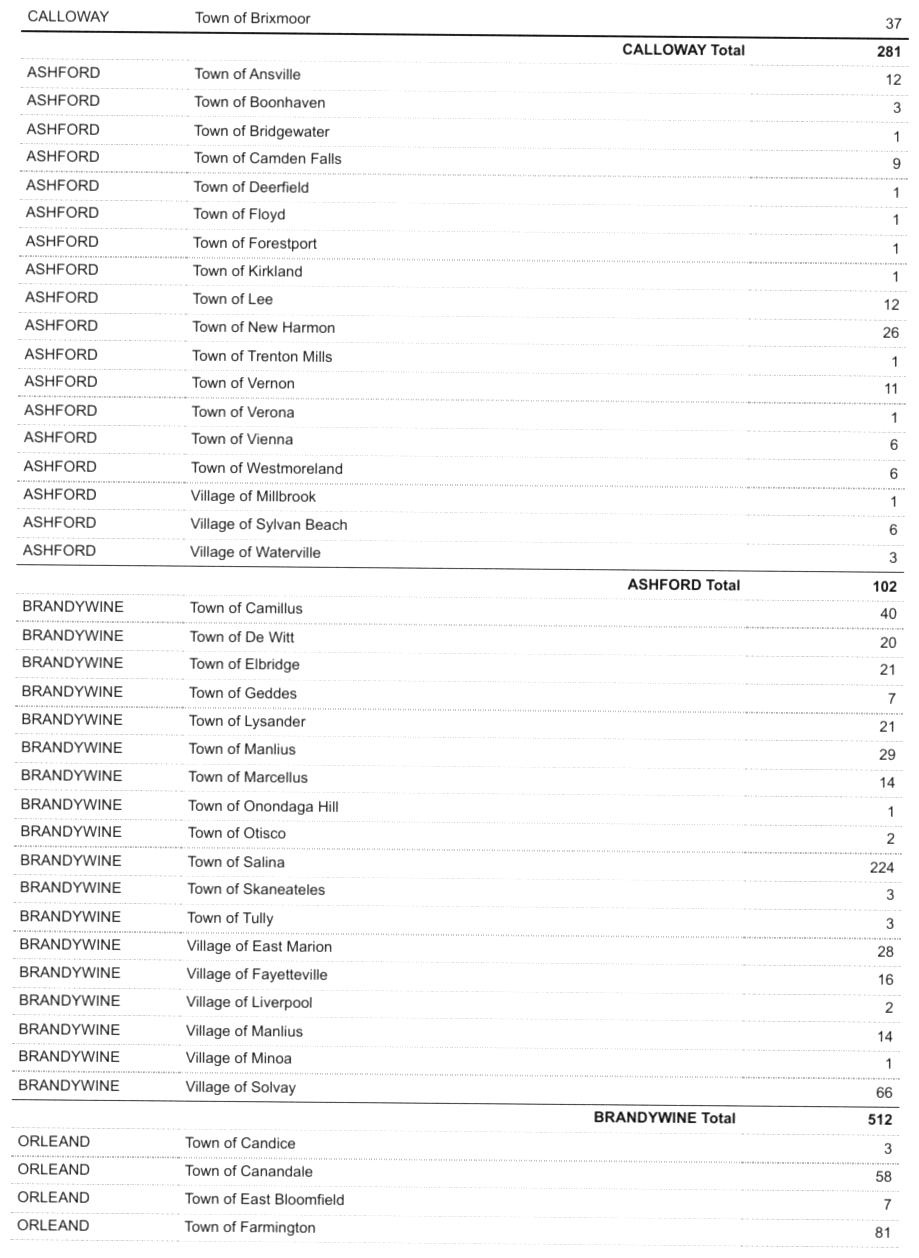
Page 9 of a long list: the first row is the last town of CALLOWAY, followed by its total; no
column headers anywhere on the page. The fragment cannot be read without the page before it. Each
bold … Total label sits in the town column, with its sum in the count column.
| CALLOWAY | Town of Brixmoor | 37 | ||||||||||||||||||||||||||||||||||||||||||||||||||||||||||||||||||||||||||||||||||||||||||||||||
| CALLOWAY Total | 281 | |||||||||||||||||||||||||||||||||||||||||||||||||||||||||||||||||||||||||||||||||||||||||||||||||
|---|---|---|---|---|---|---|---|---|---|---|---|---|---|---|---|---|---|---|---|---|---|---|---|---|---|---|---|---|---|---|---|---|---|---|---|---|---|---|---|---|---|---|---|---|---|---|---|---|---|---|---|---|---|---|---|---|---|---|---|---|---|---|---|---|---|---|---|---|---|---|---|---|---|---|---|---|---|---|---|---|---|---|---|---|---|---|---|---|---|---|---|---|---|---|---|---|---|---|
| ASHFORD | Town of Ansville | 12 | ||||||||||||||||||||||||||||||||||||||||||||||||||||||||||||||||||||||||||||||||||||||||||||||||
| ASHFORD | Town of Boonhaven | 3 | ||||||||||||||||||||||||||||||||||||||||||||||||||||||||||||||||||||||||||||||||||||||||||||||||
| ASHFORD | Town of Bridgewater | 1 | ||||||||||||||||||||||||||||||||||||||||||||||||||||||||||||||||||||||||||||||||||||||||||||||||
| … | ||||||||||||||||||||||||||||||||||||||||||||||||||||||||||||||||||||||||||||||||||||||||||||||||||
| ASHFORD | Village of Waterville | 3 | ||||||||||||||||||||||||||||||||||||||||||||||||||||||||||||||||||||||||||||||||||||||||||||||||
| ASHFORD Total | 102 | |||||||||||||||||||||||||||||||||||||||||||||||||||||||||||||||||||||||||||||||||||||||||||||||||
| BRANDYWINE | Town of Camillus | 40 | ||||||||||||||||||||||||||||||||||||||||||||||||||||||||||||||||||||||||||||||||||||||||||||||||
| … | ||||||||||||||||||||||||||||||||||||||||||||||||||||||||||||||||||||||||||||||||||||||||||||||||||
| ORLEAND | Town of Farmington | 81 | ||||||||||||||||||||||||||||||||||||||||||||||||||||||||||||||||||||||||||||||||||||||||||||||||
Markdown source
<table>
  <tr> <td>CALLOWAY</td> <td>Town of Brixmoor</td> <td>37</td> </tr>
  <tr> <td> </td> <th data-level="0"><strong>CALLOWAY Total</strong></th> <td><strong>281</strong></td> </tr>
  <tr> <td>ASHFORD</td> <td>Town of Ansville</td> <td>12</td> </tr>
  <tr> <td>ASHFORD</td> <td>Town of Boonhaven</td> <td>3</td> </tr>
  <tr> <td>ASHFORD</td> <td>Town of Bridgewater</td> <td>1</td> </tr>
  <!-- … -->
  <tr> <td>ASHFORD</td> <td>Village of Waterville</td> <td>3</td> </tr>
  <tr> <td> </td> <th data-level="0"><strong>ASHFORD Total</strong></th> <td><strong>102</strong></td> </tr>
  <tr> <td>BRANDYWINE</td> <td>Town of Camillus</td> <td>40</td> </tr>
  <!-- … -->
  <tr> <td>ORLEAND</td> <td>Town of Farmington</td> <td>81</td> </tr>
</table>
✅ Sample — (Continued) at the foot of the page
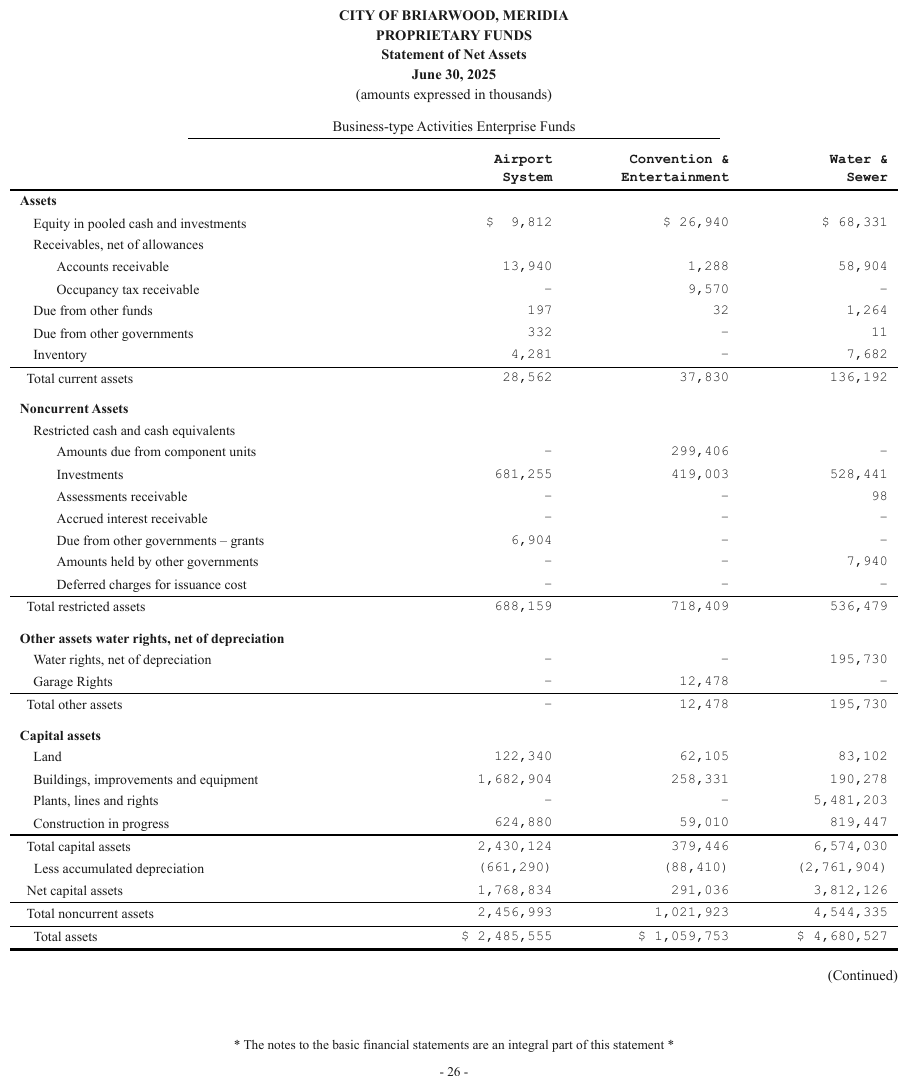
A statement of net assets that ends with Total assets and then prints (Continued) at the
bottom right, outside the table: the page itself says the next page carries on. The marker is kept
as a line after the table. The stub prints four indent positions.
Business-type Activities Enterprise Funds
| Airport System | Convention & Entertainment | Water & Sewer | ||||||||||||||||||||||||||||||||||||||||||||||||||||||||||||||||||||||||||||||||||||||||||||||||
|---|---|---|---|---|---|---|---|---|---|---|---|---|---|---|---|---|---|---|---|---|---|---|---|---|---|---|---|---|---|---|---|---|---|---|---|---|---|---|---|---|---|---|---|---|---|---|---|---|---|---|---|---|---|---|---|---|---|---|---|---|---|---|---|---|---|---|---|---|---|---|---|---|---|---|---|---|---|---|---|---|---|---|---|---|---|---|---|---|---|---|---|---|---|---|---|---|---|---|
| Assets | ||||||||||||||||||||||||||||||||||||||||||||||||||||||||||||||||||||||||||||||||||||||||||||||||||
| Equity in pooled cash and investments | $ 9,812 | $ 26,940 | $ 68,331 | |||||||||||||||||||||||||||||||||||||||||||||||||||||||||||||||||||||||||||||||||||||||||||||||
| … | ||||||||||||||||||||||||||||||||||||||||||||||||||||||||||||||||||||||||||||||||||||||||||||||||||
| Total capital assets | 2,430,124 | 379,446 | 6,574,030 | |||||||||||||||||||||||||||||||||||||||||||||||||||||||||||||||||||||||||||||||||||||||||||||||
| Less accumulated depreciation | (661,290) | (88,410) | (2,761,904) | |||||||||||||||||||||||||||||||||||||||||||||||||||||||||||||||||||||||||||||||||||||||||||||||
| Net capital assets | 1,768,834 | 291,036 | 3,812,126 | |||||||||||||||||||||||||||||||||||||||||||||||||||||||||||||||||||||||||||||||||||||||||||||||
| Total noncurrent assets | 2,456,993 | 1,021,923 | 4,544,335 | |||||||||||||||||||||||||||||||||||||||||||||||||||||||||||||||||||||||||||||||||||||||||||||||
| Total assets | $ 2,485,555 | $ 1,059,753 | $ 4,680,527 | |||||||||||||||||||||||||||||||||||||||||||||||||||||||||||||||||||||||||||||||||||||||||||||||
(Continued)
…
Markdown source
Business-type Activities Enterprise Funds
<table>
<tr> <th> </th> <th>Airport System</th> <th>Convention & Entertainment</th> <th>Water & Sewer</th> </tr>
<tr> <td colspan="4" data-level="0"><strong>Assets</strong></td> </tr>
<tr> <td data-level="2">Equity in pooled cash and investments</td> <td>$ 9,812</td> <td>$ 26,940</td> <td>$ 68,331</td> </tr>
<!-- … -->
<tr> <th data-level="1">Total capital assets</th> <td>2,430,124</td> <td>379,446</td> <td>6,574,030</td> </tr>
<tr> <td data-level="2">Less accumulated depreciation</td> <td>(661,290)</td> <td>(88,410)</td> <td>(2,761,904)</td> </tr>
<tr> <td data-level="1">Net capital assets</td> <td>1,768,834</td> <td>291,036</td> <td>3,812,126</td> </tr>
<tr> <th data-level="1">Total noncurrent assets</th> <td>2,456,993</td> <td>1,021,923</td> <td>4,544,335</td> </tr>
<tr> <th data-level="2">Total assets</th> <td>$ 2,485,555</td> <td>$ 1,059,753</td> <td>$ 4,680,527</td> </tr>
</table>
(Continued)
<!-- … -->
✅ Sample — a cell cut by the page break
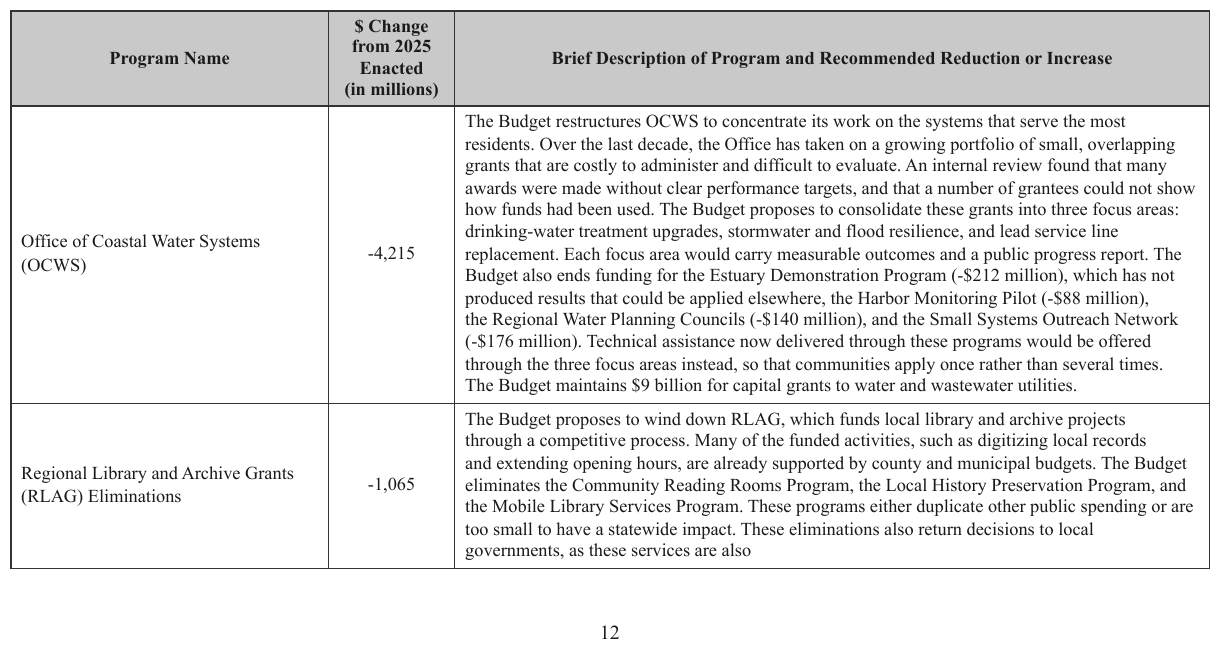
A two-row table whose second Brief Description cell ends mid-sentence at the foot of the page
— as these services are also — with the rest on the next page. The row, not just the table,
is split. Each page's fragment keeps only that page's visible text.
| Program Name | $ Change from 2025 Enacted (in millions) | Brief Description of Program and Recommended Reduction or Increase |
|---|---|---|
| Office of Coastal Water Systems (OCWS) | -4,215 | The Budget restructures OCWS to concentrate its work on the systems that serve the most residents. Over the last decade, the Office has taken on a growing portfolio of small, overlapping grants that are costly to administer and difficult to evaluate. An internal review found that many awards were made without clear performance targets, and that a number of grantees could not show how funds had been used. The Budget proposes to consolidate these grants into three focus areas: drinking-water treatment upgrades, stormwater and flood resilience, and lead service line replacement. Each focus area would carry measurable outcomes and a public progress report. The Budget also ends funding for the Estuary Demonstration Program (-$212 million), which has not produced results that could be applied elsewhere, the Harbor Monitoring Pilot (-$88 million), the Regional Water Planning Councils (-$140 million), and the Small Systems Outreach Network (-$176 million). Technical assistance now delivered through these programs would be offered through the three focus areas instead, so that communities apply once rather than several times. The Budget maintains $9 billion for capital grants to water and wastewater utilities. |
| Regional Library and Archive Grants (RLAG) Eliminations | -1,065 | The Budget proposes to wind down RLAG, which funds local library and archive projects through a competitive process. Many of the funded activities, such as digitizing local records and extending opening hours, are already supported by county and municipal budgets. The Budget eliminates the Community Reading Rooms Program, the Local History Preservation Program, and the Mobile Library Services Program. These programs either duplicate other public spending or are too small to have a statewide impact. These eliminations also return decisions to local governments, as these services are also |
Markdown source
<table>
  <tr> <th>Program Name</th> <th>$ Change from 2025 Enacted (in millions)</th> <th>Brief Description of Program and Recommended Reduction or Increase</th> </tr>
  <tr> <td>Office of Coastal Water Systems (OCWS)</td> <td>-4,215</td> <td>The Budget restructures OCWS to concentrate its work on the systems that serve the most residents. Over the last decade, the Office has taken on a growing portfolio of small, overlapping grants that are costly to administer and difficult to evaluate. An internal review found that many awards were made without clear performance targets, and that a number of grantees could not show how funds had been used. The Budget proposes to consolidate these grants into three focus areas: drinking-water treatment upgrades, stormwater and flood resilience, and lead service line replacement. Each focus area would carry measurable outcomes and a public progress report. The Budget also ends funding for the Estuary Demonstration Program (-$212 million), which has not produced results that could be applied elsewhere, the Harbor Monitoring Pilot (-$88 million), the Regional Water Planning Councils (-$140 million), and the Small Systems Outreach Network (-$176 million). Technical assistance now delivered through these programs would be offered through the three focus areas instead, so that communities apply once rather than several times. The Budget maintains $9 billion for capital grants to water and wastewater utilities.</td> </tr>
  <tr> <td>Regional Library and Archive Grants (RLAG) Eliminations</td> <td>-1,065</td> <td>The Budget proposes to wind down RLAG, which funds local library and archive projects through a competitive process. Many of the funded activities, such as digitizing local records and extending opening hours, are already supported by county and municipal budgets. The Budget eliminates the Community Reading Rooms Program, the Local History Preservation Program, and the Mobile Library Services Program. These programs either duplicate other public spending or are too small to have a statewide impact. These eliminations also return decisions to local governments, as these services are also</td> </tr>
</table>
Related
- Continued in the Title§9.2.3 — the explicit marker, the strongest continuation signal
- Repeated Headers and Title Bands§9.2.7 — on one page, a repeated header is a boundary
- The Sidecar§3.4 — where the continuation flags are carried
- Output Options§3.5 — whether a join can be requested
4.4 Document Type
✅ Normative · 📚 document rule
✅ Normative
Whether a document is a slide deck or a paged document, and which sheet is its cover, MUST be decided once from the whole document and applied to every page. Only the cover MAY carry a Title element.
Two decisions change how single pages are read, and neither can be made from one page:
| Decision | How it is recognised | What it changes on every page |
|---|---|---|
| Slide deck or paged document | A deck is landscape sheets with one title per sheet, each sheet a self-contained slide. | In a deck every slide title is a top-level heading; in a paged document depth carries over page breaks. See Heading Depth Across Pages§4.5. |
| Which sheet is the cover | The title or front page: the document's own name set large, often with authors, a date or a logo, and no body text. | Only the cover carries the Title class and the document title. The same words on a later page are page furniture or Text. |
sheet 1  QUARTERLY RESERVING REVIEW       ← cover: Title
sheet 2  Quarterly Reserving Review · 2   ← running header: furniture, not Title
Requirements
- The decisions MUST be made from the document, not from one sheet. A landscape page on its own does not make a deck — reports insert landscape tables — and the largest line on sheet 1 is not a title if sheet 1 is a transmittal letter.
- A document with no cover MUST NOT have a Title element anywhere. The first heading MUST NOT be promoted to fill the gap — that is the never invent failure.
- The same words printed on a later sheet MUST NOT be a Title element; they are page furniture or Text.
Mixed documents
A report with a slide deck appended, or a deck with printed appendix pages, MUST be decided per part. The boundary between the parts is where the decision changes, and each decision MUST be applied to its whole part rather than sheet by sheet.
A single page
Where only one page is available, neither decision can be made. The page MUST be treated as a paged document with no cover: no Title element, and any title-sized line rendered as a heading at the depth the page itself supports.
Related
- Heading Depth Across Pages§4.5 — the deck exception is decided here and applied there
- Recurring Page Furniture§4.6 — a cover may repeat the running title; the cover occurrence is the title
- Block Classes§5.3 — the Title class that this decision gates
- Slide Furniture§5.10 — what a slide carries besides its title
4.5 Heading Depth Across Pages
✅ Normative · 📚 document rule
✅ Normative
A new page MUST NOT restart the heading hierarchy. A heading MUST be given the depth its place in the document implies, and a top-level heading MUST appear only where the page prints one.
A page break is a printing accident, not a structural boundary. The section that was open at the foot of one page is still open at the head of the next, and a heading that continues it keeps its depth.
page 4 …    ## 9.2 Pressure
                9.2.1 Pascal's Law          ← depth 3: inside 9.2
─── page break ───
page 5 …    9.2.2 Variation with Depth      ← still depth 3, not a fresh top level
Depth comes from the document, not the page
Two signals settle almost every case, in this order:
- Printed numbering.
9.2.1sits under9.2sits under9. Where the document numbers its sections, the numbering MUST decide the depth, even where the typography disagrees. - Typography, compared across pages. Where nothing is numbered, a heading's depth MUST be judged against the other headings of the same document, not against the rest of its own page. The largest line on page 5 is not automatically a top-level heading.
A subsection MUST NOT come out at the same depth as its parent, or shallower. If 9.2 is depth 2
then 9.2.1 is depth 3, on whatever page it lands.
Decks are the exception
In a slide deck the slides are peers and each slide title is legitimately top level. Whether the document is a deck is decided once for the whole document — see Document Type§4.4 — never slide by slide.
A single page
Where only one page is available, the hierarchy the page itself shows MUST be consistent — a subsection always deeper than its parent — and the depth MUST be taken from printed numbering where there is any. Where the absolute depth depends on pages that are not available, the output takes the depth the page supports and asserts nothing more.
Whether it is a heading at all
Recognising Ambiguous Headings§6.7 separates standalone section titles from run-in labels, repeated item labels and captions. Principal statement and numbered schedule titles are structural; a company line directly above one stays a separate paragraph (see Stacked Headings§6.9), as do units lines. A title inside a grid is transcribed once, in its table position.
The following MUST NOT be rendered as headings:
- a running header — see Recurring Page Furniture§4.6;
- a label naming the kind of document, such as
ORIGINAL ARTICLEorEXHIBIT 2— it is text; the title beneath it is the heading; - a value typed into a form field, however prominent;
- a table or figure caption — see Titles Banners Captions§9.7.3.
Related
- Document Type§4.4 — decides whether the deck exception applies
- Block Classes§5.3 — Title vs Section-header
- Recurring Page Furniture§4.6 — a running header never earns a depth at all
- Titles Banners Captions§9.7.3 — a caption never becomes a heading
4.6 Recurring Page Furniture
✅ Normative · 📚 document rule
✅ Normative
Whether a margin band is page furniture MUST be decided once for the document. A band that is page furniture on one page MUST be page furniture — a Page-header or Page-footer, never body text and never a heading — on every page it appears on.
The repeated strip at the top or bottom margin: an agency name, a running title, a brand mark, a document or exhibit stamp, a revision date, a folio. It carries no argument; it tells the reader which document the sheet belongs to.
DEPARTMENT OF HEALTH AND HUMAN SERVICES        PRINTED: 03/18/2021   ← header band
CENTERS FOR MEDICARE & MEDICAID SERVICES       OMB NO. 0938-0391

… the page's actual content …

FORM CMS-2567  Previous Versions Obsolete            Page 3 of 12    ← footer band
Decided from the document
The same string is easy to read as a title on the page where it is largest or first, and as furniture everywhere else. The decision MUST be made from several pages: a string that recurs in the same margin with the same wording is furniture on all of them, including the first.
A cover page is the one place a repeated string MAY also be the document title. The cover occurrence is then the Title and every later occurrence is furniture; the cover MUST NOT decide the rest of the document. Which sheet is the cover is decided in Document Type§4.4.
A single page
Where only one page is available, a band in the top or bottom margin that carries no argument of its own — a running title, an agency name, a folio — is furniture. Where the only reason to call it furniture would be that it repeats on pages that are not available, it MUST be kept where the page prints it, in its printed position.
Never a heading
A running header MUST NOT be rendered as a heading. Promoted, it corrupts the outline twice over: it invents a section that does not exist, and it repeats that invented section on every page. A document whose outline is its own masthead repeated forty times has no usable structure left. This is the never invent failure — the page prints a margin band, not a section.
A heading that repeats on more than half the pages of a document is almost always furniture filed as structure.
Bands that contain a graphic
A band MUST be kept together, graphic included; the mark MUST NOT escape into the body flow. What the graphic itself becomes is decided by Images§12.1.1 and Logos§12.1.3.
Bands that change partway through
Long documents revise their furniture — a new date, a new form number, a different layout after a section break. A change of wording does not make the band content. The same disposition MUST apply before and after the change, and each variant MUST be transcribed as it is printed.
Related
- Document Type§4.4 — which sheet is the cover, where a repeated string may be the title
- Block Classes§5.3 — the Page-header and Page-footer classes, and Title vs Section-header
- Printed Page Numbers§6.6 — the folio inside the band
- Images§12.1.1 — what a logo inside the band becomes
§5 Layout
5.1 Block Annotation
✅ Normative · 📄 page rule
✅ Normative
Every meaningful visible region of a page MUST be one element with one class, one position in the page's reading order and — when boxes are requested — one box. Printed content covered by no element is dropped content, and makes the output non-conforming.
An element at region level is one coherent visual region — a paragraph, a heading, a list item, a picture, a table, a caption, a form area. This note fixes what gets an element and how its box is drawn; the class is chosen by Block Classes§5.3 and the order by Reading Order§5.9.
What an element is not
Printed lines, table cells, rows, columns and words MUST NOT be region-level elements. A table is one Table element around the whole table; a picture or chart is one Picture element around the unified graphic. Finer boxes exist only at the granularity that was requested — see Boxes and Granularity§3.3. Going finer at region level is not more thorough; it is the wrong layer.
Completeness
- Every region carrying printed content MUST be covered by an element, except the narrow exclusions of Ignoring and Rejecting§5.6.
- Duplicate elements for one region, and elements for regions that print nothing, MUST NOT appear.
The box
- A box MUST be the smallest rectangle that contains the complete element.
- A box MUST include all of the element's visible ink: borders, diacritics, superscripts, meaningful shadows. Slight extra whitespace is better than clipped content: where the two conflict, the box SHOULD err towards whitespace.
- A box MUST NOT extend beyond the page, and boxes SHOULD NOT substantially overlap one another.
Splitting
- Each paragraph MUST be its own Text element. Separate paragraphs, columns, list items, captions or unrelated labels MUST NOT be merged into one element.
- An element MUST be split at a page boundary and at a column boundary.
- A displayed Formula, Picture or Table that interrupts prose MUST split the surrounding prose into separate Text elements above and below it.
- Where prose wraps around a picture, the prose MUST be split into the fewest elements whose non-overlapping boxes each keep complete lines.
A paragraph continued in the next column
The layout boxes stay split: one box per column piece, as above. A Markdown-attribution
ground truth (the markdown_attribution rule) records the paragraph as the one element it is
in the Markdown, with a box budget:
- The reference's
regionsMUST be the pieces, one per column (or page), withexception: "multi_column"(or"cross_page"). expected_bbox_countMUST equal the number of pieces. It is an integer of at least 1, and 1 is the default: an engine that claims more boxes than the count scores 0 for that element.- Each piece SHOULD also be a
spansentry with its own text and box, so an output that keeps the pieces as two paragraphs is still matched. - Set it only when the text really runs on (no paragraph break at the column foot). Separate paragraphs, list items, table rows and formulas keep one box each and the default count.
Related
- Block Classes§5.3 — which class each element takes
- Block Boundaries§5.2 — where a Picture or Table box stops
- Reading Order§5.9 — the position each element takes
- Ignoring and Rejecting§5.6 — the only regions allowed no element
- Boxes and Granularity§3.3 — finer boxes, when requested
5.2 Block Boundaries
✅ Normative · 📄 page rule
✅ Normative
A Picture or Table element MUST contain the complete object and nothing else. Its caption, its title, its source note and nearby prose MUST NOT be absorbed into it; each is an element of its own.
In the diagrams below the overlays show boxes by class colour; a red ✗ or green ✓ marks an incorrect or a correct boundary and is not a class colour.
Picture boundaries
A Picture MUST include the full unified graphic — plots, axes, tick labels, legends, arrows, symbols, and any text drawn inside the graphic. Clipping the axis labels or the legend off a chart is the common error, and it removes exactly the parts that make the chart readable. A caption printed outside the graphic stays a separate Caption element.
✅ Sample — block-picture-boundary
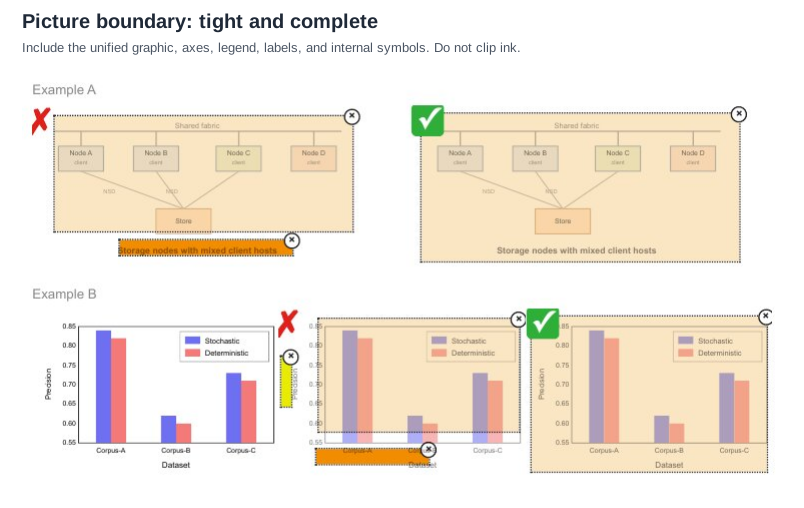
Pale beige = Picture · orange = Caption · yellow = Text. Example A is a storage diagram whose
bold line Storage nodes with mixed client hosts is drawn inside the graphic, so the correct box
(✓) is one Picture that includes it; the ✗ box splits it off as a Caption. Example B is a bar chart:
the correct box (✓) is one Picture that includes the rotated Precision axis title, the tick
labels and the Dataset axis title; the ✗ box clips the plot area and files the two axis titles
as Text and Caption. Expected boxes: one Picture per example, nothing else.
flowchart TD
  F[Shared fabric] --- A[Node A<br/>client]
  F --- B[Node B<br/>client]
  F --- C[Node C<br/>client]
  F --- D[Node D<br/>client]
  A ---|NSD| S[Store]
  B ---|NSD| S
  C --- S
Storage nodes with mixed client hosts
Markdown source
```diagram/mermaid
flowchart TD
  F[Shared fabric] --- A[Node A<br/>client]
  F --- B[Node B<br/>client]
  F --- C[Node C<br/>client]
  F --- D[Node D<br/>client]
  A ---|NSD| S[Store]
  B ---|NSD| S
  C --- S
```

Storage nodes with mixed client hosts
Precision
| Dataset | Stochastic | Deterministic |
|---|---|---|
| Corpus-A | 0.84 | 0.82 |
| Corpus-B | 0.62 | 0.60 |
| Corpus-C | 0.73 | 0.71 |
Markdown source
Precision

<table data-source="chart">
<tr> <th>Dataset</th> <th>Stochastic</th> <th>Deterministic</th> </tr>
<tr> <td>Corpus-A</td> <td>0.84</td> <td>0.82</td> </tr>
<tr> <td>Corpus-B</td> <td>0.62</td> <td>0.60</td> </tr>
<tr> <td>Corpus-C</td> <td>0.73</td> <td>0.71</td> </tr>
</table>
The bars print no values; the values above are read against the printed 0.55–0.85 axis.
One caption or several
- One caption shared across several panels → one Picture element.
- Separate captions → separate Picture elements.
The caption says what the author considered one figure. Multi-panel figures labelled a), b),
c) under a single caption MUST be one Picture; the same panels each with their own caption MUST
be several.
✅ Sample — block-picture-grouping
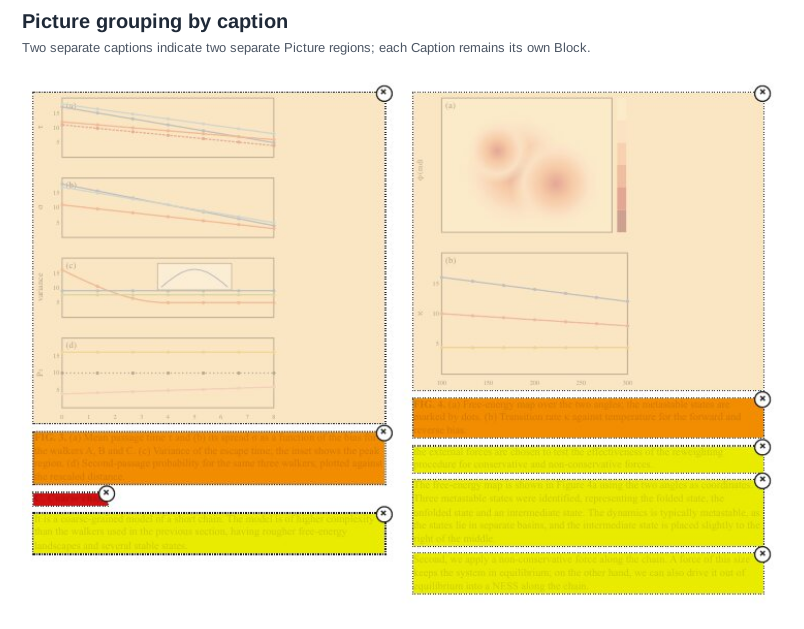
Pale beige = Picture · orange = Caption · red = Section-header · yellow = Text. Two columns of
an article. Four chart panels (a)–(d) above FIG. 3. form one Picture; two panels (a)–(b) above
FIG. 4. form a second. Each caption is its own element. Expected boxes, left column then right:
Picture, Caption, Section-header, Text; Picture, Caption, Text, Text, Text. The overlay tints the
text; it is transcribed from the page source. The chart content of the two Pictures prints no
values and is elided.
…
| … |
C. Coarse chain
It is a coarse-grained model of a short chain. The model is of higher complexity than the walkers used in the previous section, having rougher free-energy landscapes and several stable states.
…
| … |
the external forces are chosen to test the effectiveness of the reweighting procedure for conservative and non-conservative forces.
The free-energy map is shown in Figure 4a using the two angles as coordinates. Three metastable states were identified, representing the folded state, the unfolded state and an intermediate state. The dynamics is typically metastable, as the states lie in separate basins, and the intermediate state is placed slightly to the right of the middle.
Second, we apply a non-conservative force along the chain. A force of this size keeps the system in equilibrium; on the other hand, we can also drive it out of equilibrium into a NESS along the chain.
Markdown source
<!-- … -->

<table data-source="chart">
<!-- … -->
<caption><strong>FIG. 3.</strong> (a) Mean passage time $$\tau$$ and (b) its spread $$\sigma$$ as a function of the bias for the walkers A, B and C. (c) Variance of the escape time; the inset shows the peak region. (d) Second-passage probability for the same three walkers, plotted against the rescaled distance.</caption>
</table>
C. Coarse chain
It is a coarse-grained model of a short chain. The model is of higher complexity than the walkers used in the previous section, having rougher free-energy landscapes and several stable states.
<!-- … -->
<table data-source="chart">
<!-- … -->
<caption><strong>FIG. 4.</strong> (a) Free-energy map over the two angles; the metastable states are marked by dots. (b) Transition rate $$\kappa$$ against temperature for the forward and reverse bias.</caption>
</table>
the external forces are chosen to test the effectiveness of the reweighting procedure for conservative and non-conservative forces.
The free-energy map is shown in Figure 4a using the two angles as coordinates. Three metastable states were identified, representing the folded state, the unfolded state and an intermediate state. The dynamics is typically metastable, as the states lie in separate basins, and the intermediate state is placed slightly to the right of the middle.
Second, we apply a non-conservative force along the chain. A force of this size keeps the system in equilibrium; on the other hand, we can also drive it out of equilibrium into a NESS along the chain.
Table boundaries: the caption has its own box
The Table element MUST include the complete grid, its headers, aligned totals and all column content. It MUST exclude the table's title, its caption, its source note, and any prose beside it.
These are layout boundaries. A table or chart caption is rendered as <caption> inside its
object's HTML table, first or last according to reading order, while retaining its own Caption
class and box. See Titles Banners Captions§9.7.3.
✅ Sample — block-table-caption-excluded
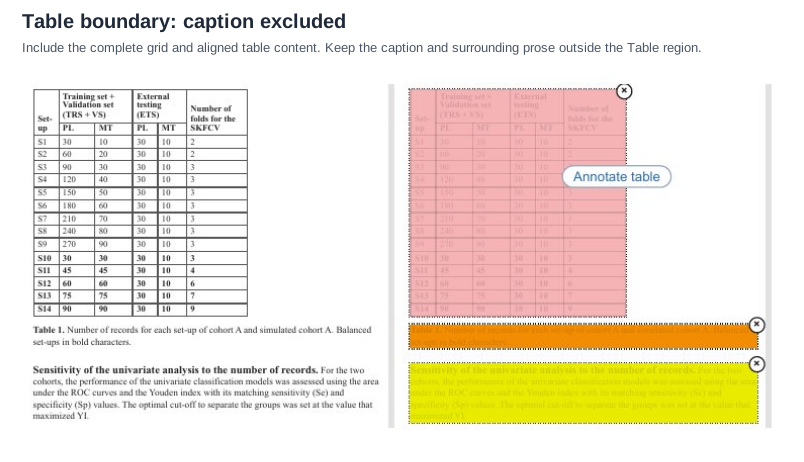
Pink = Table · orange = Caption · yellow = Text. A two-tier grid, its caption Table 1. below
it and a paragraph with a bold run-in heading. Expected boxes: one Table around the grid only, one
Caption, one Text. Rows S10–S14 are printed bold.
| Set-up | Training set + Validation set (TRS + VS) | External testing (ETS) | Number of folds for the SKFCV | ||
|---|---|---|---|---|---|
| PL | MT | PL | MT | ||
| S1 | 30 | 10 | 30 | 10 | 2 |
| S2 | 60 | 20 | 30 | 10 | 2 |
| S3 | 90 | 30 | 30 | 10 | 3 |
| S4 | 120 | 40 | 30 | 10 | 3 |
| S5 | 150 | 50 | 30 | 10 | 3 |
| S6 | 180 | 60 | 30 | 10 | 3 |
| S7 | 210 | 70 | 30 | 10 | 3 |
| S8 | 240 | 80 | 30 | 10 | 3 |
| S9 | 270 | 90 | 30 | 10 | 3 |
| S10 | 30 | 30 | 30 | 10 | 3 |
| S11 | 45 | 45 | 30 | 10 | 4 |
| S12 | 60 | 60 | 30 | 10 | 6 |
| S13 | 75 | 75 | 30 | 10 | 7 |
| S14 | 90 | 90 | 30 | 10 | 9 |
Sensitivity of the univariate analysis to the number of records. For the two cohorts, the performance of the univariate classification models was assessed using the area under the ROC curves and the Youden index with its matching sensitivity (Se) and specificity (Sp) values. The optimal cut-off to separate the groups was set at the value that maximized YI.
Markdown source
<table>
  <tr> <th rowspan="2">Set-up</th> <th colspan="2">Training set + Validation set (TRS + VS)</th> <th colspan="2">External testing (ETS)</th> <th rowspan="2">Number of folds for the SKFCV</th> </tr>
  <tr> <th>PL</th> <th>MT</th> <th>PL</th> <th>MT</th> </tr>
  <tr> <td>S1</td> <td>30</td> <td>10</td> <td>30</td> <td>10</td> <td>2</td> </tr>
  <tr> <td>S2</td> <td>60</td> <td>20</td> <td>30</td> <td>10</td> <td>2</td> </tr>
  <tr> <td>S3</td> <td>90</td> <td>30</td> <td>30</td> <td>10</td> <td>3</td> </tr>
  <tr> <td>S4</td> <td>120</td> <td>40</td> <td>30</td> <td>10</td> <td>3</td> </tr>
  <tr> <td>S5</td> <td>150</td> <td>50</td> <td>30</td> <td>10</td> <td>3</td> </tr>
  <tr> <td>S6</td> <td>180</td> <td>60</td> <td>30</td> <td>10</td> <td>3</td> </tr>
  <tr> <td>S7</td> <td>210</td> <td>70</td> <td>30</td> <td>10</td> <td>3</td> </tr>
  <tr> <td>S8</td> <td>240</td> <td>80</td> <td>30</td> <td>10</td> <td>3</td> </tr>
  <tr> <td>S9</td> <td>270</td> <td>90</td> <td>30</td> <td>10</td> <td>3</td> </tr>
  <tr> <td><strong>S10</strong></td> <td><strong>30</strong></td> <td><strong>30</strong></td> <td><strong>30</strong></td> <td><strong>10</strong></td> <td><strong>3</strong></td> </tr>
  <tr> <td><strong>S11</strong></td> <td><strong>45</strong></td> <td><strong>45</strong></td> <td><strong>30</strong></td> <td><strong>10</strong></td> <td><strong>4</strong></td> </tr>
  <tr> <td><strong>S12</strong></td> <td><strong>60</strong></td> <td><strong>60</strong></td> <td><strong>30</strong></td> <td><strong>10</strong></td> <td><strong>6</strong></td> </tr>
  <tr> <td><strong>S13</strong></td> <td><strong>75</strong></td> <td><strong>75</strong></td> <td><strong>30</strong></td> <td><strong>10</strong></td> <td><strong>7</strong></td> </tr>
  <tr> <td><strong>S14</strong></td> <td><strong>90</strong></td> <td><strong>90</strong></td> <td><strong>30</strong></td> <td><strong>10</strong></td> <td><strong>9</strong></td> </tr>
  <caption><strong>Table 1.</strong> Number of records for each set-up of cohort A and simulated cohort A. Balanced set-ups in bold characters.</caption>
</table>

Sensitivity of the univariate analysis to the number of records. For the two cohorts, the performance of the univariate classification models was assessed using the area under the ROC curves and the Youden index with its matching sensitivity (Se) and specificity (Sp) values. The optimal cut-off to separate the groups was set at the value that maximized YI.
Table boundaries: the structure, not the ink
The Table element MUST follow the actual row-column structure, not every visible rule around it. Decorative borders, section rules and frame lines drawn around a table are not part of it. There MUST be exactly one Table element around the full table, and no region-level element for its rows, columns, cells or internal text.
✅ Sample — block-table-structure
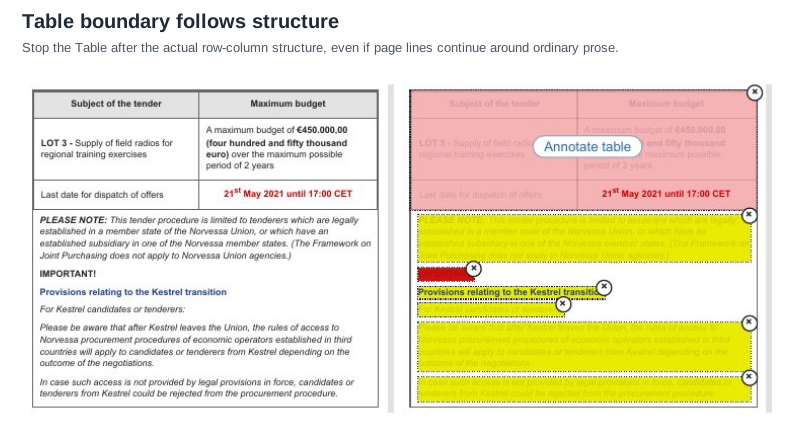
Pink = Table · red = Section-header · yellow = Text. A three-row grid inside a frame that
continues down around the notes below it. Expected boxes: one Table that stops after the grid's
last row, then five Text elements and one Section-header (IMPORTANT!) for the framed prose. The
deadline cell is printed bold in red; the colour is emphasis and is not carried.
| Subject of the tender | Maximum budget |
|---|---|
| LOT 3 - Supply of field radios for regional training exercises | A maximum budget of €450.000,00 (four hundred and fifty thousand euro) over the maximum possible period of 2 years |
| Last date for dispatch of offers | 21st May 2021 until 17:00 CET |
PLEASE NOTE: This tender procedure is limited to tenderers which are legally established in a member state of the Norvessa Union, or which have an established subsidiary in one of the Norvessa member states. (The Framework on Joint Purchasing does not apply to Norvessa Union agencies.)
IMPORTANT!
Provisions relating to the Kestrel transition
For Kestrel candidates or tenderers:
Please be aware that after Kestrel leaves the Union, the rules of access to Norvessa procurement procedures of economic operators established in third countries will apply to candidates or tenderers from Kestrel depending on the outcome of the negotiations.
In case such access is not provided by legal provisions in force, candidates or tenderers from Kestrel could be rejected from the procurement procedure.
Markdown source
<table>
  <tr> <th>Subject of the tender</th> <th>Maximum budget</th> </tr>
  <tr> <td><strong>LOT 3 -</strong> Supply of field radios for regional training exercises</td> <td>A maximum budget of <strong>€450.000,00 (four hundred and fifty thousand euro)</strong> over the maximum possible period of 2 years</td> </tr>
  <tr> <td>Last date for dispatch of offers</td> <td><strong>21<sup>st</sup> May 2021 until 17:00 CET</strong></td> </tr>
</table>

PLEASE NOTE: This tender procedure is limited to tenderers which are legally established in a member state of the Norvessa Union, or which have an established subsidiary in one of the Norvessa member states. (The Framework on Joint Purchasing does not apply to Norvessa Union agencies.)
IMPORTANT!
Provisions relating to the Kestrel transition
For Kestrel candidates or tenderers:
Please be aware that after Kestrel leaves the Union, the rules of access to Norvessa procurement procedures of economic operators established in third countries will apply to candidates or tenderers from Kestrel depending on the outcome of the negotiations.
In case such access is not provided by legal provisions in force, candidates or tenderers from Kestrel could be rejected from the procurement procedure.
Related
- Block Classes§5.3 — the classes these boundaries separate
- Block Annotation§5.1 — what gets an element and how its box is drawn
- Titles Banners Captions§9.7.3 — what belongs inside a table once its content is rendered
- Bottom Edge Totals and Islands§9.7.1 — totals that still belong to the grid
- Cover Every Data Point§11.1.1 — the content of a chart Picture
5.3 Block Classes
✅ Normative · 📄 page rule
✅ Normative
Every element MUST have exactly one of the seventeen classes below. Its layout class MUST match the class of the corresponding Markdown element defined in Elements§3.1. A class MUST NOT be chosen merely to complete a page: where the class is genuinely unclear, the output MUST NOT assert a class the page does not support.
The seventeen classes
| Class | Used for |
|---|---|
| Text | One coherent paragraph or prose block |
| Title | The overall document title, on its title or front page |
| Section-header | A separate heading introducing a section or subsection |
| List-item | One marked or hanging list item, including its continuation lines |
| Caption | Text outside normal flow that names or explains a table, picture or formula |
| Footnote | A footnote, source note, method note, or small explanatory note tied to the body |
| Page-header | Repeated or page-specific content in the top margin |
| Page-footer | Bottom-margin content — a page number alone qualifies |
| Picture | A unified photo, diagram, chart, logo, map or molecular structure |
| Table | A ruled or borderless row-and-column structure whose alignment matters |
| Formula | A standalone displayed expression, including its displayed equation number |
| Checkbox-Selected | A selected checkbox mark only — not its label |
| Checkbox-Unselected | An unselected checkbox mark only — not its label |
| Code | Preformatted source, commands, logs, or fixed-width output |
| Document Index | A table of contents, index, or directory-like navigation block |
| Form | Irregular controls or fields arranged for data entry |
| Key-Value Region | A compact label/value group without a regular table grid |
How each class is rendered in Markdown is set out in Elements§3.1.
One class across layout and Markdown
The layout box and the corresponding Markdown represent the same element and MUST use the same class. A producer MUST resolve a disagreement using the printed content and update both representations to agree. A detected label is only a suggestion — see Layout Regions§5.7.
The class describes the element's role; Markdown syntax alone does not determine it. Text and
Footnote both render as paragraphs while keeping their distinct classes. A table or chart Caption
uses <caption> inside its object's table HTML and keeps its own Caption class and layout box. A Picture
rendered as <table data-source="chart"> keeps the Picture class; a printed Table has the Table class. The
renderings prescribed in Elements§3.1 govern these cases.
The distinctions that decide most cases
| Table vs Form | A Table has a regular row-column structure. A Form has irregular fields or controls for data entry. |
| Table vs Key-Value Region | A Table repeats rows and columns. A Key-Value Region is a compact label/value group with no regular grid. |
| Title vs Section-header | Title is only the document's overall title on its cover — which sheet that is, is decided once in Document Type§4.4. A repeated title on a later page is Text or page furniture. |
| Caption vs Text | Proximity is not enough. A Caption names or explains an object and sits outside normal flow. Ordinary nearby prose is Text. |
| Caption vs Footnote | A Caption identifies an object. A Footnote adds a source, method, qualification or note. |
| Picture vs Formula | A complex chemical structure is a Picture. An ordinary standalone mathematical expression is a Formula. |
| Checkbox | The box covers only the square, circle or check mark — never its label. |
The diagrams below are synthetic pages shown with their element overlays, one colour per class. There is no diagram yet for Checkbox-Selected, Checkbox-Unselected, Code, Document Index, Form or Key-Value Region; the definitions above govern those.
Title and Text
Title MUST be used only for the document's overall title. Authors, dates, addresses and other front-matter prose MUST stay separate Text elements.
✅ Sample — block-title-text
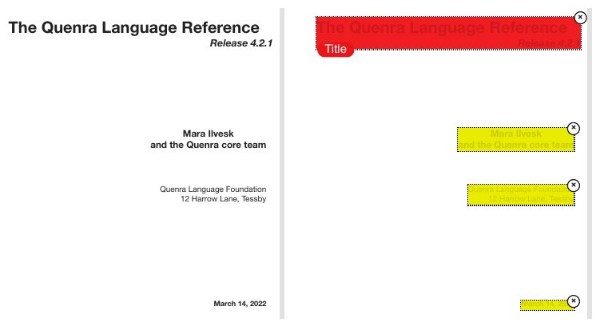
Red = Title · yellow = Text. A cover sheet. Expected boxes: one Title around the title and its
Release 4.2.1 line, then three Text elements — the authors, the foundation's address, the date.
Each Text element keeps its printed line break.
The Quenra Language Reference Release 4.2.1
Mara Ilvesk and the Quenra core team
Quenra Language Foundation 12 Harrow Lane, Tessby
March 14, 2022
Markdown source
# The Quenra Language Reference *Release 4.2.1*

Mara Ilvesk
and the Quenra core team
Quenra Language Foundation
12 Harrow Lane, Tessby
March 14, 2022
Section-header and List-item
Each visually distinct Section-header MUST be its own element. Each list item MUST be one List-item element, including its bullet or number and every continuation line.
✅ Sample — block-section-list
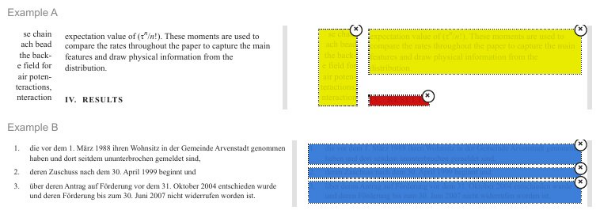
Dark red = Section-header · blue = List-item · yellow = Text. Example A: a clipped neighbouring
column on the left (Text, transcribed only as far as it is visible), a paragraph (Text), and the
heading IV. RESULTS (Section-header). Example B: three numbered items, each one List-item whose box
takes in its number and its wrapped second line.
se chain
ach bead
the back-
e field for
air poten-
teractions,
nteraction

expectation value of ($$\tau^{n}/n!$$). These moments are used to compare the rates throughout the paper to capture the main features and draw physical information from the distribution.
IV. RESULTS
Markdown source
se chain
ach bead
the back-
e field for
air poten-
teractions,
nteraction
expectation value of ($$\tau^{n}/n!$$). These moments are used to compare the rates throughout the paper to capture the main features and draw physical information from the distribution.
IV. RESULTS
- die vor dem 1. März 1988 ihren Wohnsitz in der Gemeinde Arvenstadt genommen haben und dort seitdem ununterbrochen gemeldet sind,
- deren Zuschuss nach dem 30. April 1999 beginnt und
- über deren Antrag auf Förderung vor dem 31. Oktober 2004 entschieden wurde und deren Förderung bis zum 30. Juni 2007 nicht widerrufen worden ist.
Markdown source
1. die vor dem 1. März 1988 ihren Wohnsitz in der Gemeinde Arvenstadt genommen haben und dort seitdem ununterbrochen gemeldet sind,
2. deren Zuschuss nach dem 30. April 1999 beginnt und
3. über deren Antrag auf Förderung vor dem 31. Oktober 2004 entschieden wurde und deren Förderung bis zum 30. Juni 2007 nicht widerrufen worden ist.
Footnote and Formula
Each distinct Footnote MUST be its own element. A Formula MUST contain the complete displayed expression and its equation number; inline maths stays part of its Text element.
✅ Sample — block-footnote-formula
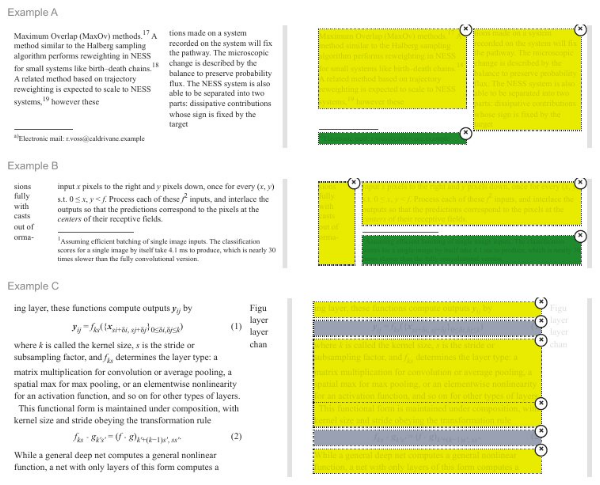
Dark green = Footnote · grey = Formula · yellow = Text. Example A: two columns of body text and
the footnote a) under the left column. Example B: a clipped neighbouring column, a paragraph with
inline maths, and footnote 1. Example C: prose interrupted by the numbered displays (1) and (2),
each one Formula with its number; the prose above, between and below them is four Text elements.
The clipped fragments at the right edge of Example C (Figu, layer, …) have no box in the
overlay and are left out.
Maximum Overlap (MaxOv) methods.17 A method similar to the Halberg sampling algorithm performs reweighting in NESS for small systems like birth–death chains.18 A related method based on trajectory reweighting is expected to scale to NESS systems,19 however these
a)Electronic mail: r.voss@caldrivane.example
tions made on a system recorded on the system will fix the pathway. The microscopic change is described by the balance to preserve probability flux. The NESS system is also able to be separated into two parts: dissipative contributions whose sign is fixed by the target
Markdown source
Maximum Overlap (MaxOv) methods.<sup>17</sup> A method similar to the Halberg sampling algorithm performs reweighting in NESS for small systems like birth–death chains.<sup>18</sup> A related method based on trajectory reweighting is expected to scale to NESS systems,<sup>19</sup> however these

<sup>a)</sup>Electronic mail: r.voss@caldrivane.example
tions made on a system recorded on the system will fix the pathway. The microscopic change is described by the balance to preserve probability flux. The NESS system is also able to be separated into two parts: dissipative contributions whose sign is fixed by the target
sions fully with casts out of orma-
input $$x$$ pixels to the right and $$y$$ pixels down, once for every $$(x, y)$$ s.t. $$0 \le x, y < f$$. Process each of these $$f^{2}$$ inputs, and interlace the outputs so that the predictions correspond to the pixels at the centers of their receptive fields.
1Assuming efficient batching of single image inputs. The classification scores for a single image by itself take 4.1 ms to produce, which is nearly 30 times slower than the fully convolutional version.
Markdown source
sions
fully
with
casts
out of
orma-

input $$x$$ pixels to the right and $$y$$ pixels down, once for every $$(x, y)$$ s.t. $$0 \le x, y < f$$. Process each of these $$f^{2}$$ inputs, and interlace the outputs so that the predictions correspond to the pixels at the centers of their receptive fields.
<sup>1</sup>Assuming efficient batching of single image inputs. The classification scores for a single image by itself take 4.1 ms to produce, which is nearly 30 times slower than the fully convolutional version.
ing layer, these functions compute outputs $$\mathbf{y}_{ij}$$ by

$$\mathbf{y}{ij} = f{ks}({\mathbf{x}{si+\delta i,, sj+\delta j}}{0 \le \delta i, \delta j \le k})$$ (1)
where $$k$$ is called the kernel size, $$s$$ is the stride or subsampling factor, and $$f_{ks}$$ determines the layer type: a matrix multiplication for convolution or average pooling, a spatial max for max pooling, or an elementwise nonlinearity for an activation function, and so on for other types of layers.
This functional form is maintained under composition, with kernel size and stride obeying the transformation rule
$$f_{ks} \circ g_{k's'} = (f \circ g)_{k'+(k-1)s',, ss'}.$$ (2)
While a general deep net computes a general nonlinear function, a net with only layers of this form computes a
Markdown source
ing layer, these functions compute outputs $$\mathbf{y}_{ij}$$ by
$$\mathbf{y}{ij} = f{ks}({\mathbf{x}{si+\delta i,, sj+\delta j}}{0 \le \delta i, \delta j \le k})$$ (1)
where $$k$$ is called the kernel size, $$s$$ is the stride or subsampling factor, and $$f_{ks}$$ determines the layer type: a matrix multiplication for convolution or average pooling, a spatial max for max pooling, or an elementwise nonlinearity for an activation function, and so on for other types of layers.
This functional form is maintained under composition, with kernel size and stride obeying the transformation rule
$$f_{ks} \circ g_{k's'} = (f \circ g)_{k'+(k-1)s',, ss'}.$$ (2)
While a general deep net computes a general nonlinear function, a net with only layers of this form computes a
Page-header and Page-footer
Page-header and Page-footer cover marginal content outside the main flow. Widely separated components of one band MUST be separate elements, and a page number alone qualifies as a Page-footer.
✅ Sample — block-header-footer
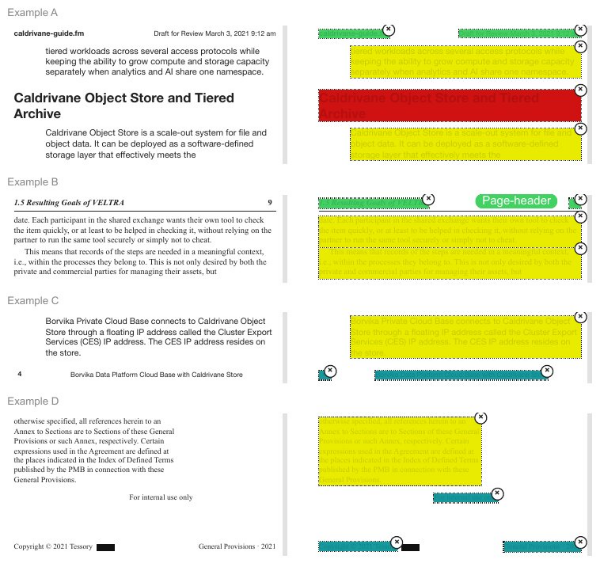
Bright green = Page-header · teal = Page-footer · red = Section-header · yellow = Text. Four
excerpts. A: two Page-headers (file name left, draft stamp right) over Text, a Section-header and
Text. B: two Page-headers (running section title, folio 9) over two paragraphs. C: a paragraph
over two Page-footers (folio 4, running title). D: a paragraph over three Page-footers — a
centred For internal use only, then the copyright line and the running title. A small solid black
bar after the copyright line carries no text and has no box.
caldrivane-guide.fm
Draft for Review March 3, 2021 9:12 am
tiered workloads across several access protocols while keeping the ability to grow compute and storage capacity separately when analytics and AI share one namespace.
Caldrivane Object Store and Tiered Archive
Caldrivane Object Store is a scale-out system for file and object data. It can be deployed as a software-defined storage layer that effectively meets the
Markdown source
**caldrivane-guide.fm**

Draft for Review March 3, 2021 9:12 am
tiered workloads across several access protocols while keeping the ability to grow compute and storage capacity separately when analytics and AI share one namespace.
Caldrivane Object Store and Tiered Archive
Caldrivane Object Store is a scale-out system for file and object data. It can be deployed as a software-defined storage layer that effectively meets the
1.5 Resulting Goals of VELTRA
9
date. Each participant in the shared exchange wants their own tool to check the item quickly, or at least to be helped in checking it, without relying on the partner to run the same tool securely or simply not to cheat.
This means that records of the steps are needed in a meaningful context, i.e., within the processes they belong to. This is not only desired by both the private and commercial parties for managing their assets, but
Markdown source
***1.5 Resulting Goals of VELTRA***

9
date. Each participant in the shared exchange wants their own tool to check the item quickly, or at least to be helped in checking it, without relying on the partner to run the same tool securely or simply not to cheat.
This means that records of the steps are needed in a meaningful context, i.e., within the processes they belong to. This is not only desired by both the private and commercial parties for managing their assets, but
Borvika Private Cloud Base connects to Caldrivane Object Store through a floating IP address called the Cluster Export Services (CES) IP address. The CES IP address resides on the store.
4
Borvika Data Platform Cloud Base with Caldrivane Store
```markdown
otherwise specified, all references herein to an Annex to Sections are to Sections of these General Provisions or such Annex, respectively. Certain expressions used in the Agreement are defined at the places indicated in the Index of Defined Terms published by the PMB in connection with these General Provisions.

For internal use only
Copyright © 2021 Tessory
General Provisions · 2021
Markdown source
Borvika Private Cloud Base connects to Caldrivane Object Store through a floating IP address called the Cluster Export Services (CES) IP address. The CES IP address resides on the store.
4
Borvika Data Platform Cloud Base with Caldrivane Store
```markdown
otherwise specified, all references herein to an Annex to Sections are to Sections of these General Provisions or such Annex, respectively. Certain expressions used in the Agreement are defined at the places indicated in the Index of Defined Terms published by the PMB in connection with these General Provisions.
For internal use only
Copyright © 2021 Tessory
General Provisions · 2021</code></pre></details></figure>
## Picture, Caption and Table
A Picture MUST include the complete unified graphic but **exclude its Caption**. A Table MUST
include the complete row-column structure but exclude its Caption and surrounding prose. See
[Block Boundaries](#s5-2)<span class="sec">§5.2</span>.
### ✅ **Sample** — `block-picture-caption-table`
<a href="assets/block-picture-caption-table.svg" target="_blank"><img src="assets/block-picture-caption-table.svg" alt="block-picture-caption-table.svg" loading="lazy"></a>
**Pale beige = Picture · orange = Caption · pink = Table · yellow = Text.** Example A: four chart
panels (a)–(d) above one caption — one Picture, one Caption, then two Text columns; the overlay
tints the text, which is transcribed from the page source, and the chart content prints no values
and is elided. Example B: the table of the `block-table-caption-excluded` sample — one Table, one
Caption, one Text.
<figure class="exp"><figcaption>Expected Markdown · Example A</figcaption><div class="exp-wrap"><p class="el">…</p>
<table data-source="chart">
<tr class="el"><td colspan="99">…</td></tr>
<caption>FIG. 2. (a) Density of the walker over the two-well landscape at three times. (b) Mean position and (c) its variance against time; the grey bands mark the switching windows. (d) Escape probability for the full and reduced models.</caption>
</table>
<p>starting from the flat state, the potential of the full and reduced models agree to within the error bars over the full time window shown.</p>
<p>For the reduced model the two wells stay separate until the first switching window, after which the</p>
</div><details class="exp-src"><summary>Markdown source</summary><pre><code><!-- … -->
<table data-source="chart">
<!-- … -->
<caption>FIG. 2. (a) Density of the walker over the two-well landscape at three times. (b) Mean position and (c) its variance against time; the grey bands mark the switching windows. (d) Escape probability for the full and reduced models.</caption>
</table>
starting from the flat state, the potential of the full and reduced models agree to within the error bars over the full time window shown.
For the reduced model the two wells stay separate until the first switching window, after which the</code></pre></details></figure>
<figure class="exp"><figcaption>Expected Markdown · Example B, excerpt</figcaption><div class="exp-wrap"><table>
<tr> <th rowspan="2">Set-up</th> <th colspan="2">Training set + Validation set (TRS + VS)</th> <th colspan="2">External testing (ETS)</th> <th rowspan="2">Number of folds for the SKFCV</th> </tr>
<tr> <th>PL</th> <th>MT</th> <th>PL</th> <th>MT</th> </tr>
<tr> <td>S1</td> <td>30</td> <td>10</td> <td>30</td> <td>10</td> <td>2</td> </tr>
<tr class="el"><td colspan="99">…</td></tr>
<tr> <td><strong>S14</strong></td> <td><strong>90</strong></td> <td><strong>90</strong></td> <td><strong>30</strong></td> <td><strong>10</strong></td> <td><strong>9</strong></td> </tr>
<caption><strong>Table 1.</strong> Number of records for each set-up of cohort A and simulated cohort A. Balanced set-ups in bold characters.</caption>
</table>
<p><strong>Sensitivity of the univariate analysis to the number of records.</strong> For the two cohorts, the performance of the univariate classification models was assessed using the area under the ROC curves and the Youden index with its matching sensitivity (Se) and specificity (Sp) values. The optimal cut-off to separate the groups was set at the value that maximized YI.</p>
</div><details class="exp-src"><summary>Markdown source</summary><pre><code><table>
<tr> <th rowspan="2">Set-up</th> <th colspan="2">Training set + Validation set (TRS + VS)</th> <th colspan="2">External testing (ETS)</th> <th rowspan="2">Number of folds for the SKFCV</th> </tr>
<tr> <th>PL</th> <th>MT</th> <th>PL</th> <th>MT</th> </tr>
<tr> <td>S1</td> <td>30</td> <td>10</td> <td>30</td> <td>10</td> <td>2</td> </tr>
<!-- … -->
<tr> <td><strong>S14</strong></td> <td><strong>90</strong></td> <td><strong>90</strong></td> <td><strong>30</strong></td> <td><strong>10</strong></td> <td><strong>9</strong></td> </tr>
<caption><strong>Table 1.</strong> Number of records for each set-up of cohort A and simulated cohort A. Balanced set-ups in bold characters.</caption>
</table>
**Sensitivity of the univariate analysis to the number of records.** For the two cohorts, the performance of the univariate classification models was assessed using the area under the ROC curves and the Youden index with its matching sensitivity (Se) and specificity (Sp) values. The optimal cut-off to separate the groups was set at the value that maximized YI.</code></pre></details></figure>
## Related
- [Elements](#s3-1)<span class="sec">§3.1</span> — how each class is rendered in Markdown
- [Block Boundaries](#s5-2)<span class="sec">§5.2</span> — where a Picture or Table stops
- [Document Type](#s4-4)<span class="sec">§4.4</span> — which sheet is the cover, and so where Title may appear
- [Recurring Page Furniture](#s4-6)<span class="sec">§4.6</span> — Page-header and Page-footer decided once for the document
- [Heading Depth Across Pages](#s4-5)<span class="sec">§4.5</span> — the depth a Section-header gets once its class is settled
5.4 Court Caption Blocks
✅ Normative · 📄 page rule
✅ Normative
Every printed string of a court caption MUST be transcribed, the left column as one block of lines
and then the right column, each printed line on its own line. Blank party and case-number lines
MUST be [blank]. The § divider and the rules MUST NOT be transcribed, and the caption MUST NOT be
rendered as a table.
The head of a court filing: the parties stacked on the left (Plaintiff, v., Defendant), a
divider — a vertical rule, a column of § signs, or a box edge — and the court, case number and
document title on the right.
______________________,        §    IN THE JUSTICE COURT
PLAINTIFF                      §
v.                             §    PRECINCT NO. __________
______________________,        §
DEFENDANT                      §    GREGG COUNTY, TEXAS
The § column is the one thing that is not content; everything else is.
Requirements
- Every printed string of the caption MUST appear in the output, including labels such as
PLAINTIFFandv.. - The left column MUST come first and the right column after it, each as one block, each printed line on its own line within its block. Where the caption has more than two cells, they are taken left to right, one block each.
- A blank party line or case-number line MUST be
[blank], with its printed label beside it — see Blanks Inside Sentences§10.4.1. - The caption MUST NOT be rendered as a two-column table, a key-value list, or row by row
alternating left and right. The
§divider and the rules MUST NOT be transcribed.
✅ Sample — a subpoena caption
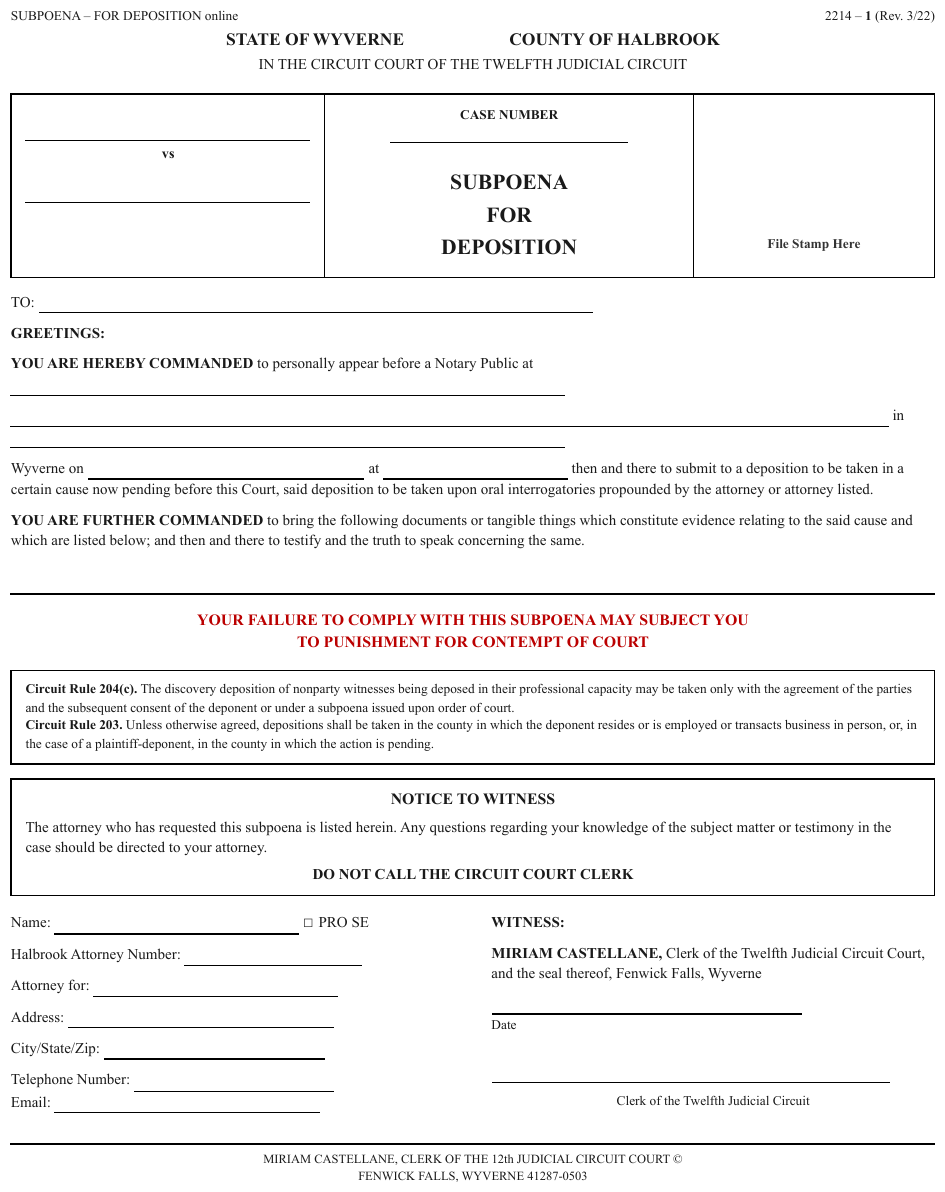
Under a centred court heading, a ruled box of three cells: two blank party lines with vs between
them on the left; CASE NUMBER over a blank line and the three-line title SUBPOENA / FOR /
DEPOSITION in the centre; an empty File Stamp Here box on the right. The cells are taken left
to right, each as one block of lines. On this page SUBPOENA FOR DEPOSITION is the document's own
title, so it is rendered as the document heading, its three printed lines joined. The page header
line above is elided.
…
STATE OF WYVERNE COUNTY OF HALBROOK IN THE CIRCUIT COURT OF THE TWELFTH JUDICIAL CIRCUIT
[blank] vs [blank]
CASE NUMBER [blank]
SUBPOENA FOR DEPOSITION
File Stamp Here
…
Markdown source
<!-- … -->

STATE OF WYVERNE COUNTY OF HALBROOK
IN THE CIRCUIT COURT OF THE TWELFTH JUDICIAL CIRCUIT
[blank]
vs
[blank]
CASE NUMBER
[blank]
SUBPOENA FOR DEPOSITION
File Stamp Here
<!-- … -->
✅ Sample — a § divider
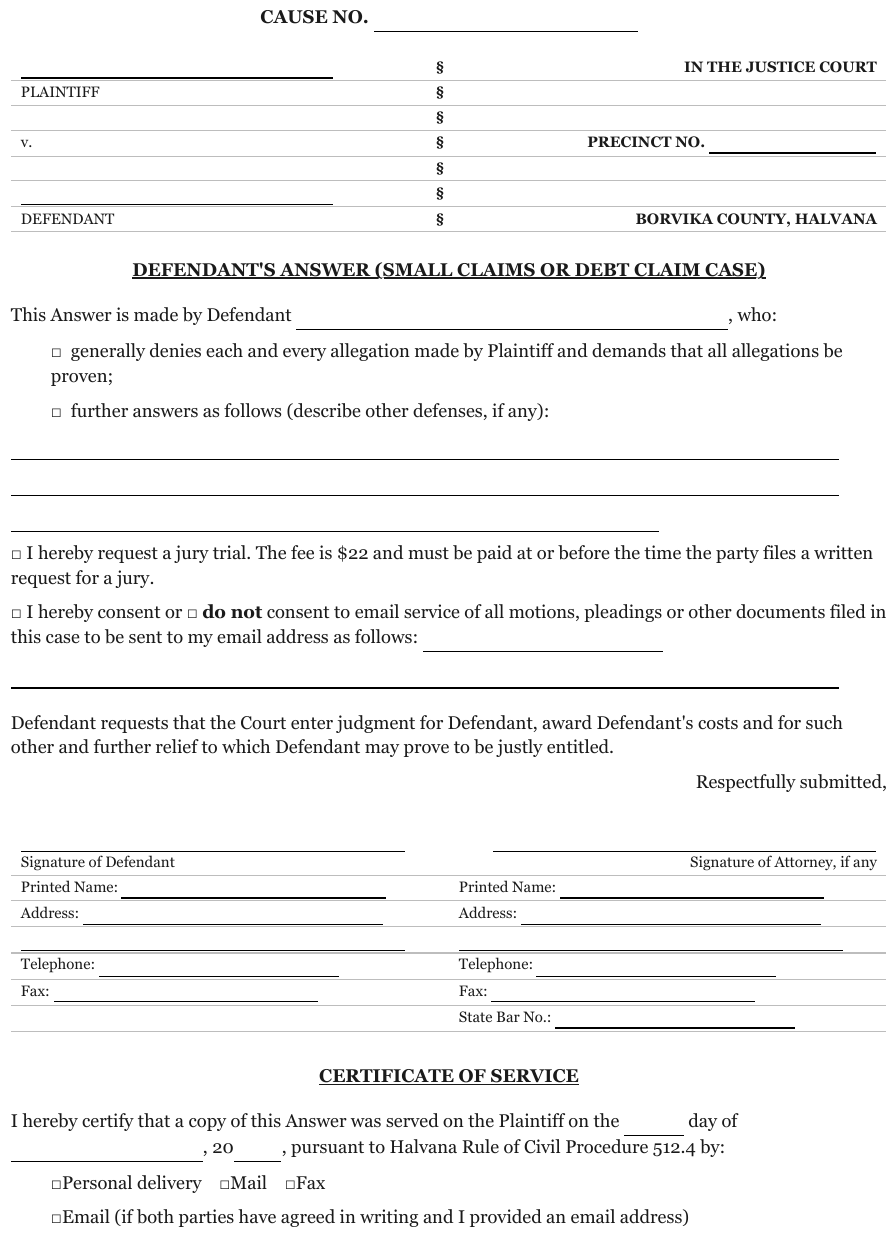
A bold CAUSE NO. line with its blank above the caption; blank party lines with PLAINTIFF,
v. and DEFENDANT on the left, a column of seven § on the divider, and the court, the
precinct (with its blank) and the county on the right. The § column is dropped; the left block
comes before the right.
CAUSE NO. [blank]
[blank] PLAINTIFF v. [blank] DEFENDANT
IN THE JUSTICE COURT PRECINCT NO. [blank] BORVIKA COUNTY, HALVANA
…
Markdown source
**CAUSE NO.** [blank]

[blank]
PLAINTIFF
v.
[blank]
DEFENDANT
IN THE JUSTICE COURT
PRECINCT NO. [blank]
BORVIKA COUNTY, HALVANA
<!-- … -->
Related
- Blanks Inside Sentences§10.4.1 — the party lines are blanks with the label beneath
- Reading Order§5.9 — column flow versus row flow
- Is This Even a Table§9.1.5 — the test that says this is not one
5.5 Embedded Pages
✅ Normative · 📄 page rule
✅ Normative
A page reproduced inside another page MUST be rendered as the wrapper's furniture followed by the embedded page in its own reading order. Both page numbers MUST be kept, each with its own region, and titles inside an embedded form screenshot MUST NOT be promoted into the wrapper's outline.
A page reproduced inside another page: a statute page shrunk into the middle of an exhibit sheet, a slide placed on a letter-size page. Each carries its own header and page number, so the sheet has two of everything.
      Case 1:23-cv-06750   Document 1-4   Filed 08/02/23   Page 4 of 4     ← wrapper header
                              EXHIBIT D
                          ┌────────────────────┐
                          │   H. R. 2617—507   │  ← embedded header
                          │   (1) The term …   │
                          └────────────────────┘
                              Page 3 of 3                                  ← wrapper footer
Requirements
- The wrapper's label and filing stamp MUST be kept: they identify the particular copy.
- The embedded content MUST appear between the wrapper header and the wrapper footer, in the embedded page's own reading order.
- The wrapper's page number and the embedded page's number MUST both be kept, each where its own band prints it.
- A title printed inside an embedded form screenshot MUST NOT become a heading of the wrapping document.
✅ Sample — a statute page as an exhibit
A blue e-filing header in four parts, a red EXHIBIT D label, then a reduced statute page with its
own running head H. R. 2617—507, and a red Page 3 of 3 at the foot. Expected boxes: four
Page-header elements for the e-filing line, Text for EXHIBIT D, a Page-header for the embedded
running head, one Text per statute paragraph, and a Page-footer for Page 3 of 3. The colours are
decoration and are not carried.
Case 3:26-cv-01184
Document 1-4
Filed 02/11/26
Page 4 of 4
EXHIBIT D
H. R. 2617—507
(1) The term "affiliated technician" has the meaning given such term in section 101 of title 38, United States Code.
(2) The term "covered household" means a household, as such term is defined in section 101 of title 38, United States Code, that has a member with a service-connected disability that results in the inability to procreate without medical assistance.
…
SEC. 220. (a) Except as provided in subsection (b), the Secretary of Veterans Affairs, in consultation with the Secretary of Defense and the Secretary of Labor, shall discontinue using Social Security account numbers to identify individuals in all information systems of the Department of Veterans Affairs as follows:
Page 3 of 3
Markdown source
Case 3:26-cv-01184

Document 1-4
Filed 02/11/26
Page 4 of 4
EXHIBIT D
H. R. 2617—507
(1) The term "affiliated technician" has the meaning given such term in section 101 of title 38, United States Code.
(2) The term "covered household" means a household, as such term is defined in section 101 of title 38, United States Code, that has a member with a service-connected disability that results in the inability to procreate without medical assistance.
<!-- … -->
SEC. 220. (a) Except as provided in subsection (b), the Secretary of Veterans Affairs, in consultation with the Secretary of Defense and the Secretary of Labor, shall discontinue using Social Security account numbers to identify individuals in all information systems of the Department of Veterans Affairs as follows:
Page 3 of 3
Related
- Overlapping Text§7.3.6 — the same stamp printed on top of content
- Court Caption Blocks§5.4 — the head of the wrapping document
- Block Classes§5.3 — Page-header and Page-footer, twice over
- Printed Page Numbers§6.6 — the folio is recorded on its own; here there are two
5.6 Ignoring and Rejecting
✅ Normative · 📄 page rule
✅ Normative
A visible region MAY be left out of the output only on the narrow grounds listed below, and a page MAY be declared unrepresentable only when the problem is the page itself. Content that is merely difficult to read MUST NOT be left out on either ground.
Two exclusions, for two different situations. Both are narrow. Visibility is determined by
The Page Is the Ground Truth§2.1, including hidden text, microscopic text and imperceptible
contrast. A visibly present but unreadable text span is represented as [illegible]; it is not
an invisible source object.
Excluding one region
A bounded region of an otherwise sound page MAY be left out of the output — no element, no box — only when it is:
- a scan artifact;
- an invisible source object;
- damaged content;
- an irreconcilable source error;
- an element explicitly out of scope;
- a genuinely unresolved ambiguity.
Ordinary logos, page numbers, and content that is difficult but readable MUST NOT be excluded. That is the requirement that matters. Exclusion is not a way past a hard page: a dense figure, an awkward multi-column spread and a badly kerned table are all representable, just slower. Excluding them turns a slow page into missing data, silently — the never drop failure.
An unrepresentable page
A page MAY be declared unrepresentable, and left out of evaluation rather than represented in part, only when it is corrupt, badly cropped, mismatched to its document, unusable, or cannot be represented unambiguously. An unrepresentable page MUST NOT be given a partial or guessed rendering.
Choosing between them
The test is scope. One bad region on an otherwise sound page: that region is excluded and the rest of the page represented. A page where the problem is the page: the page is declared unrepresentable. Excluding twenty regions to rescue a broken page MUST NOT be done — it is a rejection in disguise, and it produces an output that looks complete and is not.
A page that is genuinely blank
A page with no ink at all MUST keep its position in the page sequence with zero elements.
Its Markdown MUST consist of the single line <!-- blank page --> between the two --- separators
that bound it, and its sidecar entry MUST list no items.
…end of page 1

---

<!-- blank page -->

---

Start of page 3…
Blank pages are ordinary in real documents — section breaks, duplex backs, deliberate spacers. A three-page file whose second page carries no ink and no text is not corrupt, and declaring it unrepresentable would misreport the document's length.
Neither exclusion fits:
- Excluding a region is for a bounded exception within a page. Here there is nothing to bound.
- Unrepresentable is for a page that cannot be represented. A blank page represents perfectly — as nothing.
The page MUST NOT be dropped — a missing page is far harder to notice than an empty one, and every later page number would shift. It MUST NOT be given an element either: an "empty" element with a box around nothing is invented. The comment says, inline and invisibly, that the page is blank on purpose, so a reader of the Markdown can tell a blank page from a lost one.
A page that prints only a notice such as "This page intentionally left blank", or only a folio or running header, has ink: it is an ordinary page whose content is that text.
✅ Sample — dense but readable
A landscape security-cover statement with sixteen columns, a Column A … Column P letter tier over
two further header rows, and body text too small to read at page scale. It is slow, not impossible:
every cell resolves under zoom, so nothing here is grounds to exclude a region or declare the page
unrepresentable. The corner wordmark Caldrivane is an ordinary logo and is kept. The three ratio
rows at the bottom merge their label across columns A–J and print no cell under Column P.
Caldrivane Financial Services Limited Annexure A (ii)
[logo: Caldrivane]
Statement of Security Cover on standalone basis as per the terms of Debenture Trust Deeds and Information Memorandum and book value of assets as at 30 June 2026
Rupees in Crores
| Column A | Column B | Column C | Column D | Column E | Column F | Column G | Column H | Column I | Column J | Column K | Column L | Column M | Column N | Column O | Column P |
|---|---|---|---|---|---|---|---|---|---|---|---|---|---|---|---|
| Particulars | Description of asset for which this certificate relate | Exclusive Charge | Exclusive Charge | Pari-Passu Charge | Pari-Passu Charge | Pari-Passu Charge - Exclusive | Pari-Passu Charge | Assets not offered as Security | Elimination (amount in negative) | (Total C to I) | Related to only those items covered by this certificate | ||||
| Debt for which this certificate being issued | Other Secured Debt | Debt for which this certificate being issued | Assets shared by pari passu debt holder (includes debt for which issued & other debt with pari-passu charge) | Other assets on which there is pari-passu charge (excluding items covered in column F) | debt amount considered more than once (due to exclusive plus pari passu charge) | Market Value for Assets charged on Exclusive basis | Market Value for Pari passu charge Assets | Carrying/book value for exclusive charge assets where market value is not ascertainable | Market Value for Pari passu charge Assets - Exclusive | Total Value (=K+L+M+N) | |||||
| ASSETS | |||||||||||||||
| Property, Plant and Equipment | No | 0.22 | 0.22 | ||||||||||||
| Intangible Assets | No | 13.40 | 13.40 | ||||||||||||
| Investments | Investments (Refer Note 2 & 3) | Yes | 4,180.55 | 5,910.02 | 10,090.57 | 1,905.00 | 975.10 | 85.60 | 1,477.03 | ||||||
| Loans | Receivables | 1,340.20 | Yes | 802.55 | 90.10 | 410.75 | 2,643.60 | 1,340.20 | 802.55 | 90.10 | 2,232.85 | ||||
| Trade Receivables | No | 12.05 | 12.05 | ||||||||||||
| Cash and Cash Equivalents | No | 78.90 | 78.90 | ||||||||||||
| Others | No | 450.10 | 450.10 | ||||||||||||
| Total | 1,340.20 | 4,983.10 | 90.10 | 6,865.44 | 13,278.84 | 1,905.00 | 1,777.65 | 90.10 | 2,232.85 | ||||||
| LIABILITIES | |||||||||||||||
| Debt securities | 1,300.60 | Yes | 1,905.00 | 82.30 | 3,287.90 | 1,300.60 | 1,905.00 | 82.30 | 3,287.90 | ||||||
| Other Debt | 41.50 | 41.50 | |||||||||||||
| Trade payables & others* | (58.40) | (58.40) | |||||||||||||
| Total | 1,300.60 | 1,905.00 | 82.30 | (16.90) | 3,270.99 | 1,300.60 | 1,905.00 | 82.30 | 3,287.90 | ||||||
| Cover on Book Value | 1.10 | ||||||||||||||
| Cover on Market Value | 1.46 | 0.93 | 1.09 | ||||||||||||
| Security Cover Ratio | 1.46 | 0.93 | 1.09 | ||||||||||||
*IND-AS adjustment for effective interest rate on secured debt securities is excluded from assets cover computation being an accounting adjustment and accordingly the asset cover is computed on a gross basis
Caldrivane Financial Services Limited Corporate Identity Number: L99999MH1995PLC094641 Registered Office: Caldrivane House, off. Carlow Road, Kalina, Mumbai - 400 098 Tel No.: +91 022 4079 5199 Email ID: cs@caldrivanefin.example Website: www.caldrivanefin.example
Markdown source
Caldrivane Financial Services Limited
Annexure A (ii)

[logo: Caldrivane]
Statement of Security Cover on standalone basis as per the terms of Debenture Trust Deeds and Information Memorandum and book value of assets as at 30 June 2026
Rupees in Crores
<table>
<tr> <th>Column A</th> <th>Column B</th> <th>Column C</th> <th>Column D</th> <th>Column E</th> <th>Column F</th> <th>Column G</th> <th>Column H</th> <th>Column I</th> <th>Column J</th> <th>Column K</th> <th>Column L</th> <th>Column M</th> <th>Column N</th> <th>Column O</th> <th>Column P</th> </tr>
<tr> <th>Particulars</th> <th>Description of asset for which this certificate relate</th> <th>Exclusive Charge</th> <th>Exclusive Charge</th> <th>Pari-Passu Charge</th> <th>Pari-Passu Charge</th> <th>Pari-Passu Charge - Exclusive</th> <th>Pari-Passu Charge</th> <th>Assets not offered as Security</th> <th>Elimination (amount in negative)</th> <th>(Total C to I)</th> <th colspan="5">Related to only those items covered by this certificate</th> </tr>
<tr> <th></th> <th></th> <th>Debt for which this certificate being issued</th> <th>Other Secured Debt</th> <th>Debt for which this certificate being issued</th> <th>Assets shared by pari passu debt holder (includes debt for which issued & other debt with pari-passu charge)</th> <th>Other assets on which there is pari-passu charge (excluding items covered in column F)</th> <th>debt amount considered more than once (due to exclusive plus pari passu charge)</th> <th></th> <th></th> <th></th> <th>Market Value for Assets charged on Exclusive basis</th> <th>Market Value for Pari passu charge Assets</th> <th>Carrying/book value for exclusive charge assets where market value is not ascertainable</th> <th>Market Value for Pari passu charge Assets - Exclusive</th> <th>Total Value (=K+L+M+N)</th> </tr>
<tr> <td>ASSETS</td> <td></td> <td></td> <td></td> <td></td> <td></td> <td></td> <td></td> <td></td> <td></td> <td></td> <td></td> <td></td> <td></td> <td></td> <td></td> </tr>
<tr> <td>Property, Plant and Equipment</td> <td></td> <td></td> <td></td> <td>No</td> <td></td> <td></td> <td></td> <td>0.22</td> <td></td> <td>0.22</td> <td></td> <td></td> <td></td> <td></td> <td></td> </tr>
<tr> <td>Intangible Assets</td> <td></td> <td></td> <td></td> <td>No</td> <td></td> <td></td> <td></td> <td>13.40</td> <td></td> <td>13.40</td> <td></td> <td></td> <td></td> <td></td> <td></td> </tr>
<tr> <td>Investments</td> <td>Investments (Refer Note 2 & 3)</td> <td></td> <td></td> <td>Yes</td> <td>4,180.55</td> <td></td> <td></td> <td>5,910.02</td> <td></td> <td>10,090.57</td> <td>1,905.00</td> <td>975.10</td> <td></td> <td>85.60</td> <td>1,477.03</td> </tr>
<tr> <td>Loans</td> <td>Receivables</td> <td>1,340.20</td> <td></td> <td>Yes</td> <td>802.55</td> <td>90.10</td> <td></td> <td>410.75</td> <td></td> <td>2,643.60</td> <td>1,340.20</td> <td>802.55</td> <td></td> <td>90.10</td> <td>2,232.85</td> </tr>
<tr> <td>Trade Receivables</td> <td></td> <td></td> <td></td> <td>No</td> <td></td> <td></td> <td></td> <td>12.05</td> <td></td> <td>12.05</td> <td></td> <td></td> <td></td> <td></td> <td></td> </tr>
<tr> <td>Cash and Cash Equivalents</td> <td></td> <td></td> <td></td> <td>No</td> <td></td> <td></td> <td></td> <td>78.90</td> <td></td> <td>78.90</td> <td></td> <td></td> <td></td> <td></td> <td></td> </tr>
<tr> <td>Others</td> <td></td> <td></td> <td></td> <td>No</td> <td></td> <td></td> <td></td> <td>450.10</td> <td></td> <td>450.10</td> <td></td> <td></td> <td></td> <td></td> <td></td> </tr>
<tr> <td><strong>Total</strong></td> <td></td> <td><strong>1,340.20</strong></td> <td></td> <td></td> <td><strong>4,983.10</strong></td> <td><strong>90.10</strong></td> <td></td> <td><strong>6,865.44</strong></td> <td></td> <td><strong>13,278.84</strong></td> <td><strong>1,905.00</strong></td> <td><strong>1,777.65</strong></td> <td></td> <td><strong>90.10</strong></td> <td><strong>2,232.85</strong></td> </tr>
<tr> <td>LIABILITIES</td> <td></td> <td></td> <td></td> <td></td> <td></td> <td></td> <td></td> <td></td> <td></td> <td></td> <td></td> <td></td> <td></td> <td></td> <td></td> </tr>
<tr> <td>Debt securities</td> <td></td> <td>1,300.60</td> <td></td> <td>Yes</td> <td>1,905.00</td> <td>82.30</td> <td></td> <td></td> <td></td> <td>3,287.90</td> <td>1,300.60</td> <td>1,905.00</td> <td></td> <td>82.30</td> <td>3,287.90</td> </tr>
<tr> <td>Other Debt</td> <td></td> <td></td> <td></td> <td></td> <td></td> <td></td> <td>41.50</td> <td></td> <td></td> <td>41.50</td> <td></td> <td></td> <td></td> <td></td> <td></td> </tr>
<tr> <td>Trade payables & others*</td> <td></td> <td></td> <td></td> <td></td> <td></td> <td></td> <td>(58.40)</td> <td></td> <td></td> <td>(58.40)</td> <td></td> <td></td> <td></td> <td></td> <td></td> </tr>
<tr> <td><strong>Total</strong></td> <td></td> <td><strong>1,300.60</strong></td> <td></td> <td></td> <td><strong>1,905.00</strong></td> <td><strong>82.30</strong></td> <td><strong>(16.90)</strong></td> <td></td> <td></td> <td><strong>3,270.99</strong></td> <td><strong>1,300.60</strong></td> <td><strong>1,905.00</strong></td> <td></td> <td><strong>82.30</strong></td> <td><strong>3,287.90</strong></td> </tr>
<tr> <td colspan="10"><strong>Cover on Book Value</strong></td> <td></td> <td></td> <td></td> <td></td> <td><strong>1.10</strong></td> </tr>
<tr> <td colspan="10"><strong>Cover on Market Value</strong></td> <td></td> <td><strong>1.46</strong></td> <td><strong>0.93</strong></td> <td></td> <td><strong>1.09</strong></td> </tr>
<tr> <td colspan="10"><strong>Security Cover Ratio</strong></td> <td></td> <td><strong>1.46</strong></td> <td><strong>0.93</strong></td> <td></td> <td><strong>1.09</strong></td> </tr>
</table>
*IND-AS adjustment for effective interest rate on secured debt securities is excluded from assets cover computation being an accounting adjustment and accordingly the asset cover is computed on a gross basis
Caldrivane Financial Services Limited
Corporate Identity Number: L99999MH1995PLC094641
Registered Office: Caldrivane House, off. Carlow Road, Kalina, Mumbai - 400 098 Tel No.: +91 022 4079 5199
Email ID: cs@caldrivanefin.example Website: www.caldrivanefin.example
✅ Sample — a scan mark that is not content
A scanned typewritten memorandum with a small ring printed below the text, where a hole punch or a
scanner roller left its mark. The ring is the bounded exception allowed above: it has no element
and no box, and the rest of the page is represented, down to the folio - 63 -.
CALDRIVANE ENERGY CORP.
INTEROFFICE MEMORANDUM

TO: Finance Committee
FROM: R. Donovan, Treasury
DATE: November 4, 2001
RE: Off-Balance-Sheet Treatment — Borvika Partners
This memorandum summarizes the accounting treatment applied to Borvika Partners, L.P., a related-party investment vehicle organized to acquire certain merchant assets that the Company did not wish to consolidate. Under the structuring in place, an outside investor holds a three-percent equity interest, which under the applicable accounting guidance is treated as sufficient independent equity at risk to keep the vehicle's assets and liabilities off the Company's consolidated balance sheet.
The Company has, however, guaranteed certain of Borvika's obligations through a series of put and forward arrangements tied to the Company's own stock. Should the Company's share price fall below the thresholds specified in those arrangements, the Company would be required to issue additional shares or make cash payments to Borvika's outside investors, which could require the vehicle's assets to be consolidated retroactively.
Management believes the three-percent threshold continues to satisfy the applicable accounting literature, and that the exposure described above, while real, is not probable of being triggered under current pricing. We recommend the Committee note this exposure for quarterly review rather than for immediate balance-sheet recognition, and that Treasury continue to monitor the share-price thresholds monthly.
- 63 -
Markdown source
CALDRIVANE ENERGY CORP.
INTEROFFICE MEMORANDUM
TO: Finance Committee
FROM: R. Donovan, Treasury
DATE: November 4, 2001
RE: Off-Balance-Sheet Treatment — Borvika Partners
This memorandum summarizes the accounting treatment applied to Borvika Partners, L.P., a related-party investment vehicle organized to acquire certain merchant assets that the Company did not wish to consolidate. Under the structuring in place, an outside investor holds a three-percent equity interest, which under the applicable accounting guidance is treated as sufficient independent equity at risk to keep the vehicle's assets and liabilities off the Company's consolidated balance sheet.
The Company has, however, guaranteed certain of Borvika's obligations through a series of put and forward arrangements tied to the Company's own stock. Should the Company's share price fall below the thresholds specified in those arrangements, the Company would be required to issue additional shares or make cash payments to Borvika's outside investors, which could require the vehicle's assets to be consolidated retroactively.
Management believes the three-percent threshold continues to satisfy the applicable accounting literature, and that the exposure described above, while real, is not probable of being triggered under current pricing. We recommend the Committee note this exposure for quarterly review rather than for immediate balance-sheet recognition, and that Treasury continue to monitor the share-price thresholds monthly.
- 63 -
Related
- Block Annotation§5.1 — every other region gets an element
- Reading Order§5.9 — excluded regions take no position in it
- Never Drop, Never Invent§2.2 — why exclusion is narrow
- Logos§12.1.3 — an ordinary logo is content, never an exclusion
5.7 Layout Regions
✅ Normative · 📄 page rule
✅ Normative
A region's class MUST be settled before its content is rendered, because the class decides which rule governs the rendering. A region rendered under the wrong class is non-conforming however faithfully its text is transcribed.
A producer segments each page into regions, each carrying a label. The label decides which rule applies — so getting the region right is upstream of every other decision in this protocol.
This note maps the vocabulary that region detectors commonly emit onto the protocol. The protocol's own classes, and what box each gets, are defined in Block Classes§5.3 and Block Annotation§5.1. Detector labels MUST be resolved to those classes before they become layout annotations. The resulting layout class MUST match the corresponding Markdown element's class in Elements§3.1.
The vocabulary
Structure
title · doc_title · section-header · paragraph_title · text · content · abstract ·
list-item · document-index
Data
table · chart · formula · formula_number · code · algorithm · number
Figures
picture · image · figure_title · caption
Forms
form · key-value-region · checkbox-selected · checkbox-unselected
Page furniture
header · page-header · footer · page-footer · footnote · aside_text · reference ·
reference_content · seal
The label decides the rule
| Label | Governing rule |
|---|---|
table |
Is This Even a Table§9.1.5 and the whole Tables chapter |
chart |
Cover Every Data Point§11.1.1 |
picture / image |
Images and Figures§12.1.2 |
form / key-value-region |
The Key-Value List§10.3.2 |
list-item |
Bullets and Sub-Bullets§8.1 |
caption / figure_title |
Titles Banners Captions§9.7.3 |
formula |
Displayed Equations§7.2.2 — LaTeX in $$ … $$ |
checkbox-* |
Checkboxes§10.4.2 |
A detected label is evidence, not a verdict
A region labelled table is not automatically a table. Address blocks, two-column prose and
ungridded specification stacks are routinely labelled table by layout detection, and
Is This Even a Table§9.1.5 exists to overrule that. A detected label MUST NOT be accepted on its own:
the region MUST be classed by what is actually printed.
The same holds in reverse: a genuine grid that detection missed MUST still be rendered as a table.
Related
- Block Classes§5.3 — the protocol's own classes
- Block Annotation§5.1 — what gets an element and a box
- Is This Even a Table§9.1.5 — the test that overrules a
tablelabel - Images and Figures§12.1.2 — what a
pictureregion becomes
5.8 Pleading Line Numbers
✅ Normative · 📄 page rule
✅ Normative
Printed gutter line numbers MUST NOT appear in the Markdown: the body is rendered as continuous
paragraphs, as if the margin were blank. When line numbers are requested, each page MUST carry a
line_numbers list that links every printed number to the body line it stands beside.
US court filings are printed on pleading paper: the numbers 1–28 run down the left margin, one per ruled line, with a double vertical rule between the numbers and the text. The numbers are cited in practice ("page 9, line 14") but they belong to the paper, not to the prose.
 1 ║ school year, the District set the average ratio
 2 ║
 3 ║ based.
 4 ║      29.  Additional race-based benefits provided
In the Markdown
- A line number MUST NOT appear in the body text — not between two words, not at the start of a
line, and not as a column of its own. The page MUST NOT be rendered as a
number | texttable: numbers pair with printed lines, not with sentences or paragraphs. - The body MUST be rendered as paragraphs, wrapped lines joined, exactly as if the margin were blank.
- The double rule beside the numbers is layout and MUST NOT be transcribed.
The line-number map
When line numbers are requested (the annotate_line_numbers option of the parse request), the
numbers are carried in the page's structured output instead of the text. Each page with line
numbers MUST carry a line_numbers list of entries:
| Field | Meaning |
|---|---|
line_number |
the printed label, as a string, exactly as printed (14, 1196) |
start_index |
zero-based, inclusive offset of the body line's text in the page's final Markdown, in UTF-16 code units |
end_index |
exclusive end of that span, same convention |
- An entry MUST point at the text of the body line printed level with the number, so a citation such as "page 9, line 14" resolves to text.
- A number beside a line with no text — a blank line between paragraphs, the numbers running on below the last line — MUST NOT get an entry.
- Entries MUST be in page order and MUST NOT overlap; every span MUST lie within the page's Markdown and cover non-blank text.
- A page without printed line numbers carries no
line_numberslist.
Markdown, page 3:   …the District set the average ratio based.  29. Additional race-based benefits…
line_numbers:       [{"line_number": "1", "start_index": …, "end_index": …},
                     {"line_number": "3", …}, {"line_number": "4", …}, …]
The same holds for any page with a printed gutter of line numbers, such as a line-numbered manuscript, and for court transcripts, whose speaker turns are rendered as described in Transcript Pages§6.11.
✅ Sample — the numbered margin on a complaint
Numbers 1 to 28 down the left and a double rule beside the prose. Here each printed line of text sits level with a number, the blank lines between paragraphs take numbers 5 and 10, and 17–28 run on below the last line; nothing pairs a number with a sentence. The body is three numbered paragraphs. The numbers do not appear in the Markdown.
UNITED STATES DISTRICT COURT FOR THE DISTRICT OF NEW CALDRIVANE
PARENTS FOR NEIGHBORHOOD SCHOOLS, et al., Plaintiffs, v. BORVIKA UNIFIED SCHOOL DISTRICT, Defendant. Case No. 3:26-cv-04471 FIRST AMENDED COMPLAINT
This action arises from student assignment policies adopted by the Borvika Unified School District (the "District") governing which elementary campus a pupil may attend. For the 2025–26 school year, the District set the average ratio of in-boundary to out-of-boundary enrollment at each of its seven elementary campuses using the attendance zone maps attached as Exhibit A, on which this claim is based.
Plaintiffs are parents of children who reside within the Eastgate attendance zone and who applied, unsuccessfully, for a transfer to Lindmoor Elementary under the District's open enrollment lottery. Each Plaintiff received a written denial citing capacity limits at Lindmoor and directing the family to the assigned Eastgate campus for the coming term.
Additional priority points are awarded under Policy 4.06 to applicants who already have a sibling enrolled at the receiving campus, who live within one half mile of the receiving campus, or who qualify for the District's transportation hardship exception. Plaintiffs allege that the point schedule, though facially uniform, produces a pattern of denials concentrated among families at three of the District's seven elementary campuses, and that the District has not published the underlying capacity counts on which the lottery results depend, notwithstanding repeated written requests under the state Public Records Act.
Markdown source
**UNITED STATES DISTRICT COURT
FOR THE DISTRICT OF NEW CALDRIVANE**

PARENTS FOR NEIGHBORHOOD SCHOOLS, et al., Plaintiffs, v. BORVIKA UNIFIED SCHOOL DISTRICT, Defendant.
Case No. 3:26-cv-04471 FIRST AMENDED COMPLAINT

This action arises from student assignment policies adopted by the Borvika Unified School District (the "District") governing which elementary campus a pupil may attend. For the 2025–26 school year, the District set the average ratio of in-boundary to out-of-boundary enrollment at each of its seven elementary campuses using the attendance zone maps attached as Exhibit A, on which this claim is based.

Plaintiffs are parents of children who reside within the Eastgate attendance zone and who applied, unsuccessfully, for a transfer to Lindmoor Elementary under the District's open enrollment lottery. Each Plaintiff received a written denial citing capacity limits at Lindmoor and directing the family to the assigned Eastgate campus for the coming term.

Additional priority points are awarded under Policy 4.06 to applicants who already have a sibling enrolled at the receiving campus, who live within one half mile of the receiving campus, or who qualify for the District's transportation hardship exception. Plaintiffs allege that the point schedule, though facially uniform, produces a pattern of denials concentrated among families at three of the District's seven elementary campuses, and that the District has not published the underlying capacity counts on which the lottery results depend, notwithstanding repeated written requests under the state Public Records Act.
✅ Sample — a nearly empty pleading page

The same paper with only the case caption at the top; the numbers 1–28 run regardless, and the
double rule runs the full height of the page. A rotated ARCLIGHT LEGAL COPY SERVICES mark sits in
the left margin — see Margin Banners§7.3.5; it is transcribed once, as its own block outside the body.
UNITED STATES DISTRICT COURT FOR THE CENTRAL DISTRICT OF NEW CALDRIVANE
GREENFIELD ALLIANCE FOR HOUSING, Plaintiff, v. MARCUS T. ALDRICH, in his official capacity as Secretary of the U.S. Department of Housing and Urban Development, Defendant. Case No. 3:26-cv-07056 RESPONSE IN OPPOSITION
ARCLIGHT LEGAL COPY SERVICES
Markdown source
**UNITED STATES DISTRICT COURT
FOR THE CENTRAL DISTRICT OF NEW CALDRIVANE**

GREENFIELD ALLIANCE FOR HOUSING, Plaintiff, v. MARCUS T. ALDRICH, in his official capacity as Secretary of the U.S. Department of Housing and Urban Development, Defendant.
Case No. 3:26-cv-07056 RESPONSE IN OPPOSITION
ARCLIGHT LEGAL COPY SERVICES
✅ Sample — a numbered manuscript
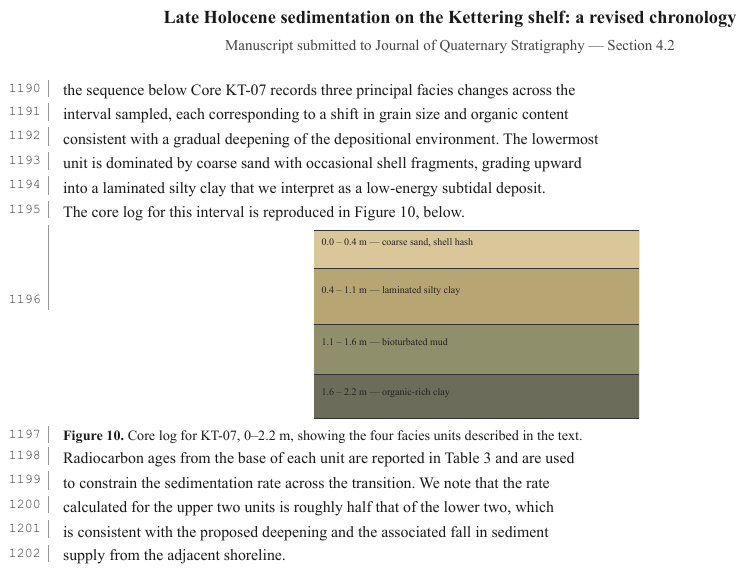
A journal manuscript with continuous line numbers in the left margin, 1190 to 1202, one beside
each line of text and one (1196) beside the figure — the same margin numbers as pleading paper,
counting through the whole document. The running title and journal line at the top are furniture;
the figure is a labelled core log, rendered as a description block. The numbers do not appear in the
Markdown.
Late Holocene sedimentation on the Kettering shelf: a revised chronology
Manuscript submitted to Journal of Quaternary Stratigraphy — Section 4.2
the sequence below Core KT-07 records three principal facies changes across the interval sampled, each corresponding to a shift in grain size and organic content consistent with a gradual deepening of the depositional environment. The lowermost unit is dominated by coarse sand with occasional shell fragments, grading upward into a laminated silty clay that we interpret as a low-energy subtidal deposit. The core log for this interval is reproduced in Figure 10, below.
- 0.0 – 0.4 m — coarse sand, shell hash
- 0.4 – 1.1 m — laminated silty clay
- 1.1 – 1.6 m — bioturbated mud
- 1.6 – 2.2 m — organic-rich clay
Figure 10. Core log for KT-07, 0–2.2 m, showing the four facies units described in the text.
Radiocarbon ages from the base of each unit are reported in Table 3 and are used to constrain the sedimentation rate across the transition. We note that the rate calculated for the upper two units is roughly half that of the lower two, which is consistent with the proposed deepening and the associated fall in sediment supply from the adjacent shoreline.
Markdown source
**Late Holocene sedimentation on the Kettering shelf: a revised chronology**

Manuscript submitted to Journal of Quaternary Stratigraphy — Section 4.2
the sequence below Core KT-07 records three principal facies changes across the interval sampled, each corresponding to a shift in grain size and organic content consistent with a gradual deepening of the depositional environment. The lowermost unit is dominated by coarse sand with occasional shell fragments, grading upward into a laminated silty clay that we interpret as a low-energy subtidal deposit. The core log for this interval is reproduced in Figure 10, below.
- 0.0 – 0.4 m — coarse sand, shell hash
- 0.4 – 1.1 m — laminated silty clay
- 1.1 – 1.6 m — bioturbated mud
- 1.6 – 2.2 m — organic-rich clay

Figure 10. Core log for KT-07, 0–2.2 m, showing the four facies units described in the text.
Radiocarbon ages from the base of each unit are reported in Table 3 and are used to constrain the sedimentation rate across the transition. We note that the rate calculated for the upper two units is roughly half that of the lower two, which is consistent with the proposed deepening and the associated fall in sediment supply from the adjacent shoreline.
Related
- Block Classes§5.3 — the numbers are page furniture, not a list
- Reading Order§5.9 — the body flows as one column
- Margin Banners§7.3.5 — the other thing that lives in a pleading margin
- Transcript Pages§6.11 — line-numbered pages where each line is a record
- Printed Page Numbers§6.6 — the other number in the margin
5.9 Reading Order
✅ Normative · 📄 page rule
✅ Normative
The elements of a page MUST form one reading-order sequence that includes every element of the page exactly once — no element left out, none placed twice. The sequence MUST follow the order in which a reader reads the page, not the elements' geometric position.
The reading order is the order of the page's elements in the Markdown and in the sidecar. Where positions are numbered, the numbering MUST start at 0 and be contiguous — no gaps and no duplicates.
The reader, not the geometry
Elements MUST be ordered the way a person reads the page — not by simple top-to-bottom, left-to-right position. On a two-column page, top-to-bottom order interleaves the columns and produces text that is unreadable in sequence.
The usual shape:
- the page header;
- the intended column or section flow;
- the page footer.
Sidebars, callouts, captions and notes MUST be placed where a reader would encounter them — a caption belongs beside the figure it names, not collected at the end.
Panels
Where a page prints its own section bands or panel headers, they define the order, and position only breaks ties inside a panel.
✅ Sample — a conference poster
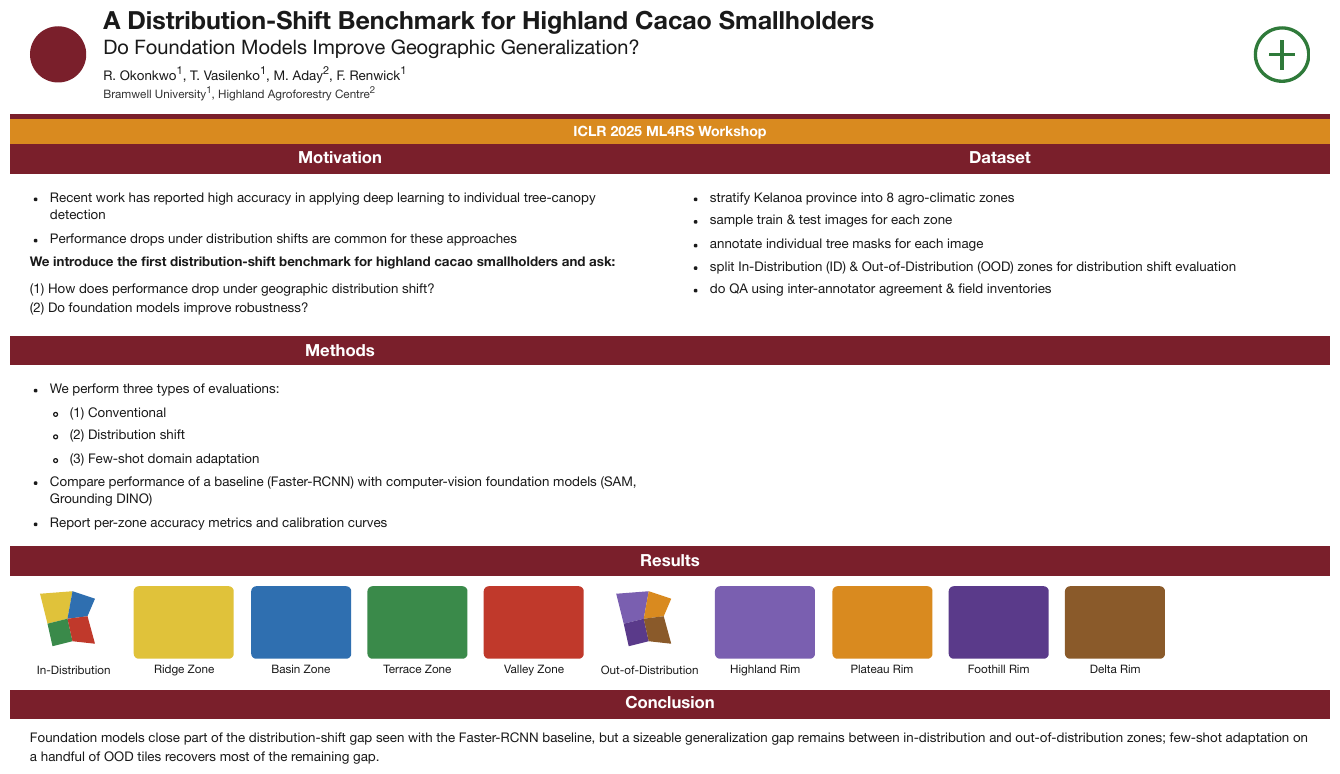
A poster laid out as titled panels — Motivation and Dataset side by side, Methods below
Motivation, then Results spanning the full width, then Conclusion. The order is panel by
panel, not column by column and certainly not top-to-bottom across the sheet: read by geometry,
the first bullet of Motivation would be followed by the first bullet of Dataset, because they sit
at the same height. The two round marks in the top corners print no text and yield no Markdown; the
Results strip of labelled colour swatches is a Picture, rendered as a description block.
A Distribution-Shift Benchmark for Highland Cacao Smallholders
Do Foundation Models Improve Geographic Generalization?
R. Okonkwo1, T. Vasilenko1, M. Aday2, F. Renwick1
Bramwell University1, Highland Agroforestry Centre2
ICLR 2025 ML4RS Workshop
Motivation
- Recent work has reported high accuracy in applying deep learning to individual tree-canopy detection
- Performance drops under distribution shifts are common for these approaches
We introduce the first distribution-shift benchmark for highland cacao smallholders and ask:
(1) How does performance drop under geographic distribution shift? (2) Do foundation models improve robustness?
Dataset
- stratify Kelanoa province into 8 agro-climatic zones
- sample train & test images for each zone
- annotate individual tree masks for each image
- split In-Distribution (ID) & Out-of-Distribution (OOD) zones for distribution shift evaluation
- do QA using inter-annotator agreement & field inventories
Methods
- We perform three types of evaluations:
- (1) Conventional
- (2) Distribution shift
- (3) Few-shot domain adaptation
- Compare performance of a baseline (Faster-RCNN) with computer-vision foundation models (SAM, Grounding DINO)
- Report per-zone accuracy metrics and calibration curves
Results
- In-Distribution: Ridge Zone, Basin Zone, Terrace Zone, Valley Zone
- Out-of-Distribution: Highland Rim, Plateau Rim, Foothill Rim, Delta Rim
Conclusion
Foundation models close part of the distribution-shift gap seen with the Faster-RCNN baseline, but a sizeable generalization gap remains between in-distribution and out-of-distribution zones; few-shot adaptation on a handful of OOD tiles recovers most of the remaining gap.
Markdown source
# A Distribution-Shift Benchmark for Highland Cacao Smallholders
Do Foundation Models Improve Geographic Generalization?
R. Okonkwo<sup>1</sup>, T. Vasilenko<sup>1</sup>, M. Aday<sup>2</sup>, F. Renwick<sup>1</sup>
Bramwell University<sup>1</sup>, Highland Agroforestry Centre<sup>2</sup>
ICLR 2025 ML4RS Workshop
Motivation
- Recent work has reported high accuracy in applying deep learning to individual tree-canopy detection
- Performance drops under distribution shifts are common for these approaches
We introduce the first distribution-shift benchmark for highland cacao smallholders and ask:
(1) How does performance drop under geographic distribution shift?
(2) Do foundation models improve robustness?
Dataset
- stratify Kelanoa province into 8 agro-climatic zones
- sample train & test images for each zone
- annotate individual tree masks for each image
- split In-Distribution (ID) & Out-of-Distribution (OOD) zones for distribution shift evaluation
- do QA using inter-annotator agreement & field inventories
Methods
- We perform three types of evaluations:
- (1) Conventional
- (2) Distribution shift
- (3) Few-shot domain adaptation
- Compare performance of a baseline (Faster-RCNN) with computer-vision foundation models (SAM, Grounding DINO)
- Report per-zone accuracy metrics and calibration curves
Results
- In-Distribution: Ridge Zone, Basin Zone, Terrace Zone, Valley Zone
- Out-of-Distribution: Highland Rim, Plateau Rim, Foothill Rim, Delta Rim
Conclusion
Foundation models close part of the distribution-shift gap seen with the Faster-RCNN baseline, but a sizeable generalization gap remains between in-distribution and out-of-distribution zones; few-shot adaptation on a handful of OOD tiles recovers most of the remaining gap.
Numbered records
Where independent blocks carry explicit numbering or continuation, the numbering MUST decide the order.
✅ Sample — records in two columns
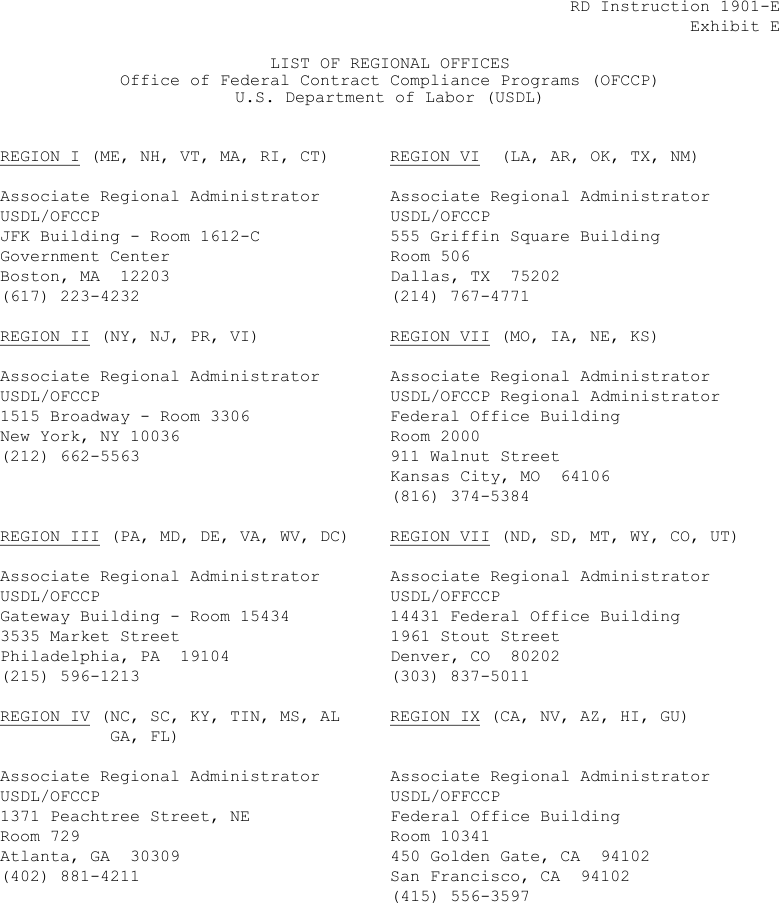
Source: U.S. Department of Labor, Office of Federal Contract Compliance Programs, RD Instruction 1901-E, Exhibit E — List of Regional Offices (public domain)
Eight regional-office address blocks on a typewriter page, four down the left and four down the
right. The region numbers run down the left column first (I–IV), then the right (VI, VII, VII, IX),
and that numbering is the order — not the row-by-row sweep that would pair Region I with Region VI.
Two blocks on the right are both printed REGION VII, and two print USDL/OFFCCP; both are
transcribed as printed. Each region label is underlined.
RD Instruction 1901-E Exhibit E
LIST OF REGIONAL OFFICES Office of Federal Contract Compliance Programs (OFCCP) U.S. Department of Labor (USDL)
REGION I (ME, NH, VT, MA, RI, CT)
Associate Regional Administrator USDL/OFCCP JFK Building - Room 1612-C Government Center Boston, MA 12203 (617) 223-4232
REGION II (NY, NJ, PR, VI)
Associate Regional Administrator USDL/OFCCP 1515 Broadway - Room 3306 New York, NY 10036 (212) 662-5563
REGION III (PA, MD, DE, VA, WV, DC)
Associate Regional Administrator USDL/OFCCP Gateway Building - Room 15434 3535 Market Street Philadelphia, PA 19104 (215) 596-1213
REGION IV (NC, SC, KY, TIN, MS, AL GA, FL)
Associate Regional Administrator USDL/OFCCP 1371 Peachtree Street, NE Room 729 Atlanta, GA 30309 (402) 881-4211
REGION VI (LA, AR, OK, TX, NM)
Associate Regional Administrator USDL/OFCCP 555 Griffin Square Building Room 506 Dallas, TX 75202 (214) 767-4771
REGION VII (MO, IA, NE, KS)
Associate Regional Administrator USDL/OFCCP Regional Administrator Federal Office Building Room 2000 911 Walnut Street Kansas City, MO 64106 (816) 374-5384
REGION VII (ND, SD, MT, WY, CO, UT)
Associate Regional Administrator USDL/OFFCCP 14431 Federal Office Building 1961 Stout Street Denver, CO 80202 (303) 837-5011
REGION IX (CA, NV, AZ, HI, GU)
Associate Regional Administrator USDL/OFFCCP Federal Office Building Room 10341 450 Golden Gate, CA 94102 San Francisco, CA 94102 (415) 556-3597
Markdown source
RD Instruction 1901-E
Exhibit E

LIST OF REGIONAL OFFICES
Office of Federal Contract Compliance Programs (OFCCP)
U.S. Department of Labor (USDL)
<u>REGION I</u> (ME, NH, VT, MA, RI, CT)
Associate Regional Administrator
USDL/OFCCP
JFK Building - Room 1612-C
Government Center
Boston, MA 12203
(617) 223-4232
<u>REGION II</u> (NY, NJ, PR, VI)
Associate Regional Administrator
USDL/OFCCP
1515 Broadway - Room 3306
New York, NY 10036
(212) 662-5563
<u>REGION III</u> (PA, MD, DE, VA, WV, DC)
Associate Regional Administrator
USDL/OFCCP
Gateway Building - Room 15434
3535 Market Street
Philadelphia, PA 19104
(215) 596-1213
<u>REGION IV</u> (NC, SC, KY, TIN, MS, AL GA, FL)
Associate Regional Administrator
USDL/OFCCP
1371 Peachtree Street, NE
Room 729
Atlanta, GA 30309
(402) 881-4211
<u>REGION VI</u> (LA, AR, OK, TX, NM)
Associate Regional Administrator
USDL/OFCCP
555 Griffin Square Building
Room 506
Dallas, TX 75202
(214) 767-4771
<u>REGION VII</u> (MO, IA, NE, KS)
Associate Regional Administrator
USDL/OFCCP Regional Administrator
Federal Office Building
Room 2000
911 Walnut Street
Kansas City, MO 64106
(816) 374-5384
<u>REGION VII</u> (ND, SD, MT, WY, CO, UT)
Associate Regional Administrator
USDL/OFFCCP
14431 Federal Office Building
1961 Stout Street
Denver, CO 80202
(303) 837-5011
<u>REGION IX</u> (CA, NV, AZ, HI, GU)
Associate Regional Administrator
USDL/OFFCCP
Federal Office Building
Room 10341
450 Golden Gate, CA 94102
San Francisco, CA 94102
(415) 556-3597
Unnumbered grids
An unnumbered grid of independent, equal blocks MUST be read row by row — left to right on a left-to-right page — and each block MUST be finished before the next begins. Explicit numbering or continuation, where present, overrides this.
✅ Sample — a grid with no numbering
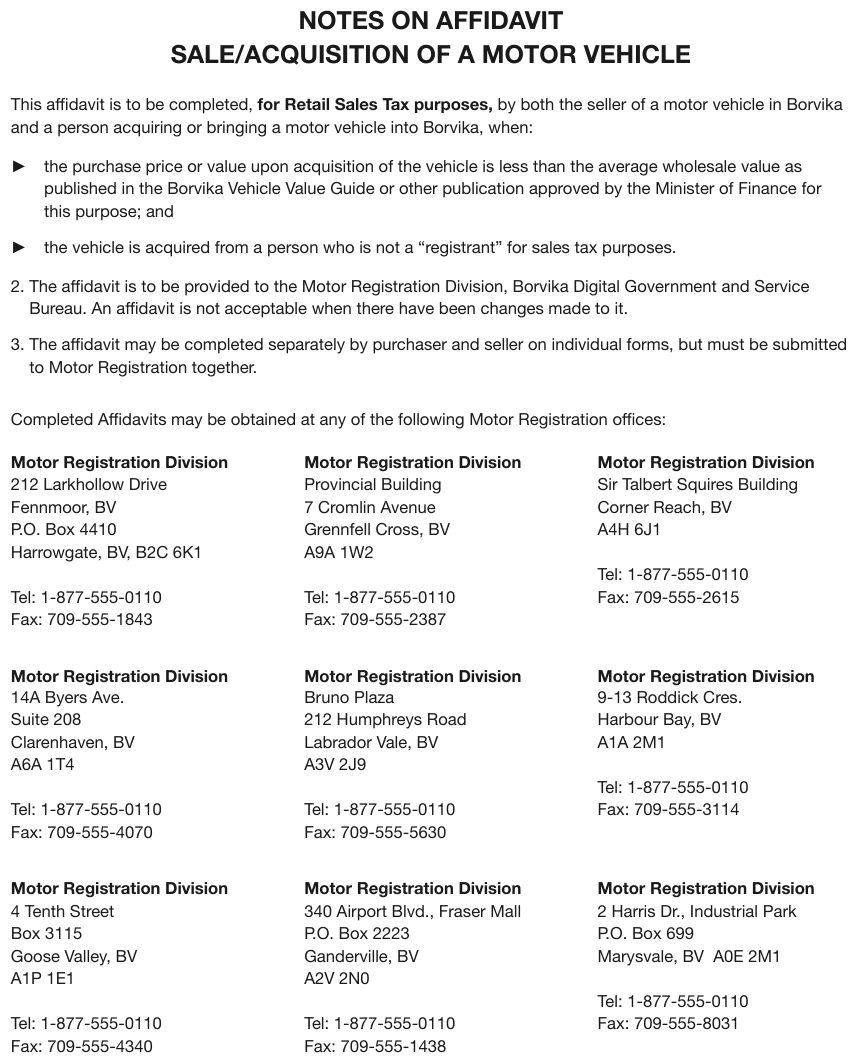
Nine office address blocks in three rows of three under an introductory sentence, nothing numbered. The grid is read row by row, each address finished before the next starts. Within each block, a gap separates the address from the telephone lines; the block stays whole. The notes above the grid are elided.
…
Completed Affidavits may be obtained at any of the following Motor Registration offices:
Motor Registration Division 212 Larkhollow Drive Fennmoor, BV P.O. Box 4410 Harrowgate, BV, B2C 6K1 Tel: 1-877-555-0110 Fax: 709-555-1843
Motor Registration Division Provincial Building 7 Cromlin Avenue Grennfell Cross, BV A9A 1W2 Tel: 1-877-555-0110 Fax: 709-555-2387
Motor Registration Division Sir Talbert Squires Building Corner Reach, BV A4H 6J1 Tel: 1-877-555-0110 Fax: 709-555-2615
Motor Registration Division 14A Byers Ave. Suite 208 Clarenhaven, BV A6A 1T4 Tel: 1-877-555-0110 Fax: 709-555-4070
Motor Registration Division Bruno Plaza 212 Humphreys Road Labrador Vale, BV A3V 2J9 Tel: 1-877-555-0110 Fax: 709-555-5630
Motor Registration Division 9-13 Roddick Cres. Harbour Bay, BV A1A 2M1 Tel: 1-877-555-0110 Fax: 709-555-3114
Motor Registration Division 4 Tenth Street Box 3115 Goose Valley, BV A1P 1E1 Tel: 1-877-555-0110 Fax: 709-555-4340
Motor Registration Division 340 Airport Blvd., Fraser Mall P.O. Box 2223 Ganderville, BV A2V 2N0 Tel: 1-877-555-0110 Fax: 709-555-1438
Motor Registration Division 2 Harris Dr., Industrial Park P.O. Box 699 Marysvale, BV A0E 2M1 Tel: 1-877-555-0110 Fax: 709-555-8031
Markdown source
<!-- … -->

Completed Affidavits may be obtained at any of the following Motor Registration offices:
Motor Registration Division
212 Larkhollow Drive
Fennmoor, BV
P.O. Box 4410
Harrowgate, BV, B2C 6K1
Tel: 1-877-555-0110
Fax: 709-555-1843
Motor Registration Division
Provincial Building
7 Cromlin Avenue
Grennfell Cross, BV
A9A 1W2
Tel: 1-877-555-0110
Fax: 709-555-2387
Motor Registration Division
Sir Talbert Squires Building
Corner Reach, BV
A4H 6J1
Tel: 1-877-555-0110
Fax: 709-555-2615
Motor Registration Division
14A Byers Ave.
Suite 208
Clarenhaven, BV
A6A 1T4
Tel: 1-877-555-0110
Fax: 709-555-4070
Motor Registration Division
Bruno Plaza
212 Humphreys Road
Labrador Vale, BV
A3V 2J9
Tel: 1-877-555-0110
Fax: 709-555-5630
Motor Registration Division
9-13 Roddick Cres.
Harbour Bay, BV
A1A 2M1
Tel: 1-877-555-0110
Fax: 709-555-3114
Motor Registration Division
4 Tenth Street
Box 3115
Goose Valley, BV
A1P 1E1
Tel: 1-877-555-0110
Fax: 709-555-4340
Motor Registration Division
340 Airport Blvd., Fraser Mall
P.O. Box 2223
Ganderville, BV
A2V 2N0
Tel: 1-877-555-0110
Fax: 709-555-1438
Motor Registration Division
2 Harris Dr., Industrial Park
P.O. Box 699
Marysvale, BV A0E 2M1
Tel: 1-877-555-0110
Fax: 709-555-8031
Related
- Block Annotation§5.1 — the elements being ordered
- Block Classes§5.3 — Page-header and Page-footer open and close the sequence
- Ignoring and Rejecting§5.6 — excluded regions take no position
- Images and Figures§12.1.2 — multi-column prose is unrolled into a single flow
5.10 Slide Furniture
✅ Normative · 📄 page rule
✅ Normative
Every printed navigation tab of a slide MUST be transcribed, in printed order, as furniture, and a highlight that identifies the active section MUST be kept with the highlight convention. Labels printed on a photograph MUST be kept with the photograph's description; purely decorative background art MUST NOT be described.
Presentation decks print things around their content that a document does not: a row of section tabs along the top edge with the current one highlighted, name labels overlaid on photographs, a running footer with the deck name and slide number.
Requirements
| The slide prints | The output |
|---|---|
| A row of navigation tabs | Every tab, in printed order, as furniture; the active tab's highlight as <mark style="background-color: …"> with the nearest HTML colour name — see Highlighted Text§7.2.5 |
| A label printed on a photograph | The label, kept with the photograph's description |
| Background art with no labels, values or meaningful relationships | Nothing |
| Background art whose geography or shape conveys content | A description of what it conveys |
✅ Sample — tabs, tiles and labelled photos
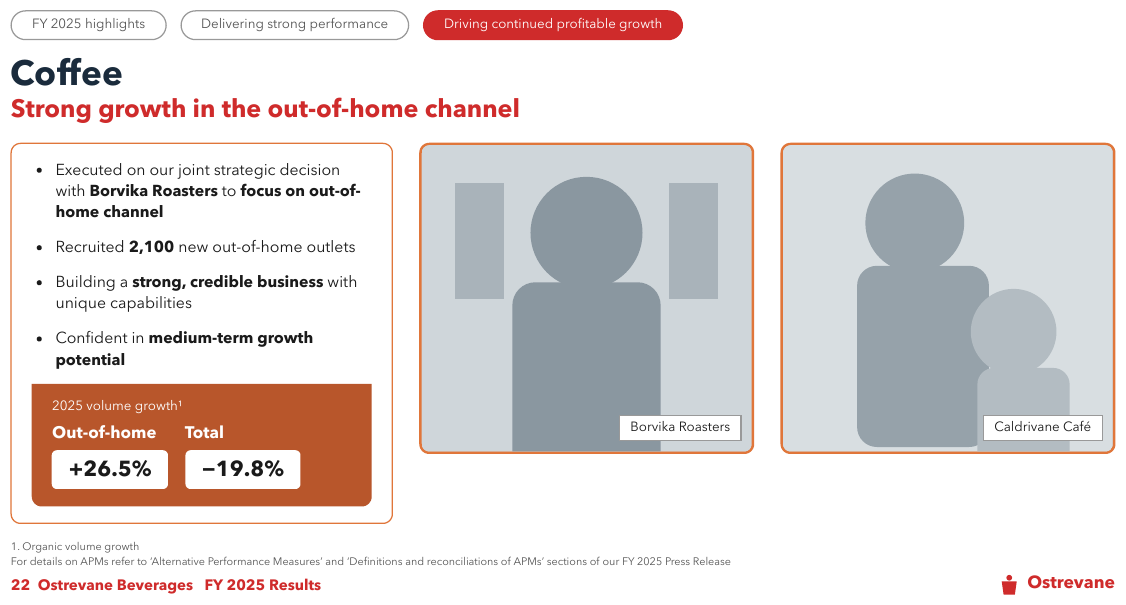
Three tabs top-left, the third filled red; a slide title and subtitle; four bullets and a stat-tile panel in the left card; two photographs, grey silhouettes each with a boxed name label at the lower right; a footnote; a footer with the slide number, deck name and a wordmark with a small symbol. The tabs are one furniture block in printed order, the active one highlighted; each photo becomes a one-line description carrying its label.
FY 2025 highlights Delivering strong performance Driving continued profitable growth
Coffee
Strong growth in the out-of-home channel
- Executed on our joint strategic decision with Borvika Roasters to focus on out-of-home channel
- Recruited 2,100 new out-of-home outlets
- Building a strong, credible business with unique capabilities
- Confident in medium-term growth potential
2025 volume growth1
- Out-of-home: +26.5%
- Total: −19.8%
A grey silhouette of a person in front of two panels, with the label "Borvika Roasters".
Grey silhouettes of an adult and a child, with the label "Caldrivane Café".
1. Organic volume growth For details on APMs refer to ‘Alternative Performance Measures’ and ‘Definitions and reconciliations of APMs’ sections of our FY 2025 Press Release
22 Ostrevane Beverages FY 2025 Results
[logo: Ostrevane]
Markdown source
FY 2025 highlights
Delivering strong performance
<mark style="background-color: crimson">Driving continued profitable growth</mark>
Coffee
Strong growth in the out-of-home channel
- Executed on our joint strategic decision with Borvika Roasters to focus on out-of-home channel
- Recruited 2,100 new out-of-home outlets
- Building a strong, credible business with unique capabilities
- Confident in medium-term growth potential
2025 volume growth<sup>1</sup>
- Out-of-home: +26.5%
- Total: −19.8%
A grey silhouette of a person in front of two panels, with the label "Borvika Roasters".
Grey silhouettes of an adult and a child, with the label "Caldrivane Café".
1. Organic volume growth
For details on APMs refer to ‘Alternative Performance Measures’ and ‘Definitions and reconciliations of APMs’ sections of our FY 2025 Press Release
22 Ostrevane Beverages FY 2025 Results
[logo: Ostrevane]
✅ Sample — a map behind the text
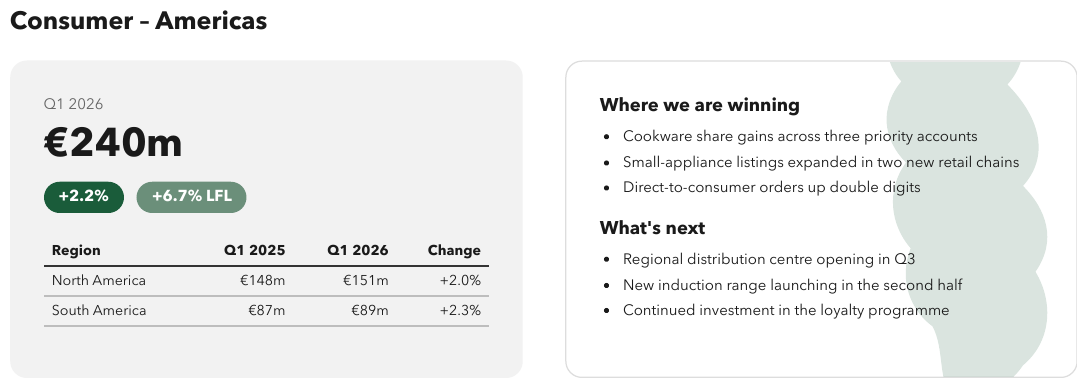
A pale, wavy background shape fills the right-hand card behind two headings and six bullets. It prints no text, no values and no labels, so it yields no Markdown. The left card is a stat tile over a small table — see Stat Tiles§5.11.
Consumer – Americas
- Q1 2026: €240m +2.2% +6.7% LFL
| Region | Q1 2025 | Q1 2026 | Change |
|---|---|---|---|
| North America | €148m | €151m | +2.0% |
| South America | €87m | €89m | +2.3% |
Where we are winning
- Cookware share gains across three priority accounts
- Small-appliance listings expanded in two new retail chains
- Direct-to-consumer orders up double digits
What's next
- Regional distribution centre opening in Q3
- New induction range launching in the second half
- Continued investment in the loyalty programme
Markdown source
# Consumer – Americas
- Q1 2026: €240m +2.2% +6.7% LFL
<table>
<tr> <th>Region</th> <th>Q1 2025</th> <th>Q1 2026</th> <th>Change</th> </tr>
<tr> <td>North America</td> <td>€148m</td> <td>€151m</td> <td>+2.0%</td> </tr>
<tr> <td>South America</td> <td>€87m</td> <td>€89m</td> <td>+2.3%</td> </tr>
</table>
Where we are winning
- Cookware share gains across three priority accounts
- Small-appliance listings expanded in two new retail chains
- Direct-to-consumer orders up double digits
What's next
- Regional distribution centre opening in Q3
- New induction range launching in the second half
- Continued investment in the loyalty programme
Related
- Stat Tiles§5.11 — the figures panel on the same slide
- Logos§12.1.3 — the mark in the corner
- Margin Banners§7.3.5 — the deck name printed along an edge
- Images§12.1.1 — what a photograph becomes
5.11 Stat Tiles
✅ Normative · 📄 page rule
✅ Normative
Each stat tile MUST be rendered as one printed label–value pair, in tile reading order, under the panel's heading where the panel prints one. Units and qualifiers MUST stay attached to their value.
A slide panel that prints a big number with a short label — Out-of-home +26.5%, Total -19.8% —
usually two or three of them side by side under a heading.
┌─ 2025 volume growth¹ ──────────┐
│  Out-of-home        Total       │
│  ┌────────┐       ┌────────┐    │
│  │ +26.5% │       │ -19.8% │    │
└──────────────────────────────────┘
Read top to bottom, the labels come first and the values after, so a geometric reading separates each figure from its label — the failure to avoid.
Requirements
- Each tile MUST be one key-value line,
- label: value, with the label and the value as printed; bold only where the glyphs are heavier. - The tiles MUST follow tile reading order, each label next to its own value.
- A printed panel heading MUST come before its tiles. A heading MUST NOT be invented where the panel prints none.
- A unit, sign, footnote marker or qualifier (
LFL,(+1.9%)) MUST stay with the value it qualifies; an icon that carries the direction MUST be kept — see Iconography and Symbols§7.3.4.
✅ Sample — a growth panel beside two photos
2025 volume growth¹ over two labelled figures, inside an orange box under four bullets. Each tile
becomes one line, label then value, in left-to-right order. The rest of the slide — tabs, photos,
footer — is rendered in Slide Furniture§5.10.
…
2025 volume growth1
- Out-of-home: +26.5%
- Total: −19.8%
…
Markdown source
<!-- … -->
2025 volume growth<sup>1</sup>
- Out-of-home: +26.5%
- Total: −19.8%
<!-- … -->
✅ Sample — a headline figure over a small table
Q1 2026 over €240m, with the qualifiers +2.2% and +6.7% LFL in pills beneath, then a
four-column table in the same card. The headline figure is one tile: its label, its value and both
qualifiers on one line. The right-hand card is rendered in Slide Furniture§5.10.
Consumer – Americas
- Q1 2026: €240m +2.2% +6.7% LFL
| Region | Q1 2025 | Q1 2026 | Change |
|---|---|---|---|
| North America | €148m | €151m | +2.0% |
| South America | €87m | €89m | +2.3% |
…
Markdown source
# Consumer – Americas
- Q1 2026: €240m +2.2% +6.7% LFL
<table>
<tr> <th>Region</th> <th>Q1 2025</th> <th>Q1 2026</th> <th>Change</th> </tr>
<tr> <td>North America</td> <td>€148m</td> <td>€151m</td> <td>+2.0%</td> </tr>
<tr> <td>South America</td> <td>€87m</td> <td>€89m</td> <td>+2.3%</td> </tr>
</table>
<!-- … -->
✅ Sample — tiles with an arrow icon
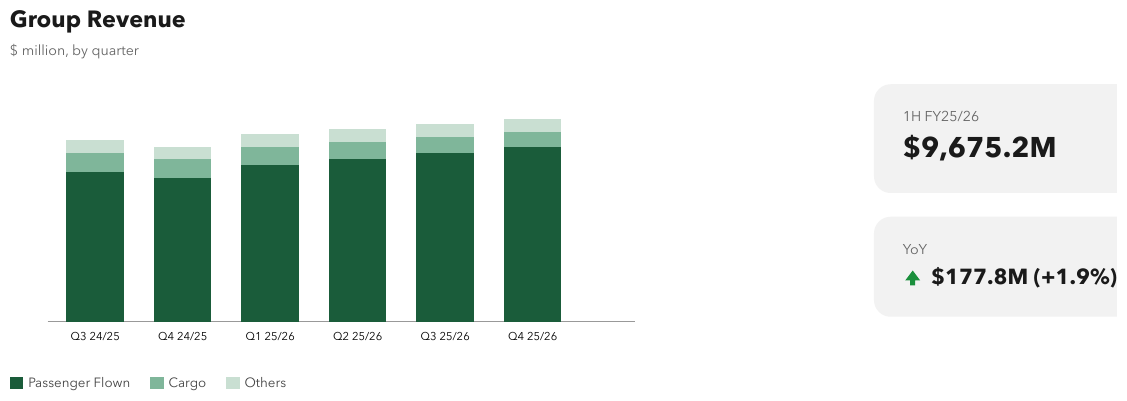
Two rounded tiles beside a stacked-bar chart: 1H FY25/26 over $9,675.2M, then YoY with a
green up-arrow before $177.8M (+1.9%). The arrow carries the direction and is kept as a bracketed
tag. The chart prints no value axis and no values; its rendering follows the Charts chapter and is
elided here.
Group Revenue
$ million, by quarter
…
- 1H FY25/26: $9,675.2M
- YoY: [up] $177.8M (+1.9%)
Markdown source
# Group Revenue
$ million, by quarter
<!-- … -->
- 1H FY25/26: $9,675.2M
- YoY: [up] $177.8M (+1.9%)
Related
- Borderless Whitespace Tables§9.1.1 — the panel test, for the larger version
- Slide Furniture§5.10 — the other things a slide prints around its content
- Forms and Key-Value Regions§10.1 — a key-value region that is not a form
§6 Headings and page structure
6.1 Dot Leader Lines
✅ Normative · 📄 page rule
✅ Normative
Dot leaders MUST NOT appear in the output. The label and the value on either side of a leader MUST be kept exactly as printed; the dots themselves produce nothing.
A deliberate exception to verbatim transcription
Everywhere else printed ink survives — see Values Are Verbatim§10.3.3 and Cell Text Fidelity§9.6.3. Dot leaders are the one carve-out: they exist only to guide the eye across a gutter and carry no information.
A dot leader is a run of dots filling horizontal space between a label and a value, most often in a table of contents, a directory or a price list.
Chapter 3 — Reserving . . . . . . . . . . . . . . 47
Requirements
- A run of leader dots MUST be removed wherever it is printed: in running text, in a directory line and in a table's stub cell.
- The label and every value the leader connects MUST be kept, verbatim. The dots go; everything they connect stays.
- Removing a leader MUST NOT split a label or a value, and a leader MUST NOT be absorbed into either side (no trailing dots on a label, no leading dots on a number).
- Where a leader separates two values on one line, the values remain on that line, separated by a space.
A dot leader is typesetting, not content: it exists because a label and a number are far apart on the line, and it disappears the moment the text is reflowed. Transcribing it damages what is around it — a run of dots inside a label breaks any string match on that label.
✅ Sample — leader lines with two values at the end
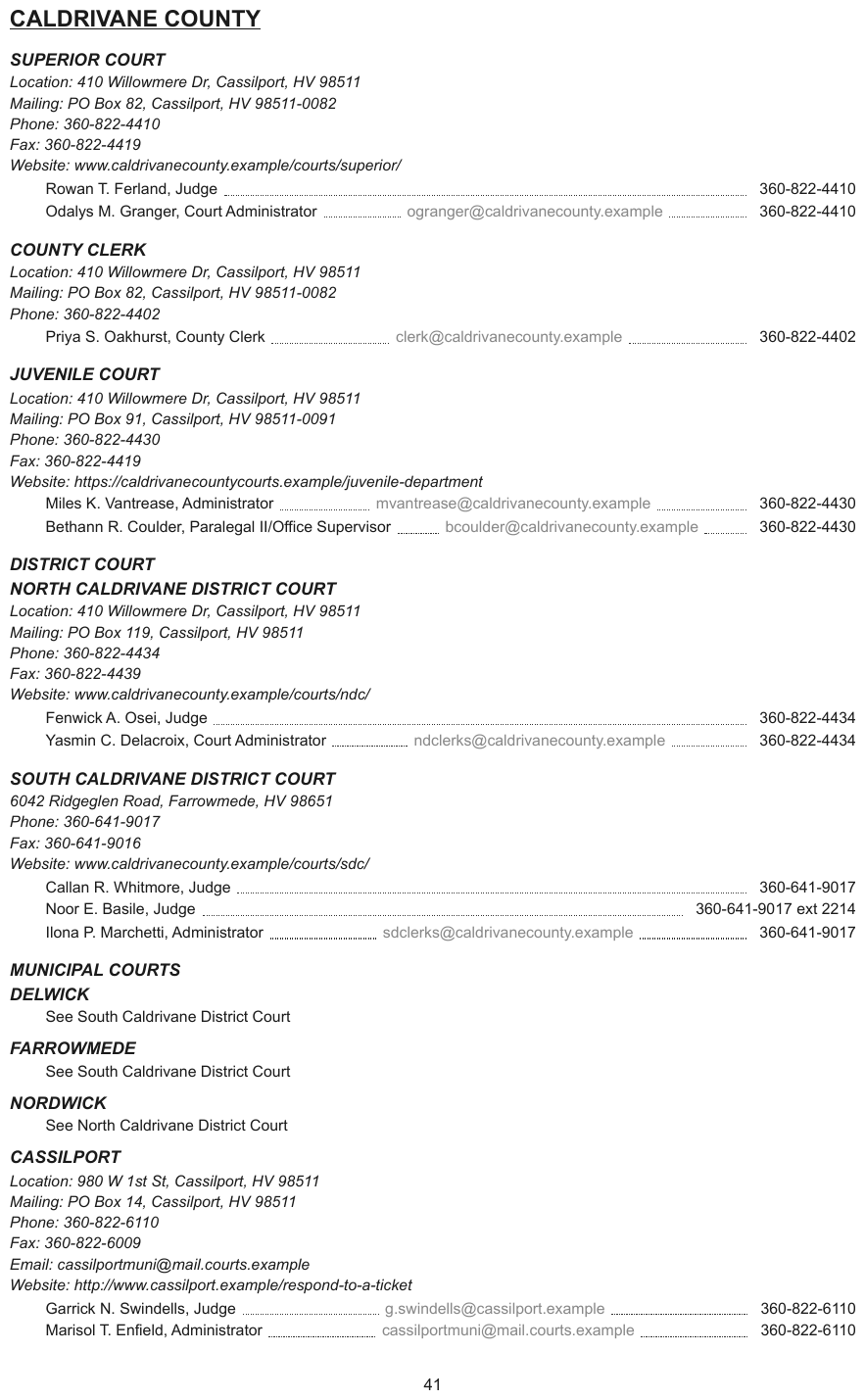
A court directory: each person's line runs a dot leader to an e-mail address in grey and a phone
number at the margin. Some lines have no e-mail, so the leader runs straight to the number. This
is text, not a table: one line per person, leaders removed, the values separated by spaces.
The grey of the e-mail addresses is decoration and is not carried. Heading depths are relative:
the page does not show where CALDRIVANE COUNTY sits in the whole directory.
CALDRIVANE COUNTY
SUPERIOR COURT
Location: 410 Willowmere Dr, Cassilport, HV 98511 Mailing: PO Box 82, Cassilport, HV 98511-0082 Phone: 360-822-4410 Fax: 360-822-4419 Website: www.caldrivanecounty.example/courts/superior/
Rowan T. Ferland, Judge 360-822-4410
Odalys M. Granger, Court Administrator ogranger@caldrivanecounty.example 360-822-4410
…
SOUTH CALDRIVANE DISTRICT COURT
6042 Ridgeglen Road, Farrowmede, HV 98651 Phone: 360-641-9017 Fax: 360-641-9016 Website: www.caldrivanecounty.example/courts/sdc/
Callan R. Whitmore, Judge 360-641-9017
Noor E. Basile, Judge 360-641-9017 ext 2214
Ilona P. Marchetti, Administrator sdclerks@caldrivanecounty.example 360-641-9017
…
Markdown source
## CALDRIVANE COUNTY

SUPERIOR COURT
Location: 410 Willowmere Dr, Cassilport, HV 98511
Mailing: PO Box 82, Cassilport, HV 98511-0082
Phone: 360-822-4410
Fax: 360-822-4419
Website: www.caldrivanecounty.example/courts/superior/
Rowan T. Ferland, Judge 360-822-4410
Odalys M. Granger, Court Administrator ogranger@caldrivanecounty.example 360-822-4410
<!-- … -->
SOUTH CALDRIVANE DISTRICT COURT
6042 Ridgeglen Road, Farrowmede, HV 98651
Phone: 360-641-9017
Fax: 360-641-9016
Website: www.caldrivanecounty.example/courts/sdc/
Callan R. Whitmore, Judge 360-641-9017
Noor E. Basile, Judge 360-641-9017 ext 2214
Ilona P. Marchetti, Administrator sdclerks@caldrivanecounty.example 360-641-9017
<!-- … -->
✅ Sample — leaders inside a financial table
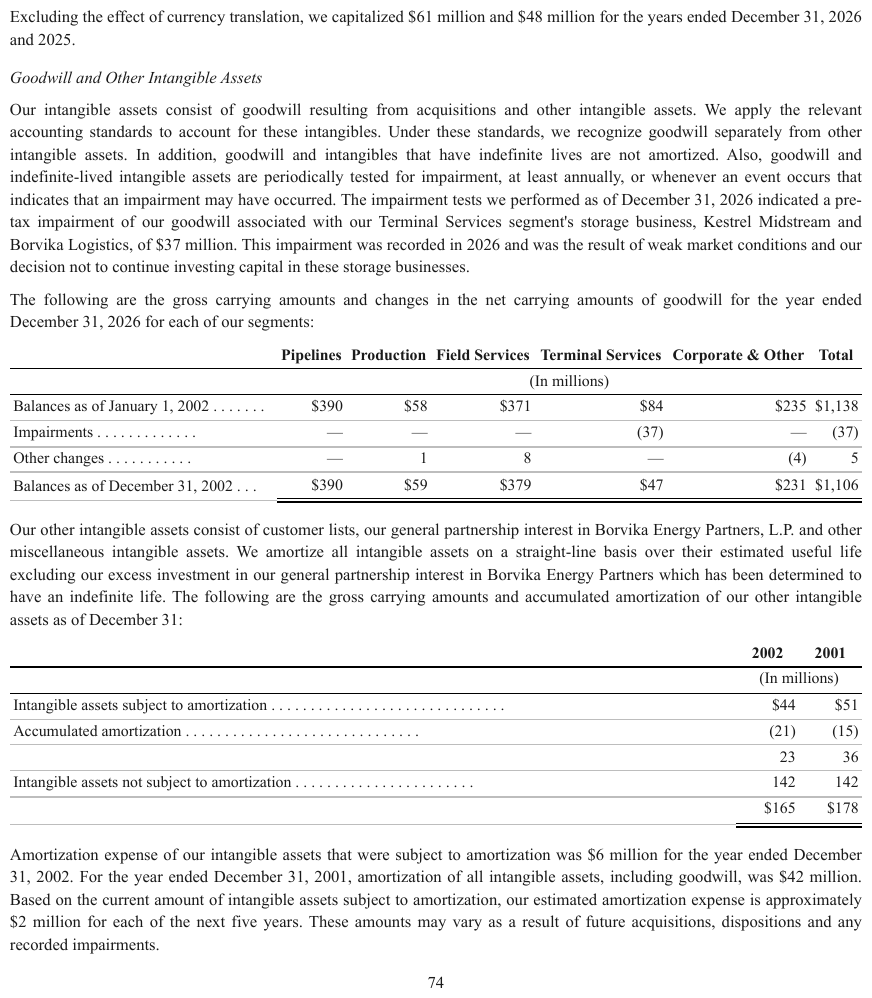
Two goodwill tables whose stub labels run dot leaders to the first value column —
Balances as of January 1, 2002 . . . . . . . — inside an otherwise ordinary $-gutter table.
The leaders go; the columns stay. The (In millions) line is rendered as a second header row.
| Pipelines | Production | Field Services | Terminal Services | Corporate & Other | Total | |
|---|---|---|---|---|---|---|
| (In millions) | ||||||
| Balances as of January 1, 2002 | $390 | $58 | $371 | $84 | $235 | $1,138 |
| Impairments | — | — | — | (37) | — | (37) |
| Other changes | — | 1 | 8 | — | (4) | 5 |
| Balances as of December 31, 2002 | $390 | $59 | $379 | $47 | $231 | $1,106 |
…
| 2002 | 2001 | |
|---|---|---|
| (In millions) | ||
| Intangible assets subject to amortization | $44 | $51 |
| Accumulated amortization | (21) | (15) |
| 23 | 36 | |
| Intangible assets not subject to amortization | 142 | 142 |
| $165 | $178 | |
Markdown source
<table>
<tr> <th></th> <th>Pipelines</th> <th>Production</th> <th>Field Services</th> <th>Terminal Services</th> <th>Corporate & Other</th> <th>Total</th> </tr>
<tr> <th></th> <th colspan="6">(In millions)</th> </tr>
<tr> <td>Balances as of January 1, 2002</td> <td>$390</td> <td>$58</td> <td>$371</td> <td>$84</td> <td>$235</td> <td>$1,138</td> </tr>
<tr> <td>Impairments</td> <td>—</td> <td>—</td> <td>—</td> <td>(37)</td> <td>—</td> <td>(37)</td> </tr>
<tr> <td>Other changes</td> <td>—</td> <td>1</td> <td>8</td> <td>—</td> <td>(4)</td> <td>5</td> </tr>
<tr> <td>Balances as of December 31, 2002</td> <td>$390</td> <td>$59</td> <td>$379</td> <td>$47</td> <td>$231</td> <td>$1,106</td> </tr>
</table>
<!-- … -->
<table>
<tr> <th></th> <th>2002</th> <th>2001</th> </tr>
<tr> <th></th> <th colspan="2">(In millions)</th> </tr>
<tr> <td>Intangible assets subject to amortization</td> <td>$44</td> <td>$51</td> </tr>
<tr> <td>Accumulated amortization</td> <td>(21)</td> <td>(15)</td> </tr>
<tr> <td></td> <td>23</td> <td>36</td> </tr>
<tr> <td>Intangible assets not subject to amortization</td> <td>142</td> <td>142</td> </tr>
<tr> <td></td> <td>$165</td> <td>$178</td> </tr>
</table>
Related
- Table of Contents§6.10 — the page type where leaders are most common
- Line Separators and Breaks§6.3 — a printed rule between blocks, which is kept
- Values Are Verbatim§10.3.3 — the verbatim rule this note is the exception to
6.2 Line Breaks Inside a Block
✅ Normative · 📄 page rule
✅ Normative
One printed block set on several lines MUST stay one element, with a plain newline between its
printed lines — no trailing spaces, no <br>. The same spelling MUST be used for every multi-line
block in the document. Inside a table cell, where a newline cannot be written, the break is <br>.
One printed block that runs to more than one line because the page sets it that way: a stacked masthead, a postal address, a two-line banner, a title broken across a rule. The lines belong together; only the typesetting separates them.
MEREVALD                     ← one block, two printed lines
Merevald Retail Ltd
Settled: the block stays whole
- One printed block MUST be one element, whatever break is written between its lines. Two stacked lines of a masthead MUST NOT become two headings, two paragraphs, or a heading with a subtitle. Splitting it is the never invent failure: the page printed one block, and a split claims it printed two.
- Whether lines form one block is judged by the printing, not the wording: a single set, a single alignment and a single leading mean one block, even when the two lines read as separable phrases.
The break is a plain newline
The Markdown source keeps every printed line on its own source line. A renderer shows a single
newline inside a paragraph as a space, so a rendered view runs the lines together; that is a
display artefact, not a change to the output, which is judged on its source (see
Numbered Section Headings§6.5 for the same principle). Two trailing spaces are invisible and are
stripped by most whitespace normalisation; <br> puts markup on every line. Neither is used outside
table cells.
- The break MUST be a plain newline, and the same spelling MUST be used for every multi-line block in the document — paragraphs, addresses, headers and footers alike.
- Inside a table cell a newline cannot be written, so a printed break there is
<br>— see Record Groups and Multi-Line Cells§9.5.3. - A line that Markdown would parse as a list item or heading (
-,1.,#at its start) is escaped — see Escaping Printed Marks§7.2.4.
Not this rule's case
- A rule printed between blocks is a separator, not a break inside one — see Line Separators and Breaks§6.3.
- A line that wraps because it ran out of column width is not a printed break at all: its lines MUST be joined with a space.
- Text whose line breaks carry meaning, such as verse, is governed by Verse and Hard Line Breaks§7.2.13.
Related
- Line Separators and Breaks§6.3 — a rule between blocks, which resolves differently
- Verse and Hard Line Breaks§7.2.13 — text whose breaks are content
- Stacked Headings§6.9 — a title wrapped over several lines, joined with spaces
- Recurring Page Furniture§4.6 — header and footer bands, which take the same break
6.3 Line Separators and Breaks
✅ Normative · 📄 page rule
✅ Normative
A printed section separator MUST be rendered as <hr/>, at its place in reading order. ---
MUST NOT be used for it: --- is reserved for page boundaries. A rule MUST NOT be inserted where
the page prints only whitespace.
A horizontal rule or separator printed between sections of a page. It is printed content: it tells a reader that one block has ended and another begun, so it survives into the output.
… end of the first section.
────────────────────────────        ← printed rule between sections  →  <hr/>
Start of the next section …
Requirements
- Each printed separator between sections MUST produce one
<hr/>line, placed between the elements it separates in reading order. - The separator MUST NOT be written as
---,***,___or any other Markdown thematic break. - Vertical whitespace between sections, with no printed line, MUST NOT produce
<hr/>.
Why never ---
--- is already load-bearing twice. It is the page-break marker of Markdown Rendering§3.2, and at
the top of a file it opens frontmatter. A separator that renders identically to a page break makes
page attribution ambiguous for anything splitting on it, and can silently truncate a document at
the top of a file. <hr/> avoids both collisions and follows the general posture of falling back
to HTML wherever a Markdown spelling is ambiguous — see Text Formatting Conventions§7.1.
Related
- Markdown Rendering§3.2 —
---as the page boundary - Line Breaks Inside a Block§6.2 — a break within one block, which resolves differently
- Dot Leader Lines§6.1 — the other printed line-filler, which is removed rather than kept
- Text Formatting Conventions§7.1 — HTML where a Markdown spelling is ambiguous
6.4 Marginal Notes
✅ Normative · 📄 page rule
✅ Normative
Each printed marginal note MUST be rendered as a separate block placed immediately after the element it annotates. Where the element it belongs to cannot be established, the note MUST still be kept as a separate block and MUST NOT be merged into body text.
Statutes and some textbooks print short notes in the outer margin — a citation, a one-word gloss — aligned with the line they annotate. They are printed text, not handwriting, and they belong to a particular line.
SEC. 105. INVESTIGATIONS AND DISCIPLINARY PROCEEDINGS.        15 USC 7215.
   (a) IN GENERAL.—The Board shall establish, by rule, …      Establishment.
Requirements
- A marginal note MUST be its own element, never part of the heading or paragraph it sits beside.
- It MUST follow the element it annotates — the heading or paragraph level with it — in reading order, before the next element of the body.
- A geometric reading that inserts
15 USC 7215.into the middle of the section heading, or splices a gloss into a line of the paragraph, does not conform.
✅ Sample — a public law with sidenotes
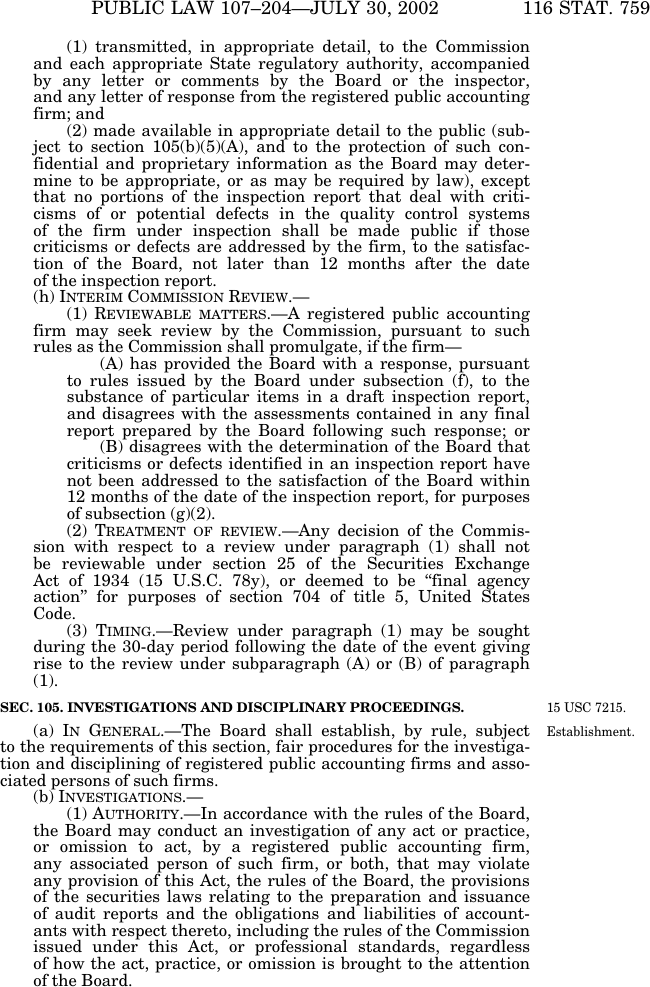
Source: Public Law 107-204 (Sarbanes-Oxley Act of 2002), 116 Stat. 759, §105 marginal notes (public domain)
15 USC 7215. and Establishment. in the right margin, level with SEC. 105. and (a) IN GENERAL.; the body is set in one narrower column. The small capitals of IN GENERAL are
transcribed as capitals. The heading depth is relative: the page does not show the outline above
the section.
SEC. 105. INVESTIGATIONS AND DISCIPLINARY PROCEEDINGS.
15 USC 7215.
(a) IN GENERAL.—The Board shall establish, by rule, subject to the requirements of this section, fair procedures for the investigation and disciplining of registered public accounting firms and associated persons of such firms.
Establishment.
…
Markdown source
## SEC. 105. INVESTIGATIONS AND DISCIPLINARY PROCEEDINGS.

15 USC 7215.
(a) IN GENERAL.—The Board shall establish, by rule, subject to the requirements of this section, fair procedures for the investigation and disciplining of registered public accounting firms and associated persons of such firms.
Establishment.
<!-- … -->
Related
- Reading Order§5.9 — notes go where a reader meets them
- Run-In Headings§6.8 — the small-cap run-in heads on the same page
- Handwritten Annotations§7.3.3 — the handwritten equivalent
- Small Capitals§7.2.10 — how
IN GENERALis transcribed
6.5 Numbered Section Headings
✅ Normative · 📄 page rule
✅ Normative
A numbered line that stands alone as a title with body text beneath it MUST be rendered as a heading, one level deeper per level of numbering. A numbered line that is itself the content — including a bare number printed above its paragraph — MUST be rendered as a list item carrying that content. The printed number MUST be kept exactly as printed, on the same line as its text.
Legal and technical documents number their sections — 1., 1.1., 2.3. — and set each on its
own line, often underlined or bold, with a paragraph beneath. On the page this is a heading; in the
text layer it is indistinguishable from an ordered list.
1.    AFFIDAVIT

1.1.  COMPLETION AND SIGNATURE
      The Commissioner of Oaths must print his full name …
1.2.  SECURITY
      If security is claimed, then the amount …
Heading or list item
| The page prints | Rendering |
|---|---|
A numbered title on its own line, with body text beneath (1. AFFIDAVIT) |
heading, depth from the numbering: ## 1. AFFIDAVIT, ### 1.1. COMPLETION AND SIGNATURE |
| A numbered line that is itself the content | list item: 3. The Registrar will set the matter down … |
A bare number on a line of its own, above its paragraph (29.) |
list item: the number joins its paragraph's line, 29. As a direct and proximate result … |
The test is the one Recognising Ambiguous Headings§6.7 applies: a title organises the block beneath it; a numbered paragraph is an item of an enumeration. Heading depth follows the printed numbering, as Heading Depth Across Pages§4.5 requires.
A bare number is moved onto its paragraph's line because it labels that paragraph ("paragraph 29"). Left on a line of its own it would read as an empty list item followed by an unrelated paragraph. Only the centring is lost, and centring is layout.
Numbers are written verbatim
The printed number MUST be written as printed — 29., 1.1., (a), IV. — and MUST NOT be
renumbered, normalised or escaped to prevent list parsing. A number that is a valid Markdown list
marker (29.) then renders as a list item; one that is not (1.1., (a)) renders as a paragraph
beginning with the number. Both carry the printed numbering exactly in the source, which is what
the output is judged on; a renderer that shows skipped numbers (29, 31) as consecutive is a display
artefact, not a change to the output.
The one exception is a line that Markdown would turn into a list although the page prints no list,
such as a sentence that begins 1995. was a record year. Its marker MUST be escaped (1995\.) —
see Escaping Printed Marks§7.2.4.
✅ Sample — two-level numbered notes
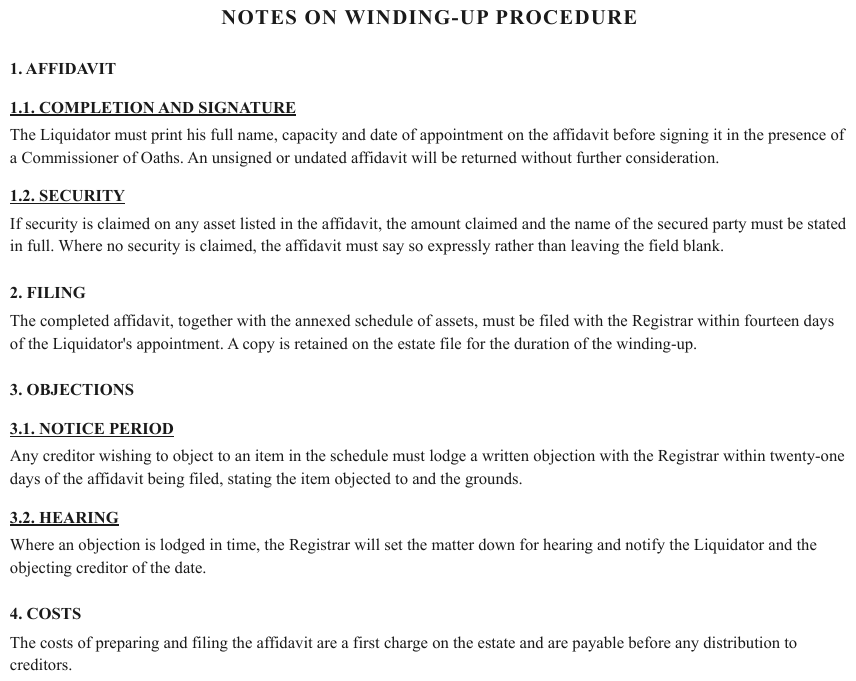
"1. AFFIDAVIT" over "1.1. COMPLETION AND SIGNATURE", "1.2. SECURITY", each sub-heading underlined with a paragraph beneath it. Four top-level numbers on the page, sub-numbered under two of them. Each numbered line is a heading, one level deeper per level of numbering; the depths shown assume this page opens the document, under its title.
NOTES ON WINDING-UP PROCEDURE
1. AFFIDAVIT
1.1. COMPLETION AND SIGNATURE
The Liquidator must print his full name, capacity and date of appointment on the affidavit before signing it in the presence of a Commissioner of Oaths. An unsigned or undated affidavit will be returned without further consideration.
1.2. SECURITY
If security is claimed on any asset listed in the affidavit, the amount claimed and the name of the secured party must be stated in full. Where no security is claimed, the affidavit must say so expressly rather than leaving the field blank.
2. FILING
The completed affidavit, together with the annexed schedule of assets, must be filed with the Registrar within fourteen days of the Liquidator's appointment. A copy is retained on the estate file for the duration of the winding-up.
3. OBJECTIONS
3.1. NOTICE PERIOD
Any creditor wishing to object to an item in the schedule must lodge a written objection with the Registrar within twenty-one days of the affidavit being filed, stating the item objected to and the grounds.
3.2. HEARING
Where an objection is lodged in time, the Registrar will set the matter down for hearing and notify the Liquidator and the objecting creditor of the date.
4. COSTS
The costs of preparing and filing the affidavit are a first charge on the estate and are payable before any distribution to creditors.
Markdown source
# NOTES ON WINDING-UP PROCEDURE

1. AFFIDAVIT
1.1. COMPLETION AND SIGNATURE
The Liquidator must print his full name, capacity and date of appointment on the affidavit before signing it in the presence of a Commissioner of Oaths. An unsigned or undated affidavit will be returned without further consideration.
1.2. SECURITY
If security is claimed on any asset listed in the affidavit, the amount claimed and the name of the secured party must be stated in full. Where no security is claimed, the affidavit must say so expressly rather than leaving the field blank.
2. FILING
The completed affidavit, together with the annexed schedule of assets, must be filed with the Registrar within fourteen days of the Liquidator's appointment. A copy is retained on the estate file for the duration of the winding-up.
3. OBJECTIONS
3.1. NOTICE PERIOD
Any creditor wishing to object to an item in the schedule must lodge a written objection with the Registrar within twenty-one days of the affidavit being filed, stating the item objected to and the grounds.
3.2. HEARING
Where an objection is lodged in time, the Registrar will set the matter down for hearing and notify the Liquidator and the objecting creditor of the date.
4. COSTS
The costs of preparing and filing the affidavit are a first charge on the estate and are payable before any distribution to creditors.
✅ Sample — a paragraph number on its own line
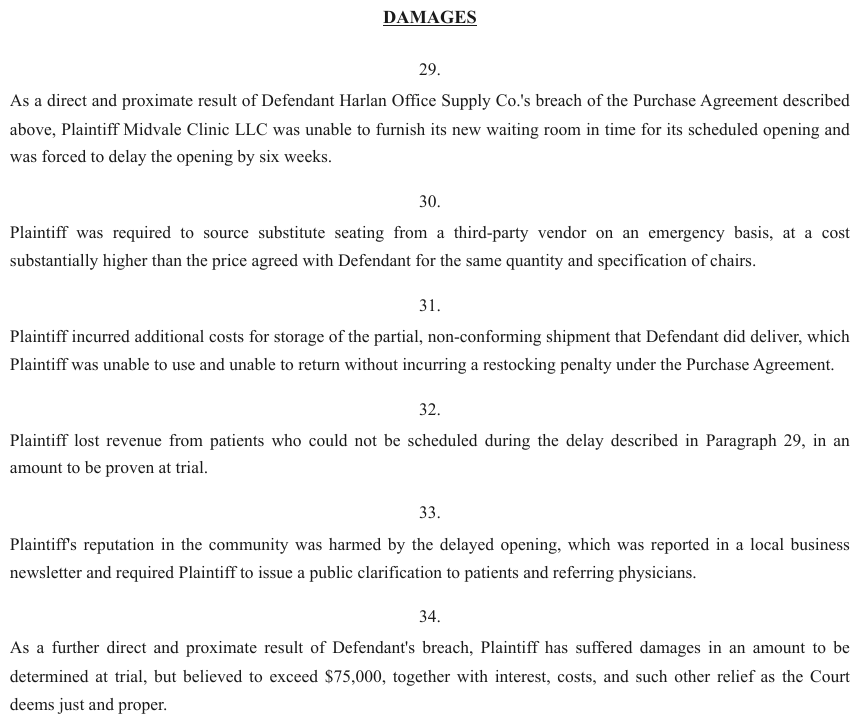
29. to 34. each centred on a line of their own, the paragraph beneath. The number is
neither a heading with text nor a list marker on the paragraph's line. The numbered paragraph is the text, so each number opens a list item carrying its paragraph. The
depth of DAMAGES is relative: the page does not show the outline above it.
DAMAGES
As a direct and proximate result of Defendant Harlan Office Supply Co.'s breach of the Purchase Agreement described above, Plaintiff Midvale Clinic LLC was unable to furnish its new waiting room in time for its scheduled opening and was forced to delay the opening by six weeks.
Plaintiff was required to source substitute seating from a third-party vendor on an emergency basis, at a cost substantially higher than the price agreed with Defendant for the same quantity and specification of chairs.
Plaintiff incurred additional costs for storage of the partial, non-conforming shipment that Defendant did deliver, which Plaintiff was unable to use and unable to return without incurring a restocking penalty under the Purchase Agreement.
Plaintiff lost revenue from patients who could not be scheduled during the delay described in Paragraph 29, in an amount to be proven at trial.
Plaintiff's reputation in the community was harmed by the delayed opening, which was reported in a local business newsletter and required Plaintiff to issue a public clarification to patients and referring physicians.
As a further direct and proximate result of Defendant's breach, Plaintiff has suffered damages in an amount to be determined at trial, but believed to exceed $75,000, together with interest, costs, and such other relief as the Court deems just and proper.
Markdown source
## DAMAGES


As a direct and proximate result of Defendant Harlan Office Supply Co.'s breach of the Purchase Agreement described above, Plaintiff Midvale Clinic LLC was unable to furnish its new waiting room in time for its scheduled opening and was forced to delay the opening by six weeks.

Plaintiff was required to source substitute seating from a third-party vendor on an emergency basis, at a cost substantially higher than the price agreed with Defendant for the same quantity and specification of chairs.

Plaintiff incurred additional costs for storage of the partial, non-conforming shipment that Defendant did deliver, which Plaintiff was unable to use and unable to return without incurring a restocking penalty under the Purchase Agreement.

Plaintiff lost revenue from patients who could not be scheduled during the delay described in Paragraph 29, in an amount to be proven at trial.

Plaintiff's reputation in the community was harmed by the delayed opening, which was reported in a local business newsletter and required Plaintiff to issue a public clarification to patients and referring physicians.

As a further direct and proximate result of Defendant's breach, Plaintiff has suffered damages in an amount to be determined at trial, but believed to exceed $75,000, together with interest, costs, and such other relief as the Court deems just and proper.
Repeated item labels
“Question N”, “Interrogatory No. N” and “Request for Production N” are item labels, even when bold and alone on a line, and MUST NOT be rendered as headings. A standalone section title organises a block; a recurring label merely identifies the next item. See Recognising Ambiguous Headings§6.7 for the distinction in context.
Related
- Bullets and Sub-Bullets§8.1 — ordered lists keep their printed numbering
- Block Classes§5.3 — Section-header versus List-item
- Table of Contents§6.10 — where the same numbers reappear as an index
- Heading Depth Across Pages§4.5 — printed numbering sets the depth
6.6 Printed Page Numbers
✅ Normative · 📄 page rule
✅ Normative
A printed page number (the folio) MUST be kept in the header or footer band it is printed in, verbatim, and MUST NOT appear as a loose element in the body. When the printed page number is requested, it MUST also be recorded on its own for the page, as printed, and MUST NOT be inferred for a page that prints none.
The folio is the number a document prints on itself: 26, Page 6, Page 3 of 12, iv, A-3.
It sits in the top or bottom margin, often beside a date, a form number or a URL.
FORM CMS-2567  Previous Versions Obsolete       If continuation sheet Page 3 of 12
                                                                      ↑ the folio
Two records
| Record | Requirement |
|---|---|
| In the band | The folio is part of the header or footer it is printed in. The band MUST be kept together and verbatim — see Recurring Page Furniture§4.6. |
| On its own | When the printed page number is requested (Output Options§3.5), the number MUST also be recorded alone for the page — the sidecar's printedPageNumber, see The Sidecar§3.4. The label MUST be stripped and the numbering kept as printed: 6, not Page 6; roman numerals stay roman; A-3 stays A-3. |
The offset is the point
Front matter, covers and inserts mean printed page 1 is often not sheet 1. A magazine feature can
open on sheet 1 and print 26; a report can run twelve sheets of front matter before printing 1.
That mapping is a fact about the document, not the page, and it is the reason the number is
worth recording separately — a reader citing "page 26" cannot otherwise be sent to the right sheet.
- The recorded number MUST be the number the page prints. It MUST NOT be renumbered to match the sheet position.
- A folio MUST NOT be inferred for a page that prints none.
Pages that print nothing
Covers, plates and continuation sheets frequently carry no folio; their printed page number is
empty, which is not an error. A pre-printed blank, Page ___ of ___, is also no folio: the blank
MUST be transcribed in the band (as [blank]) and no number recorded.
A folio never sits in the body
A number that ends up as a loose line among the page's content means the band was read wrongly. The folio MUST belong to its margin band whether or not the rest of that band was recognised — the same never invent failure as promoting furniture to a heading.
Related
- Recurring Page Furniture§4.6 — the band the folio belongs to
- Output Options§3.5 — the option that asks for the number on its own
- The Sidecar§3.4 — where the number is recorded
- Block Classes§5.3 — a page number alone qualifies as Page-footer
6.7 Recognising Ambiguous Headings
✅ Normative · 📄 page rule
✅ Normative
A standalone structural title that organises what follows MUST be rendered as a heading. Run-in labels, repeated item labels, captions and page furniture MUST keep their own roles and MUST NOT be rendered as headings. Font size alone MUST NOT decide whether a line is a heading.
What a line does decides its role; its depth is chosen afterwards. A short bold line can organise a section; a large banner can belong entirely to a form or a table.
Company name over a title    ← its own line, above the heading
Company name alone           ← furniture
Document title               ← heading
Standalone section title     ← heading
Bold label: value or sentence ← inline label
Table 1: ...                 ← caption
Heading depths in the samples below are relative wherever the crop does not show the outline above the heading: the rendering keeps the hierarchy the crop shows, and the absolute level comes from Heading Depth Across Pages§4.5.
Run-in labels
A label followed on the same line by a sentence, value or URL MUST stay inline, with its printed emphasis preserved. A line that wraps onto another line remains the same paragraph. See Run-In Headings§6.8.
✅ Sample — run-in labels 1

Source: Federal Rules of Evidence, Rule 410 (public domain)
“(a) PROHIBITED USES.” stays inline with its sentence; its small capitals are transcribed as capitals. The standalone “Rule 410. Pleas, Plea Discussions, and Related Statements” is a heading. The crop clips item (3), which is elided.
Rule 410. Pleas, Plea Discussions, and Related Statements
(a) PROHIBITED USES. In a civil or criminal case, evidence of the following is not admissible against the defendant who made the plea or participated in the plea discussions:
(1) a guilty plea that was later withdrawn;
(2) a nolo contendere plea;
…
Markdown source
## Rule 410. Pleas, Plea Discussions, and Related Statements

(a) PROHIBITED USES. In a civil or criminal case, evidence of the following is not admissible against the defendant who made the plea or participated in the plea discussions:
(1) a guilty plea that was later withdrawn;
(2) a nolo contendere plea;
<!-- … -->
✅ Sample — run-in labels 2

“Consumer Banking and Lending” stays in its paragraph: the sentence continues immediately after the bold, underlined label. The line below the paragraph is outside this example and is elided.
Consumer Banking and Lending offers diversified financial products and services for consumers and small businesses. These financial products and services include checking and savings accounts, credit and debit cards, as well as home, auto, personal, and small business lending. We also provide personalized wealth management and financial planning services through our branch channel.
…
Markdown source
<u>**Consumer Banking and Lending**</u> offers diversified financial products and services for consumers and small businesses. These financial products and services include checking and savings accounts, credit and debit cards, as well as home, auto, personal, and small business lending. We also provide personalized wealth management and financial planning services through our branch channel.

<!-- … -->
✅ Sample — run-in labels 3

“Original Article:” stays with its URL as a label–value line. The red of the label is decoration and is not carried; the URL is raw text.
Critics have singled out the trilogy's closing aria as a significant and memorable contribution to contemporary opera.
Original Article: https://www.caldrivane.example/culture/2025/09/17/mira-solano-elric-vantana-music-reviews
Markdown source
Critics have singled out the trilogy's closing aria as a significant and memorable contribution to contemporary opera.

<u>Original Article:</u> https://www.caldrivane.example/culture/2025/09/17/mira-solano-elric-vantana-music-reviews
Standalone subheads
A standalone title that organises the paragraphs or bullets below it MUST be a heading, even at body-text size. Weight, colour and underlining support the reading; none decides it alone.
✅ Sample — standalone subheads 1
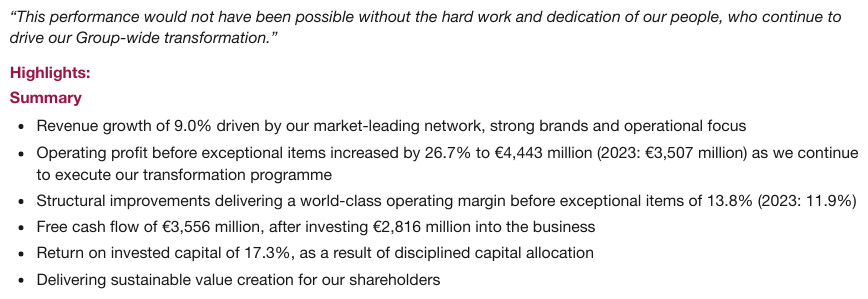
“Highlights:” and its subordinate “Summary” are headings; each introduces the bullet block below. “Summary” is one level deeper than “Highlights:”. The quotation above is elided.
…
Highlights:
Summary
- Revenue growth of 9.0% driven by our market-leading network, strong brands and operational focus
- Operating profit before exceptional items increased by 26.7% to €4,443 million (2023: €3,507 million) as we continue to execute our transformation programme
- Structural improvements delivering a world-class operating margin before exceptional items of 13.8% (2023: 11.9%)
- Free cash flow of €3,556 million, after investing €2,816 million into the business
- Return on invested capital of 17.3%, as a result of disciplined capital allocation
- Delivering sustainable value creation for our shareholders
Markdown source
<!-- … -->
Highlights:
Summary
- Revenue growth of 9.0% driven by our market-leading network, strong brands and operational focus
- Operating profit before exceptional items increased by 26.7% to €4,443 million (2023: €3,507 million) as we continue to execute our transformation programme
- Structural improvements delivering a world-class operating margin before exceptional items of 13.8% (2023: 11.9%)
- Free cash flow of €3,556 million, after investing €2,816 million into the business
- Return on invested capital of 17.3%, as a result of disciplined capital allocation
- Delivering sustainable value creation for our shareholders
✅ Sample — standalone subheads 2
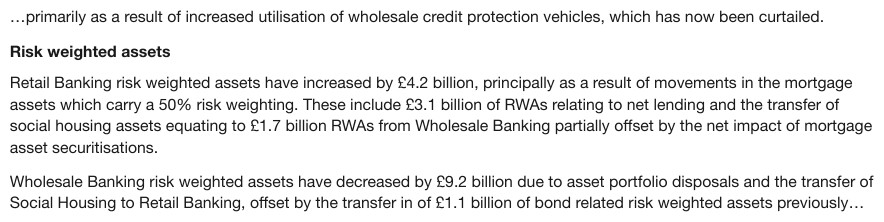
“Risk weighted assets” is a heading: its own line introduces the following prose.
…primarily as a result of increased utilisation of wholesale credit protection vehicles, which has now been curtailed.

Risk weighted assets
Retail Banking risk weighted assets have increased by £4.2 billion, principally as a result of movements in the mortgage assets which carry a 50% risk weighting. These include £3.1 billion of RWAs relating to net lending and the transfer of social housing assets equating to £1.7 billion RWAs from Wholesale Banking partially offset by the net impact of mortgage asset securitisations.
Wholesale Banking risk weighted assets have decreased by £9.2 billion due to asset portfolio disposals and the transfer of Social Housing to Retail Banking, offset by the transfer in of £1.1 billion of bond related risk weighted assets previously…
Markdown source
…primarily as a result of increased utilisation of wholesale credit protection vehicles, which has now been curtailed.
Risk weighted assets
Retail Banking risk weighted assets have increased by £4.2 billion, principally as a result of movements in the mortgage assets which carry a 50% risk weighting. These include £3.1 billion of RWAs relating to net lending and the transfer of social housing assets equating to £1.7 billion RWAs from Wholesale Banking partially offset by the net impact of mortgage asset securitisations.
Wholesale Banking risk weighted assets have decreased by £9.2 billion due to asset portfolio disposals and the transfer of Social Housing to Retail Banking, offset by the transfer in of £1.1 billion of bond related risk weighted assets previously…
✅ Sample — standalone subheads 3
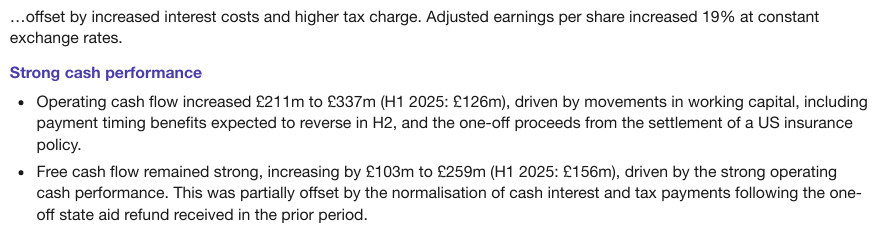
“Strong cash performance” is a heading. Colour does not prevent the line from organising its
bullets. one-off breaks at its own hyphen and keeps it.
…offset by increased interest costs and higher tax charge. Adjusted earnings per share increased 19% at constant exchange rates.
Strong cash performance
- Operating cash flow increased £211m to £337m (H1 2025: £126m), driven by movements in working capital, including payment timing benefits expected to reverse in H2, and the one-off proceeds from the settlement of a US insurance policy.
- Free cash flow remained strong, increasing by £103m to £259m (H1 2025: £156m), driven by the strong operating cash performance. This was partially offset by the normalisation of cash interest and tax payments following the one-off state aid refund received in the prior period.
Markdown source
…offset by increased interest costs and higher tax charge. Adjusted earnings per share increased 19% at constant exchange rates.
Strong cash performance
- Operating cash flow increased £211m to £337m (H1 2025: £126m), driven by movements in working capital, including payment timing benefits expected to reverse in H2, and the one-off proceeds from the settlement of a US insurance policy.
- Free cash flow remained strong, increasing by £103m to £259m (H1 2025: £156m), driven by the strong operating cash performance. This was partially offset by the normalisation of cash interest and tax payments following the one-off state aid refund received in the prior period.
✅ Sample — standalone subheads 4
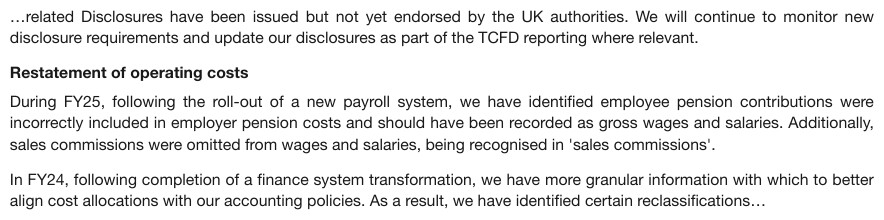
“Restatement of operating costs” is a heading; it introduces the paragraphs below it.
…related Disclosures have been issued but not yet endorsed by the UK authorities. We will continue to monitor new disclosure requirements and update our disclosures as part of the TCFD reporting where relevant.

Restatement of operating costs
During FY25, following the roll-out of a new payroll system, we have identified employee pension contributions were incorrectly included in employer pension costs and should have been recorded as gross wages and salaries. Additionally, sales commissions were omitted from wages and salaries, being recognised in 'sales commissions'.
In FY24, following completion of a finance system transformation, we have more granular information with which to better align cost allocations with our accounting policies. As a result, we have identified certain reclassifications…
Markdown source
…related Disclosures have been issued but not yet endorsed by the UK authorities. We will continue to monitor new disclosure requirements and update our disclosures as part of the TCFD reporting where relevant.
Restatement of operating costs
During FY25, following the roll-out of a new payroll system, we have identified employee pension contributions were incorrectly included in employer pension costs and should have been recorded as gross wages and salaries. Additionally, sales commissions were omitted from wages and salaries, being recognised in 'sales commissions'.
In FY24, following completion of a finance system transformation, we have more granular information with which to better align cost allocations with our accounting policies. As a result, we have identified certain reclassifications…
Numbered titles and numbered paragraphs
A printed number or letter MUST stay with the standalone section title it numbers. A number opening a body sentence is a list marker. A number on a line by itself does not turn its paragraph into a section. See Numbered Section Headings§6.5.
✅ Sample — numbered titles and numbered paragraphs 1
“d. Employees and Volunteers” is a heading, with the printed letter attached. A faint diagonal watermark, only partly legible in the crop, is left out of this excerpt.
…
…be held responsible for claims filed for Worker's Compensation under RCW Title 51 by the Contractor or its employees under such laws and regulations.
d. Employees and Volunteers
Insurance required of the Contractor under the Contract shall include coverage for the acts and omissions of the Contractor's employees and volunteers. In addition, the Contractor shall ensure that all employees and volunteers who use vehicles to transport clients or deliver services have personal automobile insurance and current driver's licenses.
Markdown source
<!-- … -->

…be held responsible for claims filed for Worker's Compensation under RCW Title 51 by the Contractor or its employees under such laws and regulations.
d. Employees and Volunteers
Insurance required of the Contractor under the Contract shall include coverage for the acts and omissions of the Contractor's employees and volunteers. In addition, the Contractor shall ensure that all employees and volunteers who use vehicles to transport clients or deliver services have personal automobile insurance and current driver's licenses.
✅ Sample — numbered titles and numbered paragraphs 2
“25.” stays with the sentence it numbers; the numbered paragraph is not promoted to a heading. The centred title below it, printed on two lines, is one heading (see Stacked Headings§6.9).
- As a result, Borvika Holdings has been unjustly enriched at the expense of Ostrevane Systems Inc., to the extent of $98,000, and it is against equity and good conscience to allow Borvika Holdings to retain the benefits bestowed upon it as alleged here.
AS AND FOR A FIFTH (ALTERNATIVE) CAUSE OF ACTION FOR MONEY HAD AND RECEIVED
Markdown source
25. As a result, Borvika Holdings has been unjustly enriched at the expense of Ostrevane Systems Inc., to the extent of $98,000, and it is against equity and good conscience to allow Borvika Holdings to retain the benefits bestowed upon it as alleged here.

AS AND FOR A FIFTH (ALTERNATIVE) CAUSE OF ACTION FOR MONEY HAD AND RECEIVED
Repeated item labels
Repeated Question, Interrogatory and Request for Production labels MUST stay with their items, even when bold and on their own lines. Each label MUST NOT be made a document heading.
✅ Sample — repeated item labels 1

“INTERROGATORY NO. 8:” is the label of its question, like the next interrogatory label below it. It is printed bold, underlined and in small capitals, which are transcribed as capitals.
INTERROGATORY NO. 8:
On the average, how many hours per day do you currently spend with your spouse?
INTERROGATORY NO. 9:
Markdown source
<u>**INTERROGATORY NO. 8:**</u>

On the average, how many hours per day do you currently spend with your spouse?
<u>INTERROGATORY NO. 9:</u>
Document titles and company lines
A document title MUST be separated from its logo, company-name line and exhibit label. The surrounding words are transcribed as furniture; only the title takes a heading role. A company name MUST NOT be joined to a title merely because they are stacked.
✅ Sample — document titles and company lines 1
“Benefits Terms of Service” is the document title. The Zendra logo — a small icon over the
wordmark — and “Exhibit D” stay separate; the logo becomes [logo: Zendra]. The title is
shown at the top level of the exhibit.
[logo: Zendra]
Exhibit D
Benefits Terms of Service
If Customer purchases Arvex Works Benefits Products (as detailed in an Order), these additional Benefits Terms of Service (the “Benefits Terms of Service”) apply. These Benefits Terms of Service set forth the terms and conditions under which Zendra will provide the Arvex Works Benefits Products (the “Benefits Services”) to Customer in
…
Markdown source
[logo: Zendra]

Exhibit D
Benefits Terms of Service
If Customer purchases Arvex Works Benefits Products (as detailed in an Order), these additional Benefits Terms of Service (the “Benefits Terms of Service”) apply. These Benefits Terms of Service set forth the terms and conditions under which Zendra will provide the Arvex Works Benefits Products (the “Benefits Services”) to Customer in
<!-- … -->
✅ Sample — document titles and company lines 2
“BOARD OF DIRECTORS GOVERNANCE PRINCIPLES” is the title. “BORVIKA LLC” stays a separate company line. The printed rule under the title is a separator.
BORVIKA LLC
BOARD OF DIRECTORS GOVERNANCE PRINCIPLES
1. INTRODUCTION
The Board of Directors (the “Board”) of Borvika LLC (the “Company”) has adopted these Governance Principles to assist the Board in the exercise of its duties and responsibilities.
Markdown source
**BORVIKA LLC**

BOARD OF DIRECTORS GOVERNANCE PRINCIPLES
<hr/>
1. INTRODUCTION
The Board of Directors (the “Board”) of Borvika LLC (the “Company”) has adopted these Governance Principles to assist the Board in the exercise of its duties and responsibilities.
Principal statement and schedule titles
The principal title of a financial statement or numbered schedule is structural and MUST be a heading. The company line and the units or audit-status line MUST stay separate. This is a specific exception to the caption rule below: a statement or schedule can itself be a document section.
A numbered schedule title remains structural when printed inside a grid. Its text MUST appear once, in its printed table position; it keeps its heading role in the element classes and boxes (see Boxes and Granularity§3.3) and MUST NOT be duplicated as a Markdown heading outside the table. Titles Banners Captions§9.7.3 governs its cell placement.
✅ Sample — principal statement and schedule titles 1

“CONDENSED CONSOLIDATED BALANCE SHEETS” is the statement heading. The company name and the parenthesised units line stay separate. The table beneath is elided.
CORVANE MEDIA CORPORATION
CONDENSED CONSOLIDATED BALANCE SHEETS
(unaudited; $ in millions, except per share data)
…
Markdown source
**CORVANE MEDIA CORPORATION**

CONDENSED CONSOLIDATED BALANCE SHEETS
(unaudited; $ in millions, except per share data)
<!-- … -->
✅ Sample — principal statement and schedule titles 2
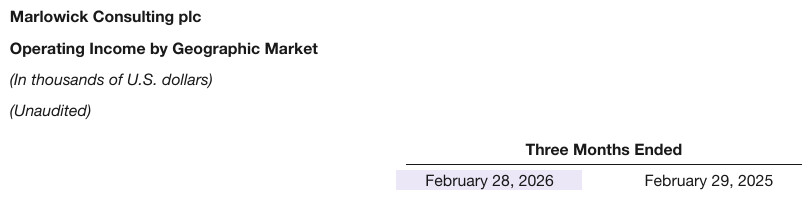
“Operating Income by Geographic Market” is the statement heading. “Marlowick Consulting plc”, the currency units and the audit status stay outside the heading. The table beneath is elided.
Marlowick Consulting plc
Operating Income by Geographic Market
(In thousands of U.S. dollars)
(Unaudited)
…
Markdown source
**Marlowick Consulting plc**

Operating Income by Geographic Market
(In thousands of U.S. dollars)
(Unaudited)
<!-- … -->
✅ Sample — principal statement and schedule titles 3
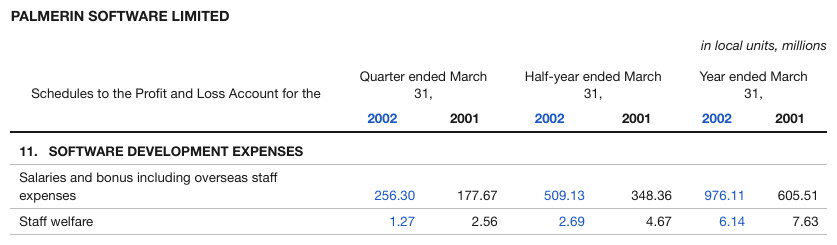
“11. SOFTWARE DEVELOPMENT EXPENSES” is a structural schedule title in its printed grid position:
a full-width row of the table, not a Markdown heading. The company line is separate furniture. The
blue of the current-year figures is decoration. The crop ends after Staff welfare.
PALMERIN SOFTWARE LIMITED
in local units, millions
| Schedules to the Profit and Loss Account for the | Quarter ended March 31, | Half-year ended March 31, | Year ended March 31, | |||||||||||||||||||||||||||||||||||||||||||||||||||||||||||||||||||||||||||||||||||||||||||||||
|---|---|---|---|---|---|---|---|---|---|---|---|---|---|---|---|---|---|---|---|---|---|---|---|---|---|---|---|---|---|---|---|---|---|---|---|---|---|---|---|---|---|---|---|---|---|---|---|---|---|---|---|---|---|---|---|---|---|---|---|---|---|---|---|---|---|---|---|---|---|---|---|---|---|---|---|---|---|---|---|---|---|---|---|---|---|---|---|---|---|---|---|---|---|---|---|---|---|---|
| 2002 | 2001 | 2002 | 2001 | 2002 | 2001 | |||||||||||||||||||||||||||||||||||||||||||||||||||||||||||||||||||||||||||||||||||||||||||||
| 11. SOFTWARE DEVELOPMENT EXPENSES | ||||||||||||||||||||||||||||||||||||||||||||||||||||||||||||||||||||||||||||||||||||||||||||||||||
| Salaries and bonus including overseas staff expenses | 256.30 | 177.67 | 509.13 | 348.36 | 976.11 | 605.51 | ||||||||||||||||||||||||||||||||||||||||||||||||||||||||||||||||||||||||||||||||||||||||||||
| Staff welfare | 1.27 | 2.56 | 2.69 | 4.67 | 6.14 | 7.63 | ||||||||||||||||||||||||||||||||||||||||||||||||||||||||||||||||||||||||||||||||||||||||||||
| … | ||||||||||||||||||||||||||||||||||||||||||||||||||||||||||||||||||||||||||||||||||||||||||||||||||
Markdown source
**PALMERIN SOFTWARE LIMITED**

in local units, millions
<table>
<tr> <th>Schedules to the Profit and Loss Account for the</th> <th colspan="2">Quarter ended March 31,</th> <th colspan="2">Half-year ended March 31,</th> <th colspan="2">Year ended March 31,</th> </tr>
<tr> <th></th> <th>2002</th> <th>2001</th> <th>2002</th> <th>2001</th> <th>2002</th> <th>2001</th> </tr>
<tr> <th colspan="7">11. SOFTWARE DEVELOPMENT EXPENSES</th> </tr>
<tr> <td>Salaries and bonus including overseas staff expenses</td> <td>256.30</td> <td>177.67</td> <td>509.13</td> <td>348.36</td> <td>976.11</td> <td>605.51</td> </tr>
<tr> <td>Staff welfare</td> <td>1.27</td> <td>2.56</td> <td>2.69</td> <td>4.67</td> <td>6.14</td> <td>7.63</td> </tr>
<!-- … -->
</table>
Table captions and bands
An ordinary table caption, coloured title band, repeated caption stack or column label MUST NOT
enter the document outline. A Table N caption remains a caption even when its typography
resembles a heading or it appears in a PDF outline. The principal-statement exception above applies
only to an actual statement or schedule section.
Captions stay outside the table and title bands inside it, as Titles Banners Captions§9.7.3 requires. The same title MUST NOT be emitted both as a cell and as an outside heading.
✅ Sample — table captions and bands 1
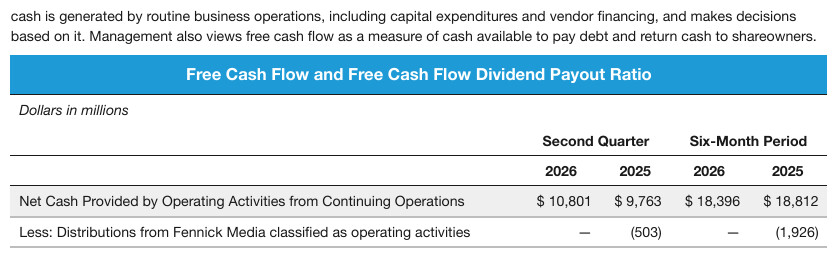
“Free Cash Flow and Free Cash Flow Dividend Payout Ratio” is the table's title band, inside the table.
cash is generated by routine business operations, including capital expenditures and vendor financing, and makes decisions based on it. Management also views free cash flow as a measure of cash available to pay debt and return cash to shareowners.
| Free Cash Flow and Free Cash Flow Dividend Payout Ratio | ||||
|---|---|---|---|---|
| Dollars in millions | ||||
| Second Quarter | Six-Month Period | |||
| 2026 | 2025 | 2026 | 2025 | |
| Net Cash Provided by Operating Activities from Continuing Operations | $ 10,801 | $ 9,763 | $ 18,396 | $ 18,812 |
| Less: Distributions from Fennick Media classified as operating activities | — | (503) | — | (1,926) |
Markdown source
cash is generated by routine business operations, including capital expenditures and vendor financing, and makes decisions based on it. Management also views free cash flow as a measure of cash available to pay debt and return cash to shareowners.

<table>
<tr> <th colspan="5">Free Cash Flow and Free Cash Flow Dividend Payout Ratio</th> </tr>
<tr> <th><em>Dollars in millions</em></th> <th></th> <th></th> <th></th> <th></th> </tr>
<tr> <th></th> <th colspan="2">Second Quarter</th> <th colspan="2">Six-Month Period</th> </tr>
<tr> <th></th> <th>2026</th> <th>2025</th> <th>2026</th> <th>2025</th> </tr>
<tr> <td>Net Cash Provided by Operating Activities from Continuing Operations</td> <td>$ 10,801</td> <td>$ 9,763</td> <td>$ 18,396</td> <td>$ 18,812</td> </tr>
<tr> <td>Less: Distributions from Fennick Media classified as operating activities</td> <td>—</td> <td>(503)</td> <td>—</td> <td>(1,926)</td> </tr>
</table>
✅ Sample — table captions and bands 2
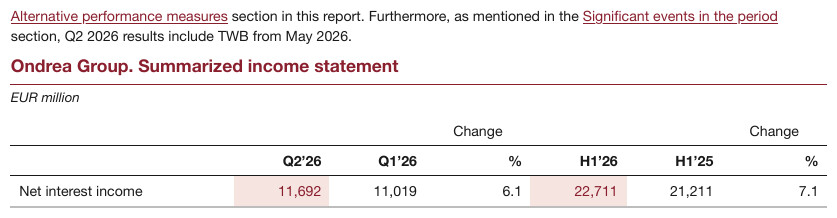
“Ondrea Group. Summarized income statement” is the local table caption, with its units line
separate; a caption is not promoted merely because it names a statement. Change over % is one
wrapped header label. The paragraph above the caption is elided.
…
Ondrea Group. Summarized income statement
EUR million
| Q2’26 | Q1’26 | Change % | H1’26 | H1’25 | Change % | |
|---|---|---|---|---|---|---|
| Net interest income | 11,692 | 11,019 | 6.1 | 22,711 | 21,211 | 7.1 |
Markdown source
<!-- … -->

Ondrea Group. Summarized income statement
EUR million
<table>
<tr> <th></th> <th>Q2’26</th> <th>Q1’26</th> <th>Change %</th> <th>H1’26</th> <th>H1’25</th> <th>Change %</th> </tr>
<tr> <td>Net interest income</td> <td>11,692</td> <td>11,019</td> <td>6.1</td> <td>22,711</td> <td>21,211</td> <td>7.1</td> </tr>
</table>
✅ Sample — table captions and bands 3
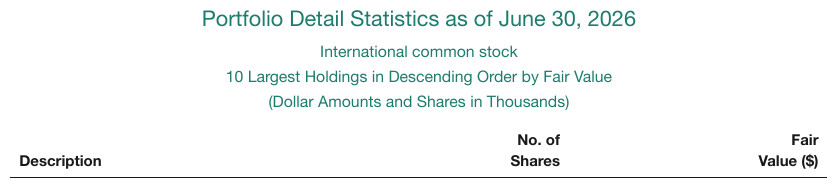
The “Portfolio Detail Statistics” stack stays with its table as caption text; its lines do not become heading levels.
Portfolio Detail Statistics as of June 30, 2026 International common stock 10 Largest Holdings in Descending Order by Fair Value (Dollar Amounts and Shares in Thousands)
| Description | No. of Shares | Fair Value ($) | ||||||||||||||||||||||||||||||||||||||||||||||||||||||||||||||||||||||||||||||||||||||||||||||||
|---|---|---|---|---|---|---|---|---|---|---|---|---|---|---|---|---|---|---|---|---|---|---|---|---|---|---|---|---|---|---|---|---|---|---|---|---|---|---|---|---|---|---|---|---|---|---|---|---|---|---|---|---|---|---|---|---|---|---|---|---|---|---|---|---|---|---|---|---|---|---|---|---|---|---|---|---|---|---|---|---|---|---|---|---|---|---|---|---|---|---|---|---|---|---|---|---|---|---|
| … | ||||||||||||||||||||||||||||||||||||||||||||||||||||||||||||||||||||||||||||||||||||||||||||||||||
Markdown source
Portfolio Detail Statistics as of June 30, 2026
International common stock
10 Largest Holdings in Descending Order by Fair Value
(Dollar Amounts and Shares in Thousands)

<table>
<tr> <th>Description</th> <th>No. of Shares</th> <th>Fair Value ($)</th> </tr>
<!-- … -->
</table>
✅ Sample — table captions and bands 4
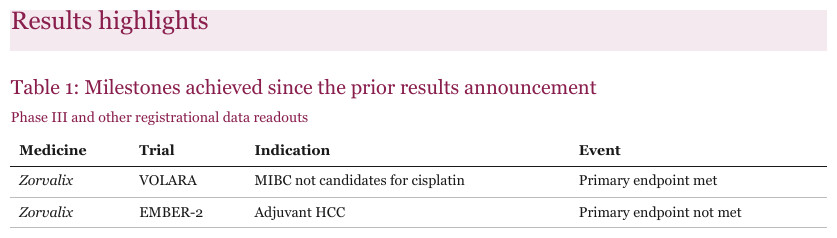
“Table 1: Milestones achieved since the prior results announcement” is a caption. “Results highlights” organises the section above it and is a heading. The crop clips the table after its second row.
Results highlights
Table 1: Milestones achieved since the prior results announcement Phase III and other registrational data readouts
| Medicine | Trial | Indication | Event | |||||||||||||||||||||||||||||||||||||||||||||||||||||||||||||||||||||||||||||||||||||||||||||||
|---|---|---|---|---|---|---|---|---|---|---|---|---|---|---|---|---|---|---|---|---|---|---|---|---|---|---|---|---|---|---|---|---|---|---|---|---|---|---|---|---|---|---|---|---|---|---|---|---|---|---|---|---|---|---|---|---|---|---|---|---|---|---|---|---|---|---|---|---|---|---|---|---|---|---|---|---|---|---|---|---|---|---|---|---|---|---|---|---|---|---|---|---|---|---|---|---|---|---|
| Zorvalix | VOLARA | MIBC not candidates for cisplatin | Primary endpoint met | |||||||||||||||||||||||||||||||||||||||||||||||||||||||||||||||||||||||||||||||||||||||||||||||
| Zorvalix | EMBER-2 | Adjuvant HCC | Primary endpoint not met | |||||||||||||||||||||||||||||||||||||||||||||||||||||||||||||||||||||||||||||||||||||||||||||||
| … | ||||||||||||||||||||||||||||||||||||||||||||||||||||||||||||||||||||||||||||||||||||||||||||||||||
Markdown source
## Results highlights

Table 1: Milestones achieved since the prior results announcement
Phase III and other registrational data readouts
<table>
<tr> <th>Medicine</th> <th>Trial</th> <th>Indication</th> <th>Event</th> </tr>
<tr> <td><em>Zorvalix</em></td> <td>VOLARA</td> <td>MIBC not candidates for cisplatin</td> <td>Primary endpoint met</td> </tr>
<tr> <td><em>Zorvalix</em></td> <td>EMBER-2</td> <td>Adjuvant HCC</td> <td>Primary endpoint not met</td> </tr>
<!-- … -->
</table>
✅ Sample — table captions and bands 5
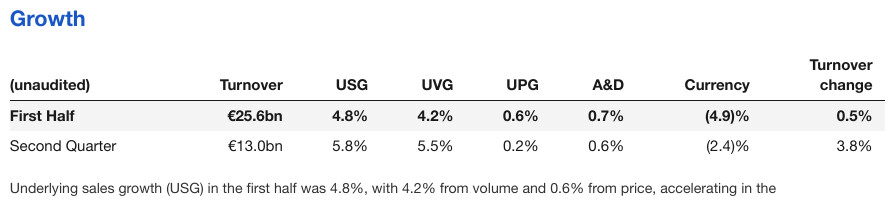
“Turnover” is a column header. “Growth” is the standalone title above the table and is a heading.
Growth
| (unaudited) | Turnover | USG | UVG | UPG | A&D | Currency | Turnover change |
|---|---|---|---|---|---|---|---|
| First Half | €25.6bn | 4.8% | 4.2% | 0.6% | 0.7% | (4.9)% | 0.5% |
| Second Quarter | €13.0bn | 5.8% | 5.5% | 0.2% | 0.6% | (2.4)% | 3.8% |
Underlying sales growth (USG) in the first half was 4.8%, with 4.2% from volume and 0.6% from price, accelerating in the
Markdown source
## Growth
<table>
<tr> <th>(unaudited)</th> <th>Turnover</th> <th>USG</th> <th>UVG</th> <th>UPG</th> <th>A&D</th> <th>Currency</th> <th>Turnover change</th> </tr>
<tr> <td><strong>First Half</strong></td> <td><strong>€25.6bn</strong></td> <td><strong>4.8%</strong></td> <td><strong>4.2%</strong></td> <td><strong>0.6%</strong></td> <td><strong>0.7%</strong></td> <td><strong>(4.9)%</strong></td> <td><strong>0.5%</strong></td> </tr>
<tr> <td>Second Quarter</td> <td>€13.0bn</td> <td>5.8%</td> <td>5.5%</td> <td>0.2%</td> <td>0.6%</td> <td>(2.4)%</td> <td>3.8%</td> </tr>
</table>
Underlying sales growth (USG) in the first half was 4.8%, with 4.2% from volume and 0.6% from price, accelerating in the
Chart titles and text-column titles
A title naming a chart is part of that chart. A standalone title organising a text column or explanatory block below or beside the charts MUST be a heading.
✅ Sample — chart titles and text-column titles 1
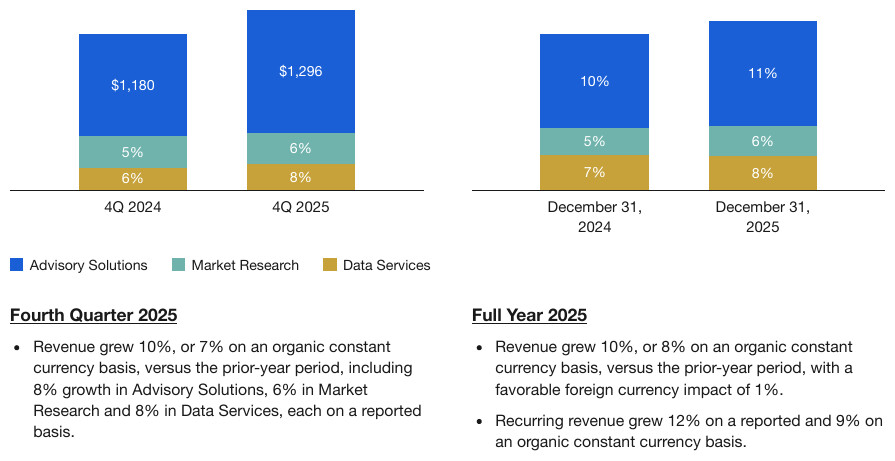
“Fourth Quarter 2025” and “Full Year 2025” are headings, peers, for the text columns beneath the charts. The two charts and their legend are elided.
…
Fourth Quarter 2025
- Revenue grew 10%, or 7% on an organic constant currency basis, versus the prior-year period, including 8% growth in Advisory Solutions, 6% in Market Research and 8% in Data Services, each on a reported basis.
Full Year 2025
- Revenue grew 10%, or 8% on an organic constant currency basis, versus the prior-year period, with a favorable foreign currency impact of 1%.
- Recurring revenue grew 12% on a reported and 9% on an organic constant currency basis.
Markdown source
<!-- … -->
Fourth Quarter 2025
- Revenue grew 10%, or 7% on an organic constant currency basis, versus the prior-year period, including 8% growth in Advisory Solutions, 6% in Market Research and 8% in Data Services, each on a reported basis.
Full Year 2025
- Revenue grew 10%, or 8% on an organic constant currency basis, versus the prior-year period, with a favorable foreign currency impact of 1%.
- Recurring revenue grew 12% on a reported and 9% on an organic constant currency basis.
Slides and embedded forms
The principal slide title and a real subtitle are structural titles and MUST be headings. Navigation sidebars, tabs, warning banners and form section labels are furniture or form labels and MUST NOT be headings. Titles inside an embedded form screenshot MUST NOT enter the containing slide's outline; their printed text MUST be kept in the embedded content.
✅ Sample — slides and embedded forms 1
“Caldrivane submission schedule” is the slide title and “Supplementary indications for existing brands” its subtitle. “Content” stays in the navigation sidebar. The navigation tabs print no text. Depths assume the file is a deck, where each slide title is top level.
Content
Click below to navigate through the document
Company overview
Caldrivane submission schedule
Supplementary indications for existing brands
Markdown source
**Content**

Click below to navigate through the document
Company overview
Caldrivane submission schedule
Supplementary indications for existing brands
✅ Sample — slides and embedded forms 2
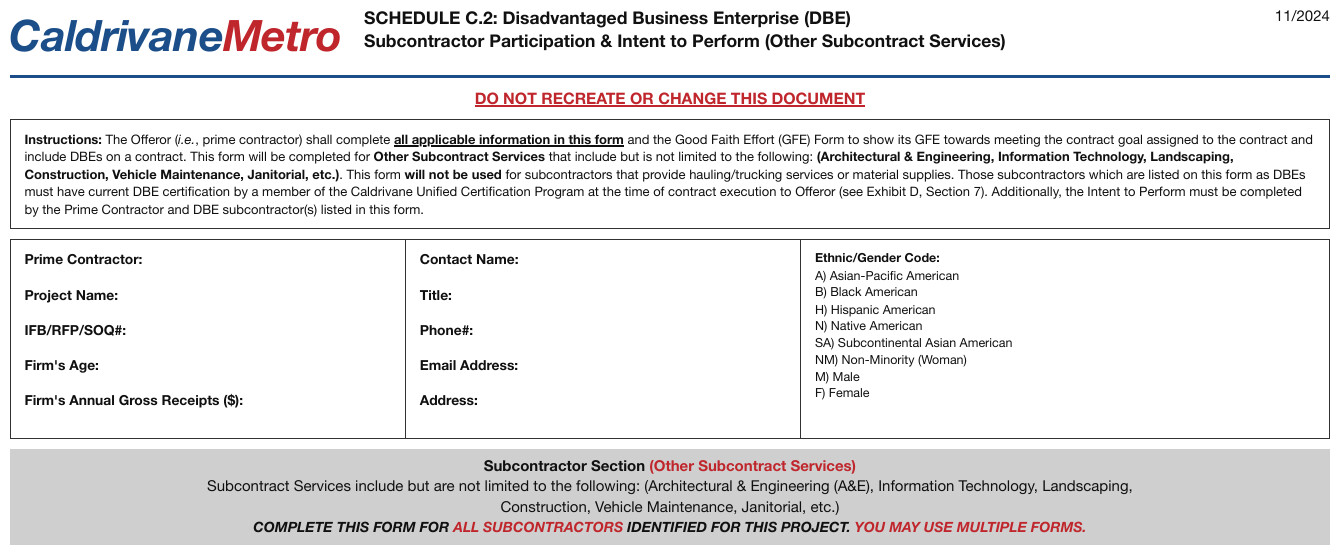
The form title, warning banner and subcontractor-section label stay inside the embedded form content, outside the containing slide's outline: none of them is a heading. The instructions box and the code list are elided.
CaldrivaneMetro
SCHEDULE C.2: Disadvantaged Business Enterprise (DBE) Subcontractor Participation & Intent to Perform (Other Subcontract Services)
11/2024
DO NOT RECREATE OR CHANGE THIS DOCUMENT
…
- Prime Contractor: [blank]
- Project Name: [blank]
- IFB/RFP/SOQ#: [blank]
- Firm's Age: [blank]
- Firm's Annual Gross Receipts ($): [blank]
- Contact Name: [blank]
- Title: [blank]
- Phone#: [blank]
- Email Address: [blank]
- Address: [blank]
…
Subcontractor Section (Other Subcontract Services)
…
COMPLETE THIS FORM FOR ALL SUBCONTRACTORS IDENTIFIED FOR THIS PROJECT. YOU MAY USE MULTIPLE FORMS.
Markdown source
CaldrivaneMetro
SCHEDULE C.2: Disadvantaged Business Enterprise (DBE)
Subcontractor Participation & Intent to Perform (Other Subcontract Services)
11/2024
<u>DO NOT RECREATE OR CHANGE THIS DOCUMENT</u>
<!-- … -->
- Prime Contractor: [blank]
- Project Name: [blank]
- IFB/RFP/SOQ#: [blank]
- Firm's Age: [blank]
- Firm's Annual Gross Receipts ($): [blank]
- Contact Name: [blank]
- Title: [blank]
- Phone#: [blank]
- Email Address: [blank]
- Address: [blank]
<!-- … -->
Subcontractor Section (Other Subcontract Services)
<!-- … -->
COMPLETE THIS FORM FOR ALL SUBCONTRACTORS IDENTIFIED FOR THIS PROJECT. YOU MAY USE MULTIPLE FORMS.
Running headers and decorative marks
Whether a page-top label is a running header is a document decision, made in Recurring Page Furniture§4.6: the same words may have been a section heading where the section began, and repetition at a page boundary does not open it again. From one page alone, a margin label that carries no argument of its own is furniture. A purely decorative arrow before a heading MUST be omitted from the heading text; a printed section number MUST be kept.
✅ Sample — running headers and decorative marks 1

When “Consolidated Financial Statements” repeats at the page top, it is a running header: a band paragraph, not a heading. The repetition is established on the surrounding pages; this crop alone does not establish it. The Markdown shown assumes it does.
Consolidated Financial Statements
Markdown source
**Consolidated Financial Statements**✅ Sample — running headers and decorative marks 2
“19. Personnel expenses” is the heading text. The decorative arrow to its left is excluded. The table beneath is cut by the crop.
19. Personnel expenses
Personnel expenses are made up as follows:
| 2002 T-€ | ||||||||||||||||||||||||||||||||||||||||||||||||||||||||||||||||||||||||||||||||||||||||||||||||||
|---|---|---|---|---|---|---|---|---|---|---|---|---|---|---|---|---|---|---|---|---|---|---|---|---|---|---|---|---|---|---|---|---|---|---|---|---|---|---|---|---|---|---|---|---|---|---|---|---|---|---|---|---|---|---|---|---|---|---|---|---|---|---|---|---|---|---|---|---|---|---|---|---|---|---|---|---|---|---|---|---|---|---|---|---|---|---|---|---|---|---|---|---|---|---|---|---|---|---|
| … | ||||||||||||||||||||||||||||||||||||||||||||||||||||||||||||||||||||||||||||||||||||||||||||||||||
Markdown source
## 19. Personnel expenses

Personnel expenses are made up as follows:
<table>
<tr> <th></th> <th>2002<br/>T-€</th> </tr>
<!-- … -->
</table>
Depth comes after role
Heading levels MUST be the document-absolute levels of Heading Depth Across Pages§4.5. When only one page is available, the relative hierarchy the page shows MUST be kept consistent. The first heading on a page MUST NOT be assumed to be the top level, and a level that is common elsewhere MUST NOT be assumed for this page. Whether the deck convention applies is decided once for the file in Document Type§4.4; a level MUST NOT be copied from another document.
Related
- Heading Depth Across Pages§4.5 — choose the level after deciding that a line is a heading
- Recurring Page Furniture§4.6 — the document-wide call on repeated page-top labels
- Run-In Headings§6.8 — a label kept within its paragraph
- Numbered Section Headings§6.5 — numbered titles versus numbered content
- Titles Banners Captions§9.7.3 — table titles kept once, in their printed position
6.8 Run-In Headings
✅ Normative · 📄 page rule
✅ Normative
A run-in label and the sentence, value or URL that follows it on the same line MUST be rendered as one paragraph, with the label's printed emphasis preserved. The label MUST NOT be rendered as a Markdown heading.
A run-in heading is set at the start of its own paragraph, in bold or colour, with the body text continuing on the same line. Contracts number their clauses this way; glossaries print the term this way.
Section 11.1.1 The Department requires that business enterprises so certified by …
AMBIGUOUS  Confusing question in that it is capable of being understood in more than one sense.
  ↑ bold label, text continues on the same line
Requirements
- The label and its text MUST stay in one paragraph; a label that wraps onto a further line remains part of the same paragraph.
- The label's printed bold, italic, underline or small capitals MUST be kept as inline marks (see Bold and Italics§7.2.1, Underlined Text§7.2.12, Small Capitals§7.2.10).
- The label MUST NOT be split onto a line of its own or promoted to a heading: a lead-in rendered as a heading creates a false outline entry.
- A numbered title set on its own line, with its text beneath, is not run-in; it is a heading — see Numbered Section Headings§6.5.
✅ Sample — numbered contract clauses
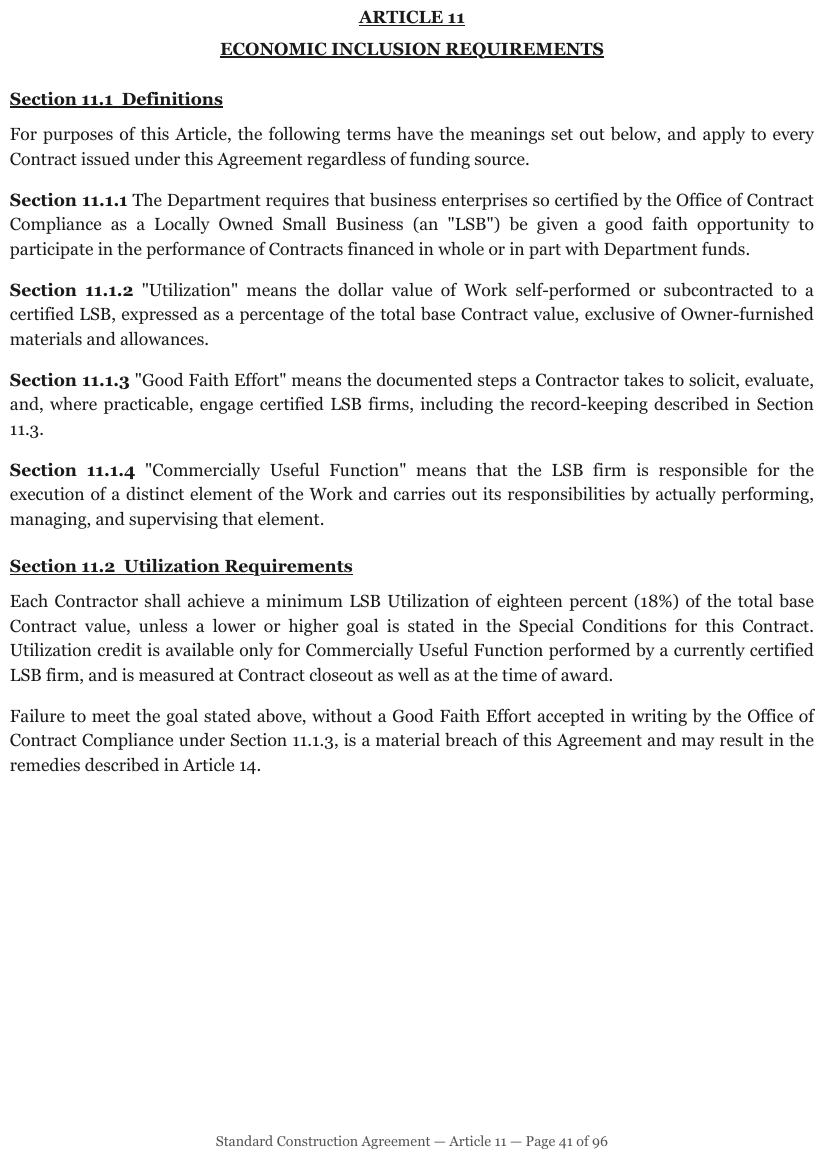
Section 11.1.1 through 11.1.4 open their paragraphs in bold; Section 11.1 and 11.2 are set
on their own lines, underlined, and behave as ordinary headings. Both shapes on one page. The
two-line ARTICLE 11 title is one heading (see Stacked Headings§6.9). Heading depths are relative:
the page, sheet 41 of 96, does not show the outline above the article.
ARTICLE 11 ECONOMIC INCLUSION REQUIREMENTS
Section 11.1 Definitions
For purposes of this Article, the following terms have the meanings set out below, and apply to every Contract issued under this Agreement regardless of funding source.
Section 11.1.1 The Department requires that business enterprises so certified by the Office of Contract Compliance as a Locally Owned Small Business (an "LSB") be given a good faith opportunity to participate in the performance of Contracts financed in whole or in part with Department funds.
Section 11.1.2 "Utilization" means the dollar value of Work self-performed or subcontracted to a certified LSB, expressed as a percentage of the total base Contract value, exclusive of Owner-furnished materials and allowances.
Section 11.1.3 "Good Faith Effort" means the documented steps a Contractor takes to solicit, evaluate, and, where practicable, engage certified LSB firms, including the record-keeping described in Section 11.3.
Section 11.1.4 "Commercially Useful Function" means that the LSB firm is responsible for the execution of a distinct element of the Work and carries out its responsibilities by actually performing, managing, and supervising that element.
Section 11.2 Utilization Requirements
Each Contractor shall achieve a minimum LSB Utilization of eighteen percent (18%) of the total base Contract value, unless a lower or higher goal is stated in the Special Conditions for this Contract. Utilization credit is available only for Commercially Useful Function performed by a currently certified LSB firm, and is measured at Contract closeout as well as at the time of award.
Failure to meet the goal stated above, without a Good Faith Effort accepted in writing by the Office of Contract Compliance under Section 11.1.3, is a material breach of this Agreement and may result in the remedies described in Article 14.
Standard Construction Agreement — Article 11 — Page 41 of 96
Markdown source
## ARTICLE 11 ECONOMIC INCLUSION REQUIREMENTS

Section 11.1 Definitions
For purposes of this Article, the following terms have the meanings set out below, and apply to every Contract issued under this Agreement regardless of funding source.
Section 11.1.1 The Department requires that business enterprises so certified by the Office of Contract Compliance as a Locally Owned Small Business (an "LSB") be given a good faith opportunity to participate in the performance of Contracts financed in whole or in part with Department funds.
Section 11.1.2 "Utilization" means the dollar value of Work self-performed or subcontracted to a certified LSB, expressed as a percentage of the total base Contract value, exclusive of Owner-furnished materials and allowances.
Section 11.1.3 "Good Faith Effort" means the documented steps a Contractor takes to solicit, evaluate, and, where practicable, engage certified LSB firms, including the record-keeping described in Section 11.3.
Section 11.1.4 "Commercially Useful Function" means that the LSB firm is responsible for the execution of a distinct element of the Work and carries out its responsibilities by actually performing, managing, and supervising that element.
Section 11.2 Utilization Requirements
Each Contractor shall achieve a minimum LSB Utilization of eighteen percent (18%) of the total base Contract value, unless a lower or higher goal is stated in the Special Conditions for this Contract. Utilization credit is available only for Commercially Useful Function performed by a currently certified LSB firm, and is measured at Contract closeout as well as at the time of award.
Failure to meet the goal stated above, without a Good Faith Effort accepted in writing by the Office of Contract Compliance under Section 11.1.3, is a material breach of this Agreement and may result in the remedies described in Article 14.
Standard Construction Agreement — Article 11 — Page 41 of 96
✅ Sample — a glossary of objections
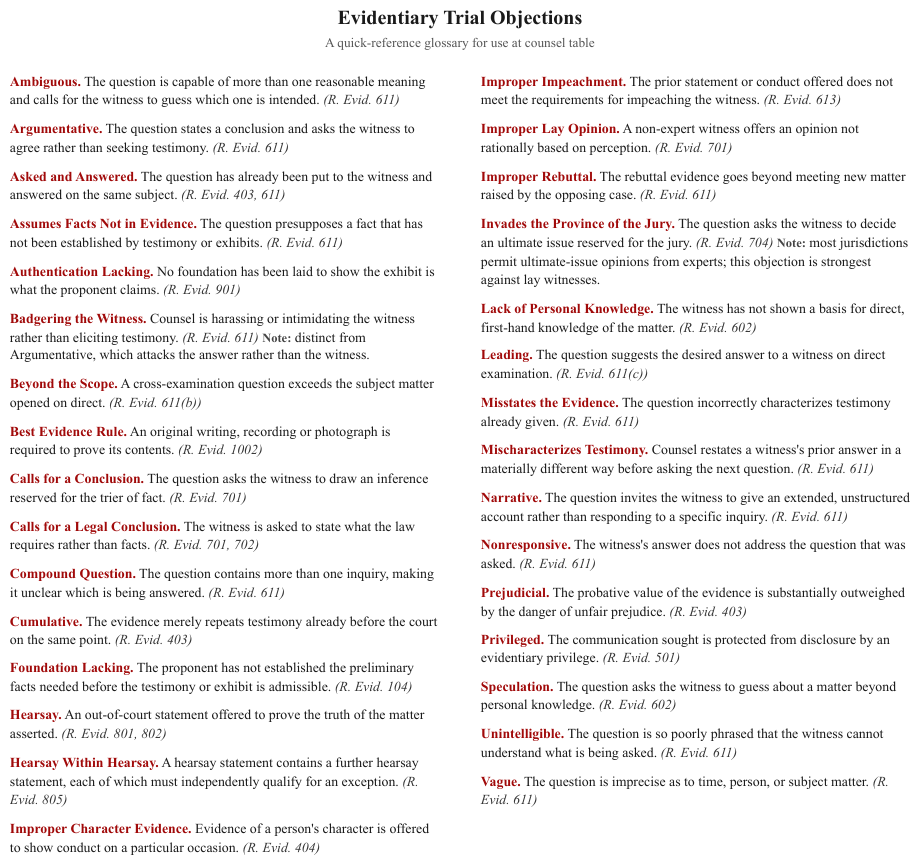
Thirty-odd entries, each a red bold term followed on the same line by its definition and a rule
citation. Two entries carry a bold Note: inside the definition. The red is decoration and is not
carried; the italic citations are. The left column is read before the right.
Evidentiary Trial Objections
A quick-reference glossary for use at counsel table
Ambiguous. The question is capable of more than one reasonable meaning and calls for the witness to guess which one is intended. (R. Evid. 611)
Argumentative. The question states a conclusion and asks the witness to agree rather than seeking testimony. (R. Evid. 611)
…
Badgering the Witness. Counsel is harassing or intimidating the witness rather than eliciting testimony. (R. Evid. 611) Note: distinct from Argumentative, which attacks the answer rather than the witness.
…
Invades the Province of the Jury. The question asks the witness to decide an ultimate issue reserved for the jury. (R. Evid. 704) Note: most jurisdictions permit ultimate-issue opinions from experts; this objection is strongest against lay witnesses.
…
Markdown source
# Evidentiary Trial Objections

A quick-reference glossary for use at counsel table
Ambiguous. The question is capable of more than one reasonable meaning and calls for the witness to guess which one is intended. (R. Evid. 611)
Argumentative. The question states a conclusion and asks the witness to agree rather than seeking testimony. (R. Evid. 611)
<!-- … -->
Badgering the Witness. Counsel is harassing or intimidating the witness rather than eliciting testimony. (R. Evid. 611) Note: distinct from Argumentative, which attacks the answer rather than the witness.
<!-- … -->
Invades the Province of the Jury. The question asks the witness to decide an ultimate issue reserved for the jury. (R. Evid. 704) Note: most jurisdictions permit ultimate-issue opinions from experts; this objection is strongest against lay witnesses.
<!-- … -->
✅ Sample — section numbers in the margin
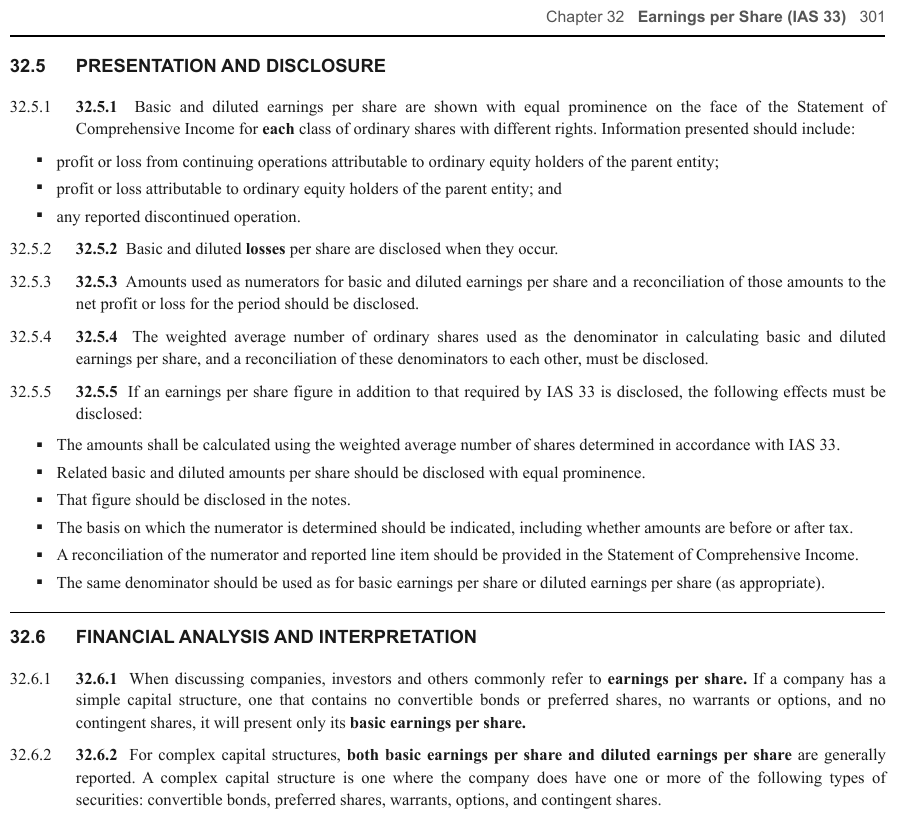
32.5 and 32.6 sit in a left margin column beside their headings; 32.5.1 … 32.6.2 open
their paragraphs in bold on the same line. The page also prints each paragraph number a second
time, in plain type, in the margin column; both copies are printed, so both are kept, in reading
order. Heading depths follow the numbering and assume chapters are top level; the running header
is left out of this excerpt.
32.5 PRESENTATION AND DISCLOSURE
32.5.1 32.5.1 Basic and diluted earnings per share are shown with equal prominence on the face of the Statement of Comprehensive Income for each class of ordinary shares with different rights. Information presented should include:
- profit or loss from continuing operations attributable to ordinary equity holders of the parent entity;
- profit or loss attributable to ordinary equity holders of the parent entity; and
- any reported discontinued operation.
32.5.2 32.5.2 Basic and diluted losses per share are disclosed when they occur.
…
32.6 FINANCIAL ANALYSIS AND INTERPRETATION
32.6.1 32.6.1 When discussing companies, investors and others commonly refer to earnings per share. If a company has a simple capital structure, one that contains no convertible bonds or preferred shares, no warrants or options, and no contingent shares, it will present only its basic earnings per share.
…
Markdown source
## 32.5 PRESENTATION AND DISCLOSURE
32.5.1 32.5.1 Basic and diluted earnings per share are shown with equal prominence on the face of the Statement of Comprehensive Income for each class of ordinary shares with different rights. Information presented should include:
- profit or loss from continuing operations attributable to ordinary equity holders of the parent entity;
- profit or loss attributable to ordinary equity holders of the parent entity; and
- any reported discontinued operation.
32.5.2 32.5.2 Basic and diluted losses per share are disclosed when they occur.
<!-- … -->
<hr/>
32.6 FINANCIAL ANALYSIS AND INTERPRETATION
32.6.1 32.6.1 When discussing companies, investors and others commonly refer to earnings per share. If a company has a simple capital structure, one that contains no convertible bonds or preferred shares, no warrants or options, and no contingent shares, it will present only its basic earnings per share.
<!-- … -->
Labels followed by values
A label followed on the same line by a value or URL MUST be kept as a label–value pair in one paragraph. Small caps, colour or underlining do not make it a heading. See Recognising Ambiguous Headings§6.7.
Related
- Numbered Section Headings§6.5 — the same numbers on their own line, which are headings
- Stacked Headings§6.9 — the other way a heading fails to be one line
- Bold and Italics§7.2.1 — the label's bold is printed, so it is kept
- Recognising Ambiguous Headings§6.7 — run-in labels among the other heading look-alikes
6.9 Stacked Headings
✅ Normative · 📄 page rule
✅ Normative
The wrapped lines of one title MUST be joined with spaces into one heading. An article number MUST stay with its title. A company name printed above a statement or document title, exhibit labels, units lines and other furniture MUST be kept separate from the title; a title and subtitle MAY be split only where the document establishes distinct roles for them.
A stacked heading is printed over two or three centred lines: an article number over its title, a note number over a title that wraps. A company name printed over a statement name looks the same but is not part of the title.
                ARTICLE 11
     ECONOMIC INCLUSION REQUIREMENTS

21 Total equity
   reconciliation
The question is whether the break is a wrap or a hierarchy. 21 Total equity / reconciliation is a
wrap. ARTICLE 11 / ECONOMIC INCLUSION REQUIREMENTS reads as a number and a title — and the number
stays with the title.
Requirements
- The lines of one title MUST be joined with a single space, in printed order, into one heading.
- Its lines MUST NOT become two headings at the same level, nor a parent heading with a child.
- An article or note number printed above its title MUST be the start of that title's heading.
- A subtitle MAY be a separate element only where the document gives title and subtitle distinct roles; otherwise the lines are one heading.
✅ Sample — an article number over its title
ARTICLE 11 and ECONOMIC INCLUSION REQUIREMENTS are centred on two lines, both bold and
underlined, at the same size. They form one heading. Its depth is relative: the page does not show
the outline above the article.
ARTICLE 11 ECONOMIC INCLUSION REQUIREMENTS
Section 11.1 Definitions
…
Markdown source
## ARTICLE 11 ECONOMIC INCLUSION REQUIREMENTS

Section 11.1 Definitions
<!-- … -->
✅ Sample — a note title that wraps
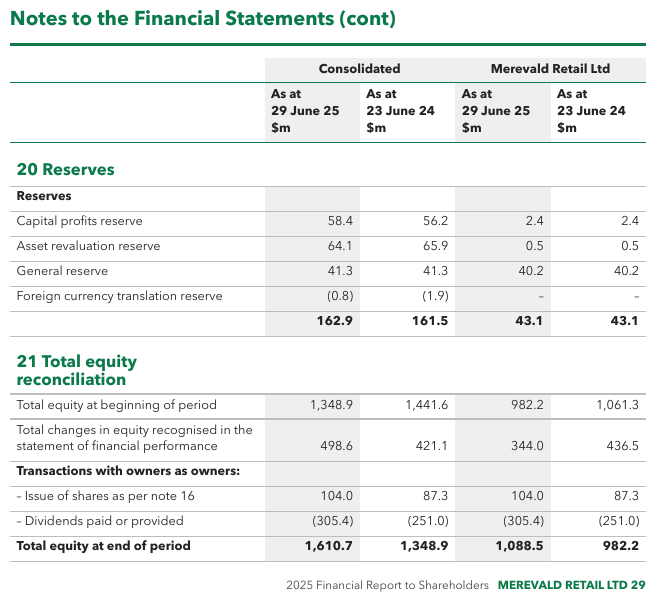
21 Total equity breaks to reconciliation on a second line in the same green face; the earlier
20 Reserves fits on one. Both note titles are printed inside the grid, under one shared header,
so each is a full-width band row of a single table (see Split Tables Sharing a Header§9.2.9); the
wrapped title is joined with a space in its cell.
| Consolidated | Merevald Retail Ltd | |||
|---|---|---|---|---|
| As at 29 June 25 $m | As at 23 June 24 $m | As at 29 June 25 $m | As at 23 June 24 $m | |
| 20 Reserves | ||||
| Reserves | ||||
| Capital profits reserve | 58.4 | 56.2 | 2.4 | 2.4 |
| Asset revaluation reserve | 64.1 | 65.9 | 0.5 | 0.5 |
| General reserve | 41.3 | 41.3 | 40.2 | 40.2 |
| Foreign currency translation reserve | (0.8) | (1.9) | – | – |
| 162.9 | 161.5 | 43.1 | 43.1 | |
| 21 Total equity reconciliation | ||||
| Total equity at beginning of period | 1,348.9 | 1,441.6 | 982.2 | 1,061.3 |
| Total changes in equity recognised in the statement of financial performance | 498.6 | 421.1 | 344.0 | 436.5 |
| Transactions with owners as owners: | ||||
| – Issue of shares as per note 16 | 104.0 | 87.3 | 104.0 | 87.3 |
| – Dividends paid or provided | (305.4) | (251.0) | (305.4) | (251.0) |
| Total equity at end of period | 1,610.7 | 1,348.9 | 1,088.5 | 982.2 |
Markdown source
<table>
  <tr> <th></th> <th colspan="2">Consolidated</th> <th colspan="2">Merevald Retail Ltd</th> </tr>
  <tr> <th></th> <th>As at<br/>29 June 25<br/>$m</th> <th>As at<br/>23 June 24<br/>$m</th> <th>As at<br/>29 June 25<br/>$m</th> <th>As at<br/>23 June 24<br/>$m</th> </tr>
  <tr> <th colspan="5">20 Reserves</th> </tr>
  <tr> <td><strong>Reserves</strong></td> <td></td> <td></td> <td></td> <td></td> </tr>
  <tr> <td>Capital profits reserve</td> <td>58.4</td> <td>56.2</td> <td>2.4</td> <td>2.4</td> </tr>
  <tr> <td>Asset revaluation reserve</td> <td>64.1</td> <td>65.9</td> <td>0.5</td> <td>0.5</td> </tr>
  <tr> <td>General reserve</td> <td>41.3</td> <td>41.3</td> <td>40.2</td> <td>40.2</td> </tr>
  <tr> <td>Foreign currency translation reserve</td> <td>(0.8)</td> <td>(1.9)</td> <td>–</td> <td>–</td> </tr>
  <tr> <td></td> <td><strong>162.9</strong></td> <td><strong>161.5</strong></td> <td><strong>43.1</strong></td> <td><strong>43.1</strong></td> </tr>
  <tr> <th colspan="5">21 Total equity reconciliation</th> </tr>
  <tr> <td>Total equity at beginning of period</td> <td>1,348.9</td> <td>1,441.6</td> <td>982.2</td> <td>1,061.3</td> </tr>
  <tr> <td>Total changes in equity recognised in the statement of financial performance</td> <td>498.6</td> <td>421.1</td> <td>344.0</td> <td>436.5</td> </tr>
  <tr> <td><strong>Transactions with owners as owners:</strong></td> <td></td> <td></td> <td></td> <td></td> </tr>
  <tr> <td>– Issue of shares as per note 16</td> <td>104.0</td> <td>87.3</td> <td>104.0</td> <td>87.3</td> </tr>
  <tr> <td>– Dividends paid or provided</td> <td>(305.4)</td> <td>(251.0)</td> <td>(305.4)</td> <td>(251.0)</td> </tr>
  <tr> <td><strong>Total equity at end of period</strong></td> <td><strong>1,610.7</strong></td> <td><strong>1,348.9</strong></td> <td><strong>1,088.5</strong></td> <td><strong>982.2</strong></td> </tr>
</table>
Company name over a statement title
A company or entity name set directly above a statement, report or agreement title is not part of the title. It MUST be rendered as its own paragraph above the heading, keeping its printed emphasis, and the heading is the title alone:
**CORVANE MEDIA CORPORATION**

# CONDENSED CONSOLIDATED BALANCE SHEETS

(unaudited; $ in millions)
The heading then names the document, so an outline reads "Condensed Consolidated Balance Sheets" rather than repeating the company in every statement title. The same holds for financial statements, agreements and reports alike. The units or date line beneath MUST also stay a separate paragraph. A company name with no title beneath it — only a grid, or a running stack repeated on every page — is furniture; the repetition is judged across the document, see Recurring Page Furniture§4.6.
Furniture is separated before a title is joined
Exhibit labels, units lines and other furniture MUST be separated from the title before its lines are joined; only the lines of the title itself are joined. See Recognising Ambiguous Headings§6.7 for the distinction between titles and furniture.
Related
- Run-In Headings§6.8 — the heading that shares a line with its paragraph
- Numbered Section Headings§6.5 — the level a printed number implies
- Header Wrap vs Real Tier§9.3.2 — the same wrap-or-tier question inside a table header
- Line Breaks Inside a Block§6.2 — one block over several lines outside headings
6.10 Table of Contents
✅ Normative · 📄 page rule
✅ Normative
A table of contents, table of authorities or index MUST be rendered as a list: one item per entry, nested as the page indents it, each item the label then its page number(s) exactly as printed, separated by a space. It MUST NOT be rendered as a table.
A contents page pairs each label with a page number, usually across a dot leader.
Chapter 3 — Reserving  . . . . . . . . . . . .  47
Chapter 4 — Pricing    . . . . . . . . . . . .  63
Rendering
Printed:   1  Introduction ....................  3
              1.1  Scope ......................  4
           2  Reserving .......................  47
- 1 Introduction 3
  - 1.1 Scope 4
- 2 Reserving 47
- Every printed entry MUST survive, with its page number(s) attached to the right label.
- The label and the number are separated by a single space. The dot leaders produce nothing — see Dot Leader Lines§6.1.
- Nesting shown by indentation MUST be carried as list nesting, not flattened.
- An entry with several page references keeps them all, as printed:
HCR 2.603(A) 4-50, 4-57. - A contents page is navigation, not data: rendering it as a table would make it read as facts to anything that consumes the page. A list also holds a run of page references that a two-column table could only cram into one cell.
The exception is a contents page printed as a real ruled grid with column headers (Section | Title | Page). That is a table by the ordinary rules of Is This Even a Table§9.1.5, not a contents
exception.
✅ Sample — a table of authorities with several pages per entry
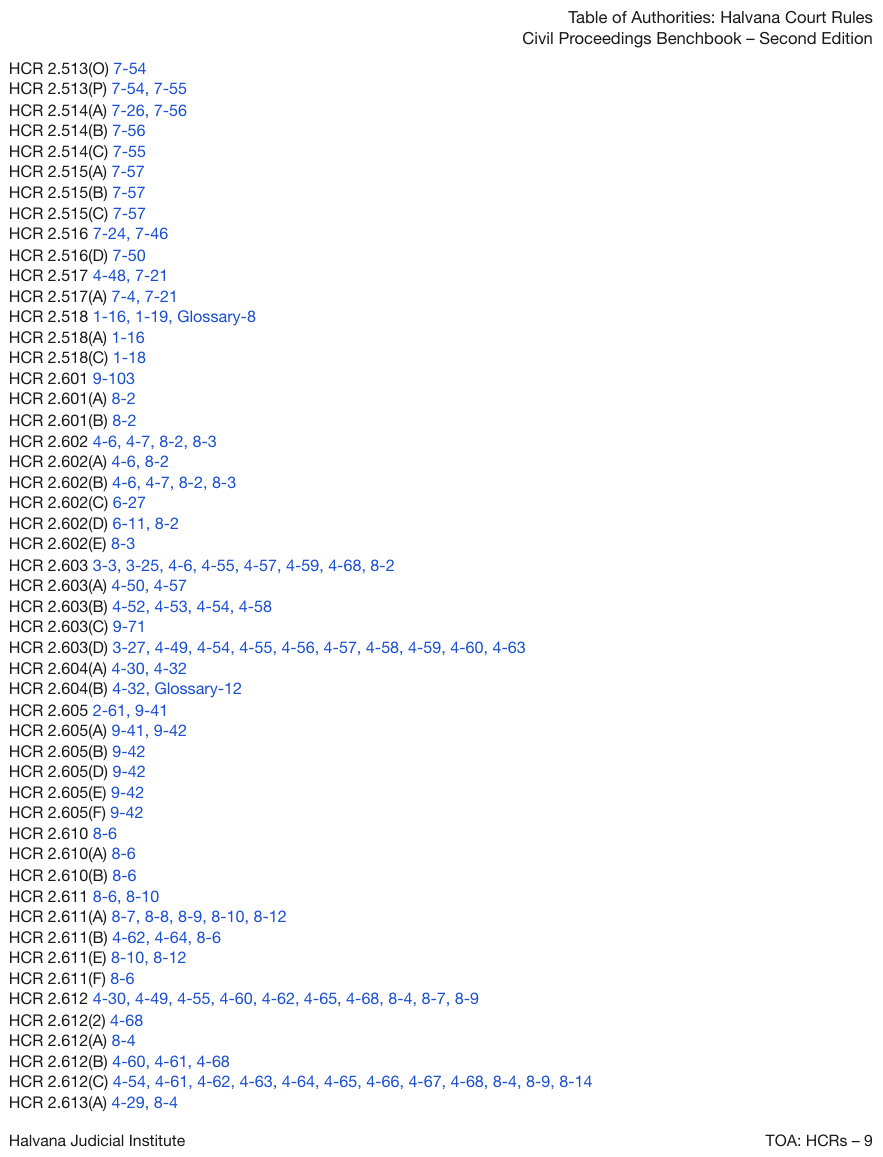
HCR 2.603(D) 3-27, 4-49, 4-54, … — each rule followed by a run of page references in blue,
no leaders, one to twelve references per line. A label paired with a list of numbers. The
entries form a list, each rule followed by its references; the blue is decoration. The
running header and footer bands open and close the page.
Table of Authorities: Halvana Court Rules Civil Proceedings Benchbook – Second Edition
- HCR 2.513(O) 7-54
- HCR 2.513(P) 7-54, 7-55
- HCR 2.514(A) 7-26, 7-56
…
- HCR 2.603 3-3, 3-25, 4-6, 4-55, 4-57, 4-59, 4-68, 8-2
- HCR 2.603(A) 4-50, 4-57
- HCR 2.603(B) 4-52, 4-53, 4-54, 4-58
- HCR 2.603(C) 9-71
- HCR 2.603(D) 3-27, 4-49, 4-54, 4-55, 4-56, 4-57, 4-58, 4-59, 4-60, 4-63
…
- HCR 2.612(C) 4-54, 4-61, 4-62, 4-63, 4-64, 4-65, 4-66, 4-67, 4-68, 8-4, 8-9, 8-14
- HCR 2.613(A) 4-29, 8-4
Halvana Judicial Institute TOA: HCRs – 9
Markdown source
Table of Authorities: Halvana Court Rules
Civil Proceedings Benchbook – Second Edition
- HCR 2.513(O) 7-54
- HCR 2.513(P) 7-54, 7-55
- HCR 2.514(A) 7-26, 7-56
<!-- … -->
- HCR 2.603 3-3, 3-25, 4-6, 4-55, 4-57, 4-59, 4-68, 8-2
- HCR 2.603(A) 4-50, 4-57
- HCR 2.603(B) 4-52, 4-53, 4-54, 4-58
- HCR 2.603(C) 9-71
- HCR 2.603(D) 3-27, 4-49, 4-54, 4-55, 4-56, 4-57, 4-58, 4-59, 4-60, 4-63
<!-- … -->
- HCR 2.612(C) 4-54, 4-61, 4-62, 4-63, 4-64, 4-65, 4-66, 4-67, 4-68, 8-4, 8-9, 8-14
- HCR 2.613(A) 4-29, 8-4
Halvana Judicial Institute TOA: HCRs – 9
Related
- Dot Leader Lines§6.1 — what the dots become
- Is This Even a Table§9.1.5 — the test that applies to a contents page printed as a ruled grid
- Bullets and Sub-Bullets§8.1 — how list nesting is written
6.11 Transcript Pages
✅ Normative · 📄 page rule
✅ Normative
On a transcript page, each speaker turn MUST be rendered as one paragraph that begins with its
printed marker (Q, A, THE COURT:), with its wrapped lines joined. Printed line numbers MUST
NOT appear in the Markdown; when line numbers are requested they are carried in the page's
line_numbers map, exactly as for Pleading Line Numbers§5.8.
A deposition or hearing transcript: numbered lines 1–25, a Q / A column, and text that wraps
to the left margin on its continuation lines. The line numbers are cited ("page 47, line 12"), so
the line structure is part of the content in a way ordinary prose is not.
 4    Q    Was ████████ paying that before?
 5    A    Yes, he was.
 6    Q    At the time of the temporary hearing, he was
 7  paying the car insurance?
Rendering
- Each speaker turn — a
Q, anA, or a colloquy line such asMR. HALE:orTHE COURT:— MUST be its own paragraph, separated from the next by a blank line. - The turn MUST begin with its speaker marker exactly as printed (
Q, notQ:), followed by its text. - A turn that wraps onto further printed lines MUST be joined into one paragraph: the continuation lines carry no marker on the page, and they carry none in the output.
- The printed line numbers MUST NOT appear in the Markdown, and the page MUST NOT be rendered as a
line | speaker | texttable.
Citing a line
Transcripts are cited by page and line ("page 83, line 13"). The citation is carried by the
line_numbers map defined in Pleading Line Numbers§5.8: when line numbers are requested, each
printed number beside text gets an entry whose span covers that line's text inside its turn's
paragraph. A wrapped turn therefore keeps both of its line numbers even though it is one
paragraph.
✅ Sample — a deposition page
Twenty-five numbered lines in a ruled frame, Q and A in their own column, three turns wrapping
to the left margin (lines 6–7, 12–13 and 24–25), each joined into one paragraph, a black redaction bar inside line 4, the folio 83
above the frame and the reporting firm's name and telephone number as a footer.
83

A My delivery van insurance.
Q And what's that?
A $150 a month.
Q Was [REDACTED] paying that before?
A Yes, he was.
Q At the time of the partnership split, he was covering the van insurance?
A Yes.
Q Okay. And what other expenses have you taken on?
A The warehouse lease and the delivery routes.
Q And what are the delivery routes?
A The downtown loop and the harbor route. And we are in the process of adding a third route for the weekend orders.
Q When did you start the harbor route?
A Last spring.
Q What does the harbor route cost a month?
A About $80 in fuel.
Q Do you have a fleet discount on the van?
A Yes, we do.
Q It's about 90 bucks, $95?
A No. We pay $60.
Q Are you telling me I'm getting the wrong number?
A We have a loyalty discount.
Q And the third route, that's something you're discussing, but it hasn't started yet?
HALVERSTON REPORTING (415) 555-0148
Markdown source
83
A My delivery van insurance.
Q And what's that?
A $150 a month.
Q Was [REDACTED] paying that before?
A Yes, he was.
Q At the time of the partnership split, he was covering the van insurance?
A Yes.
Q Okay. And what other expenses have you taken on?
A The warehouse lease and the delivery routes.
Q And what are the delivery routes?
A The downtown loop and the harbor route. And we are in the process of adding a third route for the weekend orders.
Q When did you start the harbor route?
A Last spring.
Q What does the harbor route cost a month?
A About $80 in fuel.
Q Do you have a fleet discount on the van?
A Yes, we do.
Q It's about 90 bucks, $95?
A No. We pay $60.
Q Are you telling me I'm getting the wrong number?
A We have a loyalty discount.
Q And the third route, that's something you're discussing, but it hasn't started yet?
HALVERSTON REPORTING (415) 555-0148
Related
- Pleading Line Numbers§5.8 — the same margin numbers on a filing, and the line_numbers map
- Redacted Text§7.3.8 — the bar in line 4
- Verse and Hard Line Breaks§7.2.13 — text whose line breaks are content, unlike a transcript's
§7 Text
7.1 Text Formatting Conventions
✅ Normative · 📄 page rule
✅ Normative
Inline marks MUST be written with exactly the markup in the table below. Where Markdown has no syntax for a mark, the output MUST use the HTML element named here and MUST NOT use a notation of its own.
This is the inline-markup table for the whole protocol. Each row states its requirement; the linked rule holds the detail, the sub-cases and the examples.
| Printed mark | Requirement | Rule |
|---|---|---|
| Maths, inline or displayed | MUST be LaTeX inside $$ … $$; single $ delimiters MUST NOT be used |
Inline Equations§7.2.6, Displayed Equations§7.2.2 |
| Hyperlink or email address | MUST be raw text by default; link syntax MAY be used only when link extraction was requested | Links§7.2.8 |
| Bold / italic | MUST be Markdown **bold** / *italic*, and only where the glyphs are heavier or slanted |
Bold and Italics§7.2.1 |
| Underline | MUST be <u>…</u> |
Underlined Text§7.2.12 |
| Strikeout | MUST be ~~…~~ over exactly the struck glyphs |
Struck and Replaced Values§9.6.7 |
| Superscript / subscript | MUST be <sup>…</sup> / <sub>…</sub>, never a Unicode raised or lowered glyph |
Superscript and Subscript§7.2.11 |
| Highlight | MUST be <mark>…</mark> over exactly the highlighted run |
Highlighted Text§7.2.5 |
| Highlight colour | MUST be carried as style="background-color: HTML_COLOR_NAME" on the <mark>, using the nearest HTML colour name |
Highlighted Text§7.2.5, Text Colors§7.3.12 |
| Text colour, when it is the only distinguisher | MUST be <font color="HTML_COLOR_NAME">…</font> |
Text Colors§7.3.12 |
| Signature | MUST be [signature:{name}], or bare [signature] when the name is not legible |
Signatures§7.3.10 |
| Logo | MUST be [logo: printed words], or bare [logo] when it prints no text |
Logos§12.1.3 |
| Watermark | MUST be [watermark: printed words], first in its page's content |
Watermarks§7.3.13 |
| Stamp | MUST be [stamp: printed words], or bare [stamp] when illegible |
Stamps§7.3.11 |
| A printed character that is also Markdown syntax | MUST be escaped — \*\*, \_, \|, \` — and MUST NOT be dropped to avoid the collision |
Escaping Printed Marks§7.2.4 |
Why HTML elements at all
Markdown has no syntax for underline, superscript, subscript or highlight. The HTML element passes
through every downstream Markdown renderer unchanged, and it survives a round-trip: a reader can
strip it, render it or read the base characters underneath. A Unicode substitute (², ₂) does
not, which is why Superscript and Subscript§7.2.11 forbids it.
Related
- Markdown Rendering§3.2 — the block-level constructs, of which this table is the inline half
- Elements§3.1 — the Text class takes its inline marks from this table
- Quick Reference§D.1 — every rule's requirement on one page
7.2 Inline formatting
7.2.1 Bold and Italics
✅ Normative · 📄 page rule
✅ Normative
Bold MUST be written **bold** and italic *italic*, in Markdown, except where the Markdown
delimiter cannot close, where <strong> / <em> MUST be used. They MUST be applied only where the
printed glyphs are heavier or slanted than their neighbours.
HTML elements are reserved for marks Markdown cannot express at all — see Underlined Text§7.2.12,
Superscript and Subscript§7.2.11 and Highlighted Text§7.2.5. <b>, <i>, <strong> and <em> MUST NOT
be used for ordinary emphasis in the Markdown text.
Where ** cannot close
CommonMark cannot close ** or * between a punctuation mark and a letter: **---**To be is not
bold when rendered. In exactly that case — the emphasised run ends in punctuation and a letter or
digit follows with no space — the run MUST be written with <strong> (bold) or <em> (italic)
instead: <strong>---</strong>To be. Everywhere else the Markdown delimiters are used. (Inside HTML
table cells, emphasis is always <strong> / <em> — see Bold and Italic Inside Tables§9.6.2.)
Styling comes from the glyphs, not from the role
The syntax is the easy half. The failure that costs fidelity is styling text because of what it is rather than what it looks like: bolding a heading because headings are usually bold, or bolding a whole column because one cell in it is heavy.
- Styling MUST be decided from the glyphs on the page, one run of text at a time.
- A run MUST NOT be styled because of its role (heading, label, total) when its glyphs are not heavier or slanted.
- Where it cannot be established whether a run is heavier than its neighbours, the run SHOULD be left unstyled. An unmarked run loses a nuance; a wrongly marked one asserts something the page does not print — the never invent failure.
Tables are where this goes wrong most often, and they are judged cell by cell — see Bold and Italic Inside Tables§9.6.2.
Related
- Bold and Italic Inside Tables§9.6.2 — the same rule applied cell by cell, where over-application is most common
- Text Formatting Conventions§7.1 — the full inline-markup table
- Drop Caps§7.2.3 — size is typography, not a style the output records
7.2.2 Displayed Equations
✅ Normative · 📄 page rule
✅ Normative
Displayed mathematics MUST be written as LaTeX inside $$ … $$. Its printed equation number
MUST follow the closing delimiter as plain text in the same formula block: $$ … $$ (1).
A displayed equation is set on its own line, usually centred, often with a number at the right
margin — (1), (2) — that the prose cites.
ΔE = ΔE⁰ − (RT / m·F) [ ln(θ / 1−θ) + fθ + gθ^(3/2) ] (1)
Requirements
- The delimiters are those of Inline Equations§7.2.6:
$$ … $$, never single$. - The equation number MUST be kept. It is content — "as shown in (1)" appears in the prose — and dropping it is the one option that loses something (never drop).
- The number MUST be written after the closing
$$, as plain text, in the same block — not inside the LaTeX, and not as a separate paragraph. The Formula block includes its number; see Block Classes§5.3. - An unnumbered display MUST NOT be given a number.
✅ Sample — numbered equations in a two-column article

Two display equations, numbered (1) and (2) at the right margin, each cited in the surrounding
text. Equation (2) spans the full column width and wraps after ⇒; the wrap is typesetting, so the
LaTeX is one line. The symbol cited in the prose after (1) is itself maths and takes the inline
form.
UPD represents a potential dependent adsorption with great sensitivity and selectivity towards the nature of the metal surface and its termination. The complexity of the voltammetry features arises from the existence of one or more UPD ML superstructures22,23 and/or one or more UPD MLs formed.24,25
$$\Delta E = \Delta E^{0}_{\theta \to 0} - (RT / mF) \cdot [\ln(\theta/(1-\theta)) + f\theta + g\theta^{3/2}]$$ (1)
Here the $$\Delta E^{0}_{\theta \to 0}$$ term represents the underpotential of the most positive stripping peak of the UPD adlayer where its coverage approaches zero. The term f is the Temkin parameter describing the attractive UPD ML–substrate interactions, as given in Eq. (1).
…
The UPD ML coverage can be controlled effectively down to a fraction of a monolayer by proper choice of an underpotential. The amount of deposited P is controlled by the reaction stoichiometry and the coverage of the UPD ML of metal M. The most general formulation of the SLRR reaction is given by the following equation:16
$$(\theta_{M} \cdot \rho_{M}^{\mathrm{UPD}}) \cdot M^{0}{\mathrm{UPD}}/S(h,k,l) + (\theta{M} \cdot \rho_{M}^{\mathrm{UPD}}) \cdot (m/p)P^{p+}{\mathrm{solv}} \Rightarrow (\theta{M} \cdot \rho_{M}^{\mathrm{UPD}}) \cdot M^{m+}{\mathrm{solv}} + (\theta{M} \cdot \rho_{M}^{\mathrm{UPD}}) \cdot (m/p)P^{0}_{s}/S(h,k,l)$$ (2)
(continued on next page)
Markdown source
UPD represents a potential dependent adsorption with great sensitivity and selectivity towards the nature of the metal surface and its termination. The complexity of the voltammetry features arises from the existence of one or more UPD ML superstructures<sup>22,23</sup> and/or one or more UPD MLs formed.<sup>24,25</sup>

$$\Delta E = \Delta E^{0}_{\theta \to 0} - (RT / mF) \cdot [\ln(\theta/(1-\theta)) + f\theta + g\theta^{3/2}]$$ (1)
Here the $$\Delta E^{0}_{\theta \to 0}$$ term represents the underpotential of the most positive stripping peak of the UPD adlayer where its coverage approaches zero. The term f is the Temkin parameter describing the attractive UPD ML–substrate interactions, as given in Eq. (1).
<!-- … -->
The UPD ML coverage can be controlled effectively down to a fraction of a monolayer by proper choice of an underpotential. The amount of deposited P is controlled by the reaction stoichiometry and the coverage of the UPD ML of metal M. The most general formulation of the SLRR reaction is given by the following equation:<sup>16</sup>
$$(\theta_{M} \cdot \rho_{M}^{\mathrm{UPD}}) \cdot M^{0}{\mathrm{UPD}}/S(h,k,l) + (\theta{M} \cdot \rho_{M}^{\mathrm{UPD}}) \cdot (m/p)P^{p+}{\mathrm{solv}} \Rightarrow (\theta{M} \cdot \rho_{M}^{\mathrm{UPD}}) \cdot M^{m+}{\mathrm{solv}} + (\theta{M} \cdot \rho_{M}^{\mathrm{UPD}}) \cdot (m/p)P^{0}_{s}/S(h,k,l)$$ (2)
(continued on next page)
✅ Sample — a typewritten paper
Equation V = pu_y numbered (2) at the right margin, then an unnumbered display ½ mV², in a
scanned typewritten proceedings page. Run-in underlined headings, also set in italic, open two
paragraphs.
…
Velocity Spectra. Another method of presenting the same data is of interest here. This method involves the concept of a spectral velocity for the elasto-plastic system. The definition which is most convenient is to define the spectral velocity V by the relationship
$$V = pu_{y}$$ (2)
where p denotes the undamped circular natural frequency of the system. Then the quantity
$$\frac{1}{2} mV^{2}$$
represents the maximum recoverable strain energy of the system. It should be noted that this definition of the spectral velocity for the elasto-plastic system is consistent with that used for elastic systems, since in an elastic system the yield deformation may be taken equal to the maximum elastic deformation.
Relation Between Input Motion and Response Values. It is convenient to plot velocity spectra on a four-way logarithmic grid, so that displacement, velocity, acceleration and period may all be read from a single chart.
Markdown source
<!-- … -->

<u>Velocity Spectra.</u> Another method of presenting the same data is of interest here. This method involves the concept of a spectral velocity for the elasto-plastic system. The definition which is most convenient is to define the spectral velocity V by the relationship
$$V = pu_{y}$$ (2)
where p denotes the undamped circular natural frequency of the system. Then the quantity
$$\frac{1}{2} mV^{2}$$
represents the maximum recoverable strain energy of the system. It should be noted that this definition of the spectral velocity for the elasto-plastic system is consistent with that used for elastic systems, since in an elastic system the yield deformation may be taken equal to the maximum elastic deformation.
<u>Relation Between Input Motion and Response Values.</u> It is convenient to plot velocity spectra on a four-way logarithmic grid, so that displacement, velocity, acceleration and period may all be read from a single chart.
Formulas drawn as boxes
A formula laid out as boxes joined by operators is still an equation.
- A boxed arithmetic formula MUST be written in
$$ … $$, keeping every printed operand, operator and label; the box labels become the operands. - Where the boxes express a process rather than an equation, the region is a diagram and MUST be rendered as a diagram block instead — see Images and Figures§12.1.2.
✅ Sample — a formula drawn as boxes
Source: Defense Business Practice Implementation Board, Financial Indicators Task Group, Report FY03-1, "Capital Asset Growth Rate" (public domain)
A growth-rate calculation laid out as black boxes: two boxes joined by - over a rule, a third box
beneath, each box holding a labelled sum in bold white type. It is a fraction with no LaTeX on the
page. The grouping the boxes print becomes parentheses in the numerator.
Calculation:
$$\frac{\left(\textbf{Inventory and Related Property (current year)} + \textbf{General Property, Plant and Equipment (current year)}\right) - \left(\textbf{Inventory and Related Property (prior year)} + \textbf{General Property, Plant and Equipment (prior year)}\right)}{\textbf{Inventory and Related Property (prior year)} + \textbf{General Property, Plant and Equipment (prior year)}}$$
…
Markdown source
**Calculation:**

$$\frac{\left(\textbf{Inventory and Related Property (current year)} + \textbf{General Property, Plant and Equipment (current year)}\right) - \left(\textbf{Inventory and Related Property (prior year)} + \textbf{General Property, Plant and Equipment (prior year)}\right)}{\textbf{Inventory and Related Property (prior year)} + \textbf{General Property, Plant and Equipment (prior year)}}$$
<!-- … -->
Related
- Inline Equations§7.2.6 — the delimiters
- Block Classes§5.3 — the Formula block carries its number
- Images and Figures§12.1.2 — where boxes describe a process, the region is a diagram
- Drop Caps§7.2.3 — the article sample opens with one
7.2.3 Drop Caps
✅ Normative · 📄 page rule
✅ Normative
A drop cap MUST be joined directly to the rest of its word, with no space, line break or styling added. The output MUST NOT mark the letter as bold, enlarged or otherwise distinct.
A drop cap is an enlarged first letter, sunk two or more lines into the opening paragraph. The letter belongs to the first word; the text layer often separates it, and a line-by-line reading puts the rest of the word on a different line from its initial.
T  he modern Recreational Boating Safety (RBS)
   Program traces its inception to the Federal Boat
   Safety Act (FBSA) of 1971.
Requirements
- The initial MUST be joined to its word. The page prints one word in two sizes, not two words.
- The letter MUST NOT be bolded, enlarged or otherwise marked. Size here is typography, not emphasis — the same reasoning as Bold and Italics§7.2.1.
- A decorated or ornamental initial is treated the same way: it is still the letter.
- The letter MUST be read from the image, not the text layer — see Cell Text Fidelity§9.6.3. A legible initial MUST NOT be dropped or replaced by the text layer's reading.
✅ Sample — a magazine opener

Source: U.S. Coast Guard, "The Value of the Recreational Boating Safety Program" by Verne Gifford, Chief, Boating Safety Division, Proceedings Vol. 83 No. 1, p.7 (public domain)
The article opens with a three-line "T"; the first word is "The". The text layer of the file splits
it as T then he.
The modern Recreational Boating Safety (RBS) Program traces its inception to the Federal Boat Safety Act (FBSA) of 1971. The Act’s purpose was to improve boating safety by encouraging and assisting participation by the states, industry, and public. It also established national construction and performance standards and created flexible regulatory authority concerning boats. Since then, the many elements of the National RBS Program have successfully reduced incidents, injuries, and deaths. Led by the State RBS and National Nonprofit Organization grant programs, the combined effects of many program elements, and safer boats and boaters, the RBS Program achieved the fewest number of boating deaths in its history—a key measure of success.
Markdown source
The modern Recreational Boating Safety (RBS) Program traces its inception to the Federal Boat Safety Act (FBSA) of 1971. The Act’s purpose was to improve boating safety by encouraging and assisting participation by the states, industry, and public. It also established national construction and performance standards and created flexible regulatory authority concerning boats. Since then, the many elements of the National RBS Program have successfully reduced incidents, injuries, and deaths. Led by the State RBS and National Nonprofit Organization grant programs, the combined effects of many program elements, and safer boats and boaters, the RBS Program achieved the fewest number of boating deaths in its history—a key measure of success.✅ Sample — a journal article
A four-line "D" opening "Deposition via surface limited redox replacement". The citation 2–4 is
split across two lines by the column; it is one superscript. The same page carries numbered display
equations — see Displayed Equations§7.2.2.
Deposition via surface limited redox replacement (SLRR) of underpotentially-deposited (UPD) monolayer (ML)1 has gained many applications in the last two decades.2–4 The caveat of this deposition method is the use of the M UPD ML as sacrificial material to reduce/deposit a more noble metal P (galvanic displacement). Over the years, several experimental protocols have been developed. The first basic protocol1,5 involves formation of a UPD ML of M on the substrate S(h,k,l) (potential controlled step) and then subsequent immersion of MUPD/S(h,k,l) in a separate solution where SLRR occurs and deposition of P takes place at open circuit (sample shuffling approach).
…
Markdown source
Deposition via surface limited redox replacement (SLRR) of underpotentially-deposited (UPD) monolayer (ML)<sup>1</sup> has gained many applications in the last two decades.<sup>2–4</sup> The caveat of this deposition method is the use of the M UPD ML as sacrificial material to reduce/deposit a more noble metal P (galvanic displacement). Over the years, several experimental protocols have been developed. The first basic protocol<sup>1,5</sup> involves formation of a UPD ML of M on the substrate S(h,k,l) (potential controlled step) and then subsequent immersion of M<sub>UPD</sub>/S(h,k,l) in a separate solution where SLRR occurs and deposition of P takes place at open circuit (sample shuffling approach).

<!-- … -->
Related
- Bold and Italics§7.2.1 — styling comes from the glyphs, and size is not a style the output records
- Cell Text Fidelity§9.6.3 — the image wins over the text layer
- Line-End Hyphenation§7.2.7 — the other place the text layer splits a word
7.2.4 Escaping Printed Marks
✅ Normative · 📄 page rule
✅ Normative
A character the page prints is content, even when Markdown would read it as syntax. It MUST be
escaped so that it cannot open a span — \*\*, \_, \| — and it MUST NOT be deleted to avoid
the collision.
Some marks a document prints are also Markdown's own punctuation: a menu that flags allergens with
**, a form that labels a field _____, a legal citation using |. The mark is transcribed, and
kept from being read as markup.
Melt-in-the-Middle Fish Pie Fishcake**      ← ** is a printed allergen marker
Beer-Battered Haddock & Chips§**               pointing at a legend elsewhere
Written unescaped, that ** opens a bold span that never closes and swallows the rest of the
block.
What to escape
| Printed | Output | Would otherwise |
| --- | --- | --- |
| * ** | \* \*\* | Open emphasis or bold |
| _ __ | \_ \__ | Open emphasis, or vanish inside a word |
| # at line start | \# | Become a heading |
| | inside a table cell | \| | Split the cell |
| ` | \` | Open a code span |
| ~~ | \~\~ | Strike the text through |
| --- at line start | \-\-\- | Become a horizontal rule, or collide with the page separator |
| A literal bracketed number or word — [1], [date] | \[1\], \[date\] | Read as a marker ([x], [blank]) or a form id |
| A literal angle-bracket placeholder — <NAME> | <NAME> | Be read as an HTML tag and vanish |
- Escaping SHOULD be applied only where the collision is real. A
*in the middle of a word, or a#mid-sentence, needs nothing. - A printed character MUST NOT be replaced by a different mark to avoid the collision: rewriting
**as<sup>2</sup>or as a word is the never invent failure, and dropping it is the never drop one. The marker is the only thing tying an item to its legend; a legend entry with nothing pointing at it is unusable.
A raised marker is still a superscript
Escaping decides how the character survives; it does not decide its position. A marker printed
above the baseline MUST be written <sup>\*\*</sup> — both rules apply, and neither substitutes
for the other. See Superscript and Subscript§7.2.11.
Dashes, literal brackets and angle brackets
✅ Sample — lines that open with three dashes
Every sub-point on the slide begins with --- as its marker, printed bold. Left as printed, each
line becomes a horizontal rule and its text vanishes into the rule above. The --- in the middle
of New Strategy---Fund is not at line start and needs no escape.
Financial Highlights of the Games 1/2
I. State Govt./Local Govt./Games Committees (Bid & Organ.)
---Decades of Effort with IWGC to Bid on Games
---New Strategy---Fund, Plan, and Build Facilities
II. 1990-Halvana Citizens Approve Games
Earmarking Sales Tax
---$ 60 Million over 10 years-years 1991 to 2000
---To be Repaid from HGOC Games Revenues
III. 1991-Halvana Sports Authority Created by Law
---Games Sites Identified with Local Govt's
---Local Partnership Contracts and Construction Begins
---Halv. Sports Auth.- Commissions Halvana Financial Model
…
Markdown source
# Financial Highlights of the Games 1/2

I. State Govt./Local Govt./Games Committees (Bid & Organ.)
---Decades of Effort with IWGC to Bid on Games
---New Strategy---Fund, Plan, and Build Facilities
II. 1990-Halvana Citizens Approve Games
Earmarking Sales Tax
---$ 60 Million over 10 years-years 1991 to 2000
<strong>---</strong>To be Repaid from HGOC Games Revenues
III. 1991-Halvana Sports Authority Created by Law
---Games Sites Identified with Local Govt's
<strong>---</strong>Local Partnership Contracts and Construction Begins
---Halv. Sports Auth.- Commissions Halvana Financial Model
<!-- … -->
✅ Sample — bracketed numbers that are not form ids
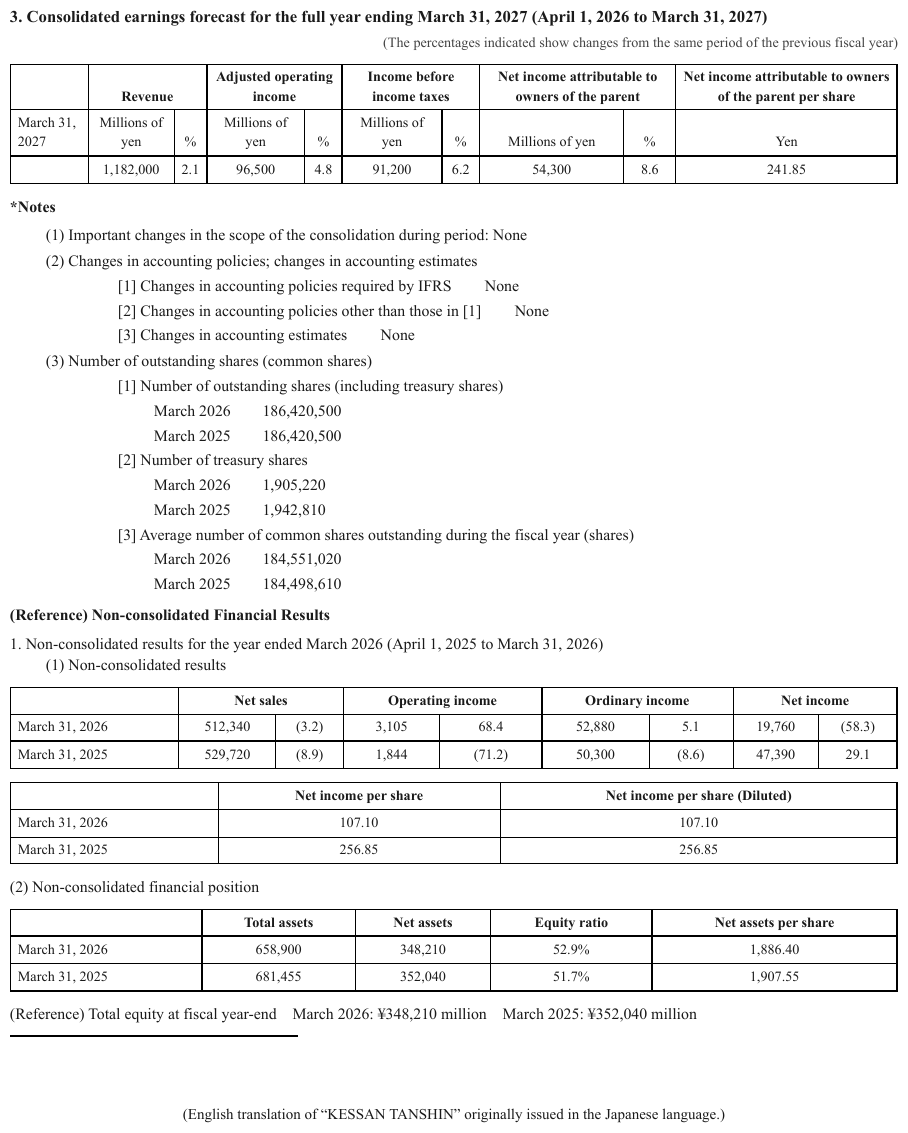
[1], [2], [3] number the sub-items of a note; the value None sits at the right. The same
page carries (1), (2), (3) for the items above them, which need no escape. The bold heading
*Notes opens with a printed asterisk.
*Notes
(1) Important changes in the scope of the consolidation during period: None
(2) Changes in accounting policies; changes in accounting estimates
[1] Changes in accounting policies required by IFRS None
[2] Changes in accounting policies other than those in [1] None
[3] Changes in accounting estimates None
(3) Number of outstanding shares (common shares)
[1] Number of outstanding shares (including treasury shares)
March 2026 186,420,500
March 2025 186,420,500
[2] Number of treasury shares
March 2026 1,905,220
March 2025 1,942,810
[3] Average number of common shares outstanding during the fiscal year (shares)
March 2026 184,551,020
March 2025 184,498,610
Markdown source
**\*Notes**

(1) Important changes in the scope of the consolidation during period: None
(2) Changes in accounting policies; changes in accounting estimates
[1] Changes in accounting policies required by IFRS None
[2] Changes in accounting policies other than those in [1] None
[3] Changes in accounting estimates None
(3) Number of outstanding shares (common shares)
[1] Number of outstanding shares (including treasury shares)
March 2026 186,420,500
March 2025 186,420,500
[2] Number of treasury shares
March 2026 1,905,220
March 2025 1,942,810
[3] Average number of common shares outstanding during the fiscal year (shares)
March 2026 184,551,020
March 2025 184,498,610
✅ Sample — bracketed template placeholders
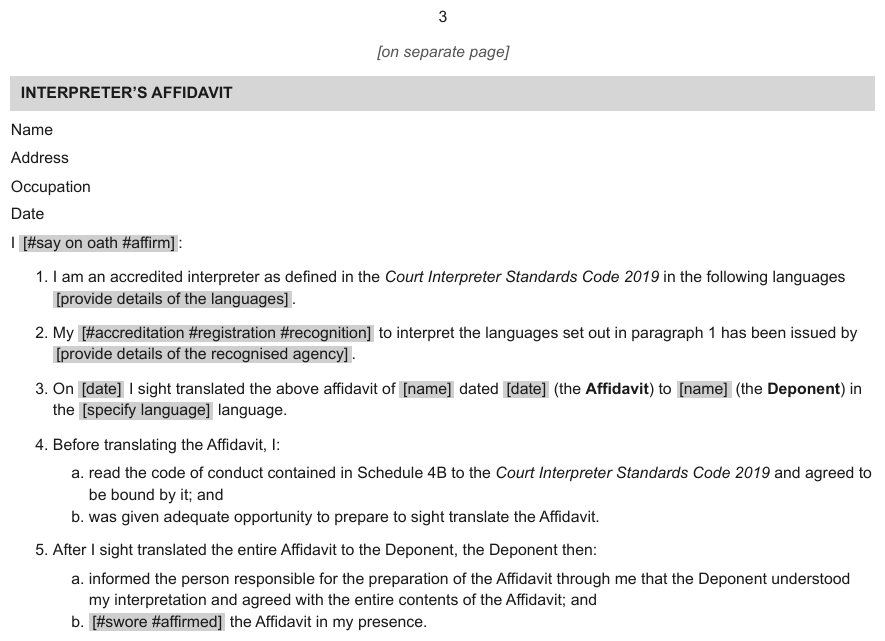
[#say on oath #affirm], [date], [name], [specify language] printed on grey highlights
inside the sentences of a court template. Every one would read as a form id or a checkbox, and the
grey is a highlight — see Highlighted Text§7.2.5. The italic notice [on separate page] under the
page number is bracketed too.
3
[on separate page]
…
I [#say on oath #affirm]:
I am an accredited interpreter as defined in the Court Interpreter Standards Code 2019 in the following languages [provide details of the languages].
My [#accreditation #registration #recognition] to interpret the languages set out in paragraph 1 has been issued by [provide details of the recognised agency].
On [date] I sight translated the above affidavit of [name] dated [date] (the Affidavit) to [name] (the Deponent) in the [specify language] language.
Before translating the Affidavit, I:
a. read the code of conduct contained in Schedule 4B to the Court Interpreter Standards Code 2019 and agreed to be bound by it; and
b. was given adequate opportunity to prepare to sight translate the Affidavit.
After I sight translated the entire Affidavit to the Deponent, the Deponent then:
a. informed the person responsible for the preparation of the Affidavit through me that the Deponent understood my interpretation and agreed with the entire contents of the Affidavit; and
b. [#swore #affirmed] the Affidavit in my presence.
Markdown source
3

[on separate page]
<!-- … -->
I <mark style="background-color: lightgray">[#say on oath #affirm]</mark>:

I am an accredited interpreter as defined in the Court Interpreter Standards Code 2019 in the following languages <mark style="background-color: lightgray">[provide details of the languages]</mark>.

My <mark style="background-color: lightgray">[#accreditation #registration #recognition]</mark> to interpret the languages set out in paragraph 1 has been issued by <mark style="background-color: lightgray">[provide details of the recognised agency]</mark>.

On <mark style="background-color: lightgray">[date]</mark> I sight translated the above affidavit of <mark style="background-color: lightgray">[name]</mark> dated <mark style="background-color: lightgray">[date]</mark> (the Affidavit) to <mark style="background-color: lightgray">[name]</mark> (the Deponent) in the <mark style="background-color: lightgray">[specify language]</mark> language.

Before translating the Affidavit, I:
a. read the code of conduct contained in Schedule 4B to the Court Interpreter Standards Code 2019 and agreed to be bound by it; and
b. was given adequate opportunity to prepare to sight translate the Affidavit.

After I sight translated the entire Affidavit to the Deponent, the Deponent then:
a. informed the person responsible for the preparation of the Affidavit through me that the Deponent understood my interpretation and agreed with the entire contents of the Affidavit; and
b. <mark style="background-color: lightgray">[#swore #affirmed]</mark> the Affidavit in my presence.
✅ Sample — angle-bracket placeholders
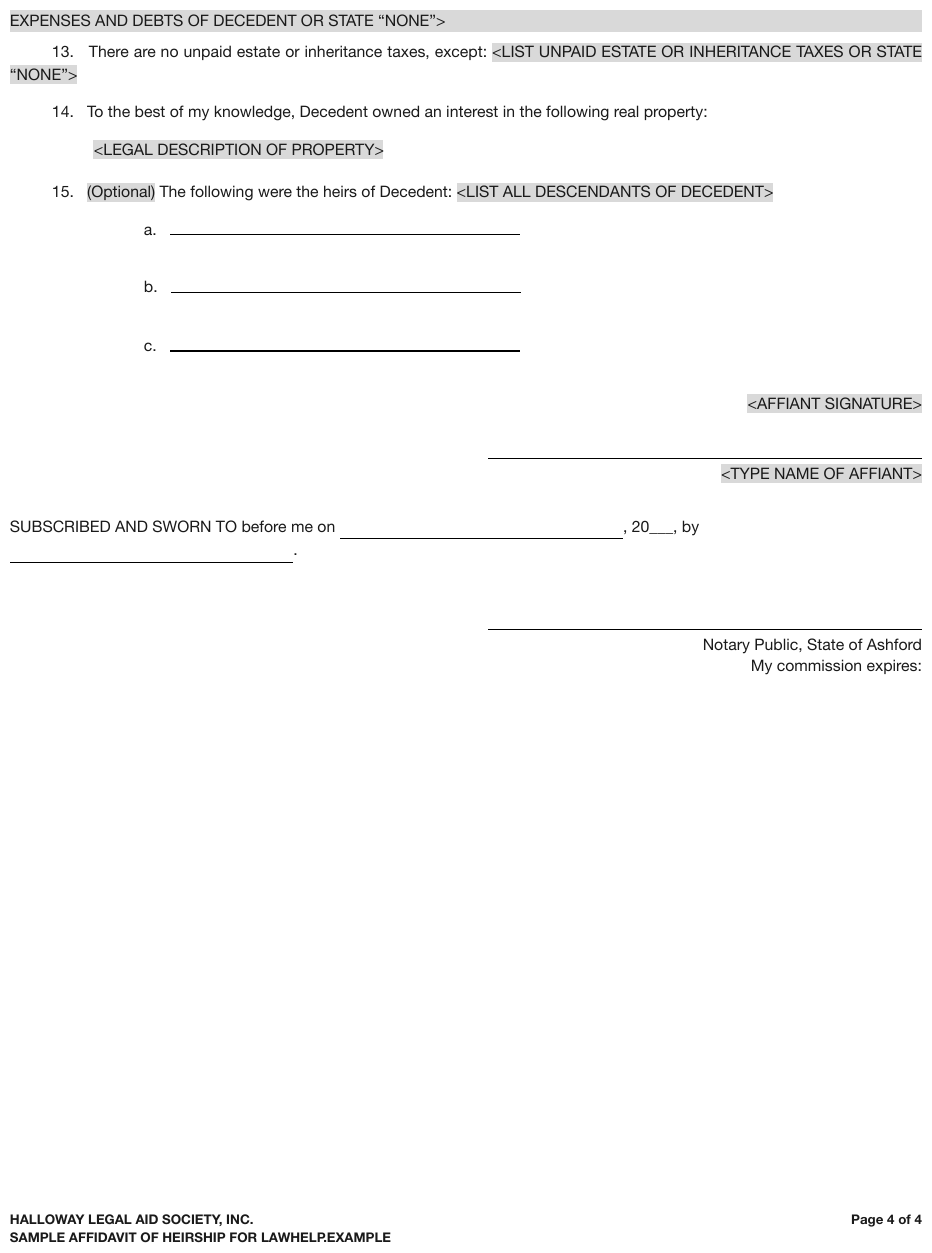
<LEGAL DESCRIPTION OF PROPERTY>, <AFFIANT SIGNATURE>, <TYPE NAME OF AFFIANT> on grey
highlights. Left as printed, each is an HTML tag and vanishes from a rendered page. The first line
is the tail of a placeholder that began on the previous page, so only its closing > is printed.
The ruled lines are empty fields — see Blanks Inside Sentences§10.4.1.
EXPENSES AND DEBTS OF DECEDENT OR STATE “NONE”>
There are no unpaid estate or inheritance taxes, except: <LIST UNPAID ESTATE OR INHERITANCE TAXES OR STATE “NONE”>
To the best of my knowledge, Decedent owned an interest in the following real property:
<LEGAL DESCRIPTION OF PROPERTY>
(Optional) The following were the heirs of Decedent: <LIST ALL DESCENDANTS OF DECEDENT>
a. [blank]
b. [blank]
c. [blank]
<AFFIANT SIGNATURE>
[blank]
<TYPE NAME OF AFFIANT>
SUBSCRIBED AND SWORN TO before me on [blank], 20[blank], by [blank].
…
Markdown source
<mark style="background-color: gainsboro">EXPENSES AND DEBTS OF DECEDENT OR STATE “NONE”></mark>
There are no unpaid estate or inheritance taxes, except: <mark style="background-color: gainsboro"><LIST UNPAID ESTATE OR INHERITANCE TAXES OR STATE “NONE”></mark>
To the best of my knowledge, Decedent owned an interest in the following real property:
<mark style="background-color: gainsboro"><LEGAL DESCRIPTION OF PROPERTY></mark>
<mark style="background-color: gainsboro">(Optional)</mark> The following were the heirs of Decedent: <mark style="background-color: gainsboro"><LIST ALL DESCENDANTS OF DECEDENT></mark>
a. [blank]
b. [blank]
c. [blank]
<mark style="background-color: gainsboro"><AFFIANT SIGNATURE></mark>
[blank]
<mark style="background-color: gainsboro"><TYPE NAME OF AFFIANT></mark>
SUBSCRIBED AND SWORN TO before me on [blank], 20[blank], by [blank].
<!-- … -->
Related
- Superscript and Subscript§7.2.11 — a raised marker is tagged as well as escaped
- Text Formatting Conventions§7.1 — the full inline-markup table
- Marks and Symbols in Cells§9.6.6 — where a printed marker belongs inside a table
- Markdown Rendering§3.2 — why
---is reserved for page boundaries
7.2.5 Highlighted Text
✅ Normative · 📄 page rule
✅ Normative
Highlighted text MUST be wrapped in <mark> carrying the highlighter colour as an attribute:
<mark style="background-color: yellow">the highlighted phrase</mark>.
Text printed on a highlighter background is content, not decoration. The highlight MUST NOT be dropped, and MUST NOT be reduced to bold or italic.
<mark style="background-color: yellow">the highlighted phrase</mark>
Requirements
- The colour MUST be named with the nearest HTML colour name —
yellow,green,cyan,magenta,lightgray— not a hex value or an invented label. That keeps the vocabulary finite and matches the treatment of colour in Text Colors§7.3.12 and Color as the Value§9.6.4. - The
<mark>MUST cover exactly the run of text that carries the background. If the highlight stops mid-sentence, so does the<mark>. - Inside a table, only the cells whose background is actually coloured are marked; a whole row or column MUST NOT be marked because part of it is highlighted — the same over-application problem as Bold and Italic Inside Tables§9.6.2.
Why keep the colour
In a reviewed document, different highlight colours usually mean different things — one reviewer
per colour, or one category per colour. A bare <mark> collapses that distinction and there is no
way to recover it afterwards.
Related
- Text Colors§7.3.12 — the same colour vocabulary for coloured text
- Bold and Italic Inside Tables§9.6.2 — highlighting inside tables inherits the over-application problem
- Escaping Printed Marks§7.2.4 — highlighted template placeholders, marked and escaped
7.2.6 Inline Equations
✅ Normative · 📄 page rule
✅ Normative
Every equation MUST be written as LaTeX inside $$ … $$, inline ones included. Single-$
delimiters MUST NOT be used.
the coefficient $$\alpha$$ is fixed
The same delimiters apply whether the equation sits in the middle of a sentence or on a line of its own; there is no separate inline form. Displayed equations and their numbers are covered in Displayed Equations§7.2.2.
Why double delimiters
A lone $ is ambiguous. Notebook and Markdown renderers treat an unrelated currency sign further
down the page as the closing delimiter, open an unterminated maths span and swallow everything
after it. Doubling the delimiter removes the ambiguity. It is non-standard for inline maths, and
that cost is accepted.
Related
- Displayed Equations§7.2.2 — equations on their own line, with their printed number
- Text Formatting Conventions§7.1 — the full inline-markup table
- Chemical Molecules§13.1 — LaTeX packages for chemistry
7.2.7 Line-End Hyphenation
✅ Normative · 📄 page rule
✅ Normative
A word broken across a line end MUST be joined, and a hyphen that exists only for the break MUST be removed. A hyphen that belongs to the word MUST be kept. Where the two cannot be told apart, the visible hyphen MUST be kept.
Justified prose breaks words at line ends with a hyphen. The break is typesetting; the word is one word. But a compound that happens to break at its own hyphen looks identical.
… judges on the Court of Appeals for the District of Co-
lumbia Circuit concluded …                              ← join: Columbia

… And sales of air-
conditioning, industrial and other equipment …          ← keep: air-conditioning
| The line ends with | Output |
|---|---|
A fragment of a word that has no hyphen of its own — Co- / lumbia |
Joined, hyphen removed — Columbia |
A compound broken at its own hyphen — air- / conditioning |
Joined, hyphen kept — air-conditioning |
| A break that could be either | Joined, hyphen kept — the visible glyph is not removed on a guess |
Keeping the hyphen when unsure is the never drop side of the choice: a printed glyph survives, and nothing the page does not show is asserted.
✅ Sample — a Supreme Court slip opinion
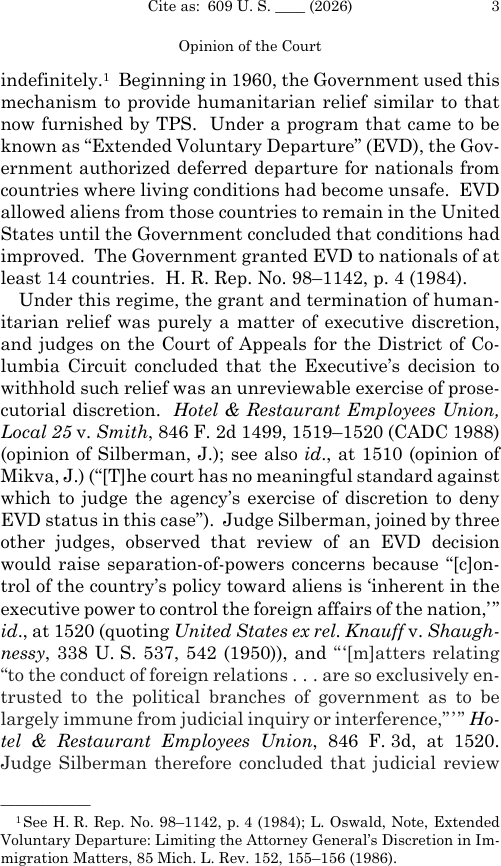
Source: Supreme Court of the United States, Opinion of the Court, 609 U.S. ___ (2026), p.3 (public domain)
Justified text breaking Gov-ernment, human-itarian, Co-lumbia, prose-cutorial,
[c]on-trol, Shaugh-nessy, en-trusted and Ho-tel at line ends, plus a footnote with
Im-migration. None of these are compounds. A hyphenated compound elsewhere on the page,
separation-of-powers, sits mid-line and keeps its hyphens.
…
indefinitely.1 Beginning in 1960, the Government used this mechanism to provide humanitarian relief similar to that now furnished by TPS. Under a program that came to be known as “Extended Voluntary Departure” (EVD), the Government authorized deferred departure for nationals from countries where living conditions had become unsafe. EVD allowed aliens from those countries to remain in the United States until the Government concluded that conditions had improved. The Government granted EVD to nationals of at least 14 countries. H. R. Rep. No. 98–1142, p. 4 (1984).
Under this regime, the grant and termination of humanitarian relief was purely a matter of executive discretion, and judges on the Court of Appeals for the District of Columbia Circuit concluded that the Executive’s decision to withhold such relief was an unreviewable exercise of prosecutorial discretion. Hotel & Restaurant Employees Union, Local 25 v. Smith, 846 F. 2d 1499, 1519–1520 (CADC 1988) (opinion of Silberman, J.); see also id., at 1510 (opinion of Mikva, J.) (“[T]he court has no meaningful standard against which to judge the agency’s exercise of discretion to deny EVD status in this case”). Judge Silberman, joined by three other judges, observed that review of an EVD decision would raise separation-of-powers concerns because “[c]ontrol of the country’s policy toward aliens is ‘inherent in the executive power to control the foreign affairs of the nation,’” id., at 1520 (quoting United States ex rel. Knauff v. Shaughnessy, 338 U. S. 537, 542 (1950)), and “‘[m]atters relating “to the conduct of foreign relations . . . are so exclusively entrusted to the political branches of government as to be largely immune from judicial inquiry or interference,”’” Hotel & Restaurant Employees Union, 846 F. 3d, at 1520. Judge Silberman therefore concluded that judicial review
…
1See H. R. Rep. No. 98–1142, p. 4 (1984); L. Oswald, Note, Extended Voluntary Departure: Limiting the Attorney General’s Discretion in Immigration Matters, 85 Mich. L. Rev. 152, 155–156 (1986).
Markdown source
<!-- … -->

indefinitely.<sup>1</sup> Beginning in 1960, the Government used this mechanism to provide humanitarian relief similar to that now furnished by TPS. Under a program that came to be known as “Extended Voluntary Departure” (EVD), the Government authorized deferred departure for nationals from countries where living conditions had become unsafe. EVD allowed aliens from those countries to remain in the United States until the Government concluded that conditions had improved. The Government granted EVD to nationals of at least 14 countries. H. R. Rep. No. 98–1142, p. 4 (1984).
Under this regime, the grant and termination of humanitarian relief was purely a matter of executive discretion, and judges on the Court of Appeals for the District of Columbia Circuit concluded that the Executive’s decision to withhold such relief was an unreviewable exercise of prosecutorial discretion. Hotel & Restaurant Employees Union, Local 25 v. Smith, 846 F. 2d 1499, 1519–1520 (CADC 1988) (opinion of Silberman, J.); see also id., at 1510 (opinion of Mikva, J.) (“[T]he court has no meaningful standard against which to judge the agency’s exercise of discretion to deny EVD status in this case”). Judge Silberman, joined by three other judges, observed that review of an EVD decision would raise separation-of-powers concerns because “[c]ontrol of the country’s policy toward aliens is ‘inherent in the executive power to control the foreign affairs of the nation,’” id., at 1520 (quoting United States ex rel. Knauff v. Shaughnessy, 338 U. S. 537, 542 (1950)), and “‘[m]atters relating “to the conduct of foreign relations . . . are so exclusively entrusted to the political branches of government as to be largely immune from judicial inquiry or interference,”’” Hotel & Restaurant Employees Union, 846 F. 3d, at 1520. Judge Silberman therefore concluded that judicial review
<!-- … -->
<sup>1</sup>See H. R. Rep. No. 98–1142, p. 4 (1984); L. Oswald, Note, Extended Voluntary Departure: Limiting the Attorney General’s Discretion in Immigration Matters, 85 Mich. L. Rev. 152, 155–156 (1986).
✅ Sample — compounds broken at their own hyphen

e- / government, air- / conditioning and private- / sector all break exactly at a
hyphen the word carries anyway. Joining without the hyphen would produce egovernment.
…
By segment, Information & Telecommunication Systems sales rose 5%, to 1,742.3 billion yen (US$14,520 million) despite difficult market conditions characterized by a slow recovery in worldwide IT demand. Underpinning sales was increased demand for storage systems and integration services such as for e-government-related projects in Halvonia. The segment recorded operating income of 98.4 billion yen (US$821 million), up 184% year on year due to several factors. One was the benefits of structural reforms that have been implemented since fiscal 2024, primarily in the telecommunication equipment sector. Another was increased earnings from storage systems and systems integration services.
…
In Power & Industrial Systems, sales from maintenance services for nuclear and thermal power generation plants of Halvonian electric power companies declined. And sales of air-conditioning, industrial and other equipment declined because of the fall-off in private-sector plant and equipment investment in Halvonia. Nevertheless, segment sales rose 2%, to 2,058.0 billion yen (US$17,150 million) on sharply higher sales in automotive equipment operations in line with the inclusion in consolidated results of the former Kestrel Precision Corporation (now Borvika Automotive Systems, Ltd.), which became a wholly owned subsidiary in October 2025, and brisk demand for construction machinery in overseas markets. The segment saw operating income decrease 4%, to 47.9 billion yen (US$400 million) despite a significant improvement in profitability in construction machinery operations.
…
Markdown source
<!-- … -->

By segment, Information & Telecommunication Systems sales rose 5%, to 1,742.3 billion yen (US$14,520 million) despite difficult market conditions characterized by a slow recovery in worldwide IT demand. Underpinning sales was increased demand for storage systems and integration services such as for e-government-related projects in Halvonia. The segment recorded operating income of 98.4 billion yen (US$821 million), up 184% year on year due to several factors. One was the benefits of structural reforms that have been implemented since fiscal 2024, primarily in the telecommunication equipment sector. Another was increased earnings from storage systems and systems integration services.
<!-- … -->
In Power & Industrial Systems, sales from maintenance services for nuclear and thermal power generation plants of Halvonian electric power companies declined. And sales of air-conditioning, industrial and other equipment declined because of the fall-off in private-sector plant and equipment investment in Halvonia. Nevertheless, segment sales rose 2%, to 2,058.0 billion yen (US$17,150 million) on sharply higher sales in automotive equipment operations in line with the inclusion in consolidated results of the former Kestrel Precision Corporation (now Borvika Automotive Systems, Ltd.), which became a wholly owned subsidiary in October 2025, and brisk demand for construction machinery in overseas markets. The segment saw operating income decrease 4%, to 47.9 billion yen (US$400 million) despite a significant improvement in profitability in construction machinery operations.
<!-- … -->
Related
- Cell Text Fidelity§9.6.3 — homoglyph hyphens, which are a different question
- Drop Caps§7.2.3 — the other place the text layer splits a word
- Header Wrap vs Real Tier§9.3.2 — a wrap inside a table header
7.2.8 Links
✅ Normative · 📄 page rule
✅ Normative
Hyperlinks and email addresses MUST be transcribed as raw text. Link syntax — <email>,
[url](url) — MAY be used only when link extraction was explicitly requested.
Default
Contact support@example.com or see https://example.com/pricing
When link extraction is requested
Contact <support@example.com> or see [https://example.com/pricing](https://example.com/pricing)
Why raw text
The output is read mostly by a model or an extraction step. Link punctuation adds noise to every chunk for a payload most readers never use. Raw text keeps the default output clean and still leaves the address recoverable.
Anchor text that differs from its target
When the printed words differ from the target — click here pointing at a long URL — the output
MUST keep the printed words as they appear. Under the raw-text default the target is not
represented, and it MUST NOT be added in place of, or beside, the printed words: the page does not
print it (never invent).
Related
- Text Formatting Conventions§7.1 — the full inline-markup table
- QR Codes and Bar Codes§7.3.7 — a URL carried by a code rather than printed text
- Output Options§3.5 — other outputs that depend on what the producer was asked for
7.2.9 Quote Blocks
✅ Normative · 📄 page rule
✅ Normative
A quoted or inset region MUST be flattened: its content is rendered as ordinary text, headings
and tables included. The output MUST NOT add > block-quote markers.
A boxed or inset region on the page renders as:
## here we go
Yeah
not:
>
> ## here we go
> Yeah
Why flatten
Block-quote markers interact badly with headings and tables that sit inside the quoted region. Most inset regions in real documents are not quotations at all — they are callouts, pull quotes or sidebars that happen to be visually offset. Flattening keeps the content addressable. The cost is losing the "this was inset" signal, and that cost is accepted.
A real quotation
In prose documents an inset block sometimes does mean someone else said this. It is flattened all the same: the words survive, and every printed character of them — quotation marks, attribution line — MUST be kept.
Related
- Text Formatting Conventions§7.1 — the full inline-markup table
- Reading Order§5.9 — where an inset region's content falls in the page's sequence
- Escaping Printed Marks§7.2.4 — printed characters that are also Markdown syntax
7.2.10 Small Capitals
✅ Normative · 📄 page rule
✅ Normative
Text set in small capitals MUST be transcribed as uppercase letters. The output MUST NOT add small-caps styling, and MUST NOT substitute the text layer's mixed case for the capitals the page shows.
Running heads, bylines and firm names are often set in small capitals: capital letterforms at
lowercase height, usually with a full-size initial. The text layer may hold Jackson while the page
shows JACKSON; Markdown has no small-caps mark.
JACKSON, J., dissenting          ← small caps on the page
WASSON & ASSOCIATES, CHARTERED   ← the same face, full name
Requirements
- Every letter printed as a capital letterform — full-size or small — MUST be an uppercase letter in the output.
- The rendered letterforms take precedence over the text layer's casing — see Cell Text Fidelity§9.6.3.
- Small caps are not emphasis: they MUST NOT be turned into bold, italic or an HTML style. Bold or italic set in small caps is still marked, from the glyph weight and slant — see Bold and Italics§7.2.1.
- Letter-spacing is typography, not content: the letters of a spaced word MUST be written as one word.
✅ Sample — a running head

Source: Supreme Court of the United States, Jackson, J., dissenting, 600 U.S. ___ (2023), p.15 (public domain)
JACKSON, J., dissenting centred under the citation line, in small capitals; the citation line
itself carries a printed ____, and the page number 15 sits at its right.
Cite as: 600 U. S. ____ (2023)
15
JACKSON, J., dissenting
…
Markdown source
Cite as: 600 U. S. \_\_\_\_ (2023)

15
JACKSON, J., dissenting
<!-- … -->
✅ Sample — a letter-spaced footer

HALVORNE & VOSS, CHARTERED in bold small caps with wide letter-spacing, over an address line. The
masthead's Trial Law TIPS, in bold italic, is also letter-spaced, which the text layer renders as
Tria l La w; the page shows the words Trial Law.
Trial Law TIPS
Page 9
…
HALVORNE & VOSS, CHARTERED 410 Harbor Row, Suite 300, Port Selby, ST 55021 (555) 013-0220 dale@halvorneandvoss.example
Markdown source
***Trial Law
TIPS***

Page 9
<!-- … -->
HALVORNE & VOSS, CHARTERED
410 Harbor Row, Suite 300, Port Selby, ST 55021
(555) 013-0220 dale@halvorneandvoss.example
✅ Sample — run-in small-cap headings in a statute

Source: Public Law 114-255 (21st Century Cures Act), 130 Stat. 1278, §13001 (public domain)
(2) NO PARTICULAR OR UNIFORM ELECTRONIC VISIT VERIFICATION SYSTEM REQUIRED.—Nothing in the amendment …: the heading in small capitals, an em dash, then the paragraph on the same line.
See Run-In Headings§6.8. Heading (4) and the body text break words at line ends
(REQUIRE-MENTS, selec-tion, elec-tronic), which are joined — see Line-End Hyphenation§7.2.7.
…
(2) NO PARTICULAR OR UNIFORM ELECTRONIC VISIT VERIFICATION SYSTEM REQUIRED.—Nothing in the amendment made by this section shall be construed to require the use of a particular or uniform electronic visit verification system (as defined in subsection (l)(5) of section 1903 of the Social Security Act (42 U.S.C. 1396b), as inserted by subsection (a)) by all agencies or entities that provide personal care services or home health care under a State plan under title XIX of the Social Security Act (or under a waiver of the plan) (42 U.S.C. 1396 et seq.).
(3) NO LIMITS ON PROVISION OF CARE.—Nothing in the amendment made by this section may be construed to limit, with respect to personal care services or home health care services provided under a State plan under title XIX of the Social Security Act (or under a waiver of the plan) (42 U.S.C. 1396 et seq.), provider selection, constrain beneficiaries’ selection of a caregiver, or impede the manner in which care is delivered.
(4) NO PROHIBITION ON STATE QUALITY MEASURES REQUIREMENTS.—Nothing in the amendment made by this section shall be construed as prohibiting a State, in implementing an electronic visit verification system (as defined in subsection (l)(5) of section 1903 of the Social Security Act (42 U.S.C. 1396b), as inserted by subsection (a)), from establishing requirements related to quality measures for such system.
…
Markdown source
<!-- … -->

(2) NO PARTICULAR OR UNIFORM ELECTRONIC VISIT VERIFICATION SYSTEM REQUIRED.—Nothing in the amendment made by this section shall be construed to require the use of a particular or uniform electronic visit verification system (as defined in subsection (l)(5) of section 1903 of the Social Security Act (42 U.S.C. 1396b), as inserted by subsection (a)) by all agencies or entities that provide personal care services or home health care under a State plan under title XIX of the Social Security Act (or under a waiver of the plan) (42 U.S.C. 1396 et seq.).
(3) NO LIMITS ON PROVISION OF CARE.—Nothing in the amendment made by this section may be construed to limit, with respect to personal care services or home health care services provided under a State plan under title XIX of the Social Security Act (or under a waiver of the plan) (42 U.S.C. 1396 et seq.), provider selection, constrain beneficiaries’ selection of a caregiver, or impede the manner in which care is delivered.
(4) NO PROHIBITION ON STATE QUALITY MEASURES REQUIREMENTS.—Nothing in the amendment made by this section shall be construed as prohibiting a State, in implementing an electronic visit verification system (as defined in subsection (l)(5) of section 1903 of the Social Security Act (42 U.S.C. 1396b), as inserted by subsection (a)), from establishing requirements related to quality measures for such system.
<!-- … -->
Related
- Cell Text Fidelity§9.6.3 — the image wins over the text layer
- Bold and Italics§7.2.1 — styling comes from the glyphs
- Run-In Headings§6.8 — the statute's small-cap headings run into their paragraphs
- Escaping Printed Marks§7.2.4 — the
____on the first sample
7.2.11 Superscript and Subscript
✅ Normative · 📄 page rule
✅ Normative
Raised and lowered text outside maths MUST be written with <sup> and <sub>. A Unicode
superscript or subscript character MUST NOT be substituted for the tag.
H<sub>2</sub>O        ← conforming
H₂O                   ← non-conforming
The same applies to superscripts: x<sup>2</sup>, not x². Inside an equation, raised and
lowered terms are LaTeX ^{…} and _{…} within $$ … $$ — see Inline Equations§7.2.6.
Why the tag
A tag round-trips: a reader can strip it, render it, or read the base character underneath. A
Unicode glyph is lossy in the other direction — ₂ does not compare equal to 2, so a downstream
numeric parse or string match silently fails. Unicode also has no raised or lowered form for most
characters, so substitution cannot be applied consistently.
Inside table cells
A footnote superscript attached to a value — 48,210³ — MUST be tagged as 48,210<sup>3</sup>.
Whether the marker stays in the cell is a separate question, answered by
Marks and Symbols in Cells§9.6.6.
A raised marker that is itself Markdown punctuation is tagged and escaped:
<sup>\*\*</sup> — see Escaping Printed Marks§7.2.4.
Related
- Text Formatting Conventions§7.1 — the full inline-markup table
- Marks and Symbols in Cells§9.6.6 — where a footnote marker inside a cell belongs
- Chemical Molecules§13.1 — formulas with subscripts
- Escaping Printed Marks§7.2.4 — when the raised marker is itself Markdown punctuation, it is escaped as well as tagged
7.2.12 Underlined Text
✅ Normative · 📄 page rule
✅ Normative
Underlined text MUST be wrapped in <u>…</u>. The output MUST NOT use <ins>, and MUST NOT use
_ text _.
subject to the <u>prior written consent</u> of the lessor
Markdown has no underline of its own, so the HTML element is used.
Why not the alternatives
<ins> means inserted text — an edit-history claim that a plain underline on a page does not
make. _ text _ collides with Markdown emphasis and renders as italics.
Underline in a redline
An underline-only replacement in a redlined table — a new figure underlined in place of a struck
one — is still written <u>1.335</u>, next to the struck value. See
Struck and Replaced Values§9.6.7 for how the pair is encoded.
Related
- Text Formatting Conventions§7.1 — the full inline-markup table
- Struck and Replaced Values§9.6.7 — the redline pair of a struck value and its underlined replacement
- Bold and Italics§7.2.1 — the other inline styles, which do use Markdown syntax
7.2.13 Verse and Hard Line Breaks
✅ Normative · 📄 page rule
✅ Normative
Text whose line breaks carry meaning — verse, song text, deliberately broken lines — MUST be
written one printed line per source line, separated by a plain newline, and MUST NOT be reflowed
into running prose. No trailing spaces, no <br>, no fenced block: the same spelling as
Line Breaks Inside a Block§6.2.
Poetry, song text, addresses and deliberately broken lines carry meaning in their line breaks. Markdown joins single newlines into one paragraph when it renders, so the breaks vanish on screen unless they are marked.
your honor
since i've been convicted of murder
and have taken time to digest
just what that means
A plain newline keeps every printed line in the Markdown source, which is what the output is
judged on; a rendered view that joins the lines is a display artefact. Trailing spaces are invisible
and fragile, <br> puts markup on every line, and a fenced block turns the verse into code and loses
its bold and italics. Inline marks stay per line: a bold line is **line**.
Prose has the opposite rule: a line break inside a paragraph is typesetting, and the sentence is joined. The question is only how to mark the lines when the break is the content. A verse line that is too long for its column and wraps is still one line: the wrap is joined like prose.
✅ Sample — a poem beside a biography
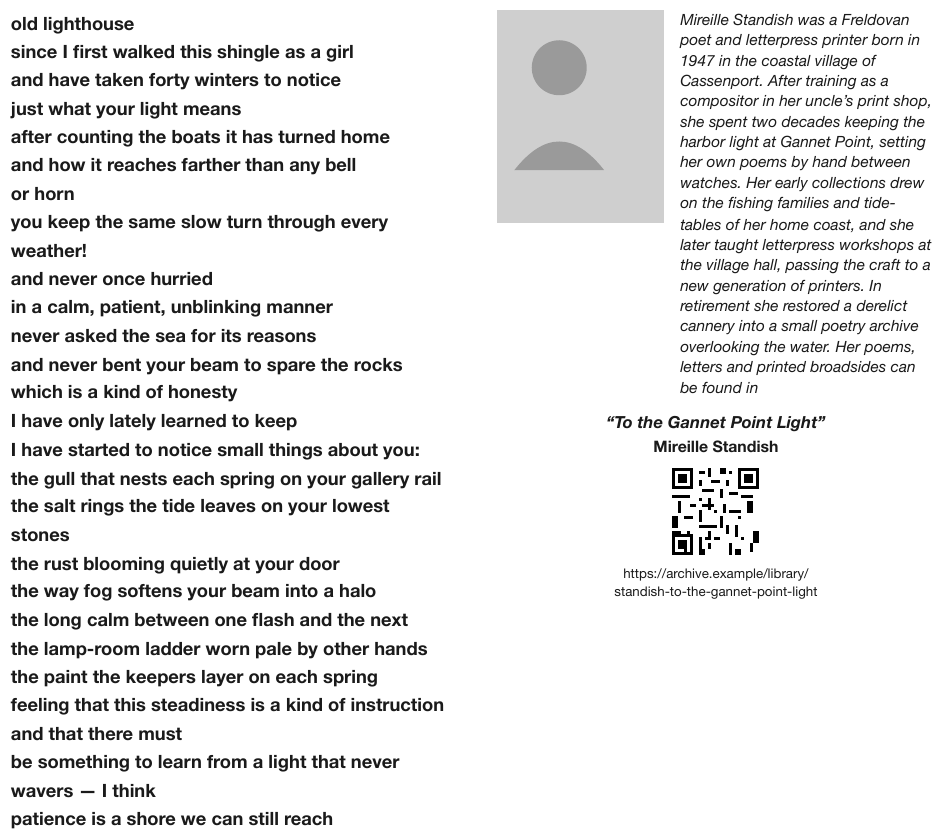
The left column is verse, set in bold: short lines, no punctuation at most line ends, each break
intentional. Three lines are too long for the column and wrap (… through every / weather!,
… on your lowest / stones, … that never / wavers — I think); each is one verse line. The
right column is ordinary prose that wraps, then a QR code with its URL printed across two lines
beneath it.
old lighthouse since I first walked this shingle as a girl and have taken forty winters to notice just what your light means after counting the boats it has turned home and how it reaches farther than any bell or horn you keep the same slow turn through every weather! and never once hurried in a calm, patient, unblinking manner never asked the sea for its reasons and never bent your beam to spare the rocks which is a kind of honesty I have only lately learned to keep I have started to notice small things about you: the gull that nests each spring on your gallery rail the salt rings the tide leaves on your lowest stones the rust blooming quietly at your door the way fog softens your beam into a halo the long calm between one flash and the next the lamp-room ladder worn pale by other hands the paint the keepers layer on each spring feeling that this steadiness is a kind of instruction and that there must be something to learn from a light that never wavers — I think patience is a shore we can still reach
…
Markdown source
**old lighthouse**
**since I first walked this shingle as a girl**
**and have taken forty winters to notice**
**just what your light means**
**after counting the boats it has turned home**
**and how it reaches farther than any bell**
**or horn**
**you keep the same slow turn through every weather!**
**and never once hurried**
**in a calm, patient, unblinking manner**
**never asked the sea for its reasons**
**and never bent your beam to spare the rocks**
**which is a kind of honesty**
**I have only lately learned to keep**
**I have started to notice small things about you:**
**the gull that nests each spring on your gallery rail**
**the salt rings the tide leaves on your lowest stones**
**the rust blooming quietly at your door**
**the way fog softens your beam into a halo**
**the long calm between one flash and the next**
**the lamp-room ladder worn pale by other hands**
**the paint the keepers layer on each spring**
**feeling that this steadiness is a kind of instruction**
**and that there must**
**be something to learn from a light that never wavers — I think**
**patience is a shore we can still reach**

<!-- … -->
Related
- Line Breaks Inside a Block§6.2 — the same three spellings, for a block that merely wraps
- Bullets and Sub-Bullets§8.1 — the other place line structure carries meaning
- QR Codes and Bar Codes§7.3.7 — the code on the sample
- Links§7.2.8 — the URL is transcribed as raw text
7.3 Marks on the page
7.3.1 Clipped Text
✅ Normative · 📄 page rule
✅ Normative
Text cut off at the page edge MUST be rendered as the characters actually visible. A clipped word MUST NOT be completed, and an ellipsis or marker that the page does not print MUST NOT be appended to it.
A page whose content runs past the printable edge: the last letters of a label, the end of a sentence, the right-hand column of a table are simply absent. Nothing is overprinted or redacted; the ink was never there.
Research and developmen        49,294     ← the final t is off the page
Selling, general, and administrative     41,515
Note: … These measures ar
not in compliance with … different from po
forma measures …
Requirements
- The visible fragment MUST be kept, verbatim — see Cell Text Fidelity§9.6.3. Dropping it loses printed content; completing it adds content that is not printed. See Never Drop, Never Invent§2.2.
- The clipping itself MUST NOT be marked inside the text. A producer MAY record that a page is clipped outside the Markdown.
- A clipped line inside a paragraph is joined to the next line like any other wrapped line; the fragment stays as printed.
✅ Sample — a statement cut at the right margin
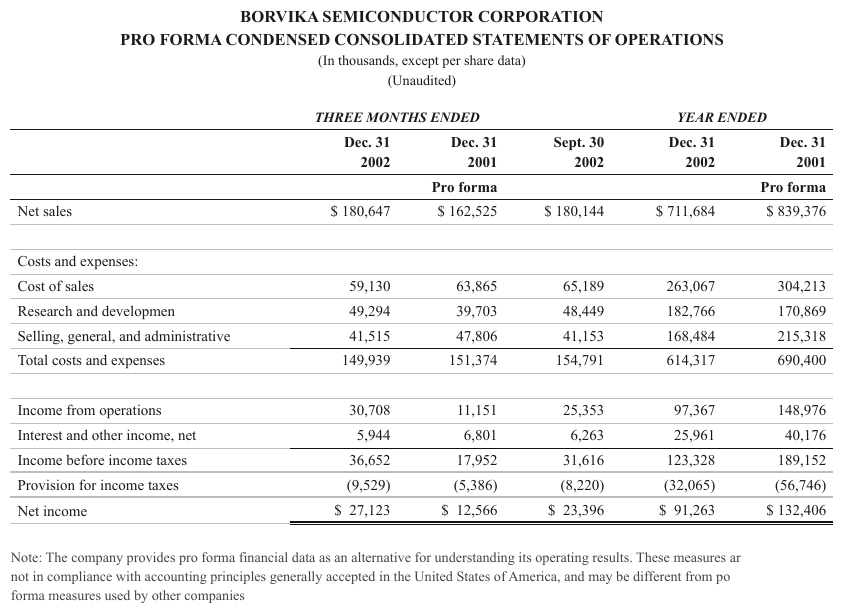
Research and developmen in the stub, measures ar and from po in the note: the stub label and
the note lines that reach the right edge lose their last characters.
| … | ||||||||||||||||||||||||||||||||||||||||||||||||||||||||||||||||||||||||||||||||||||||||||||||||||
| Cost of sales | 59,130 | 63,865 | 65,189 | 263,067 | 304,213 | |||||||||||||||||||||||||||||||||||||||||||||||||||||||||||||||||||||||||||||||||||||||||||||
| Research and developmen | 49,294 | 39,703 | 48,449 | 182,766 | 170,869 | |||||||||||||||||||||||||||||||||||||||||||||||||||||||||||||||||||||||||||||||||||||||||||||
| Selling, general, and administrative | 41,515 | 47,806 | 41,153 | 168,484 | 215,318 | |||||||||||||||||||||||||||||||||||||||||||||||||||||||||||||||||||||||||||||||||||||||||||||
| Total costs and expenses | 149,939 | 151,374 | 154,791 | 614,317 | 690,400 | |||||||||||||||||||||||||||||||||||||||||||||||||||||||||||||||||||||||||||||||||||||||||||||
| … | ||||||||||||||||||||||||||||||||||||||||||||||||||||||||||||||||||||||||||||||||||||||||||||||||||
Note: The company provides pro forma financial data as an alternative for understanding its operating results. These measures ar not in compliance with accounting principles generally accepted in the United States of America, and may be different from po forma measures used by other companies
Markdown source
<table>
  <!-- … -->
  <tr> <td>Cost of sales</td> <td>59,130</td> <td>63,865</td> <td>65,189</td> <td>263,067</td> <td>304,213</td> </tr>
  <tr> <td>Research and developmen</td> <td>49,294</td> <td>39,703</td> <td>48,449</td> <td>182,766</td> <td>170,869</td> </tr>
  <tr> <td>Selling, general, and administrative</td> <td>41,515</td> <td>47,806</td> <td>41,153</td> <td>168,484</td> <td>215,318</td> </tr>
  <tr> <td>Total costs and expenses</td> <td>149,939</td> <td>151,374</td> <td>154,791</td> <td>614,317</td> <td>690,400</td> </tr>
  <!-- … -->
</table>

Note: The company provides pro forma financial data as an alternative for understanding its operating results. These measures ar not in compliance with accounting principles generally accepted in the United States of America, and may be different from po forma measures used by other companies
Related
- Cell Text Fidelity§9.6.3 — the image, not the text layer, decides what a value is
- Overlapping Text§7.3.6 — the other way a string becomes hard to read
- Ignoring and Rejecting§5.6 — a badly cropped page can be rejected; this page is not
- Never Drop, Never Invent§2.2 — the two failures a clipped word invites
7.3.2 E-Signature Tags
✅ Normative · 📄 page rule
✅ Normative
A field that carries only an e-signature tag is unsigned and MUST be rendered as a blank, [blank].
A tag that prints a word — SIGN, INITIAL — MUST be rendered as that word, separately beside the
field, and MUST NOT be rendered as a signature or as the field's value.
Electronic signing tools print a small coloured tab beside each field the signer must complete — "SIGN", "INITIAL", an arrow. The tab is not a signature and not part of the form; it is an instruction to a future signer, often left in the exported file.
QUALIFYING DISABLED VETERAN'S   │ QUALIFYING DISABLED VETERAN'S   │ DATE
SIGNATURE                       │ PRINTED NAME                    │
▸SIGN                           │                                 │
Requirements
- The field MUST be rendered as unsigned:
[blank], as for any blank field — see Fill-Ins§10.4.4. - A tag's printed word MUST be kept, verbatim, beside the field and outside the field's value. The samples below place it on its own line directly after the field.
- A tag that prints no word adds nothing to the text.
- A page on which the signature fields carry only tags is unsigned.
[signature]MUST NOT appear for such a field — see Signatures§7.3.10.
✅ Sample — signature cells with signing tabs
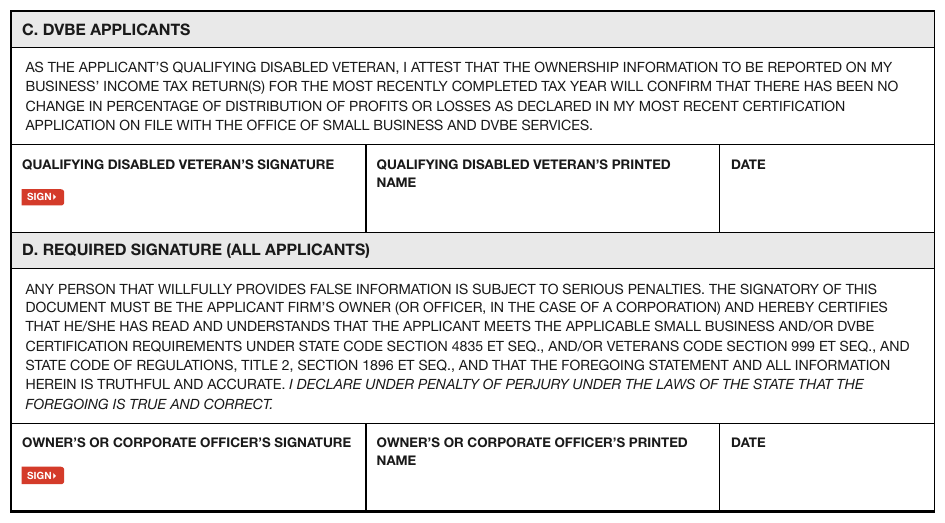
Two signature blocks, each a three-cell row. A small red tab reading SIGN▸ sits under "SIGNATURE"
in the first cell of each; every cell is otherwise empty.
…
- QUALIFYING DISABLED VETERAN’S SIGNATURE: [blank] SIGN▸
- QUALIFYING DISABLED VETERAN’S PRINTED NAME: [blank]
- DATE: [blank]
Markdown source
<!-- … -->
- QUALIFYING DISABLED VETERAN’S SIGNATURE: [blank]
SIGN▸
- QUALIFYING DISABLED VETERAN’S PRINTED NAME: [blank]
- DATE: [blank]
✅ Sample — a tag beside a name line
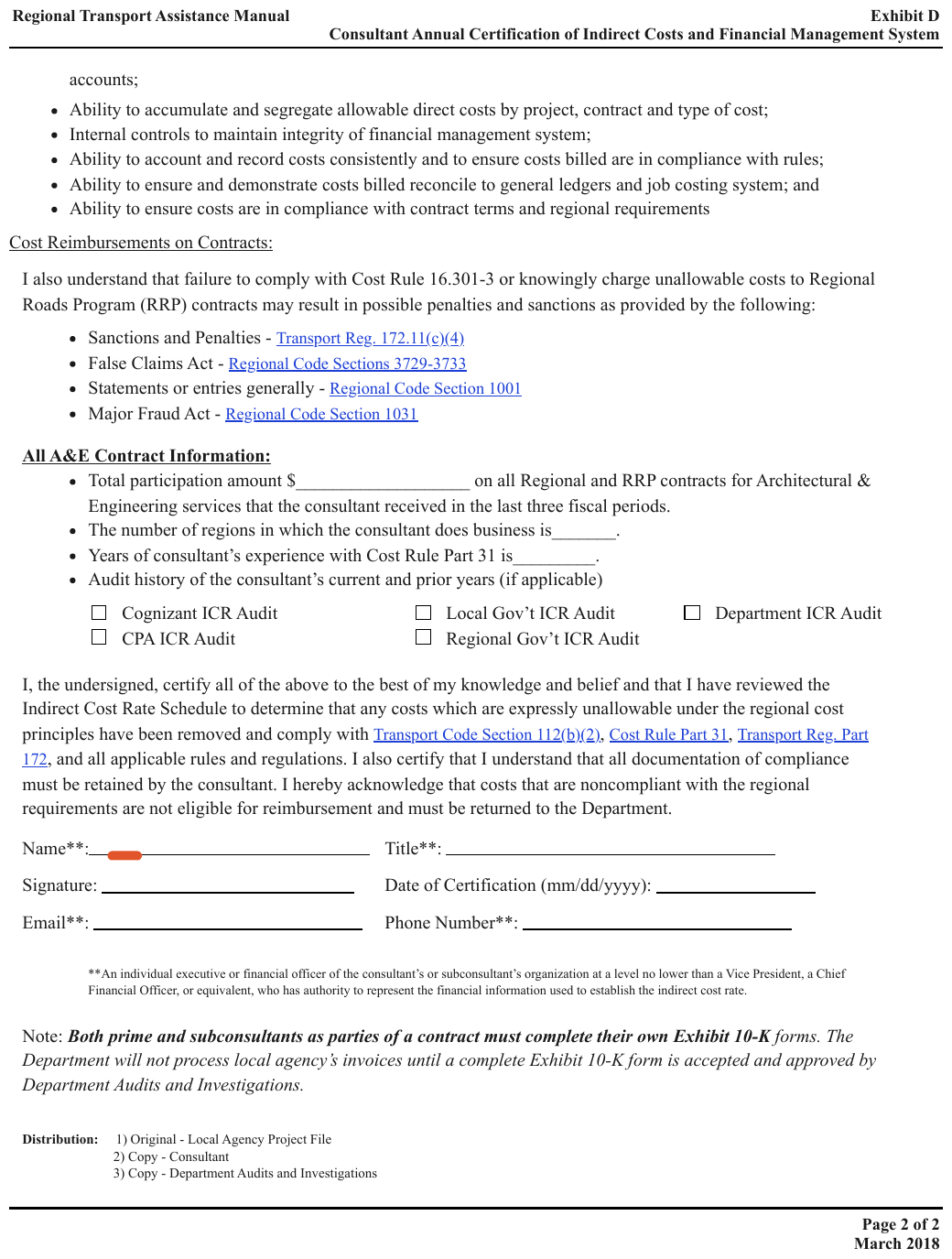
A small red tab sits at the start of the Name**: line in the signature block, ahead of an
otherwise blank ruled line. The tab prints no word, so nothing is added for it; every field in
the block is blank.
…
- Name**: [blank]
- Title**: [blank]
- Signature: [blank]
- Date of Certification (mm/dd/yyyy): [blank]
- Email**: [blank]
- Phone Number**: [blank]
**An individual executive or financial officer of the consultant’s or subconsultant’s organization at a level no lower than a Vice President, a Chief Financial Officer, or equivalent, who has authority to represent the financial information used to establish the indirect cost rate.
…
Markdown source
<!-- … -->
- Name**: [blank]
- Title**: [blank]
- Signature: [blank]
- Date of Certification (mm/dd/yyyy): [blank]
- Email**: [blank]
- Phone Number**: [blank]
**An individual executive or financial officer of the consultant’s or subconsultant’s organization at a level no lower than a Vice President, a Chief Financial Officer, or equivalent, who has authority to represent the financial information used to establish the indirect cost rate.
<!-- … -->
Related
- Signatures§7.3.10 — the real thing
- Fill-Ins§10.4.4 — an unsigned field is a blank field
- Iconography and Symbols§7.3.4 — a mark that carries a meaning
7.3.3 Handwritten Annotations
✅ Normative · 📄 page rule
✅ Normative
A handwritten note on a printed page MUST be rendered as [handwritten: legible words], in a
block of its own next to the content it annotates. Its legible words MUST be kept; words that
cannot be read MUST NOT be reconstructed.
A note written on a printed page: an exhibit reference in the margin, a circled item, an arrow with a word, a reviewer's initials. Handwriting and Stamps§9.6.5 settles handwriting that replaces a printed value inside a table; a note in the margin of prose replaces nothing.
    … to confirm the absence of cyclonic flow.

                                      2                     Attach. B   ← red pen
                                                       SAQB 193        ← Bates stamp
Requirements
- The note adds information to the printed page, so it MUST be kept, and MUST be kept apart from the body text: it MUST NOT be spliced into the sentence beside it.
- The block MUST sit next to the content the note annotates in reading order.
- Legible fragments MUST be kept verbatim. Characters that cannot be read are left out, never guessed.
✅ Sample — an exhibit reference in red pen
Attach. B handwritten in red at the bottom right of a scanned protocol page, beside a printed
Bates number SAQB 193. The page's own number, 2, is centred above.
…
A pretest meeting will be held with agency staff not less than fifteen days prior to the scheduled test date. Results will be submitted in a final report within forty-five days of test completion, together with process data logs covering the full duration of each run.
[handwritten: Attach. B]
SAQB 193
Markdown source
<!-- … -->

A pretest meeting will be held with agency staff not less than fifteen days prior to the scheduled test date. Results will be submitted in a final report within forty-five days of test completion, together with process data logs covering the full duration of each run.
[handwritten: Attach. B]
SAQB 193
Related
- Handwriting and Stamps§9.6.5 — handwriting over a printed grid
- Signatures§7.3.10 — initials and paraphs
- Margin Banners§7.3.5 — printed text in the same place
7.3.4 Iconography and Symbols
✅ Normative · 📄 page rule
✅ Normative
An icon that carries meaning MUST NOT be dropped. It MUST be rendered as a bracketed semantic tag
in the icon's position: one lower-case word naming what the icon means — [yes], [no],
[locked] — with : degree where the icons are graded ([water: 3], [sun: partial]), and
[icon: shape] naming the shape
where the meaning is unclear ([icon: sun]). The vocabulary is open: the word is whatever names
the meaning on this page.
Small symbols and images that stand in for a value rather than decorate — a tick in a feature-comparison column, a padlock, a sun or water icon used as the cell content itself.
Rendering
The icon is read the way the page intends it, and that reading is written in brackets:
| Feature | Basic     | Pro   |
| SSO     | [locked]  | [yes] |
- Each icon MUST produce one tag, in the position the icon occupies.
- Where an icon has no clear meaning in context, the tag MUST describe what is drawn —
[icon: sun]— rather than guess a value. - Where the icons are graded, the tag MUST carry the degree, not just the presence:
[sun: full]/[sun: partial],[water: 3]/[water: 1]. A tag that distinguishes the values beats a prettier glyph that does not.
Why a tag, and an open vocabulary
A tag reads back unambiguously and does not depend on a glyph existing, where the nearest Unicode character or emoji may not exist or may carry a different meaning. Its word is not drawn from a fixed list: no list would cover every icon, so the word is whatever names the meaning on this page, in lower case, used the same way throughout the document.
Why it matters
When the icon is the value, dropping it empties the table. A feature matrix or a scorecard whose marks are gone says nothing at all. This is the same failure as Color as the Value§9.6.4, where a coloured fill with no text becomes an empty cell and the table stops meaning anything.
❌ Counter-sample — graded icons flattened to one glyph

A plant-list table with two icon-valued columns — Sun and H₂O. The printed page on the left uses graded symbols: a filled, a half-filled or an empty sun, and one, two or three water droplets. The parse preview on the right renders both columns as a single ☀️ and a single 💧.
That is the failure this rule exists to prevent. The icons were not dropped — they were
flattened. A plant needing three droplets and one needing a single droplet come out identical,
so the column still looks populated while the information it carried is gone. The columns are
the whole point of the table: Sun and H₂O are the two facts a reader consults it for. The
expected Markdown reads the empty sun as [sun: none]; the red outlines around the two columns
are highlighting added to the figure, not part of the page.
| Common Name | Size | Sun | H2O | Comment |
|---|---|---|---|---|
| Marigold | 1' x 1' | ☀️ | 💧 | Full sun, one droplet… |
| Larkspur | 2' x 1' | ☀️ | 💧 | Partial shade, two droplets… |
| Fernwort | 1.5' x 1' | ☀️ | 💧 | Shade only, three droplets… |
| Coastal Sage | 3' x 2' | ☀️ | 💧 | Drought tolerant… |
Markdown source
<table>
  <tr> <th>Common Name</th> <th>Size</th> <th>Sun</th> <th>H<sub>2</sub>O</th> <th>Comment</th> </tr>
  <tr> <td>Marigold</td> <td>1' x 1'</td> <td>☀️</td> <td>💧</td> <td>Full sun, one droplet…</td> </tr>
  <tr> <td>Larkspur</td> <td>2' x 1'</td> <td>☀️</td> <td>💧</td> <td>Partial shade, two droplets…</td> </tr>
  <tr> <td>Fernwort</td> <td>1.5' x 1'</td> <td>☀️</td> <td>💧</td> <td>Shade only, three droplets…</td> </tr>
  <tr> <td>Coastal Sage</td> <td>3' x 2'</td> <td>☀️</td> <td>💧</td> <td>Drought tolerant…</td> </tr>
</table>| Common Name Botanical Name | Size | Sun | H2O | Comment |
|---|---|---|---|---|
| Marigold Tagetes hybrida | 1' x 1' | [sun: full] | [water: 1] | Full sun, one droplet: light, infrequent watering. |
| Larkspur Consolida ajacis | 2' x 1' | [sun: partial] | [water: 2] | Partial shade, two droplets: moderate, regular watering. |
| Fernwort Pteris umbrosa | 1.5' x 1' | [sun: none] | [water: 3] | Shade only, three droplets: keep evenly moist. |
| Coastal Sage Salvia litoralis | 3' x 2' | [sun: full] | [water: 1] | Drought tolerant once established. |
Markdown source
<table>
  <tr> <th>Common Name<br/>Botanical Name</th> <th>Size</th> <th>Sun</th> <th>H<sub>2</sub>O</th> <th>Comment</th> </tr>
  <tr> <td>Marigold<br/><em>Tagetes hybrida</em></td> <td>1' x 1'</td> <td>[sun: full]</td> <td>[water: 1]</td> <td>Full sun, one droplet: light, infrequent watering.</td> </tr>
  <tr> <td>Larkspur<br/><em>Consolida ajacis</em></td> <td>2' x 1'</td> <td>[sun: partial]</td> <td>[water: 2]</td> <td>Partial shade, two droplets: moderate, regular watering.</td> </tr>
  <tr> <td>Fernwort<br/><em>Pteris umbrosa</em></td> <td>1.5' x 1'</td> <td>[sun: none]</td> <td>[water: 3]</td> <td>Shade only, three droplets: keep evenly moist.</td> </tr>
  <tr> <td>Coastal Sage<br/><em>Salvia litoralis</em></td> <td>3' x 2'</td> <td>[sun: full]</td> <td>[water: 1]</td> <td>Drought tolerant once established.</td> </tr>
</table>
Icons standing in for labels
An icon that clearly supplies a field's label — a pin before an address, a handset before a phone
number — MUST be rendered as a bracketed semantic label beside its value: [address], [phone],
[web]. The nearest word (Address:) MUST NOT be substituted: it is not printed. An icon whose
function is unclear is described by its shape instead of guessed.
✅ Sample — icons standing in for labels

The footer prints a pin, a handset and a globe before the address, the phone number and the
website — no words. The pictorial labels become [address], [phone] and [web] beside their
values.
PAGE 1 [address] 7 Merevald Circle NW Suite 400 Harrowgate, BV 20036 [phone] 202-555-0180 [web] halvernwlc.example
Markdown source
**PAGE 1** [address] 7 Merevald Circle NW Suite 400 Harrowgate, BV 20036 [phone] 202-555-0180 [web] halvernwlc.exampleRelated
- Marks and Symbols in Cells§9.6.6 — printed marks inside a table cell
- Color as the Value§9.6.4 — the same failure when a fill is the value
- E-Signature Tags§7.3.2 — a small printed mark that is an instruction, not a value
7.3.5 Margin Banners
✅ Normative · 📄 page rule
✅ Normative
Rotated text printed along a side margin MUST be rendered once, as a furniture block of its own outside the body flow, with its words kept — branding included. It MUST NOT be tagged as a watermark unless it actually overlays the content.
Text printed rotated along the page margin, outside the content area: an archive stamp, a brand line, a firm mark. Unlike a watermark§7.3.13 it does not overlap the content, and unlike a page header it is not in the top or bottom margin.
 U │                                         │
 S │  Overview of Risk Ranking Symbols       │
   │                                         │
 E │  One way to rank environmental impacts  │
 P │  …                                      │
 A │                                         │
Requirements
- The words MUST be kept. Some banners are document metadata — "US EPA ARCHIVE DOCUMENT" tells the reader the document is superseded, the same kind of fact "DRAFT" carries. Branding is printed text too, and MUST NOT be dropped as decoration.
- The banner MUST be one block of its own, rendered once on the page, and MUST NOT be spliced into a body sentence, table or list.
- The
[watermark: …]marker MUST NOT be used for text that does not cross the content. - The rotation MUST NOT be described. The words are the content.
- The samples place the banner at the start of its page's content.
✅ Sample — an archive stamp down the left margin
Source: U.S. Environmental Protection Agency, Specialty-Batch Chemical Manufacturing Industry — EMS Implementation Guide (Appendix D) (public domain)
"US EPA ARCHIVE DOCUMENT" printed vertically in a red band, full page height, beside an ordinary text-and-table page. The banner carries a fact about the document that appears nowhere else on it.
US EPA ARCHIVE DOCUMENT
SPECIALTY-BATCH CHEMICAL MANUFACTURING INDUSTRY — EMS IMPLEMENTATION GUIDE
…
Appendix D — 8
Markdown source
US EPA ARCHIVE DOCUMENT

SPECIALTY-BATCH CHEMICAL MANUFACTURING INDUSTRY — EMS IMPLEMENTATION GUIDE
<!-- … -->
Appendix D — 8
✅ Sample — a brand line on a slide
"PRECISION & MOTION" runs down a decorative band on the left of the slide. This is branding, but it is still printed text.
PRECISION & MOTION
Interest-Bearing Debts
Borvika Bearings AB — Investor Presentation, FY2025
| Instrument | Currency | Rate | Maturity | Balance (SEK mn) |
|---|---|---|---|---|
| Senior unsecured bond | SEK | 3.85% | 2027 | 1,250 |
| Term loan A | EUR | 4.10% | 2026 | 640 |
| Term loan B | EUR | 4.40% | 2029 | 480 |
| Revolving credit facility | SEK | 3.60% | 2028 | 210 |
| Lease liabilities | SEK | 2.90% | 2030 | 95 |
| Total interest-bearing debt | 2,675 |
Weighted average cost of debt for the period was 3.9%, down from 4.2% in the prior year, reflecting the refinancing of Term loan A at a lower margin.
Markdown source
PRECISION & MOTION

Interest-Bearing Debts
Borvika Bearings AB — Investor Presentation, FY2025
<table>
<tr> <th>Instrument</th> <th>Currency</th> <th>Rate</th> <th>Maturity</th> <th>Balance (SEK mn)</th> </tr>
<tr> <td>Senior unsecured bond</td> <td>SEK</td> <td>3.85%</td> <td>2027</td> <td>1,250</td> </tr>
<tr> <td>Term loan A</td> <td>EUR</td> <td>4.10%</td> <td>2026</td> <td>640</td> </tr>
<tr> <td>Term loan B</td> <td>EUR</td> <td>4.40%</td> <td>2029</td> <td>480</td> </tr>
<tr> <td>Revolving credit facility</td> <td>SEK</td> <td>3.60%</td> <td>2028</td> <td>210</td> </tr>
<tr> <td>Lease liabilities</td> <td>SEK</td> <td>2.90%</td> <td>2030</td> <td>95</td> </tr>
<tr> <td><strong>Total interest-bearing debt</strong></td> <td></td> <td></td> <td></td> <td><strong>2,675</strong></td> </tr>
</table>
Weighted average cost of debt for the period was 3.9%, down from 4.2% in the prior year, reflecting the refinancing of Term loan A at a lower margin.
✅ Sample — a firm mark on pleading paper
A small rotated wordmark, ARCLIGHT LEGAL COPY SERVICES, in the left margin of a court filing,
beside the line numbers.
ARCLIGHT LEGAL COPY SERVICES
…
Markdown source
ARCLIGHT LEGAL COPY SERVICES

<!-- … -->
✅ Sample — a download stamp on a journal article

Downloaded via VARENBROOK UNIV on February 22, 2021 … See https://pubs.velmora.example/sharingguidelines
rotated up the left margin of a first page, in two lines. Metadata about this copy, printed
nowhere else.
Downloaded via VARENBROOK UNIV on February 22, 2021 at 01:49:16 (UTC). See https://pubs.velmora.example/sharingguidelines for options on how to legitimately share published articles.
…
Markdown source
Downloaded via VARENBROOK UNIV on February 22, 2021 at 01:49:16 (UTC).
See https://pubs.velmora.example/sharingguidelines for options on how to legitimately share published articles.

<!-- … -->
Related
- Watermarks§7.3.13 — the same question for text that crosses the body
- Pleading Line Numbers§5.8 — the other margin furniture on the third sample
- Block Classes§5.3 — page-header and page-footer cover the top and bottom margins only
- Recurring Page Furniture§4.6 — a band that is furniture on one page is furniture on all
7.3.6 Overlapping Text
✅ Normative · 📄 page rule
✅ Normative
Where two printed strings overlap, each legible string MUST be rendered whole, in a block of its own, with the stamp first. Legible fragments MUST be kept; characters hidden by the overlap MUST NOT be reconstructed.
Two printed strings occupy the same space. The common case is a court e-filing stamp — Case 1:19-cv-00892 Document 36 Filed 04/04/19 Page 2 of 2 — laid across a header the page already
had, so the two texts interleave character by character.
4/4/2019   PresCase 1:19-cv-00892-KSC Document 36 Filed 04/04/19 Page 2 of 2ates | The White House
           ↑ browser print header             ↑ filing stamp, printed over it
The stamp is the more important string — it identifies the exhibit — but the underlying header is still printed content.
Requirements
- Every legible string MUST be kept: the stamp and the text beneath it are both printed. Keeping only the more legible one drops content.
- The strings MUST NOT be interleaved into one line. Each is rendered whole, in its own block.
- At the overlap, the stamp MUST come first, as its
[stamp: …]marker (see Stamps§7.3.11), followed by the string it is printed over. - Characters that the overlap hides MUST be left out rather than guessed; the legible part of the string is kept — see Never Drop, Never Invent§2.2.
✅ Sample — a filing stamp over a print header
Source: Executive Office of the President, Presidential Proclamation Declaring a National Emergency Concerning the Southern Border, Feb. 15, 2019; filed as court exhibit (public domain)
A web page printed to PDF, then filed: the blue filing stamp sits directly on the grey browser
header line, and the two are unreadable as one string. Read apart, both are legible. The footer URL
and 2/2 are untouched.
[stamp: Case 4:19-cv-00892-HSG Document 36-4 Filed 04/04/19 Page 3 of 3]
4/4/2019 Presidential Proclamation on Declaring a National Emergency Concerning the Southern Border of the United States | The White House
…
Markdown source
[stamp: Case 4:19-cv-00892-HSG Document 36-4 Filed 04/04/19 Page 3 of 3]
4/4/2019 Presidential Proclamation on Declaring a National Emergency Concerning the Southern Border of the United States | The White House
<!-- … -->
✅ Sample — two filing stamps over a print header

An exhibit divider page — EXHIBIT D alone — whose header carries the clerk's boxed FILED
stamp over the header's own FILED:, and Index # over INDEX NO., both overprinted. Everything
but the page count at the foot is set in bold.
[stamp: FILED]

FILED: HALVERSTON COUNTY CLERK 03/14/2026 11:05 AM
[stamp: Index #: E2026004417]
INDEX NO. E2026004417
HCEF DOC. NO. 2
RECEIVED HCEF: 03/14/2026
EXHIBIT D
56 of 61
Markdown source
[stamp: FILED]
FILED: HALVERSTON COUNTY CLERK 03/14/2026 11:05 AM
[stamp: Index #: E2026004417]
INDEX NO. E2026004417
HCEF DOC. NO. 2
RECEIVED HCEF: 03/14/2026
EXHIBIT D
56 of 61
✅ Sample — three headers on one line

A browser print header, an e-filing stamp and the article's own Page 22 of 37 all printed at the
top of a nearly empty page, on top of each other. The browser timestamp is legible up to 09; the
characters after it lie under the stamp's opening Ca and are left out.
[stamp: Case 24-10432-ABC Doc 118 Filed 03/02/24 Page 12 of 40]
4/2/2024, 09
Charitable Giving
Page 22 of 37
…
Markdown source
[stamp: Case 24-10432-ABC Doc 118 Filed 03/02/24 Page 12 of 40]

4/2/2024, 09
Charitable Giving
Page 22 of 37
<!-- … -->
Related
- Stamps§7.3.11 — the
[stamp: …]marker - Watermarks§7.3.13 — text that crosses the body rather than a header
- Handwriting and Stamps§9.6.5 — a stamp over a grid
- Cell Text Fidelity§9.6.3 — read the image, not the text layer
7.3.7 QR Codes and Bar Codes
✅ Normative · 📄 page rule
✅ Normative
A QR code or bar code MUST be rendered as an image reference whose alt text holds the decoded
content and whose target holds the literal label: ,
. The code MUST also be an element of its own, carrying the decoded
value and a box around the code.
The rendering


So a code that decodes to a tracking URL becomes .
The alt-text and target slots are used in the reverse of the usual Markdown convention: the content goes in the alt slot, the literal label in the target slot. That is deliberate.
Why this form
It is the only encoding where the Markdown alone is useful. A reader gets the decoded payload — usually a URL or a tracking number — without following an element reference. The code's own element still carries the scan value, and its box locates the code for anyone who needs the image.
When the code does not decode
A payload MUST NOT be invented. A code that does not decode MUST be rendered with the label alone and an empty alt text, and is still its own element with its box:

Example
✅ Sample — a QR code closing a product page
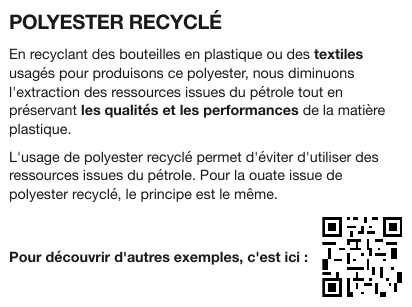
A QR code printed at the foot of a product page, beside the line "Pour découvrir d'autres exemples, c'est ici :" — the prose leads directly into it, so dropping the code leaves a sentence pointing at nothing. The code on this page does not decode, so the alt text stays empty; had it decoded, its payload would fill the alt slot. The code is its own element, with a box around the code alone.
…
Pour découvrir d'autres exemples, c'est ici :

Markdown source
<!-- … -->
Pour découvrir d'autres exemples, c'est ici :

Related
- Images§12.1.1 — what other printed images become
- Iconography and Symbols§7.3.4 — small marks that carry a value
- Redacted Text§7.3.8 — another bracketed stand-in for a non-text region
7.3.8 Redacted Text
✅ Normative · 📄 page rule
✅ Normative
Each contiguous redacted span MUST be rendered as one [REDACTED] marker, in the position the
suppressed text occupied. Visible text and any printed exemption code MUST be kept; the hidden
characters and their count MUST NOT be inferred.
Text blacked out or boxed over in the source document.
The rendering
The marker sits where the suppressed text was, so the surrounding line still reads correctly:
Account holder: [REDACTED]
Where only part of a value is covered, the marker MUST replace only the covered part, and the visible characters MUST be kept verbatim — not normalised, padded or reconstructed. Printed masking characters are visible characters, escaped where they are Markdown syntax (see Escaping Printed Marks§7.2.4):
Account number: \*\*\*\*-\*\*\*\*-\*\*\*\*-4471
When boxes are requested, a redacted span has a box like any other printed region — see Boxes and Granularity§3.3.
Why a positive marker beats silence
A redaction is an assertion: something was here and was deliberately removed. If the output emits nothing, a reader cannot tell "the field was blank" from "the field was suppressed" — a meaningful difference in a legal or regulatory document.
[REDACTED] is the same bracketed-placeholder shape used for Signatures§7.3.10 ([signature]) and
for QR Codes and Bar Codes§7.3.7 ().
✅ Sample — a redaction bar inside a sentence

One black bar where the appellant's name was, between filed by and , against the response of the. The bold case number and council name on either side are printed and kept.
HAVING SEEN the electronic file formed on account of the appeal for review 04871/OTAIP/AR/2018 filed by [REDACTED] , against the response of the Municipal Council of Puente Alvara, the following resolution is hereby issued.
Markdown source
HAVING SEEN the electronic file formed on account of the appeal for review **04871/OTAIP/AR/2018** filed by [REDACTED] , against the response of the **Municipal Council of Puente Alvara**, the following resolution is hereby issued.✅ Sample — a redaction bar inside a transcript line
Line 4: Was ████ paying that before? — one black bar in the middle of a question, the rest of
the page untouched. The transcript lines follow Transcript Pages§6.11.
83
A My delivery van insurance. Q And what's that? A $150 a month. Q Was [REDACTED] paying that before? A Yes, he was.
…
Markdown source
83

A My delivery van insurance.
Q And what's that?
A $150 a month.
Q Was [REDACTED] paying that before?
A Yes, he was.
<!-- … -->
Exemption codes
A redacted region that prints an exemption code MUST be rendered as [REDACTED: code] —
[REDACTED: (b)(5)] — with the code copied exactly, once. Unrelated text near the region MUST stay
outside the marker.
✅ Sample — a redaction that prints its exemption code
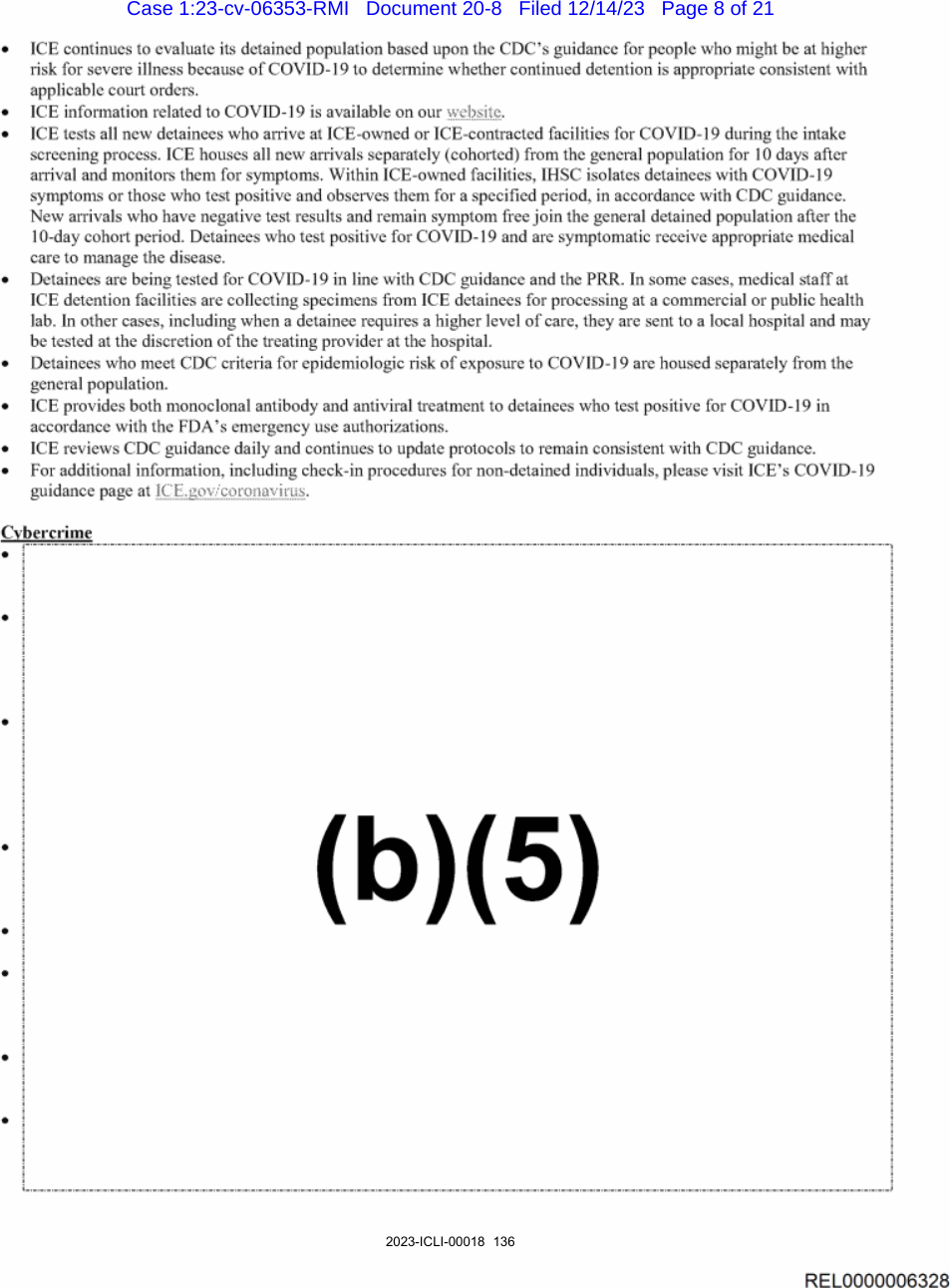
Source: U.S. Immigration and Customs Enforcement (ICE), FOIA production document (public domain)
Under Cybercrime, a dashed box the height of eight bullets prints only (b)(5); the eight
bullet glyphs remain in the margin, their text gone. The code and the surviving bullets are both
content the page prints: the eight bullets stay as eight list items, and the code appears once,
inside the marker, at the start of the redacted span.
Case 1:23-cv-06353-RMI Document 20-8 Filed 12/14/23 Page 8 of 21
…
Cybercrime
[REDACTED: (b)(5)]
2023-ICLI-00018 136
REL0000006328
Markdown source
Case 1:23-cv-06353-RMI Document 20-8 Filed 12/14/23 Page 8 of 21

<!-- … -->
<u>Cybercrime</u>

[REDACTED: (b)(5)]


2023-ICLI-00018 136
REL0000006328
Related
- Signatures§7.3.10 — the same bracketed-placeholder shape
- Transcript Pages§6.11 — the page shape of the second sample
- Watermarks§7.3.13 — another mark laid over printed content
7.3.9 Seals and Round Stamps
✅ Normative · 📄 page rule
✅ Normative
A seal or round stamp MUST be rendered as [seal: printed text], holding all of its legible rim
and centre text in reading order, in a block separate from body prose. The bare [seal] MUST be
used only when none of its text is legible.
A round or oval impression — an auditor's firm seal, a notary seal, a court seal — printed or inked on the page, usually beside a signature. Its text runs around the rim.
   ╭────────────╮        For, Caldrivane & Rao LLP
  ( CALDRIVANE &    )       Chartered Accountants
  (  RAO LLP     )       [signature]
   ╰────────────╯        A. N. Bhatt
Requirements
- The seal MUST NOT be dropped. It is the page's proof of authority, the same kind of fact as a signature, and its text is often the only place the firm's name is printed.
- Its text MUST be kept verbatim and in a readable order — in the samples, upper rim, then centre, then lower rim — including a word the rim cuts short. Illegible characters are left out, never guessed.
- The seal MUST be its own block, never part of a sentence beside it.
- A stamp that lands on a table is kept out of the grid — see Handwriting and Stamps§9.6.5.
- A signature written across the seal is a separate mark — see Signatures§7.3.10.
✅ Sample — an auditor's seal beside a signature

A blue circular seal: CALDRIVANE & RAO LLP along the upper rim, H&R over LLP in the centre,
and CHARTERED ACCOUNTAN along the lower rim — the rim runs out before the word ends. Beside it, a
handwritten signature over a printed name, designation and registration numbers. Also the sample
for a signature whose name is printed beneath it — see Signatures§7.3.10.
…
[seal: CALDRIVANE & RAO LLP H&R LLP CHARTERED ACCOUNTAN]
For, Caldrivane & Rao LLP Chartered Accountants Firm Registration No. - 118427W/W100284
[signature]
A. N. Bhatt Partner Membership No. 084213 UDIN: 26084213MZQPKT2231
…
Markdown source
<!-- … -->

[seal: CALDRIVANE & RAO LLP H&R LLP CHARTERED ACCOUNTAN]
For, Caldrivane & Rao LLP
Chartered Accountants
Firm Registration No. - 118427W/W100284
[signature]
A. N. Bhatt
Partner
Membership No. 084213
UDIN: 26084213MZQPKT2231
<!-- … -->
✅ Sample — a firm stamp with a signature inside it
A purple round stamp at the foot of a scanned letter: KESSLER & VANE on the upper rim,
CHARTERED ACCOUNTANTS in the centre, FRN-408217E • ASTILBE on the lower rim, and a handwritten
mark through its centre. The letterhead prints a logo on the left and two address blocks on the
right.
…
Branches also at Farrowmede, Nordwick & Cassilport
[seal: KESSLER & VANE CHARTERED ACCOUNTANTS FRN-408217E • ASTILBE]
[signature]
Markdown source
<!-- … -->

Branches also at Farrowmede, Nordwick & Cassilport
[seal: KESSLER & VANE CHARTERED ACCOUNTANTS FRN-408217E • ASTILBE]
[signature]
Related
- Signatures§7.3.10 — the mark it usually accompanies
- Handwriting and Stamps§9.6.5 — a stamp that lands on a table
- Watermarks§7.3.13 — the other page-level mark with its own placement
7.3.10 Signatures
✅ Normative · 📄 page rule
✅ Normative
A handwritten signature MUST be rendered as a bracketed placeholder: [signature:{name}] when its
glyphs are genuinely legible, the bare [signature] otherwise. A name MUST NOT be guessed.
A handwritten signature over a signature line.
The rendering
A signature whose name can be read from its glyphs:
[signature:Mariana Augusta de Figueiredo Lacerda e Souza]
A signature whose name cannot:
[signature]
A half-readable signature MUST get the bare [signature] form.
Why
A signature is semantically meaningful — the document is signed — but it is not text. The placeholder records the fact without asserting a transcription that could be wrong, and the name-carrying form preserves the value when the glyphs really are readable.
This is the same shape as [REDACTED] in Redacted Text§7.3.8: a bracketed tag standing in for a
non-text region.
Edge cases
- Two signatures on one line MUST get two placeholders, one each, in reading order — even when both are illegible.
- A signature that is also a stamp, or that overlaps a printed grid, follows Handwriting and Stamps§9.6.5.
On a form
A signature field follows the same shapes, with one addition: an unsigned field is a blank
fill-in, [blank], not a missing signature.
- **Your signature**: [signature:John Doe]
- **Spouse's signature. If a joint return, both must sign.**: [blank]
- **Date**: [blank]
- **Your occupation**: Accountant
A signature line's date and occupation companions are ordinary fill-ins — see Fill-Ins§10.4.4.
A signature with its name printed beside it
The name in [signature:{name}] is read off the signature's own glyphs. Many documents print the
signer's name directly under the signature line.
A name printed under or beside an illegible signature MUST NOT fill [signature:{name}]: the
signature is the bare [signature], and the printed name is rendered as the text it is. The tag
records only what the strokes show — the printed name is not always the signer, as when someone
signs on another's behalf — and the name is kept as text beside it, so nothing is lost.
✅ Sample — an auditor's signature over a printed name
A handwritten signature whose glyphs cannot be read, with A. N. Bhatt, Partner, a membership
number and a UDIN printed beneath it, and the firm's round seal to the left — see
Seals and Round Stamps§7.3.9.
…
For, Caldrivane & Rao LLP Chartered Accountants Firm Registration No. - 118427W/W100284
[signature]
A. N. Bhatt Partner Membership No. 084213 UDIN: 26084213MZQPKT2231
…
Markdown source
<!-- … -->

For, Caldrivane & Rao LLP
Chartered Accountants
Firm Registration No. - 118427W/W100284
[signature]
A. N. Bhatt
Partner
Membership No. 084213
UDIN: 26084213MZQPKT2231
<!-- … -->
Initials on every page
Handwritten approval initials MUST be rendered as [signature] on every page that carries them,
with the initials inside the placeholder only when their glyphs support it. The placeholder MUST
be kept outside body sentences.
✅ Sample — a scanned decision with a paraph
A handwritten mark at the bottom right of a scanned court decision page, below the footnotes, with no printed line or caption. No letters can be read in it.
…
37 Id. at 78–89. The August 11, 2023 Order in DRB Case No. 04-88 was approved by Chairperson Teodora L. Escamillas and Member Victor P. Renwick of the Construction Industry Arbitration Commission, Caldrivane City.
[signature]
Markdown source
<!-- … -->

<sup>37</sup> Id. at 78–89. The August 11, 2023 Order in DRB Case No. 04-88 was approved by Chairperson Teodora L. Escamillas and Member Victor P. Renwick of the Construction Industry Arbitration Commission, Caldrivane City.
[signature]
Typed names on signature lines
A name typed in a plain face on a signature line, or a conformed /s/ signature, is not a
signature: it is printed text. It MUST be rendered as that text, verbatim — /s/ included — and
MUST NOT be given a [signature] placeholder, which would assert handwriting the page does not
show.
✅ Sample — typed names on signature lines
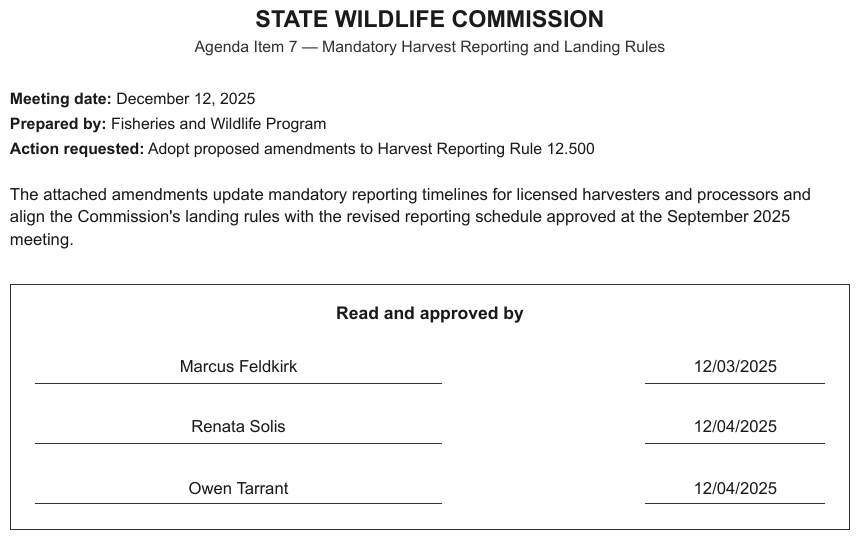
Marcus Feldkirk, Renata Solis, Owen Tarrant typed in a plain face on the three signature lines
of an approval box, with typed dates. No handwriting anywhere.
…
Read and approved by
Marcus Feldkirk 12/03/2025 Renata Solis 12/04/2025 Owen Tarrant 12/04/2025
Markdown source
<!-- … -->

Read and approved by
Marcus Feldkirk 12/03/2025
Renata Solis 12/04/2025
Owen Tarrant 12/04/2025
✅ Sample — a conformed /s/ signature
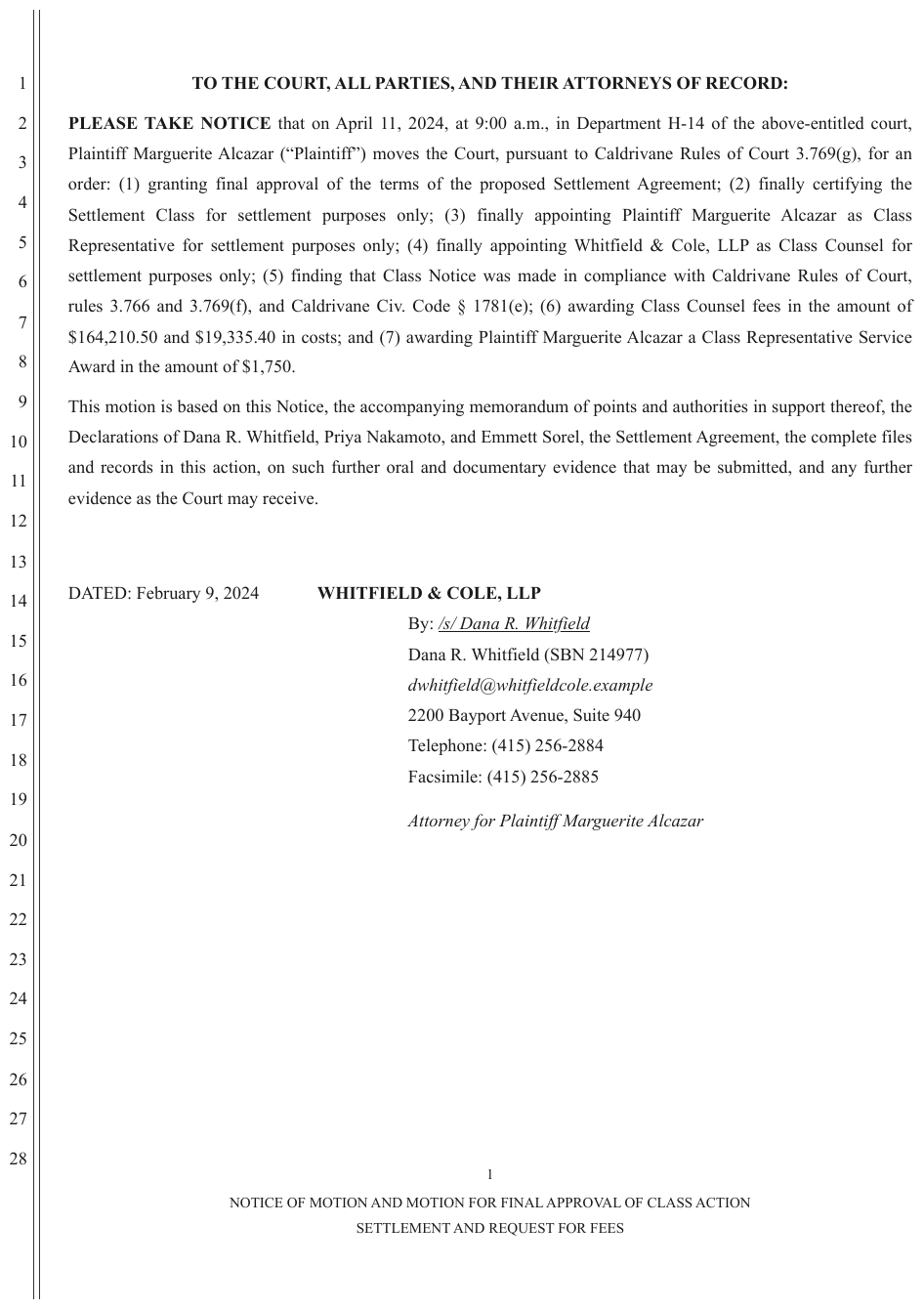
By: /s/ Dana R. Whitfield in underlined italics on the signature line, the typed name beneath.
The /s/ convention stands for a signature that was never inked.
…
DATED: February 9, 2024 WHITFIELD & COLE, LLP
By: /s/ Dana R. Whitfield Dana R. Whitfield (SBN 214977) dwhitfield@whitfieldcole.example 2200 Bayport Avenue, Suite 940 Telephone: (415) 256-2884 Facsimile: (415) 256-2885
Attorney for Plaintiff Marguerite Alcazar
…
Markdown source
<!-- … -->

DATED: February 9, 2024 WHITFIELD & COLE, LLP
By: <u>/s/ Dana R. Whitfield</u>
Dana R. Whitfield (SBN 214977)
dwhitfield@whitfieldcole.example
2200 Bayport Avenue, Suite 940
Telephone: (415) 256-2884
Facsimile: (415) 256-2885
Attorney for Plaintiff Marguerite Alcazar
<!-- … -->
Related
- Handwriting and Stamps§9.6.5 — handwriting over a printed grid
- E-Signature Tags§7.3.2 — a signing tab is not a signature
- Seals and Round Stamps§7.3.9 — the mark that often sits beside a signature
- Text Formatting Conventions§7.1 — where the placeholder sits among the inline markers
7.3.11 Stamps
✅ Normative · 📄 page rule
✅ Normative
Ink applied over or beside the printed page — overprinted, boxed or rotated, or in a different
ink — MUST be rendered as [stamp: its words], exactly as printed, at its place in reading order.
A stamp with no legible words MUST be rendered as [stamp]. The page's own printed text is never a
stamp, however official it looks.
A stamp records an act on this page: FILED, RECEIVED, PAID, APPROVED, a court e-filing line
laid across the header, a clerk's dated box. It was added after the page was printed, and it is
recognised by that: it overprints the page's text, sits in a box or at an angle the page's layout
does not use, or is in a different ink.
Requirements
- A stamp is written with the protocol's bracket marker,
[stamp: …], carrying its words exactly as printed; a stamp on several lines is one marker, its lines joined with a space. - It keeps its place in reading order. Where it overprints other text, the marker comes first, then the text beneath it — see Overlapping Text§7.3.6. Over a table it stays outside the table — see Handwriting and Stamps§9.6.5.
- A stamp whose words cannot be read is the bare
[stamp]. - A round seal is
[seal: …]— see Seals and Round Stamps§7.3.9. A watermark, background text that describes the whole document, is[watermark: …]— see Watermarks§7.3.13. The three share one bracket shape because each is ink laid on the page; they keep separate names because a watermark describes the document while a stamp or seal records an act on this page. - Header text that the page prints itself — a filing header, an official form number — is ordinary text, not a stamp.
✅ Sample — a clerk's stamps over a filing header
The boxed FILED is stamped over the header's own FILED:, and Index #: E2026004417 over the
header's INDEX NO. E2026004417. The two stamps become markers, each first at its overlap; the
header's own lines stay text.
[stamp: FILED]

FILED: HALVERSTON COUNTY CLERK 03/14/2026 11:05 AM
[stamp: Index #: E2026004417]
INDEX NO. E2026004417
Markdown source
[stamp: FILED]
FILED: HALVERSTON COUNTY CLERK 03/14/2026 11:05 AM
[stamp: Index #: E2026004417]
INDEX NO. E2026004417
Related
- Seals and Round Stamps§7.3.9 — round seals and their
[seal: …]marker - Watermarks§7.3.13 — background text that describes the whole document
- Overlapping Text§7.3.6 — a stamp printed over other text
- Handwriting and Stamps§9.6.5 — a stamp over a table
7.3.12 Text Colors
✅ Normative · 📄 page rule
✅ Normative
Text colour MUST be carried only when it is the only thing distinguishing some text from the rest,
written as <font color="NAME">…</font> around exactly the coloured words, with the nearest HTML
colour name. Colour that is decoration MUST NOT be rendered.
Coloured text in the source document.
Decoration or meaning
Most coloured text is styling: a blue heading, a brand-coloured lead paragraph, a page printed in one colour. The words are kept and the colour is not rendered.
Colour becomes content when it is the only thing distinguishing some text from the rest — an insertion printed in red with no underline, a figure in red meaning negative, a status word whose colour is the status. There the colour MUST be carried:
… will testify. <font color="red">Before or promptly after the notice or subpoena is served …</font> A subpoena …
- The element wraps exactly the coloured words, so the output says which text carries the colour.
- The colour MUST be the nearest HTML colour name — not a hex value and not an invented label.
- Text whose colour is doubled by another mark — red and underlined, red and bold — is already distinguished; the colour is decoration there and is not carried.
The extreme case
A cell that is a coloured fill with no text at all — a risk-matrix square, a heat-map grid — becomes an empty cell if the colour is dropped, and the whole table stops meaning anything. See Color as the Value§9.6.4 for that situation specifically.
Staying consistent
Highlighting already has a settled encoding built on the same vocabulary:
<mark style="background-color: HTML_COLOR_NAME">…</mark>
Text colour uses the nearest HTML colour name too, so there is one colour vocabulary for both:
<mark style="background-color: NAME"> for a highlight, <font color="NAME"> for coloured text.
✅ Sample — a whole page in one colour
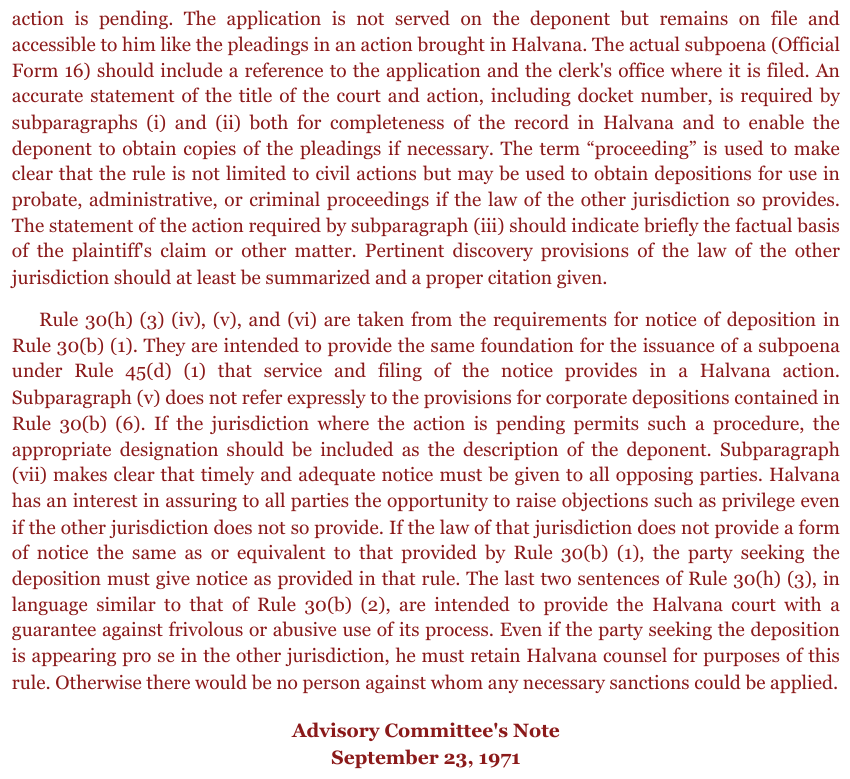
Every word on the page, headings included, is set in dark red. Nothing is distinguished from anything else by the colour, so it is decoration and the output carries none of it.
action is pending. The application is not served on the deponent but remains on file and accessible to him like the pleadings in an action brought in Halvana. The actual subpoena (Official Form 16) should include a reference to the application and the clerk's office where it is filed. An accurate statement of the title of the court and action, including docket number, is required by subparagraphs (i) and (ii) both for completeness of the record in Halvana and to enable the deponent to obtain copies of the pleadings if necessary. The term “proceeding” is used to make clear that the rule is not limited to civil actions but may be used to obtain depositions for use in probate, administrative, or criminal proceedings if the law of the other jurisdiction so provides. The statement of the action required by subparagraph (iii) should indicate briefly the factual basis of the plaintiff's claim or other matter. Pertinent discovery provisions of the law of the other jurisdiction should at least be summarized and a proper citation given.
…
Markdown source
action is pending. The application is not served on the deponent but remains on file and accessible to him like the pleadings in an action brought in Halvana. The actual subpoena (Official Form 16) should include a reference to the application and the clerk's office where it is filed. An accurate statement of the title of the court and action, including docket number, is required by subparagraphs (i) and (ii) both for completeness of the record in Halvana and to enable the deponent to obtain copies of the pleadings if necessary. The term “proceeding” is used to make clear that the rule is not limited to civil actions but may be used to obtain depositions for use in probate, administrative, or criminal proceedings if the law of the other jurisdiction so provides. The statement of the action required by subparagraph (iii) should indicate briefly the factual basis of the plaintiff's claim or other matter. Pertinent discovery provisions of the law of the other jurisdiction should at least be summarized and a proper citation given.

<!-- … -->
Related
- Highlighted Text§7.2.5 — the settled encoding that shares the colour vocabulary
- Color as the Value§9.6.4 — a fill with no text that is the value
7.3.13 Watermarks
✅ Normative · 📄 page rule
✅ Normative
A watermark MUST NOT be deleted and MUST NOT be left inside the body text. It MUST be rendered once
per page that prints it, as its own element at the top of that page's content:
[watermark: DRAFT].
Diagonal or background text stamped across the page — "DRAFT", "Redline Version", "CONFIDENTIAL", "VOID".
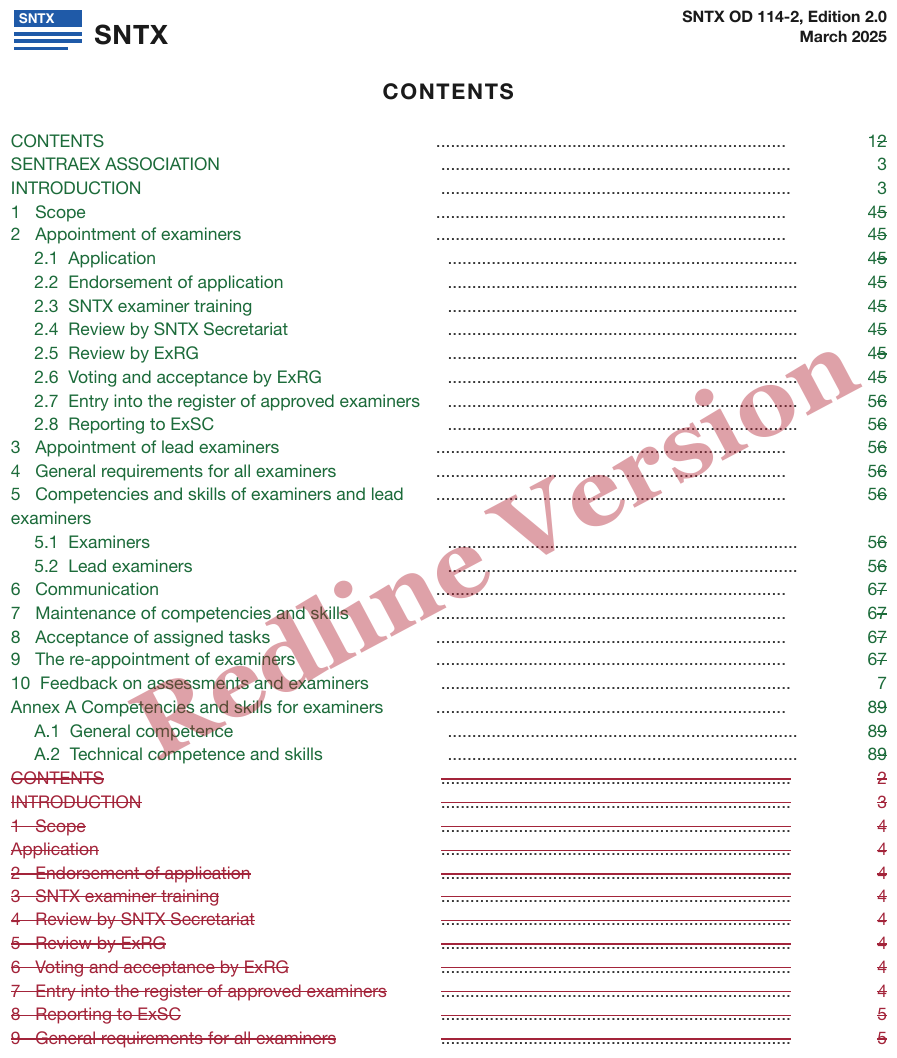
Requirements
- The watermark is its own element, not a phrase inside the text it happens to cross.
- It is written as the protocol's bracket marker,
[watermark: …], carrying its words exactly as printed, and placed first in the page's content — not in the middle of the paragraph or table row it physically overlaps. - A watermark printed on several lines is one marker, its lines joined with a space.
- It is recorded on every page that prints it, and not carried onto a page that does not.
[watermark: Redline Version]
Why not simply drop it
A watermark says something about the whole document, and it is often the single most important fact on the page. "Redline Version" says that every figure in Struck and Replaced Values§9.6.7 is in play; "VOID" invalidates everything underneath it. Removing it silently loses real information.
Why not leave it inline
The watermark overlaps body text physically. Rendered in place, it injects a stray phrase into the middle of a sentence or splits a table row — corrupting content that was otherwise clean.
Keeping it as a separate element gets both: the fact is recorded and the text stream stays intact.
The bracket marker is the same shape as the protocol's other marks laid on a page — [seal: …],
[logo: …], [signature] — see Markdown Rendering§3.2.
✅ Sample — a diagonal stamp across a pay stub
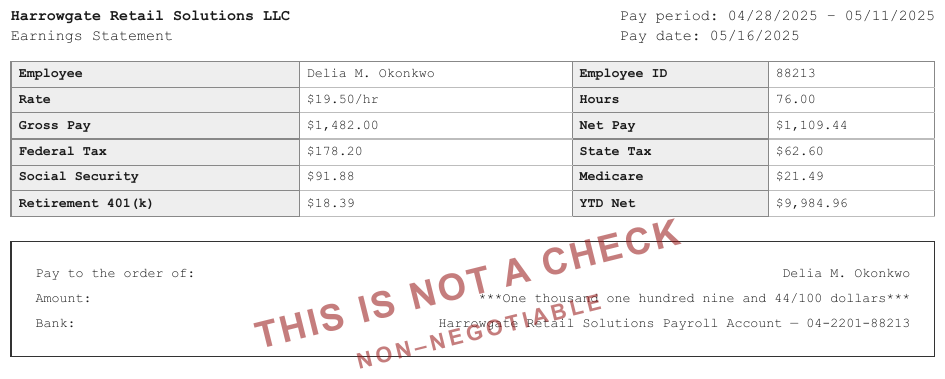
THIS IS NOT A CHECK printed diagonally across the cheque-shaped lower half of an earnings
statement, with NON–NEGOTIABLE beneath it. Both cross printed text; neither enters the lines
they cross.
[watermark: THIS IS NOT A CHECK NON–NEGOTIABLE]
Harrowgate Retail Solutions LLC Earnings Statement
Pay period: 04/28/2025 – 05/11/2025 Pay date: 05/16/2025
| Employee | Delia M. Okonkwo | Employee ID | 88213 |
|---|---|---|---|
| Rate | $19.50/hr | Hours | 76.00 |
| Gross Pay | $1,482.00 | Net Pay | $1,109.44 |
| Federal Tax | $178.20 | State Tax | $62.60 |
| Social Security | $91.88 | Medicare | $21.49 |
| Retirement 401(k) | $18.39 | YTD Net | $9,984.96 |
Pay to the order of: Delia M. Okonkwo Amount: ***One thousand one hundred nine and 44/100 dollars*** Bank: Harrowgate Retail Solutions Payroll Account — 04-2201-88213
Markdown source
[watermark: THIS IS NOT A CHECK NON–NEGOTIABLE]

Harrowgate Retail Solutions LLC
Earnings Statement
Pay period: 04/28/2025 – 05/11/2025
Pay date: 05/16/2025
<table>
<tr> <th>Employee</th> <td>Delia M. Okonkwo</td> <th>Employee ID</th> <td>88213</td> </tr>
<tr> <th>Rate</th> <td>$19.50/hr</td> <th>Hours</th> <td>76.00</td> </tr>
<tr> <th>Gross Pay</th> <td>$1,482.00</td> <th>Net Pay</th> <td>$1,109.44</td> </tr>
<tr> <th>Federal Tax</th> <td>$178.20</td> <th>State Tax</th> <td>$62.60</td> </tr>
<tr> <th>Social Security</th> <td>$91.88</td> <th>Medicare</th> <td>$21.49</td> </tr>
<tr> <th>Retirement 401(k)</th> <td>$18.39</td> <th>YTD Net</th> <td>$9,984.96</td> </tr>
</table>
Pay to the order of: Delia M. Okonkwo
Amount: ***One thousand one hundred nine and 44/100 dollars***
Bank: Harrowgate Retail Solutions Payroll Account — 04-2201-88213
✅ Sample — a watermark across a form grid
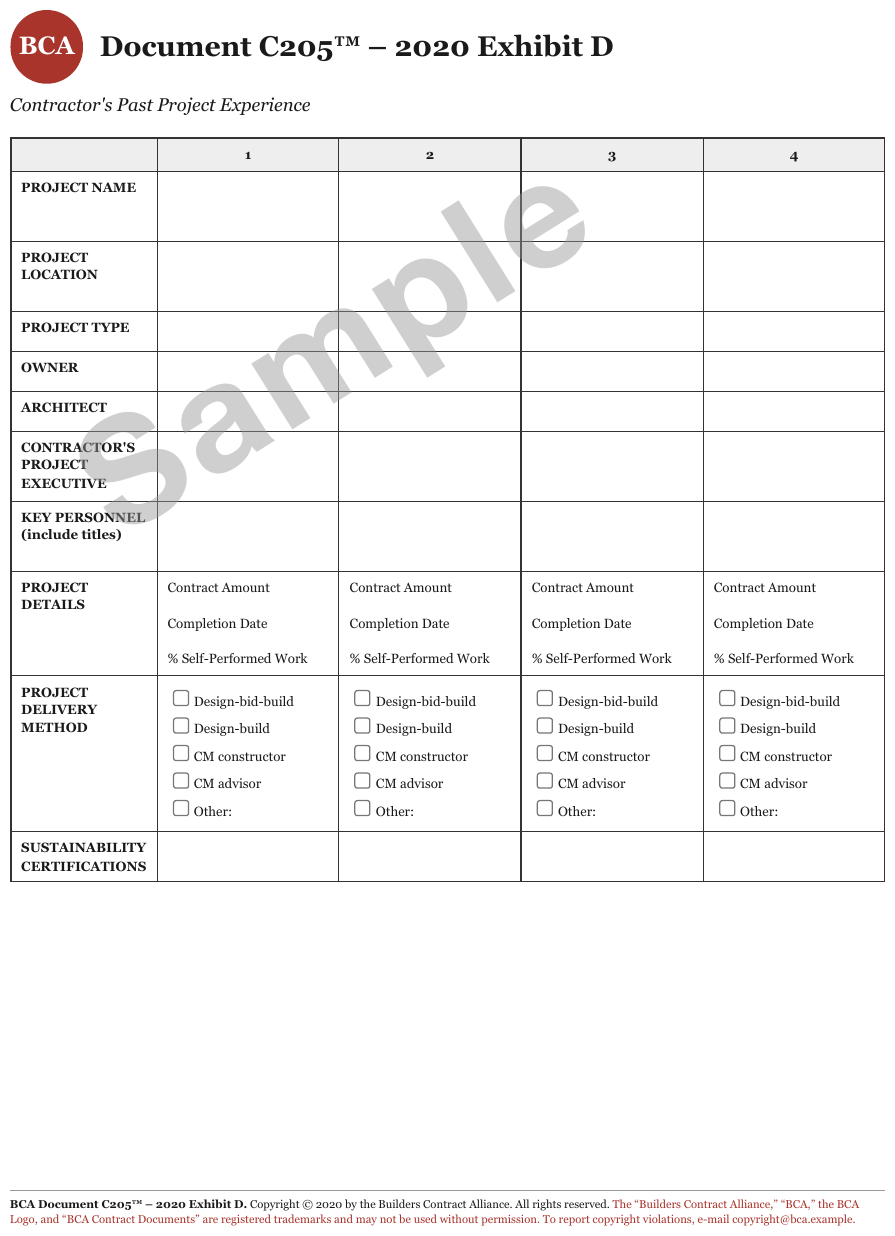
Sample in large grey letters diagonally across a mostly empty project grid, crossing cells that
hold checkbox lists. Same placement: once, out of the grid, at the top of the page.
[watermark: Sample]
…
| 1 | 2 | 3 | 4 | |||||||||||||||||||||||||||||||||||||||||||||||||||||||||||||||||||||||||||||||||||||||||||||||
|---|---|---|---|---|---|---|---|---|---|---|---|---|---|---|---|---|---|---|---|---|---|---|---|---|---|---|---|---|---|---|---|---|---|---|---|---|---|---|---|---|---|---|---|---|---|---|---|---|---|---|---|---|---|---|---|---|---|---|---|---|---|---|---|---|---|---|---|---|---|---|---|---|---|---|---|---|---|---|---|---|---|---|---|---|---|---|---|---|---|---|---|---|---|---|---|---|---|---|
| … | ||||||||||||||||||||||||||||||||||||||||||||||||||||||||||||||||||||||||||||||||||||||||||||||||||
…
Markdown source
[watermark: Sample]

<!-- … -->
<table>
<tr> <th></th> <th>1</th> <th>2</th> <th>3</th> <th>4</th> </tr>
<!-- … -->
</table>
<!-- … -->
Related
- Margin Banners§7.3.5 — rotated text in the margin that does not cross the body
- Handwriting and Stamps§9.6.5 — the stamp equivalent, over a grid
- Overlapping Text§7.3.6 — a stamp laid over a header rather than across the body
§8 Lists
8.1 Bullets and Sub-Bullets
✅ Normative · 📄 page rule
✅ Normative
A top-level bulleted item MUST be rendered with the * marker and a sub-item with the -
marker. The two markers carry the nesting and MUST NOT be interchanged.
A printed list: items led by a bullet glyph or a number, sometimes with indented sub-items beneath them.
• Top-level item
   – Sub-item beneath it
   – Another sub-item
• Next top-level item
* Top-level item
  - Sub-item beneath it
  - Another sub-item
* Next top-level item
Ordered lists
- A printed numbering MUST be kept verbatim, including its style:
1.2.3.,a.b.c.,(i)(ii)and1)2)differ on the page and MUST differ in the output. The numbering is often cited elsewhere in the document.
Deeper nesting
- Where the page shows more than two levels, each further level MUST be carried by indentation.
- The relative structure MUST be preserved: a three-level list MUST NOT be flattened into two.
Lists inside table cells
A cell holding a vertical list is governed by Record Groups and Multi-Line Cells§9.5.3: <ul><li>
and <br>• both conform inside a cell, and parallel lists across several columns of one row MUST
NOT be collapsed — they become one row per printed line.
Bridge text between lists
An unbulleted line printed between two runs of bullets, such as partially offset by, MUST be
rendered as a paragraph between the two lists. It MAY be rendered as indented continuation text
only when it belongs to one specific list item.
✅ Sample — a line between bullets that is not a bullet
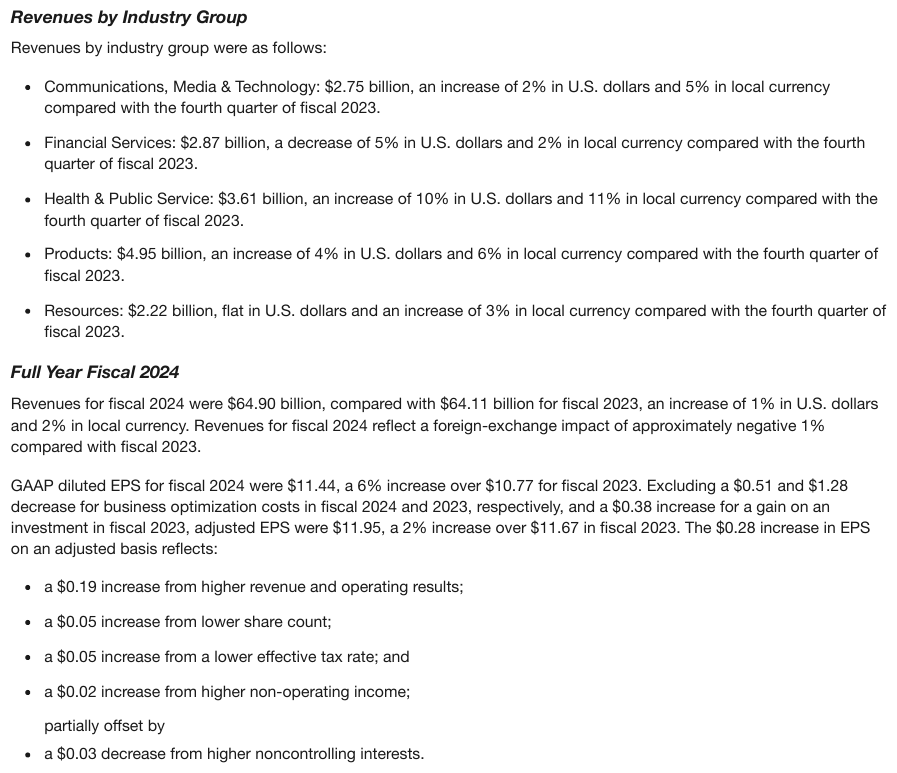
Four bulleted increases, then partially offset by on its own unbulleted line, then one more
bullet. The interjection is a paragraph between two lists.
…
GAAP diluted EPS for fiscal 2024 were $11.44, a 6% increase over $10.77 for fiscal 2023. Excluding a $0.51 and $1.28 decrease for business optimization costs in fiscal 2024 and 2023, respectively, and a $0.38 increase for a gain on an investment in fiscal 2023, adjusted EPS were $11.95, a 2% increase over $11.67 in fiscal 2023. The $0.28 increase in EPS on an adjusted basis reflects:
- a $0.19 increase from higher revenue and operating results;
- a $0.05 increase from lower share count;
- a $0.05 increase from a lower effective tax rate; and
- a $0.02 increase from higher non-operating income;
partially offset by
- a $0.03 decrease from higher noncontrolling interests.
Markdown source
<!-- … -->
GAAP diluted EPS for fiscal 2024 were $11.44, a 6% increase over $10.77 for fiscal 2023. Excluding a $0.51 and $1.28 decrease for business optimization costs in fiscal 2024 and 2023, respectively, and a $0.38 increase for a gain on an investment in fiscal 2023, adjusted EPS were $11.95, a 2% increase over $11.67 in fiscal 2023. The $0.28 increase in EPS on an adjusted basis reflects:
- a $0.19 increase from higher revenue and operating results;
- a $0.05 increase from lower share count;
- a $0.05 increase from a lower effective tax rate; and
- a $0.02 increase from higher non-operating income;
partially offset by
- a $0.03 decrease from higher noncontrolling interests.
Bullet glyphs that carry meaning
- A printed bullet glyph that carries meaning — a tick for acceptable, a cross for
unacceptable — MUST be kept as the first content token after the Markdown marker:
* ✓ Bank statement. - A decorative bullet shape (•, ◦, ▪, ➢) MUST be normalised to the Markdown marker and MUST NOT be transcribed.
✅ Sample — bullet glyphs that carry meaning
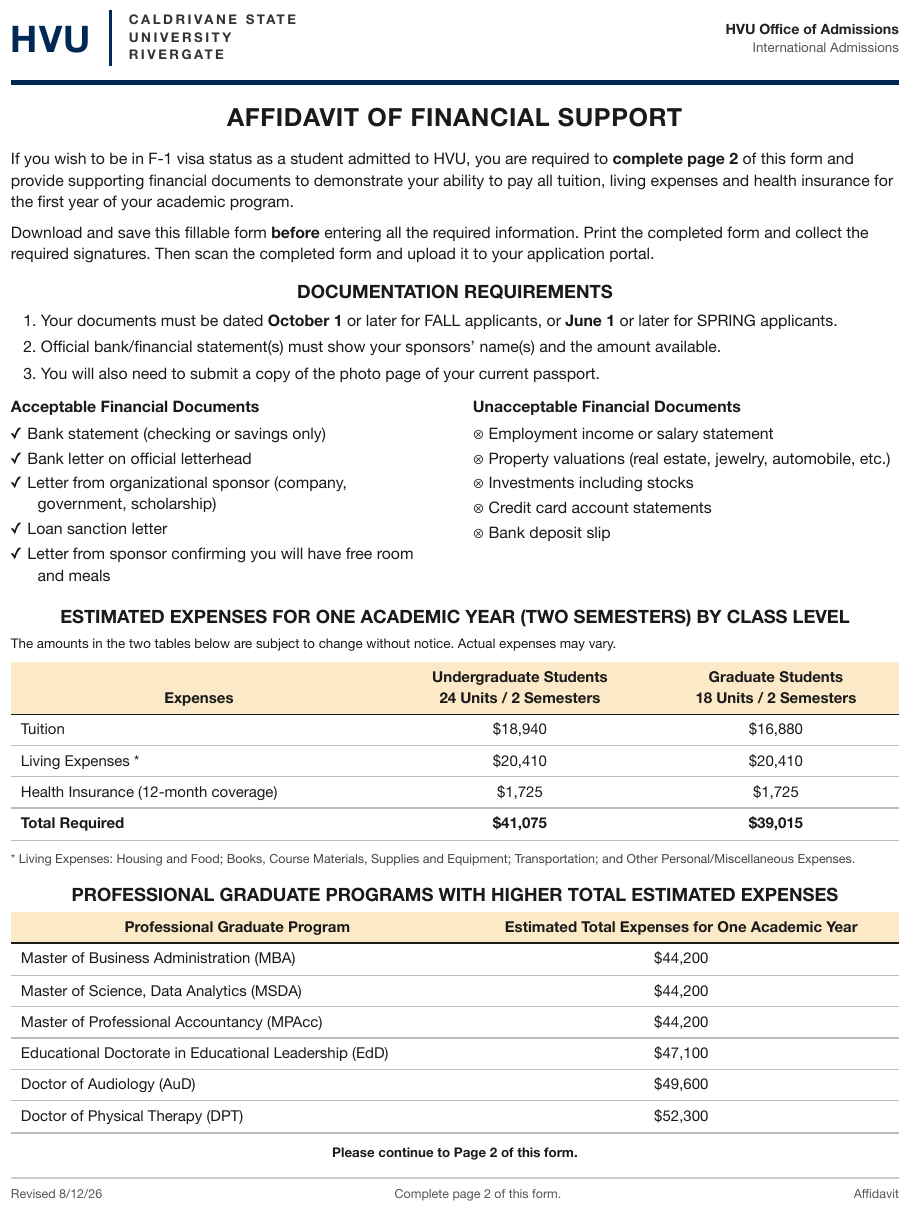
Acceptable Financial Documents bulleted with ✓, Unacceptable Financial Documents bulleted
with ⊗, side by side. Each meaningful glyph is kept after the Markdown bullet; see
Iconography and Symbols§7.3.4. The two captions are standalone subheads over their lists.
…
Acceptable Financial Documents
- ✓ Bank statement (checking or savings only)
- ✓ Bank letter on official letterhead
- ✓ Letter from organizational sponsor (company, government, scholarship)
- ✓ Loan sanction letter
- ✓ Letter from sponsor confirming you will have free room and meals
Unacceptable Financial Documents
- ⊗ Employment income or salary statement
- ⊗ Property valuations (real estate, jewelry, automobile, etc.)
- ⊗ Investments including stocks
- ⊗ Credit card account statements
- ⊗ Bank deposit slip
…
Markdown source
<!-- … -->
Acceptable Financial Documents
- ✓ Bank statement (checking or savings only)
- ✓ Bank letter on official letterhead
- ✓ Letter from organizational sponsor (company, government, scholarship)
- ✓ Loan sanction letter
- ✓ Letter from sponsor confirming you will have free room and meals
Unacceptable Financial Documents
- ⊗ Employment income or salary statement
- ⊗ Property valuations (real estate, jewelry, automobile, etc.)
- ⊗ Investments including stocks
- ⊗ Credit card account statements
- ⊗ Bank deposit slip
<!-- … -->
Related
- Checkboxes§10.4.2 — a box before an item is a form control, not a bullet
- Record Groups and Multi-Line Cells§9.5.3 — lists printed inside table cells
- Row-Label Hierarchy§9.5.5 — indentation that nests table rows rather than list items
- Iconography and Symbols§7.3.4 — glyphs that stand for a value
§9 Tables
9.1 What counts as a table
9.1.1 Borderless Whitespace Tables
✅ Normative · 📄 page rule
✅ Normative
A whitespace-aligned block with columns MUST be rendered as a table. Its column tracks MUST be read off the widest row, every value MUST be placed in the track it sits in, and the block MUST NOT be rendered as preformatted text.
Typewriter and fixed-width reports where the columns exist only as alignment — no column rules, no fills, no shading. Nothing on the page shows where one column ends and the next begins except the whitespace.
DURATION    LAPSE     EXPENSE
   1        12.0%       48.00
   2         8.5%       22.50     ← columns are pure whitespace
✅ Sample — wat
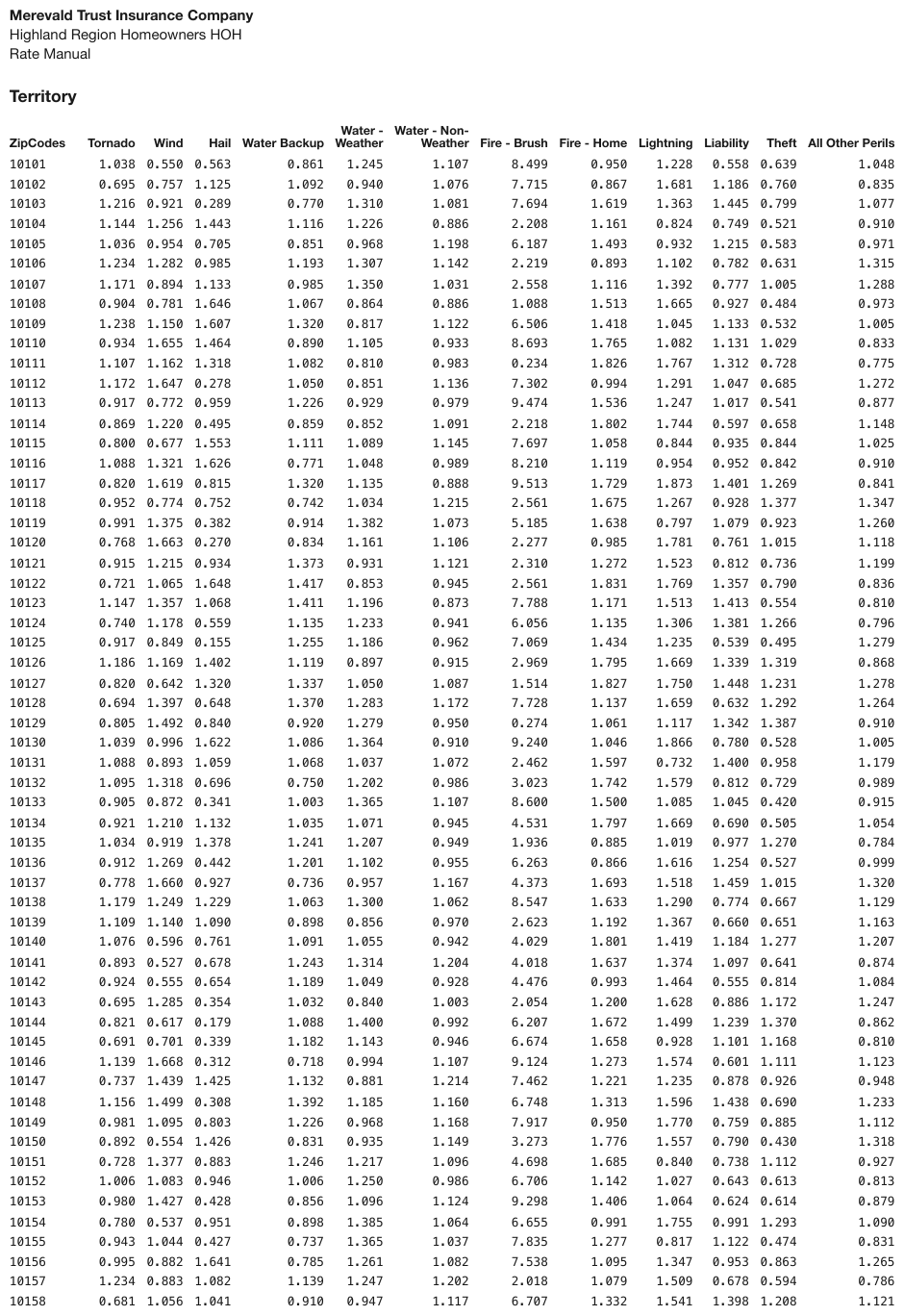
A long zip-code territory table with no rules or fills anywhere — columns exist purely as alignment. The two-line headers are wrapped labels and join into one header cell each.
| ZipCodes | Tornado | Wind | Hail | Water Backup | Water - Weather | Water - Non-Weather | Fire - Brush | Fire - Home | Lightning | Liability | Theft | All Other Perils | ||||||||||||||||||||||||||||||||||||||||||||||||||||||||||||||||||||||||||||||||||||||
|---|---|---|---|---|---|---|---|---|---|---|---|---|---|---|---|---|---|---|---|---|---|---|---|---|---|---|---|---|---|---|---|---|---|---|---|---|---|---|---|---|---|---|---|---|---|---|---|---|---|---|---|---|---|---|---|---|---|---|---|---|---|---|---|---|---|---|---|---|---|---|---|---|---|---|---|---|---|---|---|---|---|---|---|---|---|---|---|---|---|---|---|---|---|---|---|---|---|---|
| 10101 | 1.038 | 0.550 | 0.563 | 0.861 | 1.245 | 1.107 | 8.499 | 0.950 | 1.228 | 0.558 | 0.639 | 1.048 | ||||||||||||||||||||||||||||||||||||||||||||||||||||||||||||||||||||||||||||||||||||||
| 10102 | 0.695 | 0.757 | 1.125 | 1.092 | 0.940 | 1.076 | 7.715 | 0.867 | 1.681 | 1.186 | 0.760 | 0.835 | ||||||||||||||||||||||||||||||||||||||||||||||||||||||||||||||||||||||||||||||||||||||
| 10103 | 1.216 | 0.921 | 0.289 | 0.770 | 1.310 | 1.081 | 7.694 | 1.619 | 1.363 | 1.445 | 0.799 | 1.077 | ||||||||||||||||||||||||||||||||||||||||||||||||||||||||||||||||||||||||||||||||||||||
| 10104 | 1.144 | 1.256 | 1.443 | 1.116 | 1.226 | 0.886 | 2.208 | 1.161 | 0.824 | 0.749 | 0.521 | 0.910 | ||||||||||||||||||||||||||||||||||||||||||||||||||||||||||||||||||||||||||||||||||||||
| 10105 | 1.036 | 0.954 | 0.705 | 0.851 | 0.968 | 1.198 | 6.187 | 1.493 | 0.932 | 1.215 | 0.583 | 0.971 | ||||||||||||||||||||||||||||||||||||||||||||||||||||||||||||||||||||||||||||||||||||||
| 10106 | 1.234 | 1.282 | 0.985 | 1.193 | 1.307 | 1.142 | 2.219 | 0.893 | 1.102 | 0.782 | 0.631 | 1.315 | ||||||||||||||||||||||||||||||||||||||||||||||||||||||||||||||||||||||||||||||||||||||
| … | ||||||||||||||||||||||||||||||||||||||||||||||||||||||||||||||||||||||||||||||||||||||||||||||||||
Markdown source
<table>
  <tr> <th>ZipCodes</th> <th>Tornado</th> <th>Wind</th> <th>Hail</th> <th>Water Backup</th> <th>Water - Weather</th> <th>Water - Non-Weather</th> <th>Fire - Brush</th> <th>Fire - Home</th> <th>Lightning</th> <th>Liability</th> <th>Theft</th> <th>All Other Perils</th> </tr>
  <tr> <td>10101</td> <td>1.038</td> <td>0.550</td> <td>0.563</td> <td>0.861</td> <td>1.245</td> <td>1.107</td> <td>8.499</td> <td>0.950</td> <td>1.228</td> <td>0.558</td> <td>0.639</td> <td>1.048</td> </tr>
  <tr> <td>10102</td> <td>0.695</td> <td>0.757</td> <td>1.125</td> <td>1.092</td> <td>0.940</td> <td>1.076</td> <td>7.715</td> <td>0.867</td> <td>1.681</td> <td>1.186</td> <td>0.760</td> <td>0.835</td> </tr>
  <tr> <td>10103</td> <td>1.216</td> <td>0.921</td> <td>0.289</td> <td>0.770</td> <td>1.310</td> <td>1.081</td> <td>7.694</td> <td>1.619</td> <td>1.363</td> <td>1.445</td> <td>0.799</td> <td>1.077</td> </tr>
  <tr> <td>10104</td> <td>1.144</td> <td>1.256</td> <td>1.443</td> <td>1.116</td> <td>1.226</td> <td>0.886</td> <td>2.208</td> <td>1.161</td> <td>0.824</td> <td>0.749</td> <td>0.521</td> <td>0.910</td> </tr>
  <tr> <td>10105</td> <td>1.036</td> <td>0.954</td> <td>0.705</td> <td>0.851</td> <td>0.968</td> <td>1.198</td> <td>6.187</td> <td>1.493</td> <td>0.932</td> <td>1.215</td> <td>0.583</td> <td>0.971</td> </tr>
  <tr> <td>10106</td> <td>1.234</td> <td>1.282</td> <td>0.985</td> <td>1.193</td> <td>1.307</td> <td>1.142</td> <td>2.219</td> <td>0.893</td> <td>1.102</td> <td>0.782</td> <td>0.631</td> <td>1.315</td> </tr>
  <!-- … -->
</table>
Reading the tracks
- The column tracks are taken from the widest, most populated row.
- Every remaining row is checked: each value MUST start inside one track.
- Where they all do, the block is a table with those columns.
- Where a value drifts toward a neighbouring track, or straddles two, it MUST be placed in the track its left edge is closest to. The block is still a table.
A printed header line (a row of labels, often underlined) is strong evidence that columns are intended, and a reason to look harder for consistent tracks. It is not on its own a licence to create columns that the body rows do not support (never invent).
✅ Sample — aa
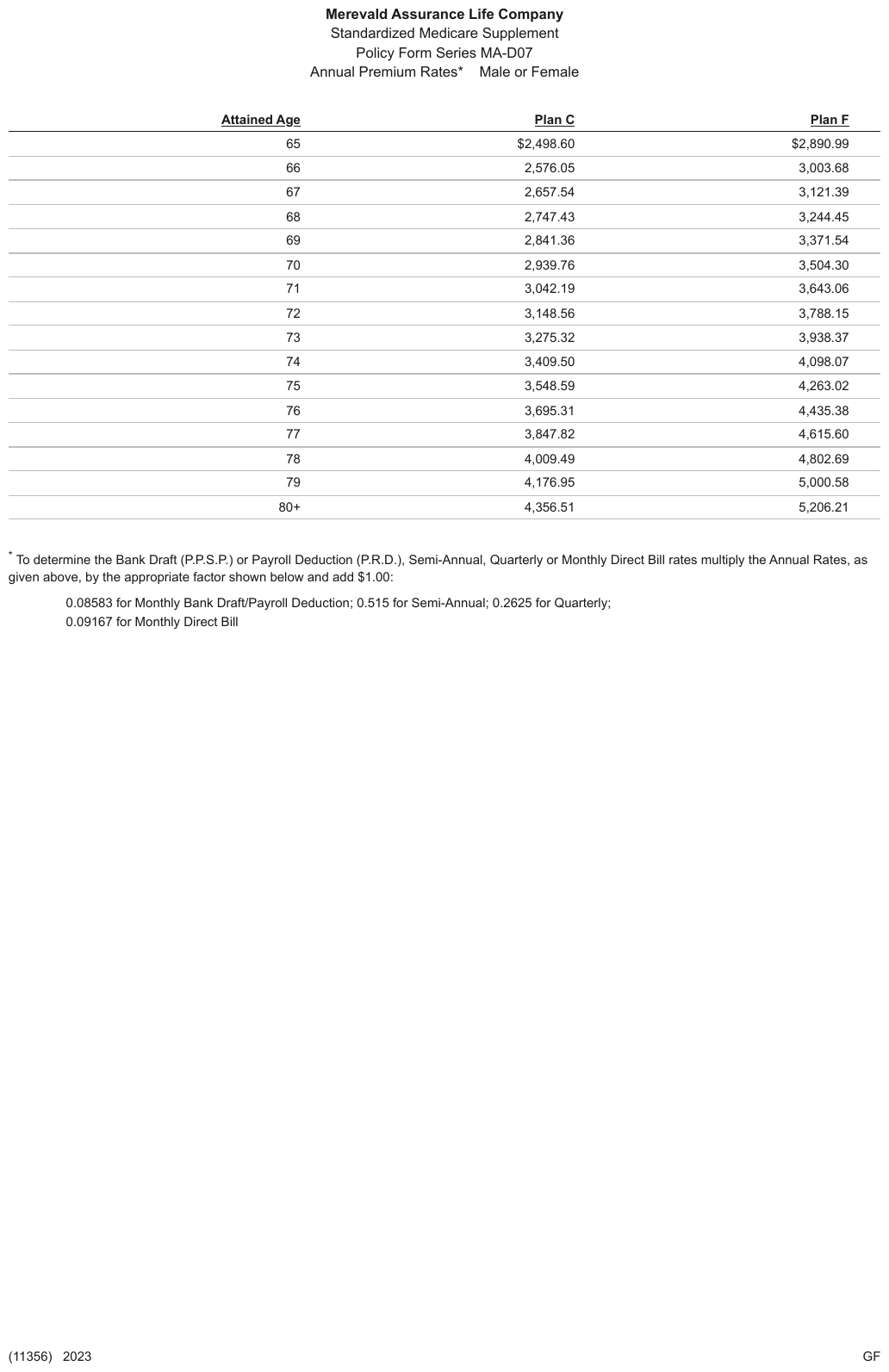
A Medicare-supplement premium table with thin rules between the rows but none between the columns: the columns are held together by underlined headers and whitespace alone.
| Attained Age | Plan C | Plan F | ||||||||||||||||||||||||||||||||||||||||||||||||||||||||||||||||||||||||||||||||||||||||||||||||
|---|---|---|---|---|---|---|---|---|---|---|---|---|---|---|---|---|---|---|---|---|---|---|---|---|---|---|---|---|---|---|---|---|---|---|---|---|---|---|---|---|---|---|---|---|---|---|---|---|---|---|---|---|---|---|---|---|---|---|---|---|---|---|---|---|---|---|---|---|---|---|---|---|---|---|---|---|---|---|---|---|---|---|---|---|---|---|---|---|---|---|---|---|---|---|---|---|---|---|
| 65 | $2,498.60 | $2,890.99 | ||||||||||||||||||||||||||||||||||||||||||||||||||||||||||||||||||||||||||||||||||||||||||||||||
| 66 | 2,576.05 | 3,003.68 | ||||||||||||||||||||||||||||||||||||||||||||||||||||||||||||||||||||||||||||||||||||||||||||||||
| 67 | 2,657.54 | 3,121.39 | ||||||||||||||||||||||||||||||||||||||||||||||||||||||||||||||||||||||||||||||||||||||||||||||||
| 68 | 2,747.43 | 3,244.45 | ||||||||||||||||||||||||||||||||||||||||||||||||||||||||||||||||||||||||||||||||||||||||||||||||
| 69 | 2,841.36 | 3,371.54 | ||||||||||||||||||||||||||||||||||||||||||||||||||||||||||||||||||||||||||||||||||||||||||||||||
| 70 | 2,939.76 | 3,504.30 | ||||||||||||||||||||||||||||||||||||||||||||||||||||||||||||||||||||||||||||||||||||||||||||||||
| … | ||||||||||||||||||||||||||||||||||||||||||||||||||||||||||||||||||||||||||||||||||||||||||||||||||
Markdown source
<table>
  <tr> <th><u>Attained Age</u></th> <th><u>Plan C</u></th> <th><u>Plan F</u></th> </tr>
  <tr> <td>65</td> <td>$2,498.60</td> <td>$2,890.99</td> </tr>
  <tr> <td>66</td> <td>2,576.05</td> <td>3,003.68</td> </tr>
  <tr> <td>67</td> <td>2,657.54</td> <td>3,121.39</td> </tr>
  <tr> <td>68</td> <td>2,747.43</td> <td>3,244.45</td> </tr>
  <tr> <td>69</td> <td>2,841.36</td> <td>3,371.54</td> </tr>
  <tr> <td>70</td> <td>2,939.76</td> <td>3,504.30</td> </tr>
  <!-- … -->
</table>
✅ Sample — xl
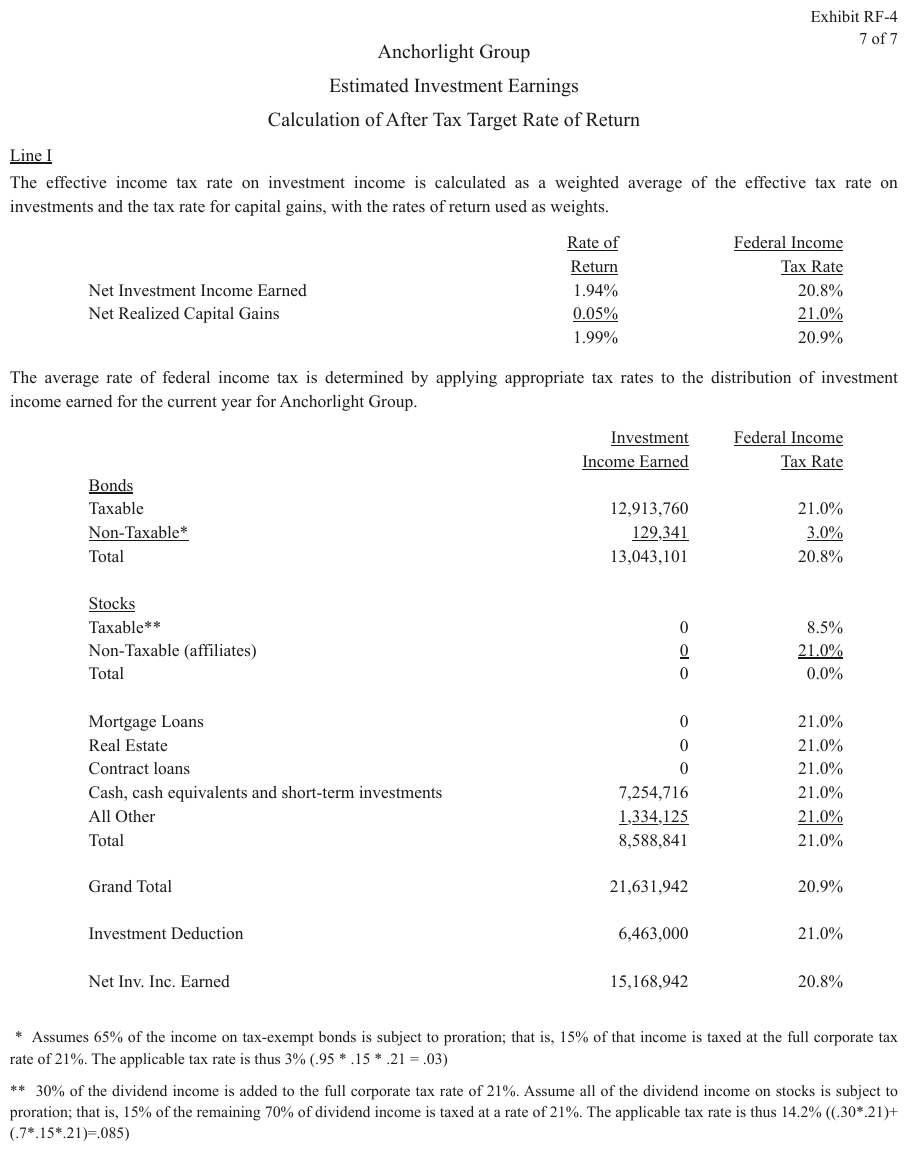
Two tax-rate calculation blocks with no rules, embedded in a memo. Each two-line column header is one wrapped label over one column, so it is one header cell, and the page underlines every header line and the last figure before each sum.
| Rate of Return | Federal Income Tax Rate | |
|---|---|---|
| Net Investment Income Earned | 1.94% | 20.8% |
| Net Realized Capital Gains | 0.05% | 21.0% |
| 1.99% | 20.9% |
Markdown source
<table>
  <tr> <th> </th> <th><u>Rate of Return</u></th> <th><u>Federal Income Tax Rate</u></th> </tr>
  <tr> <td>Net Investment Income Earned</td> <td>1.94%</td> <td>20.8%</td> </tr>
  <tr> <td>Net Realized Capital Gains</td> <td><u>0.05%</u></td> <td><u>21.0%</u></td> </tr>
  <tr> <td> </td> <td>1.99%</td> <td>20.9%</td> </tr>
</table>
✅ Sample — ppy
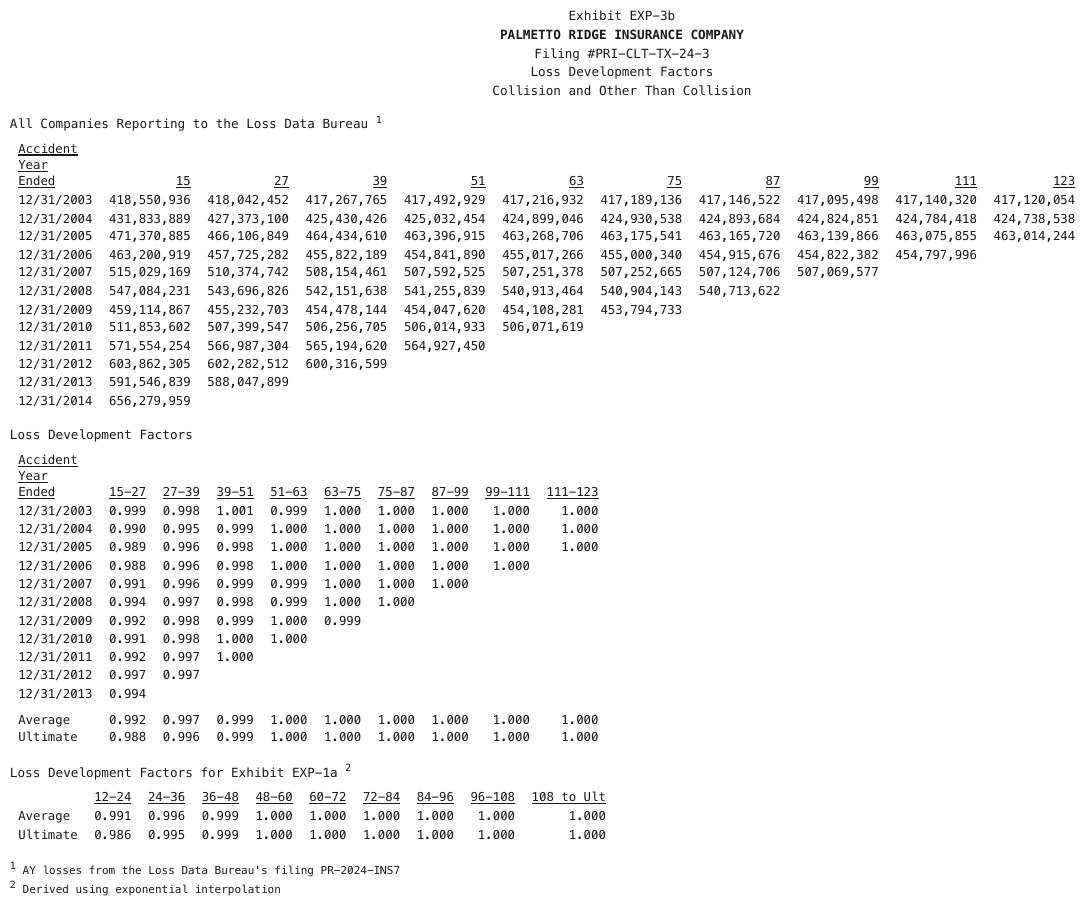
Three loss-triangle blocks aligned purely by column position, with underlined headers.
| Accident Year Ended | 15 | 27 | 39 | 51 | 63 | 75 | 87 | 99 | 111 | 123 | ||||||||||||||||||||||||||||||||||||||||||||||||||||||||||||||||||||||||||||||||||||||||
|---|---|---|---|---|---|---|---|---|---|---|---|---|---|---|---|---|---|---|---|---|---|---|---|---|---|---|---|---|---|---|---|---|---|---|---|---|---|---|---|---|---|---|---|---|---|---|---|---|---|---|---|---|---|---|---|---|---|---|---|---|---|---|---|---|---|---|---|---|---|---|---|---|---|---|---|---|---|---|---|---|---|---|---|---|---|---|---|---|---|---|---|---|---|---|---|---|---|---|
| 12/31/2003 | 418,550,936 | 418,042,452 | 417,267,765 | 417,492,929 | 417,216,932 | 417,189,136 | 417,146,522 | 417,095,498 | 417,140,320 | 417,120,054 | ||||||||||||||||||||||||||||||||||||||||||||||||||||||||||||||||||||||||||||||||||||||||
| 12/31/2004 | 431,833,889 | 427,373,100 | 425,430,426 | 425,032,454 | 424,899,046 | 424,930,538 | 424,893,684 | 424,824,851 | 424,784,418 | 424,738,538 | ||||||||||||||||||||||||||||||||||||||||||||||||||||||||||||||||||||||||||||||||||||||||
| 12/31/2005 | 471,370,885 | 466,106,849 | 464,434,610 | 463,396,915 | 463,268,706 | 463,175,541 | 463,165,720 | 463,139,866 | 463,075,855 | 463,014,244 | ||||||||||||||||||||||||||||||||||||||||||||||||||||||||||||||||||||||||||||||||||||||||
| 12/31/2006 | 463,200,919 | 457,725,282 | 455,822,189 | 454,841,890 | 455,017,266 | 455,000,340 | 454,915,676 | 454,822,382 | 454,797,996 | |||||||||||||||||||||||||||||||||||||||||||||||||||||||||||||||||||||||||||||||||||||||||
| 12/31/2007 | 515,029,169 | 510,374,742 | 508,154,461 | 507,592,525 | 507,251,378 | 507,252,665 | 507,124,706 | 507,069,577 | ||||||||||||||||||||||||||||||||||||||||||||||||||||||||||||||||||||||||||||||||||||||||||
| 12/31/2008 | 547,084,231 | 543,696,826 | 542,151,638 | 541,255,839 | 540,913,464 | 540,904,143 | 540,713,622 | |||||||||||||||||||||||||||||||||||||||||||||||||||||||||||||||||||||||||||||||||||||||||||
| … | ||||||||||||||||||||||||||||||||||||||||||||||||||||||||||||||||||||||||||||||||||||||||||||||||||
Markdown source
<table>
  <caption>All Companies Reporting to the Loss Data Bureau <sup>1</sup></caption>
  <tr> <th><u>Accident Year Ended</u></th> <th><u>15</u></th> <th><u>27</u></th> <th><u>39</u></th> <th><u>51</u></th> <th><u>63</u></th> <th><u>75</u></th> <th><u>87</u></th> <th><u>99</u></th> <th><u>111</u></th> <th><u>123</u></th> </tr>
  <tr> <td>12/31/2003</td> <td>418,550,936</td> <td>418,042,452</td> <td>417,267,765</td> <td>417,492,929</td> <td>417,216,932</td> <td>417,189,136</td> <td>417,146,522</td> <td>417,095,498</td> <td>417,140,320</td> <td>417,120,054</td> </tr>
  <tr> <td>12/31/2004</td> <td>431,833,889</td> <td>427,373,100</td> <td>425,430,426</td> <td>425,032,454</td> <td>424,899,046</td> <td>424,930,538</td> <td>424,893,684</td> <td>424,824,851</td> <td>424,784,418</td> <td>424,738,538</td> </tr>
  <tr> <td>12/31/2005</td> <td>471,370,885</td> <td>466,106,849</td> <td>464,434,610</td> <td>463,396,915</td> <td>463,268,706</td> <td>463,175,541</td> <td>463,165,720</td> <td>463,139,866</td> <td>463,075,855</td> <td>463,014,244</td> </tr>
  <tr> <td>12/31/2006</td> <td>463,200,919</td> <td>457,725,282</td> <td>455,822,189</td> <td>454,841,890</td> <td>455,017,266</td> <td>455,000,340</td> <td>454,915,676</td> <td>454,822,382</td> <td>454,797,996</td> <td> </td> </tr>
  <tr> <td>12/31/2007</td> <td>515,029,169</td> <td>510,374,742</td> <td>508,154,461</td> <td>507,592,525</td> <td>507,251,378</td> <td>507,252,665</td> <td>507,124,706</td> <td>507,069,577</td> <td> </td> <td> </td> </tr>
  <tr> <td>12/31/2008</td> <td>547,084,231</td> <td>543,696,826</td> <td>542,151,638</td> <td>541,255,839</td> <td>540,913,464</td> <td>540,904,143</td> <td>540,713,622</td> <td> </td> <td> </td> <td> </td> </tr>
  <!-- … -->
</table>
✅ Sample — 2cc
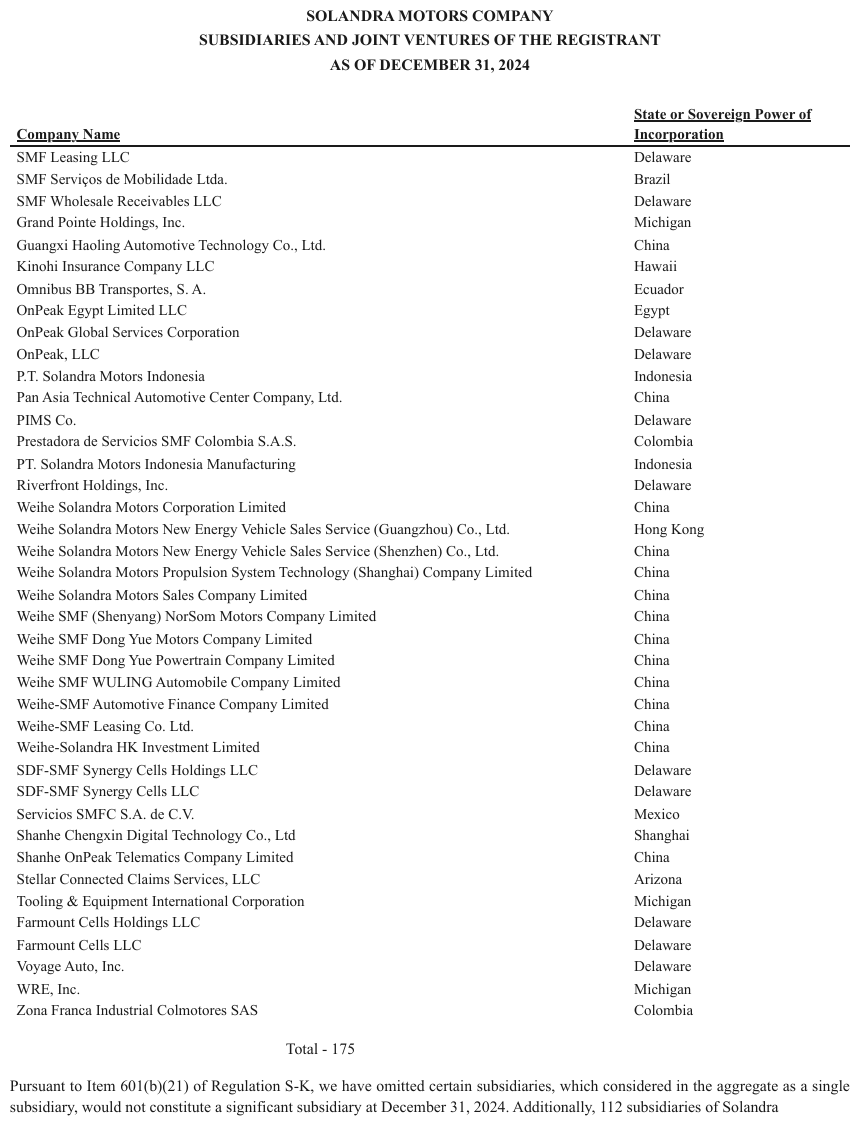
A fictional automaker's subsidiaries list with a single header underline and nothing else. The second header is one label wrapped over two lines.
| Company Name | State or Sovereign Power of Incorporation | |||||||||||||||||||||||||||||||||||||||||||||||||||||||||||||||||||||||||||||||||||||||||||||||||
|---|---|---|---|---|---|---|---|---|---|---|---|---|---|---|---|---|---|---|---|---|---|---|---|---|---|---|---|---|---|---|---|---|---|---|---|---|---|---|---|---|---|---|---|---|---|---|---|---|---|---|---|---|---|---|---|---|---|---|---|---|---|---|---|---|---|---|---|---|---|---|---|---|---|---|---|---|---|---|---|---|---|---|---|---|---|---|---|---|---|---|---|---|---|---|---|---|---|---|
| SMF Leasing LLC | Delaware | |||||||||||||||||||||||||||||||||||||||||||||||||||||||||||||||||||||||||||||||||||||||||||||||||
| SMF Serviços de Mobilidade Ltda. | Brazil | |||||||||||||||||||||||||||||||||||||||||||||||||||||||||||||||||||||||||||||||||||||||||||||||||
| SMF Wholesale Receivables LLC | Delaware | |||||||||||||||||||||||||||||||||||||||||||||||||||||||||||||||||||||||||||||||||||||||||||||||||
| Grand Pointe Holdings, Inc. | Michigan | |||||||||||||||||||||||||||||||||||||||||||||||||||||||||||||||||||||||||||||||||||||||||||||||||
| Guangxi Haoling Automotive Technology Co., Ltd. | China | |||||||||||||||||||||||||||||||||||||||||||||||||||||||||||||||||||||||||||||||||||||||||||||||||
| Kinohi Insurance Company LLC | Hawaii | |||||||||||||||||||||||||||||||||||||||||||||||||||||||||||||||||||||||||||||||||||||||||||||||||
| … | ||||||||||||||||||||||||||||||||||||||||||||||||||||||||||||||||||||||||||||||||||||||||||||||||||
Markdown source
<table>
  <tr> <th><u>Company Name</u></th> <th><u>State or Sovereign Power of Incorporation</u></th> </tr>
  <tr> <td>SMF Leasing LLC</td> <td>Delaware</td> </tr>
  <tr> <td>SMF Serviços de Mobilidade Ltda.</td> <td>Brazil</td> </tr>
  <tr> <td>SMF Wholesale Receivables LLC</td> <td>Delaware</td> </tr>
  <tr> <td>Grand Pointe Holdings, Inc.</td> <td>Michigan</td> </tr>
  <tr> <td>Guangxi Haoling Automotive Technology Co., Ltd.</td> <td>China</td> </tr>
  <tr> <td>Kinohi Insurance Company LLC</td> <td>Hawaii</td> </tr>
  <!-- … -->
</table>
Why the alignment test, and not a guess
Columns guessed wrong produce silently misaligned data — a lapse rate filed under expense. The alignment test is how the columns are read, not a reason to give up on them: the widest row fixes the tracks, and every other value is placed by where it starts. A preformatted block would keep the characters but lose every number to anything that consumes structure, which is the worse loss — so it is never the conforming output.
A purely visual "it must have printed rules" reading of Is This Even a Table§9.1.5 would exclude this entire class by construction. It does not: these are tables when the alignment holds.
✅ Sample — a four-line key-value panel on a slide
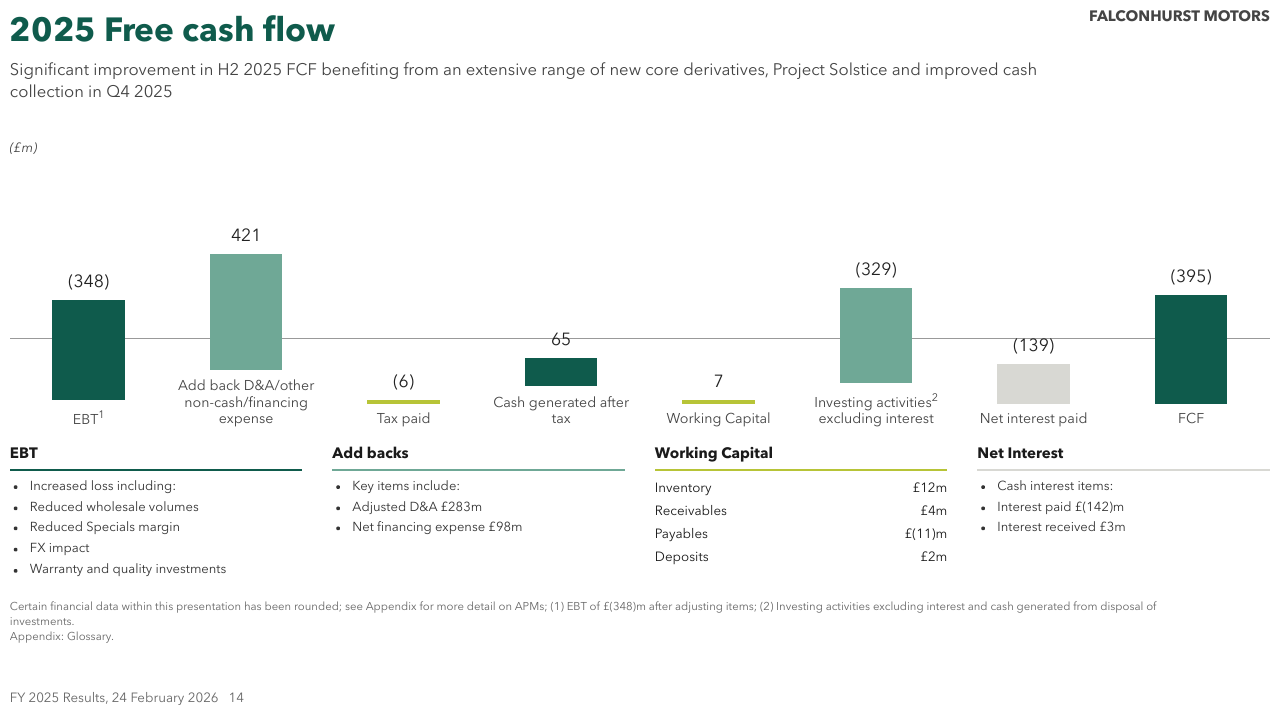
Under the chart, the Working Capital panel prints four labels and four amounts on two whitespace
tracks and nothing else. Every row is the same kind of record — a component and its amount — so it
is a table even with no header row and no grid (see Is This Even a Table§9.1.5). The neighbouring
panels are bullet lists. The panel title sits above the table as text.
| Inventory | £12m |
| Receivables | £4m |
| Payables | £(11)m |
| Deposits | £2m |
Markdown source
<table>
  <caption><strong>Working Capital</strong></caption>
  <tr> <td>Inventory</td> <td>£12m</td> </tr>
  <tr> <td>Receivables</td> <td>£4m</td> </tr>
  <tr> <td>Payables</td> <td>£(11)m</td> </tr>
  <tr> <td>Deposits</td> <td>£2m</td> </tr>
</table>
✅ Sample — an exhibit with no rules and empty cells
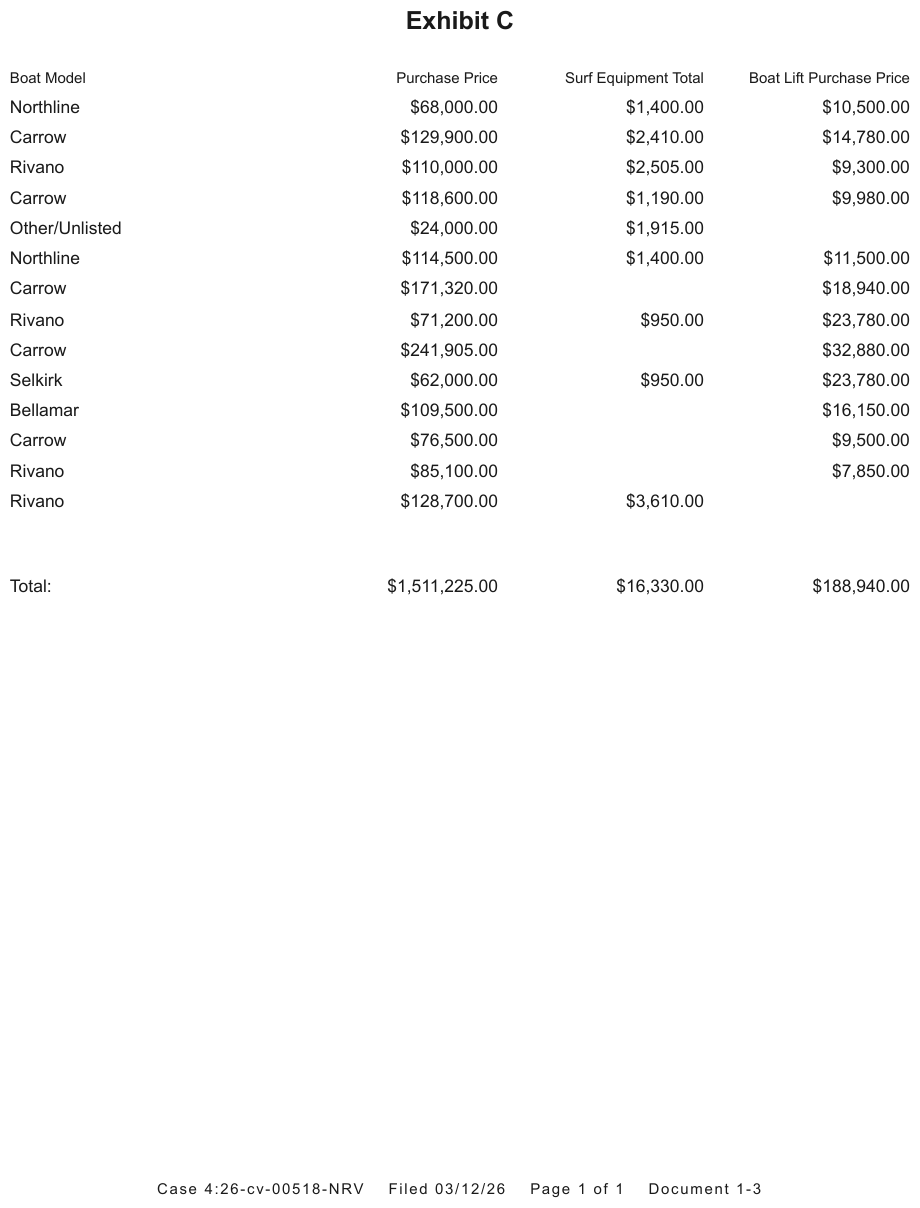
Four headers over fourteen rows, every value right-aligned in its track, several cells empty, and
a Total: row after a two-line gap. The alignment holds all the way down. The gap is rendered here
by leaving it out, one of the two conforming forms of Blank and Spacer Rows§9.5.1.
| Boat Model | Purchase Price | Surf Equipment Total | Boat Lift Purchase Price |
|---|---|---|---|
| Northline | $68,000.00 | $1,400.00 | $10,500.00 |
| Carrow | $129,900.00 | $2,410.00 | $14,780.00 |
| Rivano | $110,000.00 | $2,505.00 | $9,300.00 |
| Carrow | $118,600.00 | $1,190.00 | $9,980.00 |
| Other/Unlisted | $24,000.00 | $1,915.00 | |
| Northline | $114,500.00 | $1,400.00 | $11,500.00 |
| Carrow | $171,320.00 | $18,940.00 | |
| Rivano | $71,200.00 | $950.00 | $23,780.00 |
| Carrow | $241,905.00 | $32,880.00 | |
| Selkirk | $62,000.00 | $950.00 | $23,780.00 |
| Bellamar | $109,500.00 | $16,150.00 | |
| Carrow | $76,500.00 | $9,500.00 | |
| Rivano | $85,100.00 | $7,850.00 | |
| Rivano | $128,700.00 | $3,610.00 | |
| Total: | $1,511,225.00 | $16,330.00 | $188,940.00 |
Markdown source
<table>
  <tr> <th>Boat Model</th> <th>Purchase Price</th> <th>Surf Equipment Total</th> <th>Boat Lift Purchase Price</th> </tr>
  <tr> <td>Northline</td> <td>$68,000.00</td> <td>$1,400.00</td> <td>$10,500.00</td> </tr>
  <tr> <td>Carrow</td> <td>$129,900.00</td> <td>$2,410.00</td> <td>$14,780.00</td> </tr>
  <tr> <td>Rivano</td> <td>$110,000.00</td> <td>$2,505.00</td> <td>$9,300.00</td> </tr>
  <tr> <td>Carrow</td> <td>$118,600.00</td> <td>$1,190.00</td> <td>$9,980.00</td> </tr>
  <tr> <td>Other/Unlisted</td> <td>$24,000.00</td> <td>$1,915.00</td> <td> </td> </tr>
  <tr> <td>Northline</td> <td>$114,500.00</td> <td>$1,400.00</td> <td>$11,500.00</td> </tr>
  <tr> <td>Carrow</td> <td>$171,320.00</td> <td> </td> <td>$18,940.00</td> </tr>
  <tr> <td>Rivano</td> <td>$71,200.00</td> <td>$950.00</td> <td>$23,780.00</td> </tr>
  <tr> <td>Carrow</td> <td>$241,905.00</td> <td> </td> <td>$32,880.00</td> </tr>
  <tr> <td>Selkirk</td> <td>$62,000.00</td> <td>$950.00</td> <td>$23,780.00</td> </tr>
  <tr> <td>Bellamar</td> <td>$109,500.00</td> <td> </td> <td>$16,150.00</td> </tr>
  <tr> <td>Carrow</td> <td>$76,500.00</td> <td> </td> <td>$9,500.00</td> </tr>
  <tr> <td>Rivano</td> <td>$85,100.00</td> <td> </td> <td>$7,850.00</td> </tr>
  <tr> <td>Rivano</td> <td>$128,700.00</td> <td>$3,610.00</td> <td> </td> </tr>
  <tr> <td>Total:</td> <td>$1,511,225.00</td> <td>$16,330.00</td> <td>$188,940.00</td> </tr>
</table>
✅ Sample — a headerless results list with band rows
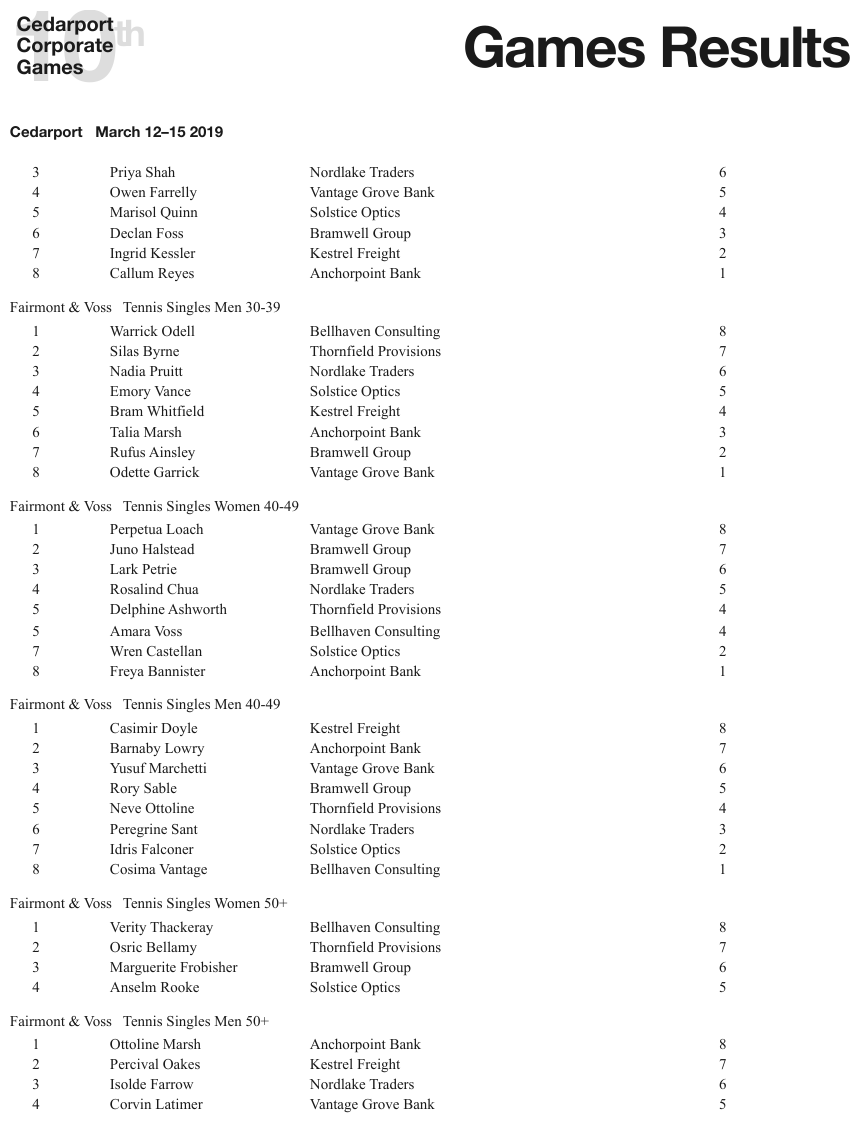
Rank, name, company and points on four whitespace tracks with no header row anywhere; event
names — Fairmont & Voss Tennis Singles Men 30-39 — printed flush left between the groups as
bands. The alignment holds for the whole page. Each band is one full-width row, as
Bands Inside the Grid§9.2.1 requires.
| 3 | Priya Shah | Nordlake Traders | 6 | |||||||||||||||||||||||||||||||||||||||||||||||||||||||||||||||||||||||||||||||||||||||||||||||
| 4 | Owen Farrelly | Vantage Grove Bank | 5 | |||||||||||||||||||||||||||||||||||||||||||||||||||||||||||||||||||||||||||||||||||||||||||||||
| 5 | Marisol Quinn | Solstice Optics | 4 | |||||||||||||||||||||||||||||||||||||||||||||||||||||||||||||||||||||||||||||||||||||||||||||||
| 6 | Declan Foss | Bramwell Group | 3 | |||||||||||||||||||||||||||||||||||||||||||||||||||||||||||||||||||||||||||||||||||||||||||||||
| 7 | Ingrid Kessler | Kestrel Freight | 2 | |||||||||||||||||||||||||||||||||||||||||||||||||||||||||||||||||||||||||||||||||||||||||||||||
| 8 | Callum Reyes | Anchorpoint Bank | 1 | |||||||||||||||||||||||||||||||||||||||||||||||||||||||||||||||||||||||||||||||||||||||||||||||
| Fairmont & Voss Tennis Singles Men 30-39 | ||||||||||||||||||||||||||||||||||||||||||||||||||||||||||||||||||||||||||||||||||||||||||||||||||
| 1 | Warrick Odell | Bellhaven Consulting | 8 | |||||||||||||||||||||||||||||||||||||||||||||||||||||||||||||||||||||||||||||||||||||||||||||||
| 2 | Silas Byrne | Thornfield Provisions | 7 | |||||||||||||||||||||||||||||||||||||||||||||||||||||||||||||||||||||||||||||||||||||||||||||||
| … | ||||||||||||||||||||||||||||||||||||||||||||||||||||||||||||||||||||||||||||||||||||||||||||||||||
Markdown source
<table>
<tr> <td>3</td> <td>Priya Shah</td> <td>Nordlake Traders</td> <td>6</td> </tr>
<tr> <td>4</td> <td>Owen Farrelly</td> <td>Vantage Grove Bank</td> <td>5</td> </tr>
<tr> <td>5</td> <td>Marisol Quinn</td> <td>Solstice Optics</td> <td>4</td> </tr>
<tr> <td>6</td> <td>Declan Foss</td> <td>Bramwell Group</td> <td>3</td> </tr>
<tr> <td>7</td> <td>Ingrid Kessler</td> <td>Kestrel Freight</td> <td>2</td> </tr>
<tr> <td>8</td> <td>Callum Reyes</td> <td>Anchorpoint Bank</td> <td>1</td> </tr>
<tr> <td colspan="4">Fairmont & Voss Tennis Singles Men 30-39</td> </tr>
<tr> <td>1</td> <td>Warrick Odell</td> <td>Bellhaven Consulting</td> <td>8</td> </tr>
<tr> <td>2</td> <td>Silas Byrne</td> <td>Thornfield Provisions</td> <td>7</td> </tr>
<!-- … -->
</table>Related
- Is This Even a Table§9.1.5 — the relation test this class passes without printed rules
- Cell Text Fidelity§9.6.3 — values placed in their track are still transcribed verbatim
- Gutter Columns§9.4.1 — whitespace gaps that are not columns
- Blank and Spacer Rows§9.5.1 — what to do with the vertical gaps between groups
9.1.2 Chart With a Printed Data Grid
✅ Normative · 📄 page rule
✅ Normative
When a chart prints its data grid beside or beneath the canvas, the output MUST render that grid exactly as printed — same orientation, same headers, same row order — and MUST NOT render any other table for the chart.
Some charts print their numbers as a small grid next to the canvas: a bar chart with bucket-columns
× metric-rows underneath, for example. That printed grid is often transposed relative to the
[Category, Value] shape a chart is usually reasoned about in.
Printed under the bar chart:            Transposed reconstruction — non-conforming:
| Metric   | $0–1k | $1k–5k | $5k+ |    | Bucket | Avg Premium |
| Avg Prem | 412   | 388    | 351  |    | $0–1k  | 412         |
                                        | $1k–5k | 388         |
Requirements
- The table representing the chart MUST open with
<table data-source="chart">, including when its values come from the printed grid. - The grid MUST be transcribed in its printed orientation. Metrics that run across the top stay across the top.
- The grid MUST NOT be transposed, and its rows and columns MUST NOT be reordered into a more natural shape.
- The output MUST NOT add a second, reconstructed version alongside it. One grid is printed; one grid is rendered.
- Values MUST NOT be re-keyed off the chart canvas — bars, points and axis ticks are not the source. Only what is printed as text in the grid counts.
A transposed version is non-conforming even when it reads better, in the same way that rewriting a cell's text is non-conforming.
Why as printed
This is the verbatim posture the whole protocol takes: transcribe what is on the page, do not improve it (see Cell Text Fidelity§9.6.3, Accounting Number Formats§9.6.1). A second reconstructed copy also creates the duplication described in Duplicated Tables§9.2.4 and Titles Banners Captions§9.7.3 — two tables where the page printed one (never invent).
✅ Sample — two charts with their grids beneath
Each chart prints a four-row grid under its bars — one row per series, one column per quarter, with the year as a spanning row between the quarters and the values. The grid is the rendering; the bars are not re-keyed.
Aeronyl
11% growth at CER to $329m in Q1 2026
| Q1 | Q2 | Q3 | Q4 | Q1 | Q2 | Q3 | Q4 | Q1 | |
|---|---|---|---|---|---|---|---|---|---|
| 2024 | 2025 | 2026 | |||||||
| EM | 68 | 59 | 72 | 66 | 91 | 82 | 96 | 87 | 109 |
| ERoW | 13 | 18 | 17 | 19 | 21 | 23 | 25 | 26 | 28 |
| Europe | 28 | 32 | 34 | 39 | 41 | 43 | 47 | 51 | 60 |
| US | 98 | 112 | 133 | 139 | 139 | 138 | 156 | 143 | 140 |
Markdown source
## *Aeronyl*

11% growth at CER to $329m in Q1 2026
<table data-source="chart">
<tr> <th> </th> <th>Q1</th> <th>Q2</th> <th>Q3</th> <th>Q4</th> <th>Q1</th> <th>Q2</th> <th>Q3</th> <th>Q4</th> <th>Q1</th> </tr>
<tr> <th> </th> <th colspan="4">2024</th> <th colspan="4">2025</th> <th>2026</th> </tr>
<tr> <td>EM</td> <td>68</td> <td>59</td> <td>72</td> <td>66</td> <td>91</td> <td>82</td> <td>96</td> <td>87</td> <td>109</td> </tr>
<tr> <td>ERoW</td> <td>13</td> <td>18</td> <td>17</td> <td>19</td> <td>21</td> <td>23</td> <td>25</td> <td>26</td> <td>28</td> </tr>
<tr> <td>Europe</td> <td>28</td> <td>32</td> <td>34</td> <td>39</td> <td>41</td> <td>43</td> <td>47</td> <td>51</td> <td>60</td> </tr>
<tr> <td>US</td> <td>98</td> <td>112</td> <td>133</td> <td>139</td> <td>139</td> <td>138</td> <td>156</td> <td>143</td> <td>140</td> </tr>
</table>
Related
- Rotated and Diagonal Content§9.8.1 — orientation is preserved there too
- Duplicated Tables§9.2.4 — a reconstructed copy is a duplicate the page did not print
- Cover Every Data Point§11.1.1 — the chart table used when a chart prints no grid
9.1.3 Empty Pre-Printed Grids
✅ Normative · 📄 page rule
✅ Normative
A printed grid with no values entered MUST be rendered as a table, with its headers and every printed empty row as a row of empty cells. It MUST NOT be skipped, and MUST NOT be reduced to its headers alone.
A blank form table — full ruled structure, headers printed, no values entered anywhere.
| Name | Date | Amount | Signature |
|      |      |        |           |
|      |      |        |           |
Requirements
- The grid MUST be rendered as a table. The headers are the content: they are what the form asks for.
- Every printed empty row MUST be rendered, as empty cells. An empty cell is a cell.
- The headers MUST NOT be emitted on their own. A headers-only output is the degenerate shape ruled out in Header-Only Tables§9.1.4; here the printed empty rows are the body, so keeping them avoids that shape.
- The table MUST NOT be skipped because it has no data. A page with a printed form on it is not blank.
- A long run of identical empty rows — dozens of them — MUST be rendered in full, never trimmed to a representative few.
✅ Sample — xx
An NAIC rate-filing exhibit where every row after the first is a blank template row awaiting
entry — the structure is the content. Each blank row still prints XX and the computed
0.00% / 0.00 subtotals, and all nine are kept. Each column header is one label wrapped over many
lines, so its lines are joined into one cell, including the words broken mid-word by the narrow
columns.
| Data Item for Specified Rating Pool | |||||||||||||||||||||||||||||||
|---|---|---|---|---|---|---|---|---|---|---|---|---|---|---|---|---|---|---|---|---|---|---|---|---|---|---|---|---|---|---|---|
| For the rate period included in the immediately prior rate adjustment filing (or initial form & rate filing) | |||||||||||||||||||||||||||||||
| 1. Market Segment | 2. Description of rating pool within the market segment | 18. Period assumed - beginning date (MM/DD/YY) | 19. Period assumed - ending date (MM/DD/YY) | 20. Average annual claim trend assumed | 21.1 Regulatory authority licenses and fees, including New York State 332 assessment as a % of gross premium | 21.2 Administrative expenses for activities that improve health care quality as defined in the NAIC Annual Statement Supplement Health Care Exhibit - as a % of gross premium | 21.3 Commissions and broker fees - as a % of gross premium | 21.4 Premium Taxes - as a % of gross premium | 21.5 Other state and federal taxes and assessments (other than income taxes and assessments) - as a % of gross premium | 21.6 Other administrative expenses - as a % of gross premium | 21.7 Subtotal columns 21.1 through 21.6 | 22. After tax underwriting margin (profit/contribution to surplus) - as a % of gross premium | 23. State income tax component - as a % of gross premium | 23.1 State income tax rate assumed (eg 3%) | 24. Federal income tax component - as a % of gross premium | 24.1 Federal income tax rate assumed (eg 30%) | 25. Reduction for assumed net investment income - as a % of gross premium (enter as a negative value) | 26. Subtotal lines 21.7 + 22 + 23 + 24 + 25 | 27.1 Regulatory authority licenses and fees, including New York State 332 assessment expenses - $pmpm | 27.2 Administrative expenses for activities that improve health care quality as defined in the NAIC Annual Statement Supplement Health Care Exhibit - as $pmpm | 27.3 Commissions and broker fees - as $pmpm | 27.4 Premium Taxes - as $pmpm | 27.5 Other state and federal taxes and assessments (other than income taxes and assessments) - as $pmpm | 27.6 Other administrative expenses - as $pmpm | 27.7 Subtotal lines 27.1 through 27.6 | 28. After tax underwriting margin (profit/contribution to surplus) - as $pmpm | 29. State income tax component - as $pmpm | 30. Federal income tax component - as $pmpm | 31. Reduction for assumed net investment income - as $pmpm (enter as a negative value) | 32. Subtotal columns 27.7 through 31 | |
| HNY-IND | Healthy NY | XX | 1/1/2012 | 12/31/2012 | 15.2% | 0.80% | 0.00% | 1.54% | 2.71% | 0.00% | 6.16% | 11.21% | -1.21% | 0.00% | 7.10% | 0.00% | 34.00% | 0.00% | 10.00% | 2.40 | 0.00 | 4.62 | 8.14 | 0.00 | 18.46 | 33.62 | (3.64) | 0.00 | 0.00 | 0.00 | 29.98 |
| XX | 0.00% | 0.00% | 0.00 | 0.00 | |||||||||||||||||||||||||||
| XX | 0.00% | 0.00% | 0.00 | 0.00 | |||||||||||||||||||||||||||
| XX | 0.00% | 0.00% | 0.00 | 0.00 | |||||||||||||||||||||||||||
| XX | 0.00% | 0.00% | 0.00 | 0.00 | |||||||||||||||||||||||||||
| XX | 0.00% | 0.00% | 0.00 | 0.00 | |||||||||||||||||||||||||||
| XX | 0.00% | 0.00% | 0.00 | 0.00 | |||||||||||||||||||||||||||
| XX | 0.00% | 0.00% | 0.00 | 0.00 | |||||||||||||||||||||||||||
| XX | 0.00% | 0.00% | 0.00 | 0.00 | |||||||||||||||||||||||||||
| XX | 0.00% | 0.00% | 0.00 | 0.00 | |||||||||||||||||||||||||||
Markdown source
<table>
<tr> <th colspan="32">Data Item for Specified Rating Pool</th> </tr>
<tr> <th> </th> <th> </th> <th> </th> <th colspan="29">For the rate period included in the immediately prior rate adjustment filing (or initial form & rate filing)</th> </tr>
<tr> <th>1. Market Segment</th> <th>2. Description of rating pool within the market segment</th> <th> </th> <th>18. Period assumed - beginning date (MM/DD/YY)</th> <th>19. Period assumed - ending date (MM/DD/YY)</th> <th>20. Average annual claim trend assumed</th> <th>21.1 Regulatory authority licenses and fees, including New York State 332 assessment as a % of gross premium</th> <th>21.2 Administrative expenses for activities that improve health care quality as defined in the NAIC Annual Statement Supplement Health Care Exhibit - as a % of gross premium</th> <th>21.3 Commissions and broker fees - as a % of gross premium</th> <th>21.4 Premium Taxes - as a % of gross premium</th> <th>21.5 Other state and federal taxes and assessments (other than income taxes and assessments) - as a % of gross premium</th> <th>21.6 Other administrative expenses - as a % of gross premium</th> <th>21.7 Subtotal columns 21.1 through 21.6</th> <th>22. After tax underwriting margin (profit/contribution to surplus) - as a % of gross premium</th> <th>23. State income tax component - as a % of gross premium</th> <th>23.1 State income tax rate assumed (eg 3%)</th> <th>24. Federal income tax component - as a % of gross premium</th> <th>24.1 Federal income tax rate assumed (eg 30%)</th> <th>25. Reduction for assumed net investment income - as a % of gross premium (enter as a negative value)</th> <th>26. Subtotal lines 21.7 + 22 + 23 + 24 + 25</th> <th>27.1 Regulatory authority licenses and fees, including New York State 332 assessment expenses - $pmpm</th> <th>27.2 Administrative expenses for activities that improve health care quality as defined in the NAIC Annual Statement Supplement Health Care Exhibit - as $pmpm</th> <th>27.3 Commissions and broker fees - as $pmpm</th> <th>27.4 Premium Taxes - as $pmpm</th> <th>27.5 Other state and federal taxes and assessments (other than income taxes and assessments) - as $pmpm</th> <th>27.6 Other administrative expenses - as $pmpm</th> <th>27.7 Subtotal lines 27.1 through 27.6</th> <th>28. After tax underwriting margin (profit/contribution to surplus) - as $pmpm</th> <th>29. State income tax component - as $pmpm</th> <th>30. Federal income tax component - as $pmpm</th> <th>31. Reduction for assumed net investment income - as $pmpm (enter as a negative value)</th> <th>32. Subtotal columns 27.7 through 31</th> </tr>
<tr> <td>HNY-IND</td> <td>Healthy NY</td> <td>XX</td> <td>1/1/2012</td> <td>12/31/2012</td> <td>15.2%</td> <td>0.80%</td> <td>0.00%</td> <td>1.54%</td> <td>2.71%</td> <td>0.00%</td> <td>6.16%</td> <td>11.21%</td> <td>-1.21%</td> <td>0.00%</td> <td>7.10%</td> <td>0.00%</td> <td>34.00%</td> <td>0.00%</td> <td>10.00%</td> <td>2.40</td> <td>0.00</td> <td>4.62</td> <td>8.14</td> <td>0.00</td> <td>18.46</td> <td>33.62</td> <td>(3.64)</td> <td>0.00</td> <td>0.00</td> <td>0.00</td> <td>29.98</td> </tr>
<tr> <td> </td> <td> </td> <td>XX</td> <td> </td> <td> </td> <td> </td> <td> </td> <td> </td> <td> </td> <td> </td> <td> </td> <td> </td> <td>0.00%</td> <td> </td> <td> </td> <td> </td> <td> </td> <td> </td> <td> </td> <td>0.00%</td> <td> </td> <td> </td> <td> </td> <td> </td> <td> </td> <td> </td> <td>0.00</td> <td> </td> <td> </td> <td> </td> <td> </td> <td>0.00</td> </tr>
<tr> <td> </td> <td> </td> <td>XX</td> <td> </td> <td> </td> <td> </td> <td> </td> <td> </td> <td> </td> <td> </td> <td> </td> <td> </td> <td>0.00%</td> <td> </td> <td> </td> <td> </td> <td> </td> <td> </td> <td> </td> <td>0.00%</td> <td> </td> <td> </td> <td> </td> <td> </td> <td> </td> <td> </td> <td>0.00</td> <td> </td> <td> </td> <td> </td> <td> </td> <td>0.00</td> </tr>
<tr> <td> </td> <td> </td> <td>XX</td> <td> </td> <td> </td> <td> </td> <td> </td> <td> </td> <td> </td> <td> </td> <td> </td> <td> </td> <td>0.00%</td> <td> </td> <td> </td> <td> </td> <td> </td> <td> </td> <td> </td> <td>0.00%</td> <td> </td> <td> </td> <td> </td> <td> </td> <td> </td> <td> </td> <td>0.00</td> <td> </td> <td> </td> <td> </td> <td> </td> <td>0.00</td> </tr>
<tr> <td> </td> <td> </td> <td>XX</td> <td> </td> <td> </td> <td> </td> <td> </td> <td> </td> <td> </td> <td> </td> <td> </td> <td> </td> <td>0.00%</td> <td> </td> <td> </td> <td> </td> <td> </td> <td> </td> <td> </td> <td>0.00%</td> <td> </td> <td> </td> <td> </td> <td> </td> <td> </td> <td> </td> <td>0.00</td> <td> </td> <td> </td> <td> </td> <td> </td> <td>0.00</td> </tr>
<tr> <td> </td> <td> </td> <td>XX</td> <td> </td> <td> </td> <td> </td> <td> </td> <td> </td> <td> </td> <td> </td> <td> </td> <td> </td> <td>0.00%</td> <td> </td> <td> </td> <td> </td> <td> </td> <td> </td> <td> </td> <td>0.00%</td> <td> </td> <td> </td> <td> </td> <td> </td> <td> </td> <td> </td> <td>0.00</td> <td> </td> <td> </td> <td> </td> <td> </td> <td>0.00</td> </tr>
<tr> <td> </td> <td> </td> <td>XX</td> <td> </td> <td> </td> <td> </td> <td> </td> <td> </td> <td> </td> <td> </td> <td> </td> <td> </td> <td>0.00%</td> <td> </td> <td> </td> <td> </td> <td> </td> <td> </td> <td> </td> <td>0.00%</td> <td> </td> <td> </td> <td> </td> <td> </td> <td> </td> <td> </td> <td>0.00</td> <td> </td> <td> </td> <td> </td> <td> </td> <td>0.00</td> </tr>
<tr> <td> </td> <td> </td> <td>XX</td> <td> </td> <td> </td> <td> </td> <td> </td> <td> </td> <td> </td> <td> </td> <td> </td> <td> </td> <td>0.00%</td> <td> </td> <td> </td> <td> </td> <td> </td> <td> </td> <td> </td> <td>0.00%</td> <td> </td> <td> </td> <td> </td> <td> </td> <td> </td> <td> </td> <td>0.00</td> <td> </td> <td> </td> <td> </td> <td> </td> <td>0.00</td> </tr>
<tr> <td> </td> <td> </td> <td>XX</td> <td> </td> <td> </td> <td> </td> <td> </td> <td> </td> <td> </td> <td> </td> <td> </td> <td> </td> <td>0.00%</td> <td> </td> <td> </td> <td> </td> <td> </td> <td> </td> <td> </td> <td>0.00%</td> <td> </td> <td> </td> <td> </td> <td> </td> <td> </td> <td> </td> <td>0.00</td> <td> </td> <td> </td> <td> </td> <td> </td> <td>0.00</td> </tr>
<tr> <td> </td> <td> </td> <td>XX</td> <td> </td> <td> </td> <td> </td> <td> </td> <td> </td> <td> </td> <td> </td> <td> </td> <td> </td> <td>0.00%</td> <td> </td> <td> </td> <td> </td> <td> </td> <td> </td> <td> </td> <td>0.00%</td> <td> </td> <td> </td> <td> </td> <td> </td> <td> </td> <td> </td> <td>0.00</td> <td> </td> <td> </td> <td> </td> <td> </td> <td>0.00</td> </tr>
</table>Why
A reader of a blank form is asking "what fields does this form ask for?", and the structure answers that question completely. Returning nothing gives nothing for a page that is manifestly not blank.
The row count is the awkward part: reproducing forty empty rows is faithful and repetitive, reproducing one is compact and unfaithful. Faithful wins — trimming cannot be undone downstream, while ignoring extra empty rows can be (never drop).
✅ Sample — a court scheduling order
SCHEDULING AND CUTOFF DATES: three columns, nine rows, every row's description printed and its
two date cells empty. The banner above the header row is a title band inside the frame.
IT IS HEREBY ORDERED that the parties and their respective counsel shall comply with the following schedule, and that Sanctions, including but not limited to those set forth in the Local Court Rules may be imposed for noncompliance.
| SCHEDULING AND CUTOFF DATES | ||
|---|---|---|
| DAYS PRIOR TO TRIAL | DATE | DESCRIPTION |
| Disclosure of possible primary witnesses | ||
| Disclosure of possible additional witnesses | ||
| Discovery cutoff | ||
| Settlement Conference | ||
| Last day to hear Dispositive Pretrial Motions | ||
| Exchange of Witness and Exhibit Lists | ||
| Joint Statement of the Evidence | ||
| Filing of Trial Briefs | ||
| TRIAL to begin at 9:00 a.m. | ||
…
Markdown source
**IT IS HEREBY ORDERED** that the parties and their respective counsel shall comply with the following schedule, and that Sanctions, including but not limited to those set forth in the Local Court Rules may be imposed for noncompliance.

<table>
<tr> <th colspan="3">SCHEDULING AND CUTOFF DATES</th> </tr>
<tr> <th>DAYS PRIOR TO TRIAL</th> <th>DATE</th> <th>DESCRIPTION</th> </tr>
<tr> <td> </td> <td> </td> <td>Disclosure of possible primary witnesses</td> </tr>
<tr> <td> </td> <td> </td> <td>Disclosure of possible additional witnesses</td> </tr>
<tr> <td> </td> <td> </td> <td>Discovery cutoff</td> </tr>
<tr> <td> </td> <td> </td> <td>Settlement Conference</td> </tr>
<tr> <td> </td> <td> </td> <td>Last day to hear Dispositive Pretrial Motions</td> </tr>
<tr> <td> </td> <td> </td> <td>Exchange of Witness and Exhibit Lists</td> </tr>
<tr> <td> </td> <td> </td> <td>Joint Statement of the Evidence</td> </tr>
<tr> <td> </td> <td> </td> <td>Filing of Trial Briefs</td> </tr>
<tr> <td> </td> <td> </td> <td>TRIAL to begin at 9:00 a.m.</td> </tr>
</table>
<!-- … -->
Related
- Header-Only Tables§9.1.4 — the degenerate shape an empty grid must not collapse into
- Forms and Key-Value Regions§10.1 — the form content around such a grid
- Blank and Spacer Rows§9.5.1 — blank rows inside a filled table, a different case
- Is This Even a Table§9.1.5 — why a ruled grid with headers is a table even when empty
9.1.4 Header-Only Tables
✅ Normative · 📄 page rule
✅ Normative
The output MUST NOT contain a table that is a header with no body. A header row MUST either be rendered together with its body or, where no body can be joined to it, rendered as ordinary text — never as an orphan header row standing as a table.
The failure: a header row becomes a table of its own while the rows it describes end up in a neighbouring region as plain text. The result claims there is a table with no data in it, and separately claims there is a run of loose numbers with no meaning.
Emitted:   | Duration | Factor |     ← header-only table…

           1   0.94                  ← …its body rendered as plain text
           2   0.91                    from the neighbouring region
Joining a header to its body
A header row with no rows under it belongs to the body immediately below or beside it. The header and body MUST be rendered as one table only when all three hold:
- the body is immediately adjacent — the next thing on the page, not across a gap of other content;
- the column bounds match — the body's columns line up under the header's;
- nothing sits in between — no paragraph, no other table, no unrelated band.
If any condition fails, the merge MUST NOT be made (never invent): the stray header line MUST be rendered as text rather than as a one-row table.
How large a gap is too large is not fixed. A gap large enough to put the adjacency in doubt counts as a failed condition, and the header is not merged.
The related shape
A single row of labels on its own is not a table. Neither is a small table folded into the middle of another table's body — see Side-by-Side Mini Tables§9.2.8 for that one.
The one exception
A blank pre-printed form is headers plus empty rows, and there the structure genuinely is the content: it MUST be rendered, rows included — see Empty Pre-Printed Grids§9.1.3. That case has a body of printed empty rows. It is not a header standing alone.
Related
- Split Tables Sharing a Header§9.2.9 — when a header legitimately covers fragments with a gap
- Empty Pre-Printed Grids§9.1.3 — the one case where headers plus empty rows are the whole content
- Side-by-Side Mini Tables§9.2.8 — a small table inside another's body
- Is This Even a Table§9.1.5 — a lone label row fails the relation test
9.1.5 Is This Even a Table
✅ Normative · 📄 page rule
✅ Normative
A region MUST be rendered as a table when, and only when, its rows and columns encode a relation — when the position of a value in the grid is what gives the value its meaning. A region that encodes no relation MUST NOT be rendered as a table.
This is the first decision about a region, and every other table rule depends on it. A single page
often shows the whole spectrum at once: real grids, gridded legends, ungridded label: value spec
stacks, address blocks, and two-column prose that looks like a grid but is not.
Same page, three regions:

┌─────────────┬───────────────┐      Motor: 1/2 HP, 115V      ← ungridded spec
│ (1) Premium │ Base rate …   │      Speed: 3-speed              stack: table? text?
│ (2) Losses  │ Incurred …    │
└─────────────┴───────────────┘      Acme Corp
  ↑ gridded legend: table?           123 Main St    ← address block: never a table
The test
The question is: would this be a <table> in well-written HTML, or a <div> positioned with
CSS?
A border alone does not make a region a table, and alignment alone is not always enough either. The relation decides.
| Strong evidence it is a table | Strong evidence it is not |
|---|---|
| explicit row and column headers | running prose, however neatly it is set in columns |
| repeated records under a shared schema | address blocks |
| a printed grid, or consistent column tracks running down the block | text sitting beside a logo |
| a legend printed as label/definition records inside a grid | decorative alignment with no record schema behind it |
❌ Counter-sample — 4x
The page starts straight into data rows with no header row. Column meaning has to be inferred from the values, which is the edge of the relation test: repeated records under one schema still make it a table, and the output MUST NOT invent the missing header row.
| N3787500W11567500 | 89001 | Alamo | Lincoln | |||||||||||||||||||||||||||||||||||||||||||||||||||||||||||||||||||||||||||||||||||||||||||||||
| N3787500W11566500 | 89001 | Alamo | Lincoln | |||||||||||||||||||||||||||||||||||||||||||||||||||||||||||||||||||||||||||||||||||||||||||||||
| N3787500W11565500 | 89001 | Alamo | Lincoln | |||||||||||||||||||||||||||||||||||||||||||||||||||||||||||||||||||||||||||||||||||||||||||||||
| N3787500W11564500 | 89001 | Alamo | Lincoln | |||||||||||||||||||||||||||||||||||||||||||||||||||||||||||||||||||||||||||||||||||||||||||||||
| N3787500W11563500 | 89001 | Alamo | Lincoln | |||||||||||||||||||||||||||||||||||||||||||||||||||||||||||||||||||||||||||||||||||||||||||||||
| N3787500W11562500 | 89001 | Alamo | Lincoln | |||||||||||||||||||||||||||||||||||||||||||||||||||||||||||||||||||||||||||||||||||||||||||||||
| … | ||||||||||||||||||||||||||||||||||||||||||||||||||||||||||||||||||||||||||||||||||||||||||||||||||
Markdown source
<table>
  <tr> <td>N3787500W11567500</td> <td>89001</td> <td>Alamo</td> <td>Lincoln</td> </tr>
  <tr> <td>N3787500W11566500</td> <td>89001</td> <td>Alamo</td> <td>Lincoln</td> </tr>
  <tr> <td>N3787500W11565500</td> <td>89001</td> <td>Alamo</td> <td>Lincoln</td> </tr>
  <tr> <td>N3787500W11564500</td> <td>89001</td> <td>Alamo</td> <td>Lincoln</td> </tr>
  <tr> <td>N3787500W11563500</td> <td>89001</td> <td>Alamo</td> <td>Lincoln</td> </tr>
  <tr> <td>N3787500W11562500</td> <td>89001</td> <td>Alamo</td> <td>Lincoln</td> </tr>
  <!-- … -->
</table>
Legends and static key-value references are tables
The "Column | Description" box under a rate grid, explaining what (1)–(11) mean, MUST be rendered as a table.
| Column | Description     |
| (1)    | Earned premium  |
| (2)    | Incurred claims |
It looks decorative, but it maps one thing to another, and a mapping is a relation. Omitting it drops real content off the page.
Prose and address blocks are never tables
Two-column running prose only looks like a grid — its columns carry no meaning, they are a typesetting choice. The same holds for an address block, or a caption stacked beside an image. These MUST NOT be rendered as tables.
❌ Counter-sample — 10k
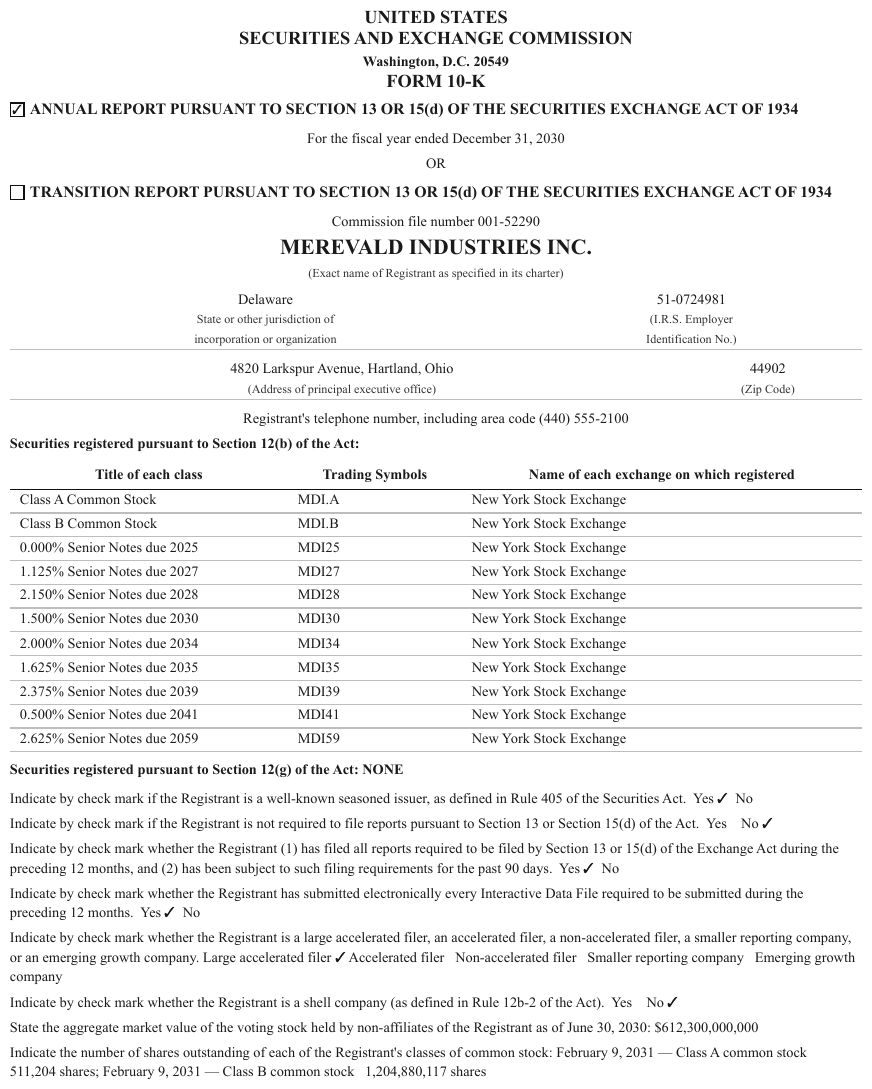
A 10-K cover: Yes ✓ No check-mark lines and an address block, both column-shaped, neither
tabular. The genuine table is the small Title of each class / Trading Symbols / Exchange grid.
Delaware State or other jurisdiction of incorporation or organization
51-0724981 (I.R.S. Employer Identification No.)
4820 Larkspur Avenue, Hartland, Ohio (Address of principal executive office)
44902 (Zip Code)
Registrant's telephone number, including area code (440) 555-2100
Securities registered pursuant to Section 12(b) of the Act:
| Title of each class | Trading Symbols | Name of each exchange on which registered |
|---|---|---|
| Class A Common Stock | MDI.A | New York Stock Exchange |
| Class B Common Stock | MDI.B | New York Stock Exchange |
| 0.000% Senior Notes due 2025 | MDI25 | New York Stock Exchange |
| 1.125% Senior Notes due 2027 | MDI27 | New York Stock Exchange |
| 2.150% Senior Notes due 2028 | MDI28 | New York Stock Exchange |
| 1.500% Senior Notes due 2030 | MDI30 | New York Stock Exchange |
| 2.000% Senior Notes due 2034 | MDI34 | New York Stock Exchange |
| 1.625% Senior Notes due 2035 | MDI35 | New York Stock Exchange |
| 2.375% Senior Notes due 2039 | MDI39 | New York Stock Exchange |
| 0.500% Senior Notes due 2041 | MDI41 | New York Stock Exchange |
| 2.625% Senior Notes due 2059 | MDI59 | New York Stock Exchange |
Securities registered pursuant to Section 12(g) of the Act: NONE
Indicate by check mark if the Registrant is a well-known seasoned issuer, as defined in Rule 405 of the Securities Act. Yes ✓ No
…
Markdown source
Delaware
State or other jurisdiction of
incorporation or organization

51-0724981
(I.R.S. Employer
Identification No.)
4820 Larkspur Avenue, Hartland, Ohio
(Address of principal executive office)
44902
(Zip Code)
Registrant's telephone number, including area code (440) 555-2100
Securities registered pursuant to Section 12(b) of the Act:
<table>
<tr> <th>Title of each class</th> <th>Trading Symbols</th> <th>Name of each exchange on which registered</th> </tr>
<tr> <td>Class A Common Stock</td> <td>MDI.A</td> <td>New York Stock Exchange</td> </tr>
<tr> <td>Class B Common Stock</td> <td>MDI.B</td> <td>New York Stock Exchange</td> </tr>
<tr> <td>0.000% Senior Notes due 2025</td> <td>MDI25</td> <td>New York Stock Exchange</td> </tr>
<tr> <td>1.125% Senior Notes due 2027</td> <td>MDI27</td> <td>New York Stock Exchange</td> </tr>
<tr> <td>2.150% Senior Notes due 2028</td> <td>MDI28</td> <td>New York Stock Exchange</td> </tr>
<tr> <td>1.500% Senior Notes due 2030</td> <td>MDI30</td> <td>New York Stock Exchange</td> </tr>
<tr> <td>2.000% Senior Notes due 2034</td> <td>MDI34</td> <td>New York Stock Exchange</td> </tr>
<tr> <td>1.625% Senior Notes due 2035</td> <td>MDI35</td> <td>New York Stock Exchange</td> </tr>
<tr> <td>2.375% Senior Notes due 2039</td> <td>MDI39</td> <td>New York Stock Exchange</td> </tr>
<tr> <td>0.500% Senior Notes due 2041</td> <td>MDI41</td> <td>New York Stock Exchange</td> </tr>
<tr> <td>2.625% Senior Notes due 2059</td> <td>MDI59</td> <td>New York Stock Exchange</td> </tr>
</table>
Securities registered pursuant to Section 12(g) of the Act: NONE
Indicate by check mark if the Registrant is a well-known seasoned issuer, as defined in Rule 405 of the Securities Act. Yes ✓ No
<!-- … -->
❌ Counter-sample — xl
Two real calculation tables surrounded by narrative paragraphs. The prose is not a table however neatly it sits between them. Each column header is one label wrapped over two lines, so each is a single header cell, not a two-row tier (see Header Wrap vs Real Tier§9.3.2).
Line I
The effective income tax rate on investment income is calculated as a weighted average of the effective tax rate on investments and the tax rate for capital gains, with the rates of return used as weights.
| Rate of Return | Federal Income Tax Rate | |
|---|---|---|
| Net Investment Income Earned | 1.94% | 20.8% |
| Net Realized Capital Gains | 0.05% | 21.0% |
| 1.99% | 20.9% |
The average rate of federal income tax is determined by applying appropriate tax rates to the distribution of investment income earned for the current year for Anchorlight Group.
…
Markdown source
<u>Line I</u>

The effective income tax rate on investment income is calculated as a weighted average of the effective tax rate on investments and the tax rate for capital gains, with the rates of return used as weights.
<table>
<tr> <th> </th> <th><u>Rate of Return</u></th> <th><u>Federal Income Tax Rate</u></th> </tr>
<tr> <td>Net Investment Income Earned</td> <td>1.94%</td> <td>20.8%</td> </tr>
<tr> <td>Net Realized Capital Gains</td> <td><u>0.05%</u></td> <td><u>21.0%</u></td> </tr>
<tr> <td> </td> <td>1.99%</td> <td>20.9%</td> </tr>
</table>
The average rate of federal income tax is determined by applying appropriate tax rates to the distribution of investment income earned for the current year for Anchorlight Group.
<!-- … -->
Label / value blocks without a grid
Two columns of labels and values with no ruled grid are a table or key-value content depending on the data, not the layout. The same two whitespace tracks can hold either.
| The rows are… | Rendering | Examples |
|---|---|---|
| Records of one kind — every label is paired with the same kind of value (an amount per component, a factor per year) | a table, even with no header row and no ruled grid | a Working Capital panel (see Borderless Whitespace Tables§9.1.1); the Trend Factors block of wwa below |
| Different kinds of fact — each label names its own field (a filing number, a state, a date) | key-value content — see Forms and Key-Value Regions§10.1 | filing metadata, a spec sheet, a biography's Name: / Affiliation: lines |
| Headline figures — labelled KPIs set as tiles or a highlight panel | stat tiles — see Stat Tiles§5.11 | Out-of-home +26.5% |
A bold label with its value flowing after it — blower spec sheets and similar — is the second kind.
**Motor**: 1/2 HP, 115V      ← no ruled grid, value flows after the label
**Airflow**: 1,200 CFM
A stack whose labels name different kinds of fact MUST NOT be rendered as a table unless a ruled grid is printed around it; it is key-value content, and every line of it MUST still appear in the output. A stack whose rows are records of one kind MUST be rendered as a table.
❌ Counter-sample — ratefiling
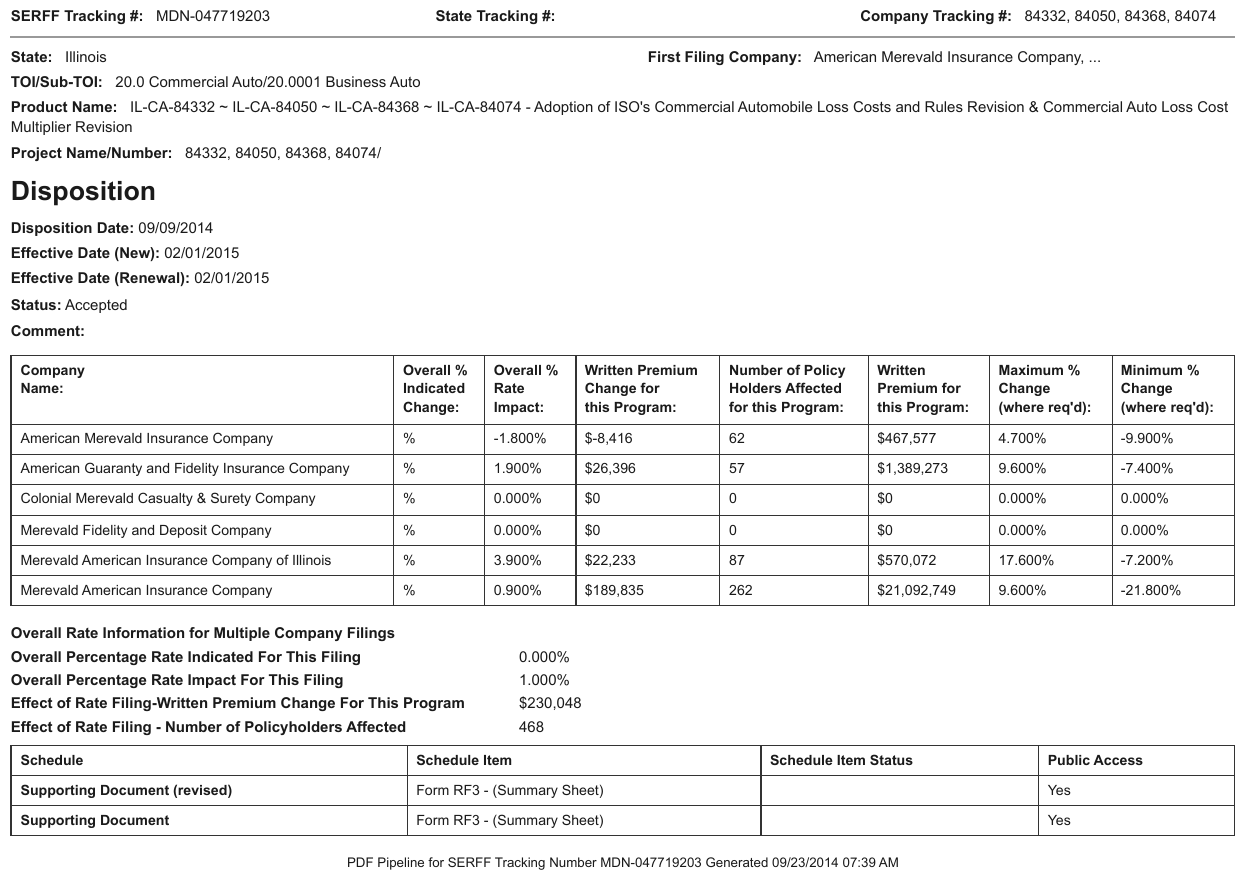
The SERFF filing metadata is a label:value stack — SERFF Tracking #, State at the top, a separate Disposition block below. Both read as two columns; neither is a table. The two ruled grids further down the same page are.
- SERFF Tracking #: MDN-047719203
- State Tracking #: [blank]
- Company Tracking #: 84332, 84050, 84368, 84074
- State: Illinois
- First Filing Company: American Merevald Insurance Company, ...
- TOI/Sub-TOI: 20.0 Commercial Auto/20.0001 Business Auto
- Product Name: IL-CA-84332 ~ IL-CA-84050 ~ IL-CA-84368 ~ IL-CA-84074 - Adoption of ISO's Commercial Automobile Loss Costs and Rules Revision & Commercial Auto Loss Cost Multiplier Revision
- Project Name/Number: 84332, 84050, 84368, 84074/
Disposition
- Disposition Date: 09/09/2014
- Effective Date (New): 02/01/2015
- Effective Date (Renewal): 02/01/2015
- Status: Accepted
- Comment: [blank]
| Company Name: | Overall % Indicated Change: | Overall % Rate Impact: | Written Premium Change for this Program: | Number of Policy Holders Affected for this Program: | Written Premium for this Program: | Maximum % Change (where req'd): | Minimum % Change (where req'd): |
|---|---|---|---|---|---|---|---|
| American Merevald Insurance Company | % | -1.800% | $-8,416 | 62 | $467,577 | 4.700% | -9.900% |
| American Guaranty and Fidelity Insurance Company | % | 1.900% | $26,396 | 57 | $1,389,273 | 9.600% | -7.400% |
| Colonial Merevald Casualty & Surety Company | % | 0.000% | $0 | 0 | $0 | 0.000% | 0.000% |
| Merevald Fidelity and Deposit Company | % | 0.000% | $0 | 0 | $0 | 0.000% | 0.000% |
| Merevald American Insurance Company of Illinois | % | 3.900% | $22,233 | 87 | $570,072 | 17.600% | -7.200% |
| Merevald American Insurance Company | % | 0.900% | $189,835 | 262 | $21,092,749 | 9.600% | -21.800% |
…
Markdown source
- **SERFF Tracking #:** MDN-047719203
- **State Tracking #:** [blank]
- **Company Tracking #:** 84332, 84050, 84368, 84074
- **State:** Illinois
- **First Filing Company:** American Merevald Insurance Company, ...
- **TOI/Sub-TOI:** 20.0 Commercial Auto/20.0001 Business Auto
- **Product Name:** IL-CA-84332 ~ IL-CA-84050 ~ IL-CA-84368 ~ IL-CA-84074 - Adoption of ISO's Commercial Automobile Loss Costs and Rules Revision & Commercial Auto Loss Cost Multiplier Revision
- **Project Name/Number:** 84332, 84050, 84368, 84074/
Disposition
- Disposition Date: 09/09/2014
- Effective Date (New): 02/01/2015
- Effective Date (Renewal): 02/01/2015
- Status: Accepted
- Comment: [blank]
<table>
<tr> <th>Company Name:</th> <th>Overall % Indicated Change:</th> <th>Overall % Rate Impact:</th> <th>Written Premium Change for this Program:</th> <th>Number of Policy Holders Affected for this Program:</th> <th>Written Premium for this Program:</th> <th>Maximum % Change (where req'd):</th> <th>Minimum % Change (where req'd):</th> </tr>
<tr> <td>American Merevald Insurance Company</td> <td>%</td> <td>-1.800%</td> <td>$-8,416</td> <td>62</td> <td>$467,577</td> <td>4.700%</td> <td>-9.900%</td> </tr>
<tr> <td>American Guaranty and Fidelity Insurance Company</td> <td>%</td> <td>1.900%</td> <td>$26,396</td> <td>57</td> <td>$1,389,273</td> <td>9.600%</td> <td>-7.400%</td> </tr>
<tr> <td>Colonial Merevald Casualty & Surety Company</td> <td>%</td> <td>0.000%</td> <td>$0</td> <td>0</td> <td>$0</td> <td>0.000%</td> <td>0.000%</td> </tr>
<tr> <td>Merevald Fidelity and Deposit Company</td> <td>%</td> <td>0.000%</td> <td>$0</td> <td>0</td> <td>$0</td> <td>0.000%</td> <td>0.000%</td> </tr>
<tr> <td>Merevald American Insurance Company of Illinois</td> <td>%</td> <td>3.900%</td> <td>$22,233</td> <td>87</td> <td>$570,072</td> <td>17.600%</td> <td>-7.200%</td> </tr>
<tr> <td>Merevald American Insurance Company</td> <td>%</td> <td>0.900%</td> <td>$189,835</td> <td>262</td> <td>$21,092,749</td> <td>9.600%</td> <td>-21.800%</td> </tr>
</table>
<!-- … -->
✅ Sample — wwa
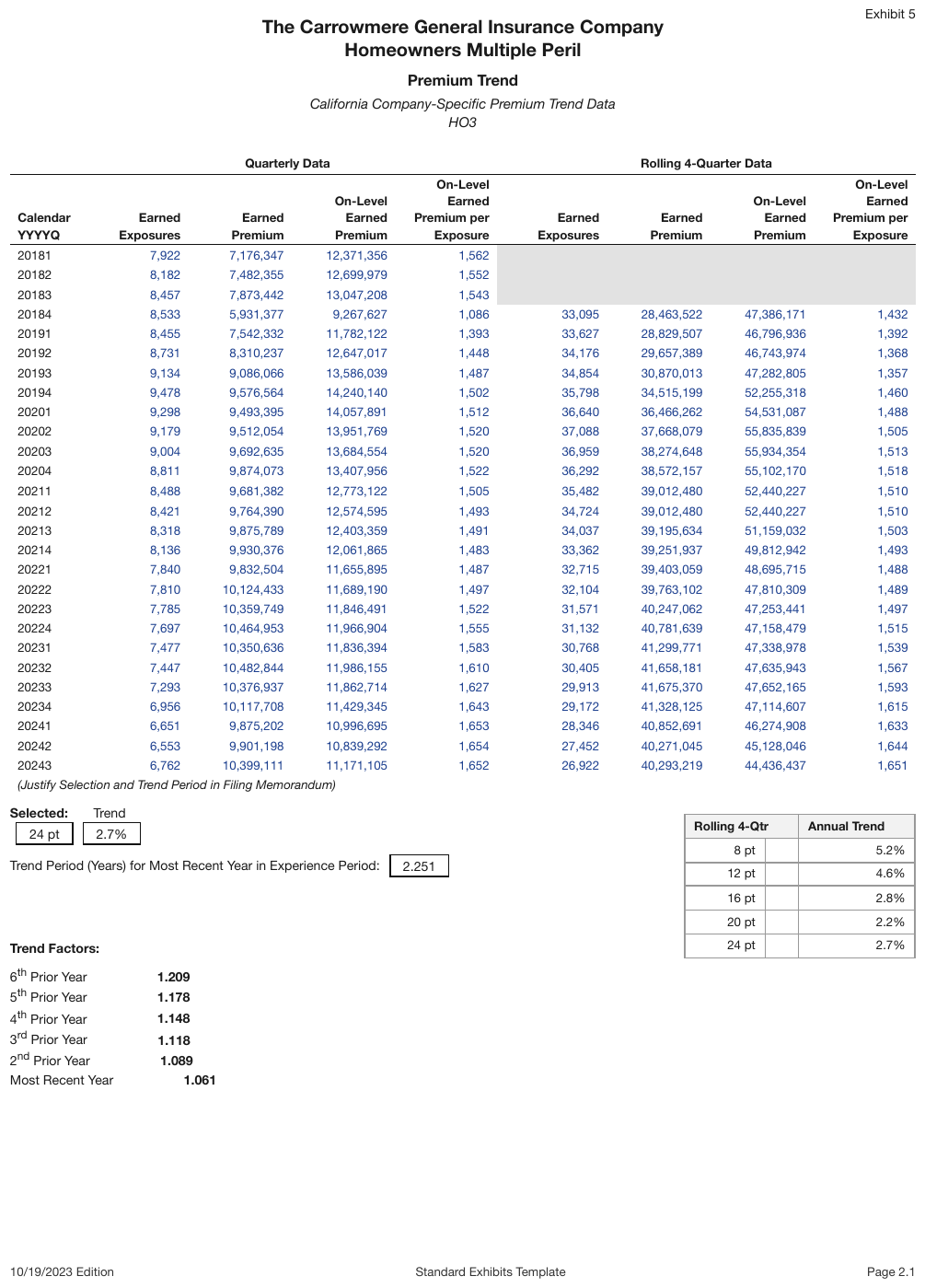
The bottom Trend Factors block (6th Prior Year … Most Recent Year) has no grid and no header, but every row is the same kind of record — a year and its trend factor — so it is a table, with its bold label as text above it. The large premium-trend grid above it and the ruled Rolling 4-Qtr box are tables too.
| Quarterly Data | Rolling 4-Quarter Data | |||||||||||||||||||||||||||||||||||||||||||||||||||||||||||||||||||||||||||||||||||||||||||||||||
|---|---|---|---|---|---|---|---|---|---|---|---|---|---|---|---|---|---|---|---|---|---|---|---|---|---|---|---|---|---|---|---|---|---|---|---|---|---|---|---|---|---|---|---|---|---|---|---|---|---|---|---|---|---|---|---|---|---|---|---|---|---|---|---|---|---|---|---|---|---|---|---|---|---|---|---|---|---|---|---|---|---|---|---|---|---|---|---|---|---|---|---|---|---|---|---|---|---|---|
| Calendar YYYYQ | Earned Exposures | Earned Premium | On-Level Earned Premium | On-Level Earned Premium per Exposure | Earned Exposures | Earned Premium | On-Level Earned Premium | On-Level Earned Premium per Exposure | ||||||||||||||||||||||||||||||||||||||||||||||||||||||||||||||||||||||||||||||||||||||||||
| 20181 | 7,922 | 7,176,347 | 12,371,356 | 1,562 | ||||||||||||||||||||||||||||||||||||||||||||||||||||||||||||||||||||||||||||||||||||||||||||||
| 20182 | 8,182 | 7,482,355 | 12,699,979 | 1,552 | ||||||||||||||||||||||||||||||||||||||||||||||||||||||||||||||||||||||||||||||||||||||||||||||
| 20183 | 8,457 | 7,873,442 | 13,047,208 | 1,543 | ||||||||||||||||||||||||||||||||||||||||||||||||||||||||||||||||||||||||||||||||||||||||||||||
| 20184 | 8,533 | 5,931,377 | 9,267,627 | 1,086 | 33,095 | 28,463,522 | 47,386,171 | 1,432 | ||||||||||||||||||||||||||||||||||||||||||||||||||||||||||||||||||||||||||||||||||||||||||
| 20191 | 8,455 | 7,542,332 | 11,782,122 | 1,393 | 33,627 | 28,829,507 | 46,796,936 | 1,392 | ||||||||||||||||||||||||||||||||||||||||||||||||||||||||||||||||||||||||||||||||||||||||||
| 20192 | 8,731 | 8,310,237 | 12,647,017 | 1,448 | 34,176 | 29,657,389 | 46,743,974 | 1,368 | ||||||||||||||||||||||||||||||||||||||||||||||||||||||||||||||||||||||||||||||||||||||||||
| … | ||||||||||||||||||||||||||||||||||||||||||||||||||||||||||||||||||||||||||||||||||||||||||||||||||
…
Trend Factors:
| 6th Prior Year | 1.209 |
| 5th Prior Year | 1.178 |
| 4th Prior Year | 1.148 |
| 3rd Prior Year | 1.118 |
| 2nd Prior Year | 1.089 |
| Most Recent Year | 1.061 |
Markdown source
<table>
  <tr> <th> </th> <th colspan="4">Quarterly Data</th> <th colspan="4">Rolling 4-Quarter Data</th> </tr>
  <tr> <th>Calendar YYYYQ</th> <th>Earned Exposures</th> <th>Earned Premium</th> <th>On-Level Earned Premium</th> <th>On-Level Earned Premium per Exposure</th> <th>Earned Exposures</th> <th>Earned Premium</th> <th>On-Level Earned Premium</th> <th>On-Level Earned Premium per Exposure</th> </tr>
  <tr> <td>20181</td> <td>7,922</td> <td>7,176,347</td> <td>12,371,356</td> <td>1,562</td> <td> </td> <td> </td> <td> </td> <td> </td> </tr>
  <tr> <td>20182</td> <td>8,182</td> <td>7,482,355</td> <td>12,699,979</td> <td>1,552</td> <td> </td> <td> </td> <td> </td> <td> </td> </tr>
  <tr> <td>20183</td> <td>8,457</td> <td>7,873,442</td> <td>13,047,208</td> <td>1,543</td> <td> </td> <td> </td> <td> </td> <td> </td> </tr>
  <tr> <td>20184</td> <td>8,533</td> <td>5,931,377</td> <td>9,267,627</td> <td>1,086</td> <td>33,095</td> <td>28,463,522</td> <td>47,386,171</td> <td>1,432</td> </tr>
  <tr> <td>20191</td> <td>8,455</td> <td>7,542,332</td> <td>11,782,122</td> <td>1,393</td> <td>33,627</td> <td>28,829,507</td> <td>46,796,936</td> <td>1,392</td> </tr>
  <tr> <td>20192</td> <td>8,731</td> <td>8,310,237</td> <td>12,647,017</td> <td>1,448</td> <td>34,176</td> <td>29,657,389</td> <td>46,743,974</td> <td>1,368</td> </tr>
  <!-- … -->
</table>

<!-- … -->
Trend Factors:
<table>
<tr> <td>6<sup>th</sup> Prior Year</td> <td><strong>1.209</strong></td> </tr>
<tr> <td>5<sup>th</sup> Prior Year</td> <td><strong>1.178</strong></td> </tr>
<tr> <td>4<sup>th</sup> Prior Year</td> <td><strong>1.148</strong></td> </tr>
<tr> <td>3<sup>rd</sup> Prior Year</td> <td><strong>1.118</strong></td> </tr>
<tr> <td>2<sup>nd</sup> Prior Year</td> <td><strong>1.089</strong></td> </tr>
<tr> <td>Most Recent Year</td> <td><strong>1.061</strong></td> </tr>
</table>
Form intertwined with a grid
Rate-filing pages that are half form, half table.
Insurer: [blank]   NAIC #: [blank]     ← form fields…
| Year | Rate change |
| 2024 | +4.2%       |               ← …and a genuine grid, same page
The ruled grid region MUST be rendered as a table and the form fields as key-value content, so that nothing printed is lost. The table MUST NOT be stretched to swallow the form fields, and the grid MUST NOT be dropped because the page as a whole reads like a form.
Cases the relation test does not settle on its own
The relation test alone MUST NOT decide these cases; each is governed by its own rule:
- forms and ungridded key-value (Forms and Key-Value Regions§10.1)
- trailing totals outside a frame (Bottom Edge Totals and Islands§9.7.1)
- a printed data grid under a chart (Chart With a Printed Data Grid§9.1.2)
- detached aligned cells
Why the cost runs both ways
A missed legend makes a real relation vanish from the output (never drop). A decorative box rendered as a table asserts structure the page never claimed (never invent). Neither error is recoverable downstream, which is why the relation test — not the border, not the alignment — decides.
❌ Counter-sample — two-column author biographies

Two columns, each with bold labels — Name:, Affiliation:, Address:, Main Works: — and
values beneath them, separated by horizontal rules top and bottom. Every visual cue says table:
aligned label column, ruled boundaries, repeated schema across the two halves.
It is not one. The two columns are independent biographies, not two records of one relation,
and the rule lines are section dividers rather than a grid. Reading it as a table would pair
Marcus Ainsley with Priya Delacroix as though they shared a row.
The label/value blocks inside each column are ungridded key-value content — see Forms and Key-Value Regions§10.1 — and the bulleted publication lists are ordinary lists. The columns are unrolled in reading order, left biography first.
A grey silhouette portrait placeholder.
Name: Marcus Ainsley
Affiliation: Dr. Visiting Lecturer, Information, Production and Systems Research Center, Bramwell University
Address: 14-9 Farrowfield, Ashcombe-ku, Renwick 220-0114, Freldova
Brief Biographical History: 1998 Received M. Eng. Sci. degree from University of Dunwich 2006 Received Ph.D. degree from Graduate School of Information, Production and Systems, Bramwell University 2006- Visiting Lecturer at Bramwell University
Main Works:
- “Layered Rule Induction for Sparse Transaction Streams,” Journal of Applied Adaptive Systems, Vol.9, No.1, pp. 98-107, 2005.
- “Pruning Association Graphs with Bootstrap Confidence Bounds,” In Proc. of the Freldova Conference on Learning Systems, pp. 5220-5226, 2005.
Membership in Academic Societies:
- Institute of Electrical and Electronics Engineers (IEEE)
- The Society of Instrument and Control Engineers (SICE)
- The Information Processing Society of Freldova (IPSF)
A grey silhouette portrait placeholder.
Name: Priya Delacroix
Affiliation: Dr. Professor, Graduate School of Information, Production and Systems, Bramwell University
Address: 14-9 Farrowfield, Ashcombe-ku, Renwick 220-0114, Freldova
Brief Biographical History: 1965 Joined Halloway Corp. 1991- Professor at Renwick University 2001- Professor at Bramwell University
Main Works:
- “Cooperative Foraging in Heterogeneous Agent Colonies,” Bramwell Review of Control and Autonomy –Part B–, Vol.34, No.1, pp. 168-182, 2005.
- “A Moment-Based Observer for Granular Mill Loading,” Transactions of the Freldova Control Society, Vol.11, Issue 6, pp. 786-799, November 2003.
Membership in Academic Societies:
- Institute of Electrical and Electronics Engineers (IEEE)
- Association for Computing Machinery (ACM)
- The Society of Instrument and Control Engineers (SICE)
Markdown source
A grey silhouette portrait placeholder.
Name:
Marcus Ainsley
Affiliation:
Dr. Visiting Lecturer, Information, Production and Systems Research Center, Bramwell University
Address:
14-9 Farrowfield, Ashcombe-ku, Renwick 220-0114, Freldova
Brief Biographical History:
1998 Received M. Eng. Sci. degree from University of Dunwich
2006 Received Ph.D. degree from Graduate School of Information, Production and Systems, Bramwell University
2006- Visiting Lecturer at Bramwell University
Main Works:
- “Layered Rule Induction for Sparse Transaction Streams,” Journal of Applied Adaptive Systems, Vol.9, No.1, pp. 98-107, 2005.
- “Pruning Association Graphs with Bootstrap Confidence Bounds,” In Proc. of the Freldova Conference on Learning Systems, pp. 5220-5226, 2005.
Membership in Academic Societies:
- Institute of Electrical and Electronics Engineers (IEEE)
- The Society of Instrument and Control Engineers (SICE)
- The Information Processing Society of Freldova (IPSF)
A grey silhouette portrait placeholder.
Name:
Priya Delacroix
Affiliation:
Dr. Professor, Graduate School of Information, Production and Systems, Bramwell University
Address:
14-9 Farrowfield, Ashcombe-ku, Renwick 220-0114, Freldova
Brief Biographical History:
1965 Joined Halloway Corp.
1991- Professor at Renwick University
2001- Professor at Bramwell University
Main Works:
- “Cooperative Foraging in Heterogeneous Agent Colonies,” Bramwell Review of Control and Autonomy –Part B–, Vol.34, No.1, pp. 168-182, 2005.
- “A Moment-Based Observer for Granular Mill Loading,” Transactions of the Freldova Control Society, Vol.11, Issue 6, pp. 786-799, November 2003.
Membership in Academic Societies:
- Institute of Electrical and Electronics Engineers (IEEE)
- Association for Computing Machinery (ACM)
- The Society of Instrument and Control Engineers (SICE)
Related
- Forms and Key-Value Regions§10.1 — where ungridded label:value content goes instead
- Borderless Whitespace Tables§9.1.1 — the "no rules at all" end of the spectrum
- Table of Contents§6.10 — a column-shaped region with its own rendering
- Header-Only Tables§9.1.4 — degenerate outputs that follow from getting this decision wrong
9.2 Boundaries
9.2.1 Bands Inside the Grid
✅ Normative · 📄 page rule
✅ Normative
A full-width band inside a grid — a date line, a section line, a change of shading — MUST NOT end the table. The rows above and below it MUST stay in one table, and the band MUST be rendered as one row whose single cell spans every column.
The signal is the column headers. If the headers are not re-declared under the band, the table never closed: the band is an internal divider, not a boundary.
| Product   | Premium | Losses |
| As of December 2024 (bold band, headers NOT repeated) |
| Term Life | 1,204   | 887    |
| As of December 2023                                   |
| Term Life | 1,150   | 902    |

→ one table, with the two "As of…" lines as full-width band rows
Date and section bands
A bold "As of December 2024" line inside a grid whose column headers are not repeated is a band row spanning all columns, not a boundary. The rows above and below it MUST stay in the same table.
Splitting here is the most expensive boundary error. On a dense financial page, splitting per year turns two tables into four and throws away most of the page's value — every resulting fragment is wrong even though every cell in it is right.
The band's single cell MAY be a header cell (<th colspan=N>) or a body cell (<td colspan=N>);
both conform, and a document MUST use one form throughout — see
Choices Made Once Per Document§4.2. An in-frame title band is a spanning header cell (see
Titles Banners Captions§9.7.3), so the header cell is the default where nothing else decides.
✅ Sample — warn
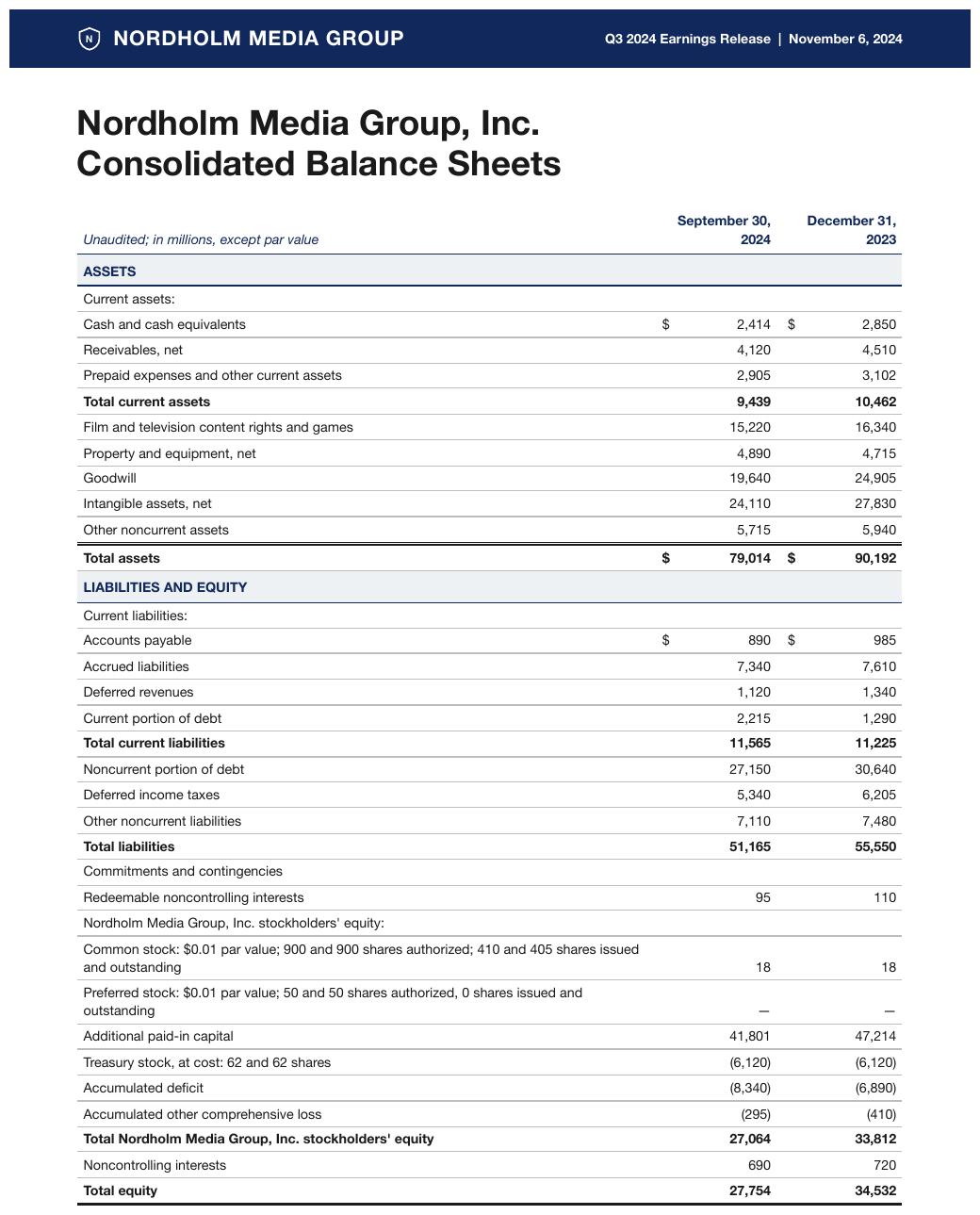
ASSETS and LIABILITIES AND EQUITY as full-width band rows inside one balance sheet, headers not
repeated after either. The stub header is italic, the labels under Current assets: and Current
liabilities: are indented one step, and the bold rows are totals.
| Unaudited; in millions, except par value | September 30, 2024 | December 31, 2023 | ||||||||||||||||||||||||||||||||||||||||||||||||||||||||||||||||||||||||||||||||||||||||||||||||
|---|---|---|---|---|---|---|---|---|---|---|---|---|---|---|---|---|---|---|---|---|---|---|---|---|---|---|---|---|---|---|---|---|---|---|---|---|---|---|---|---|---|---|---|---|---|---|---|---|---|---|---|---|---|---|---|---|---|---|---|---|---|---|---|---|---|---|---|---|---|---|---|---|---|---|---|---|---|---|---|---|---|---|---|---|---|---|---|---|---|---|---|---|---|---|---|---|---|---|
| ASSETS | ||||||||||||||||||||||||||||||||||||||||||||||||||||||||||||||||||||||||||||||||||||||||||||||||||
| Current assets: | ||||||||||||||||||||||||||||||||||||||||||||||||||||||||||||||||||||||||||||||||||||||||||||||||||
| Cash and cash equivalents | $2,414 | $2,850 | ||||||||||||||||||||||||||||||||||||||||||||||||||||||||||||||||||||||||||||||||||||||||||||||||
| Receivables, net | 4,120 | 4,510 | ||||||||||||||||||||||||||||||||||||||||||||||||||||||||||||||||||||||||||||||||||||||||||||||||
| Prepaid expenses and other current assets | 2,905 | 3,102 | ||||||||||||||||||||||||||||||||||||||||||||||||||||||||||||||||||||||||||||||||||||||||||||||||
| Total current assets | 9,439 | 10,462 | ||||||||||||||||||||||||||||||||||||||||||||||||||||||||||||||||||||||||||||||||||||||||||||||||
| Film and television content rights and games | 15,220 | 16,340 | ||||||||||||||||||||||||||||||||||||||||||||||||||||||||||||||||||||||||||||||||||||||||||||||||
| Property and equipment, net | 4,890 | 4,715 | ||||||||||||||||||||||||||||||||||||||||||||||||||||||||||||||||||||||||||||||||||||||||||||||||
| Goodwill | 19,640 | 24,905 | ||||||||||||||||||||||||||||||||||||||||||||||||||||||||||||||||||||||||||||||||||||||||||||||||
| Intangible assets, net | 24,110 | 27,830 | ||||||||||||||||||||||||||||||||||||||||||||||||||||||||||||||||||||||||||||||||||||||||||||||||
| Other noncurrent assets | 5,715 | 5,940 | ||||||||||||||||||||||||||||||||||||||||||||||||||||||||||||||||||||||||||||||||||||||||||||||||
| Total assets | $79,014 | $90,192 | ||||||||||||||||||||||||||||||||||||||||||||||||||||||||||||||||||||||||||||||||||||||||||||||||
| LIABILITIES AND EQUITY | ||||||||||||||||||||||||||||||||||||||||||||||||||||||||||||||||||||||||||||||||||||||||||||||||||
| Current liabilities: | ||||||||||||||||||||||||||||||||||||||||||||||||||||||||||||||||||||||||||||||||||||||||||||||||||
| Accounts payable | $890 | $985 | ||||||||||||||||||||||||||||||||||||||||||||||||||||||||||||||||||||||||||||||||||||||||||||||||
| … | ||||||||||||||||||||||||||||||||||||||||||||||||||||||||||||||||||||||||||||||||||||||||||||||||||
Markdown source
<table>
  <tr> <th><em>Unaudited; in millions, except par value</em></th> <th>September 30, 2024</th> <th>December 31, 2023</th> </tr>
  <tr> <th colspan="3">ASSETS</th> </tr>
  <tr> <td colspan="3" data-level="0">Current assets:</td> </tr>
  <tr> <td data-level="1">Cash and cash equivalents</td> <td>$2,414</td> <td>$2,850</td> </tr>
  <tr> <td data-level="1">Receivables, net</td> <td>4,120</td> <td>4,510</td> </tr>
  <tr> <td data-level="1">Prepaid expenses and other current assets</td> <td>2,905</td> <td>3,102</td> </tr>
  <tr> <th data-level="0"><strong>Total current assets</strong></th> <td><strong>9,439</strong></td> <td><strong>10,462</strong></td> </tr>
  <tr> <td data-level="0">Film and television content rights and games</td> <td>15,220</td> <td>16,340</td> </tr>
  <tr> <td data-level="0">Property and equipment, net</td> <td>4,890</td> <td>4,715</td> </tr>
  <tr> <td data-level="0">Goodwill</td> <td>19,640</td> <td>24,905</td> </tr>
  <tr> <td data-level="0">Intangible assets, net</td> <td>24,110</td> <td>27,830</td> </tr>
  <tr> <td data-level="0">Other noncurrent assets</td> <td>5,715</td> <td>5,940</td> </tr>
  <tr> <th data-level="0"><strong>Total assets</strong></th> <td><strong>$79,014</strong></td> <td><strong>$90,192</strong></td> </tr>
  <tr> <th colspan="3">LIABILITIES AND EQUITY</th> </tr>
  <tr> <td colspan="3" data-level="0">Current liabilities:</td> </tr>
  <tr> <td data-level="1">Accounts payable</td> <td>$890</td> <td>$985</td> </tr>
  <!-- … -->
</table>
✅ Sample — earn
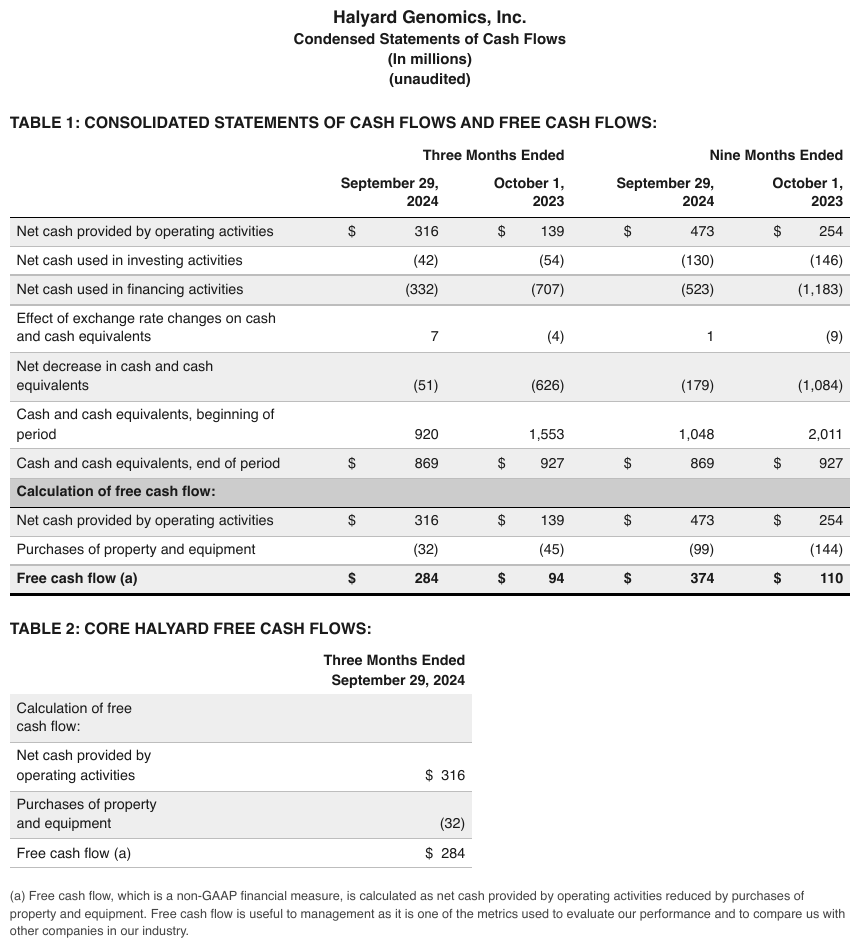
Calculation of free cash flow: — a shaded band row that introduces a derived block mid-table,
with the column headers not repeated under it.
| Three Months Ended | Nine Months Ended | |||
|---|---|---|---|---|
| September 29, 2024 | October 1, 2023 | September 29, 2024 | October 1, 2023 | |
| Net cash provided by operating activities | $316 | $139 | $473 | $254 |
| Net cash used in investing activities | (42) | (54) | (130) | (146) |
| Net cash used in financing activities | (332) | (707) | (523) | (1,183) |
| Effect of exchange rate changes on cash and cash equivalents | 7 | (4) | 1 | (9) |
| Net decrease in cash and cash equivalents | (51) | (626) | (179) | (1,084) |
| Cash and cash equivalents, beginning of period | 920 | 1,553 | 1,048 | 2,011 |
| Cash and cash equivalents, end of period | $869 | $927 | $869 | $927 |
| Calculation of free cash flow: | ||||
| Net cash provided by operating activities | $316 | $139 | $473 | $254 |
| Purchases of property and equipment | (32) | (45) | (99) | (144) |
| Free cash flow (a) | $284 | $94 | $374 | $110 |
Markdown source
<table>
  <tr> <th> </th> <th colspan="2">Three Months Ended</th> <th colspan="2">Nine Months Ended</th> </tr>
  <tr> <th> </th> <th>September 29, 2024</th> <th>October 1, 2023</th> <th>September 29, 2024</th> <th>October 1, 2023</th> </tr>
  <tr> <td>Net cash provided by operating activities</td> <td>$316</td> <td>$139</td> <td>$473</td> <td>$254</td> </tr>
  <tr> <td>Net cash used in investing activities</td> <td>(42)</td> <td>(54)</td> <td>(130)</td> <td>(146)</td> </tr>
  <tr> <td>Net cash used in financing activities</td> <td>(332)</td> <td>(707)</td> <td>(523)</td> <td>(1,183)</td> </tr>
  <tr> <td>Effect of exchange rate changes on cash and cash equivalents</td> <td>7</td> <td>(4)</td> <td>1</td> <td>(9)</td> </tr>
  <tr> <td>Net decrease in cash and cash equivalents</td> <td>(51)</td> <td>(626)</td> <td>(179)</td> <td>(1,084)</td> </tr>
  <tr> <td>Cash and cash equivalents, beginning of period</td> <td>920</td> <td>1,553</td> <td>1,048</td> <td>2,011</td> </tr>
  <tr> <td>Cash and cash equivalents, end of period</td> <td>$869</td> <td>$927</td> <td>$869</td> <td>$927</td> </tr>
  <tr> <th colspan="5">Calculation of free cash flow:</th> </tr>
  <tr> <td>Net cash provided by operating activities</td> <td>$316</td> <td>$139</td> <td>$473</td> <td>$254</td> </tr>
  <tr> <td>Purchases of property and equipment</td> <td>(32)</td> <td>(45)</td> <td>(99)</td> <td>(144)</td> </tr>
  <tr> <th data-level="0"><strong>Free cash flow (a)</strong></th> <td><strong>$284</strong></td> <td><strong>$94</strong></td> <td><strong>$374</strong></td> <td><strong>$110</strong></td> </tr>
</table>
✅ Sample — dtu
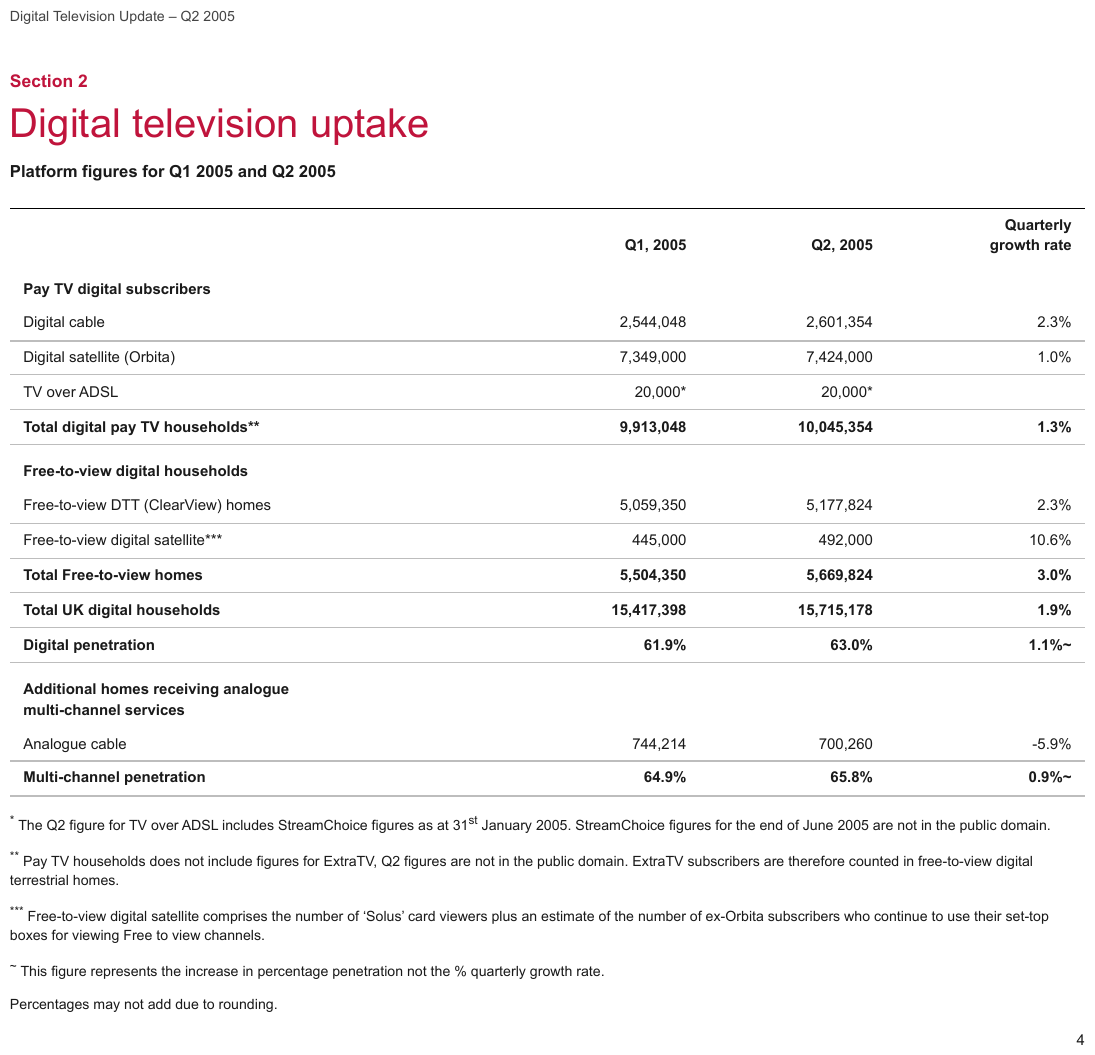
Three full-width bands (Pay TV digital subscribers, Free-to-view digital households, Additional homes receiving analogue multi-channel services) with no repeated column headers. The asterisks are printed on the baseline, attached to the words, and point at the notes below.
| Q1, 2005 | Q2, 2005 | Quarterly growth rate | |
|---|---|---|---|
| Pay TV digital subscribers | |||
| Digital cable | 2,544,048 | 2,601,354 | 2.3% |
| Digital satellite (Orbita) | 7,349,000 | 7,424,000 | 1.0% |
| TV over ADSL | 20,000\* | 20,000\* | |
| Total digital pay TV households\*\* | 9,913,048 | 10,045,354 | 1.3% |
| Free-to-view digital households | |||
| Free-to-view DTT (ClearView) homes | 5,059,350 | 5,177,824 | 2.3% |
| Free-to-view digital satellite\*\*\* | 445,000 | 492,000 | 10.6% |
| Total Free-to-view homes | 5,504,350 | 5,669,824 | 3.0% |
| Total UK digital households | 15,417,398 | 15,715,178 | 1.9% |
| Digital penetration | 61.9% | 63.0% | 1.1%~ |
| Additional homes receiving analogue multi-channel services | |||
| Analogue cable | 744,214 | 700,260 | -5.9% |
| Multi-channel penetration | 64.9% | 65.8% | 0.9%~ |
Markdown source
<table>
  <tr> <th> </th> <th>Q1, 2005</th> <th>Q2, 2005</th> <th>Quarterly growth rate</th> </tr>
  <tr> <th colspan="4">Pay TV digital subscribers</th> </tr>
  <tr> <td>Digital cable</td> <td>2,544,048</td> <td>2,601,354</td> <td>2.3%</td> </tr>
  <tr> <td>Digital satellite (Orbita)</td> <td>7,349,000</td> <td>7,424,000</td> <td>1.0%</td> </tr>
  <tr> <td>TV over ADSL</td> <td>20,000\*</td> <td>20,000\*</td> <td> </td> </tr>
  <tr> <th data-level="0"><strong>Total digital pay TV households\*\*</strong></th> <td><strong>9,913,048</strong></td> <td><strong>10,045,354</strong></td> <td><strong>1.3%</strong></td> </tr>
  <tr> <th colspan="4">Free-to-view digital households</th> </tr>
  <tr> <td>Free-to-view DTT (ClearView) homes</td> <td>5,059,350</td> <td>5,177,824</td> <td>2.3%</td> </tr>
  <tr> <td>Free-to-view digital satellite\*\*\*</td> <td>445,000</td> <td>492,000</td> <td>10.6%</td> </tr>
  <tr> <th data-level="0"><strong>Total Free-to-view homes</strong></th> <td><strong>5,504,350</strong></td> <td><strong>5,669,824</strong></td> <td><strong>3.0%</strong></td> </tr>
  <tr> <th data-level="0"><strong>Total UK digital households</strong></th> <td><strong>15,417,398</strong></td> <td><strong>15,715,178</strong></td> <td><strong>1.9%</strong></td> </tr>
  <tr> <td><strong>Digital penetration</strong></td> <td><strong>61.9%</strong></td> <td><strong>63.0%</strong></td> <td><strong>1.1%~</strong></td> </tr>
  <tr> <th colspan="4">Additional homes receiving analogue multi-channel services</th> </tr>
  <tr> <td>Analogue cable</td> <td>744,214</td> <td>700,260</td> <td>-5.9%</td> </tr>
  <tr> <td><strong>Multi-channel penetration</strong></td> <td><strong>64.9%</strong></td> <td><strong>65.8%</strong></td> <td><strong>0.9%~</strong></td> </tr>
</table>
✅ Sample — P200509160137_0137_6519
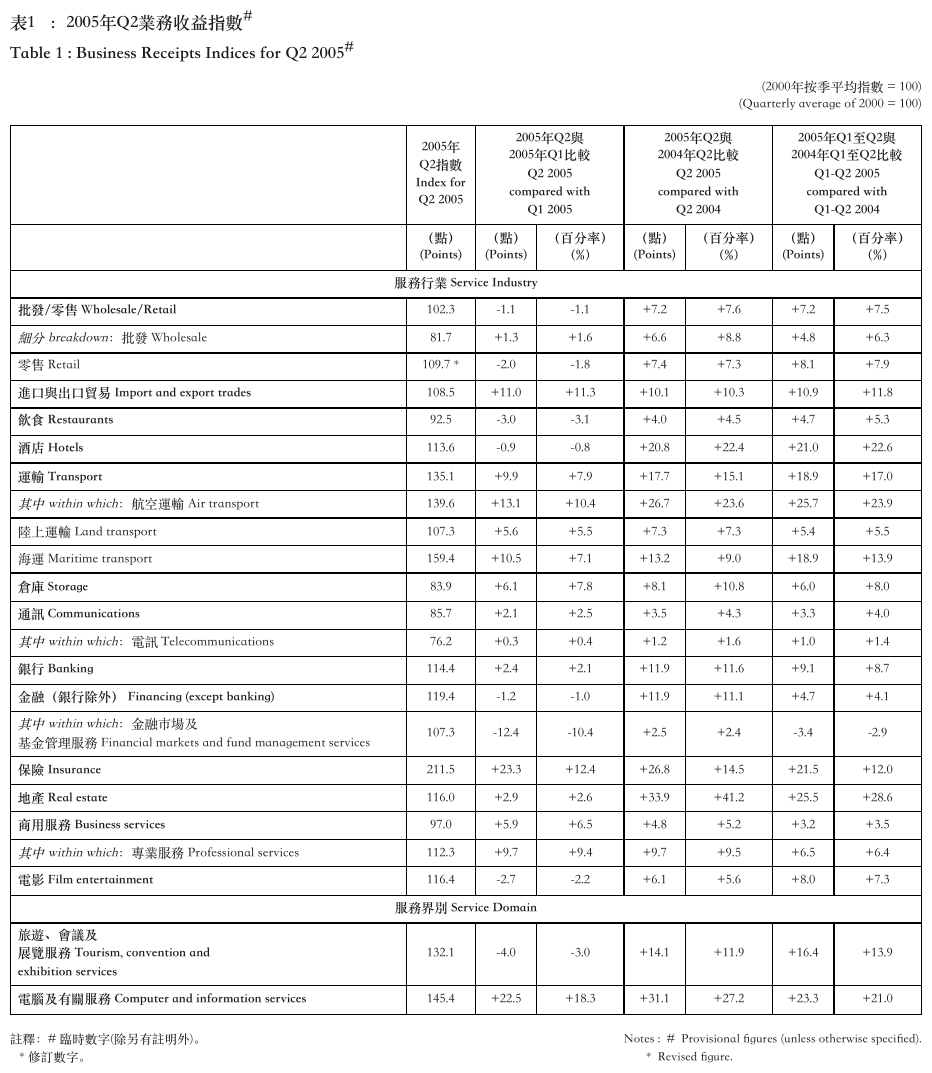
Bilingual band rows — 服務行業 Service Industry, 服務界別 Service Domain — inside a business-receipts index. The stacked header lines are wrapped labels, joined without a space inside the Chinese phrase and with one between the Chinese and English parts.
| 2005年Q2指數 Index for Q2 2005 | 2005年Q2與2005年Q1比較 Q2 2005 compared with Q1 2005 | 2005年Q2與2004年Q2比較 Q2 2005 compared with Q2 2004 | 2005年Q1至Q2與2004年Q1至Q2比較 Q1-Q2 2005 compared with Q1-Q2 2004 | |||||||||||||||||||||||||||||||||||||||||||||||||||||||||||||||||||||||||||||||||||||||||||||||
|---|---|---|---|---|---|---|---|---|---|---|---|---|---|---|---|---|---|---|---|---|---|---|---|---|---|---|---|---|---|---|---|---|---|---|---|---|---|---|---|---|---|---|---|---|---|---|---|---|---|---|---|---|---|---|---|---|---|---|---|---|---|---|---|---|---|---|---|---|---|---|---|---|---|---|---|---|---|---|---|---|---|---|---|---|---|---|---|---|---|---|---|---|---|---|---|---|---|---|
| (點) (Points) | (點) (Points) | (百分率) (%) | (點) (Points) | (百分率) (%) | (點) (Points) | (百分率) (%) | ||||||||||||||||||||||||||||||||||||||||||||||||||||||||||||||||||||||||||||||||||||||||||||
| 服務行業 Service Industry | ||||||||||||||||||||||||||||||||||||||||||||||||||||||||||||||||||||||||||||||||||||||||||||||||||
| 批發/零售 Wholesale/Retail | 102.3 | -1.1 | -1.1 | +7.2 | +7.6 | +7.2 | +7.5 | |||||||||||||||||||||||||||||||||||||||||||||||||||||||||||||||||||||||||||||||||||||||||||
| 細分 breakdown:批發 Wholesale | 81.7 | +1.3 | +1.6 | +6.6 | +8.8 | +4.8 | +6.3 | |||||||||||||||||||||||||||||||||||||||||||||||||||||||||||||||||||||||||||||||||||||||||||
| 零售 Retail | 109.7 \* | -2.0 | -1.8 | +7.4 | +7.3 | +8.1 | +7.9 | |||||||||||||||||||||||||||||||||||||||||||||||||||||||||||||||||||||||||||||||||||||||||||
| 進口與出口貿易 Import and export trades | 108.5 | +11.0 | +11.3 | +10.1 | +10.3 | +10.9 | +11.8 | |||||||||||||||||||||||||||||||||||||||||||||||||||||||||||||||||||||||||||||||||||||||||||
| 飲食 Restaurants | 92.5 | -3.0 | -3.1 | +4.0 | +4.5 | +4.7 | +5.3 | |||||||||||||||||||||||||||||||||||||||||||||||||||||||||||||||||||||||||||||||||||||||||||
| 酒店 Hotels | 113.6 | -0.9 | -0.8 | +20.8 | +22.4 | +21.0 | +22.6 | |||||||||||||||||||||||||||||||||||||||||||||||||||||||||||||||||||||||||||||||||||||||||||
| … | ||||||||||||||||||||||||||||||||||||||||||||||||||||||||||||||||||||||||||||||||||||||||||||||||||
| 電影 Film entertainment | 116.4 | -2.7 | -2.2 | +6.1 | +5.6 | +8.0 | +7.3 | |||||||||||||||||||||||||||||||||||||||||||||||||||||||||||||||||||||||||||||||||||||||||||
| 服務界別 Service Domain | ||||||||||||||||||||||||||||||||||||||||||||||||||||||||||||||||||||||||||||||||||||||||||||||||||
| 旅遊、會議及展覽服務 Tourism, convention and exhibition services | 132.1 | -4.0 | -3.0 | +14.1 | +11.9 | +16.4 | +13.9 | |||||||||||||||||||||||||||||||||||||||||||||||||||||||||||||||||||||||||||||||||||||||||||
| 電腦及有關服務 Computer and information services | 145.4 | +22.5 | +18.3 | +31.1 | +27.2 | +23.3 | +21.0 | |||||||||||||||||||||||||||||||||||||||||||||||||||||||||||||||||||||||||||||||||||||||||||
Markdown source
<table>
  <tr> <th> </th> <th>2005年Q2指數 Index for Q2 2005</th> <th colspan="2">2005年Q2與2005年Q1比較 Q2 2005 compared with Q1 2005</th> <th colspan="2">2005年Q2與2004年Q2比較 Q2 2005 compared with Q2 2004</th> <th colspan="2">2005年Q1至Q2與2004年Q1至Q2比較 Q1-Q2 2005 compared with Q1-Q2 2004</th> </tr>
  <tr> <th> </th> <th>(點) (Points)</th> <th>(點) (Points)</th> <th>(百分率) (%)</th> <th>(點) (Points)</th> <th>(百分率) (%)</th> <th>(點) (Points)</th> <th>(百分率) (%)</th> </tr>
  <tr> <th colspan="8">服務行業 Service Industry</th> </tr>
  <tr> <td><strong>批發/零售 Wholesale/Retail</strong></td> <td>102.3</td> <td>-1.1</td> <td>-1.1</td> <td>+7.2</td> <td>+7.6</td> <td>+7.2</td> <td>+7.5</td> </tr>
  <tr> <td><em>細分 breakdown</em>:批發 Wholesale</td> <td>81.7</td> <td>+1.3</td> <td>+1.6</td> <td>+6.6</td> <td>+8.8</td> <td>+4.8</td> <td>+6.3</td> </tr>
  <tr> <td>零售 Retail</td> <td>109.7 \*</td> <td>-2.0</td> <td>-1.8</td> <td>+7.4</td> <td>+7.3</td> <td>+8.1</td> <td>+7.9</td> </tr>
  <tr> <td><strong>進口與出口貿易 Import and export trades</strong></td> <td>108.5</td> <td>+11.0</td> <td>+11.3</td> <td>+10.1</td> <td>+10.3</td> <td>+10.9</td> <td>+11.8</td> </tr>
  <tr> <td><strong>飲食 Restaurants</strong></td> <td>92.5</td> <td>-3.0</td> <td>-3.1</td> <td>+4.0</td> <td>+4.5</td> <td>+4.7</td> <td>+5.3</td> </tr>
  <tr> <td><strong>酒店 Hotels</strong></td> <td>113.6</td> <td>-0.9</td> <td>-0.8</td> <td>+20.8</td> <td>+22.4</td> <td>+21.0</td> <td>+22.6</td> </tr>
  <!-- … -->
  <tr> <td><strong>電影 Film entertainment</strong></td> <td>116.4</td> <td>-2.7</td> <td>-2.2</td> <td>+6.1</td> <td>+5.6</td> <td>+8.0</td> <td>+7.3</td> </tr>
  <tr> <th colspan="8">服務界別 Service Domain</th> </tr>
  <tr> <td><strong>旅遊、會議及展覽服務 Tourism, convention and exhibition services</strong></td> <td>132.1</td> <td>-4.0</td> <td>-3.0</td> <td>+14.1</td> <td>+11.9</td> <td>+16.4</td> <td>+13.9</td> </tr>
  <tr> <td><strong>電腦及有關服務 Computer and information services</strong></td> <td>145.4</td> <td>+22.5</td> <td>+18.3</td> <td>+31.1</td> <td>+27.2</td> <td>+23.3</td> <td>+21.0</td> </tr>
</table>
✅ Sample — vap
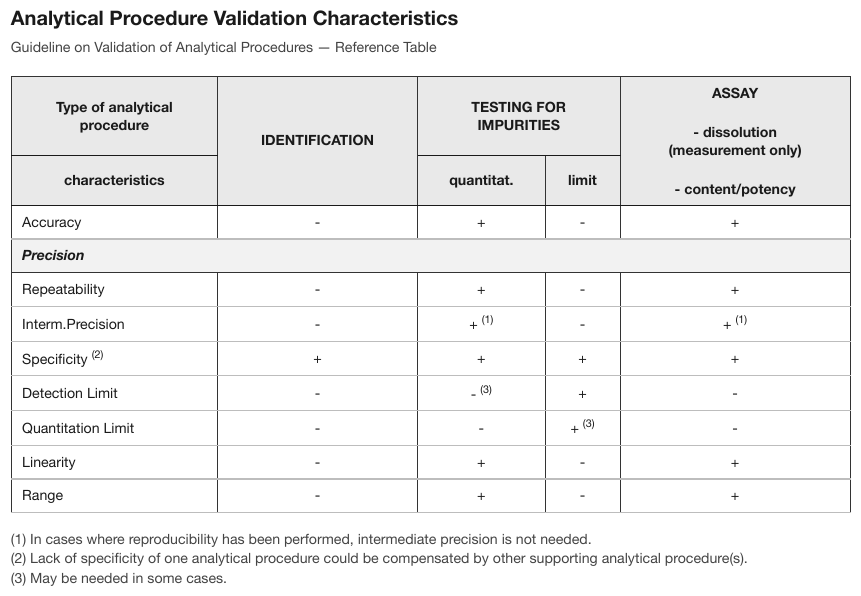
Precision, in bold italic, heads Repeatability and Interm. Precision. Ambiguous by
design: it reads both as a full-width band and as a parent row label — the band-versus-hierarchy
boundary in one cell. It spans the full width, so it is a band.
| Type of analytical procedure | IDENTIFICATION | TESTING FOR IMPURITIES | ASSAY - dissolution (measurement only) - content/potency | |
|---|---|---|---|---|
| characteristics | quantitat. | limit | ||
| Accuracy | - | + | - | + |
| Precision | ||||
| Repeatability | - | + | - | + |
| Interm.Precision | - | + (1) | - | + (1) |
| Specificity (2) | + | + | + | + |
| Detection Limit | - | - (3) | + | - |
| Quantitation Limit | - | - | + (3) | - |
| Linearity | - | + | - | + |
| Range | - | + | - | + |
Markdown source
<table>
  <tr> <th>Type of analytical procedure</th> <th rowspan="2">IDENTIFICATION</th> <th colspan="2">TESTING FOR IMPURITIES</th> <th rowspan="2">ASSAY<br/>- dissolution (measurement only)<br/>- content/potency</th> </tr>
  <tr> <th>characteristics</th> <th>quantitat.</th> <th>limit</th> </tr>
  <tr> <td>Accuracy</td> <td>-</td> <td>+</td> <td>-</td> <td>+</td> </tr>
  <tr> <th colspan="5"><em>Precision</em></th> </tr>
  <tr> <td>Repeatability</td> <td>-</td> <td>+</td> <td>-</td> <td>+</td> </tr>
  <tr> <td>Interm.Precision</td> <td>-</td> <td>+ <sup>(1)</sup></td> <td>-</td> <td>+ <sup>(1)</sup></td> </tr>
  <tr> <td>Specificity <sup>(2)</sup></td> <td>+</td> <td>+</td> <td>+</td> <td>+</td> </tr>
  <tr> <td>Detection Limit</td> <td>-</td> <td>- <sup>(3)</sup></td> <td>+</td> <td>-</td> </tr>
  <tr> <td>Quantitation Limit</td> <td>-</td> <td>-</td> <td>+ <sup>(3)</sup></td> <td>-</td> </tr>
  <tr> <td>Linearity</td> <td>-</td> <td>+</td> <td>-</td> <td>+</td> </tr>
  <tr> <td>Range</td> <td>-</td> <td>+</td> <td>-</td> <td>+</td> </tr>
</table>
❌ Counter-sample — 2012_tushin_nittei
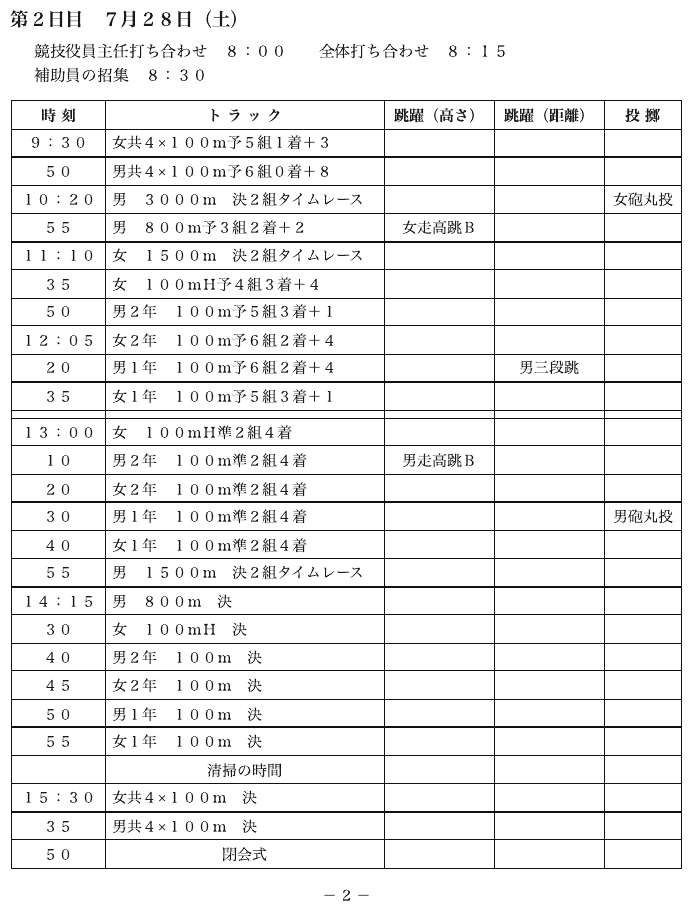
清掃の時間 is centred and reads like a full-width band, but it sits inside the track column with the other columns' rules running through its row. It is an ordinary entry in that one cell, not a spanning band row. The letter-spaced headers are written as normal words.
| 時刻 | トラック | 跳躍(高さ) | 跳躍(距離) | 投擲 | ||||||||||||||||||||||||||||||||||||||||||||||||||||||||||||||||||||||||||||||||||||||||||||||
|---|---|---|---|---|---|---|---|---|---|---|---|---|---|---|---|---|---|---|---|---|---|---|---|---|---|---|---|---|---|---|---|---|---|---|---|---|---|---|---|---|---|---|---|---|---|---|---|---|---|---|---|---|---|---|---|---|---|---|---|---|---|---|---|---|---|---|---|---|---|---|---|---|---|---|---|---|---|---|---|---|---|---|---|---|---|---|---|---|---|---|---|---|---|---|---|---|---|---|
| 9:30 | 女共4×100m予5組1着+3 | |||||||||||||||||||||||||||||||||||||||||||||||||||||||||||||||||||||||||||||||||||||||||||||||||
| 50 | 男共4×100m予6組0着+8 | |||||||||||||||||||||||||||||||||||||||||||||||||||||||||||||||||||||||||||||||||||||||||||||||||
| 10:20 | 男 3000m 決2組タイムレース | 女砲丸投 | ||||||||||||||||||||||||||||||||||||||||||||||||||||||||||||||||||||||||||||||||||||||||||||||||
| … | ||||||||||||||||||||||||||||||||||||||||||||||||||||||||||||||||||||||||||||||||||||||||||||||||||
| 55 | 女1年 100m 決 | |||||||||||||||||||||||||||||||||||||||||||||||||||||||||||||||||||||||||||||||||||||||||||||||||
| 清掃の時間 | ||||||||||||||||||||||||||||||||||||||||||||||||||||||||||||||||||||||||||||||||||||||||||||||||||
| 15:30 | 女共4×100m 決 | |||||||||||||||||||||||||||||||||||||||||||||||||||||||||||||||||||||||||||||||||||||||||||||||||
| 35 | 男共4×100m 決 | |||||||||||||||||||||||||||||||||||||||||||||||||||||||||||||||||||||||||||||||||||||||||||||||||
| 50 | 閉会式 | |||||||||||||||||||||||||||||||||||||||||||||||||||||||||||||||||||||||||||||||||||||||||||||||||
Markdown source
<table>
  <tr> <th>時刻</th> <th>トラック</th> <th>跳躍(高さ)</th> <th>跳躍(距離)</th> <th>投擲</th> </tr>
  <tr> <td>9:30</td> <td>女共4×100m予5組1着+3</td> <td> </td> <td> </td> <td> </td> </tr>
  <tr> <td>50</td> <td>男共4×100m予6組0着+8</td> <td> </td> <td> </td> <td> </td> </tr>
  <tr> <td>10:20</td> <td>男 3000m 決2組タイムレース</td> <td> </td> <td> </td> <td>女砲丸投</td> </tr>
  <!-- … -->
  <tr> <td>55</td> <td>女1年 100m 決</td> <td> </td> <td> </td> <td> </td> </tr>
  <tr> <td> </td> <td>清掃の時間</td> <td> </td> <td> </td> <td> </td> </tr>
  <tr> <td>15:30</td> <td>女共4×100m 決</td> <td> </td> <td> </td> <td> </td> </tr>
  <tr> <td>35</td> <td>男共4×100m 決</td> <td> </td> <td> </td> <td> </td> </tr>
  <tr> <td>50</td> <td>閉会式</td> <td> </td> <td> </td> <td> </td> </tr>
</table>
Shading, zebra striping, colour changes
Shading MUST NOT be treated as a table boundary.
| A | 1.10 |   ← white rows
| B | 1.25 |
| C | 1.31 |   ← gray rows start here: still the same table
Shading is a readability aid applied by the typesetter. It makes no claim about what the rows mean, so it cannot start a new table.
What does justify a split
Only a semantic signal justifies a split:
- a new subject
- a new schema
- a key that stops continuing
Appearance alone MUST NOT split a table.
Cohort bands with no column headers anywhere
FEMALE                 ← band; no column headers anywhere
| 25 | 1.02 | 1.10 |
MALE
| 25 | 1.08 | 1.15 |
This one resolves the other way: one table per cohort, with the band as that table's header row. The band is the only thing naming what the rows below it are. See Group and Cohort Bands§9.2.5.
Group bands over one shared row spine
|        | Loss of Income | Other         |  ← two boxed bands
| (1)    | (2)   | (3)    | (4)   | (5)   |  ← full-width numbered tier
| 2019   | 1,204 | 887    | 310   | 95    |  ← one shared row spine
One table. A full-width numbered tier running across the whole width shows that all those columns describe one row — splitting there destroys the row identity that crosses the groups. See Group and Cohort Bands§9.2.5.
Related
- Repeated Headers and Title Bands§9.2.7 — a band with the headers printed again does open a new table
- Titles Banners Captions§9.7.3 — in-frame title bands use the same spanning header cell
- Group and Cohort Bands§9.2.5 — bands that head a table rather than divide one
- Row-Label Hierarchy§9.5.5 — a parent label inside one column, the other reading of
Precision
9.2.2 Column Continuation
✅ Normative · 📄 page rule
✅ Normative
One long series printed as side-by-side blocks SHOULD be rendered as one table per printed block, each carrying its own copy of the headers, including repeated blocks inside one frame. A checker MUST accept source-supported joined equivalents without losing or reassigning records.
A long series — states A–Z, durations 1–36 — printed as two or three blocks beside each other under one title, with the headers repeated over each block and the key continuing from one block to the next.
Printed:   | State | Rate |   | State | Rate |
           | AL    | 1.10 |   | MT    | 0.95 |

Rendered:  one table for the left block, one table for the right block,
           each with its own | State | Rate | header.
Requirements
- Each printed block SHOULD be its own table, in reading order, with its own copy of the headers exactly as printed above it.
- Stacking the blocks into one table — the second block's rows appended under the first block's header — carries the same rows and is an accepted equivalent (see Accepted Alternatives§A.1); a document MUST use one form consistently throughout.
- Do not invent a wide grid. For separately framed blocks, zipping row i of each block into one wide row MUST NOT be done: it pairs
ALwithMTand asserts a relationship between two unrelated records. A row readingSTATE | AVAILABILITY | WITHDRAWAL | STATE | AVAILABILITY | WITHDRAWALbuilt from separate blocks is non-conforming unless that wide grid is itself printed inside one enclosing frame. - Repeated copies of the same schema inside one enclosing frame SHOULD also be split into one table per printed block. The outer frame and continuous horizontal rules do not make records with different keys belong to the same row. Keeping that source-printed wide grid is an accepted equivalent; splitting is preferred because each series can be traversed directly.
- A shared title MUST remain attached to the whole group. It MAY appear once outside the group; a title band MAY instead be repeated over each block with its span reduced to the block width. Actual shared row keys, non-repeating column groups, and cells carrying relationships across blocks MUST NOT be split by this rule.
- A shared key column MUST NOT be duplicated into both halves' output. It adds nothing and breaks the link between cells and their position on the page.
✅ Sample — 4tables
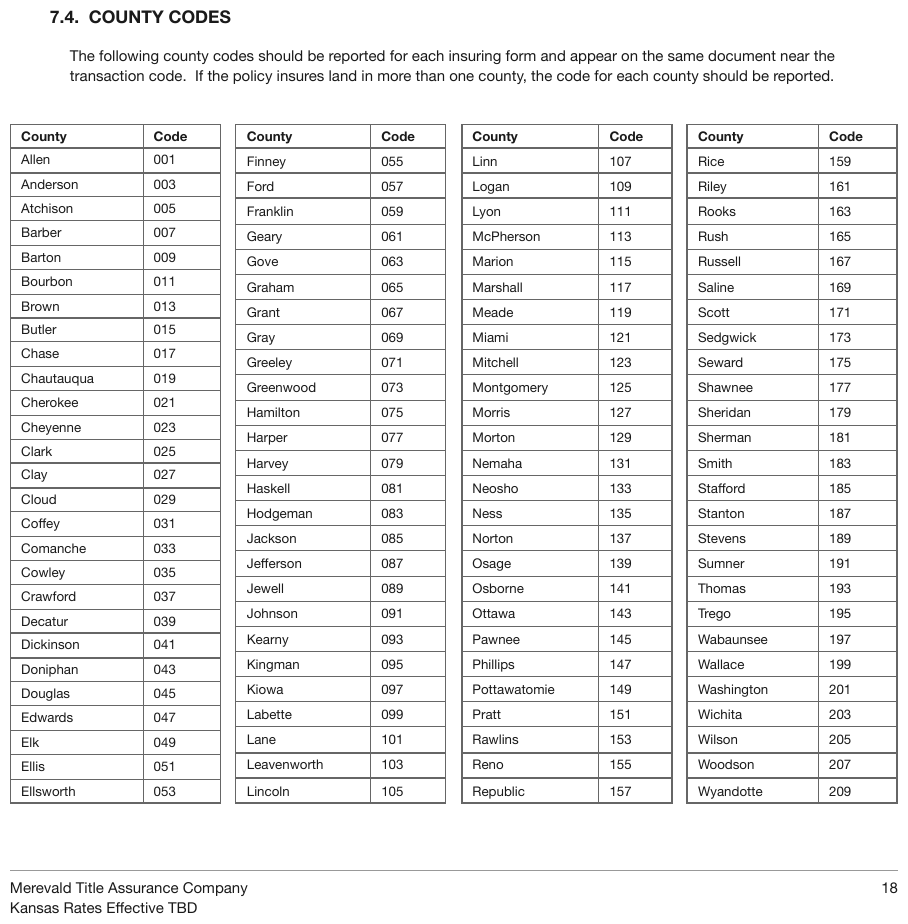
Kansas county codes as four side-by-side County | Code blocks. Header repeated, key continuing
Allen…Ellsworth │ Finney…Lincoln │ Linn…Republic │ Rice…Wyandotte. The textbook case.
| County | Code | |||||||||||||||||||||||||||||||||||||||||||||||||||||||||||||||||||||||||||||||||||||||||||||||||
|---|---|---|---|---|---|---|---|---|---|---|---|---|---|---|---|---|---|---|---|---|---|---|---|---|---|---|---|---|---|---|---|---|---|---|---|---|---|---|---|---|---|---|---|---|---|---|---|---|---|---|---|---|---|---|---|---|---|---|---|---|---|---|---|---|---|---|---|---|---|---|---|---|---|---|---|---|---|---|---|---|---|---|---|---|---|---|---|---|---|---|---|---|---|---|---|---|---|---|
| Allen | 001 | |||||||||||||||||||||||||||||||||||||||||||||||||||||||||||||||||||||||||||||||||||||||||||||||||
| Anderson | 003 | |||||||||||||||||||||||||||||||||||||||||||||||||||||||||||||||||||||||||||||||||||||||||||||||||
| Atchison | 005 | |||||||||||||||||||||||||||||||||||||||||||||||||||||||||||||||||||||||||||||||||||||||||||||||||
| Barber | 007 | |||||||||||||||||||||||||||||||||||||||||||||||||||||||||||||||||||||||||||||||||||||||||||||||||
| Barton | 009 | |||||||||||||||||||||||||||||||||||||||||||||||||||||||||||||||||||||||||||||||||||||||||||||||||
| Bourbon | 011 | |||||||||||||||||||||||||||||||||||||||||||||||||||||||||||||||||||||||||||||||||||||||||||||||||
| … | ||||||||||||||||||||||||||||||||||||||||||||||||||||||||||||||||||||||||||||||||||||||||||||||||||
| Ellsworth | 053 | |||||||||||||||||||||||||||||||||||||||||||||||||||||||||||||||||||||||||||||||||||||||||||||||||
| County | Code | |||||||||||||||||||||||||||||||||||||||||||||||||||||||||||||||||||||||||||||||||||||||||||||||||
|---|---|---|---|---|---|---|---|---|---|---|---|---|---|---|---|---|---|---|---|---|---|---|---|---|---|---|---|---|---|---|---|---|---|---|---|---|---|---|---|---|---|---|---|---|---|---|---|---|---|---|---|---|---|---|---|---|---|---|---|---|---|---|---|---|---|---|---|---|---|---|---|---|---|---|---|---|---|---|---|---|---|---|---|---|---|---|---|---|---|---|---|---|---|---|---|---|---|---|
| Finney | 055 | |||||||||||||||||||||||||||||||||||||||||||||||||||||||||||||||||||||||||||||||||||||||||||||||||
| … | ||||||||||||||||||||||||||||||||||||||||||||||||||||||||||||||||||||||||||||||||||||||||||||||||||
Markdown source
<table>
  <tr> <th>County</th> <th>Code</th> </tr>
  <tr> <td>Allen</td> <td>001</td> </tr>
  <tr> <td>Anderson</td> <td>003</td> </tr>
  <tr> <td>Atchison</td> <td>005</td> </tr>
  <tr> <td>Barber</td> <td>007</td> </tr>
  <tr> <td>Barton</td> <td>009</td> </tr>
  <tr> <td>Bourbon</td> <td>011</td> </tr>
  <!-- … -->
  <tr> <td>Ellsworth</td> <td>053</td> </tr>
</table>

<table>
<tr> <th>County</th> <th>Code</th> </tr>
<tr> <td>Finney</td> <td>055</td> </tr>
<!-- … -->
</table>
✅ Sample — 4t
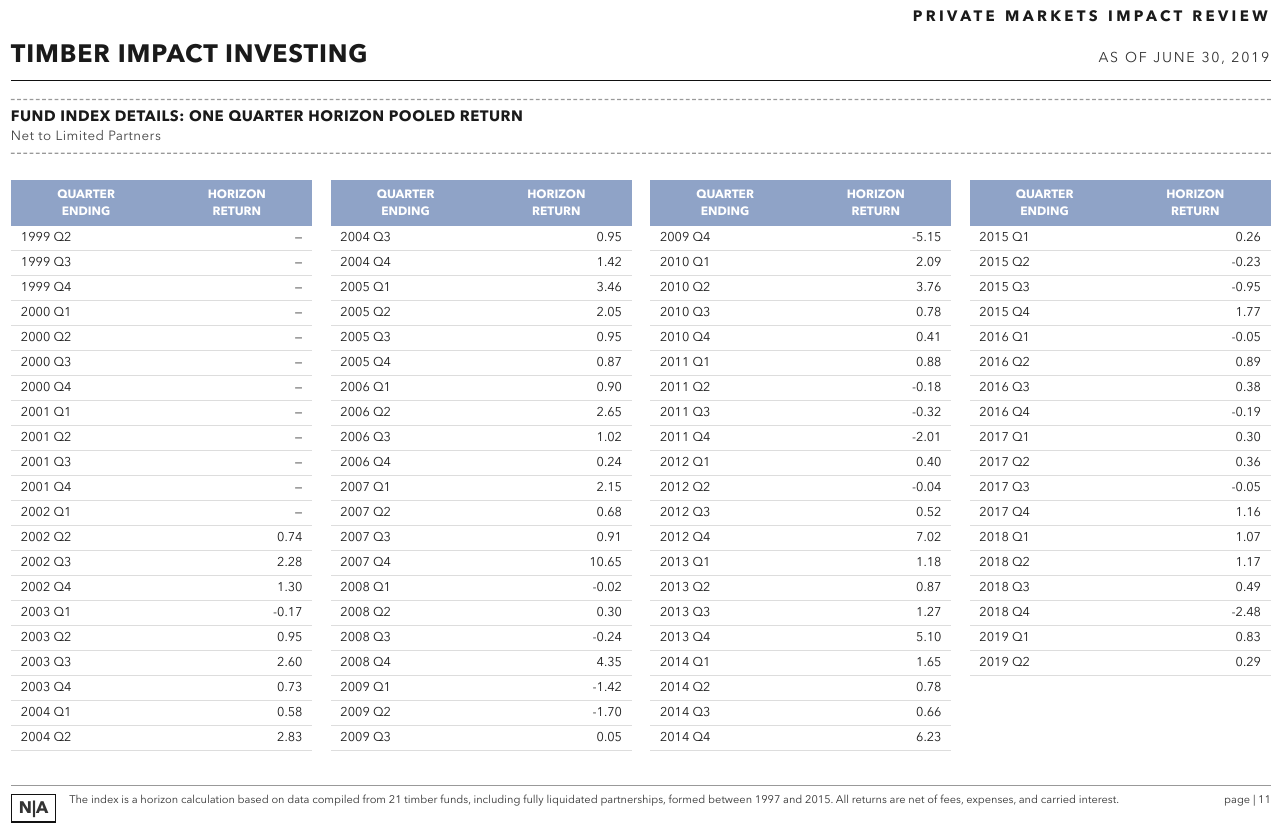
A single quarterly return series split across four blocks, quarters running 1999 Q2 → 2019 Q2. Each two-line header is one wrapped label.
| QUARTER ENDING | HORIZON RETURN | |||||||||||||||||||||||||||||||||||||||||||||||||||||||||||||||||||||||||||||||||||||||||||||||||
|---|---|---|---|---|---|---|---|---|---|---|---|---|---|---|---|---|---|---|---|---|---|---|---|---|---|---|---|---|---|---|---|---|---|---|---|---|---|---|---|---|---|---|---|---|---|---|---|---|---|---|---|---|---|---|---|---|---|---|---|---|---|---|---|---|---|---|---|---|---|---|---|---|---|---|---|---|---|---|---|---|---|---|---|---|---|---|---|---|---|---|---|---|---|---|---|---|---|---|
| 1999 Q2 | — | |||||||||||||||||||||||||||||||||||||||||||||||||||||||||||||||||||||||||||||||||||||||||||||||||
| 1999 Q3 | — | |||||||||||||||||||||||||||||||||||||||||||||||||||||||||||||||||||||||||||||||||||||||||||||||||
| 1999 Q4 | — | |||||||||||||||||||||||||||||||||||||||||||||||||||||||||||||||||||||||||||||||||||||||||||||||||
| 2000 Q1 | — | |||||||||||||||||||||||||||||||||||||||||||||||||||||||||||||||||||||||||||||||||||||||||||||||||
| 2000 Q2 | — | |||||||||||||||||||||||||||||||||||||||||||||||||||||||||||||||||||||||||||||||||||||||||||||||||
| 2000 Q3 | — | |||||||||||||||||||||||||||||||||||||||||||||||||||||||||||||||||||||||||||||||||||||||||||||||||
| … | ||||||||||||||||||||||||||||||||||||||||||||||||||||||||||||||||||||||||||||||||||||||||||||||||||
| 2004 Q2 | 2.83 | |||||||||||||||||||||||||||||||||||||||||||||||||||||||||||||||||||||||||||||||||||||||||||||||||
Markdown source
<table>
<tr> <th>QUARTER ENDING</th> <th>HORIZON RETURN</th> </tr>
<tr> <td>1999 Q2</td> <td>—</td> </tr>
<tr> <td>1999 Q3</td> <td>—</td> </tr>
<tr> <td>1999 Q4</td> <td>—</td> </tr>
<tr> <td>2000 Q1</td> <td>—</td> </tr>
<tr> <td>2000 Q2</td> <td>—</td> </tr>
<tr> <td>2000 Q3</td> <td>—</td> </tr>
<!-- … -->
<tr> <td>2004 Q2</td> <td>2.83</td> </tr>
</table>✅ Sample — ert
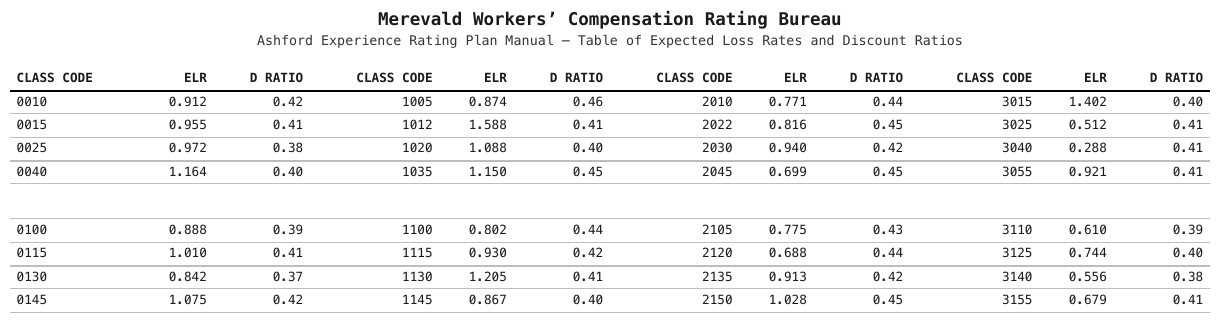
One ascending class-code series printed as four identical side-by-side blocks, so four tables. A printed blank row separates the 00xx codes from the 01xx codes in every block. Zipping the four blocks into one twelve-column table, as below, is the widening this rule forbids.
| CLASS CODE | ELR | D RATIO |
|---|---|---|
| 0010 | 0.912 | 0.42 |
| 0015 | 0.955 | 0.41 |
| 0025 | 0.972 | 0.38 |
| 0040 | 1.164 | 0.40 |
| 0100 | 0.888 | 0.39 |
| 0115 | 1.010 | 0.41 |
| 0130 | 0.842 | 0.37 |
| 0145 | 1.075 | 0.42 |
Markdown source
<table>
<tr> <th>CLASS CODE</th> <th>ELR</th> <th>D RATIO</th> </tr>
<tr> <td>0010</td> <td>0.912</td> <td>0.42</td> </tr>
<tr> <td>0015</td> <td>0.955</td> <td>0.41</td> </tr>
<tr> <td>0025</td> <td>0.972</td> <td>0.38</td> </tr>
<tr> <td>0040</td> <td>1.164</td> <td>0.40</td> </tr>
<tr> <td></td> <td></td> <td></td> </tr>
<tr> <td>0100</td> <td>0.888</td> <td>0.39</td> </tr>
<tr> <td>0115</td> <td>1.010</td> <td>0.41</td> </tr>
<tr> <td>0130</td> <td>0.842</td> <td>0.37</td> </tr>
<tr> <td>0145</td> <td>1.075</td> <td>0.42</td> </tr>
</table>| CLASS CODE | ELR | D RATIO | CLASS CODE | ELR | D RATIO | CLASS CODE | ELR | D RATIO | CLASS CODE | ELR | D RATIO | |||||||||||||||||||||||||||||||||||||||||||||||||||||||||||||||||||||||||||||||||||||||
|---|---|---|---|---|---|---|---|---|---|---|---|---|---|---|---|---|---|---|---|---|---|---|---|---|---|---|---|---|---|---|---|---|---|---|---|---|---|---|---|---|---|---|---|---|---|---|---|---|---|---|---|---|---|---|---|---|---|---|---|---|---|---|---|---|---|---|---|---|---|---|---|---|---|---|---|---|---|---|---|---|---|---|---|---|---|---|---|---|---|---|---|---|---|---|---|---|---|---|
| 0010 | 0.912 | 0.42 | 1005 | 0.874 | 0.46 | 2010 | 0.771 | 0.44 | 3015 | 1.402 | 0.40 | |||||||||||||||||||||||||||||||||||||||||||||||||||||||||||||||||||||||||||||||||||||||
| 0015 | 0.955 | 0.41 | 1012 | 1.588 | 0.41 | 2022 | 0.816 | 0.45 | 3025 | 0.512 | 0.41 | |||||||||||||||||||||||||||||||||||||||||||||||||||||||||||||||||||||||||||||||||||||||
| 0025 | 0.972 | 0.38 | 1020 | 1.088 | 0.40 | 2030 | 0.940 | 0.42 | 3040 | 0.288 | 0.41 | |||||||||||||||||||||||||||||||||||||||||||||||||||||||||||||||||||||||||||||||||||||||
| 0040 | 1.164 | 0.40 | 1035 | 1.150 | 0.45 | 2045 | 0.699 | 0.45 | 3055 | 0.921 | 0.41 | |||||||||||||||||||||||||||||||||||||||||||||||||||||||||||||||||||||||||||||||||||||||
| … | ||||||||||||||||||||||||||||||||||||||||||||||||||||||||||||||||||||||||||||||||||||||||||||||||||
Markdown source
<table>
<tr> <th>CLASS CODE</th> <th>ELR</th> <th>D RATIO</th> <th>CLASS CODE</th> <th>ELR</th> <th>D RATIO</th> <th>CLASS CODE</th> <th>ELR</th> <th>D RATIO</th> <th>CLASS CODE</th> <th>ELR</th> <th>D RATIO</th> </tr>
<tr> <td>0010</td> <td>0.912</td> <td>0.42</td> <td>1005</td> <td>0.874</td> <td>0.46</td> <td>2010</td> <td>0.771</td> <td>0.44</td> <td>3015</td> <td>1.402</td> <td>0.40</td> </tr>
<tr> <td>0015</td> <td>0.955</td> <td>0.41</td> <td>1012</td> <td>1.588</td> <td>0.41</td> <td>2022</td> <td>0.816</td> <td>0.45</td> <td>3025</td> <td>0.512</td> <td>0.41</td> </tr>
<tr> <td>0025</td> <td>0.972</td> <td>0.38</td> <td>1020</td> <td>1.088</td> <td>0.40</td> <td>2030</td> <td>0.940</td> <td>0.42</td> <td>3040</td> <td>0.288</td> <td>0.41</td> </tr>
<tr> <td>0040</td> <td>1.164</td> <td>0.40</td> <td>1035</td> <td>1.150</td> <td>0.45</td> <td>2045</td> <td>0.699</td> <td>0.45</td> <td>3055</td> <td>0.921</td> <td>0.41</td> </tr>
<!-- … -->
</table>✅ Sample — 535
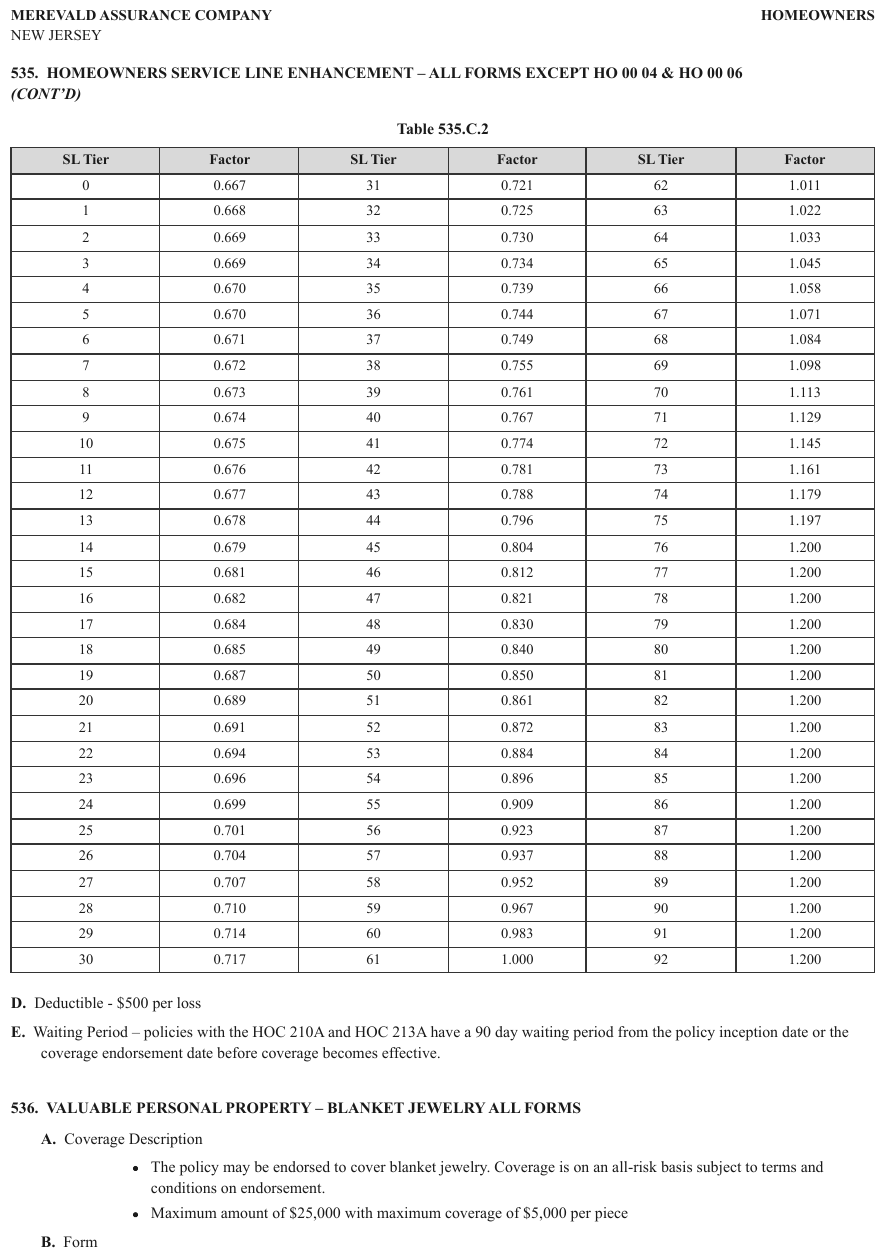
The SL Tier | Factor pair repeats three times inside one frame, with tiers 0–30, 31–61,
62–92. These are three consecutive ranges of one series. Three tables are preferred even though
horizontal rules cross the entire frame. The source-printed six-column grid and a single vertically
stacked series remain equivalent when every tier/factor association is preserved.
| SL Tier | Factor | |||||||||||||||||||||||||||||||||||||||||||||||||||||||||||||||||||||||||||||||||||||||||||||||||
|---|---|---|---|---|---|---|---|---|---|---|---|---|---|---|---|---|---|---|---|---|---|---|---|---|---|---|---|---|---|---|---|---|---|---|---|---|---|---|---|---|---|---|---|---|---|---|---|---|---|---|---|---|---|---|---|---|---|---|---|---|---|---|---|---|---|---|---|---|---|---|---|---|---|---|---|---|---|---|---|---|---|---|---|---|---|---|---|---|---|---|---|---|---|---|---|---|---|---|
| 0 | 0.667 | |||||||||||||||||||||||||||||||||||||||||||||||||||||||||||||||||||||||||||||||||||||||||||||||||
| 1 | 0.668 | |||||||||||||||||||||||||||||||||||||||||||||||||||||||||||||||||||||||||||||||||||||||||||||||||
| … | ||||||||||||||||||||||||||||||||||||||||||||||||||||||||||||||||||||||||||||||||||||||||||||||||||
| 30 | 0.717 | |||||||||||||||||||||||||||||||||||||||||||||||||||||||||||||||||||||||||||||||||||||||||||||||||
| SL Tier | Factor | |||||||||||||||||||||||||||||||||||||||||||||||||||||||||||||||||||||||||||||||||||||||||||||||||
|---|---|---|---|---|---|---|---|---|---|---|---|---|---|---|---|---|---|---|---|---|---|---|---|---|---|---|---|---|---|---|---|---|---|---|---|---|---|---|---|---|---|---|---|---|---|---|---|---|---|---|---|---|---|---|---|---|---|---|---|---|---|---|---|---|---|---|---|---|---|---|---|---|---|---|---|---|---|---|---|---|---|---|---|---|---|---|---|---|---|---|---|---|---|---|---|---|---|---|
| 31 | 0.721 | |||||||||||||||||||||||||||||||||||||||||||||||||||||||||||||||||||||||||||||||||||||||||||||||||
| 32 | 0.725 | |||||||||||||||||||||||||||||||||||||||||||||||||||||||||||||||||||||||||||||||||||||||||||||||||
| … | ||||||||||||||||||||||||||||||||||||||||||||||||||||||||||||||||||||||||||||||||||||||||||||||||||
| 61 | 1.000 | |||||||||||||||||||||||||||||||||||||||||||||||||||||||||||||||||||||||||||||||||||||||||||||||||
| SL Tier | Factor | |||||||||||||||||||||||||||||||||||||||||||||||||||||||||||||||||||||||||||||||||||||||||||||||||
|---|---|---|---|---|---|---|---|---|---|---|---|---|---|---|---|---|---|---|---|---|---|---|---|---|---|---|---|---|---|---|---|---|---|---|---|---|---|---|---|---|---|---|---|---|---|---|---|---|---|---|---|---|---|---|---|---|---|---|---|---|---|---|---|---|---|---|---|---|---|---|---|---|---|---|---|---|---|---|---|---|---|---|---|---|---|---|---|---|---|---|---|---|---|---|---|---|---|---|
| 62 | 1.011 | |||||||||||||||||||||||||||||||||||||||||||||||||||||||||||||||||||||||||||||||||||||||||||||||||
| 63 | 1.022 | |||||||||||||||||||||||||||||||||||||||||||||||||||||||||||||||||||||||||||||||||||||||||||||||||
| … | ||||||||||||||||||||||||||||||||||||||||||||||||||||||||||||||||||||||||||||||||||||||||||||||||||
| 92 | 1.200 | |||||||||||||||||||||||||||||||||||||||||||||||||||||||||||||||||||||||||||||||||||||||||||||||||
Markdown source
<table>
<tr><th>SL Tier</th><th>Factor</th></tr>
<tr><td>0</td><td>0.667</td></tr>
<tr><td>1</td><td>0.668</td></tr>
<!-- … -->
<tr><td>30</td><td>0.717</td></tr>
</table>
<table>
<tr><th>SL Tier</th><th>Factor</th></tr>
<tr><td>31</td><td>0.721</td></tr>
<tr><td>32</td><td>0.725</td></tr>
<!-- … -->
<tr><td>61</td><td>1.000</td></tr>
</table>
<table>
<tr><th>SL Tier</th><th>Factor</th></tr>
<tr><td>62</td><td>1.011</td></tr>
<tr><td>63</td><td>1.022</td></tr>
<!-- … -->
<tr><td>92</td><td>1.200</td></tr>
</table>
The case that looks the same but is not
Blocks with different super-headers over the same rows are one genuinely wide table, not a continuation. They MUST be rendered as a single table with each super-header spanning its columns.
| Non-Tobacco | Tobacco | ← different super-headers over the same
| Age | M | F | M | F | ages: ONE genuinely wide table
The discriminator: in a continuation the blocks are the same columns with the key continuing onward; here the blocks are different columns describing the same rows.
❌ Counter-sample — 3tables
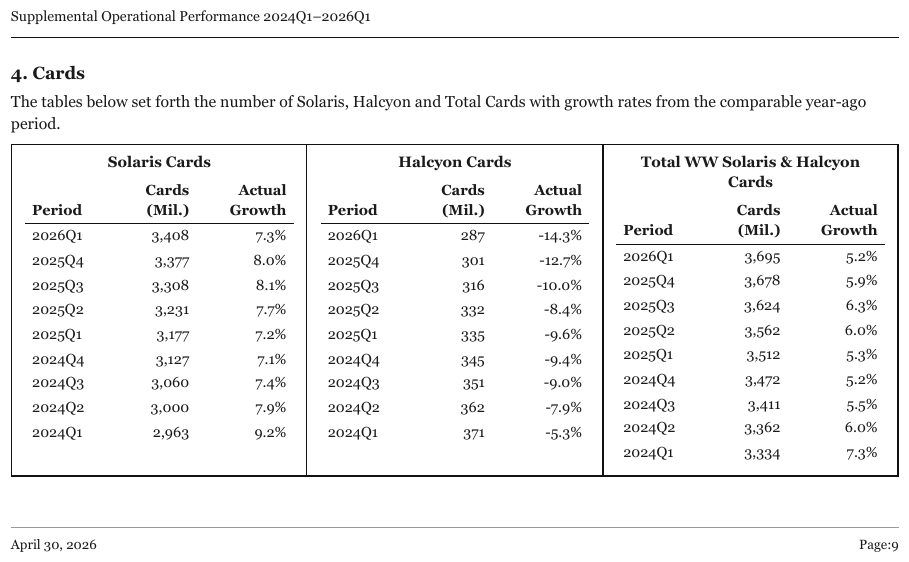
Same visual shape, different meaning: Solaris / Halcyon / Total are three independent series, not one series split by key range, so they are three tables, each with its boxed title as a spanning header row. Distinguishing this from the samples above is the whole difficulty.
| Solaris Cards | ||
|---|---|---|
| Period | Cards (Mil.) | Actual Growth |
| 2026Q1 | 3,408 | 7.3% |
| 2025Q4 | 3,377 | 8.0% |
| 2025Q3 | 3,308 | 8.1% |
| 2025Q2 | 3,231 | 7.7% |
| 2025Q1 | 3,177 | 7.2% |
| 2024Q4 | 3,127 | 7.1% |
| 2024Q3 | 3,060 | 7.4% |
| 2024Q2 | 3,000 | 7.9% |
| 2024Q1 | 2,963 | 9.2% |
Markdown source
<table>
<tr> <th colspan="3">Solaris Cards</th> </tr>
<tr> <th>Period</th> <th>Cards (Mil.)</th> <th>Actual Growth</th> </tr>
<tr> <td>2026Q1</td> <td>3,408</td> <td>7.3%</td> </tr>
<tr> <td>2025Q4</td> <td>3,377</td> <td>8.0%</td> </tr>
<tr> <td>2025Q3</td> <td>3,308</td> <td>8.1%</td> </tr>
<tr> <td>2025Q2</td> <td>3,231</td> <td>7.7%</td> </tr>
<tr> <td>2025Q1</td> <td>3,177</td> <td>7.2%</td> </tr>
<tr> <td>2024Q4</td> <td>3,127</td> <td>7.1%</td> </tr>
<tr> <td>2024Q3</td> <td>3,060</td> <td>7.4%</td> </tr>
<tr> <td>2024Q2</td> <td>3,000</td> <td>7.9%</td> </tr>
<tr> <td>2024Q1</td> <td>2,963</td> <td>9.2%</td> </tr>
</table>❌ Counter-sample — 2tab
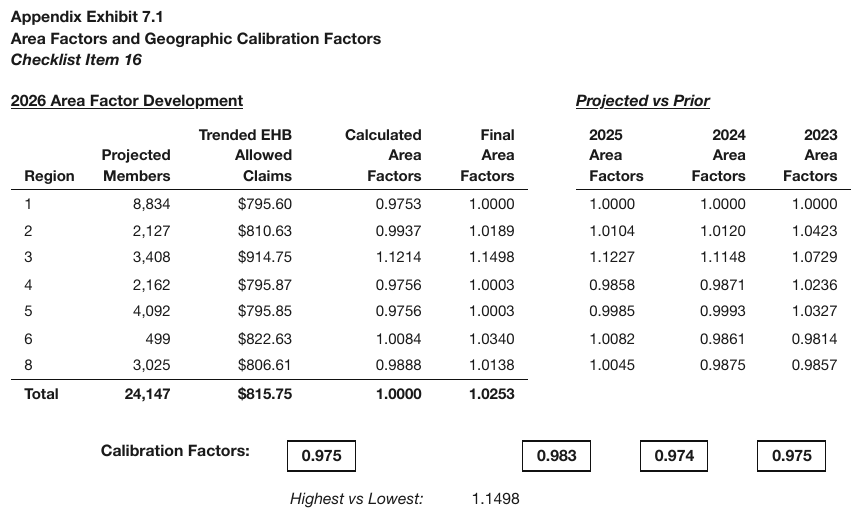
The contrast case sharpened: two differently titled panels that share one Region row spine are
one wide table, each panel title a spanning super-header. The left title is bold and
underlined, the right one bold, italic and underlined; the Total row prints values in the left
panel only.
| 2026 Area Factor Development | Projected vs Prior | ||||||
|---|---|---|---|---|---|---|---|
| Region | Projected Members | Trended EHB Allowed Claims | Calculated Area Factors | Final Area Factors | 2025 Area Factors | 2024 Area Factors | 2023 Area Factors |
| 1 | 8,834 | $795.60 | 0.9753 | 1.0000 | 1.0000 | 1.0000 | 1.0000 |
| 2 | 2,127 | $810.63 | 0.9937 | 1.0189 | 1.0104 | 1.0120 | 1.0423 |
| 3 | 3,408 | $914.75 | 1.1214 | 1.1498 | 1.1227 | 1.1148 | 1.0729 |
| 4 | 2,162 | $795.87 | 0.9756 | 1.0003 | 0.9858 | 0.9871 | 1.0236 |
| 5 | 4,092 | $795.85 | 0.9756 | 1.0003 | 0.9985 | 0.9993 | 1.0327 |
| 6 | 499 | $822.63 | 1.0084 | 1.0340 | 1.0082 | 0.9861 | 0.9814 |
| 8 | 3,025 | $806.61 | 0.9888 | 1.0138 | 1.0045 | 0.9875 | 0.9857 |
| Total | 24,147 | $815.75 | 1.0000 | 1.0253 | |||
…
Markdown source
<table>
<tr> <th colspan="5"><u>2026 Area Factor Development</u></th> <th colspan="3"><u><em>Projected vs Prior</em></u></th> </tr>
<tr> <th>Region</th> <th>Projected Members</th> <th>Trended EHB Allowed Claims</th> <th>Calculated Area Factors</th> <th>Final Area Factors</th> <th>2025 Area Factors</th> <th>2024 Area Factors</th> <th>2023 Area Factors</th> </tr>
<tr> <td>1</td> <td>8,834</td> <td>$795.60</td> <td>0.9753</td> <td>1.0000</td> <td>1.0000</td> <td>1.0000</td> <td>1.0000</td> </tr>
<tr> <td>2</td> <td>2,127</td> <td>$810.63</td> <td>0.9937</td> <td>1.0189</td> <td>1.0104</td> <td>1.0120</td> <td>1.0423</td> </tr>
<tr> <td>3</td> <td>3,408</td> <td>$914.75</td> <td>1.1214</td> <td>1.1498</td> <td>1.1227</td> <td>1.1148</td> <td>1.0729</td> </tr>
<tr> <td>4</td> <td>2,162</td> <td>$795.87</td> <td>0.9756</td> <td>1.0003</td> <td>0.9858</td> <td>0.9871</td> <td>1.0236</td> </tr>
<tr> <td>5</td> <td>4,092</td> <td>$795.85</td> <td>0.9756</td> <td>1.0003</td> <td>0.9985</td> <td>0.9993</td> <td>1.0327</td> </tr>
<tr> <td>6</td> <td>499</td> <td>$822.63</td> <td>1.0084</td> <td>1.0340</td> <td>1.0082</td> <td>0.9861</td> <td>0.9814</td> </tr>
<tr> <td>8</td> <td>3,025</td> <td>$806.61</td> <td>0.9888</td> <td>1.0138</td> <td>1.0045</td> <td>0.9875</td> <td>0.9857</td> </tr>
<tr> <th data-level="0"><strong>Total</strong></th> <td><strong>24,147</strong></td> <td><strong>$815.75</strong></td> <td><strong>1.0000</strong></td> <td><strong>1.0253</strong></td> <td> </td> <td> </td> <td> </td> </tr>
</table>
<!-- … -->
Related
- Horizontal Slicing§9.2.6 — the transpose of this case
- Split Tables Sharing a Header§9.2.9 — the inverse: header printed once, not repeated
- Repeated Headers and Title Bands§9.2.7 — a header repeated below, rather than beside, data rows
- Side-by-Side Mini Tables§9.2.8 — independent schemas, including grids with no repeated continuation schema
9.2.3 Continued in the Title
✅ Normative · 📄 page rule
✅ Normative
A continuation marker — (cont'd), (continued), Table 5 — … (cont.) — is printed text and MUST
be kept verbatim in the title. The fragment on this page MUST be rendered as a table in its own
right.
Table 5 — Lapse Rates (cont'd) ← explicit continuation marker
| Duration | Rate |
Requirements
- The title MUST be transcribed exactly as printed, marker included. The marker MUST NOT be stripped to tidy the title, nor rewritten into a fuller form.
- The table on this page MUST be rendered as a table in its own right. Its rows MUST NOT be fused with a fragment on a previous page (unless the join option of Output Options§3.5 was requested).
- The kept marker is what records that the fragment continues an earlier table. It is the strongest continuation evidence a page can give — far stronger than the indirect signals other fragments offer.
Why this is the easy end of a hard problem
Everywhere else in Cross-Page Tables§4.3, continuation has to be inferred from weak signals: a missing header, a first row that starts mid-key, rows running right to the page edge. Here the document says it outright, so there is nothing to infer — only a statement not to throw away.
Keeping the marker settles the fidelity half of the question however the fragments are eventually joined: the words are printed on the page, so they survive (never drop). The fragment stays on its own page and is flagged as continued — see Cross-Page Tables§4.3.
✅ Sample — a band that says Cont'd
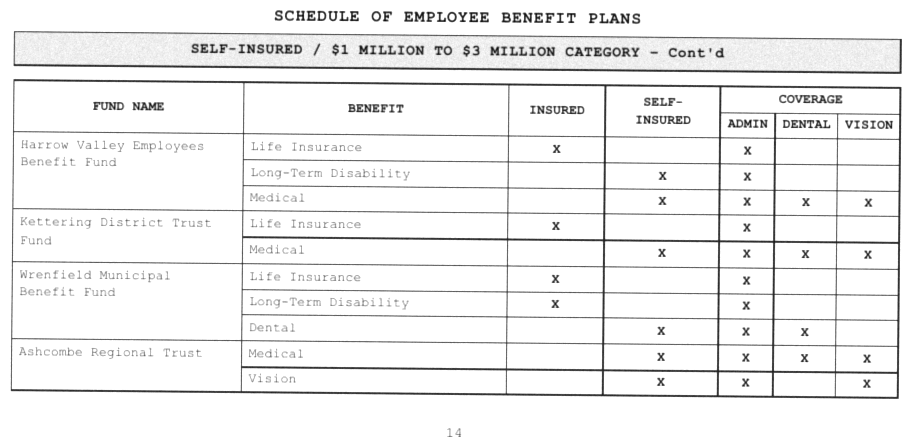
SELF-INSURED / $1 MILLION TO $3 MILLION CATEGORY – Cont'd as a band under the heading of a
scanned schedule. It is boxed on its own, apart from the table frame, so it is a title above the
table, kept with its marker. Each fund spans several printed lines, one benefit per line, with X
marks in the INSURED, SELF-INSURED and three COVERAGE columns; the fund-name cell is one merged
cell beside its benefit rows.
SCHEDULE OF EMPLOYEE BENEFIT PLANS
| FUND NAME | BENEFIT | INSURED | SELF-INSURED | COVERAGE | ||
|---|---|---|---|---|---|---|
| ADMIN | DENTAL | VISION | ||||
| Harrow Valley Employees Benefit Fund | Life Insurance | X | X | |||
| Long-Term Disability | X | X | ||||
| Medical | X | X | X | X | ||
| Kettering District Trust Fund | Life Insurance | X | X | |||
| Medical | X | X | X | X | ||
| Wrenfield Municipal Benefit Fund | Life Insurance | X | X | |||
| Long-Term Disability | X | X | ||||
| Dental | X | X | X | |||
| Ashcombe Regional Trust | Medical | X | X | X | X | |
| Vision | X | X | X | |||
Markdown source
# SCHEDULE OF EMPLOYEE BENEFIT PLANS
<table>
<caption><strong>SELF-INSURED / $1 MILLION TO $3 MILLION CATEGORY – Cont'd</strong></caption>
<tr> <th rowspan="2">FUND NAME</th> <th rowspan="2">BENEFIT</th> <th rowspan="2">INSURED</th> <th rowspan="2">SELF-INSURED</th> <th colspan="3">COVERAGE</th> </tr>
<tr> <th>ADMIN</th> <th>DENTAL</th> <th>VISION</th> </tr>
<tr> <td rowspan="3">Harrow Valley Employees Benefit Fund</td> <td>Life Insurance</td> <td>X</td> <td> </td> <td>X</td> <td> </td> <td> </td> </tr>
<tr> <td>Long-Term Disability</td> <td> </td> <td>X</td> <td>X</td> <td> </td> <td> </td> </tr>
<tr> <td>Medical</td> <td> </td> <td>X</td> <td>X</td> <td>X</td> <td>X</td> </tr>
<tr> <td rowspan="2">Kettering District Trust Fund</td> <td>Life Insurance</td> <td>X</td> <td> </td> <td>X</td> <td> </td> <td> </td> </tr>
<tr> <td>Medical</td> <td> </td> <td>X</td> <td>X</td> <td>X</td> <td>X</td> </tr>
<tr> <td rowspan="3">Wrenfield Municipal Benefit Fund</td> <td>Life Insurance</td> <td>X</td> <td> </td> <td>X</td> <td> </td> <td> </td> </tr>
<tr> <td>Long-Term Disability</td> <td>X</td> <td> </td> <td>X</td> <td> </td> <td> </td> </tr>
<tr> <td>Dental</td> <td> </td> <td>X</td> <td>X</td> <td>X</td> <td> </td> </tr>
<tr> <td rowspan="2">Ashcombe Regional Trust</td> <td>Medical</td> <td> </td> <td>X</td> <td>X</td> <td>X</td> <td>X</td> </tr>
<tr> <td>Vision</td> <td> </td> <td>X</td> <td>X</td> <td> </td> <td>X</td> </tr>
</table>
✅ Sample — —Continued in a table title

Source: U.S. Department of Education, National Center for Education Statistics (NCES), Integrated Postsecondary Education Data System (IPEDS), Table 7 (public domain)
Table 7. Graduation rates … cohort years 2004 and 2007—Continued over the last four rows of a
table, with the full header stack repeated and a — Not available legend below. Every column
header is one label wrapped over several lines; Public and the two private rows are indented under
the first row.
| Level and control of institution, gender, degree sought, and degree completed | Overall (%) | American Indian or Alaska Native (%) | Asian, Native Hawaiian or Other Pacific Islander (%) | Black or African American (%) | Hispanic or Latino (%) | White (%) | Two or more races1 (%) | Race/ethnicity unknown (%) | Nonresident alien (%) |
|---|---|---|---|---|---|---|---|---|---|
| Less-than-2-year institutions (cohort year 2007) | 66.9 | — | — | — | — | — | — | — | — |
| Public | 70.3 | — | — | — | — | — | — | — | — |
| Private nonprofit | 75.3 | — | — | — | — | — | — | — | — |
| Private for-profit | 66.0 | — | — | — | — | — | — | — | — |
— Not available. Graduation rates data are not collected by race/ethnicity or gender for less-than-2-year institutions.
…
Markdown source
<table>
<caption>Table 7. Graduation rates at Title IV institutions, by race/ethnicity, level and control of institution, gender, degree sought, and degree completed at the institution where the students started as full-time, first-time students: United States, cohort years 2004 and 2007—Continued</caption>
<tr> <th>Level and control of institution, gender, degree sought, and degree completed</th> <th>Overall (%)</th> <th>American Indian or Alaska Native (%)</th> <th>Asian, Native Hawaiian or Other Pacific Islander (%)</th> <th>Black or African American (%)</th> <th>Hispanic or Latino (%)</th> <th>White (%)</th> <th>Two or more races<sup>1</sup> (%)</th> <th>Race/ethnicity unknown (%)</th> <th>Nonresident alien (%)</th> </tr>
<tr> <td data-level="0">Less-than-2-year institutions (cohort year 2007)</td> <td>66.9</td> <td>—</td> <td>—</td> <td>—</td> <td>—</td> <td>—</td> <td>—</td> <td>—</td> <td>—</td> </tr>
<tr> <td data-level="1">Public</td> <td>70.3</td> <td>—</td> <td>—</td> <td>—</td> <td>—</td> <td>—</td> <td>—</td> <td>—</td> <td>—</td> </tr>
<tr> <td data-level="1">Private nonprofit</td> <td>75.3</td> <td>—</td> <td>—</td> <td>—</td> <td>—</td> <td>—</td> <td>—</td> <td>—</td> <td>—</td> </tr>
<tr> <td data-level="1">Private for-profit</td> <td>66.0</td> <td>—</td> <td>—</td> <td>—</td> <td>—</td> <td>—</td> <td>—</td> <td>—</td> <td>—</td> </tr>
</table>
— Not available. Graduation rates data are not collected by race/ethnicity or gender for less-than-2-year institutions.
<!-- … -->
Related
- Cross-Page Tables§4.3 — continuation without a printed marker
- Repeated Headers and Title Bands§9.2.7 — a header repeated on the same page is a boundary
- Titles Banners Captions§9.7.3 — where a title sits relative to its table
- Output Options§3.5 — the same fragment joins into one table under a wider setting
9.2.4 Duplicated Tables
✅ Normative · 📄 page rule
✅ Normative
Every printed occurrence of a table MUST be rendered, in reading order, each as its own table — including a table the page prints twice. Transcription is not summarisation: page content MUST NOT be deduplicated.
Page prints: Non-conforming:
[Table X] … [Table X again] [Table X] ← second copy silently dropped
Requirements
- Identical repeats MUST NOT be collapsed into one, and the second copy MUST NOT be replaced with a note that it repeats the first (never drop).
- Duplication MUST be judged from the rendered page. A table seen once on the page is there once, whatever the underlying text layer says (never invent).
The trap
A PDF's text layer can carry a phantom second copy of a run — from a shadow effect, an overprint, or a quirk of whatever generated the file — that never appears on screen. Judged from extracted text rather than from the page as rendered, a duplicate can be "found" that does not exist, or two visually identical blocks can be missed as both printed.
The rule that resolves it is the one in Cell Text Fidelity§9.6.3 and The Page Is the Ground Truth§2.1: the image is the authority, the text layer is a hint.
Repeated template is not duplication
Blocks with an identical header schema but different numbers are separate tables with real, distinct content — not copies. Three panels of the same shape showing 89%/11%, 100%/0% and so on are three tables, and none of them is a duplicate of another. The data, not the layout, decides.
❌ Counter-sample — about-disclosures-order-routing-2005q2
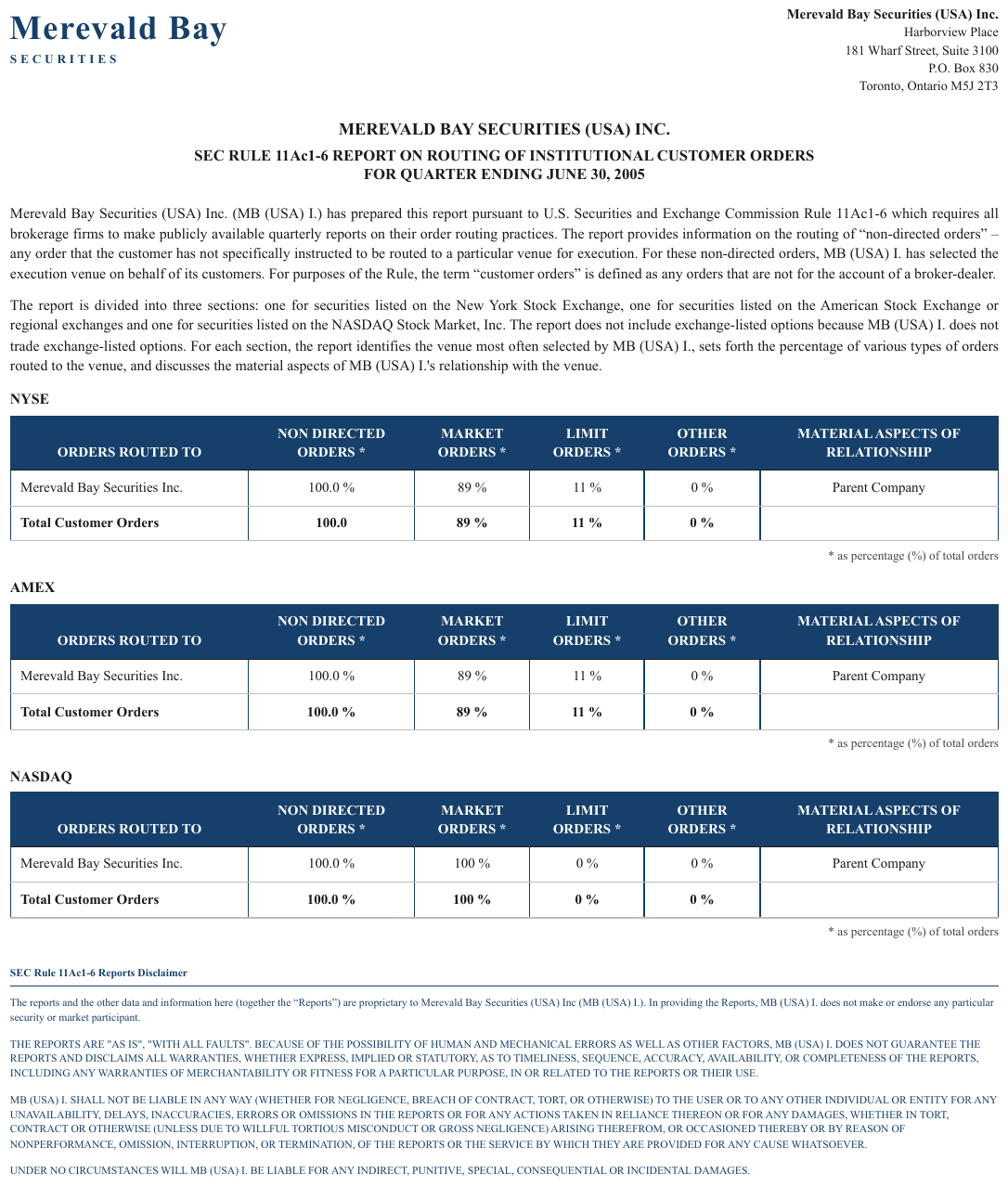
Three NYSE/AMEX/NASDAQ tables with an identical header schema — but distinct data (89%/11% vs
100%/0%). A repeated template, not a duplicate: all three are rendered. The Total Customer Orders rows are bold.
| ORDERS ROUTED TO | NON DIRECTED ORDERS \* | MARKET ORDERS \* | LIMIT ORDERS \* | OTHER ORDERS \* | MATERIAL ASPECTS OF RELATIONSHIP |
|---|---|---|---|---|---|
| Merevald Bay Securities Inc. | 100.0 % | 89 % | 11 % | 0 % | Parent Company |
| Total Customer Orders | 100.0 | 89 % | 11 % | 0 % |
* as percentage (%) of total orders
…
Markdown source
<table>
<caption><strong>NYSE</strong></caption>
<tr> <th>ORDERS ROUTED TO</th> <th>NON DIRECTED ORDERS \*</th> <th>MARKET ORDERS \*</th> <th>LIMIT ORDERS \*</th> <th>OTHER ORDERS \*</th> <th>MATERIAL ASPECTS OF RELATIONSHIP</th> </tr>
<tr> <td>Merevald Bay Securities Inc.</td> <td>100.0 %</td> <td>89 %</td> <td>11 %</td> <td>0 %</td> <td>Parent Company</td> </tr>
<tr> <th data-level="0"><strong>Total Customer Orders</strong></th> <td><strong>100.0</strong></td> <td><strong>89 %</strong></td> <td><strong>11 %</strong></td> <td><strong>0 %</strong></td> <td> </td> </tr>
</table>
* as percentage (%) of total orders
<!-- … -->
Related
- Cell Text Fidelity§9.6.3 — the image wins over the text layer
- Chart With a Printed Data Grid§9.1.2 — the reverse error: a reconstructed copy the page never printed
- Never Drop, Never Invent§2.2 — the two failures this rule guards against
9.2.5 Group and Cohort Bands
✅ Normative · 📄 page rule
✅ Normative
Bands over stacked grids resolve on one question: is there a shared row spine? Grids sharing one spine MUST be rendered as one table. Grids with no shared spine and no column headers MUST be rendered as one table per band, with the band as that table's header row.
| Shared spine | No shared spine | |
|---|---|---|
| Row spine | one continuous spine, shared label column | repeated, independent per band |
| Column headers | present, often with a numbered tier | absent entirely |
| Rendering | one table | one table per cohort, band becomes its header row |
The row spine is checked first, then the column headers. Those two signals decide it; the bands themselves look identical in both cases.
Group bands over a shared spine — one table
Two boxed group headers sitting over one continuous row grid that shares a left label column MUST be rendered as a single table.
| | Loss of Income | Other | ← two boxed bands
| (1) | (2) | (3) | (4) | (5) | ← full-width numbered tier
| 2019 | 1,204 | 887 | 310 | 95 | ← one shared row spine
The decisive signal
A full-width numbered tier is proof of single-table semantics.
If (1)…(13) runs across the whole width, the page is asserting that all those columns describe
one row. Splitting there loses the row identity that spans the groups — the fact that 2019's
Loss-of-Income figures and its Other figures belong to the same year.
- The group bands MUST be rendered as spanning cells over their column ranges.
- The numbered tier MUST be kept as a header row, not dropped as decoration. See Barely-Existing Columns and Headers§9.3.1 — dropping the numbered tier as noise also destroys the evidence that the table is one table.
✅ Sample — yef
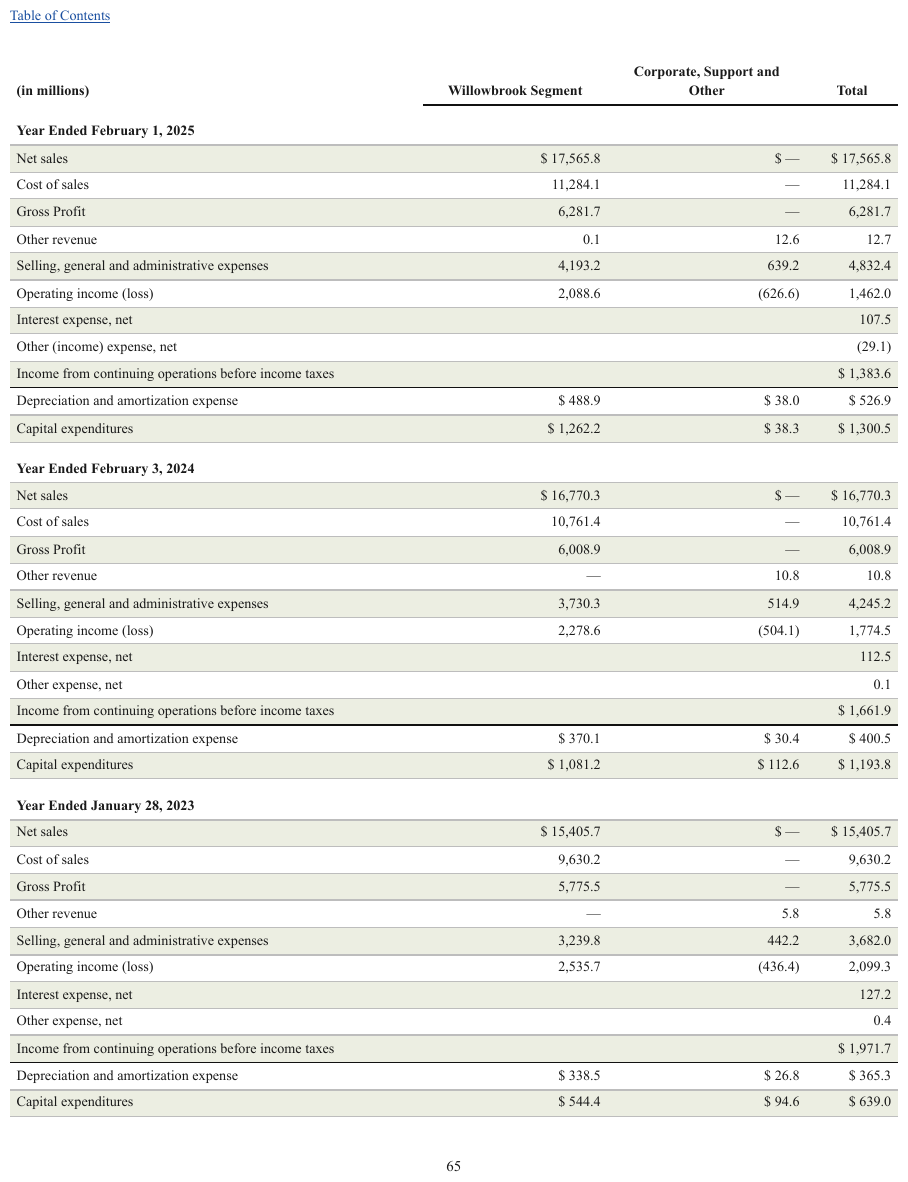
Full-width Year Ended… bands sharing one header and column spine across three fiscal years. The currency sign is printed with a space before the figure, and that space is kept.
| (in millions) | Willowbrook Segment | Corporate, Support and Other | Total | |||||||||||||||||||||||||||||||||||||||||||||||||||||||||||||||||||||||||||||||||||||||||||||||
|---|---|---|---|---|---|---|---|---|---|---|---|---|---|---|---|---|---|---|---|---|---|---|---|---|---|---|---|---|---|---|---|---|---|---|---|---|---|---|---|---|---|---|---|---|---|---|---|---|---|---|---|---|---|---|---|---|---|---|---|---|---|---|---|---|---|---|---|---|---|---|---|---|---|---|---|---|---|---|---|---|---|---|---|---|---|---|---|---|---|---|---|---|---|---|---|---|---|---|
| Year Ended February 1, 2025 | ||||||||||||||||||||||||||||||||||||||||||||||||||||||||||||||||||||||||||||||||||||||||||||||||||
| Net sales | $ 17,565.8 | $ — | $ 17,565.8 | |||||||||||||||||||||||||||||||||||||||||||||||||||||||||||||||||||||||||||||||||||||||||||||||
| Cost of sales | 11,284.1 | — | 11,284.1 | |||||||||||||||||||||||||||||||||||||||||||||||||||||||||||||||||||||||||||||||||||||||||||||||
| Gross Profit | 6,281.7 | — | 6,281.7 | |||||||||||||||||||||||||||||||||||||||||||||||||||||||||||||||||||||||||||||||||||||||||||||||
| Other revenue | 0.1 | 12.6 | 12.7 | |||||||||||||||||||||||||||||||||||||||||||||||||||||||||||||||||||||||||||||||||||||||||||||||
| Selling, general and administrative expenses | 4,193.2 | 639.2 | 4,832.4 | |||||||||||||||||||||||||||||||||||||||||||||||||||||||||||||||||||||||||||||||||||||||||||||||
| Operating income (loss) | 2,088.6 | (626.6) | 1,462.0 | |||||||||||||||||||||||||||||||||||||||||||||||||||||||||||||||||||||||||||||||||||||||||||||||
| Interest expense, net | 107.5 | |||||||||||||||||||||||||||||||||||||||||||||||||||||||||||||||||||||||||||||||||||||||||||||||||
| Other (income) expense, net | (29.1) | |||||||||||||||||||||||||||||||||||||||||||||||||||||||||||||||||||||||||||||||||||||||||||||||||
| Income from continuing operations before income taxes | $ 1,383.6 | |||||||||||||||||||||||||||||||||||||||||||||||||||||||||||||||||||||||||||||||||||||||||||||||||
| Depreciation and amortization expense | $ 488.9 | $ 38.0 | $ 526.9 | |||||||||||||||||||||||||||||||||||||||||||||||||||||||||||||||||||||||||||||||||||||||||||||||
| Capital expenditures | $ 1,262.2 | $ 38.3 | $ 1,300.5 | |||||||||||||||||||||||||||||||||||||||||||||||||||||||||||||||||||||||||||||||||||||||||||||||
| Year Ended February 3, 2024 | ||||||||||||||||||||||||||||||||||||||||||||||||||||||||||||||||||||||||||||||||||||||||||||||||||
| Net sales | $ 16,770.3 | $ — | $ 16,770.3 | |||||||||||||||||||||||||||||||||||||||||||||||||||||||||||||||||||||||||||||||||||||||||||||||
| … | ||||||||||||||||||||||||||||||||||||||||||||||||||||||||||||||||||||||||||||||||||||||||||||||||||
Markdown source
<table>
<tr> <th>(in millions)</th> <th>Willowbrook Segment</th> <th>Corporate, Support and Other</th> <th>Total</th> </tr>
<tr> <th colspan="4">Year Ended February 1, 2025</th> </tr>
<tr> <td>Net sales</td> <td>$ 17,565.8</td> <td>$ —</td> <td>$ 17,565.8</td> </tr>
<tr> <td>Cost of sales</td> <td>11,284.1</td> <td>—</td> <td>11,284.1</td> </tr>
<tr> <td>Gross Profit</td> <td>6,281.7</td> <td>—</td> <td>6,281.7</td> </tr>
<tr> <td>Other revenue</td> <td>0.1</td> <td>12.6</td> <td>12.7</td> </tr>
<tr> <td>Selling, general and administrative expenses</td> <td>4,193.2</td> <td>639.2</td> <td>4,832.4</td> </tr>
<tr> <td>Operating income (loss)</td> <td>2,088.6</td> <td>(626.6)</td> <td>1,462.0</td> </tr>
<tr> <td>Interest expense, net</td> <td> </td> <td> </td> <td>107.5</td> </tr>
<tr> <td>Other (income) expense, net</td> <td> </td> <td> </td> <td>(29.1)</td> </tr>
<tr> <td>Income from continuing operations before income taxes</td> <td> </td> <td> </td> <td>$ 1,383.6</td> </tr>
<tr> <td>Depreciation and amortization expense</td> <td>$ 488.9</td> <td>$ 38.0</td> <td>$ 526.9</td> </tr>
<tr> <td>Capital expenditures</td> <td>$ 1,262.2</td> <td>$ 38.3</td> <td>$ 1,300.5</td> </tr>
<tr> <th colspan="4">Year Ended February 3, 2024</th> </tr>
<tr> <td>Net sales</td> <td>$ 16,770.3</td> <td>$ —</td> <td>$ 16,770.3</td> </tr>
<!-- … -->
</table>✅ Sample — 10k1
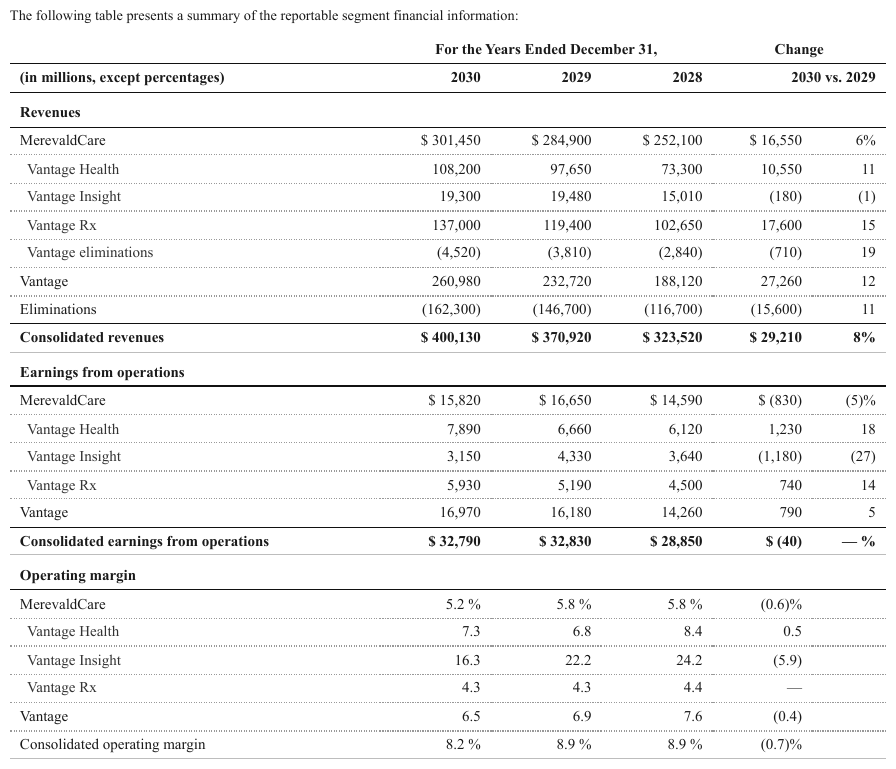
Revenues, Earnings from operations, Operating margin bands over one shared segment spine — MerevaldCare, Vantage Health, Vantage Insight, Vantage Rx. The three Vantage lines and the eliminations line under MerevaldCare are indented one step; the consolidated rows are bold totals.
| For the Years Ended December 31, | Change | |||||||||||||||||||||||||||||||||||||||||||||||||||||||||||||||||||||||||||||||||||||||||||||||||
|---|---|---|---|---|---|---|---|---|---|---|---|---|---|---|---|---|---|---|---|---|---|---|---|---|---|---|---|---|---|---|---|---|---|---|---|---|---|---|---|---|---|---|---|---|---|---|---|---|---|---|---|---|---|---|---|---|---|---|---|---|---|---|---|---|---|---|---|---|---|---|---|---|---|---|---|---|---|---|---|---|---|---|---|---|---|---|---|---|---|---|---|---|---|---|---|---|---|---|
| (in millions, except percentages) | 2030 | 2029 | 2028 | 2030 vs. 2029 | ||||||||||||||||||||||||||||||||||||||||||||||||||||||||||||||||||||||||||||||||||||||||||||||
| Revenues | ||||||||||||||||||||||||||||||||||||||||||||||||||||||||||||||||||||||||||||||||||||||||||||||||||
| MerevaldCare | $ 301,450 | $ 284,900 | $ 252,100 | $ 16,550 | 6% | |||||||||||||||||||||||||||||||||||||||||||||||||||||||||||||||||||||||||||||||||||||||||||||
| Vantage Health | 108,200 | 97,650 | 73,300 | 10,550 | 11 | |||||||||||||||||||||||||||||||||||||||||||||||||||||||||||||||||||||||||||||||||||||||||||||
| Vantage Insight | 19,300 | 19,480 | 15,010 | (180) | (1) | |||||||||||||||||||||||||||||||||||||||||||||||||||||||||||||||||||||||||||||||||||||||||||||
| Vantage Rx | 137,000 | 119,400 | 102,650 | 17,600 | 15 | |||||||||||||||||||||||||||||||||||||||||||||||||||||||||||||||||||||||||||||||||||||||||||||
| Vantage eliminations | (4,520) | (3,810) | (2,840) | (710) | 19 | |||||||||||||||||||||||||||||||||||||||||||||||||||||||||||||||||||||||||||||||||||||||||||||
| Vantage | 260,980 | 232,720 | 188,120 | 27,260 | 12 | |||||||||||||||||||||||||||||||||||||||||||||||||||||||||||||||||||||||||||||||||||||||||||||
| Eliminations | (162,300) | (146,700) | (116,700) | (15,600) | 11 | |||||||||||||||||||||||||||||||||||||||||||||||||||||||||||||||||||||||||||||||||||||||||||||
| Consolidated revenues | $ 400,130 | $ 370,920 | $ 323,520 | $ 29,210 | 8% | |||||||||||||||||||||||||||||||||||||||||||||||||||||||||||||||||||||||||||||||||||||||||||||
| Earnings from operations | ||||||||||||||||||||||||||||||||||||||||||||||||||||||||||||||||||||||||||||||||||||||||||||||||||
| MerevaldCare | $ 15,820 | $ 16,650 | $ 14,590 | $ (830) | (5)% | |||||||||||||||||||||||||||||||||||||||||||||||||||||||||||||||||||||||||||||||||||||||||||||
| … | ||||||||||||||||||||||||||||||||||||||||||||||||||||||||||||||||||||||||||||||||||||||||||||||||||
Markdown source
<table>
<tr> <th> </th> <th colspan="3">For the Years Ended December 31,</th> <th colspan="2">Change</th> </tr>
<tr> <th>(in millions, except percentages)</th> <th>2030</th> <th>2029</th> <th>2028</th> <th colspan="2">2030 vs. 2029</th> </tr>
<tr> <th colspan="6">Revenues</th> </tr>
<tr> <td data-level="0">MerevaldCare</td> <td>$ 301,450</td> <td>$ 284,900</td> <td>$ 252,100</td> <td>$ 16,550</td> <td>6%</td> </tr>
<tr> <td data-level="1">Vantage Health</td> <td>108,200</td> <td>97,650</td> <td>73,300</td> <td>10,550</td> <td>11</td> </tr>
<tr> <td data-level="1">Vantage Insight</td> <td>19,300</td> <td>19,480</td> <td>15,010</td> <td>(180)</td> <td>(1)</td> </tr>
<tr> <td data-level="1">Vantage Rx</td> <td>137,000</td> <td>119,400</td> <td>102,650</td> <td>17,600</td> <td>15</td> </tr>
<tr> <td data-level="1">Vantage eliminations</td> <td>(4,520)</td> <td>(3,810)</td> <td>(2,840)</td> <td>(710)</td> <td>19</td> </tr>
<tr> <td data-level="0">Vantage</td> <td>260,980</td> <td>232,720</td> <td>188,120</td> <td>27,260</td> <td>12</td> </tr>
<tr> <td data-level="0">Eliminations</td> <td>(162,300)</td> <td>(146,700)</td> <td>(116,700)</td> <td>(15,600)</td> <td>11</td> </tr>
<tr> <th data-level="0"><strong>Consolidated revenues</strong></th> <td><strong>$ 400,130</strong></td> <td><strong>$ 370,920</strong></td> <td><strong>$ 323,520</strong></td> <td><strong>$ 29,210</strong></td> <td><strong>8%</strong></td> </tr>
<tr> <th colspan="6">Earnings from operations</th> </tr>
<tr> <td data-level="0">MerevaldCare</td> <td>$ 15,820</td> <td>$ 16,650</td> <td>$ 14,590</td> <td>$ (830)</td> <td>(5)%</td> </tr>
<!-- … -->
</table>✅ Sample — 3samehead
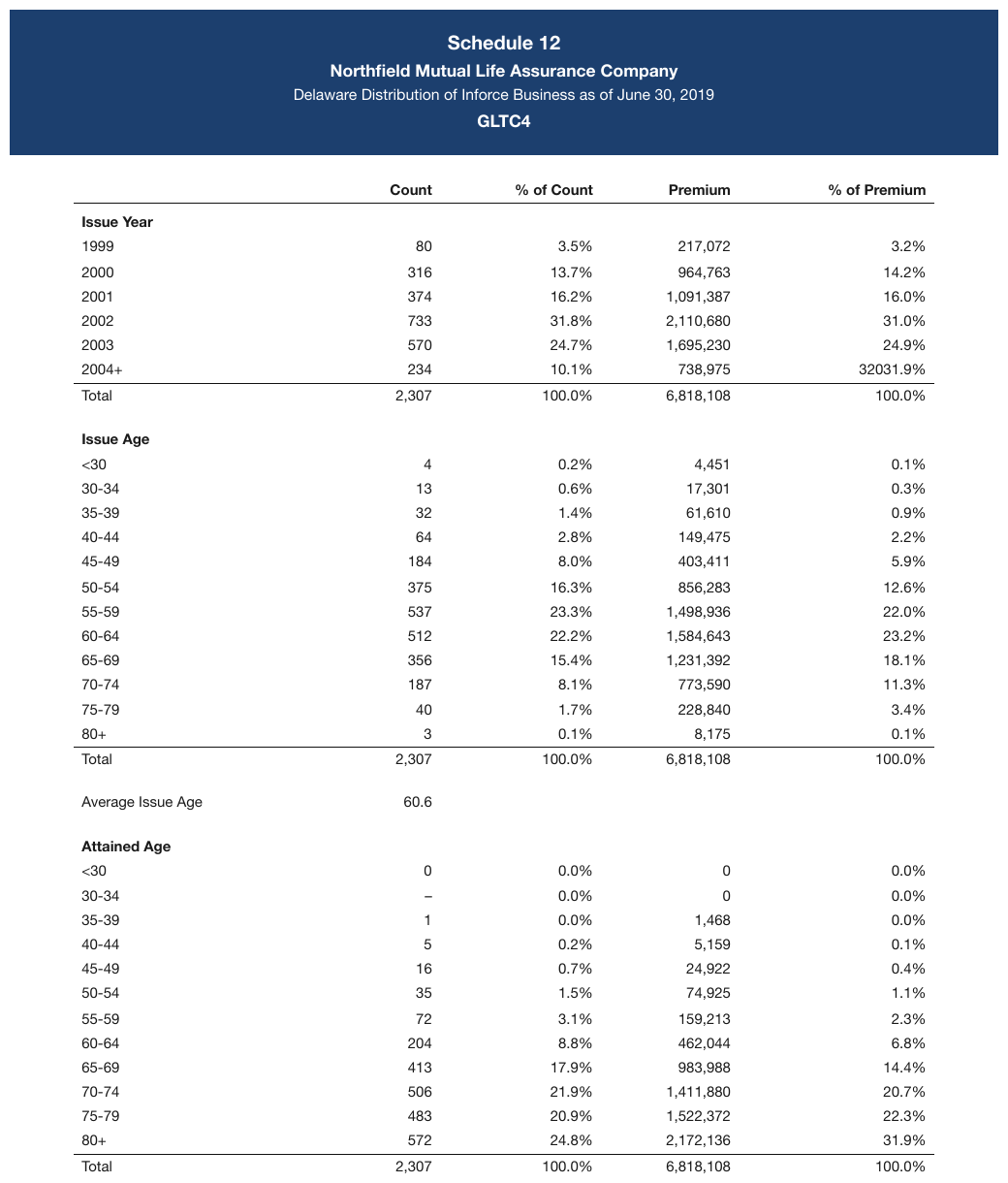
Bold Issue Year / Issue Age / Attained Age bands over one shared column spine — one table,
three cohorts. Each band is a full-width row. The last Issue Year row prints 32031.9% in the
last column, and that is the value recorded.
| Count | % of Count | Premium | % of Premium | |||||||||||||||||||||||||||||||||||||||||||||||||||||||||||||||||||||||||||||||||||||||||||||||
|---|---|---|---|---|---|---|---|---|---|---|---|---|---|---|---|---|---|---|---|---|---|---|---|---|---|---|---|---|---|---|---|---|---|---|---|---|---|---|---|---|---|---|---|---|---|---|---|---|---|---|---|---|---|---|---|---|---|---|---|---|---|---|---|---|---|---|---|---|---|---|---|---|---|---|---|---|---|---|---|---|---|---|---|---|---|---|---|---|---|---|---|---|---|---|---|---|---|---|
| Issue Year | ||||||||||||||||||||||||||||||||||||||||||||||||||||||||||||||||||||||||||||||||||||||||||||||||||
| 1999 | 80 | 3.5% | 217,072 | 3.2% | ||||||||||||||||||||||||||||||||||||||||||||||||||||||||||||||||||||||||||||||||||||||||||||||
| 2000 | 316 | 13.7% | 964,763 | 14.2% | ||||||||||||||||||||||||||||||||||||||||||||||||||||||||||||||||||||||||||||||||||||||||||||||
| 2001 | 374 | 16.2% | 1,091,387 | 16.0% | ||||||||||||||||||||||||||||||||||||||||||||||||||||||||||||||||||||||||||||||||||||||||||||||
| 2002 | 733 | 31.8% | 2,110,680 | 31.0% | ||||||||||||||||||||||||||||||||||||||||||||||||||||||||||||||||||||||||||||||||||||||||||||||
| 2003 | 570 | 24.7% | 1,695,230 | 24.9% | ||||||||||||||||||||||||||||||||||||||||||||||||||||||||||||||||||||||||||||||||||||||||||||||
| 2004+ | 234 | 10.1% | 738,975 | 32031.9% | ||||||||||||||||||||||||||||||||||||||||||||||||||||||||||||||||||||||||||||||||||||||||||||||
| Total | 2,307 | 100.0% | 6,818,108 | 100.0% | ||||||||||||||||||||||||||||||||||||||||||||||||||||||||||||||||||||||||||||||||||||||||||||||
| Issue Age | ||||||||||||||||||||||||||||||||||||||||||||||||||||||||||||||||||||||||||||||||||||||||||||||||||
| <30 | 4 | 0.2% | 4,451 | 0.1% | ||||||||||||||||||||||||||||||||||||||||||||||||||||||||||||||||||||||||||||||||||||||||||||||
| … | ||||||||||||||||||||||||||||||||||||||||||||||||||||||||||||||||||||||||||||||||||||||||||||||||||
Markdown source
<table>
<tr> <th> </th> <th>Count</th> <th>% of Count</th> <th>Premium</th> <th>% of Premium</th> </tr>
<tr> <th colspan="5">Issue Year</th> </tr>
<tr> <td>1999</td> <td>80</td> <td>3.5%</td> <td>217,072</td> <td>3.2%</td> </tr>
<tr> <td>2000</td> <td>316</td> <td>13.7%</td> <td>964,763</td> <td>14.2%</td> </tr>
<tr> <td>2001</td> <td>374</td> <td>16.2%</td> <td>1,091,387</td> <td>16.0%</td> </tr>
<tr> <td>2002</td> <td>733</td> <td>31.8%</td> <td>2,110,680</td> <td>31.0%</td> </tr>
<tr> <td>2003</td> <td>570</td> <td>24.7%</td> <td>1,695,230</td> <td>24.9%</td> </tr>
<tr> <td>2004+</td> <td>234</td> <td>10.1%</td> <td>738,975</td> <td>32031.9%</td> </tr>
<tr> <th data-level="0">Total</th> <td>2,307</td> <td>100.0%</td> <td>6,818,108</td> <td>100.0%</td> </tr>
<tr> <th colspan="5">Issue Age</th> </tr>
<tr> <td><30</td> <td>4</td> <td>0.2%</td> <td>4,451</td> <td>0.1%</td> </tr>
<!-- … -->
</table>Cohort bands with no column headers — one table per cohort
Same-shape grids stacked under cohort bands, with no column headers anywhere:
FEMALE
| 25 | 1.02 | 1.10 |
MALE
| 25 | 1.08 | 1.15 |
One table per cohort. The band becomes that table's header row.
Fusing these into a single table loses the row headers: with the bands demoted to ordinary rows, nothing says which block is female and which is male.
The band is a header here precisely because nothing else is — it is the only thing naming what the rows below it are.
✅ Sample — 5t
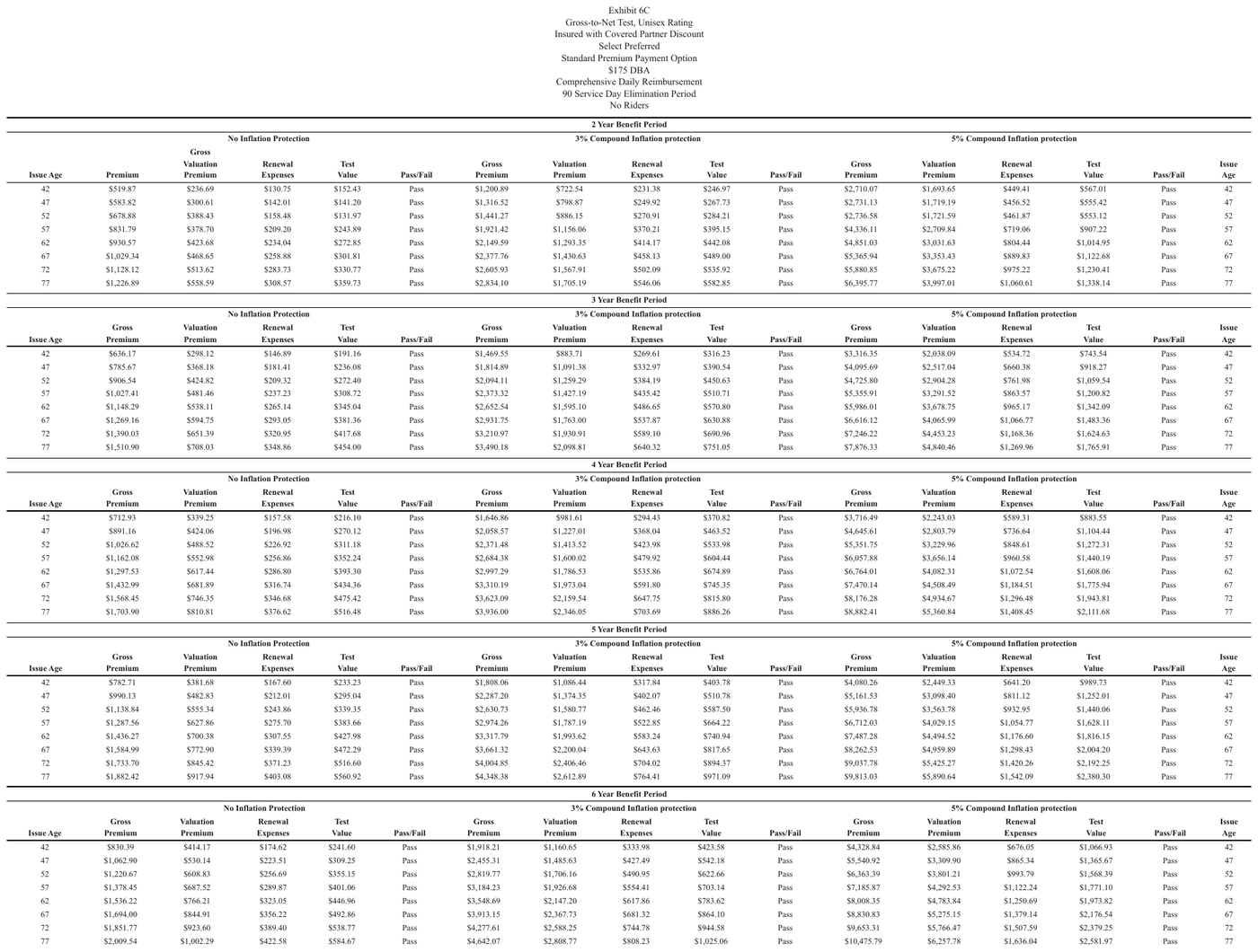
Five title bands (2/3/4/5/6 Year Benefit Period), each over its own block repeating the same Issue Age spine: five tables, each band as its table's first header row.
| 2 Year Benefit Period | ||||||||||||||||||||||||||||||||||||||||||||||||||||||||||||||||||||||||||||||||||||||||||||||||||
|---|---|---|---|---|---|---|---|---|---|---|---|---|---|---|---|---|---|---|---|---|---|---|---|---|---|---|---|---|---|---|---|---|---|---|---|---|---|---|---|---|---|---|---|---|---|---|---|---|---|---|---|---|---|---|---|---|---|---|---|---|---|---|---|---|---|---|---|---|---|---|---|---|---|---|---|---|---|---|---|---|---|---|---|---|---|---|---|---|---|---|---|---|---|---|---|---|---|---|
| No Inflation Protection | 3% Compound Inflation protection | 5% Compound Inflation protection | ||||||||||||||||||||||||||||||||||||||||||||||||||||||||||||||||||||||||||||||||||||||||||||||||
| Issue Age | Premium | Gross Valuation Premium | Renewal Expenses | Test Value | Pass/Fail | Gross Premium | Valuation Premium | Renewal Expenses | Test Value | Pass/Fail | Gross Premium | Valuation Premium | Renewal Expenses | Test Value | Pass/Fail | Issue Age | ||||||||||||||||||||||||||||||||||||||||||||||||||||||||||||||||||||||||||||||||||
| 42 | $519.87 | $236.69 | $130.75 | $152.43 | Pass | $1,200.89 | $722.54 | $231.38 | $246.97 | Pass | $2,710.07 | $1,693.65 | $449.41 | $567.01 | Pass | 42 | ||||||||||||||||||||||||||||||||||||||||||||||||||||||||||||||||||||||||||||||||||
| 47 | $583.82 | $300.61 | $142.01 | $141.20 | Pass | $1,316.52 | $798.87 | $249.92 | $267.73 | Pass | $2,731.13 | $1,719.19 | $456.52 | $555.42 | Pass | 47 | ||||||||||||||||||||||||||||||||||||||||||||||||||||||||||||||||||||||||||||||||||
| 52 | $678.88 | $388.43 | $158.48 | $131.97 | Pass | $1,441.27 | $886.15 | $270.91 | $284.21 | Pass | $2,736.58 | $1,721.59 | $461.87 | $553.12 | Pass | 52 | ||||||||||||||||||||||||||||||||||||||||||||||||||||||||||||||||||||||||||||||||||
| … | ||||||||||||||||||||||||||||||||||||||||||||||||||||||||||||||||||||||||||||||||||||||||||||||||||
| 77 | $1,226.89 | $558.59 | $308.57 | $359.73 | Pass | $2,834.10 | $1,705.19 | $546.06 | $582.85 | Pass | $6,395.77 | $3,997.01 | $1,060.61 | $1,338.14 | Pass | 77 | ||||||||||||||||||||||||||||||||||||||||||||||||||||||||||||||||||||||||||||||||||
Markdown source
<table>
<tr> <th colspan="17">2 Year Benefit Period</th> </tr>
<tr> <th> </th> <th colspan="5">No Inflation Protection</th> <th colspan="5">3% Compound Inflation protection</th> <th colspan="5">5% Compound Inflation protection</th> <th> </th> </tr>
<tr> <th>Issue Age</th> <th>Premium</th> <th>Gross Valuation Premium</th> <th>Renewal Expenses</th> <th>Test Value</th> <th>Pass/Fail</th> <th>Gross Premium</th> <th>Valuation Premium</th> <th>Renewal Expenses</th> <th>Test Value</th> <th>Pass/Fail</th> <th>Gross Premium</th> <th>Valuation Premium</th> <th>Renewal Expenses</th> <th>Test Value</th> <th>Pass/Fail</th> <th>Issue Age</th> </tr>
<tr> <td>42</td> <td>$519.87</td> <td>$236.69</td> <td>$130.75</td> <td>$152.43</td> <td>Pass</td> <td>$1,200.89</td> <td>$722.54</td> <td>$231.38</td> <td>$246.97</td> <td>Pass</td> <td>$2,710.07</td> <td>$1,693.65</td> <td>$449.41</td> <td>$567.01</td> <td>Pass</td> <td>42</td> </tr>
<tr> <td>47</td> <td>$583.82</td> <td>$300.61</td> <td>$142.01</td> <td>$141.20</td> <td>Pass</td> <td>$1,316.52</td> <td>$798.87</td> <td>$249.92</td> <td>$267.73</td> <td>Pass</td> <td>$2,731.13</td> <td>$1,719.19</td> <td>$456.52</td> <td>$555.42</td> <td>Pass</td> <td>47</td> </tr>
<tr> <td>52</td> <td>$678.88</td> <td>$388.43</td> <td>$158.48</td> <td>$131.97</td> <td>Pass</td> <td>$1,441.27</td> <td>$886.15</td> <td>$270.91</td> <td>$284.21</td> <td>Pass</td> <td>$2,736.58</td> <td>$1,721.59</td> <td>$461.87</td> <td>$553.12</td> <td>Pass</td> <td>52</td> </tr>
<!-- … -->
<tr> <td>77</td> <td>$1,226.89</td> <td>$558.59</td> <td>$308.57</td> <td>$359.73</td> <td>Pass</td> <td>$2,834.10</td> <td>$1,705.19</td> <td>$546.06</td> <td>$582.85</td> <td>Pass</td> <td>$6,395.77</td> <td>$3,997.01</td> <td>$1,060.61</td> <td>$1,338.14</td> <td>Pass</td> <td>77</td> </tr>
</table>✅ Sample — 3tables2
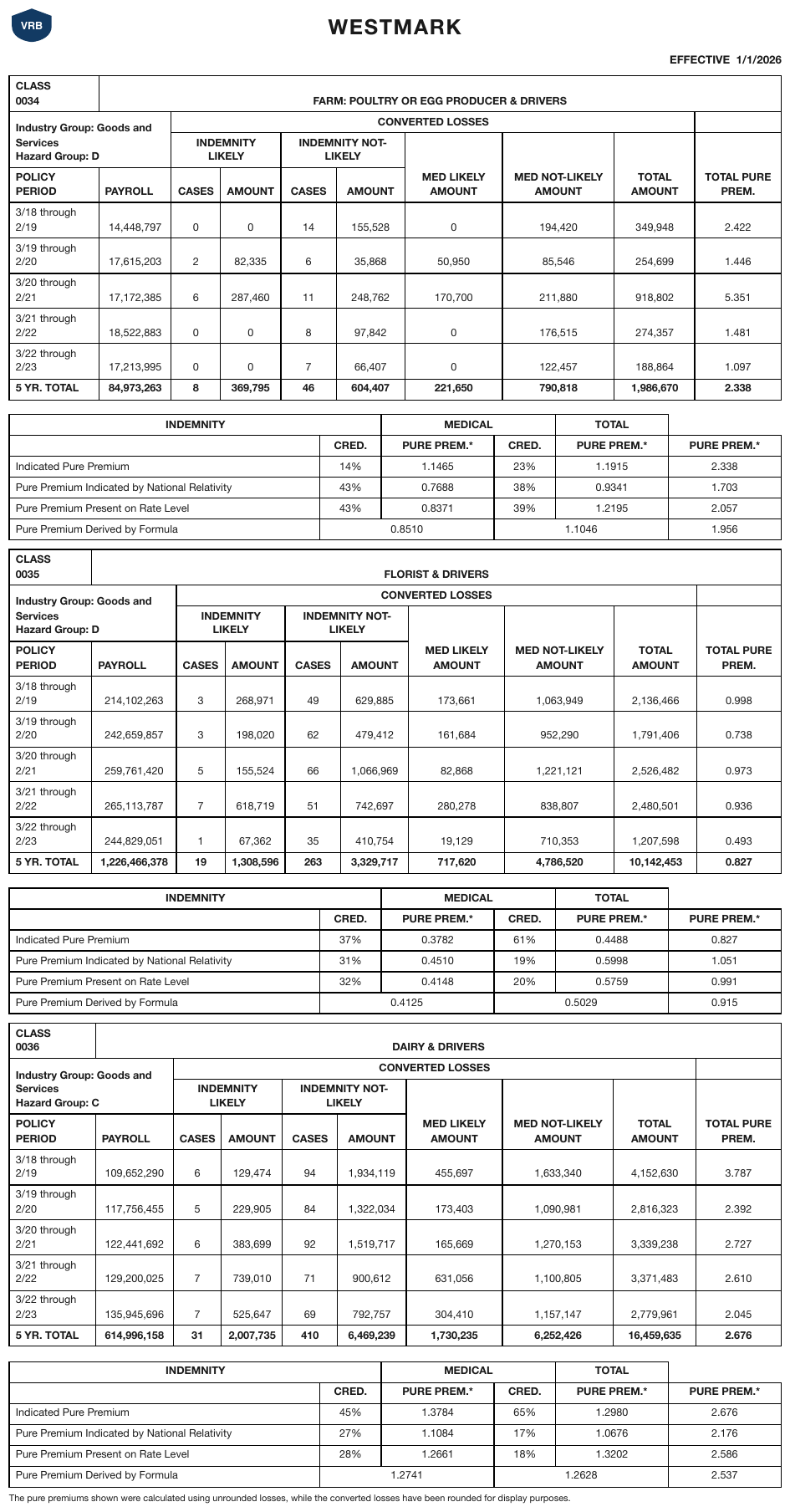
Each rating class (0034 / 0035 / 0036) is its own titled cohort block, stacked; the class number and
name form the first header row of each class table, and a separate credibility grid follows each.
CLASS and its number are printed on two lines in a cell wide enough for one, and the industry and
hazard groups are two separate lines.
| CLASS 0034 | FARM: POULTRY OR EGG PRODUCER & DRIVERS | ||||||||
|---|---|---|---|---|---|---|---|---|---|
| Industry Group: Goods and Services Hazard Group: D | CONVERTED LOSSES | ||||||||
| INDEMNITY LIKELY | INDEMNITY NOT-LIKELY | MED LIKELY AMOUNT | MED NOT-LIKELY AMOUNT | TOTAL AMOUNT | TOTAL PURE PREM. | ||||
| POLICY PERIOD | PAYROLL | CASES | AMOUNT | CASES | AMOUNT | ||||
| 3/18 through 2/19 | 14,448,797 | 0 | 0 | 14 | 155,528 | 0 | 194,420 | 349,948 | 2.422 |
| 3/19 through 2/20 | 17,615,203 | 2 | 82,335 | 6 | 35,868 | 50,950 | 85,546 | 254,699 | 1.446 |
| 3/20 through 2/21 | 17,172,385 | 6 | 287,460 | 11 | 248,762 | 170,700 | 211,880 | 918,802 | 5.351 |
| 3/21 through 2/22 | 18,522,883 | 0 | 0 | 8 | 97,842 | 0 | 176,515 | 274,357 | 1.481 |
| 3/22 through 2/23 | 17,213,995 | 0 | 0 | 7 | 66,407 | 0 | 122,457 | 188,864 | 1.097 |
| 5 YR. TOTAL | 84,973,263 | 8 | 369,795 | 46 | 604,407 | 221,650 | 790,818 | 1,986,670 | 2.338 |
…
Markdown source
<table>
<tr> <th>CLASS<br/>0034</th> <th colspan="9">FARM: POULTRY OR EGG PRODUCER & DRIVERS</th> </tr>
<tr> <th colspan="2" rowspan="2">Industry Group: Goods and Services<br/>Hazard Group: D</th> <th colspan="7">CONVERTED LOSSES</th> <th> </th> </tr>
<tr> <th colspan="2">INDEMNITY LIKELY</th> <th colspan="2">INDEMNITY NOT-LIKELY</th> <th rowspan="2">MED LIKELY AMOUNT</th> <th rowspan="2">MED NOT-LIKELY AMOUNT</th> <th rowspan="2">TOTAL AMOUNT</th> <th rowspan="2">TOTAL PURE PREM.</th> </tr>
<tr> <th>POLICY PERIOD</th> <th>PAYROLL</th> <th>CASES</th> <th>AMOUNT</th> <th>CASES</th> <th>AMOUNT</th> </tr>
<tr> <td>3/18 through 2/19</td> <td>14,448,797</td> <td>0</td> <td>0</td> <td>14</td> <td>155,528</td> <td>0</td> <td>194,420</td> <td>349,948</td> <td>2.422</td> </tr>
<tr> <td>3/19 through 2/20</td> <td>17,615,203</td> <td>2</td> <td>82,335</td> <td>6</td> <td>35,868</td> <td>50,950</td> <td>85,546</td> <td>254,699</td> <td>1.446</td> </tr>
<tr> <td>3/20 through 2/21</td> <td>17,172,385</td> <td>6</td> <td>287,460</td> <td>11</td> <td>248,762</td> <td>170,700</td> <td>211,880</td> <td>918,802</td> <td>5.351</td> </tr>
<tr> <td>3/21 through 2/22</td> <td>18,522,883</td> <td>0</td> <td>0</td> <td>8</td> <td>97,842</td> <td>0</td> <td>176,515</td> <td>274,357</td> <td>1.481</td> </tr>
<tr> <td>3/22 through 2/23</td> <td>17,213,995</td> <td>0</td> <td>0</td> <td>7</td> <td>66,407</td> <td>0</td> <td>122,457</td> <td>188,864</td> <td>1.097</td> </tr>
<tr> <th data-level="0"><strong>5 YR. TOTAL</strong></th> <td><strong>84,973,263</strong></td> <td><strong>8</strong></td> <td><strong>369,795</strong></td> <td><strong>46</strong></td> <td><strong>604,407</strong></td> <td><strong>221,650</strong></td> <td><strong>790,818</strong></td> <td><strong>1,986,670</strong></td> <td><strong>2.338</strong></td> </tr>
</table>
<!-- … -->
Keeping the two apart
The two shapes look alike from a distance and resolve in opposite directions, so both checks are run deliberately:
- Does the left label column run continuously through both bands, unrepeated? → one table.
- Does each band restart the same labels under it, with no column headers printed anywhere? → one table per band.
Date bands and shading changes inside a single grid are a different question again — see Bands Inside the Grid§9.2.1.
Related
- Bands Inside the Grid§9.2.1 — bands that divide one grid rather than head a new one
- Barely-Existing Columns and Headers§9.3.1 — the numbered tier that proves the shared spine
- Repeated Headers and Title Bands§9.2.7 — blocks that each re-declare their headers are separate tables
9.2.6 Horizontal Slicing
✅ Normative · 📄 page rule
✅ Normative
A table too wide for the page, printed as stacked column blocks, MUST be rendered as one table per printed block, each keeping its repeated row-label column. The blocks MUST NOT be re-widened into a single wide table.
A table too wide for the page is printed as column blocks stacked vertically, with the row-label column repeated in each block.
| State | Jan | Feb | Mar |
| AL | 1.1 | 1.2 | 1.2 |
| State | Apr | May | Jun | ← same rows, next columns
| AL | 1.3 | 1.3 | 1.4 |
✅ Sample — 5line heaer
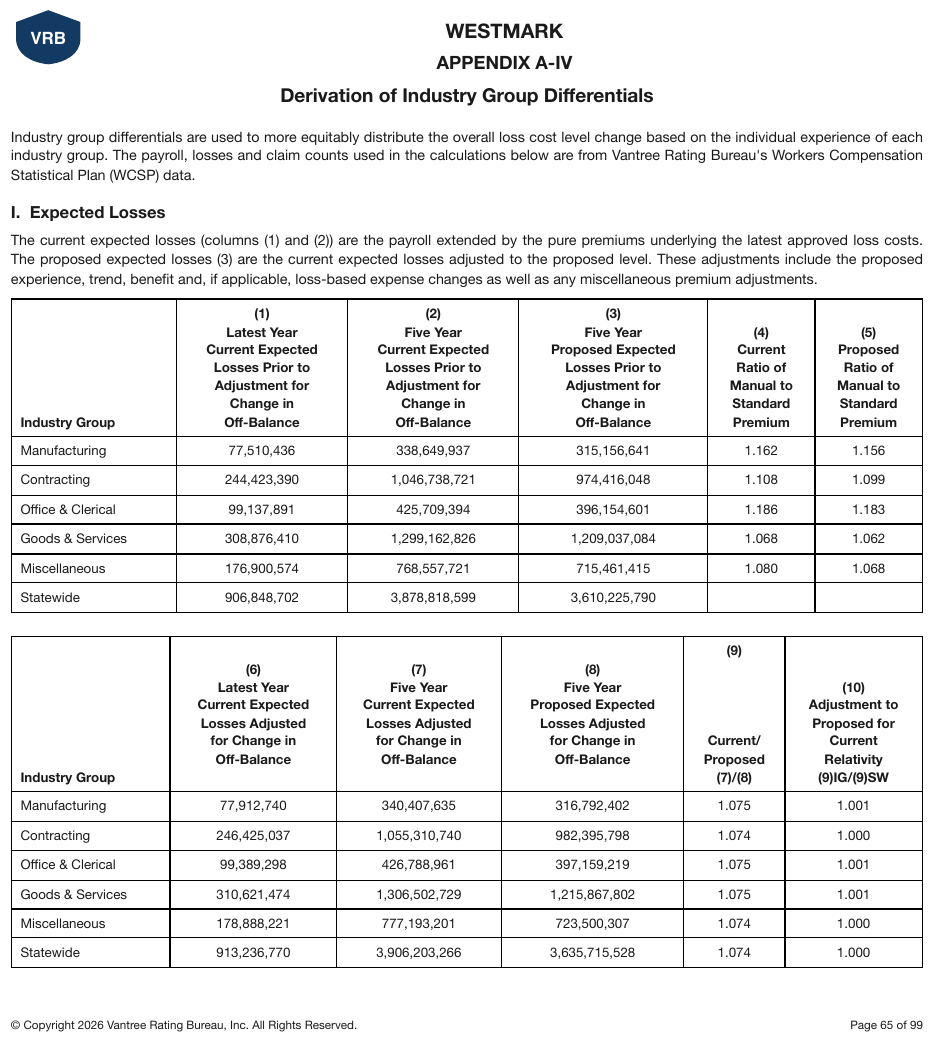
Columns (1)–(5) and (6)–(10) of one logical table stacked vertically, the Industry Group stub repeated in each block over the same six rows. Each column header is one label wrapped over many lines and is joined into one cell.
| Industry Group | (1) Latest Year Current Expected Losses Prior to Adjustment for Change in Off-Balance | (2) Five Year Current Expected Losses Prior to Adjustment for Change in Off-Balance | (3) Five Year Proposed Expected Losses Prior to Adjustment for Change in Off-Balance | (4) Current Ratio of Manual to Standard Premium | (5) Proposed Ratio of Manual to Standard Premium |
|---|---|---|---|---|---|
| Manufacturing | 77,510,436 | 338,649,937 | 315,156,641 | 1.162 | 1.156 |
| Contracting | 244,423,390 | 1,046,738,721 | 974,416,048 | 1.108 | 1.099 |
| Office & Clerical | 99,137,891 | 425,709,394 | 396,154,601 | 1.186 | 1.183 |
| Goods & Services | 308,876,410 | 1,299,162,826 | 1,209,037,084 | 1.068 | 1.062 |
| Miscellaneous | 176,900,574 | 768,557,721 | 715,461,415 | 1.080 | 1.068 |
| Statewide | 906,848,702 | 3,878,818,599 | 3,610,225,790 |
| Industry Group | (6) Latest Year Current Expected Losses Adjusted for Change in Off-Balance | (7) Five Year Current Expected Losses Adjusted for Change in Off-Balance | (8) Five Year Proposed Expected Losses Adjusted for Change in Off-Balance | (9) Current/Proposed (7)/(8) | (10) Adjustment to Proposed for Current Relativity (9)IG/(9)SW |
|---|---|---|---|---|---|
| Manufacturing | 77,912,740 | 340,407,635 | 316,792,402 | 1.075 | 1.001 |
| Contracting | 246,425,037 | 1,055,310,740 | 982,395,798 | 1.074 | 1.000 |
| Office & Clerical | 99,389,298 | 426,788,961 | 397,159,219 | 1.075 | 1.001 |
| Goods & Services | 310,621,474 | 1,306,502,729 | 1,215,867,802 | 1.075 | 1.001 |
| Miscellaneous | 178,888,221 | 777,193,201 | 723,500,307 | 1.074 | 1.000 |
| Statewide | 913,236,770 | 3,906,203,266 | 3,635,715,528 | 1.074 | 1.000 |
Markdown source
<table>
<tr> <th>Industry Group</th> <th>(1) Latest Year Current Expected Losses Prior to Adjustment for Change in Off-Balance</th> <th>(2) Five Year Current Expected Losses Prior to Adjustment for Change in Off-Balance</th> <th>(3) Five Year Proposed Expected Losses Prior to Adjustment for Change in Off-Balance</th> <th>(4) Current Ratio of Manual to Standard Premium</th> <th>(5) Proposed Ratio of Manual to Standard Premium</th> </tr>
<tr> <td>Manufacturing</td> <td>77,510,436</td> <td>338,649,937</td> <td>315,156,641</td> <td>1.162</td> <td>1.156</td> </tr>
<tr> <td>Contracting</td> <td>244,423,390</td> <td>1,046,738,721</td> <td>974,416,048</td> <td>1.108</td> <td>1.099</td> </tr>
<tr> <td>Office & Clerical</td> <td>99,137,891</td> <td>425,709,394</td> <td>396,154,601</td> <td>1.186</td> <td>1.183</td> </tr>
<tr> <td>Goods & Services</td> <td>308,876,410</td> <td>1,299,162,826</td> <td>1,209,037,084</td> <td>1.068</td> <td>1.062</td> </tr>
<tr> <td>Miscellaneous</td> <td>176,900,574</td> <td>768,557,721</td> <td>715,461,415</td> <td>1.080</td> <td>1.068</td> </tr>
<tr> <td>Statewide</td> <td>906,848,702</td> <td>3,878,818,599</td> <td>3,610,225,790</td> <td> </td> <td> </td> </tr>
</table>
<table>
<tr> <th>Industry Group</th> <th>(6) Latest Year Current Expected Losses Adjusted for Change in Off-Balance</th> <th>(7) Five Year Current Expected Losses Adjusted for Change in Off-Balance</th> <th>(8) Five Year Proposed Expected Losses Adjusted for Change in Off-Balance</th> <th>(9) Current/Proposed (7)/(8)</th> <th>(10) Adjustment to Proposed for Current Relativity (9)IG/(9)SW</th> </tr>
<tr> <td>Manufacturing</td> <td>77,912,740</td> <td>340,407,635</td> <td>316,792,402</td> <td>1.075</td> <td>1.001</td> </tr>
<tr> <td>Contracting</td> <td>246,425,037</td> <td>1,055,310,740</td> <td>982,395,798</td> <td>1.074</td> <td>1.000</td> </tr>
<tr> <td>Office & Clerical</td> <td>99,389,298</td> <td>426,788,961</td> <td>397,159,219</td> <td>1.075</td> <td>1.001</td> </tr>
<tr> <td>Goods & Services</td> <td>310,621,474</td> <td>1,306,502,729</td> <td>1,215,867,802</td> <td>1.075</td> <td>1.001</td> </tr>
<tr> <td>Miscellaneous</td> <td>178,888,221</td> <td>777,193,201</td> <td>723,500,307</td> <td>1.074</td> <td>1.000</td> </tr>
<tr> <td>Statewide</td> <td>913,236,770</td> <td>3,906,203,266</td> <td>3,635,715,528</td> <td>1.074</td> <td>1.000</td> </tr>
</table>
✅ Sample — busbands
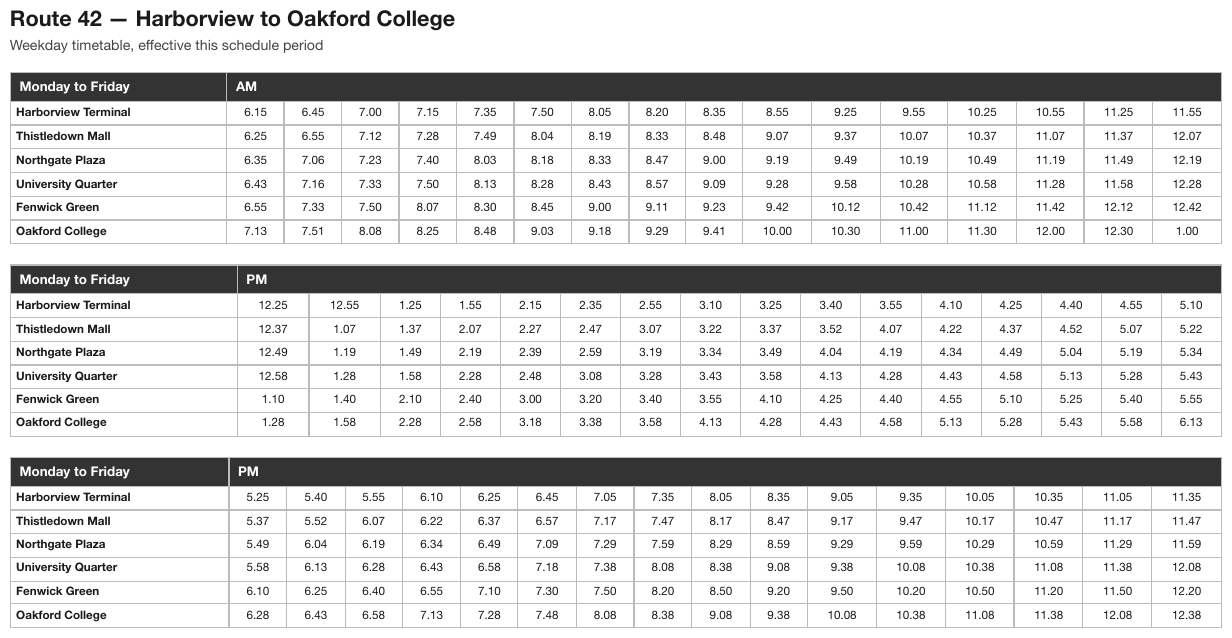
A bus timetable too wide for the page, printed as stacked AM/PM/PM blocks with the stop-name column repeated in every block. The stop names are bold.
| Monday to Friday | AM | |||||||||||||||
|---|---|---|---|---|---|---|---|---|---|---|---|---|---|---|---|---|
| Harborview Terminal | 6.15 | 6.45 | 7.00 | 7.15 | 7.35 | 7.50 | 8.05 | 8.20 | 8.35 | 8.55 | 9.25 | 9.55 | 10.25 | 10.55 | 11.25 | 11.55 |
| Thistledown Mall | 6.25 | 6.55 | 7.12 | 7.28 | 7.49 | 8.04 | 8.19 | 8.33 | 8.48 | 9.07 | 9.37 | 10.07 | 10.37 | 11.07 | 11.37 | 12.07 |
| Northgate Plaza | 6.35 | 7.06 | 7.23 | 7.40 | 8.03 | 8.18 | 8.33 | 8.47 | 9.00 | 9.19 | 9.49 | 10.19 | 10.49 | 11.19 | 11.49 | 12.19 |
| University Quarter | 6.43 | 7.16 | 7.33 | 7.50 | 8.13 | 8.28 | 8.43 | 8.57 | 9.09 | 9.28 | 9.58 | 10.28 | 10.58 | 11.28 | 11.58 | 12.28 |
| Fenwick Green | 6.55 | 7.33 | 7.50 | 8.07 | 8.30 | 8.45 | 9.00 | 9.11 | 9.23 | 9.42 | 10.12 | 10.42 | 11.12 | 11.42 | 12.12 | 12.42 |
| Oakford College | 7.13 | 7.51 | 8.08 | 8.25 | 8.48 | 9.03 | 9.18 | 9.29 | 9.41 | 10.00 | 10.30 | 11.00 | 11.30 | 12.00 | 12.30 | 1.00 |
Markdown source
<table>
<tr> <th>Monday to Friday</th> <th colspan="16">AM</th> </tr>
<tr> <td><strong>Harborview Terminal</strong></td> <td>6.15</td> <td>6.45</td> <td>7.00</td> <td>7.15</td> <td>7.35</td> <td>7.50</td> <td>8.05</td> <td>8.20</td> <td>8.35</td> <td>8.55</td> <td>9.25</td> <td>9.55</td> <td>10.25</td> <td>10.55</td> <td>11.25</td> <td>11.55</td> </tr>
<tr> <td><strong>Thistledown Mall</strong></td> <td>6.25</td> <td>6.55</td> <td>7.12</td> <td>7.28</td> <td>7.49</td> <td>8.04</td> <td>8.19</td> <td>8.33</td> <td>8.48</td> <td>9.07</td> <td>9.37</td> <td>10.07</td> <td>10.37</td> <td>11.07</td> <td>11.37</td> <td>12.07</td> </tr>
<tr> <td><strong>Northgate Plaza</strong></td> <td>6.35</td> <td>7.06</td> <td>7.23</td> <td>7.40</td> <td>8.03</td> <td>8.18</td> <td>8.33</td> <td>8.47</td> <td>9.00</td> <td>9.19</td> <td>9.49</td> <td>10.19</td> <td>10.49</td> <td>11.19</td> <td>11.49</td> <td>12.19</td> </tr>
<tr> <td><strong>University Quarter</strong></td> <td>6.43</td> <td>7.16</td> <td>7.33</td> <td>7.50</td> <td>8.13</td> <td>8.28</td> <td>8.43</td> <td>8.57</td> <td>9.09</td> <td>9.28</td> <td>9.58</td> <td>10.28</td> <td>10.58</td> <td>11.28</td> <td>11.58</td> <td>12.28</td> </tr>
<tr> <td><strong>Fenwick Green</strong></td> <td>6.55</td> <td>7.33</td> <td>7.50</td> <td>8.07</td> <td>8.30</td> <td>8.45</td> <td>9.00</td> <td>9.11</td> <td>9.23</td> <td>9.42</td> <td>10.12</td> <td>10.42</td> <td>11.12</td> <td>11.42</td> <td>12.12</td> <td>12.42</td> </tr>
<tr> <td><strong>Oakford College</strong></td> <td>7.13</td> <td>7.51</td> <td>8.08</td> <td>8.25</td> <td>8.48</td> <td>9.03</td> <td>9.18</td> <td>9.29</td> <td>9.41</td> <td>10.00</td> <td>10.30</td> <td>11.00</td> <td>11.30</td> <td>12.00</td> <td>12.30</td> <td>1.00</td> </tr>
</table>Requirements
- Each printed block MUST be rendered as its own table, top to bottom.
- The repeated row-label column MUST be kept in every block. It is printed in each one, and it is what makes the blocks joinable later.
- The blocks MUST NOT be re-widened into a single
State | Jan…Juntable, even though the repeated key makes the join look obvious.
How to recognise it
The blocks share their rows and differ in their columns — the same keys reappear down each block, with new column headers over them. That is the opposite of Column Continuation§9.2.2, where the blocks share their columns and the key runs onward from one block to the next.
If the row keys do not line up across the blocks, it is not a slice of one wide table at all: the blocks are separate tables, with no join to look for.
The asymmetry worth noticing
In Column Continuation§9.2.2, widening is the one shape that is always wrong: it pairs unrelated records with each other. Here it is the appealing option, because the repeated key column gives a reliable join and no record gets paired with a stranger. The rendering nevertheless stays one table per printed block: the page printed blocks, and the join is left to whoever consumes the output.
Related
- Column Continuation§9.2.2 — the transpose: blocks side by side, key running onward
- Cross-Page Tables§4.3 — blocks split by a page break instead of by width
- Repeated Headers and Title Bands§9.2.7 — a header printed again below data rows opens a new table
9.2.7 Repeated Headers and Title Bands
✅ Normative · 📄 page rule
✅ Normative
Within one page, a column-header row printed again after data rows MUST close the table and open a new one at the repeat. Header repetition is the table-boundary signal.
| State | Rate |
| AL | 1.10 |
| State | Rate | ← header printed again after data rows:
| MT | 0.95 | the first table ends, a second starts here
Requirements
- A re-declared header row MUST start a new table. The rows under it belong to that new table, not to the one above.
- An entity or geography band that reappears as a title bar before each block likewise MUST open a new table each time it appears.
- The repeated header MUST be kept: it is printed, so it is the new table's header row.
- Two tables separated by a repeated header MUST NOT be fused, even where they read as one series broken up for layout.
✅ Sample — busbands
The Monday to Friday band with its AM/PM label reappears as a title bar before each stacked block, so each block is its own table.
| Monday to Friday | AM | |||||||||||||||
|---|---|---|---|---|---|---|---|---|---|---|---|---|---|---|---|---|
| Harborview Terminal | 6.15 | 6.45 | 7.00 | 7.15 | 7.35 | 7.50 | 8.05 | 8.20 | 8.35 | 8.55 | 9.25 | 9.55 | 10.25 | 10.55 | 11.25 | 11.55 |
| Thistledown Mall | 6.25 | 6.55 | 7.12 | 7.28 | 7.49 | 8.04 | 8.19 | 8.33 | 8.48 | 9.07 | 9.37 | 10.07 | 10.37 | 11.07 | 11.37 | 12.07 |
| Northgate Plaza | 6.35 | 7.06 | 7.23 | 7.40 | 8.03 | 8.18 | 8.33 | 8.47 | 9.00 | 9.19 | 9.49 | 10.19 | 10.49 | 11.19 | 11.49 | 12.19 |
| University Quarter | 6.43 | 7.16 | 7.33 | 7.50 | 8.13 | 8.28 | 8.43 | 8.57 | 9.09 | 9.28 | 9.58 | 10.28 | 10.58 | 11.28 | 11.58 | 12.28 |
| Fenwick Green | 6.55 | 7.33 | 7.50 | 8.07 | 8.30 | 8.45 | 9.00 | 9.11 | 9.23 | 9.42 | 10.12 | 10.42 | 11.12 | 11.42 | 12.12 | 12.42 |
| Oakford College | 7.13 | 7.51 | 8.08 | 8.25 | 8.48 | 9.03 | 9.18 | 9.29 | 9.41 | 10.00 | 10.30 | 11.00 | 11.30 | 12.00 | 12.30 | 1.00 |
Markdown source
<table>
<tr> <th>Monday to Friday</th> <th colspan="16">AM</th> </tr>
<tr> <td><strong>Harborview Terminal</strong></td> <td>6.15</td> <td>6.45</td> <td>7.00</td> <td>7.15</td> <td>7.35</td> <td>7.50</td> <td>8.05</td> <td>8.20</td> <td>8.35</td> <td>8.55</td> <td>9.25</td> <td>9.55</td> <td>10.25</td> <td>10.55</td> <td>11.25</td> <td>11.55</td> </tr>
<tr> <td><strong>Thistledown Mall</strong></td> <td>6.25</td> <td>6.55</td> <td>7.12</td> <td>7.28</td> <td>7.49</td> <td>8.04</td> <td>8.19</td> <td>8.33</td> <td>8.48</td> <td>9.07</td> <td>9.37</td> <td>10.07</td> <td>10.37</td> <td>11.07</td> <td>11.37</td> <td>12.07</td> </tr>
<tr> <td><strong>Northgate Plaza</strong></td> <td>6.35</td> <td>7.06</td> <td>7.23</td> <td>7.40</td> <td>8.03</td> <td>8.18</td> <td>8.33</td> <td>8.47</td> <td>9.00</td> <td>9.19</td> <td>9.49</td> <td>10.19</td> <td>10.49</td> <td>11.19</td> <td>11.49</td> <td>12.19</td> </tr>
<tr> <td><strong>University Quarter</strong></td> <td>6.43</td> <td>7.16</td> <td>7.33</td> <td>7.50</td> <td>8.13</td> <td>8.28</td> <td>8.43</td> <td>8.57</td> <td>9.09</td> <td>9.28</td> <td>9.58</td> <td>10.28</td> <td>10.58</td> <td>11.28</td> <td>11.58</td> <td>12.28</td> </tr>
<tr> <td><strong>Fenwick Green</strong></td> <td>6.55</td> <td>7.33</td> <td>7.50</td> <td>8.07</td> <td>8.30</td> <td>8.45</td> <td>9.00</td> <td>9.11</td> <td>9.23</td> <td>9.42</td> <td>10.12</td> <td>10.42</td> <td>11.12</td> <td>11.42</td> <td>12.12</td> <td>12.42</td> </tr>
<tr> <td><strong>Oakford College</strong></td> <td>7.13</td> <td>7.51</td> <td>8.08</td> <td>8.25</td> <td>8.48</td> <td>9.03</td> <td>9.18</td> <td>9.29</td> <td>9.41</td> <td>10.00</td> <td>10.30</td> <td>11.00</td> <td>11.30</td> <td>12.00</td> <td>12.30</td> <td>1.00</td> </tr>
</table>❌ Counter-sample — 2021-q3-consensus-poll-calculation
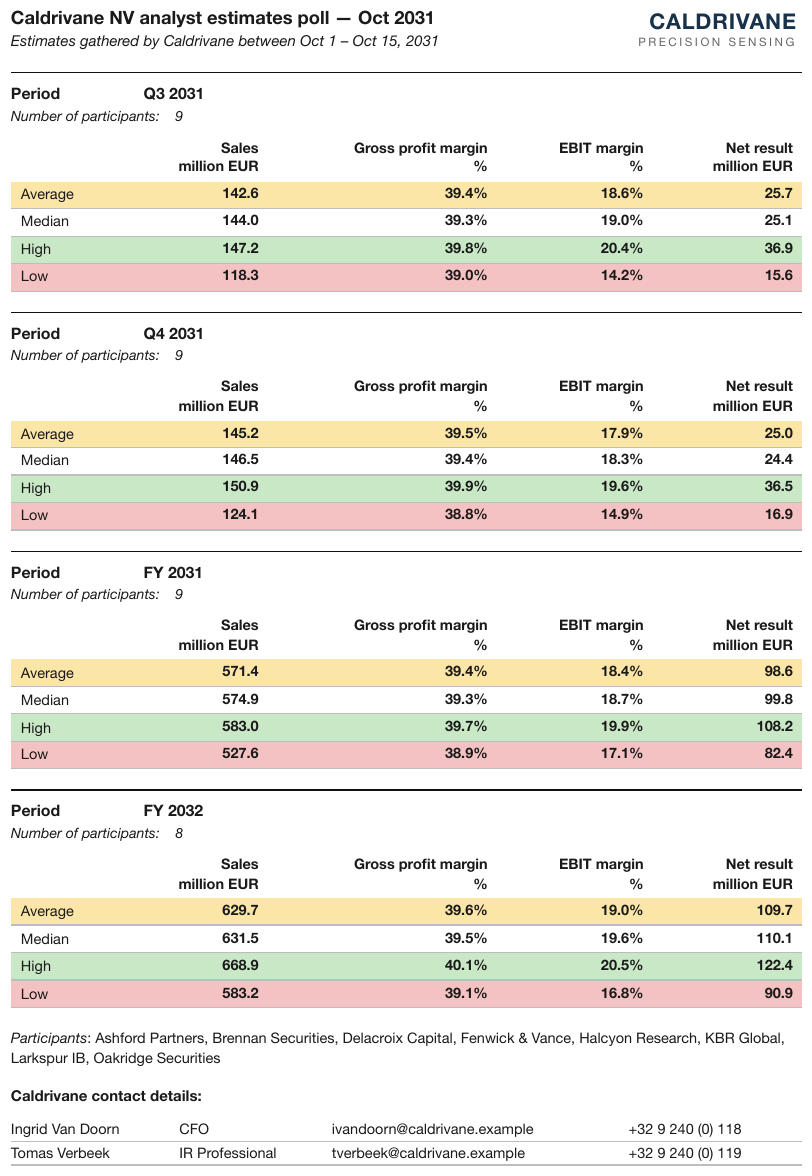
Four period blocks that look like one table whose headers reappear after each data group. Each
block has its own Period title and participant count above its header, so each is a wholly
separate table — the title and count form its opening <caption> rather than data rows.
| Sales million EUR | Gross profit margin % | EBIT margin % | Net result million EUR | |
|---|---|---|---|---|
| Average | 142.6 | 39.4% | 18.6% | 25.7 |
| Median | 144.0 | 39.3% | 19.0% | 25.1 |
| High | 147.2 | 39.8% | 20.4% | 36.9 |
| Low | 118.3 | 39.0% | 14.2% | 15.6 |
Markdown source
<table>
<caption><strong>Period</strong> Q3 2031
<em>Number of participants:</em> 9</caption>
<tr> <th> </th> <th>Sales million EUR</th> <th>Gross profit margin %</th> <th>EBIT margin %</th> <th>Net result million EUR</th> </tr>
<tr> <td>Average</td> <td><strong>142.6</strong></td> <td><strong>39.4%</strong></td> <td><strong>18.6%</strong></td> <td><strong>25.7</strong></td> </tr>
<tr> <td>Median</td> <td><strong>144.0</strong></td> <td><strong>39.3%</strong></td> <td><strong>19.0%</strong></td> <td><strong>25.1</strong></td> </tr>
<tr> <td>High</td> <td><strong>147.2</strong></td> <td><strong>39.8%</strong></td> <td><strong>20.4%</strong></td> <td><strong>36.9</strong></td> </tr>
<tr> <td>Low</td> <td><strong>118.3</strong></td> <td><strong>39.0%</strong></td> <td><strong>14.2%</strong></td> <td><strong>15.6</strong></td> </tr>
</table>Read it against the mirror case
If two fragments share a header that is not repeated, they are one table — see Split Tables Sharing a Header§9.2.9. Together, the two rules make header repetition the single boundary signal, decidable from what is printed without judging what the rows mean. An exception for a case that "obviously" continues weakens both rules and MUST NOT be made.
Across a page break
Across a page break, a repeated header is routine and says nothing about whether the table ended. That case is governed by Cross-Page Tables§4.3, not by this rule; within one page, a repeat is a boundary.
Related
- Split Tables Sharing a Header§9.2.9 — the mirror case: an unrepeated shared header joins fragments
- Cross-Page Tables§4.3 — a header repeated after a page break is not a boundary
- Column Continuation§9.2.2 — side-by-side blocks, each with its own header copy
9.2.8 Side-by-Side Mini Tables
✅ Normative · 📄 page rule
✅ Normative
Boxes sitting side by side with their own titles and their own schemas MUST be rendered as separate tables — even when their rows line up perfectly. Neighbouring tables MUST NOT be woven together, and a small side table MUST NOT be folded into the middle of another table's body.
Printed: [Box A] [Box B] Woven output (non-conforming):
| a1 | a2 | | b1 | b2 | | a1 | a2 | b1 | b2 |
| a3 | a4 | | b3 | b4 | | a3 | a4 | b3 | b4 |
↑ rows from unrelated boxes glued together
Weaving is not merely mis-structured. It asserts that a1 and b1 belong to the same record,
which the page never said (never invent).
Requirements
- Each box MUST be rendered as its own table, with its own title and its own header stack.
- Row alignment MUST NOT be used as a grouping signal. Boxes are top-aligned for looks, so their rows land at the same heights by accident.
- The title and the schema decide: its own title and its own columns means its own table.
- A small side table MUST NOT be absorbed into another table's body. A "12pt / 3 Year" side panel is not three extra rows in the claims grid beside it.
✅ Sample — 3tables
Three separately bordered and titled card-count tables, identical schema, distinct data. Each boxed title is the first header row of its own table.
| Solaris Cards | ||
|---|---|---|
| Period | Cards (Mil.) | Actual Growth |
| 2026Q1 | 3,408 | 7.3% |
| 2025Q4 | 3,377 | 8.0% |
| 2025Q3 | 3,308 | 8.1% |
| 2025Q2 | 3,231 | 7.7% |
| 2025Q1 | 3,177 | 7.2% |
| 2024Q4 | 3,127 | 7.1% |
| 2024Q3 | 3,060 | 7.4% |
| 2024Q2 | 3,000 | 7.9% |
| 2024Q1 | 2,963 | 9.2% |
Markdown source
<table>
<tr> <th colspan="3">Solaris Cards</th> </tr>
<tr> <th>Period</th> <th>Cards (Mil.)</th> <th>Actual Growth</th> </tr>
<tr> <td>2026Q1</td> <td>3,408</td> <td>7.3%</td> </tr>
<tr> <td>2025Q4</td> <td>3,377</td> <td>8.0%</td> </tr>
<tr> <td>2025Q3</td> <td>3,308</td> <td>8.1%</td> </tr>
<tr> <td>2025Q2</td> <td>3,231</td> <td>7.7%</td> </tr>
<tr> <td>2025Q1</td> <td>3,177</td> <td>7.2%</td> </tr>
<tr> <td>2024Q4</td> <td>3,127</td> <td>7.1%</td> </tr>
<tr> <td>2024Q3</td> <td>3,060</td> <td>7.4%</td> </tr>
<tr> <td>2024Q2</td> <td>3,000</td> <td>7.9%</td> </tr>
<tr> <td>2024Q1</td> <td>2,963</td> <td>9.2%</td> </tr>
</table>✅ Sample — 3tt
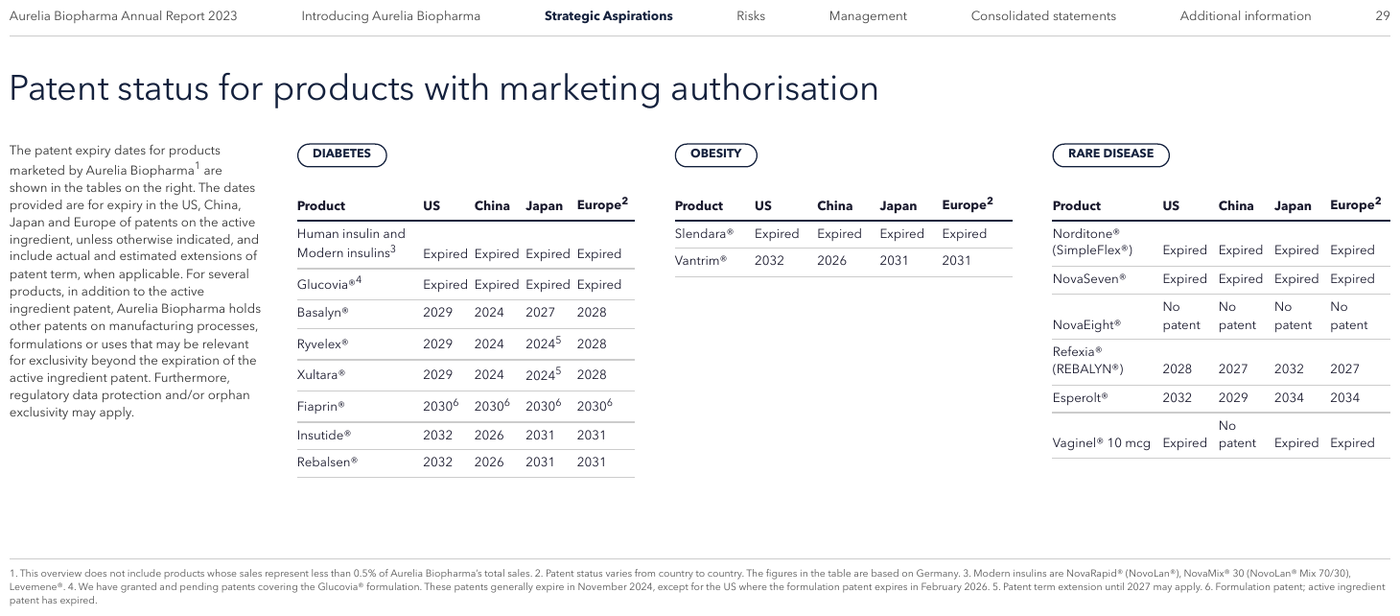
Three badged panels — DIABETES, OBESITY, RARE DISEASE — same schema, different products. The footnote numbers are printed raised.
DIABETES
| Product | US | China | Japan | Europe2 |
|---|---|---|---|---|
| Human insulin and Modern insulins3 | Expired | Expired | Expired | Expired |
| Glucovia®4 | Expired | Expired | Expired | Expired |
| Basalyn® | 2029 | 2024 | 2027 | 2028 |
| Ryvelex® | 2029 | 2024 | 20245 | 2028 |
| Xultara® | 2029 | 2024 | 20245 | 2028 |
| Fiaprin® | 20306 | 20306 | 20306 | 20306 |
| Insutide® | 2032 | 2026 | 2031 | 2031 |
| Rebalsen® | 2032 | 2026 | 2031 | 2031 |
OBESITY
…
Markdown source
**DIABETES**
<table>
<tr> <th>Product</th> <th>US</th> <th>China</th> <th>Japan</th> <th>Europe<sup>2</sup></th> </tr>
<tr> <td>Human insulin and Modern insulins<sup>3</sup></td> <td>Expired</td> <td>Expired</td> <td>Expired</td> <td>Expired</td> </tr>
<tr> <td>Glucovia®<sup>4</sup></td> <td>Expired</td> <td>Expired</td> <td>Expired</td> <td>Expired</td> </tr>
<tr> <td>Basalyn®</td> <td>2029</td> <td>2024</td> <td>2027</td> <td>2028</td> </tr>
<tr> <td>Ryvelex®</td> <td>2029</td> <td>2024</td> <td>2024<sup>5</sup></td> <td>2028</td> </tr>
<tr> <td>Xultara®</td> <td>2029</td> <td>2024</td> <td>2024<sup>5</sup></td> <td>2028</td> </tr>
<tr> <td>Fiaprin®</td> <td>2030<sup>6</sup></td> <td>2030<sup>6</sup></td> <td>2030<sup>6</sup></td> <td>2030<sup>6</sup></td> </tr>
<tr> <td>Insutide®</td> <td>2032</td> <td>2026</td> <td>2031</td> <td>2031</td> </tr>
<tr> <td>Rebalsen®</td> <td>2032</td> <td>2026</td> <td>2031</td> <td>2031</td> </tr>
</table>
OBESITY
<!-- … -->
✅ Sample — 2tt
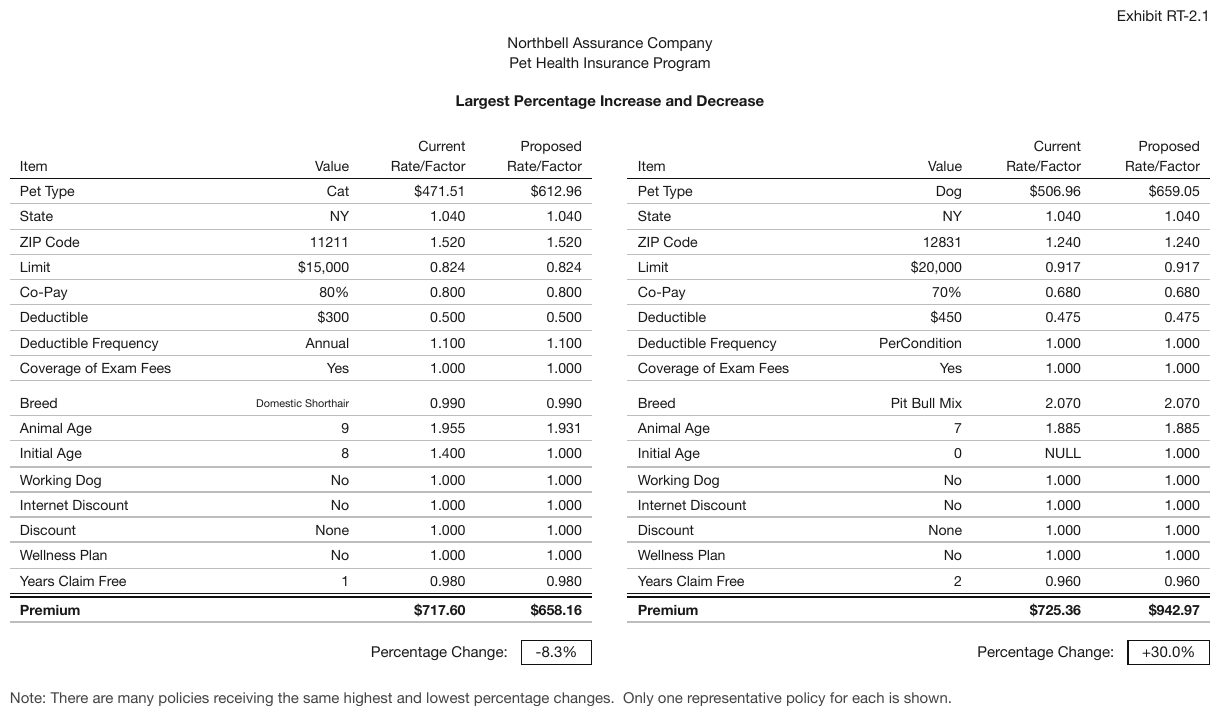
Two independently framed pet-insurance worksheets (Cat, Dog), rendered as two tables. The blank
gap after Coverage of Exam Fees is left out, and the bold Premium line closes each worksheet.
| Item | Value | Current Rate/Factor | Proposed Rate/Factor |
|---|---|---|---|
| Pet Type | Cat | $471.51 | $612.96 |
| State | NY | 1.040 | 1.040 |
| ZIP Code | 11211 | 1.520 | 1.520 |
| Limit | $15,000 | 0.824 | 0.824 |
| Co-Pay | 80% | 0.800 | 0.800 |
| Deductible | $300 | 0.500 | 0.500 |
| Deductible Frequency | Annual | 1.100 | 1.100 |
| Coverage of Exam Fees | Yes | 1.000 | 1.000 |
| Breed | Domestic Shorthair | 0.990 | 0.990 |
| Animal Age | 9 | 1.955 | 1.931 |
| Initial Age | 8 | 1.400 | 1.000 |
| Working Dog | No | 1.000 | 1.000 |
| Internet Discount | No | 1.000 | 1.000 |
| Discount | None | 1.000 | 1.000 |
| Wellness Plan | No | 1.000 | 1.000 |
| Years Claim Free | 1 | 0.980 | 0.980 |
| Premium | $717.60 | $658.16 |
Percentage Change: -8.3%
Markdown source
<table>
<tr> <th>Item</th> <th>Value</th> <th>Current Rate/Factor</th> <th>Proposed Rate/Factor</th> </tr>
<tr> <td>Pet Type</td> <td>Cat</td> <td>$471.51</td> <td>$612.96</td> </tr>
<tr> <td>State</td> <td>NY</td> <td>1.040</td> <td>1.040</td> </tr>
<tr> <td>ZIP Code</td> <td>11211</td> <td>1.520</td> <td>1.520</td> </tr>
<tr> <td>Limit</td> <td>$15,000</td> <td>0.824</td> <td>0.824</td> </tr>
<tr> <td>Co-Pay</td> <td>80%</td> <td>0.800</td> <td>0.800</td> </tr>
<tr> <td>Deductible</td> <td>$300</td> <td>0.500</td> <td>0.500</td> </tr>
<tr> <td>Deductible Frequency</td> <td>Annual</td> <td>1.100</td> <td>1.100</td> </tr>
<tr> <td>Coverage of Exam Fees</td> <td>Yes</td> <td>1.000</td> <td>1.000</td> </tr>
<tr> <td>Breed</td> <td>Domestic Shorthair</td> <td>0.990</td> <td>0.990</td> </tr>
<tr> <td>Animal Age</td> <td>9</td> <td>1.955</td> <td>1.931</td> </tr>
<tr> <td>Initial Age</td> <td>8</td> <td>1.400</td> <td>1.000</td> </tr>
<tr> <td>Working Dog</td> <td>No</td> <td>1.000</td> <td>1.000</td> </tr>
<tr> <td>Internet Discount</td> <td>No</td> <td>1.000</td> <td>1.000</td> </tr>
<tr> <td>Discount</td> <td>None</td> <td>1.000</td> <td>1.000</td> </tr>
<tr> <td>Wellness Plan</td> <td>No</td> <td>1.000</td> <td>1.000</td> </tr>
<tr> <td>Years Claim Free</td> <td>1</td> <td>0.980</td> <td>0.980</td> </tr>
<tr> <th data-level="0"><strong>Premium</strong></th> <td> </td> <td><strong>$717.60</strong></td> <td><strong>$658.16</strong></td> </tr>
</table>
Percentage Change: -8.3%
✅ Sample — waw
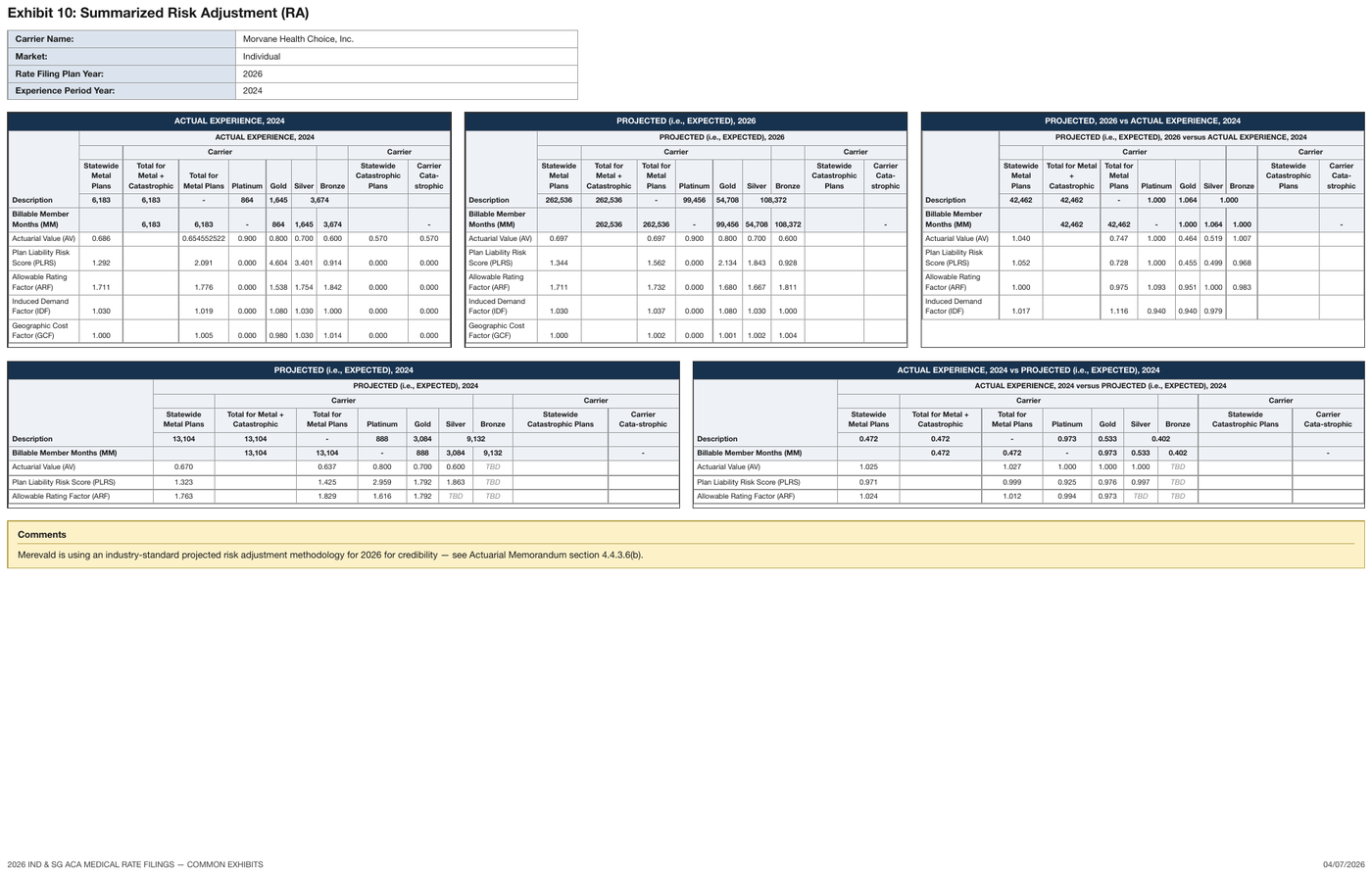
Five boxed ACA panels laid out in two rows, each with its own title band and its own full header
stack. The dark band across the top of each panel shares its frame, so it is the first row of that
panel's table. Carrier Cata- / strophic is one wrapped label; the lower panels print
Cata-strophic with the hyphen mid-line, so the hyphen is part of the printed word and is kept.
| ACTUAL EXPERIENCE, 2024 | |||||||||
|---|---|---|---|---|---|---|---|---|---|
| Description | ACTUAL EXPERIENCE, 2024 | ||||||||
| Carrier | Carrier | ||||||||
| Statewide Metal Plans | Total for Metal + Catastrophic | Total for Metal Plans | Platinum | Gold | Silver | Bronze | Statewide Catastrophic Plans | Carrier Cata-strophic | |
| 6,183 | 6,183 | - | 864 | 1,645 | 3,674 | ||||
| Billable Member Months (MM) | 6,183 | 6,183 | - | 864 | 1,645 | 3,674 | - | ||
| Actuarial Value (AV) | 0.686 | 0.654552522 | 0.900 | 0.800 | 0.700 | 0.600 | 0.570 | 0.570 | |
| Plan Liability Risk Score (PLRS) | 1.292 | 2.091 | 0.000 | 4.604 | 3.401 | 0.914 | 0.000 | 0.000 | |
| Allowable Rating Factor (ARF) | 1.711 | 1.776 | 0.000 | 1.538 | 1.754 | 1.842 | 0.000 | 0.000 | |
| Induced Demand Factor (IDF) | 1.030 | 1.019 | 0.000 | 1.080 | 1.030 | 1.000 | 0.000 | 0.000 | |
| Geographic Cost Factor (GCF) | 1.000 | 1.005 | 0.000 | 0.980 | 1.030 | 1.014 | 0.000 | 0.000 | |
Markdown source
<table>
<tr> <th colspan="10">ACTUAL EXPERIENCE, 2024</th> </tr>
<tr> <th rowspan="4">Description</th> <th colspan="9">ACTUAL EXPERIENCE, 2024</th> </tr>
<tr> <th> </th> <th colspan="5">Carrier</th> <th> </th> <th colspan="2">Carrier</th> </tr>
<tr> <th>Statewide Metal Plans</th> <th>Total for Metal + Catastrophic</th> <th>Total for Metal Plans</th> <th>Platinum</th> <th>Gold</th> <th>Silver</th> <th>Bronze</th> <th>Statewide Catastrophic Plans</th> <th>Carrier Cata-strophic</th> </tr>
<tr> <th>6,183</th> <th>6,183</th> <th>-</th> <th>864</th> <th>1,645</th> <th colspan="2">3,674</th> <th> </th> <th> </th> </tr>
<tr> <td><strong>Billable Member Months (MM)</strong></td> <td> </td> <td><strong>6,183</strong></td> <td><strong>6,183</strong></td> <td><strong>-</strong></td> <td><strong>864</strong></td> <td><strong>1,645</strong></td> <td><strong>3,674</strong></td> <td> </td> <td><strong>-</strong></td> </tr>
<tr> <td>Actuarial Value (AV)</td> <td>0.686</td> <td> </td> <td>0.654552522</td> <td>0.900</td> <td>0.800</td> <td>0.700</td> <td>0.600</td> <td>0.570</td> <td>0.570</td> </tr>
<tr> <td>Plan Liability Risk Score (PLRS)</td> <td>1.292</td> <td> </td> <td>2.091</td> <td>0.000</td> <td>4.604</td> <td>3.401</td> <td>0.914</td> <td>0.000</td> <td>0.000</td> </tr>
<tr> <td>Allowable Rating Factor (ARF)</td> <td>1.711</td> <td> </td> <td>1.776</td> <td>0.000</td> <td>1.538</td> <td>1.754</td> <td>1.842</td> <td>0.000</td> <td>0.000</td> </tr>
<tr> <td>Induced Demand Factor (IDF)</td> <td>1.030</td> <td> </td> <td>1.019</td> <td>0.000</td> <td>1.080</td> <td>1.030</td> <td>1.000</td> <td>0.000</td> <td>0.000</td> </tr>
<tr> <td>Geographic Cost Factor (GCF)</td> <td>1.000</td> <td> </td> <td>1.005</td> <td>0.000</td> <td>0.980</td> <td>1.030</td> <td>1.014</td> <td>0.000</td> <td>0.000</td> </tr>
</table>✅ Sample — strike
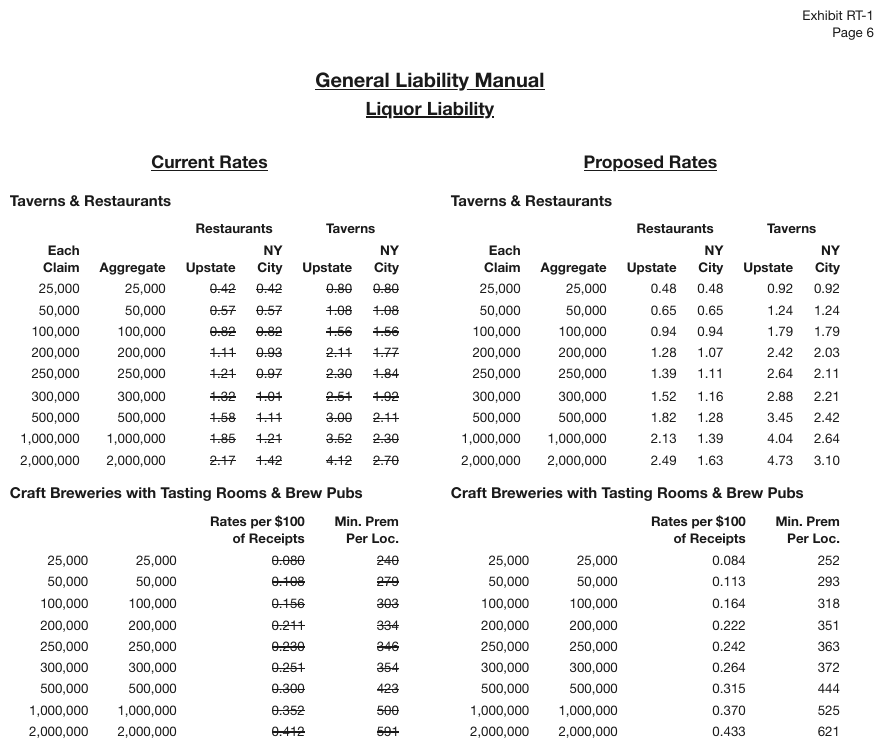
Current Rates and Proposed Rates as independently titled boxed pairs: all four blocks are separate tables. Every current rate is struck through.
Current Rates
Taverns & Restaurants
| Restaurants | Taverns | ||||
|---|---|---|---|---|---|
| Each Claim | Aggregate | Upstate | NY City | Upstate | NY City |
| 25,000 | 25,000 | ~~0.42~~ | ~~0.42~~ | ~~0.80~~ | ~~0.80~~ |
| 50,000 | 50,000 | ~~0.57~~ | ~~0.57~~ | ~~1.08~~ | ~~1.08~~ |
| 100,000 | 100,000 | ~~0.82~~ | ~~0.82~~ | ~~1.56~~ | ~~1.56~~ |
| 200,000 | 200,000 | ~~1.11~~ | ~~0.93~~ | ~~2.11~~ | ~~1.77~~ |
| 250,000 | 250,000 | ~~1.21~~ | ~~0.97~~ | ~~2.30~~ | ~~1.84~~ |
| 300,000 | 300,000 | ~~1.32~~ | ~~1.01~~ | ~~2.51~~ | ~~1.92~~ |
| 500,000 | 500,000 | ~~1.58~~ | ~~1.11~~ | ~~3.00~~ | ~~2.11~~ |
| 1,000,000 | 1,000,000 | ~~1.85~~ | ~~1.21~~ | ~~3.52~~ | ~~2.30~~ |
| 2,000,000 | 2,000,000 | ~~2.17~~ | ~~1.42~~ | ~~4.12~~ | ~~2.70~~ |
…
Markdown source
**<u>Current Rates</u>**
Taverns & Restaurants
<table>
<tr> <th> </th> <th> </th> <th colspan="2">Restaurants</th> <th colspan="2">Taverns</th> </tr>
<tr> <th>Each Claim</th> <th>Aggregate</th> <th>Upstate</th> <th>NY City</th> <th>Upstate</th> <th>NY City</th> </tr>
<tr> <td>25,000</td> <td>25,000</td> <td>0.42</td> <td>0.42</td> <td>0.80</td> <td>0.80</td> </tr>
<tr> <td>50,000</td> <td>50,000</td> <td>0.57</td> <td>0.57</td> <td>1.08</td> <td>1.08</td> </tr>
<tr> <td>100,000</td> <td>100,000</td> <td>0.82</td> <td>0.82</td> <td>1.56</td> <td>1.56</td> </tr>
<tr> <td>200,000</td> <td>200,000</td> <td>1.11</td> <td>0.93</td> <td>2.11</td> <td>1.77</td> </tr>
<tr> <td>250,000</td> <td>250,000</td> <td>1.21</td> <td>0.97</td> <td>2.30</td> <td>1.84</td> </tr>
<tr> <td>300,000</td> <td>300,000</td> <td>1.32</td> <td>1.01</td> <td>2.51</td> <td>1.92</td> </tr>
<tr> <td>500,000</td> <td>500,000</td> <td>1.58</td> <td>1.11</td> <td>3.00</td> <td>2.11</td> </tr>
<tr> <td>1,000,000</td> <td>1,000,000</td> <td>1.85</td> <td>1.21</td> <td>3.52</td> <td>2.30</td> </tr>
<tr> <td>2,000,000</td> <td>2,000,000</td> <td>2.17</td> <td>1.42</td> <td>4.12</td> <td>2.70</td> </tr>
</table>
<!-- … -->
❌ Counter-sample — figure-cards-p6
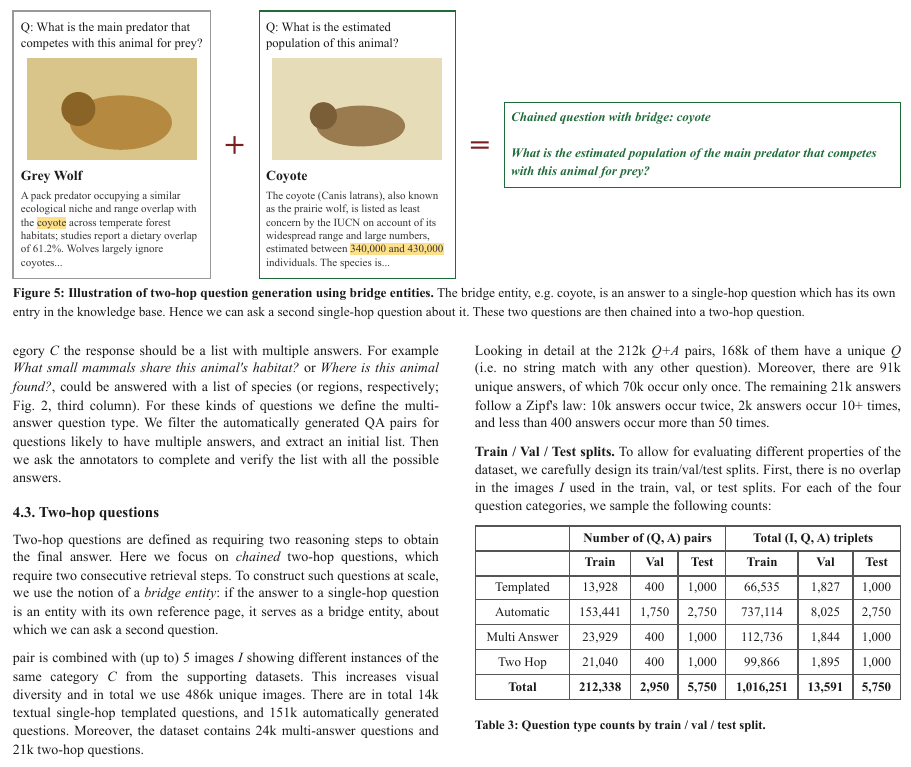
The Figure 5 boxed panels look like side-by-side mini-tables but are image-plus-caption cards, not
tabular data: they are rendered as the figure's content in reading order. The only table on the page
is Table 3, whose bold Total row closes it.
Q: What is the main predator that competes with this animal for prey?
A flat illustration of an animal: a brown oval body with a darker round head, on a tan background.
Grey Wolf
A pack predator occupying a similar ecological niche and range overlap with the coyote across temperate forest habitats; studies report a dietary overlap of 61.2%. Wolves largely ignore coyotes...
+
Q: What is the estimated population of this animal?
A flat illustration of an animal: a brown oval body with a darker round head, on a pale background.
Coyote
The coyote (Canis latrans), also known as the prairie wolf, is listed as least concern by the IUCN on account of its widespread range and large numbers, estimated between 340,000 and 430,000 individuals. The species is...
=
Chained question with bridge: coyote
What is the estimated population of the main predator that competes with this animal for prey?
Figure 5: Illustration of two-hop question generation using bridge entities. The bridge entity, e.g. coyote, is an answer to a single-hop question which has its own entry in the knowledge base. Hence we can ask a second single-hop question about it. These two questions are then chained into a two-hop question.
…
| Number of (Q, A) pairs | Total (I, Q, A) triplets | |||||
|---|---|---|---|---|---|---|
| Train | Val | Test | Train | Val | Test | |
| Templated | 13,928 | 400 | 1,000 | 66,535 | 1,827 | 1,000 |
| Automatic | 153,441 | 1,750 | 2,750 | 737,114 | 8,025 | 2,750 |
| Multi Answer | 23,929 | 400 | 1,000 | 112,736 | 1,844 | 1,000 |
| Two Hop | 21,040 | 400 | 1,000 | 99,866 | 1,895 | 1,000 |
| Total | 212,338 | 2,950 | 5,750 | 1,016,251 | 13,591 | 5,750 |
Markdown source
Q: What is the main predator that competes with this animal for prey?
A flat illustration of an animal: a brown oval body with a darker round head, on a tan background.
Grey Wolf
A pack predator occupying a similar ecological niche and range overlap with the <mark>coyote</mark> across temperate forest habitats; studies report a dietary overlap of 61.2%. Wolves largely ignore coyotes...
+
Q: What is the estimated population of this animal?
A flat illustration of an animal: a brown oval body with a darker round head, on a pale background.
Coyote
The coyote (Canis latrans), also known as the prairie wolf, is listed as least concern by the IUCN on account of its widespread range and large numbers, estimated between <mark>340,000 and 430,000</mark> individuals. The species is...
=
Chained question with bridge: coyote
What is the estimated population of the main predator that competes with this animal for prey?
Figure 5: Illustration of two-hop question generation using bridge entities. The bridge entity, e.g. coyote, is an answer to a single-hop question which has its own entry in the knowledge base. Hence we can ask a second single-hop question about it. These two questions are then chained into a two-hop question.
<!-- … -->
<table>
<tr> <th> </th> <th colspan="3">Number of (Q, A) pairs</th> <th colspan="3">Total (I, Q, A) triplets</th> </tr>
<tr> <th> </th> <th>Train</th> <th>Val</th> <th>Test</th> <th>Train</th> <th>Val</th> <th>Test</th> </tr>
<tr> <td>Templated</td> <td>13,928</td> <td>400</td> <td>1,000</td> <td>66,535</td> <td>1,827</td> <td>1,000</td> </tr>
<tr> <td>Automatic</td> <td>153,441</td> <td>1,750</td> <td>2,750</td> <td>737,114</td> <td>8,025</td> <td>2,750</td> </tr>
<tr> <td>Multi Answer</td> <td>23,929</td> <td>400</td> <td>1,000</td> <td>112,736</td> <td>1,844</td> <td>1,000</td> </tr>
<tr> <td>Two Hop</td> <td>21,040</td> <td>400</td> <td>1,000</td> <td>99,866</td> <td>1,895</td> <td>1,000</td> </tr>
<tr> <th data-level="0"><strong>Total</strong></th> <td><strong>212,338</strong></td> <td><strong>2,950</strong></td> <td><strong>5,750</strong></td> <td><strong>1,016,251</strong></td> <td><strong>13,591</strong></td> <td><strong>5,750</strong></td> </tr>
<caption><strong>Table 3: Question type counts by train / val / test split.</strong></caption>
</table>
Header attribution is per column, not per table
A header owns the columns printed under it, not everything to its right. A title like "Reported Claims" sitting over the claim-count columns does not also claim the year labels beside them. A spanning header MUST span exactly the columns it sits above.
Contrast with the cases that DO merge
The neighbouring cases pull the other way, which is why the title and schema are checked rather than a blanket "boxes are always separate":
- Column Continuation§9.2.2 — side-by-side blocks that are one series: same schema, headers repeated, key continuing onward
- Split Tables Sharing a Header§9.2.9 — fragments that must merge: one header, printed once
The discriminator is own title / own schema. If each box declares what it is and how its columns are named, it stands alone.
✅ Sample — a two-sided balance sheet in one frame
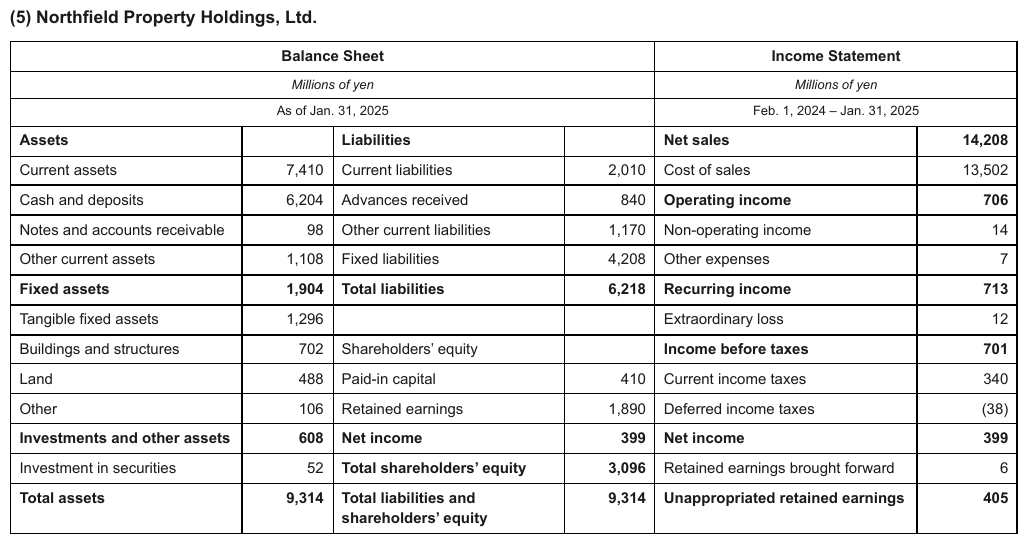
Assets down the left, liabilities and equity down the middle, an income statement on the right, all inside one ruled box under two title bands. These are different schemas, not consecutive ranges of a repeated schema. Repeated-schema continuations follow Column Continuation§9.2.2 even inside one enclosing frame. Row n on the left has nothing to do with row n in the middle, and yet this is one table, row n across all blocks — the frame is one grid and is transcribed as the grid it prints. The side-by-side rule above is for boxes with their own frames.
| Balance Sheet | Income Statement | ||||
|---|---|---|---|---|---|
| Millions of yen | Millions of yen | ||||
| As of Jan. 31, 2025 | Feb. 1, 2024 – Jan. 31, 2025 | ||||
| Assets | Liabilities | Net sales | 14,208 | ||
| Current assets | 7,410 | Current liabilities | 2,010 | Cost of sales | 13,502 |
| Cash and deposits | 6,204 | Advances received | 840 | Operating income | 706 |
| Notes and accounts receivable | 98 | Other current liabilities | 1,170 | Non-operating income | 14 |
| Other current assets | 1,108 | Fixed liabilities | 4,208 | Other expenses | 7 |
| Fixed assets | 1,904 | Total liabilities | 6,218 | Recurring income | 713 |
| Tangible fixed assets | 1,296 | Extraordinary loss | 12 | ||
| Buildings and structures | 702 | Shareholders’ equity | Income before taxes | 701 | |
| Land | 488 | Paid-in capital | 410 | Current income taxes | 340 |
| Other | 106 | Retained earnings | 1,890 | Deferred income taxes | (38) |
| Investments and other assets | 608 | Net income | 399 | Net income | 399 |
| Investment in securities | 52 | Total shareholders’ equity | 3,096 | Retained earnings brought forward | 6 |
| Total assets | 9,314 | Total liabilities and shareholders’ equity | 9,314 | Unappropriated retained earnings | 405 |
Markdown source
<table>
<tr> <th colspan="4">Balance Sheet</th> <th colspan="2">Income Statement</th> </tr>
<tr> <th colspan="4"><em>Millions of yen</em></th> <th colspan="2"><em>Millions of yen</em></th> </tr>
<tr> <th colspan="4">As of Jan. 31, 2025</th> <th colspan="2">Feb. 1, 2024 – Jan. 31, 2025</th> </tr>
<tr> <td><strong>Assets</strong></td> <td> </td> <td><strong>Liabilities</strong></td> <td> </td> <td><strong>Net sales</strong></td> <td><strong>14,208</strong></td> </tr>
<tr> <td>Current assets</td> <td>7,410</td> <td>Current liabilities</td> <td>2,010</td> <td>Cost of sales</td> <td>13,502</td> </tr>
<tr> <td>Cash and deposits</td> <td>6,204</td> <td>Advances received</td> <td>840</td> <td><strong>Operating income</strong></td> <td><strong>706</strong></td> </tr>
<tr> <td>Notes and accounts receivable</td> <td>98</td> <td>Other current liabilities</td> <td>1,170</td> <td>Non-operating income</td> <td>14</td> </tr>
<tr> <td>Other current assets</td> <td>1,108</td> <td>Fixed liabilities</td> <td>4,208</td> <td>Other expenses</td> <td>7</td> </tr>
<tr> <td><strong>Fixed assets</strong></td> <td><strong>1,904</strong></td> <th data-level="0"><strong>Total liabilities</strong></th> <td><strong>6,218</strong></td> <td><strong>Recurring income</strong></td> <td><strong>713</strong></td> </tr>
<tr> <td>Tangible fixed assets</td> <td>1,296</td> <td> </td> <td> </td> <td>Extraordinary loss</td> <td>12</td> </tr>
<tr> <td>Buildings and structures</td> <td>702</td> <td>Shareholders’ equity</td> <td> </td> <td><strong>Income before taxes</strong></td> <td><strong>701</strong></td> </tr>
<tr> <td>Land</td> <td>488</td> <td>Paid-in capital</td> <td>410</td> <td>Current income taxes</td> <td>340</td> </tr>
<tr> <td>Other</td> <td>106</td> <td>Retained earnings</td> <td>1,890</td> <td>Deferred income taxes</td> <td>(38)</td> </tr>
<tr> <td><strong>Investments and other assets</strong></td> <td><strong>608</strong></td> <td><strong>Net income</strong></td> <td><strong>399</strong></td> <td><strong>Net income</strong></td> <td><strong>399</strong></td> </tr>
<tr> <td>Investment in securities</td> <td>52</td> <th data-level="0"><strong>Total shareholders’ equity</strong></th> <td><strong>3,096</strong></td> <td>Retained earnings brought forward</td> <td>6</td> </tr>
<tr> <th data-level="0"><strong>Total assets</strong></th> <td><strong>9,314</strong></td> <th data-level="0"><strong>Total liabilities and shareholders’ equity</strong></th> <td><strong>9,314</strong></td> <td><strong>Unappropriated retained earnings</strong></td> <td><strong>405</strong></td> </tr>
</table>Related
- Column Continuation§9.2.2 — side-by-side blocks that continue one series
- Split Tables Sharing a Header§9.2.9 — fragments that share one printed header and merge
- Is This Even a Table§9.1.5 — boxed panels that are not tables at all
9.2.9 Split Tables Sharing a Header
✅ Normative · 📄 page rule
✅ Normative
Fragments that share a header row or a label column printed only once MUST be rendered as one table. The missing header is the proof that the second fragment was never meant to stand alone.
A grid is sometimes printed as two or more visually separated fragments — a gap, a page-design break, a divider — with the header row or the label column printed once and not repeated in the second fragment. Read on its own, the second fragment is unreadable without the header above it, so it is not a separate table. Emitting it as a separate headerless table, or dropping it, loses the meaning of every value in it (never drop).
Printed: | Age | Rate M | Rate F | ← header printed once
| 25 | 1.10 | 1.05 |
(visual gap / band)
| 45 | 1.42 | 1.31 | ← no header repeated: same table
| 55 | 1.80 | 1.66 |
This is the mirror of the repeated-header test in Repeated Headers and Title Bands§9.2.7: a repeated header starts a new table, an unrepeated one continues the current one. Between them, header repetition is the single boundary signal on a page, read before gaps, rules or bands.
✅ Sample — 3samehead
The Count / % of Count / Premium / % of Premium header row is printed once and shared by three
consecutive cohort blocks below it. None of the blocks below can be read on its own, so the page is
one table with each cohort label as a band row.
| Count | % of Count | Premium | % of Premium | |||||||||||||||||||||||||||||||||||||||||||||||||||||||||||||||||||||||||||||||||||||||||||||||
|---|---|---|---|---|---|---|---|---|---|---|---|---|---|---|---|---|---|---|---|---|---|---|---|---|---|---|---|---|---|---|---|---|---|---|---|---|---|---|---|---|---|---|---|---|---|---|---|---|---|---|---|---|---|---|---|---|---|---|---|---|---|---|---|---|---|---|---|---|---|---|---|---|---|---|---|---|---|---|---|---|---|---|---|---|---|---|---|---|---|---|---|---|---|---|---|---|---|---|
| Issue Year | ||||||||||||||||||||||||||||||||||||||||||||||||||||||||||||||||||||||||||||||||||||||||||||||||||
| 1999 | 80 | 3.5% | 217,072 | 3.2% | ||||||||||||||||||||||||||||||||||||||||||||||||||||||||||||||||||||||||||||||||||||||||||||||
| 2000 | 316 | 13.7% | 964,763 | 14.2% | ||||||||||||||||||||||||||||||||||||||||||||||||||||||||||||||||||||||||||||||||||||||||||||||
| 2001 | 374 | 16.2% | 1,091,387 | 16.0% | ||||||||||||||||||||||||||||||||||||||||||||||||||||||||||||||||||||||||||||||||||||||||||||||
| 2002 | 733 | 31.8% | 2,110,680 | 31.0% | ||||||||||||||||||||||||||||||||||||||||||||||||||||||||||||||||||||||||||||||||||||||||||||||
| 2003 | 570 | 24.7% | 1,695,230 | 24.9% | ||||||||||||||||||||||||||||||||||||||||||||||||||||||||||||||||||||||||||||||||||||||||||||||
| 2004+ | 234 | 10.1% | 738,975 | 32031.9% | ||||||||||||||||||||||||||||||||||||||||||||||||||||||||||||||||||||||||||||||||||||||||||||||
| Total | 2,307 | 100.0% | 6,818,108 | 100.0% | ||||||||||||||||||||||||||||||||||||||||||||||||||||||||||||||||||||||||||||||||||||||||||||||
| Issue Age | ||||||||||||||||||||||||||||||||||||||||||||||||||||||||||||||||||||||||||||||||||||||||||||||||||
| <30 | 4 | 0.2% | 4,451 | 0.1% | ||||||||||||||||||||||||||||||||||||||||||||||||||||||||||||||||||||||||||||||||||||||||||||||
| … | ||||||||||||||||||||||||||||||||||||||||||||||||||||||||||||||||||||||||||||||||||||||||||||||||||
Markdown source
<table>
<tr> <th> </th> <th>Count</th> <th>% of Count</th> <th>Premium</th> <th>% of Premium</th> </tr>
<tr> <th colspan="5">Issue Year</th> </tr>
<tr> <td>1999</td> <td>80</td> <td>3.5%</td> <td>217,072</td> <td>3.2%</td> </tr>
<tr> <td>2000</td> <td>316</td> <td>13.7%</td> <td>964,763</td> <td>14.2%</td> </tr>
<tr> <td>2001</td> <td>374</td> <td>16.2%</td> <td>1,091,387</td> <td>16.0%</td> </tr>
<tr> <td>2002</td> <td>733</td> <td>31.8%</td> <td>2,110,680</td> <td>31.0%</td> </tr>
<tr> <td>2003</td> <td>570</td> <td>24.7%</td> <td>1,695,230</td> <td>24.9%</td> </tr>
<tr> <td>2004+</td> <td>234</td> <td>10.1%</td> <td>738,975</td> <td>32031.9%</td> </tr>
<tr> <th data-level="0">Total</th> <td>2,307</td> <td>100.0%</td> <td>6,818,108</td> <td>100.0%</td> </tr>
<tr> <th colspan="5">Issue Age</th> </tr>
<tr> <td><30</td> <td>4</td> <td>0.2%</td> <td>4,451</td> <td>0.1%</td> </tr>
<!-- … -->
</table>✅ Sample — dt1
A company-relocation list whose header row is printed once here…
| TAMI | ||||||||||||||||||||||||||||||||||||||||||||||||||||||||||||||||||||||||||||||||||||||||||||||||||
|---|---|---|---|---|---|---|---|---|---|---|---|---|---|---|---|---|---|---|---|---|---|---|---|---|---|---|---|---|---|---|---|---|---|---|---|---|---|---|---|---|---|---|---|---|---|---|---|---|---|---|---|---|---|---|---|---|---|---|---|---|---|---|---|---|---|---|---|---|---|---|---|---|---|---|---|---|---|---|---|---|---|---|---|---|---|---|---|---|---|---|---|---|---|---|---|---|---|---|
| Company | SF Leased | Year Lease Signed | Former Location | Industry | ||||||||||||||||||||||||||||||||||||||||||||||||||||||||||||||||||||||||||||||||||||||||||||||
| Harrowgate Media | 1,061,000 | 2011 | Uptown | TAMI, Media | ||||||||||||||||||||||||||||||||||||||||||||||||||||||||||||||||||||||||||||||||||||||||||||||
| Belmore House (new owner of Castellan Inc.) | 702,500 | 2014 | Uptown | TAMI, Media | ||||||||||||||||||||||||||||||||||||||||||||||||||||||||||||||||||||||||||||||||||||||||||||||
| AdmarQ | 661,900 | 2013 | Uptown | TAMI, Advertising | ||||||||||||||||||||||||||||||||||||||||||||||||||||||||||||||||||||||||||||||||||||||||||||||
| Sonarfy | 541,200 | 2017 | Uptown South | TAMI, Technology | ||||||||||||||||||||||||||||||||||||||||||||||||||||||||||||||||||||||||||||||||||||||||||||||
| … | ||||||||||||||||||||||||||||||||||||||||||||||||||||||||||||||||||||||||||||||||||||||||||||||||||
| NDC Partners | 192,600 | 2020 | Uptown; Uptown South; Riverside | TAMI, Advertising | ||||||||||||||||||||||||||||||||||||||||||||||||||||||||||||||||||||||||||||||||||||||||||||||
| … | ||||||||||||||||||||||||||||||||||||||||||||||||||||||||||||||||||||||||||||||||||||||||||||||||||
| Draygo5 | 88,400 | 2013 | Uptown South | TAMI, Advertising | ||||||||||||||||||||||||||||||||||||||||||||||||||||||||||||||||||||||||||||||||||||||||||||||
| Business Ledger | 85,200 | 2017 | Uptown South | TAMI, Media | ||||||||||||||||||||||||||||||||||||||||||||||||||||||||||||||||||||||||||||||||||||||||||||||
| Higher Peak Games | 84,800 | 2014 | Uptown South | TAMI, Media | ||||||||||||||||||||||||||||||||||||||||||||||||||||||||||||||||||||||||||||||||||||||||||||||
Markdown source
<table>
<caption><strong>Relocations to Pier District by Industry</strong></caption>
<tr> <th colspan="5">TAMI</th> </tr>
<tr> <th>Company</th> <th>SF Leased</th> <th>Year Lease Signed</th> <th>Former Location</th> <th>Industry</th> </tr>
<tr> <td>Harrowgate Media</td> <td>1,061,000</td> <td>2011</td> <td>Uptown</td> <td>TAMI, Media</td> </tr>
<tr> <td>Belmore House (new owner of Castellan Inc.)</td> <td>702,500</td> <td>2014</td> <td>Uptown</td> <td>TAMI, Media</td> </tr>
<tr> <td>AdmarQ</td> <td>661,900</td> <td>2013</td> <td>Uptown</td> <td>TAMI, Advertising</td> </tr>
<tr> <td>Sonarfy</td> <td>541,200</td> <td>2017</td> <td>Uptown South</td> <td>TAMI, Technology</td> </tr>
<!-- … -->
<tr> <td>NDC Partners</td> <td>192,600</td> <td>2020</td> <td>Uptown; Uptown South; Riverside</td> <td>TAMI, Advertising</td> </tr>
<!-- … -->
<tr> <td>Draygo5</td> <td>88,400</td> <td>2013</td> <td>Uptown South</td> <td>TAMI, Advertising</td> </tr>
<tr> <td>Business Ledger</td> <td>85,200</td> <td>2017</td> <td>Uptown South</td> <td>TAMI, Media</td> </tr>
<tr> <td>Higher Peak Games</td> <td>84,800</td> <td>2014</td> <td>Uptown South</td> <td>TAMI, Media</td> </tr>
</table>✅ Sample — dt2
…and continues onto the next page with no header row at all: the fragment depends on the header printed on the page before. Across a page break the fragments stay on their own pages — see Cross-Page Tables§4.3 — so this page's fragment is rendered headerless and carries the continuation flags instead of a copied header.
| Bramwell Dynamics | 58,042 | 2017 | Midtown South | TAMI, Advertising |
| Northgate Media Group | 58,000 | 2010 | Midtown | TAMI, Media |
| Solveig Publishing (i.e. Solveig Magazine) | 55,470 | 2019 | Midtown South | TAMI, Media |
| The Cobalt Bloc | 55,268 | 2014 | Midtown South | TAMI, Advertising |
| Halloway & Vance | 52,409 | 2020 | Midtown South | TAMI, Advertising |
| Oceanview Media Systems | 50,639 | 2019 | Midtown South | TAMI, Technology |
| Ferrand & Co. | 49,880 | 2016 | Midtown South | TAMI, Advertising |
| Kettlewell Interactive | 47,205 | 2021 | Midtown | TAMI, Technology |
| Vantree Studios | 45,910 | 2018 | Midtown South | TAMI, Media |
| Ashworth Public Affairs | 44,330 | 2015 | Midtown South | TAMI, Public Relations |
| Corvane Analytics | 42,760 | 2019 | Midtown | TAMI, Technology |
| Millbrook & Sons Media | 41,015 | 2013 | Midtown South | TAMI, Media |
| Larkspur Creative Group | 39,470 | 2020 | Midtown South | TAMI, Advertising |
| Dunmore Systems | 37,850 | 2011 | Midtown | TAMI, Technology |
Markdown source
<table>
<tr> <td>Bramwell Dynamics</td> <td>58,042</td> <td>2017</td> <td>Midtown South</td> <td>TAMI, Advertising</td> </tr>
<tr> <td>Northgate Media Group</td> <td>58,000</td> <td>2010</td> <td>Midtown</td> <td>TAMI, Media</td> </tr>
<tr> <td>Solveig Publishing (i.e. Solveig Magazine)</td> <td>55,470</td> <td>2019</td> <td>Midtown South</td> <td>TAMI, Media</td> </tr>
<tr> <td>The Cobalt Bloc</td> <td>55,268</td> <td>2014</td> <td>Midtown South</td> <td>TAMI, Advertising</td> </tr>
<tr> <td>Halloway & Vance</td> <td>52,409</td> <td>2020</td> <td>Midtown South</td> <td>TAMI, Advertising</td> </tr>
<tr> <td>Oceanview Media Systems</td> <td>50,639</td> <td>2019</td> <td>Midtown South</td> <td>TAMI, Technology</td> </tr>
<tr> <td>Ferrand & Co.</td> <td>49,880</td> <td>2016</td> <td>Midtown South</td> <td>TAMI, Advertising</td> </tr>
<tr> <td>Kettlewell Interactive</td> <td>47,205</td> <td>2021</td> <td>Midtown</td> <td>TAMI, Technology</td> </tr>
<tr> <td>Vantree Studios</td> <td>45,910</td> <td>2018</td> <td>Midtown South</td> <td>TAMI, Media</td> </tr>
<tr> <td>Ashworth Public Affairs</td> <td>44,330</td> <td>2015</td> <td>Midtown South</td> <td>TAMI, Public Relations</td> </tr>
<tr> <td>Corvane Analytics</td> <td>42,760</td> <td>2019</td> <td>Midtown</td> <td>TAMI, Technology</td> </tr>
<tr> <td>Millbrook & Sons Media</td> <td>41,015</td> <td>2013</td> <td>Midtown South</td> <td>TAMI, Media</td> </tr>
<tr> <td>Larkspur Creative Group</td> <td>39,470</td> <td>2020</td> <td>Midtown South</td> <td>TAMI, Advertising</td> </tr>
<tr> <td>Dunmore Systems</td> <td>37,850</td> <td>2011</td> <td>Midtown</td> <td>TAMI, Technology</td> </tr>
</table>Two cases that need judgement
Something sits in the gap. A band row, a caption or a paragraph between the fragments does not automatically break the table. The fragments MUST be merged as long as the second one still depends on the header above it; a heading printed in the gap becomes a band row inside the one table.
The shared piece is the label column. Side-by-side fragments with the row labels printed once on the left and value blocks separated by a gutter follow the same test: the value blocks cannot be read without those labels, so they MUST be rendered as one table. Every printed value MUST be kept, with the blocks placed as further columns of the labelled table.
✅ Sample — one label column, two value blocks
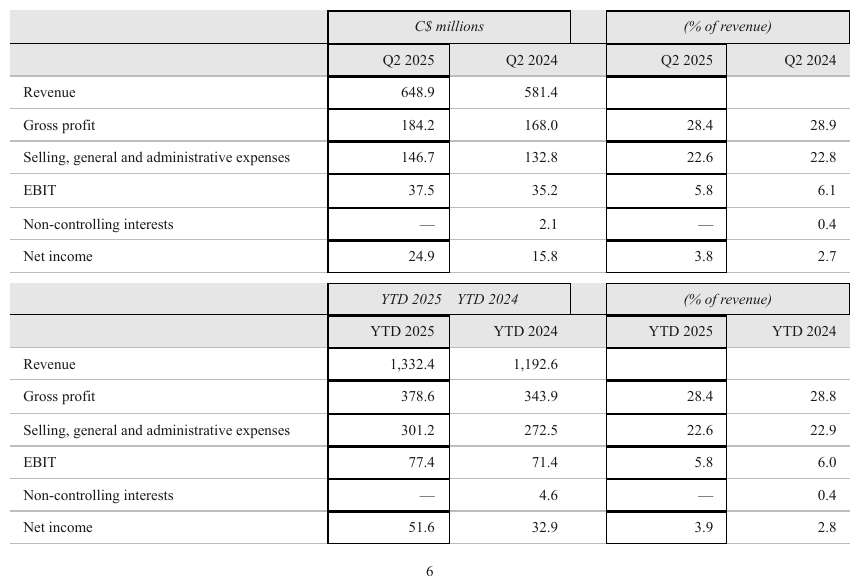
A quarterly summary printed as one row-label column on the left — Revenue, Gross profit,
Selling, general and administrative expenses, EBIT, Non-controlling interests, Net income —
feeding two separately boxed value blocks: C$ millions and (% of revenue), each with its
own Q2 2025 / Q2 2024 header pair.
The right-hand block has no row labels of its own. Read on its own it is ten unnamed values, which is the proof that the two fragments were never meant to stand apart. The same structure is printed again below for the year-to-date figures, with its header rows repeated, so that block is a second table.
The blocks do not share a header row: each has its own. It is the label column that is
printed once — the mirror sub-case. The em-dashes in the Non-controlling interests rows are
values, not blanks (Marks and Symbols in Cells§9.6.6), and (% of revenue) is a units line in the
header (Units Row§9.3.5). The empty gutter between the blocks is not a column (Gutter Columns§9.4.1).
| C$ millions | (% of revenue) | |||
|---|---|---|---|---|
| Q2 2025 | Q2 2024 | Q2 2025 | Q2 2024 | |
| Revenue | 648.9 | 581.4 | ||
| Gross profit | 184.2 | 168.0 | 28.4 | 28.9 |
| Selling, general and administrative expenses | 146.7 | 132.8 | 22.6 | 22.8 |
| EBIT | 37.5 | 35.2 | 5.8 | 6.1 |
| Non-controlling interests | — | 2.1 | — | 0.4 |
| Net income | 24.9 | 15.8 | 3.8 | 2.7 |
Markdown source
<table>
<tr> <th> </th> <th colspan="2"><em>C$ millions</em></th> <th colspan="2"><em>(% of revenue)</em></th> </tr>
<tr> <th> </th> <th>Q2 2025</th> <th>Q2 2024</th> <th>Q2 2025</th> <th>Q2 2024</th> </tr>
<tr> <td>Revenue</td> <td>648.9</td> <td>581.4</td> <td> </td> <td> </td> </tr>
<tr> <td>Gross profit</td> <td>184.2</td> <td>168.0</td> <td>28.4</td> <td>28.9</td> </tr>
<tr> <td>Selling, general and administrative expenses</td> <td>146.7</td> <td>132.8</td> <td>22.6</td> <td>22.8</td> </tr>
<tr> <td>EBIT</td> <td>37.5</td> <td>35.2</td> <td>5.8</td> <td>6.1</td> </tr>
<tr> <td>Non-controlling interests</td> <td>—</td> <td>2.1</td> <td>—</td> <td>0.4</td> </tr>
<tr> <td>Net income</td> <td>24.9</td> <td>15.8</td> <td>3.8</td> <td>2.7</td> </tr>
</table>✅ Sample — a numbered note heading in the gap
The four-column header (Consolidated / Merevald Retail Ltd, two dates each) is printed once at
the top. Note 20 Reserves and note 21 Total equity reconciliation both sit under it, separated
by the second note's heading. Neither fragment repeats the header, so it is one table, and each
note heading is a band row inside it.
| Consolidated | Merevald Retail Ltd | |||
|---|---|---|---|---|
| As at 29 June 25 $m | As at 23 June 24 $m | As at 29 June 25 $m | As at 23 June 24 $m | |
| 20 Reserves | ||||
| Reserves | ||||
| Capital profits reserve | 58.4 | 56.2 | 2.4 | 2.4 |
| Asset revaluation reserve | 64.1 | 65.9 | 0.5 | 0.5 |
| General reserve | 41.3 | 41.3 | 40.2 | 40.2 |
| Foreign currency translation reserve | (0.8) | (1.9) | – | – |
| 162.9 | 161.5 | 43.1 | 43.1 | |
| 21 Total equity reconciliation | ||||
| Total equity at beginning of period | 1,348.9 | 1,441.6 | 982.2 | 1,061.3 |
| Total changes in equity recognised in the statement of financial performance | 498.6 | 421.1 | 344.0 | 436.5 |
| Transactions with owners as owners: | ||||
| – Issue of shares as per note 16 | 104.0 | 87.3 | 104.0 | 87.3 |
| – Dividends paid or provided | (305.4) | (251.0) | (305.4) | (251.0) |
| Total equity at end of period | 1,610.7 | 1,348.9 | 1,088.5 | 982.2 |
Markdown source
<table>
<tr> <th> </th> <th colspan="2">Consolidated</th> <th colspan="2">Merevald Retail Ltd</th> </tr>
<tr> <th> </th> <th>As at 29 June 25 $m</th> <th>As at 23 June 24 $m</th> <th>As at 29 June 25 $m</th> <th>As at 23 June 24 $m</th> </tr>
<tr> <th colspan="5">20 Reserves</th> </tr>
<tr> <td><strong>Reserves</strong></td> <td> </td> <td> </td> <td> </td> <td> </td> </tr>
<tr> <td>Capital profits reserve</td> <td>58.4</td> <td>56.2</td> <td>2.4</td> <td>2.4</td> </tr>
<tr> <td>Asset revaluation reserve</td> <td>64.1</td> <td>65.9</td> <td>0.5</td> <td>0.5</td> </tr>
<tr> <td>General reserve</td> <td>41.3</td> <td>41.3</td> <td>40.2</td> <td>40.2</td> </tr>
<tr> <td>Foreign currency translation reserve</td> <td>(0.8)</td> <td>(1.9)</td> <td>–</td> <td>–</td> </tr>
<tr> <td> </td> <td><strong>162.9</strong></td> <td><strong>161.5</strong></td> <td><strong>43.1</strong></td> <td><strong>43.1</strong></td> </tr>
<tr> <th colspan="5">21 Total equity reconciliation</th> </tr>
<tr> <td>Total equity at beginning of period</td> <td>1,348.9</td> <td>1,441.6</td> <td>982.2</td> <td>1,061.3</td> </tr>
<tr> <td>Total changes in equity recognised in the statement of financial performance</td> <td>498.6</td> <td>421.1</td> <td>344.0</td> <td>436.5</td> </tr>
<tr> <td><strong>Transactions with owners as owners:</strong></td> <td> </td> <td> </td> <td> </td> <td> </td> </tr>
<tr> <td>– Issue of shares as per note 16</td> <td>104.0</td> <td>87.3</td> <td>104.0</td> <td>87.3</td> </tr>
<tr> <td>– Dividends paid or provided</td> <td>(305.4)</td> <td>(251.0)</td> <td>(305.4)</td> <td>(251.0)</td> </tr>
<tr> <th data-level="0"><strong>Total equity at end of period</strong></th> <td><strong>1,610.7</strong></td> <td><strong>1,348.9</strong></td> <td><strong>1,088.5</strong></td> <td><strong>982.2</strong></td> </tr>
</table>Related
- Repeated Headers and Title Bands§9.2.7 — the mirror: a header printed again opens a new table
- Column Continuation§9.2.2 — side-by-side blocks that each carry their own header copy
- Header-Only Tables§9.1.4 — the failure this rule prevents
- Cross-Page Tables§4.3 — the same dependency across a page break, rendered per page
9.3 Headers
9.3.1 Barely-Existing Columns and Headers
✅ Normative · 📄 page rule
✅ Normative
The output MUST transcribe what is printed and add nothing. A column or a header MUST NOT be dropped because it is empty, plainly styled or easy to miss, and a label MUST NOT be invented for a cell that has none.
| | Current | New Program² |
| Rate A | 1.10 | | ← all-blank column, proven only by its
| Rate B | 1.25 | | header: it exists, keep it
↑ blank corner: leave it blank, do not invent "Category"
Four situations look like nothing and are routinely lost. All four are the same failure in one of two directions — a drop or an invention (Never Drop, Never Invent§2.2).
An all-blank body column proven only by its header
A column whose body is entirely empty still exists. It MUST be kept as an empty column, and any
marker on its label MUST be kept — a superscript such as New Program² is part of the header
text, not decoration.
✅ Sample — sln
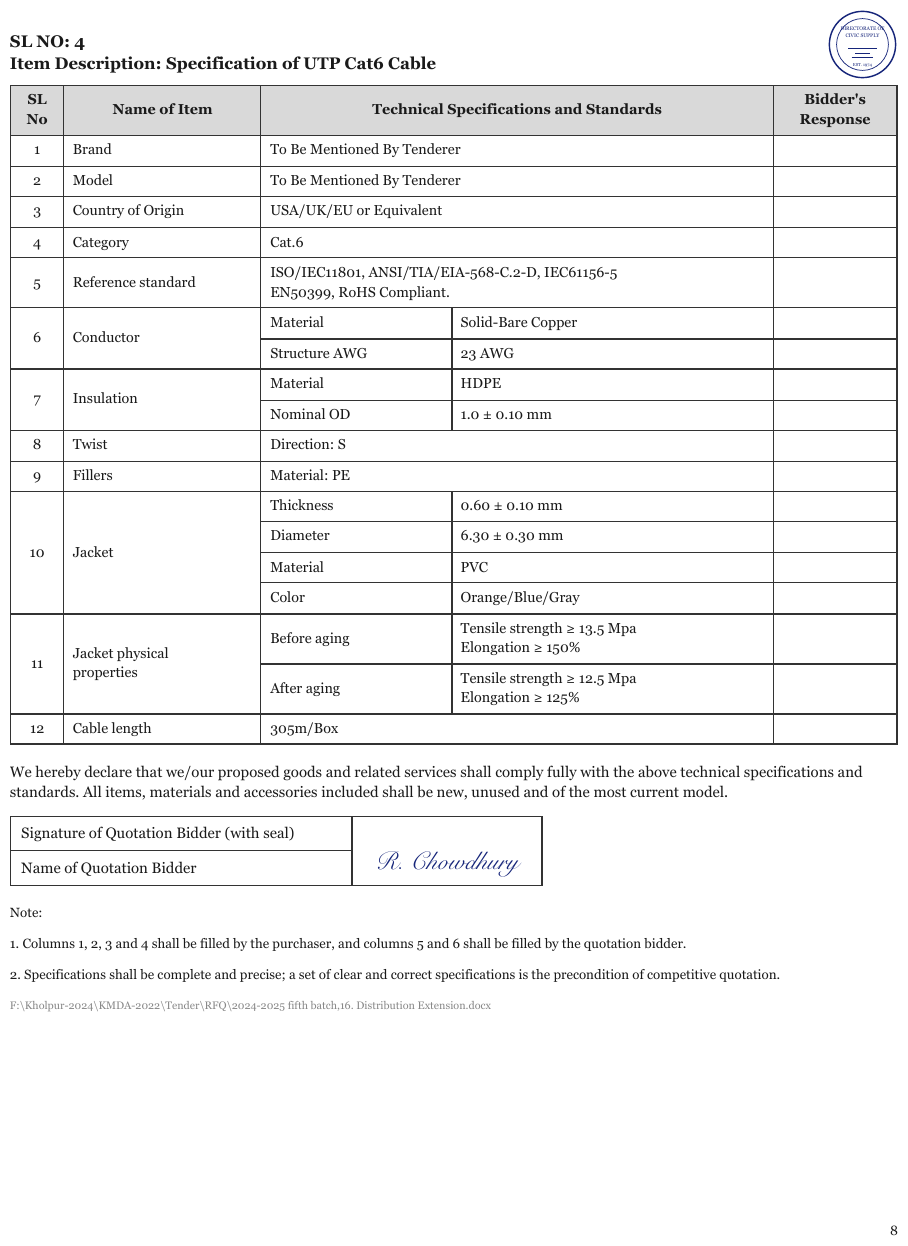
The Bidder's Response column is entirely blank — proven to exist only by its header. Dropping it is the classic error. The merged item cells and the two-line specification values are printed that way.
| SL No | Name of Item | Technical Specifications and Standards | Bidder's Response | |
|---|---|---|---|---|
| 1 | Brand | To Be Mentioned By Tenderer | ||
| 2 | Model | To Be Mentioned By Tenderer | ||
| 3 | Country of Origin | USA/UK/EU or Equivalent | ||
| 4 | Category | Cat.6 | ||
| 5 | Reference standard | ISO/IEC11801, ANSI/TIA/EIA-568-C.2-D, IEC61156-5 EN50399, RoHS Compliant. | ||
| 6 | Conductor | Material | Solid-Bare Copper | |
| Structure AWG | 23 AWG | |||
| 7 | Insulation | Material | HDPE | |
| Nominal OD | 1.0 ± 0.10 mm | |||
| 8 | Twist | Direction: S | ||
| 9 | Fillers | Material: PE | ||
| 10 | Jacket | Thickness | 0.60 ± 0.10 mm | |
| Diameter | 6.30 ± 0.30 mm | |||
| Material | PVC | |||
| Color | Orange/Blue/Gray | |||
| 11 | Jacket physical properties | Before aging | Tensile strength ≥ 13.5 Mpa Elongation ≥ 150% | |
| After aging | Tensile strength ≥ 12.5 Mpa Elongation ≥ 125% | |||
| 12 | Cable length | 305m/Box | ||
Markdown source
<table>
<tr> <th>SL No</th> <th>Name of Item</th> <th colspan="2">Technical Specifications and Standards</th> <th>Bidder's Response</th> </tr>
<tr> <td>1</td> <td>Brand</td> <td colspan="2">To Be Mentioned By Tenderer</td> <td> </td> </tr>
<tr> <td>2</td> <td>Model</td> <td colspan="2">To Be Mentioned By Tenderer</td> <td> </td> </tr>
<tr> <td>3</td> <td>Country of Origin</td> <td colspan="2">USA/UK/EU or Equivalent</td> <td> </td> </tr>
<tr> <td>4</td> <td>Category</td> <td colspan="2">Cat.6</td> <td> </td> </tr>
<tr> <td>5</td> <td>Reference standard</td> <td colspan="2">ISO/IEC11801, ANSI/TIA/EIA-568-C.2-D, IEC61156-5<br/>EN50399, RoHS Compliant.</td> <td> </td> </tr>
<tr> <td rowspan="2">6</td> <td rowspan="2">Conductor</td> <td>Material</td> <td>Solid-Bare Copper</td> <td> </td> </tr>
<tr> <td>Structure AWG</td> <td>23 AWG</td> <td> </td> </tr>
<tr> <td rowspan="2">7</td> <td rowspan="2">Insulation</td> <td>Material</td> <td>HDPE</td> <td> </td> </tr>
<tr> <td>Nominal OD</td> <td>1.0 ± 0.10 mm</td> <td> </td> </tr>
<tr> <td>8</td> <td>Twist</td> <td colspan="2">Direction: S</td> <td> </td> </tr>
<tr> <td>9</td> <td>Fillers</td> <td colspan="2">Material: PE</td> <td> </td> </tr>
<tr> <td rowspan="4">10</td> <td rowspan="4">Jacket</td> <td>Thickness</td> <td>0.60 ± 0.10 mm</td> <td> </td> </tr>
<tr> <td>Diameter</td> <td>6.30 ± 0.30 mm</td> <td> </td> </tr>
<tr> <td>Material</td> <td>PVC</td> <td> </td> </tr>
<tr> <td>Color</td> <td>Orange/Blue/Gray</td> <td> </td> </tr>
<tr> <td rowspan="2">11</td> <td rowspan="2">Jacket physical properties</td> <td>Before aging</td> <td>Tensile strength ≥ 13.5 Mpa<br/>Elongation ≥ 150%</td> <td> </td> </tr>
<tr> <td>After aging</td> <td>Tensile strength ≥ 12.5 Mpa<br/>Elongation ≥ 125%</td> <td> </td> </tr>
<tr> <td>12</td> <td>Cable length</td> <td colspan="2">305m/Box</td> <td> </td> </tr>
</table>✅ Sample — xx
Column 3 carries no header text at all, only XX filler values: its header cell stays empty and the
column stays.
| Data Item for Specified Rating Pool | ||||||||||||||||||||||||||||||||||||||||||||||||||||||||||||||||||||||||||||||||||||||||||||||||||
|---|---|---|---|---|---|---|---|---|---|---|---|---|---|---|---|---|---|---|---|---|---|---|---|---|---|---|---|---|---|---|---|---|---|---|---|---|---|---|---|---|---|---|---|---|---|---|---|---|---|---|---|---|---|---|---|---|---|---|---|---|---|---|---|---|---|---|---|---|---|---|---|---|---|---|---|---|---|---|---|---|---|---|---|---|---|---|---|---|---|---|---|---|---|---|---|---|---|---|
| For the rate period included in the immediately prior rate adjustment filing (or initial form & rate filing) | ||||||||||||||||||||||||||||||||||||||||||||||||||||||||||||||||||||||||||||||||||||||||||||||||||
| 1. Market Segment | 2. Description of rating pool within the market segment | 18. Period assumed - beginning date (MM/DD/YY) | 19. Period assumed - ending date (MM/DD/YY) | 20. Average annual claim trend assumed | 21.1 Regulatory authority licenses and fees, including New York State 332 assessment as a % of gross premium | 21.2 Administrative expenses for activities that improve health care quality as defined in the NAIC Annual Statement Supplement Health Care Exhibit - as a % of gross premium | 21.3 Commissions and broker fees - as a % of gross premium | 21.4 Premium Taxes - as a % of gross premium | 21.5 Other state and federal taxes and assessments (other than income taxes and assessments) - as a % of gross premium | 21.6 Other administrative expenses - as a % of gross premium | 21.7 Subtotal columns 21.1 through 21.6 | 22. After tax underwriting margin (profit/contribution to surplus) - as a % of gross premium | 23. State income tax component - as a % of gross premium | 23.1 State income tax rate assumed (eg 3%) | 24. Federal income tax component - as a % of gross premium | 24.1 Federal income tax rate assumed (eg 30%) | 25. Reduction for assumed net investment income - as a % of gross premium (enter as a negative value) | 26. Subtotal lines 21.7 + 22 + 23 + 24 + 25 | 27.1 Regulatory authority licenses and fees, including New York State 332 assessment expenses - $pmpm | 27.2 Administrative expenses for activities that improve health care quality as defined in the NAIC Annual Statement Supplement Health Care Exhibit - as $pmpm | 27.3 Commissions and broker fees - as $pmpm | 27.4 Premium Taxes - as $pmpm | 27.5 Other state and federal taxes and assessments (other than income taxes and assessments) - as $pmpm | 27.6 Other administrative expenses - as $pmpm | 27.7 Subtotal lines 27.1 through 27.6 | 28. After tax underwriting margin (profit/contribution to surplus) - as $pmpm | 29. State income tax component - as $pmpm | 30. Federal income tax component - as $pmpm | 31. Reduction for assumed net investment income - as $pmpm (enter as a negative value) | 32. Subtotal columns 27.7 through 31 | ||||||||||||||||||||||||||||||||||||||||||||||||||||||||||||||||||||
| HNY-IND | Healthy NY | XX | 1/1/2012 | 12/31/2012 | 15.2% | 0.80% | 0.00% | 1.54% | 2.71% | 0.00% | 6.16% | 11.21% | -1.21% | 0.00% | 7.10% | 0.00% | 34.00% | 0.00% | 10.00% | 2.40 | 0.00 | 4.62 | 8.14 | 0.00 | 18.46 | 33.62 | (3.64) | 0.00 | 0.00 | 0.00 | 29.98 | |||||||||||||||||||||||||||||||||||||||||||||||||||||||||||||||||||
| XX | 0.00% | 0.00% | 0.00 | 0.00 | ||||||||||||||||||||||||||||||||||||||||||||||||||||||||||||||||||||||||||||||||||||||||||||||
| XX | 0.00% | 0.00% | 0.00 | 0.00 | ||||||||||||||||||||||||||||||||||||||||||||||||||||||||||||||||||||||||||||||||||||||||||||||
| … | ||||||||||||||||||||||||||||||||||||||||||||||||||||||||||||||||||||||||||||||||||||||||||||||||||
Markdown source
<table>
<tr> <th colspan="32">Data Item for Specified Rating Pool</th> </tr>
<tr> <th> </th> <th> </th> <th> </th> <th colspan="29">For the rate period included in the immediately prior rate adjustment filing (or initial form & rate filing)</th> </tr>
<tr> <th>1. Market Segment</th> <th>2. Description of rating pool within the market segment</th> <th> </th> <th>18. Period assumed - beginning date (MM/DD/YY)</th> <th>19. Period assumed - ending date (MM/DD/YY)</th> <th>20. Average annual claim trend assumed</th> <th>21.1 Regulatory authority licenses and fees, including New York State 332 assessment as a % of gross premium</th> <th>21.2 Administrative expenses for activities that improve health care quality as defined in the NAIC Annual Statement Supplement Health Care Exhibit - as a % of gross premium</th> <th>21.3 Commissions and broker fees - as a % of gross premium</th> <th>21.4 Premium Taxes - as a % of gross premium</th> <th>21.5 Other state and federal taxes and assessments (other than income taxes and assessments) - as a % of gross premium</th> <th>21.6 Other administrative expenses - as a % of gross premium</th> <th>21.7 Subtotal columns 21.1 through 21.6</th> <th>22. After tax underwriting margin (profit/contribution to surplus) - as a % of gross premium</th> <th>23. State income tax component - as a % of gross premium</th> <th>23.1 State income tax rate assumed (eg 3%)</th> <th>24. Federal income tax component - as a % of gross premium</th> <th>24.1 Federal income tax rate assumed (eg 30%)</th> <th>25. Reduction for assumed net investment income - as a % of gross premium (enter as a negative value)</th> <th>26. Subtotal lines 21.7 + 22 + 23 + 24 + 25</th> <th>27.1 Regulatory authority licenses and fees, including New York State 332 assessment expenses - $pmpm</th> <th>27.2 Administrative expenses for activities that improve health care quality as defined in the NAIC Annual Statement Supplement Health Care Exhibit - as $pmpm</th> <th>27.3 Commissions and broker fees - as $pmpm</th> <th>27.4 Premium Taxes - as $pmpm</th> <th>27.5 Other state and federal taxes and assessments (other than income taxes and assessments) - as $pmpm</th> <th>27.6 Other administrative expenses - as $pmpm</th> <th>27.7 Subtotal lines 27.1 through 27.6</th> <th>28. After tax underwriting margin (profit/contribution to surplus) - as $pmpm</th> <th>29. State income tax component - as $pmpm</th> <th>30. Federal income tax component - as $pmpm</th> <th>31. Reduction for assumed net investment income - as $pmpm (enter as a negative value)</th> <th>32. Subtotal columns 27.7 through 31</th> </tr>
<tr> <td>HNY-IND</td> <td>Healthy NY</td> <td>XX</td> <td>1/1/2012</td> <td>12/31/2012</td> <td>15.2%</td> <td>0.80%</td> <td>0.00%</td> <td>1.54%</td> <td>2.71%</td> <td>0.00%</td> <td>6.16%</td> <td>11.21%</td> <td>-1.21%</td> <td>0.00%</td> <td>7.10%</td> <td>0.00%</td> <td>34.00%</td> <td>0.00%</td> <td>10.00%</td> <td>2.40</td> <td>0.00</td> <td>4.62</td> <td>8.14</td> <td>0.00</td> <td>18.46</td> <td>33.62</td> <td>(3.64)</td> <td>0.00</td> <td>0.00</td> <td>0.00</td> <td>29.98</td> </tr>
<tr> <td> </td> <td> </td> <td>XX</td> <td> </td> <td> </td> <td> </td> <td> </td> <td> </td> <td> </td> <td> </td> <td> </td> <td> </td> <td>0.00%</td> <td> </td> <td> </td> <td> </td> <td> </td> <td> </td> <td> </td> <td>0.00%</td> <td> </td> <td> </td> <td> </td> <td> </td> <td> </td> <td> </td> <td>0.00</td> <td> </td> <td> </td> <td> </td> <td> </td> <td>0.00</td> </tr>
<tr> <td> </td> <td> </td> <td>XX</td> <td> </td> <td> </td> <td> </td> <td> </td> <td> </td> <td> </td> <td> </td> <td> </td> <td> </td> <td>0.00%</td> <td> </td> <td> </td> <td> </td> <td> </td> <td> </td> <td> </td> <td>0.00%</td> <td> </td> <td> </td> <td> </td> <td> </td> <td> </td> <td> </td> <td>0.00</td> <td> </td> <td> </td> <td> </td> <td> </td> <td>0.00</td> </tr>
<!-- … -->
</table>✅ Sample — en
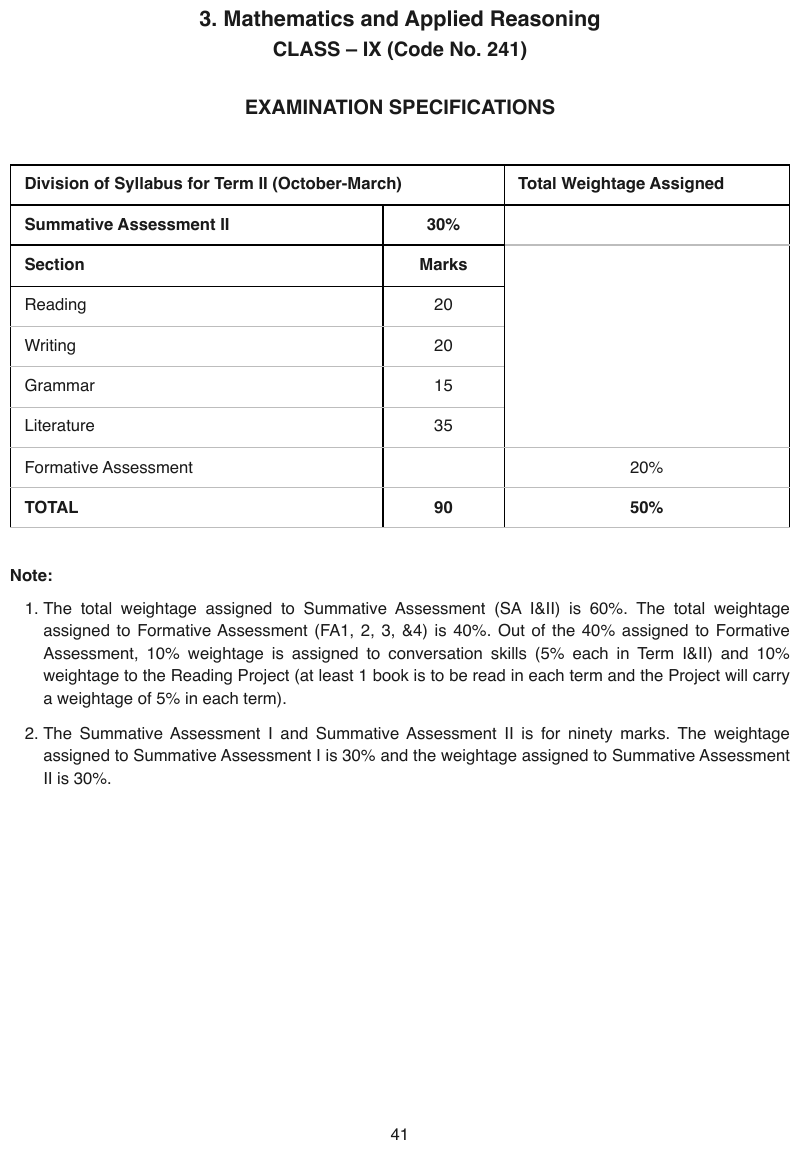
Total Weightage Assigned stays blank across five rows, proven only by its header; the page prints
that blank as one merged box, so it is one cell with a rowspan. The bold TOTAL row closes the
table.
| Division of Syllabus for Term II (October-March) | Total Weightage Assigned | |
|---|---|---|
| Summative Assessment II | 30% | |
| Section | Marks | |
| Reading | 20 | |
| Writing | 20 | |
| Grammar | 15 | |
| Literature | 35 | |
| Formative Assessment | 20% | |
| TOTAL | 90 | 50% |
Markdown source
<table>
<tr> <th colspan="2">Division of Syllabus for Term II (October-March)</th> <th>Total Weightage Assigned</th> </tr>
<tr> <th>Summative Assessment II</th> <th>30%</th> <td> </td> </tr>
<tr> <th>Section</th> <th>Marks</th> <td rowspan="5"> </td> </tr>
<tr> <td>Reading</td> <td>20</td> </tr>
<tr> <td>Writing</td> <td>20</td> </tr>
<tr> <td>Grammar</td> <td>15</td> </tr>
<tr> <td>Literature</td> <td>35</td> </tr>
<tr> <td>Formative Assessment</td> <td> </td> <td>20%</td> </tr>
<tr> <th data-level="0"><strong>TOTAL</strong></th> <td><strong>90</strong></td> <td><strong>50%</strong></td> </tr>
</table>A blank corner cell over the stub
If the corner above the row labels is blank on the page, it MUST be rendered blank. "Category", "Item" or any other reasonable-sounding word MUST NOT be supplied. An unlabelled cell is data too.
✅ Sample — 3lineperorw
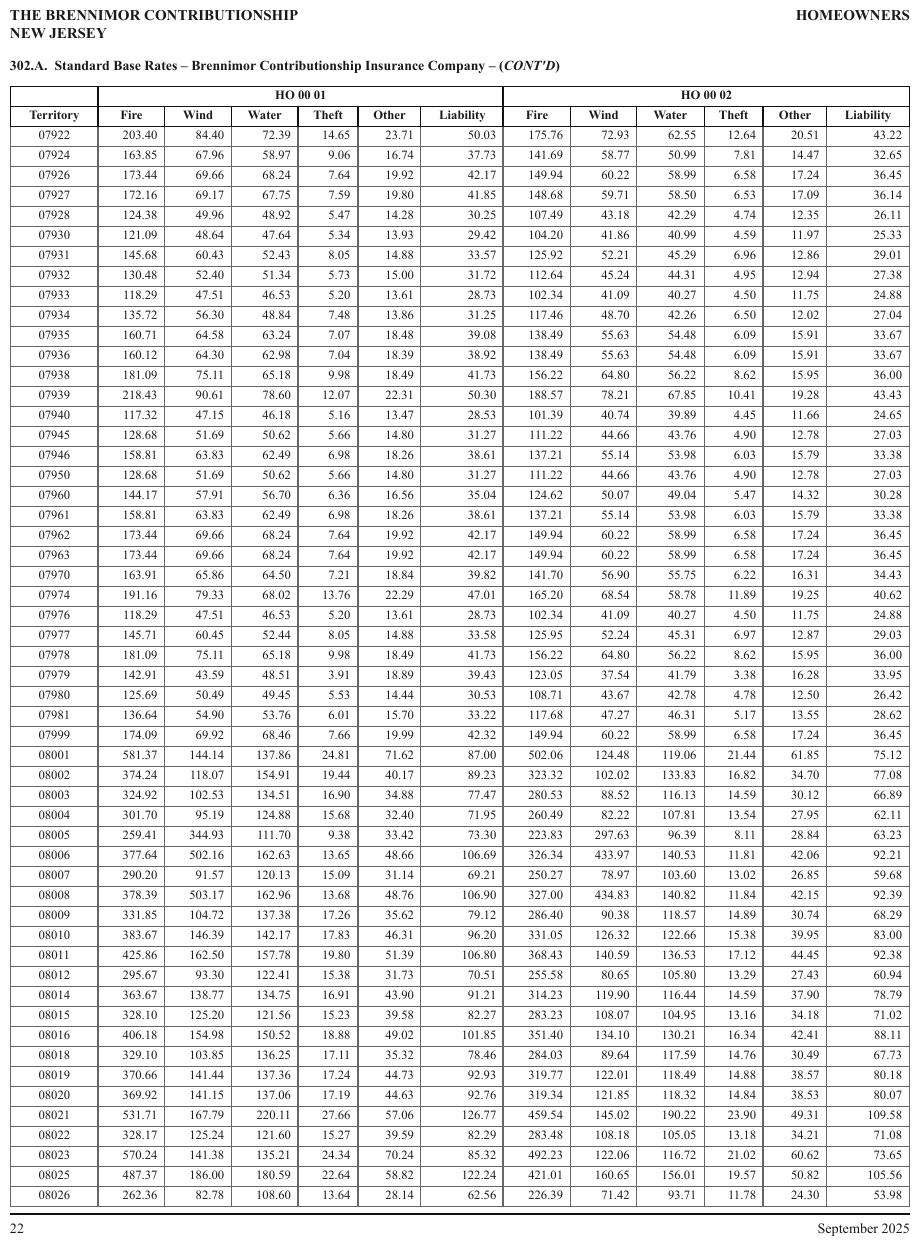
A blank top-left corner cell, ruled off from the Territory label below it.
| HO 00 01 | HO 00 02 | |||||||||||||||||||||||||||||||||||||||||||||||||||||||||||||||||||||||||||||||||||||||||||||||||
|---|---|---|---|---|---|---|---|---|---|---|---|---|---|---|---|---|---|---|---|---|---|---|---|---|---|---|---|---|---|---|---|---|---|---|---|---|---|---|---|---|---|---|---|---|---|---|---|---|---|---|---|---|---|---|---|---|---|---|---|---|---|---|---|---|---|---|---|---|---|---|---|---|---|---|---|---|---|---|---|---|---|---|---|---|---|---|---|---|---|---|---|---|---|---|---|---|---|---|
| Territory | Fire | Wind | Water | Theft | Other | Liability | Fire | Wind | Water | Theft | Other | Liability | ||||||||||||||||||||||||||||||||||||||||||||||||||||||||||||||||||||||||||||||||||||||
| 07922 | 203.40 | 84.40 | 72.39 | 14.65 | 23.71 | 50.03 | 175.76 | 72.93 | 62.55 | 12.64 | 20.51 | 43.22 | ||||||||||||||||||||||||||||||||||||||||||||||||||||||||||||||||||||||||||||||||||||||
| 07924 | 163.85 | 67.96 | 58.97 | 9.06 | 16.74 | 37.73 | 141.69 | 58.77 | 50.99 | 7.81 | 14.47 | 32.65 | ||||||||||||||||||||||||||||||||||||||||||||||||||||||||||||||||||||||||||||||||||||||
| 07926 | 173.44 | 69.66 | 68.24 | 7.64 | 19.92 | 42.17 | 149.94 | 60.22 | 58.99 | 6.58 | 17.24 | 36.45 | ||||||||||||||||||||||||||||||||||||||||||||||||||||||||||||||||||||||||||||||||||||||
| 07927 | 172.16 | 69.17 | 67.75 | 7.59 | 19.80 | 41.85 | 148.68 | 59.71 | 58.50 | 6.53 | 17.09 | 36.14 | ||||||||||||||||||||||||||||||||||||||||||||||||||||||||||||||||||||||||||||||||||||||
| 07928 | 124.38 | 49.96 | 48.92 | 5.47 | 14.28 | 30.25 | 107.49 | 43.18 | 42.29 | 4.74 | 12.35 | 26.11 | ||||||||||||||||||||||||||||||||||||||||||||||||||||||||||||||||||||||||||||||||||||||
| 07930 | 121.09 | 48.64 | 47.64 | 5.34 | 13.93 | 29.42 | 104.20 | 41.86 | 40.99 | 4.59 | 11.97 | 25.33 | ||||||||||||||||||||||||||||||||||||||||||||||||||||||||||||||||||||||||||||||||||||||
| … | ||||||||||||||||||||||||||||||||||||||||||||||||||||||||||||||||||||||||||||||||||||||||||||||||||
Markdown source
<table>
<tr> <th> </th> <th colspan="6">HO 00 01</th> <th colspan="6">HO 00 02</th> </tr>
<tr> <th>Territory</th> <th>Fire</th> <th>Wind</th> <th>Water</th> <th>Theft</th> <th>Other</th> <th>Liability</th> <th>Fire</th> <th>Wind</th> <th>Water</th> <th>Theft</th> <th>Other</th> <th>Liability</th> </tr>
<tr> <td>07922</td> <td>203.40</td> <td>84.40</td> <td>72.39</td> <td>14.65</td> <td>23.71</td> <td>50.03</td> <td>175.76</td> <td>72.93</td> <td>62.55</td> <td>12.64</td> <td>20.51</td> <td>43.22</td> </tr>
<tr> <td>07924</td> <td>163.85</td> <td>67.96</td> <td>58.97</td> <td>9.06</td> <td>16.74</td> <td>37.73</td> <td>141.69</td> <td>58.77</td> <td>50.99</td> <td>7.81</td> <td>14.47</td> <td>32.65</td> </tr>
<tr> <td>07926</td> <td>173.44</td> <td>69.66</td> <td>68.24</td> <td>7.64</td> <td>19.92</td> <td>42.17</td> <td>149.94</td> <td>60.22</td> <td>58.99</td> <td>6.58</td> <td>17.24</td> <td>36.45</td> </tr>
<tr> <td>07927</td> <td>172.16</td> <td>69.17</td> <td>67.75</td> <td>7.59</td> <td>19.80</td> <td>41.85</td> <td>148.68</td> <td>59.71</td> <td>58.50</td> <td>6.53</td> <td>17.09</td> <td>36.14</td> </tr>
<tr> <td>07928</td> <td>124.38</td> <td>49.96</td> <td>48.92</td> <td>5.47</td> <td>14.28</td> <td>30.25</td> <td>107.49</td> <td>43.18</td> <td>42.29</td> <td>4.74</td> <td>12.35</td> <td>26.11</td> </tr>
<tr> <td>07930</td> <td>121.09</td> <td>48.64</td> <td>47.64</td> <td>5.34</td> <td>13.93</td> <td>29.42</td> <td>104.20</td> <td>41.86</td> <td>40.99</td> <td>4.59</td> <td>11.97</td> <td>25.33</td> </tr>
<!-- … -->
</table>❌ Counter-sample — 3lineperrowhili
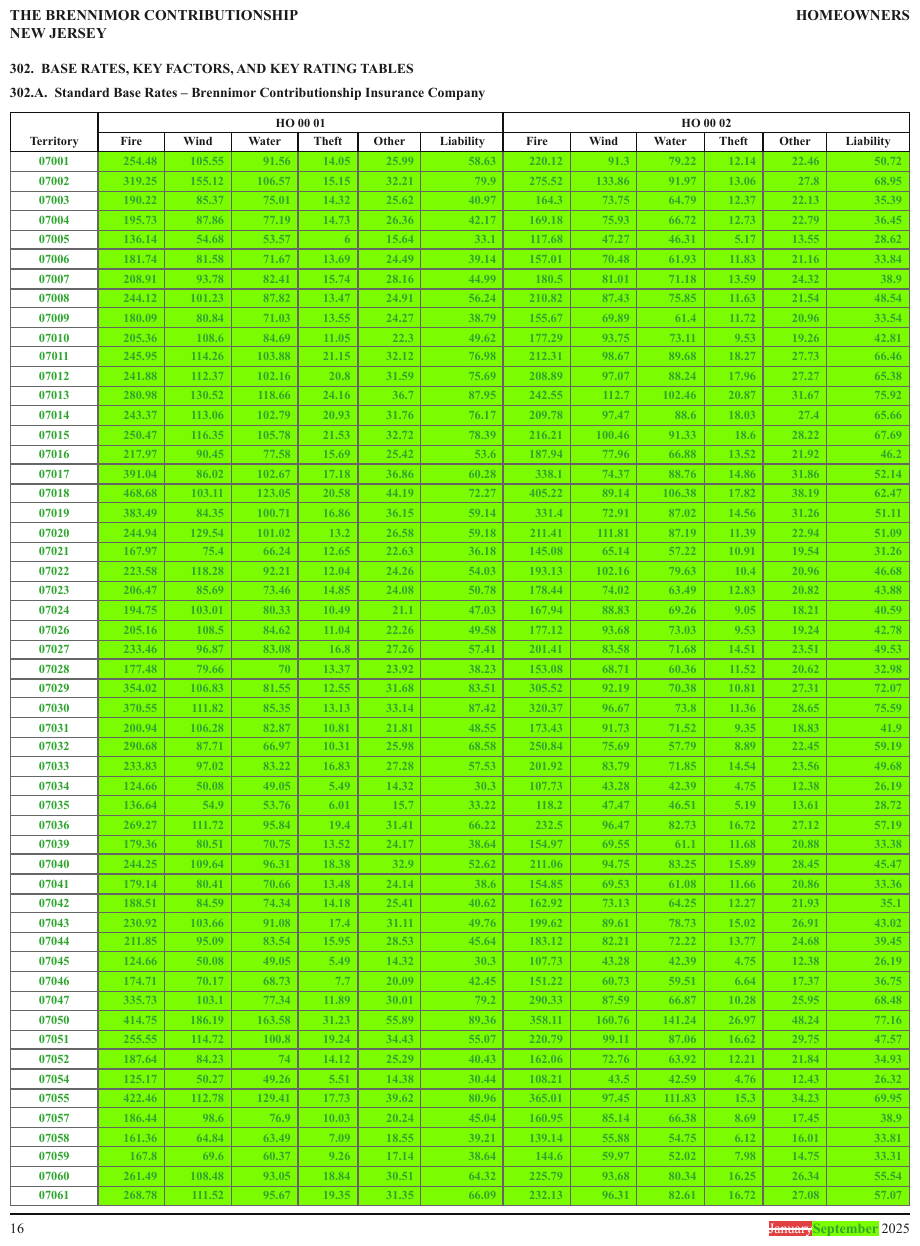
The same table revised: no rule divides the corner from the Territory label, so the label fills a genuinely merged two-row cell — the mirror of the blank corner above. The green row fill is shading and is not rendered.
| Territory | HO 00 01 | HO 00 02 | ||||||||||||||||||||||||||||||||||||||||||||||||||||||||||||||||||||||||||||||||||||||||||||||||
|---|---|---|---|---|---|---|---|---|---|---|---|---|---|---|---|---|---|---|---|---|---|---|---|---|---|---|---|---|---|---|---|---|---|---|---|---|---|---|---|---|---|---|---|---|---|---|---|---|---|---|---|---|---|---|---|---|---|---|---|---|---|---|---|---|---|---|---|---|---|---|---|---|---|---|---|---|---|---|---|---|---|---|---|---|---|---|---|---|---|---|---|---|---|---|---|---|---|---|
| Fire | Wind | Water | Theft | Other | Liability | Fire | Wind | Water | Theft | Other | Liability | |||||||||||||||||||||||||||||||||||||||||||||||||||||||||||||||||||||||||||||||||||||||
| 07001 | 254.48 | 105.55 | 91.56 | 14.05 | 25.99 | 58.63 | 220.12 | 91.3 | 79.22 | 12.14 | 22.46 | 50.72 | ||||||||||||||||||||||||||||||||||||||||||||||||||||||||||||||||||||||||||||||||||||||
| 07002 | 319.25 | 155.12 | 106.57 | 15.15 | 32.21 | 79.9 | 275.52 | 133.86 | 91.97 | 13.06 | 27.8 | 68.95 | ||||||||||||||||||||||||||||||||||||||||||||||||||||||||||||||||||||||||||||||||||||||
| … | ||||||||||||||||||||||||||||||||||||||||||||||||||||||||||||||||||||||||||||||||||||||||||||||||||
Markdown source
<table>
<tr> <th rowspan="2">Territory</th> <th colspan="6">HO 00 01</th> <th colspan="6">HO 00 02</th> </tr>
<tr> <th>Fire</th> <th>Wind</th> <th>Water</th> <th>Theft</th> <th>Other</th> <th>Liability</th> <th>Fire</th> <th>Wind</th> <th>Water</th> <th>Theft</th> <th>Other</th> <th>Liability</th> </tr>
<tr> <td>07001</td> <td>254.48</td> <td>105.55</td> <td>91.56</td> <td>14.05</td> <td>25.99</td> <td>58.63</td> <td>220.12</td> <td>91.3</td> <td>79.22</td> <td>12.14</td> <td>22.46</td> <td>50.72</td> </tr>
<tr> <td>07002</td> <td>319.25</td> <td>155.12</td> <td>106.57</td> <td>15.15</td> <td>32.21</td> <td>79.9</td> <td>275.52</td> <td>133.86</td> <td>91.97</td> <td>13.06</td> <td>27.8</td> <td>68.95</td> </tr>
<!-- … -->
</table>A numbered tier (1) (2) (3)… across the columns
| State | Premium | Losses |
| (1) | (2) | (3) | ← a header row: render it
A numbered tier running across the columns is a header row, not decoration, and MUST be rendered.
Dropping it costs twice. The tier also runs the full width of the grid, which is the evidence that every column below belongs to one row — the proof Group and Cohort Bands§9.2.5 and Bands Inside the Grid§9.2.1 rely on to show that banded blocks are a single table. Without the tier, both the header and the boundary signal are lost.
✅ Sample — xlt
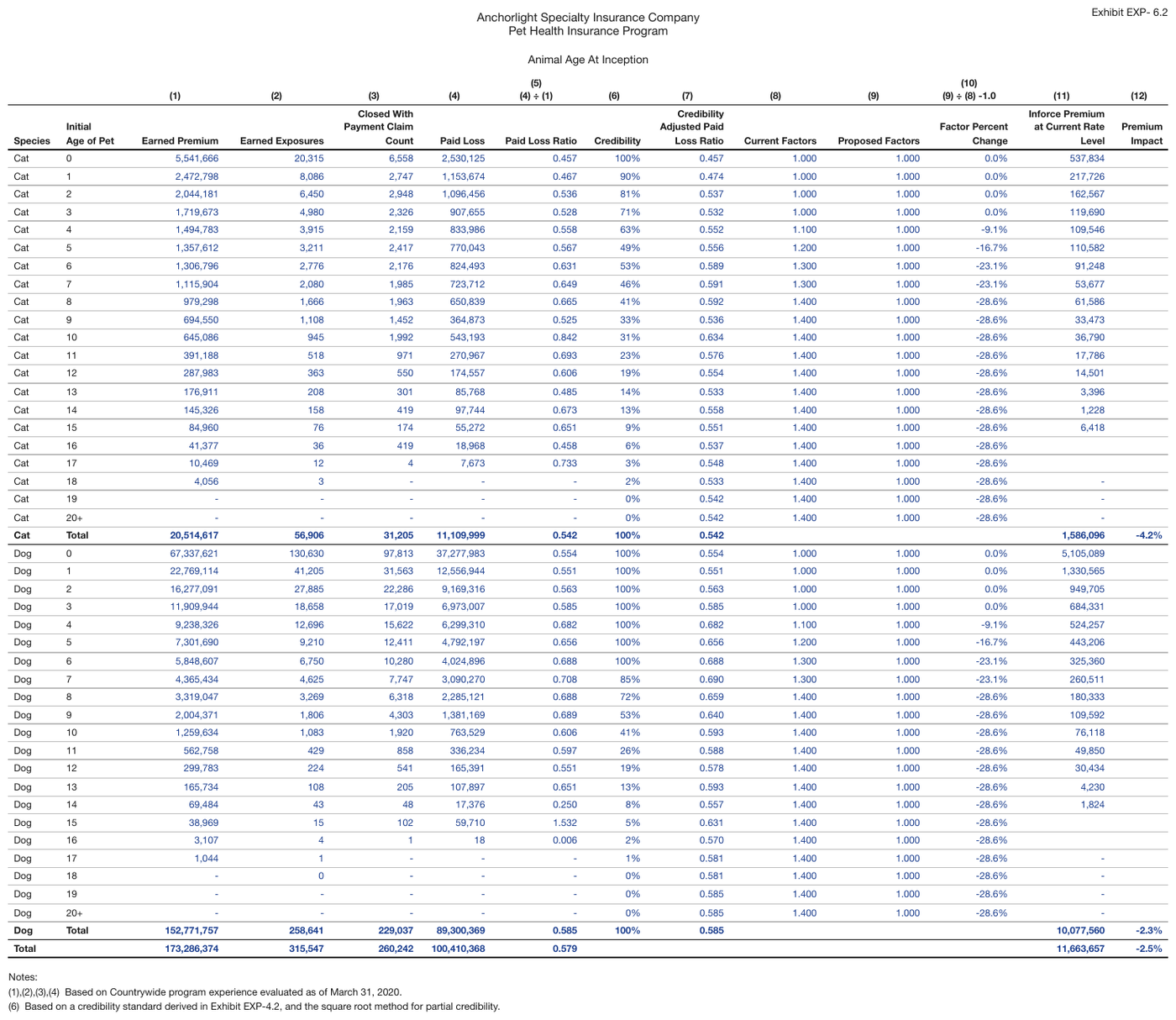
A numbered tier (1)–(12) sitting above the real headers with no group meaning. Under (5) and
(10) a formula is printed on its own line, so that break is kept.
| (1) | (2) | (3) | (4) | (5) (4) ÷ (1) | (6) | (7) | (8) | (9) | (10) (9) ÷ (8) -1.0 | (11) | (12) | |||||||||||||||||||||||||||||||||||||||||||||||||||||||||||||||||||||||||||||||||||||||
|---|---|---|---|---|---|---|---|---|---|---|---|---|---|---|---|---|---|---|---|---|---|---|---|---|---|---|---|---|---|---|---|---|---|---|---|---|---|---|---|---|---|---|---|---|---|---|---|---|---|---|---|---|---|---|---|---|---|---|---|---|---|---|---|---|---|---|---|---|---|---|---|---|---|---|---|---|---|---|---|---|---|---|---|---|---|---|---|---|---|---|---|---|---|---|---|---|---|---|
| Species | Initial Age of Pet | Earned Premium | Earned Exposures | Closed With Payment Claim Count | Paid Loss | Paid Loss Ratio | Credibility | Credibility Adjusted Paid Loss Ratio | Current Factors | Proposed Factors | Factor Percent Change | Inforce Premium at Current Rate Level | Premium Impact | |||||||||||||||||||||||||||||||||||||||||||||||||||||||||||||||||||||||||||||||||||||
| Cat | 0 | 5,541,666 | 20,315 | 6,558 | 2,530,125 | 0.457 | 100% | 0.457 | 1.000 | 1.000 | 0.0% | 537,834 | ||||||||||||||||||||||||||||||||||||||||||||||||||||||||||||||||||||||||||||||||||||||
| Cat | 1 | 2,472,798 | 8,086 | 2,747 | 1,153,674 | 0.467 | 90% | 0.474 | 1.000 | 1.000 | 0.0% | 217,726 | ||||||||||||||||||||||||||||||||||||||||||||||||||||||||||||||||||||||||||||||||||||||
| Cat | 2 | 2,044,181 | 6,450 | 2,948 | 1,096,456 | 0.536 | 81% | 0.537 | 1.000 | 1.000 | 0.0% | 162,567 | ||||||||||||||||||||||||||||||||||||||||||||||||||||||||||||||||||||||||||||||||||||||
| … | ||||||||||||||||||||||||||||||||||||||||||||||||||||||||||||||||||||||||||||||||||||||||||||||||||
Markdown source
<table>
<tr> <th> </th> <th> </th> <th>(1)</th> <th>(2)</th> <th>(3)</th> <th>(4)</th> <th>(5)<br/>(4) ÷ (1)</th> <th>(6)</th> <th>(7)</th> <th>(8)</th> <th>(9)</th> <th>(10)<br/>(9) ÷ (8) -1.0</th> <th>(11)</th> <th>(12)</th> </tr>
<tr> <th>Species</th> <th>Initial Age of Pet</th> <th>Earned Premium</th> <th>Earned Exposures</th> <th>Closed With Payment Claim Count</th> <th>Paid Loss</th> <th>Paid Loss Ratio</th> <th>Credibility</th> <th>Credibility Adjusted Paid Loss Ratio</th> <th>Current Factors</th> <th>Proposed Factors</th> <th>Factor Percent Change</th> <th>Inforce Premium at Current Rate Level</th> <th>Premium Impact</th> </tr>
<tr> <td>Cat</td> <td>0</td> <td>5,541,666</td> <td>20,315</td> <td>6,558</td> <td>2,530,125</td> <td>0.457</td> <td>100%</td> <td>0.457</td> <td>1.000</td> <td>1.000</td> <td>0.0%</td> <td>537,834</td> <td> </td> </tr>
<tr> <td>Cat</td> <td>1</td> <td>2,472,798</td> <td>8,086</td> <td>2,747</td> <td>1,153,674</td> <td>0.467</td> <td>90%</td> <td>0.474</td> <td>1.000</td> <td>1.000</td> <td>0.0%</td> <td>217,726</td> <td> </td> </tr>
<tr> <td>Cat</td> <td>2</td> <td>2,044,181</td> <td>6,450</td> <td>2,948</td> <td>1,096,456</td> <td>0.536</td> <td>81%</td> <td>0.537</td> <td>1.000</td> <td>1.000</td> <td>0.0%</td> <td>162,567</td> <td> </td> </tr>
<!-- … -->
</table>Header bands that are not bold
A band naming a section is a header row even when it is set in plain type. "Lending" over a block
of lending figures, or a CA|PPO line above its rates, are headers; demoting them to body rows is
non-conforming.
| Lending | | ← plain-styled band naming a section: still a header
| Commercial | 120.5 |
Boldness MUST NOT decide what is a header. Headers are recognised from position, span and what the line does for the rows beneath it — Bold and Italic Inside Tables§9.6.2 shows styling is applied unreliably in both directions and cannot carry this judgement.
Blank space beside or below a header label
| 34 | S | | [rowspan=3]34 | S |
| | M | vs | ROW_SPAN_CONTINUE | M |
| | L | | ROW_SPAN_CONTINUE | L |
A region that is visually blank beside or below a labelled cell MUST be rendered as separate empty
cells. The label's rowspan or colspan MUST NOT be extended over it unless the cell is
genuinely merged — when the print says so, not when it is inferred.
Telling a real merge from adjacent blankness
| Genuine merge — extend | Adjacent blankness — separate empty cells |
|---|---|
| No ruling divides the region: it is printed as one box | Ruled cell borders continue through the blank region |
| The label is centred across the whole span | The label sits in the first cell, blank cells follow |
A stub label spanning the header tiers (<th rowspan="2">UW Category</th>) |
A header label that simply has nothing under it |
The stopped-divider test. A ruling line that stops is as informative as one that continues.
On a bundle-credit rate table the divider beneath Number of Additional Policies stops before the
Factor column: that stopped rule is positive evidence that the group covers Car and Other
only, and that Factor is a genuinely merged cell spanning both header tiers. What looks like
"blank space above Factor" is in fact inside a visibly merged two-row header cell. Where a divider
stops, the cell beside it spans.
Most blank-adjacency cases have no such geometry. Absent a stopped divider or an equivalent printed signal, nothing proves a merge — which is why the default is do not extend.
Carve-out. A stub label that spans the header tiers (Multi-Row Header Tiers§9.3.3) still takes a
rowspan across those header rows. That is a logical merge and this rule does not touch it.
Why this way. A span mirrors what is printed, never what is inferred. A blank cell asserts nothing; a span asserts "this label owns that region", which needs printed evidence. Making merge the default would teach the reflex when in doubt, rowspan — exactly the habit Repeated Identical Values§9.5.4 exists to suppress. It is also the simpler question: "is this cell's printed content empty?" rather than a semantic judgement, the same test Blank and Spacer Rows§9.5.1 uses in the table body.
The through-line
Every case here is a drop or an invention. One principle covers all of them, the one also stated in Repeated Identical Values§9.5.4: never emit less data than went in, and never invent what was not printed.
Related
- Repeated Identical Values§9.5.4 — the same never-drop, never-invent discipline in the body
- Header Body Column Count Mismatch§9.4.2 — columns that seem to disappear between header and body
- Multi-Row Header Tiers§9.3.3 — the stub rowspan carve-out
- Blank and Spacer Rows§9.5.1 — the empty-content test applied to rows
9.3.2 Header Wrap vs Real Tier
✅ Normative · 📄 page rule
✅ Normative
A header line with a rule beneath it, standing over two or more self-standing leaf labels, is a real tier and MUST be rendered as its own header row. Fragments that simply stack with no border and read as one phrase are a wrapped label and MUST be joined with a space into a single header cell.
As printed:

As parsed — the failure:

Only "Common Stock" is a real tier here: it has a rule beneath it and spans two self-standing leaves, Shares and Amount. The other three are single wrapped labels — "Capital in Excess of Par Value" is one column heading broken across two lines to fit. Treating all four the same way splits every wrapped label into a phantom two-row tier, which is the error this rule prevents (never invent).
Wrapped header text looks exactly like a two-row tier, so the test is run deliberately rather than by eye.
Wrap (one header, join with a space): Real tier (parent phrase over leaves):
| Published | | (Paid as of 12-31-2020) |
| Availability | | 2018 | 2019 |
↑ fragments concatenate, no border ↑ spans two sub-columns
The test
- A rule beneath the upper line. A printed border under a label, with columns continuing below it, points to a tier.
- The lower labels on their own. If each stands as a complete column heading — Shares, Amount, 2018, 2019 — the line above is a tier over them. If the lines only make sense concatenated, they are one wrapped label.
- The span. A tier covers two or more leaf columns. A label that sits over exactly one column is a wrap, whatever its line count.
✅ Sample — wqa
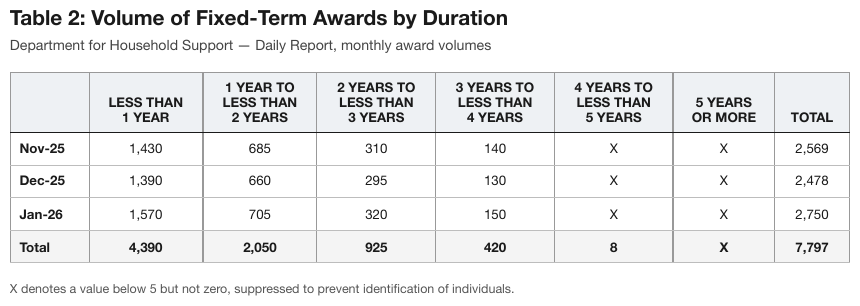
1 YEAR TO / LESS THAN / 2 YEARS wraps across three printed lines and is one header label. The
month labels and the Total row are bold.
| LESS THAN 1 YEAR | 1 YEAR TO LESS THAN 2 YEARS | 2 YEARS TO LESS THAN 3 YEARS | 3 YEARS TO LESS THAN 4 YEARS | 4 YEARS TO LESS THAN 5 YEARS | 5 YEARS OR MORE | TOTAL | |
|---|---|---|---|---|---|---|---|
| Nov-25 | 1,430 | 685 | 310 | 140 | X | X | 2,569 |
| Dec-25 | 1,390 | 660 | 295 | 130 | X | X | 2,478 |
| Jan-26 | 1,570 | 705 | 320 | 150 | X | X | 2,750 |
| Total | 4,390 | 2,050 | 925 | 420 | 8 | X | 7,797 |
Markdown source
<table>
<tr> <th> </th> <th>LESS THAN 1 YEAR</th> <th>1 YEAR TO LESS THAN 2 YEARS</th> <th>2 YEARS TO LESS THAN 3 YEARS</th> <th>3 YEARS TO LESS THAN 4 YEARS</th> <th>4 YEARS TO LESS THAN 5 YEARS</th> <th>5 YEARS OR MORE</th> <th>TOTAL</th> </tr>
<tr> <td><strong>Nov-25</strong></td> <td>1,430</td> <td>685</td> <td>310</td> <td>140</td> <td>X</td> <td>X</td> <td>2,569</td> </tr>
<tr> <td><strong>Dec-25</strong></td> <td>1,390</td> <td>660</td> <td>295</td> <td>130</td> <td>X</td> <td>X</td> <td>2,478</td> </tr>
<tr> <td><strong>Jan-26</strong></td> <td>1,570</td> <td>705</td> <td>320</td> <td>150</td> <td>X</td> <td>X</td> <td>2,750</td> </tr>
<tr> <th data-level="0"><strong>Total</strong></th> <td><strong>4,390</strong></td> <td><strong>2,050</strong></td> <td><strong>925</strong></td> <td><strong>420</strong></td> <td><strong>8</strong></td> <td><strong>X</strong></td> <td><strong>7,797</strong></td> </tr>
</table>✅ Sample — ed
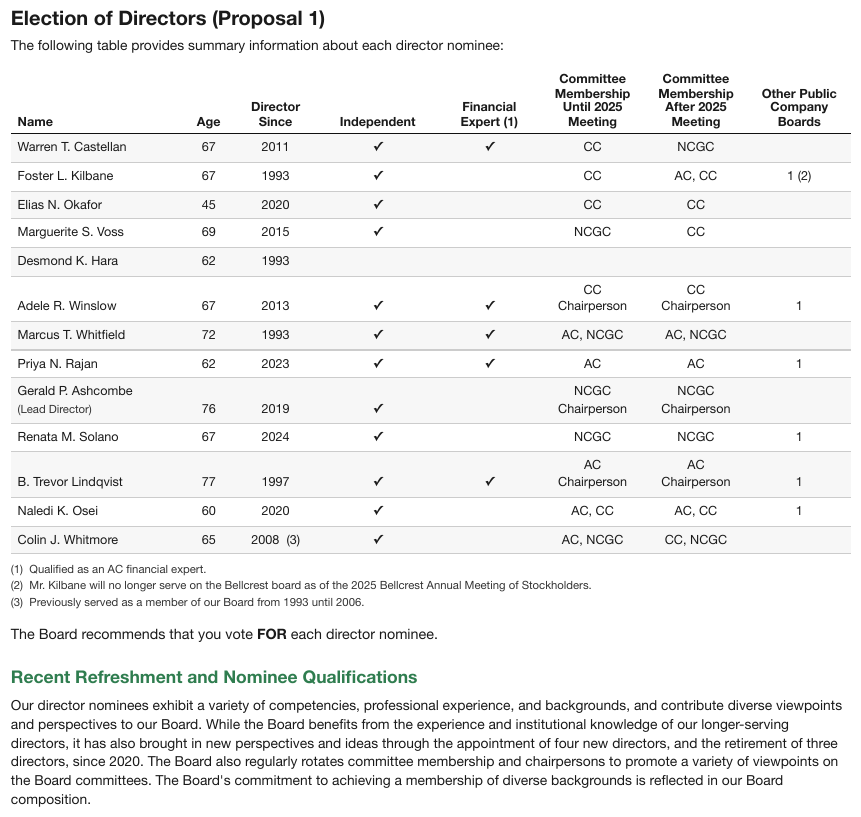
Committee Membership Until 2025 Meeting — one label wrapped over four lines, not a colspan tier.
The checkmarks are rendered as [yes] (see Marks and Symbols in Cells§9.6.6).
| Name | Age | Director Since | Independent | Financial Expert (1) | Committee Membership Until 2025 Meeting | Committee Membership After 2025 Meeting | Other Public Company Boards |
|---|---|---|---|---|---|---|---|
| Warren T. Castellan | 67 | 2011 | [yes] | [yes] | CC | NCGC | |
| Foster L. Kilbane | 67 | 1993 | [yes] | CC | AC, CC | 1 (2) | |
| Elias N. Okafor | 45 | 2020 | [yes] | CC | CC | ||
| Marguerite S. Voss | 69 | 2015 | [yes] | NCGC | CC | ||
| Desmond K. Hara | 62 | 1993 | |||||
| Adele R. Winslow | 67 | 2013 | [yes] | [yes] | CC Chairperson | CC Chairperson | 1 |
| Marcus T. Whitfield | 72 | 1993 | [yes] | [yes] | AC, NCGC | AC, NCGC | |
| Priya N. Rajan | 62 | 2023 | [yes] | [yes] | AC | AC | 1 |
| Gerald P. Ashcombe (Lead Director) | 76 | 2019 | [yes] | NCGC Chairperson | NCGC Chairperson | ||
| Renata M. Solano | 67 | 2024 | [yes] | NCGC | NCGC | 1 | |
| B. Trevor Lindqvist | 77 | 1997 | [yes] | [yes] | AC Chairperson | AC Chairperson | 1 |
| Naledi K. Osei | 60 | 2020 | [yes] | AC, CC | AC, CC | 1 | |
| Colin J. Whitmore | 65 | 2008 (3) | [yes] | AC, NCGC | CC, NCGC |
Markdown source
<table>
<tr> <th>Name</th> <th>Age</th> <th>Director Since</th> <th>Independent</th> <th>Financial Expert (1)</th> <th>Committee Membership Until 2025 Meeting</th> <th>Committee Membership After 2025 Meeting</th> <th>Other Public Company Boards</th> </tr>
<tr> <td>Warren T. Castellan</td> <td>67</td> <td>2011</td> <td>[yes]</td> <td>[yes]</td> <td>CC</td> <td>NCGC</td> <td></td> </tr>
<tr> <td>Foster L. Kilbane</td> <td>67</td> <td>1993</td> <td>[yes]</td> <td></td> <td>CC</td> <td>AC, CC</td> <td>1 (2)</td> </tr>
<tr> <td>Elias N. Okafor</td> <td>45</td> <td>2020</td> <td>[yes]</td> <td></td> <td>CC</td> <td>CC</td> <td></td> </tr>
<tr> <td>Marguerite S. Voss</td> <td>69</td> <td>2015</td> <td>[yes]</td> <td></td> <td>NCGC</td> <td>CC</td> <td></td> </tr>
<tr> <td>Desmond K. Hara</td> <td>62</td> <td>1993</td> <td></td> <td></td> <td></td> <td></td> <td></td> </tr>
<tr> <td>Adele R. Winslow</td> <td>67</td> <td>2013</td> <td>[yes]</td> <td>[yes]</td> <td>CC<br/>Chairperson</td> <td>CC<br/>Chairperson</td> <td>1</td> </tr>
<tr> <td>Marcus T. Whitfield</td> <td>72</td> <td>1993</td> <td>[yes]</td> <td>[yes]</td> <td>AC, NCGC</td> <td>AC, NCGC</td> <td></td> </tr>
<tr> <td>Priya N. Rajan</td> <td>62</td> <td>2023</td> <td>[yes]</td> <td>[yes]</td> <td>AC</td> <td>AC</td> <td>1</td> </tr>
<tr> <td>Gerald P. Ashcombe<br/>(Lead Director)</td> <td>76</td> <td>2019</td> <td>[yes]</td> <td></td> <td>NCGC<br/>Chairperson</td> <td>NCGC<br/>Chairperson</td> <td></td> </tr>
<tr> <td>Renata M. Solano</td> <td>67</td> <td>2024</td> <td>[yes]</td> <td></td> <td>NCGC</td> <td>NCGC</td> <td>1</td> </tr>
<tr> <td>B. Trevor Lindqvist</td> <td>77</td> <td>1997</td> <td>[yes]</td> <td>[yes]</td> <td>AC<br/>Chairperson</td> <td>AC<br/>Chairperson</td> <td>1</td> </tr>
<tr> <td>Naledi K. Osei</td> <td>60</td> <td>2020</td> <td>[yes]</td> <td></td> <td>AC, CC</td> <td>AC, CC</td> <td>1</td> </tr>
<tr> <td>Colin J. Whitmore</td> <td>65</td> <td>2008 (3)</td> <td>[yes]</td> <td></td> <td>AC, NCGC</td> <td>CC, NCGC</td> <td></td> </tr>
</table>✅ Sample — wat
Water - Weather and Water - Non-Weather each wrap two lines; both are single labels.
| ZipCodes | Tornado | Wind | Hail | Water Backup | Water - Weather | Water - Non-Weather | Fire - Brush | Fire - Home | Lightning | Liability | Theft | All Other Perils | ||||||||||||||||||||||||||||||||||||||||||||||||||||||||||||||||||||||||||||||||||||||
|---|---|---|---|---|---|---|---|---|---|---|---|---|---|---|---|---|---|---|---|---|---|---|---|---|---|---|---|---|---|---|---|---|---|---|---|---|---|---|---|---|---|---|---|---|---|---|---|---|---|---|---|---|---|---|---|---|---|---|---|---|---|---|---|---|---|---|---|---|---|---|---|---|---|---|---|---|---|---|---|---|---|---|---|---|---|---|---|---|---|---|---|---|---|---|---|---|---|---|
| 10101 | 1.038 | 0.550 | 0.563 | 0.861 | 1.245 | 1.107 | 8.499 | 0.950 | 1.228 | 0.558 | 0.639 | 1.048 | ||||||||||||||||||||||||||||||||||||||||||||||||||||||||||||||||||||||||||||||||||||||
| 10102 | 0.695 | 0.757 | 1.125 | 1.092 | 0.940 | 1.076 | 7.715 | 0.867 | 1.681 | 1.186 | 0.760 | 0.835 | ||||||||||||||||||||||||||||||||||||||||||||||||||||||||||||||||||||||||||||||||||||||
| 10103 | 1.216 | 0.921 | 0.289 | 0.770 | 1.310 | 1.081 | 7.694 | 1.619 | 1.363 | 1.445 | 0.799 | 1.077 | ||||||||||||||||||||||||||||||||||||||||||||||||||||||||||||||||||||||||||||||||||||||
| 10104 | 1.144 | 1.256 | 1.443 | 1.116 | 1.226 | 0.886 | 2.208 | 1.161 | 0.824 | 0.749 | 0.521 | 0.910 | ||||||||||||||||||||||||||||||||||||||||||||||||||||||||||||||||||||||||||||||||||||||
| 10105 | 1.036 | 0.954 | 0.705 | 0.851 | 0.968 | 1.198 | 6.187 | 1.493 | 0.932 | 1.215 | 0.583 | 0.971 | ||||||||||||||||||||||||||||||||||||||||||||||||||||||||||||||||||||||||||||||||||||||
| 10106 | 1.234 | 1.282 | 0.985 | 1.193 | 1.307 | 1.142 | 2.219 | 0.893 | 1.102 | 0.782 | 0.631 | 1.315 | ||||||||||||||||||||||||||||||||||||||||||||||||||||||||||||||||||||||||||||||||||||||
| … | ||||||||||||||||||||||||||||||||||||||||||||||||||||||||||||||||||||||||||||||||||||||||||||||||||
Markdown source
<table>
<tr> <th>ZipCodes</th> <th>Tornado</th> <th>Wind</th> <th>Hail</th> <th>Water Backup</th> <th>Water - Weather</th> <th>Water - Non-Weather</th> <th>Fire - Brush</th> <th>Fire - Home</th> <th>Lightning</th> <th>Liability</th> <th>Theft</th> <th>All Other Perils</th> </tr>
<tr> <td>10101</td> <td>1.038</td> <td>0.550</td> <td>0.563</td> <td>0.861</td> <td>1.245</td> <td>1.107</td> <td>8.499</td> <td>0.950</td> <td>1.228</td> <td>0.558</td> <td>0.639</td> <td>1.048</td> </tr>
<tr> <td>10102</td> <td>0.695</td> <td>0.757</td> <td>1.125</td> <td>1.092</td> <td>0.940</td> <td>1.076</td> <td>7.715</td> <td>0.867</td> <td>1.681</td> <td>1.186</td> <td>0.760</td> <td>0.835</td> </tr>
<tr> <td>10103</td> <td>1.216</td> <td>0.921</td> <td>0.289</td> <td>0.770</td> <td>1.310</td> <td>1.081</td> <td>7.694</td> <td>1.619</td> <td>1.363</td> <td>1.445</td> <td>0.799</td> <td>1.077</td> </tr>
<tr> <td>10104</td> <td>1.144</td> <td>1.256</td> <td>1.443</td> <td>1.116</td> <td>1.226</td> <td>0.886</td> <td>2.208</td> <td>1.161</td> <td>0.824</td> <td>0.749</td> <td>0.521</td> <td>0.910</td> </tr>
<tr> <td>10105</td> <td>1.036</td> <td>0.954</td> <td>0.705</td> <td>0.851</td> <td>0.968</td> <td>1.198</td> <td>6.187</td> <td>1.493</td> <td>0.932</td> <td>1.215</td> <td>0.583</td> <td>0.971</td> </tr>
<tr> <td>10106</td> <td>1.234</td> <td>1.282</td> <td>0.985</td> <td>1.193</td> <td>1.307</td> <td>1.142</td> <td>2.219</td> <td>0.893</td> <td>1.102</td> <td>0.782</td> <td>0.631</td> <td>1.315</td> </tr>
<!-- … -->
</table>✅ Sample — 5line heaer
Every header is one label wrapped over many lines, e.g. (1) Latest Year Current Expected Losses…; each is joined with spaces into one cell.
| Industry Group | (1) Latest Year Current Expected Losses Prior to Adjustment for Change in Off-Balance | (2) Five Year Current Expected Losses Prior to Adjustment for Change in Off-Balance | (3) Five Year Proposed Expected Losses Prior to Adjustment for Change in Off-Balance | (4) Current Ratio of Manual to Standard Premium | (5) Proposed Ratio of Manual to Standard Premium |
|---|---|---|---|---|---|
| Manufacturing | 77,510,436 | 338,649,937 | 315,156,641 | 1.162 | 1.156 |
| Contracting | 244,423,390 | 1,046,738,721 | 974,416,048 | 1.108 | 1.099 |
| Office & Clerical | 99,137,891 | 425,709,394 | 396,154,601 | 1.186 | 1.183 |
| Goods & Services | 308,876,410 | 1,299,162,826 | 1,209,037,084 | 1.068 | 1.062 |
| Miscellaneous | 176,900,574 | 768,557,721 | 715,461,415 | 1.080 | 1.068 |
| Statewide | 906,848,702 | 3,878,818,599 | 3,610,225,790 |
Markdown source
<table>
<tr> <th>Industry Group</th> <th>(1) Latest Year Current Expected Losses Prior to Adjustment for Change in Off-Balance</th> <th>(2) Five Year Current Expected Losses Prior to Adjustment for Change in Off-Balance</th> <th>(3) Five Year Proposed Expected Losses Prior to Adjustment for Change in Off-Balance</th> <th>(4) Current Ratio of Manual to Standard Premium</th> <th>(5) Proposed Ratio of Manual to Standard Premium</th> </tr>
<tr> <td>Manufacturing</td> <td>77,510,436</td> <td>338,649,937</td> <td>315,156,641</td> <td>1.162</td> <td>1.156</td> </tr>
<tr> <td>Contracting</td> <td>244,423,390</td> <td>1,046,738,721</td> <td>974,416,048</td> <td>1.108</td> <td>1.099</td> </tr>
<tr> <td>Office & Clerical</td> <td>99,137,891</td> <td>425,709,394</td> <td>396,154,601</td> <td>1.186</td> <td>1.183</td> </tr>
<tr> <td>Goods & Services</td> <td>308,876,410</td> <td>1,299,162,826</td> <td>1,209,037,084</td> <td>1.068</td> <td>1.062</td> </tr>
<tr> <td>Miscellaneous</td> <td>176,900,574</td> <td>768,557,721</td> <td>715,461,415</td> <td>1.080</td> <td>1.068</td> </tr>
<tr> <td>Statewide</td> <td>906,848,702</td> <td>3,878,818,599</td> <td>3,610,225,790</td> <td> </td> <td> </td> </tr>
</table>| Industry Group | (1) Latest Year Current Expected Losses Prior to Adjustment for Change in Off-Balance | (2) Five Year Current Expected Losses Prior to Adjustment for Change in Off-Balance | (3) Five Year Proposed Expected Losses Prior to Adjustment for Change in Off-Balance | (4) Current Ratio of Manual to Standard Premium | (5) Proposed Ratio of Manual to Standard Premium | |||||||||||||||||||||||||||||||||||||||||||||||||||||||||||||||||||||||||||||||||||||||||||||
|---|---|---|---|---|---|---|---|---|---|---|---|---|---|---|---|---|---|---|---|---|---|---|---|---|---|---|---|---|---|---|---|---|---|---|---|---|---|---|---|---|---|---|---|---|---|---|---|---|---|---|---|---|---|---|---|---|---|---|---|---|---|---|---|---|---|---|---|---|---|---|---|---|---|---|---|---|---|---|---|---|---|---|---|---|---|---|---|---|---|---|---|---|---|---|---|---|---|---|
| … | ||||||||||||||||||||||||||||||||||||||||||||||||||||||||||||||||||||||||||||||||||||||||||||||||||
Markdown source
<table>
<tr> <th>Industry Group</th> <th>(1)<br/>Latest Year<br/>Current Expected<br/>Losses Prior to<br/>Adjustment for<br/>Change in<br/>Off-Balance</th> <th>(2)<br/>Five Year<br/>Current Expected<br/>Losses Prior to<br/>Adjustment for<br/>Change in<br/>Off-Balance</th> <th>(3)<br/>Five Year<br/>Proposed Expected<br/>Losses Prior to<br/>Adjustment for<br/>Change in<br/>Off-Balance</th> <th>(4)<br/>Current<br/>Ratio of<br/>Manual to<br/>Standard<br/>Premium</th> <th>(5)<br/>Proposed<br/>Ratio of<br/>Manual to<br/>Standard<br/>Premium</th> </tr>
<!-- … -->
</table>✅ Sample — 2linebug
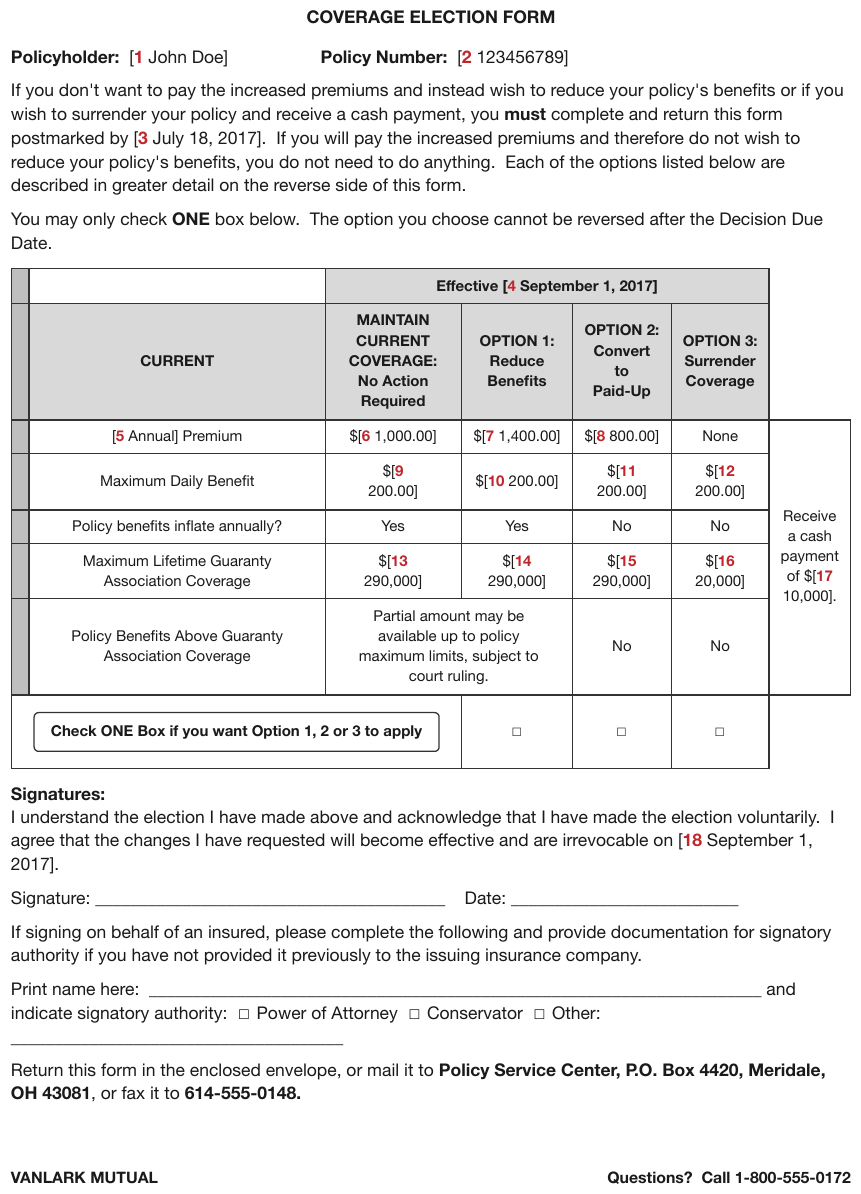
MAINTAIN CURRENT COVERAGE: No Action Required wrapped across five lines in one cell. The
bracketed field numbers are printed text, the empty boxes are unchecked checkboxes, and the
header rows are padded where the payment column has no header. The call-out box covers the first two
columns of its row.
| Effective \[4 September 1, 2017\] | |||||
|---|---|---|---|---|---|
| CURRENT | MAINTAIN CURRENT COVERAGE: No Action Required | OPTION 1: Reduce Benefits | OPTION 2: Convert to Paid-Up | OPTION 3: Surrender Coverage | |
| \[5 Annual\] Premium | $\[6 1,000.00\] | $\[7 1,400.00\] | $\[8 800.00\] | None | Receive a cash payment of $\[17 10,000\]. |
| Maximum Daily Benefit | $\[9 200.00\] | $\[10 200.00\] | $\[11 200.00\] | $\[12 200.00\] | |
| Policy benefits inflate annually? | Yes | Yes | No | No | |
| Maximum Lifetime Guaranty Association Coverage | $\[13 290,000\] | $\[14 290,000\] | $\[15 290,000\] | $\[16 20,000\] | |
| Policy Benefits Above Guaranty Association Coverage | Partial amount may be available up to policy maximum limits, subject to court ruling. | No | No | ||
| Check ONE Box if you want Option 1, 2 or 3 to apply | [ ] | [ ] | [ ] | ||
Markdown source
<table>
<tr> <th> </th> <th colspan="4">Effective \[4 September 1, 2017\]</th> <th> </th> </tr>
<tr> <th>CURRENT</th> <th>MAINTAIN CURRENT COVERAGE: No Action Required</th> <th>OPTION 1: Reduce Benefits</th> <th>OPTION 2: Convert to Paid-Up</th> <th>OPTION 3: Surrender Coverage</th> <th> </th> </tr>
<tr> <td>\[5 Annual\] Premium</td> <td>$\[6 1,000.00\]</td> <td>$\[7 1,400.00\]</td> <td>$\[8 800.00\]</td> <td>None</td> <td rowspan="5">Receive a cash payment of $\[17 10,000\].</td> </tr>
<tr> <td>Maximum Daily Benefit</td> <td>$\[9 200.00\]</td> <td>$\[10 200.00\]</td> <td>$\[11 200.00\]</td> <td>$\[12 200.00\]</td> </tr>
<tr> <td>Policy benefits inflate annually?</td> <td>Yes</td> <td>Yes</td> <td>No</td> <td>No</td> </tr>
<tr> <td>Maximum Lifetime Guaranty Association Coverage</td> <td>$\[13 290,000\]</td> <td>$\[14 290,000\]</td> <td>$\[15 290,000\]</td> <td>$\[16 20,000\]</td> </tr>
<tr> <td>Policy Benefits Above Guaranty Association Coverage</td> <td colspan="2">Partial amount may be available up to policy maximum limits, subject to court ruling.</td> <td>No</td> <td>No</td> </tr>
<tr> <td colspan="2"><strong>Check ONE Box if you want Option 1, 2 or 3 to apply</strong></td> <td>[ ]</td> <td>[ ]</td> <td>[ ]</td> <td> </td> </tr>
</table>The case that catches people out
A parent phrase can be wrapped and be a tier. "(Paid as of 12-31-2020)" is broken across lines and spans its sub-columns — so "it wrapped" never settles the question on its own. The span does: a phrase that covers more than one leaf column MUST be kept as a tier with its exact colspan, however many lines it takes. A phrase that covers one column is joined into that column's label.
❌ Counter-sample — 3t
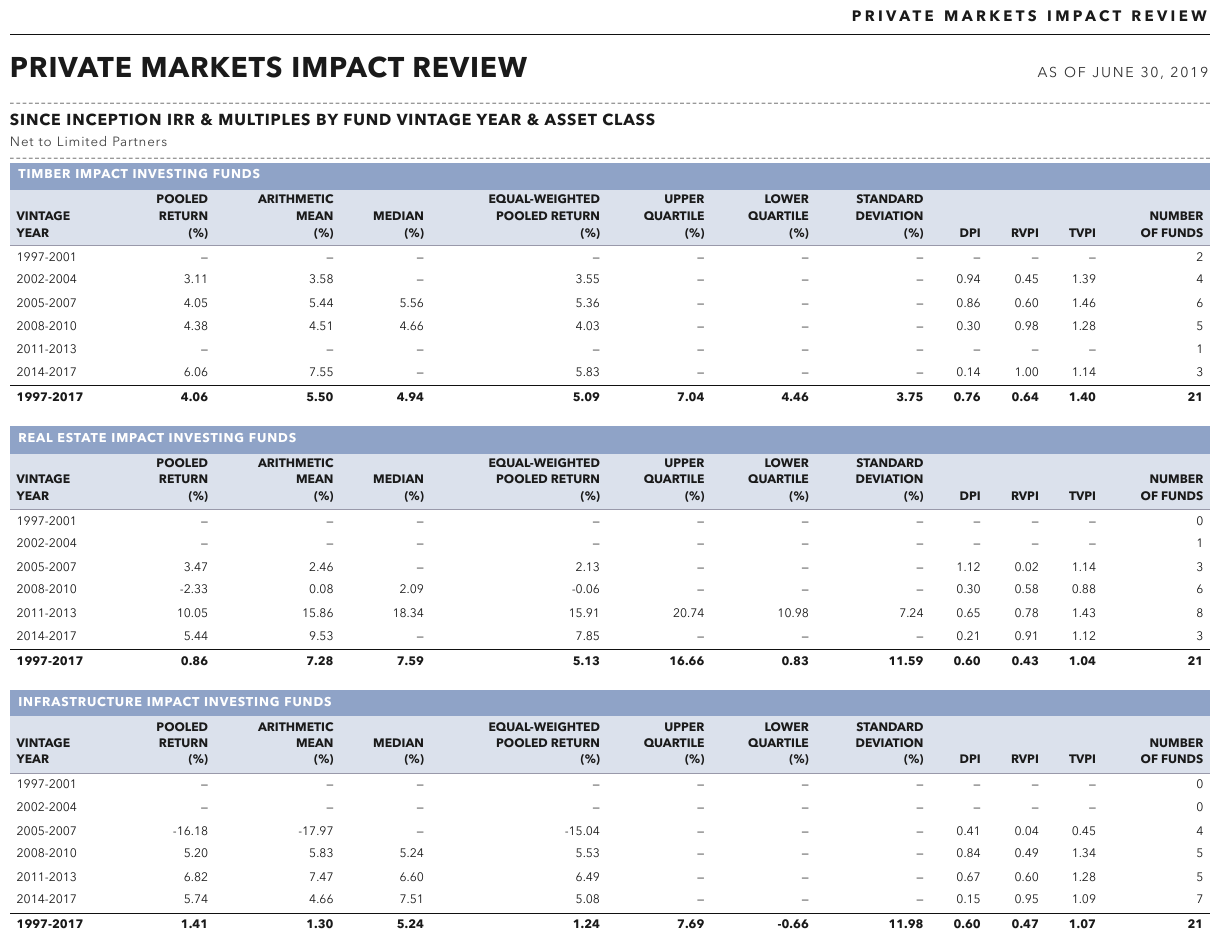
POOLED RETURN (%) wraps across stacked lines in a narrow column and is one header — the contrast
against a real tier. The coloured title band spans the whole block, and the bold 1997-2017 row
closes it.
| TIMBER IMPACT INVESTING FUNDS | |||||||||||
|---|---|---|---|---|---|---|---|---|---|---|---|
| VINTAGE YEAR | POOLED RETURN (%) | ARITHMETIC MEAN (%) | MEDIAN (%) | EQUAL-WEIGHTED POOLED RETURN (%) | UPPER QUARTILE (%) | LOWER QUARTILE (%) | STANDARD DEVIATION (%) | DPI | RVPI | TVPI | NUMBER OF FUNDS |
| 1997-2001 | — | — | — | — | — | — | — | — | — | — | 2 |
| 2002-2004 | 3.11 | 3.58 | — | 3.55 | — | — | — | 0.94 | 0.45 | 1.39 | 4 |
| 2005-2007 | 4.05 | 5.44 | 5.56 | 5.36 | — | — | — | 0.86 | 0.60 | 1.46 | 6 |
| 2008-2010 | 4.38 | 4.51 | 4.66 | 4.03 | — | — | — | 0.30 | 0.98 | 1.28 | 5 |
| 2011-2013 | — | — | — | — | — | — | — | — | — | — | 1 |
| 2014-2017 | 6.06 | 7.55 | — | 5.83 | — | — | — | 0.14 | 1.00 | 1.14 | 3 |
| 1997-2017 | 4.06 | 5.50 | 4.94 | 5.09 | 7.04 | 4.46 | 3.75 | 0.76 | 0.64 | 1.40 | 21 |
Markdown source
<table>
<tr> <th colspan="12">TIMBER IMPACT INVESTING FUNDS</th> </tr>
<tr> <th>VINTAGE YEAR</th> <th>POOLED RETURN (%)</th> <th>ARITHMETIC MEAN (%)</th> <th>MEDIAN (%)</th> <th>EQUAL-WEIGHTED POOLED RETURN (%)</th> <th>UPPER QUARTILE (%)</th> <th>LOWER QUARTILE (%)</th> <th>STANDARD DEVIATION (%)</th> <th>DPI</th> <th>RVPI</th> <th>TVPI</th> <th>NUMBER OF FUNDS</th> </tr>
<tr> <td>1997-2001</td> <td>—</td> <td>—</td> <td>—</td> <td>—</td> <td>—</td> <td>—</td> <td>—</td> <td>—</td> <td>—</td> <td>—</td> <td>2</td> </tr>
<tr> <td>2002-2004</td> <td>3.11</td> <td>3.58</td> <td>—</td> <td>3.55</td> <td>—</td> <td>—</td> <td>—</td> <td>0.94</td> <td>0.45</td> <td>1.39</td> <td>4</td> </tr>
<tr> <td>2005-2007</td> <td>4.05</td> <td>5.44</td> <td>5.56</td> <td>5.36</td> <td>—</td> <td>—</td> <td>—</td> <td>0.86</td> <td>0.60</td> <td>1.46</td> <td>6</td> </tr>
<tr> <td>2008-2010</td> <td>4.38</td> <td>4.51</td> <td>4.66</td> <td>4.03</td> <td>—</td> <td>—</td> <td>—</td> <td>0.30</td> <td>0.98</td> <td>1.28</td> <td>5</td> </tr>
<tr> <td>2011-2013</td> <td>—</td> <td>—</td> <td>—</td> <td>—</td> <td>—</td> <td>—</td> <td>—</td> <td>—</td> <td>—</td> <td>—</td> <td>1</td> </tr>
<tr> <td>2014-2017</td> <td>6.06</td> <td>7.55</td> <td>—</td> <td>5.83</td> <td>—</td> <td>—</td> <td>—</td> <td>0.14</td> <td>1.00</td> <td>1.14</td> <td>3</td> </tr>
<tr> <th data-level="0"><strong>1997-2017</strong></th> <td><strong>4.06</strong></td> <td><strong>5.50</strong></td> <td><strong>4.94</strong></td> <td><strong>5.09</strong></td> <td><strong>7.04</strong></td> <td><strong>4.46</strong></td> <td><strong>3.75</strong></td> <td><strong>0.76</strong></td> <td><strong>0.64</strong></td> <td><strong>1.40</strong></td> <td><strong>21</strong></td> </tr>
</table>A label broken inside a word
A space join assumes the break falls between words. When a narrow column breaks inside a word
— Distributio / n, Appointe / d — the fragments MUST be joined with nothing:
Distribution, Appointed. A wrap with a printed hyphen inside a word (per- / form- / ance)
is joined the same way, dropping the hyphens. A hyphen that belongs to the word, as in a compound,
stays — see Line-End Hyphenation§7.2.7. Only a break between words gets a space.
✅ Sample — a header wrapped mid-word
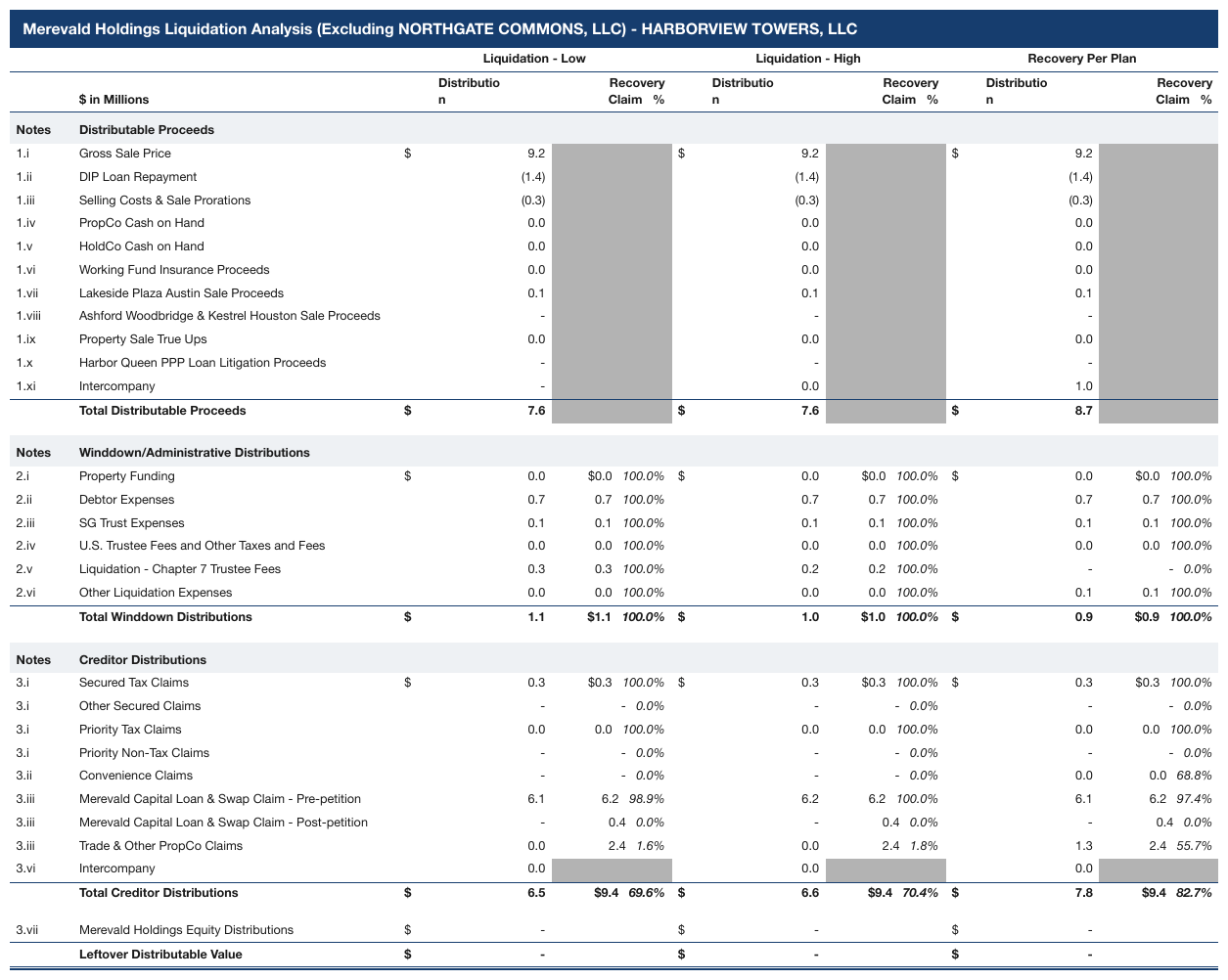
Under each scenario the first sub-column is headed Distributio over n; the tier above it
(Liquidation - Low, Liquidation - High, Recovery Per Plan) has a rule beneath and spans the
sub-columns, so the tier test still holds. The $ printed in its own track joins its value.
| Liquidation - Low | Liquidation - High | Recovery Per Plan | ||||||||||||||||||||||||||||||||||||||||||||||||||||||||||||||||||||||||||||||||||||||||||||||||
|---|---|---|---|---|---|---|---|---|---|---|---|---|---|---|---|---|---|---|---|---|---|---|---|---|---|---|---|---|---|---|---|---|---|---|---|---|---|---|---|---|---|---|---|---|---|---|---|---|---|---|---|---|---|---|---|---|---|---|---|---|---|---|---|---|---|---|---|---|---|---|---|---|---|---|---|---|---|---|---|---|---|---|---|---|---|---|---|---|---|---|---|---|---|---|---|---|---|---|
| $ in Millions | Distribution | Recovery Claim % | Distribution | Recovery Claim % | Distribution | Recovery Claim % | ||||||||||||||||||||||||||||||||||||||||||||||||||||||||||||||||||||||||||||||||||||||||||||
| Notes | Distributable Proceeds | |||||||||||||||||||||||||||||||||||||||||||||||||||||||||||||||||||||||||||||||||||||||||||||||||
| 1.i | Gross Sale Price | $9.2 | $9.2 | $9.2 | ||||||||||||||||||||||||||||||||||||||||||||||||||||||||||||||||||||||||||||||||||||||||||||||
| 1.ii | DIP Loan Repayment | (1.4) | (1.4) | (1.4) | ||||||||||||||||||||||||||||||||||||||||||||||||||||||||||||||||||||||||||||||||||||||||||||||
| 1.iii | Selling Costs & Sale Prorations | (0.3) | (0.3) | (0.3) | ||||||||||||||||||||||||||||||||||||||||||||||||||||||||||||||||||||||||||||||||||||||||||||||
| … | ||||||||||||||||||||||||||||||||||||||||||||||||||||||||||||||||||||||||||||||||||||||||||||||||||
| Total Distributable Proceeds | $7.6 | $7.6 | $8.7 | |||||||||||||||||||||||||||||||||||||||||||||||||||||||||||||||||||||||||||||||||||||||||||||||
| Notes | Winddown/Administrative Distributions | |||||||||||||||||||||||||||||||||||||||||||||||||||||||||||||||||||||||||||||||||||||||||||||||||
| 2.i | Property Funding | $0.0 | $0.0 100.0% | $0.0 | $0.0 100.0% | $0.0 | $0.0 100.0% | |||||||||||||||||||||||||||||||||||||||||||||||||||||||||||||||||||||||||||||||||||||||||||
| … | ||||||||||||||||||||||||||||||||||||||||||||||||||||||||||||||||||||||||||||||||||||||||||||||||||
Markdown source
<table>
<tr> <th> </th> <th> </th> <th colspan="2">Liquidation - Low</th> <th colspan="2">Liquidation - High</th> <th colspan="2">Recovery Per Plan</th> </tr>
<tr> <th> </th> <th>$ in Millions</th> <th>Distribution</th> <th>Recovery Claim %</th> <th>Distribution</th> <th>Recovery Claim %</th> <th>Distribution</th> <th>Recovery Claim %</th> </tr>
<tr> <td><strong>Notes</strong></td> <td><strong>Distributable Proceeds</strong></td> <td> </td> <td> </td> <td> </td> <td> </td> <td> </td> <td> </td> </tr>
<tr> <td>1.i</td> <td>Gross Sale Price</td> <td>$9.2</td> <td> </td> <td>$9.2</td> <td> </td> <td>$9.2</td> <td> </td> </tr>
<tr> <td>1.ii</td> <td>DIP Loan Repayment</td> <td>(1.4)</td> <td> </td> <td>(1.4)</td> <td> </td> <td>(1.4)</td> <td> </td> </tr>
<tr> <td>1.iii</td> <td>Selling Costs & Sale Prorations</td> <td>(0.3)</td> <td> </td> <td>(0.3)</td> <td> </td> <td>(0.3)</td> <td> </td> </tr>
<!-- … -->
<tr> <td> </td> <th data-level="0"><strong>Total Distributable Proceeds</strong></th> <td><strong>$7.6</strong></td> <td> </td> <td><strong>$7.6</strong></td> <td> </td> <td><strong>$8.7</strong></td> <td> </td> </tr>
<tr> <td><strong>Notes</strong></td> <td><strong>Winddown/Administrative Distributions</strong></td> <td> </td> <td> </td> <td> </td> <td> </td> <td> </td> <td> </td> </tr>
<tr> <td>2.i</td> <td>Property Funding</td> <td>$0.0</td> <td>$0.0 <em>100.0%</em></td> <td>$0.0</td> <td>$0.0 <em>100.0%</em></td> <td>$0.0</td> <td>$0.0 <em>100.0%</em></td> </tr>
<!-- … -->
</table>✅ Sample — a wrap with printed hyphens
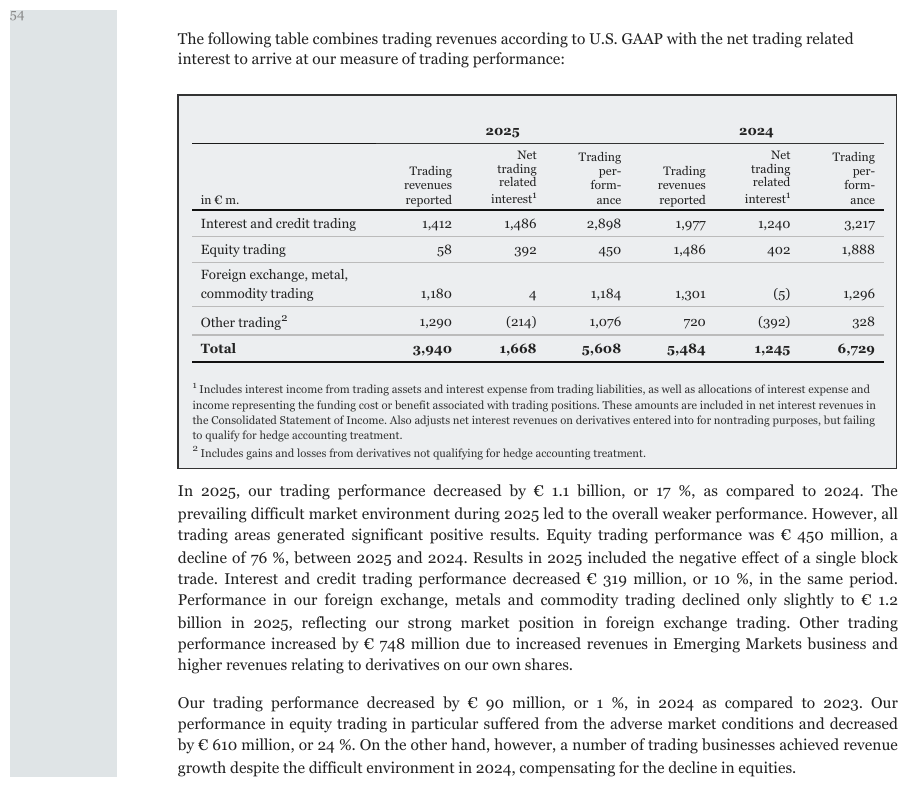
Trading / per- / form- / ance wraps over four lines with the hyphens printed. Joining with a
space would give per- form- ance; the page means performance. See Line-End Hyphenation§7.2.7.
| 2025 | 2024 | |||||
|---|---|---|---|---|---|---|
| in € m. | Trading revenues reported | Net trading related interest1 | Trading performance | Trading revenues reported | Net trading related interest1 | Trading performance |
| Interest and credit trading | 1,412 | 1,486 | 2,898 | 1,977 | 1,240 | 3,217 |
| Equity trading | 58 | 392 | 450 | 1,486 | 402 | 1,888 |
| Foreign exchange, metal, commodity trading | 1,180 | 4 | 1,184 | 1,301 | (5) | 1,296 |
| Other trading2 | 1,290 | (214) | 1,076 | 720 | (392) | 328 |
| Total | 3,940 | 1,668 | 5,608 | 5,484 | 1,245 | 6,729 |
Markdown source
<table>
<tr> <th> </th> <th colspan="3">2025</th> <th colspan="3">2024</th> </tr>
<tr> <th>in € m.</th> <th>Trading revenues reported</th> <th>Net trading related interest<sup>1</sup></th> <th>Trading performance</th> <th>Trading revenues reported</th> <th>Net trading related interest<sup>1</sup></th> <th>Trading performance</th> </tr>
<tr> <td>Interest and credit trading</td> <td>1,412</td> <td>1,486</td> <td>2,898</td> <td>1,977</td> <td>1,240</td> <td>3,217</td> </tr>
<tr> <td>Equity trading</td> <td>58</td> <td>392</td> <td>450</td> <td>1,486</td> <td>402</td> <td>1,888</td> </tr>
<tr> <td>Foreign exchange, metal, commodity trading</td> <td>1,180</td> <td>4</td> <td>1,184</td> <td>1,301</td> <td>(5)</td> <td>1,296</td> </tr>
<tr> <td>Other trading<sup>2</sup></td> <td>1,290</td> <td>(214)</td> <td>1,076</td> <td>720</td> <td>(392)</td> <td>328</td> </tr>
<tr> <th data-level="0"><strong>Total</strong></th> <td><strong>3,940</strong></td> <td><strong>1,668</strong></td> <td><strong>5,608</strong></td> <td><strong>5,484</strong></td> <td><strong>1,245</strong></td> <td><strong>6,729</strong></td> </tr>
</table>✅ Sample — a wrap that breaks inside a word, twice
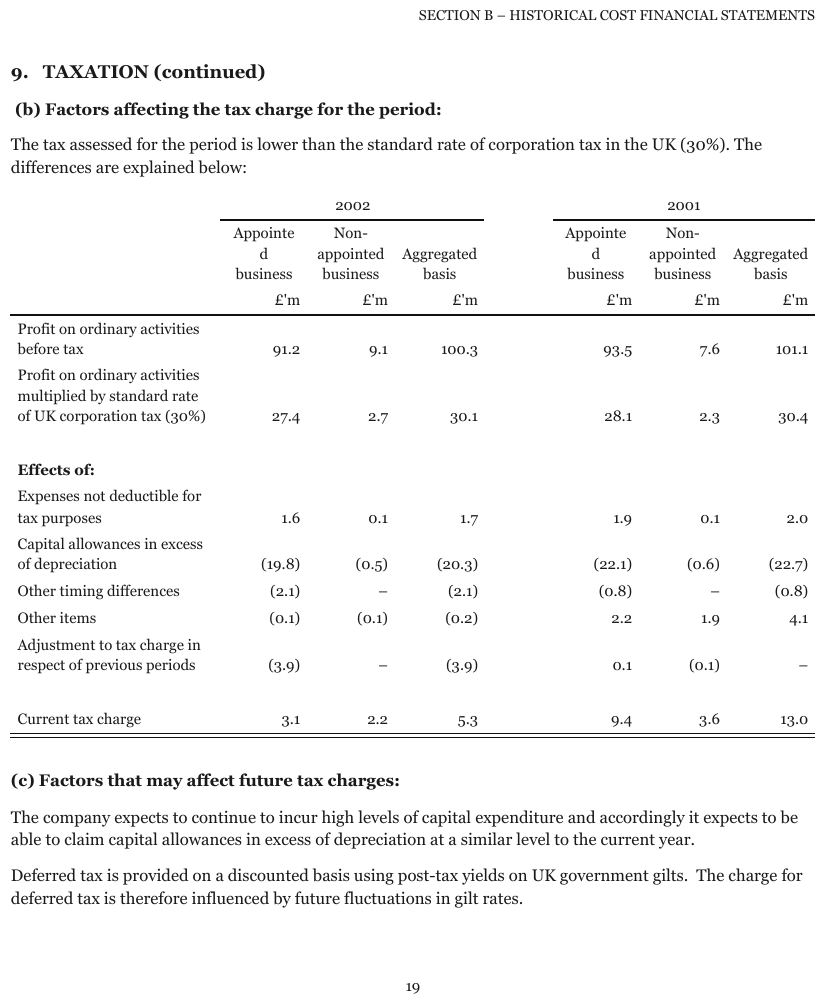
Appointe / d / business over the first column of each year group, and Non- /
appointed / business beside it. One wrap breaks a word with no hyphen and joins to Appointed;
the other breaks at the hyphen of the compound Non-appointed, which is kept. The £'m line is a
units row, and the empty gutter between the year groups is not a column.
| 2002 | 2001 | |||||||||||||||||||||||||||||||||||||||||||||||||||||||||||||||||||||||||||||||||||||||||||||||||
|---|---|---|---|---|---|---|---|---|---|---|---|---|---|---|---|---|---|---|---|---|---|---|---|---|---|---|---|---|---|---|---|---|---|---|---|---|---|---|---|---|---|---|---|---|---|---|---|---|---|---|---|---|---|---|---|---|---|---|---|---|---|---|---|---|---|---|---|---|---|---|---|---|---|---|---|---|---|---|---|---|---|---|---|---|---|---|---|---|---|---|---|---|---|---|---|---|---|---|
| Appointed business | Non-appointed business | Aggregated basis | Appointed business | Non-appointed business | Aggregated basis | |||||||||||||||||||||||||||||||||||||||||||||||||||||||||||||||||||||||||||||||||||||||||||||
| £'m | £'m | £'m | £'m | £'m | £'m | |||||||||||||||||||||||||||||||||||||||||||||||||||||||||||||||||||||||||||||||||||||||||||||
| Profit on ordinary activities before tax | 91.2 | 9.1 | 100.3 | 93.5 | 7.6 | 101.1 | ||||||||||||||||||||||||||||||||||||||||||||||||||||||||||||||||||||||||||||||||||||||||||||
| Profit on ordinary activities multiplied by standard rate of UK corporation tax (30%) | 27.4 | 2.7 | 30.1 | 28.1 | 2.3 | 30.4 | ||||||||||||||||||||||||||||||||||||||||||||||||||||||||||||||||||||||||||||||||||||||||||||
| Effects of: | ||||||||||||||||||||||||||||||||||||||||||||||||||||||||||||||||||||||||||||||||||||||||||||||||||
| Expenses not deductible for tax purposes | 1.6 | 0.1 | 1.7 | 1.9 | 0.1 | 2.0 | ||||||||||||||||||||||||||||||||||||||||||||||||||||||||||||||||||||||||||||||||||||||||||||
| … | ||||||||||||||||||||||||||||||||||||||||||||||||||||||||||||||||||||||||||||||||||||||||||||||||||
| Current tax charge | 3.1 | 2.2 | 5.3 | 9.4 | 3.6 | 13.0 | ||||||||||||||||||||||||||||||||||||||||||||||||||||||||||||||||||||||||||||||||||||||||||||
Markdown source
<table>
<tr> <th> </th> <th colspan="3">2002</th> <th colspan="3">2001</th> </tr>
<tr> <th> </th> <th>Appointed business</th> <th>Non-appointed business</th> <th>Aggregated basis</th> <th>Appointed business</th> <th>Non-appointed business</th> <th>Aggregated basis</th> </tr>
<tr> <th> </th> <th>£'m</th> <th>£'m</th> <th>£'m</th> <th>£'m</th> <th>£'m</th> <th>£'m</th> </tr>
<tr> <td>Profit on ordinary activities before tax</td> <td>91.2</td> <td>9.1</td> <td>100.3</td> <td>93.5</td> <td>7.6</td> <td>101.1</td> </tr>
<tr> <td>Profit on ordinary activities multiplied by standard rate of UK corporation tax (30%)</td> <td>27.4</td> <td>2.7</td> <td>30.1</td> <td>28.1</td> <td>2.3</td> <td>30.4</td> </tr>
<tr> <td><strong>Effects of:</strong></td> <td> </td> <td> </td> <td> </td> <td> </td> <td> </td> <td> </td> </tr>
<tr> <td>Expenses not deductible for tax purposes</td> <td>1.6</td> <td>0.1</td> <td>1.7</td> <td>1.9</td> <td>0.1</td> <td>2.0</td> </tr>
<!-- … -->
<tr> <td>Current tax charge</td> <td>3.1</td> <td>2.2</td> <td>5.3</td> <td>9.4</td> <td>3.6</td> <td>13.0</td> </tr>
</table>Related
- Multi-Row Header Tiers§9.3.3 — how real tiers are encoded once recognised
- Units Row§9.3.5 — a units line under a header is a different case
- Barely-Existing Columns and Headers§9.3.1 — header rows that must not be dropped
- Line-End Hyphenation§7.2.7 — which printed hyphens survive a join
9.3.3 Multi-Row Header Tiers
✅ Normative · 📄 page rule
✅ Normative
Every printed header tier MUST be rendered as its own header row, with exact colspans. A group
header MUST span only its data columns; the row-label stub takes a rowspan across the header rows
instead.
Printed: | BI | PD |
| Indicated | Proposed | Indicated | Proposed |
Every real tier is kept
Both rows are rendered with their spans — [colspan=2]BI over Indicated | Proposed, and so on.
The stack MUST NOT be flattened into one row of concatenated labels: "BI Indicated", "BI Proposed" is non-conforming, not a stylistic choice. It destroys the grouping that the page printed and makes the number of header rows depend on the producer rather than the page.
A wrapped parent phrase is still a tier. "(Paid as of 12-31-2020)" broken across two lines and spanning its sub-columns is a genuine tier — "it wrapped" does not demote it. The span, not the line count, decides; Header Wrap vs Real Tier§9.3.2 has the full test.
✅ Sample — 5lineperrow
Four stacked header rows: benefit period › inflation › Incurred Age Band › <75 / 75-84 / 85+
repeated four times. The stub label spans all four header rows; the month numbers are bold.
| Claim Duration Month | Non-Lifetime Benefit Period | Lifetime Benefit Period | ||||||||||
|---|---|---|---|---|---|---|---|---|---|---|---|---|
| No Inflation | Auto Inflation | No Inflation | Auto Inflation | |||||||||
| Incurred Age Band | ||||||||||||
| <75 | 75-84 | 85+ | <75 | 75-84 | 85+ | <75 | 75-84 | 85+ | <75 | 75-84 | 85+ | |
| 1 | 0.89 | 0.88 | 0.96 | 0.86 | 0.86 | 0.94 | 0.83 | 0.83 | 0.90 | 0.81 | 0.81 | 0.88 |
| 2 | 0.89 | 0.88 | 0.96 | 0.86 | 0.86 | 0.94 | 0.83 | 0.83 | 0.90 | 0.81 | 0.81 | 0.88 |
| 3 | 0.89 | 0.88 | 0.96 | 0.86 | 0.86 | 0.94 | 0.83 | 0.83 | 0.90 | 0.81 | 0.81 | 0.88 |
| 4 | 0.89 | 0.88 | 0.96 | 0.86 | 0.86 | 0.94 | 0.83 | 0.83 | 0.90 | 0.81 | 0.81 | 0.88 |
| 5 | 0.88 | 0.88 | 0.96 | 0.86 | 0.87 | 0.95 | 0.82 | 0.82 | 0.89 | 0.80 | 0.81 | 0.88 |
| 6 | 0.88 | 0.88 | 0.96 | 0.86 | 0.86 | 0.94 | 0.81 | 0.82 | 0.89 | 0.80 | 0.81 | 0.89 |
| 7 | 0.90 | 0.91 | 0.97 | 0.90 | 0.92 | 0.98 | 0.84 | 0.86 | 0.91 | 0.85 | 0.87 | 0.92 |
| 8 | 0.91 | 0.92 | 0.97 | 0.94 | 0.94 | 0.99 | 0.88 | 0.89 | 0.93 | 0.90 | 0.91 | 0.95 |
| 9 | 0.94 | 0.94 | 0.98 | 0.97 | 0.97 | 1.00 | 0.92 | 0.92 | 0.94 | 0.94 | 0.95 | 0.98 |
| 10 | 0.97 | 0.96 | 0.99 | 1.00 | 0.99 | 1.02 | 0.98 | 0.97 | 0.99 | 1.02 | 1.00 | 1.03 |
Markdown source
<table>
<tr> <th rowspan="4">Claim Duration Month</th> <th colspan="6">Non-Lifetime Benefit Period</th> <th colspan="6">Lifetime Benefit Period</th> </tr>
<tr> <th colspan="3">No Inflation</th> <th colspan="3">Auto Inflation</th> <th colspan="3">No Inflation</th> <th colspan="3">Auto Inflation</th> </tr>
<tr> <th colspan="12">Incurred Age Band</th> </tr>
<tr> <th><75</th> <th>75-84</th> <th>85+</th> <th><75</th> <th>75-84</th> <th>85+</th> <th><75</th> <th>75-84</th> <th>85+</th> <th><75</th> <th>75-84</th> <th>85+</th> </tr>
<tr> <td><strong>1</strong></td> <td>0.89</td> <td>0.88</td> <td>0.96</td> <td>0.86</td> <td>0.86</td> <td>0.94</td> <td>0.83</td> <td>0.83</td> <td>0.90</td> <td>0.81</td> <td>0.81</td> <td>0.88</td> </tr>
<tr> <td><strong>2</strong></td> <td>0.89</td> <td>0.88</td> <td>0.96</td> <td>0.86</td> <td>0.86</td> <td>0.94</td> <td>0.83</td> <td>0.83</td> <td>0.90</td> <td>0.81</td> <td>0.81</td> <td>0.88</td> </tr>
<tr> <td><strong>3</strong></td> <td>0.89</td> <td>0.88</td> <td>0.96</td> <td>0.86</td> <td>0.86</td> <td>0.94</td> <td>0.83</td> <td>0.83</td> <td>0.90</td> <td>0.81</td> <td>0.81</td> <td>0.88</td> </tr>
<tr> <td><strong>4</strong></td> <td>0.89</td> <td>0.88</td> <td>0.96</td> <td>0.86</td> <td>0.86</td> <td>0.94</td> <td>0.83</td> <td>0.83</td> <td>0.90</td> <td>0.81</td> <td>0.81</td> <td>0.88</td> </tr>
<tr> <td><strong>5</strong></td> <td>0.88</td> <td>0.88</td> <td>0.96</td> <td>0.86</td> <td>0.87</td> <td>0.95</td> <td>0.82</td> <td>0.82</td> <td>0.89</td> <td>0.80</td> <td>0.81</td> <td>0.88</td> </tr>
<tr> <td><strong>6</strong></td> <td>0.88</td> <td>0.88</td> <td>0.96</td> <td>0.86</td> <td>0.86</td> <td>0.94</td> <td>0.81</td> <td>0.82</td> <td>0.89</td> <td>0.80</td> <td>0.81</td> <td>0.89</td> </tr>
<tr> <td><strong>7</strong></td> <td>0.90</td> <td>0.91</td> <td>0.97</td> <td>0.90</td> <td>0.92</td> <td>0.98</td> <td>0.84</td> <td>0.86</td> <td>0.91</td> <td>0.85</td> <td>0.87</td> <td>0.92</td> </tr>
<tr> <td><strong>8</strong></td> <td>0.91</td> <td>0.92</td> <td>0.97</td> <td>0.94</td> <td>0.94</td> <td>0.99</td> <td>0.88</td> <td>0.89</td> <td>0.93</td> <td>0.90</td> <td>0.91</td> <td>0.95</td> </tr>
<tr> <td><strong>9</strong></td> <td>0.94</td> <td>0.94</td> <td>0.98</td> <td>0.97</td> <td>0.97</td> <td>1.00</td> <td>0.92</td> <td>0.92</td> <td>0.94</td> <td>0.94</td> <td>0.95</td> <td>0.98</td> </tr>
<tr> <td><strong>10</strong></td> <td>0.97</td> <td>0.96</td> <td>0.99</td> <td>1.00</td> <td>0.99</td> <td>1.02</td> <td>0.98</td> <td>0.97</td> <td>0.99</td> <td>1.02</td> <td>1.00</td> <td>1.03</td> </tr>
</table>✅ Sample — 3tables2
CONVERTED LOSSES band over INDEMNITY LIKELY / NOT-LIKELY sub-bands, with rowspan leaves beneath.
| CLASS 0034 | FARM: POULTRY OR EGG PRODUCER & DRIVERS | ||||||||
|---|---|---|---|---|---|---|---|---|---|
| Industry Group: Goods and Services Hazard Group: D | CONVERTED LOSSES | ||||||||
| INDEMNITY LIKELY | INDEMNITY NOT-LIKELY | MED LIKELY AMOUNT | MED NOT-LIKELY AMOUNT | TOTAL AMOUNT | TOTAL PURE PREM. | ||||
| POLICY PERIOD | PAYROLL | CASES | AMOUNT | CASES | AMOUNT | ||||
| 3/18 through 2/19 | 14,448,797 | 0 | 0 | 14 | 155,528 | 0 | 194,420 | 349,948 | 2.422 |
| 3/19 through 2/20 | 17,615,203 | 2 | 82,335 | 6 | 35,868 | 50,950 | 85,546 | 254,699 | 1.446 |
| 3/20 through 2/21 | 17,172,385 | 6 | 287,460 | 11 | 248,762 | 170,700 | 211,880 | 918,802 | 5.351 |
| 3/21 through 2/22 | 18,522,883 | 0 | 0 | 8 | 97,842 | 0 | 176,515 | 274,357 | 1.481 |
| 3/22 through 2/23 | 17,213,995 | 0 | 0 | 7 | 66,407 | 0 | 122,457 | 188,864 | 1.097 |
| 5 YR. TOTAL | 84,973,263 | 8 | 369,795 | 46 | 604,407 | 221,650 | 790,818 | 1,986,670 | 2.338 |
Markdown source
<table>
<tr> <th>CLASS<br/>0034</th> <th colspan="9">FARM: POULTRY OR EGG PRODUCER & DRIVERS</th> </tr>
<tr> <th colspan="2" rowspan="2">Industry Group: Goods and Services<br/>Hazard Group: D</th> <th colspan="7">CONVERTED LOSSES</th> <th> </th> </tr>
<tr> <th colspan="2">INDEMNITY LIKELY</th> <th colspan="2">INDEMNITY NOT-LIKELY</th> <th rowspan="2">MED LIKELY AMOUNT</th> <th rowspan="2">MED NOT-LIKELY AMOUNT</th> <th rowspan="2">TOTAL AMOUNT</th> <th rowspan="2">TOTAL PURE PREM.</th> </tr>
<tr> <th>POLICY PERIOD</th> <th>PAYROLL</th> <th>CASES</th> <th>AMOUNT</th> <th>CASES</th> <th>AMOUNT</th> </tr>
<tr> <td>3/18 through 2/19</td> <td>14,448,797</td> <td>0</td> <td>0</td> <td>14</td> <td>155,528</td> <td>0</td> <td>194,420</td> <td>349,948</td> <td>2.422</td> </tr>
<tr> <td>3/19 through 2/20</td> <td>17,615,203</td> <td>2</td> <td>82,335</td> <td>6</td> <td>35,868</td> <td>50,950</td> <td>85,546</td> <td>254,699</td> <td>1.446</td> </tr>
<tr> <td>3/20 through 2/21</td> <td>17,172,385</td> <td>6</td> <td>287,460</td> <td>11</td> <td>248,762</td> <td>170,700</td> <td>211,880</td> <td>918,802</td> <td>5.351</td> </tr>
<tr> <td>3/21 through 2/22</td> <td>18,522,883</td> <td>0</td> <td>0</td> <td>8</td> <td>97,842</td> <td>0</td> <td>176,515</td> <td>274,357</td> <td>1.481</td> </tr>
<tr> <td>3/22 through 2/23</td> <td>17,213,995</td> <td>0</td> <td>0</td> <td>7</td> <td>66,407</td> <td>0</td> <td>122,457</td> <td>188,864</td> <td>1.097</td> </tr>
<tr> <th data-level="0"><strong>5 YR. TOTAL</strong></th> <td><strong>84,973,263</strong></td> <td><strong>8</strong></td> <td><strong>369,795</strong></td> <td><strong>46</strong></td> <td><strong>604,407</strong></td> <td><strong>221,650</strong></td> <td><strong>790,818</strong></td> <td><strong>1,986,670</strong></td> <td><strong>2.338</strong></td> </tr>
</table>❌ Counter-sample — 3in1
The Loss Ratio Summaries block prints no header row at all; supplying a tier of Premium/Claims/Ratio labels over its columns fabricates headers the page never printed. The block is rendered headerless, and the Projected Loss Ratio block below it keeps its own single header row.
Loss Ratio Summaries
| Accumulated Value of Historical to 6/30/2017 | 143,523,744 | 51,074,537 | 36% | 143,523,744 | 51,074,537 | 36% |
| Present Value of Future to 6/30/2017 | 57,952,880 | 160,506,393 | 277% | 63,587,610 | 151,418,930 | 238% |
| Total Values | 201,476,623 | 211,580,930 | 105% | 207,111,354 | 202,493,467 | 98% |
| (Discounted at 4.5%) |
| Projected Loss Ratio | Without Increase | With Increase |
|---|---|---|
| Overall | 105% | 98% |
| Cash/Unlimited | 178% | 164% |
| Cash/Limited | 107% | 101% |
| Reimbursement/Unlimited | 115% | 106% |
| Reimbursement/Limited | 87% | 82% |
Markdown source
**Loss Ratio Summaries**
<table>
<tr> <td>Accumulated Value of Historical to 6/30/2017</td> <td>143,523,744</td> <td>51,074,537</td> <td>36%</td> <td>143,523,744</td> <td>51,074,537</td> <td>36%</td> </tr>
<tr> <td>Present Value of Future to 6/30/2017</td> <td>57,952,880</td> <td>160,506,393</td> <td>277%</td> <td>63,587,610</td> <td>151,418,930</td> <td>238%</td> </tr>
<tr> <td>Total Values</td> <td>201,476,623</td> <td>211,580,930</td> <td>105%</td> <td>207,111,354</td> <td>202,493,467</td> <td>98%</td> </tr>
<tr> <td>(Discounted at 4.5%)</td> <td> </td> <td> </td> <td> </td> <td> </td> <td> </td> <td> </td> </tr>
</table>
<table>
<tr> <th>Projected Loss Ratio</th> <th>Without Increase</th> <th>With Increase</th> </tr>
<tr> <td>Overall</td> <td>105%</td> <td>98%</td> </tr>
<tr> <td>Cash/Unlimited</td> <td>178%</td> <td>164%</td> </tr>
<tr> <td>Cash/Limited</td> <td>107%</td> <td>101%</td> </tr>
<tr> <td>Reimbursement/Unlimited</td> <td>115%</td> <td>106%</td> </tr>
<tr> <td>Reimbursement/Limited</td> <td>87%</td> <td>82%</td> </tr>
</table>
❌ Counter-sample — w
The page prints one header row, each label wrapped over several lines. Splitting it into a
rowspan="2" tier with an empty second row, as below, invents a tier. Trans- / ferred is one
word broken at a line-end hyphen.
| Outstanding as of January 1 | Addition during the period | Warrants exercised | Annulled | Terminated | Transferred | Outstanding as of September 30 | |
|---|---|---|---|---|---|---|---|
| Corporate Management | 439,402 | - | - | - | - | - | 439,402 |
| Other Executive Management | 723,326 | - | (31,709) | - | - | (215,328) | 476,289 |
| Other employees | 2,062,360 | - | (307,240) | (176,183) | - | (44,479) | 1,534,458 |
| Resigned employees | 167,901 | - | (126,056) | - | - | 259,807 | 301,652 |
| Total | 3,392,989 | - | (465,005) | (176,183) | - | - | 2,751,801 |
| Weighted average exercise price | 188 | 217 | 192 | 184 | |||
| Weighted average share price at exercise | 329 |
Markdown source
<table>
<tr> <th> </th> <th>Outstanding as of January 1</th> <th>Addition during the period</th> <th>Warrants exercised</th> <th>Annulled</th> <th>Terminated</th> <th>Transferred</th> <th>Outstanding as of September 30</th> </tr>
<tr> <td>Corporate Management</td> <td>439,402</td> <td>-</td> <td>-</td> <td>-</td> <td>-</td> <td>-</td> <td>439,402</td> </tr>
<tr> <td>Other Executive Management</td> <td>723,326</td> <td>-</td> <td>(31,709)</td> <td>-</td> <td>-</td> <td>(215,328)</td> <td>476,289</td> </tr>
<tr> <td>Other employees</td> <td>2,062,360</td> <td>-</td> <td>(307,240)</td> <td>(176,183)</td> <td>-</td> <td>(44,479)</td> <td>1,534,458</td> </tr>
<tr> <td>Resigned employees</td> <td>167,901</td> <td>-</td> <td>(126,056)</td> <td>-</td> <td>-</td> <td>259,807</td> <td>301,652</td> </tr>
<tr> <th data-level="0"><strong>Total</strong></th> <td><strong>3,392,989</strong></td> <td><strong>-</strong></td> <td><strong>(465,005)</strong></td> <td><strong>(176,183)</strong></td> <td><strong>-</strong></td> <td><strong>-</strong></td> <td><strong>2,751,801</strong></td> </tr>
<tr> <td><strong>Weighted average exercise price</strong></td> <td><strong>188</strong></td> <td> </td> <td><strong>217</strong></td> <td><strong>192</strong></td> <td> </td> <td> </td> <td><strong>184</strong></td> </tr>
<tr> <td><strong>Weighted average share price at exercise</strong></td> <td> </td> <td> </td> <td><strong>329</strong></td> <td> </td> <td> </td> <td> </td> <td> </td> </tr>
</table>| Outstanding as of January 1 | Addition during the period | Warrants exercised | Annulled | Terminated | Trans- ferred | Outstanding as of September 30 | ||||||||||||||||||||||||||||||||||||||||||||||||||||||||||||||||||||||||||||||||||||||||||||
|---|---|---|---|---|---|---|---|---|---|---|---|---|---|---|---|---|---|---|---|---|---|---|---|---|---|---|---|---|---|---|---|---|---|---|---|---|---|---|---|---|---|---|---|---|---|---|---|---|---|---|---|---|---|---|---|---|---|---|---|---|---|---|---|---|---|---|---|---|---|---|---|---|---|---|---|---|---|---|---|---|---|---|---|---|---|---|---|---|---|---|---|---|---|---|---|---|---|---|
| Corporate Management | 439,402 | - | - | - | - | - | 439,402 | |||||||||||||||||||||||||||||||||||||||||||||||||||||||||||||||||||||||||||||||||||||||||||
| … | ||||||||||||||||||||||||||||||||||||||||||||||||||||||||||||||||||||||||||||||||||||||||||||||||||
Markdown source
<table>
<tr> <th> </th> <th rowspan="2">Outstanding<br/>as of<br/>January 1</th> <th rowspan="2">Addition<br/>during the<br/>period</th> <th rowspan="2">Warrants<br/>exercised</th> <th rowspan="2">Annulled</th> <th rowspan="2">Terminated</th> <th rowspan="2">Trans-<br/>ferred</th> <th rowspan="2">Outstanding<br/>as of<br/>September<br/>30</th> </tr>
<tr> <th> </th> </tr>
<tr> <td>Corporate Management</td> <td>439,402</td> <td>-</td> <td>-</td> <td>-</td> <td>-</td> <td>-</td> <td>439,402</td> </tr>
<!-- … -->
</table>The group header stops at the first data column
A group super-header spans its data columns and never the row-label stub. The stub takes a
rowspan across the header rows:
<th rowspan="2">UW Category</th><th colspan="3">Inception to Date</th>
<!-- then: --> Earned Premium | Incurred Claims | Loss Ratio
The group's colspan MUST equal its leaf count, exactly.
The printed rule under the group starts at the first data column. The stub is not part of "Inception to Date" — the stub says which row, the group says which measure. Different axes, so they do not share a span. Spanning the stub as well is the most common way this goes wrong.
✅ Sample — star
Three genuine tiers: APPLICABILITY CHART (colspan 5) over TERRORISM OPTIONS – INCLUDING PRICING
(colspan 4) over four leaves, with STATE taking rowspan 2 — a clean instance of the stub rule.
The printed asterisks are escaped.
| APPLICABILITY CHART | ||||||||||||||||||||||||||||||||||||||||||||||||||||||||||||||||||||||||||||||||||||||||||||||||||
|---|---|---|---|---|---|---|---|---|---|---|---|---|---|---|---|---|---|---|---|---|---|---|---|---|---|---|---|---|---|---|---|---|---|---|---|---|---|---|---|---|---|---|---|---|---|---|---|---|---|---|---|---|---|---|---|---|---|---|---|---|---|---|---|---|---|---|---|---|---|---|---|---|---|---|---|---|---|---|---|---|---|---|---|---|---|---|---|---|---|---|---|---|---|---|---|---|---|---|
| STATE | TERRORISM OPTIONS – INCLUDING PRICING | |||||||||||||||||||||||||||||||||||||||||||||||||||||||||||||||||||||||||||||||||||||||||||||||||
| VERSION | IMPLEMENTATION CIRCULAR | EFFECTIVE DATE | EXPIRATION DATE | |||||||||||||||||||||||||||||||||||||||||||||||||||||||||||||||||||||||||||||||||||||||||||||||
| ALABAMA | \* | \* | \* | \* | ||||||||||||||||||||||||||||||||||||||||||||||||||||||||||||||||||||||||||||||||||||||||||||||
| ALASKA | \* | \* | \* | \* | ||||||||||||||||||||||||||||||||||||||||||||||||||||||||||||||||||||||||||||||||||||||||||||||
| ARIZONA | \* | \* | \* | \* | ||||||||||||||||||||||||||||||||||||||||||||||||||||||||||||||||||||||||||||||||||||||||||||||
| ARKANSAS | \* | \* | \* | \* | ||||||||||||||||||||||||||||||||||||||||||||||||||||||||||||||||||||||||||||||||||||||||||||||
| CALIFORNIA | \* | \* | \* | \* | ||||||||||||||||||||||||||||||||||||||||||||||||||||||||||||||||||||||||||||||||||||||||||||||
| COLORADO | \* | \* | \* | \* | ||||||||||||||||||||||||||||||||||||||||||||||||||||||||||||||||||||||||||||||||||||||||||||||
| CONNECTICUT | \* | \* | \* | \* | ||||||||||||||||||||||||||||||||||||||||||||||||||||||||||||||||||||||||||||||||||||||||||||||
| DELAWARE | \* | \* | \* | \* | ||||||||||||||||||||||||||||||||||||||||||||||||||||||||||||||||||||||||||||||||||||||||||||||
| DIST. OF COLUMBIA | \* | \* | \* | \* | ||||||||||||||||||||||||||||||||||||||||||||||||||||||||||||||||||||||||||||||||||||||||||||||
| FLORIDA | \* | \* | \* | \* | ||||||||||||||||||||||||||||||||||||||||||||||||||||||||||||||||||||||||||||||||||||||||||||||
| GEORGIA | CS102 | CP–SC–2024–381 | 2/01/25 | + | ||||||||||||||||||||||||||||||||||||||||||||||||||||||||||||||||||||||||||||||||||||||||||||||
| … | ||||||||||||||||||||||||||||||||||||||||||||||||||||||||||||||||||||||||||||||||||||||||||||||||||
Markdown source
<table>
<tr> <th colspan="5">APPLICABILITY CHART</th> </tr>
<tr> <th rowspan="2">STATE</th> <th colspan="4">TERRORISM OPTIONS – INCLUDING PRICING</th> </tr>
<tr> <th>VERSION</th> <th>IMPLEMENTATION CIRCULAR</th> <th>EFFECTIVE DATE</th> <th>EXPIRATION DATE</th> </tr>
<tr> <td>ALABAMA</td> <td>\*</td> <td>\*</td> <td>\*</td> <td>\*</td> </tr>
<tr> <td>ALASKA</td> <td>\*</td> <td>\*</td> <td>\*</td> <td>\*</td> </tr>
<tr> <td>ARIZONA</td> <td>\*</td> <td>\*</td> <td>\*</td> <td>\*</td> </tr>
<tr> <td>ARKANSAS</td> <td>\*</td> <td>\*</td> <td>\*</td> <td>\*</td> </tr>
<tr> <td>CALIFORNIA</td> <td>\*</td> <td>\*</td> <td>\*</td> <td>\*</td> </tr>
<tr> <td>COLORADO</td> <td>\*</td> <td>\*</td> <td>\*</td> <td>\*</td> </tr>
<tr> <td>CONNECTICUT</td> <td>\*</td> <td>\*</td> <td>\*</td> <td>\*</td> </tr>
<tr> <td>DELAWARE</td> <td>\*</td> <td>\*</td> <td>\*</td> <td>\*</td> </tr>
<tr> <td>DIST. OF COLUMBIA</td> <td>\*</td> <td>\*</td> <td>\*</td> <td>\*</td> </tr>
<tr> <td>FLORIDA</td> <td>\*</td> <td>\*</td> <td>\*</td> <td>\*</td> </tr>
<tr> <td>GEORGIA</td> <td>CS102</td> <td>CP–SC–2024–381</td> <td>2/01/25</td> <td>+</td> </tr>
<!-- … -->
</table>Reconciling the tracks
The leaf-column tracks N of the table are counted. For each header row, the expanded colspans, occupied plus explicit blank tracks, MUST add up to N.
A mismatch shows which kind of error was made, before anything else is inspected:
- a missed column
- a wrong span
- two tables fused into one
- a header line read as the wrong kind of thing
Period stacks in financial statements
| $ in millions | Average for the | ← corner note; apex tier
| | Three Months Ended | Year … |
| | December | December | Dec… | ← stacked "December"/"2024"
| | 2024 | 2023 | 2024 | is ONE leaf label
Period headers follow the same rules, with a few fixed calls of their own — apex qualifiers, stacked month-over-year labels and the "$ in millions" corner note. They are set out in SEC Period Tiers§9.3.4, which governs 10-K and 10-Q header stacks.
✅ Sample — wdb
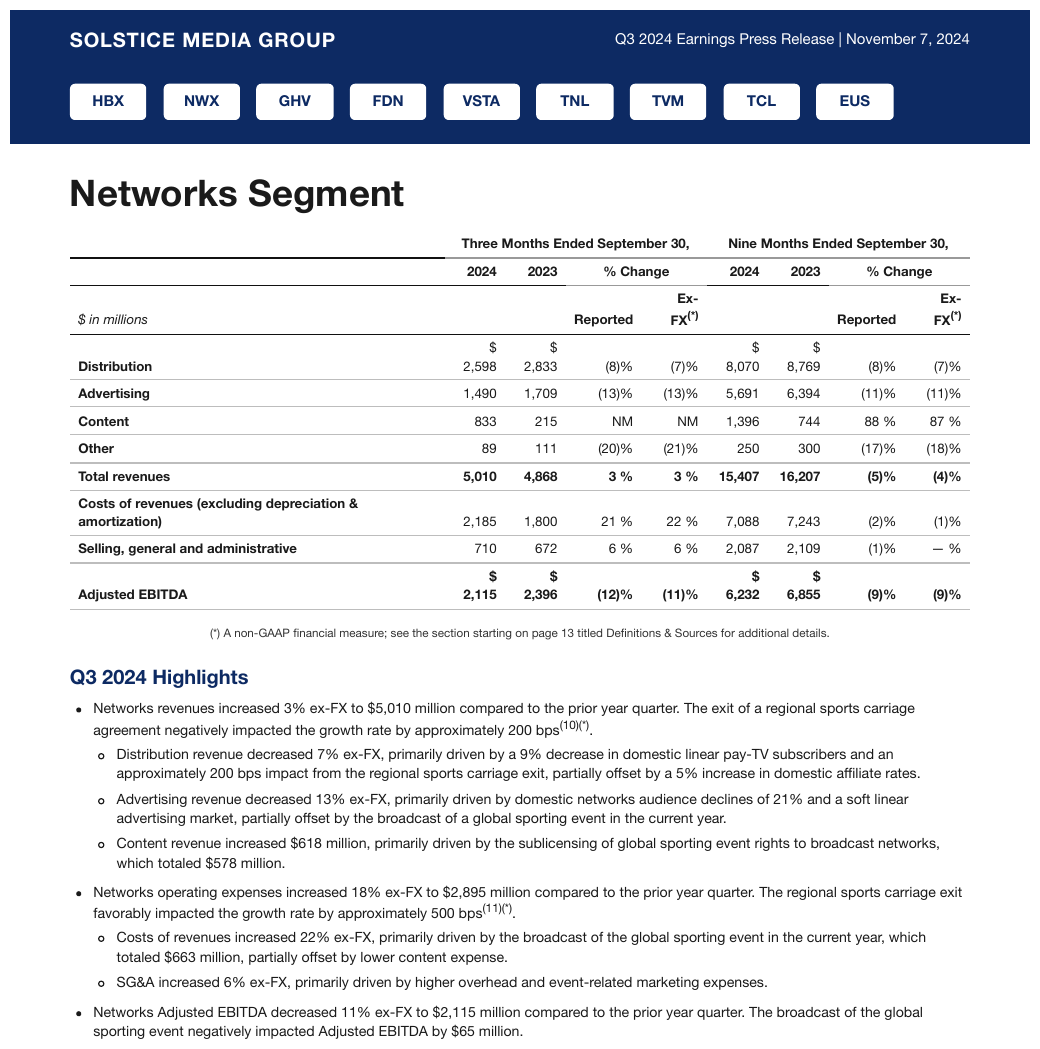
Three Months Ended / Nine Months Ended bands split into year and Reported/Ex-FX sub-columns.
A rule runs under the year row across the whole table, so the cells under 2024 and 2023 in the
third header row are separate empty cells, not a rowspan. Ex-FX breaks at its own hyphen and
keeps it.
| Three Months Ended September 30, | Nine Months Ended September 30, | |||||||
|---|---|---|---|---|---|---|---|---|
| 2024 | 2023 | % Change | 2024 | 2023 | % Change | |||
| $ in millions | Reported | Ex-FX(\*) | Reported | Ex-FX(\*) | ||||
| Distribution | $ 2,598 | $ 2,833 | (8)% | (7)% | $ 8,070 | $ 8,769 | (8)% | (7)% |
| Advertising | 1,490 | 1,709 | (13)% | (13)% | 5,691 | 6,394 | (11)% | (11)% |
| Content | 833 | 215 | NM | NM | 1,396 | 744 | 88 % | 87 % |
| Other | 89 | 111 | (20)% | (21)% | 250 | 300 | (17)% | (18)% |
| Total revenues | 5,010 | 4,868 | 3 % | 3 % | 15,407 | 16,207 | (5)% | (4)% |
| Costs of revenues (excluding depreciation & amortization) | 2,185 | 1,800 | 21 % | 22 % | 7,088 | 7,243 | (2)% | (1)% |
| Selling, general and administrative | 710 | 672 | 6 % | 6 % | 2,087 | 2,109 | (1)% | — % |
| Adjusted EBITDA | $ 2,115 | $ 2,396 | (12)% | (11)% | $ 6,232 | $ 6,855 | (9)% | (9)% |
Markdown source
<table>
<tr> <th> </th> <th colspan="4">Three Months Ended September 30,</th> <th colspan="4">Nine Months Ended September 30,</th> </tr>
<tr> <th> </th> <th>2024</th> <th>2023</th> <th colspan="2">% Change</th> <th>2024</th> <th>2023</th> <th colspan="2">% Change</th> </tr>
<tr> <th><em>$ in millions</em></th> <th> </th> <th> </th> <th>Reported</th> <th>Ex-FX<sup>(\*)</sup></th> <th> </th> <th> </th> <th>Reported</th> <th>Ex-FX<sup>(\*)</sup></th> </tr>
<tr> <td><strong>Distribution</strong></td> <td>$ 2,598</td> <td>$ 2,833</td> <td>(8)%</td> <td>(7)%</td> <td>$ 8,070</td> <td>$ 8,769</td> <td>(8)%</td> <td>(7)%</td> </tr>
<tr> <td><strong>Advertising</strong></td> <td>1,490</td> <td>1,709</td> <td>(13)%</td> <td>(13)%</td> <td>5,691</td> <td>6,394</td> <td>(11)%</td> <td>(11)%</td> </tr>
<tr> <td><strong>Content</strong></td> <td>833</td> <td>215</td> <td>NM</td> <td>NM</td> <td>1,396</td> <td>744</td> <td>88 %</td> <td>87 %</td> </tr>
<tr> <td><strong>Other</strong></td> <td>89</td> <td>111</td> <td>(20)%</td> <td>(21)%</td> <td>250</td> <td>300</td> <td>(17)%</td> <td>(18)%</td> </tr>
<tr> <th data-level="0"><strong>Total revenues</strong></th> <td><strong>5,010</strong></td> <td><strong>4,868</strong></td> <td><strong>3 %</strong></td> <td><strong>3 %</strong></td> <td><strong>15,407</strong></td> <td><strong>16,207</strong></td> <td><strong>(5)%</strong></td> <td><strong>(4)%</strong></td> </tr>
<tr> <td><strong>Costs of revenues (excluding depreciation & amortization)</strong></td> <td>2,185</td> <td>1,800</td> <td>21 %</td> <td>22 %</td> <td>7,088</td> <td>7,243</td> <td>(2)%</td> <td>(1)%</td> </tr>
<tr> <td><strong>Selling, general and administrative</strong></td> <td>710</td> <td>672</td> <td>6 %</td> <td>6 %</td> <td>2,087</td> <td>2,109</td> <td>(1)%</td> <td>— %</td> </tr>
<tr> <td><strong>Adjusted EBITDA</strong></td> <td><strong>$ 2,115</strong></td> <td><strong>$ 2,396</strong></td> <td><strong>(12)%</strong></td> <td><strong>(11)%</strong></td> <td><strong>$ 6,232</strong></td> <td><strong>$ 6,855</strong></td> <td><strong>(9)%</strong></td> <td><strong>(9)%</strong></td> </tr>
</table>✅ Sample — sssa
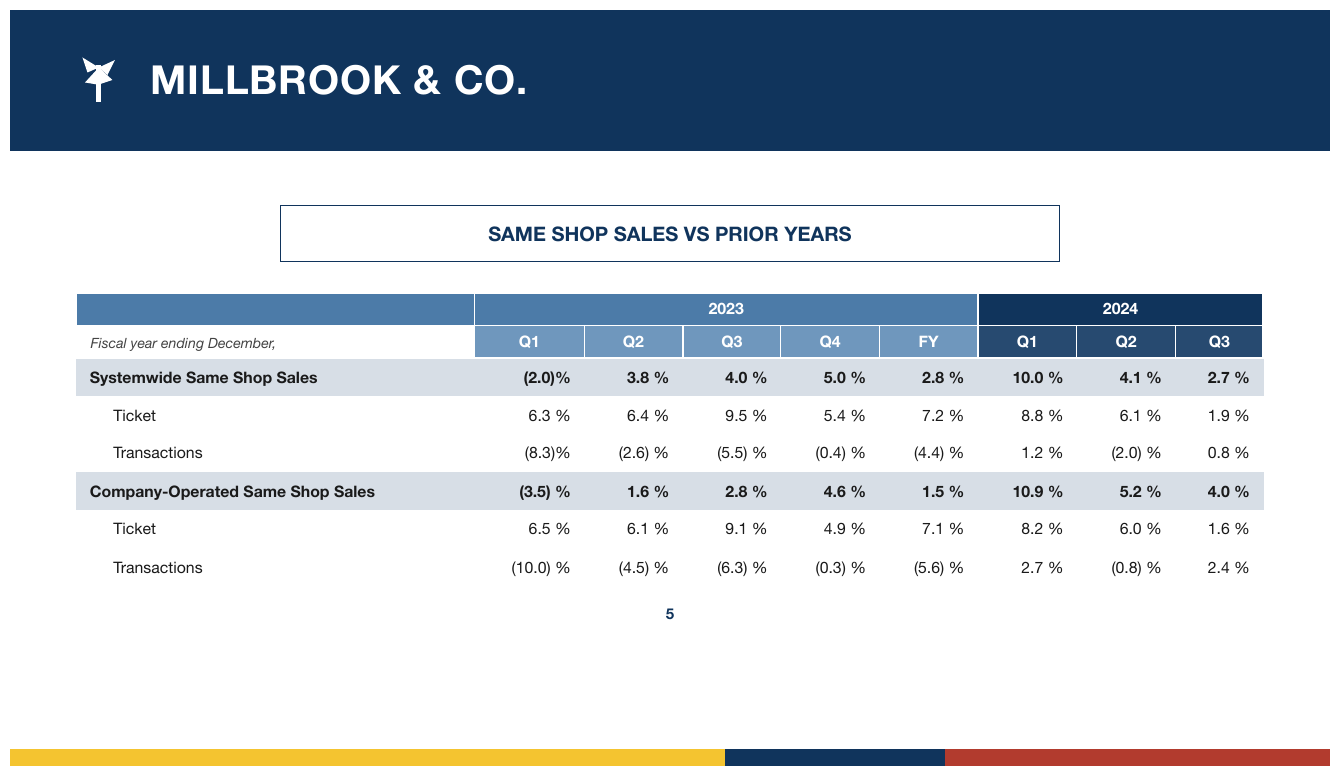
2023 (colspan 5) and 2024 (colspan 3) over Q1–Q4/FY leaves.
| 2023 | 2024 | |||||||
|---|---|---|---|---|---|---|---|---|
| Fiscal year ending December, | Q1 | Q2 | Q3 | Q4 | FY | Q1 | Q2 | Q3 |
| Systemwide Same Shop Sales | (2.0)% | 3.8 % | 4.0 % | 5.0 % | 2.8 % | 10.0 % | 4.1 % | 2.7 % |
| Ticket | 6.3 % | 6.4 % | 9.5 % | 5.4 % | 7.2 % | 8.8 % | 6.1 % | 1.9 % |
| Transactions | (8.3)% | (2.6) % | (5.5) % | (0.4) % | (4.4) % | 1.2 % | (2.0) % | 0.8 % |
| Company-Operated Same Shop Sales | (3.5) % | 1.6 % | 2.8 % | 4.6 % | 1.5 % | 10.9 % | 5.2 % | 4.0 % |
| Ticket | 6.5 % | 6.1 % | 9.1 % | 4.9 % | 7.1 % | 8.2 % | 6.0 % | 1.6 % |
| Transactions | (10.0) % | (4.5) % | (6.3) % | (0.3) % | (5.6) % | 2.7 % | (0.8) % | 2.4 % |
Markdown source
<table>
<tr> <th></th> <th colspan="5">2023</th> <th colspan="3">2024</th> </tr>
<tr> <th><em>Fiscal year ending December,</em></th> <th>Q1</th> <th>Q2</th> <th>Q3</th> <th>Q4</th> <th>FY</th> <th>Q1</th> <th>Q2</th> <th>Q3</th> </tr>
<tr> <td data-level="0"><strong>Systemwide Same Shop Sales</strong></td> <td><strong>(2.0)%</strong></td> <td><strong>3.8 %</strong></td> <td><strong>4.0 %</strong></td> <td><strong>5.0 %</strong></td> <td><strong>2.8 %</strong></td> <td><strong>10.0 %</strong></td> <td><strong>4.1 %</strong></td> <td><strong>2.7 %</strong></td> </tr>
<tr> <td data-level="1">Ticket</td> <td>6.3 %</td> <td>6.4 %</td> <td>9.5 %</td> <td>5.4 %</td> <td>7.2 %</td> <td>8.8 %</td> <td>6.1 %</td> <td>1.9 %</td> </tr>
<tr> <td data-level="1">Transactions</td> <td>(8.3)%</td> <td>(2.6) %</td> <td>(5.5) %</td> <td>(0.4) %</td> <td>(4.4) %</td> <td>1.2 %</td> <td>(2.0) %</td> <td>0.8 %</td> </tr>
<tr> <td data-level="0"><strong>Company-Operated Same Shop Sales</strong></td> <td><strong>(3.5) %</strong></td> <td><strong>1.6 %</strong></td> <td><strong>2.8 %</strong></td> <td><strong>4.6 %</strong></td> <td><strong>1.5 %</strong></td> <td><strong>10.9 %</strong></td> <td><strong>5.2 %</strong></td> <td><strong>4.0 %</strong></td> </tr>
<tr> <td data-level="1">Ticket</td> <td>6.5 %</td> <td>6.1 %</td> <td>9.1 %</td> <td>4.9 %</td> <td>7.1 %</td> <td>8.2 %</td> <td>6.0 %</td> <td>1.6 %</td> </tr>
<tr> <td data-level="1">Transactions</td> <td>(10.0) %</td> <td>(4.5) %</td> <td>(6.3) %</td> <td>(0.3) %</td> <td>(5.6) %</td> <td>2.7 %</td> <td>(0.8) %</td> <td>2.4 %</td> </tr>
</table>Related
- Header Wrap vs Real Tier§9.3.2 — telling a genuine tier from wrapped text
- Units Row§9.3.5 — a units line under the header, another header row
- Barely-Existing Columns and Headers§9.3.1 — the blank corner cell and the stub carve-out
- SEC Period Tiers§9.3.4 — the fixed calls for financial period stacks
9.3.4 SEC Period Tiers
✅ Normative · 📄 page rule
✅ Normative
A financial period stack MUST be rendered as its printed tiers: period groups over their own date leaves, an apex qualifier above them, a stacked month and year joined into one leaf label, and the units note kept verbatim as the corner header cell.
This is the header stack of every 10-K and 10-Q. It looks ambiguous, but every part of it has a fixed answer.
| $ in millions | Average for the | ← apex qualifier
| | Three Months Ended | Year … | ← sibling period groups
| | December | December | Dec… | ← stacked month/year =
| | 2024 | 2023 | 2024 | ONE leaf, joined
| The page shows | Requirement |
|---|---|
| "Three/Six Months Ended…", "Year(s) Ended…" | MUST be sibling group tiers over their own date leaves |
| An apex qualifier like "Average for the" | MUST be a tier above them, spanning the period groups |
| Stacked "December" / "2024" | MUST be one leaf label, the lines joined |
| Bold on the current-period column | styling, not structure: the header structure MUST NOT change; the bold is marked per cell as printed |
| "$ in millions" in the stub corner | MUST be the corner header cell, kept verbatim |
✅ Sample — wdb
Three Months Ended / Nine Months Ended bands with the $ in millions corner note in the stub.
| Three Months Ended September 30, | Nine Months Ended September 30, | |||||||
|---|---|---|---|---|---|---|---|---|
| 2024 | 2023 | % Change | 2024 | 2023 | % Change | |||
| $ in millions | Reported | Ex-FX(\*) | Reported | Ex-FX(\*) | ||||
| Distribution | $ 2,598 | $ 2,833 | (8)% | (7)% | $ 8,070 | $ 8,769 | (8)% | (7)% |
| Advertising | 1,490 | 1,709 | (13)% | (13)% | 5,691 | 6,394 | (11)% | (11)% |
| Content | 833 | 215 | NM | NM | 1,396 | 744 | 88 % | 87 % |
| Other | 89 | 111 | (20)% | (21)% | 250 | 300 | (17)% | (18)% |
| Total revenues | 5,010 | 4,868 | 3 % | 3 % | 15,407 | 16,207 | (5)% | (4)% |
| Costs of revenues (excluding depreciation & amortization) | 2,185 | 1,800 | 21 % | 22 % | 7,088 | 7,243 | (2)% | (1)% |
| Selling, general and administrative | 710 | 672 | 6 % | 6 % | 2,087 | 2,109 | (1)% | — % |
| Adjusted EBITDA | $ 2,115 | $ 2,396 | (12)% | (11)% | $ 6,232 | $ 6,855 | (9)% | (9)% |
Markdown source
<table>
<tr> <th> </th> <th colspan="4">Three Months Ended September 30,</th> <th colspan="4">Nine Months Ended September 30,</th> </tr>
<tr> <th> </th> <th>2024</th> <th>2023</th> <th colspan="2">% Change</th> <th>2024</th> <th>2023</th> <th colspan="2">% Change</th> </tr>
<tr> <th><em>$ in millions</em></th> <th> </th> <th> </th> <th>Reported</th> <th>Ex-FX<sup>(\*)</sup></th> <th> </th> <th> </th> <th>Reported</th> <th>Ex-FX<sup>(\*)</sup></th> </tr>
<tr> <td><strong>Distribution</strong></td> <td>$ 2,598</td> <td>$ 2,833</td> <td>(8)%</td> <td>(7)%</td> <td>$ 8,070</td> <td>$ 8,769</td> <td>(8)%</td> <td>(7)%</td> </tr>
<tr> <td><strong>Advertising</strong></td> <td>1,490</td> <td>1,709</td> <td>(13)%</td> <td>(13)%</td> <td>5,691</td> <td>6,394</td> <td>(11)%</td> <td>(11)%</td> </tr>
<tr> <td><strong>Content</strong></td> <td>833</td> <td>215</td> <td>NM</td> <td>NM</td> <td>1,396</td> <td>744</td> <td>88 %</td> <td>87 %</td> </tr>
<tr> <td><strong>Other</strong></td> <td>89</td> <td>111</td> <td>(20)%</td> <td>(21)%</td> <td>250</td> <td>300</td> <td>(17)%</td> <td>(18)%</td> </tr>
<tr> <th data-level="0"><strong>Total revenues</strong></th> <td><strong>5,010</strong></td> <td><strong>4,868</strong></td> <td><strong>3 %</strong></td> <td><strong>3 %</strong></td> <td><strong>15,407</strong></td> <td><strong>16,207</strong></td> <td><strong>(5)%</strong></td> <td><strong>(4)%</strong></td> </tr>
<tr> <td><strong>Costs of revenues (excluding depreciation & amortization)</strong></td> <td>2,185</td> <td>1,800</td> <td>21 %</td> <td>22 %</td> <td>7,088</td> <td>7,243</td> <td>(2)%</td> <td>(1)%</td> </tr>
<tr> <td><strong>Selling, general and administrative</strong></td> <td>710</td> <td>672</td> <td>6 %</td> <td>6 %</td> <td>2,087</td> <td>2,109</td> <td>(1)%</td> <td>— %</td> </tr>
<tr> <td><strong>Adjusted EBITDA</strong></td> <td><strong>$ 2,115</strong></td> <td><strong>$ 2,396</strong></td> <td><strong>(12)%</strong></td> <td><strong>(11)%</strong></td> <td><strong>$ 6,232</strong></td> <td><strong>$ 6,855</strong></td> <td><strong>(9)%</strong></td> <td><strong>(9)%</strong></td> </tr>
</table>✅ Sample — 10k1
For the Years Ended December 31, spanning 2030/2029/2028 plus a Change tier, with an
(in millions, except percentages) corner note.
| For the Years Ended December 31, | Change | |||||||||||||||||||||||||||||||||||||||||||||||||||||||||||||||||||||||||||||||||||||||||||||||||
|---|---|---|---|---|---|---|---|---|---|---|---|---|---|---|---|---|---|---|---|---|---|---|---|---|---|---|---|---|---|---|---|---|---|---|---|---|---|---|---|---|---|---|---|---|---|---|---|---|---|---|---|---|---|---|---|---|---|---|---|---|---|---|---|---|---|---|---|---|---|---|---|---|---|---|---|---|---|---|---|---|---|---|---|---|---|---|---|---|---|---|---|---|---|---|---|---|---|---|
| (in millions, except percentages) | 2030 | 2029 | 2028 | 2030 vs. 2029 | ||||||||||||||||||||||||||||||||||||||||||||||||||||||||||||||||||||||||||||||||||||||||||||||
| Revenues | ||||||||||||||||||||||||||||||||||||||||||||||||||||||||||||||||||||||||||||||||||||||||||||||||||
| MerevaldCare | $ 301,450 | $ 284,900 | $ 252,100 | $ 16,550 | 6% | |||||||||||||||||||||||||||||||||||||||||||||||||||||||||||||||||||||||||||||||||||||||||||||
| Vantage Health | 108,200 | 97,650 | 73,300 | 10,550 | 11 | |||||||||||||||||||||||||||||||||||||||||||||||||||||||||||||||||||||||||||||||||||||||||||||
| Vantage Insight | 19,300 | 19,480 | 15,010 | (180) | (1) | |||||||||||||||||||||||||||||||||||||||||||||||||||||||||||||||||||||||||||||||||||||||||||||
| Vantage Rx | 137,000 | 119,400 | 102,650 | 17,600 | 15 | |||||||||||||||||||||||||||||||||||||||||||||||||||||||||||||||||||||||||||||||||||||||||||||
| Vantage eliminations | (4,520) | (3,810) | (2,840) | (710) | 19 | |||||||||||||||||||||||||||||||||||||||||||||||||||||||||||||||||||||||||||||||||||||||||||||
| Vantage | 260,980 | 232,720 | 188,120 | 27,260 | 12 | |||||||||||||||||||||||||||||||||||||||||||||||||||||||||||||||||||||||||||||||||||||||||||||
| Eliminations | (162,300) | (146,700) | (116,700) | (15,600) | 11 | |||||||||||||||||||||||||||||||||||||||||||||||||||||||||||||||||||||||||||||||||||||||||||||
| Consolidated revenues | $ 400,130 | $ 370,920 | $ 323,520 | $ 29,210 | 8% | |||||||||||||||||||||||||||||||||||||||||||||||||||||||||||||||||||||||||||||||||||||||||||||
| Earnings from operations | ||||||||||||||||||||||||||||||||||||||||||||||||||||||||||||||||||||||||||||||||||||||||||||||||||
| MerevaldCare | $ 15,820 | $ 16,650 | $ 14,590 | $ (830) | (5)% | |||||||||||||||||||||||||||||||||||||||||||||||||||||||||||||||||||||||||||||||||||||||||||||
| … | ||||||||||||||||||||||||||||||||||||||||||||||||||||||||||||||||||||||||||||||||||||||||||||||||||
Markdown source
<table>
<tr> <th> </th> <th colspan="3">For the Years Ended December 31,</th> <th colspan="2">Change</th> </tr>
<tr> <th>(in millions, except percentages)</th> <th>2030</th> <th>2029</th> <th>2028</th> <th colspan="2">2030 vs. 2029</th> </tr>
<tr> <th colspan="6">Revenues</th> </tr>
<tr> <td data-level="0">MerevaldCare</td> <td>$ 301,450</td> <td>$ 284,900</td> <td>$ 252,100</td> <td>$ 16,550</td> <td>6%</td> </tr>
<tr> <td data-level="1">Vantage Health</td> <td>108,200</td> <td>97,650</td> <td>73,300</td> <td>10,550</td> <td>11</td> </tr>
<tr> <td data-level="1">Vantage Insight</td> <td>19,300</td> <td>19,480</td> <td>15,010</td> <td>(180)</td> <td>(1)</td> </tr>
<tr> <td data-level="1">Vantage Rx</td> <td>137,000</td> <td>119,400</td> <td>102,650</td> <td>17,600</td> <td>15</td> </tr>
<tr> <td data-level="1">Vantage eliminations</td> <td>(4,520)</td> <td>(3,810)</td> <td>(2,840)</td> <td>(710)</td> <td>19</td> </tr>
<tr> <td data-level="0">Vantage</td> <td>260,980</td> <td>232,720</td> <td>188,120</td> <td>27,260</td> <td>12</td> </tr>
<tr> <td data-level="0">Eliminations</td> <td>(162,300)</td> <td>(146,700)</td> <td>(116,700)</td> <td>(15,600)</td> <td>11</td> </tr>
<tr> <th data-level="0"><strong>Consolidated revenues</strong></th> <td><strong>$ 400,130</strong></td> <td><strong>$ 370,920</strong></td> <td><strong>$ 323,520</strong></td> <td><strong>$ 29,210</strong></td> <td><strong>8%</strong></td> </tr>
<tr> <th colspan="6">Earnings from operations</th> </tr>
<tr> <td data-level="0">MerevaldCare</td> <td>$ 15,820</td> <td>$ 16,650</td> <td>$ 14,590</td> <td>$ (830)</td> <td>(5)%</td> </tr>
<!-- … -->
</table>✅ Sample — 2q
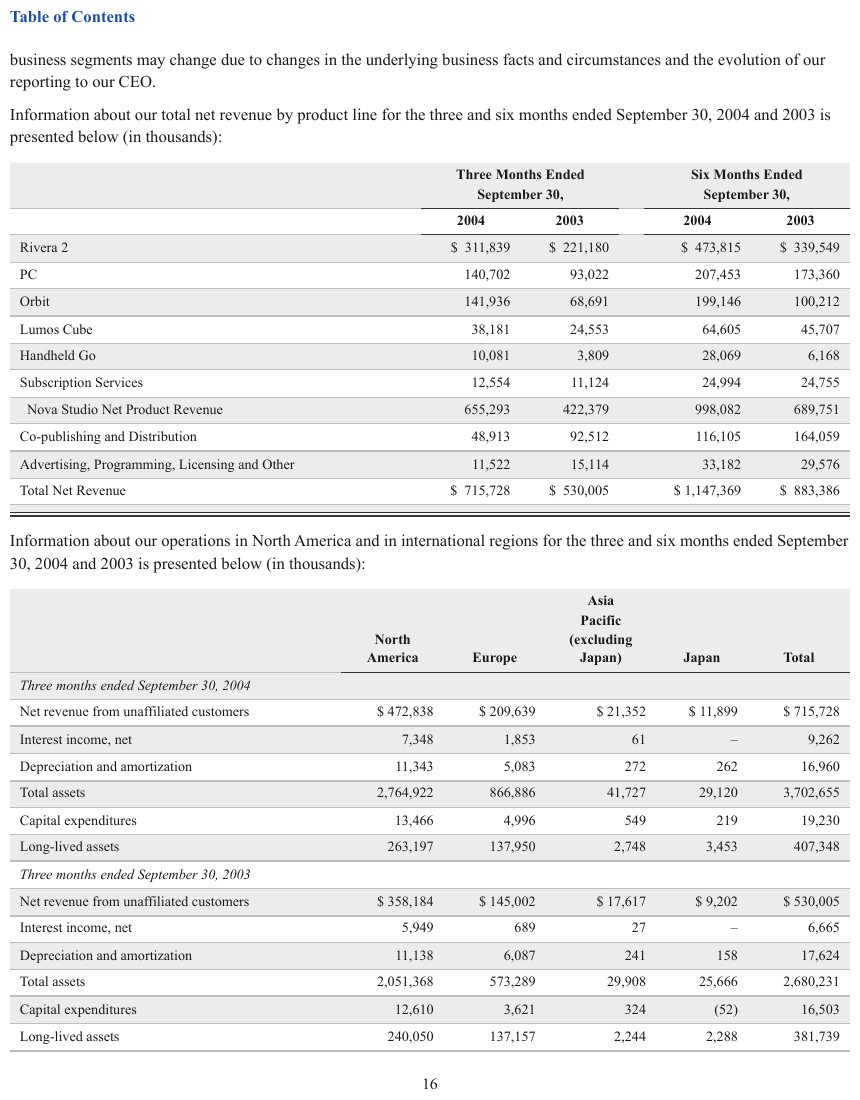
Three / Six Months Ended September 30, over 2004/2003 leaves, with an (in thousands) lead-in.
Each period label wraps over two lines inside its own group cell and is joined. The currency sign is
printed with a space before the figure; Nova Studio Net Product Revenue is indented one step.
| Three Months Ended September 30, | Six Months Ended September 30, | |||
|---|---|---|---|---|
| 2004 | 2003 | 2004 | 2003 | |
| Rivera 2 | $ 311,839 | $ 221,180 | $ 473,815 | $ 339,549 |
| PC | 140,702 | 93,022 | 207,453 | 173,360 |
| Orbit | 141,936 | 68,691 | 199,146 | 100,212 |
| Lumos Cube | 38,181 | 24,553 | 64,605 | 45,707 |
| Handheld Go | 10,081 | 3,809 | 28,069 | 6,168 |
| Subscription Services | 12,554 | 11,124 | 24,994 | 24,755 |
| Nova Studio Net Product Revenue | 655,293 | 422,379 | 998,082 | 689,751 |
| Co-publishing and Distribution | 48,913 | 92,512 | 116,105 | 164,059 |
| Advertising, Programming, Licensing and Other | 11,522 | 15,114 | 33,182 | 29,576 |
| Total Net Revenue | $ 715,728 | $ 530,005 | $ 1,147,369 | $ 883,386 |
Markdown source
<table>
<tr> <th> </th> <th colspan="2">Three Months Ended September 30,</th> <th colspan="2">Six Months Ended September 30,</th> </tr>
<tr> <th> </th> <th>2004</th> <th>2003</th> <th>2004</th> <th>2003</th> </tr>
<tr> <td data-level="0">Rivera 2</td> <td>$ 311,839</td> <td>$ 221,180</td> <td>$ 473,815</td> <td>$ 339,549</td> </tr>
<tr> <td data-level="0">PC</td> <td>140,702</td> <td>93,022</td> <td>207,453</td> <td>173,360</td> </tr>
<tr> <td data-level="0">Orbit</td> <td>141,936</td> <td>68,691</td> <td>199,146</td> <td>100,212</td> </tr>
<tr> <td data-level="0">Lumos Cube</td> <td>38,181</td> <td>24,553</td> <td>64,605</td> <td>45,707</td> </tr>
<tr> <td data-level="0">Handheld Go</td> <td>10,081</td> <td>3,809</td> <td>28,069</td> <td>6,168</td> </tr>
<tr> <td data-level="0">Subscription Services</td> <td>12,554</td> <td>11,124</td> <td>24,994</td> <td>24,755</td> </tr>
<tr> <td data-level="1">Nova Studio Net Product Revenue</td> <td>655,293</td> <td>422,379</td> <td>998,082</td> <td>689,751</td> </tr>
<tr> <td data-level="0">Co-publishing and Distribution</td> <td>48,913</td> <td>92,512</td> <td>116,105</td> <td>164,059</td> </tr>
<tr> <td data-level="0">Advertising, Programming, Licensing and Other</td> <td>11,522</td> <td>15,114</td> <td>33,182</td> <td>29,576</td> </tr>
<tr> <th data-level="0">Total Net Revenue</th> <td>$ 715,728</td> <td>$ 530,005</td> <td>$ 1,147,369</td> <td>$ 883,386</td> </tr>
</table>Why the stacked month and year join
"December" and "2024" are not two levels of anything — no other column shares a "December" parent. The typesetter broke one label across two lines to fit a narrow column, so it is a wrap. A tier is kept only for a label that genuinely spans more than one leaf column, as Multi-Row Header Tiers§9.3.3 requires.
Related
- Multi-Row Header Tiers§9.3.3 — the general tier rules these calls apply
- Header Wrap vs Real Tier§9.3.2 — why a stacked month and year is a wrap
- Units Row§9.3.5 — units printed as a line under the header rather than in the corner
9.3.5 Units Row
⚖️ Equivalent forms · 📄 page rule
⚖️ Equivalent forms
A units line under the header MAY be rendered as a second header row, or folded into the header label above it ("Premium ($000)"). Both forms conform, and a document MUST use one of them throughout (see Choices Made Once Per Document§4.2). A units line MUST NOT become the first body row.
| Premium | Losses | Ratio |
| ($000) | ($000) | (%) | ← units line: a header tier, or folded into
| 1,204 | 887 | 73.6 | the labels as "Premium ($000)"
Recognising it
A units line sits directly beneath the header, carries no values, and repeats the same kind of
token across the columns — ($000), (%), (millions), (points). Every entry describes how to
read the column below it rather than reporting a measurement.
✅ Sample — P200509160137_0137_6519
A (點) (Points) / (百分率) (%) row under the main header states units, not data; here it is kept
as a second header row.
| 2005年Q2指數 Index for Q2 2005 | 2005年Q2與2005年Q1比較 Q2 2005 compared with Q1 2005 | 2005年Q2與2004年Q2比較 Q2 2005 compared with Q2 2004 | 2005年Q1至Q2與2004年Q1至Q2比較 Q1-Q2 2005 compared with Q1-Q2 2004 | |||||||||||||||||||||||||||||||||||||||||||||||||||||||||||||||||||||||||||||||||||||||||||||||
|---|---|---|---|---|---|---|---|---|---|---|---|---|---|---|---|---|---|---|---|---|---|---|---|---|---|---|---|---|---|---|---|---|---|---|---|---|---|---|---|---|---|---|---|---|---|---|---|---|---|---|---|---|---|---|---|---|---|---|---|---|---|---|---|---|---|---|---|---|---|---|---|---|---|---|---|---|---|---|---|---|---|---|---|---|---|---|---|---|---|---|---|---|---|---|---|---|---|---|
| (點) (Points) | (點) (Points) | (百分率) (%) | (點) (Points) | (百分率) (%) | (點) (Points) | (百分率) (%) | ||||||||||||||||||||||||||||||||||||||||||||||||||||||||||||||||||||||||||||||||||||||||||||
| 服務行業 Service Industry | ||||||||||||||||||||||||||||||||||||||||||||||||||||||||||||||||||||||||||||||||||||||||||||||||||
| 批發/零售 Wholesale/Retail | 102.3 | -1.1 | -1.1 | +7.2 | +7.6 | +7.2 | +7.5 | |||||||||||||||||||||||||||||||||||||||||||||||||||||||||||||||||||||||||||||||||||||||||||
| 細分 breakdown:批發 Wholesale | 81.7 | +1.3 | +1.6 | +6.6 | +8.8 | +4.8 | +6.3 | |||||||||||||||||||||||||||||||||||||||||||||||||||||||||||||||||||||||||||||||||||||||||||
| … | ||||||||||||||||||||||||||||||||||||||||||||||||||||||||||||||||||||||||||||||||||||||||||||||||||
Markdown source
<table>
<tr> <th> </th> <th>2005年Q2指數 Index for Q2 2005</th> <th colspan="2">2005年Q2與2005年Q1比較 Q2 2005 compared with Q1 2005</th> <th colspan="2">2005年Q2與2004年Q2比較 Q2 2005 compared with Q2 2004</th> <th colspan="2">2005年Q1至Q2與2004年Q1至Q2比較 Q1-Q2 2005 compared with Q1-Q2 2004</th> </tr>
<tr> <th> </th> <th>(點) (Points)</th> <th>(點) (Points)</th> <th>(百分率) (%)</th> <th>(點) (Points)</th> <th>(百分率) (%)</th> <th>(點) (Points)</th> <th>(百分率) (%)</th> </tr>
<tr> <th colspan="8">服務行業 Service Industry</th> </tr>
<tr> <td><strong>批發/零售 Wholesale/Retail</strong></td> <td>102.3</td> <td>-1.1</td> <td>-1.1</td> <td>+7.2</td> <td>+7.6</td> <td>+7.2</td> <td>+7.5</td> </tr>
<tr> <td><em>細分 breakdown</em>:批發 Wholesale</td> <td>81.7</td> <td>+1.3</td> <td>+1.6</td> <td>+6.6</td> <td>+8.8</td> <td>+4.8</td> <td>+6.3</td> </tr>
<!-- … -->
</table>The two conforming forms
Second header row. The line is kept as its own header row, aligned to the columns it describes, and the values below stay bare. This is closest to what is printed.
Folded into the label. The unit is appended to the header text — "Premium ($000)". This is the most useful for downstream extraction, because the unit travels with the field. It does edit the header string, which sits awkwardly beside the verbatim posture of Cell Text Fidelity§9.6.3, so the second header row SHOULD be preferred when a document uses units lines heavily.
The outcome to avoid
A units line MUST NOT be rendered as a body row. It is not merely inelegant: a reader of the first
body row then gets ($000) as a premium value. Where the choice between the two conforming forms
is unclear, the second header row is the default.
✅ Sample — a units row in the middle of the body
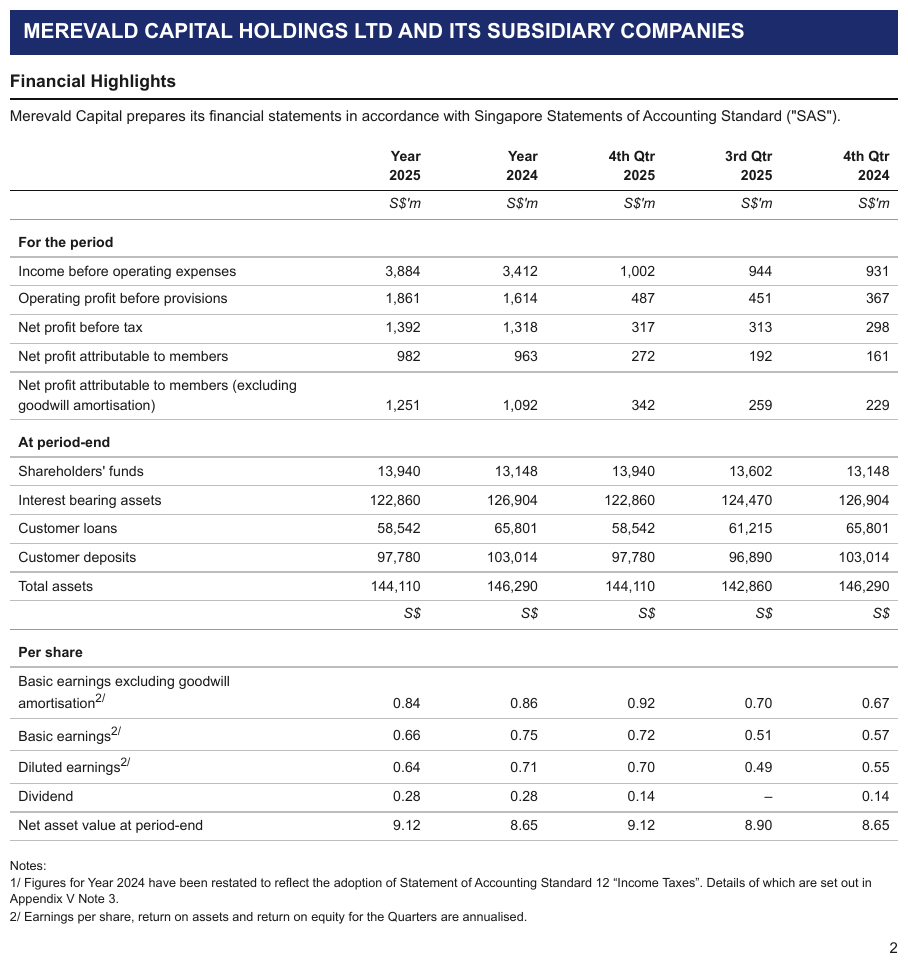
S$'m under the header, then a second units line — S$ in every column — printed mid-table before
the Per share block. A units line between two blocks of body is a band row: every cell a
<th>, the S$ cells included, never a body row and never a table split. Both units lines are
italic.
| Year 2025 | Year 2024 | 4th Qtr 2025 | 3rd Qtr 2025 | 4th Qtr 2024 | ||||||||||||||||||||||||||||||||||||||||||||||||||||||||||||||||||||||||||||||||||||||||||||||
|---|---|---|---|---|---|---|---|---|---|---|---|---|---|---|---|---|---|---|---|---|---|---|---|---|---|---|---|---|---|---|---|---|---|---|---|---|---|---|---|---|---|---|---|---|---|---|---|---|---|---|---|---|---|---|---|---|---|---|---|---|---|---|---|---|---|---|---|---|---|---|---|---|---|---|---|---|---|---|---|---|---|---|---|---|---|---|---|---|---|---|---|---|---|---|---|---|---|---|
| S$'m | S$'m | S$'m | S$'m | S$'m | ||||||||||||||||||||||||||||||||||||||||||||||||||||||||||||||||||||||||||||||||||||||||||||||
| For the period | ||||||||||||||||||||||||||||||||||||||||||||||||||||||||||||||||||||||||||||||||||||||||||||||||||
| Income before operating expenses | 3,884 | 3,412 | 1,002 | 944 | 931 | |||||||||||||||||||||||||||||||||||||||||||||||||||||||||||||||||||||||||||||||||||||||||||||
| … | ||||||||||||||||||||||||||||||||||||||||||||||||||||||||||||||||||||||||||||||||||||||||||||||||||
| Total assets | 144,110 | 146,290 | 144,110 | 142,860 | 146,290 | |||||||||||||||||||||||||||||||||||||||||||||||||||||||||||||||||||||||||||||||||||||||||||||
| S$ | S$ | S$ | S$ | S$ | ||||||||||||||||||||||||||||||||||||||||||||||||||||||||||||||||||||||||||||||||||||||||||||||
| Per share | ||||||||||||||||||||||||||||||||||||||||||||||||||||||||||||||||||||||||||||||||||||||||||||||||||
| Basic earnings excluding goodwill amortisation2/ | 0.84 | 0.86 | 0.92 | 0.70 | 0.67 | |||||||||||||||||||||||||||||||||||||||||||||||||||||||||||||||||||||||||||||||||||||||||||||
| Basic earnings2/ | 0.66 | 0.75 | 0.72 | 0.51 | 0.57 | |||||||||||||||||||||||||||||||||||||||||||||||||||||||||||||||||||||||||||||||||||||||||||||
| Diluted earnings2/ | 0.64 | 0.71 | 0.70 | 0.49 | 0.55 | |||||||||||||||||||||||||||||||||||||||||||||||||||||||||||||||||||||||||||||||||||||||||||||
| Dividend | 0.28 | 0.28 | 0.14 | – | 0.14 | |||||||||||||||||||||||||||||||||||||||||||||||||||||||||||||||||||||||||||||||||||||||||||||
| Net asset value at period-end | 9.12 | 8.65 | 9.12 | 8.90 | 8.65 | |||||||||||||||||||||||||||||||||||||||||||||||||||||||||||||||||||||||||||||||||||||||||||||
Markdown source
<table>
<tr> <th> </th> <th>Year 2025</th> <th>Year 2024</th> <th>4th Qtr 2025</th> <th>3rd Qtr 2025</th> <th>4th Qtr 2024</th> </tr>
<tr> <th> </th> <th><em>S$'m</em></th> <th><em>S$'m</em></th> <th><em>S$'m</em></th> <th><em>S$'m</em></th> <th><em>S$'m</em></th> </tr>
<tr> <td><strong>For the period</strong></td> <td> </td> <td> </td> <td> </td> <td> </td> <td> </td> </tr>
<tr> <td>Income before operating expenses</td> <td>3,884</td> <td>3,412</td> <td>1,002</td> <td>944</td> <td>931</td> </tr>
<!-- … -->
<tr> <th data-level="0">Total assets</th> <td>144,110</td> <td>146,290</td> <td>144,110</td> <td>142,860</td> <td>146,290</td> </tr>
<tr> <th> </th> <th><em>S$</em></th> <th><em>S$</em></th> <th><em>S$</em></th> <th><em>S$</em></th> <th><em>S$</em></th> </tr>
<tr> <td><strong>Per share</strong></td> <td> </td> <td> </td> <td> </td> <td> </td> <td> </td> </tr>
<tr> <td>Basic earnings excluding goodwill amortisation<sup>2/</sup></td> <td>0.84</td> <td>0.86</td> <td>0.92</td> <td>0.70</td> <td>0.67</td> </tr>
<tr> <td>Basic earnings<sup>2/</sup></td> <td>0.66</td> <td>0.75</td> <td>0.72</td> <td>0.51</td> <td>0.57</td> </tr>
<tr> <td>Diluted earnings<sup>2/</sup></td> <td>0.64</td> <td>0.71</td> <td>0.70</td> <td>0.49</td> <td>0.55</td> </tr>
<tr> <td>Dividend</td> <td>0.28</td> <td>0.28</td> <td>0.14</td> <td>–</td> <td>0.14</td> </tr>
<tr> <td>Net asset value at period-end</td> <td>9.12</td> <td>8.65</td> <td>9.12</td> <td>8.90</td> <td>8.65</td> </tr>
</table>Related
- Multi-Row Header Tiers§9.3.3 — the header rows a units line sits among
- Header Wrap vs Real Tier§9.3.2 — a units token stacked inside one label is part of a wrap
- Accounting Number Formats§9.6.1 — the values the units describe stay verbatim
9.4 Columns
9.4.1 Gutter Columns
✅ Normative · 📄 page rule
✅ Normative
A currency glyph or a separator typeset in a column track of its own SHOULD be rendered in the
same cell as the value it belongs to — $ 277.09, $1,200 — $1,800. A marker numeral such as
(i) or (ii) SHOULD be rendered in a column of its own.
Financial PDFs frequently typeset $ in its own column track, and print ranges as value — value
with the dash in a track of its own. Those tracks are real in the typesetting, but they are layout,
not data.
Printed tracks: $ | 1,200 | — | $ | 1,800
Rendered as: $1,200 — $1,800 (one cell)
Currency and separators: merged into the value
- A currency glyph printed in its own track SHOULD be rendered in the cell of the number it
belongs to. The glyph MUST NOT be dropped: where the page prints
$only on some rows, only those rows' values carry it. - A separator between the two ends of a range (a dash,
+/-,to) SHOULD be rendered in one cell with both ends. - A
$kept in a cell of its own beside its value, as a pair of cells, also conforms; the single cell is the preferred form.
✅ Sample — warn
$ typeset in its own column track, separate from the digits, throughout the balance sheet. It is
printed only on the first row of each block and on the grand total, so only those values carry it.
The stub header is italic. The row labels are printed flush left, without indentation, so every
label is level 0.
| Unaudited; in millions, except par value | September 30, 2024 | December 31, 2023 | ||||||||||||||||||||||||||||||||||||||||||||||||||||||||||||||||||||||||||||||||||||||||||||||||
|---|---|---|---|---|---|---|---|---|---|---|---|---|---|---|---|---|---|---|---|---|---|---|---|---|---|---|---|---|---|---|---|---|---|---|---|---|---|---|---|---|---|---|---|---|---|---|---|---|---|---|---|---|---|---|---|---|---|---|---|---|---|---|---|---|---|---|---|---|---|---|---|---|---|---|---|---|---|---|---|---|---|---|---|---|---|---|---|---|---|---|---|---|---|---|---|---|---|---|
| ASSETS | ||||||||||||||||||||||||||||||||||||||||||||||||||||||||||||||||||||||||||||||||||||||||||||||||||
| Current assets: | ||||||||||||||||||||||||||||||||||||||||||||||||||||||||||||||||||||||||||||||||||||||||||||||||||
| Cash and cash equivalents | $2,414 | $2,850 | ||||||||||||||||||||||||||||||||||||||||||||||||||||||||||||||||||||||||||||||||||||||||||||||||
| Receivables, net | 4,120 | 4,510 | ||||||||||||||||||||||||||||||||||||||||||||||||||||||||||||||||||||||||||||||||||||||||||||||||
| Prepaid expenses and other current assets | 2,905 | 3,102 | ||||||||||||||||||||||||||||||||||||||||||||||||||||||||||||||||||||||||||||||||||||||||||||||||
| Total current assets | 9,439 | 10,462 | ||||||||||||||||||||||||||||||||||||||||||||||||||||||||||||||||||||||||||||||||||||||||||||||||
| Film and television content rights and games | 15,220 | 16,340 | ||||||||||||||||||||||||||||||||||||||||||||||||||||||||||||||||||||||||||||||||||||||||||||||||
| Property and equipment, net | 4,890 | 4,715 | ||||||||||||||||||||||||||||||||||||||||||||||||||||||||||||||||||||||||||||||||||||||||||||||||
| Goodwill | 19,640 | 24,905 | ||||||||||||||||||||||||||||||||||||||||||||||||||||||||||||||||||||||||||||||||||||||||||||||||
| Intangible assets, net | 24,110 | 27,830 | ||||||||||||||||||||||||||||||||||||||||||||||||||||||||||||||||||||||||||||||||||||||||||||||||
| Other noncurrent assets | 5,715 | 5,940 | ||||||||||||||||||||||||||||||||||||||||||||||||||||||||||||||||||||||||||||||||||||||||||||||||
| Total assets | $79,014 | $90,192 | ||||||||||||||||||||||||||||||||||||||||||||||||||||||||||||||||||||||||||||||||||||||||||||||||
| … | ||||||||||||||||||||||||||||||||||||||||||||||||||||||||||||||||||||||||||||||||||||||||||||||||||
Markdown source
<table>
<tr> <th><em>Unaudited; in millions, except par value</em></th> <th>September 30, 2024</th> <th>December 31, 2023</th> </tr>
<tr> <th colspan="3">ASSETS</th> </tr>
<tr> <td colspan="3" data-level="0">Current assets:</td> </tr>
<tr> <td data-level="0">Cash and cash equivalents</td> <td>$2,414</td> <td>$2,850</td> </tr>
<tr> <td data-level="0">Receivables, net</td> <td>4,120</td> <td>4,510</td> </tr>
<tr> <td data-level="0">Prepaid expenses and other current assets</td> <td>2,905</td> <td>3,102</td> </tr>
<tr> <th data-level="0"><strong>Total current assets</strong></th> <td><strong>9,439</strong></td> <td><strong>10,462</strong></td> </tr>
<tr> <td data-level="0">Film and television content rights and games</td> <td>15,220</td> <td>16,340</td> </tr>
<tr> <td data-level="0">Property and equipment, net</td> <td>4,890</td> <td>4,715</td> </tr>
<tr> <td data-level="0">Goodwill</td> <td>19,640</td> <td>24,905</td> </tr>
<tr> <td data-level="0">Intangible assets, net</td> <td>24,110</td> <td>27,830</td> </tr>
<tr> <td data-level="0">Other noncurrent assets</td> <td>5,715</td> <td>5,940</td> </tr>
<tr> <th data-level="0"><strong>Total assets</strong></th> <td><strong>$79,014</strong></td> <td><strong>$90,192</strong></td> </tr>
<!-- … -->
</table>✅ Sample — earn
The same $-gutter pattern in Halyard Genomics' cash-flow statement.
| Three Months Ended | Nine Months Ended | |||||||||||||||||||||||||||||||||||||||||||||||||||||||||||||||||||||||||||||||||||||||||||||||||
|---|---|---|---|---|---|---|---|---|---|---|---|---|---|---|---|---|---|---|---|---|---|---|---|---|---|---|---|---|---|---|---|---|---|---|---|---|---|---|---|---|---|---|---|---|---|---|---|---|---|---|---|---|---|---|---|---|---|---|---|---|---|---|---|---|---|---|---|---|---|---|---|---|---|---|---|---|---|---|---|---|---|---|---|---|---|---|---|---|---|---|---|---|---|---|---|---|---|---|
| September 29, 2024 | October 1, 2023 | September 29, 2024 | October 1, 2023 | |||||||||||||||||||||||||||||||||||||||||||||||||||||||||||||||||||||||||||||||||||||||||||||||
| Net cash provided by operating activities | $316 | $139 | $473 | $254 | ||||||||||||||||||||||||||||||||||||||||||||||||||||||||||||||||||||||||||||||||||||||||||||||
| Net cash used in investing activities | (42) | (54) | (130) | (146) | ||||||||||||||||||||||||||||||||||||||||||||||||||||||||||||||||||||||||||||||||||||||||||||||
| Net cash used in financing activities | (332) | (707) | (523) | (1,183) | ||||||||||||||||||||||||||||||||||||||||||||||||||||||||||||||||||||||||||||||||||||||||||||||
| Effect of exchange rate changes on cash and cash equivalents | 7 | (4) | 1 | (9) | ||||||||||||||||||||||||||||||||||||||||||||||||||||||||||||||||||||||||||||||||||||||||||||||
| Net decrease in cash and cash equivalents | (51) | (626) | (179) | (1,084) | ||||||||||||||||||||||||||||||||||||||||||||||||||||||||||||||||||||||||||||||||||||||||||||||
| Cash and cash equivalents, beginning of period | 920 | 1,553 | 1,048 | 2,011 | ||||||||||||||||||||||||||||||||||||||||||||||||||||||||||||||||||||||||||||||||||||||||||||||
| Cash and cash equivalents, end of period | $869 | $927 | $869 | $927 | ||||||||||||||||||||||||||||||||||||||||||||||||||||||||||||||||||||||||||||||||||||||||||||||
| … | ||||||||||||||||||||||||||||||||||||||||||||||||||||||||||||||||||||||||||||||||||||||||||||||||||
Markdown source
<table>
<tr> <th> </th> <th colspan="2">Three Months Ended</th> <th colspan="2">Nine Months Ended</th> </tr>
<tr> <th> </th> <th>September 29, 2024</th> <th>October 1, 2023</th> <th>September 29, 2024</th> <th>October 1, 2023</th> </tr>
<tr> <td>Net cash provided by operating activities</td> <td>$316</td> <td>$139</td> <td>$473</td> <td>$254</td> </tr>
<tr> <td>Net cash used in investing activities</td> <td>(42)</td> <td>(54)</td> <td>(130)</td> <td>(146)</td> </tr>
<tr> <td>Net cash used in financing activities</td> <td>(332)</td> <td>(707)</td> <td>(523)</td> <td>(1,183)</td> </tr>
<tr> <td>Effect of exchange rate changes on cash and cash equivalents</td> <td>7</td> <td>(4)</td> <td>1</td> <td>(9)</td> </tr>
<tr> <td>Net decrease in cash and cash equivalents</td> <td>(51)</td> <td>(626)</td> <td>(179)</td> <td>(1,084)</td> </tr>
<tr> <td>Cash and cash equivalents, beginning of period</td> <td>920</td> <td>1,553</td> <td>1,048</td> <td>2,011</td> </tr>
<tr> <td>Cash and cash equivalents, end of period</td> <td>$869</td> <td>$927</td> <td>$869</td> <td>$927</td> </tr>
<!-- … -->
</table>✅ Sample — earnin
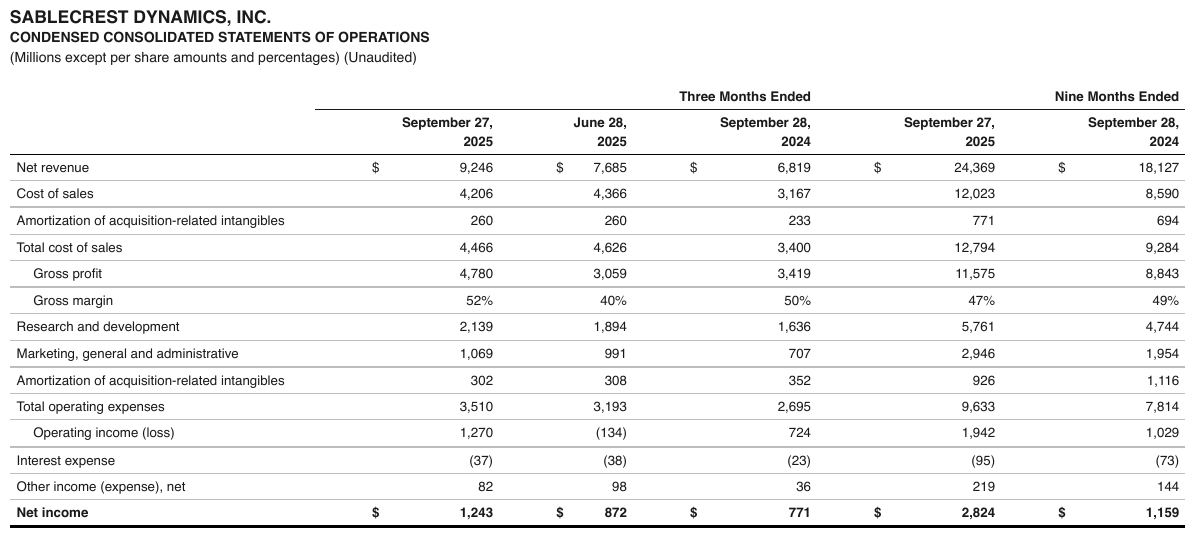
And again in Sablecrest Dynamics' statement of operations — this typesetting is the norm, not an oddity. Gross profit, Gross margin and Operating income (loss) are indented one step.
| Three Months Ended | Nine Months Ended | |||||||||||||||||||||||||||||||||||||||||||||||||||||||||||||||||||||||||||||||||||||||||||||||||
|---|---|---|---|---|---|---|---|---|---|---|---|---|---|---|---|---|---|---|---|---|---|---|---|---|---|---|---|---|---|---|---|---|---|---|---|---|---|---|---|---|---|---|---|---|---|---|---|---|---|---|---|---|---|---|---|---|---|---|---|---|---|---|---|---|---|---|---|---|---|---|---|---|---|---|---|---|---|---|---|---|---|---|---|---|---|---|---|---|---|---|---|---|---|---|---|---|---|---|
| September 27, 2025 | June 28, 2025 | September 28, 2024 | September 27, 2025 | September 28, 2024 | ||||||||||||||||||||||||||||||||||||||||||||||||||||||||||||||||||||||||||||||||||||||||||||||
| Net revenue | $9,246 | $7,685 | $6,819 | $24,369 | $18,127 | |||||||||||||||||||||||||||||||||||||||||||||||||||||||||||||||||||||||||||||||||||||||||||||
| Cost of sales | 4,206 | 4,366 | 3,167 | 12,023 | 8,590 | |||||||||||||||||||||||||||||||||||||||||||||||||||||||||||||||||||||||||||||||||||||||||||||
| Amortization of acquisition-related intangibles | 260 | 260 | 233 | 771 | 694 | |||||||||||||||||||||||||||||||||||||||||||||||||||||||||||||||||||||||||||||||||||||||||||||
| Total cost of sales | 4,466 | 4,626 | 3,400 | 12,794 | 9,284 | |||||||||||||||||||||||||||||||||||||||||||||||||||||||||||||||||||||||||||||||||||||||||||||
| Gross profit | 4,780 | 3,059 | 3,419 | 11,575 | 8,843 | |||||||||||||||||||||||||||||||||||||||||||||||||||||||||||||||||||||||||||||||||||||||||||||
| Gross margin | 52% | 40% | 50% | 47% | 49% | |||||||||||||||||||||||||||||||||||||||||||||||||||||||||||||||||||||||||||||||||||||||||||||
| … | ||||||||||||||||||||||||||||||||||||||||||||||||||||||||||||||||||||||||||||||||||||||||||||||||||
| Net income | $1,243 | $872 | $771 | $2,824 | $1,159 | |||||||||||||||||||||||||||||||||||||||||||||||||||||||||||||||||||||||||||||||||||||||||||||
Markdown source
<table>
<tr> <th> </th> <th colspan="3">Three Months Ended</th> <th colspan="2">Nine Months Ended</th> </tr>
<tr> <th> </th> <th>September 27, 2025</th> <th>June 28, 2025</th> <th>September 28, 2024</th> <th>September 27, 2025</th> <th>September 28, 2024</th> </tr>
<tr> <td data-level="0">Net revenue</td> <td>$9,246</td> <td>$7,685</td> <td>$6,819</td> <td>$24,369</td> <td>$18,127</td> </tr>
<tr> <td data-level="0">Cost of sales</td> <td>4,206</td> <td>4,366</td> <td>3,167</td> <td>12,023</td> <td>8,590</td> </tr>
<tr> <td data-level="0">Amortization of acquisition-related intangibles</td> <td>260</td> <td>260</td> <td>233</td> <td>771</td> <td>694</td> </tr>
<tr> <th data-level="0">Total cost of sales</th> <td>4,466</td> <td>4,626</td> <td>3,400</td> <td>12,794</td> <td>9,284</td> </tr>
<tr> <td data-level="1">Gross profit</td> <td>4,780</td> <td>3,059</td> <td>3,419</td> <td>11,575</td> <td>8,843</td> </tr>
<tr> <td data-level="1">Gross margin</td> <td>52%</td> <td>40%</td> <td>50%</td> <td>47%</td> <td>49%</td> </tr>
<!-- … -->
<tr> <th data-level="0"><strong>Net income</strong></th> <td><strong>$1,243</strong></td> <td><strong>$872</strong></td> <td><strong>$771</strong></td> <td><strong>$2,824</strong></td> <td><strong>$1,159</strong></td> </tr>
</table>❌ Counter-sample — some
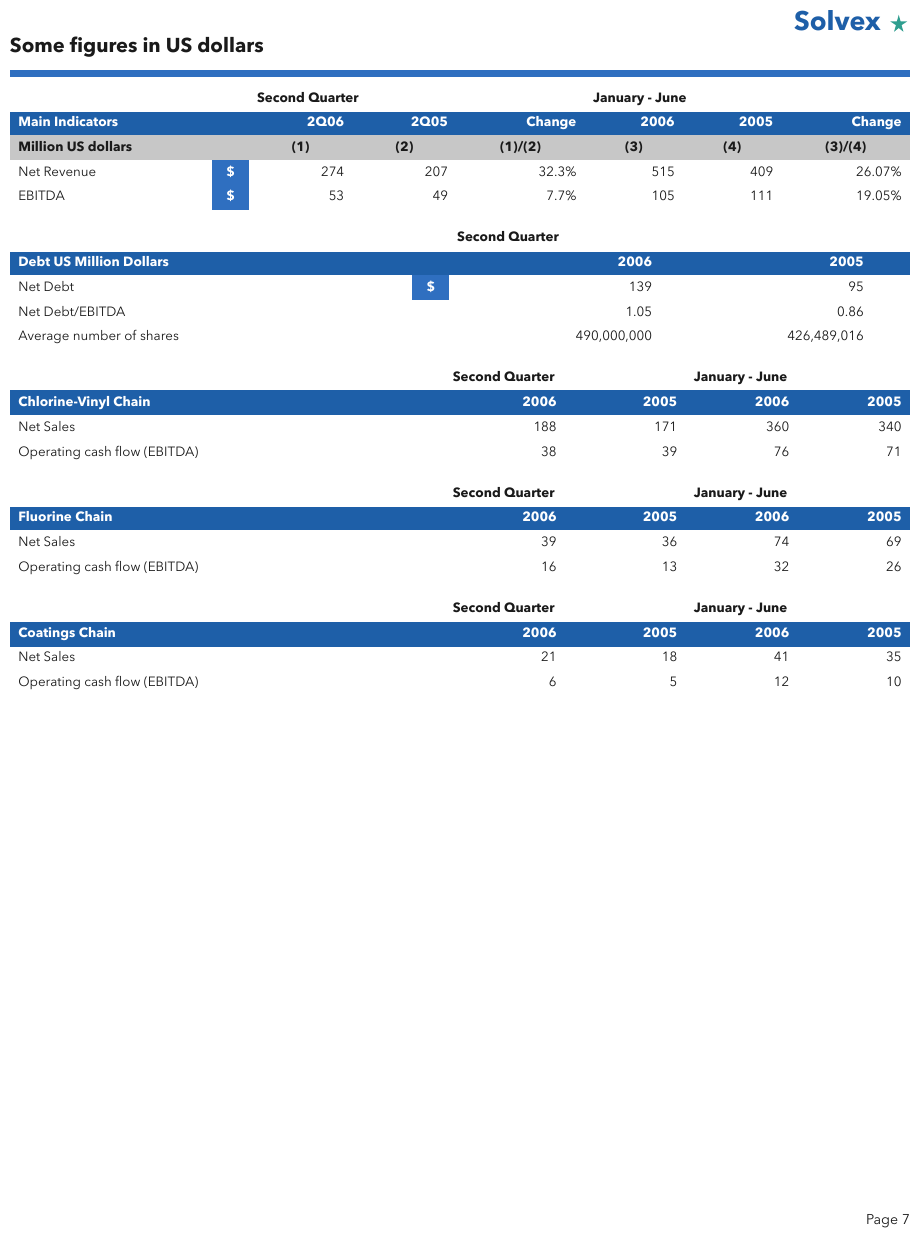
The $ sits in its own boxed column track in the image, which looks like a column of its own. It is
not: the glyph belongs to the value, so the first value cell reads $274. The Second Quarter and
January - June spanners printed above the header are part of the table.
| Second Quarter | January - June | |||||
|---|---|---|---|---|---|---|
| Main Indicators | 2Q06 | 2Q05 | Change | 2006 | 2005 | Change |
| Million US dollars | (1) | (2) | (1)/(2) | (3) | (4) | (3)/(4) |
| Net Revenue | $274 | 207 | 32.3% | 515 | 409 | 26.07% |
| EBITDA | $53 | 49 | 7.7% | 105 | 111 | 19.05% |
Markdown source
<table>
<tr> <th> </th> <th colspan="3">Second Quarter</th> <th colspan="3">January - June</th> </tr>
<tr> <th>Main Indicators</th> <th>2Q06</th> <th>2Q05</th> <th>Change</th> <th>2006</th> <th>2005</th> <th>Change</th> </tr>
<tr> <th>Million US dollars</th> <th>(1)</th> <th>(2)</th> <th>(1)/(2)</th> <th>(3)</th> <th>(4)</th> <th>(3)/(4)</th> </tr>
<tr> <td>Net Revenue</td> <td>$274</td> <td>207</td> <td>32.3%</td> <td>515</td> <td>409</td> <td>26.07%</td> </tr>
<tr> <td>EBITDA</td> <td>$53</td> <td>49</td> <td>7.7%</td> <td>105</td> <td>111</td> <td>19.05%</td> </tr>
</table>Marker gutters: kept as a column
| (i) | Base salary … | ← one column for the numeral, one for the text
| (ii) | Bonus … |
A marker numeral such as (i) / (ii) SHOULD be rendered in a column of its own. A merged
(i) Base salary … cell also conforms, but the separate numeral column is the preferred form.
Why the two resolve opposite ways
A currency symbol is part of the value. A marker numeral is a reference label: it is cited elsewhere on the page ("see (ii)"), so it has an identity of its own and earns a column.
A gutter this rule does not name is decided by the column-count test: a track gets its own column only if a competent person modelling this data in a spreadsheet would give it one. That is the same appeal to how a person would model the content that decides Is This Even a Table§9.1.5 — judge by the data, not by what is inked.
✅ Sample — an operator in its own track
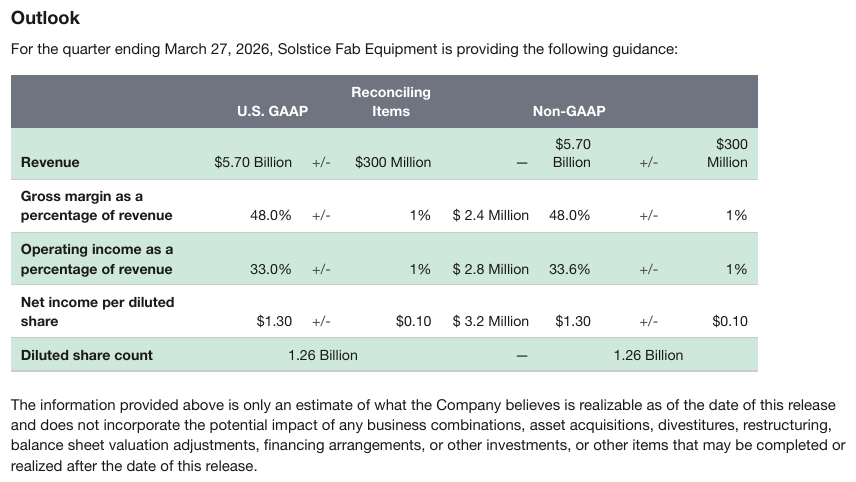
The Outlook table prints $5.70 Billion | +/- | $300 Million as three ruled cells, and
1.26 Billion spanning all three on the last row. The +/- track is the range dash of this
rule in another costume: one value, one cell. Merged, the GAAP and Non-GAAP ranges each become one
column and the reconciling amount sits between them; the row labels are bold.
| U.S. GAAP | Reconciling Items | Non-GAAP | |
|---|---|---|---|
| Revenue | $5.70 Billion +/- $300 Million | — | $5.70 Billion +/- $300 Million |
| Gross margin as a percentage of revenue | 48.0% +/- 1% | $ 2.4 Million | 48.0% +/- 1% |
| Operating income as a percentage of revenue | 33.0% +/- 1% | $ 2.8 Million | 33.6% +/- 1% |
| Net income per diluted share | $1.30 +/- $0.10 | $ 3.2 Million | $1.30 +/- $0.10 |
| Diluted share count | 1.26 Billion | — | 1.26 Billion |
Markdown source
<table>
<tr> <th> </th> <th>U.S. GAAP</th> <th>Reconciling Items</th> <th>Non-GAAP</th> </tr>
<tr> <td><strong>Revenue</strong></td> <td>$5.70 Billion +/- $300 Million</td> <td>—</td> <td>$5.70 Billion +/- $300 Million</td> </tr>
<tr> <td><strong>Gross margin as a percentage of revenue</strong></td> <td>48.0% +/- 1%</td> <td>$ 2.4 Million</td> <td>48.0% +/- 1%</td> </tr>
<tr> <td><strong>Operating income as a percentage of revenue</strong></td> <td>33.0% +/- 1%</td> <td>$ 2.8 Million</td> <td>33.6% +/- 1%</td> </tr>
<tr> <td><strong>Net income per diluted share</strong></td> <td>$1.30 +/- $0.10</td> <td>$ 3.2 Million</td> <td>$1.30 +/- $0.10</td> </tr>
<tr> <td><strong>Diluted share count</strong></td> <td>1.26 Billion</td> <td>—</td> <td>1.26 Billion</td> </tr>
</table>✅ Sample — a line-number column in the middle
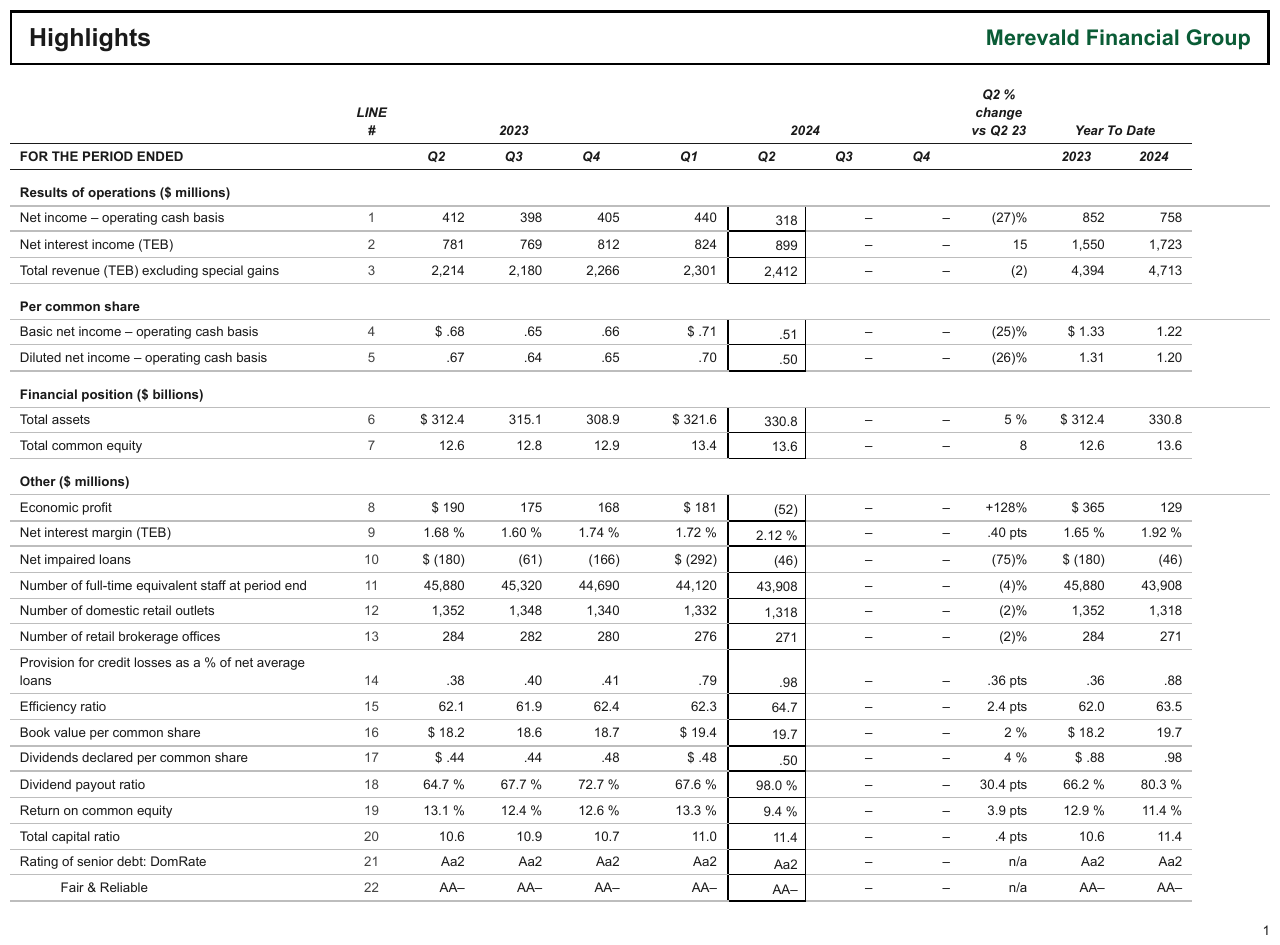
LINE # runs 1 to 22 in a column between the labels and the first year, not at the left
edge. A marker gutter keeps its column wherever the page puts it. The column headers are italic
except FOR THE PERIOD ENDED; the empty spacer track between 2023 and 2024 prints nothing and is not
a column.
| LINE # | 2023 | 2024 | Q2 % change vs Q2 23 | Year To Date | ||||||||||||||||||||||||||||||||||||||||||||||||||||||||||||||||||||||||||||||||||||||||||||||
|---|---|---|---|---|---|---|---|---|---|---|---|---|---|---|---|---|---|---|---|---|---|---|---|---|---|---|---|---|---|---|---|---|---|---|---|---|---|---|---|---|---|---|---|---|---|---|---|---|---|---|---|---|---|---|---|---|---|---|---|---|---|---|---|---|---|---|---|---|---|---|---|---|---|---|---|---|---|---|---|---|---|---|---|---|---|---|---|---|---|---|---|---|---|---|---|---|---|---|
| FOR THE PERIOD ENDED | Q2 | Q3 | Q4 | Q1 | Q2 | Q3 | Q4 | 2023 | 2024 | |||||||||||||||||||||||||||||||||||||||||||||||||||||||||||||||||||||||||||||||||||||||||
| Results of operations ($ millions) | ||||||||||||||||||||||||||||||||||||||||||||||||||||||||||||||||||||||||||||||||||||||||||||||||||
| Net income – operating cash basis | 1 | 412 | 398 | 405 | 440 | 318 | – | – | (27)% | 852 | 758 | |||||||||||||||||||||||||||||||||||||||||||||||||||||||||||||||||||||||||||||||||||||||
| Net interest income (TEB) | 2 | 781 | 769 | 812 | 824 | 899 | – | – | 15 | 1,550 | 1,723 | |||||||||||||||||||||||||||||||||||||||||||||||||||||||||||||||||||||||||||||||||||||||
| Total revenue (TEB) excluding special gains | 3 | 2,214 | 2,180 | 2,266 | 2,301 | 2,412 | – | – | (2) | 4,394 | 4,713 | |||||||||||||||||||||||||||||||||||||||||||||||||||||||||||||||||||||||||||||||||||||||
| Per common share | ||||||||||||||||||||||||||||||||||||||||||||||||||||||||||||||||||||||||||||||||||||||||||||||||||
| Basic net income – operating cash basis | 4 | $ .68 | .65 | .66 | $ .71 | .51 | – | – | (25)% | $ 1.33 | 1.22 | |||||||||||||||||||||||||||||||||||||||||||||||||||||||||||||||||||||||||||||||||||||||
| Diluted net income – operating cash basis | 5 | .67 | .64 | .65 | .70 | .50 | – | – | (26)% | 1.31 | 1.20 | |||||||||||||||||||||||||||||||||||||||||||||||||||||||||||||||||||||||||||||||||||||||
| … | ||||||||||||||||||||||||||||||||||||||||||||||||||||||||||||||||||||||||||||||||||||||||||||||||||
Markdown source
<table>
<tr> <th> </th> <th><em>LINE #</em></th> <th colspan="3"><em>2023</em></th> <th colspan="4"><em>2024</em></th> <th><em>Q2 % change vs Q2 23</em></th> <th colspan="2"><em>Year To Date</em></th> </tr>
<tr> <th>FOR THE PERIOD ENDED</th> <th> </th> <th><em>Q2</em></th> <th><em>Q3</em></th> <th><em>Q4</em></th> <th><em>Q1</em></th> <th><em>Q2</em></th> <th><em>Q3</em></th> <th><em>Q4</em></th> <th> </th> <th><em>2023</em></th> <th><em>2024</em></th> </tr>
<tr> <th colspan="12">Results of operations ($ millions)</th> </tr>
<tr> <td>Net income – operating cash basis</td> <td>1</td> <td>412</td> <td>398</td> <td>405</td> <td>440</td> <td>318</td> <td>–</td> <td>–</td> <td>(27)%</td> <td>852</td> <td>758</td> </tr>
<tr> <td>Net interest income (TEB)</td> <td>2</td> <td>781</td> <td>769</td> <td>812</td> <td>824</td> <td>899</td> <td>–</td> <td>–</td> <td>15</td> <td>1,550</td> <td>1,723</td> </tr>
<tr> <td>Total revenue (TEB) excluding special gains</td> <td>3</td> <td>2,214</td> <td>2,180</td> <td>2,266</td> <td>2,301</td> <td>2,412</td> <td>–</td> <td>–</td> <td>(2)</td> <td>4,394</td> <td>4,713</td> </tr>
<tr> <th colspan="12">Per common share</th> </tr>
<tr> <td>Basic net income – operating cash basis</td> <td>4</td> <td>$ .68</td> <td>.65</td> <td>.66</td> <td>$ .71</td> <td>.51</td> <td>–</td> <td>–</td> <td>(25)%</td> <td>$ 1.33</td> <td>1.22</td> </tr>
<tr> <td>Diluted net income – operating cash basis</td> <td>5</td> <td>.67</td> <td>.64</td> <td>.65</td> <td>.70</td> <td>.50</td> <td>–</td> <td>–</td> <td>(26)%</td> <td>1.31</td> <td>1.20</td> </tr>
<!-- … -->
</table>✅ Sample — v. in its own track

A court daily list: time, case number and party, v., the other party, hearing type. The v.
column carries the same token on every row that has two parties and nothing on the rows that do
not — a separator track, like the range dash, so it joins the two parties in one cell. Rows with a
single In the matter of… line then take the same shape.
| 10:30 | S HCI 2025 07641 Tobias Renwick Hale v. Marisa Quellan & Ors. | Post Mediation Directions Hearing | ||||||||||||||||||||||||||||||||||||||||||||||||||||||||||||||||||||||||||||||||||||||||||||||||
| 10:30 | S HCI 2026 00638 Oswin Barrow Tallis v. Denholt Legal Pty Ltd trading as Denholt Partners & Ors. | Directions Hearing | ||||||||||||||||||||||||||||||||||||||||||||||||||||||||||||||||||||||||||||||||||||||||||||||||
| 10:30 | S HCI 2026 00914 Brightvane Pty Ltd (ACN 900 437 375) v. Gideon Farrow & Ors. | Post Mediation Directions Hearing | ||||||||||||||||||||||||||||||||||||||||||||||||||||||||||||||||||||||||||||||||||||||||||||||||
| … | ||||||||||||||||||||||||||||||||||||||||||||||||||||||||||||||||||||||||||||||||||||||||||||||||||
Markdown source
<table>
<tr> <td>10:30</td> <td>S HCI 2025 07641<br/>Tobias Renwick Hale v. Marisa Quellan & Ors.</td> <td>Post Mediation Directions Hearing</td> </tr>
<tr> <td>10:30</td> <td>S HCI 2026 00638<br/>Oswin Barrow Tallis v. Denholt Legal Pty Ltd trading as Denholt Partners & Ors.</td> <td>Directions Hearing</td> </tr>
<tr> <td>10:30</td> <td>S HCI 2026 00914<br/>Brightvane Pty Ltd (ACN 900 437 375) v. Gideon Farrow & Ors.</td> <td>Post Mediation Directions Hearing</td> </tr>
<!-- … -->
</table>Related
- Accounting Number Formats§9.6.1 — how the value itself (parentheses, dashes) is transcribed
- Barely-Existing Columns and Headers§9.3.1 — a narrow track that is a real column
- Units Row§9.3.5 — units printed in a row rather than beside each value
9.4.2 Header Body Column Count Mismatch
✅ Normative · 📄 page rule
✅ Normative
Every row of a table MUST carry the full column count. Where the header and the body disagree, the short side MUST be padded with empty cells, one per missing position, and MUST NOT be padded with a duplicated or invented value.
Header: | Duration | Factor | Trend | ← 3 columns
Body: | 1 | 0.94 | ← Trend all-blank → body reads as 2
| 2 | 0.91 |
Header wider than the body
The usual cause is a column whose body is uniform or empty — all 1.000, all blank, all —. The
column MUST be restored as cells, empty where the page prints nothing, and its header label MUST be
kept: a column proven only by its header still exists
(Barely-Existing Columns and Headers§9.3.1).
Header narrower than the body
The usual cause is a missed span in the header: a group label that carries a colspan, or a stub
that takes a rowspan. The header's spans SHOULD be re-read against the page before the body is
treated as the side that is short.
Padding
- Padding MUST be individual empty cells, one per missing position — not a span across the gap. A span claims the page merged those cells; it did not, they were simply not printed. The same reasoning pads a jagged half cell by cell in Triangles and Matrix Tables§9.8.2.
- Body cells MUST NOT be fabricated or duplicated to reach a count. An empty cell asserts nothing; a copied value asserts something false about the page. Where it cannot be decided which side is wrong, the output renders the cells that are printed and pads with empty cells rather than guess at content.
✅ Sample — 702
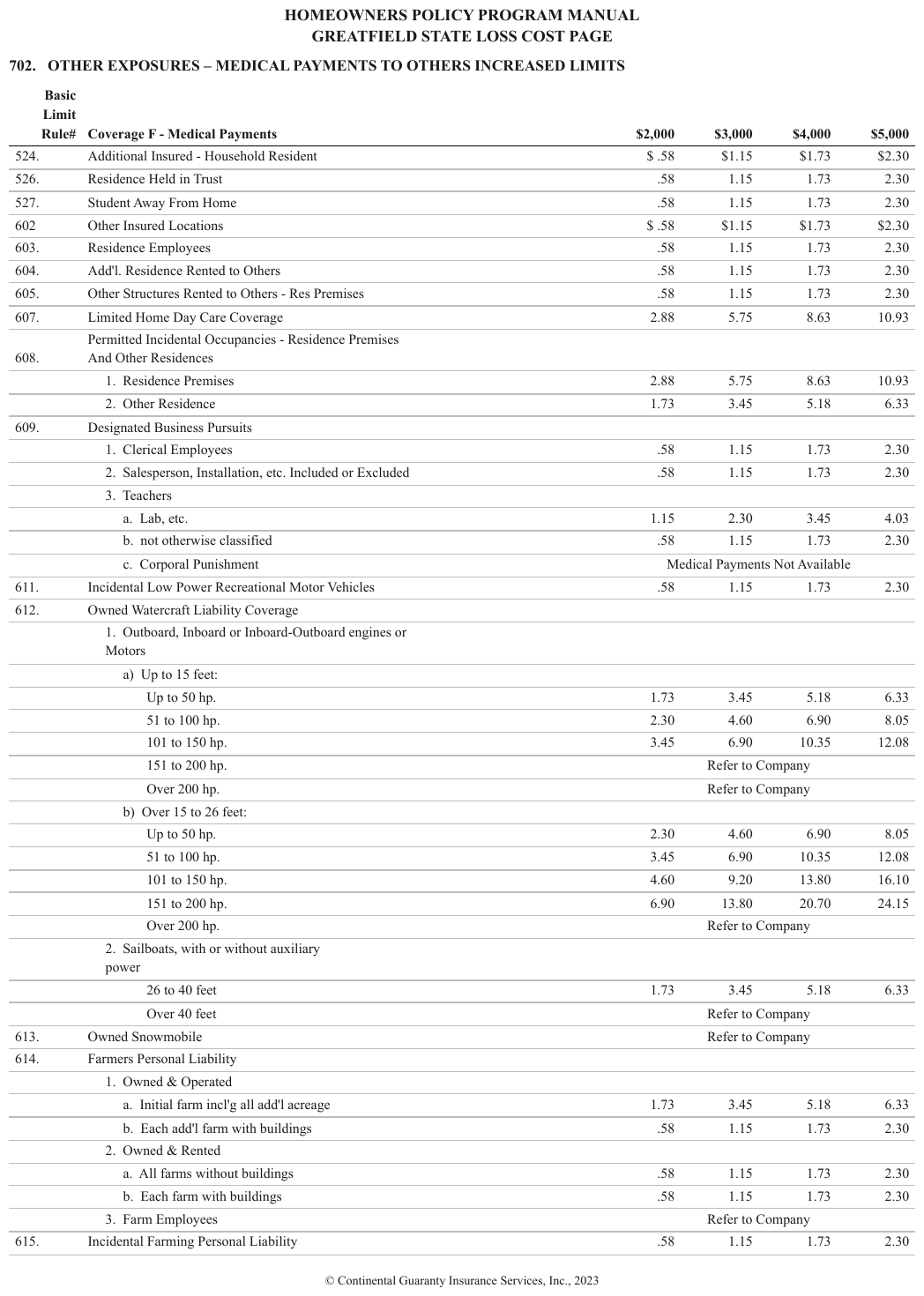
The header declares four price columns ($2,000–$5,000). Rows like Corporal Punishment print one merged note — "Medical Payments Not Available" — spanning all four instead of per-column values, and parent rows such as 612. Owned Watercraft Liability Coverage print no values at all: their four value positions are empty cells. The coverage labels are indented up to three steps.
| Basic Limit Rule# | Coverage F - Medical Payments | $2,000 | $3,000 | $4,000 | $5,000 | |||||||||||||||||||||||||||||||||||||||||||||||||||||||||||||||||||||||||||||||||||||||||||||
|---|---|---|---|---|---|---|---|---|---|---|---|---|---|---|---|---|---|---|---|---|---|---|---|---|---|---|---|---|---|---|---|---|---|---|---|---|---|---|---|---|---|---|---|---|---|---|---|---|---|---|---|---|---|---|---|---|---|---|---|---|---|---|---|---|---|---|---|---|---|---|---|---|---|---|---|---|---|---|---|---|---|---|---|---|---|---|---|---|---|---|---|---|---|---|---|---|---|---|
| … | ||||||||||||||||||||||||||||||||||||||||||||||||||||||||||||||||||||||||||||||||||||||||||||||||||
| b. not otherwise classified | .58 | 1.15 | 1.73 | 2.30 | ||||||||||||||||||||||||||||||||||||||||||||||||||||||||||||||||||||||||||||||||||||||||||||||
| c. Corporal Punishment | Medical Payments Not Available | |||||||||||||||||||||||||||||||||||||||||||||||||||||||||||||||||||||||||||||||||||||||||||||||||
| 611. | Incidental Low Power Recreational Motor Vehicles | .58 | 1.15 | 1.73 | 2.30 | |||||||||||||||||||||||||||||||||||||||||||||||||||||||||||||||||||||||||||||||||||||||||||||
| 612. | Owned Watercraft Liability Coverage | |||||||||||||||||||||||||||||||||||||||||||||||||||||||||||||||||||||||||||||||||||||||||||||||||
| 1. Outboard, Inboard or Inboard-Outboard engines or Motors | ||||||||||||||||||||||||||||||||||||||||||||||||||||||||||||||||||||||||||||||||||||||||||||||||||
| a) Up to 15 feet: | ||||||||||||||||||||||||||||||||||||||||||||||||||||||||||||||||||||||||||||||||||||||||||||||||||
| Up to 50 hp. | 1.73 | 3.45 | 5.18 | 6.33 | ||||||||||||||||||||||||||||||||||||||||||||||||||||||||||||||||||||||||||||||||||||||||||||||
| … | ||||||||||||||||||||||||||||||||||||||||||||||||||||||||||||||||||||||||||||||||||||||||||||||||||
Markdown source
<table>
<tr> <th>Basic Limit Rule#</th> <th>Coverage F - Medical Payments</th> <th>$2,000</th> <th>$3,000</th> <th>$4,000</th> <th>$5,000</th> </tr>
<!-- … -->
<tr> <td> </td> <td data-level="2">b. not otherwise classified</td> <td>.58</td> <td>1.15</td> <td>1.73</td> <td>2.30</td> </tr>
<tr> <td> </td> <td data-level="2">c. Corporal Punishment</td> <td colspan="4">Medical Payments Not Available</td> </tr>
<tr> <td>611.</td> <td data-level="0">Incidental Low Power Recreational Motor Vehicles</td> <td>.58</td> <td>1.15</td> <td>1.73</td> <td>2.30</td> </tr>
<tr> <td>612.</td> <td data-level="0">Owned Watercraft Liability Coverage</td> <td> </td> <td> </td> <td> </td> <td> </td> </tr>
<tr> <td> </td> <td data-level="1">1. Outboard, Inboard or Inboard-Outboard engines or Motors</td> <td> </td> <td> </td> <td> </td> <td> </td> </tr>
<tr> <td> </td> <td data-level="2">a) Up to 15 feet:</td> <td> </td> <td> </td> <td> </td> <td> </td> </tr>
<tr> <td> </td> <td data-level="3">Up to 50 hp.</td> <td>1.73</td> <td>3.45</td> <td>5.18</td> <td>6.33</td> </tr>
<!-- … -->
</table>Related
- Barely-Existing Columns and Headers§9.3.1 — the all-blank column proven only by its header
- Repeated Identical Values§9.5.4 — the companion rule against emitting less data than was printed
- Blank and Spacer Rows§9.5.1 — empty positions along the other axis
9.5 Rows and cells
9.5.1 Blank and Spacer Rows
⚖️ Equivalent forms · 📄 page rule
⚖️ Equivalent forms
A genuinely printed blank row inside a table MAY be rendered as an empty row or left out; both forms conform, and a document MUST use one of them throughout. A blank row that is the only thing separating two groups of rows SHOULD be rendered as an empty row.
| ROU assets total | 10,234 |
| | | ← printed blank row: on this page it is the
| Lease liabilities: | | only section boundary — rendered as an empty row
When the blank row is load-bearing
On a page with no rules, no bands and no repeated headers, the whitespace is the structure. Dropping a blank row there merges two sections the page deliberately kept apart — as in a lease note where a single blank line is all that separates the right-of-use totals from "Lease liabilities:".
- A blank row whose removal would change how a reader groups the rows around it SHOULD be rendered as a row of empty cells, in its printed position.
- A purely decorative blank line — even spacing between every row, padding at the foot of a block — carries no such meaning and MAY be left out.
- An empty row MUST NOT be rendered where the page prints none: the row is kept because it is printed, never added to make groups easier to read.
✅ Sample — ert
A genuinely printed blank row separates the 00xx class codes from the 01xx codes, in every block;
it is kept as a row of empty cells. The four side-by-side CLASS CODE | ELR | D RATIO blocks
continue one class-code series, so each block is its own table (see Column Continuation§9.2.2); the
first is shown.
| CLASS CODE | ELR | D RATIO |
|---|---|---|
| 0010 | 0.912 | 0.42 |
| 0015 | 0.955 | 0.41 |
| 0025 | 0.972 | 0.38 |
| 0040 | 1.164 | 0.40 |
| 0100 | 0.888 | 0.39 |
| 0115 | 1.010 | 0.41 |
| 0130 | 0.842 | 0.37 |
| 0145 | 1.075 | 0.42 |
Markdown source
<table>
<tr> <th>CLASS CODE</th> <th>ELR</th> <th>D RATIO</th> </tr>
<tr> <td>0010</td> <td>0.912</td> <td>0.42</td> </tr>
<tr> <td>0015</td> <td>0.955</td> <td>0.41</td> </tr>
<tr> <td>0025</td> <td>0.972</td> <td>0.38</td> </tr>
<tr> <td>0040</td> <td>1.164</td> <td>0.40</td> </tr>
<tr> <td></td> <td></td> <td></td> </tr>
<tr> <td>0100</td> <td>0.888</td> <td>0.39</td> </tr>
<tr> <td>0115</td> <td>1.010</td> <td>0.41</td> </tr>
<tr> <td>0130</td> <td>0.842</td> <td>0.37</td> </tr>
<tr> <td>0145</td> <td>1.075</td> <td>0.42</td> </tr>
</table>✅ Sample — lakecruise
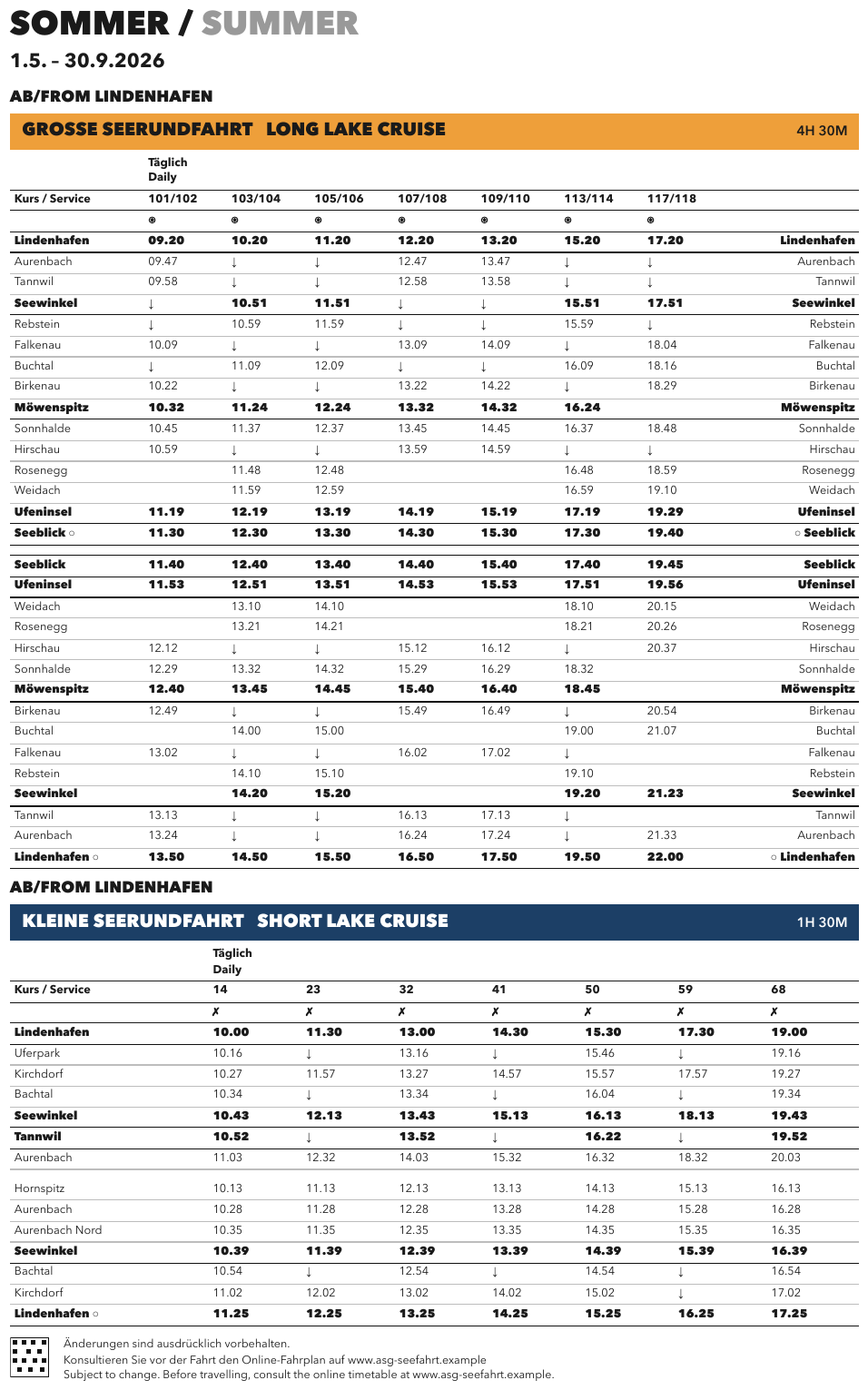
In the long-cruise timetable, a fully empty row is printed between the outbound run ending at
Seeblick ○ and the return run starting at Seeblick; it is the only boundary between the two
direction segments and is kept. Stop rows printed in heavier type are bold cell by cell. The header
symbol under each service number is ⊛.
| Täglich Daily | ||||||||||||||||||||||||||||||||||||||||||||||||||||||||||||||||||||||||||||||||||||||||||||||||||
|---|---|---|---|---|---|---|---|---|---|---|---|---|---|---|---|---|---|---|---|---|---|---|---|---|---|---|---|---|---|---|---|---|---|---|---|---|---|---|---|---|---|---|---|---|---|---|---|---|---|---|---|---|---|---|---|---|---|---|---|---|---|---|---|---|---|---|---|---|---|---|---|---|---|---|---|---|---|---|---|---|---|---|---|---|---|---|---|---|---|---|---|---|---|---|---|---|---|---|
| Kurs / Service | 101/102 | 103/104 | 105/106 | 107/108 | 109/110 | 113/114 | 117/118 | |||||||||||||||||||||||||||||||||||||||||||||||||||||||||||||||||||||||||||||||||||||||||||
| ⊛ | ⊛ | ⊛ | ⊛ | ⊛ | ⊛ | ⊛ | ||||||||||||||||||||||||||||||||||||||||||||||||||||||||||||||||||||||||||||||||||||||||||||
| Lindenhafen | 09.20 | 10.20 | 11.20 | 12.20 | 13.20 | 15.20 | 17.20 | Lindenhafen | ||||||||||||||||||||||||||||||||||||||||||||||||||||||||||||||||||||||||||||||||||||||||||
| Aurenbach | 09.47 | ↓ | ↓ | 12.47 | 13.47 | ↓ | ↓ | Aurenbach | ||||||||||||||||||||||||||||||||||||||||||||||||||||||||||||||||||||||||||||||||||||||||||
| … | ||||||||||||||||||||||||||||||||||||||||||||||||||||||||||||||||||||||||||||||||||||||||||||||||||
| Ufeninsel | 11.19 | 12.19 | 13.19 | 14.19 | 15.19 | 17.19 | 19.29 | Ufeninsel | ||||||||||||||||||||||||||||||||||||||||||||||||||||||||||||||||||||||||||||||||||||||||||
| Seeblick ○ | 11.30 | 12.30 | 13.30 | 14.30 | 15.30 | 17.30 | 19.40 | ○ Seeblick | ||||||||||||||||||||||||||||||||||||||||||||||||||||||||||||||||||||||||||||||||||||||||||
| Seeblick | 11.40 | 12.40 | 13.40 | 14.40 | 15.40 | 17.40 | 19.45 | Seeblick | ||||||||||||||||||||||||||||||||||||||||||||||||||||||||||||||||||||||||||||||||||||||||||
| Ufeninsel | 11.53 | 12.51 | 13.51 | 14.53 | 15.53 | 17.51 | 19.56 | Ufeninsel | ||||||||||||||||||||||||||||||||||||||||||||||||||||||||||||||||||||||||||||||||||||||||||
| … | ||||||||||||||||||||||||||||||||||||||||||||||||||||||||||||||||||||||||||||||||||||||||||||||||||
Markdown source
<table>
<tr> <th> </th> <th colspan="7">Täglich<br/>Daily</th> <th> </th> </tr>
<tr> <th>Kurs / Service</th> <th>101/102</th> <th>103/104</th> <th>105/106</th> <th>107/108</th> <th>109/110</th> <th>113/114</th> <th>117/118</th> <th> </th> </tr>
<tr> <th> </th> <th>⊛</th> <th>⊛</th> <th>⊛</th> <th>⊛</th> <th>⊛</th> <th>⊛</th> <th>⊛</th> <th> </th> </tr>
<tr> <td><strong>Lindenhafen</strong></td> <td><strong>09.20</strong></td> <td><strong>10.20</strong></td> <td><strong>11.20</strong></td> <td><strong>12.20</strong></td> <td><strong>13.20</strong></td> <td><strong>15.20</strong></td> <td><strong>17.20</strong></td> <td><strong>Lindenhafen</strong></td> </tr>
<tr> <td>Aurenbach</td> <td>09.47</td> <td>↓</td> <td>↓</td> <td>12.47</td> <td>13.47</td> <td>↓</td> <td>↓</td> <td>Aurenbach</td> </tr>
<!-- … -->
<tr> <td><strong>Ufeninsel</strong></td> <td><strong>11.19</strong></td> <td><strong>12.19</strong></td> <td><strong>13.19</strong></td> <td><strong>14.19</strong></td> <td><strong>15.19</strong></td> <td><strong>17.19</strong></td> <td><strong>19.29</strong></td> <td><strong>Ufeninsel</strong></td> </tr>
<tr> <td><strong>Seeblick ○</strong></td> <td><strong>11.30</strong></td> <td><strong>12.30</strong></td> <td><strong>13.30</strong></td> <td><strong>14.30</strong></td> <td><strong>15.30</strong></td> <td><strong>17.30</strong></td> <td><strong>19.40</strong></td> <td><strong>○ Seeblick</strong></td> </tr>
<tr> <td></td> <td></td> <td></td> <td></td> <td></td> <td></td> <td></td> <td></td> <td></td> </tr>
<tr> <td><strong>Seeblick</strong></td> <td><strong>11.40</strong></td> <td><strong>12.40</strong></td> <td><strong>13.40</strong></td> <td><strong>14.40</strong></td> <td><strong>15.40</strong></td> <td><strong>17.40</strong></td> <td><strong>19.45</strong></td> <td><strong>Seeblick</strong></td> </tr>
<tr> <td><strong>Ufeninsel</strong></td> <td><strong>11.53</strong></td> <td><strong>12.51</strong></td> <td><strong>13.51</strong></td> <td><strong>14.53</strong></td> <td><strong>15.53</strong></td> <td><strong>17.51</strong></td> <td><strong>19.56</strong></td> <td><strong>Ufeninsel</strong></td> </tr>
<!-- … -->
</table>✅ Sample — 2012_tushin_nittei
A thin printed empty row sits between the 12:05–35 block and the 13:00 block, the only thing separating the morning heats from the afternoon semi-finals; it is kept.
| 時 刻 | ト ラ ッ ク | 跳躍(高さ) | 跳躍(距離) | 投 擲 | ||||||||||||||||||||||||||||||||||||||||||||||||||||||||||||||||||||||||||||||||||||||||||||||
|---|---|---|---|---|---|---|---|---|---|---|---|---|---|---|---|---|---|---|---|---|---|---|---|---|---|---|---|---|---|---|---|---|---|---|---|---|---|---|---|---|---|---|---|---|---|---|---|---|---|---|---|---|---|---|---|---|---|---|---|---|---|---|---|---|---|---|---|---|---|---|---|---|---|---|---|---|---|---|---|---|---|---|---|---|---|---|---|---|---|---|---|---|---|---|---|---|---|---|
| 9:30 | 女共4×100m予5組1着+3 | |||||||||||||||||||||||||||||||||||||||||||||||||||||||||||||||||||||||||||||||||||||||||||||||||
| 50 | 男共4×100m予6組0着+8 | |||||||||||||||||||||||||||||||||||||||||||||||||||||||||||||||||||||||||||||||||||||||||||||||||
| 10:20 | 男 3000m 決2組タイムレース | 女砲丸投 | ||||||||||||||||||||||||||||||||||||||||||||||||||||||||||||||||||||||||||||||||||||||||||||||||
| 55 | 男 800m予3組2着+2 | 女走高跳B | ||||||||||||||||||||||||||||||||||||||||||||||||||||||||||||||||||||||||||||||||||||||||||||||||
| 11:10 | 女 1500m 決2組タイムレース | |||||||||||||||||||||||||||||||||||||||||||||||||||||||||||||||||||||||||||||||||||||||||||||||||
| 35 | 女 100mH予4組3着+4 | |||||||||||||||||||||||||||||||||||||||||||||||||||||||||||||||||||||||||||||||||||||||||||||||||
| 50 | 男2年 100m予5組3着+1 | |||||||||||||||||||||||||||||||||||||||||||||||||||||||||||||||||||||||||||||||||||||||||||||||||
| 12:05 | 女2年 100m予6組2着+4 | |||||||||||||||||||||||||||||||||||||||||||||||||||||||||||||||||||||||||||||||||||||||||||||||||
| 20 | 男1年 100m予6組2着+4 | 男三段跳 | ||||||||||||||||||||||||||||||||||||||||||||||||||||||||||||||||||||||||||||||||||||||||||||||||
| 35 | 女1年 100m予5組3着+1 | |||||||||||||||||||||||||||||||||||||||||||||||||||||||||||||||||||||||||||||||||||||||||||||||||
| 13:00 | 女 100mH準2組4着 | |||||||||||||||||||||||||||||||||||||||||||||||||||||||||||||||||||||||||||||||||||||||||||||||||
| … | ||||||||||||||||||||||||||||||||||||||||||||||||||||||||||||||||||||||||||||||||||||||||||||||||||
Markdown source
<table>
<tr> <th>時 刻</th> <th>ト ラ ッ ク</th> <th>跳躍(高さ)</th> <th>跳躍(距離)</th> <th>投 擲</th> </tr>
<tr> <td>9:30</td> <td>女共4×100m予5組1着+3</td> <td></td> <td></td> <td></td> </tr>
<tr> <td>50</td> <td>男共4×100m予6組0着+8</td> <td></td> <td></td> <td></td> </tr>
<tr> <td>10:20</td> <td>男 3000m 決2組タイムレース</td> <td></td> <td></td> <td>女砲丸投</td> </tr>
<tr> <td>55</td> <td>男 800m予3組2着+2</td> <td>女走高跳B</td> <td></td> <td></td> </tr>
<tr> <td>11:10</td> <td>女 1500m 決2組タイムレース</td> <td></td> <td></td> <td></td> </tr>
<tr> <td>35</td> <td>女 100mH予4組3着+4</td> <td></td> <td></td> <td></td> </tr>
<tr> <td>50</td> <td>男2年 100m予5組3着+1</td> <td></td> <td></td> <td></td> </tr>
<tr> <td>12:05</td> <td>女2年 100m予6組2着+4</td> <td></td> <td></td> <td></td> </tr>
<tr> <td>20</td> <td>男1年 100m予6組2着+4</td> <td></td> <td>男三段跳</td> <td></td> </tr>
<tr> <td>35</td> <td>女1年 100m予5組3着+1</td> <td></td> <td></td> <td></td> </tr>
<tr> <td></td> <td></td> <td></td> <td></td> <td></td> </tr>
<tr> <td>13:00</td> <td>女 100mH準2組4着</td> <td></td> <td></td> <td></td> </tr>
<!-- … -->
</table>❌ Counter-sample — e22
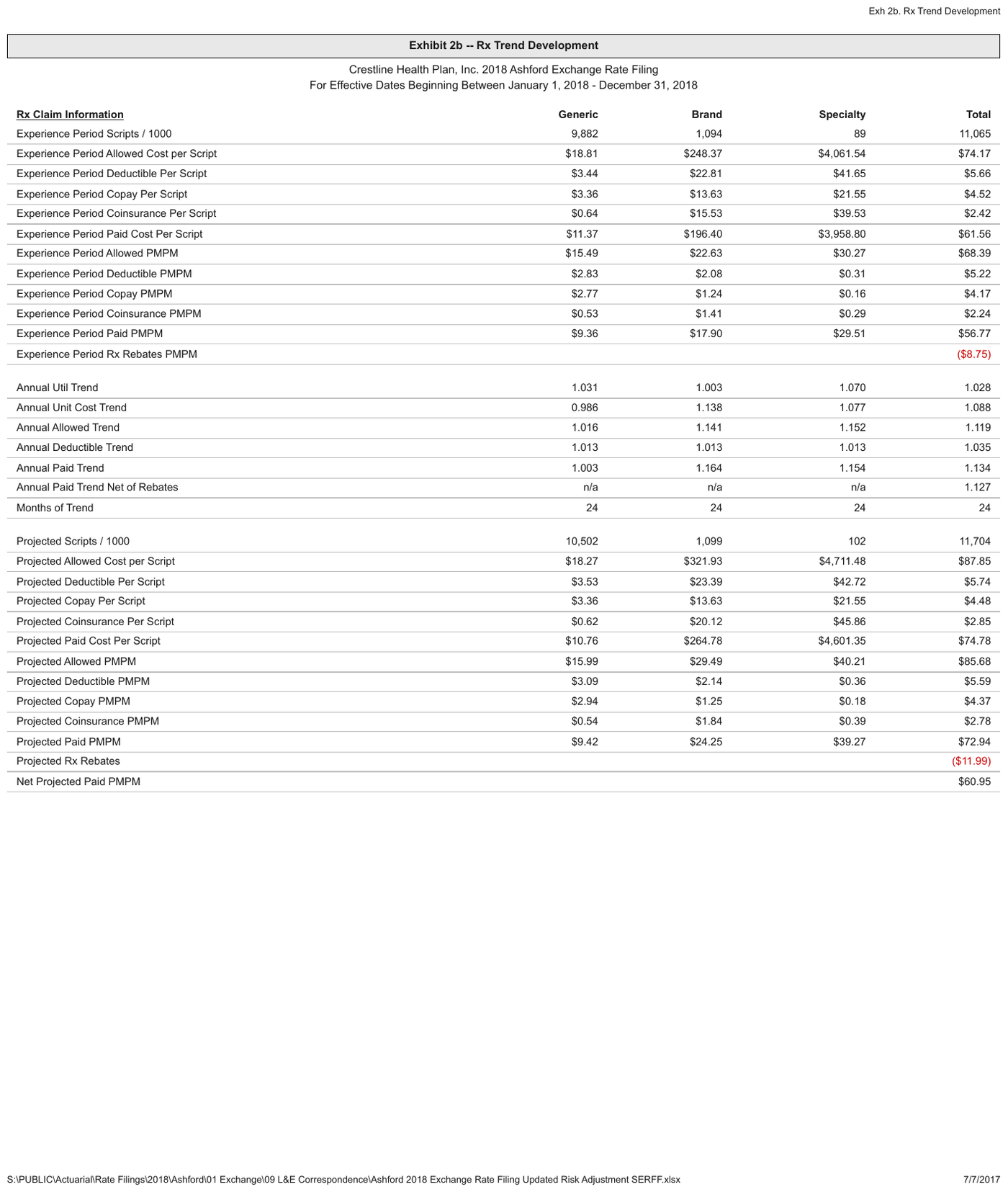
Blank rows are the only separation between the Experience Period, Annual … Trend and
Projected groups; they are kept. A rendering that drops them runs the three groups together; it
still conforms, but draws a warning. The red ($8.75) already carries its sign in the parentheses, so
the colour is decoration and is not rendered.
| Rx Claim Information | Generic | Brand | Specialty | Total | ||||||||||||||||||||||||||||||||||||||||||||||||||||||||||||||||||||||||||||||||||||||||||||||
|---|---|---|---|---|---|---|---|---|---|---|---|---|---|---|---|---|---|---|---|---|---|---|---|---|---|---|---|---|---|---|---|---|---|---|---|---|---|---|---|---|---|---|---|---|---|---|---|---|---|---|---|---|---|---|---|---|---|---|---|---|---|---|---|---|---|---|---|---|---|---|---|---|---|---|---|---|---|---|---|---|---|---|---|---|---|---|---|---|---|---|---|---|---|---|---|---|---|---|
| Experience Period Scripts / 1000 | 9,882 | 1,094 | 89 | 11,065 | ||||||||||||||||||||||||||||||||||||||||||||||||||||||||||||||||||||||||||||||||||||||||||||||
| … | ||||||||||||||||||||||||||||||||||||||||||||||||||||||||||||||||||||||||||||||||||||||||||||||||||
| Experience Period Paid PMPM | $9.36 | $17.90 | $29.51 | $56.77 | ||||||||||||||||||||||||||||||||||||||||||||||||||||||||||||||||||||||||||||||||||||||||||||||
| Experience Period Rx Rebates PMPM | ($8.75) | |||||||||||||||||||||||||||||||||||||||||||||||||||||||||||||||||||||||||||||||||||||||||||||||||
| Annual Util Trend | 1.031 | 1.003 | 1.070 | 1.028 | ||||||||||||||||||||||||||||||||||||||||||||||||||||||||||||||||||||||||||||||||||||||||||||||
| Annual Unit Cost Trend | 0.986 | 1.138 | 1.077 | 1.088 | ||||||||||||||||||||||||||||||||||||||||||||||||||||||||||||||||||||||||||||||||||||||||||||||
| Annual Allowed Trend | 1.016 | 1.141 | 1.152 | 1.119 | ||||||||||||||||||||||||||||||||||||||||||||||||||||||||||||||||||||||||||||||||||||||||||||||
| Annual Deductible Trend | 1.013 | 1.013 | 1.013 | 1.035 | ||||||||||||||||||||||||||||||||||||||||||||||||||||||||||||||||||||||||||||||||||||||||||||||
| Annual Paid Trend | 1.003 | 1.164 | 1.154 | 1.134 | ||||||||||||||||||||||||||||||||||||||||||||||||||||||||||||||||||||||||||||||||||||||||||||||
| Annual Paid Trend Net of Rebates | n/a | n/a | n/a | 1.127 | ||||||||||||||||||||||||||||||||||||||||||||||||||||||||||||||||||||||||||||||||||||||||||||||
| Months of Trend | 24 | 24 | 24 | 24 | ||||||||||||||||||||||||||||||||||||||||||||||||||||||||||||||||||||||||||||||||||||||||||||||
| Projected Scripts / 1000 | 10,502 | 1,099 | 102 | 11,704 | ||||||||||||||||||||||||||||||||||||||||||||||||||||||||||||||||||||||||||||||||||||||||||||||
| … | ||||||||||||||||||||||||||||||||||||||||||||||||||||||||||||||||||||||||||||||||||||||||||||||||||
Markdown source
<table>
<tr> <th><u>Rx Claim Information</u></th> <th>Generic</th> <th>Brand</th> <th>Specialty</th> <th>Total</th> </tr>
<tr> <td>Experience Period Scripts / 1000</td> <td>9,882</td> <td>1,094</td> <td>89</td> <td>11,065</td> </tr>
<!-- … -->
<tr> <td>Experience Period Paid PMPM</td> <td>$9.36</td> <td>$17.90</td> <td>$29.51</td> <td>$56.77</td> </tr>
<tr> <td>Experience Period Rx Rebates PMPM</td> <td></td> <td></td> <td></td> <td>($8.75)</td> </tr>
<tr> <td></td> <td></td> <td></td> <td></td> <td></td> </tr>
<tr> <td>Annual Util Trend</td> <td>1.031</td> <td>1.003</td> <td>1.070</td> <td>1.028</td> </tr>
<tr> <td>Annual Unit Cost Trend</td> <td>0.986</td> <td>1.138</td> <td>1.077</td> <td>1.088</td> </tr>
<tr> <td>Annual Allowed Trend</td> <td>1.016</td> <td>1.141</td> <td>1.152</td> <td>1.119</td> </tr>
<tr> <td>Annual Deductible Trend</td> <td>1.013</td> <td>1.013</td> <td>1.013</td> <td>1.035</td> </tr>
<tr> <td>Annual Paid Trend</td> <td>1.003</td> <td>1.164</td> <td>1.154</td> <td>1.134</td> </tr>
<tr> <td>Annual Paid Trend Net of Rebates</td> <td>n/a</td> <td>n/a</td> <td>n/a</td> <td>1.127</td> </tr>
<tr> <td>Months of Trend</td> <td>24</td> <td>24</td> <td>24</td> <td>24</td> </tr>
<tr> <td></td> <td></td> <td></td> <td></td> <td></td> </tr>
<tr> <td>Projected Scripts / 1000</td> <td>10,502</td> <td>1,099</td> <td>102</td> <td>11,704</td> </tr>
<!-- … -->
</table>❌ Counter-sample — 3samehead
Printed blank lines separate the cohort blocks and set off the Average Issue Age line. The bold
cohort bands already separate the blocks, so these spacers MAY be dropped; they are kept here. The
rendering below drops them, and it also records 10.9% for the 2004+ share of premium where the
page prints 32031.9%, and splits the Issue Year band into a label cell and empty cells although
the page prints one full-width band. Each ruled Total row is a total, so its label cell is a
<th> and the stub carries levels (all 0: nothing is indented).
| Count | % of Count | Premium | % of Premium | |||||||||||||||||||||||||||||||||||||||||||||||||||||||||||||||||||||||||||||||||||||||||||||||
|---|---|---|---|---|---|---|---|---|---|---|---|---|---|---|---|---|---|---|---|---|---|---|---|---|---|---|---|---|---|---|---|---|---|---|---|---|---|---|---|---|---|---|---|---|---|---|---|---|---|---|---|---|---|---|---|---|---|---|---|---|---|---|---|---|---|---|---|---|---|---|---|---|---|---|---|---|---|---|---|---|---|---|---|---|---|---|---|---|---|---|---|---|---|---|---|---|---|---|
| Issue Year | ||||||||||||||||||||||||||||||||||||||||||||||||||||||||||||||||||||||||||||||||||||||||||||||||||
| 1999 | 80 | 3.5% | 217,072 | 3.2% | ||||||||||||||||||||||||||||||||||||||||||||||||||||||||||||||||||||||||||||||||||||||||||||||
| 2000 | 316 | 13.7% | 964,763 | 14.2% | ||||||||||||||||||||||||||||||||||||||||||||||||||||||||||||||||||||||||||||||||||||||||||||||
| 2001 | 374 | 16.2% | 1,091,387 | 16.0% | ||||||||||||||||||||||||||||||||||||||||||||||||||||||||||||||||||||||||||||||||||||||||||||||
| 2002 | 733 | 31.8% | 2,110,680 | 31.0% | ||||||||||||||||||||||||||||||||||||||||||||||||||||||||||||||||||||||||||||||||||||||||||||||
| 2003 | 570 | 24.7% | 1,695,230 | 24.9% | ||||||||||||||||||||||||||||||||||||||||||||||||||||||||||||||||||||||||||||||||||||||||||||||
| 2004+ | 234 | 10.1% | 738,975 | 32031.9% | ||||||||||||||||||||||||||||||||||||||||||||||||||||||||||||||||||||||||||||||||||||||||||||||
| Total | 2,307 | 100.0% | 6,818,108 | 100.0% | ||||||||||||||||||||||||||||||||||||||||||||||||||||||||||||||||||||||||||||||||||||||||||||||
| Issue Age | ||||||||||||||||||||||||||||||||||||||||||||||||||||||||||||||||||||||||||||||||||||||||||||||||||
| <30 | 4 | 0.2% | 4,451 | 0.1% | ||||||||||||||||||||||||||||||||||||||||||||||||||||||||||||||||||||||||||||||||||||||||||||||
| … | ||||||||||||||||||||||||||||||||||||||||||||||||||||||||||||||||||||||||||||||||||||||||||||||||||
| 80+ | 3 | 0.1% | 8,175 | 0.1% | ||||||||||||||||||||||||||||||||||||||||||||||||||||||||||||||||||||||||||||||||||||||||||||||
| Total | 2,307 | 100.0% | 6,818,108 | 100.0% | ||||||||||||||||||||||||||||||||||||||||||||||||||||||||||||||||||||||||||||||||||||||||||||||
| Average Issue Age | 60.6 | |||||||||||||||||||||||||||||||||||||||||||||||||||||||||||||||||||||||||||||||||||||||||||||||||
| Attained Age | ||||||||||||||||||||||||||||||||||||||||||||||||||||||||||||||||||||||||||||||||||||||||||||||||||
| … | ||||||||||||||||||||||||||||||||||||||||||||||||||||||||||||||||||||||||||||||||||||||||||||||||||
Markdown source
<table>
<tr> <th> </th> <th>Count</th> <th>% of Count</th> <th>Premium</th> <th>% of Premium</th> </tr>
<tr> <th colspan="5">Issue Year</th> </tr>
<tr> <td data-level="0">1999</td> <td>80</td> <td>3.5%</td> <td>217,072</td> <td>3.2%</td> </tr>
<tr> <td data-level="0">2000</td> <td>316</td> <td>13.7%</td> <td>964,763</td> <td>14.2%</td> </tr>
<tr> <td data-level="0">2001</td> <td>374</td> <td>16.2%</td> <td>1,091,387</td> <td>16.0%</td> </tr>
<tr> <td data-level="0">2002</td> <td>733</td> <td>31.8%</td> <td>2,110,680</td> <td>31.0%</td> </tr>
<tr> <td data-level="0">2003</td> <td>570</td> <td>24.7%</td> <td>1,695,230</td> <td>24.9%</td> </tr>
<tr> <td data-level="0">2004+</td> <td>234</td> <td>10.1%</td> <td>738,975</td> <td>32031.9%</td> </tr>
<tr> <th data-level="0">Total</th> <td>2,307</td> <td>100.0%</td> <td>6,818,108</td> <td>100.0%</td> </tr>
<tr> <td></td> <td></td> <td></td> <td></td> <td></td> </tr>
<tr> <th colspan="5">Issue Age</th> </tr>
<tr> <td data-level="0"><30</td> <td>4</td> <td>0.2%</td> <td>4,451</td> <td>0.1%</td> </tr>
<!-- … -->
<tr> <td data-level="0">80+</td> <td>3</td> <td>0.1%</td> <td>8,175</td> <td>0.1%</td> </tr>
<tr> <th data-level="0">Total</th> <td>2,307</td> <td>100.0%</td> <td>6,818,108</td> <td>100.0%</td> </tr>
<tr> <td></td> <td></td> <td></td> <td></td> <td></td> </tr>
<tr> <td data-level="0">Average Issue Age</td> <td>60.6</td> <td></td> <td></td> <td></td> </tr>
<tr> <td></td> <td></td> <td></td> <td></td> <td></td> </tr>
<tr> <th colspan="5">Attained Age</th> </tr>
<!-- … -->
</table>| Count | % of Count | Premium | % of Premium | |||||||||||||||||||||||||||||||||||||||||||||||||||||||||||||||||||||||||||||||||||||||||||||||
|---|---|---|---|---|---|---|---|---|---|---|---|---|---|---|---|---|---|---|---|---|---|---|---|---|---|---|---|---|---|---|---|---|---|---|---|---|---|---|---|---|---|---|---|---|---|---|---|---|---|---|---|---|---|---|---|---|---|---|---|---|---|---|---|---|---|---|---|---|---|---|---|---|---|---|---|---|---|---|---|---|---|---|---|---|---|---|---|---|---|---|---|---|---|---|---|---|---|---|
| Issue Year | ||||||||||||||||||||||||||||||||||||||||||||||||||||||||||||||||||||||||||||||||||||||||||||||||||
| 1999 | 80 | 3.5% | 217,072 | 3.2% | ||||||||||||||||||||||||||||||||||||||||||||||||||||||||||||||||||||||||||||||||||||||||||||||
| 2000 | 316 | 13.7% | 964,763 | 14.2% | ||||||||||||||||||||||||||||||||||||||||||||||||||||||||||||||||||||||||||||||||||||||||||||||
| 2001 | 374 | 16.2% | 1,091,387 | 16.0% | ||||||||||||||||||||||||||||||||||||||||||||||||||||||||||||||||||||||||||||||||||||||||||||||
| 2002 | 733 | 31.8% | 2,110,680 | 31.0% | ||||||||||||||||||||||||||||||||||||||||||||||||||||||||||||||||||||||||||||||||||||||||||||||
| 2003 | 570 | 24.7% | 1,695,230 | 24.9% | ||||||||||||||||||||||||||||||||||||||||||||||||||||||||||||||||||||||||||||||||||||||||||||||
| 2004+ | 234 | 10.1% | 738,975 | 10.9% | ||||||||||||||||||||||||||||||||||||||||||||||||||||||||||||||||||||||||||||||||||||||||||||||
| … | ||||||||||||||||||||||||||||||||||||||||||||||||||||||||||||||||||||||||||||||||||||||||||||||||||
Markdown source
<table>
<tr> <th> </th> <th>Count</th> <th>% of Count</th> <th>Premium</th> <th>% of Premium</th> </tr>
<tr> <th>Issue Year</th> <td></td> <td></td> <td></td> <td></td> </tr>
<tr> <td>1999</td> <td>80</td> <td>3.5%</td> <td>217,072</td> <td>3.2%</td> </tr>
<tr> <td>2000</td> <td>316</td> <td>13.7%</td> <td>964,763</td> <td>14.2%</td> </tr>
<tr> <td>2001</td> <td>374</td> <td>16.2%</td> <td>1,091,387</td> <td>16.0%</td> </tr>
<tr> <td>2002</td> <td>733</td> <td>31.8%</td> <td>2,110,680</td> <td>31.0%</td> </tr>
<tr> <td>2003</td> <td>570</td> <td>24.7%</td> <td>1,695,230</td> <td>24.9%</td> </tr>
<tr> <td>2004+</td> <td>234</td> <td>10.1%</td> <td>738,975</td> <td>10.9%</td> </tr>
<!-- … -->
</table>❌ Counter-sample — 3cell
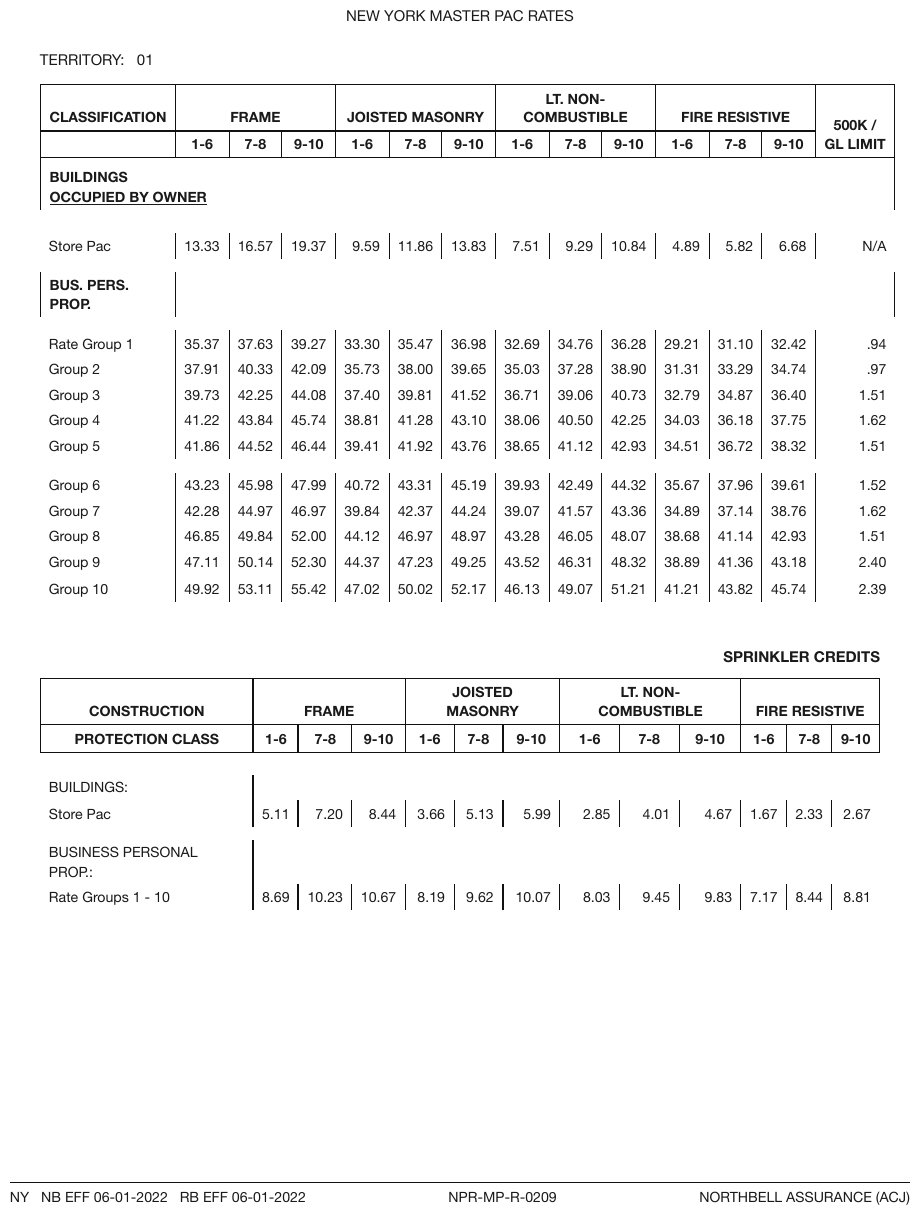
Printed gaps sit under the BUILDINGS / OCCUPIED BY OWNER band, around the BUS. PERS. PROP. band and between Group 5 and Group 6; the last is the only thing splitting the rate groups in two, so it is kept, and the others are kept with it. The BUS. PERS. PROP. band prints its label in its own ruled cell with one empty cell across the rest of the row, so it is not a full-width span. The trailing gap under Group 10 is padding and is not shown.
| CLASSIFICATION | FRAME | JOISTED MASONRY | LT. NON-COMBUSTIBLE | FIRE RESISTIVE | 500K / GL LIMIT | |||||||||||||||||||||||||||||||||||||||||||||||||||||||||||||||||||||||||||||||||||||||||||||
|---|---|---|---|---|---|---|---|---|---|---|---|---|---|---|---|---|---|---|---|---|---|---|---|---|---|---|---|---|---|---|---|---|---|---|---|---|---|---|---|---|---|---|---|---|---|---|---|---|---|---|---|---|---|---|---|---|---|---|---|---|---|---|---|---|---|---|---|---|---|---|---|---|---|---|---|---|---|---|---|---|---|---|---|---|---|---|---|---|---|---|---|---|---|---|---|---|---|---|
| 1-6 | 7-8 | 9-10 | 1-6 | 7-8 | 9-10 | 1-6 | 7-8 | 9-10 | 1-6 | 7-8 | 9-10 | |||||||||||||||||||||||||||||||||||||||||||||||||||||||||||||||||||||||||||||||||||||||
| BUILDINGS OCCUPIED BY OWNER | ||||||||||||||||||||||||||||||||||||||||||||||||||||||||||||||||||||||||||||||||||||||||||||||||||
| Store Pac | 13.33 | 16.57 | 19.37 | 9.59 | 11.86 | 13.83 | 7.51 | 9.29 | 10.84 | 4.89 | 5.82 | 6.68 | N/A | |||||||||||||||||||||||||||||||||||||||||||||||||||||||||||||||||||||||||||||||||||||
| BUS. PERS. PROP. | ||||||||||||||||||||||||||||||||||||||||||||||||||||||||||||||||||||||||||||||||||||||||||||||||||
| Rate Group 1 | 35.37 | 37.63 | 39.27 | 33.30 | 35.47 | 36.98 | 32.69 | 34.76 | 36.28 | 29.21 | 31.10 | 32.42 | .94 | |||||||||||||||||||||||||||||||||||||||||||||||||||||||||||||||||||||||||||||||||||||
| Group 2 | 37.91 | 40.33 | 42.09 | 35.73 | 38.00 | 39.65 | 35.03 | 37.28 | 38.90 | 31.31 | 33.29 | 34.74 | .97 | |||||||||||||||||||||||||||||||||||||||||||||||||||||||||||||||||||||||||||||||||||||
| Group 3 | 39.73 | 42.25 | 44.08 | 37.40 | 39.81 | 41.52 | 36.71 | 39.06 | 40.73 | 32.79 | 34.87 | 36.40 | 1.51 | |||||||||||||||||||||||||||||||||||||||||||||||||||||||||||||||||||||||||||||||||||||
| Group 4 | 41.22 | 43.84 | 45.74 | 38.81 | 41.28 | 43.10 | 38.06 | 40.50 | 42.25 | 34.03 | 36.18 | 37.75 | 1.62 | |||||||||||||||||||||||||||||||||||||||||||||||||||||||||||||||||||||||||||||||||||||
| Group 5 | 41.86 | 44.52 | 46.44 | 39.41 | 41.92 | 43.76 | 38.65 | 41.12 | 42.93 | 34.51 | 36.72 | 38.32 | 1.51 | |||||||||||||||||||||||||||||||||||||||||||||||||||||||||||||||||||||||||||||||||||||
| Group 6 | 43.23 | 45.98 | 47.99 | 40.72 | 43.31 | 45.19 | 39.93 | 42.49 | 44.32 | 35.67 | 37.96 | 39.61 | 1.52 | |||||||||||||||||||||||||||||||||||||||||||||||||||||||||||||||||||||||||||||||||||||
| … | ||||||||||||||||||||||||||||||||||||||||||||||||||||||||||||||||||||||||||||||||||||||||||||||||||
Markdown source
<table>
<tr> <th>CLASSIFICATION</th> <th colspan="3">FRAME</th> <th colspan="3">JOISTED MASONRY</th> <th colspan="3">LT. NON-COMBUSTIBLE</th> <th colspan="3">FIRE RESISTIVE</th> <th rowspan="2">500K /<br/>GL LIMIT</th> </tr>
<tr> <th></th> <th>1-6</th> <th>7-8</th> <th>9-10</th> <th>1-6</th> <th>7-8</th> <th>9-10</th> <th>1-6</th> <th>7-8</th> <th>9-10</th> <th>1-6</th> <th>7-8</th> <th>9-10</th> </tr>
<tr> <th colspan="14">BUILDINGS<br/><u>OCCUPIED BY OWNER</u></th> </tr>
<tr> <td></td> <td></td> <td></td> <td></td> <td></td> <td></td> <td></td> <td></td> <td></td> <td></td> <td></td> <td></td> <td></td> <td></td> </tr>
<tr> <td>Store Pac</td> <td>13.33</td> <td>16.57</td> <td>19.37</td> <td>9.59</td> <td>11.86</td> <td>13.83</td> <td>7.51</td> <td>9.29</td> <td>10.84</td> <td>4.89</td> <td>5.82</td> <td>6.68</td> <td>N/A</td> </tr>
<tr> <td></td> <td></td> <td></td> <td></td> <td></td> <td></td> <td></td> <td></td> <td></td> <td></td> <td></td> <td></td> <td></td> <td></td> </tr>
<tr> <th>BUS. PERS. PROP.</th> <th colspan="13"></th> </tr>
<tr> <td></td> <td></td> <td></td> <td></td> <td></td> <td></td> <td></td> <td></td> <td></td> <td></td> <td></td> <td></td> <td></td> <td></td> </tr>
<tr> <td>Rate Group 1</td> <td>35.37</td> <td>37.63</td> <td>39.27</td> <td>33.30</td> <td>35.47</td> <td>36.98</td> <td>32.69</td> <td>34.76</td> <td>36.28</td> <td>29.21</td> <td>31.10</td> <td>32.42</td> <td>.94</td> </tr>
<tr> <td>Group 2</td> <td>37.91</td> <td>40.33</td> <td>42.09</td> <td>35.73</td> <td>38.00</td> <td>39.65</td> <td>35.03</td> <td>37.28</td> <td>38.90</td> <td>31.31</td> <td>33.29</td> <td>34.74</td> <td>.97</td> </tr>
<tr> <td>Group 3</td> <td>39.73</td> <td>42.25</td> <td>44.08</td> <td>37.40</td> <td>39.81</td> <td>41.52</td> <td>36.71</td> <td>39.06</td> <td>40.73</td> <td>32.79</td> <td>34.87</td> <td>36.40</td> <td>1.51</td> </tr>
<tr> <td>Group 4</td> <td>41.22</td> <td>43.84</td> <td>45.74</td> <td>38.81</td> <td>41.28</td> <td>43.10</td> <td>38.06</td> <td>40.50</td> <td>42.25</td> <td>34.03</td> <td>36.18</td> <td>37.75</td> <td>1.62</td> </tr>
<tr> <td>Group 5</td> <td>41.86</td> <td>44.52</td> <td>46.44</td> <td>39.41</td> <td>41.92</td> <td>43.76</td> <td>38.65</td> <td>41.12</td> <td>42.93</td> <td>34.51</td> <td>36.72</td> <td>38.32</td> <td>1.51</td> </tr>
<tr> <td></td> <td></td> <td></td> <td></td> <td></td> <td></td> <td></td> <td></td> <td></td> <td></td> <td></td> <td></td> <td></td> <td></td> </tr>
<tr> <td>Group 6</td> <td>43.23</td> <td>45.98</td> <td>47.99</td> <td>40.72</td> <td>43.31</td> <td>45.19</td> <td>39.93</td> <td>42.49</td> <td>44.32</td> <td>35.67</td> <td>37.96</td> <td>39.61</td> <td>1.52</td> </tr>
<!-- … -->
</table>Encoding an empty region
The encoding of an empty region is free. Its existence is not.
- An empty region inside a table body MAY be encoded as individual empty
<td>cells or as one blank cell spanning it (colspan/rowspan): three leading empty<td>s per row and onecolspan="3" rowspan="8"blank block render identically, and both conform. Where the page draws no separation inside the empty region, neither encoding is preferred. - Carve-out: in a loss triangle or similar matrix, every empty position MUST be its own empty cell, never part of a span — each is a distinct, meaningful absence. See Triangles and Matrix Tables§9.8.2.
- The half that is not free: the cells and columns MUST exist. A column proven only by its header still exists (Barely-Existing Columns and Headers§9.3.1), and every value in it MUST stay reachable. Encoding is a choice; deletion is an error.
- Blank space beside a header label is not free: it MUST be rendered as separate empty cells, not as an extended span, unless the page prints a genuinely merged cell. See Barely-Existing Columns and Headers§9.3.1.
Related
- Bands Inside the Grid§9.2.1 — the other way a page marks a section boundary inside a table
- Barely-Existing Columns and Headers§9.3.1 — empty cells beside header labels, and columns proven only by a header
- Empty Pre-Printed Grids§9.1.3 — rows that are blank because the form is unfilled, all of which are kept
- Triangles and Matrix Tables§9.8.2 — the one place empty positions are never spanned
9.5.2 Nested Tables
✅ Normative · 📄 page rule
✅ Normative
A small grid printed inside one cell of a table MUST be rendered by subdividing that cell into the
outer table's own grid: the inner grid's cells become rows and columns of the outer table, and the
neighbouring cells span them. The output MUST NOT contain a nested <table> element, and MUST NOT
flatten the inner grid into text.
A cell that itself contains a small grid: a fee schedule inside a plan-comparison cell, a mini-table of components inside one row of a summary.
| Plan | Fees |
| A | ┌ admin │ 0.25% ┐ |
| | └ fund │ 0.10% ┘ ← a table inside the cell
Recognising a nested table
The inner grid has its own alignment: two or more columns of its own, sometimes its own header row, and its own row boundaries that do not line up with the outer table's rows. That is what separates it from a cell that merely holds several lines of text, which is governed by Record Groups and Multi-Line Cells§9.5.3.
Rendering
The inner grid's cells MUST become real cells of the outer table, and every cell alongside it MUST span the rows it now occupies:
<tr>
<td rowspan="2">A</td>
<td>admin</td><td>0.25%</td>
</tr>
<tr>
<td>fund</td><td>0.10%</td>
</tr>
A is printed once and genuinely covers both fee rows, so rowspan="2" is a true statement about
the page — the same test Repeated Identical Values§9.5.4 applies everywhere else.
- No nested
<table>. A nested table makes the inner grid invisible to anything that walks the outer one: cell counts, column arithmetic and per-cell boxes all stop at the<td>boundary. Subdividing keeps every value addressable at the same level as the rest of the table, and the outer grid still reconciles — see the leaf-track check in Multi-Row Header Tiers§9.3.3. - Pairs MUST survive. The pairing inside the inner grid is the data:
admingoes with0.25%andfundwith0.10%. An encoding that lists all the labels and then all the values has destroyed the table; so has flattening the cell to<br/>-separated text.
This is one of several cases that need HTML tables rather than pipe tables, which cannot express the spans this rule depends on (see Markdown Rendering§3.2). The others are spans in Multi-Row Header Tiers§9.3.3, full-width band rows in Bands Inside the Grid§9.2.1, and level markers on the stub in Row-Label Hierarchy§9.5.5.
✅ Sample — en
The left two columns form an embedded Section / Marks mini-table, with its own Summative Assessment II / 30% heading row, while a single ruled cell on the right spans all five of its rows and prints nothing. The TOTAL row is bold.
| Division of Syllabus for Term II (October-March) | Total Weightage Assigned | |
|---|---|---|
| Summative Assessment II | 30% | |
| Section | Marks | |
| Reading | 20 | |
| Writing | 20 | |
| Grammar | 15 | |
| Literature | 35 | |
| Formative Assessment | 20% | |
| TOTAL | 90 | 50% |
Markdown source
<table>
<tr> <th colspan="2">Division of Syllabus for Term II (October-March)</th> <th>Total Weightage Assigned</th> </tr>
<tr> <th>Summative Assessment II</th> <th>30%</th> <td> </td> </tr>
<tr> <th>Section</th> <th>Marks</th> <td rowspan="5"> </td> </tr>
<tr> <td data-level="0">Reading</td> <td>20</td> </tr>
<tr> <td data-level="0">Writing</td> <td>20</td> </tr>
<tr> <td data-level="0">Grammar</td> <td>15</td> </tr>
<tr> <td data-level="0">Literature</td> <td>35</td> </tr>
<tr> <td data-level="0">Formative Assessment</td> <td> </td> <td>20%</td> </tr>
<tr> <th data-level="0"><strong>TOTAL</strong></th> <td><strong>90</strong></td> <td><strong>50%</strong></td> </tr>
</table>✅ Sample — korean-curriculum
A rowspan-6 단 원 별 교 육 내 용 stub encloses its own mini-grid — complete with a shaded header
row 단원(제목) / 시수 / 교육내용 — inside the outer table. The shaded label cells on the left are
bold; the two bulleted cells print • bullets.
| 교 육 과 정 | 실무에 바로 쓰는 엑셀 입문: 보고서 & 데이터 정리 | ||
|---|---|---|---|
| 교 육 시 수 | 총 10시간 | 교 육 난 이 도 | 초중급 |
| 교육대상자 |
| ||
| 선 수 과 목 | 차 수 과 목 | 데이터, 엑셀로 똑똑하게 분석하기 (피벗 테이블 & 함수 활용) | |
| 교 육 목 표 |
| ||
| 단 원 별 교 육 내 용 | 단원(제목) | 시수 | 교육내용 |
| 엑셀 기본 익히기 및 데이터 입력 기초 | 1.5h | 1. 엑셀 화면 구성과 효율적인 옵션 설정 2. 업무 시간을 줄이는 필수 단축키 3. 셀 편집 및 워크시트 관리 4. 데이터 입력 규칙과 효율적인 입력 방법 | |
| 서식과 표 꾸미기 | 1.5h | 1. 셀 서식과 조건부 서식 활용 2. 표 스타일 지정 및 인쇄 영역 설정 | |
| 기초 함수 활용 | 2h | 1. 합계·평균·개수 함수 2. 논리 함수(IF)의 기본 사용법 | |
| 데이터 정리와 필터링 | 2h | 1. 정렬과 필터 2. 중복 데이터 제거 | |
| 실무 보고서 실습 | 3h | 1. 주간 업무 보고서 양식 작성 2. 완성 파일 저장 및 공유 방법 | |
Markdown source
<table>
<tr> <th>교 육 과 정</th> <th colspan="3">실무에 바로 쓰는 엑셀 입문: 보고서 & 데이터 정리</th> </tr>
<tr> <td><strong>교 육 시 수</strong></td> <td>총 10시간</td> <td><strong>교 육 난 이 도</strong></td> <td>초중급</td> </tr>
<tr> <td><strong>교육대상자</strong></td> <td colspan="3"><ul><li>엑셀을 처음 접하거나 기초 지식이 부족하여 어려움을 겪는 분.</li><li>실무에서 바로 적용할 수 있는 엑셀 보고서 작성 및 데이터 정리 스킬이 필요한 분.</li><li>데이터 입력 시 오류를 줄이고 싶으신 분.</li></ul></td> </tr>
<tr> <td><strong>선 수 과 목</strong></td> <td> </td> <td><strong>차 수 과 목</strong></td> <td>데이터, 엑셀로 똑똑하게 분석하기<br/>(피벗 테이블 & 함수 활용)</td> </tr>
<tr> <td><strong>교 육 목 표</strong></td> <td colspan="3"><ul><li>보기 좋고 전문적인 실무 보고서 및 대장 양식을 만들 수 있습니다.</li><li>복잡한 데이터를 효율적으로 정리하고 원하는 정보를 추출할 수 있습니다.</li><li>데이터 정확성을 높이고, 간단한 계산 및 오류 처리를 할 수 있습니다.</li></ul></td> </tr>
<tr> <td rowspan="6"><strong>단 원 별<br/>교 육 내 용</strong></td> <th>단원(제목)</th> <th>시수</th> <th>교육내용</th> </tr>
<tr> <td>엑셀 기본 익히기 및<br/>데이터 입력 기초</td> <td>1.5h</td> <td>1. 엑셀 화면 구성과 효율적인 옵션 설정<br/>2. 업무 시간을 줄이는 필수 단축키<br/>3. 셀 편집 및 워크시트 관리<br/>4. 데이터 입력 규칙과 효율적인 입력 방법</td> </tr>
<tr> <td>서식과 표 꾸미기</td> <td>1.5h</td> <td>1. 셀 서식과 조건부 서식 활용<br/>2. 표 스타일 지정 및 인쇄 영역 설정</td> </tr>
<tr> <td>기초 함수 활용</td> <td>2h</td> <td>1. 합계·평균·개수 함수<br/>2. 논리 함수(IF)의 기본 사용법</td> </tr>
<tr> <td>데이터 정리와 필터링</td> <td>2h</td> <td>1. 정렬과 필터<br/>2. 중복 데이터 제거</td> </tr>
<tr> <td>실무 보고서 실습</td> <td>3h</td> <td>1. 주간 업무 보고서 양식 작성<br/>2. 완성 파일 저장 및 공유 방법</td> </tr>
</table>Related
- Record Groups and Multi-Line Cells§9.5.3 — a cell holding several lines of text, not a grid
- Multi-Row Header Tiers§9.3.3 — the leaf-track check that a subdivided grid still passes
- Repeated Identical Values§9.5.4 — the same "printed once, spans several rows" test
9.5.3 Record Groups and Multi-Line Cells
✅ Normative · 📄 page rule
✅ Normative
Independently printed records MUST each be rendered as their own row, with rowspan only on
cells the page genuinely merged. One prose cell MUST stay one cell, with <br/> between its title
and its paragraph. In a boxed row holding lists in several columns, lines that pair up one-to-one
MUST be separate rows, and a list whose neighbours print a single value for the whole list MUST
stay in one cell, <br/>-joined, beside that value.
Printed boxed row: Rendered:
| Products | States | | MoneyGuard | AL |
| MoneyGuard | AL | | MG II | AK<br/>AZ |
| MG II | AK |
| | AZ |
A record spanning several printed lines
Each printed line of the record MUST be its own row, and the cells genuinely shared across those
lines MUST carry a rowspan.
- The record's lines MUST NOT be
<br/>-joined into one row. - A blank continuation cell MUST NOT stand where a
rowspanbelongs. - The lines MUST NOT be rewritten —
Owner:andExtendedprinted on two lines do not becomeOwner: Extended. The verbatim line structure is part of the output.
✅ Sample — sln
SL Nos 6, 7, 10 and 11 each print one number and one item name against several separately ruled
Material / Diameter / Thickness sub-rows, so those two cells take a rowspan; every sub-row has its
own empty Bidder's Response box.
| SL No | Name of Item | Technical Specifications and Standards | Bidder's Response | |
|---|---|---|---|---|
| 1 | Brand | To Be Mentioned By Tenderer | ||
| 2 | Model | To Be Mentioned By Tenderer | ||
| 3 | Country of Origin | USA/UK/EU or Equivalent | ||
| 4 | Category | Cat.6 | ||
| 5 | Reference standard | ISO/IEC11801, ANSI/TIA/EIA-568-C.2-D, IEC61156-5 EN50399, RoHS Compliant. | ||
| 6 | Conductor | Material | Solid-Bare Copper | |
| Structure AWG | 23 AWG | |||
| 7 | Insulation | Material | HDPE | |
| Nominal OD | 1.0 ± 0.10 mm | |||
| 8 | Twist | Direction: S | ||
| 9 | Fillers | Material: PE | ||
| 10 | Jacket | Thickness | 0.60 ± 0.10 mm | |
| Diameter | 6.30 ± 0.30 mm | |||
| Material | PVC | |||
| Color | Orange/Blue/Gray | |||
| 11 | Jacket physical properties | Before aging | Tensile strength ≥ 13.5 Mpa Elongation ≥ 150% | |
| After aging | Tensile strength ≥ 12.5 Mpa Elongation ≥ 125% | |||
| 12 | Cable length | 305m/Box | ||
Markdown source
<table>
<tr> <th>SL No</th> <th>Name of Item</th> <th colspan="2">Technical Specifications and Standards</th> <th>Bidder's Response</th> </tr>
<tr> <td>1</td> <td>Brand</td> <td colspan="2">To Be Mentioned By Tenderer</td> <td> </td> </tr>
<tr> <td>2</td> <td>Model</td> <td colspan="2">To Be Mentioned By Tenderer</td> <td> </td> </tr>
<tr> <td>3</td> <td>Country of Origin</td> <td colspan="2">USA/UK/EU or Equivalent</td> <td> </td> </tr>
<tr> <td>4</td> <td>Category</td> <td colspan="2">Cat.6</td> <td> </td> </tr>
<tr> <td>5</td> <td>Reference standard</td> <td colspan="2">ISO/IEC11801, ANSI/TIA/EIA-568-C.2-D, IEC61156-5<br/>EN50399, RoHS Compliant.</td> <td> </td> </tr>
<tr> <td rowspan="2">6</td> <td rowspan="2">Conductor</td> <td>Material</td> <td>Solid-Bare Copper</td> <td> </td> </tr>
<tr> <td>Structure AWG</td> <td>23 AWG</td> <td> </td> </tr>
<tr> <td rowspan="2">7</td> <td rowspan="2">Insulation</td> <td>Material</td> <td>HDPE</td> <td> </td> </tr>
<tr> <td>Nominal OD</td> <td>1.0 ± 0.10 mm</td> <td> </td> </tr>
<tr> <td>8</td> <td>Twist</td> <td colspan="2">Direction: S</td> <td> </td> </tr>
<tr> <td>9</td> <td>Fillers</td> <td colspan="2">Material: PE</td> <td> </td> </tr>
<tr> <td rowspan="4">10</td> <td rowspan="4">Jacket</td> <td>Thickness</td> <td>0.60 ± 0.10 mm</td> <td> </td> </tr>
<tr> <td>Diameter</td> <td>6.30 ± 0.30 mm</td> <td> </td> </tr>
<tr> <td>Material</td> <td>PVC</td> <td> </td> </tr>
<tr> <td>Color</td> <td>Orange/Blue/Gray</td> <td> </td> </tr>
<tr> <td rowspan="2">11</td> <td rowspan="2">Jacket physical properties</td> <td>Before aging</td> <td>Tensile strength ≥ 13.5 Mpa<br/>Elongation ≥ 150%</td> <td> </td> </tr>
<tr> <td>After aging</td> <td>Tensile strength ≥ 12.5 Mpa<br/>Elongation ≥ 125%</td> <td> </td> </tr>
<tr> <td>12</td> <td>Cable length</td> <td colspan="2">305m/Box</td> <td> </td> </tr>
</table>✅ Sample — yep
The category and score cells are printed once against four activity rows, so they take a rowspan
across them.
| কর্মসম্পাদনের ক্ষেত্র | মান | কার্যক্রম | কর্মসম্পাদন সূচক | একক | কর্মসম্পাদন সূচকের মান | প্রকৃত অর্জন ২০১৯-২০ | প্রকৃত অর্জন ২০২০-২১ | লক্ষ্যমাত্রা ২০২১-২০২২ | ||||
|---|---|---|---|---|---|---|---|---|---|---|---|---|
| অসাধারণ ১০০% | অতি উত্তম ৯০% | উত্তম ৮০% | চলতি মান ৭০% | চলতি মানের নিম্নে ৬০% | ||||||||
| ১ | ২ | ৩ | ৪ | ৫ | ৬ | ৭ | ৮ | ৯ | ১০ | ১১ | ১২ | ১৩ |
| প্রাতিষ্ঠানিক ব্যবস্থাপনা | ৫ | \[১.১\] অভিযোগ নিষ্পত্তি কর্মকর্তা (অনিক) ও আপিল কর্মকর্তার তথ্য ওয়েবসাইটে ত্রৈমাসিকভিত্তিতে হালনাগাদকরণ | \[১.১.১\] অনিক ও আপিল কর্মকর্তার তথ্য হালনাগাদকৃত এবং ওয়েবসাইটে আপলোডকৃত | সংখ্যা | ৫ | - | - | ৪ | ৩ | - | - | - |
| পরিবীক্ষণ ও সক্ষমতা উন্নয়ন | ২০ | \[২.১\] নির্দিষ্ট সময়ে অনলাইন/অফলাইনে প্রাপ্ত অভিযোগ নিষ্পত্তি এবং নিষ্পত্তি সংক্রান্ত মাসিক প্রতিবেদন ঊর্ধ্বতন কর্তৃপক্ষ বরাবর প্রেরণ | \[২.১.১\] অভিযোগ নিষ্পত্তিকৃত | % | ৮ | - | - | ৯০% | ৮০% | ৭০% | ৬০% | - |
| \[২.২\] কর্মকর্তা/কর্মচারীদের অভিযোগ প্রতিকার ব্যবস্থা এবং জিআরএস সফটওয়্যার বিষয়ক প্রশিক্ষণ আয়োজন | \[২.২.১\] প্রশিক্ষণ আয়োজিত | সংখ্যা | ৫ | - | - | ৪ | ৩ | ২ | ১ | - | ||
| \[২.৩\] অভিযোগ নিষ্পত্তির অগ্রগতি পরিবীক্ষণ ও তদারকি | \[২.৩.১\] তদারকি প্রতিবেদন প্রণীত | সংখ্যা | ৪ | - | - | ৪ | ৩ | ২ | ১ | - | ||
| \[২.৪\] মাঠ পর্যায়ে অভিযোগ নিষ্পত্তি ব্যবস্থার পরিদর্শন | \[২.৪.১\] পরিদর্শন সম্পন্ন | সংখ্যা | ৩ | - | - | ৩ | ২ | ১ | - | - | ||
Markdown source
<table>
<tr> <th rowspan="2">কর্মসম্পাদনের ক্ষেত্র</th> <th rowspan="2">মান</th> <th rowspan="2">কার্যক্রম</th> <th rowspan="2">কর্মসম্পাদন সূচক</th> <th rowspan="2">একক</th> <th rowspan="2">কর্মসম্পাদন সূচকের মান</th> <th rowspan="2">প্রকৃত অর্জন ২০১৯-২০</th> <th rowspan="2">প্রকৃত অর্জন ২০২০-২১</th> <th colspan="5">লক্ষ্যমাত্রা ২০২১-২০২২</th> </tr>
<tr> <th>অসাধারণ ১০০%</th> <th>অতি উত্তম ৯০%</th> <th>উত্তম ৮০%</th> <th>চলতি মান ৭০%</th> <th>চলতি মানের নিম্নে ৬০%</th> </tr>
<tr> <th>১</th> <th>২</th> <th>৩</th> <th>৪</th> <th>৫</th> <th>৬</th> <th>৭</th> <th>৮</th> <th>৯</th> <th>১০</th> <th>১১</th> <th>১২</th> <th>১৩</th> </tr>
<tr> <td>প্রাতিষ্ঠানিক ব্যবস্থাপনা</td> <td>৫</td> <td>\[১.১\] অভিযোগ নিষ্পত্তি কর্মকর্তা (অনিক) ও আপিল কর্মকর্তার তথ্য ওয়েবসাইটে ত্রৈমাসিকভিত্তিতে হালনাগাদকরণ</td> <td>\[১.১.১\] অনিক ও আপিল কর্মকর্তার তথ্য হালনাগাদকৃত এবং ওয়েবসাইটে আপলোডকৃত</td> <td>সংখ্যা</td> <td>৫</td> <td>-</td> <td>-</td> <td>৪</td> <td>৩</td> <td>-</td> <td>-</td> <td>-</td> </tr>
<tr> <td rowspan="4">পরিবীক্ষণ ও সক্ষমতা উন্নয়ন</td> <td rowspan="4">২০</td> <td>\[২.১\] নির্দিষ্ট সময়ে অনলাইন/অফলাইনে প্রাপ্ত অভিযোগ নিষ্পত্তি এবং নিষ্পত্তি সংক্রান্ত মাসিক প্রতিবেদন ঊর্ধ্বতন কর্তৃপক্ষ বরাবর প্রেরণ</td> <td>\[২.১.১\] অভিযোগ নিষ্পত্তিকৃত</td> <td>%</td> <td>৮</td> <td>-</td> <td>-</td> <td>৯০%</td> <td>৮০%</td> <td>৭০%</td> <td>৬০%</td> <td>-</td> </tr>
<tr> <td>\[২.২\] কর্মকর্তা/কর্মচারীদের অভিযোগ প্রতিকার ব্যবস্থা এবং জিআরএস সফটওয়্যার বিষয়ক প্রশিক্ষণ আয়োজন</td> <td>\[২.২.১\] প্রশিক্ষণ আয়োজিত</td> <td>সংখ্যা</td> <td>৫</td> <td>-</td> <td>-</td> <td>৪</td> <td>৩</td> <td>২</td> <td>১</td> <td>-</td> </tr>
<tr> <td>\[২.৩\] অভিযোগ নিষ্পত্তির অগ্রগতি পরিবীক্ষণ ও তদারকি</td> <td>\[২.৩.১\] তদারকি প্রতিবেদন প্রণীত</td> <td>সংখ্যা</td> <td>৪</td> <td>-</td> <td>-</td> <td>৪</td> <td>৩</td> <td>২</td> <td>১</td> <td>-</td> </tr>
<tr> <td>\[২.৪\] মাঠ পর্যায়ে অভিযোগ নিষ্পত্তি ব্যবস্থার পরিদর্শন</td> <td>\[২.৪.১\] পরিদর্শন সম্পন্ন</td> <td>সংখ্যা</td> <td>৩</td> <td>-</td> <td>-</td> <td>৩</td> <td>২</td> <td>১</td> <td>-</td> <td>-</td> </tr>
</table>Parallel lists across several columns of one boxed row
When one boxed row holds several columns, each with its own vertical list, what decides the rendering is how the lines pair up across the columns:
- Lines that pair up one-to-one — line i of one column beside line i of the next, each
line a record of its own (
English Language Paper 1 · 0815 – 0925 h · 1 h 10 min) — MUST each be their own<tr>.<br/>-joining them destroys which value belongs to which line. - A list whose neighbours print a single value for the whole list — eight papers beside one
time and one duration; two states beside one product — is one record: the list MUST stay in one
cell,
<br/>-joined, beside that single value. Splitting it into rows would attach the value to the first line only. - A boxed row may hold both:
MoneyGuardpairs withALone-to-one, whileMG IIis printed once beside the listAK,AZ.
This is not the same as a line break inside a single cell, which follows.
In-cell lists and line wraps
These are inside one cell, and here more than one rendering conforms:
| Printed | Rendering |
|---|---|
| Bullet list in a cell | <ul><li>…</li></ul> or <br/>• before each item; both conform |
| Two deliberate printed lines in a label | kept as <br/> |
| Incidental word-wrap in a label | flattened to one string, joined with a space |
| Break the page does not settle | either rendering conforms |
A label and its value packed into one cell, where the page does not settle whether they are two columns (N =, Z =) |
one cell or two existing columns; both conform |
None of this licenses collapsing lines that pair up one-to-one across columns: <br/>-joining that
case is an error.
✅ Sample — we
An exam timetable: each date is printed once against its boxed sub-rows and takes a rowspan.
Where papers, times and durations pair up line by line (Thursday, Friday, Tuesday), each line is a
record and gets its own row. Where a list of papers shares one printed time and duration (Monday,
Wednesday), the list stays in one cell, <br/>-joined, beside that time.
C. Written Examination
| Date | Paper | Time | Duration |
|---|---|---|---|
| Thursday, 24 September | English Language Paper 1 | 0815 – 0925 h | 1 h 10 min |
| English Language Paper 2 | 1030 – 1220 h | 1 h 50 min | |
| Foundation English Language Paper 1 | 0815 – 0925 h | 1 h 10 min | |
| Foundation English Language Paper 2 | 1030 – 1130 h | 1 h | |
| Friday, 25 September | Mathematics Paper 1 | 0815 – 0925 h | 1 h 10 min |
| Mathematics Paper 2 | 1030 – 1150 h | 1 h 20 min | |
| Foundation Mathematics Paper 1 | 0815 – 0915 h | 1 h | |
| Foundation Mathematics Paper 2 | 1030 – 1115 h | 45 min | |
| Monday, 28 September | Chinese Language Paper 1 Malay Language Paper 1 Tamil Language Paper 1 Bengali Language Paper 1 Gujarati Language Paper 1 Hindi Language Paper 1 Panjabi Language Paper 1 Urdu Language Paper 1 | 0815 – 0905 h | 50 min |
| Chinese Language Paper 2 Malay Language Paper 2 Tamil Language Paper 2 Bengali Language Paper 2 Gujarati Language Paper 2 Hindi Language Paper 2 Panjabi Language Paper 2 Urdu Language Paper 2 | 1015 – 1155 h | 1 h 40 min | |
| Foundation Chinese Language Paper 1 Foundation Malay Language Paper 1 Foundation Tamil Language Paper 1 | 0815 – 0855 h | 40 min | |
| Tuesday, 29 September | Science Paper 1 | 0815 – 1000 h | 1 h 45 min |
| Foundation Science Paper 1 | 0815 – 0930 h | 1 h 15 min | |
| Wednesday, 30 September | Higher Chinese Language Paper 1 Higher Malay Language Paper 1 Higher Tamil Language Paper 1 | 0815 – 0905 h | 50 min |
| Higher Chinese Language Paper 2 Higher Malay Language Paper 2 Higher Tamil Language Paper 2 | 1015 – 1135 h | 1 h 20 min |
Markdown source
**C. Written Examination**
<table>
<tr> <th>Date</th> <th>Paper</th> <th>Time</th> <th>Duration</th> </tr>
<tr> <td rowspan="4">Thursday,<br/>24 September</td> <td>English Language Paper 1</td> <td>0815 – 0925 h</td> <td>1 h 10 min</td> </tr>
<tr> <td>English Language Paper 2</td> <td>1030 – 1220 h</td> <td>1 h 50 min</td> </tr>
<tr> <td>Foundation English Language Paper 1</td> <td>0815 – 0925 h</td> <td>1 h 10 min</td> </tr>
<tr> <td>Foundation English Language Paper 2</td> <td>1030 – 1130 h</td> <td>1 h</td> </tr>
<tr> <td rowspan="4">Friday,<br/>25 September</td> <td>Mathematics Paper 1</td> <td>0815 – 0925 h</td> <td>1 h 10 min</td> </tr>
<tr> <td>Mathematics Paper 2</td> <td>1030 – 1150 h</td> <td>1 h 20 min</td> </tr>
<tr> <td>Foundation Mathematics Paper 1</td> <td>0815 – 0915 h</td> <td>1 h</td> </tr>
<tr> <td>Foundation Mathematics Paper 2</td> <td>1030 – 1115 h</td> <td>45 min</td> </tr>
<tr> <td rowspan="3">Monday,<br/>28 September</td> <td>Chinese Language Paper 1<br/>Malay Language Paper 1<br/>Tamil Language Paper 1<br/>Bengali Language Paper 1<br/>Gujarati Language Paper 1<br/>Hindi Language Paper 1<br/>Panjabi Language Paper 1<br/>Urdu Language Paper 1</td> <td>0815 – 0905 h</td> <td>50 min</td> </tr>
<tr> <td>Chinese Language Paper 2<br/>Malay Language Paper 2<br/>Tamil Language Paper 2<br/>Bengali Language Paper 2<br/>Gujarati Language Paper 2<br/>Hindi Language Paper 2<br/>Panjabi Language Paper 2<br/>Urdu Language Paper 2</td> <td>1015 – 1155 h</td> <td>1 h 40 min</td> </tr>
<tr> <td>Foundation Chinese Language Paper 1<br/>Foundation Malay Language Paper 1<br/>Foundation Tamil Language Paper 1</td> <td>0815 – 0855 h</td> <td>40 min</td> </tr>
<tr> <td rowspan="2">Tuesday,<br/>29 September</td> <td>Science Paper 1</td> <td>0815 – 1000 h</td> <td>1 h 45 min</td> </tr>
<tr> <td>Foundation Science Paper 1</td> <td>0815 – 0930 h</td> <td>1 h 15 min</td> </tr>
<tr> <td rowspan="2">Wednesday,<br/>30 September</td> <td>Higher Chinese Language Paper 1<br/>Higher Malay Language Paper 1<br/>Higher Tamil Language Paper 1</td> <td>0815 – 0905 h</td> <td>50 min</td> </tr>
<tr> <td>Higher Chinese Language Paper 2<br/>Higher Malay Language Paper 2<br/>Higher Tamil Language Paper 2</td> <td>1015 – 1135 h</td> <td>1 h 20 min</td> </tr>
</table>
✅ Sample — 2012_tushin_tyuui
練習 cells hold two stacked numbers joined by <br/>, and the 男子/女子 stubs span three and two
rows.
| 種 目 | 練 習 | 上 げ 方 | |
|---|---|---|---|
| 男子 | 走 高 跳 | 1.45 60 | 1.50-1.55-1.60・・・・1.70-1.73 以上3㎝ |
| 四種走高跳 | 1.35 50 | 1.40-1.45-1.50・・・・1.65-1.68 以上3㎝ | |
| 棒 高 跳 | 2.30 80 | 2.40-2.60-2.80-3.00-3.10-3.20 以上10㎝ | |
| 女子 | 走 高 跳 | 1.20 35 | 1.25-1.30-1.35-1.40-1.45-1.48 以上3㎝ |
| 四種走高跳 | 1.15 30 | 1.20-1.25・・・・1.40-1.43-1.46 以上3㎝ |
Markdown source
<table>
<tr> <th> </th> <th>種 目</th> <th>練 習</th> <th>上 げ 方</th> </tr>
<tr> <td rowspan="3">男子</td> <td>走 高 跳</td> <td>1.45<br/>60</td> <td>1.50-1.55-1.60・・・・1.70-1.73 以上3㎝</td> </tr>
<tr> <td>四種走高跳</td> <td>1.35<br/>50</td> <td>1.40-1.45-1.50・・・・1.65-1.68 以上3㎝</td> </tr>
<tr> <td>棒 高 跳</td> <td>2.30<br/>80</td> <td>2.40-2.60-2.80-3.00-3.10-3.20 以上10㎝</td> </tr>
<tr> <td rowspan="2">女子</td> <td>走 高 跳</td> <td>1.20<br/>35</td> <td>1.25-1.30-1.35-1.40-1.45-1.48 以上3㎝</td> </tr>
<tr> <td>四種走高跳</td> <td>1.15<br/>30</td> <td>1.20-1.25・・・・1.40-1.43-1.46 以上3㎝</td> </tr>
</table>✅ Sample — detector-computing
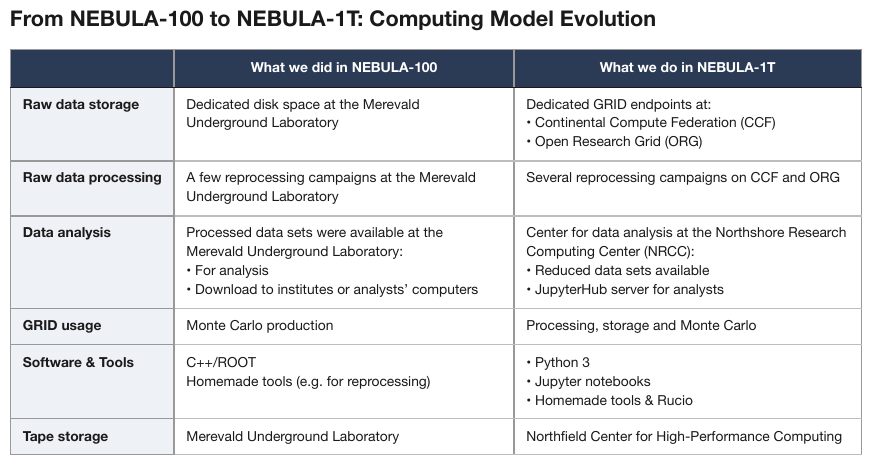
Bulleted sub-items stacked inside single cells, each item on its own printed line after a •
bullet. The row labels in the shaded first column are bold.
| What we did in NEBULA-100 | What we do in NEBULA-1T | |
|---|---|---|
| Raw data storage | Dedicated disk space at the Merevald Underground Laboratory | Dedicated GRID endpoints at: • Continental Compute Federation (CCF) • Open Research Grid (ORG) |
| Raw data processing | A few reprocessing campaigns at the Merevald Underground Laboratory | Several reprocessing campaigns on CCF and ORG |
| Data analysis | Processed data sets were available at the Merevald Underground Laboratory: • For analysis • Download to institutes or analysts’ computers | Center for data analysis at the Northshore Research Computing Center (NRCC): • Reduced data sets available • JupyterHub server for analysts |
| GRID usage | Monte Carlo production | Processing, storage and Monte Carlo |
| Software & Tools | C++/ROOT Homemade tools (e.g. for reprocessing) | • Python 3 • Jupyter notebooks • Homemade tools & Rucio |
| Tape storage | Merevald Underground Laboratory | Northfield Center for High-Performance Computing |
Markdown source
<table>
<tr> <th> </th> <th>What we did in NEBULA-100</th> <th>What we do in NEBULA-1T</th> </tr>
<tr> <td><strong>Raw data storage</strong></td> <td>Dedicated disk space at the Merevald Underground Laboratory</td> <td>Dedicated GRID endpoints at:<br/>• Continental Compute Federation (CCF)<br/>• Open Research Grid (ORG)</td> </tr>
<tr> <td><strong>Raw data processing</strong></td> <td>A few reprocessing campaigns at the Merevald Underground Laboratory</td> <td>Several reprocessing campaigns on CCF and ORG</td> </tr>
<tr> <td><strong>Data analysis</strong></td> <td>Processed data sets were available at the Merevald Underground Laboratory:<br/>• For analysis<br/>• Download to institutes or analysts’ computers</td> <td>Center for data analysis at the Northshore Research Computing Center (NRCC):<br/>• Reduced data sets available<br/>• JupyterHub server for analysts</td> </tr>
<tr> <td><strong>GRID usage</strong></td> <td>Monte Carlo production</td> <td>Processing, storage and Monte Carlo</td> </tr>
<tr> <td><strong>Software & Tools</strong></td> <td>C++/ROOT<br/>Homemade tools (e.g. for reprocessing)</td> <td>• Python 3<br/>• Jupyter notebooks<br/>• Homemade tools & Rucio</td> </tr>
<tr> <td><strong>Tape storage</strong></td> <td>Merevald Underground Laboratory</td> <td>Northfield Center for High-Performance Computing</td> </tr>
</table>When rowspan is right and when it is wrong
Rowspan is the required rendering here and the error in Repeated Identical Values§9.5.4. The
discriminator is whether the page actually merged the cell: a value printed once against
several lines takes a rowspan; a value printed separately on each line is that many cells.
A row label that wraps
The one-row-per-printed-line requirement is about records. A stub label that merely wraps —
Increase (Decrease) in Accounts Payable / and Accrued Liabilities, value on the second line —
MUST be one row, its label joined with a space. The tell is that the wrapped lines read as one
phrase and only one of them carries values.
✅ Sample — wrapped stub labels in a cash-flow statement
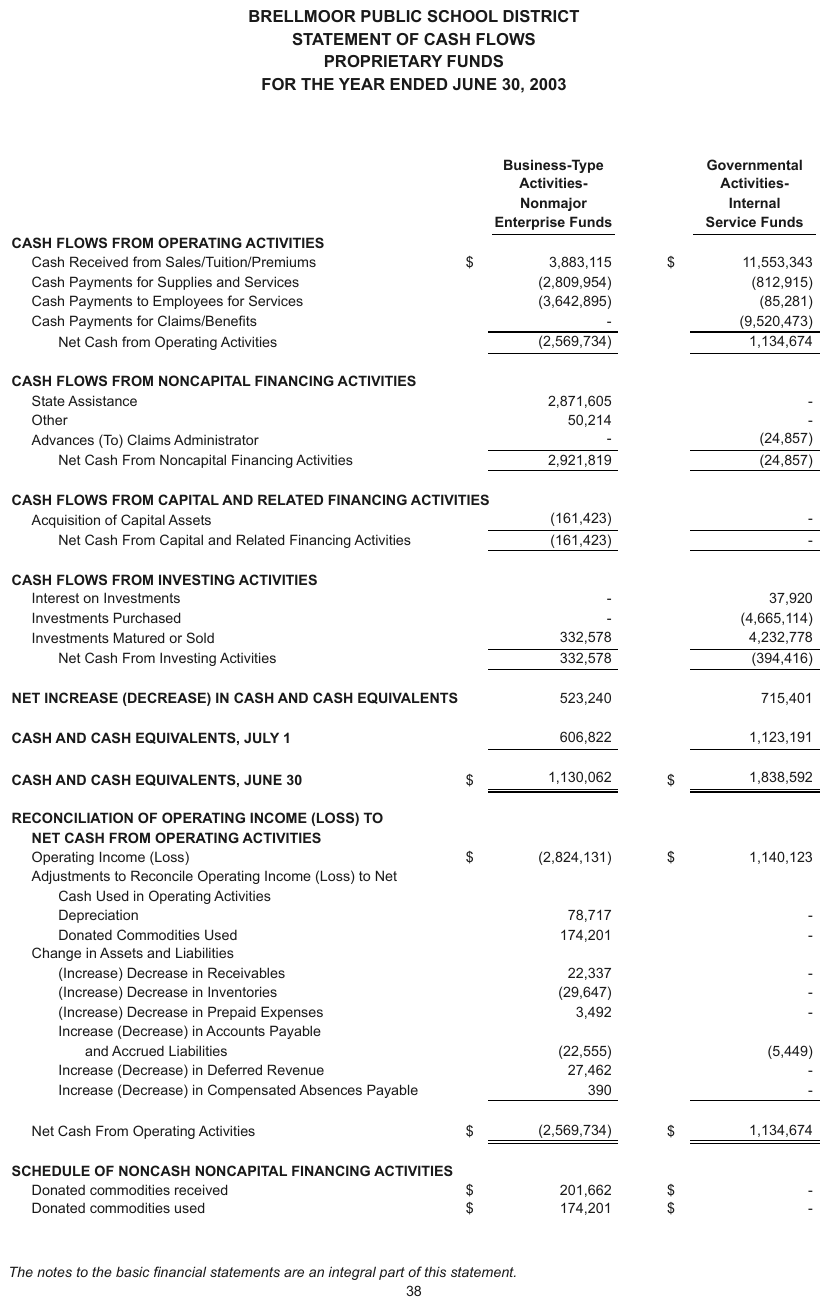
Three labels wrap: the bold RECONCILIATION OF OPERATING INCOME (LOSS) TO / NET CASH FROM OPERATING ACTIVITIES band, Adjustments to Reconcile Operating Income (Loss) to Net / Cash Used in Operating Activities (no value), and Increase (Decrease) in Accounts Payable / and Accrued Liabilities (values beside the second line). Each is one row. - stands for zero throughout; the
column headers are bold and underlined, and the $ gutter joins its value.
| Business-Type Activities- Nonmajor Enterprise Funds | Governmental Activities- Internal Service Funds | |||||||||||||||||||||||||||||||||||||||||||||||||||||||||||||||||||||||||||||||||||||||||||||||||
|---|---|---|---|---|---|---|---|---|---|---|---|---|---|---|---|---|---|---|---|---|---|---|---|---|---|---|---|---|---|---|---|---|---|---|---|---|---|---|---|---|---|---|---|---|---|---|---|---|---|---|---|---|---|---|---|---|---|---|---|---|---|---|---|---|---|---|---|---|---|---|---|---|---|---|---|---|---|---|---|---|---|---|---|---|---|---|---|---|---|---|---|---|---|---|---|---|---|---|
| … | ||||||||||||||||||||||||||||||||||||||||||||||||||||||||||||||||||||||||||||||||||||||||||||||||||
| RECONCILIATION OF OPERATING INCOME (LOSS) TO NET CASH FROM OPERATING ACTIVITIES | ||||||||||||||||||||||||||||||||||||||||||||||||||||||||||||||||||||||||||||||||||||||||||||||||||
| Operating Income (Loss) | $(2,824,131) | $1,140,123 | ||||||||||||||||||||||||||||||||||||||||||||||||||||||||||||||||||||||||||||||||||||||||||||||||
| Adjustments to Reconcile Operating Income (Loss) to Net Cash Used in Operating Activities | ||||||||||||||||||||||||||||||||||||||||||||||||||||||||||||||||||||||||||||||||||||||||||||||||||
| Depreciation | 78,717 | - | ||||||||||||||||||||||||||||||||||||||||||||||||||||||||||||||||||||||||||||||||||||||||||||||||
| Donated Commodities Used | 174,201 | - | ||||||||||||||||||||||||||||||||||||||||||||||||||||||||||||||||||||||||||||||||||||||||||||||||
| Change in Assets and Liabilities | ||||||||||||||||||||||||||||||||||||||||||||||||||||||||||||||||||||||||||||||||||||||||||||||||||
| (Increase) Decrease in Receivables | 22,337 | - | ||||||||||||||||||||||||||||||||||||||||||||||||||||||||||||||||||||||||||||||||||||||||||||||||
| (Increase) Decrease in Inventories | (29,647) | - | ||||||||||||||||||||||||||||||||||||||||||||||||||||||||||||||||||||||||||||||||||||||||||||||||
| (Increase) Decrease in Prepaid Expenses | 3,492 | - | ||||||||||||||||||||||||||||||||||||||||||||||||||||||||||||||||||||||||||||||||||||||||||||||||
| Increase (Decrease) in Accounts Payable and Accrued Liabilities | (22,555) | (5,449) | ||||||||||||||||||||||||||||||||||||||||||||||||||||||||||||||||||||||||||||||||||||||||||||||||
| Increase (Decrease) in Deferred Revenue | 27,462 | - | ||||||||||||||||||||||||||||||||||||||||||||||||||||||||||||||||||||||||||||||||||||||||||||||||
| Increase (Decrease) in Compensated Absences Payable | 390 | - | ||||||||||||||||||||||||||||||||||||||||||||||||||||||||||||||||||||||||||||||||||||||||||||||||
| Net Cash From Operating Activities | $(2,569,734) | $1,134,674 | ||||||||||||||||||||||||||||||||||||||||||||||||||||||||||||||||||||||||||||||||||||||||||||||||
| … | ||||||||||||||||||||||||||||||||||||||||||||||||||||||||||||||||||||||||||||||||||||||||||||||||||
Markdown source
<table>
<tr> <th> </th> <th><u>Business-Type Activities- Nonmajor Enterprise Funds</u></th> <th><u>Governmental Activities- Internal Service Funds</u></th> </tr>
<!-- … -->
<tr> <td data-level="0"><strong>RECONCILIATION OF OPERATING INCOME (LOSS) TO NET CASH FROM OPERATING ACTIVITIES</strong></td> <td> </td> <td> </td> </tr>
<tr> <td data-level="1">Operating Income (Loss)</td> <td>$(2,824,131)</td> <td>$1,140,123</td> </tr>
<tr> <td data-level="1">Adjustments to Reconcile Operating Income (Loss) to Net Cash Used in Operating Activities</td> <td> </td> <td> </td> </tr>
<tr> <td data-level="2">Depreciation</td> <td>78,717</td> <td>-</td> </tr>
<tr> <td data-level="2">Donated Commodities Used</td> <td>174,201</td> <td>-</td> </tr>
<tr> <td data-level="1">Change in Assets and Liabilities</td> <td> </td> <td> </td> </tr>
<tr> <td data-level="2">(Increase) Decrease in Receivables</td> <td>22,337</td> <td>-</td> </tr>
<tr> <td data-level="2">(Increase) Decrease in Inventories</td> <td>(29,647)</td> <td>-</td> </tr>
<tr> <td data-level="2">(Increase) Decrease in Prepaid Expenses</td> <td>3,492</td> <td>-</td> </tr>
<tr> <td data-level="2">Increase (Decrease) in Accounts Payable and Accrued Liabilities</td> <td>(22,555)</td> <td>(5,449)</td> </tr>
<tr> <td data-level="2">Increase (Decrease) in Deferred Revenue</td> <td>27,462</td> <td>-</td> </tr>
<tr> <td data-level="2">Increase (Decrease) in Compensated Absences Payable</td> <td>390</td> <td>-</td> </tr>
<tr> <td data-level="1">Net Cash From Operating Activities</td> <td>$(2,569,734)</td> <td>$1,134,674</td> </tr>
<!-- … -->
</table>A cell holding a title and a paragraph
A single ruled prose cell MUST stay one cell in one row. Its title keeps its printed emphasis and
MUST be separated from its paragraph by <br/>; values stacked in the adjacent cell are kept in
that cell, joined with <br/>. Only independently printed records are split into rows.
✅ Sample — a cell holding a title and a paragraph
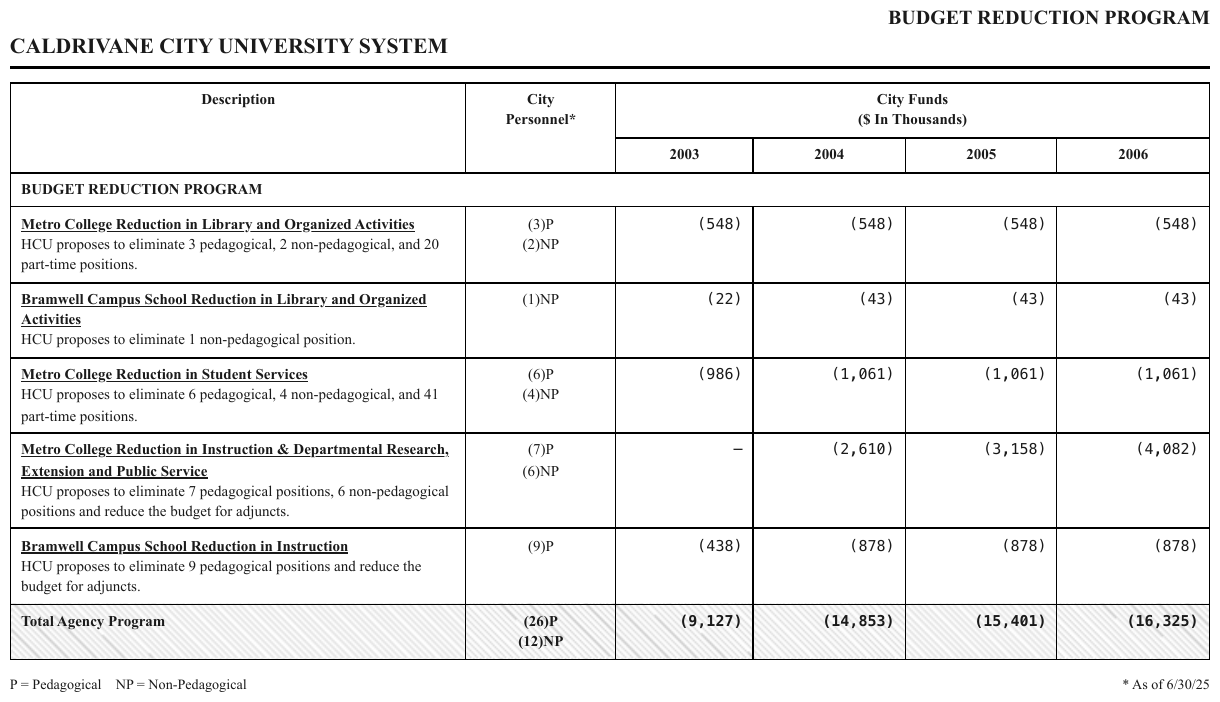
Each Description cell prints a bold underlined title, then two or three lines of plain
explanation; the City Personnel cell beside it stacks two values, (3)P over (2)NP. One
<tr> per printed line would split the title from its text and the two personnel figures from
each other. The Total Agency Program row is bold.
| Description | City Personnel* | City Funds ($ In Thousands) | ||||||||||||||||||||||||||||||||||||||||||||||||||||||||||||||||||||||||||||||||||||||||||||||||
|---|---|---|---|---|---|---|---|---|---|---|---|---|---|---|---|---|---|---|---|---|---|---|---|---|---|---|---|---|---|---|---|---|---|---|---|---|---|---|---|---|---|---|---|---|---|---|---|---|---|---|---|---|---|---|---|---|---|---|---|---|---|---|---|---|---|---|---|---|---|---|---|---|---|---|---|---|---|---|---|---|---|---|---|---|---|---|---|---|---|---|---|---|---|---|---|---|---|---|
| 2003 | 2004 | 2005 | 2006 | |||||||||||||||||||||||||||||||||||||||||||||||||||||||||||||||||||||||||||||||||||||||||||||||
| BUDGET REDUCTION PROGRAM | ||||||||||||||||||||||||||||||||||||||||||||||||||||||||||||||||||||||||||||||||||||||||||||||||||
| Metro College Reduction in Library and Organized Activities HCU proposes to eliminate 3 pedagogical, 2 non-pedagogical, and 20 part-time positions. | (3)P (2)NP | (548) | (548) | (548) | (548) | |||||||||||||||||||||||||||||||||||||||||||||||||||||||||||||||||||||||||||||||||||||||||||||
| Bramwell Campus School Reduction in Library and Organized Activities HCU proposes to eliminate 1 non-pedagogical position. | (1)NP | (22) | (43) | (43) | (43) | |||||||||||||||||||||||||||||||||||||||||||||||||||||||||||||||||||||||||||||||||||||||||||||
| … | ||||||||||||||||||||||||||||||||||||||||||||||||||||||||||||||||||||||||||||||||||||||||||||||||||
| Total Agency Program | (26)P (12)NP | (9,127) | (14,853) | (15,401) | (16,325) | |||||||||||||||||||||||||||||||||||||||||||||||||||||||||||||||||||||||||||||||||||||||||||||
Markdown source
<table>
<tr> <th rowspan="2">Description</th> <th rowspan="2">City<br/>Personnel*</th> <th colspan="4">City Funds<br/>($ In Thousands)</th> </tr>
<tr> <th>2003</th> <th>2004</th> <th>2005</th> <th>2006</th> </tr>
<tr> <th colspan="6">BUDGET REDUCTION PROGRAM</th> </tr>
<tr> <td data-level="0"><strong><u>Metro College Reduction in Library and Organized Activities</u></strong><br/>HCU proposes to eliminate 3 pedagogical, 2 non-pedagogical, and 20 part-time positions.</td> <td>(3)P<br/>(2)NP</td> <td>(548)</td> <td>(548)</td> <td>(548)</td> <td>(548)</td> </tr>
<tr> <td data-level="0"><strong><u>Bramwell Campus School Reduction in Library and Organized Activities</u></strong><br/>HCU proposes to eliminate 1 non-pedagogical position.</td> <td>(1)NP</td> <td>(22)</td> <td>(43)</td> <td>(43)</td> <td>(43)</td> </tr>
<!-- … -->
<tr> <th data-level="0"><strong>Total Agency Program</strong></th> <td><strong>(26)P<br/>(12)NP</strong></td> <td><strong>(9,127)</strong></td> <td><strong>(14,853)</strong></td> <td><strong>(15,401)</strong></td> <td><strong>(16,325)</strong></td> </tr>
</table>✅ Sample — paragraphs inside one cell
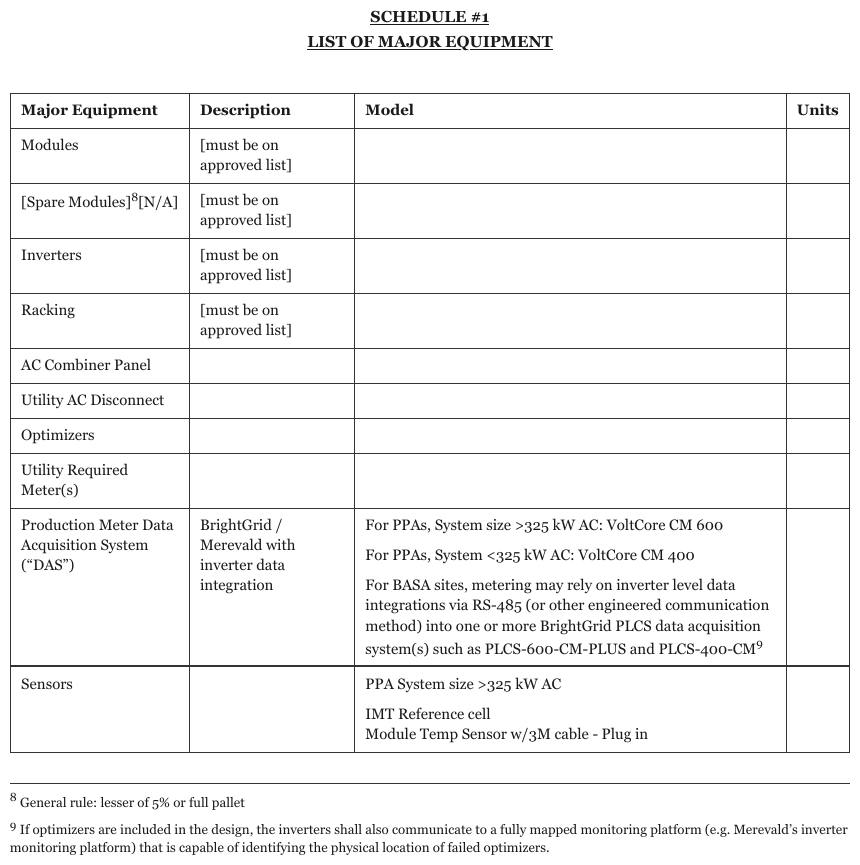
The Model cell for the data acquisition system holds three paragraphs separated by blank
lines; the Description cells print [must be on approved list] in brackets.
| Major Equipment | Description | Model | Units | |||||||||||||||||||||||||||||||||||||||||||||||||||||||||||||||||||||||||||||||||||||||||||||||
|---|---|---|---|---|---|---|---|---|---|---|---|---|---|---|---|---|---|---|---|---|---|---|---|---|---|---|---|---|---|---|---|---|---|---|---|---|---|---|---|---|---|---|---|---|---|---|---|---|---|---|---|---|---|---|---|---|---|---|---|---|---|---|---|---|---|---|---|---|---|---|---|---|---|---|---|---|---|---|---|---|---|---|---|---|---|---|---|---|---|---|---|---|---|---|---|---|---|---|
| Modules | \[must be on approved list\] | |||||||||||||||||||||||||||||||||||||||||||||||||||||||||||||||||||||||||||||||||||||||||||||||||
| \[Spare Modules\]8\[N/A\] | \[must be on approved list\] | |||||||||||||||||||||||||||||||||||||||||||||||||||||||||||||||||||||||||||||||||||||||||||||||||
| … | ||||||||||||||||||||||||||||||||||||||||||||||||||||||||||||||||||||||||||||||||||||||||||||||||||
| Production Meter Data Acquisition System (“DAS”) | BrightGrid / Merevald with inverter data integration | For PPAs, System size >325 kW AC: VoltCore CM 600 For PPAs, System <325 kW AC: VoltCore CM 400 For BASA sites, metering may rely on inverter level data integrations via RS-485 (or other engineered communication method) into one or more BrightGrid PLCS data acquisition system(s) such as PLCS-600-CM-PLUS and PLCS-400-CM9 | ||||||||||||||||||||||||||||||||||||||||||||||||||||||||||||||||||||||||||||||||||||||||||||||||
| Sensors | PPA System size >325 kW AC IMT Reference cell Module Temp Sensor w/3M cable - Plug in | |||||||||||||||||||||||||||||||||||||||||||||||||||||||||||||||||||||||||||||||||||||||||||||||||
Markdown source
<table>
<tr> <th>Major Equipment</th> <th>Description</th> <th>Model</th> <th>Units</th> </tr>
<tr> <td>Modules</td> <td>\[must be on approved list\]</td> <td> </td> <td> </td> </tr>
<tr> <td>\[Spare Modules\]<sup>8</sup>\[N/A\]</td> <td>\[must be on approved list\]</td> <td> </td> <td> </td> </tr>
<!-- … -->
<tr> <td>Production Meter Data Acquisition System (“DAS”)</td> <td>BrightGrid / Merevald with inverter data integration</td> <td>For PPAs, System size >325 kW AC: VoltCore CM 600<br/><br/>For PPAs, System <325 kW AC: VoltCore CM 400<br/><br/>For BASA sites, metering may rely on inverter level data integrations via RS-485 (or other engineered communication method) into one or more BrightGrid PLCS data acquisition system(s) such as PLCS-600-CM-PLUS and PLCS-400-CM<sup>9</sup></td> <td> </td> </tr>
<tr> <td>Sensors</td> <td> </td> <td>PPA System size >325 kW AC<br/><br/>IMT Reference cell<br/>Module Temp Sensor w/3M cable - Plug in</td> <td> </td> </tr>
</table>Related
- Repeated Identical Values§9.5.4 — where a
rowspanis the error - Nested Tables§9.5.2 — a grid inside a cell, not lines of text
- Row-Label Hierarchy§9.5.5 — the level of a wrapped or indented stub label
9.5.4 Repeated Identical Values
✅ Normative · 📄 page rule
✅ Normative
A rowspan MUST be used only where the page genuinely merged the cell. A value printed k times
at k distinct vertical positions MUST be rendered as k cells; repeated content MUST NOT be
merged.
"82.13%" printed nine separate times, "Data Page" repeated down a column, the same rate on every row — the temptation is to collapse them into one spanning cell. That output is non-conforming.
Printed (9 separate lines): Non-conforming output:
| 1 | 82.13% | | 1 | [rowspan=9]82.13% |
| 2 | 82.13% | | 2 | ROW_SPAN_CONTINUE | ← merges a value
| … | 82.13% | | … | ROW_SPAN_CONTINUE | printed 9 times
Why merging is wrong, not just different
A rowspan is a claim about the page: "these cells are one cell." When the page printed nine
cells, that claim is false — the never invent failure. Anyone counting records downstream then
gets one where the document has nine, and the loss is invisible because the output still looks
well-formed. A span that cannot be pointed to on the page is an error even when the values under
it are right.
Deciding from the geometry
The decision MUST be taken from where the value is printed, not from how the column reads:
- one printed occurrence spanning several rows → one cell with a
rowspan; - distinct vertical positions → separate cells, one per row.
A column of identical values is exactly where the eye stops resolving lines, so the word positions on the page, not an impression of the column, settle it (see Boxes and Granularity§3.3). For the opposite case — where the page really did merge a cell across a multi-line record — see Record Groups and Multi-Line Cells§9.5.3.
✅ Sample — star
* printed dozens of times down every column, each on its own ruled row, so each is its own cell
rather than a rowspan.
| APPLICABILITY CHART | ||||||||||||||||||||||||||||||||||||||||||||||||||||||||||||||||||||||||||||||||||||||||||||||||||
|---|---|---|---|---|---|---|---|---|---|---|---|---|---|---|---|---|---|---|---|---|---|---|---|---|---|---|---|---|---|---|---|---|---|---|---|---|---|---|---|---|---|---|---|---|---|---|---|---|---|---|---|---|---|---|---|---|---|---|---|---|---|---|---|---|---|---|---|---|---|---|---|---|---|---|---|---|---|---|---|---|---|---|---|---|---|---|---|---|---|---|---|---|---|---|---|---|---|---|
| STATE | TERRORISM OPTIONS – INCLUDING PRICING | |||||||||||||||||||||||||||||||||||||||||||||||||||||||||||||||||||||||||||||||||||||||||||||||||
| VERSION | IMPLEMENTATION CIRCULAR | EFFECTIVE DATE | EXPIRATION DATE | |||||||||||||||||||||||||||||||||||||||||||||||||||||||||||||||||||||||||||||||||||||||||||||||
| ALABAMA | * | * | * | * | ||||||||||||||||||||||||||||||||||||||||||||||||||||||||||||||||||||||||||||||||||||||||||||||
| ALASKA | * | * | * | * | ||||||||||||||||||||||||||||||||||||||||||||||||||||||||||||||||||||||||||||||||||||||||||||||
| ARIZONA | * | * | * | * | ||||||||||||||||||||||||||||||||||||||||||||||||||||||||||||||||||||||||||||||||||||||||||||||
| ARKANSAS | * | * | * | * | ||||||||||||||||||||||||||||||||||||||||||||||||||||||||||||||||||||||||||||||||||||||||||||||
| CALIFORNIA | * | * | * | * | ||||||||||||||||||||||||||||||||||||||||||||||||||||||||||||||||||||||||||||||||||||||||||||||
| COLORADO | * | * | * | * | ||||||||||||||||||||||||||||||||||||||||||||||||||||||||||||||||||||||||||||||||||||||||||||||
| … | ||||||||||||||||||||||||||||||||||||||||||||||||||||||||||||||||||||||||||||||||||||||||||||||||||
| GEORGIA | CS102 | CP–SC–2024–381 | 2/01/25 | + | ||||||||||||||||||||||||||||||||||||||||||||||||||||||||||||||||||||||||||||||||||||||||||||||
| … | ||||||||||||||||||||||||||||||||||||||||||||||||||||||||||||||||||||||||||||||||||||||||||||||||||
Markdown source
<table>
<tr> <th colspan="5">APPLICABILITY CHART</th> </tr>
<tr> <th rowspan="2">STATE</th> <th colspan="4">TERRORISM OPTIONS – INCLUDING PRICING</th> </tr>
<tr> <th>VERSION</th> <th>IMPLEMENTATION CIRCULAR</th> <th>EFFECTIVE DATE</th> <th>EXPIRATION DATE</th> </tr>
<tr> <td>ALABAMA</td> <td>*</td> <td>*</td> <td>*</td> <td>*</td> </tr>
<tr> <td>ALASKA</td> <td>*</td> <td>*</td> <td>*</td> <td>*</td> </tr>
<tr> <td>ARIZONA</td> <td>*</td> <td>*</td> <td>*</td> <td>*</td> </tr>
<tr> <td>ARKANSAS</td> <td>*</td> <td>*</td> <td>*</td> <td>*</td> </tr>
<tr> <td>CALIFORNIA</td> <td>*</td> <td>*</td> <td>*</td> <td>*</td> </tr>
<tr> <td>COLORADO</td> <td>*</td> <td>*</td> <td>*</td> <td>*</td> </tr>
<!-- … -->
<tr> <td>GEORGIA</td> <td>CS102</td> <td>CP–SC–2024–381</td> <td>2/01/25</td> <td>+</td> </tr>
<!-- … -->
</table>✅ Sample — aao
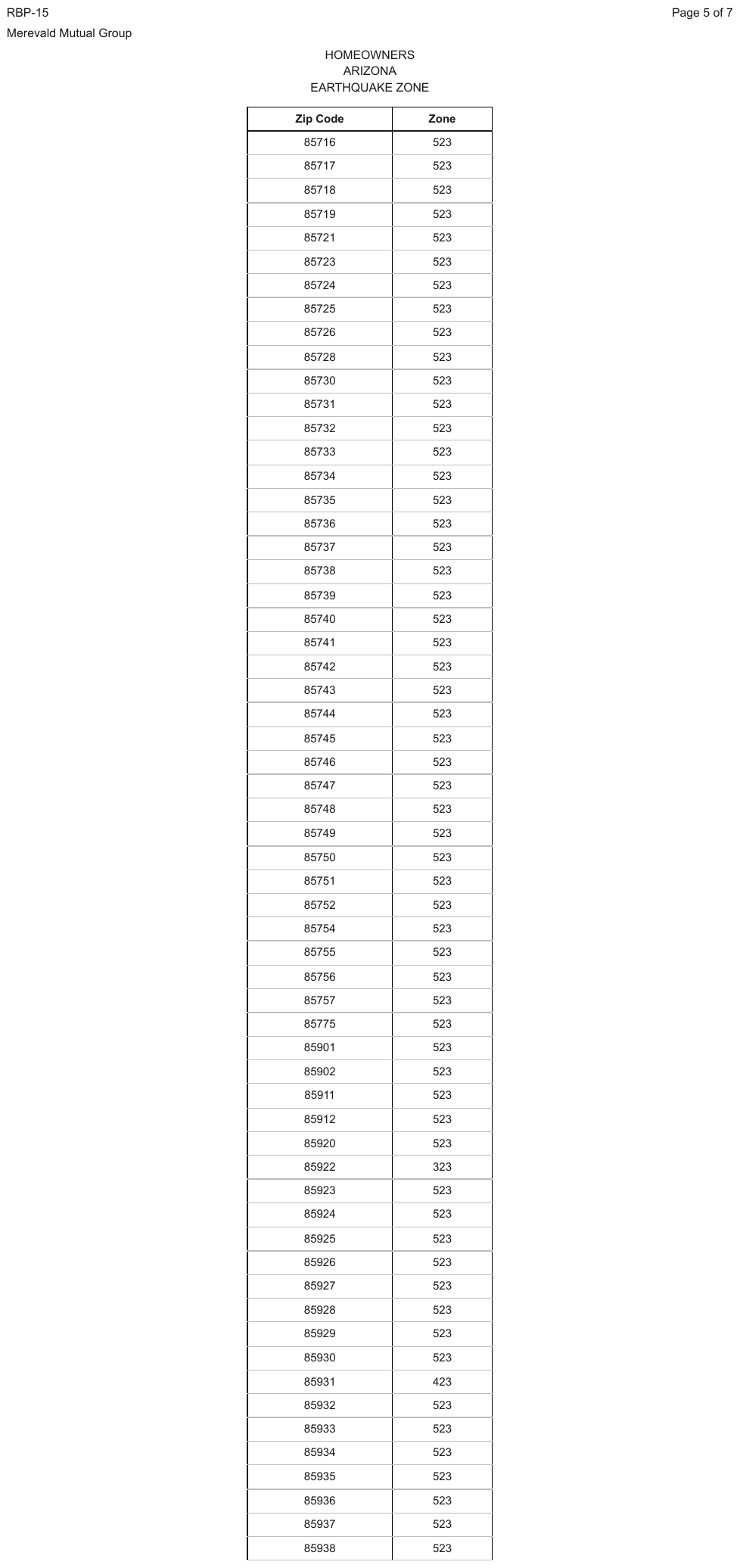
523 repeats down a zip-to-zone column for dozens of rows, each on its own ruled row and kept
separate — and the run is broken by 323 at 85922 and 423 at 85931, which a merge would bury.
| Zip Code | Zone | |||||||||||||||||||||||||||||||||||||||||||||||||||||||||||||||||||||||||||||||||||||||||||||||||
|---|---|---|---|---|---|---|---|---|---|---|---|---|---|---|---|---|---|---|---|---|---|---|---|---|---|---|---|---|---|---|---|---|---|---|---|---|---|---|---|---|---|---|---|---|---|---|---|---|---|---|---|---|---|---|---|---|---|---|---|---|---|---|---|---|---|---|---|---|---|---|---|---|---|---|---|---|---|---|---|---|---|---|---|---|---|---|---|---|---|---|---|---|---|---|---|---|---|---|
| 85716 | 523 | |||||||||||||||||||||||||||||||||||||||||||||||||||||||||||||||||||||||||||||||||||||||||||||||||
| 85717 | 523 | |||||||||||||||||||||||||||||||||||||||||||||||||||||||||||||||||||||||||||||||||||||||||||||||||
| 85718 | 523 | |||||||||||||||||||||||||||||||||||||||||||||||||||||||||||||||||||||||||||||||||||||||||||||||||
| 85719 | 523 | |||||||||||||||||||||||||||||||||||||||||||||||||||||||||||||||||||||||||||||||||||||||||||||||||
| 85721 | 523 | |||||||||||||||||||||||||||||||||||||||||||||||||||||||||||||||||||||||||||||||||||||||||||||||||
| 85723 | 523 | |||||||||||||||||||||||||||||||||||||||||||||||||||||||||||||||||||||||||||||||||||||||||||||||||
| … | ||||||||||||||||||||||||||||||||||||||||||||||||||||||||||||||||||||||||||||||||||||||||||||||||||
| 85920 | 523 | |||||||||||||||||||||||||||||||||||||||||||||||||||||||||||||||||||||||||||||||||||||||||||||||||
| 85922 | 323 | |||||||||||||||||||||||||||||||||||||||||||||||||||||||||||||||||||||||||||||||||||||||||||||||||
| 85923 | 523 | |||||||||||||||||||||||||||||||||||||||||||||||||||||||||||||||||||||||||||||||||||||||||||||||||
| … | ||||||||||||||||||||||||||||||||||||||||||||||||||||||||||||||||||||||||||||||||||||||||||||||||||
Markdown source
<table>
<tr> <th>Zip Code</th> <th>Zone</th> </tr>
<tr> <td>85716</td> <td>523</td> </tr>
<tr> <td>85717</td> <td>523</td> </tr>
<tr> <td>85718</td> <td>523</td> </tr>
<tr> <td>85719</td> <td>523</td> </tr>
<tr> <td>85721</td> <td>523</td> </tr>
<tr> <td>85723</td> <td>523</td> </tr>
<!-- … -->
<tr> <td>85920</td> <td>523</td> </tr>
<tr> <td>85922</td> <td>323</td> </tr>
<tr> <td>85923</td> <td>523</td> </tr>
<!-- … -->
</table>✅ Sample — ymm
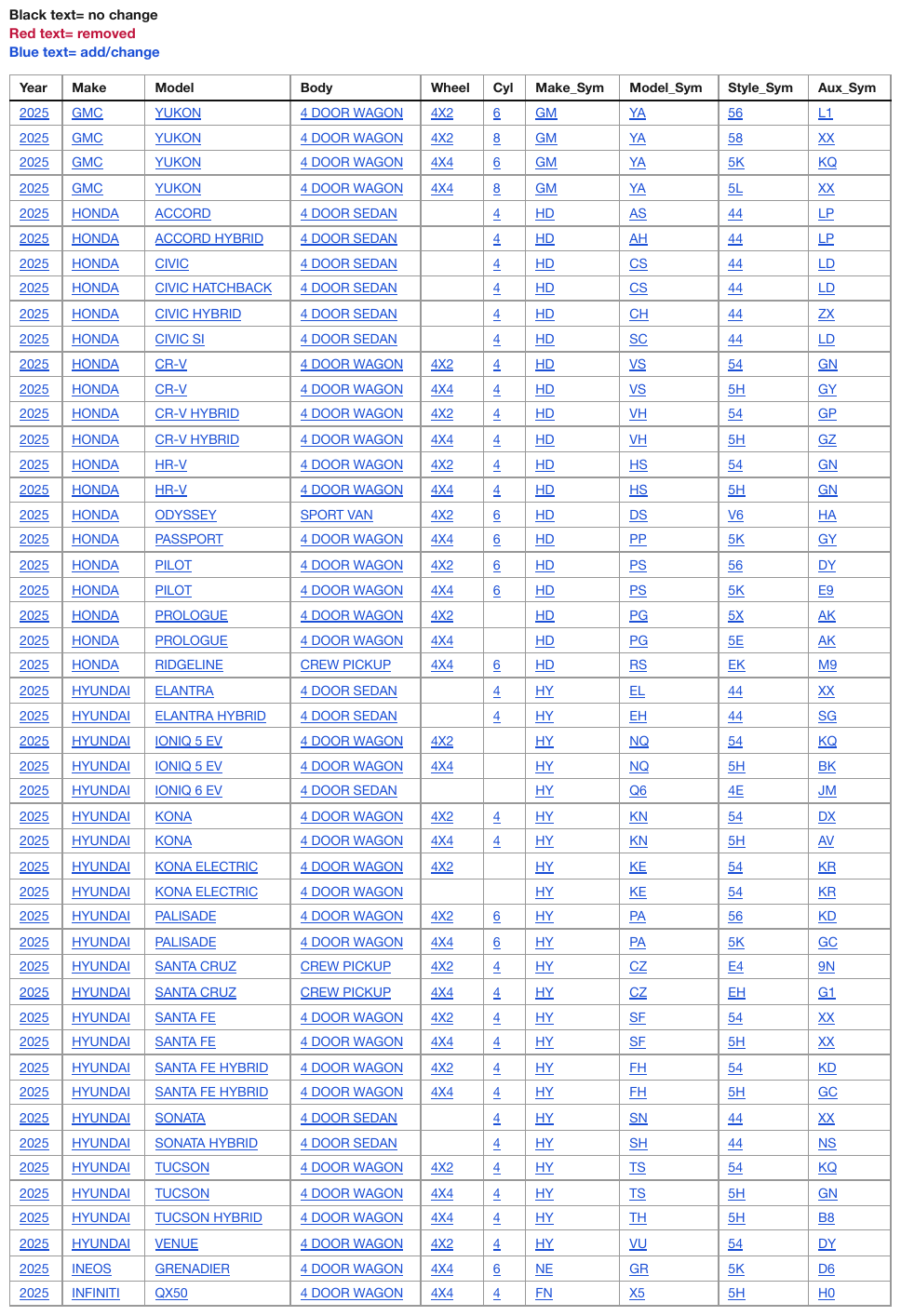
2025 on every row of the Year column, never collapsed. Every body cell prints blue, underlined
text; the legend above the table says blue means add/change. The underline is rendered as <u>;
how the colour itself is carried is governed by Text Colors§7.3.12 and is not shown here.
| Year | Make | Model | Body | Wheel | Cyl | Make_Sym | Model_Sym | Style_Sym | Aux_Sym | |||||||||||||||||||||||||||||||||||||||||||||||||||||||||||||||||||||||||||||||||||||||||
|---|---|---|---|---|---|---|---|---|---|---|---|---|---|---|---|---|---|---|---|---|---|---|---|---|---|---|---|---|---|---|---|---|---|---|---|---|---|---|---|---|---|---|---|---|---|---|---|---|---|---|---|---|---|---|---|---|---|---|---|---|---|---|---|---|---|---|---|---|---|---|---|---|---|---|---|---|---|---|---|---|---|---|---|---|---|---|---|---|---|---|---|---|---|---|---|---|---|---|
| 2025 | GMC | YUKON | 4 DOOR WAGON | 4X2 | 6 | GM | YA | 56 | L1 | |||||||||||||||||||||||||||||||||||||||||||||||||||||||||||||||||||||||||||||||||||||||||
| 2025 | GMC | YUKON | 4 DOOR WAGON | 4X2 | 8 | GM | YA | 58 | XX | |||||||||||||||||||||||||||||||||||||||||||||||||||||||||||||||||||||||||||||||||||||||||
| 2025 | GMC | YUKON | 4 DOOR WAGON | 4X4 | 6 | GM | YA | 5K | KQ | |||||||||||||||||||||||||||||||||||||||||||||||||||||||||||||||||||||||||||||||||||||||||
| 2025 | GMC | YUKON | 4 DOOR WAGON | 4X4 | 8 | GM | YA | 5L | XX | |||||||||||||||||||||||||||||||||||||||||||||||||||||||||||||||||||||||||||||||||||||||||
| 2025 | HONDA | ACCORD | 4 DOOR SEDAN | 4 | HD | AS | 44 | LP | ||||||||||||||||||||||||||||||||||||||||||||||||||||||||||||||||||||||||||||||||||||||||||
| 2025 | HONDA | ACCORD HYBRID | 4 DOOR SEDAN | 4 | HD | AH | 44 | LP | ||||||||||||||||||||||||||||||||||||||||||||||||||||||||||||||||||||||||||||||||||||||||||
| … | ||||||||||||||||||||||||||||||||||||||||||||||||||||||||||||||||||||||||||||||||||||||||||||||||||
Markdown source
<table>
<tr> <th>Year</th> <th>Make</th> <th>Model</th> <th>Body</th> <th>Wheel</th> <th>Cyl</th> <th>Make_Sym</th> <th>Model_Sym</th> <th>Style_Sym</th> <th>Aux_Sym</th> </tr>
<tr> <td><u>2025</u></td> <td><u>GMC</u></td> <td><u>YUKON</u></td> <td><u>4 DOOR WAGON</u></td> <td><u>4X2</u></td> <td><u>6</u></td> <td><u>GM</u></td> <td><u>YA</u></td> <td><u>56</u></td> <td><u>L1</u></td> </tr>
<tr> <td><u>2025</u></td> <td><u>GMC</u></td> <td><u>YUKON</u></td> <td><u>4 DOOR WAGON</u></td> <td><u>4X2</u></td> <td><u>8</u></td> <td><u>GM</u></td> <td><u>YA</u></td> <td><u>58</u></td> <td><u>XX</u></td> </tr>
<tr> <td><u>2025</u></td> <td><u>GMC</u></td> <td><u>YUKON</u></td> <td><u>4 DOOR WAGON</u></td> <td><u>4X4</u></td> <td><u>6</u></td> <td><u>GM</u></td> <td><u>YA</u></td> <td><u>5K</u></td> <td><u>KQ</u></td> </tr>
<tr> <td><u>2025</u></td> <td><u>GMC</u></td> <td><u>YUKON</u></td> <td><u>4 DOOR WAGON</u></td> <td><u>4X4</u></td> <td><u>8</u></td> <td><u>GM</u></td> <td><u>YA</u></td> <td><u>5L</u></td> <td><u>XX</u></td> </tr>
<tr> <td><u>2025</u></td> <td><u>HONDA</u></td> <td><u>ACCORD</u></td> <td><u>4 DOOR SEDAN</u></td> <td> </td> <td><u>4</u></td> <td><u>HD</u></td> <td><u>AS</u></td> <td><u>44</u></td> <td><u>LP</u></td> </tr>
<tr> <td><u>2025</u></td> <td><u>HONDA</u></td> <td><u>ACCORD HYBRID</u></td> <td><u>4 DOOR SEDAN</u></td> <td> </td> <td><u>4</u></td> <td><u>HD</u></td> <td><u>AH</u></td> <td><u>44</u></td> <td><u>LP</u></td> </tr>
<!-- … -->
</table>✅ Sample — 0p
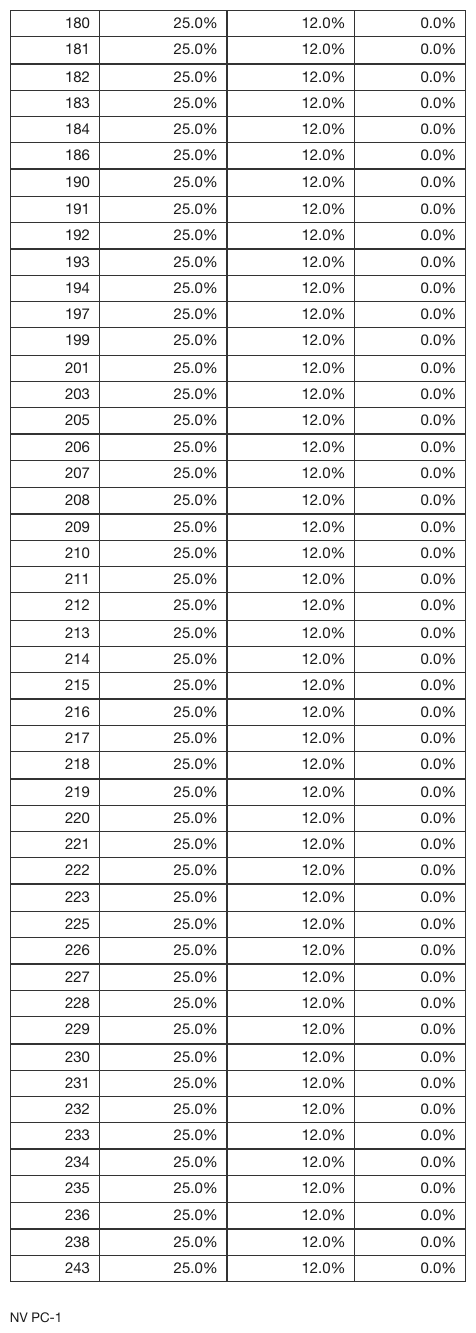
25.0% / 12.0% / 0.0% repeat down whole columns of a headerless table, every row its own <tr>.
| 180 | 25.0% | 12.0% | 0.0% | |||||||||||||||||||||||||||||||||||||||||||||||||||||||||||||||||||||||||||||||||||||||||||||||
| 181 | 25.0% | 12.0% | 0.0% | |||||||||||||||||||||||||||||||||||||||||||||||||||||||||||||||||||||||||||||||||||||||||||||||
| 182 | 25.0% | 12.0% | 0.0% | |||||||||||||||||||||||||||||||||||||||||||||||||||||||||||||||||||||||||||||||||||||||||||||||
| 183 | 25.0% | 12.0% | 0.0% | |||||||||||||||||||||||||||||||||||||||||||||||||||||||||||||||||||||||||||||||||||||||||||||||
| 184 | 25.0% | 12.0% | 0.0% | |||||||||||||||||||||||||||||||||||||||||||||||||||||||||||||||||||||||||||||||||||||||||||||||
| 186 | 25.0% | 12.0% | 0.0% | |||||||||||||||||||||||||||||||||||||||||||||||||||||||||||||||||||||||||||||||||||||||||||||||
| … | ||||||||||||||||||||||||||||||||||||||||||||||||||||||||||||||||||||||||||||||||||||||||||||||||||
| 243 | 25.0% | 12.0% | 0.0% | |||||||||||||||||||||||||||||||||||||||||||||||||||||||||||||||||||||||||||||||||||||||||||||||
Markdown source
<table>
<tr> <td>180</td> <td>25.0%</td> <td>12.0%</td> <td>0.0%</td> </tr>
<tr> <td>181</td> <td>25.0%</td> <td>12.0%</td> <td>0.0%</td> </tr>
<tr> <td>182</td> <td>25.0%</td> <td>12.0%</td> <td>0.0%</td> </tr>
<tr> <td>183</td> <td>25.0%</td> <td>12.0%</td> <td>0.0%</td> </tr>
<tr> <td>184</td> <td>25.0%</td> <td>12.0%</td> <td>0.0%</td> </tr>
<tr> <td>186</td> <td>25.0%</td> <td>12.0%</td> <td>0.0%</td> </tr>
<!-- … -->
<tr> <td>243</td> <td>25.0%</td> <td>12.0%</td> <td>0.0%</td> </tr>
</table>✅ Sample — 10k
New York Stock Exchange repeated eleven times down the third column, each a distinct cell.
| Title of each class | Trading Symbols | Name of each exchange on which registered |
|---|---|---|
| Class A Common Stock | MDI.A | New York Stock Exchange |
| Class B Common Stock | MDI.B | New York Stock Exchange |
| 0.000% Senior Notes due 2025 | MDI25 | New York Stock Exchange |
| 1.125% Senior Notes due 2027 | MDI27 | New York Stock Exchange |
| 2.150% Senior Notes due 2028 | MDI28 | New York Stock Exchange |
| 1.500% Senior Notes due 2030 | MDI30 | New York Stock Exchange |
| 2.000% Senior Notes due 2034 | MDI34 | New York Stock Exchange |
| 1.625% Senior Notes due 2035 | MDI35 | New York Stock Exchange |
| 2.375% Senior Notes due 2039 | MDI39 | New York Stock Exchange |
| 0.500% Senior Notes due 2041 | MDI41 | New York Stock Exchange |
| 2.625% Senior Notes due 2059 | MDI59 | New York Stock Exchange |
Markdown source
<table>
<tr> <th>Title of each class</th> <th>Trading Symbols</th> <th>Name of each exchange on which registered</th> </tr>
<tr> <td>Class A Common Stock</td> <td>MDI.A</td> <td>New York Stock Exchange</td> </tr>
<tr> <td>Class B Common Stock</td> <td>MDI.B</td> <td>New York Stock Exchange</td> </tr>
<tr> <td>0.000% Senior Notes due 2025</td> <td>MDI25</td> <td>New York Stock Exchange</td> </tr>
<tr> <td>1.125% Senior Notes due 2027</td> <td>MDI27</td> <td>New York Stock Exchange</td> </tr>
<tr> <td>2.150% Senior Notes due 2028</td> <td>MDI28</td> <td>New York Stock Exchange</td> </tr>
<tr> <td>1.500% Senior Notes due 2030</td> <td>MDI30</td> <td>New York Stock Exchange</td> </tr>
<tr> <td>2.000% Senior Notes due 2034</td> <td>MDI34</td> <td>New York Stock Exchange</td> </tr>
<tr> <td>1.625% Senior Notes due 2035</td> <td>MDI35</td> <td>New York Stock Exchange</td> </tr>
<tr> <td>2.375% Senior Notes due 2039</td> <td>MDI39</td> <td>New York Stock Exchange</td> </tr>
<tr> <td>0.500% Senior Notes due 2041</td> <td>MDI41</td> <td>New York Stock Exchange</td> </tr>
<tr> <td>2.625% Senior Notes due 2059</td> <td>MDI59</td> <td>New York Stock Exchange</td> </tr>
</table>✅ Sample — waiox
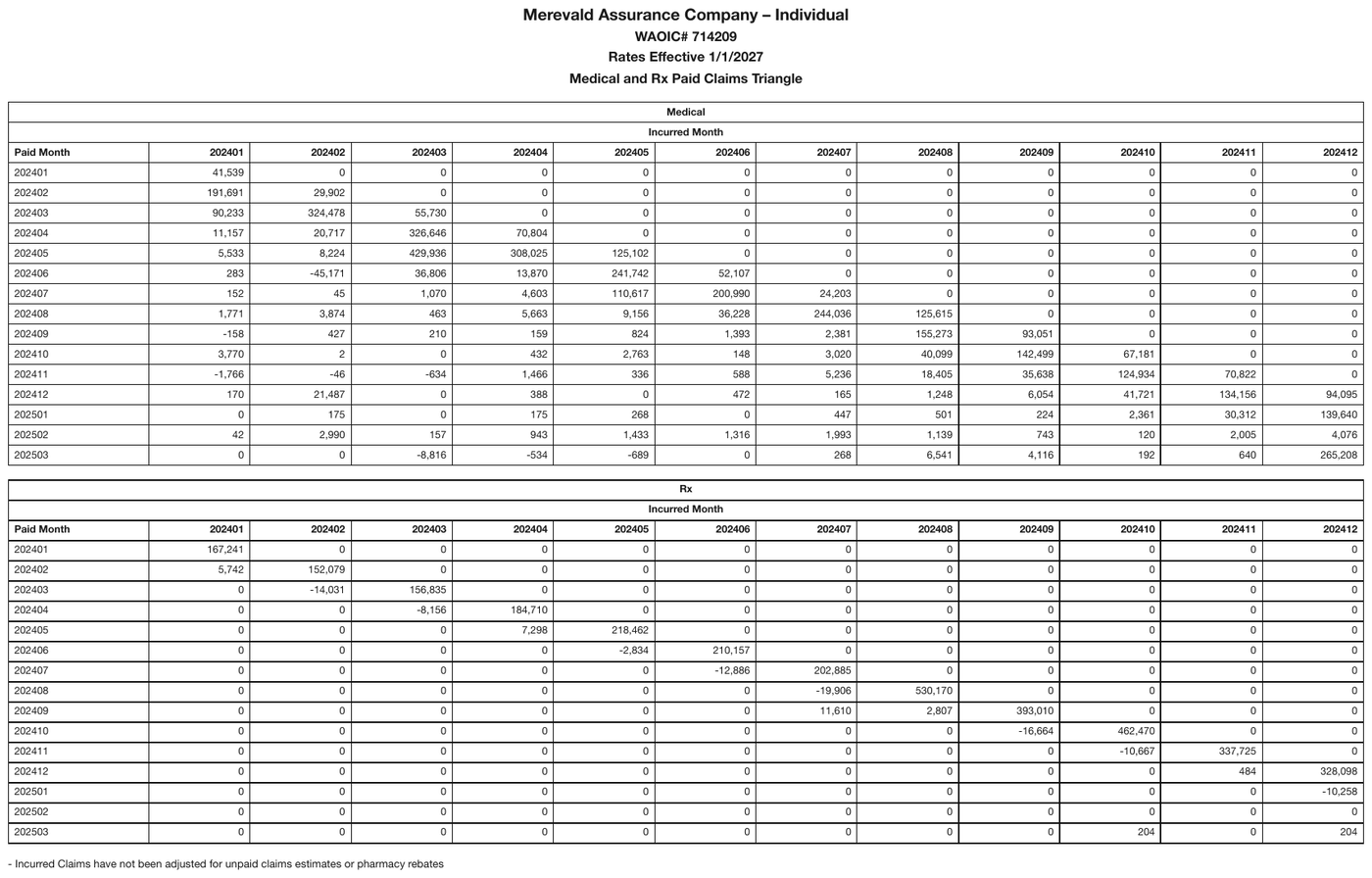
Long runs of 0 in a claims triangle, kept as separate cells.
| Medical | ||||||||||||||||||||||||||||||||||||||||||||||||||||||||||||||||||||||||||||||||||||||||||||||||||
|---|---|---|---|---|---|---|---|---|---|---|---|---|---|---|---|---|---|---|---|---|---|---|---|---|---|---|---|---|---|---|---|---|---|---|---|---|---|---|---|---|---|---|---|---|---|---|---|---|---|---|---|---|---|---|---|---|---|---|---|---|---|---|---|---|---|---|---|---|---|---|---|---|---|---|---|---|---|---|---|---|---|---|---|---|---|---|---|---|---|---|---|---|---|---|---|---|---|---|
| Incurred Month | ||||||||||||||||||||||||||||||||||||||||||||||||||||||||||||||||||||||||||||||||||||||||||||||||||
| Paid Month | 202401 | 202402 | 202403 | 202404 | 202405 | 202406 | 202407 | 202408 | 202409 | 202410 | 202411 | 202412 | ||||||||||||||||||||||||||||||||||||||||||||||||||||||||||||||||||||||||||||||||||||||
| 202401 | 41,539 | 0 | 0 | 0 | 0 | 0 | 0 | 0 | 0 | 0 | 0 | 0 | ||||||||||||||||||||||||||||||||||||||||||||||||||||||||||||||||||||||||||||||||||||||
| 202402 | 191,691 | 29,902 | 0 | 0 | 0 | 0 | 0 | 0 | 0 | 0 | 0 | 0 | ||||||||||||||||||||||||||||||||||||||||||||||||||||||||||||||||||||||||||||||||||||||
| 202403 | 90,233 | 324,478 | 55,730 | 0 | 0 | 0 | 0 | 0 | 0 | 0 | 0 | 0 | ||||||||||||||||||||||||||||||||||||||||||||||||||||||||||||||||||||||||||||||||||||||
| 202404 | 11,157 | 20,717 | 326,646 | 70,804 | 0 | 0 | 0 | 0 | 0 | 0 | 0 | 0 | ||||||||||||||||||||||||||||||||||||||||||||||||||||||||||||||||||||||||||||||||||||||
| 202405 | 5,533 | 8,224 | 429,936 | 308,025 | 125,102 | 0 | 0 | 0 | 0 | 0 | 0 | 0 | ||||||||||||||||||||||||||||||||||||||||||||||||||||||||||||||||||||||||||||||||||||||
| 202406 | 283 | -45,171 | 36,806 | 13,870 | 241,742 | 52,107 | 0 | 0 | 0 | 0 | 0 | 0 | ||||||||||||||||||||||||||||||||||||||||||||||||||||||||||||||||||||||||||||||||||||||
| … | ||||||||||||||||||||||||||||||||||||||||||||||||||||||||||||||||||||||||||||||||||||||||||||||||||
Markdown source
<table>
<tr> <th colspan="13">Medical</th> </tr>
<tr> <th colspan="13">Incurred Month</th> </tr>
<tr> <th>Paid Month</th> <th>202401</th> <th>202402</th> <th>202403</th> <th>202404</th> <th>202405</th> <th>202406</th> <th>202407</th> <th>202408</th> <th>202409</th> <th>202410</th> <th>202411</th> <th>202412</th> </tr>
<tr> <td>202401</td> <td>41,539</td> <td>0</td> <td>0</td> <td>0</td> <td>0</td> <td>0</td> <td>0</td> <td>0</td> <td>0</td> <td>0</td> <td>0</td> <td>0</td> </tr>
<tr> <td>202402</td> <td>191,691</td> <td>29,902</td> <td>0</td> <td>0</td> <td>0</td> <td>0</td> <td>0</td> <td>0</td> <td>0</td> <td>0</td> <td>0</td> <td>0</td> </tr>
<tr> <td>202403</td> <td>90,233</td> <td>324,478</td> <td>55,730</td> <td>0</td> <td>0</td> <td>0</td> <td>0</td> <td>0</td> <td>0</td> <td>0</td> <td>0</td> <td>0</td> </tr>
<tr> <td>202404</td> <td>11,157</td> <td>20,717</td> <td>326,646</td> <td>70,804</td> <td>0</td> <td>0</td> <td>0</td> <td>0</td> <td>0</td> <td>0</td> <td>0</td> <td>0</td> </tr>
<tr> <td>202405</td> <td>5,533</td> <td>8,224</td> <td>429,936</td> <td>308,025</td> <td>125,102</td> <td>0</td> <td>0</td> <td>0</td> <td>0</td> <td>0</td> <td>0</td> <td>0</td> </tr>
<tr> <td>202406</td> <td>283</td> <td>-45,171</td> <td>36,806</td> <td>13,870</td> <td>241,742</td> <td>52,107</td> <td>0</td> <td>0</td> <td>0</td> <td>0</td> <td>0</td> <td>0</td> </tr>
<!-- … -->
</table>Related
- Record Groups and Multi-Line Cells§9.5.3 — where
rowspanis the required rendering - Barely-Existing Columns and Headers§9.3.1 — the same never drop, never invent discipline for columns
- Header Body Column Count Mismatch§9.4.2 — never duplicate a value to fill a position
9.5.5 Row-Label Hierarchy
✅ Normative · 📄 page rule
✅ Normative
Where a table's row labels are indented to show nesting, every label cell MUST carry its
absolute level as a data-level attribute: <td data-level="2">iPhone</td>. Level 0 is the
leftmost label position in the stub column, 1 the next indent step, and so on — counted from the
left edge of the column, never from the row above.
Financial statements and rate manuals encode hierarchy by indenting the row label. Flattened, "iPhone" and "Total net sales" read as siblings.
Printed stub: Rendered as:
Revenue <td data-level="0">Revenue</td>
Products <td data-level="1">Products</td>
iPhone 205,489 <td data-level="2">iPhone</td>
Total net sales 383,285 <th data-level="0">Total net sales</th>
A table whose indented labels all come out at the same level is the failure this rule exists to prevent.
Why flattening is dangerous
The flattened output is well-formed and looks correct. Nothing signals that a parent/child
relationship was dropped, so a reader summing the column double-counts: iPhone is inside
Total net sales, and the flattened table gives no way to know it. The damage is silent, which is
why the indentation MUST be preserved even where the choice of encoding seems secondary.
❌ Counter-sample — 3cc
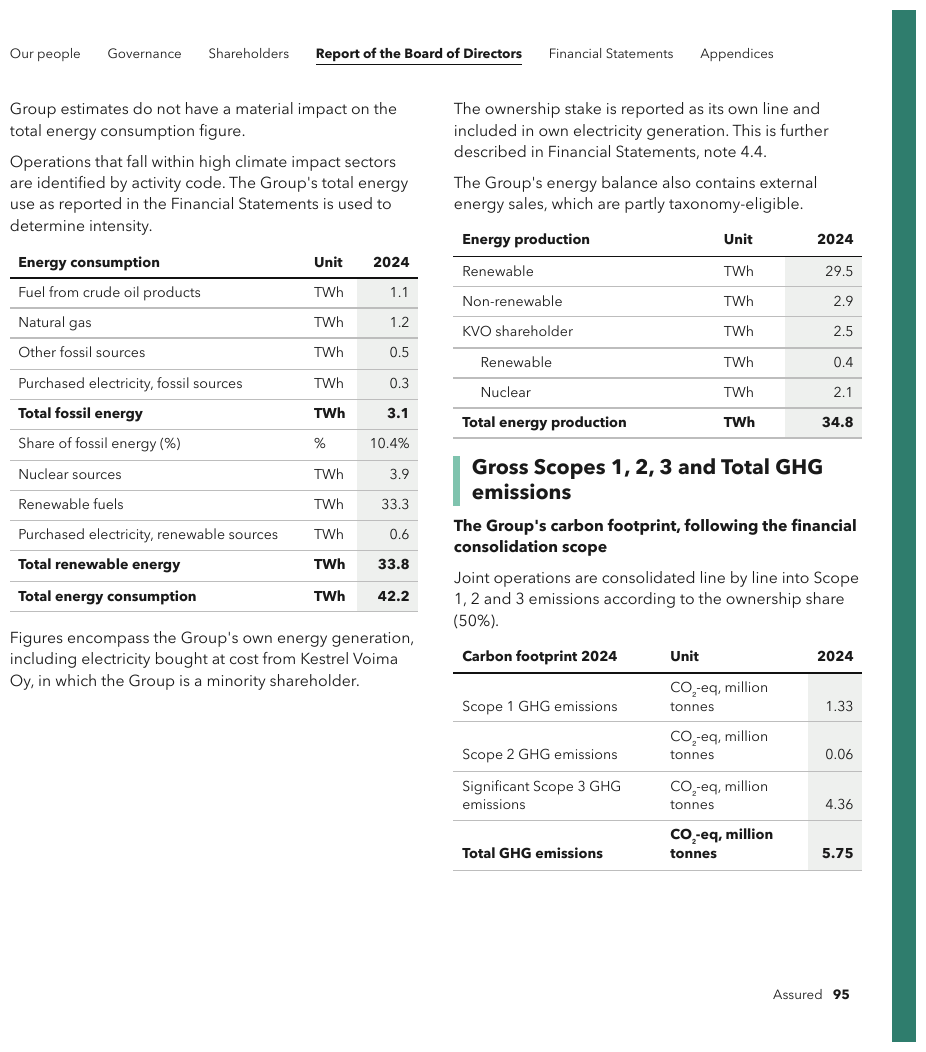
Structure lost. Under KVO shareholder the page indents two children, Renewable and
Nuclear. The rendering below flattens them, leaving a second Renewable with no parent, and it
also records 25 for KVO shareholder where the page prints 2.5. The total row is bold across
all three cells.
| Energy production | Unit | 2024 |
|---|---|---|
| Renewable | TWh | 29.5 |
| Non-renewable | TWh | 2.9 |
| KVO shareholder | TWh | 2.5 |
| Renewable | TWh | 0.4 |
| Nuclear | TWh | 2.1 |
| Total energy production | TWh | 34.8 |
Markdown source
<table>
<tr> <th>Energy production</th> <th>Unit</th> <th>2024</th> </tr>
<tr> <td data-level="0">Renewable</td> <td>TWh</td> <td>29.5</td> </tr>
<tr> <td data-level="0">Non-renewable</td> <td>TWh</td> <td>2.9</td> </tr>
<tr> <td data-level="0">KVO shareholder</td> <td>TWh</td> <td>2.5</td> </tr>
<tr> <td data-level="1">Renewable</td> <td>TWh</td> <td>0.4</td> </tr>
<tr> <td data-level="1">Nuclear</td> <td>TWh</td> <td>2.1</td> </tr>
<tr> <th data-level="0"><strong>Total energy production</strong></th> <td><strong>TWh</strong></td> <td><strong>34.8</strong></td> </tr>
</table>| Energy production | Unit | 2024 | ||||||||||||||||||||||||||||||||||||||||||||||||||||||||||||||||||||||||||||||||||||||||||||||||
|---|---|---|---|---|---|---|---|---|---|---|---|---|---|---|---|---|---|---|---|---|---|---|---|---|---|---|---|---|---|---|---|---|---|---|---|---|---|---|---|---|---|---|---|---|---|---|---|---|---|---|---|---|---|---|---|---|---|---|---|---|---|---|---|---|---|---|---|---|---|---|---|---|---|---|---|---|---|---|---|---|---|---|---|---|---|---|---|---|---|---|---|---|---|---|---|---|---|---|
| … | ||||||||||||||||||||||||||||||||||||||||||||||||||||||||||||||||||||||||||||||||||||||||||||||||||
| Non-renewable | TWh | 2.9 | ||||||||||||||||||||||||||||||||||||||||||||||||||||||||||||||||||||||||||||||||||||||||||||||||
| KVO shareholder | TWh | 25 | ||||||||||||||||||||||||||||||||||||||||||||||||||||||||||||||||||||||||||||||||||||||||||||||||
| Renewable | TWh | 0.4 | ||||||||||||||||||||||||||||||||||||||||||||||||||||||||||||||||||||||||||||||||||||||||||||||||
| Nuclear | TWh | 2.1 | ||||||||||||||||||||||||||||||||||||||||||||||||||||||||||||||||||||||||||||||||||||||||||||||||
| Total energy production | TWh | 34.8 | ||||||||||||||||||||||||||||||||||||||||||||||||||||||||||||||||||||||||||||||||||||||||||||||||
Markdown source
<table>
<tr> <th>Energy production</th> <th>Unit</th> <th>2024</th> </tr>
<!-- … -->
<tr> <td>Non-renewable</td> <td>TWh</td> <td>2.9</td> </tr>
<tr> <td>KVO shareholder</td> <td>TWh</td> <td>25</td> </tr>
<tr> <td>Renewable</td> <td>TWh</td> <td>0.4</td> </tr>
<tr> <td>Nuclear</td> <td>TWh</td> <td>2.1</td> </tr>
<tr> <td><strong>Total energy production</strong></td> <td><strong>TWh</strong></td> <td><strong>34.8</strong></td> </tr>
</table>Reading the level
- The level MUST be the number of indent steps between the left edge of the stub column and the
start of the label as printed. The leftmost label position is
0; each further indent step adds one. A level can therefore be checked against a single row without reading any other. - The label text MUST stay verbatim and the rows MUST stay in printed order.
- Where a table carries levels, every label cell in its stub that prints a label MUST carry one,
level-
0rows included. A table whose stub shows no nesting — no indentation, no "of which" rows — and has no labelled total carries none.
Absolute, not relative
A level is read off the print, never inherited from the row above:
- A row following a level-
2row is level3only if the page indents it further. At the same indent it is another level-2sibling. - A row MAY jump back several levels at once.
Total net salesreturning to0after aniPhoneat2is normal and needs no marker of its own.
Not from the numbers
A level MUST NOT be deepened because the arithmetic suggests a row is a component, and MUST NOT be flattened because the arithmetic does not add up. The indentation is the evidence; the values are not. A page whose sub-items do not sum to their parent is transcribed as printed.
Not as leading whitespace
The level MUST be carried as an attribute, not as leading spaces or : the first trim,
Markdown render or CSV round-trip removes whitespace and the structure goes with it. Where an output
format cannot carry a cell attribute, the level SHOULD go into a dedicated level column rather than
into whitespace.
Recognising a child row
A child is indented relative to the row above it, and its value is a component of a figure elsewhere in the column rather than an independent record. Phrases such as "out of which", "of which" and "within which" state the same relationship in words; a row introduced by one MUST be rendered as a child even where its indentation is slight. The same page may present a breakdown as an indented stub or as a row that decomposes into sub-rows; both are the same phenomenon and are rendered the same way.
A total row takes a level like any other row, usually 0; how its label cell is marked is defined
in Total and Subtotal Rows§9.5.6.
✅ Sample — table-with-breakdown
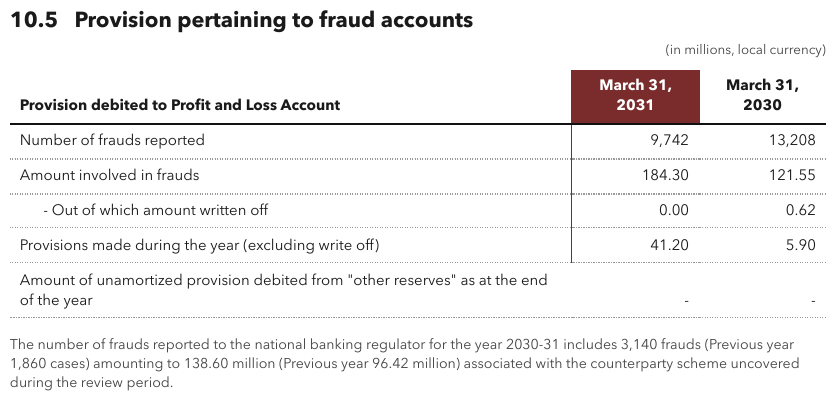
"- Out of which amount written off" is indented under "Amount involved in frauds": it is a
component of that figure, not a peer, so it is level 1. The header labels wrap only for width.
| Provision debited to Profit and Loss Account | March 31, 2031 | March 31, 2030 |
|---|---|---|
| Number of frauds reported | 9,742 | 13,208 |
| Amount involved in frauds | 184.30 | 121.55 |
| - Out of which amount written off | 0.00 | 0.62 |
| Provisions made during the year (excluding write off) | 41.20 | 5.90 |
| Amount of unamortized provision debited from "other reserves" as at the end of the year | - | - |
Markdown source
<table>
<tr> <th>Provision debited to Profit and Loss Account</th> <th>March 31, 2031</th> <th>March 31, 2030</th> </tr>
<tr> <td data-level="0">Number of frauds reported</td> <td>9,742</td> <td>13,208</td> </tr>
<tr> <td data-level="0">Amount involved in frauds</td> <td>184.30</td> <td>121.55</td> </tr>
<tr> <td data-level="1">- Out of which amount written off</td> <td>0.00</td> <td>0.62</td> </tr>
<tr> <td data-level="0">Provisions made during the year (excluding write off)</td> <td>41.20</td> <td>5.90</td> </tr>
<tr> <td data-level="0">Amount of unamortized provision debited from "other reserves" as at the end of the year</td> <td>-</td> <td>-</td> </tr>
</table>✅ Sample — 702
Rule numbers nest into numbered and lettered sub-items: 609. Designated Business Pursuits ›
3. Teachers › a. Lab, etc. / b. not otherwise classified / c. Corporal Punishment. The
coverage labels sit at four printed indent positions, levels 0 to 3; the rule-number column is
not part of the label hierarchy. Labels that wrap at the column edge are joined.
| Basic Limit Rule# | Coverage F - Medical Payments | $2,000 | $3,000 | $4,000 | $5,000 | |||||||||||||||||||||||||||||||||||||||||||||||||||||||||||||||||||||||||||||||||||||||||||||
|---|---|---|---|---|---|---|---|---|---|---|---|---|---|---|---|---|---|---|---|---|---|---|---|---|---|---|---|---|---|---|---|---|---|---|---|---|---|---|---|---|---|---|---|---|---|---|---|---|---|---|---|---|---|---|---|---|---|---|---|---|---|---|---|---|---|---|---|---|---|---|---|---|---|---|---|---|---|---|---|---|---|---|---|---|---|---|---|---|---|---|---|---|---|---|---|---|---|---|
| 524. | Additional Insured - Household Resident | $ .58 | $1.15 | $1.73 | $2.30 | |||||||||||||||||||||||||||||||||||||||||||||||||||||||||||||||||||||||||||||||||||||||||||||
| … | ||||||||||||||||||||||||||||||||||||||||||||||||||||||||||||||||||||||||||||||||||||||||||||||||||
| 607. | Limited Home Day Care Coverage | 2.88 | 5.75 | 8.63 | 10.93 | |||||||||||||||||||||||||||||||||||||||||||||||||||||||||||||||||||||||||||||||||||||||||||||
| 608. | Permitted Incidental Occupancies - Residence Premises And Other Residences | |||||||||||||||||||||||||||||||||||||||||||||||||||||||||||||||||||||||||||||||||||||||||||||||||
| 1. Residence Premises | 2.88 | 5.75 | 8.63 | 10.93 | ||||||||||||||||||||||||||||||||||||||||||||||||||||||||||||||||||||||||||||||||||||||||||||||
| 2. Other Residence | 1.73 | 3.45 | 5.18 | 6.33 | ||||||||||||||||||||||||||||||||||||||||||||||||||||||||||||||||||||||||||||||||||||||||||||||
| 609. | Designated Business Pursuits | |||||||||||||||||||||||||||||||||||||||||||||||||||||||||||||||||||||||||||||||||||||||||||||||||
| 1. Clerical Employees | .58 | 1.15 | 1.73 | 2.30 | ||||||||||||||||||||||||||||||||||||||||||||||||||||||||||||||||||||||||||||||||||||||||||||||
| 2. Salesperson, Installation, etc. Included or Excluded | .58 | 1.15 | 1.73 | 2.30 | ||||||||||||||||||||||||||||||||||||||||||||||||||||||||||||||||||||||||||||||||||||||||||||||
| 3. Teachers | ||||||||||||||||||||||||||||||||||||||||||||||||||||||||||||||||||||||||||||||||||||||||||||||||||
| a. Lab, etc. | 1.15 | 2.30 | 3.45 | 4.03 | ||||||||||||||||||||||||||||||||||||||||||||||||||||||||||||||||||||||||||||||||||||||||||||||
| b. not otherwise classified | .58 | 1.15 | 1.73 | 2.30 | ||||||||||||||||||||||||||||||||||||||||||||||||||||||||||||||||||||||||||||||||||||||||||||||
| c. Corporal Punishment | Medical Payments Not Available | |||||||||||||||||||||||||||||||||||||||||||||||||||||||||||||||||||||||||||||||||||||||||||||||||
| 611. | Incidental Low Power Recreational Motor Vehicles | .58 | 1.15 | 1.73 | 2.30 | |||||||||||||||||||||||||||||||||||||||||||||||||||||||||||||||||||||||||||||||||||||||||||||
| 612. | Owned Watercraft Liability Coverage | |||||||||||||||||||||||||||||||||||||||||||||||||||||||||||||||||||||||||||||||||||||||||||||||||
| 1. Outboard, Inboard or Inboard-Outboard engines or Motors | ||||||||||||||||||||||||||||||||||||||||||||||||||||||||||||||||||||||||||||||||||||||||||||||||||
| a) Up to 15 feet: | ||||||||||||||||||||||||||||||||||||||||||||||||||||||||||||||||||||||||||||||||||||||||||||||||||
| Up to 50 hp. | 1.73 | 3.45 | 5.18 | 6.33 | ||||||||||||||||||||||||||||||||||||||||||||||||||||||||||||||||||||||||||||||||||||||||||||||
| … | ||||||||||||||||||||||||||||||||||||||||||||||||||||||||||||||||||||||||||||||||||||||||||||||||||
Markdown source
<table>
<tr> <th>Basic Limit Rule#</th> <th>Coverage F - Medical Payments</th> <th>$2,000</th> <th>$3,000</th> <th>$4,000</th> <th>$5,000</th> </tr>
<tr> <td>524.</td> <td data-level="0">Additional Insured - Household Resident</td> <td>$ .58</td> <td>$1.15</td> <td>$1.73</td> <td>$2.30</td> </tr>
<!-- … -->
<tr> <td>607.</td> <td data-level="0">Limited Home Day Care Coverage</td> <td>2.88</td> <td>5.75</td> <td>8.63</td> <td>10.93</td> </tr>
<tr> <td>608.</td> <td data-level="0">Permitted Incidental Occupancies - Residence Premises And Other Residences</td> <td></td> <td></td> <td></td> <td></td> </tr>
<tr> <td></td> <td data-level="1">1. Residence Premises</td> <td>2.88</td> <td>5.75</td> <td>8.63</td> <td>10.93</td> </tr>
<tr> <td></td> <td data-level="1">2. Other Residence</td> <td>1.73</td> <td>3.45</td> <td>5.18</td> <td>6.33</td> </tr>
<tr> <td>609.</td> <td data-level="0">Designated Business Pursuits</td> <td></td> <td></td> <td></td> <td></td> </tr>
<tr> <td></td> <td data-level="1">1. Clerical Employees</td> <td>.58</td> <td>1.15</td> <td>1.73</td> <td>2.30</td> </tr>
<tr> <td></td> <td data-level="1">2. Salesperson, Installation, etc. Included or Excluded</td> <td>.58</td> <td>1.15</td> <td>1.73</td> <td>2.30</td> </tr>
<tr> <td></td> <td data-level="1">3. Teachers</td> <td></td> <td></td> <td></td> <td></td> </tr>
<tr> <td></td> <td data-level="2">a. Lab, etc.</td> <td>1.15</td> <td>2.30</td> <td>3.45</td> <td>4.03</td> </tr>
<tr> <td></td> <td data-level="2">b. not otherwise classified</td> <td>.58</td> <td>1.15</td> <td>1.73</td> <td>2.30</td> </tr>
<tr> <td></td> <td data-level="2">c. Corporal Punishment</td> <td colspan="4">Medical Payments Not Available</td> </tr>
<tr> <td>611.</td> <td data-level="0">Incidental Low Power Recreational Motor Vehicles</td> <td>.58</td> <td>1.15</td> <td>1.73</td> <td>2.30</td> </tr>
<tr> <td>612.</td> <td data-level="0">Owned Watercraft Liability Coverage</td> <td></td> <td></td> <td></td> <td></td> </tr>
<tr> <td></td> <td data-level="1">1. Outboard, Inboard or Inboard-Outboard engines or Motors</td> <td></td> <td></td> <td></td> <td></td> </tr>
<tr> <td></td> <td data-level="2">a) Up to 15 feet:</td> <td></td> <td></td> <td></td> <td></td> </tr>
<tr> <td></td> <td data-level="3">Up to 50 hp.</td> <td>1.73</td> <td>3.45</td> <td>5.18</td> <td>6.33</td> </tr>
<!-- … -->
</table>✅ Sample — yellow
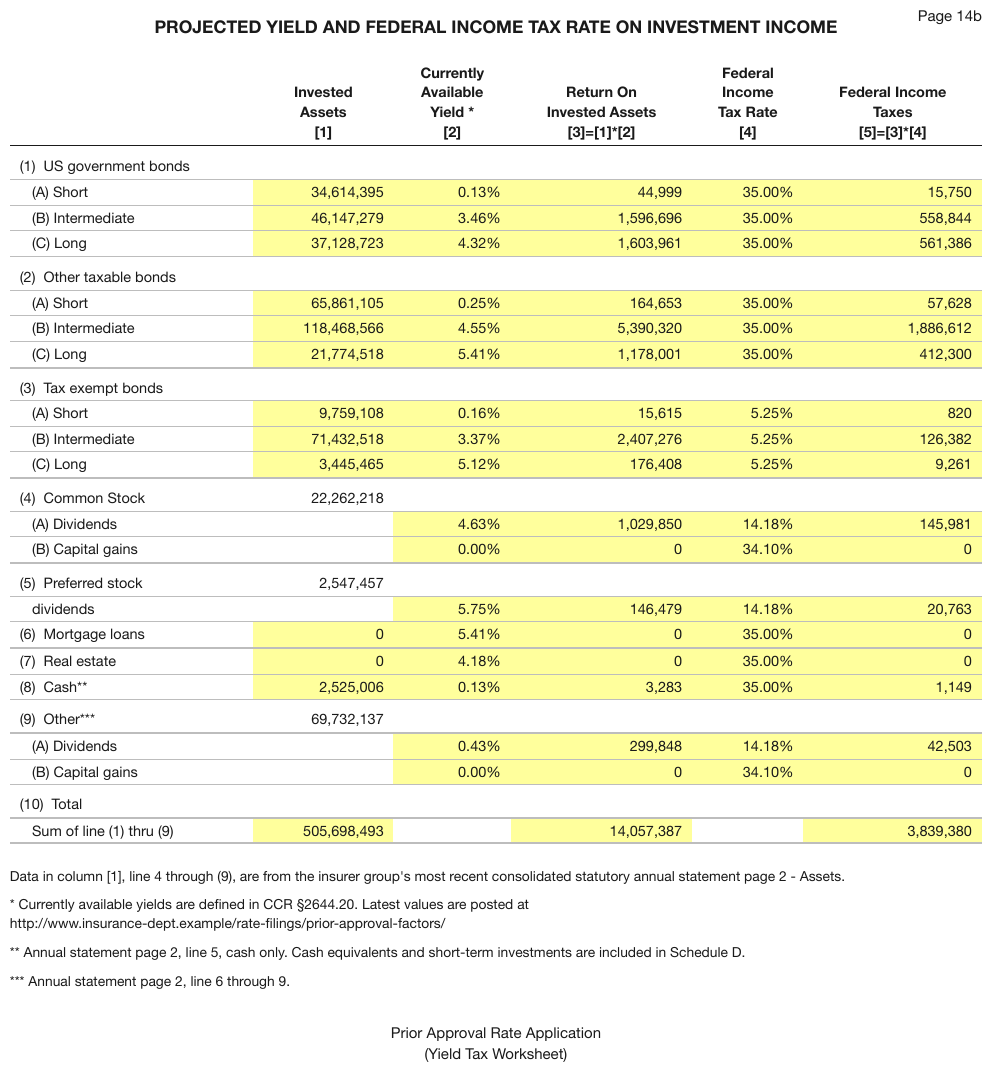
Numbered parents (1)–(10) with indented lettered children — (A) Short / (B) Intermediate /
(C) Long, (A) Dividends / (B) Capital gains — and an indented, unlettered dividends under
(5) Preferred stock. The yellow fill marks input cells and carries no value, so it is not
rendered.
| Invested Assets [1] | Currently Available Yield * [2] | Return On Invested Assets [3]=[1]*[2] | Federal Income Tax Rate [4] | Federal Income Taxes [5]=[3]*[4] | ||||||||||||||||||||||||||||||||||||||||||||||||||||||||||||||||||||||||||||||||||||||||||||||
|---|---|---|---|---|---|---|---|---|---|---|---|---|---|---|---|---|---|---|---|---|---|---|---|---|---|---|---|---|---|---|---|---|---|---|---|---|---|---|---|---|---|---|---|---|---|---|---|---|---|---|---|---|---|---|---|---|---|---|---|---|---|---|---|---|---|---|---|---|---|---|---|---|---|---|---|---|---|---|---|---|---|---|---|---|---|---|---|---|---|---|---|---|---|---|---|---|---|---|
| (1) US government bonds | ||||||||||||||||||||||||||||||||||||||||||||||||||||||||||||||||||||||||||||||||||||||||||||||||||
| (A) Short | 34,614,395 | 0.13% | 44,999 | 35.00% | 15,750 | |||||||||||||||||||||||||||||||||||||||||||||||||||||||||||||||||||||||||||||||||||||||||||||
| (B) Intermediate | 46,147,279 | 3.46% | 1,596,696 | 35.00% | 558,844 | |||||||||||||||||||||||||||||||||||||||||||||||||||||||||||||||||||||||||||||||||||||||||||||
| (C) Long | 37,128,723 | 4.32% | 1,603,961 | 35.00% | 561,386 | |||||||||||||||||||||||||||||||||||||||||||||||||||||||||||||||||||||||||||||||||||||||||||||
| (2) Other taxable bonds | ||||||||||||||||||||||||||||||||||||||||||||||||||||||||||||||||||||||||||||||||||||||||||||||||||
| (A) Short | 65,861,105 | 0.25% | 164,653 | 35.00% | 57,628 | |||||||||||||||||||||||||||||||||||||||||||||||||||||||||||||||||||||||||||||||||||||||||||||
| … | ||||||||||||||||||||||||||||||||||||||||||||||||||||||||||||||||||||||||||||||||||||||||||||||||||
| (4) Common Stock | 22,262,218 | |||||||||||||||||||||||||||||||||||||||||||||||||||||||||||||||||||||||||||||||||||||||||||||||||
| (A) Dividends | 4.63% | 1,029,850 | 14.18% | 145,981 | ||||||||||||||||||||||||||||||||||||||||||||||||||||||||||||||||||||||||||||||||||||||||||||||
| (B) Capital gains | 0.00% | 0 | 34.10% | 0 | ||||||||||||||||||||||||||||||||||||||||||||||||||||||||||||||||||||||||||||||||||||||||||||||
| (5) Preferred stock | 2,547,457 | |||||||||||||||||||||||||||||||||||||||||||||||||||||||||||||||||||||||||||||||||||||||||||||||||
| dividends | 5.75% | 146,479 | 14.18% | 20,763 | ||||||||||||||||||||||||||||||||||||||||||||||||||||||||||||||||||||||||||||||||||||||||||||||
| … | ||||||||||||||||||||||||||||||||||||||||||||||||||||||||||||||||||||||||||||||||||||||||||||||||||
Markdown source
<table>
<tr> <th> </th> <th>Invested<br/>Assets<br/>[1]</th> <th>Currently<br/>Available<br/>Yield *<br/>[2]</th> <th>Return On<br/>Invested Assets<br/>[3]=[1]*[2]</th> <th>Federal<br/>Income<br/>Tax Rate<br/>[4]</th> <th>Federal Income<br/>Taxes<br/>[5]=[3]*[4]</th> </tr>
<tr> <td colspan="6" data-level="0">(1) US government bonds</td> </tr>
<tr> <td data-level="1">(A) Short</td> <td>34,614,395</td> <td>0.13%</td> <td>44,999</td> <td>35.00%</td> <td>15,750</td> </tr>
<tr> <td data-level="1">(B) Intermediate</td> <td>46,147,279</td> <td>3.46%</td> <td>1,596,696</td> <td>35.00%</td> <td>558,844</td> </tr>
<tr> <td data-level="1">(C) Long</td> <td>37,128,723</td> <td>4.32%</td> <td>1,603,961</td> <td>35.00%</td> <td>561,386</td> </tr>
<tr> <td colspan="6" data-level="0">(2) Other taxable bonds</td> </tr>
<tr> <td data-level="1">(A) Short</td> <td>65,861,105</td> <td>0.25%</td> <td>164,653</td> <td>35.00%</td> <td>57,628</td> </tr>
<!-- … -->
<tr> <td data-level="0">(4) Common Stock</td> <td>22,262,218</td> <td></td> <td></td> <td></td> <td></td> </tr>
<tr> <td data-level="1">(A) Dividends</td> <td></td> <td>4.63%</td> <td>1,029,850</td> <td>14.18%</td> <td>145,981</td> </tr>
<tr> <td data-level="1">(B) Capital gains</td> <td></td> <td>0.00%</td> <td>0</td> <td>34.10%</td> <td>0</td> </tr>
<tr> <td data-level="0">(5) Preferred stock</td> <td>2,547,457</td> <td></td> <td></td> <td></td> <td></td> </tr>
<tr> <td data-level="1">dividends</td> <td></td> <td>5.75%</td> <td>146,479</td> <td>14.18%</td> <td>20,763</td> </tr>
<!-- … -->
</table>✅ Sample — sssa
Ticket and Transactions are indented under the Same Shop Sales parent rows. The parent rows
are bold in every cell, values included; the stub header Fiscal year ending December, is italic
and not bold. Most percentages print a space before %, a few do not — kept as printed.
| 2023 | 2024 | |||||||
|---|---|---|---|---|---|---|---|---|
| Fiscal year ending December, | Q1 | Q2 | Q3 | Q4 | FY | Q1 | Q2 | Q3 |
| Systemwide Same Shop Sales | (2.0)% | 3.8 % | 4.0 % | 5.0 % | 2.8 % | 10.0 % | 4.1 % | 2.7 % |
| Ticket | 6.3 % | 6.4 % | 9.5 % | 5.4 % | 7.2 % | 8.8 % | 6.1 % | 1.9 % |
| Transactions | (8.3)% | (2.6) % | (5.5) % | (0.4) % | (4.4) % | 1.2 % | (2.0) % | 0.8 % |
| Company-Operated Same Shop Sales | (3.5) % | 1.6 % | 2.8 % | 4.6 % | 1.5 % | 10.9 % | 5.2 % | 4.0 % |
| Ticket | 6.5 % | 6.1 % | 9.1 % | 4.9 % | 7.1 % | 8.2 % | 6.0 % | 1.6 % |
| Transactions | (10.0) % | (4.5) % | (6.3) % | (0.3) % | (5.6) % | 2.7 % | (0.8) % | 2.4 % |
Markdown source
<table>
<tr> <th></th> <th colspan="5">2023</th> <th colspan="3">2024</th> </tr>
<tr> <th><em>Fiscal year ending December,</em></th> <th>Q1</th> <th>Q2</th> <th>Q3</th> <th>Q4</th> <th>FY</th> <th>Q1</th> <th>Q2</th> <th>Q3</th> </tr>
<tr> <td data-level="0"><strong>Systemwide Same Shop Sales</strong></td> <td><strong>(2.0)%</strong></td> <td><strong>3.8 %</strong></td> <td><strong>4.0 %</strong></td> <td><strong>5.0 %</strong></td> <td><strong>2.8 %</strong></td> <td><strong>10.0 %</strong></td> <td><strong>4.1 %</strong></td> <td><strong>2.7 %</strong></td> </tr>
<tr> <td data-level="1">Ticket</td> <td>6.3 %</td> <td>6.4 %</td> <td>9.5 %</td> <td>5.4 %</td> <td>7.2 %</td> <td>8.8 %</td> <td>6.1 %</td> <td>1.9 %</td> </tr>
<tr> <td data-level="1">Transactions</td> <td>(8.3)%</td> <td>(2.6) %</td> <td>(5.5) %</td> <td>(0.4) %</td> <td>(4.4) %</td> <td>1.2 %</td> <td>(2.0) %</td> <td>0.8 %</td> </tr>
<tr> <td data-level="0"><strong>Company-Operated Same Shop Sales</strong></td> <td><strong>(3.5) %</strong></td> <td><strong>1.6 %</strong></td> <td><strong>2.8 %</strong></td> <td><strong>4.6 %</strong></td> <td><strong>1.5 %</strong></td> <td><strong>10.9 %</strong></td> <td><strong>5.2 %</strong></td> <td><strong>4.0 %</strong></td> </tr>
<tr> <td data-level="1">Ticket</td> <td>6.5 %</td> <td>6.1 %</td> <td>9.1 %</td> <td>4.9 %</td> <td>7.1 %</td> <td>8.2 %</td> <td>6.0 %</td> <td>1.6 %</td> </tr>
<tr> <td data-level="1">Transactions</td> <td>(10.0) %</td> <td>(4.5) %</td> <td>(6.3) %</td> <td>(0.3) %</td> <td>(5.6) %</td> <td>2.7 %</td> <td>(0.8) %</td> <td>2.4 %</td> </tr>
</table>✅ Sample — dt1
Bold TAMI / Professional Services parents over italic children (TAMI, Technology, …). The
page prints no indentation: every label starts at the same left edge, so every row is level
0. The parent/child distinction is carried only by weight and slant, which apply to every cell of
those rows and are rendered per cell. The table closes with a TOTAL row, so its stub carries
levels.
| Firms | % | Square Footage Leased | % | |||||||||||||||||||||||||||||||||||||||||||||||||||||||||||||||||||||||||||||||||||||||||||||||
|---|---|---|---|---|---|---|---|---|---|---|---|---|---|---|---|---|---|---|---|---|---|---|---|---|---|---|---|---|---|---|---|---|---|---|---|---|---|---|---|---|---|---|---|---|---|---|---|---|---|---|---|---|---|---|---|---|---|---|---|---|---|---|---|---|---|---|---|---|---|---|---|---|---|---|---|---|---|---|---|---|---|---|---|---|---|---|---|---|---|---|---|---|---|---|---|---|---|---|
| TAMI | 302 | 33% | 10,444,741 | 42% | ||||||||||||||||||||||||||||||||||||||||||||||||||||||||||||||||||||||||||||||||||||||||||||||
| TAMI, Technology | 120 | 13% | 2,777,007 | 11% | ||||||||||||||||||||||||||||||||||||||||||||||||||||||||||||||||||||||||||||||||||||||||||||||
| TAMI, Advertising | 52 | 6% | 2,012,178 | 8% | ||||||||||||||||||||||||||||||||||||||||||||||||||||||||||||||||||||||||||||||||||||||||||||||
| TAMI, Marketing | 13 | 1% | 433,002 | 2% | ||||||||||||||||||||||||||||||||||||||||||||||||||||||||||||||||||||||||||||||||||||||||||||||
| TAMI, Media | 98 | 11% | 4,889,356 | 20% | ||||||||||||||||||||||||||||||||||||||||||||||||||||||||||||||||||||||||||||||||||||||||||||||
| TAMI, Public Relations | 19 | 2% | 208,331 | 1% | ||||||||||||||||||||||||||||||||||||||||||||||||||||||||||||||||||||||||||||||||||||||||||||||
| … | ||||||||||||||||||||||||||||||||||||||||||||||||||||||||||||||||||||||||||||||||||||||||||||||||||
Markdown source
<table>
<tr> <th> </th> <th>Firms</th> <th>%</th> <th>Square Footage Leased</th> <th>%</th> </tr>
<tr> <td data-level="0"><strong>TAMI</strong></td> <td><strong>302</strong></td> <td><strong>33%</strong></td> <td><strong>10,444,741</strong></td> <td><strong>42%</strong></td> </tr>
<tr> <td data-level="0"><em>TAMI, Technology</em></td> <td><em>120</em></td> <td><em>13%</em></td> <td><em>2,777,007</em></td> <td><em>11%</em></td> </tr>
<tr> <td data-level="0"><em>TAMI, Advertising</em></td> <td><em>52</em></td> <td><em>6%</em></td> <td><em>2,012,178</em></td> <td><em>8%</em></td> </tr>
<tr> <td data-level="0"><em>TAMI, Marketing</em></td> <td><em>13</em></td> <td><em>1%</em></td> <td><em>433,002</em></td> <td><em>2%</em></td> </tr>
<tr> <td data-level="0"><em>TAMI, Media</em></td> <td><em>98</em></td> <td><em>11%</em></td> <td><em>4,889,356</em></td> <td><em>20%</em></td> </tr>
<tr> <td data-level="0"><em>TAMI, Public Relations</em></td> <td><em>19</em></td> <td><em>2%</em></td> <td><em>208,331</em></td> <td><em>1%</em></td> </tr>
<!-- … -->
</table>✅ Sample — P200509160137_0137_6519
細分 breakdown:批發 Wholesale and 其中 within which:航空運輸 Air transport open breakdowns of
the bold category above them. The page prints no indentation; the relationship is stated in
words, so each breakdown row is level 1, and the plain-weight rows that continue the same
breakdown (零售 Retail, 陸上運輸 Land transport, 海運 Maritime transport) are level 1 with it.
| 2005年 Q2指數 Index for Q2 2005 | 2005年Q2與 2005年Q1比較 Q2 2005 compared with Q1 2005 | 2005年Q2與 2004年Q2比較 Q2 2005 compared with Q2 2004 | 2005年Q1至Q2與 2004年Q1至Q2比較 Q1-Q2 2005 compared with Q1-Q2 2004 | |||||||||||||||||||||||||||||||||||||||||||||||||||||||||||||||||||||||||||||||||||||||||||||||
|---|---|---|---|---|---|---|---|---|---|---|---|---|---|---|---|---|---|---|---|---|---|---|---|---|---|---|---|---|---|---|---|---|---|---|---|---|---|---|---|---|---|---|---|---|---|---|---|---|---|---|---|---|---|---|---|---|---|---|---|---|---|---|---|---|---|---|---|---|---|---|---|---|---|---|---|---|---|---|---|---|---|---|---|---|---|---|---|---|---|---|---|---|---|---|---|---|---|---|
| (點) (Points) | (點) (Points) | (百分率) (%) | (點) (Points) | (百分率) (%) | (點) (Points) | (百分率) (%) | ||||||||||||||||||||||||||||||||||||||||||||||||||||||||||||||||||||||||||||||||||||||||||||
| 服務行業 Service Industry | ||||||||||||||||||||||||||||||||||||||||||||||||||||||||||||||||||||||||||||||||||||||||||||||||||
| 批發/零售 Wholesale/Retail | 102.3 | -1.1 | -1.1 | +7.2 | +7.6 | +7.2 | +7.5 | |||||||||||||||||||||||||||||||||||||||||||||||||||||||||||||||||||||||||||||||||||||||||||
| 細分 breakdown:批發 Wholesale | 81.7 | +1.3 | +1.6 | +6.6 | +8.8 | +4.8 | +6.3 | |||||||||||||||||||||||||||||||||||||||||||||||||||||||||||||||||||||||||||||||||||||||||||
| 零售 Retail | 109.7 * | -2.0 | -1.8 | +7.4 | +7.3 | +8.1 | +7.9 | |||||||||||||||||||||||||||||||||||||||||||||||||||||||||||||||||||||||||||||||||||||||||||
| 進口與出口貿易 Import and export trades | 108.5 | +11.0 | +11.3 | +10.1 | +10.3 | +10.9 | +11.8 | |||||||||||||||||||||||||||||||||||||||||||||||||||||||||||||||||||||||||||||||||||||||||||
| 飲食 Restaurants | 92.5 | -3.0 | -3.1 | +4.0 | +4.5 | +4.7 | +5.3 | |||||||||||||||||||||||||||||||||||||||||||||||||||||||||||||||||||||||||||||||||||||||||||
| 酒店 Hotels | 113.6 | -0.9 | -0.8 | +20.8 | +22.4 | +21.0 | +22.6 | |||||||||||||||||||||||||||||||||||||||||||||||||||||||||||||||||||||||||||||||||||||||||||
| 運輸 Transport | 135.1 | +9.9 | +7.9 | +17.7 | +15.1 | +18.9 | +17.0 | |||||||||||||||||||||||||||||||||||||||||||||||||||||||||||||||||||||||||||||||||||||||||||
| 其中 within which:航空運輸 Air transport | 139.6 | +13.1 | +10.4 | +26.7 | +23.6 | +25.7 | +23.9 | |||||||||||||||||||||||||||||||||||||||||||||||||||||||||||||||||||||||||||||||||||||||||||
| 陸上運輸 Land transport | 107.3 | +5.6 | +5.5 | +7.3 | +7.3 | +5.4 | +5.5 | |||||||||||||||||||||||||||||||||||||||||||||||||||||||||||||||||||||||||||||||||||||||||||
| 海運 Maritime transport | 159.4 | +10.5 | +7.1 | +13.2 | +9.0 | +18.9 | +13.9 | |||||||||||||||||||||||||||||||||||||||||||||||||||||||||||||||||||||||||||||||||||||||||||
| … | ||||||||||||||||||||||||||||||||||||||||||||||||||||||||||||||||||||||||||||||||||||||||||||||||||
Markdown source
<table>
<tr> <th> </th> <th>2005年<br/>Q2指數<br/>Index for<br/>Q2 2005</th> <th colspan="2">2005年Q2與<br/>2005年Q1比較<br/>Q2 2005<br/>compared with<br/>Q1 2005</th> <th colspan="2">2005年Q2與<br/>2004年Q2比較<br/>Q2 2005<br/>compared with<br/>Q2 2004</th> <th colspan="2">2005年Q1至Q2與<br/>2004年Q1至Q2比較<br/>Q1-Q2 2005<br/>compared with<br/>Q1-Q2 2004</th> </tr>
<tr> <th></th> <th>(點)<br/>(Points)</th> <th>(點)<br/>(Points)</th> <th>(百分率)<br/>(%)</th> <th>(點)<br/>(Points)</th> <th>(百分率)<br/>(%)</th> <th>(點)<br/>(Points)</th> <th>(百分率)<br/>(%)</th> </tr>
<tr> <th colspan="8">服務行業 Service Industry</th> </tr>
<tr> <td data-level="0"><strong>批發/零售 Wholesale/Retail</strong></td> <td>102.3</td> <td>-1.1</td> <td>-1.1</td> <td>+7.2</td> <td>+7.6</td> <td>+7.2</td> <td>+7.5</td> </tr>
<tr> <td data-level="1"><em>細分 breakdown</em>:批發 Wholesale</td> <td>81.7</td> <td>+1.3</td> <td>+1.6</td> <td>+6.6</td> <td>+8.8</td> <td>+4.8</td> <td>+6.3</td> </tr>
<tr> <td data-level="1">零售 Retail</td> <td>109.7 *</td> <td>-2.0</td> <td>-1.8</td> <td>+7.4</td> <td>+7.3</td> <td>+8.1</td> <td>+7.9</td> </tr>
<tr> <td data-level="0"><strong>進口與出口貿易 Import and export trades</strong></td> <td>108.5</td> <td>+11.0</td> <td>+11.3</td> <td>+10.1</td> <td>+10.3</td> <td>+10.9</td> <td>+11.8</td> </tr>
<tr> <td data-level="0"><strong>飲食 Restaurants</strong></td> <td>92.5</td> <td>-3.0</td> <td>-3.1</td> <td>+4.0</td> <td>+4.5</td> <td>+4.7</td> <td>+5.3</td> </tr>
<tr> <td data-level="0"><strong>酒店 Hotels</strong></td> <td>113.6</td> <td>-0.9</td> <td>-0.8</td> <td>+20.8</td> <td>+22.4</td> <td>+21.0</td> <td>+22.6</td> </tr>
<tr> <td data-level="0"><strong>運輸 Transport</strong></td> <td>135.1</td> <td>+9.9</td> <td>+7.9</td> <td>+17.7</td> <td>+15.1</td> <td>+18.9</td> <td>+17.0</td> </tr>
<tr> <td data-level="1"><em>其中 within which</em>:航空運輸 Air transport</td> <td>139.6</td> <td>+13.1</td> <td>+10.4</td> <td>+26.7</td> <td>+23.6</td> <td>+25.7</td> <td>+23.9</td> </tr>
<tr> <td data-level="1">陸上運輸 Land transport</td> <td>107.3</td> <td>+5.6</td> <td>+5.5</td> <td>+7.3</td> <td>+7.3</td> <td>+5.4</td> <td>+5.5</td> </tr>
<tr> <td data-level="1">海運 Maritime transport</td> <td>159.4</td> <td>+10.5</td> <td>+7.1</td> <td>+13.2</td> <td>+9.0</td> <td>+18.9</td> <td>+13.9</td> </tr>
<!-- … -->
</table>Two more stub shapes
Two-column stubs
Where a table sets sub-labels in a second stub column to the right of the parent label, one per
line, each with its own values, the output MUST render a two-column stub: the parent label in the
first column, spanning its children with a rowspan where the page prints it as one cell, and each
sub-label in the second column on its own row.
✅ Sample — a stub split into two columns
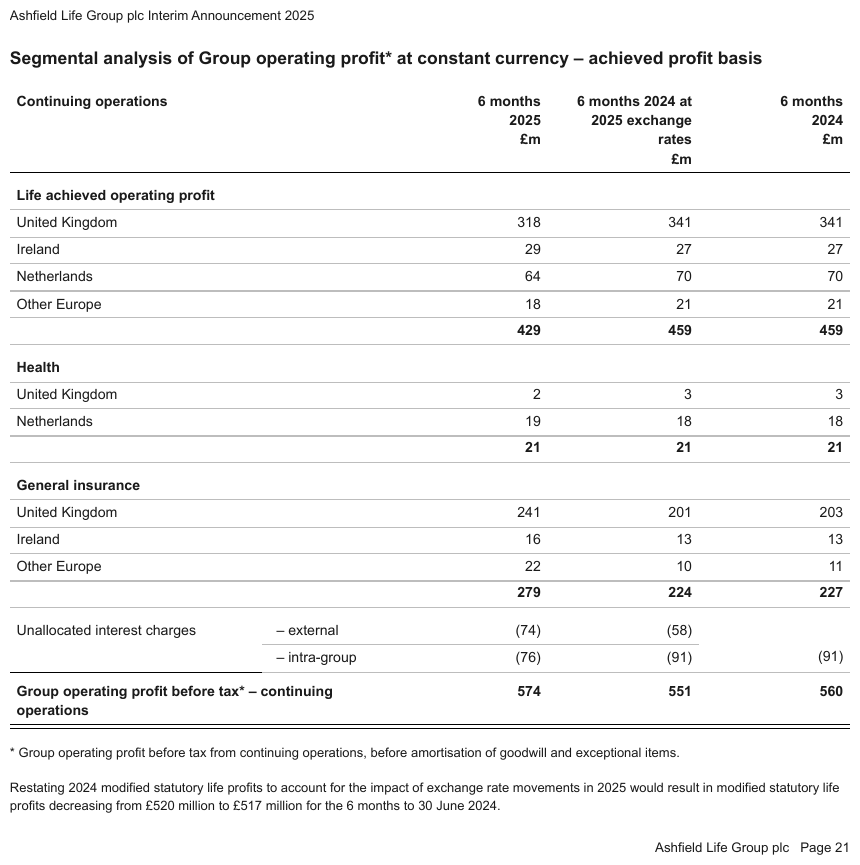
Unallocated interest charges sits in the first stub column, one ruled cell tall enough for both
sub-labels, with – external and – intra-group in a second column to its right, each with its own
values; the 6 months 2024 cell of – external is empty. Every group on the page closes with an
unlabelled bold total. No label is indented, so every label — in either stub column — is level
0; the closing grand total is a labelled total, so its label cell is a <th>.
| Continuing operations | 6 months 2025 £m | 6 months 2024 at 2025 exchange rates £m | 6 months 2024 £m | |||||||||||||||||||||||||||||||||||||||||||||||||||||||||||||||||||||||||||||||||||||||||||||||
|---|---|---|---|---|---|---|---|---|---|---|---|---|---|---|---|---|---|---|---|---|---|---|---|---|---|---|---|---|---|---|---|---|---|---|---|---|---|---|---|---|---|---|---|---|---|---|---|---|---|---|---|---|---|---|---|---|---|---|---|---|---|---|---|---|---|---|---|---|---|---|---|---|---|---|---|---|---|---|---|---|---|---|---|---|---|---|---|---|---|---|---|---|---|---|---|---|---|---|
| Life achieved operating profit | ||||||||||||||||||||||||||||||||||||||||||||||||||||||||||||||||||||||||||||||||||||||||||||||||||
| United Kingdom | 318 | 341 | 341 | |||||||||||||||||||||||||||||||||||||||||||||||||||||||||||||||||||||||||||||||||||||||||||||||
| … | ||||||||||||||||||||||||||||||||||||||||||||||||||||||||||||||||||||||||||||||||||||||||||||||||||
| Other Europe | 22 | 10 | 11 | |||||||||||||||||||||||||||||||||||||||||||||||||||||||||||||||||||||||||||||||||||||||||||||||
| 279 | 224 | 227 | ||||||||||||||||||||||||||||||||||||||||||||||||||||||||||||||||||||||||||||||||||||||||||||||||
| Unallocated interest charges | – external | (74) | (58) | |||||||||||||||||||||||||||||||||||||||||||||||||||||||||||||||||||||||||||||||||||||||||||||||
| – intra-group | (76) | (91) | (91) | |||||||||||||||||||||||||||||||||||||||||||||||||||||||||||||||||||||||||||||||||||||||||||||||
| Group operating profit before tax* – continuing operations | 574 | 551 | 560 | |||||||||||||||||||||||||||||||||||||||||||||||||||||||||||||||||||||||||||||||||||||||||||||||
Markdown source
<table>
<tr> <th colspan="2">Continuing operations</th> <th>6 months<br/>2025<br/>£m</th> <th>6 months 2024 at 2025 exchange rates<br/>£m</th> <th>6 months<br/>2024<br/>£m</th> </tr>
<tr> <td colspan="2" data-level="0"><strong>Life achieved operating profit</strong></td> <td></td> <td></td> <td></td> </tr>
<tr> <td colspan="2" data-level="0">United Kingdom</td> <td>318</td> <td>341</td> <td>341</td> </tr>
<!-- … -->
<tr> <td colspan="2" data-level="0">Other Europe</td> <td>22</td> <td>10</td> <td>11</td> </tr>
<tr> <td colspan="2"></td> <td><strong>279</strong></td> <td><strong>224</strong></td> <td><strong>227</strong></td> </tr>
<tr> <td rowspan="2" data-level="0">Unallocated interest charges</td> <td data-level="0">– external</td> <td>(74)</td> <td>(58)</td> <td></td> </tr>
<tr> <td data-level="0">– intra-group</td> <td>(76)</td> <td>(91)</td> <td>(91)</td> </tr>
<tr> <th colspan="2" data-level="0"><strong>Group operating profit before tax* – continuing operations</strong></th> <td><strong>574</strong></td> <td><strong>551</strong></td> <td><strong>560</strong></td> </tr>
</table>✅ Sample — values staggered inside one column
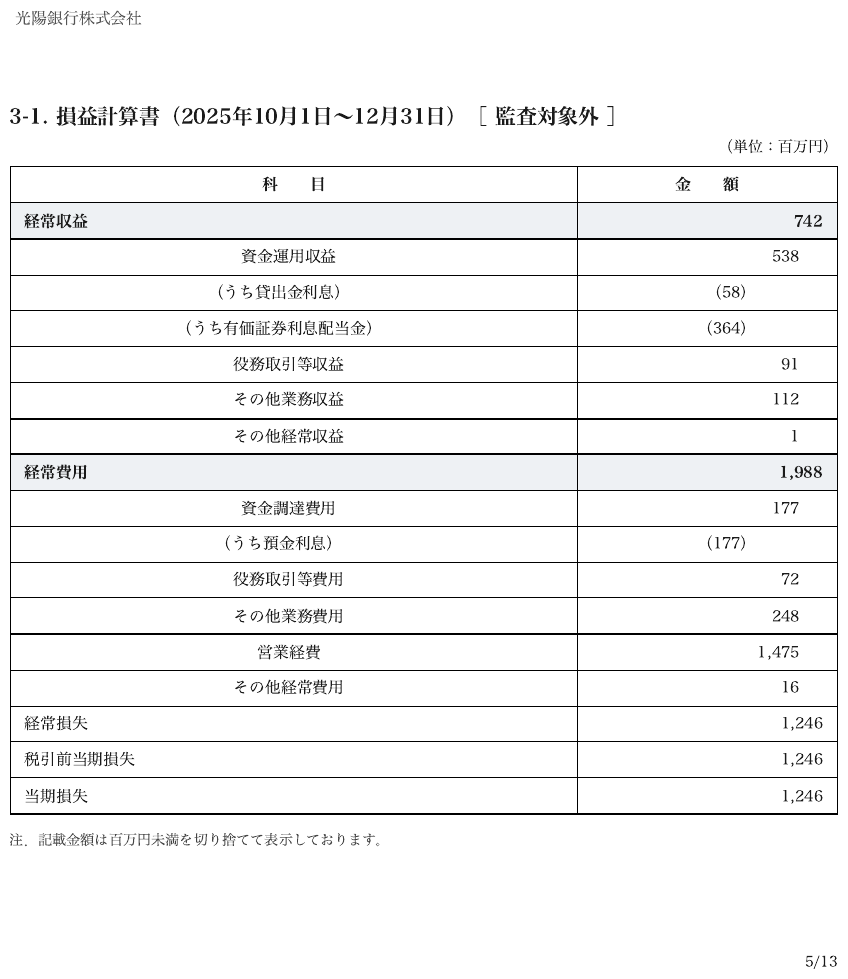
A Japanese profit-and-loss statement with one 金額 (amount) column: parent amounts right-aligned
at the column edge, children set further left, and (うち…) ("of which") sub-items further left
still. One value column. The stagger is styling; the hierarchy is carried only by the stub's
data-level: the bold categories are 0, their items 1, and the (うち…) rows, introduced by
"of which", 2.
| 科 目 | 金 額 |
|---|---|
| 経常収益 | 742 |
| 資金運用収益 | 538 |
| (うち貸出金利息) | (58) |
| (うち有価証券利息配当金) | (364) |
| 役務取引等収益 | 91 |
| その他業務収益 | 112 |
| その他経常収益 | 1 |
| 経常費用 | 1,988 |
| 資金調達費用 | 177 |
| (うち預金利息) | (177) |
| 役務取引等費用 | 72 |
| その他業務費用 | 248 |
| 営業経費 | 1,475 |
| その他経常費用 | 16 |
| 経常損失 | 1,246 |
| 税引前当期損失 | 1,246 |
| 当期損失 | 1,246 |
Markdown source
<table>
<tr> <th>科 目</th> <th>金 額</th> </tr>
<tr> <td data-level="0"><strong>経常収益</strong></td> <td><strong>742</strong></td> </tr>
<tr> <td data-level="1">資金運用収益</td> <td>538</td> </tr>
<tr> <td data-level="2">(うち貸出金利息)</td> <td>(58)</td> </tr>
<tr> <td data-level="2">(うち有価証券利息配当金)</td> <td>(364)</td> </tr>
<tr> <td data-level="1">役務取引等収益</td> <td>91</td> </tr>
<tr> <td data-level="1">その他業務収益</td> <td>112</td> </tr>
<tr> <td data-level="1">その他経常収益</td> <td>1</td> </tr>
<tr> <td data-level="0"><strong>経常費用</strong></td> <td><strong>1,988</strong></td> </tr>
<tr> <td data-level="1">資金調達費用</td> <td>177</td> </tr>
<tr> <td data-level="2">(うち預金利息)</td> <td>(177)</td> </tr>
<tr> <td data-level="1">役務取引等費用</td> <td>72</td> </tr>
<tr> <td data-level="1">その他業務費用</td> <td>248</td> </tr>
<tr> <td data-level="1">営業経費</td> <td>1,475</td> </tr>
<tr> <td data-level="1">その他経常費用</td> <td>16</td> </tr>
<tr> <td data-level="0">経常損失</td> <td>1,246</td> </tr>
<tr> <td data-level="0">税引前当期損失</td> <td>1,246</td> </tr>
<tr> <td data-level="0">当期損失</td> <td>1,246</td> </tr>
</table>✅ Sample — a two-column stub, ruled
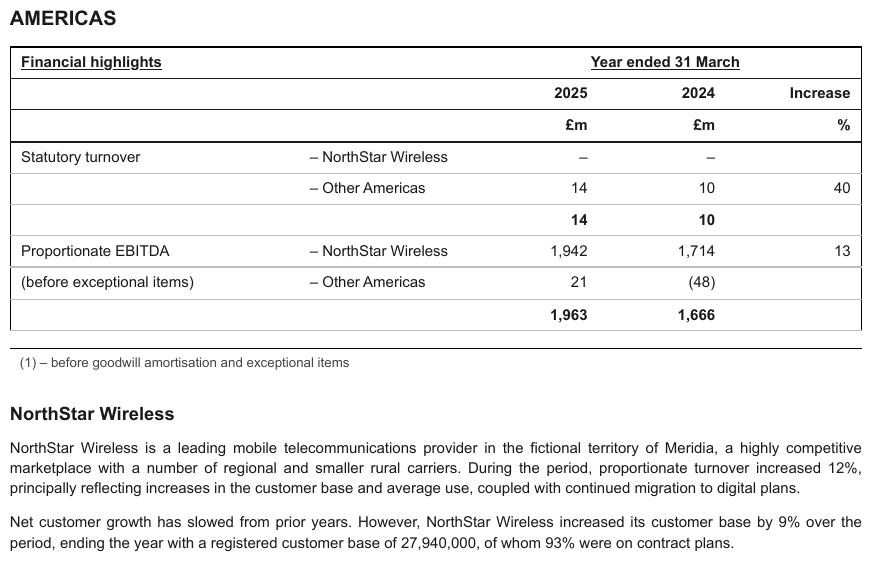
Statutory turnover and Proportionate EBITDA sit in the first stub column; – NorthStar Wireless and – Other Americas in a second column beside each, one per line, each with values; an
unlabelled bold subtotal closes each pair. Here the rules run across the first column between the
two lines, so Proportionate EBITDA and (before exceptional items) are two cells, not one
spanning cell.
| Financial highlights | Year ended 31 March | |||
|---|---|---|---|---|
| 2025 | 2024 | Increase | ||
| £m | £m | % | ||
| Statutory turnover | – NorthStar Wireless | – | – | |
| – Other Americas | 14 | 10 | 40 | |
| 14 | 10 | |||
| Proportionate EBITDA | – NorthStar Wireless | 1,942 | 1,714 | 13 |
| (before exceptional items) | – Other Americas | 21 | (48) | |
| 1,963 | 1,666 | |||
Markdown source
<table>
<tr> <th><u>Financial highlights</u></th> <th></th> <th colspan="3"><u>Year ended 31 March</u></th> </tr>
<tr> <th></th> <th></th> <th>2025</th> <th>2024</th> <th>Increase</th> </tr>
<tr> <th></th> <th></th> <th>£m</th> <th>£m</th> <th>%</th> </tr>
<tr> <td>Statutory turnover</td> <td>– NorthStar Wireless</td> <td>–</td> <td>–</td> <td></td> </tr>
<tr> <td></td> <td>– Other Americas</td> <td>14</td> <td>10</td> <td>40</td> </tr>
<tr> <td></td> <td></td> <td><strong>14</strong></td> <td><strong>10</strong></td> <td></td> </tr>
<tr> <td>Proportionate EBITDA</td> <td>– NorthStar Wireless</td> <td>1,942</td> <td>1,714</td> <td>13</td> </tr>
<tr> <td>(before exceptional items)</td> <td>– Other Americas</td> <td>21</td> <td>(48)</td> <td></td> </tr>
<tr> <td></td> <td></td> <td><strong>1,963</strong></td> <td><strong>1,666</strong></td> <td></td> </tr>
</table>Related
- Total and Subtotal Rows§9.5.6 — the aggregate row at the top of the hierarchy, and its label cell
- Record Groups and Multi-Line Cells§9.5.3 — multi-line labels that are one cell, not parent and child
- Bold and Italic Inside Tables§9.6.2 — weight and slant that often accompany a hierarchy, rendered per cell
9.5.6 Total and Subtotal Rows
✅ Normative · 📄 page rule
✅ Normative
In a total or subtotal row, the label cell MUST be a <th> and the value cells MUST stay <td>.
The label cell MUST carry the row's absolute level as data-level, read as for the stub
hierarchy — a top-level total is data-level="0". Label and values MUST be kept exactly as
printed, bold only where the page prints them bold.
| iPhone | 205,489 |
| Mac | 29,357 |
| **Total** | 234,846 | ← bold + a double rule above it
The rendering
<tr><td data-level="1">iPhone</td><td>205,489</td></tr>
<tr><td data-level="1">Mac</td><td>29,357</td></tr>
<tr><th data-level="0">Total</th><td>234,846</td></tr>
- The
<th>states that the cell labels rather than reports. data-levelrecords the printed absolute indentation of the label, counted from the left edge of the stub as in Row-Label Hierarchy§9.5.5; because a total carries a level, every label cell of its stub carries one too.- The level MUST be the printed one even where it contradicts the apparent grouping — a total set further right than the items it sums keeps that deeper level. Arithmetic membership MUST NOT be inferred from indentation, and indentation MUST NOT be adjusted to fit the arithmetic.
- A total row whose label position prints nothing has no label cell to mark: it MUST be rendered
with an empty
<td></td>there — never an inventedTotaland never an empty<th>.
A <th> is a per-cell decision
A row can be part header, part data, and a total row is exactly that: a heading cell on the left
and reported values to its right. Marking the whole row <th> would claim the numbers are headings;
marking none of it loses the distinction between the cell that names the aggregate and the cells
that report it. Both are non-conforming.
The same holds in reverse for a full-width band or divider row, where every cell is heading and none is data — see Bands Inside the Grid§9.2.1 and Titles Banners Captions§9.7.3.
Recognising one
A total or subtotal row usually carries three tells at once: a label that names an aggregate ("Total", "Total net sales", "5 YR. TOTAL"), a rule or double rule printed above it, and bold or otherwise emphasised type. Any one alone is weak evidence — bold is applied unreliably in both directions (Bold and Italic Inside Tables§9.6.2) — but together they are reliable.
✅ Sample — warn
Several bold, ruled totals in one balance sheet — Total current assets, Total assets, Total
current liabilities, Total liabilities, Total … stockholders' equity, Total equity. No label
is indented, so every level is 0. The italic stub heading is not bold.
| Unaudited; in millions, except par value | September 30, 2024 | December 31, 2023 | ||||||||||||||||||||||||||||||||||||||||||||||||||||||||||||||||||||||||||||||||||||||||||||||||
|---|---|---|---|---|---|---|---|---|---|---|---|---|---|---|---|---|---|---|---|---|---|---|---|---|---|---|---|---|---|---|---|---|---|---|---|---|---|---|---|---|---|---|---|---|---|---|---|---|---|---|---|---|---|---|---|---|---|---|---|---|---|---|---|---|---|---|---|---|---|---|---|---|---|---|---|---|---|---|---|---|---|---|---|---|---|---|---|---|---|---|---|---|---|---|---|---|---|---|
| ASSETS | ||||||||||||||||||||||||||||||||||||||||||||||||||||||||||||||||||||||||||||||||||||||||||||||||||
| Current assets: | ||||||||||||||||||||||||||||||||||||||||||||||||||||||||||||||||||||||||||||||||||||||||||||||||||
| Cash and cash equivalents | $2,414 | $2,850 | ||||||||||||||||||||||||||||||||||||||||||||||||||||||||||||||||||||||||||||||||||||||||||||||||
| Receivables, net | 4,120 | 4,510 | ||||||||||||||||||||||||||||||||||||||||||||||||||||||||||||||||||||||||||||||||||||||||||||||||
| Prepaid expenses and other current assets | 2,905 | 3,102 | ||||||||||||||||||||||||||||||||||||||||||||||||||||||||||||||||||||||||||||||||||||||||||||||||
| Total current assets | 9,439 | 10,462 | ||||||||||||||||||||||||||||||||||||||||||||||||||||||||||||||||||||||||||||||||||||||||||||||||
| Film and television content rights and games | 15,220 | 16,340 | ||||||||||||||||||||||||||||||||||||||||||||||||||||||||||||||||||||||||||||||||||||||||||||||||
| Property and equipment, net | 4,890 | 4,715 | ||||||||||||||||||||||||||||||||||||||||||||||||||||||||||||||||||||||||||||||||||||||||||||||||
| Goodwill | 19,640 | 24,905 | ||||||||||||||||||||||||||||||||||||||||||||||||||||||||||||||||||||||||||||||||||||||||||||||||
| Intangible assets, net | 24,110 | 27,830 | ||||||||||||||||||||||||||||||||||||||||||||||||||||||||||||||||||||||||||||||||||||||||||||||||
| Other noncurrent assets | 5,715 | 5,940 | ||||||||||||||||||||||||||||||||||||||||||||||||||||||||||||||||||||||||||||||||||||||||||||||||
| Total assets | $79,014 | $90,192 | ||||||||||||||||||||||||||||||||||||||||||||||||||||||||||||||||||||||||||||||||||||||||||||||||
| LIABILITIES AND EQUITY | ||||||||||||||||||||||||||||||||||||||||||||||||||||||||||||||||||||||||||||||||||||||||||||||||||
| … | ||||||||||||||||||||||||||||||||||||||||||||||||||||||||||||||||||||||||||||||||||||||||||||||||||
| Total Nordholm Media Group, Inc. stockholders' equity | 27,064 | 33,812 | ||||||||||||||||||||||||||||||||||||||||||||||||||||||||||||||||||||||||||||||||||||||||||||||||
| Noncontrolling interests | 690 | 720 | ||||||||||||||||||||||||||||||||||||||||||||||||||||||||||||||||||||||||||||||||||||||||||||||||
| Total equity | 27,754 | 34,532 | ||||||||||||||||||||||||||||||||||||||||||||||||||||||||||||||||||||||||||||||||||||||||||||||||
Markdown source
<table>
<tr> <th><em>Unaudited; in millions, except par value</em></th> <th>September 30, 2024</th> <th>December 31, 2023</th> </tr>
<tr> <th colspan="3">ASSETS</th> </tr>
<tr> <td colspan="3" data-level="0">Current assets:</td> </tr>
<tr> <td data-level="0">Cash and cash equivalents</td> <td>$2,414</td> <td>$2,850</td> </tr>
<tr> <td data-level="0">Receivables, net</td> <td>4,120</td> <td>4,510</td> </tr>
<tr> <td data-level="0">Prepaid expenses and other current assets</td> <td>2,905</td> <td>3,102</td> </tr>
<tr> <th data-level="0"><strong>Total current assets</strong></th> <td><strong>9,439</strong></td> <td><strong>10,462</strong></td> </tr>
<tr> <td data-level="0">Film and television content rights and games</td> <td>15,220</td> <td>16,340</td> </tr>
<tr> <td data-level="0">Property and equipment, net</td> <td>4,890</td> <td>4,715</td> </tr>
<tr> <td data-level="0">Goodwill</td> <td>19,640</td> <td>24,905</td> </tr>
<tr> <td data-level="0">Intangible assets, net</td> <td>24,110</td> <td>27,830</td> </tr>
<tr> <td data-level="0">Other noncurrent assets</td> <td>5,715</td> <td>5,940</td> </tr>
<tr> <th data-level="0"><strong>Total assets</strong></th> <td><strong>$79,014</strong></td> <td><strong>$90,192</strong></td> </tr>
<tr> <th colspan="3">LIABILITIES AND EQUITY</th> </tr>
<!-- … -->
<tr> <th data-level="0"><strong>Total Nordholm Media Group, Inc. stockholders' equity</strong></th> <td><strong>27,064</strong></td> <td><strong>33,812</strong></td> </tr>
<tr> <td data-level="0">Noncontrolling interests</td> <td>690</td> <td>720</td> </tr>
<tr> <th data-level="0"><strong>Total equity</strong></th> <td><strong>27,754</strong></td> <td><strong>34,532</strong></td> </tr>
</table>✅ Sample — dt1
A bold, ruled TOTAL row closes the relocation summary (923 · 100% · 24,582,483 · 100%).
| Firms | % | Square Footage Leased | % | |||||||||||||||||||||||||||||||||||||||||||||||||||||||||||||||||||||||||||||||||||||||||||||||
|---|---|---|---|---|---|---|---|---|---|---|---|---|---|---|---|---|---|---|---|---|---|---|---|---|---|---|---|---|---|---|---|---|---|---|---|---|---|---|---|---|---|---|---|---|---|---|---|---|---|---|---|---|---|---|---|---|---|---|---|---|---|---|---|---|---|---|---|---|---|---|---|---|---|---|---|---|---|---|---|---|---|---|---|---|---|---|---|---|---|---|---|---|---|---|---|---|---|---|
| … | ||||||||||||||||||||||||||||||||||||||||||||||||||||||||||||||||||||||||||||||||||||||||||||||||||
| Other | 71 | 8% | 2,702,047 | 11% | ||||||||||||||||||||||||||||||||||||||||||||||||||||||||||||||||||||||||||||||||||||||||||||||
| TOTAL | 923 | 100% | 24,582,483 | 100% | ||||||||||||||||||||||||||||||||||||||||||||||||||||||||||||||||||||||||||||||||||||||||||||||
Markdown source
<table>
<tr> <th> </th> <th>Firms</th> <th>%</th> <th>Square Footage Leased</th> <th>%</th> </tr>
<!-- … -->
<tr> <td data-level="0"><strong>Other</strong></td> <td><strong>71</strong></td> <td><strong>8%</strong></td> <td><strong>2,702,047</strong></td> <td><strong>11%</strong></td> </tr>
<tr> <th data-level="0"><strong>TOTAL</strong></th> <td><strong>923</strong></td> <td><strong>100%</strong></td> <td><strong>24,582,483</strong></td> <td><strong>100%</strong></td> </tr>
</table>✅ Sample — 3tables2
A bold 5 YR. TOTAL row closes each class block. Each class block and the credibility grid under
it are separately framed with a gap between them, so they are separate tables; the first class
block is shown.
| CLASS 0034 | FARM: POULTRY OR EGG PRODUCER & DRIVERS | ||||||||
|---|---|---|---|---|---|---|---|---|---|
| Industry Group: Goods and Services Hazard Group: D | CONVERTED LOSSES | ||||||||
| INDEMNITY LIKELY | INDEMNITY NOT-LIKELY | MED LIKELY AMOUNT | MED NOT-LIKELY AMOUNT | TOTAL AMOUNT | TOTAL PURE PREM. | ||||
| POLICY PERIOD | PAYROLL | CASES | AMOUNT | CASES | AMOUNT | ||||
| 3/18 through 2/19 | 14,448,797 | 0 | 0 | 14 | 155,528 | 0 | 194,420 | 349,948 | 2.422 |
| 3/19 through 2/20 | 17,615,203 | 2 | 82,335 | 6 | 35,868 | 50,950 | 85,546 | 254,699 | 1.446 |
| 3/20 through 2/21 | 17,172,385 | 6 | 287,460 | 11 | 248,762 | 170,700 | 211,880 | 918,802 | 5.351 |
| 3/21 through 2/22 | 18,522,883 | 0 | 0 | 8 | 97,842 | 0 | 176,515 | 274,357 | 1.481 |
| 3/22 through 2/23 | 17,213,995 | 0 | 0 | 7 | 66,407 | 0 | 122,457 | 188,864 | 1.097 |
| 5 YR. TOTAL | 84,973,263 | 8 | 369,795 | 46 | 604,407 | 221,650 | 790,818 | 1,986,670 | 2.338 |
Markdown source
<table>
<tr> <th>CLASS<br/>0034</th> <th colspan="9">FARM: POULTRY OR EGG PRODUCER & DRIVERS</th> </tr>
<tr> <th colspan="2" rowspan="2">Industry Group: Goods and Services<br/>Hazard Group: D</th> <th colspan="7">CONVERTED LOSSES</th> <th></th> </tr>
<tr> <th colspan="2">INDEMNITY LIKELY</th> <th colspan="2">INDEMNITY NOT-LIKELY</th> <th rowspan="2">MED LIKELY AMOUNT</th> <th rowspan="2">MED NOT-LIKELY AMOUNT</th> <th rowspan="2">TOTAL AMOUNT</th> <th rowspan="2">TOTAL PURE PREM.</th> </tr>
<tr> <th>POLICY PERIOD</th> <th>PAYROLL</th> <th>CASES</th> <th>AMOUNT</th> <th>CASES</th> <th>AMOUNT</th> </tr>
<tr> <td data-level="0">3/18 through 2/19</td> <td>14,448,797</td> <td>0</td> <td>0</td> <td>14</td> <td>155,528</td> <td>0</td> <td>194,420</td> <td>349,948</td> <td>2.422</td> </tr>
<tr> <td data-level="0">3/19 through 2/20</td> <td>17,615,203</td> <td>2</td> <td>82,335</td> <td>6</td> <td>35,868</td> <td>50,950</td> <td>85,546</td> <td>254,699</td> <td>1.446</td> </tr>
<tr> <td data-level="0">3/20 through 2/21</td> <td>17,172,385</td> <td>6</td> <td>287,460</td> <td>11</td> <td>248,762</td> <td>170,700</td> <td>211,880</td> <td>918,802</td> <td>5.351</td> </tr>
<tr> <td data-level="0">3/21 through 2/22</td> <td>18,522,883</td> <td>0</td> <td>0</td> <td>8</td> <td>97,842</td> <td>0</td> <td>176,515</td> <td>274,357</td> <td>1.481</td> </tr>
<tr> <td data-level="0">3/22 through 2/23</td> <td>17,213,995</td> <td>0</td> <td>0</td> <td>7</td> <td>66,407</td> <td>0</td> <td>122,457</td> <td>188,864</td> <td>1.097</td> </tr>
<tr> <th data-level="0"><strong>5 YR. TOTAL</strong></th> <td><strong>84,973,263</strong></td> <td><strong>8</strong></td> <td><strong>369,795</strong></td> <td><strong>46</strong></td> <td><strong>604,407</strong></td> <td><strong>221,650</strong></td> <td><strong>790,818</strong></td> <td><strong>1,986,670</strong></td> <td><strong>2.338</strong></td> </tr>
</table>✅ Sample — en
A bold, ruled TOTAL 90 50% row closes the weightage table.
| Division of Syllabus for Term II (October-March) | Total Weightage Assigned | |
|---|---|---|
| Summative Assessment II | 30% | |
| Section | Marks | |
| Reading | 20 | |
| Writing | 20 | |
| Grammar | 15 | |
| Literature | 35 | |
| Formative Assessment | 20% | |
| TOTAL | 90 | 50% |
Markdown source
<table>
<tr> <th colspan="2">Division of Syllabus for Term II (October-March)</th> <th>Total Weightage Assigned</th> </tr>
<tr> <th>Summative Assessment II</th> <th>30%</th> <td></td> </tr>
<tr> <th>Section</th> <th>Marks</th> <td rowspan="5"></td> </tr>
<tr> <td data-level="0">Reading</td> <td>20</td> </tr>
<tr> <td data-level="0">Writing</td> <td>20</td> </tr>
<tr> <td data-level="0">Grammar</td> <td>15</td> </tr>
<tr> <td data-level="0">Literature</td> <td>35</td> </tr>
<tr> <td data-level="0">Formative Assessment</td> <td></td> <td>20%</td> </tr>
<tr> <th data-level="0"><strong>TOTAL</strong></th> <td><strong>90</strong></td> <td><strong>50%</strong></td> </tr>
</table>✅ Sample — 3t
A bold 1997-2017 summary row under a rule closes each cohort block; its label names the whole vintage range the rows above divide up.
| TIMBER IMPACT INVESTING FUNDS | |||||||||||
|---|---|---|---|---|---|---|---|---|---|---|---|
| VINTAGE YEAR | POOLED RETURN (%) | ARITHMETIC MEAN (%) | MEDIAN (%) | EQUAL-WEIGHTED POOLED RETURN (%) | UPPER QUARTILE (%) | LOWER QUARTILE (%) | STANDARD DEVIATION (%) | DPI | RVPI | TVPI | NUMBER OF FUNDS |
| 1997-2001 | — | — | — | — | — | — | — | — | — | — | 2 |
| 2002-2004 | 3.11 | 3.58 | — | 3.55 | — | — | — | 0.94 | 0.45 | 1.39 | 4 |
| 2005-2007 | 4.05 | 5.44 | 5.56 | 5.36 | — | — | — | 0.86 | 0.60 | 1.46 | 6 |
| 2008-2010 | 4.38 | 4.51 | 4.66 | 4.03 | — | — | — | 0.30 | 0.98 | 1.28 | 5 |
| 2011-2013 | — | — | — | — | — | — | — | — | — | — | 1 |
| 2014-2017 | 6.06 | 7.55 | — | 5.83 | — | — | — | 0.14 | 1.00 | 1.14 | 3 |
| 1997-2017 | 4.06 | 5.50 | 4.94 | 5.09 | 7.04 | 4.46 | 3.75 | 0.76 | 0.64 | 1.40 | 21 |
Markdown source
<table>
<tr> <th colspan="12">TIMBER IMPACT INVESTING FUNDS</th> </tr>
<tr> <th>VINTAGE YEAR</th> <th>POOLED RETURN (%)</th> <th>ARITHMETIC MEAN (%)</th> <th>MEDIAN (%)</th> <th>EQUAL-WEIGHTED POOLED RETURN (%)</th> <th>UPPER QUARTILE (%)</th> <th>LOWER QUARTILE (%)</th> <th>STANDARD DEVIATION (%)</th> <th>DPI</th> <th>RVPI</th> <th>TVPI</th> <th>NUMBER OF FUNDS</th> </tr>
<tr> <td data-level="0">1997-2001</td> <td>—</td> <td>—</td> <td>—</td> <td>—</td> <td>—</td> <td>—</td> <td>—</td> <td>—</td> <td>—</td> <td>—</td> <td>2</td> </tr>
<tr> <td data-level="0">2002-2004</td> <td>3.11</td> <td>3.58</td> <td>—</td> <td>3.55</td> <td>—</td> <td>—</td> <td>—</td> <td>0.94</td> <td>0.45</td> <td>1.39</td> <td>4</td> </tr>
<tr> <td data-level="0">2005-2007</td> <td>4.05</td> <td>5.44</td> <td>5.56</td> <td>5.36</td> <td>—</td> <td>—</td> <td>—</td> <td>0.86</td> <td>0.60</td> <td>1.46</td> <td>6</td> </tr>
<tr> <td data-level="0">2008-2010</td> <td>4.38</td> <td>4.51</td> <td>4.66</td> <td>4.03</td> <td>—</td> <td>—</td> <td>—</td> <td>0.30</td> <td>0.98</td> <td>1.28</td> <td>5</td> </tr>
<tr> <td data-level="0">2011-2013</td> <td>—</td> <td>—</td> <td>—</td> <td>—</td> <td>—</td> <td>—</td> <td>—</td> <td>—</td> <td>—</td> <td>—</td> <td>1</td> </tr>
<tr> <td data-level="0">2014-2017</td> <td>6.06</td> <td>7.55</td> <td>—</td> <td>5.83</td> <td>—</td> <td>—</td> <td>—</td> <td>0.14</td> <td>1.00</td> <td>1.14</td> <td>3</td> </tr>
<tr> <th data-level="0"><strong>1997-2017</strong></th> <td><strong>4.06</strong></td> <td><strong>5.50</strong></td> <td><strong>4.94</strong></td> <td><strong>5.09</strong></td> <td><strong>7.04</strong></td> <td><strong>4.46</strong></td> <td><strong>3.75</strong></td> <td><strong>0.76</strong></td> <td><strong>0.64</strong></td> <td><strong>1.40</strong></td> <td><strong>21</strong></td> </tr>
</table>Row order and table sections
- Every row MUST stay in printed order. A total MUST NOT be moved to fit a table section.
<thead>,<tbody>and<tfoot>wrappers MAY be used or omitted; they do not change the cells or their values, andthversustdis still decided per cell.- Totals printed outside the table frame are governed by Bottom Edge Totals and Islands§9.7.1.
More shapes
✅ Sample — a total row with no label at all
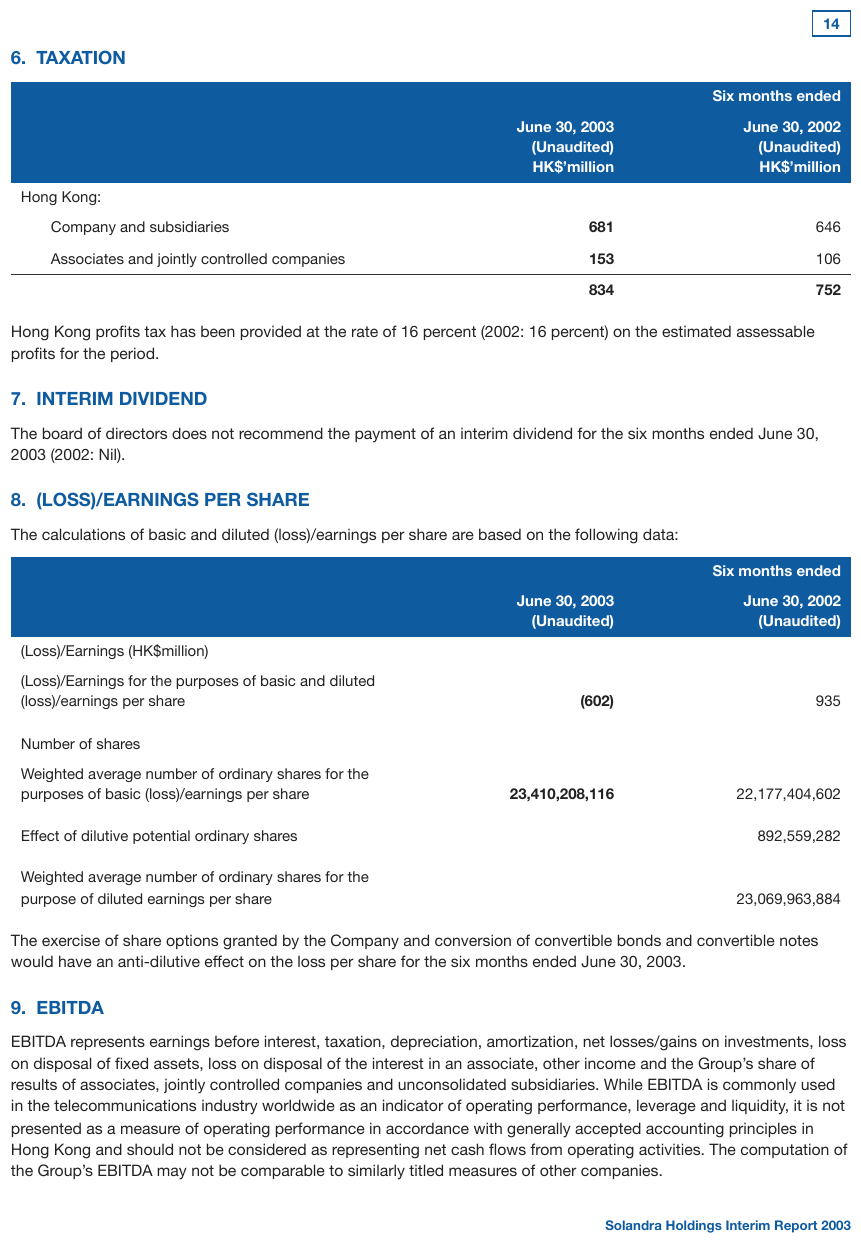
The taxation table closes with 834 / 752 under a rule, in bold, with an empty label cell:
nothing prints where Total would go. The label cell is <td></td> — no label, so no <th> and no
invented Total. The rule and the bold are the only tells. The June 30, 2003 column is bold
throughout.
| Six months ended | ||
|---|---|---|
| June 30, 2003 (Unaudited) HK$’million | June 30, 2002 (Unaudited) HK$’million | |
| Hong Kong: | ||
| Company and subsidiaries | 681 | 646 |
| Associates and jointly controlled companies | 153 | 106 |
| 834 | 752 | |
Markdown source
<table>
<tr> <th></th> <th colspan="2">Six months ended</th> </tr>
<tr> <th></th> <th>June 30, 2003<br/>(Unaudited)<br/>HK$’million</th> <th>June 30, 2002<br/>(Unaudited)<br/>HK$’million</th> </tr>
<tr> <td data-level="0">Hong Kong:</td> <td></td> <td></td> </tr>
<tr> <td data-level="1">Company and subsidiaries</td> <td><strong>681</strong></td> <td>646</td> </tr>
<tr> <td data-level="1">Associates and jointly controlled companies</td> <td><strong>153</strong></td> <td>106</td> </tr>
<tr> <td></td> <td><strong>834</strong></td> <td><strong>752</strong></td> </tr>
</table>✅ Sample — a total set further right than its children
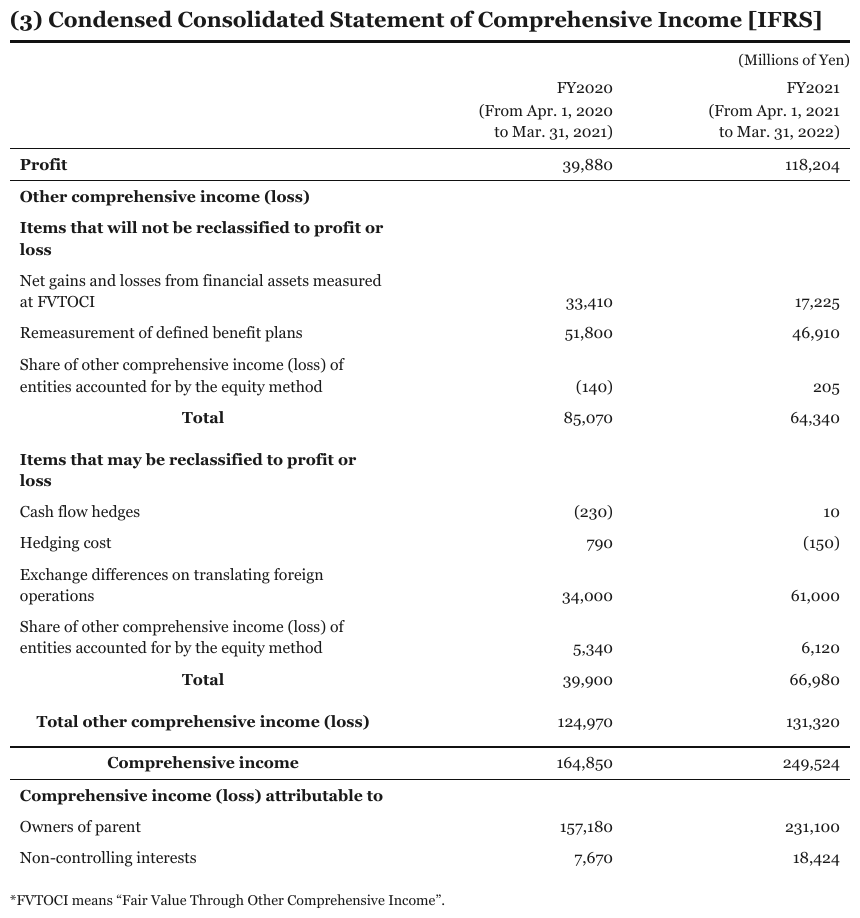
Each Total is centred well to the right of the items it sums, twice on the page. Total other comprehensive income (loss) starts just right of the item labels and Comprehensive income
between the two. Read by where each label starts, the page has four label positions, levels 0
to 3, and every total is deeper than its children; those printed levels are kept.
| FY2020 (From Apr. 1, 2020 to Mar. 31, 2021) | FY2021 (From Apr. 1, 2021 to Mar. 31, 2022) | |
|---|---|---|
| Profit | 39,880 | 118,204 |
| Other comprehensive income (loss) | ||
| Items that will not be reclassified to profit or loss | ||
| Net gains and losses from financial assets measured at FVTOCI | 33,410 | 17,225 |
| Remeasurement of defined benefit plans | 51,800 | 46,910 |
| Share of other comprehensive income (loss) of entities accounted for by the equity method | (140) | 205 |
| Total | 85,070 | 64,340 |
| Items that may be reclassified to profit or loss | ||
| Cash flow hedges | (230) | 10 |
| Hedging cost | 790 | (150) |
| Exchange differences on translating foreign operations | 34,000 | 61,000 |
| Share of other comprehensive income (loss) of entities accounted for by the equity method | 5,340 | 6,120 |
| Total | 39,900 | 66,980 |
| Total other comprehensive income (loss) | 124,970 | 131,320 |
| Comprehensive income | 164,850 | 249,524 |
| Comprehensive income (loss) attributable to | ||
| Owners of parent | 157,180 | 231,100 |
| Non-controlling interests | 7,670 | 18,424 |
Markdown source
<table>
<tr> <th></th> <th>FY2020<br/>(From Apr. 1, 2020<br/>to Mar. 31, 2021)</th> <th>FY2021<br/>(From Apr. 1, 2021<br/>to Mar. 31, 2022)</th> </tr>
<tr> <td data-level="0"><strong>Profit</strong></td> <td>39,880</td> <td>118,204</td> </tr>
<tr> <td data-level="0"><strong>Other comprehensive income (loss)</strong></td> <td></td> <td></td> </tr>
<tr> <td data-level="0"><strong>Items that will not be reclassified to profit or loss</strong></td> <td></td> <td></td> </tr>
<tr> <td data-level="0">Net gains and losses from financial assets measured at FVTOCI</td> <td>33,410</td> <td>17,225</td> </tr>
<tr> <td data-level="0">Remeasurement of defined benefit plans</td> <td>51,800</td> <td>46,910</td> </tr>
<tr> <td data-level="0">Share of other comprehensive income (loss) of entities accounted for by the equity method</td> <td>(140)</td> <td>205</td> </tr>
<tr> <th data-level="3"><strong>Total</strong></th> <td>85,070</td> <td>64,340</td> </tr>
<tr> <td data-level="0"><strong>Items that may be reclassified to profit or loss</strong></td> <td></td> <td></td> </tr>
<tr> <td data-level="0">Cash flow hedges</td> <td>(230)</td> <td>10</td> </tr>
<tr> <td data-level="0">Hedging cost</td> <td>790</td> <td>(150)</td> </tr>
<tr> <td data-level="0">Exchange differences on translating foreign operations</td> <td>34,000</td> <td>61,000</td> </tr>
<tr> <td data-level="0">Share of other comprehensive income (loss) of entities accounted for by the equity method</td> <td>5,340</td> <td>6,120</td> </tr>
<tr> <th data-level="3"><strong>Total</strong></th> <td>39,900</td> <td>66,980</td> </tr>
<tr> <th data-level="1"><strong>Total other comprehensive income (loss)</strong></th> <td>124,970</td> <td>131,320</td> </tr>
<tr> <th data-level="2"><strong>Comprehensive income</strong></th> <td>164,850</td> <td>249,524</td> </tr>
<tr> <td data-level="0"><strong>Comprehensive income (loss) attributable to</strong></td> <td></td> <td></td> </tr>
<tr> <td data-level="0">Owners of parent</td> <td>157,180</td> <td>231,100</td> </tr>
<tr> <td data-level="0">Non-controlling interests</td> <td>7,670</td> <td>18,424</td> </tr>
</table>✅ Sample — rows printed after the total that it does not include
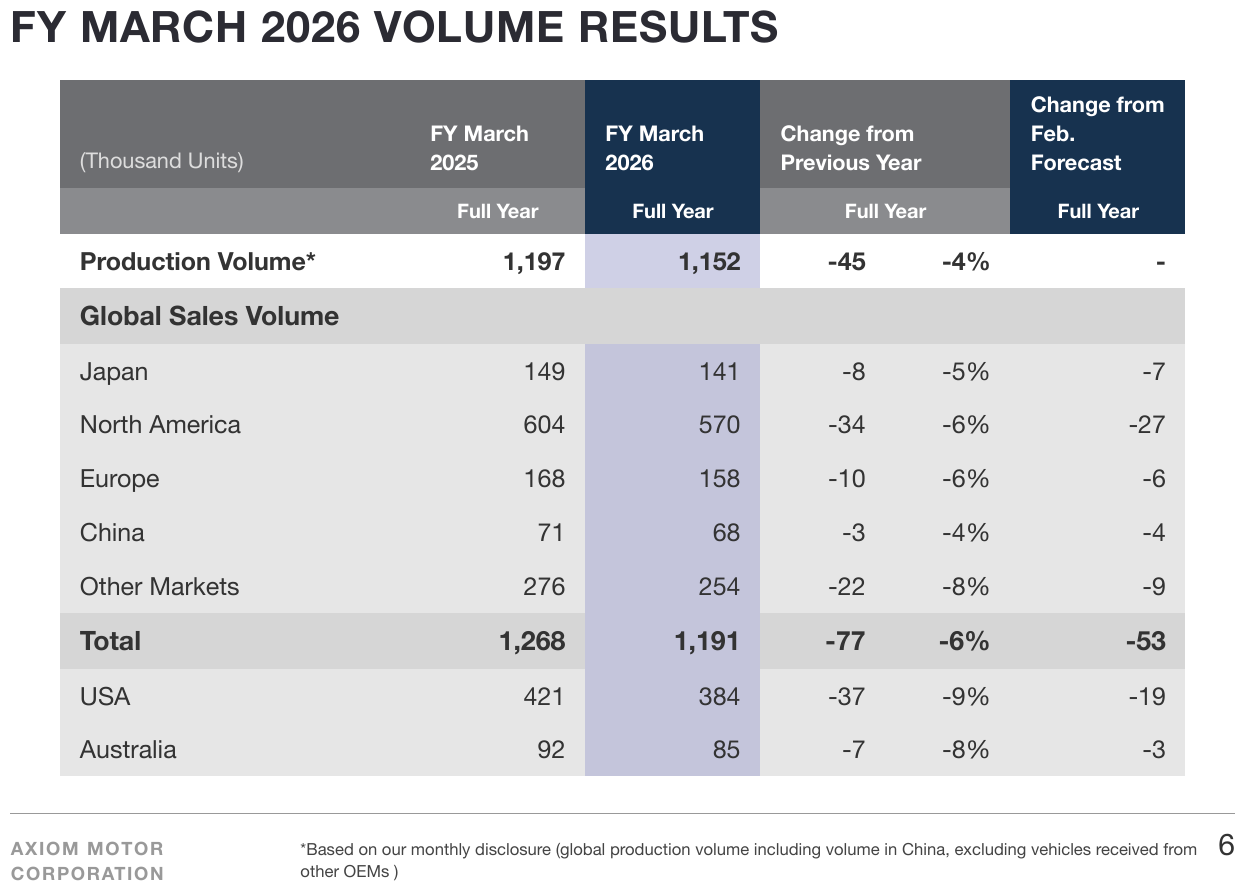
Total closes the Global Sales Volume block, then USA and Australia follow at the same
indent as Japan and Europe. They are memo lines — USA sits inside North America — not
components of the total. They stay in the same table, in printed order, at the level their indent
prints; splitting them off into a second table is non-conforming.
| (Thousand Units) | FY March 2025 | FY March 2026 | Change from Previous Year | Change from Feb. Forecast | |
|---|---|---|---|---|---|
| Full Year | Full Year | Full Year | Full Year | ||
| Production Volume* | 1,197 | 1,152 | -45 | -4% | - |
| Global Sales Volume | |||||
| Japan | 149 | 141 | -8 | -5% | -7 |
| North America | 604 | 570 | -34 | -6% | -27 |
| Europe | 168 | 158 | -10 | -6% | -6 |
| China | 71 | 68 | -3 | -4% | -4 |
| Other Markets | 276 | 254 | -22 | -8% | -9 |
| Total | 1,268 | 1,191 | -77 | -6% | -53 |
| USA | 421 | 384 | -37 | -9% | -19 |
| Australia | 92 | 85 | -7 | -8% | -3 |
Markdown source
<table>
<tr> <th>(Thousand Units)</th> <th>FY March 2025</th> <th>FY March 2026</th> <th colspan="2">Change from Previous Year</th> <th>Change from<br/>Feb. Forecast</th> </tr>
<tr> <th></th> <th>Full Year</th> <th>Full Year</th> <th colspan="2">Full Year</th> <th>Full Year</th> </tr>
<tr> <td data-level="0"><strong>Production Volume*</strong></td> <td><strong>1,197</strong></td> <td><strong>1,152</strong></td> <td><strong>-45</strong></td> <td><strong>-4%</strong></td> <td><strong>-</strong></td> </tr>
<tr> <th colspan="6">Global Sales Volume</th> </tr>
<tr> <td data-level="0">Japan</td> <td>149</td> <td>141</td> <td>-8</td> <td>-5%</td> <td>-7</td> </tr>
<tr> <td data-level="0">North America</td> <td>604</td> <td>570</td> <td>-34</td> <td>-6%</td> <td>-27</td> </tr>
<tr> <td data-level="0">Europe</td> <td>168</td> <td>158</td> <td>-10</td> <td>-6%</td> <td>-6</td> </tr>
<tr> <td data-level="0">China</td> <td>71</td> <td>68</td> <td>-3</td> <td>-4%</td> <td>-4</td> </tr>
<tr> <td data-level="0">Other Markets</td> <td>276</td> <td>254</td> <td>-22</td> <td>-8%</td> <td>-9</td> </tr>
<tr> <th data-level="0"><strong>Total</strong></th> <td><strong>1,268</strong></td> <td><strong>1,191</strong></td> <td><strong>-77</strong></td> <td><strong>-6%</strong></td> <td><strong>-53</strong></td> </tr>
<tr> <td data-level="0">USA</td> <td>421</td> <td>384</td> <td>-37</td> <td>-9%</td> <td>-19</td> </tr>
<tr> <td data-level="0">Australia</td> <td>92</td> <td>85</td> <td>-7</td> <td>-8%</td> <td>-3</td> </tr>
</table>✅ Sample — a scanned lease table with an unlabelled total
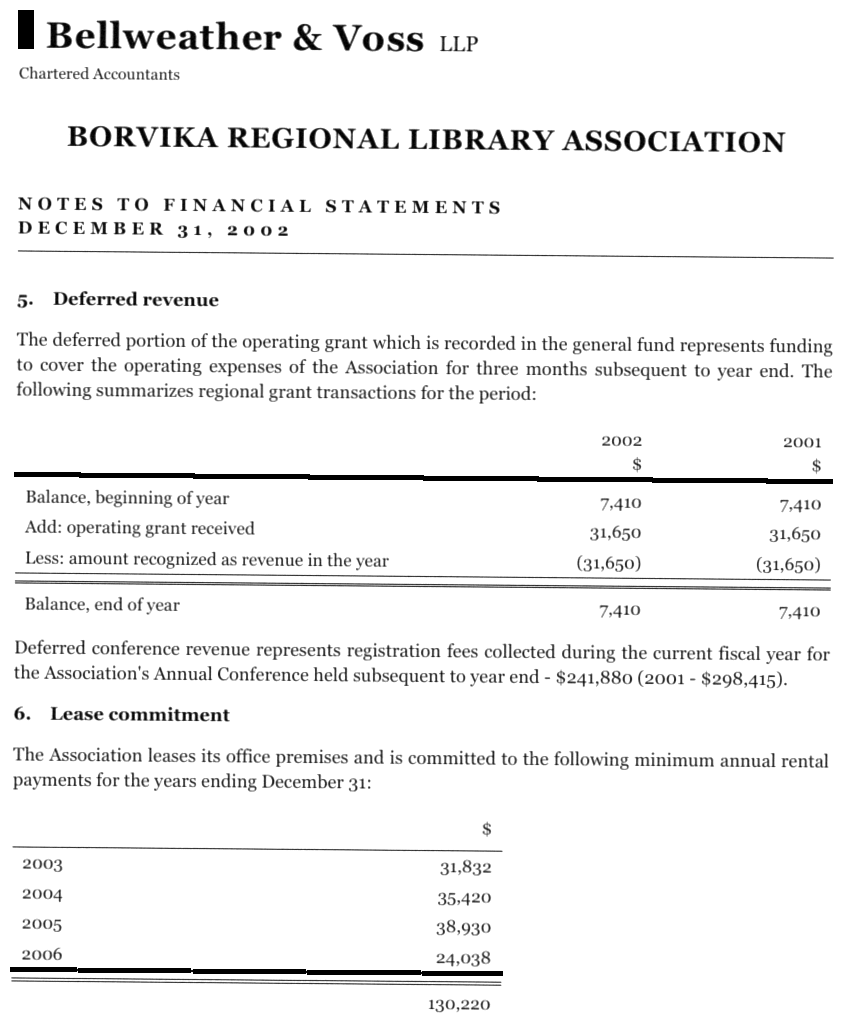
Note 6: four years and four amounts under a lone $ header, then 130,220 under a double rule,
with no label at all — so its label cell is empty. Note 5 above it is a borderless statement whose
Balance, end of year total sits under a double rule, not bold. The printed rules are not rows.
| 2002 $ | 2001 $ | |
|---|---|---|
| Balance, beginning of year | 7,410 | 7,410 |
| Add: operating grant received | 31,650 | 31,650 |
| Less: amount recognized as revenue in the year | (31,650) | (31,650) |
| Balance, end of year | 7,410 | 7,410 |
…
| $ | |
|---|---|
| 2003 | 31,832 |
| 2004 | 35,420 |
| 2005 | 38,930 |
| 2006 | 24,038 |
| 130,220 |
Markdown source
<table>
<tr> <th></th> <th>2002<br/>$</th> <th>2001<br/>$</th> </tr>
<tr> <td data-level="0">Balance, beginning of year</td> <td>7,410</td> <td>7,410</td> </tr>
<tr> <td data-level="0">Add: operating grant received</td> <td>31,650</td> <td>31,650</td> </tr>
<tr> <td data-level="0">Less: amount recognized as revenue in the year</td> <td>(31,650)</td> <td>(31,650)</td> </tr>
<tr> <th data-level="0">Balance, end of year</th> <td>7,410</td> <td>7,410</td> </tr>
</table>
<!-- … -->
<table>
<tr> <th></th> <th>$</th> </tr>
<tr> <td>2003</td> <td>31,832</td> </tr>
<tr> <td>2004</td> <td>35,420</td> </tr>
<tr> <td>2005</td> <td>38,930</td> </tr>
<tr> <td>2006</td> <td>24,038</td> </tr>
<tr> <td></td> <td>130,220</td> </tr>
</table>
✅ Sample — a total label printed in the town column
A county / municipality / count list continued from an earlier page. Each ASHFORD Total,
BRANDYWINE Total label is set in bold, right-aligned inside the municipality column, with the sum
in the count column. The label stays in that column as a <th>; it starts to the right of the
municipality names, so its level is 1.
| CALLOWAY | Town of Brixmoor | 37 | ||||||||||||||||||||||||||||||||||||||||||||||||||||||||||||||||||||||||||||||||||||||||||||||||
| CALLOWAY Total | 281 | |||||||||||||||||||||||||||||||||||||||||||||||||||||||||||||||||||||||||||||||||||||||||||||||||
|---|---|---|---|---|---|---|---|---|---|---|---|---|---|---|---|---|---|---|---|---|---|---|---|---|---|---|---|---|---|---|---|---|---|---|---|---|---|---|---|---|---|---|---|---|---|---|---|---|---|---|---|---|---|---|---|---|---|---|---|---|---|---|---|---|---|---|---|---|---|---|---|---|---|---|---|---|---|---|---|---|---|---|---|---|---|---|---|---|---|---|---|---|---|---|---|---|---|---|
| ASHFORD | Town of Ansville | 12 | ||||||||||||||||||||||||||||||||||||||||||||||||||||||||||||||||||||||||||||||||||||||||||||||||
| ASHFORD | Town of Boonhaven | 3 | ||||||||||||||||||||||||||||||||||||||||||||||||||||||||||||||||||||||||||||||||||||||||||||||||
| … | ||||||||||||||||||||||||||||||||||||||||||||||||||||||||||||||||||||||||||||||||||||||||||||||||||
| ASHFORD | Village of Waterville | 3 | ||||||||||||||||||||||||||||||||||||||||||||||||||||||||||||||||||||||||||||||||||||||||||||||||
| ASHFORD Total | 102 | |||||||||||||||||||||||||||||||||||||||||||||||||||||||||||||||||||||||||||||||||||||||||||||||||
| BRANDYWINE | Town of Camillus | 40 | ||||||||||||||||||||||||||||||||||||||||||||||||||||||||||||||||||||||||||||||||||||||||||||||||
| … | ||||||||||||||||||||||||||||||||||||||||||||||||||||||||||||||||||||||||||||||||||||||||||||||||||
| BRANDYWINE | Village of Solvay | 66 | ||||||||||||||||||||||||||||||||||||||||||||||||||||||||||||||||||||||||||||||||||||||||||||||||
| BRANDYWINE Total | 512 | |||||||||||||||||||||||||||||||||||||||||||||||||||||||||||||||||||||||||||||||||||||||||||||||||
| ORLEAND | Town of Candice | 3 | ||||||||||||||||||||||||||||||||||||||||||||||||||||||||||||||||||||||||||||||||||||||||||||||||
| … | ||||||||||||||||||||||||||||||||||||||||||||||||||||||||||||||||||||||||||||||||||||||||||||||||||
Markdown source
<table>
<tr> <td>CALLOWAY</td> <td data-level="0">Town of Brixmoor</td> <td>37</td> </tr>
<tr> <td></td> <th data-level="1"><strong>CALLOWAY Total</strong></th> <td><strong>281</strong></td> </tr>
<tr> <td>ASHFORD</td> <td data-level="0">Town of Ansville</td> <td>12</td> </tr>
<tr> <td>ASHFORD</td> <td data-level="0">Town of Boonhaven</td> <td>3</td> </tr>
<!-- … -->
<tr> <td>ASHFORD</td> <td data-level="0">Village of Waterville</td> <td>3</td> </tr>
<tr> <td></td> <th data-level="1"><strong>ASHFORD Total</strong></th> <td><strong>102</strong></td> </tr>
<tr> <td>BRANDYWINE</td> <td data-level="0">Town of Camillus</td> <td>40</td> </tr>
<!-- … -->
<tr> <td>BRANDYWINE</td> <td data-level="0">Village of Solvay</td> <td>66</td> </tr>
<tr> <td></td> <th data-level="1"><strong>BRANDYWINE Total</strong></th> <td><strong>512</strong></td> </tr>
<tr> <td>ORLEAND</td> <td data-level="0">Town of Candice</td> <td>3</td> </tr>
<!-- … -->
</table>✅ Sample — a subtotal label in the unit column
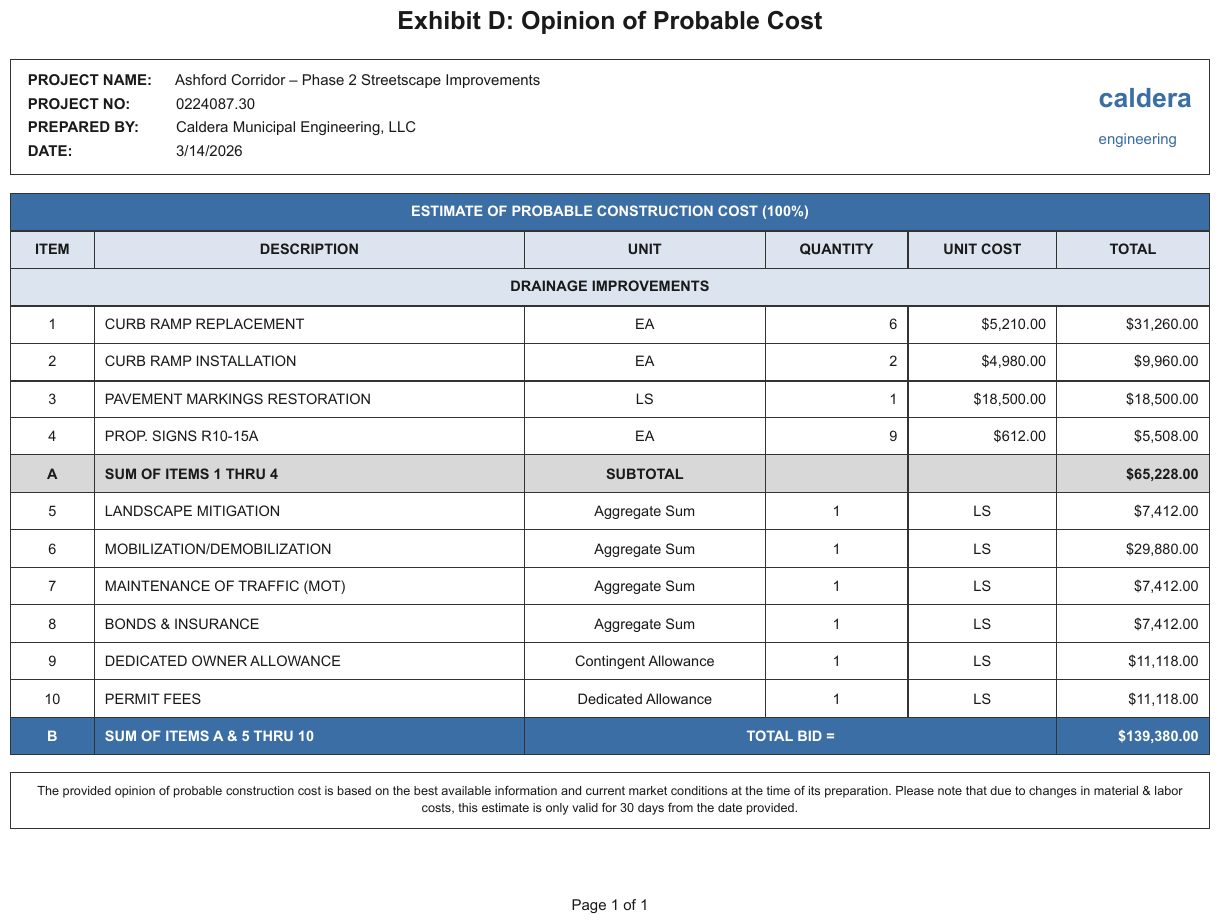
Row A prints SUM OF ITEMS 1 THRU 4 in the description column and SUBTOTAL in the UNIT
column, with the sum under TOTAL; row B prints TOTAL BID = in one cell spanning the unit,
quantity and unit-cost columns. The label is split across columns the page uses for other things;
each part stays in the column it is printed in, and the label cells are <th>.
| ESTIMATE OF PROBABLE CONSTRUCTION COST (100%) | ||||||||||||||||||||||||||||||||||||||||||||||||||||||||||||||||||||||||||||||||||||||||||||||||||
|---|---|---|---|---|---|---|---|---|---|---|---|---|---|---|---|---|---|---|---|---|---|---|---|---|---|---|---|---|---|---|---|---|---|---|---|---|---|---|---|---|---|---|---|---|---|---|---|---|---|---|---|---|---|---|---|---|---|---|---|---|---|---|---|---|---|---|---|---|---|---|---|---|---|---|---|---|---|---|---|---|---|---|---|---|---|---|---|---|---|---|---|---|---|---|---|---|---|---|
| ITEM | DESCRIPTION | UNIT | QUANTITY | UNIT COST | TOTAL | |||||||||||||||||||||||||||||||||||||||||||||||||||||||||||||||||||||||||||||||||||||||||||||
| DRAINAGE IMPROVEMENTS | ||||||||||||||||||||||||||||||||||||||||||||||||||||||||||||||||||||||||||||||||||||||||||||||||||
| 1 | CURB RAMP REPLACEMENT | EA | 6 | $5,210.00 | $31,260.00 | |||||||||||||||||||||||||||||||||||||||||||||||||||||||||||||||||||||||||||||||||||||||||||||
| … | ||||||||||||||||||||||||||||||||||||||||||||||||||||||||||||||||||||||||||||||||||||||||||||||||||
| 4 | PROP. SIGNS R10-15A | EA | 9 | $612.00 | $5,508.00 | |||||||||||||||||||||||||||||||||||||||||||||||||||||||||||||||||||||||||||||||||||||||||||||
| A | SUM OF ITEMS 1 THRU 4 | SUBTOTAL | $65,228.00 | |||||||||||||||||||||||||||||||||||||||||||||||||||||||||||||||||||||||||||||||||||||||||||||||
| 5 | LANDSCAPE MITIGATION | Aggregate Sum | 1 | LS | $7,412.00 | |||||||||||||||||||||||||||||||||||||||||||||||||||||||||||||||||||||||||||||||||||||||||||||
| … | ||||||||||||||||||||||||||||||||||||||||||||||||||||||||||||||||||||||||||||||||||||||||||||||||||
| 10 | PERMIT FEES | Dedicated Allowance | 1 | LS | $11,118.00 | |||||||||||||||||||||||||||||||||||||||||||||||||||||||||||||||||||||||||||||||||||||||||||||
| B | SUM OF ITEMS A & 5 THRU 10 | TOTAL BID = | $139,380.00 | |||||||||||||||||||||||||||||||||||||||||||||||||||||||||||||||||||||||||||||||||||||||||||||||
Markdown source
<table>
<tr> <th colspan="6">ESTIMATE OF PROBABLE CONSTRUCTION COST (100%)</th> </tr>
<tr> <th>ITEM</th> <th>DESCRIPTION</th> <th>UNIT</th> <th>QUANTITY</th> <th>UNIT COST</th> <th>TOTAL</th> </tr>
<tr> <th colspan="6">DRAINAGE IMPROVEMENTS</th> </tr>
<tr> <td>1</td> <td data-level="0">CURB RAMP REPLACEMENT</td> <td>EA</td> <td>6</td> <td>$5,210.00</td> <td>$31,260.00</td> </tr>
<!-- … -->
<tr> <td>4</td> <td data-level="0">PROP. SIGNS R10-15A</td> <td>EA</td> <td>9</td> <td>$612.00</td> <td>$5,508.00</td> </tr>
<tr> <td><strong>A</strong></td> <th data-level="0"><strong>SUM OF ITEMS 1 THRU 4</strong></th> <th><strong>SUBTOTAL</strong></th> <td></td> <td></td> <td><strong>$65,228.00</strong></td> </tr>
<tr> <td>5</td> <td data-level="0">LANDSCAPE MITIGATION</td> <td>Aggregate Sum</td> <td>1</td> <td>LS</td> <td>$7,412.00</td> </tr>
<!-- … -->
<tr> <td>10</td> <td data-level="0">PERMIT FEES</td> <td>Dedicated Allowance</td> <td>1</td> <td>LS</td> <td>$11,118.00</td> </tr>
<tr> <td><strong>B</strong></td> <th data-level="0"><strong>SUM OF ITEMS A & 5 THRU 10</strong></th> <th colspan="3"><strong>TOTAL BID =</strong></th> <td><strong>$139,380.00</strong></td> </tr>
</table>Related
- Row-Label Hierarchy§9.5.5 — the levels a total's label shares with the rest of the stub
- Bottom Edge Totals and Islands§9.7.1 — totals printed outside the table frame
- Bold and Italic Inside Tables§9.6.2 — bold on a total is transcribed per cell, as printed
9.6 Cell values
9.6.1 Accounting Number Formats
✅ Normative · 📄 page rule
✅ Normative
Every number in a cell MUST be transcribed exactly as printed — parentheses, currency dashes, separators and change markers included. The output MUST NOT carry a normalised twin of the value beside it, and MUST NOT replace the printed form with a normalised one.
Accounting pages print numbers in shapes that look as if they ask to be tidied up. They do not: the cell is copied character for character.
Printed: (1,204) $— n/m 1.204,50 (EU) △2.5%
Verbatim: (1,204) $— n/m 1.204,50 △2.5%
Normalized: -1204 0? null? 1204.50 +2.5%? -2.5%?
Requirements
| Printed form | Requirement |
|---|---|
Parenthesised negative — (1,204), (2.0)%, ($8.75) |
MUST keep its parentheses; MUST NOT be rewritten with a minus sign. |
Leading minus — -50.009 |
MUST stay a leading minus; MUST NOT be converted into parentheses. The page's convention is the one recorded. |
Currency and percent dashes — $—, — % |
MUST stay dashes, with their currency or percent sign. |
Placeholders — n/m, NM, anything printed in place of a figure |
MUST be transcribed as written. |
Separators — 1.074.778, 1.204,50 |
MUST stay as printed: thousands points stay points, a decimal comma stays a comma, and no separator is removed or swapped for the other convention. |
Change markers — △2.5% |
MUST stay attached to the number, in the same cell. |
Spacing printed inside a value — 3.8 %, $ 17,565.8 — is part of the printed form and is kept.
✅ Sample — sssa
Negative percentages as (2.0)% and (8.3)%, and elsewhere with a space before the percent sign,
(2.6) %, (3.5) % — each kept as printed. The two parent rows are bold in every cell; Ticket
and Transactions are indented under them.
| 2023 | 2024 | |||||||
|---|---|---|---|---|---|---|---|---|
| Fiscal year ending December, | Q1 | Q2 | Q3 | Q4 | FY | Q1 | Q2 | Q3 |
| Systemwide Same Shop Sales | (2.0)% | 3.8 % | 4.0 % | 5.0 % | 2.8 % | 10.0 % | 4.1 % | 2.7 % |
| Ticket | 6.3 % | 6.4 % | 9.5 % | 5.4 % | 7.2 % | 8.8 % | 6.1 % | 1.9 % |
| Transactions | (8.3)% | (2.6) % | (5.5) % | (0.4) % | (4.4) % | 1.2 % | (2.0) % | 0.8 % |
| Company-Operated Same Shop Sales | (3.5) % | 1.6 % | 2.8 % | 4.6 % | 1.5 % | 10.9 % | 5.2 % | 4.0 % |
| Ticket | 6.5 % | 6.1 % | 9.1 % | 4.9 % | 7.1 % | 8.2 % | 6.0 % | 1.6 % |
| Transactions | (10.0) % | (4.5) % | (6.3) % | (0.3) % | (5.6) % | 2.7 % | (0.8) % | 2.4 % |
Markdown source
<table>
<tr> <th></th> <th colspan="5">2023</th> <th colspan="3">2024</th> </tr>
<tr> <th><em>Fiscal year ending December,</em></th> <th>Q1</th> <th>Q2</th> <th>Q3</th> <th>Q4</th> <th>FY</th> <th>Q1</th> <th>Q2</th> <th>Q3</th> </tr>
<tr> <td data-level="0"><strong>Systemwide Same Shop Sales</strong></td> <td><strong>(2.0)%</strong></td> <td><strong>3.8 %</strong></td> <td><strong>4.0 %</strong></td> <td><strong>5.0 %</strong></td> <td><strong>2.8 %</strong></td> <td><strong>10.0 %</strong></td> <td><strong>4.1 %</strong></td> <td><strong>2.7 %</strong></td> </tr>
<tr> <td data-level="1">Ticket</td> <td>6.3 %</td> <td>6.4 %</td> <td>9.5 %</td> <td>5.4 %</td> <td>7.2 %</td> <td>8.8 %</td> <td>6.1 %</td> <td>1.9 %</td> </tr>
<tr> <td data-level="1">Transactions</td> <td>(8.3)%</td> <td>(2.6) %</td> <td>(5.5) %</td> <td>(0.4) %</td> <td>(4.4) %</td> <td>1.2 %</td> <td>(2.0) %</td> <td>0.8 %</td> </tr>
<tr> <td data-level="0"><strong>Company-Operated Same Shop Sales</strong></td> <td><strong>(3.5) %</strong></td> <td><strong>1.6 %</strong></td> <td><strong>2.8 %</strong></td> <td><strong>4.6 %</strong></td> <td><strong>1.5 %</strong></td> <td><strong>10.9 %</strong></td> <td><strong>5.2 %</strong></td> <td><strong>4.0 %</strong></td> </tr>
<tr> <td data-level="1">Ticket</td> <td>6.5 %</td> <td>6.1 %</td> <td>9.1 %</td> <td>4.9 %</td> <td>7.1 %</td> <td>8.2 %</td> <td>6.0 %</td> <td>1.6 %</td> </tr>
<tr> <td data-level="1">Transactions</td> <td>(10.0) %</td> <td>(4.5) %</td> <td>(6.3) %</td> <td>(0.3) %</td> <td>(5.6) %</td> <td>2.7 %</td> <td>(0.8) %</td> <td>2.4 %</td> </tr>
</table>✅ Sample — e22
Parenthesised negatives printed in red — ($8.75), ($11.99). The parentheses already carry the
sign, so the red is decoration and the text is kept as printed. The column headings are bold as a
row; Rx Claim Information is also underlined.
| Rx Claim Information | Generic | Brand | Specialty | Total | ||||||||||||||||||||||||||||||||||||||||||||||||||||||||||||||||||||||||||||||||||||||||||||||
|---|---|---|---|---|---|---|---|---|---|---|---|---|---|---|---|---|---|---|---|---|---|---|---|---|---|---|---|---|---|---|---|---|---|---|---|---|---|---|---|---|---|---|---|---|---|---|---|---|---|---|---|---|---|---|---|---|---|---|---|---|---|---|---|---|---|---|---|---|---|---|---|---|---|---|---|---|---|---|---|---|---|---|---|---|---|---|---|---|---|---|---|---|---|---|---|---|---|---|
| … | ||||||||||||||||||||||||||||||||||||||||||||||||||||||||||||||||||||||||||||||||||||||||||||||||||
| Experience Period Paid PMPM | $9.36 | $17.90 | $29.51 | $56.77 | ||||||||||||||||||||||||||||||||||||||||||||||||||||||||||||||||||||||||||||||||||||||||||||||
| Experience Period Rx Rebates PMPM | ($8.75) | |||||||||||||||||||||||||||||||||||||||||||||||||||||||||||||||||||||||||||||||||||||||||||||||||
| … | ||||||||||||||||||||||||||||||||||||||||||||||||||||||||||||||||||||||||||||||||||||||||||||||||||
| Projected Paid PMPM | $9.42 | $24.25 | $39.27 | $72.94 | ||||||||||||||||||||||||||||||||||||||||||||||||||||||||||||||||||||||||||||||||||||||||||||||
| Projected Rx Rebates | ($11.99) | |||||||||||||||||||||||||||||||||||||||||||||||||||||||||||||||||||||||||||||||||||||||||||||||||
| Net Projected Paid PMPM | $60.95 | |||||||||||||||||||||||||||||||||||||||||||||||||||||||||||||||||||||||||||||||||||||||||||||||||
Markdown source
<table>
<tr> <th><u>Rx Claim Information</u></th> <th>Generic</th> <th>Brand</th> <th>Specialty</th> <th>Total</th> </tr>
<!-- … -->
<tr> <td>Experience Period Paid PMPM</td> <td>$9.36</td> <td>$17.90</td> <td>$29.51</td> <td>$56.77</td> </tr>
<tr> <td>Experience Period Rx Rebates PMPM</td> <td></td> <td></td> <td></td> <td>($8.75)</td> </tr>
<!-- … -->
<tr> <td>Projected Paid PMPM</td> <td>$9.42</td> <td>$24.25</td> <td>$39.27</td> <td>$72.94</td> </tr>
<tr> <td>Projected Rx Rebates</td> <td></td> <td></td> <td></td> <td>($11.99)</td> </tr>
<tr> <td>Net Projected Paid PMPM</td> <td></td> <td></td> <td></td> <td>$60.95</td> </tr>
</table>✅ Sample — entwick
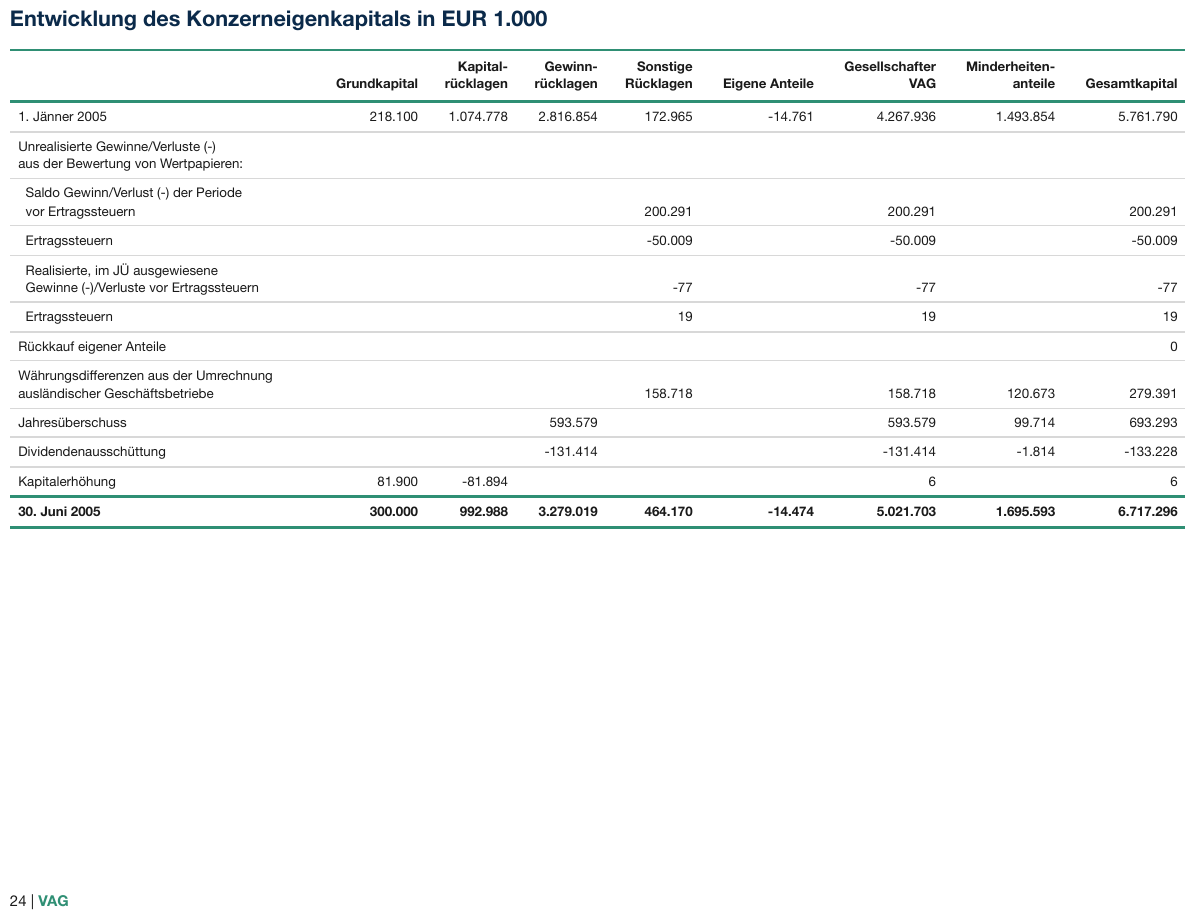
German conventions: 1.074.778 with thousands points, and -50.009 with a leading minus rather
than parentheses. Cells the page leaves blank stay empty. The column headings wrap inside words at
printed hyphens (Kapital- / rücklagen), so each is one label; the closing row is bold.
| Grundkapital | Kapitalrücklagen | Gewinnrücklagen | Sonstige Rücklagen | Eigene Anteile | Gesellschafter VAG | Minderheitenanteile | Gesamtkapital | |
|---|---|---|---|---|---|---|---|---|
| 1. Jänner 2005 | 218.100 | 1.074.778 | 2.816.854 | 172.965 | -14.761 | 4.267.936 | 1.493.854 | 5.761.790 |
| Unrealisierte Gewinne/Verluste (-) aus der Bewertung von Wertpapieren: | ||||||||
| Saldo Gewinn/Verlust (-) der Periode vor Ertragssteuern | 200.291 | 200.291 | 200.291 | |||||
| Ertragssteuern | -50.009 | -50.009 | -50.009 | |||||
| Realisierte, im JÜ ausgewiesene Gewinne (-)/Verluste vor Ertragssteuern | -77 | -77 | -77 | |||||
| Ertragssteuern | 19 | 19 | 19 | |||||
| Rückkauf eigener Anteile | 0 | |||||||
| Währungsdifferenzen aus der Umrechnung ausländischer Geschäftsbetriebe | 158.718 | 158.718 | 120.673 | 279.391 | ||||
| Jahresüberschuss | 593.579 | 593.579 | 99.714 | 693.293 | ||||
| Dividendenausschüttung | -131.414 | -131.414 | -1.814 | -133.228 | ||||
| Kapitalerhöhung | 81.900 | -81.894 | 6 | 6 | ||||
| 30. Juni 2005 | 300.000 | 992.988 | 3.279.019 | 464.170 | -14.474 | 5.021.703 | 1.695.593 | 6.717.296 |
Markdown source
<table>
<tr> <th></th> <th>Grundkapital</th> <th>Kapitalrücklagen</th> <th>Gewinnrücklagen</th> <th>Sonstige Rücklagen</th> <th>Eigene Anteile</th> <th>Gesellschafter VAG</th> <th>Minderheitenanteile</th> <th>Gesamtkapital</th> </tr>
<tr> <td data-level="0">1. Jänner 2005</td> <td>218.100</td> <td>1.074.778</td> <td>2.816.854</td> <td>172.965</td> <td>-14.761</td> <td>4.267.936</td> <td>1.493.854</td> <td>5.761.790</td> </tr>
<tr> <td data-level="0">Unrealisierte Gewinne/Verluste (-)<br/>aus der Bewertung von Wertpapieren:</td> <td></td> <td></td> <td></td> <td></td> <td></td> <td></td> <td></td> <td></td> </tr>
<tr> <td data-level="1">Saldo Gewinn/Verlust (-) der Periode<br/>vor Ertragssteuern</td> <td></td> <td></td> <td></td> <td>200.291</td> <td></td> <td>200.291</td> <td></td> <td>200.291</td> </tr>
<tr> <td data-level="1">Ertragssteuern</td> <td></td> <td></td> <td></td> <td>-50.009</td> <td></td> <td>-50.009</td> <td></td> <td>-50.009</td> </tr>
<tr> <td data-level="1">Realisierte, im JÜ ausgewiesene<br/>Gewinne (-)/Verluste vor Ertragssteuern</td> <td></td> <td></td> <td></td> <td>-77</td> <td></td> <td>-77</td> <td></td> <td>-77</td> </tr>
<tr> <td data-level="1">Ertragssteuern</td> <td></td> <td></td> <td></td> <td>19</td> <td></td> <td>19</td> <td></td> <td>19</td> </tr>
<tr> <td data-level="0">Rückkauf eigener Anteile</td> <td></td> <td></td> <td></td> <td></td> <td></td> <td></td> <td></td> <td>0</td> </tr>
<tr> <td data-level="0">Währungsdifferenzen aus der Umrechnung<br/>ausländischer Geschäftsbetriebe</td> <td></td> <td></td> <td></td> <td>158.718</td> <td></td> <td>158.718</td> <td>120.673</td> <td>279.391</td> </tr>
<tr> <td data-level="0">Jahresüberschuss</td> <td></td> <td></td> <td>593.579</td> <td></td> <td></td> <td>593.579</td> <td>99.714</td> <td>693.293</td> </tr>
<tr> <td data-level="0">Dividendenausschüttung</td> <td></td> <td></td> <td>-131.414</td> <td></td> <td></td> <td>-131.414</td> <td>-1.814</td> <td>-133.228</td> </tr>
<tr> <td data-level="0">Kapitalerhöhung</td> <td>81.900</td> <td>-81.894</td> <td></td> <td></td> <td></td> <td>6</td> <td></td> <td>6</td> </tr>
<tr> <th data-level="0"><strong>30. Juni 2005</strong></th> <td><strong>300.000</strong></td> <td><strong>992.988</strong></td> <td><strong>3.279.019</strong></td> <td><strong>464.170</strong></td> <td><strong>-14.474</strong></td> <td><strong>5.021.703</strong></td> <td><strong>1.695.593</strong></td> <td><strong>6.717.296</strong></td> </tr>
</table>Why no normalised twin
A cleaned-up value beside the printed one looks free to produce and saves every consumer the same work. It is refused for two reasons.
Normalisation here is not a transformation, it is a guess. A "clean" column would have to decide
things the page does not say: is $— zero, or not applicable? Is n/m null, an empty string, or a
string literal? Does △2.5% mean up or down — the triangle's direction is conventional and the sign
is not printed at all. A twin column would carry three guesses dressed as data, and nothing
downstream distinguishes a guessed value from a read one.
A second value is a second thing to be wrong. The printed form is verifiable against the page; the derived form is verifiable only against whatever rules produced it. A consumer that needs a number applies its own conventions to the printed string — and it knows its own conventions, which the producer does not.
Hence: one value per cell, and it is the one on the page. Verbatim leaves the interpretation to whoever consumes the table, the only place it can be made safely.
✅ Sample — yef
$ — for a nil value beside (626.6) parenthesised negatives, and a bare — in the rows below.
The page sets a space between $ and the figure, and it is kept. The year line is a bold band
across the grid, rendered as a spanning header cell.
| (in millions) | Willowbrook Segment | Corporate, Support and Other | Total | |||||||||||||||||||||||||||||||||||||||||||||||||||||||||||||||||||||||||||||||||||||||||||||||
|---|---|---|---|---|---|---|---|---|---|---|---|---|---|---|---|---|---|---|---|---|---|---|---|---|---|---|---|---|---|---|---|---|---|---|---|---|---|---|---|---|---|---|---|---|---|---|---|---|---|---|---|---|---|---|---|---|---|---|---|---|---|---|---|---|---|---|---|---|---|---|---|---|---|---|---|---|---|---|---|---|---|---|---|---|---|---|---|---|---|---|---|---|---|---|---|---|---|---|
| Year Ended February 1, 2025 | ||||||||||||||||||||||||||||||||||||||||||||||||||||||||||||||||||||||||||||||||||||||||||||||||||
| Net sales | $ 17,565.8 | $ — | $ 17,565.8 | |||||||||||||||||||||||||||||||||||||||||||||||||||||||||||||||||||||||||||||||||||||||||||||||
| Cost of sales | 11,284.1 | — | 11,284.1 | |||||||||||||||||||||||||||||||||||||||||||||||||||||||||||||||||||||||||||||||||||||||||||||||
| Gross Profit | 6,281.7 | — | 6,281.7 | |||||||||||||||||||||||||||||||||||||||||||||||||||||||||||||||||||||||||||||||||||||||||||||||
| Other revenue | 0.1 | 12.6 | 12.7 | |||||||||||||||||||||||||||||||||||||||||||||||||||||||||||||||||||||||||||||||||||||||||||||||
| Selling, general and administrative expenses | 4,193.2 | 639.2 | 4,832.4 | |||||||||||||||||||||||||||||||||||||||||||||||||||||||||||||||||||||||||||||||||||||||||||||||
| Operating income (loss) | 2,088.6 | (626.6) | 1,462.0 | |||||||||||||||||||||||||||||||||||||||||||||||||||||||||||||||||||||||||||||||||||||||||||||||
| Interest expense, net | 107.5 | |||||||||||||||||||||||||||||||||||||||||||||||||||||||||||||||||||||||||||||||||||||||||||||||||
| Other (income) expense, net | (29.1) | |||||||||||||||||||||||||||||||||||||||||||||||||||||||||||||||||||||||||||||||||||||||||||||||||
| Income from continuing operations before income taxes | $ 1,383.6 | |||||||||||||||||||||||||||||||||||||||||||||||||||||||||||||||||||||||||||||||||||||||||||||||||
| Depreciation and amortization expense | $ 488.9 | $ 38.0 | $ 526.9 | |||||||||||||||||||||||||||||||||||||||||||||||||||||||||||||||||||||||||||||||||||||||||||||||
| Capital expenditures | $ 1,262.2 | $ 38.3 | $ 1,300.5 | |||||||||||||||||||||||||||||||||||||||||||||||||||||||||||||||||||||||||||||||||||||||||||||||
| … | ||||||||||||||||||||||||||||||||||||||||||||||||||||||||||||||||||||||||||||||||||||||||||||||||||
Markdown source
<table>
<tr> <th>(in millions)</th> <th>Willowbrook Segment</th> <th>Corporate, Support and Other</th> <th>Total</th> </tr>
<tr> <th colspan="4">Year Ended February 1, 2025</th> </tr>
<tr> <td>Net sales</td> <td>$ 17,565.8</td> <td>$ —</td> <td>$ 17,565.8</td> </tr>
<tr> <td>Cost of sales</td> <td>11,284.1</td> <td>—</td> <td>11,284.1</td> </tr>
<tr> <td>Gross Profit</td> <td>6,281.7</td> <td>—</td> <td>6,281.7</td> </tr>
<tr> <td>Other revenue</td> <td>0.1</td> <td>12.6</td> <td>12.7</td> </tr>
<tr> <td>Selling, general and administrative expenses</td> <td>4,193.2</td> <td>639.2</td> <td>4,832.4</td> </tr>
<tr> <td>Operating income (loss)</td> <td>2,088.6</td> <td>(626.6)</td> <td>1,462.0</td> </tr>
<tr> <td>Interest expense, net</td> <td></td> <td></td> <td>107.5</td> </tr>
<tr> <td>Other (income) expense, net</td> <td></td> <td></td> <td>(29.1)</td> </tr>
<tr> <td>Income from continuing operations before income taxes</td> <td></td> <td></td> <td>$ 1,383.6</td> </tr>
<tr> <td>Depreciation and amortization expense</td> <td>$ 488.9</td> <td>$ 38.0</td> <td>$ 526.9</td> </tr>
<tr> <td>Capital expenditures</td> <td>$ 1,262.2</td> <td>$ 38.3</td> <td>$ 1,300.5</td> </tr>
<!-- … -->
</table>✅ Sample — wdb
(8)%, NM and — % in one table — three different ways of writing not a number here, each
kept as printed. The years sit on the second header line with an empty ruled cell beneath them, so
they take no rowspan. The row labels are bold; the Total revenues and Adjusted EBITDA rows
are bold in every cell.
| Three Months Ended September 30, | Nine Months Ended September 30, | |||||||
|---|---|---|---|---|---|---|---|---|
| 2024 | 2023 | % Change | 2024 | 2023 | % Change | |||
| $ in millions | Reported | Ex-FX(*) | Reported | Ex-FX(*) | ||||
| Distribution | $ 2,598 | $ 2,833 | (8)% | (7)% | $ 8,070 | $ 8,769 | (8)% | (7)% |
| Advertising | 1,490 | 1,709 | (13)% | (13)% | 5,691 | 6,394 | (11)% | (11)% |
| Content | 833 | 215 | NM | NM | 1,396 | 744 | 88 % | 87 % |
| Other | 89 | 111 | (20)% | (21)% | 250 | 300 | (17)% | (18)% |
| Total revenues | 5,010 | 4,868 | 3 % | 3 % | 15,407 | 16,207 | (5)% | (4)% |
| Costs of revenues (excluding depreciation & amortization) | 2,185 | 1,800 | 21 % | 22 % | 7,088 | 7,243 | (2)% | (1)% |
| Selling, general and administrative | 710 | 672 | 6 % | 6 % | 2,087 | 2,109 | (1)% | — % |
| Adjusted EBITDA | $ 2,115 | $ 2,396 | (12)% | (11)% | $ 6,232 | $ 6,855 | (9)% | (9)% |
Markdown source
<table>
<tr> <th></th> <th colspan="4">Three Months Ended September 30,</th> <th colspan="4">Nine Months Ended September 30,</th> </tr>
<tr> <th></th> <th>2024</th> <th>2023</th> <th colspan="2">% Change</th> <th>2024</th> <th>2023</th> <th colspan="2">% Change</th> </tr>
<tr> <th><em>$ in millions</em></th> <th></th> <th></th> <th>Reported</th> <th>Ex-FX<sup>(*)</sup></th> <th></th> <th></th> <th>Reported</th> <th>Ex-FX<sup>(*)</sup></th> </tr>
<tr> <td data-level="0"><strong>Distribution</strong></td> <td>$ 2,598</td> <td>$ 2,833</td> <td>(8)%</td> <td>(7)%</td> <td>$ 8,070</td> <td>$ 8,769</td> <td>(8)%</td> <td>(7)%</td> </tr>
<tr> <td data-level="0"><strong>Advertising</strong></td> <td>1,490</td> <td>1,709</td> <td>(13)%</td> <td>(13)%</td> <td>5,691</td> <td>6,394</td> <td>(11)%</td> <td>(11)%</td> </tr>
<tr> <td data-level="0"><strong>Content</strong></td> <td>833</td> <td>215</td> <td>NM</td> <td>NM</td> <td>1,396</td> <td>744</td> <td>88 %</td> <td>87 %</td> </tr>
<tr> <td data-level="0"><strong>Other</strong></td> <td>89</td> <td>111</td> <td>(20)%</td> <td>(21)%</td> <td>250</td> <td>300</td> <td>(17)%</td> <td>(18)%</td> </tr>
<tr> <th data-level="0"><strong>Total revenues</strong></th> <td><strong>5,010</strong></td> <td><strong>4,868</strong></td> <td><strong>3 %</strong></td> <td><strong>3 %</strong></td> <td><strong>15,407</strong></td> <td><strong>16,207</strong></td> <td><strong>(5)%</strong></td> <td><strong>(4)%</strong></td> </tr>
<tr> <td data-level="0"><strong>Costs of revenues (excluding depreciation & amortization)</strong></td> <td>2,185</td> <td>1,800</td> <td>21 %</td> <td>22 %</td> <td>7,088</td> <td>7,243</td> <td>(2)%</td> <td>(1)%</td> </tr>
<tr> <td data-level="0"><strong>Selling, general and administrative</strong></td> <td>710</td> <td>672</td> <td>6 %</td> <td>6 %</td> <td>2,087</td> <td>2,109</td> <td>(1)%</td> <td>— %</td> </tr>
<tr> <th data-level="0"><strong>Adjusted EBITDA</strong></th> <td><strong>$ 2,115</strong></td> <td><strong>$ 2,396</strong></td> <td><strong>(12)%</strong></td> <td><strong>(11)%</strong></td> <td><strong>$ 6,232</strong></td> <td><strong>$ 6,855</strong></td> <td><strong>(9)%</strong></td> <td><strong>(9)%</strong></td> </tr>
</table>Related
- Cell Text Fidelity§9.6.3 — the general rule that the page, not the text layer, decides what a cell says
- Marks and Symbols in Cells§9.6.6 — when a dash alone in a cell is a value
- Gutter Columns§9.4.1 — a currency sign typeset in a column track of its own
- Units Row§9.3.5 — units printed once for a column rather than in each cell
9.6.2 Bold and Italic Inside Tables
✅ Normative · 📄 page rule
✅ Normative
Inside a table, bold, italic and underline MUST be marked per cell, and only where the printed
glyphs of that cell are heavier, slanted or underlined. A whole column or a whole header row MUST
NOT be styled on principle. Inside an HTML table cell, bold MUST be written <strong>, italic
<em> and underline <u>.
The same holds for strikeout and coloured text: they are properties of the glyphs in one cell, not of the role that cell plays.
Page bolds one column: Over-bolded output:
| **Doc** | Status | | **Doc** | **Status** |
| **A-1** | Filed | | **A-1** | **Filed** |
The block on the right is the error this rule exists to prevent: the page bolds a single column, and every cell came back bold.
Markup inside a cell
Emphasis inside a table cell is written with HTML elements, not Markdown ** and *. Strikeout inside a cell follows Struck and Replaced Values§9.6.7.
| Printed | Rendering in a cell |
|---|---|
| Bold | <td><strong>Net sales</strong></td> |
| Italic | <td><em>P. abyssalis</em></td> |
| Bold and italic | <td><em><strong>All other plans</strong></em></td> |
| Underlined | <th><u>Rx Claim Information</u></th> |
| Styling on part of a cell | only that run: <td><em>ZRK2</em> kinase inhibitor</td> |
**…**and*…*MUST NOT be used inside a table cell.- The markup MUST cover exactly the styled run. A cell that is bold throughout wraps its whole content; a cell with one bold word wraps that word.
Header rows
A <th> cell states the cell's role, not its weight. Where every cell of the header rows is printed
in the same weight, that shared weight SHOULD NOT be repeated as <strong> in each header cell —
that styles the header row on principle. A header cell whose glyphs differ from the rest
of the header — an italic stub heading, an underlined label, one bold heading among regular ones —
MUST carry that difference.
Deciding cell by cell
- The structure — rows, columns, header tiers — is read first, blind to weight and slant.
- Styling is then taken from the glyphs of each cell, one cell at a time.
Weight differences are often subtle, so a cell is judged against its neighbours rather than on its own. Where it cannot be told whether a cell is heavier, the cell SHOULD be left unstyled: an unmarked cell loses a nuance, a wrongly marked one asserts something the page does not say.
✅ Sample — 70th
Only the rate-value cells are bold; the plan-design cells beside them are not. Per cell, as printed
— though the weight difference is subtle on the page, which is part of why producers over-apply
it. The column headings are bold as a whole header, so they carry no <strong>; each is one
wrapped label.
| Monthly Rates For Groups Entering/Renewing | Copays Medical/ER/Inpatient/Amb | Non Par Deductible | Coinsurance | Coinsurance Maximum | UCR | Non Par Annual Maximum | 2 TIER RATES | 4 TIER RATES | ||||||||||||||||||||||||||||||||||||||||||||||||||||||||||||||||||||||||||||||||||||||||||
|---|---|---|---|---|---|---|---|---|---|---|---|---|---|---|---|---|---|---|---|---|---|---|---|---|---|---|---|---|---|---|---|---|---|---|---|---|---|---|---|---|---|---|---|---|---|---|---|---|---|---|---|---|---|---|---|---|---|---|---|---|---|---|---|---|---|---|---|---|---|---|---|---|---|---|---|---|---|---|---|---|---|---|---|---|---|---|---|---|---|---|---|---|---|---|---|---|---|---|
| Ind | Family | Ind | EC | ES | ESC | |||||||||||||||||||||||||||||||||||||||||||||||||||||||||||||||||||||||||||||||||||||||||||||
| 7/1/12 - 9/30/12 | $30 / $100 / $500 / $250 | $1,000 / $3,000 | 70% / 30% | $3,000 / $9,000 | 70th%ile | $1,000,000 | $755.26 | $2,190.26 | $755.26 | $1,397.23 | $1,812.64 | $2,265.77 | ||||||||||||||||||||||||||||||||||||||||||||||||||||||||||||||||||||||||||||||||||||||
| 7/1/12 - 9/30/12 | $30 / $100 / $500 / $0 | $2,000 / $6,000 | 70% / 30% | $3,000 / $9,000 | 70th%ile | $500,000 | $766.04 | $2,221.49 | $766.04 | $1,417.16 | $1,838.50 | $2,298.12 | ||||||||||||||||||||||||||||||||||||||||||||||||||||||||||||||||||||||||||||||||||||||
| 7/1/12 - 9/30/12 | $30 / $100 / $300 x 5 / $250 | $2,000 / $6,000 | 70% / 30% | $3,000 / $9,000 | 70th%ile | $1,000,000 | $729.06 | $2,114.36 | $729.06 | $1,348.82 | $1,749.82 | $2,187.26 | ||||||||||||||||||||||||||||||||||||||||||||||||||||||||||||||||||||||||||||||||||||||
| … | ||||||||||||||||||||||||||||||||||||||||||||||||||||||||||||||||||||||||||||||||||||||||||||||||||
Markdown source
<table>
<tr> <th rowspan="2">Monthly Rates For Groups Entering/Renewing</th> <th rowspan="2">Copays Medical/ER/Inpatient/Amb</th> <th rowspan="2">Non Par Deductible</th> <th rowspan="2">Coinsurance</th> <th rowspan="2">Coinsurance Maximum</th> <th rowspan="2">UCR</th> <th rowspan="2">Non Par Annual Maximum</th> <th colspan="2">2 TIER RATES</th> <th colspan="4">4 TIER RATES</th> </tr>
<tr> <th>Ind</th> <th>Family</th> <th>Ind</th> <th>EC</th> <th>ES</th> <th>ESC</th> </tr>
<tr> <td>7/1/12 - 9/30/12</td> <td>$30 / $100 / $500 / $250</td> <td>$1,000 / $3,000</td> <td>70% / 30%</td> <td>$3,000 / $9,000</td> <td>70th%ile</td> <td>$1,000,000</td> <td><strong>$755.26</strong></td> <td><strong>$2,190.26</strong></td> <td><strong>$755.26</strong></td> <td><strong>$1,397.23</strong></td> <td><strong>$1,812.64</strong></td> <td><strong>$2,265.77</strong></td> </tr>
<tr> <td>7/1/12 - 9/30/12</td> <td>$30 / $100 / $500 / $0</td> <td>$2,000 / $6,000</td> <td>70% / 30%</td> <td>$3,000 / $9,000</td> <td>70th%ile</td> <td>$500,000</td> <td><strong>$766.04</strong></td> <td><strong>$2,221.49</strong></td> <td><strong>$766.04</strong></td> <td><strong>$1,417.16</strong></td> <td><strong>$1,838.50</strong></td> <td><strong>$2,298.12</strong></td> </tr>
<tr> <td>7/1/12 - 9/30/12</td> <td>$30 / $100 / $300 x 5 / $250</td> <td>$2,000 / $6,000</td> <td>70% / 30%</td> <td>$3,000 / $9,000</td> <td>70th%ile</td> <td>$1,000,000</td> <td><strong>$729.06</strong></td> <td><strong>$2,114.36</strong></td> <td><strong>$729.06</strong></td> <td><strong>$1,348.82</strong></td> <td><strong>$1,749.82</strong></td> <td><strong>$2,187.26</strong></td> </tr>
<!-- … -->
</table>✅ Sample — single
Only the three Tarnwick Capital Partners index rows are bold — per row, not blanket. Their labels
are printed in mixed case and end in a superscript 1. One label wraps at the column edge and is
joined.
| Index | 1-Quarter | YTD | 1-Year | 3-Year | 5-Year | 10-Year | 15-Year |
|---|---|---|---|---|---|---|---|
| Tarnwick Capital Partners LLC Timber Impact Investing Index1 | 0.29 | 1.12 | -0.89 | 1.21 | 2.66 | 3.28 | 3.82 |
| Tarnwick Capital Partners LLC Real Estate Impact Investing Index1 | 0.66 | 0.44 | 1.14 | 1.13 | -0.87 | 1.43 | — |
| Tarnwick Capital Partners LLC Infrastructure Impact Investing Index1 | -0.23 | -0.41 | -0.65 | 2.64 | 1.63 | 2.32 | — |
| Merevald Global Natural Resources Index | 1.09 | 13.44 | -4.63 | 10.72 | 0.13 | 2.92 | 6.18 |
| Vantage World Natural Resources Index (net) | -0.71 | 14.09 | -8.57 | 5.21 | -4.27 | 2.84 | 4.87 |
| Vantage US Natural Resources Index (net) | -2.88 | 12.69 | -14.14 | -0.39 | -6.53 | 3.72 | 5.25 |
| Vantage Emerging Markets Natural Resources Index (gross) | 1.47 | 12.20 | 11.78 | 18.52 | 2.38 | 2.02 | 8.13 |
| Solace® All Equity REIT Index | 1.79 | 19.27 | 13.01 | 5.92 | 8.88 | 16.03 | 9.41 |
| Solace® Developed Real Estate Index | 0.20 | 15.09 | 8.64 | 5.45 | 5.79 | 11.45 | 8.00 |
| Constructed Index: Harborline Global Infra/Harborline Infra&Utilities 50/50/Merevald Global Infrastructure | 5.34 | 20.15 | 12.17 | 8.78 | 5.46 | 9.86 | 9.19 |
| Beacon Global Aggregate Bond Index | 3.29 | 5.57 | 5.85 | 1.62 | 1.20 | 2.89 | 3.76 |
| Cornerstone Timberland Index | 1.51 | 3.34 | 6.51 | 6.89 | 8.83 | 9.25 | 8.70 |
Markdown source
<table>
<tr> <th>Index</th> <th>1-Quarter</th> <th>YTD</th> <th>1-Year</th> <th>3-Year</th> <th>5-Year</th> <th>10-Year</th> <th>15-Year</th> </tr>
<tr> <td><strong>Tarnwick Capital Partners LLC Timber Impact Investing Index<sup>1</sup></strong></td> <td><strong>0.29</strong></td> <td><strong>1.12</strong></td> <td><strong>-0.89</strong></td> <td><strong>1.21</strong></td> <td><strong>2.66</strong></td> <td><strong>3.28</strong></td> <td><strong>3.82</strong></td> </tr>
<tr> <td><strong>Tarnwick Capital Partners LLC Real Estate Impact Investing Index<sup>1</sup></strong></td> <td><strong>0.66</strong></td> <td><strong>0.44</strong></td> <td><strong>1.14</strong></td> <td><strong>1.13</strong></td> <td><strong>-0.87</strong></td> <td><strong>1.43</strong></td> <td><strong>—</strong></td> </tr>
<tr> <td><strong>Tarnwick Capital Partners LLC Infrastructure Impact Investing Index<sup>1</sup></strong></td> <td><strong>-0.23</strong></td> <td><strong>-0.41</strong></td> <td><strong>-0.65</strong></td> <td><strong>2.64</strong></td> <td><strong>1.63</strong></td> <td><strong>2.32</strong></td> <td><strong>—</strong></td> </tr>
<tr> <td>Merevald Global Natural Resources Index</td> <td>1.09</td> <td>13.44</td> <td>-4.63</td> <td>10.72</td> <td>0.13</td> <td>2.92</td> <td>6.18</td> </tr>
<tr> <td>Vantage World Natural Resources Index (net)</td> <td>-0.71</td> <td>14.09</td> <td>-8.57</td> <td>5.21</td> <td>-4.27</td> <td>2.84</td> <td>4.87</td> </tr>
<tr> <td>Vantage US Natural Resources Index (net)</td> <td>-2.88</td> <td>12.69</td> <td>-14.14</td> <td>-0.39</td> <td>-6.53</td> <td>3.72</td> <td>5.25</td> </tr>
<tr> <td>Vantage Emerging Markets Natural Resources Index (gross)</td> <td>1.47</td> <td>12.20</td> <td>11.78</td> <td>18.52</td> <td>2.38</td> <td>2.02</td> <td>8.13</td> </tr>
<tr> <td>Solace® All Equity REIT Index</td> <td>1.79</td> <td>19.27</td> <td>13.01</td> <td>5.92</td> <td>8.88</td> <td>16.03</td> <td>9.41</td> </tr>
<tr> <td>Solace® Developed Real Estate Index</td> <td>0.20</td> <td>15.09</td> <td>8.64</td> <td>5.45</td> <td>5.79</td> <td>11.45</td> <td>8.00</td> </tr>
<tr> <td>Constructed Index: Harborline Global Infra/Harborline Infra&Utilities 50/50/Merevald Global Infrastructure</td> <td>5.34</td> <td>20.15</td> <td>12.17</td> <td>8.78</td> <td>5.46</td> <td>9.86</td> <td>9.19</td> </tr>
<tr> <td>Beacon Global Aggregate Bond Index</td> <td>3.29</td> <td>5.57</td> <td>5.85</td> <td>1.62</td> <td>1.20</td> <td>2.89</td> <td>3.76</td> </tr>
<tr> <td>Cornerstone Timberland Index</td> <td>1.51</td> <td>3.34</td> <td>6.51</td> <td>6.89</td> <td>8.83</td> <td>9.25</td> <td>8.70</td> </tr>
</table>✅ Sample — spa
ZRK2 and P. abyssalis (P. abyssalis) italicised within otherwise plain cells — per run, not per
cell. The phase labels printed in coloured pills are bold; the pill colour repeats what the text
says and is not carried.
| Compound Name | Mechanism of Action | Target Indication | Phase of Development | Submission Type |
|---|---|---|---|---|
| ZENTOVI® (larotanib)+ VESTOVI® (kalitrafenib)1 | ZRK2 kinase inhibitor and MEK inhibitor | ZRK2 V600E-mutant Metastatic Non-small Cell Lung Cancer | Approved (Ongoing Phase 2) | Product Enhancement |
| cerovatug vedotin (SB-08046) | Integrin beta-6-directed antibody-drug conjugate | 2L+ Metastatic Non-Small Cell Lung Cancer (mNSCLC) (SB6A LUNG-01) (Biologic) | Phase 3 | New Molecular Entity |
| belrociclib (SB-07220) | CDK4 inhibitor | 2L HR+/HER2- Metastatic Breast Cancer | Phase 3 | New Molecular Entity |
| NORFULO™ (velcitinib) | JAK3/TEC inhibitor | Vitiligo | Phase 3 | Product Enhancement |
| Marsh Fever Vaccine2 | Prophylactic vaccine - protein subunit | Marsh Fever (FAST TRACK - U.S) | Phase 3 | New Molecular Entity |
| SB-07831 | Prophylactic vaccine – protein subunit | P. abyssalis (P. abyssalis) – updated formulation | Phase 2 | New Molecular Entity |
| SB-07872 | Prophylactic vaccine – polysaccharide conjugate | Marsh Pox Infection (FAST TRACK – U.S.) | Phase 2 | New Molecular Entity |
| orenatrelvir (SB-07817) | Oral protease inhibitor (oral antiviral treatment) | Seasonal Flu Infection (FAST TRACK – U.S.) | Phase 2 | New Molecular Entity |
| danuprogab (SB-06882) | Glucagon-like peptide 1 receptor (GLP-1R) agonist | Chronic Weight Management | Phase 1 | New Molecular Entity |
Markdown source
<table>
<tr> <th>Compound Name</th> <th>Mechanism of Action</th> <th>Target Indication</th> <th>Phase of Development</th> <th>Submission Type</th> </tr>
<tr> <td>ZENTOVI® (larotanib)+<br/>VESTOVI® (kalitrafenib)<sup>1</sup></td> <td><em>ZRK2</em> kinase inhibitor and MEK inhibitor</td> <td><em>ZRK2</em> V600E-mutant Metastatic Non-small Cell<br/>Lung Cancer</td> <td><strong>Approved<br/>(Ongoing Phase 2)</strong></td> <td>Product Enhancement</td> </tr>
<tr> <td>cerovatug vedotin<br/>(SB-08046)</td> <td>Integrin beta-6-directed antibody-drug conjugate</td> <td>2L+ Metastatic Non-Small Cell Lung Cancer (mNSCLC)<br/>(SB6A LUNG-01) (Biologic)</td> <td><strong>Phase 3</strong></td> <td>New Molecular Entity</td> </tr>
<tr> <td>belrociclib (SB-07220)</td> <td>CDK4 inhibitor</td> <td>2L HR+/HER2- Metastatic Breast Cancer</td> <td><strong>Phase 3</strong></td> <td>New Molecular Entity</td> </tr>
<tr> <td>NORFULO™ (velcitinib)</td> <td>JAK3/TEC inhibitor</td> <td>Vitiligo</td> <td><strong>Phase 3</strong></td> <td>Product Enhancement</td> </tr>
<tr> <td>Marsh Fever Vaccine<sup>2</sup></td> <td>Prophylactic vaccine - protein subunit</td> <td>Marsh Fever (FAST TRACK - U.S)</td> <td><strong>Phase 3</strong></td> <td>New Molecular Entity</td> </tr>
<tr> <td>SB-07831</td> <td>Prophylactic vaccine – protein subunit</td> <td><em>P. abyssalis (P. abyssalis)</em> – updated formulation</td> <td><strong>Phase 2</strong></td> <td>New Molecular Entity</td> </tr>
<tr> <td>SB-07872</td> <td>Prophylactic vaccine – polysaccharide conjugate</td> <td>Marsh Pox Infection (FAST TRACK – U.S.)</td> <td><strong>Phase 2</strong></td> <td>New Molecular Entity</td> </tr>
<tr> <td>orenatrelvir (SB-07817)</td> <td>Oral protease inhibitor<br/>(oral antiviral treatment)</td> <td>Seasonal Flu Infection (FAST TRACK – U.S.)</td> <td><strong>Phase 2</strong></td> <td>New Molecular Entity</td> </tr>
<tr> <td>danuprogab (SB-06882)</td> <td>Glucagon-like peptide 1 receptor (GLP-1R) agonist</td> <td>Chronic Weight Management</td> <td><strong>Phase 1</strong></td> <td>New Molecular Entity</td> </tr>
</table>✅ Sample — 3r
One stub cell bold only, the next bold and italic — a genuine per-cell style distinction. The
column headings share one weight and carry no <strong>.
| Plan Design | Renewal Dates | Estimated Increase Over 2012 Medical Premium (%) | Estimated Increase Over 2012 Pharmacy Premium (%) | Estimated Increase Over 2012 Total Premium (Medical and Pharmacy) (%) |
|---|---|---|---|---|
| Liberty Network - $50/$75 Copay Non-gated plan | 10/1/2013 – 12/31/2013 | 27.1% | 23.7% | 26.4% |
| All other plans | 10/1/2013 – 12/31/2013 | 23.7% | 23.7% | 23.7% |
Markdown source
<table>
<tr> <th>Plan Design</th> <th>Renewal Dates</th> <th>Estimated Increase Over 2012 Medical Premium (%)</th> <th>Estimated Increase Over 2012 Pharmacy Premium (%)</th> <th>Estimated Increase Over 2012 Total Premium (Medical and Pharmacy) (%)</th> </tr>
<tr> <td><strong>Liberty Network - $50/$75 Copay Non-gated plan</strong></td> <td>10/1/2013 – 12/31/2013</td> <td>27.1%</td> <td>23.7%</td> <td>26.4%</td> </tr>
<tr> <td><em><strong>All other plans</strong></em></td> <td>10/1/2013 – 12/31/2013</td> <td>23.7%</td> <td>23.7%</td> <td>23.7%</td> </tr>
</table>✅ Sample — e1
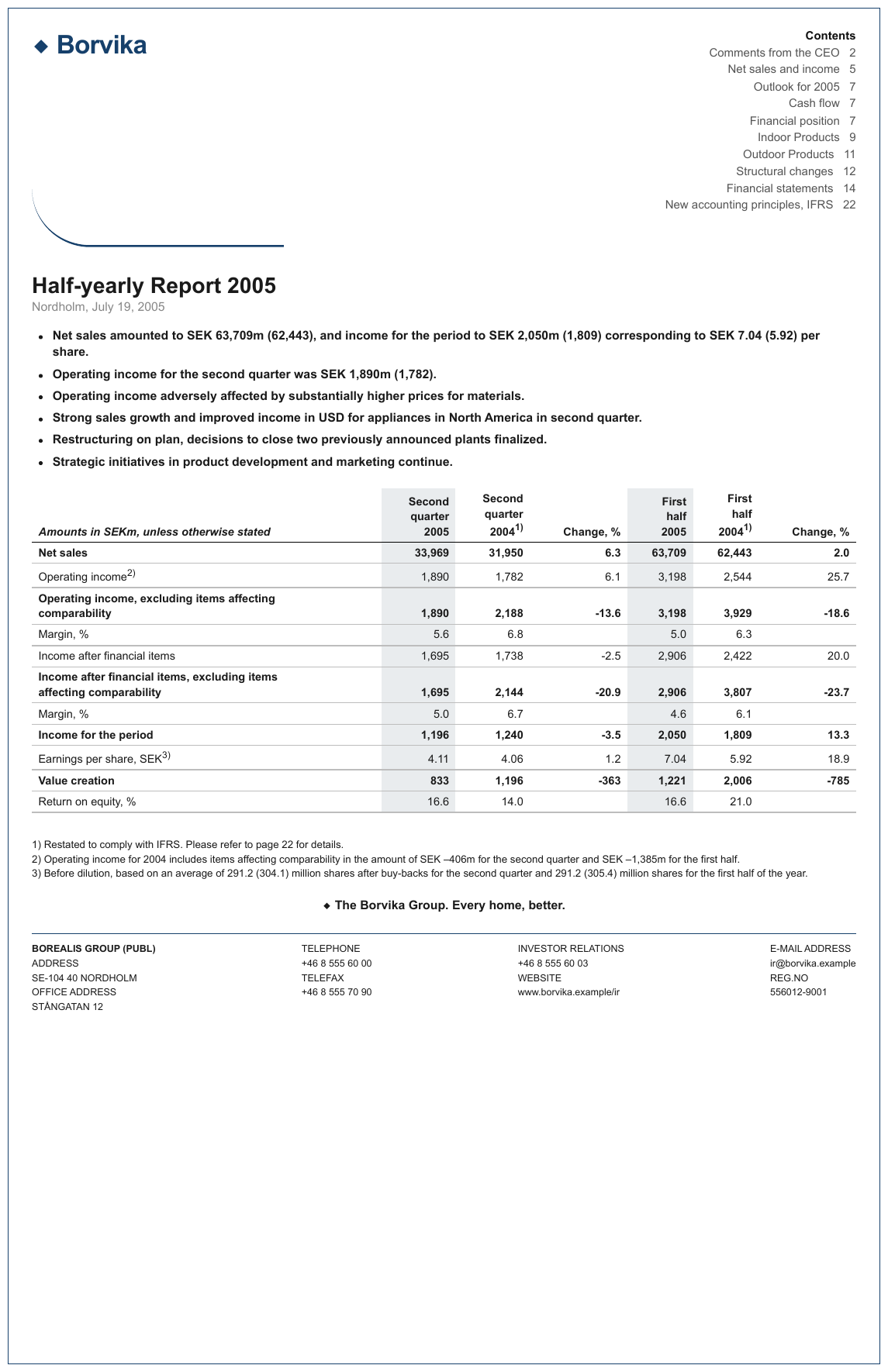
Two independent sources of weight in one table: the shaded 2005 columns are bold in every row, and
five whole rows (Net sales, both excluding items affecting comparability rows, Income for the
period, Value creation) are bold across every cell. Each cell is marked from its own glyphs. The
stub heading is italic as well as bold, so it alone among the headings carries <em>.
| Amounts in SEKm, unless otherwise stated | Second quarter 2005 | Second quarter 20041) | Change, % | First half 2005 | First half 20041) | Change, % |
|---|---|---|---|---|---|---|
| Net sales | 33,969 | 31,950 | 6.3 | 63,709 | 62,443 | 2.0 |
| Operating income2) | 1,890 | 1,782 | 6.1 | 3,198 | 2,544 | 25.7 |
| Operating income, excluding items affecting comparability | 1,890 | 2,188 | -13.6 | 3,198 | 3,929 | -18.6 |
| Margin, % | 5.6 | 6.8 | 5.0 | 6.3 | ||
| Income after financial items | 1,695 | 1,738 | -2.5 | 2,906 | 2,422 | 20.0 |
| Income after financial items, excluding items affecting comparability | 1,695 | 2,144 | -20.9 | 2,906 | 3,807 | -23.7 |
| Margin, % | 5.0 | 6.7 | 4.6 | 6.1 | ||
| Income for the period | 1,196 | 1,240 | -3.5 | 2,050 | 1,809 | 13.3 |
| Earnings per share, SEK3) | 4.11 | 4.06 | 1.2 | 7.04 | 5.92 | 18.9 |
| Value creation | 833 | 1,196 | -363 | 1,221 | 2,006 | -785 |
| Return on equity, % | 16.6 | 14.0 | 16.6 | 21.0 |
Markdown source
<table>
<tr> <th><em>Amounts in SEKm, unless otherwise stated</em></th> <th>Second quarter 2005</th> <th>Second quarter 2004<sup>1)</sup></th> <th>Change, %</th> <th>First half 2005</th> <th>First half 2004<sup>1)</sup></th> <th>Change, %</th> </tr>
<tr> <td><strong>Net sales</strong></td> <td><strong>33,969</strong></td> <td><strong>31,950</strong></td> <td><strong>6.3</strong></td> <td><strong>63,709</strong></td> <td><strong>62,443</strong></td> <td><strong>2.0</strong></td> </tr>
<tr> <td>Operating income<sup>2)</sup></td> <td><strong>1,890</strong></td> <td>1,782</td> <td>6.1</td> <td><strong>3,198</strong></td> <td>2,544</td> <td>25.7</td> </tr>
<tr> <td><strong>Operating income, excluding items affecting<br/>comparability</strong></td> <td><strong>1,890</strong></td> <td><strong>2,188</strong></td> <td><strong>-13.6</strong></td> <td><strong>3,198</strong></td> <td><strong>3,929</strong></td> <td><strong>-18.6</strong></td> </tr>
<tr> <td>Margin, %</td> <td><strong>5.6</strong></td> <td>6.8</td> <td></td> <td><strong>5.0</strong></td> <td>6.3</td> <td></td> </tr>
<tr> <td>Income after financial items</td> <td><strong>1,695</strong></td> <td>1,738</td> <td>-2.5</td> <td><strong>2,906</strong></td> <td>2,422</td> <td>20.0</td> </tr>
<tr> <td><strong>Income after financial items, excluding items<br/>affecting comparability</strong></td> <td><strong>1,695</strong></td> <td><strong>2,144</strong></td> <td><strong>-20.9</strong></td> <td><strong>2,906</strong></td> <td><strong>3,807</strong></td> <td><strong>-23.7</strong></td> </tr>
<tr> <td>Margin, %</td> <td><strong>5.0</strong></td> <td>6.7</td> <td></td> <td><strong>4.6</strong></td> <td>6.1</td> <td></td> </tr>
<tr> <td><strong>Income for the period</strong></td> <td><strong>1,196</strong></td> <td><strong>1,240</strong></td> <td><strong>-3.5</strong></td> <td><strong>2,050</strong></td> <td><strong>1,809</strong></td> <td><strong>13.3</strong></td> </tr>
<tr> <td>Earnings per share, SEK<sup>3)</sup></td> <td><strong>4.11</strong></td> <td>4.06</td> <td>1.2</td> <td><strong>7.04</strong></td> <td>5.92</td> <td>18.9</td> </tr>
<tr> <td><strong>Value creation</strong></td> <td><strong>833</strong></td> <td><strong>1,196</strong></td> <td><strong>-363</strong></td> <td><strong>1,221</strong></td> <td><strong>2,006</strong></td> <td><strong>-785</strong></td> </tr>
<tr> <td>Return on equity, %</td> <td><strong>16.6</strong></td> <td>14.0</td> <td></td> <td><strong>16.6</strong></td> <td>21.0</td> <td></td> </tr>
</table>The same error, seen from both ends
Over-styling comes from reasoning about the category — "this is a header, headers are bold" — instead of from the glyphs. The mirror image is in Barely-Existing Columns and Headers§9.3.1: a band that is not bold gets missed because a header is expected to be bold.
Both are prevented by the same discipline: detect structure blind to styling, and take styling from the glyphs.
Related
- Bold and Italics§7.2.1 — the same rule outside tables, in Markdown syntax
- Barely-Existing Columns and Headers§9.3.1 — the mirror error: structure missed because it is not bold
- Struck and Replaced Values§9.6.7 — strikeout is also a per-glyph property
- Total and Subtotal Rows§9.5.6 — bold total rows are styled from their glyphs, cell by cell
- Highlighted Text§7.2.5 — highlighting inside tables follows the same per-cell discipline
9.6.3 Cell Text Fidelity
✅ Normative · 📄 page rule
✅ Normative
The text of a cell MUST be what the rendered page shows — not the text layer, not OCR, and not
what the value ought to be. A character that cannot be read at any zoom MUST be written as
[illegible], never as a plausible guess.
The text layer and the rendered image disagree at the character level far more often than expected, and the cost of a single wrong digit depends entirely on who reads the table. The text layer is a hint about roughly what is there; the image decides.
Three cells that were read wrong
In each of these the transcription and the OCR agreed with each other — and a zoomed view of the page proved both wrong:
printed 0.99 → transcribed 0.98 (Age-to-Ultimate factor)
printed 2012.5-(A) → transcribed 2013.5-(A)
printed 1.0400^(W) → transcribed 1.04009^(W)
A disputed cell SHOULD be settled from a zoomed crop of the cell or from the word coordinates, and
MUST NOT be settled by plausibility. "Plausible" is exactly what produced all three errors above:
0.98 is a perfectly reasonable factor.
❌ Counter-sample — 3samehead
A plausible value substituted for the printed one. The page prints 32031.9% for the 2004+
% of Premium cell; the non-conforming output records 10.9%. The wrong value is the believable
one — exactly the failure this rule prevents. The section lines (Issue Year, Issue Age) are
bands across the grid.
| Count | % of Count | Premium | % of Premium | |||||||||||||||||||||||||||||||||||||||||||||||||||||||||||||||||||||||||||||||||||||||||||||||
|---|---|---|---|---|---|---|---|---|---|---|---|---|---|---|---|---|---|---|---|---|---|---|---|---|---|---|---|---|---|---|---|---|---|---|---|---|---|---|---|---|---|---|---|---|---|---|---|---|---|---|---|---|---|---|---|---|---|---|---|---|---|---|---|---|---|---|---|---|---|---|---|---|---|---|---|---|---|---|---|---|---|---|---|---|---|---|---|---|---|---|---|---|---|---|---|---|---|---|
| Issue Year | ||||||||||||||||||||||||||||||||||||||||||||||||||||||||||||||||||||||||||||||||||||||||||||||||||
| 1999 | 80 | 3.5% | 217,072 | 3.2% | ||||||||||||||||||||||||||||||||||||||||||||||||||||||||||||||||||||||||||||||||||||||||||||||
| 2000 | 316 | 13.7% | 964,763 | 14.2% | ||||||||||||||||||||||||||||||||||||||||||||||||||||||||||||||||||||||||||||||||||||||||||||||
| 2001 | 374 | 16.2% | 1,091,387 | 16.0% | ||||||||||||||||||||||||||||||||||||||||||||||||||||||||||||||||||||||||||||||||||||||||||||||
| 2002 | 733 | 31.8% | 2,110,680 | 31.0% | ||||||||||||||||||||||||||||||||||||||||||||||||||||||||||||||||||||||||||||||||||||||||||||||
| 2003 | 570 | 24.7% | 1,695,230 | 24.9% | ||||||||||||||||||||||||||||||||||||||||||||||||||||||||||||||||||||||||||||||||||||||||||||||
| 2004+ | 234 | 10.1% | 738,975 | 32031.9% | ||||||||||||||||||||||||||||||||||||||||||||||||||||||||||||||||||||||||||||||||||||||||||||||
| Total | 2,307 | 100.0% | 6,818,108 | 100.0% | ||||||||||||||||||||||||||||||||||||||||||||||||||||||||||||||||||||||||||||||||||||||||||||||
| Issue Age | ||||||||||||||||||||||||||||||||||||||||||||||||||||||||||||||||||||||||||||||||||||||||||||||||||
| <30 | 4 | 0.2% | 4,451 | 0.1% | ||||||||||||||||||||||||||||||||||||||||||||||||||||||||||||||||||||||||||||||||||||||||||||||
| 30-34 | 13 | 0.6% | 17,301 | 0.3% | ||||||||||||||||||||||||||||||||||||||||||||||||||||||||||||||||||||||||||||||||||||||||||||||
| … | ||||||||||||||||||||||||||||||||||||||||||||||||||||||||||||||||||||||||||||||||||||||||||||||||||
Markdown source
<table>
<tr> <th></th> <th>Count</th> <th>% of Count</th> <th>Premium</th> <th>% of Premium</th> </tr>
<tr> <th colspan="5">Issue Year</th> </tr>
<tr> <td data-level="0">1999</td> <td>80</td> <td>3.5%</td> <td>217,072</td> <td>3.2%</td> </tr>
<tr> <td data-level="0">2000</td> <td>316</td> <td>13.7%</td> <td>964,763</td> <td>14.2%</td> </tr>
<tr> <td data-level="0">2001</td> <td>374</td> <td>16.2%</td> <td>1,091,387</td> <td>16.0%</td> </tr>
<tr> <td data-level="0">2002</td> <td>733</td> <td>31.8%</td> <td>2,110,680</td> <td>31.0%</td> </tr>
<tr> <td data-level="0">2003</td> <td>570</td> <td>24.7%</td> <td>1,695,230</td> <td>24.9%</td> </tr>
<tr> <td data-level="0">2004+</td> <td>234</td> <td>10.1%</td> <td>738,975</td> <td>32031.9%</td> </tr>
<tr> <th data-level="0">Total</th> <td>2,307</td> <td>100.0%</td> <td>6,818,108</td> <td>100.0%</td> </tr>
<tr> <th colspan="5">Issue Age</th> </tr>
<tr> <td data-level="0"><30</td> <td>4</td> <td>0.2%</td> <td>4,451</td> <td>0.1%</td> </tr>
<tr> <td data-level="0">30-34</td> <td>13</td> <td>0.6%</td> <td>17,301</td> <td>0.3%</td> </tr>
<!-- … -->
</table>| Count | % of Count | Premium | % of Premium | |||||||||||||||||||||||||||||||||||||||||||||||||||||||||||||||||||||||||||||||||||||||||||||||
|---|---|---|---|---|---|---|---|---|---|---|---|---|---|---|---|---|---|---|---|---|---|---|---|---|---|---|---|---|---|---|---|---|---|---|---|---|---|---|---|---|---|---|---|---|---|---|---|---|---|---|---|---|---|---|---|---|---|---|---|---|---|---|---|---|---|---|---|---|---|---|---|---|---|---|---|---|---|---|---|---|---|---|---|---|---|---|---|---|---|---|---|---|---|---|---|---|---|---|
| Issue Year | ||||||||||||||||||||||||||||||||||||||||||||||||||||||||||||||||||||||||||||||||||||||||||||||||||
| … | ||||||||||||||||||||||||||||||||||||||||||||||||||||||||||||||||||||||||||||||||||||||||||||||||||
| 2003 | 570 | 24.7% | 1,695,230 | 24.9% | ||||||||||||||||||||||||||||||||||||||||||||||||||||||||||||||||||||||||||||||||||||||||||||||
| 2004+ | 234 | 10.1% | 738,975 | 10.9% | ||||||||||||||||||||||||||||||||||||||||||||||||||||||||||||||||||||||||||||||||||||||||||||||
| Total | 2,307 | 100.0% | 6,818,108 | 100.0% | ||||||||||||||||||||||||||||||||||||||||||||||||||||||||||||||||||||||||||||||||||||||||||||||
| Issue Age | ||||||||||||||||||||||||||||||||||||||||||||||||||||||||||||||||||||||||||||||||||||||||||||||||||
| <30 | 4 | 0.2% | 4,451 | 0.1% | ||||||||||||||||||||||||||||||||||||||||||||||||||||||||||||||||||||||||||||||||||||||||||||||
| 30-34 | 13 | 0.6% | 17,301 | 0.3% | ||||||||||||||||||||||||||||||||||||||||||||||||||||||||||||||||||||||||||||||||||||||||||||||
| … | ||||||||||||||||||||||||||||||||||||||||||||||||||||||||||||||||||||||||||||||||||||||||||||||||||
Markdown source
<table>
<tr> <th> </th> <th>Count</th> <th>% of Count</th> <th>Premium</th> <th>% of Premium</th> </tr>
<tr> <th>Issue Year</th> <td></td> <td></td> <td></td> <td></td> </tr>
<!-- … -->
<tr> <td>2003</td> <td>570</td> <td>24.7%</td> <td>1,695,230</td> <td>24.9%</td> </tr>
<tr> <td>2004+</td> <td>234</td> <td>10.1%</td> <td>738,975</td> <td>10.9%</td> </tr>
<tr> <td>Total</td> <td>2,307</td> <td>100.0%</td> <td>6,818,108</td> <td>100.0%</td> </tr>
<tr> <th>Issue Age</th> <td></td> <td></td> <td></td> <td></td> </tr>
<tr> <td><30</td> <td>4</td> <td>0.2%</td> <td>4,451</td> <td>0.1%</td> </tr>
<tr> <td>30-34</td> <td>13</td> <td>0.6%</td> <td>17,301</td> <td>0.3%</td> </tr>
<!-- … -->
</table>What is printed is what is written
- Typos stay. A word misspelled inside a cell MUST keep its misspelling.
- Numbers are copied digit by digit, with thousands and decimal separators exactly as printed. See Accounting Number Formats§9.6.1.
- Wrapped codes are not fused with their neighbours. In a narrow column a code can wrap onto two
lines, or two short codes can sit in neighbouring cells and look like one. The column boundaries
and the cell's span decide: fusing
B-2withVC, orTR-1withTR-2, is an error, and it also throws off the column count of the whole row. - A blank cell stays empty. A cell that prints nothing MUST be rendered empty; a dash MUST NOT be supplied because the column has dashes elsewhere.
❌ Counter-sample — 3cc
The page prints 2.5 for the KVO shareholder TWh figure; the non-conforming output records 25
— a dropped decimal point, silently. Renewable and Nuclear below it are indented one step; the
total row is bold.
| Energy production | Unit | 2024 |
|---|---|---|
| Renewable | TWh | 29.5 |
| Non-renewable | TWh | 2.9 |
| KVO shareholder | TWh | 2.5 |
| Renewable | TWh | 0.4 |
| Nuclear | TWh | 2.1 |
| Total energy production | TWh | 34.8 |
Markdown source
<table>
<tr> <th>Energy production</th> <th>Unit</th> <th>2024</th> </tr>
<tr> <td data-level="0">Renewable</td> <td>TWh</td> <td>29.5</td> </tr>
<tr> <td data-level="0">Non-renewable</td> <td>TWh</td> <td>2.9</td> </tr>
<tr> <td data-level="0">KVO shareholder</td> <td>TWh</td> <td>2.5</td> </tr>
<tr> <td data-level="1">Renewable</td> <td>TWh</td> <td>0.4</td> </tr>
<tr> <td data-level="1">Nuclear</td> <td>TWh</td> <td>2.1</td> </tr>
<tr> <th data-level="0"><strong>Total energy production</strong></th> <td><strong>TWh</strong></td> <td><strong>34.8</strong></td> </tr>
</table>| Energy production | Unit | 2024 | ||||||||||||||||||||||||||||||||||||||||||||||||||||||||||||||||||||||||||||||||||||||||||||||||
|---|---|---|---|---|---|---|---|---|---|---|---|---|---|---|---|---|---|---|---|---|---|---|---|---|---|---|---|---|---|---|---|---|---|---|---|---|---|---|---|---|---|---|---|---|---|---|---|---|---|---|---|---|---|---|---|---|---|---|---|---|---|---|---|---|---|---|---|---|---|---|---|---|---|---|---|---|---|---|---|---|---|---|---|---|---|---|---|---|---|---|---|---|---|---|---|---|---|---|
| … | ||||||||||||||||||||||||||||||||||||||||||||||||||||||||||||||||||||||||||||||||||||||||||||||||||
| Non-renewable | TWh | 2.9 | ||||||||||||||||||||||||||||||||||||||||||||||||||||||||||||||||||||||||||||||||||||||||||||||||
| KVO shareholder | TWh | 25 | ||||||||||||||||||||||||||||||||||||||||||||||||||||||||||||||||||||||||||||||||||||||||||||||||
| Renewable | TWh | 0.4 | ||||||||||||||||||||||||||||||||||||||||||||||||||||||||||||||||||||||||||||||||||||||||||||||||
| Nuclear | TWh | 2.1 | ||||||||||||||||||||||||||||||||||||||||||||||||||||||||||||||||||||||||||||||||||||||||||||||||
| Total energy production | TWh | 34.8 | ||||||||||||||||||||||||||||||||||||||||||||||||||||||||||||||||||||||||||||||||||||||||||||||||
Markdown source
<table>
<tr> <th>Energy production</th> <th>Unit</th> <th>2024</th> </tr>
<!-- … -->
<tr> <td>Non-renewable</td> <td>TWh</td> <td>2.9</td> </tr>
<tr> <td>KVO shareholder</td> <td>TWh</td> <td>25</td> </tr>
<tr> <td>Renewable</td> <td>TWh</td> <td>0.4</td> </tr>
<tr> <td>Nuclear</td> <td>TWh</td> <td>2.1</td> </tr>
<tr> <td><strong>Total energy production</strong></td> <td><strong>TWh</strong></td> <td><strong>34.8</strong></td> </tr>
</table>❌ Counter-sample — entwick
The reverse error: in the Rückkauf eigener Anteile row the Eigene Anteile cell is printed blank, and the non-conforming output invents an em dash for it.
| Grundkapital | Kapitalrücklagen | Gewinnrücklagen | Sonstige Rücklagen | Eigene Anteile | Gesellschafter VAG | Minderheitenanteile | Gesamtkapital | |||||||||||||||||||||||||||||||||||||||||||||||||||||||||||||||||||||||||||||||||||||||||||
|---|---|---|---|---|---|---|---|---|---|---|---|---|---|---|---|---|---|---|---|---|---|---|---|---|---|---|---|---|---|---|---|---|---|---|---|---|---|---|---|---|---|---|---|---|---|---|---|---|---|---|---|---|---|---|---|---|---|---|---|---|---|---|---|---|---|---|---|---|---|---|---|---|---|---|---|---|---|---|---|---|---|---|---|---|---|---|---|---|---|---|---|---|---|---|---|---|---|---|
| 1. Jänner 2005 | 218.100 | 1.074.778 | 2.816.854 | 172.965 | -14.761 | 4.267.936 | 1.493.854 | 5.761.790 | ||||||||||||||||||||||||||||||||||||||||||||||||||||||||||||||||||||||||||||||||||||||||||
| Unrealisierte Gewinne/Verluste (-) aus der Bewertung von Wertpapieren: | ||||||||||||||||||||||||||||||||||||||||||||||||||||||||||||||||||||||||||||||||||||||||||||||||||
| Saldo Gewinn/Verlust (-) der Periode vor Ertragssteuern | 200.291 | 200.291 | 200.291 | |||||||||||||||||||||||||||||||||||||||||||||||||||||||||||||||||||||||||||||||||||||||||||||||
| Ertragssteuern | -50.009 | -50.009 | -50.009 | |||||||||||||||||||||||||||||||||||||||||||||||||||||||||||||||||||||||||||||||||||||||||||||||
| Realisierte, im JÜ ausgewiesene Gewinne (-)/Verluste vor Ertragssteuern | -77 | -77 | -77 | |||||||||||||||||||||||||||||||||||||||||||||||||||||||||||||||||||||||||||||||||||||||||||||||
| Ertragssteuern | 19 | 19 | 19 | |||||||||||||||||||||||||||||||||||||||||||||||||||||||||||||||||||||||||||||||||||||||||||||||
| Rückkauf eigener Anteile | 0 | |||||||||||||||||||||||||||||||||||||||||||||||||||||||||||||||||||||||||||||||||||||||||||||||||
| … | ||||||||||||||||||||||||||||||||||||||||||||||||||||||||||||||||||||||||||||||||||||||||||||||||||
Markdown source
<table>
<tr> <th></th> <th>Grundkapital</th> <th>Kapitalrücklagen</th> <th>Gewinnrücklagen</th> <th>Sonstige Rücklagen</th> <th>Eigene Anteile</th> <th>Gesellschafter VAG</th> <th>Minderheitenanteile</th> <th>Gesamtkapital</th> </tr>
<tr> <td data-level="0">1. Jänner 2005</td> <td>218.100</td> <td>1.074.778</td> <td>2.816.854</td> <td>172.965</td> <td>-14.761</td> <td>4.267.936</td> <td>1.493.854</td> <td>5.761.790</td> </tr>
<tr> <td data-level="0">Unrealisierte Gewinne/Verluste (-)<br/>aus der Bewertung von Wertpapieren:</td> <td></td> <td></td> <td></td> <td></td> <td></td> <td></td> <td></td> <td></td> </tr>
<tr> <td data-level="1">Saldo Gewinn/Verlust (-) der Periode<br/>vor Ertragssteuern</td> <td></td> <td></td> <td></td> <td>200.291</td> <td></td> <td>200.291</td> <td></td> <td>200.291</td> </tr>
<tr> <td data-level="1">Ertragssteuern</td> <td></td> <td></td> <td></td> <td>-50.009</td> <td></td> <td>-50.009</td> <td></td> <td>-50.009</td> </tr>
<tr> <td data-level="1">Realisierte, im JÜ ausgewiesene<br/>Gewinne (-)/Verluste vor Ertragssteuern</td> <td></td> <td></td> <td></td> <td>-77</td> <td></td> <td>-77</td> <td></td> <td>-77</td> </tr>
<tr> <td data-level="1">Ertragssteuern</td> <td></td> <td></td> <td></td> <td>19</td> <td></td> <td>19</td> <td></td> <td>19</td> </tr>
<tr> <td data-level="0">Rückkauf eigener Anteile</td> <td></td> <td></td> <td></td> <td></td> <td></td> <td></td> <td></td> <td>0</td> </tr>
<!-- … -->
</table>| Grundkapital | Kapital- rücklagen | Gewinn- rücklagen | Sonstige Rücklagen | Eigene Anteile | Gesellschafter VAG | Minderheiten- anteile | Gesamtkapital | |||||||||||||||||||||||||||||||||||||||||||||||||||||||||||||||||||||||||||||||||||||||||||
|---|---|---|---|---|---|---|---|---|---|---|---|---|---|---|---|---|---|---|---|---|---|---|---|---|---|---|---|---|---|---|---|---|---|---|---|---|---|---|---|---|---|---|---|---|---|---|---|---|---|---|---|---|---|---|---|---|---|---|---|---|---|---|---|---|---|---|---|---|---|---|---|---|---|---|---|---|---|---|---|---|---|---|---|---|---|---|---|---|---|---|---|---|---|---|---|---|---|---|
| 1. Jänner 2005 | 218.100 | 1.074.778 | 2.816.854 | 172.965 | -14.761 | 4.267.936 | 1.493.854 | 5.761.790 | ||||||||||||||||||||||||||||||||||||||||||||||||||||||||||||||||||||||||||||||||||||||||||
| Unrealisierte Gewinne/Verluste (-) aus der Bewertung von Wertpapieren: | ||||||||||||||||||||||||||||||||||||||||||||||||||||||||||||||||||||||||||||||||||||||||||||||||||
| Saldo Gewinn/Verlust (-) der Periode vor Ertragssteuern | 200.291 | 200.291 | 200.291 | |||||||||||||||||||||||||||||||||||||||||||||||||||||||||||||||||||||||||||||||||||||||||||||||
| Ertragssteuern | -50.009 | -50.009 | -50.009 | |||||||||||||||||||||||||||||||||||||||||||||||||||||||||||||||||||||||||||||||||||||||||||||||
| Realisierte, im JÜ ausgewiesene Gewinne (-)/Verluste vor Ertragssteuern | -77 | -77 | -77 | |||||||||||||||||||||||||||||||||||||||||||||||||||||||||||||||||||||||||||||||||||||||||||||||
| Ertragssteuern | 19 | 19 | 19 | |||||||||||||||||||||||||||||||||||||||||||||||||||||||||||||||||||||||||||||||||||||||||||||||
| Rückkauf eigener Anteile | — | 0 | ||||||||||||||||||||||||||||||||||||||||||||||||||||||||||||||||||||||||||||||||||||||||||||||||
| … | ||||||||||||||||||||||||||||||||||||||||||||||||||||||||||||||||||||||||||||||||||||||||||||||||||
Markdown source
<table>
<tr> <th> </th> <th>Grundkapital</th> <th>Kapital-<br/>rücklagen</th> <th>Gewinn-<br/>rücklagen</th> <th>Sonstige<br/>Rücklagen</th> <th>Eigene Anteile</th> <th>Gesellschafter<br/>VAG</th> <th>Minderheiten-<br/>anteile</th> <th>Gesamtkapital</th> </tr>
<tr> <td>1. Jänner 2005</td> <td>218.100</td> <td>1.074.778</td> <td>2.816.854</td> <td>172.965</td> <td>-14.761</td> <td>4.267.936</td> <td>1.493.854</td> <td>5.761.790</td> </tr>
<tr> <td>Unrealisierte Gewinne/Verluste (-)<br/>aus der Bewertung von Wertpapieren:</td> <td></td> <td></td> <td></td> <td></td> <td></td> <td></td> <td></td> <td></td> </tr>
<tr> <td>Saldo Gewinn/Verlust (-) der Periode<br/>vor Ertragssteuern</td> <td> </td> <td> </td> <td> </td> <td>200.291</td> <td> </td> <td>200.291</td> <td> </td> <td>200.291</td> </tr>
<tr> <td>Ertragssteuern</td> <td> </td> <td> </td> <td> </td> <td>-50.009</td> <td> </td> <td>-50.009</td> <td> </td> <td>-50.009</td> </tr>
<tr> <td>Realisierte, im JÜ ausgewiesene<br/>Gewinne (-)/Verluste vor Ertragssteuern</td> <td> </td> <td> </td> <td> </td> <td>-77</td> <td> </td> <td>-77</td> <td> </td> <td>-77</td> </tr>
<tr> <td>Ertragssteuern</td> <td> </td> <td> </td> <td> </td> <td>19</td> <td> </td> <td>19</td> <td> </td> <td>19</td> </tr>
<tr> <td>Rückkauf eigener Anteile</td> <td></td> <td></td> <td></td> <td></td> <td>—</td> <td></td> <td></td> <td>0</td> </tr>
<!-- … -->
</table>Characters the image cannot tell apart
Some characters are visually identical and no zoom separates them: µ (U+00B5) and μ (U+03BC), a non-breaking space and an ordinary space, a minus sign and a hyphen.
- The output MUST keep the visible form and the character count exactly as printed, and SHOULD use the character normally typed for that glyph.
- The text layer MUST NOT be used to break the tie: it is a hint about the content, never the authority on it.
- A consumer or checker MUST treat the members of each family below as equal, so the choice among them cannot make an output non-conforming.
| Family | Written as |
|---|---|
| µ (U+00B5) ≡ μ (U+03BC) | either |
| non-breaking space ≡ ordinary space | an ordinary space |
| minus sign (U+2212) ≡ hyphen-minus | - |
| non-breaking hyphen ≡ hyphen-minus | - |
| figure dash, en dash ≡ hyphen, inside a numeric range | either |
The image outranks every other source on what is printed. Where two codepoints are indistinguishable there is no fact about the page for it to be authoritative over — µ and μ are the same ink. The visible form is fidelity and stays exact; the codepoint underneath is a serialisation detail.
A dash that is doing something is not a homoglyph question. An em dash alone in a cell is a value — see Marks and Symbols in Cells§9.6.6 — and a struck-through digit is not a character variant at all.
✅ Sample — a true minus sign
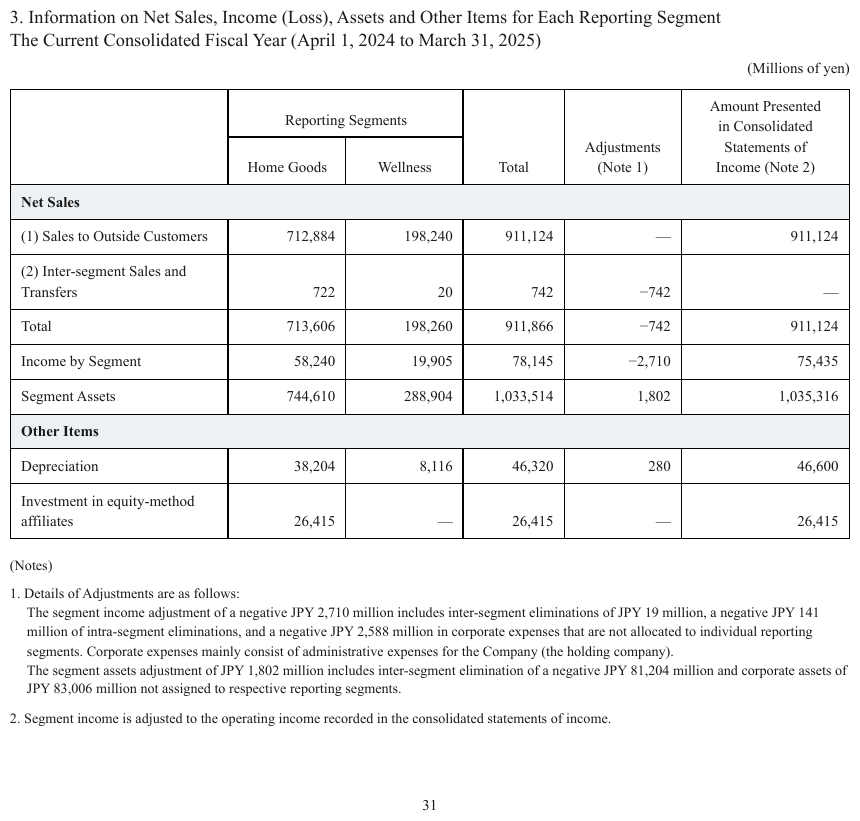
−742 and −2,710 are set with a true minus sign rather than a hyphen, beside — for nil. The
minus sign is written as the hyphen-minus -; the em dashes stay em dashes. The header cells are
genuinely merged across two rows and wrapped labels are joined; the Net Sales and Other Items
bands are bold where the headings are not.
| Reporting Segments | Total | Adjustments (Note 1) | Amount Presented in Consolidated Statements of Income (Note 2) | ||
|---|---|---|---|---|---|
| Home Goods | Wellness | ||||
| Net Sales | |||||
| (1) Sales to Outside Customers | 712,884 | 198,240 | 911,124 | — | 911,124 |
| (2) Inter-segment Sales and Transfers | 722 | 20 | 742 | -742 | — |
| Total | 713,606 | 198,260 | 911,866 | -742 | 911,124 |
| Income by Segment | 58,240 | 19,905 | 78,145 | -2,710 | 75,435 |
| Segment Assets | 744,610 | 288,904 | 1,033,514 | 1,802 | 1,035,316 |
| Other Items | |||||
| Depreciation | 38,204 | 8,116 | 46,320 | 280 | 46,600 |
| Investment in equity-method affiliates | 26,415 | — | 26,415 | — | 26,415 |
Markdown source
<table>
<tr> <th rowspan="2"></th> <th colspan="2">Reporting Segments</th> <th rowspan="2">Total</th> <th rowspan="2">Adjustments (Note 1)</th> <th rowspan="2">Amount Presented in Consolidated Statements of Income (Note 2)</th> </tr>
<tr> <th>Home Goods</th> <th>Wellness</th> </tr>
<tr> <th colspan="6"><strong>Net Sales</strong></th> </tr>
<tr> <td data-level="0">(1) Sales to Outside Customers</td> <td>712,884</td> <td>198,240</td> <td>911,124</td> <td>—</td> <td>911,124</td> </tr>
<tr> <td data-level="0">(2) Inter-segment Sales and Transfers</td> <td>722</td> <td>20</td> <td>742</td> <td>-742</td> <td>—</td> </tr>
<tr> <th data-level="0">Total</th> <td>713,606</td> <td>198,260</td> <td>911,866</td> <td>-742</td> <td>911,124</td> </tr>
<tr> <td data-level="0">Income by Segment</td> <td>58,240</td> <td>19,905</td> <td>78,145</td> <td>-2,710</td> <td>75,435</td> </tr>
<tr> <td data-level="0">Segment Assets</td> <td>744,610</td> <td>288,904</td> <td>1,033,514</td> <td>1,802</td> <td>1,035,316</td> </tr>
<tr> <th colspan="6"><strong>Other Items</strong></th> </tr>
<tr> <td data-level="0">Depreciation</td> <td>38,204</td> <td>8,116</td> <td>46,320</td> <td>280</td> <td>46,600</td> </tr>
<tr> <td data-level="0">Investment in equity-method affiliates</td> <td>26,415</td> <td>—</td> <td>26,415</td> <td>—</td> <td>26,415</td> </tr>
</table>What else rests on the image
- Duplicated Tables§9.2.4 — the rendered page decides whether a repeated table is really printed twice.
- Struck and Replaced Values§9.6.7 — OCR silently joins a struck value to its replacement and produces a number that appears nowhere on the page. Only the image catches it.
Related
- The Page Is the Ground Truth§2.1 — the principle this rule applies to cells
- Accounting Number Formats§9.6.1 — verbatim numbers, signs and separators
- Struck and Replaced Values§9.6.7 — the image separates a struck value from its replacement
- Duplicated Tables§9.2.4 — the image decides whether a table is printed twice
- Borderless Whitespace Tables§9.1.1 — column boundaries without rules, where fused cells are most likely
9.6.4 Color as the Value
✅ Normative · 📄 page rule
✅ Normative
A cell whose only content is a coloured fill MUST be rendered as an empty <mark> carrying the
colour: <td><mark style="background-color: red"></mark></td>. The colour MUST be the nearest
HTML colour name, never the meaning a legend assigns it, and the cell MUST NOT be left blank.
Risk matrices and heatmap tables put the meaning in the fill. The cell has no text at all:
| Likelihood ╲ Impact | Low | High |
| Rare | 🟩 | 🟨 | ← the fill IS the value
| Likely | 🟨 | 🟥 |
Read straight through, the body of that table is blank, and a blank body makes the whole grid meaningless.
The rendering
<tr>
<td>Rare</td>
<td><mark style="background-color: green"></mark></td>
<td><mark style="background-color: yellow"></mark></td>
</tr>
- The
<mark>MUST be empty: the cell prints no text, and adding some would be inventing content. - The colour rides on the
styleattribute — the same mechanism as highlighted text in Highlighted Text§7.2.5 and Text Formatting Conventions§7.1. One vocabulary covers both: the nearest HTML colour name instyle="background-color: …". - The colour MUST NOT be written as the cell's text. A cell reading
greenis indistinguishable from a cell whose printed content is the word "green" — and heatmap legends do sometimes spell their colours out. Text is what the page printed; the attribute is how the cell was filled.
The rendering degrades correctly. A consumer that ignores attributes sees an empty cell, which is truthful — the page printed no text there. A consumer that reads them gets the value. Neither is misled.
Why not the meaning
Writing "Low risk" instead of "green" means reading a legend, and the legend is routinely elsewhere on the page or on another page entirely. A rendering that depends on material outside the region would be a guess whenever that material is out of reach. The colour name needs no legend, stays faithful to the page, and leaves the interpretation to whoever reads the table.
Colour that is not the value
The two cases MUST be kept apart:
| The cell prints | Rendering |
|---|---|
| A fill and text | The text is the value; the fill is decoration or revision tracking. The text is transcribed and the fill is not carried. |
| A fill and nothing else | The case of this rule: an empty <mark> with the fill's colour. |
❌ Counter-sample — yellow
Cells carry a yellow fill and printed numbers — decoration layered over real content, not a colour-only cell, so only the text is rendered. The lettered rows are indented under their numbered parents, while dividends under (5) Preferred stock is printed flush left; Sum of line (1) thru (9) is the total row, indented under (10) Total; each column heading is one wrapped label.
| Invested Assets [1] | Currently Available Yield * [2] | Return On Invested Assets [3]=[1]*[2] | Federal Income Tax Rate [4] | Federal Income Taxes [5]=[3]*[4] | |
|---|---|---|---|---|---|
| (1) US government bonds | |||||
| (A) Short | 34,614,395 | 0.13% | 44,999 | 35.00% | 15,750 |
| (B) Intermediate | 46,147,279 | 3.46% | 1,596,696 | 35.00% | 558,844 |
| (C) Long | 37,128,723 | 4.32% | 1,603,961 | 35.00% | 561,386 |
| (2) Other taxable bonds | |||||
| (A) Short | 65,861,105 | 0.25% | 164,653 | 35.00% | 57,628 |
| (B) Intermediate | 118,468,566 | 4.55% | 5,390,320 | 35.00% | 1,886,612 |
| (C) Long | 21,774,518 | 5.41% | 1,178,001 | 35.00% | 412,300 |
| (3) Tax exempt bonds | |||||
| (A) Short | 9,759,108 | 0.16% | 15,615 | 5.25% | 820 |
| (B) Intermediate | 71,432,518 | 3.37% | 2,407,276 | 5.25% | 126,382 |
| (C) Long | 3,445,465 | 5.12% | 176,408 | 5.25% | 9,261 |
| (4) Common Stock | 22,262,218 | ||||
| (A) Dividends | 4.63% | 1,029,850 | 14.18% | 145,981 | |
| (B) Capital gains | 0.00% | 0 | 34.10% | 0 | |
| (5) Preferred stock | 2,547,457 | ||||
| dividends | 5.75% | 146,479 | 14.18% | 20,763 | |
| (6) Mortgage loans | 0 | 5.41% | 0 | 35.00% | 0 |
| (7) Real estate | 0 | 4.18% | 0 | 35.00% | 0 |
| (8) Cash** | 2,525,006 | 0.13% | 3,283 | 35.00% | 1,149 |
| (9) Other*** | 69,732,137 | ||||
| (A) Dividends | 0.43% | 299,848 | 14.18% | 42,503 | |
| (B) Capital gains | 0.00% | 0 | 34.10% | 0 | |
| (10) Total | |||||
| Sum of line (1) thru (9) | 505,698,493 | 14,057,387 | 3,839,380 | ||
Markdown source
<table>
<tr> <th></th> <th>Invested Assets [1]</th> <th>Currently Available Yield * [2]</th> <th>Return On Invested Assets [3]=[1]*[2]</th> <th>Federal Income Tax Rate [4]</th> <th>Federal Income Taxes [5]=[3]*[4]</th> </tr>
<tr> <td colspan="6" data-level="0">(1) US government bonds</td> </tr>
<tr> <td data-level="1">(A) Short</td> <td>34,614,395</td> <td>0.13%</td> <td>44,999</td> <td>35.00%</td> <td>15,750</td> </tr>
<tr> <td data-level="1">(B) Intermediate</td> <td>46,147,279</td> <td>3.46%</td> <td>1,596,696</td> <td>35.00%</td> <td>558,844</td> </tr>
<tr> <td data-level="1">(C) Long</td> <td>37,128,723</td> <td>4.32%</td> <td>1,603,961</td> <td>35.00%</td> <td>561,386</td> </tr>
<tr> <td colspan="6" data-level="0">(2) Other taxable bonds</td> </tr>
<tr> <td data-level="1">(A) Short</td> <td>65,861,105</td> <td>0.25%</td> <td>164,653</td> <td>35.00%</td> <td>57,628</td> </tr>
<tr> <td data-level="1">(B) Intermediate</td> <td>118,468,566</td> <td>4.55%</td> <td>5,390,320</td> <td>35.00%</td> <td>1,886,612</td> </tr>
<tr> <td data-level="1">(C) Long</td> <td>21,774,518</td> <td>5.41%</td> <td>1,178,001</td> <td>35.00%</td> <td>412,300</td> </tr>
<tr> <td colspan="6" data-level="0">(3) Tax exempt bonds</td> </tr>
<tr> <td data-level="1">(A) Short</td> <td>9,759,108</td> <td>0.16%</td> <td>15,615</td> <td>5.25%</td> <td>820</td> </tr>
<tr> <td data-level="1">(B) Intermediate</td> <td>71,432,518</td> <td>3.37%</td> <td>2,407,276</td> <td>5.25%</td> <td>126,382</td> </tr>
<tr> <td data-level="1">(C) Long</td> <td>3,445,465</td> <td>5.12%</td> <td>176,408</td> <td>5.25%</td> <td>9,261</td> </tr>
<tr> <td data-level="0">(4) Common Stock</td> <td>22,262,218</td> <td></td> <td></td> <td></td> <td></td> </tr>
<tr> <td data-level="1">(A) Dividends</td> <td></td> <td>4.63%</td> <td>1,029,850</td> <td>14.18%</td> <td>145,981</td> </tr>
<tr> <td data-level="1">(B) Capital gains</td> <td></td> <td>0.00%</td> <td>0</td> <td>34.10%</td> <td>0</td> </tr>
<tr> <td data-level="0">(5) Preferred stock</td> <td>2,547,457</td> <td></td> <td></td> <td></td> <td></td> </tr>
<tr> <td data-level="0">dividends</td> <td></td> <td>5.75%</td> <td>146,479</td> <td>14.18%</td> <td>20,763</td> </tr>
<tr> <td data-level="0">(6) Mortgage loans</td> <td>0</td> <td>5.41%</td> <td>0</td> <td>35.00%</td> <td>0</td> </tr>
<tr> <td data-level="0">(7) Real estate</td> <td>0</td> <td>4.18%</td> <td>0</td> <td>35.00%</td> <td>0</td> </tr>
<tr> <td data-level="0">(8) Cash**</td> <td>2,525,006</td> <td>0.13%</td> <td>3,283</td> <td>35.00%</td> <td>1,149</td> </tr>
<tr> <td data-level="0">(9) Other***</td> <td>69,732,137</td> <td></td> <td></td> <td></td> <td></td> </tr>
<tr> <td data-level="1">(A) Dividends</td> <td></td> <td>0.43%</td> <td>299,848</td> <td>14.18%</td> <td>42,503</td> </tr>
<tr> <td data-level="1">(B) Capital gains</td> <td></td> <td>0.00%</td> <td>0</td> <td>34.10%</td> <td>0</td> </tr>
<tr> <td colspan="6" data-level="0">(10) Total</td> </tr>
<tr> <th data-level="1">Sum of line (1) thru (9)</th> <td>505,698,493</td> <td></td> <td>14,057,387</td> <td></td> <td>3,839,380</td> </tr>
</table>❌ Counter-sample — 3lineperrowhili
Every body cell is filled green as revision tracking, yet each still prints its own text: colour as annotation, not as value, so only the text is rendered. The body text is bold in every cell, territory codes included, and is marked so; the column headings share one weight.
| Territory | HO 00 01 | HO 00 02 | ||||||||||||||||||||||||||||||||||||||||||||||||||||||||||||||||||||||||||||||||||||||||||||||||
|---|---|---|---|---|---|---|---|---|---|---|---|---|---|---|---|---|---|---|---|---|---|---|---|---|---|---|---|---|---|---|---|---|---|---|---|---|---|---|---|---|---|---|---|---|---|---|---|---|---|---|---|---|---|---|---|---|---|---|---|---|---|---|---|---|---|---|---|---|---|---|---|---|---|---|---|---|---|---|---|---|---|---|---|---|---|---|---|---|---|---|---|---|---|---|---|---|---|---|
| Fire | Wind | Water | Theft | Other | Liability | Fire | Wind | Water | Theft | Other | Liability | |||||||||||||||||||||||||||||||||||||||||||||||||||||||||||||||||||||||||||||||||||||||
| 07001 | 254.48 | 105.55 | 91.56 | 14.05 | 25.99 | 58.63 | 220.12 | 91.3 | 79.22 | 12.14 | 22.46 | 50.72 | ||||||||||||||||||||||||||||||||||||||||||||||||||||||||||||||||||||||||||||||||||||||
| 07002 | 319.25 | 155.12 | 106.57 | 15.15 | 32.21 | 79.9 | 275.52 | 133.86 | 91.97 | 13.06 | 27.8 | 68.95 | ||||||||||||||||||||||||||||||||||||||||||||||||||||||||||||||||||||||||||||||||||||||
| 07003 | 190.22 | 85.37 | 75.01 | 14.32 | 25.62 | 40.97 | 164.3 | 73.75 | 64.79 | 12.37 | 22.13 | 35.39 | ||||||||||||||||||||||||||||||||||||||||||||||||||||||||||||||||||||||||||||||||||||||
| 07004 | 195.73 | 87.86 | 77.19 | 14.73 | 26.36 | 42.17 | 169.18 | 75.93 | 66.72 | 12.73 | 22.79 | 36.45 | ||||||||||||||||||||||||||||||||||||||||||||||||||||||||||||||||||||||||||||||||||||||
| 07005 | 136.14 | 54.68 | 53.57 | 6 | 15.64 | 33.1 | 117.68 | 47.27 | 46.31 | 5.17 | 13.55 | 28.62 | ||||||||||||||||||||||||||||||||||||||||||||||||||||||||||||||||||||||||||||||||||||||
| 07006 | 181.74 | 81.58 | 71.67 | 13.69 | 24.49 | 39.14 | 157.01 | 70.48 | 61.93 | 11.83 | 21.16 | 33.84 | ||||||||||||||||||||||||||||||||||||||||||||||||||||||||||||||||||||||||||||||||||||||
| … | ||||||||||||||||||||||||||||||||||||||||||||||||||||||||||||||||||||||||||||||||||||||||||||||||||
Markdown source
<table>
<tr> <th rowspan="2">Territory</th> <th colspan="6">HO 00 01</th> <th colspan="6">HO 00 02</th> </tr>
<tr> <th>Fire</th> <th>Wind</th> <th>Water</th> <th>Theft</th> <th>Other</th> <th>Liability</th> <th>Fire</th> <th>Wind</th> <th>Water</th> <th>Theft</th> <th>Other</th> <th>Liability</th> </tr>
<tr> <td><strong>07001</strong></td> <td><strong>254.48</strong></td> <td><strong>105.55</strong></td> <td><strong>91.56</strong></td> <td><strong>14.05</strong></td> <td><strong>25.99</strong></td> <td><strong>58.63</strong></td> <td><strong>220.12</strong></td> <td><strong>91.3</strong></td> <td><strong>79.22</strong></td> <td><strong>12.14</strong></td> <td><strong>22.46</strong></td> <td><strong>50.72</strong></td> </tr>
<tr> <td><strong>07002</strong></td> <td><strong>319.25</strong></td> <td><strong>155.12</strong></td> <td><strong>106.57</strong></td> <td><strong>15.15</strong></td> <td><strong>32.21</strong></td> <td><strong>79.9</strong></td> <td><strong>275.52</strong></td> <td><strong>133.86</strong></td> <td><strong>91.97</strong></td> <td><strong>13.06</strong></td> <td><strong>27.8</strong></td> <td><strong>68.95</strong></td> </tr>
<tr> <td><strong>07003</strong></td> <td><strong>190.22</strong></td> <td><strong>85.37</strong></td> <td><strong>75.01</strong></td> <td><strong>14.32</strong></td> <td><strong>25.62</strong></td> <td><strong>40.97</strong></td> <td><strong>164.3</strong></td> <td><strong>73.75</strong></td> <td><strong>64.79</strong></td> <td><strong>12.37</strong></td> <td><strong>22.13</strong></td> <td><strong>35.39</strong></td> </tr>
<tr> <td><strong>07004</strong></td> <td><strong>195.73</strong></td> <td><strong>87.86</strong></td> <td><strong>77.19</strong></td> <td><strong>14.73</strong></td> <td><strong>26.36</strong></td> <td><strong>42.17</strong></td> <td><strong>169.18</strong></td> <td><strong>75.93</strong></td> <td><strong>66.72</strong></td> <td><strong>12.73</strong></td> <td><strong>22.79</strong></td> <td><strong>36.45</strong></td> </tr>
<tr> <td><strong>07005</strong></td> <td><strong>136.14</strong></td> <td><strong>54.68</strong></td> <td><strong>53.57</strong></td> <td><strong>6</strong></td> <td><strong>15.64</strong></td> <td><strong>33.1</strong></td> <td><strong>117.68</strong></td> <td><strong>47.27</strong></td> <td><strong>46.31</strong></td> <td><strong>5.17</strong></td> <td><strong>13.55</strong></td> <td><strong>28.62</strong></td> </tr>
<tr> <td><strong>07006</strong></td> <td><strong>181.74</strong></td> <td><strong>81.58</strong></td> <td><strong>71.67</strong></td> <td><strong>13.69</strong></td> <td><strong>24.49</strong></td> <td><strong>39.14</strong></td> <td><strong>157.01</strong></td> <td><strong>70.48</strong></td> <td><strong>61.93</strong></td> <td><strong>11.83</strong></td> <td><strong>21.16</strong></td> <td><strong>33.84</strong></td> </tr>
<!-- … -->
</table>Shading that means "not applicable"
A grey fill over cells the page does not compute MUST be rendered the same way: an empty <mark>
per shaded cell with the nearest colour name, e.g.
<td><mark style="background-color: gray"></mark></td>. The fill is what the page printed there,
and a consumer ignoring attributes still sees an empty cell. The shaded region MUST NOT be rendered
as a colspan or rowspan: the page prints the cells separately.
✅ Sample — shading that means "not applicable"
The Recovery Claim % column is filled grey for the whole Distributable Proceeds block and for
the Intercompany creditor row, in all three scenarios: one empty <mark> in each, darkgray
being the nearest colour name to the fill. The $ typeset in its own track joins its value; each
wrapped heading, Distributio over n included, is one label.
| Liquidation - Low | Liquidation - High | Recovery Per Plan | ||||||||||||||||||||||||||||||||||||||||||||||||||||||||||||||||||||||||||||||||||||||||||||||||
|---|---|---|---|---|---|---|---|---|---|---|---|---|---|---|---|---|---|---|---|---|---|---|---|---|---|---|---|---|---|---|---|---|---|---|---|---|---|---|---|---|---|---|---|---|---|---|---|---|---|---|---|---|---|---|---|---|---|---|---|---|---|---|---|---|---|---|---|---|---|---|---|---|---|---|---|---|---|---|---|---|---|---|---|---|---|---|---|---|---|---|---|---|---|---|---|---|---|---|
| $ in Millions | Distribution | Recovery Claim % | Distribution | Recovery Claim % | Distribution | Recovery Claim % | ||||||||||||||||||||||||||||||||||||||||||||||||||||||||||||||||||||||||||||||||||||||||||||
| Notes | Distributable Proceeds | |||||||||||||||||||||||||||||||||||||||||||||||||||||||||||||||||||||||||||||||||||||||||||||||||
| 1.i | Gross Sale Price | $9.2 | $9.2 | $9.2 | ||||||||||||||||||||||||||||||||||||||||||||||||||||||||||||||||||||||||||||||||||||||||||||||
| 1.ii | DIP Loan Repayment | (1.4) | (1.4) | (1.4) | ||||||||||||||||||||||||||||||||||||||||||||||||||||||||||||||||||||||||||||||||||||||||||||||
| 1.iii | Selling Costs & Sale Prorations | (0.3) | (0.3) | (0.3) | ||||||||||||||||||||||||||||||||||||||||||||||||||||||||||||||||||||||||||||||||||||||||||||||
| 1.iv | PropCo Cash on Hand | 0.0 | 0.0 | 0.0 | ||||||||||||||||||||||||||||||||||||||||||||||||||||||||||||||||||||||||||||||||||||||||||||||
| 1.v | HoldCo Cash on Hand | 0.0 | 0.0 | 0.0 | ||||||||||||||||||||||||||||||||||||||||||||||||||||||||||||||||||||||||||||||||||||||||||||||
| 1.vi | Working Fund Insurance Proceeds | 0.0 | 0.0 | 0.0 | ||||||||||||||||||||||||||||||||||||||||||||||||||||||||||||||||||||||||||||||||||||||||||||||
| 1.vii | Lakeside Plaza Austin Sale Proceeds | 0.1 | 0.1 | 0.1 | ||||||||||||||||||||||||||||||||||||||||||||||||||||||||||||||||||||||||||||||||||||||||||||||
| 1.viii | Ashford Woodbridge & Kestrel Houston Sale Proceeds | - | - | - | ||||||||||||||||||||||||||||||||||||||||||||||||||||||||||||||||||||||||||||||||||||||||||||||
| 1.ix | Property Sale True Ups | 0.0 | 0.0 | 0.0 | ||||||||||||||||||||||||||||||||||||||||||||||||||||||||||||||||||||||||||||||||||||||||||||||
| 1.x | Harbor Queen PPP Loan Litigation Proceeds | - | - | - | ||||||||||||||||||||||||||||||||||||||||||||||||||||||||||||||||||||||||||||||||||||||||||||||
| 1.xi | Intercompany | - | 0.0 | 1.0 | ||||||||||||||||||||||||||||||||||||||||||||||||||||||||||||||||||||||||||||||||||||||||||||||
| Total Distributable Proceeds | $7.6 | $7.6 | $8.7 | |||||||||||||||||||||||||||||||||||||||||||||||||||||||||||||||||||||||||||||||||||||||||||||||
| … | ||||||||||||||||||||||||||||||||||||||||||||||||||||||||||||||||||||||||||||||||||||||||||||||||||
| 3.iii | Trade & Other PropCo Claims | 0.0 | 2.4 1.6% | 0.0 | 2.4 1.8% | 1.3 | 2.4 55.7% | |||||||||||||||||||||||||||||||||||||||||||||||||||||||||||||||||||||||||||||||||||||||||||
| 3.vi | Intercompany | 0.0 | 0.0 | 0.0 | ||||||||||||||||||||||||||||||||||||||||||||||||||||||||||||||||||||||||||||||||||||||||||||||
| Total Creditor Distributions | $6.5 | $9.4 69.6% | $6.6 | $9.4 70.4% | $7.8 | $9.4 82.7% | ||||||||||||||||||||||||||||||||||||||||||||||||||||||||||||||||||||||||||||||||||||||||||||
| … | ||||||||||||||||||||||||||||||||||||||||||||||||||||||||||||||||||||||||||||||||||||||||||||||||||
Markdown source
<table>
<tr> <th></th> <th></th> <th colspan="2">Liquidation - Low</th> <th colspan="2">Liquidation - High</th> <th colspan="2">Recovery Per Plan</th> </tr>
<tr> <th></th> <th>$ in Millions</th> <th>Distribution</th> <th>Recovery Claim %</th> <th>Distribution</th> <th>Recovery Claim %</th> <th>Distribution</th> <th>Recovery Claim %</th> </tr>
<tr> <td><strong>Notes</strong></td> <td data-level="0"><strong>Distributable Proceeds</strong></td> <td></td> <td></td> <td></td> <td></td> <td></td> <td></td> </tr>
<tr> <td>1.i</td> <td data-level="0">Gross Sale Price</td> <td>$9.2</td> <td><mark style="background-color: darkgray"></mark></td> <td>$9.2</td> <td><mark style="background-color: darkgray"></mark></td> <td>$9.2</td> <td><mark style="background-color: darkgray"></mark></td> </tr>
<tr> <td>1.ii</td> <td data-level="0">DIP Loan Repayment</td> <td>(1.4)</td> <td><mark style="background-color: darkgray"></mark></td> <td>(1.4)</td> <td><mark style="background-color: darkgray"></mark></td> <td>(1.4)</td> <td><mark style="background-color: darkgray"></mark></td> </tr>
<tr> <td>1.iii</td> <td data-level="0">Selling Costs & Sale Prorations</td> <td>(0.3)</td> <td><mark style="background-color: darkgray"></mark></td> <td>(0.3)</td> <td><mark style="background-color: darkgray"></mark></td> <td>(0.3)</td> <td><mark style="background-color: darkgray"></mark></td> </tr>
<tr> <td>1.iv</td> <td data-level="0">PropCo Cash on Hand</td> <td>0.0</td> <td><mark style="background-color: darkgray"></mark></td> <td>0.0</td> <td><mark style="background-color: darkgray"></mark></td> <td>0.0</td> <td><mark style="background-color: darkgray"></mark></td> </tr>
<tr> <td>1.v</td> <td data-level="0">HoldCo Cash on Hand</td> <td>0.0</td> <td><mark style="background-color: darkgray"></mark></td> <td>0.0</td> <td><mark style="background-color: darkgray"></mark></td> <td>0.0</td> <td><mark style="background-color: darkgray"></mark></td> </tr>
<tr> <td>1.vi</td> <td data-level="0">Working Fund Insurance Proceeds</td> <td>0.0</td> <td><mark style="background-color: darkgray"></mark></td> <td>0.0</td> <td><mark style="background-color: darkgray"></mark></td> <td>0.0</td> <td><mark style="background-color: darkgray"></mark></td> </tr>
<tr> <td>1.vii</td> <td data-level="0">Lakeside Plaza Austin Sale Proceeds</td> <td>0.1</td> <td><mark style="background-color: darkgray"></mark></td> <td>0.1</td> <td><mark style="background-color: darkgray"></mark></td> <td>0.1</td> <td><mark style="background-color: darkgray"></mark></td> </tr>
<tr> <td>1.viii</td> <td data-level="0">Ashford Woodbridge & Kestrel Houston Sale Proceeds</td> <td>-</td> <td><mark style="background-color: darkgray"></mark></td> <td>-</td> <td><mark style="background-color: darkgray"></mark></td> <td>-</td> <td><mark style="background-color: darkgray"></mark></td> </tr>
<tr> <td>1.ix</td> <td data-level="0">Property Sale True Ups</td> <td>0.0</td> <td><mark style="background-color: darkgray"></mark></td> <td>0.0</td> <td><mark style="background-color: darkgray"></mark></td> <td>0.0</td> <td><mark style="background-color: darkgray"></mark></td> </tr>
<tr> <td>1.x</td> <td data-level="0">Harbor Queen PPP Loan Litigation Proceeds</td> <td>-</td> <td><mark style="background-color: darkgray"></mark></td> <td>-</td> <td><mark style="background-color: darkgray"></mark></td> <td>-</td> <td><mark style="background-color: darkgray"></mark></td> </tr>
<tr> <td>1.xi</td> <td data-level="0">Intercompany</td> <td>-</td> <td><mark style="background-color: darkgray"></mark></td> <td>0.0</td> <td><mark style="background-color: darkgray"></mark></td> <td>1.0</td> <td><mark style="background-color: darkgray"></mark></td> </tr>
<tr> <td></td> <th data-level="0"><strong>Total Distributable Proceeds</strong></th> <td><strong>$7.6</strong></td> <td><mark style="background-color: darkgray"></mark></td> <td><strong>$7.6</strong></td> <td><mark style="background-color: darkgray"></mark></td> <td><strong>$8.7</strong></td> <td><mark style="background-color: darkgray"></mark></td> </tr>
<!-- … -->
<tr> <td>3.iii</td> <td data-level="0">Trade & Other PropCo Claims</td> <td>0.0</td> <td>2.4 <em>1.6%</em></td> <td>0.0</td> <td>2.4 <em>1.8%</em></td> <td>1.3</td> <td>2.4 <em>55.7%</em></td> </tr>
<tr> <td>3.vi</td> <td data-level="0">Intercompany</td> <td>0.0</td> <td><mark style="background-color: darkgray"></mark></td> <td>0.0</td> <td><mark style="background-color: darkgray"></mark></td> <td>0.0</td> <td><mark style="background-color: darkgray"></mark></td> </tr>
<tr> <td></td> <th data-level="0"><strong>Total Creditor Distributions</strong></th> <td><strong>$6.5</strong></td> <td><strong>$9.4 <em>69.6%</em></strong></td> <td><strong>$6.6</strong></td> <td><strong>$9.4 <em>70.4%</em></strong></td> <td><strong>$7.8</strong></td> <td><strong>$9.4 <em>82.7%</em></strong></td> </tr>
<!-- … -->
</table>✅ Sample — shaded cells in a segment table
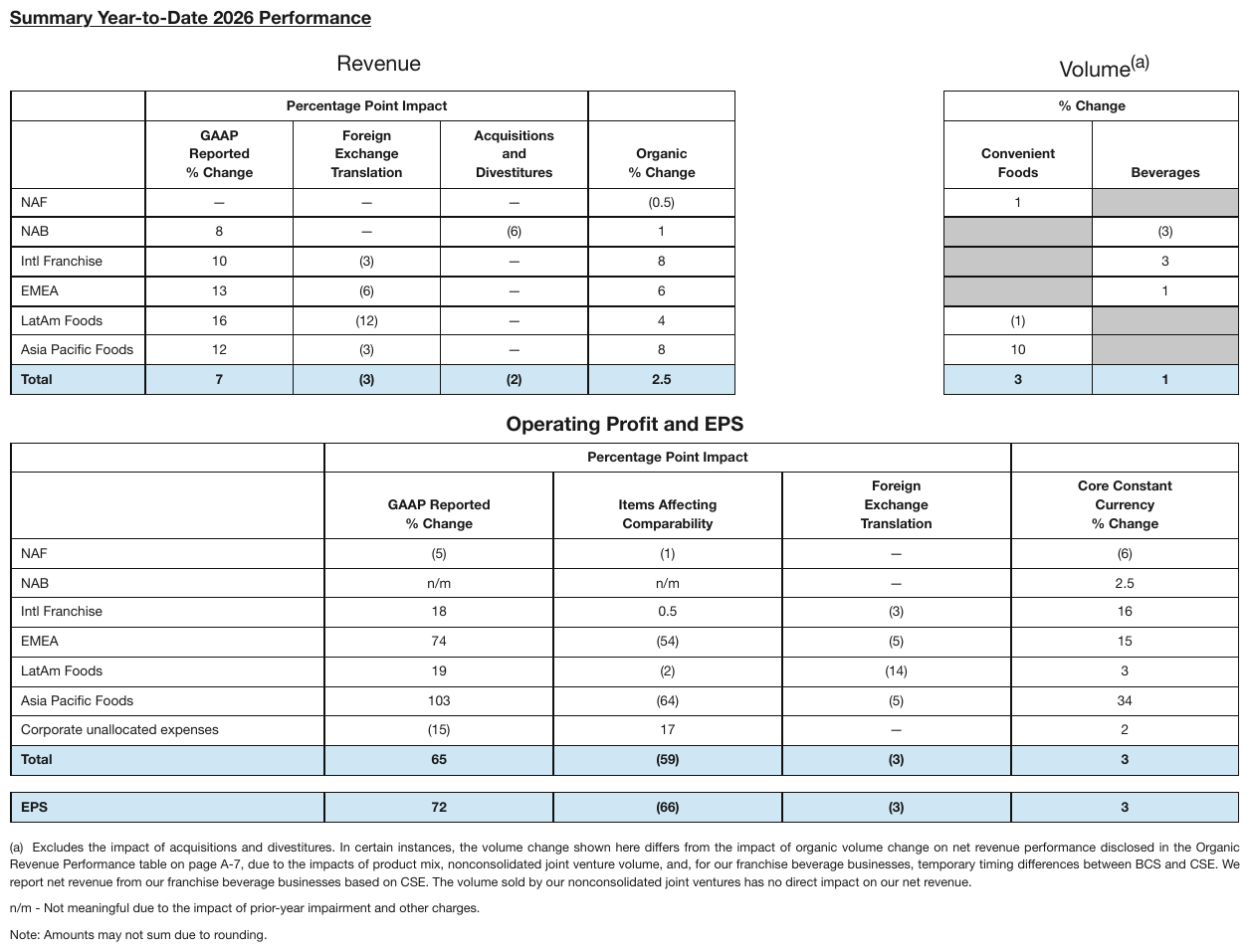
Under Volume, three Convenient Foods cells and three Beverages cells are filled grey with no
text where a segment has no volume measure: one empty <mark> each, silver being the nearest
colour name. The Revenue and Volume groups share one row stub across a blank gap, so they are
one table. The group titles printed above the frame are elided here, as are the second table and
the EPS row beneath it.
…
| Percentage Point Impact | % Change | |||||
|---|---|---|---|---|---|---|
| GAAP Reported % Change | Foreign Exchange Translation | Acquisitions and Divestitures | Organic % Change | Convenient Foods | Beverages | |
| NAF | — | — | — | (0.5) | 1 | |
| NAB | 8 | — | (6) | 1 | (3) | |
| Intl Franchise | 10 | (3) | — | 8 | 3 | |
| EMEA | 13 | (6) | — | 6 | 1 | |
| LatAm Foods | 16 | (12) | — | 4 | (1) | |
| Asia Pacific Foods | 12 | (3) | — | 8 | 10 | |
| Total | 7 | (3) | (2) | 2.5 | 3 | 1 |
…
Markdown source
<!-- … -->
<table>
<tr> <th></th> <th colspan="3">Percentage Point Impact</th> <th></th> <th colspan="2">% Change</th> </tr>
<tr> <th></th> <th>GAAP Reported % Change</th> <th>Foreign Exchange Translation</th> <th>Acquisitions and Divestitures</th> <th>Organic % Change</th> <th>Convenient Foods</th> <th>Beverages</th> </tr>
<tr> <td data-level="0">NAF</td> <td>—</td> <td>—</td> <td>—</td> <td>(0.5)</td> <td>1</td> <td><mark style="background-color: silver"></mark></td> </tr>
<tr> <td data-level="0">NAB</td> <td>8</td> <td>—</td> <td>(6)</td> <td>1</td> <td><mark style="background-color: silver"></mark></td> <td>(3)</td> </tr>
<tr> <td data-level="0">Intl Franchise</td> <td>10</td> <td>(3)</td> <td>—</td> <td>8</td> <td><mark style="background-color: silver"></mark></td> <td>3</td> </tr>
<tr> <td data-level="0">EMEA</td> <td>13</td> <td>(6)</td> <td>—</td> <td>6</td> <td><mark style="background-color: silver"></mark></td> <td>1</td> </tr>
<tr> <td data-level="0">LatAm Foods</td> <td>16</td> <td>(12)</td> <td>—</td> <td>4</td> <td>(1)</td> <td><mark style="background-color: silver"></mark></td> </tr>
<tr> <td data-level="0">Asia Pacific Foods</td> <td>12</td> <td>(3)</td> <td>—</td> <td>8</td> <td>10</td> <td><mark style="background-color: silver"></mark></td> </tr>
<tr> <th data-level="0"><strong>Total</strong></th> <td><strong>7</strong></td> <td><strong>(3)</strong></td> <td><strong>(2)</strong></td> <td><strong>2.5</strong></td> <td><strong>3</strong></td> <td><strong>1</strong></td> </tr>
</table>
<!-- … -->Related
- Text Colors§7.3.12 — coloured text, as opposed to a coloured fill with no text
- Highlighted Text§7.2.5 — the same
background-colorvocabulary for highlighted runs - Marks and Symbols in Cells§9.6.6 — printed marks (ticks, dots, icons) that stand in for a value
- Iconography and Symbols§7.3.4 — icons outside tables
- Rotated and Diagonal Content§9.8.1 — the diagonal corner cell of the risk-matrix sketch
9.6.5 Handwriting and Stamps
✅ Normative · 📄 page rule
✅ Normative
Handwriting over a printed value MUST keep both, the struck-through printed value first:
~~60~~ 55 — the same markup as a printed redline replacement. A stamp over a table MUST keep
its text and MUST be rendered outside the table, as page-level content; it MUST NOT be
assigned to a cell.
Filled-in ledgers and approved/void stamps put ink on top of a grid that was printed empty.
| Qty | Description | Amount |
| 2 | Widget | ~60~ 55 (handwritten) | ← replaces? joins? annotates?
[ APPROVED ] ← stamp overlapping three cells: which cell gets it? any?
Handwriting over a printed value
The cell MUST hold the printed value struck through, then the handwritten one:
page shows: 60 (printed, crossed out) 55 (handwritten)
rendered as: ~~60~~ 55
This is deliberately the same markup as Struck and Replaced Values§9.6.7. A printed correction and a handwritten one are the same act — a value replaced in place — and the ink used to make the change is not what a consumer needs to know. One encoding covers both, so nothing downstream has to distinguish a pen from a strikethrough font to read the cell.
The printed and the handwritten digits MUST NOT be merged into one number. OCR readily runs them together and produces a number that appears nowhere on the page and looks entirely reasonable; the image decides which glyphs are printed and which are written, and they are recorded as two values.
Handwriting that adds a value where the printed cell was empty is simply the cell's content.
Stamps
A stamp belongs to the page, not to a cell. It overlaps cells only because of where it landed, so any cell it could be assigned to is arbitrary — and putting its text inside a cell corrupts a value that is otherwise correct.
- The stamp MUST be kept and rendered outside the table, as its
[stamp: …]marker — see Stamps§7.3.11. - Its letters MUST NOT be distributed across the cells it crosses, and it MUST NOT be dropped for having nowhere obvious to go.
Assigning a stamp to a cell fails in both directions: it corrupts the cell's value, and it makes the stamp's own text unreadable by splitting it. Every candidate cell is equally arbitrary, which is the tell that the cell level is the wrong level.
No example page exercises either case yet; the sketches above stand in for one.
Related
- Struck and Replaced Values§9.6.7 — the same
~~old~~ newmarkup for a printed replacement - Watermarks§7.3.13 — the other page-level mark rendered outside the content it overlaps
- Stamps§7.3.11 — the
[stamp: …]marker - Seals and Round Stamps§7.3.9 — round seals and their
[seal: …]marker - Handwritten Annotations§7.3.3 — handwriting in a margin, which replaces nothing
- Cell Text Fidelity§9.6.3 — the image, not OCR, separates printed from written glyphs
9.6.6 Marks and Symbols in Cells
✅ Normative · 📄 page rule
✅ Normative
A footnote marker MUST stay in the cell of the value it is attached to. An em-dash alone in a cell is a value and MUST be kept; a cell printed blank MUST stay blank. A cell whose content is a symbol or icon MUST be rendered as a bracketed transcription of what the mark asserts, and MUST NOT be replaced by an emoji.
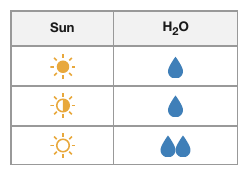
A sun/water requirements table where the icons are the values — a full sun versus a partial sun, one droplet versus two. A rendering that leaves those cells empty says nothing at all.
| Subscribers¹ | 48,210³ | ← superscripts attached to a value
| Dividend | — | ← an em-dash standing alone in a cell
| Approved | ✓ | ← a checkmark standing in for a value
Footnote superscripts
- A footnote marker MUST stay in the same cell as the value it is attached to, rendered with
<sup>:48,210<sup>3</sup>,New Program<sup>2</sup>— see Superscript and Subscript§7.2.11. - The marker MUST NOT be stripped, and MUST NOT be given a column of its own. It points at one number; separated from that number it points at nothing.
The em-dash
- An em-dash alone in a cell is a value and MUST be rendered as
—. In accounting it means zero, and we checked — a different claim from an empty cell, which means nothing here. - The rule holds in both directions, and the second is the one most often broken: a cell printed blank MUST be rendered as an empty cell, and a dash MUST NOT be supplied for it, however many of its neighbours carry one (never invent).
The same reasoning makes the structural blank meaningful in Triangles and Matrix Tables§9.8.2 and the coloured fill meaningful in Color as the Value§9.6.4 — a non-value that is a value.
✅ Sample — single
Em-dashes stand in for the not-yet-available 15-year figures of two private indexes, alongside ¹
footnote markers on the index names. The dashes are values; the markers stay on the names.
| Index | 1-Quarter | YTD | 1-Year | 3-Year | 5-Year | 10-Year | 15-Year | |||||||||||||||||||||||||||||||||||||||||||||||||||||||||||||||||||||||||||||||||||||||||||
|---|---|---|---|---|---|---|---|---|---|---|---|---|---|---|---|---|---|---|---|---|---|---|---|---|---|---|---|---|---|---|---|---|---|---|---|---|---|---|---|---|---|---|---|---|---|---|---|---|---|---|---|---|---|---|---|---|---|---|---|---|---|---|---|---|---|---|---|---|---|---|---|---|---|---|---|---|---|---|---|---|---|---|---|---|---|---|---|---|---|---|---|---|---|---|---|---|---|---|
| Tarnwick Capital Partners LLC Timber Impact Investing Index1 | 0.29 | 1.12 | -0.89 | 1.21 | 2.66 | 3.28 | 3.82 | |||||||||||||||||||||||||||||||||||||||||||||||||||||||||||||||||||||||||||||||||||||||||||
| Tarnwick Capital Partners LLC Real Estate Impact Investing Index1 | 0.66 | 0.44 | 1.14 | 1.13 | -0.87 | 1.43 | — | |||||||||||||||||||||||||||||||||||||||||||||||||||||||||||||||||||||||||||||||||||||||||||
| Tarnwick Capital Partners LLC Infrastructure Impact Investing Index1 | -0.23 | -0.41 | -0.65 | 2.64 | 1.63 | 2.32 | — | |||||||||||||||||||||||||||||||||||||||||||||||||||||||||||||||||||||||||||||||||||||||||||
| Merevald Global Natural Resources Index | 1.09 | 13.44 | -4.63 | 10.72 | 0.13 | 2.92 | 6.18 | |||||||||||||||||||||||||||||||||||||||||||||||||||||||||||||||||||||||||||||||||||||||||||
| Vantage World Natural Resources Index (net) | -0.71 | 14.09 | -8.57 | 5.21 | -4.27 | 2.84 | 4.87 | |||||||||||||||||||||||||||||||||||||||||||||||||||||||||||||||||||||||||||||||||||||||||||
| Vantage US Natural Resources Index (net) | -2.88 | 12.69 | -14.14 | -0.39 | -6.53 | 3.72 | 5.25 | |||||||||||||||||||||||||||||||||||||||||||||||||||||||||||||||||||||||||||||||||||||||||||
| … | ||||||||||||||||||||||||||||||||||||||||||||||||||||||||||||||||||||||||||||||||||||||||||||||||||
Markdown source
<table>
<tr> <th>Index</th> <th>1-Quarter</th> <th>YTD</th> <th>1-Year</th> <th>3-Year</th> <th>5-Year</th> <th>10-Year</th> <th>15-Year</th> </tr>
<tr> <td><strong>Tarnwick Capital Partners LLC Timber Impact Investing Index<sup>1</sup></strong></td> <td><strong>0.29</strong></td> <td><strong>1.12</strong></td> <td><strong>-0.89</strong></td> <td><strong>1.21</strong></td> <td><strong>2.66</strong></td> <td><strong>3.28</strong></td> <td><strong>3.82</strong></td> </tr>
<tr> <td><strong>Tarnwick Capital Partners LLC Real Estate Impact Investing Index<sup>1</sup></strong></td> <td><strong>0.66</strong></td> <td><strong>0.44</strong></td> <td><strong>1.14</strong></td> <td><strong>1.13</strong></td> <td><strong>-0.87</strong></td> <td><strong>1.43</strong></td> <td><strong>—</strong></td> </tr>
<tr> <td><strong>Tarnwick Capital Partners LLC Infrastructure Impact Investing Index<sup>1</sup></strong></td> <td><strong>-0.23</strong></td> <td><strong>-0.41</strong></td> <td><strong>-0.65</strong></td> <td><strong>2.64</strong></td> <td><strong>1.63</strong></td> <td><strong>2.32</strong></td> <td><strong>—</strong></td> </tr>
<tr> <td>Merevald Global Natural Resources Index</td> <td>1.09</td> <td>13.44</td> <td>-4.63</td> <td>10.72</td> <td>0.13</td> <td>2.92</td> <td>6.18</td> </tr>
<tr> <td>Vantage World Natural Resources Index (net)</td> <td>-0.71</td> <td>14.09</td> <td>-8.57</td> <td>5.21</td> <td>-4.27</td> <td>2.84</td> <td>4.87</td> </tr>
<tr> <td>Vantage US Natural Resources Index (net)</td> <td>-2.88</td> <td>12.69</td> <td>-14.14</td> <td>-0.39</td> <td>-6.53</td> <td>3.72</td> <td>5.25</td> </tr>
<!-- … -->
</table>❌ Counter-sample — entwick
On the Rückkauf eigener Anteile row the page prints nothing in Eigene Anteile — only the
Gesamtkapital column carries a value, 0. A rendering that writes an em-dash into the blank cell
invents a value: the em-dash rule cuts both ways.
| Grundkapital | Kapital- rücklagen | Gewinn- rücklagen | Sonstige Rücklagen | Eigene Anteile | Gesellschafter VAG | Minderheiten- anteile | Gesamtkapital | |||||||||||||||||||||||||||||||||||||||||||||||||||||||||||||||||||||||||||||||||||||||||||
|---|---|---|---|---|---|---|---|---|---|---|---|---|---|---|---|---|---|---|---|---|---|---|---|---|---|---|---|---|---|---|---|---|---|---|---|---|---|---|---|---|---|---|---|---|---|---|---|---|---|---|---|---|---|---|---|---|---|---|---|---|---|---|---|---|---|---|---|---|---|---|---|---|---|---|---|---|---|---|---|---|---|---|---|---|---|---|---|---|---|---|---|---|---|---|---|---|---|---|
| 1. Jänner 2005 | 218.100 | 1.074.778 | 2.816.854 | 172.965 | -14.761 | 4.267.936 | 1.493.854 | 5.761.790 | ||||||||||||||||||||||||||||||||||||||||||||||||||||||||||||||||||||||||||||||||||||||||||
| Unrealisierte Gewinne/Verluste (-) aus der Bewertung von Wertpapieren: | ||||||||||||||||||||||||||||||||||||||||||||||||||||||||||||||||||||||||||||||||||||||||||||||||||
| Saldo Gewinn/Verlust (-) der Periode vor Ertragssteuern | 200.291 | 200.291 | 200.291 | |||||||||||||||||||||||||||||||||||||||||||||||||||||||||||||||||||||||||||||||||||||||||||||||
| Ertragssteuern | -50.009 | -50.009 | -50.009 | |||||||||||||||||||||||||||||||||||||||||||||||||||||||||||||||||||||||||||||||||||||||||||||||
| Realisierte, im JÜ ausgewiesene Gewinne (-)/Verluste vor Ertragssteuern | -77 | -77 | -77 | |||||||||||||||||||||||||||||||||||||||||||||||||||||||||||||||||||||||||||||||||||||||||||||||
| Ertragssteuern | 19 | 19 | 19 | |||||||||||||||||||||||||||||||||||||||||||||||||||||||||||||||||||||||||||||||||||||||||||||||
| Rückkauf eigener Anteile | 0 | |||||||||||||||||||||||||||||||||||||||||||||||||||||||||||||||||||||||||||||||||||||||||||||||||
| … | ||||||||||||||||||||||||||||||||||||||||||||||||||||||||||||||||||||||||||||||||||||||||||||||||||
Markdown source
<table>
<tr> <th> </th> <th>Grundkapital</th> <th>Kapital-<br/>rücklagen</th> <th>Gewinn-<br/>rücklagen</th> <th>Sonstige<br/>Rücklagen</th> <th>Eigene Anteile</th> <th>Gesellschafter<br/>VAG</th> <th>Minderheiten-<br/>anteile</th> <th>Gesamtkapital</th> </tr>
<tr> <td>1. Jänner 2005</td> <td>218.100</td> <td>1.074.778</td> <td>2.816.854</td> <td>172.965</td> <td>-14.761</td> <td>4.267.936</td> <td>1.493.854</td> <td>5.761.790</td> </tr>
<tr> <td>Unrealisierte Gewinne/Verluste (-)<br/>aus der Bewertung von Wertpapieren:</td> <td></td> <td></td> <td></td> <td></td> <td></td> <td></td> <td></td> <td></td> </tr>
<tr> <td>Saldo Gewinn/Verlust (-) der Periode<br/>vor Ertragssteuern</td> <td></td> <td></td> <td></td> <td>200.291</td> <td></td> <td>200.291</td> <td></td> <td>200.291</td> </tr>
<tr> <td>Ertragssteuern</td> <td></td> <td></td> <td></td> <td>-50.009</td> <td></td> <td>-50.009</td> <td></td> <td>-50.009</td> </tr>
<tr> <td>Realisierte, im JÜ ausgewiesene<br/>Gewinne (-)/Verluste vor Ertragssteuern</td> <td></td> <td></td> <td></td> <td>-77</td> <td></td> <td>-77</td> <td></td> <td>-77</td> </tr>
<tr> <td>Ertragssteuern</td> <td></td> <td></td> <td></td> <td>19</td> <td></td> <td>19</td> <td></td> <td>19</td> </tr>
<tr> <td>Rückkauf eigener Anteile</td> <td></td> <td></td> <td></td> <td></td> <td></td> <td></td> <td></td> <td>0</td> </tr>
<!-- … -->
</table>| … | ||||||||||||||||||||||||||||||||||||||||||||||||||||||||||||||||||||||||||||||||||||||||||||||||||
| Rückkauf eigener Anteile | — | 0 | ||||||||||||||||||||||||||||||||||||||||||||||||||||||||||||||||||||||||||||||||||||||||||||||||
| … | ||||||||||||||||||||||||||||||||||||||||||||||||||||||||||||||||||||||||||||||||||||||||||||||||||
Markdown source
<table>
<!-- … -->
<tr> <td>Rückkauf eigener Anteile</td> <td></td> <td></td> <td></td> <td></td> <td>—</td> <td></td> <td></td> <td>0</td> </tr>
<!-- … -->
</table>Checkmarks, crosses and icons
- A mark that stands in for a value MUST be rendered as a bracketed word stating what it asserts:
[yes],[no],[checked],[locked],[icon: present]. - The nearest emoji MUST NOT be substituted. An emoji looks faithful and is not: it carries a shape rather than the claim the page makes, and no two producers pick the same one.
- Where a symbol is glued to a value rather than standing in for one —
▲ 512.40, a bare+or-carrying a superscript — the glyph MUST stay with the value in the cell, as printed. See Iconography and Symbols§7.3.4 for marks outside tables.
| Feature | Basic | Pro |
| SSO | 🔒 | ✓ | → | SSO | [locked] | [yes] |
A repeated mark is a scale
Some columns grade a value by printing the mark more than once — one droplet for low water, two for high; one star, three stars.
- A repeated mark MUST be transcribed once per printed mark:
[water],[water][water]. The count is the value; collapsing the pair to one token loses the distinction the column exists to draw. - A count notation such as
[water:2]MUST NOT be used. - The vocabulary MUST distinguish every distinct mark the scale prints. A sun column printing a solid, a half-filled and an outline glyph is a three-step scale; a rendering with two names for it has lost a step.
✅ Sample — wqa
X is a disclosure-control placeholder standing in for a suppressed value; the note below the
table says so. It is printed text and is kept as X. The row labels and the Total row are bold.
| LESS THAN 1 YEAR | 1 YEAR TO LESS THAN 2 YEARS | 2 YEARS TO LESS THAN 3 YEARS | 3 YEARS TO LESS THAN 4 YEARS | 4 YEARS TO LESS THAN 5 YEARS | 5 YEARS OR MORE | TOTAL | |
|---|---|---|---|---|---|---|---|
| Nov-25 | 1,430 | 685 | 310 | 140 | X | X | 2,569 |
| Dec-25 | 1,390 | 660 | 295 | 130 | X | X | 2,478 |
| Jan-26 | 1,570 | 705 | 320 | 150 | X | X | 2,750 |
| Total | 4,390 | 2,050 | 925 | 420 | 8 | X | 7,797 |
X denotes a value below 5 but not zero, suppressed to prevent identification of individuals.
Markdown source
<table>
<tr> <th> </th> <th>LESS THAN 1 YEAR</th> <th>1 YEAR TO LESS THAN 2 YEARS</th> <th>2 YEARS TO LESS THAN 3 YEARS</th> <th>3 YEARS TO LESS THAN 4 YEARS</th> <th>4 YEARS TO LESS THAN 5 YEARS</th> <th>5 YEARS OR MORE</th> <th>TOTAL</th> </tr>
<tr> <td data-level="0"><strong>Nov-25</strong></td> <td>1,430</td> <td>685</td> <td>310</td> <td>140</td> <td>X</td> <td>X</td> <td>2,569</td> </tr>
<tr> <td data-level="0"><strong>Dec-25</strong></td> <td>1,390</td> <td>660</td> <td>295</td> <td>130</td> <td>X</td> <td>X</td> <td>2,478</td> </tr>
<tr> <td data-level="0"><strong>Jan-26</strong></td> <td>1,570</td> <td>705</td> <td>320</td> <td>150</td> <td>X</td> <td>X</td> <td>2,750</td> </tr>
<tr> <th data-level="0"><strong>Total</strong></th> <td><strong>4,390</strong></td> <td><strong>2,050</strong></td> <td><strong>925</strong></td> <td><strong>420</strong></td> <td><strong>8</strong></td> <td><strong>X</strong></td> <td><strong>7,797</strong></td> </tr>
</table>
X denotes a value below 5 but not zero, suppressed to prevent identification of individuals.
✅ Sample — ed
Checkmark glyphs in Independent and Financial Expert (1) assert a yes; they are rendered as
[yes], and an unmarked cell stays empty.
| Name | Age | Director Since | Independent | Financial Expert (1) | Committee Membership Until 2025 Meeting | Committee Membership After 2025 Meeting | Other Public Company Boards |
|---|---|---|---|---|---|---|---|
| Warren T. Castellan | 67 | 2011 | [yes] | [yes] | CC | NCGC | |
| Foster L. Kilbane | 67 | 1993 | [yes] | CC | AC, CC | 1 (2) | |
| Elias N. Okafor | 45 | 2020 | [yes] | CC | CC | ||
| Marguerite S. Voss | 69 | 2015 | [yes] | NCGC | CC | ||
| Desmond K. Hara | 62 | 1993 | |||||
| Adele R. Winslow | 67 | 2013 | [yes] | [yes] | CC Chairperson | CC Chairperson | 1 |
| Marcus T. Whitfield | 72 | 1993 | [yes] | [yes] | AC, NCGC | AC, NCGC | |
| Priya N. Rajan | 62 | 2023 | [yes] | [yes] | AC | AC | 1 |
| Gerald P. Ashcombe (Lead Director) | 76 | 2019 | [yes] | NCGC Chairperson | NCGC Chairperson | ||
| Renata M. Solano | 67 | 2024 | [yes] | NCGC | NCGC | 1 | |
| B. Trevor Lindqvist | 77 | 1997 | [yes] | [yes] | AC Chairperson | AC Chairperson | 1 |
| Naledi K. Osei | 60 | 2020 | [yes] | AC, CC | AC, CC | 1 | |
| Colin J. Whitmore | 65 | 2008 (3) | [yes] | AC, NCGC | CC, NCGC |
Markdown source
<table>
<tr> <th>Name</th> <th>Age</th> <th>Director Since</th> <th>Independent</th> <th>Financial Expert (1)</th> <th>Committee Membership Until 2025 Meeting</th> <th>Committee Membership After 2025 Meeting</th> <th>Other Public Company Boards</th> </tr>
<tr> <td>Warren T. Castellan</td> <td>67</td> <td>2011</td> <td>[yes]</td> <td>[yes]</td> <td>CC</td> <td>NCGC</td> <td></td> </tr>
<tr> <td>Foster L. Kilbane</td> <td>67</td> <td>1993</td> <td>[yes]</td> <td></td> <td>CC</td> <td>AC, CC</td> <td>1 (2)</td> </tr>
<tr> <td>Elias N. Okafor</td> <td>45</td> <td>2020</td> <td>[yes]</td> <td></td> <td>CC</td> <td>CC</td> <td></td> </tr>
<tr> <td>Marguerite S. Voss</td> <td>69</td> <td>2015</td> <td>[yes]</td> <td></td> <td>NCGC</td> <td>CC</td> <td></td> </tr>
<tr> <td>Desmond K. Hara</td> <td>62</td> <td>1993</td> <td></td> <td></td> <td></td> <td></td> <td></td> </tr>
<tr> <td>Adele R. Winslow</td> <td>67</td> <td>2013</td> <td>[yes]</td> <td>[yes]</td> <td>CC<br/>Chairperson</td> <td>CC<br/>Chairperson</td> <td>1</td> </tr>
<tr> <td>Marcus T. Whitfield</td> <td>72</td> <td>1993</td> <td>[yes]</td> <td>[yes]</td> <td>AC, NCGC</td> <td>AC, NCGC</td> <td></td> </tr>
<tr> <td>Priya N. Rajan</td> <td>62</td> <td>2023</td> <td>[yes]</td> <td>[yes]</td> <td>AC</td> <td>AC</td> <td>1</td> </tr>
<tr> <td>Gerald P. Ashcombe<br/>(Lead Director)</td> <td>76</td> <td>2019</td> <td>[yes]</td> <td></td> <td>NCGC<br/>Chairperson</td> <td>NCGC<br/>Chairperson</td> <td></td> </tr>
<tr> <td>Renata M. Solano</td> <td>67</td> <td>2024</td> <td>[yes]</td> <td></td> <td>NCGC</td> <td>NCGC</td> <td>1</td> </tr>
<tr> <td>B. Trevor Lindqvist</td> <td>77</td> <td>1997</td> <td>[yes]</td> <td>[yes]</td> <td>AC<br/>Chairperson</td> <td>AC<br/>Chairperson</td> <td>1</td> </tr>
<tr> <td>Naledi K. Osei</td> <td>60</td> <td>2020</td> <td>[yes]</td> <td></td> <td>AC, CC</td> <td>AC, CC</td> <td>1</td> </tr>
<tr> <td>Colin J. Whitmore</td> <td>65</td> <td>2008 (3)</td> <td>[yes]</td> <td></td> <td>AC, NCGC</td> <td>CC, NCGC</td> <td></td> </tr>
</table>✅ Sample — du
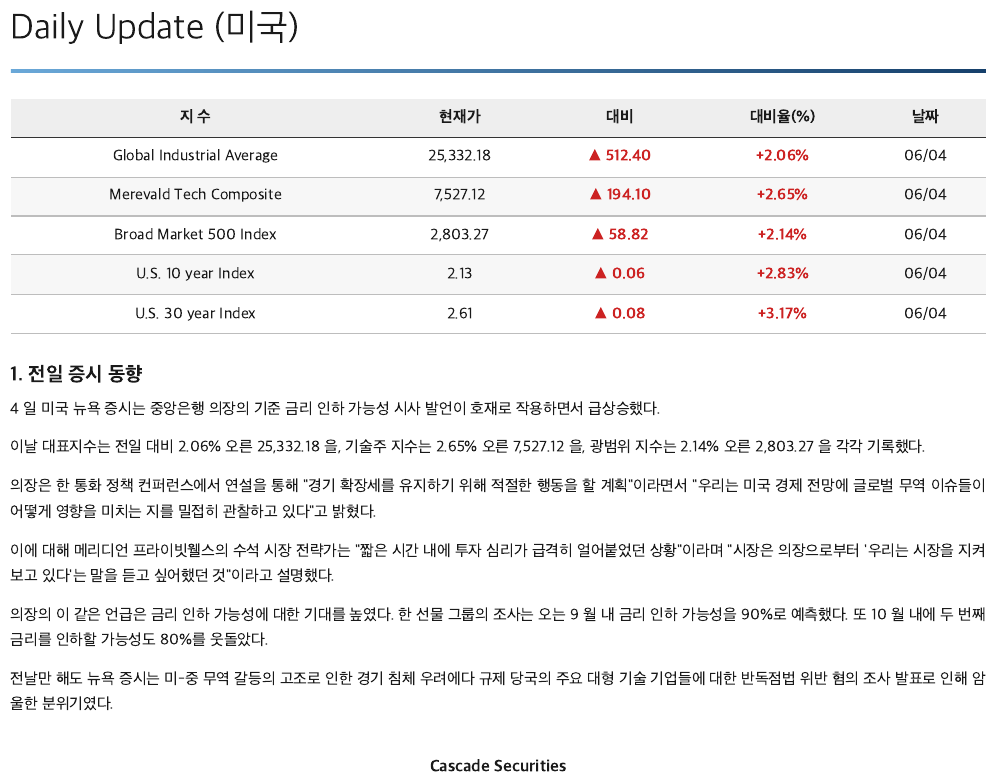
▲ 512.40 — an up-triangle glued to the value, kept with it in the cell. The 대비 and 대비율(%)
figures are set heavier than the rest of the row, so those cells are bold.
| 지 수 | 현재가 | 대비 | 대비율(%) | 날짜 |
|---|---|---|---|---|
| Global Industrial Average | 25,332.18 | ▲ 512.40 | +2.06% | 06/04 |
| Merevald Tech Composite | 7,527.12 | ▲ 194.10 | +2.65% | 06/04 |
| Broad Market 500 Index | 2,803.27 | ▲ 58.82 | +2.14% | 06/04 |
| U.S. 10 year Index | 2.13 | ▲ 0.06 | +2.83% | 06/04 |
| U.S. 30 year Index | 2.61 | ▲ 0.08 | +3.17% | 06/04 |
Markdown source
<table>
<tr> <th>지 수</th> <th>현재가</th> <th>대비</th> <th>대비율(%)</th> <th>날짜</th> </tr>
<tr> <td>Global Industrial Average</td> <td>25,332.18</td> <td><strong>▲ 512.40</strong></td> <td><strong>+2.06%</strong></td> <td>06/04</td> </tr>
<tr> <td>Merevald Tech Composite</td> <td>7,527.12</td> <td><strong>▲ 194.10</strong></td> <td><strong>+2.65%</strong></td> <td>06/04</td> </tr>
<tr> <td>Broad Market 500 Index</td> <td>2,803.27</td> <td><strong>▲ 58.82</strong></td> <td><strong>+2.14%</strong></td> <td>06/04</td> </tr>
<tr> <td>U.S. 10 year Index</td> <td>2.13</td> <td><strong>▲ 0.06</strong></td> <td><strong>+2.83%</strong></td> <td>06/04</td> </tr>
<tr> <td>U.S. 30 year Index</td> <td>2.61</td> <td><strong>▲ 0.08</strong></td> <td><strong>+3.17%</strong></td> <td>06/04</td> </tr>
</table>✅ Sample — lakecruise
↓ stands in the time cells of stops a service does not list a time for, and a row of small ⊛
glyphs sits under the service numbers. Both are printed characters and are kept as printed; no emoji
replaces them. Station rows set in heavy type are bold; the arrows in them show no extra weight and stay plain.
| Täglich Daily | ||||||||||||||||||||||||||||||||||||||||||||||||||||||||||||||||||||||||||||||||||||||||||||||||||
|---|---|---|---|---|---|---|---|---|---|---|---|---|---|---|---|---|---|---|---|---|---|---|---|---|---|---|---|---|---|---|---|---|---|---|---|---|---|---|---|---|---|---|---|---|---|---|---|---|---|---|---|---|---|---|---|---|---|---|---|---|---|---|---|---|---|---|---|---|---|---|---|---|---|---|---|---|---|---|---|---|---|---|---|---|---|---|---|---|---|---|---|---|---|---|---|---|---|---|
| Kurs / Service | 101/102 | 103/104 | 105/106 | 107/108 | 109/110 | 113/114 | 117/118 | |||||||||||||||||||||||||||||||||||||||||||||||||||||||||||||||||||||||||||||||||||||||||||
| ⊛ | ⊛ | ⊛ | ⊛ | ⊛ | ⊛ | ⊛ | ||||||||||||||||||||||||||||||||||||||||||||||||||||||||||||||||||||||||||||||||||||||||||||
| Lindenhafen | 09.20 | 10.20 | 11.20 | 12.20 | 13.20 | 15.20 | 17.20 | Lindenhafen | ||||||||||||||||||||||||||||||||||||||||||||||||||||||||||||||||||||||||||||||||||||||||||
| Aurenbach | 09.47 | ↓ | ↓ | 12.47 | 13.47 | ↓ | ↓ | Aurenbach | ||||||||||||||||||||||||||||||||||||||||||||||||||||||||||||||||||||||||||||||||||||||||||
| Tannwil | 09.58 | ↓ | ↓ | 12.58 | 13.58 | ↓ | ↓ | Tannwil | ||||||||||||||||||||||||||||||||||||||||||||||||||||||||||||||||||||||||||||||||||||||||||
| Seewinkel | ↓ | 10.51 | 11.51 | ↓ | ↓ | 15.51 | 17.51 | Seewinkel | ||||||||||||||||||||||||||||||||||||||||||||||||||||||||||||||||||||||||||||||||||||||||||
| Rebstein | ↓ | 10.59 | 11.59 | ↓ | ↓ | 15.59 | ↓ | Rebstein | ||||||||||||||||||||||||||||||||||||||||||||||||||||||||||||||||||||||||||||||||||||||||||
| Falkenau | 10.09 | ↓ | ↓ | 13.09 | 14.09 | ↓ | 18.04 | Falkenau | ||||||||||||||||||||||||||||||||||||||||||||||||||||||||||||||||||||||||||||||||||||||||||
| … | ||||||||||||||||||||||||||||||||||||||||||||||||||||||||||||||||||||||||||||||||||||||||||||||||||
Markdown source
<table>
<tr> <th> </th> <th colspan="7">Täglich<br/>Daily</th> <th> </th> </tr>
<tr> <th>Kurs / Service</th> <th>101/102</th> <th>103/104</th> <th>105/106</th> <th>107/108</th> <th>109/110</th> <th>113/114</th> <th>117/118</th> <th> </th> </tr>
<tr> <th> </th> <th>⊛</th> <th>⊛</th> <th>⊛</th> <th>⊛</th> <th>⊛</th> <th>⊛</th> <th>⊛</th> <th> </th> </tr>
<tr> <td><strong>Lindenhafen</strong></td> <td><strong>09.20</strong></td> <td><strong>10.20</strong></td> <td><strong>11.20</strong></td> <td><strong>12.20</strong></td> <td><strong>13.20</strong></td> <td><strong>15.20</strong></td> <td><strong>17.20</strong></td> <td><strong>Lindenhafen</strong></td> </tr>
<tr> <td>Aurenbach</td> <td>09.47</td> <td>↓</td> <td>↓</td> <td>12.47</td> <td>13.47</td> <td>↓</td> <td>↓</td> <td>Aurenbach</td> </tr>
<tr> <td>Tannwil</td> <td>09.58</td> <td>↓</td> <td>↓</td> <td>12.58</td> <td>13.58</td> <td>↓</td> <td>↓</td> <td>Tannwil</td> </tr>
<tr> <td><strong>Seewinkel</strong></td> <td>↓</td> <td><strong>10.51</strong></td> <td><strong>11.51</strong></td> <td>↓</td> <td>↓</td> <td><strong>15.51</strong></td> <td><strong>17.51</strong></td> <td><strong>Seewinkel</strong></td> </tr>
<tr> <td>Rebstein</td> <td>↓</td> <td>10.59</td> <td>11.59</td> <td>↓</td> <td>↓</td> <td>15.59</td> <td>↓</td> <td>Rebstein</td> </tr>
<tr> <td>Falkenau</td> <td>10.09</td> <td>↓</td> <td>↓</td> <td>13.09</td> <td>14.09</td> <td>↓</td> <td>18.04</td> <td>Falkenau</td> </tr>
<!-- … -->
</table>✅ Sample — vap
A body made entirely of bare + / - symbols, some carrying (1), (2), (3) superscripts. The
marks are printed characters and stay as printed, each superscript in the cell of the mark it is
attached to. The Precision band is set in bold italic.
| Type of analytical procedure | IDENTIFICATION | TESTING FOR IMPURITIES | ASSAY - dissolution (measurement only) - content/potency | |
|---|---|---|---|---|
| characteristics | quantitat. | limit | ||
| Accuracy | - | + | - | + |
| Precision | ||||
| Repeatability | - | + | - | + |
| Interm.Precision | - | + (1) | - | + (1) |
| Specificity (2) | + | + | + | + |
| Detection Limit | - | - (3) | + | - |
| Quantitation Limit | - | - | + (3) | - |
| Linearity | - | + | - | + |
| Range | - | + | - | + |
Markdown source
<table>
<tr> <th>Type of analytical<br/>procedure</th> <th rowspan="2">IDENTIFICATION</th> <th colspan="2">TESTING FOR<br/>IMPURITIES</th> <th rowspan="2">ASSAY<br/><br/>- dissolution<br/>(measurement only)<br/><br/>- content/potency</th> </tr>
<tr> <th>characteristics</th> <th>quantitat.</th> <th>limit</th> </tr>
<tr> <td>Accuracy</td> <td>-</td> <td>+</td> <td>-</td> <td>+</td> </tr>
<tr> <th colspan="5"><em>Precision</em></th> </tr>
<tr> <td>Repeatability</td> <td>-</td> <td>+</td> <td>-</td> <td>+</td> </tr>
<tr> <td>Interm.Precision</td> <td>-</td> <td>+ <sup>(1)</sup></td> <td>-</td> <td>+ <sup>(1)</sup></td> </tr>
<tr> <td>Specificity <sup>(2)</sup></td> <td>+</td> <td>+</td> <td>+</td> <td>+</td> </tr>
<tr> <td>Detection Limit</td> <td>-</td> <td>- <sup>(3)</sup></td> <td>+</td> <td>-</td> </tr>
<tr> <td>Quantitation Limit</td> <td>-</td> <td>-</td> <td>+ <sup>(3)</sup></td> <td>-</td> </tr>
<tr> <td>Linearity</td> <td>-</td> <td>+</td> <td>-</td> <td>+</td> </tr>
<tr> <td>Range</td> <td>-</td> <td>+</td> <td>-</td> <td>+</td> </tr>
</table>Related
- Iconography and Symbols§7.3.4 — the same marks outside tables
- Superscript and Subscript§7.2.11 — how a footnote marker is tagged
- Color as the Value§9.6.4 — a fill that is a value, like the em-dash
- Triangles and Matrix Tables§9.8.2 — a blank that is meaningful, and must not be filled
- Accounting Number Formats§9.6.1 — dashes and brackets as number notation
9.6.7 Struck and Replaced Values
✅ Normative · 📄 page rule
✅ Normative
A cell holding a struck value and its replacement MUST render both, struck first —
~~1.316~~ 1.335 — and MUST NOT merge them into one figure. The ~~ MUST cover exactly the
glyphs struck on the page: 1.~~316~~ 335 when only the digits are crossed out.
A cell holds an old value crossed out plus its replacement. A text layer joins them without a trace:
page shows: 1.316 (struck) 1.335
text layer: 1.316335 ← this number does not exist on the page
That is the worst outcome available on a table: not a drop and not a garble, but a fabricated number that looks entirely plausible and that nothing downstream can catch. Struck cells MUST be read from the rendered page, never from the text layer — see Cell Text Fidelity§9.6.3.
Writing the cell
- A struck value and its replacement MUST be rendered
~~old~~ new, which keeps the two readings distinct and marks which one is superseded. - Where the page marks the change with an underline instead of a strike, the replacement MUST be
rendered
<u>1.335</u>, recording what is actually drawn. - A handwritten correction over a printed value MUST use the same markup — see Handwriting and Stamps§9.6.5. A printed strikethrough and a pen stroke are the same act, so a consumer never has to tell them apart.
- The output MUST NOT restructure the table into "Previous" and "Current" columns. Where the page itself prints the old and new figures in separate tables or columns, each MUST be rendered where it appears rather than folded into one cell.
✅ Sample — strike
Every Current Rates figure is struck through, with its live replacement in the Proposed Rates
tables alongside: 54 struck values across two tables. Each struck value is wrapped in ~~…~~, and
the four blocks stay four tables.
Note what the page itself does: it splits old and new into parallel tables, so the replacement is not in the same cell. The output follows the page and does not fold them together.
| Restaurants | Taverns | ||||
|---|---|---|---|---|---|
| Each Claim | Aggregate | Upstate | NY City | Upstate | NY City |
| 25,000 | 25,000 | ~~0.42~~ | ~~0.42~~ | ~~0.80~~ | ~~0.80~~ |
| 50,000 | 50,000 | ~~0.57~~ | ~~0.57~~ | ~~1.08~~ | ~~1.08~~ |
| 100,000 | 100,000 | ~~0.82~~ | ~~0.82~~ | ~~1.56~~ | ~~1.56~~ |
| 200,000 | 200,000 | ~~1.11~~ | ~~0.93~~ | ~~2.11~~ | ~~1.77~~ |
| 250,000 | 250,000 | ~~1.21~~ | ~~0.97~~ | ~~2.30~~ | ~~1.84~~ |
| 300,000 | 300,000 | ~~1.32~~ | ~~1.01~~ | ~~2.51~~ | ~~1.92~~ |
| 500,000 | 500,000 | ~~1.58~~ | ~~1.11~~ | ~~3.00~~ | ~~2.11~~ |
| 1,000,000 | 1,000,000 | ~~1.85~~ | ~~1.21~~ | ~~3.52~~ | ~~2.30~~ |
| 2,000,000 | 2,000,000 | ~~2.17~~ | ~~1.42~~ | ~~4.12~~ | ~~2.70~~ |
Markdown source
<table>
<tr> <th> </th> <th> </th> <th colspan="2">Restaurants</th> <th colspan="2">Taverns</th> </tr>
<tr> <th>Each Claim</th> <th>Aggregate</th> <th>Upstate</th> <th>NY City</th> <th>Upstate</th> <th>NY City</th> </tr>
<tr> <td>25,000</td> <td>25,000</td> <td>~~0.42~~</td> <td>~~0.42~~</td> <td>~~0.80~~</td> <td>~~0.80~~</td> </tr>
<tr> <td>50,000</td> <td>50,000</td> <td>~~0.57~~</td> <td>~~0.57~~</td> <td>~~1.08~~</td> <td>~~1.08~~</td> </tr>
<tr> <td>100,000</td> <td>100,000</td> <td>~~0.82~~</td> <td>~~0.82~~</td> <td>~~1.56~~</td> <td>~~1.56~~</td> </tr>
<tr> <td>200,000</td> <td>200,000</td> <td>~~1.11~~</td> <td>~~0.93~~</td> <td>~~2.11~~</td> <td>~~1.77~~</td> </tr>
<tr> <td>250,000</td> <td>250,000</td> <td>~~1.21~~</td> <td>~~0.97~~</td> <td>~~2.30~~</td> <td>~~1.84~~</td> </tr>
<tr> <td>300,000</td> <td>300,000</td> <td>~~1.32~~</td> <td>~~1.01~~</td> <td>~~2.51~~</td> <td>~~1.92~~</td> </tr>
<tr> <td>500,000</td> <td>500,000</td> <td>~~1.58~~</td> <td>~~1.11~~</td> <td>~~3.00~~</td> <td>~~2.11~~</td> </tr>
<tr> <td>1,000,000</td> <td>1,000,000</td> <td>~~1.85~~</td> <td>~~1.21~~</td> <td>~~3.52~~</td> <td>~~2.30~~</td> </tr>
<tr> <td>2,000,000</td> <td>2,000,000</td> <td>~~2.17~~</td> <td>~~1.42~~</td> <td>~~4.12~~</td> <td>~~2.70~~</td> </tr>
</table>The strike span mirrors the printed strike
Where the strike starts and stops is printed information, and the markup carries it: exactly the struck glyphs, no more, no less.
whole value struck: 1.316 (all struck) 335 → ~~1.316~~ 335
only the digits struck: 1.316 (316 struck) 335 → 1.~~316~~ 335
The unstruck 1. sits outside the ~~, because that is where it sits on the page. Nothing is
reconstructed and nothing is invented — the prefix is transcribed because it is printed and was
never struck.
1.~~316~~ 335 gives a reader everything needed to arrive at 1.335 without the output asserting
it. The 1. is printed, unstruck, and therefore still part of the value; the replacement digits
follow. The reading falls out of the transcription instead of being asserted on top of it.
That is why the span must be exact. ~~1.316~~ 335 for a page that only struck 316 throws away
the prefix a reader needs, and 1.~~316~~ 335 for a page that struck the whole value claims ink
that is not there. Both are losses, in opposite directions.
One struck cell puts the column in play
Strikes are thin and reproduce badly at page zoom, so a struck cell is easy to miss. One struck cell means the column is a redline column: every other cell in it MUST be read for a strike before the column is rendered.
Redline in prose
- Deleted text MUST be rendered
~~…~~and inserted underlined text<u>…</u>, each over exactly the printed span. - Where colour distinguishes revisions or authors, the colour MUST be preserved as well. Insertion MUST NOT be inferred from colour alone where the page marks nothing else.
✅ Sample — an interlineated court rule
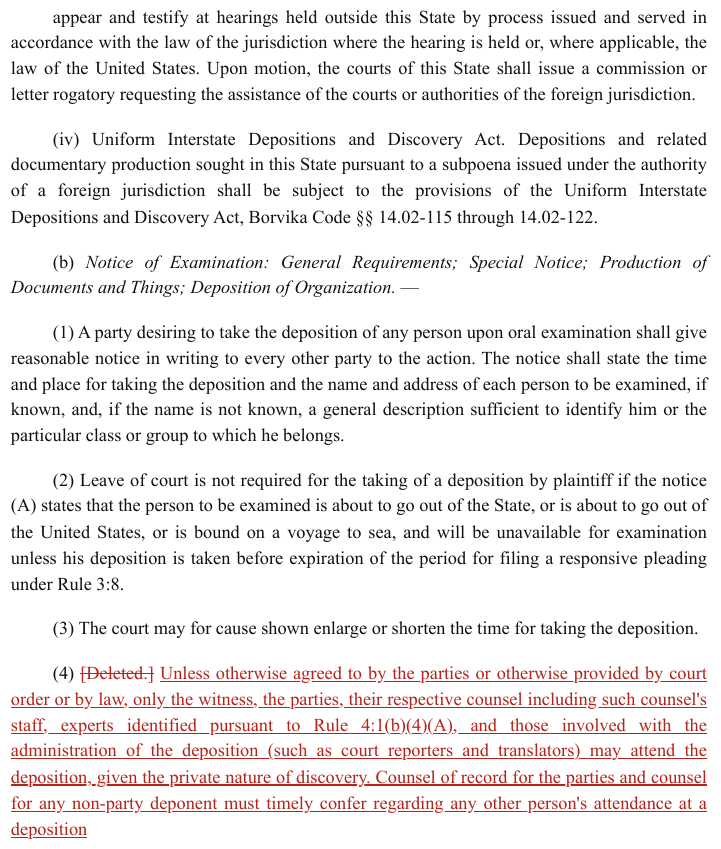
Paragraph (4): [Deleted.] struck through in red, followed by red underlined replacement text;
everything above it is plain black. Strike and underline already carry the revision, so the red adds
nothing a strike and an underline do not.
(4) [Deleted.] Unless otherwise agreed to by the parties or otherwise provided by court order or by law, only the witness, the parties, their respective counsel including such counsel's staff, experts identified pursuant to Rule 4:1(b)(4)(A), and those involved with the administration of the deposition (such as court reporters and translators) may attend the deposition, given the private nature of discovery. Counsel of record for the parties and counsel for any non-party deponent must timely confer regarding any other person's attendance at a deposition
Markdown source
(4) ~~\[Deleted.\]~~ <u>Unless otherwise agreed to by the parties or otherwise provided by court order or by law, only the witness, the parties, their respective counsel including such counsel's staff, experts identified pursuant to Rule 4:1(b)(4)(A), and those involved with the administration of the deposition (such as court reporters and translators) may attend the deposition, given the private nature of discovery. Counsel of record for the parties and counsel for any non-party deponent must timely confer regarding any other person's attendance at a deposition</u>✅ Sample — insertions marked by colour alone
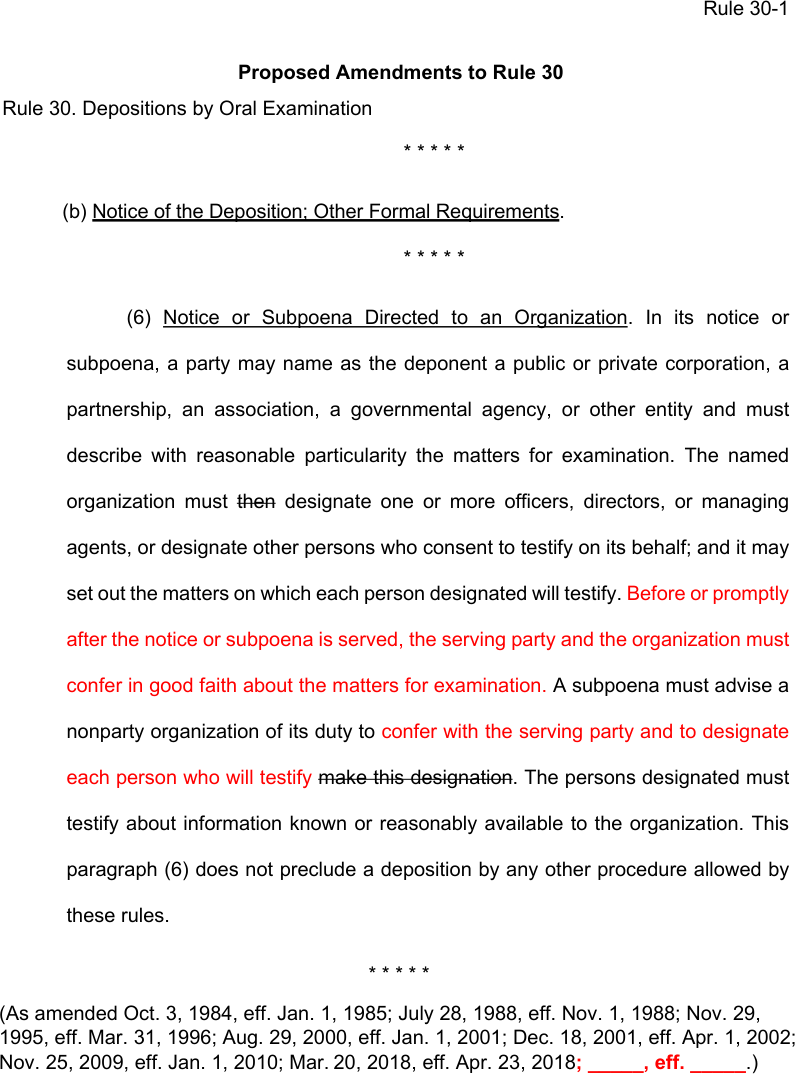
Source: Advisory Committee on Civil Rules (U.S. Courts), Proposed Amendments to Federal Rule of Civil Procedure 30(b)(6) (public domain)
Proposed rule text: deletions (then, make this designation) struck through in black, insertions in
red with no underline. Without the colour the insertions become indistinguishable from the
settled text, so the colour is kept. The colour is written as <font color="red"> around the inserted words, as
Text Colors§7.3.12 requires.
(6) Notice or Subpoena Directed to an Organization. In its notice or subpoena, a party may name as the deponent a public or private corporation, a partnership, an association, a governmental agency, or other entity and must describe with reasonable particularity the matters for examination. The named organization must then designate one or more officers, directors, or managing agents, or designate other persons who consent to testify on its behalf; and it may set out the matters on which each person designated will testify. Before or promptly after the notice or subpoena is served, the serving party and the organization must confer in good faith about the matters for examination. A subpoena must advise a nonparty organization of its duty to confer with the serving party and to designate each person who will testify make this designation. The persons designated must testify about information known or reasonably available to the organization. This paragraph (6) does not preclude a deposition by any other procedure allowed by these rules.
Markdown source
(6) <u>Notice or Subpoena Directed to an Organization</u>. In its notice or subpoena, a party may name as the deponent a public or private corporation, a partnership, an association, a governmental agency, or other entity and must describe with reasonable particularity the matters for examination. The named organization must ~~then~~ designate one or more officers, directors, or managing agents, or designate other persons who consent to testify on its behalf; and it may set out the matters on which each person designated will testify. <font color="red">Before or promptly after the notice or subpoena is served, the serving party and the organization must confer in good faith about the matters for examination.</font> A subpoena must advise a nonparty organization of its duty to <font color="red">confer with the serving party and to designate each person who will testify</font> ~~make this designation~~. The persons designated must testify about information known or reasonably available to the organization. This paragraph (6) does not preclude a deposition by any other procedure allowed by these rules.Related
- Cell Text Fidelity§9.6.3 — the page, not the text layer, decides the value
- Handwriting and Stamps§9.6.5 — the handwritten equivalent uses the same markup
- Underlined Text§7.2.12 —
<u>, not<ins>, for an underline - Watermarks§7.3.13 — "Redline Version" is often stamped on exactly these pages
9.7 Titles and edges
9.7.1 Bottom Edge Totals and Islands
✅ Normative · 📄 page rule
✅ Normative
Content printed below or beside a table MUST NOT be dropped, even when it sits outside the ruled frame. Where it continues the table's ruled grid it MUST be rendered as rows of that table; where it stands apart as its own unbordered block it MUST be rendered as its own small key-value table.
The bottom edge is where content goes missing most often, because everything here sits past the last rule of the frame — and it is usually the numbers the reader actually wanted.
| Item | Qty | Rate | Amount |
| Widget | 2 | 30 | 60 |
└──── ruled frame ends ────────┘
Subtotal 60 ← outside the frame:
Shipping 10 footer rows of the table? its own KV
Total 70 table? dropped entirely?
The frame decides
The block under the table is placed by one question: does it sit inside the ruled frame, or visually continue the table's ruled column grid?
| Block under the table | Rendering |
|---|---|
| Inside the frame, or continuing its ruled column grid | footer rows of that table, each value in its printed column |
| Standing apart as a separate unbordered block — even if its columns loosely line up under the table's rightmost columns | its own key-value table: one row per printed line, a label cell and a value cell |
The block MUST NOT be omitted, and a block that is not part of the grid MUST NOT be padded into the main table as extra footer rows. This is the frame test of Titles Banners Captions§9.7.3, applied at the other edge of the table. Footnotes are the one exception — see Footnotes Inside the Frame§9.7.2.
✅ Sample — a totals block continuing the frame
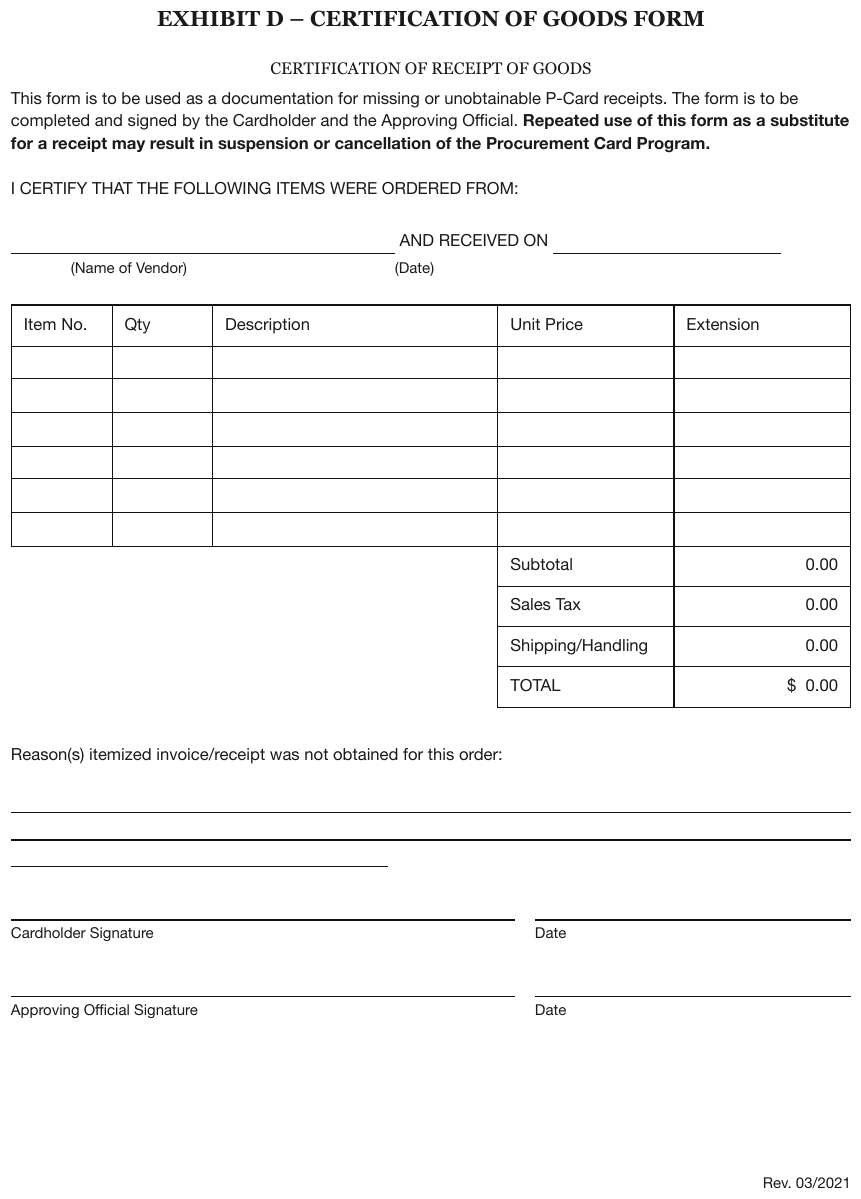
Subtotal to TOTAL sit under the item grid inside the frame's two right-hand columns, ruled the
same way, with the left three columns absent below the last item row. They are footer rows of the
item table, label under Unit Price and value under Extension; the printed empty item rows are
kept as empty rows.
| Item No. | Qty | Description | Unit Price | Extension |
|---|---|---|---|---|
| Subtotal | 0.00 | |||
| Sales Tax | 0.00 | |||
| Shipping/Handling | 0.00 | |||
| TOTAL | $ 0.00 |
Markdown source
<table>
<tr> <th>Item No.</th> <th>Qty</th> <th>Description</th> <th>Unit Price</th> <th>Extension</th> </tr>
<tr> <td> </td> <td> </td> <td> </td> <td> </td> <td> </td> </tr>
<tr> <td> </td> <td> </td> <td> </td> <td> </td> <td> </td> </tr>
<tr> <td> </td> <td> </td> <td> </td> <td> </td> <td> </td> </tr>
<tr> <td> </td> <td> </td> <td> </td> <td> </td> <td> </td> </tr>
<tr> <td> </td> <td> </td> <td> </td> <td> </td> <td> </td> </tr>
<tr> <td> </td> <td> </td> <td> </td> <td> </td> <td> </td> </tr>
<tr> <td> </td> <td> </td> <td> </td> <th data-level="0">Subtotal</th> <td>0.00</td> </tr>
<tr> <td> </td> <td> </td> <td> </td> <td data-level="0">Sales Tax</td> <td>0.00</td> </tr>
<tr> <td> </td> <td> </td> <td> </td> <td data-level="0">Shipping/Handling</td> <td>0.00</td> </tr>
<tr> <td> </td> <td> </td> <td> </td> <th data-level="0">TOTAL</th> <td>$ 0.00</td> </tr>
</table>Trailing aligned summary lines
Lines such as "Selected …" or "Reserve to Surplus Ratio:" whose values land under real columns are rows of the grid. They MUST be rendered as rows, each value in its printed column — not as prose after the table.
| Year | Reserves | Surplus |
| 2023 | 1,204 | 887 |
Selected 1,190 ← values align under real columns:
Reserve/Surplus: 1.36 rows of the table
Invoice-style totals blocks
A Subtotal / Discount / Shipping / Total block printed below the line-item table and outside its frame MUST be rendered as its own key-value table: label and value, one row per printed line.
This is a deliberate exception to the treatment of ungridded key-value regions in Forms and Key-Value Regions§10.1. Trailing totals are a numeric continuation of the table's data, and a table whose totals are missing has lost the part of the page most people read first.
✅ Sample — 2cc
A Total - 175 line below the table, outside its implicit frame and not even aligned with the
second column. It is kept, as its own one-row key-value table after the list. The column headers
are bold and underlined.
| Company Name | State or Sovereign Power of Incorporation | |||||||||||||||||||||||||||||||||||||||||||||||||||||||||||||||||||||||||||||||||||||||||||||||||
|---|---|---|---|---|---|---|---|---|---|---|---|---|---|---|---|---|---|---|---|---|---|---|---|---|---|---|---|---|---|---|---|---|---|---|---|---|---|---|---|---|---|---|---|---|---|---|---|---|---|---|---|---|---|---|---|---|---|---|---|---|---|---|---|---|---|---|---|---|---|---|---|---|---|---|---|---|---|---|---|---|---|---|---|---|---|---|---|---|---|---|---|---|---|---|---|---|---|---|
| SMF Leasing LLC | Delaware | |||||||||||||||||||||||||||||||||||||||||||||||||||||||||||||||||||||||||||||||||||||||||||||||||
| SMF Serviços de Mobilidade Ltda. | Brazil | |||||||||||||||||||||||||||||||||||||||||||||||||||||||||||||||||||||||||||||||||||||||||||||||||
| SMF Wholesale Receivables LLC | Delaware | |||||||||||||||||||||||||||||||||||||||||||||||||||||||||||||||||||||||||||||||||||||||||||||||||
| Grand Pointe Holdings, Inc. | Michigan | |||||||||||||||||||||||||||||||||||||||||||||||||||||||||||||||||||||||||||||||||||||||||||||||||
| Guangxi Haoling Automotive Technology Co., Ltd. | China | |||||||||||||||||||||||||||||||||||||||||||||||||||||||||||||||||||||||||||||||||||||||||||||||||
| Kinohi Insurance Company LLC | Hawaii | |||||||||||||||||||||||||||||||||||||||||||||||||||||||||||||||||||||||||||||||||||||||||||||||||
| … | ||||||||||||||||||||||||||||||||||||||||||||||||||||||||||||||||||||||||||||||||||||||||||||||||||
| WRE, Inc. | Michigan | |||||||||||||||||||||||||||||||||||||||||||||||||||||||||||||||||||||||||||||||||||||||||||||||||
| Zona Franca Industrial Colmotores SAS | Colombia | |||||||||||||||||||||||||||||||||||||||||||||||||||||||||||||||||||||||||||||||||||||||||||||||||
| Total - | 175 |
|---|
Markdown source
<table>
<tr> <th><u>Company Name</u></th> <th><u>State or Sovereign Power of<br/>Incorporation</u></th> </tr>
<tr> <td>SMF Leasing LLC</td> <td>Delaware</td> </tr>
<tr> <td>SMF Serviços de Mobilidade Ltda.</td> <td>Brazil</td> </tr>
<tr> <td>SMF Wholesale Receivables LLC</td> <td>Delaware</td> </tr>
<tr> <td>Grand Pointe Holdings, Inc.</td> <td>Michigan</td> </tr>
<tr> <td>Guangxi Haoling Automotive Technology Co., Ltd.</td> <td>China</td> </tr>
<tr> <td>Kinohi Insurance Company LLC</td> <td>Hawaii</td> </tr>
<!-- … -->
<tr> <td>WRE, Inc.</td> <td>Michigan</td> </tr>
<tr> <td>Zona Franca Industrial Colmotores SAS</td> <td>Colombia</td> </tr>
</table>
<table>
<tr> <th data-level="0">Total -</th> <td>175</td> </tr>
</table>
Detached cell islands
A small offset group of cells that lines up with a table's column tracks is content. It MUST be rendered; it is not decoration.
| (1) | (2) | (3) |
| 100 | 82 | 0.82 |
| 0.79 | ← "(8) Benchmark" offset box, aligned
with column (3)'s track
Where it goes is decided by one test: does the island line up with an existing table's column tracks?
- Yes → it belongs to that table and MUST be appended as an extra row: the label in the stub column, the value in the column whose track it lines up with.
- No → it MUST be rendered as its own small table.
Column-track alignment is the typesetter saying "this value belongs under that heading". A floating box that lines up with nothing makes no such claim, so it stands alone.
✅ Sample — wwa
The boxed Selected: / Trend values, the boxed trend period and the Rolling 4-Qtr / Annual Trend table sit outside the main frame and do not continue its column grid, so each is its own small table after the main one. The main table's italic footnote line follows it as footnote text.
| … | ||||||||||||||||||||||||||||||||||||||||||||||||||||||||||||||||||||||||||||||||||||||||||||||||||
| 20243 | 6,762 | 10,399,111 | 11,171,105 | 1,652 | 26,922 | 40,293,219 | 44,436,437 | 1,651 | ||||||||||||||||||||||||||||||||||||||||||||||||||||||||||||||||||||||||||||||||||||||||||
(Justify Selection and Trend Period in Filing Memorandum)
| Selected: | Trend |
|---|---|
| 24 pt | 2.7% |
| Trend Period (Years) for Most Recent Year in Experience Period: | 2.251 |
| Rolling 4-Qtr | Annual Trend | |
|---|---|---|
| 8 pt | 5.2% | |
| 12 pt | 4.6% | |
| 16 pt | 2.8% | |
| 20 pt | 2.2% | |
| 24 pt | 2.7% | |
…
Markdown source
<table>
<!-- … -->
<tr> <td>20243</td> <td>6,762</td> <td>10,399,111</td> <td>11,171,105</td> <td>1,652</td> <td>26,922</td> <td>40,293,219</td> <td>44,436,437</td> <td>1,651</td> </tr>
</table>
(Justify Selection and Trend Period in Filing Memorandum)
<table>
<tr> <th><strong>Selected:</strong></th> <th>Trend</th> </tr>
<tr> <td>24 pt</td> <td>2.7%</td> </tr>
</table>
<table>
<tr> <td>Trend Period (Years) for Most Recent Year in Experience Period:</td> <td>2.251</td> </tr>
</table>
<table>
<tr> <th colspan="2">Rolling 4-Qtr</th> <th>Annual Trend</th> </tr>
<tr> <td>8 pt</td> <td> </td> <td>5.2%</td> </tr>
<tr> <td>12 pt</td> <td> </td> <td>4.6%</td> </tr>
<tr> <td>16 pt</td> <td> </td> <td>2.8%</td> </tr>
<tr> <td>20 pt</td> <td> </td> <td>2.2%</td> </tr>
<tr> <td>24 pt</td> <td> </td> <td>2.7%</td> </tr>
</table>
<!-- … -->
✅ Sample — 2tab
Calibration Factors: and Highest vs Lowest: sit detached below the ruled frames, aligned to the
value columns, so they are appended as rows of the table: the four boxed calibration factors under
Final Area Factors and the three prior-year columns, 1.1498 under Final Area Factors. The two
panels share one Region row spine and are rendered as one wide table (see
Column Continuation§9.2.2).
| 2026 Area Factor Development | Projected vs Prior | ||||||
|---|---|---|---|---|---|---|---|
| Region | Projected Members | Trended EHB Allowed Claims | Calculated Area Factors | Final Area Factors | 2025 Area Factors | 2024 Area Factors | 2023 Area Factors |
| 1 | 8,834 | $795.60 | 0.9753 | 1.0000 | 1.0000 | 1.0000 | 1.0000 |
| 2 | 2,127 | $810.63 | 0.9937 | 1.0189 | 1.0104 | 1.0120 | 1.0423 |
| 3 | 3,408 | $914.75 | 1.1214 | 1.1498 | 1.1227 | 1.1148 | 1.0729 |
| 4 | 2,162 | $795.87 | 0.9756 | 1.0003 | 0.9858 | 0.9871 | 1.0236 |
| 5 | 4,092 | $795.85 | 0.9756 | 1.0003 | 0.9985 | 0.9993 | 1.0327 |
| 6 | 499 | $822.63 | 1.0084 | 1.0340 | 1.0082 | 0.9861 | 0.9814 |
| 8 | 3,025 | $806.61 | 0.9888 | 1.0138 | 1.0045 | 0.9875 | 0.9857 |
| Total | 24,147 | $815.75 | 1.0000 | 1.0253 | |||
| Calibration Factors: | 0.975 | 0.983 | 0.974 | 0.975 | |||
| Highest vs Lowest: | 1.1498 | ||||||
Markdown source
<table>
<tr> <th colspan="5"><u>2026 Area Factor Development</u></th> <th colspan="3"><em><u>Projected vs Prior</u></em></th> </tr>
<tr> <th>Region</th> <th>Projected Members</th> <th>Trended EHB Allowed Claims</th> <th>Calculated Area Factors</th> <th>Final Area Factors</th> <th>2025 Area Factors</th> <th>2024 Area Factors</th> <th>2023 Area Factors</th> </tr>
<tr> <td data-level="0">1</td> <td>8,834</td> <td>$795.60</td> <td>0.9753</td> <td>1.0000</td> <td>1.0000</td> <td>1.0000</td> <td>1.0000</td> </tr>
<tr> <td data-level="0">2</td> <td>2,127</td> <td>$810.63</td> <td>0.9937</td> <td>1.0189</td> <td>1.0104</td> <td>1.0120</td> <td>1.0423</td> </tr>
<tr> <td data-level="0">3</td> <td>3,408</td> <td>$914.75</td> <td>1.1214</td> <td>1.1498</td> <td>1.1227</td> <td>1.1148</td> <td>1.0729</td> </tr>
<tr> <td data-level="0">4</td> <td>2,162</td> <td>$795.87</td> <td>0.9756</td> <td>1.0003</td> <td>0.9858</td> <td>0.9871</td> <td>1.0236</td> </tr>
<tr> <td data-level="0">5</td> <td>4,092</td> <td>$795.85</td> <td>0.9756</td> <td>1.0003</td> <td>0.9985</td> <td>0.9993</td> <td>1.0327</td> </tr>
<tr> <td data-level="0">6</td> <td>499</td> <td>$822.63</td> <td>1.0084</td> <td>1.0340</td> <td>1.0082</td> <td>0.9861</td> <td>0.9814</td> </tr>
<tr> <td data-level="0">8</td> <td>3,025</td> <td>$806.61</td> <td>0.9888</td> <td>1.0138</td> <td>1.0045</td> <td>0.9875</td> <td>0.9857</td> </tr>
<tr> <th data-level="0"><strong>Total</strong></th> <td><strong>24,147</strong></td> <td><strong>$815.75</strong></td> <td><strong>1.0000</strong></td> <td><strong>1.0253</strong></td> <td> </td> <td> </td> <td> </td> </tr>
<tr> <td colspan="4" data-level="0"><strong>Calibration Factors:</strong></td> <td><strong>0.975</strong></td> <td><strong>0.983</strong></td> <td><strong>0.974</strong></td> <td><strong>0.975</strong></td> </tr>
<tr> <td colspan="4" data-level="0"><em>Highest vs Lowest:</em></td> <td>1.1498</td> <td> </td> <td> </td> <td> </td> </tr>
</table>✅ Sample — 3d
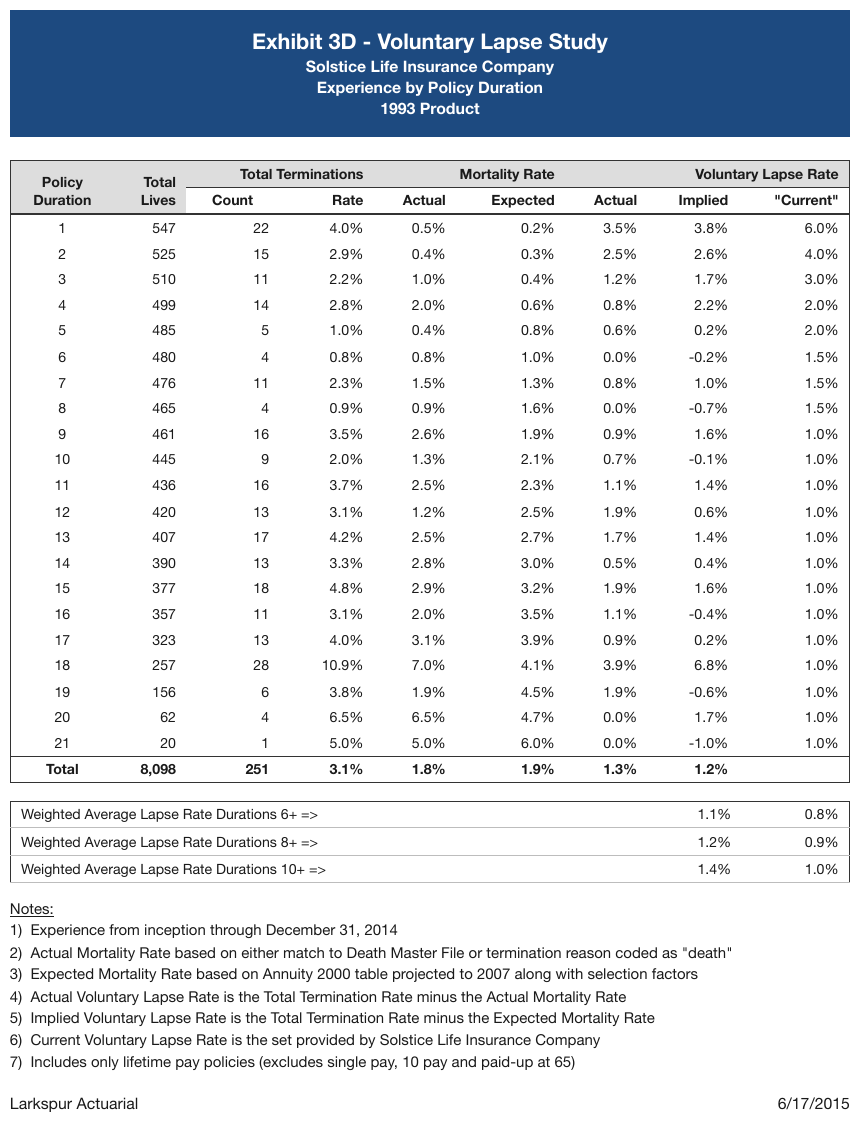
A boxed Weighted Average Lapse Rate summary detached below the main frame, its two values aligned
under the Implied and "Current" lapse-rate columns. It is stitched back in as trailing rows,
each value in the column it lines up with.
| Policy Duration | Total Lives | Total Terminations | Mortality Rate | Voluntary Lapse Rate | ||||||||||||||||||||||||||||||||||||||||||||||||||||||||||||||||||||||||||||||||||||||||||||||
|---|---|---|---|---|---|---|---|---|---|---|---|---|---|---|---|---|---|---|---|---|---|---|---|---|---|---|---|---|---|---|---|---|---|---|---|---|---|---|---|---|---|---|---|---|---|---|---|---|---|---|---|---|---|---|---|---|---|---|---|---|---|---|---|---|---|---|---|---|---|---|---|---|---|---|---|---|---|---|---|---|---|---|---|---|---|---|---|---|---|---|---|---|---|---|---|---|---|---|
| Count | Rate | Actual | Expected | Actual | Implied | "Current" | ||||||||||||||||||||||||||||||||||||||||||||||||||||||||||||||||||||||||||||||||||||||||||||
| 1 | 547 | 22 | 4.0% | 0.5% | 0.2% | 3.5% | 3.8% | 6.0% | ||||||||||||||||||||||||||||||||||||||||||||||||||||||||||||||||||||||||||||||||||||||||||
| … | ||||||||||||||||||||||||||||||||||||||||||||||||||||||||||||||||||||||||||||||||||||||||||||||||||
| 21 | 20 | 1 | 5.0% | 5.0% | 6.0% | 0.0% | -1.0% | 1.0% | ||||||||||||||||||||||||||||||||||||||||||||||||||||||||||||||||||||||||||||||||||||||||||
| Total | 8,098 | 251 | 3.1% | 1.8% | 1.9% | 1.3% | 1.2% | |||||||||||||||||||||||||||||||||||||||||||||||||||||||||||||||||||||||||||||||||||||||||||
| Weighted Average Lapse Rate Durations 6+ => | 1.1% | 0.8% | ||||||||||||||||||||||||||||||||||||||||||||||||||||||||||||||||||||||||||||||||||||||||||||||||
| Weighted Average Lapse Rate Durations 8+ => | 1.2% | 0.9% | ||||||||||||||||||||||||||||||||||||||||||||||||||||||||||||||||||||||||||||||||||||||||||||||||
| Weighted Average Lapse Rate Durations 10+ => | 1.4% | 1.0% | ||||||||||||||||||||||||||||||||||||||||||||||||||||||||||||||||||||||||||||||||||||||||||||||||
Markdown source
<table>
<tr> <th rowspan="2">Policy<br/>Duration</th> <th rowspan="2">Total<br/>Lives</th> <th colspan="2">Total Terminations</th> <th colspan="2">Mortality Rate</th> <th colspan="3">Voluntary Lapse Rate</th> </tr>
<tr> <th>Count</th> <th>Rate</th> <th>Actual</th> <th>Expected</th> <th>Actual</th> <th>Implied</th> <th>"Current"</th> </tr>
<tr> <td data-level="0">1</td> <td>547</td> <td>22</td> <td>4.0%</td> <td>0.5%</td> <td>0.2%</td> <td>3.5%</td> <td>3.8%</td> <td>6.0%</td> </tr>
<!-- … -->
<tr> <td data-level="0">21</td> <td>20</td> <td>1</td> <td>5.0%</td> <td>5.0%</td> <td>6.0%</td> <td>0.0%</td> <td>-1.0%</td> <td>1.0%</td> </tr>
<tr> <th data-level="0"><strong>Total</strong></th> <td><strong>8,098</strong></td> <td><strong>251</strong></td> <td><strong>3.1%</strong></td> <td><strong>1.8%</strong></td> <td><strong>1.9%</strong></td> <td><strong>1.3%</strong></td> <td><strong>1.2%</strong></td> <td> </td> </tr>
<tr> <td colspan="7" data-level="0">Weighted Average Lapse Rate Durations 6+ =></td> <td>1.1%</td> <td>0.8%</td> </tr>
<tr> <td colspan="7" data-level="0">Weighted Average Lapse Rate Durations 8+ =></td> <td>1.2%</td> <td>0.9%</td> </tr>
<tr> <td colspan="7" data-level="0">Weighted Average Lapse Rate Durations 10+ =></td> <td>1.4%</td> <td>1.0%</td> </tr>
</table>✅ Sample — 2tt
Boxed Percentage Change: -8.3% / +30.0% values below each frame, aligned under the
Proposed Rate/Factor column, folded back in as trailing rows.
| Item | Value | Current Rate/Factor | Proposed Rate/Factor | |||||||||||||||||||||||||||||||||||||||||||||||||||||||||||||||||||||||||||||||||||||||||||||||
|---|---|---|---|---|---|---|---|---|---|---|---|---|---|---|---|---|---|---|---|---|---|---|---|---|---|---|---|---|---|---|---|---|---|---|---|---|---|---|---|---|---|---|---|---|---|---|---|---|---|---|---|---|---|---|---|---|---|---|---|---|---|---|---|---|---|---|---|---|---|---|---|---|---|---|---|---|---|---|---|---|---|---|---|---|---|---|---|---|---|---|---|---|---|---|---|---|---|---|
| Pet Type | Cat | $471.51 | $612.96 | |||||||||||||||||||||||||||||||||||||||||||||||||||||||||||||||||||||||||||||||||||||||||||||||
| … | ||||||||||||||||||||||||||||||||||||||||||||||||||||||||||||||||||||||||||||||||||||||||||||||||||
| Years Claim Free | 1 | 0.980 | 0.980 | |||||||||||||||||||||||||||||||||||||||||||||||||||||||||||||||||||||||||||||||||||||||||||||||
| Premium | $717.60 | $658.16 | ||||||||||||||||||||||||||||||||||||||||||||||||||||||||||||||||||||||||||||||||||||||||||||||||
| Percentage Change: | -8.3% | |||||||||||||||||||||||||||||||||||||||||||||||||||||||||||||||||||||||||||||||||||||||||||||||||
Markdown source
<table>
<tr> <th>Item</th> <th>Value</th> <th>Current Rate/Factor</th> <th>Proposed Rate/Factor</th> </tr>
<tr> <td data-level="0">Pet Type</td> <td>Cat</td> <td>$471.51</td> <td>$612.96</td> </tr>
<!-- … -->
<tr> <td data-level="0">Years Claim Free</td> <td>1</td> <td>0.980</td> <td>0.980</td> </tr>
<tr> <th data-level="0"><strong>Premium</strong></th> <td> </td> <td><strong>$717.60</strong></td> <td><strong>$658.16</strong></td> </tr>
<tr> <td colspan="3" data-level="0">Percentage Change:</td> <td>-8.3%</td> </tr>
</table>Alignment on its own is not proof
Alignment places an island once it is known to belong to the table; it cannot by itself prove that
an out-of-frame line is a footer row. On a premium-tax page an underline closes a
Premium Tax / Total mini-table, and the 3. DCCE to Loss Ratio line printed beneath it sits under
the same columns while belonging to neither table.
The frame test MUST be applied first, and alignment used only to place what it hands over — not the other way round.
Where the frame is genuinely ambiguous
Some pages have no ruled border either way. There, both encodings — footer rows of the table, or a separate key-value table — conform, provided every printed line is kept. A document MUST use one of them throughout. See Accepted Alternatives§A.1 and Choices Made Once Per Document§4.2.
Related
- Total and Subtotal Rows§9.5.6 — totals printed inside the grid
- Footnotes Inside the Frame§9.7.2 — the one bottom-edge block that never becomes a row
- Titles Banners Captions§9.7.3 — the same frame test at the top edge
- Forms and Key-Value Regions§10.1 — the key-value treatment this rule makes an exception to
9.7.2 Footnotes Inside the Frame
✅ Normative · 📄 page rule
✅ Normative
A table footnote MUST be rendered outside the table, as footnote text placed after it — even when
the page prints it inside the table's ruled border. It MUST NOT be rendered as a row of the table.
It retains the Footnote class and MUST NOT be wrapped in <caption>. This is a deliberate
exception to the frame test.
A footnote line printed within the table's own ruled border:
| Rate A | 1.10¹ |
| Rate B | 1.25 |
| ¹ Excludes riders | ← printed INSIDE the ruled frame
Why the frame test does not decide footnotes
The frame test — ink inside the border is a row, ink outside it is a caption — decides titles and banners in Titles Banners Captions§9.7.3 and totals blocks in Bottom Edge Totals and Islands§9.7.1. It is worth having because it is mechanical.
A footnote is where it gives the wrong answer. The line names no columns and carries no values, so rendering it as a row asserts something false about the table: a consumer counting records gets one too many, and the row's single cell has no relationship to any column above it. Where the typesetter drew the border is a layout accident — the footnote is commentary on the table either way.
The carve-out costs the frame test its single-signal property, and that price is paid deliberately: the frame decides titles and banners; it does not decide footnotes.
✅ Sample — wwa
(Justify Selection and Trend Period in Filing Memorandum) is printed inside the table's
grid, under the last data row — the case where the frame test and instinct disagree. It is set in
italics, and it follows the table as footnote text.
| Quarterly Data | Rolling 4-Quarter Data | |||||||||||||||||||||||||||||||||||||||||||||||||||||||||||||||||||||||||||||||||||||||||||||||||
|---|---|---|---|---|---|---|---|---|---|---|---|---|---|---|---|---|---|---|---|---|---|---|---|---|---|---|---|---|---|---|---|---|---|---|---|---|---|---|---|---|---|---|---|---|---|---|---|---|---|---|---|---|---|---|---|---|---|---|---|---|---|---|---|---|---|---|---|---|---|---|---|---|---|---|---|---|---|---|---|---|---|---|---|---|---|---|---|---|---|---|---|---|---|---|---|---|---|---|
| Calendar YYYYQ | Earned Exposures | Earned Premium | On-Level Earned Premium | On-Level Earned Premium per Exposure | Earned Exposures | Earned Premium | On-Level Earned Premium | On-Level Earned Premium per Exposure | ||||||||||||||||||||||||||||||||||||||||||||||||||||||||||||||||||||||||||||||||||||||||||
| 20181 | 7,922 | 7,176,347 | 12,371,356 | 1,562 | ||||||||||||||||||||||||||||||||||||||||||||||||||||||||||||||||||||||||||||||||||||||||||||||
| 20182 | 8,182 | 7,482,355 | 12,699,979 | 1,552 | ||||||||||||||||||||||||||||||||||||||||||||||||||||||||||||||||||||||||||||||||||||||||||||||
| 20183 | 8,457 | 7,873,442 | 13,047,208 | 1,543 | ||||||||||||||||||||||||||||||||||||||||||||||||||||||||||||||||||||||||||||||||||||||||||||||
| 20184 | 8,533 | 5,931,377 | 9,267,627 | 1,086 | 33,095 | 28,463,522 | 47,386,171 | 1,432 | ||||||||||||||||||||||||||||||||||||||||||||||||||||||||||||||||||||||||||||||||||||||||||
| 20191 | 8,455 | 7,542,332 | 11,782,122 | 1,393 | 33,627 | 28,829,507 | 46,796,936 | 1,392 | ||||||||||||||||||||||||||||||||||||||||||||||||||||||||||||||||||||||||||||||||||||||||||
| 20192 | 8,731 | 8,310,237 | 12,647,017 | 1,448 | 34,176 | 29,657,389 | 46,743,974 | 1,368 | ||||||||||||||||||||||||||||||||||||||||||||||||||||||||||||||||||||||||||||||||||||||||||
| … | ||||||||||||||||||||||||||||||||||||||||||||||||||||||||||||||||||||||||||||||||||||||||||||||||||
| 20243 | 6,762 | 10,399,111 | 11,171,105 | 1,652 | 26,922 | 40,293,219 | 44,436,437 | 1,651 | ||||||||||||||||||||||||||||||||||||||||||||||||||||||||||||||||||||||||||||||||||||||||||
(Justify Selection and Trend Period in Filing Memorandum)
Markdown source
<table>
<tr> <th> </th> <th colspan="4">Quarterly Data</th> <th colspan="4">Rolling 4-Quarter Data</th> </tr>
<tr> <th>Calendar YYYYQ</th> <th>Earned Exposures</th> <th>Earned Premium</th> <th>On-Level Earned Premium</th> <th>On-Level Earned Premium per Exposure</th> <th>Earned Exposures</th> <th>Earned Premium</th> <th>On-Level Earned Premium</th> <th>On-Level Earned Premium per Exposure</th> </tr>
<tr> <td>20181</td> <td>7,922</td> <td>7,176,347</td> <td>12,371,356</td> <td>1,562</td> <td> </td> <td> </td> <td> </td> <td> </td> </tr>
<tr> <td>20182</td> <td>8,182</td> <td>7,482,355</td> <td>12,699,979</td> <td>1,552</td> <td> </td> <td> </td> <td> </td> <td> </td> </tr>
<tr> <td>20183</td> <td>8,457</td> <td>7,873,442</td> <td>13,047,208</td> <td>1,543</td> <td> </td> <td> </td> <td> </td> <td> </td> </tr>
<tr> <td>20184</td> <td>8,533</td> <td>5,931,377</td> <td>9,267,627</td> <td>1,086</td> <td>33,095</td> <td>28,463,522</td> <td>47,386,171</td> <td>1,432</td> </tr>
<tr> <td>20191</td> <td>8,455</td> <td>7,542,332</td> <td>11,782,122</td> <td>1,393</td> <td>33,627</td> <td>28,829,507</td> <td>46,796,936</td> <td>1,392</td> </tr>
<tr> <td>20192</td> <td>8,731</td> <td>8,310,237</td> <td>12,647,017</td> <td>1,448</td> <td>34,176</td> <td>29,657,389</td> <td>46,743,974</td> <td>1,368</td> </tr>
<!-- … -->
<tr> <td>20243</td> <td>6,762</td> <td>10,399,111</td> <td>11,171,105</td> <td>1,652</td> <td>26,922</td> <td>40,293,219</td> <td>44,436,437</td> <td>1,651</td> </tr>
</table>
(Justify Selection and Trend Period in Filing Memorandum)
Rendering the footnote
- Wherever the border falls, the footnote MUST be footnote text placed immediately after the table. It MUST be transcribed verbatim, including its leading marker, and MUST stay attached to the table it annotates rather than drifting into the surrounding prose.
- A line opening
¹,*,(a)orNote:that refers to a marker printed in a cell above it is a footnote, not a row. - Superscript markers inside cells MUST stay attached to their values — see
Marks and Symbols in Cells§9.6.6. The footnote body leaving the table does not take the reference
with it, so
1.10¹in the cell and¹ Excludes ridersafter the table still point at each other. - The text MUST survive either way. Only its placement is decided here; dropping it is never conforming.
✅ Sample — two footnotes inside a shaded frame
Footnotes 1 and 2 sit inside the grey-bordered panel that frames the trading table, under the
Total row, in a smaller face. Both follow the table as footnote text; the superscript markers stay
in the header cells and the Other trading label. Only the year band and the Total row are
printed bold; the hyphenated header wraps (per- / form- / ance) are joined.
| 2025 | 2024 | |||||
|---|---|---|---|---|---|---|
| in € m. | Trading revenues reported | Net trading related interest1 | Trading performance | Trading revenues reported | Net trading related interest1 | Trading performance |
| Interest and credit trading | 1,412 | 1,486 | 2,898 | 1,977 | 1,240 | 3,217 |
| Equity trading | 58 | 392 | 450 | 1,486 | 402 | 1,888 |
| Foreign exchange, metal, commodity trading | 1,180 | 4 | 1,184 | 1,301 | (5) | 1,296 |
| Other trading2 | 1,290 | (214) | 1,076 | 720 | (392) | 328 |
| Total | 3,940 | 1,668 | 5,608 | 5,484 | 1,245 | 6,729 |
1 Includes interest income from trading assets and interest expense from trading liabilities, as well as allocations of interest expense and income representing the funding cost or benefit associated with trading positions. These amounts are included in net interest revenues in the Consolidated Statement of Income. Also adjusts net interest revenues on derivatives entered into for nontrading purposes, but failing to qualify for hedge accounting treatment.
2 Includes gains and losses from derivatives not qualifying for hedge accounting treatment.
Markdown source
<table>
<tr> <th> </th> <th colspan="3"><strong>2025</strong></th> <th colspan="3"><strong>2024</strong></th> </tr>
<tr> <th>in € m.</th> <th>Trading revenues reported</th> <th>Net trading related interest<sup>1</sup></th> <th>Trading performance</th> <th>Trading revenues reported</th> <th>Net trading related interest<sup>1</sup></th> <th>Trading performance</th> </tr>
<tr> <td data-level="0">Interest and credit trading</td> <td>1,412</td> <td>1,486</td> <td>2,898</td> <td>1,977</td> <td>1,240</td> <td>3,217</td> </tr>
<tr> <td data-level="0">Equity trading</td> <td>58</td> <td>392</td> <td>450</td> <td>1,486</td> <td>402</td> <td>1,888</td> </tr>
<tr> <td data-level="0">Foreign exchange, metal, commodity trading</td> <td>1,180</td> <td>4</td> <td>1,184</td> <td>1,301</td> <td>(5)</td> <td>1,296</td> </tr>
<tr> <td data-level="0">Other trading<sup>2</sup></td> <td>1,290</td> <td>(214)</td> <td>1,076</td> <td>720</td> <td>(392)</td> <td>328</td> </tr>
<tr> <th data-level="0"><strong>Total</strong></th> <td><strong>3,940</strong></td> <td><strong>1,668</strong></td> <td><strong>5,608</strong></td> <td><strong>5,484</strong></td> <td><strong>1,245</strong></td> <td><strong>6,729</strong></td> </tr>
</table>
<sup>1</sup> Includes interest income from trading assets and interest expense from trading liabilities, as well as allocations of interest expense and income representing the funding cost or benefit associated with trading positions. These amounts are included in net interest revenues in the Consolidated Statement of Income. Also adjusts net interest revenues on derivatives entered into for nontrading purposes, but failing to qualify for hedge accounting treatment.
<sup>2</sup> Includes gains and losses from derivatives not qualifying for hedge accounting treatment.
Related
- Titles Banners Captions§9.7.3 — the frame test that decides titles and banners, and does not decide footnotes
- Bottom Edge Totals and Islands§9.7.1 — the frame test applied to totals and islands at the same edge
- Marks and Symbols in Cells§9.6.6 — the in-cell marker that points at the footnote
9.7.3 Titles Banners Captions
✅ Normative · 📄 page rule
✅ Normative
For a table-only title, the frame and the fill decide. A band that shares the table's border or
fill MUST be rendered as a header row inside the table; a table-only title outside the ruled
frame MUST be rendered as <caption> inside the table HTML. Table and chart captions MUST be
the first or last content inside <table> according to reading order and MUST appear once.
22. Consolidated Income Statement ← title line above the table:
| Revenue | 2024 | 2023 | ## heading? first header row? both?
| [colspan=3]LAWNS & ANNUALS | ← band sharing the table's border/fill:
| Name | Water | Sun | header row inside, or heading outside?
Structural statement titles
A table-only caption is first told apart from a principal financial-statement or numbered schedule title using Recognising Ambiguous Headings§6.7. A principal statement title can be a document heading, and a company line printed directly above it joins that heading (see Stacked Headings§6.9); a units line cannot. A numbered schedule title printed within a grid keeps its structural role, but its text MUST stay in the table once and MUST NOT be duplicated as an outside heading. The frame test below applies to ordinary table captions and bands.
The frame test
The position of the ink relative to the ruled border, and whether the band carries the table's fill, decide:
| The band… | Rendering |
|---|---|
| shares the border or the fill | a header row inside the table. A coloured "LAWNS & ANNUALS" band that runs to the table's own edges is a <th colspan=N> banner row. Such bands MUST NOT be omitted — they carry the heading for everything under them. |
| sits outside the ruled frame | <caption> inside the table HTML, first or last according to reading order |
Only text that belongs to the table alone counts. A page heading that happens to sit above a table, and would still make sense if the table were removed, is not a title band.
A bold caption with paragraph spacing directly above a bordered mini-table follows the same
rule: it MUST be the first <caption> inside the table HTML.
✅ Sample — star
APPLICABILITY CHART as a full-width band sharing the table's own ruled border — in-frame by the
frame test, so it is the first header row.
| APPLICABILITY CHART | ||||||||||||||||||||||||||||||||||||||||||||||||||||||||||||||||||||||||||||||||||||||||||||||||||
|---|---|---|---|---|---|---|---|---|---|---|---|---|---|---|---|---|---|---|---|---|---|---|---|---|---|---|---|---|---|---|---|---|---|---|---|---|---|---|---|---|---|---|---|---|---|---|---|---|---|---|---|---|---|---|---|---|---|---|---|---|---|---|---|---|---|---|---|---|---|---|---|---|---|---|---|---|---|---|---|---|---|---|---|---|---|---|---|---|---|---|---|---|---|---|---|---|---|---|
| STATE | TERRORISM OPTIONS – INCLUDING PRICING | |||||||||||||||||||||||||||||||||||||||||||||||||||||||||||||||||||||||||||||||||||||||||||||||||
| VERSION | IMPLEMENTATION CIRCULAR | EFFECTIVE DATE | EXPIRATION DATE | |||||||||||||||||||||||||||||||||||||||||||||||||||||||||||||||||||||||||||||||||||||||||||||||
| ALABAMA | * | * | * | * | ||||||||||||||||||||||||||||||||||||||||||||||||||||||||||||||||||||||||||||||||||||||||||||||
| ALASKA | * | * | * | * | ||||||||||||||||||||||||||||||||||||||||||||||||||||||||||||||||||||||||||||||||||||||||||||||
| ARIZONA | * | * | * | * | ||||||||||||||||||||||||||||||||||||||||||||||||||||||||||||||||||||||||||||||||||||||||||||||
| ARKANSAS | * | * | * | * | ||||||||||||||||||||||||||||||||||||||||||||||||||||||||||||||||||||||||||||||||||||||||||||||
| CALIFORNIA | * | * | * | * | ||||||||||||||||||||||||||||||||||||||||||||||||||||||||||||||||||||||||||||||||||||||||||||||
| COLORADO | * | * | * | * | ||||||||||||||||||||||||||||||||||||||||||||||||||||||||||||||||||||||||||||||||||||||||||||||
| … | ||||||||||||||||||||||||||||||||||||||||||||||||||||||||||||||||||||||||||||||||||||||||||||||||||
| GEORGIA | CS102 | CP–SC–2024–381 | 2/01/25 | + | ||||||||||||||||||||||||||||||||||||||||||||||||||||||||||||||||||||||||||||||||||||||||||||||
| … | ||||||||||||||||||||||||||||||||||||||||||||||||||||||||||||||||||||||||||||||||||||||||||||||||||
Markdown source
<table>
<tr> <th colspan="5">APPLICABILITY CHART</th> </tr>
<tr> <th rowspan="2">STATE</th> <th colspan="4">TERRORISM OPTIONS – INCLUDING PRICING</th> </tr>
<tr> <th>VERSION</th> <th>IMPLEMENTATION<br/>CIRCULAR</th> <th>EFFECTIVE DATE</th> <th>EXPIRATION DATE</th> </tr>
<tr> <td>ALABAMA</td> <td>*</td> <td>*</td> <td>*</td> <td>*</td> </tr>
<tr> <td>ALASKA</td> <td>*</td> <td>*</td> <td>*</td> <td>*</td> </tr>
<tr> <td>ARIZONA</td> <td>*</td> <td>*</td> <td>*</td> <td>*</td> </tr>
<tr> <td>ARKANSAS</td> <td>*</td> <td>*</td> <td>*</td> <td>*</td> </tr>
<tr> <td>CALIFORNIA</td> <td>*</td> <td>*</td> <td>*</td> <td>*</td> </tr>
<tr> <td>COLORADO</td> <td>*</td> <td>*</td> <td>*</td> <td>*</td> </tr>
<!-- … -->
<tr> <td>GEORGIA</td> <td>CS102</td> <td>CP–SC–2024–381</td> <td>2/01/25</td> <td>+</td> </tr>
<!-- … -->
</table>✅ Sample — 3t
A coloured colspan title bar (TIMBER IMPACT INVESTING FUNDS) sharing the table's fill and width opens each of the three tables.
| TIMBER IMPACT INVESTING FUNDS | |||||||||||
|---|---|---|---|---|---|---|---|---|---|---|---|
| VINTAGE YEAR | POOLED RETURN (%) | ARITHMETIC MEAN (%) | MEDIAN (%) | EQUAL-WEIGHTED POOLED RETURN (%) | UPPER QUARTILE (%) | LOWER QUARTILE (%) | STANDARD DEVIATION (%) | DPI | RVPI | TVPI | NUMBER OF FUNDS |
| 1997-2001 | — | — | — | — | — | — | — | — | — | — | 2 |
| 2002-2004 | 3.11 | 3.58 | — | 3.55 | — | — | — | 0.94 | 0.45 | 1.39 | 4 |
| 2005-2007 | 4.05 | 5.44 | 5.56 | 5.36 | — | — | — | 0.86 | 0.60 | 1.46 | 6 |
| 2008-2010 | 4.38 | 4.51 | 4.66 | 4.03 | — | — | — | 0.30 | 0.98 | 1.28 | 5 |
| 2011-2013 | — | — | — | — | — | — | — | — | — | — | 1 |
| 2014-2017 | 6.06 | 7.55 | — | 5.83 | — | — | — | 0.14 | 1.00 | 1.14 | 3 |
| 1997-2017 | 4.06 | 5.50 | 4.94 | 5.09 | 7.04 | 4.46 | 3.75 | 0.76 | 0.64 | 1.40 | 21 |
Markdown source
<table>
<tr> <th colspan="12">TIMBER IMPACT INVESTING FUNDS</th> </tr>
<tr> <th>VINTAGE YEAR</th> <th>POOLED RETURN (%)</th> <th>ARITHMETIC MEAN (%)</th> <th>MEDIAN (%)</th> <th>EQUAL-WEIGHTED POOLED RETURN (%)</th> <th>UPPER QUARTILE (%)</th> <th>LOWER QUARTILE (%)</th> <th>STANDARD DEVIATION (%)</th> <th>DPI</th> <th>RVPI</th> <th>TVPI</th> <th>NUMBER OF FUNDS</th> </tr>
<tr> <td data-level="0">1997-2001</td> <td>—</td> <td>—</td> <td>—</td> <td>—</td> <td>—</td> <td>—</td> <td>—</td> <td>—</td> <td>—</td> <td>—</td> <td>2</td> </tr>
<tr> <td data-level="0">2002-2004</td> <td>3.11</td> <td>3.58</td> <td>—</td> <td>3.55</td> <td>—</td> <td>—</td> <td>—</td> <td>0.94</td> <td>0.45</td> <td>1.39</td> <td>4</td> </tr>
<tr> <td data-level="0">2005-2007</td> <td>4.05</td> <td>5.44</td> <td>5.56</td> <td>5.36</td> <td>—</td> <td>—</td> <td>—</td> <td>0.86</td> <td>0.60</td> <td>1.46</td> <td>6</td> </tr>
<tr> <td data-level="0">2008-2010</td> <td>4.38</td> <td>4.51</td> <td>4.66</td> <td>4.03</td> <td>—</td> <td>—</td> <td>—</td> <td>0.30</td> <td>0.98</td> <td>1.28</td> <td>5</td> </tr>
<tr> <td data-level="0">2011-2013</td> <td>—</td> <td>—</td> <td>—</td> <td>—</td> <td>—</td> <td>—</td> <td>—</td> <td>—</td> <td>—</td> <td>—</td> <td>1</td> </tr>
<tr> <td data-level="0">2014-2017</td> <td>6.06</td> <td>7.55</td> <td>—</td> <td>5.83</td> <td>—</td> <td>—</td> <td>—</td> <td>0.14</td> <td>1.00</td> <td>1.14</td> <td>3</td> </tr>
<tr> <th data-level="0"><strong>1997-2017</strong></th> <td><strong>4.06</strong></td> <td><strong>5.50</strong></td> <td><strong>4.94</strong></td> <td><strong>5.09</strong></td> <td><strong>7.04</strong></td> <td><strong>4.46</strong></td> <td><strong>3.75</strong></td> <td><strong>0.76</strong></td> <td><strong>0.64</strong></td> <td><strong>1.40</strong></td> <td><strong>21</strong></td> </tr>
</table>✅ Sample — ylf
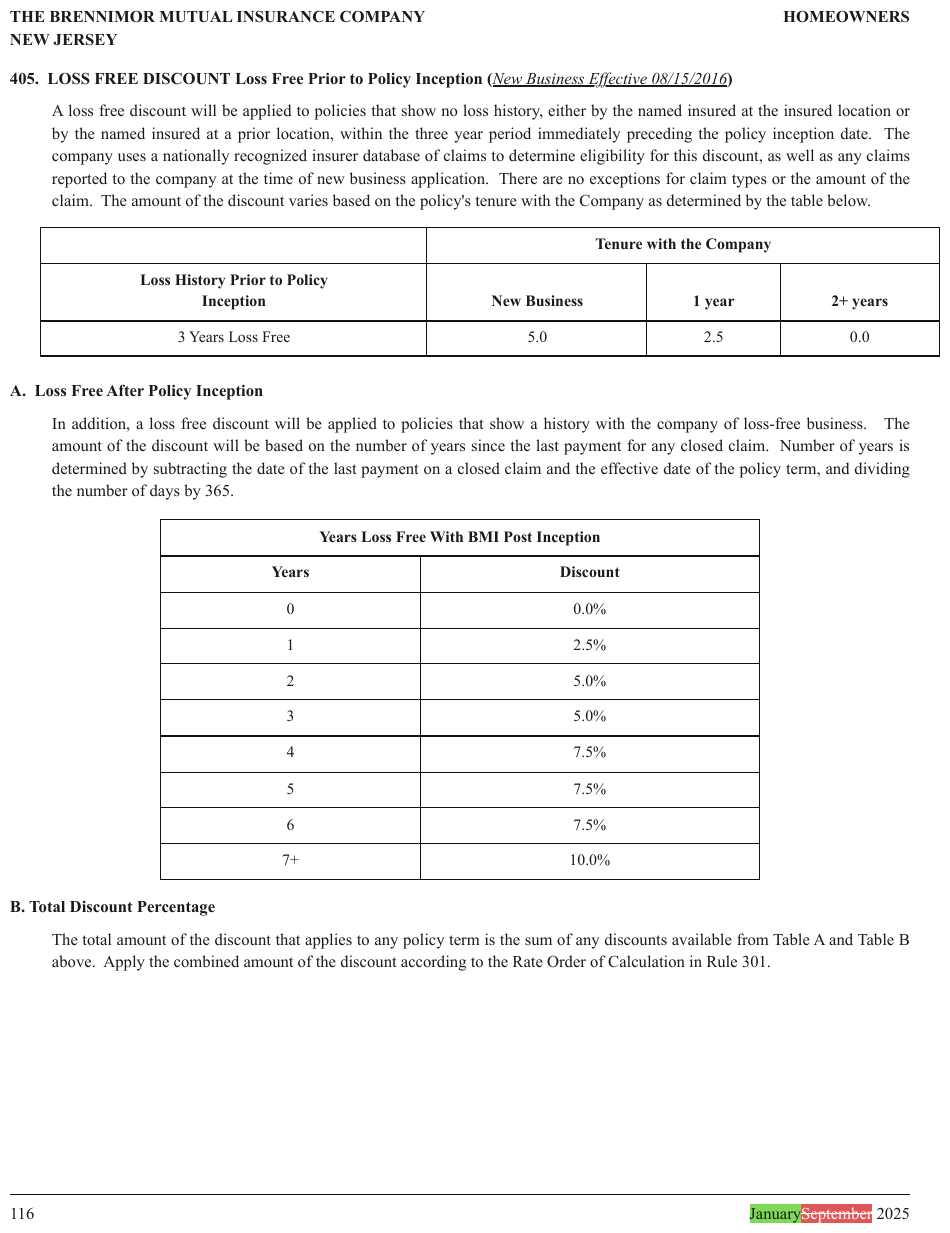
Years Loss Free With BMI Post Inception is a title band inside the second table's ruled frame, spanning both columns, so it is the table's first header row and is not repeated as text above it.
| Years Loss Free With BMI Post Inception | |
|---|---|
| Years | Discount |
| 0 | 0.0% |
| 1 | 2.5% |
| 2 | 5.0% |
| 3 | 5.0% |
| 4 | 7.5% |
| 5 | 7.5% |
| 6 | 7.5% |
| 7+ | 10.0% |
Markdown source
<table>
<tr> <th colspan="2">Years Loss Free With BMI Post Inception</th> </tr>
<tr> <th>Years</th> <th>Discount</th> </tr>
<tr> <td>0</td> <td>0.0%</td> </tr>
<tr> <td>1</td> <td>2.5%</td> </tr>
<tr> <td>2</td> <td>5.0%</td> </tr>
<tr> <td>3</td> <td>5.0%</td> </tr>
<tr> <td>4</td> <td>7.5%</td> </tr>
<tr> <td>5</td> <td>7.5%</td> </tr>
<tr> <td>6</td> <td>7.5%</td> </tr>
<tr> <td>7+</td> <td>10.0%</td> </tr>
</table>An in-table title is one full-width cell
A title band rendered as a row MUST be a single full-width <th colspan=N> — never the title
in one column with empty cells padded beside it.
| [colspan=3]Table 13 — Scale G2 | vs | Table 13 — Scale G2 | | |
↑ padded: a spurious record
A full-width single-value row is recognised as a title and set aside; the padded form reads as a real data row with missing values, and adds a row that the table does not have.
A table-only title therefore has two forms, chosen by its printed role: a full-width header
row for an in-frame band, or <caption> for a caption outside the printed frame.
A title appears once
A title MUST appear once, in the form selected by the frame test. A <caption> MUST NOT also
appear as a paragraph outside the table or as a header row.
Banner colspan follows the region, not the ink
A centred band title MUST span the region it heads, not the pixels its letters happen to cover.
| Proposed | ← ink covers 4 of 14 column tracks:
| c1 | c2 | … | c14 | colspan=4 or colspan=14?
A "Proposed" banner over a 14-column table is colspan=14, even though its ink reaches only the
middle four. Centred text shrinks toward the middle whatever it spans, so measuring the glyphs
measures the font, not the structure.
✅ Sample — lakecruise
Coloured GROSSE SEERUNDFAHRT / KLEINE SEERUNDFAHRT banners span each timetable's full width, so
each is one full-width header cell (all nine columns in the first table), carrying the duration
printed at its right end. Bold stop rows (Lindenhafen, Seewinkel) are bold per cell.
| GROSSE SEERUNDFAHRT LONG LAKE CRUISE 4H 30M | ||||||||||||||||||||||||||||||||||||||||||||||||||||||||||||||||||||||||||||||||||||||||||||||||||
|---|---|---|---|---|---|---|---|---|---|---|---|---|---|---|---|---|---|---|---|---|---|---|---|---|---|---|---|---|---|---|---|---|---|---|---|---|---|---|---|---|---|---|---|---|---|---|---|---|---|---|---|---|---|---|---|---|---|---|---|---|---|---|---|---|---|---|---|---|---|---|---|---|---|---|---|---|---|---|---|---|---|---|---|---|---|---|---|---|---|---|---|---|---|---|---|---|---|---|
| Täglich Daily | ||||||||||||||||||||||||||||||||||||||||||||||||||||||||||||||||||||||||||||||||||||||||||||||||||
| Kurs / Service | 101/102 | 103/104 | 105/106 | 107/108 | 109/110 | 113/114 | 117/118 | |||||||||||||||||||||||||||||||||||||||||||||||||||||||||||||||||||||||||||||||||||||||||||
| ⊛ | ⊛ | ⊛ | ⊛ | ⊛ | ⊛ | ⊛ | ||||||||||||||||||||||||||||||||||||||||||||||||||||||||||||||||||||||||||||||||||||||||||||
| Lindenhafen | 09.20 | 10.20 | 11.20 | 12.20 | 13.20 | 15.20 | 17.20 | Lindenhafen | ||||||||||||||||||||||||||||||||||||||||||||||||||||||||||||||||||||||||||||||||||||||||||
| Aurenbach | 09.47 | ↓ | ↓ | 12.47 | 13.47 | ↓ | ↓ | Aurenbach | ||||||||||||||||||||||||||||||||||||||||||||||||||||||||||||||||||||||||||||||||||||||||||
| Tannwil | 09.58 | ↓ | ↓ | 12.58 | 13.58 | ↓ | ↓ | Tannwil | ||||||||||||||||||||||||||||||||||||||||||||||||||||||||||||||||||||||||||||||||||||||||||
| Seewinkel | ↓ | 10.51 | 11.51 | ↓ | ↓ | 15.51 | 17.51 | Seewinkel | ||||||||||||||||||||||||||||||||||||||||||||||||||||||||||||||||||||||||||||||||||||||||||
| Rebstein | ↓ | 10.59 | 11.59 | ↓ | ↓ | 15.59 | ↓ | Rebstein | ||||||||||||||||||||||||||||||||||||||||||||||||||||||||||||||||||||||||||||||||||||||||||
| Falkenau | 10.09 | ↓ | ↓ | 13.09 | 14.09 | ↓ | 18.04 | Falkenau | ||||||||||||||||||||||||||||||||||||||||||||||||||||||||||||||||||||||||||||||||||||||||||
| … | ||||||||||||||||||||||||||||||||||||||||||||||||||||||||||||||||||||||||||||||||||||||||||||||||||
Markdown source
<table>
<tr> <th colspan="9"><strong>GROSSE SEERUNDFAHRT LONG LAKE CRUISE</strong> 4H 30M</th> </tr>
<tr> <th> </th> <th colspan="7"><strong>Täglich<br/>Daily</strong></th> <th> </th> </tr>
<tr> <th><strong>Kurs / Service</strong></th> <th><strong>101/102</strong></th> <th><strong>103/104</strong></th> <th><strong>105/106</strong></th> <th><strong>107/108</strong></th> <th><strong>109/110</strong></th> <th><strong>113/114</strong></th> <th><strong>117/118</strong></th> <th> </th> </tr>
<tr> <th> </th> <th>⊛</th> <th>⊛</th> <th>⊛</th> <th>⊛</th> <th>⊛</th> <th>⊛</th> <th>⊛</th> <th> </th> </tr>
<tr> <td><strong>Lindenhafen</strong></td> <td><strong>09.20</strong></td> <td><strong>10.20</strong></td> <td><strong>11.20</strong></td> <td><strong>12.20</strong></td> <td><strong>13.20</strong></td> <td><strong>15.20</strong></td> <td><strong>17.20</strong></td> <td><strong>Lindenhafen</strong></td> </tr>
<tr> <td>Aurenbach</td> <td>09.47</td> <td>↓</td> <td>↓</td> <td>12.47</td> <td>13.47</td> <td>↓</td> <td>↓</td> <td>Aurenbach</td> </tr>
<tr> <td>Tannwil</td> <td>09.58</td> <td>↓</td> <td>↓</td> <td>12.58</td> <td>13.58</td> <td>↓</td> <td>↓</td> <td>Tannwil</td> </tr>
<tr> <td><strong>Seewinkel</strong></td> <td>↓</td> <td><strong>10.51</strong></td> <td><strong>11.51</strong></td> <td>↓</td> <td>↓</td> <td><strong>15.51</strong></td> <td><strong>17.51</strong></td> <td><strong>Seewinkel</strong></td> </tr>
<tr> <td>Rebstein</td> <td>↓</td> <td>10.59</td> <td>11.59</td> <td>↓</td> <td>↓</td> <td>15.59</td> <td>↓</td> <td>Rebstein</td> </tr>
<tr> <td>Falkenau</td> <td>10.09</td> <td>↓</td> <td>↓</td> <td>13.09</td> <td>14.09</td> <td>↓</td> <td>18.04</td> <td>Falkenau</td> </tr>
<!-- … -->
</table>Section-divider rows
A divider row that names no columns — "Part I — Financial Information" and the like — SHOULD
be rendered as a bold body row (<td colspan=N>); a <th> row MAY be used instead. A document
MUST use one of the two for every visually identical band — see
Choices Made Once Per Document§4.2. Whichever tag is used, a divider MUST NOT be promoted into the
column-name tier: it labels a region, not a column.
| Part I — Financial Information | ← names no columns
| Item 1 | 10-Q | 45 |
Bold <td> is the preferred form because a <th> claims "this labels the cells below it", and a
section divider makes no such claim.
❌ Counter-sample — wood
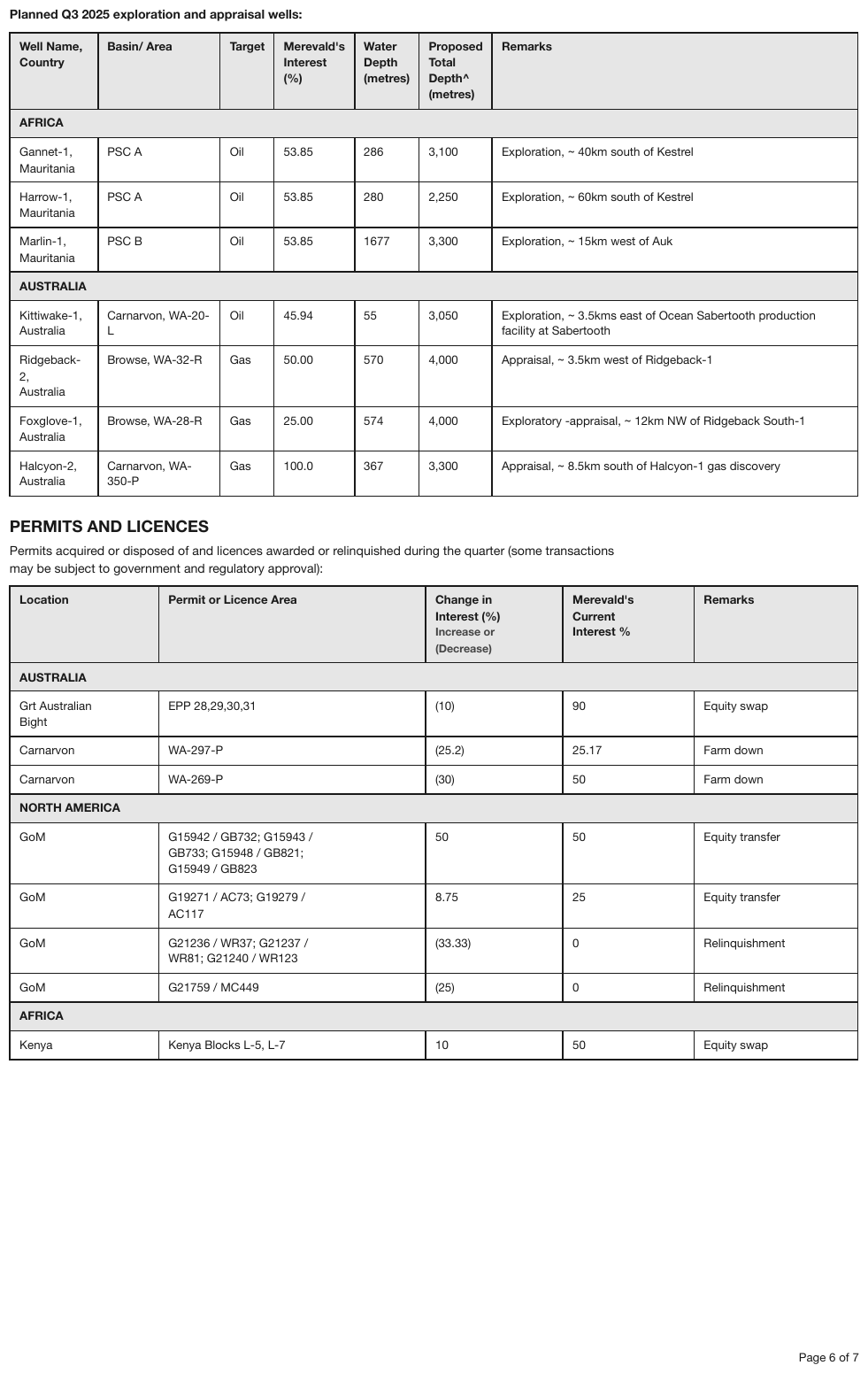
The region bands (AFRICA, AUSTRALIA, NORTH AMERICA) are visually identical grey bold bands.
A rendering that tags one of them as a body cell and another as <th> in the same document
violates the one-form-per-document requirement. The conforming rendering uses one form — here the
preferred bold <td> — for every band in both tables.
| Well Name, Country | Basin/ Area | Target | Merevald's Interest (%) | Water Depth (metres) | Proposed Total Depth^ (metres) | Remarks | ||||||||||||||||||||||||||||||||||||||||||||||||||||||||||||||||||||||||||||||||||||||||||||
|---|---|---|---|---|---|---|---|---|---|---|---|---|---|---|---|---|---|---|---|---|---|---|---|---|---|---|---|---|---|---|---|---|---|---|---|---|---|---|---|---|---|---|---|---|---|---|---|---|---|---|---|---|---|---|---|---|---|---|---|---|---|---|---|---|---|---|---|---|---|---|---|---|---|---|---|---|---|---|---|---|---|---|---|---|---|---|---|---|---|---|---|---|---|---|---|---|---|---|
| AFRICA | ||||||||||||||||||||||||||||||||||||||||||||||||||||||||||||||||||||||||||||||||||||||||||||||||||
| Gannet-1, Mauritania | PSC A | Oil | 53.85 | 286 | 3,100 | Exploration, ~ 40km south of Kestrel | ||||||||||||||||||||||||||||||||||||||||||||||||||||||||||||||||||||||||||||||||||||||||||||
| … | ||||||||||||||||||||||||||||||||||||||||||||||||||||||||||||||||||||||||||||||||||||||||||||||||||
| AUSTRALIA | ||||||||||||||||||||||||||||||||||||||||||||||||||||||||||||||||||||||||||||||||||||||||||||||||||
| Kittiwake-1, Australia | Carnarvon, WA-20-L | Oil | 45.94 | 55 | 3,050 | Exploration, ~ 3.5kms east of Ocean Sabertooth production facility at Sabertooth | ||||||||||||||||||||||||||||||||||||||||||||||||||||||||||||||||||||||||||||||||||||||||||||
| … | ||||||||||||||||||||||||||||||||||||||||||||||||||||||||||||||||||||||||||||||||||||||||||||||||||
Markdown source
<table>
<tr> <th>Well Name,<br/>Country</th> <th>Basin/ Area</th> <th>Target</th> <th>Merevald's<br/>Interest<br/>(%)</th> <th>Water<br/>Depth<br/>(metres)</th> <th>Proposed<br/>Total<br/>Depth^<br/>(metres)</th> <th>Remarks</th> </tr>
<tr> <td colspan="7">AFRICA</td> </tr>
<tr> <td>Gannet-1,<br/>Mauritania</td> <td>PSC A</td> <td>Oil</td> <td>53.85</td> <td>286</td> <td>3,100</td> <td>Exploration, ~ 40km south of Kestrel</td> </tr>
<!-- … -->
<tr> <th colspan="7">AUSTRALIA</th> </tr>
<tr> <td>Kittiwake-1,<br/>Australia</td> <td>Carnarvon, WA-20-L</td> <td>Oil</td> <td>45.94</td> <td>55</td> <td>3,050</td> <td>Exploration, ~ 3.5kms east of Ocean Sabertooth production facility at Sabertooth</td> </tr>
<!-- … -->
</table>Planned Q3 2025 exploration and appraisal wells:
| Well Name, Country | Basin/ Area | Target | Merevald's Interest (%) | Water Depth (metres) | Proposed Total Depth^ (metres) | Remarks |
|---|---|---|---|---|---|---|
| AFRICA | ||||||
| Gannet-1, Mauritania | PSC A | Oil | 53.85 | 286 | 3,100 | Exploration, ~ 40km south of Kestrel |
| Harrow-1, Mauritania | PSC A | Oil | 53.85 | 280 | 2,250 | Exploration, ~ 60km south of Kestrel |
| Marlin-1, Mauritania | PSC B | Oil | 53.85 | 1677 | 3,300 | Exploration, ~ 15km west of Auk |
| AUSTRALIA | ||||||
| Kittiwake-1, Australia | Carnarvon, WA-20-L | Oil | 45.94 | 55 | 3,050 | Exploration, ~ 3.5kms east of Ocean Sabertooth production facility at Sabertooth |
| Ridgeback-2, Australia | Browse, WA-32-R | Gas | 50.00 | 570 | 4,000 | Appraisal, ~ 3.5km west of Ridgeback-1 |
| Foxglove-1, Australia | Browse, WA-28-R | Gas | 25.00 | 574 | 4,000 | Exploratory -appraisal, ~ 12km NW of Ridgeback South-1 |
| Halcyon-2, Australia | Carnarvon, WA-350-P | Gas | 100.0 | 367 | 3,300 | Appraisal, ~ 8.5km south of Halcyon-1 gas discovery |
…
| Location | Permit or Licence Area | Change in Interest (%) Increase or (Decrease) | Merevald's Current Interest % | Remarks |
|---|---|---|---|---|
| AUSTRALIA | ||||
| Grt Australian Bight | EPP 28,29,30,31 | (10) | 90 | Equity swap |
| Carnarvon | WA-297-P | (25.2) | 25.17 | Farm down |
| Carnarvon | WA-269-P | (30) | 50 | Farm down |
| NORTH AMERICA | ||||
| GoM | G15942 / GB732; G15943 / GB733; G15948 / GB821; G15949 / GB823 | 50 | 50 | Equity transfer |
| GoM | G19271 / AC73; G19279 / AC117 | 8.75 | 25 | Equity transfer |
| GoM | G21236 / WR37; G21237 / WR81; G21240 / WR123 | (33.33) | 0 | Relinquishment |
| GoM | G21759 / MC449 | (25) | 0 | Relinquishment |
| AFRICA | ||||
| Kenya | Kenya Blocks L-5, L-7 | 10 | 50 | Equity swap |
Markdown source
**Planned Q3 2025 exploration and appraisal wells:**
<table>
<tr> <th>Well Name,<br/>Country</th> <th>Basin/ Area</th> <th>Target</th> <th>Merevald's<br/>Interest<br/>(%)</th> <th>Water<br/>Depth<br/>(metres)</th> <th>Proposed<br/>Total<br/>Depth^<br/>(metres)</th> <th>Remarks</th> </tr>
<tr> <td colspan="7"><strong>AFRICA</strong></td> </tr>
<tr> <td>Gannet-1,<br/>Mauritania</td> <td>PSC A</td> <td>Oil</td> <td>53.85</td> <td>286</td> <td>3,100</td> <td>Exploration, ~ 40km south of Kestrel</td> </tr>
<tr> <td>Harrow-1,<br/>Mauritania</td> <td>PSC A</td> <td>Oil</td> <td>53.85</td> <td>280</td> <td>2,250</td> <td>Exploration, ~ 60km south of Kestrel</td> </tr>
<tr> <td>Marlin-1,<br/>Mauritania</td> <td>PSC B</td> <td>Oil</td> <td>53.85</td> <td>1677</td> <td>3,300</td> <td>Exploration, ~ 15km west of Auk</td> </tr>
<tr> <td colspan="7"><strong>AUSTRALIA</strong></td> </tr>
<tr> <td>Kittiwake-1,<br/>Australia</td> <td>Carnarvon, WA-20-L</td> <td>Oil</td> <td>45.94</td> <td>55</td> <td>3,050</td> <td>Exploration, ~ 3.5kms east of Ocean Sabertooth production facility at Sabertooth</td> </tr>
<tr> <td>Ridgeback-2,<br/>Australia</td> <td>Browse, WA-32-R</td> <td>Gas</td> <td>50.00</td> <td>570</td> <td>4,000</td> <td>Appraisal, ~ 3.5km west of Ridgeback-1</td> </tr>
<tr> <td>Foxglove-1,<br/>Australia</td> <td>Browse, WA-28-R</td> <td>Gas</td> <td>25.00</td> <td>574</td> <td>4,000</td> <td>Exploratory -appraisal, ~ 12km NW of Ridgeback South-1</td> </tr>
<tr> <td>Halcyon-2,<br/>Australia</td> <td>Carnarvon, WA-350-P</td> <td>Gas</td> <td>100.0</td> <td>367</td> <td>3,300</td> <td>Appraisal, ~ 8.5km south of Halcyon-1 gas discovery</td> </tr>
</table>
<!-- … -->
<table>
<tr> <th>Location</th> <th>Permit or Licence Area</th> <th>Change in<br/>Interest (%)<br/>Increase or<br/>(Decrease)</th> <th>Merevald's<br/>Current<br/>Interest %</th> <th>Remarks</th> </tr>
<tr> <td colspan="5"><strong>AUSTRALIA</strong></td> </tr>
<tr> <td>Grt Australian<br/>Bight</td> <td>EPP 28,29,30,31</td> <td>(10)</td> <td>90</td> <td>Equity swap</td> </tr>
<tr> <td>Carnarvon</td> <td>WA-297-P</td> <td>(25.2)</td> <td>25.17</td> <td>Farm down</td> </tr>
<tr> <td>Carnarvon</td> <td>WA-269-P</td> <td>(30)</td> <td>50</td> <td>Farm down</td> </tr>
<tr> <td colspan="5"><strong>NORTH AMERICA</strong></td> </tr>
<tr> <td>GoM</td> <td>G15942 / GB732; G15943 /<br/>GB733; G15948 / GB821;<br/>G15949 / GB823</td> <td>50</td> <td>50</td> <td>Equity transfer</td> </tr>
<tr> <td>GoM</td> <td>G19271 / AC73; G19279 /<br/>AC117</td> <td>8.75</td> <td>25</td> <td>Equity transfer</td> </tr>
<tr> <td>GoM</td> <td>G21236 / WR37; G21237 /<br/>WR81; G21240 / WR123</td> <td>(33.33)</td> <td>0</td> <td>Relinquishment</td> </tr>
<tr> <td>GoM</td> <td>G21759 / MC449</td> <td>(25)</td> <td>0</td> <td>Relinquishment</td> </tr>
<tr> <td colspan="5"><strong>AFRICA</strong></td> </tr>
<tr> <td>Kenya</td> <td>Kenya Blocks L-5, L-7</td> <td>10</td> <td>50</td> <td>Equity swap</td> </tr>
</table>
How a caption is rendered
A table or chart caption MUST be rendered once as <caption>…</caption> inside the HTML table
that represents its object. Reading order determines its position in the HTML source:
- A caption read before the table or chart MUST be the first content line after the opening
<table>tag, before any rows or table-section wrappers. - A caption read after the table or chart MUST be the last content line before
</table>, after all rows and table-section wrappers. - A chart's table MUST still open with
<table data-source="chart">.
caption before the table:
<table>
<caption>Table 5 — Lapse Rates</caption>
<!-- rows -->
</table>
caption after the chart:
<table data-source="chart">
<!-- rows -->
<caption>Figure 2 — Annual losses</caption>
</table>
The first/last requirement concerns the serialized HTML, including captions after the final row. Source notes, footnotes and nearby prose retain their own roles and MUST NOT be turned into captions. Captions of objects that are not represented by tables retain their adjacent paragraphs.
In the element list, a caption MUST be attached to the table or chart it describes wherever the
association is clear from the page. It retains the Caption class and its own box even when its
rendering is nested inside <table>; the table or chart box follows Block Boundaries§5.2. When
the association is unclear, the output MUST NOT invent an attachment.
Caption formatting is content
Captions are rarely plain text, and their styling is printed content like any other. It MUST be preserved as printed, per run:
printed: Figure 2. Predicted vs True Tree count on the test set.
^^^^^^^^^ bold ^^^^^^^^^^^^^^^^^^^^^^^^^^^^^^ plain
output: <caption><strong>Figure 2.</strong> Predicted vs True Tree count on the test set.</caption>
printed: FIG.2.3. Electric and non-electric energy growth rate (from [1]).
^ all italic
output: <caption><em>FIG.2.3. Electric and non-electric energy growth rate (from [1]).</em></caption>
Three shapes recur: fully italic, a bold label followed by plain text, and a caption set in a heading-like face. A bold run stays bold, an italic run stays italic, and a mixed caption keeps the boundary between them. Styles MUST NOT be normalised to one, and MUST NOT be dropped because the text survives without them. The per-run discipline is the one that governs styling inside tables — see Bold and Italic Inside Tables§9.6.2.
A caption MUST NOT be converted into a heading, even when it is set in a heading-like face. A
## heading above the table asserts a document section that the page did not print, and it
survives into any structure derived from the headings. A caption names an object; a heading opens
a section.
This is the placement rule only. Whether a given piece of text is a caption at all, or a title band inside the table, is settled by the frame test above.
✅ Sample — a title printed in the corner cell
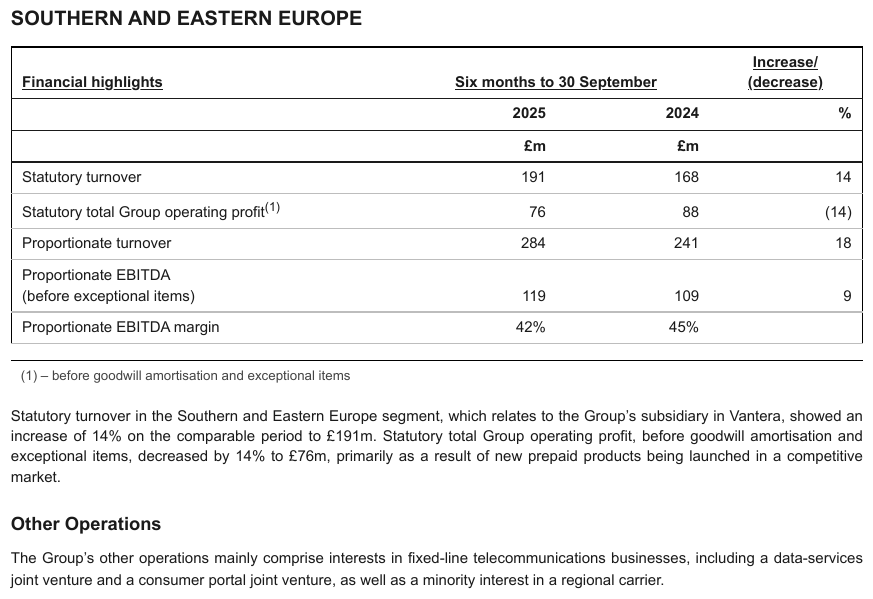
Financial highlights, bold and underlined, sits in the top-left cell of the frame — where the
stub header goes — with the period tiers to its right. It is the stub header, in the header
row, and there is no caption. The SOUTHERN AND EASTERN EUROPE heading above the frame would make
sense without the table, so it stays a heading; the (1) note below the frame follows the table.
| Financial highlights | Six months to 30 September | Increase/ (decrease) | |
|---|---|---|---|
| 2025 | 2024 | % | |
| £m | £m | ||
| Statutory turnover | 191 | 168 | 14 |
| Statutory total Group operating profit(1) | 76 | 88 | (14) |
| Proportionate turnover | 284 | 241 | 18 |
| Proportionate EBITDA (before exceptional items) | 119 | 109 | 9 |
| Proportionate EBITDA margin | 42% | 45% | |
(1) – before goodwill amortisation and exceptional items
Markdown source
<table>
<tr> <th><u>Financial highlights</u></th> <th colspan="2"><u>Six months to 30 September</u></th> <th><u>Increase/<br/>(decrease)</u></th> </tr>
<tr> <th> </th> <th>2025</th> <th>2024</th> <th>%</th> </tr>
<tr> <th> </th> <th>£m</th> <th>£m</th> <th> </th> </tr>
<tr> <td>Statutory turnover</td> <td>191</td> <td>168</td> <td>14</td> </tr>
<tr> <td>Statutory total Group operating profit<sup>(1)</sup></td> <td>76</td> <td>88</td> <td>(14)</td> </tr>
<tr> <td>Proportionate turnover</td> <td>284</td> <td>241</td> <td>18</td> </tr>
<tr> <td>Proportionate EBITDA<br/>(before exceptional items)</td> <td>119</td> <td>109</td> <td>9</td> </tr>
<tr> <td>Proportionate EBITDA margin</td> <td>42%</td> <td>45%</td> <td> </td> </tr>
</table>
(1) – before goodwill amortisation and exceptional items
Related
- Footnotes Inside the Frame§9.7.2 — the frame test applied at the bottom edge, and its one exception
- Bands Inside the Grid§9.2.1 — full-width bands printed between data rows
- Continued in the Title§9.2.3 — a title that says the table continues
- Heading Depth Across Pages§4.5 — a caption never becomes a heading, whichever side of the frame it sits
9.8 Special table types
9.8.1 Rotated and Diagonal Content
✅ Normative · 📄 page rule
✅ Normative
A rotated table MUST be read in its own orientation, never in page orientation. A diagonally
split corner cell MUST stay one cell holding both labels separated by a slash —
Region \ Year — the label across the top first.
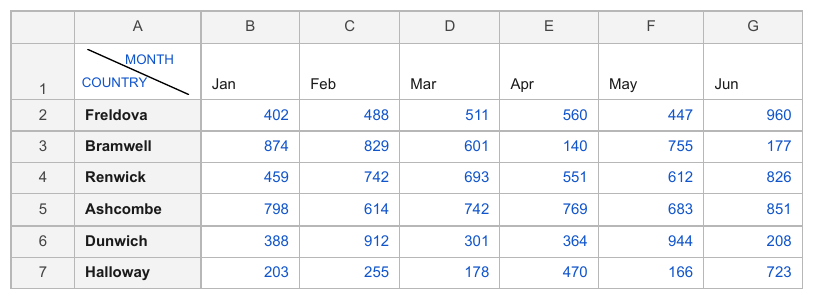
One printed cell carrying two labels: MONTH across the top, COUNTRY down the side, split by a diagonal rule. There is only one cell to put them in.
A landscape table on a portrait page
- A table printed sideways MUST be rendered as a reader would read it after turning the page: rows are rows as the table reads, not as the page is filed.
- Sideways text MUST NOT be transcribed in page order.
Vertical column headers
Labels printed at 90° over narrow columns are ordinary headers. Each MUST be rendered as normal header text, upright, in the column it heads.
| ⤴A⤴ | ⤴B⤴ | ⤴C⤴ | ← headers printed vertically
| 1 | 2 | 3 |
Nothing about the rotation changes the structure — it is a typesetting choice made because the column is narrow.
The diagonally split corner cell
| Region ╲ Year | 2023 | 2024 | ← one printed cell, two labels
| East | 40 | 44 |
- Both labels MUST survive: one names the stub column, the other names the header row, and losing either leaves an axis unnamed.
- There is one printed cell, so it MUST stay one cell, the two labels separated by a slash —
Region \ Year— in the reading order the diagonal implies: the label across the top first, then the one down the side. - The corner MUST NOT be split into two header cells.
✅ Sample — a landscape page in a portrait document
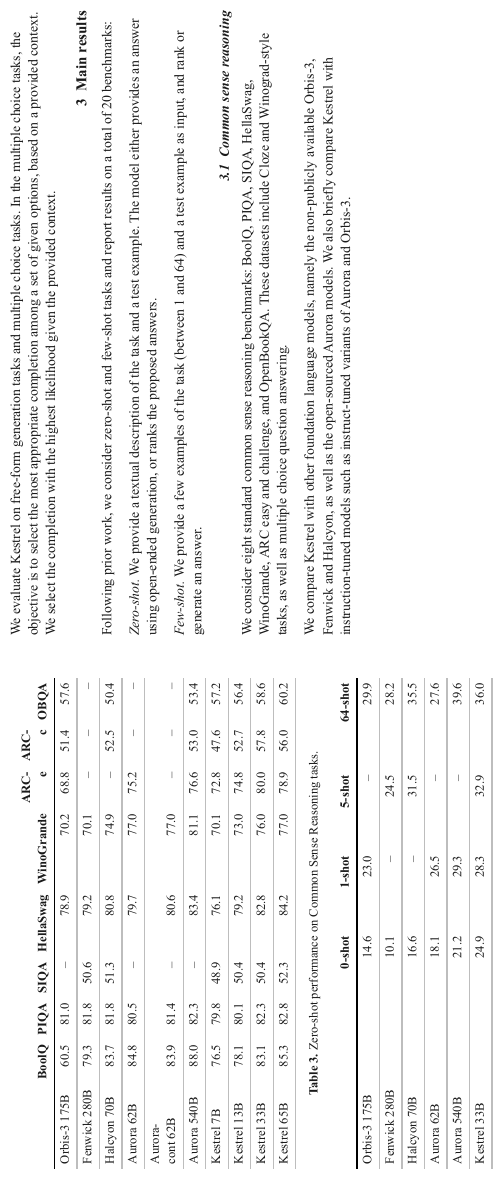
A paper page rendered sideways: the body text, both tables and the Table 3 caption read bottom-to-top. Upright, the two tables are ordinary tables; nothing about them is special except that a reader has to turn the page. The page is cut off after the Kestrel 33B row of the second table, so nothing below it is rendered.
What makes this the useful case is that the rotation is not marked anywhere. There is no landscape flag; the only signal is that the text runs the wrong way. A rendering in page orientation transposes headers and rows and still looks structurally plausible.
Note also the blank corner cells above both stub columns, and the en-dashes standing in for missing benchmark scores — see Barely-Existing Columns and Headers§9.3.1 and Marks and Symbols in Cells§9.6.6.
| BoolQ | PIQA | SIQA | HellaSwag | WinoGrande | ARC-e | ARC-c | OBQA | |
|---|---|---|---|---|---|---|---|---|
| Orbis-3 175B | 60.5 | 81.0 | – | 78.9 | 70.2 | 68.8 | 51.4 | 57.6 |
| Fenwick 280B | 79.3 | 81.8 | 50.6 | 79.2 | 70.1 | – | – | – |
| Halcyon 70B | 83.7 | 81.8 | 51.3 | 80.8 | 74.9 | – | 52.5 | 50.4 |
| Aurora 62B | 84.8 | 80.5 | – | 79.7 | 77.0 | 75.2 | – | – |
| Aurora-cont 62B | 83.9 | 81.4 | – | 80.6 | 77.0 | – | – | – |
| Aurora 540B | 88.0 | 82.3 | – | 83.4 | 81.1 | 76.6 | 53.0 | 53.4 |
| Kestrel 7B | 76.5 | 79.8 | 48.9 | 76.1 | 70.1 | 72.8 | 47.6 | 57.2 |
| Kestrel 13B | 78.1 | 80.1 | 50.4 | 79.2 | 73.0 | 74.8 | 52.7 | 56.4 |
| Kestrel 33B | 83.1 | 82.3 | 50.4 | 82.8 | 76.0 | 80.0 | 57.8 | 58.6 |
| Kestrel 65B | 85.3 | 82.8 | 52.3 | 84.2 | 77.0 | 78.9 | 56.0 | 60.2 |
| 0-shot | 1-shot | 5-shot | 64-shot | |
|---|---|---|---|---|
| Orbis-3 175B | 14.6 | 23.0 | – | 29.9 |
| Fenwick 280B | 10.1 | – | 24.5 | 28.2 |
| Halcyon 70B | 16.6 | – | 31.5 | 35.5 |
| Aurora 62B | 18.1 | 26.5 | – | 27.6 |
| Aurora 540B | 21.2 | 29.3 | – | 39.6 |
| Kestrel 33B | 24.9 | 28.3 | 32.9 | 36.0 |
Markdown source
<table>
<tr> <th> </th> <th>BoolQ</th> <th>PIQA</th> <th>SIQA</th> <th>HellaSwag</th> <th>WinoGrande</th> <th>ARC-e</th> <th>ARC-c</th> <th>OBQA</th> </tr>
<tr> <td>Orbis-3 175B</td> <td>60.5</td> <td>81.0</td> <td>–</td> <td>78.9</td> <td>70.2</td> <td>68.8</td> <td>51.4</td> <td>57.6</td> </tr>
<tr> <td>Fenwick 280B</td> <td>79.3</td> <td>81.8</td> <td>50.6</td> <td>79.2</td> <td>70.1</td> <td>–</td> <td>–</td> <td>–</td> </tr>
<tr> <td>Halcyon 70B</td> <td>83.7</td> <td>81.8</td> <td>51.3</td> <td>80.8</td> <td>74.9</td> <td>–</td> <td>52.5</td> <td>50.4</td> </tr>
<tr> <td>Aurora 62B</td> <td>84.8</td> <td>80.5</td> <td>–</td> <td>79.7</td> <td>77.0</td> <td>75.2</td> <td>–</td> <td>–</td> </tr>
<tr> <td>Aurora-cont 62B</td> <td>83.9</td> <td>81.4</td> <td>–</td> <td>80.6</td> <td>77.0</td> <td>–</td> <td>–</td> <td>–</td> </tr>
<tr> <td>Aurora 540B</td> <td>88.0</td> <td>82.3</td> <td>–</td> <td>83.4</td> <td>81.1</td> <td>76.6</td> <td>53.0</td> <td>53.4</td> </tr>
<tr> <td>Kestrel 7B</td> <td>76.5</td> <td>79.8</td> <td>48.9</td> <td>76.1</td> <td>70.1</td> <td>72.8</td> <td>47.6</td> <td>57.2</td> </tr>
<tr> <td>Kestrel 13B</td> <td>78.1</td> <td>80.1</td> <td>50.4</td> <td>79.2</td> <td>73.0</td> <td>74.8</td> <td>52.7</td> <td>56.4</td> </tr>
<tr> <td>Kestrel 33B</td> <td>83.1</td> <td>82.3</td> <td>50.4</td> <td>82.8</td> <td>76.0</td> <td>80.0</td> <td>57.8</td> <td>58.6</td> </tr>
<tr> <td>Kestrel 65B</td> <td>85.3</td> <td>82.8</td> <td>52.3</td> <td>84.2</td> <td>77.0</td> <td>78.9</td> <td>56.0</td> <td>60.2</td> </tr>
<caption><strong>Table 3.</strong> Zero-shot performance on Common Sense Reasoning tasks.</caption>
</table>
<table>
<tr> <th> </th> <th>0-shot</th> <th>1-shot</th> <th>5-shot</th> <th>64-shot</th> </tr>
<tr> <td>Orbis-3 175B</td> <td>14.6</td> <td>23.0</td> <td>–</td> <td>29.9</td> </tr>
<tr> <td>Fenwick 280B</td> <td>10.1</td> <td>–</td> <td>24.5</td> <td>28.2</td> </tr>
<tr> <td>Halcyon 70B</td> <td>16.6</td> <td>–</td> <td>31.5</td> <td>35.5</td> </tr>
<tr> <td>Aurora 62B</td> <td>18.1</td> <td>26.5</td> <td>–</td> <td>27.6</td> </tr>
<tr> <td>Aurora 540B</td> <td>21.2</td> <td>29.3</td> <td>–</td> <td>39.6</td> </tr>
<tr> <td>Kestrel 33B</td> <td>24.9</td> <td>28.3</td> <td>32.9</td> <td>36.0</td> </tr>
</table>
✅ Sample — a vertical stub header
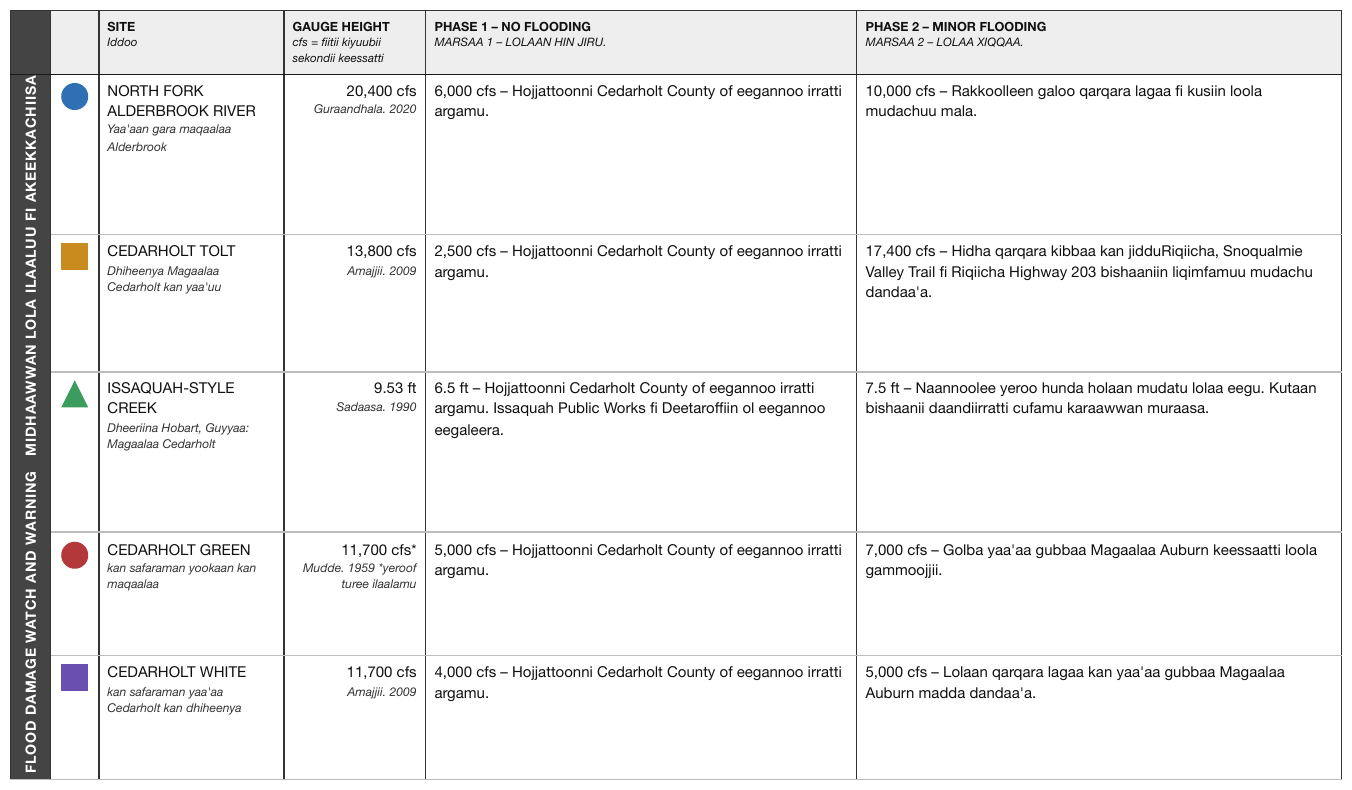
The leftmost column carries a label running bottom-to-top along the side of the table, spanning every body row, while all the other headers sit horizontally. It labels the whole stub, which is why the typesetter turned it — there was no width for it any other way. The coloured shapes in the second column have no legend on the page, so each is described as drawn.
The rotation is a layout constraint, not a property of the header: the label is rendered upright as a normal header cell spanning the rows it spans. The table's bilingual text and its landscape setting change nothing either.
| SITE Iddoo | GAUGE HEIGHT cfs = fiitii kiyuubii sekondii keessatti | PHASE 1 – NO FLOODING MARSAA 1 – LOLAAN HIN JIRU. | PHASE 2 – MINOR FLOODING MARSAA 2 – LOLAA XIQQAA. | ||
|---|---|---|---|---|---|
| FLOOD DAMAGE WATCH AND WARNING MIDHAAWWAN LOLA ILAALUU FI AKEEKKACHIISA | [icon: blue circle] | NORTH FORK ALDERBROOK RIVER Yaa'aan gara maqaalaa Alderbrook | 20,400 cfs Guraandhala. 2020 | 6,000 cfs – Hojjattoonni Cedarholt County of eegannoo irratti argamu. | 10,000 cfs – Rakkoolleen galoo qarqara lagaa fi kusiin loola mudachuu mala. |
| [icon: orange square] | CEDARHOLT TOLT Dhiheenya Magaalaa Cedarholt kan yaa'uu | 13,800 cfs Amajjii. 2009 | 2,500 cfs – Hojjattoonni Cedarholt County of eegannoo irratti argamu. | 17,400 cfs – Hidha qarqara kibbaa kan jidduRiqiicha, Snoqualmie Valley Trail fi Riqiicha Highway 203 bishaaniin liqimfamuu mudachu dandaa'a. | |
| [icon: green triangle] | ISSAQUAH-STYLE CREEK Dheeriina Hobart, Guyyaa: Magaalaa Cedarholt | 9.53 ft Sadaasa. 1990 | 6.5 ft – Hojjattoonni Cedarholt County of eegannoo irratti argamu. Issaquah Public Works fi Deetaroffiin ol eegannoo eegaleera. | 7.5 ft – Naannoolee yeroo hunda holaan mudatu lolaa eegu. Kutaan bishaanii daandiirratti cufamu karaawwan muraasa. | |
| [icon: red circle] | CEDARHOLT GREEN kan safaraman yookaan kan maqaalaa | 11,700 cfs* Mudde. 1959 *yeroof turee ilaalamu | 5,000 cfs – Hojjattoonni Cedarholt County of eegannoo irratti argamu. | 7,000 cfs – Golba yaa'aa gubbaa Magaalaa Auburn keessaatti loola gammoojjii. | |
| [icon: purple square] | CEDARHOLT WHITE kan safaraman yaa'aa Cedarholt kan dhiheenya | 11,700 cfs Amajjii. 2009 | 4,000 cfs – Hojjattoonni Cedarholt County of eegannoo irratti argamu. | 5,000 cfs – Lolaan qarqara lagaa kan yaa'aa gubbaa Magaalaa Auburn madda dandaa'a. |
Markdown source
<table>
<tr> <th> </th> <th> </th> <th>SITE<br/><em>Iddoo</em></th> <th>GAUGE HEIGHT<br/><em>cfs = fiitii kiyuubii sekondii keessatti</em></th> <th>PHASE 1 – NO FLOODING<br/><em>MARSAA 1 – LOLAAN HIN JIRU.</em></th> <th>PHASE 2 – MINOR FLOODING<br/><em>MARSAA 2 – LOLAA XIQQAA.</em></th> </tr>
<tr> <th rowspan="5">FLOOD DAMAGE WATCH AND WARNING MIDHAAWWAN LOLA ILAALUU FI AKEEKKACHIISA</th> <td>[icon: blue circle]</td> <td>NORTH FORK ALDERBROOK RIVER<br/><em>Yaa'aan gara maqaalaa Alderbrook</em></td> <td>20,400 cfs<br/><em>Guraandhala. 2020</em></td> <td>6,000 cfs – Hojjattoonni Cedarholt County of eegannoo irratti argamu.</td> <td>10,000 cfs – Rakkoolleen galoo qarqara lagaa fi kusiin loola mudachuu mala.</td> </tr>
<tr> <td>[icon: orange square]</td> <td>CEDARHOLT TOLT<br/><em>Dhiheenya Magaalaa Cedarholt kan yaa'uu</em></td> <td>13,800 cfs<br/><em>Amajjii. 2009</em></td> <td>2,500 cfs – Hojjattoonni Cedarholt County of eegannoo irratti argamu.</td> <td>17,400 cfs – Hidha qarqara kibbaa kan jidduRiqiicha, Snoqualmie Valley Trail fi Riqiicha Highway 203 bishaaniin liqimfamuu mudachu dandaa'a.</td> </tr>
<tr> <td>[icon: green triangle]</td> <td>ISSAQUAH-STYLE CREEK<br/><em>Dheeriina Hobart, Guyyaa: Magaalaa Cedarholt</em></td> <td>9.53 ft<br/><em>Sadaasa. 1990</em></td> <td>6.5 ft – Hojjattoonni Cedarholt County of eegannoo irratti argamu. Issaquah Public Works fi Deetaroffiin ol eegannoo eegaleera.</td> <td>7.5 ft – Naannoolee yeroo hunda holaan mudatu lolaa eegu. Kutaan bishaanii daandiirratti cufamu karaawwan muraasa.</td> </tr>
<tr> <td>[icon: red circle]</td> <td>CEDARHOLT GREEN<br/><em>kan safaraman yookaan kan maqaalaa</em></td> <td>11,700 cfs*<br/><em>Mudde. 1959 *yeroof turee ilaalamu</em></td> <td>5,000 cfs – Hojjattoonni Cedarholt County of eegannoo irratti argamu.</td> <td>7,000 cfs – Golba yaa'aa gubbaa Magaalaa Auburn keessaatti loola gammoojjii.</td> </tr>
<tr> <td>[icon: purple square]</td> <td>CEDARHOLT WHITE<br/><em>kan safaraman yaa'aa Cedarholt kan dhiheenya</em></td> <td>11,700 cfs<br/><em>Amajjii. 2009</em></td> <td>4,000 cfs – Hojjattoonni Cedarholt County of eegannoo irratti argamu.</td> <td>5,000 cfs – Lolaan qarqara lagaa kan yaa'aa gubbaa Magaalaa Auburn madda dandaa'a.</td> </tr>
</table>✅ Sample — a landscape reference table on a portrait page
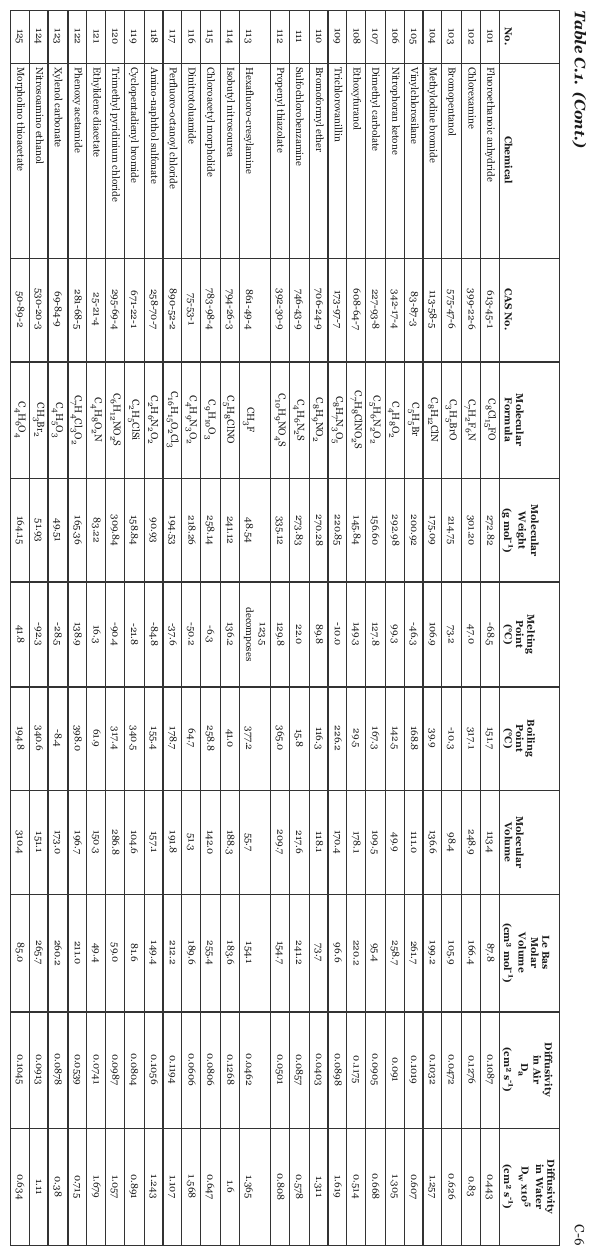
Table C.1. (Cont.): twenty-five chemicals with CAS numbers, formulae and properties, printed
sideways. Upright it is an ordinary eleven-column table (No. plus ten property columns); the header
cells carry units and subscripts (D_a, cm² s⁻¹), the formulae carry subscripts, and one melting
point prints 123.5 decomposes on two lines. The page number C-6, printed beside the title in the
table's own orientation, is rendered first as the page's header band.
C-6
| No. | Chemical | CAS No. | Molecular Formula | Molecular Weight (g mol-1) | Melting Point (°C) | Boiling Point (°C) | Molecular Volume | Le Bas Molar Volume (cm3 mol-1) | Diffusivity in Air Da (cm2 s-1) | Diffusivity in Water Dw x105 (cm2 s-1) | ||||||||||||||||||||||||||||||||||||||||||||||||||||||||||||||||||||||||||||||||||||||||
|---|---|---|---|---|---|---|---|---|---|---|---|---|---|---|---|---|---|---|---|---|---|---|---|---|---|---|---|---|---|---|---|---|---|---|---|---|---|---|---|---|---|---|---|---|---|---|---|---|---|---|---|---|---|---|---|---|---|---|---|---|---|---|---|---|---|---|---|---|---|---|---|---|---|---|---|---|---|---|---|---|---|---|---|---|---|---|---|---|---|---|---|---|---|---|---|---|---|---|
| 101 | Fluoroethanoic anhydride | 613-45-1 | C8Cl15FO | 272.82 | -68.5 | 151.7 | 113.4 | 87.8 | 0.1087 | 0.443 | ||||||||||||||||||||||||||||||||||||||||||||||||||||||||||||||||||||||||||||||||||||||||
| 102 | Chlorexamine | 399-22-6 | C7H2F6N | 301.20 | 47.0 | 317.1 | 248.9 | 166.4 | 0.1276 | 0.83 | ||||||||||||||||||||||||||||||||||||||||||||||||||||||||||||||||||||||||||||||||||||||||
| 103 | Bromopentanol | 575-47-6 | C3H5BrO | 214.75 | 73.2 | -10.3 | 98.4 | 105.9 | 0.0472 | 0.626 | ||||||||||||||||||||||||||||||||||||||||||||||||||||||||||||||||||||||||||||||||||||||||
| … | ||||||||||||||||||||||||||||||||||||||||||||||||||||||||||||||||||||||||||||||||||||||||||||||||||
| 113 | Hexafluoro-cresylamine | 861-49-4 | CH3F | 48.54 | 123.5 decomposes | 377.2 | 55.7 | 154.1 | 0.0462 | 1.365 | ||||||||||||||||||||||||||||||||||||||||||||||||||||||||||||||||||||||||||||||||||||||||
| 114 | Isobutyl nitrosourea | 794-26-3 | C5H8ClNO | 241.12 | 136.2 | 41.0 | 188.3 | 183.6 | 0.1268 | 1.6 | ||||||||||||||||||||||||||||||||||||||||||||||||||||||||||||||||||||||||||||||||||||||||
| … | ||||||||||||||||||||||||||||||||||||||||||||||||||||||||||||||||||||||||||||||||||||||||||||||||||
| 125 | Morpholino thioacetate | 50-89-2 | C4H6O4 | 164.15 | 41.8 | 194.8 | 310.4 | 85.0 | 0.1045 | 0.634 | ||||||||||||||||||||||||||||||||||||||||||||||||||||||||||||||||||||||||||||||||||||||||
Markdown source
C-6
<table>
<caption><em><strong>Table C.1. (Cont.)</strong></em></caption>
<tr> <th>No.</th> <th>Chemical</th> <th>CAS No.</th> <th>Molecular Formula</th> <th>Molecular Weight (g mol<sup>-1</sup>)</th> <th>Melting Point (°C)</th> <th>Boiling Point (°C)</th> <th>Molecular Volume</th> <th>Le Bas Molar Volume (cm<sup>3</sup> mol<sup>-1</sup>)</th> <th>Diffusivity in Air D<sub>a</sub> (cm<sup>2</sup> s<sup>-1</sup>)</th> <th>Diffusivity in Water D<sub>w</sub> x10<sup>5</sup> (cm<sup>2</sup> s<sup>-1</sup>)</th> </tr>
<tr> <td>101</td> <td>Fluoroethanoic anhydride</td> <td>613-45-1</td> <td>C<sub>8</sub>Cl<sub>15</sub>FO</td> <td>272.82</td> <td>-68.5</td> <td>151.7</td> <td>113.4</td> <td>87.8</td> <td>0.1087</td> <td>0.443</td> </tr>
<tr> <td>102</td> <td>Chlorexamine</td> <td>399-22-6</td> <td>C<sub>7</sub>H<sub>2</sub>F<sub>6</sub>N</td> <td>301.20</td> <td>47.0</td> <td>317.1</td> <td>248.9</td> <td>166.4</td> <td>0.1276</td> <td>0.83</td> </tr>
<tr> <td>103</td> <td>Bromopentanol</td> <td>575-47-6</td> <td>C<sub>3</sub>H<sub>5</sub>BrO</td> <td>214.75</td> <td>73.2</td> <td>-10.3</td> <td>98.4</td> <td>105.9</td> <td>0.0472</td> <td>0.626</td> </tr>
<!-- … -->
<tr> <td>113</td> <td>Hexafluoro-cresylamine</td> <td>861-49-4</td> <td>CH<sub>3</sub>F</td> <td>48.54</td> <td>123.5<br/>decomposes</td> <td>377.2</td> <td>55.7</td> <td>154.1</td> <td>0.0462</td> <td>1.365</td> </tr>
<tr> <td>114</td> <td>Isobutyl nitrosourea</td> <td>794-26-3</td> <td>C<sub>5</sub>H<sub>8</sub>ClNO</td> <td>241.12</td> <td>136.2</td> <td>41.0</td> <td>188.3</td> <td>183.6</td> <td>0.1268</td> <td>1.6</td> </tr>
<!-- … -->
<tr> <td>125</td> <td>Morpholino thioacetate</td> <td>50-89-2</td> <td>C<sub>4</sub>H<sub>6</sub>O<sub>4</sub></td> <td>164.15</td> <td>41.8</td> <td>194.8</td> <td>310.4</td> <td>85.0</td> <td>0.1045</td> <td>0.634</td> </tr>
</table>
Related
- Multi-Row Header Tiers§9.3.3 — the corner cell also appears there as the "$ in millions" note
- Barely-Existing Columns and Headers§9.3.1 — the blank corner cell
- Chart With a Printed Data Grid§9.1.2 — the other transposition problem
9.8.2 Triangles and Matrix Tables
✅ Normative · 📄 page rule
✅ Normative
Every row MUST carry the full column count. The jagged half MUST be padded with individual
empty cells — one <td></td> per missing position. A colspan or rowspan over the empty region
MUST NOT be used, and a 0 or any other value MUST NOT be invented.
Loss development exhibits and similar matrices are jagged on purpose. The missing half is meaningfully empty — that development period has not happened yet — not data that failed to be read.
Accident yr | 12mo | 24mo | 36mo |
| 2021 | 450 | 512 | 530 |
| 2022 | 470 | 528 | | ← structurally empty,
| 2023 | 465 | | | not "failed to read"
Requirements
- The shape MUST be kept. Every row has the full column count; the cells past the end of the row are present and empty. Rows MUST NOT be truncated.
- One empty cell per missing position. Four unhappened periods are four
<td></td>, not onecolspan="4". The span would say "this region is one thing", and it is not — it is four distinct coordinates that each have not happened yet. - The empty half MUST NOT be padded with values. Filling it with
0,n/aor a repeat of the last figure destroys the only thing the triangle asserts. - A printed value MUST NOT be read as structural emptiness either. Some pages print
0across the future half. A zero is a claim and a blank is an absence; the output MUST render whichever the page prints. - A cell that is empty because it cannot be read is a different situation — see Cell Text Fidelity§9.6.3.
✅ Sample — ppy
Stacked loss-development exhibits where the empty lower-right is meaningfully empty: those development periods have not happened. Every row of the first triangle carries all eleven cells. The column headers are underlined, not bold.
| Accident Year Ended | 15 | 27 | 39 | 51 | 63 | 75 | 87 | 99 | 111 | 123 |
|---|---|---|---|---|---|---|---|---|---|---|
| 12/31/2003 | 418,550,936 | 418,042,452 | 417,267,765 | 417,492,929 | 417,216,932 | 417,189,136 | 417,146,522 | 417,095,498 | 417,140,320 | 417,120,054 |
| 12/31/2004 | 431,833,889 | 427,373,100 | 425,430,426 | 425,032,454 | 424,899,046 | 424,930,538 | 424,893,684 | 424,824,851 | 424,784,418 | 424,738,538 |
| 12/31/2005 | 471,370,885 | 466,106,849 | 464,434,610 | 463,396,915 | 463,268,706 | 463,175,541 | 463,165,720 | 463,139,866 | 463,075,855 | 463,014,244 |
| 12/31/2006 | 463,200,919 | 457,725,282 | 455,822,189 | 454,841,890 | 455,017,266 | 455,000,340 | 454,915,676 | 454,822,382 | 454,797,996 | |
| 12/31/2007 | 515,029,169 | 510,374,742 | 508,154,461 | 507,592,525 | 507,251,378 | 507,252,665 | 507,124,706 | 507,069,577 | ||
| 12/31/2008 | 547,084,231 | 543,696,826 | 542,151,638 | 541,255,839 | 540,913,464 | 540,904,143 | 540,713,622 | |||
| 12/31/2009 | 459,114,867 | 455,232,703 | 454,478,144 | 454,047,620 | 454,108,281 | 453,794,733 | ||||
| 12/31/2010 | 511,853,602 | 507,399,547 | 506,256,705 | 506,014,933 | 506,071,619 | |||||
| 12/31/2011 | 571,554,254 | 566,987,304 | 565,194,620 | 564,927,450 | ||||||
| 12/31/2012 | 603,862,305 | 602,282,512 | 600,316,599 | |||||||
| 12/31/2013 | 591,546,839 | 588,047,899 | ||||||||
| 12/31/2014 | 656,279,959 |
Markdown source
<table>
<caption>All Companies Reporting to the Loss Data Bureau <sup>1</sup></caption>
<tr> <th><u>Accident Year Ended</u></th> <th><u>15</u></th> <th><u>27</u></th> <th><u>39</u></th> <th><u>51</u></th> <th><u>63</u></th> <th><u>75</u></th> <th><u>87</u></th> <th><u>99</u></th> <th><u>111</u></th> <th><u>123</u></th> </tr>
<tr> <td>12/31/2003</td> <td>418,550,936</td> <td>418,042,452</td> <td>417,267,765</td> <td>417,492,929</td> <td>417,216,932</td> <td>417,189,136</td> <td>417,146,522</td> <td>417,095,498</td> <td>417,140,320</td> <td>417,120,054</td> </tr>
<tr> <td>12/31/2004</td> <td>431,833,889</td> <td>427,373,100</td> <td>425,430,426</td> <td>425,032,454</td> <td>424,899,046</td> <td>424,930,538</td> <td>424,893,684</td> <td>424,824,851</td> <td>424,784,418</td> <td>424,738,538</td> </tr>
<tr> <td>12/31/2005</td> <td>471,370,885</td> <td>466,106,849</td> <td>464,434,610</td> <td>463,396,915</td> <td>463,268,706</td> <td>463,175,541</td> <td>463,165,720</td> <td>463,139,866</td> <td>463,075,855</td> <td>463,014,244</td> </tr>
<tr> <td>12/31/2006</td> <td>463,200,919</td> <td>457,725,282</td> <td>455,822,189</td> <td>454,841,890</td> <td>455,017,266</td> <td>455,000,340</td> <td>454,915,676</td> <td>454,822,382</td> <td>454,797,996</td> <td></td> </tr>
<tr> <td>12/31/2007</td> <td>515,029,169</td> <td>510,374,742</td> <td>508,154,461</td> <td>507,592,525</td> <td>507,251,378</td> <td>507,252,665</td> <td>507,124,706</td> <td>507,069,577</td> <td></td> <td></td> </tr>
<tr> <td>12/31/2008</td> <td>547,084,231</td> <td>543,696,826</td> <td>542,151,638</td> <td>541,255,839</td> <td>540,913,464</td> <td>540,904,143</td> <td>540,713,622</td> <td></td> <td></td> <td></td> </tr>
<tr> <td>12/31/2009</td> <td>459,114,867</td> <td>455,232,703</td> <td>454,478,144</td> <td>454,047,620</td> <td>454,108,281</td> <td>453,794,733</td> <td></td> <td></td> <td></td> <td></td> </tr>
<tr> <td>12/31/2010</td> <td>511,853,602</td> <td>507,399,547</td> <td>506,256,705</td> <td>506,014,933</td> <td>506,071,619</td> <td></td> <td></td> <td></td> <td></td> <td></td> </tr>
<tr> <td>12/31/2011</td> <td>571,554,254</td> <td>566,987,304</td> <td>565,194,620</td> <td>564,927,450</td> <td></td> <td></td> <td></td> <td></td> <td></td> <td></td> </tr>
<tr> <td>12/31/2012</td> <td>603,862,305</td> <td>602,282,512</td> <td>600,316,599</td> <td></td> <td></td> <td></td> <td></td> <td></td> <td></td> <td></td> </tr>
<tr> <td>12/31/2013</td> <td>591,546,839</td> <td>588,047,899</td> <td></td> <td></td> <td></td> <td></td> <td></td> <td></td> <td></td> <td></td> </tr>
<tr> <td>12/31/2014</td> <td>656,279,959</td> <td></td> <td></td> <td></td> <td></td> <td></td> <td></td> <td></td> <td></td> <td></td> </tr>
</table>❌ Counter-sample — waiox
The same shape, filled differently: the un-earned future half is printed with explicit 0s rather
than left blank. A zero is a claim; a blank is an absence — here every 0 is kept.
| Medical | ||||||||||||||||||||||||||||||||||||||||||||||||||||||||||||||||||||||||||||||||||||||||||||||||||
|---|---|---|---|---|---|---|---|---|---|---|---|---|---|---|---|---|---|---|---|---|---|---|---|---|---|---|---|---|---|---|---|---|---|---|---|---|---|---|---|---|---|---|---|---|---|---|---|---|---|---|---|---|---|---|---|---|---|---|---|---|---|---|---|---|---|---|---|---|---|---|---|---|---|---|---|---|---|---|---|---|---|---|---|---|---|---|---|---|---|---|---|---|---|---|---|---|---|---|
| Incurred Month | ||||||||||||||||||||||||||||||||||||||||||||||||||||||||||||||||||||||||||||||||||||||||||||||||||
| Paid Month | 202401 | 202402 | 202403 | 202404 | 202405 | 202406 | 202407 | 202408 | 202409 | 202410 | 202411 | 202412 | ||||||||||||||||||||||||||||||||||||||||||||||||||||||||||||||||||||||||||||||||||||||
| 202401 | 41,539 | 0 | 0 | 0 | 0 | 0 | 0 | 0 | 0 | 0 | 0 | 0 | ||||||||||||||||||||||||||||||||||||||||||||||||||||||||||||||||||||||||||||||||||||||
| 202402 | 191,691 | 29,902 | 0 | 0 | 0 | 0 | 0 | 0 | 0 | 0 | 0 | 0 | ||||||||||||||||||||||||||||||||||||||||||||||||||||||||||||||||||||||||||||||||||||||
| 202403 | 90,233 | 324,478 | 55,730 | 0 | 0 | 0 | 0 | 0 | 0 | 0 | 0 | 0 | ||||||||||||||||||||||||||||||||||||||||||||||||||||||||||||||||||||||||||||||||||||||
| 202404 | 11,157 | 20,717 | 326,646 | 70,804 | 0 | 0 | 0 | 0 | 0 | 0 | 0 | 0 | ||||||||||||||||||||||||||||||||||||||||||||||||||||||||||||||||||||||||||||||||||||||
| 202405 | 5,533 | 8,224 | 429,936 | 308,025 | 125,102 | 0 | 0 | 0 | 0 | 0 | 0 | 0 | ||||||||||||||||||||||||||||||||||||||||||||||||||||||||||||||||||||||||||||||||||||||
| 202406 | 283 | -45,171 | 36,806 | 13,870 | 241,742 | 52,107 | 0 | 0 | 0 | 0 | 0 | 0 | ||||||||||||||||||||||||||||||||||||||||||||||||||||||||||||||||||||||||||||||||||||||
| … | ||||||||||||||||||||||||||||||||||||||||||||||||||||||||||||||||||||||||||||||||||||||||||||||||||
Markdown source
<table>
<tr> <th colspan="13">Medical</th> </tr>
<tr> <th colspan="13">Incurred Month</th> </tr>
<tr> <th>Paid Month</th> <th>202401</th> <th>202402</th> <th>202403</th> <th>202404</th> <th>202405</th> <th>202406</th> <th>202407</th> <th>202408</th> <th>202409</th> <th>202410</th> <th>202411</th> <th>202412</th> </tr>
<tr> <td>202401</td> <td>41,539</td> <td>0</td> <td>0</td> <td>0</td> <td>0</td> <td>0</td> <td>0</td> <td>0</td> <td>0</td> <td>0</td> <td>0</td> <td>0</td> </tr>
<tr> <td>202402</td> <td>191,691</td> <td>29,902</td> <td>0</td> <td>0</td> <td>0</td> <td>0</td> <td>0</td> <td>0</td> <td>0</td> <td>0</td> <td>0</td> <td>0</td> </tr>
<tr> <td>202403</td> <td>90,233</td> <td>324,478</td> <td>55,730</td> <td>0</td> <td>0</td> <td>0</td> <td>0</td> <td>0</td> <td>0</td> <td>0</td> <td>0</td> <td>0</td> </tr>
<tr> <td>202404</td> <td>11,157</td> <td>20,717</td> <td>326,646</td> <td>70,804</td> <td>0</td> <td>0</td> <td>0</td> <td>0</td> <td>0</td> <td>0</td> <td>0</td> <td>0</td> </tr>
<tr> <td>202405</td> <td>5,533</td> <td>8,224</td> <td>429,936</td> <td>308,025</td> <td>125,102</td> <td>0</td> <td>0</td> <td>0</td> <td>0</td> <td>0</td> <td>0</td> <td>0</td> </tr>
<tr> <td>202406</td> <td>283</td> <td>-45,171</td> <td>36,806</td> <td>13,870</td> <td>241,742</td> <td>52,107</td> <td>0</td> <td>0</td> <td>0</td> <td>0</td> <td>0</td> <td>0</td> </tr>
<!-- … -->
</table>Why a span is wrong here, when it is free elsewhere
Blank and Spacer Rows§9.5.1 leaves the encoding of an unruled empty region free: leading empty cells and one blank spanning block render identically, and neither is preferred.
A triangle is the carve-out. Every empty cell sits at a real coordinate — an accident year crossed with a development period — and "12 months has not elapsed for the 2023 year" is a separate fact from the same statement about 24 months. Collapsed into one span, those coordinates stop being addressable: a consumer can no longer ask what the 2023 row holds at 24 months, because the cell it would look in no longer exists.
Elsewhere the empty region is one undifferentiated blank. Here it is a set of individually meaningful absences that happen to be adjacent.
This is the same principle that settles blank space beside a header in Barely-Existing Columns and Headers§9.3.1: a span is a claim that the page merged something. The page did not merge these.
Why the blank matters more here than elsewhere
In most tables, blank versus an explicit empty marker is cosmetic. In a loss triangle the blank carries actuarial meaning: it asserts this development period does not exist yet, which is a fact about the world, not a gap in the transcription. That is the same argument that makes the em-dash a value in Marks and Symbols in Cells§9.6.6 and the coloured fill a value in Color as the Value§9.6.4 — a non-value that is a value.
Related
- Marks and Symbols in Cells§9.6.6 — the em-dash and the blank as values
- Blank and Spacer Rows§9.5.1 — where the encoding of an empty region is free
- Header Body Column Count Mismatch§9.4.2 — padding short rows to the column count
§10 Forms
10.1 Forms and Key-Value Regions
✅ Normative · 📄 page rule
✅ Normative
Fill-in fields and checkbox regions are key-value content, not tables: they MUST be rendered as the key-value list of The Key-Value List§10.3.2 and MUST NOT be rendered as a table. The output MUST NOT contain a two-column key/value table that the page does not print as a ruled grid.
Form controls printed on the page — labels waiting for a value, checkbox rows, signature and date lines — look tabular because they line up in columns. They are not tables: the alignment is typesetting, not structure.
Insurer: ________ NAIC #: ________
☒ Renewal ☐ New business
- **Insurer:** [blank]
- **NAIC #:** [blank]
- [x] Renewal
- [ ] New business
Fillable or static
A region is form content when it prints labelled fields to fill, checkboxes, or blanks — even when its layout looks like a plain grid of labels and values. Such a region MUST be rendered as a key-value list.
A static key-value reference — a legend, a specification sheet, a summary box, filing metadata — prints fixed labels and values and nothing to fill in and no checkbox. It is not a form. The test is whether anything on it was meant to be filled in.
The border test for static key-value blocks
A page that raises this question is usually half form, half grid, so the decision is made region
by region. For each static block of label: value pairs:
| The block | Rendering |
|---|---|
| Printed inside a ruled border (a gridded key/value block) | It MUST be rendered as a table, per Is This Even a Table§9.1.5; leaving it out drops a table. |
Not ruled — a specification stack, a cluster of Label: value fields above a table, an address block, a prose-line legend |
It MUST be rendered as text in reading order and MUST NOT be rendered as a table. |
A totals block printed under a table is the one exception: it belongs to the table above it, not to the surrounding fields — see Bottom Edge Totals and Islands§9.7.1.
✅ Sample — ratefiling
SERFF filing metadata as ungridded Label: value fields above two genuine ruled tables on the
same page. Nothing on the page is fillable, so the fields are static text lines; only the two
ruled grids are tables.
…
Disposition
Disposition Date: 09/09/2014
Effective Date (New): 02/01/2015
Effective Date (Renewal): 02/01/2015
Status: Accepted
Comment:
| Company Name: | Overall % Indicated Change: | Overall % Rate Impact: | Written Premium Change for this Program: | Number of Policy Holders Affected for this Program: | Written Premium for this Program: | Maximum % Change (where req'd): | Minimum % Change (where req'd): |
|---|---|---|---|---|---|---|---|
| American Merevald Insurance Company | % | -1.800% | $-8,416 | 62 | $467,577 | 4.700% | -9.900% |
| American Guaranty and Fidelity Insurance Company | % | 1.900% | $26,396 | 57 | $1,389,273 | 9.600% | -7.400% |
| Colonial Merevald Casualty & Surety Company | % | 0.000% | $0 | 0 | $0 | 0.000% | 0.000% |
| Merevald Fidelity and Deposit Company | % | 0.000% | $0 | 0 | $0 | 0.000% | 0.000% |
| Merevald American Insurance Company of Illinois | % | 3.900% | $22,233 | 87 | $570,072 | 17.600% | -7.200% |
| Merevald American Insurance Company | % | 0.900% | $189,835 | 262 | $21,092,749 | 9.600% | -21.800% |
Overall Rate Information for Multiple Company Filings
Overall Percentage Rate Indicated For This Filing 0.000%
Overall Percentage Rate Impact For This Filing 1.000%
Effect of Rate Filing-Written Premium Change For This Program $230,048
Effect of Rate Filing - Number of Policyholders Affected 468
| Schedule | Schedule Item | Schedule Item Status | Public Access |
|---|---|---|---|
| Supporting Document (revised) | Form RF3 - (Summary Sheet) | Yes | |
| Supporting Document | Form RF3 - (Summary Sheet) | Yes |
PDF Pipeline for SERFF Tracking Number MDN-047719203 Generated 09/23/2014 07:39 AM
Markdown source
<!-- … -->
Disposition
Disposition Date: 09/09/2014
Effective Date (New): 02/01/2015
Effective Date (Renewal): 02/01/2015
Status: Accepted
Comment:
<table>
<tr> <th>Company Name:</th> <th>Overall % Indicated Change:</th> <th>Overall % Rate Impact:</th> <th>Written Premium Change for this Program:</th> <th>Number of Policy Holders Affected for this Program:</th> <th>Written Premium for this Program:</th> <th>Maximum % Change (where req'd):</th> <th>Minimum % Change (where req'd):</th> </tr>
<tr> <td>American Merevald Insurance Company</td> <td>%</td> <td>-1.800%</td> <td>$-8,416</td> <td>62</td> <td>$467,577</td> <td>4.700%</td> <td>-9.900%</td> </tr>
<tr> <td>American Guaranty and Fidelity Insurance Company</td> <td>%</td> <td>1.900%</td> <td>$26,396</td> <td>57</td> <td>$1,389,273</td> <td>9.600%</td> <td>-7.400%</td> </tr>
<tr> <td>Colonial Merevald Casualty & Surety Company</td> <td>%</td> <td>0.000%</td> <td>$0</td> <td>0</td> <td>$0</td> <td>0.000%</td> <td>0.000%</td> </tr>
<tr> <td>Merevald Fidelity and Deposit Company</td> <td>%</td> <td>0.000%</td> <td>$0</td> <td>0</td> <td>$0</td> <td>0.000%</td> <td>0.000%</td> </tr>
<tr> <td>Merevald American Insurance Company of Illinois</td> <td>%</td> <td>3.900%</td> <td>$22,233</td> <td>87</td> <td>$570,072</td> <td>17.600%</td> <td>-7.200%</td> </tr>
<tr> <td>Merevald American Insurance Company</td> <td>%</td> <td>0.900%</td> <td>$189,835</td> <td>262</td> <td>$21,092,749</td> <td>9.600%</td> <td>-21.800%</td> </tr>
</table>
Overall Rate Information for Multiple Company Filings
Overall Percentage Rate Indicated For This Filing 0.000%
Overall Percentage Rate Impact For This Filing 1.000%
Effect of Rate Filing-Written Premium Change For This Program $230,048
Effect of Rate Filing - Number of Policyholders Affected 468
<table>
<tr> <th>Schedule</th> <th>Schedule Item</th> <th>Schedule Item Status</th> <th>Public Access</th> </tr>
<tr> <td><strong>Supporting Document (revised)</strong></td> <td>Form RF3 - (Summary Sheet)</td> <td></td> <td>Yes</td> </tr>
<tr> <td><strong>Supporting Document</strong></td> <td>Form RF3 - (Summary Sheet)</td> <td></td> <td>Yes</td> </tr>
</table>
PDF Pipeline for SERFF Tracking Number MDN-047719203 Generated 09/23/2014 07:39 AM
✅ Sample — 10k
Yes/No lines answered with check marks (no box is drawn around the options) and address blocks around a real securities table. The ruled securities grid is a table; the check-mark questions are option groups.
…
Securities registered pursuant to Section 12(b) of the Act:
| Title of each class | Trading Symbols | Name of each exchange on which registered |
|---|---|---|
| Class A Common Stock | MDI.A | New York Stock Exchange |
| Class B Common Stock | MDI.B | New York Stock Exchange |
| 0.000% Senior Notes due 2025 | MDI25 | New York Stock Exchange |
| 1.125% Senior Notes due 2027 | MDI27 | New York Stock Exchange |
| 2.150% Senior Notes due 2028 | MDI28 | New York Stock Exchange |
| 1.500% Senior Notes due 2030 | MDI30 | New York Stock Exchange |
| 2.000% Senior Notes due 2034 | MDI34 | New York Stock Exchange |
| 1.625% Senior Notes due 2035 | MDI35 | New York Stock Exchange |
| 2.375% Senior Notes due 2039 | MDI39 | New York Stock Exchange |
| 0.500% Senior Notes due 2041 | MDI41 | New York Stock Exchange |
| 2.625% Senior Notes due 2059 | MDI59 | New York Stock Exchange |
Securities registered pursuant to Section 12(g) of the Act: NONE
- Indicate by check mark if the Registrant is a well-known seasoned issuer, as defined in Rule 405 of the Securities Act.
- [x] Yes
- [ ] No
- Indicate by check mark if the Registrant is not required to file reports pursuant to Section 13 or Section 15(d) of the Act.
- [ ] Yes
- [x] No
- Indicate by check mark whether the Registrant (1) has filed all reports required to be filed by Section 13 or 15(d) of the Exchange Act during the preceding 12 months, and (2) has been subject to such filing requirements for the past 90 days.
- [x] Yes
- [ ] No
- Indicate by check mark whether the Registrant has submitted electronically every Interactive Data File required to be submitted during the preceding 12 months.
- [x] Yes
- [ ] No
- Indicate by check mark whether the Registrant is a large accelerated filer, an accelerated filer, a non-accelerated filer, a smaller reporting company, or an emerging growth company.
- [x] Large accelerated filer
- [ ] Accelerated filer
- [ ] Non-accelerated filer
- [ ] Smaller reporting company
- [ ] Emerging growth company
- Indicate by check mark whether the Registrant is a shell company (as defined in Rule 12b-2 of the Act).
- [ ] Yes
- [x] No
- State the aggregate market value of the voting stock held by non-affiliates of the Registrant as of June 30, 2030: $612,300,000,000
- Indicate the number of shares outstanding of each of the Registrant's classes of common stock: February 9, 2031 — Class A common stock 511,204 shares; February 9, 2031 — Class B common stock 1,204,880,117 shares
Markdown source
<!-- … -->
Securities registered pursuant to Section 12(b) of the Act:
<table>
<tr> <th>Title of each class</th> <th>Trading Symbols</th> <th>Name of each exchange on which registered</th> </tr>
<tr> <td>Class A Common Stock</td> <td>MDI.A</td> <td>New York Stock Exchange</td> </tr>
<tr> <td>Class B Common Stock</td> <td>MDI.B</td> <td>New York Stock Exchange</td> </tr>
<tr> <td>0.000% Senior Notes due 2025</td> <td>MDI25</td> <td>New York Stock Exchange</td> </tr>
<tr> <td>1.125% Senior Notes due 2027</td> <td>MDI27</td> <td>New York Stock Exchange</td> </tr>
<tr> <td>2.150% Senior Notes due 2028</td> <td>MDI28</td> <td>New York Stock Exchange</td> </tr>
<tr> <td>1.500% Senior Notes due 2030</td> <td>MDI30</td> <td>New York Stock Exchange</td> </tr>
<tr> <td>2.000% Senior Notes due 2034</td> <td>MDI34</td> <td>New York Stock Exchange</td> </tr>
<tr> <td>1.625% Senior Notes due 2035</td> <td>MDI35</td> <td>New York Stock Exchange</td> </tr>
<tr> <td>2.375% Senior Notes due 2039</td> <td>MDI39</td> <td>New York Stock Exchange</td> </tr>
<tr> <td>0.500% Senior Notes due 2041</td> <td>MDI41</td> <td>New York Stock Exchange</td> </tr>
<tr> <td>2.625% Senior Notes due 2059</td> <td>MDI59</td> <td>New York Stock Exchange</td> </tr>
</table>
Securities registered pursuant to Section 12(g) of the Act: NONE
- Indicate by check mark if the Registrant is a well-known seasoned issuer, as defined in Rule 405 of the Securities Act.
- [x] Yes
- [ ] No
- Indicate by check mark if the Registrant is not required to file reports pursuant to Section 13 or Section 15(d) of the Act.
- [ ] Yes
- [x] No
- Indicate by check mark whether the Registrant (1) has filed all reports required to be filed by Section 13 or 15(d) of the Exchange Act during the preceding 12 months, and (2) has been subject to such filing requirements for the past 90 days.
- [x] Yes
- [ ] No
- Indicate by check mark whether the Registrant has submitted electronically every Interactive Data File required to be submitted during the preceding 12 months.
- [x] Yes
- [ ] No
- Indicate by check mark whether the Registrant is a large accelerated filer, an accelerated filer, a non-accelerated filer, a smaller reporting company, or an emerging growth company.
- [x] Large accelerated filer
- [ ] Accelerated filer
- [ ] Non-accelerated filer
- [ ] Smaller reporting company
- [ ] Emerging growth company
- Indicate by check mark whether the Registrant is a shell company (as defined in Rule 12b-2 of the Act).
- [ ] Yes
- [x] No
- State the aggregate market value of the voting stock held by non-affiliates of the Registrant as of June 30, 2030: $612,300,000,000
- Indicate the number of shares outstanding of each of the Registrant's classes of common stock: February 9, 2031 — Class A common stock 511,204 shares; February 9, 2031 — Class B common stock 1,204,880,117 shares
✅ Sample — 2linebug
Policyholder:, Policy Number:, Signature: and ☐ Power of Attorney ☐ Conservator ☐ Other:
fields outside the options grid. The grid is a table and keeps its own checkboxes; the fields
around it are key-value content. The red bracket numbers are bold and printed, so they are kept.
COVERAGE ELECTION FORM
- Policyholder: [1 John Doe]
- Policy Number: [2 123456789]
If you don't want to pay the increased premiums and instead wish to reduce your policy's benefits or if you wish to surrender your policy and receive a cash payment, you must complete and return this form postmarked by [3 July 18, 2017]. If you will pay the increased premiums and therefore do not wish to reduce your policy's benefits, you do not need to do anything. Each of the options listed below are described in greater detail on the reverse side of this form.
You may only check ONE box below. The option you choose cannot be reversed after the Decision Due Date.
| Effective [4 September 1, 2017] | ||||||
|---|---|---|---|---|---|---|
| CURRENT | MAINTAIN CURRENT COVERAGE: No Action Required | OPTION 1: Reduce Benefits | OPTION 2: Convert to Paid-Up | OPTION 3: Surrender Coverage | ||
| [5 Annual] Premium | $[6 1,000.00] | $[7 1,400.00] | $[8 800.00] | None | Receive a cash payment of $[17 10,000]. | |
| Maximum Daily Benefit | $[9 200.00] | $[10 200.00] | $[11 200.00] | $[12 200.00] | ||
| Policy benefits inflate annually? | Yes | Yes | No | No | ||
| Maximum Lifetime Guaranty Association Coverage | $[13 290,000] | $[14 290,000] | $[15 290,000] | $[16 20,000] | ||
| Policy Benefits Above Guaranty Association Coverage | Partial amount may be available up to policy maximum limits, subject to court ruling. | No | No | |||
| Check ONE Box if you want Option 1, 2 or 3 to apply | [ ] | [ ] | [ ] | |||
Signatures:
I understand the election I have made above and acknowledge that I have made the election voluntarily. I agree that the changes I have requested will become effective and are irrevocable on [18 September 1, 2017].
- Signature: [blank]
- Date: [blank]
If signing on behalf of an insured, please complete the following and provide documentation for signatory authority if you have not provided it previously to the issuing insurance company.
Print name here: [blank] and indicate signatory authority: [ ] Power of Attorney [ ] Conservator [ ] Other: [blank]
Return this form in the enclosed envelope, or mail it to Policy Service Center, P.O. Box 4420, Meridale, OH 43081, or fax it to 614-555-0148.
VANLARK MUTUAL
Questions? Call 1-800-555-0172
Markdown source
# COVERAGE ELECTION FORM
- Policyholder: [1 John Doe]
- Policy Number: [2 123456789]
If you don't want to pay the increased premiums and instead wish to reduce your policy's benefits or if you wish to surrender your policy and receive a cash payment, you must complete and return this form postmarked by [3 July 18, 2017]. If you will pay the increased premiums and therefore do not wish to reduce your policy's benefits, you do not need to do anything. Each of the options listed below are described in greater detail on the reverse side of this form.
You may only check ONE box below. The option you choose cannot be reversed after the Decision Due Date.
<table>
<tr> <th></th> <th></th> <th colspan="4">Effective [4 September 1, 2017]</th> </tr>
<tr> <th></th> <th>CURRENT</th> <th>MAINTAIN<br/>CURRENT<br/>COVERAGE:<br/>No Action<br/>Required</th> <th>OPTION 1:<br/>Reduce<br/>Benefits</th> <th>OPTION 2:<br/>Convert<br/>to<br/>Paid-Up</th> <th>OPTION 3:<br/>Surrender<br/>Coverage</th> </tr>
<tr> <td></td> <td>[<strong>5</strong> Annual] Premium</td> <td>$[<strong>6</strong> 1,000.00]</td> <td>$[<strong>7</strong> 1,400.00]</td> <td>$[<strong>8</strong> 800.00]</td> <td>None</td> <td rowspan="5">Receive<br/>a cash<br/>payment<br/>of $[<strong>17</strong><br/>10,000].</td> </tr>
<tr> <td></td> <td>Maximum Daily Benefit</td> <td>$[<strong>9</strong><br/>200.00]</td> <td>$[<strong>10</strong> 200.00]</td> <td>$[<strong>11</strong><br/>200.00]</td> <td>$[<strong>12</strong><br/>200.00]</td> </tr>
<tr> <td></td> <td>Policy benefits inflate annually?</td> <td>Yes</td> <td>Yes</td> <td>No</td> <td>No</td> </tr>
<tr> <td></td> <td>Maximum Lifetime Guaranty<br/>Association Coverage</td> <td>$[<strong>13</strong><br/>290,000]</td> <td>$[<strong>14</strong><br/>290,000]</td> <td>$[<strong>15</strong><br/>290,000]</td> <td>$[<strong>16</strong><br/>20,000]</td> </tr>
<tr> <td></td> <td>Policy Benefits Above Guaranty<br/>Association Coverage</td> <td colspan="2">Partial amount may be<br/>available up to policy<br/>maximum limits, subject to<br/>court ruling.</td> <td>No</td> <td>No</td> </tr>
<tr> <td colspan="3"><strong>Check ONE Box if you want Option 1, 2 or 3 to apply</strong></td> <td>[ ]</td> <td>[ ]</td> <td>[ ]</td> </tr>
</table>
Signatures:
I understand the election I have made above and acknowledge that I have made the election voluntarily. I agree that the changes I have requested will become effective and are irrevocable on [18 September 1, 2017].
- Signature: [blank]
- Date: [blank]
If signing on behalf of an insured, please complete the following and provide documentation for signatory authority if you have not provided it previously to the issuing insurance company.
Print name here: [blank] and indicate signatory authority: [ ] Power of Attorney [ ] Conservator [ ] Other: [blank]
Return this form in the enclosed envelope, or mail it to Policy Service Center, P.O. Box 4420, Meridale, OH 43081, or fax it to 614-555-0148.
VANLARK MUTUAL
Questions? Call 1-800-555-0172
✅ Sample — sln
Below the specification grid, a small ruled block pairs Signature of Quotation Bidder (with seal) and Name of Quotation Bidder with one shared cell holding a handwritten signature. It is a key-value block to fill in, not a data row of the grid above.
…
| SL No | Name of Item | Technical Specifications and Standards | Bidder's Response | |
|---|---|---|---|---|
| 1 | Brand | To Be Mentioned By Tenderer | ||
| 2 | Model | To Be Mentioned By Tenderer | ||
| 3 | Country of Origin | USA/UK/EU or Equivalent | ||
| 4 | Category | Cat.6 | ||
| 5 | Reference standard | ISO/IEC11801, ANSI/TIA/EIA-568-C.2-D, IEC61156-5 EN50399, RoHS Compliant. | ||
| 6 | Conductor | Material | Solid-Bare Copper | |
| Structure AWG | 23 AWG | |||
| 7 | Insulation | Material | HDPE | |
| Nominal OD | 1.0 ± 0.10 mm | |||
| 8 | Twist | Direction: S | ||
| 9 | Fillers | Material: PE | ||
| 10 | Jacket | Thickness | 0.60 ± 0.10 mm | |
| Diameter | 6.30 ± 0.30 mm | |||
| Material | PVC | |||
| Color | Orange/Blue/Gray | |||
| 11 | Jacket physical properties | Before aging | Tensile strength ≥ 13.5 Mpa Elongation ≥ 150% | |
| After aging | Tensile strength ≥ 12.5 Mpa Elongation ≥ 125% | |||
| 12 | Cable length | 305m/Box | ||
We hereby declare that we/our proposed goods and related services shall comply fully with the above technical specifications and standards. All items, materials and accessories included shall be new, unused and of the most current model.
- Signature of Quotation Bidder (with seal): [signature:R. Chowdhury]
- Name of Quotation Bidder
Note:
- Columns 1, 2, 3 and 4 shall be filled by the purchaser, and columns 5 and 6 shall be filled by the quotation bidder.
- Specifications shall be complete and precise; a set of clear and correct specifications is the precondition of competitive quotation.
F:\Kholpur-2024\KMDA-2022\Tender\RFQ\2024-2025 fifth batch,16. Distribution Extension.docx
8
Markdown source
<!-- … -->
<table>
<tr> <th>SL No</th> <th>Name of Item</th> <th colspan="2">Technical Specifications and Standards</th> <th>Bidder's Response</th> </tr>
<tr> <td>1</td> <td>Brand</td> <td colspan="2">To Be Mentioned By Tenderer</td> <td></td> </tr>
<tr> <td>2</td> <td>Model</td> <td colspan="2">To Be Mentioned By Tenderer</td> <td></td> </tr>
<tr> <td>3</td> <td>Country of Origin</td> <td colspan="2">USA/UK/EU or Equivalent</td> <td></td> </tr>
<tr> <td>4</td> <td>Category</td> <td colspan="2">Cat.6</td> <td></td> </tr>
<tr> <td>5</td> <td>Reference standard</td> <td colspan="2">ISO/IEC11801, ANSI/TIA/EIA-568-C.2-D, IEC61156-5<br/>EN50399, RoHS Compliant.</td> <td></td> </tr>
<tr> <td rowspan="2">6</td> <td rowspan="2">Conductor</td> <td>Material</td> <td>Solid-Bare Copper</td> <td></td> </tr>
<tr> <td>Structure AWG</td> <td>23 AWG</td> <td></td> </tr>
<tr> <td rowspan="2">7</td> <td rowspan="2">Insulation</td> <td>Material</td> <td>HDPE</td> <td></td> </tr>
<tr> <td>Nominal OD</td> <td>1.0 ± 0.10 mm</td> <td></td> </tr>
<tr> <td>8</td> <td>Twist</td> <td colspan="2">Direction: S</td> <td></td> </tr>
<tr> <td>9</td> <td>Fillers</td> <td colspan="2">Material: PE</td> <td></td> </tr>
<tr> <td rowspan="4">10</td> <td rowspan="4">Jacket</td> <td>Thickness</td> <td>0.60 ± 0.10 mm</td> <td></td> </tr>
<tr> <td>Diameter</td> <td>6.30 ± 0.30 mm</td> <td></td> </tr>
<tr> <td>Material</td> <td>PVC</td> <td></td> </tr>
<tr> <td>Color</td> <td>Orange/Blue/Gray</td> <td></td> </tr>
<tr> <td rowspan="2">11</td> <td rowspan="2">Jacket physical properties</td> <td>Before aging</td> <td>Tensile strength ≥ 13.5 Mpa<br/>Elongation ≥ 150%</td> <td></td> </tr>
<tr> <td>After aging</td> <td>Tensile strength ≥ 12.5 Mpa<br/>Elongation ≥ 125%</td> <td></td> </tr>
<tr> <td>12</td> <td>Cable length</td> <td colspan="2">305m/Box</td> <td></td> </tr>
</table>
We hereby declare that we/our proposed goods and related services shall comply fully with the above technical specifications and standards. All items, materials and accessories included shall be new, unused and of the most current model.
- Signature of Quotation Bidder (with seal): [signature:R. Chowdhury]
- Name of Quotation Bidder
Note:
- Columns 1, 2, 3 and 4 shall be filled by the purchaser, and columns 5 and 6 shall be filled by the quotation bidder.
- Specifications shall be complete and precise; a set of clear and correct specifications is the precondition of competitive quotation.
F:\Kholpur-2024\KMDA-2022\Tender\RFQ\2024-2025 fifth batch,16. Distribution Extension.docx
8
Why not a small table
A two-column key/value table built from an unruled block creates a record that exists nowhere on the page — the never invent failure of Never Drop, Never Invent§2.2. It teaches whatever learns from the output that structure can be conjured from whitespace. Rendering the block as text or as a key-value list loses nothing, because nothing there was ever printed as tabular.
Related
- The Key-Value List§10.3.2 — how form content is transcribed once it is recognised
- Is This Even a Table§9.1.5 — the test a ruled static block goes through
- Marks and Symbols in Cells§9.6.6 — checkbox glyphs used as values inside a real table cell
- Empty Pre-Printed Grids§9.1.3 — a fully blank ruled form, where the structure is the content
10.2 Repeated and Unlabelled Fields
✅ Normative · 📄 page rule
✅ Normative
Field groups that repeat without a printed heading MUST be kept as anonymous groups in printed
order, separated by a blank line in the Markdown. The output MUST NOT invent a heading, label or
positional id — no Vehicle 1, no Child 2 — for a group or field the page does not name.
Repeating unlabelled record blocks
Insurance-application premises, vehicle and applicant blocks, and family-court residence blocks repeat the same field set several times and print no heading of their own.
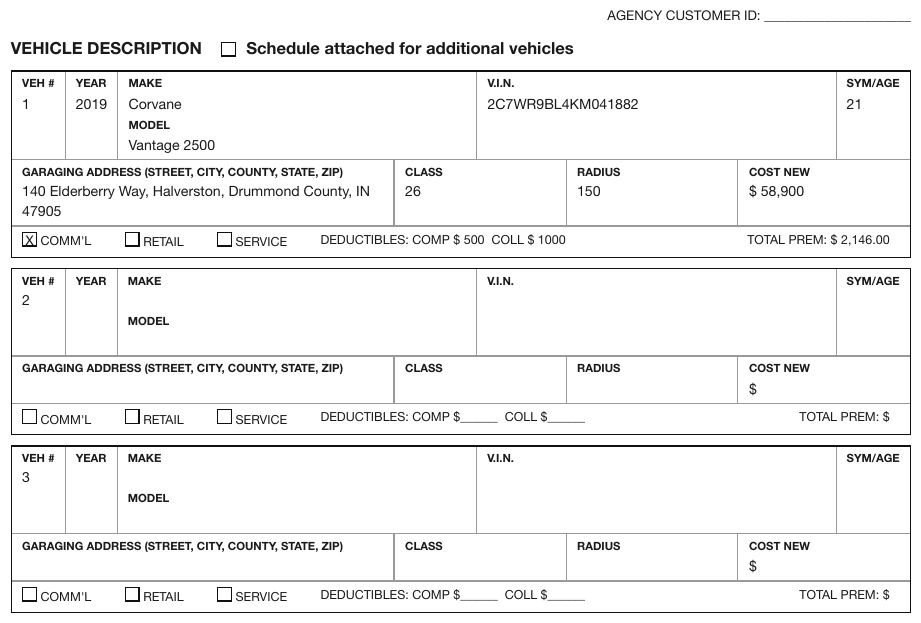
- Each repetition MUST be rendered as its own group of key-value lines, in printed order.
- Consecutive groups MUST be separated by one blank line in the Markdown; when a sidecar is produced, each group MUST be its own nested group of items.
- A heading, number or label that the page does not print MUST NOT be added to tell the groups apart.
Where non-field text goes
Instructions, preambles and fine print MUST be transcribed at their printed reading position, between the fields they accompany — see Fields Outside the Form§10.5.1.
Unlabelled entries with no id
An entry with neither a printed id nor a printed label MUST be rendered as its bare value, or as a
bare [blank] when it is empty. A label or positional id MUST NOT be invented for it.
✅ Sample — three identical child blocks

Section 2 prints Child’s Name / Address / City, State / Dates: From … To / Lived with
/ Relationship to Child three times over, with no heading on any of the three blocks. Each
block is an anonymous group, read row by row; the blocks are separated by blank lines.
- Case No.: [blank]
[2] INFORMATION REGARDING WHERE THE CHILDREN UNDER 18 YEARS OLD HAVE LIVED FOR THE LAST 5 YEARS (or since birth, if younger than 5).
Child’s Name: [blank]
Dates:
- From: [blank]
- To: [blank]
Address: [blank]
Lived with: [blank]
City, State: [blank]
Relationship to Child: [blank]
Child’s Name: [blank]
Dates:
- From: [blank]
- To: [blank]
Address: [blank]
Lived with: [blank]
City, State: [blank]
Relationship to Child: [blank]
Child’s Name: [blank]
Dates:
- From: [blank]
- To: [blank]
Address: [blank]
Lived with: [blank]
City, State: [blank]
Relationship to Child: [blank]
…
Markdown source
- **Case No.**: [blank]
[2] INFORMATION REGARDING WHERE THE CHILDREN UNDER 18 YEARS OLD HAVE LIVED FOR THE LAST 5 YEARS (or since birth, if younger than 5).
Child’s Name: [blank]
Dates:
- From: [blank]
- To: [blank]
Address: [blank]
Lived with: [blank]
City, State: [blank]
Relationship to Child: [blank]
Child’s Name: [blank]
Dates:
- From: [blank]
- To: [blank]
Address: [blank]
Lived with: [blank]
City, State: [blank]
Relationship to Child: [blank]
Child’s Name: [blank]
Dates:
- From: [blank]
- To: [blank]
Address: [blank]
Lived with: [blank]
City, State: [blank]
Relationship to Child: [blank]
<!-- … -->
Related
- The Key-Value List§10.3.2 — the line format every group uses
- Sections and Grouped Fields§10.5.3 — groups that do print a heading
- Fields Outside the Form§10.5.1 — where non-field text is placed
- Values Are Verbatim§10.3.3 — what goes after the label
10.3 The output format
10.3.1 Ids and Labels
✅ Normative · 📄 page rule
✅ Normative
A field's id is its printed designator, written exactly as printed in escaped brackets outside the bold label. Its label is the printed caption, verbatim. A label MUST NOT repeat the id, and a caption MUST NOT be written as an id.
The distinction
An id is a short printed designator that indexes into the form — 1a, e, H1, Part III.
It is what a reader cites when they say "see line 12a".
A label is the caption. A caption is never an id. On a 1099, only the numbered boxes have
ids; PAYER'S TIN is a label with no id.
✅ - \[1a\] **Total amount**: 4,200
❌ - **1a Total amount**: 4,200 ← id folded into the label
❌ - \[PAYER'S TIN\] **...** ← a caption is not an id
Nothing is cleaned up
A label MUST keep its abbreviations, capitalisation and punctuation exactly as printed. A label
MUST NOT be renamed, expanded or tidied: FAX (A/C, No) stays FAX (A/C, No).
Implicit numbers
When a printed id carries an implicit number, the id MUST include it.

Source: IRS Form 1040 (2020), Refund section, lines 35a–35d (public domain)
A block printed 35a then b, c, d has the ids 35a, 35b, 35c, 35d — not 35a,
b, c, d. The 35 is implied by position and is part of how the field is cited; dropping it
makes three of the four ids unusable for reference.
Escaping
\[x\] is a printed id "x"; [x] is a checked box. The escape is what keeps them apart — see
The Key-Value List§10.3.2.
Related
- The Key-Value List§10.3.2 — the line format ids and labels sit in
- Fill-Ins§10.4.4 — fields with an id but no label
- Form Reading Order§10.5.2 — ids set the order of the fields
10.3.2 The Key-Value List
✅ Normative · 📄 page rule
✅ Normative
Fillable form content MUST be rendered as a Markdown key-value list, not as a table. Every field
MUST be one list item using the - marker.
The shape
### \[Part I\] Information About the Partnership
- \[A\] **Partnership's employer identification number**: 27-4162308
- \[D\] **Check if this is a publicly traded partnership (PTP)**: [ ]
- **CONTACT NAME:** Melinda Clayton
- **FAX (A/C, No):** [blank]
- \[G\]
- [x] General partner or LLC member-manager
- [ ] Limited partner or other LLC member
- **Your signature**: [signature: John Doe]
The line format
- \[id\] **Label**: value
- The id and the label MUST each appear only when printed. A field with no printed id carries no brackets.
- An id MUST be written in escaped square brackets —
\[1a\]— outside the bold label. - An empty fill-in MUST be rendered as
[blank]. A checkbox MUST be rendered as[x](checked) or[ ](unchecked). - An option line MUST be box-first:
- [x] Single. - A printed section heading MUST be rendered as a Markdown heading. A box whose id covers several fields MUST be rendered as a parent list item with the fields nested beneath it.
Why the id is escaped
\[x\] is a printed field designator "x"; [x] is a checked box. Without the escape the two
cannot be told apart, and a field id silently becomes a tick.
Colons
- When the printed label ends in
:, the colon MUST stay inside the bold label:- **CONTACT NAME:** Melinda Clayton. - When the value is not printed on the same line as its label — a caption printed under its
line, an answer area below its question — the
:after the label MUST be omitted:- **SIGNATURE OF DEPONENT** [blank].
Related
- Ids and Labels§10.3.1 — what counts as an id and what as a label
- Values Are Verbatim§10.3.3 — what goes after the label
- Fill-Ins§10.4.4 · Checkboxes§10.4.2 · Option Groups§10.4.5 — the field shapes
- Forms and Key-Value Regions§10.1 — deciding that a region is form content at all
10.3.3 Values Are Verbatim
✅ Normative · 📄 page rule
✅ Normative
Entered content MUST be transcribed exactly as it appears on the page. A value MUST NOT be rounded, reformatted, computed or summarised.
This is Cell Text Fidelity§9.6.3 applied to what someone wrote into a field.
| Printed | Output | Not |
|---|---|---|
29,513 |
29,513 |
29513, 29,513.00 |
590.50 |
590.50 |
590.5 |
1.0000000000 % |
1.0000000000 % |
1.0%, 1 |
-599,459 |
-599,459 |
(599,459) |
(284,791) |
(284,791) |
-284,791 |
A negative amount MUST keep the form the page printed: a leading minus stays a minus, parentheses stay parentheses. Converting between them is a reformat, and a reformat is how a value stops matching the document it came from.
Identifiers are not normalised either
An entered SSN, TIN, policy number or account number MUST be transcribed exactly as printed. It
MUST NOT be rewritten to a canonical mask such as XXX-XX-XXXX or re-grouped to a standard shape.
This holds however the form splits the digits. A social security number printed across three boxed groups is the printed digits, in the grouping the page uses:
- \[E\] **Partner's SSN or TIN**: 27-4162256
Normalising an identifier looks harmless because the canonical form is more readable. It is the same failure as rounding a number: the output stops matching the document, and a reader verifying a value against the page finds a string that is not on it. A consumer that needs a canonical form can derive one; it cannot recover the printed one.
Split dollar and cent columns
A form that prints dollars and cents in two ruled columns holds one value. It MUST be rendered
as one value — 1,234.00 — and MUST NOT be split across two fields. The rule lines are
typesetting, not structure.
Related
- Cell Text Fidelity§9.6.3 — the same rule inside tables
- Accounting Number Formats§9.6.1 — negative and zero forms kept as printed
- The Key-Value List§10.3.2 · Fill-Ins§10.4.4 — where values sit
10.4 Fields
10.4.1 Blanks Inside Sentences
✅ Normative · 📄 page rule
✅ Normative
A sentence with fill-in gaps MUST be kept intact, with each gap rendered as [blank] at its printed
position. A hint printed with a blank MUST be kept next to that blank, once.
Affidavits, declarations and notarial blocks print their fields as prose with gaps in it:
The Enterprise is ______________% Black Owned using the flow-through principle …
Executed on the (date) ______ day of (month) ____________ (year) ________
The Enterprise is [blank]% Black Owned using the flow-through principle …
Executed on the *(date)* [blank] day of *(month)* [blank] *(year)* [blank]
Fill-Ins§10.4.4 assumes a label followed by a field. Here there is no label — the sentence is the label, and one sentence can hold three blanks. The sentence MUST NOT be broken up into key-value lines, and a key MUST NOT be made up from the words before a blank.
The sub-cases
| The page prints | Output |
|---|---|
| A blank inside a sentence | [blank] in its printed position |
| A hint inside or beside the blank | The hint as printed, next to its own blank, once |
| A caption under the line | The caption kept with that blank, once, never duplicated |
| A currency glyph before a blank | $[blank], keeping the printed spacing |
✅ Sample — blanks inside bulleted sentences
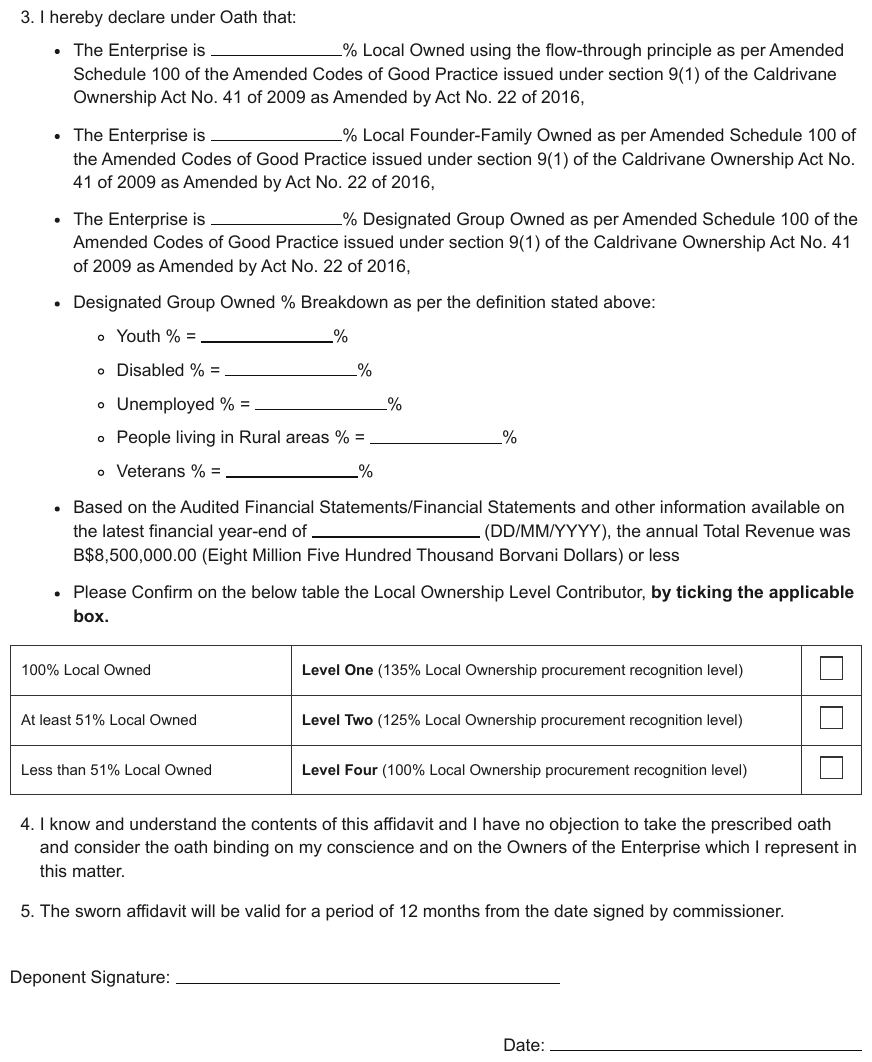
Each bullet is a sentence with one percentage blank in it; the indented group prints a short label,
=, then the blank. The page also carries a three-row table whose last column is an unlabelled
tick box.
- I hereby declare under Oath that:
- The Enterprise is [blank]% Local Owned using the flow-through principle as per Amended Schedule 100 of the Amended Codes of Good Practice issued under section 9(1) of the Caldrivane Ownership Act No. 41 of 2009 as Amended by Act No. 22 of 2016,
- The Enterprise is [blank]% Local Founder-Family Owned as per Amended Schedule 100 of the Amended Codes of Good Practice issued under section 9(1) of the Caldrivane Ownership Act No. 41 of 2009 as Amended by Act No. 22 of 2016,
- The Enterprise is [blank]% Designated Group Owned as per Amended Schedule 100 of the Amended Codes of Good Practice issued under section 9(1) of the Caldrivane Ownership Act No. 41 of 2009 as Amended by Act No. 22 of 2016,
- Designated Group Owned % Breakdown as per the definition stated above:
- Youth % = [blank]%
- Disabled % = [blank]%
- Unemployed % = [blank]%
- People living in Rural areas % = [blank]%
- Veterans % = [blank]%
- Based on the Audited Financial Statements/Financial Statements and other information available on the latest financial year-end of [blank] (DD/MM/YYYY), the annual Total Revenue was B$8,500,000.00 (Eight Million Five Hundred Thousand Borvani Dollars) or less
- Please Confirm on the below table the Local Ownership Level Contributor, by ticking the applicable box.
| 100% Local Owned | Level One (135% Local Ownership procurement recognition level) | [ ] |
| At least 51% Local Owned | Level Two (125% Local Ownership procurement recognition level) | [ ] |
| Less than 51% Local Owned | Level Four (100% Local Ownership procurement recognition level) | [ ] |
- I know and understand the contents of this affidavit and I have no objection to take the prescribed oath and consider the oath binding on my conscience and on the Owners of the Enterprise which I represent in this matter.
- The sworn affidavit will be valid for a period of 12 months from the date signed by commissioner.
- Deponent Signature: [blank]
- Date: [blank]
Markdown source
3. I hereby declare under Oath that:
* The Enterprise is [blank]% Local Owned using the flow-through principle as per Amended Schedule 100 of the Amended Codes of Good Practice issued under section 9(1) of the Caldrivane Ownership Act No. 41 of 2009 as Amended by Act No. 22 of 2016,
* The Enterprise is [blank]% Local Founder-Family Owned as per Amended Schedule 100 of the Amended Codes of Good Practice issued under section 9(1) of the Caldrivane Ownership Act No. 41 of 2009 as Amended by Act No. 22 of 2016,
* The Enterprise is [blank]% Designated Group Owned as per Amended Schedule 100 of the Amended Codes of Good Practice issued under section 9(1) of the Caldrivane Ownership Act No. 41 of 2009 as Amended by Act No. 22 of 2016,
* Designated Group Owned % Breakdown as per the definition stated above:
- Youth % = [blank]%
- Disabled % = [blank]%
- Unemployed % = [blank]%
- People living in Rural areas % = [blank]%
- Veterans % = [blank]%
* Based on the Audited Financial Statements/Financial Statements and other information available on the latest financial year-end of [blank] (DD/MM/YYYY), the annual Total Revenue was B$8,500,000.00 (Eight Million Five Hundred Thousand Borvani Dollars) or less
* Please Confirm on the below table the Local Ownership Level Contributor, **by ticking the applicable box.**
<table>
<tr> <td>100% Local Owned</td> <td><strong>Level One</strong> (135% Local Ownership procurement recognition level)</td> <td>[ ]</td> </tr>
<tr> <td>At least 51% Local Owned</td> <td><strong>Level Two</strong> (125% Local Ownership procurement recognition level)</td> <td>[ ]</td> </tr>
<tr> <td>Less than 51% Local Owned</td> <td><strong>Level Four</strong> (100% Local Ownership procurement recognition level)</td> <td>[ ]</td> </tr>
</table>
- I know and understand the contents of this affidavit and I have no objection to take the prescribed oath and consider the oath binding on my conscience and on the Owners of the Enterprise which I represent in this matter.
- The sworn affidavit will be valid for a period of 12 months from the date signed by commissioner.
- Deponent Signature: [blank]
- Date: [blank]
✅ Sample — hints printed inside the blanks
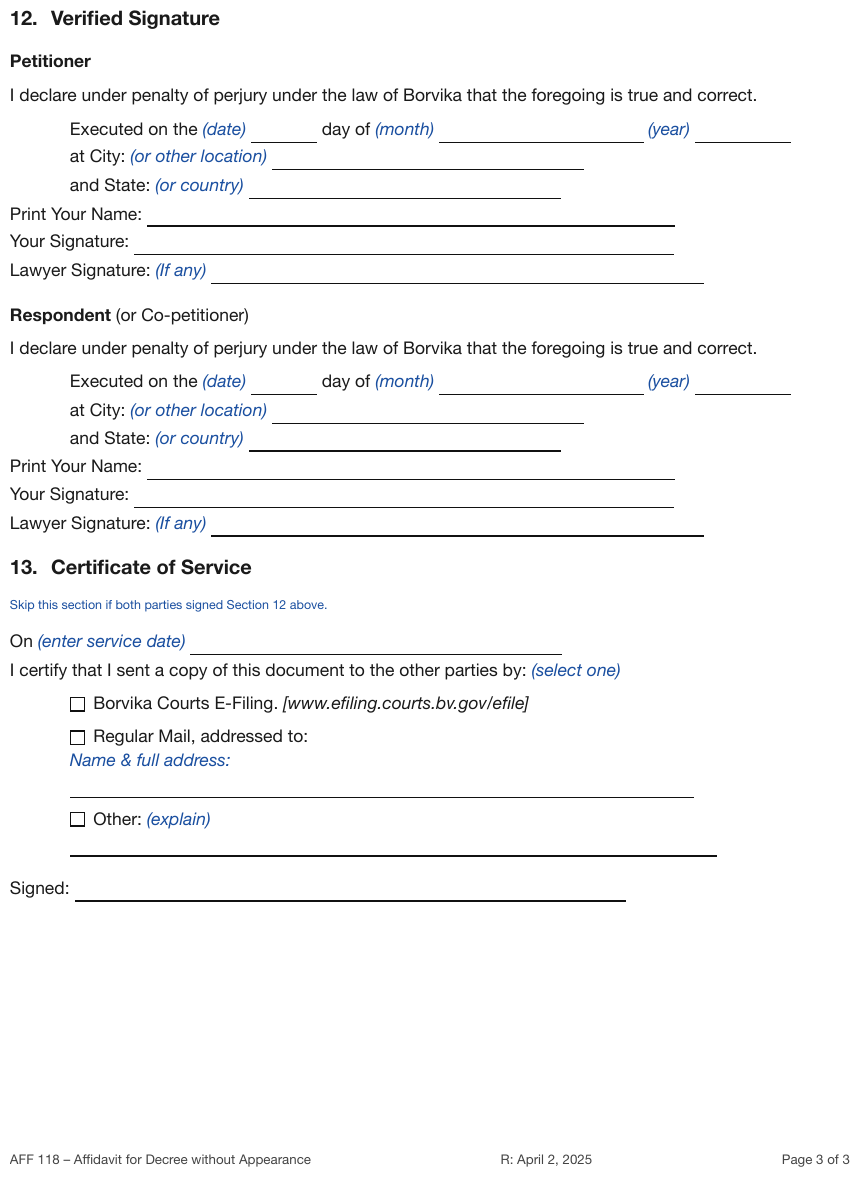
Executed on the (date) ___ day of (month) ___ (year) ___: the hints sit before each blank, in
blue italic. Print Your Name: and Your Signature: are ordinary labelled fill-ins; the
(If any) hint of Lawyer Signature: stays beside its blank.
[12] Verified Signature
Petitioner
I declare under penalty of perjury under the law of Borvika that the foregoing is true and correct.
Executed on the (date) [blank] day of (month) [blank] (year) [blank] at City: (or other location) [blank] and State: (or country) [blank]
- Print Your Name: [blank]
- Your Signature: [blank]
- Lawyer Signature: (If any) [blank]
Respondent (or Co-petitioner)
I declare under penalty of perjury under the law of Borvika that the foregoing is true and correct.
Executed on the (date) [blank] day of (month) [blank] (year) [blank] at City: (or other location) [blank] and State: (or country) [blank]
- Print Your Name: [blank]
- Your Signature: [blank]
- Lawyer Signature: (If any) [blank]
…
Markdown source
### \[12\] Verified Signature
Petitioner
I declare under penalty of perjury under the law of Borvika that the foregoing is true and correct.
Executed on the (date) [blank] day of (month) [blank] (year) [blank]
at City: (or other location) [blank]
and State: (or country) [blank]
- Print Your Name: [blank]
- Your Signature: [blank]
- Lawyer Signature: (If any) [blank]
Respondent (or Co-petitioner)
I declare under penalty of perjury under the law of Borvika that the foregoing is true and correct.
Executed on the (date) [blank] day of (month) [blank] (year) [blank]
at City: (or other location) [blank]
and State: (or country) [blank]
- Print Your Name: [blank]
- Your Signature: [blank]
- Lawyer Signature: (If any) [blank]
<!-- … -->
✅ Sample — captions printed under the line
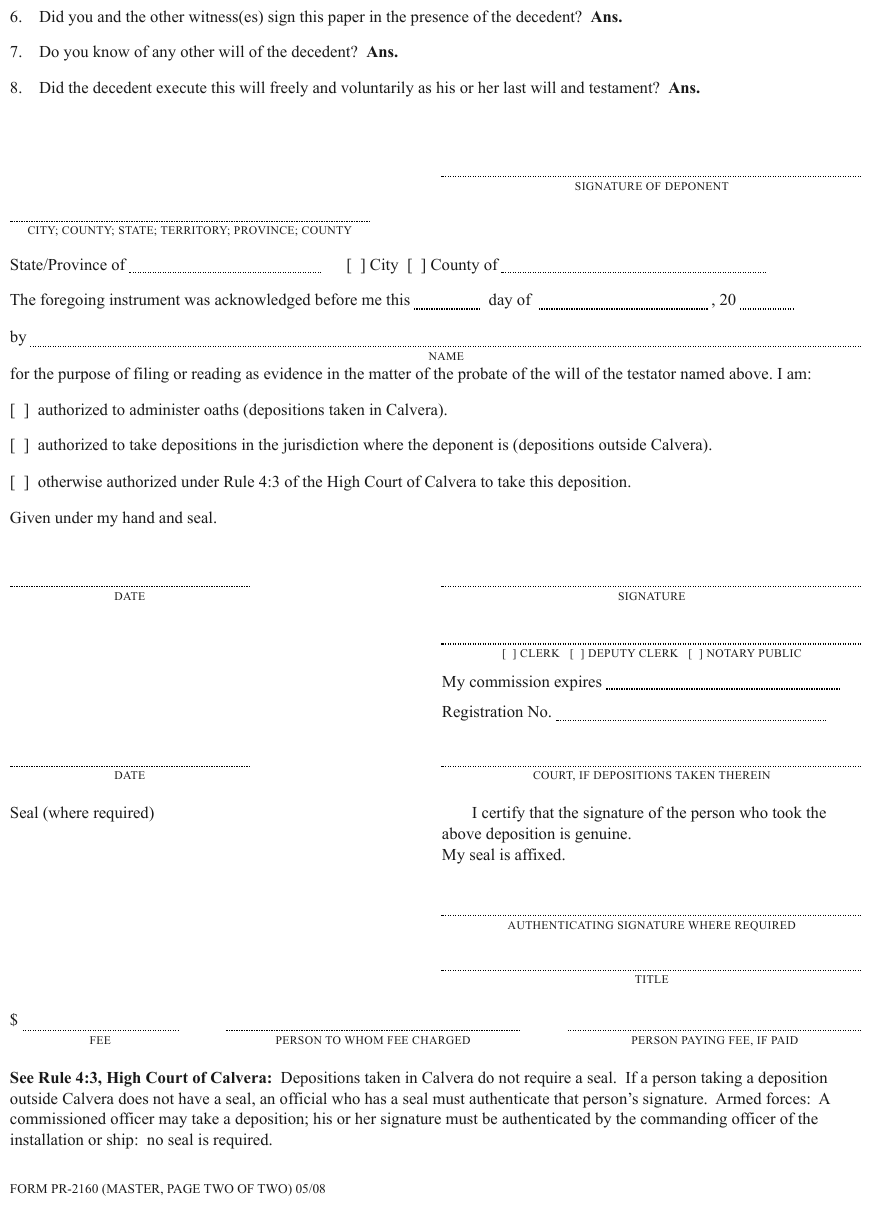
A notarial block where the caption is set in small capitals beneath each dotted line —
NAME, DATE, SIGNATURE OF DEPONENT — and a fee line that prints $ before its blank. A
standalone line takes its caption as its label, with no colon because the two sit on different
lines; the NAME line inside the sentence keeps its caption right after its blank.
- Did you and the other witness(es) sign this paper in the presence of the decedent? Ans. [blank]
- Do you know of any other will of the decedent? Ans. [blank]
- Did the decedent execute this will freely and voluntarily as his or her last will and testament? Ans. [blank]
- SIGNATURE OF DEPONENT [blank]
- CITY; COUNTY; STATE; TERRITORY; PROVINCE; COUNTY [blank]
State/Province of [blank] [ ] City [ ] County of [blank]
The foregoing instrument was acknowledged before me this [blank] day of [blank] , 20 [blank] by [blank] NAME for the purpose of filing or reading as evidence in the matter of the probate of the will of the testator named above. I am:
- [ ] authorized to administer oaths (depositions taken in Calvera).
- [ ] authorized to take depositions in the jurisdiction where the deponent is (depositions outside Calvera).
- [ ] otherwise authorized under Rule 4:3 of the High Court of Calvera to take this deposition.
Given under my hand and seal.
- DATE [blank]
- SIGNATURE [blank]
- [blank]
- [ ] CLERK
- [ ] DEPUTY CLERK
- [ ] NOTARY PUBLIC
- My commission expires: [blank]
- Registration No.: [blank]
- DATE [blank]
- COURT, IF DEPOSITIONS TAKEN THEREIN [blank]
Seal (where required)
I certify that the signature of the person who took the above deposition is genuine. My seal is affixed.
- AUTHENTICATING SIGNATURE WHERE REQUIRED [blank]
- TITLE [blank]
- FEE $[blank]
- PERSON TO WHOM FEE CHARGED [blank]
- PERSON PAYING FEE, IF PAID [blank]
See Rule 4:3, High Court of Calvera: Depositions taken in Calvera do not require a seal. If a person taking a deposition outside Calvera does not have a seal, an official who has a seal must authenticate that person’s signature. Armed forces: A commissioned officer may take a deposition; his or her signature must be authenticated by the commanding officer of the installation or ship: no seal is required.
FORM PR-2160 (MASTER, PAGE TWO OF TWO) 05/08
Markdown source
6. Did you and the other witness(es) sign this paper in the presence of the decedent? **Ans.** [blank]
7. Do you know of any other will of the decedent? **Ans.** [blank]
8. Did the decedent execute this will freely and voluntarily as his or her last will and testament? **Ans.** [blank]
- SIGNATURE OF DEPONENT [blank]
- CITY; COUNTY; STATE; TERRITORY; PROVINCE; COUNTY [blank]
State/Province of [blank] [ ] City [ ] County of [blank]
The foregoing instrument was acknowledged before me this [blank] day of [blank] , 20 [blank]
by [blank] NAME
for the purpose of filing or reading as evidence in the matter of the probate of the will of the testator named above. I am:
- [ ] authorized to administer oaths (depositions taken in Calvera).
- [ ] authorized to take depositions in the jurisdiction where the deponent is (depositions outside Calvera).
- [ ] otherwise authorized under Rule 4:3 of the High Court of Calvera to take this deposition.
Given under my hand and seal.
- DATE [blank]
- SIGNATURE [blank]
- [blank]
- [ ] CLERK
- [ ] DEPUTY CLERK
- [ ] NOTARY PUBLIC
- My commission expires: [blank]
- Registration No.: [blank]
- DATE [blank]
- COURT, IF DEPOSITIONS TAKEN THEREIN [blank]
Seal (where required)
I certify that the signature of the person who took the above deposition is genuine.
My seal is affixed.
- AUTHENTICATING SIGNATURE WHERE REQUIRED [blank]
- TITLE [blank]
- FEE $[blank]
- PERSON TO WHOM FEE CHARGED [blank]
- PERSON PAYING FEE, IF PAID [blank]
See Rule 4:3, High Court of Calvera: Depositions taken in Calvera do not require a seal. If a person taking a deposition outside Calvera does not have a seal, an official who has a seal must authenticate that person’s signature. Armed forces: A commissioned officer may take a deposition; his or her signature must be authenticated by the commanding officer of the installation or ship: no seal is required.
FORM PR-2160 (MASTER, PAGE TWO OF TWO) 05/08
Related
- Fill-Ins§10.4.4 — the labelled case this rule extends
- Ids and Labels§10.3.1 — a label is verbatim, which is why inventing one is a failure
- Fields Outside the Form§10.5.1 — non-field prose on a form page
10.4.2 Checkboxes
✅ Normative · 📄 page rule
✅ Normative
A checked box MUST be rendered as [x] and an unchecked box as [ ]. An unchecked box MUST be
transcribed explicitly and MUST NOT be dropped.
What counts as checked
A box is checked when it holds a clear, unambiguous mark inside it — a check, a cross, a filled box.
- Handwriting or a mark near a box MUST NOT make it checked.
- A box whose state is in doubt MUST be rendered
[ ]. - A decorative bullet (●) printed beside a required field is not a check mark.
The rendered page decides
A check mark can exist only as drawn strokes with no text-layer glyph — common on degraded scans. The state MUST be read from the rendered page, never from the text layer: a tick the text layer never saw is still a tick. See The Page Is the Ground Truth§2.1.
A lone labelled checkbox
The box sits in the value position:
- **FATCA filing requirement**: [x]
- \[D\] **Check if this is a publicly traded partnership (PTP)**: [ ]
A checkbox with its own write-in
One line — the box first, then the entered text:
- \[3\] [x] 8888
- **Other (specify):** [x] consulting
Every box on the page
A checkbox MUST be included wherever it sits — header, margin, footer: Final K-1 /
Amended K-1 at the very top of a K-1, CORRECTED (if checked) at the top of a 1099. See
Fields Outside the Form§10.5.1.
Radio buttons
A radio control MUST be rendered with the same [ ] / [x] notation as a checkbox. Every option
MUST be kept, with its grouping, and a printed pick-one instruction MUST be kept as text.
✅ Sample — radio buttons beside checkboxes
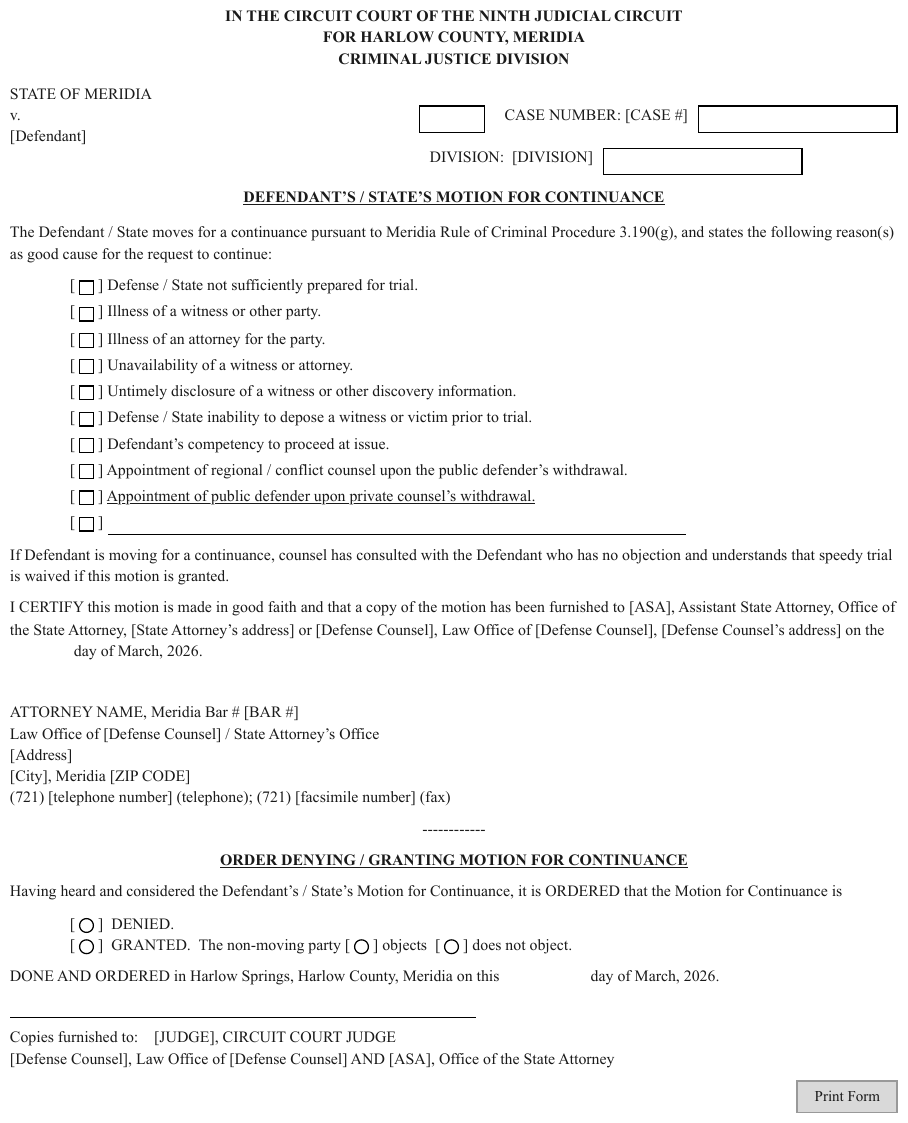
A motion form with [ ☐ ] bracketed boxes for the reasons and [ ○ ] bracketed circles for
DENIED / GRANTED and objects / does not object. The circles are pick-one controls; the
notation is [ ] or [x], preserving each printed state. A Print Form button sits at the foot.
…
The Defendant / State moves for a continuance pursuant to Meridia Rule of Criminal Procedure 3.190(g), and states the following reason(s) as good cause for the request to continue:
- [ ] Defense / State not sufficiently prepared for trial.
- [ ] Illness of a witness or other party.
- [ ] Illness of an attorney for the party.
- [ ] Unavailability of a witness or attorney.
- [ ] Untimely disclosure of a witness or other discovery information.
- [ ] Defense / State inability to depose a witness or victim prior to trial.
- [ ] Defendant’s competency to proceed at issue.
- [ ] Appointment of regional / conflict counsel upon the public defender’s withdrawal.
- [ ] Appointment of public defender upon private counsel’s withdrawal.
- [ ] [blank]
…
ORDER DENYING / GRANTING MOTION FOR CONTINUANCE
Having heard and considered the Defendant’s / State’s Motion for Continuance, it is ORDERED that the Motion for Continuance is
- [ ] DENIED.
- [ ] GRANTED. The non-moving party [ ] objects [ ] does not object.
DONE AND ORDERED in Harlow Springs, Harlow County, Meridia on this [blank] day of March, 2026.
- [blank]
Copies furnished to: [JUDGE], CIRCUIT COURT JUDGE [Defense Counsel], Law Office of [Defense Counsel] AND [ASA], Office of the State Attorney
Print Form
Markdown source
<!-- … -->
The Defendant / State moves for a continuance pursuant to Meridia Rule of Criminal Procedure 3.190(g), and states the following reason(s) as good cause for the request to continue:
- [ ] Defense / State not sufficiently prepared for trial.
- [ ] Illness of a witness or other party.
- [ ] Illness of an attorney for the party.
- [ ] Unavailability of a witness or attorney.
- [ ] Untimely disclosure of a witness or other discovery information.
- [ ] Defense / State inability to depose a witness or victim prior to trial.
- [ ] Defendant’s competency to proceed at issue.
- [ ] Appointment of regional / conflict counsel upon the public defender’s withdrawal.
- [ ] <u>Appointment of public defender upon private counsel’s withdrawal.</u>
- [ ] [blank]
<!-- … -->
ORDER DENYING / GRANTING MOTION FOR CONTINUANCE
Having heard and considered the Defendant’s / State’s Motion for Continuance, it is ORDERED that the Motion for Continuance is
- [ ] DENIED.
- [ ] GRANTED. The non-moving party [ ] objects [ ] does not object.
DONE AND ORDERED in Harlow Springs, Harlow County, Meridia on this [blank] day of March, 2026.
- [blank]
Copies furnished to: [JUDGE], CIRCUIT COURT JUDGE
[Defense Counsel], Law Office of [Defense Counsel] AND [ASA], Office of the State Attorney
Print Form
Related
- Option Groups§10.4.5 — several boxes answering one question
- Checklists§10.4.3 — items each led by a box, with no question asked
- Tables Inside Forms§10.5.4 — checkboxes inside a grid
- Fields Outside the Form§10.5.1 — boxes in headers and footers
10.4.3 Checklists
✅ Normative · 📄 page rule
✅ Normative
Each checklist item MUST be rendered box-first — the box before its printed label — and items MUST be nested under their group label. A group-level box MUST stay on its group's line. A form's group labels MUST NOT be promoted to document headings.
A list of items each led by a box, sometimes under a group label that carries a box of its own. Nothing is being answered; the page is a to-do list or a required-documents list.
☐ Division 9 rate filings
☐ Transmittal information
☐ Certification (EC-1, residential property)
☐ Rate filing checklist (Exhibit A)
- [ ] **Division 9 rate filings**
- [ ] Transmittal information
- [ ] Certification (EC-1, residential property)
- [ ] Rate filing checklist (Exhibit A)
A checklist item has no caption above it and no label before its box, so neither shape of The Key-Value List§10.3.2 applies unchanged: it is not an option of a captioned group, and it is not a labelled field with a box in the value position. It is rendered box-first, like an option line.
✅ Sample — a filing checklist
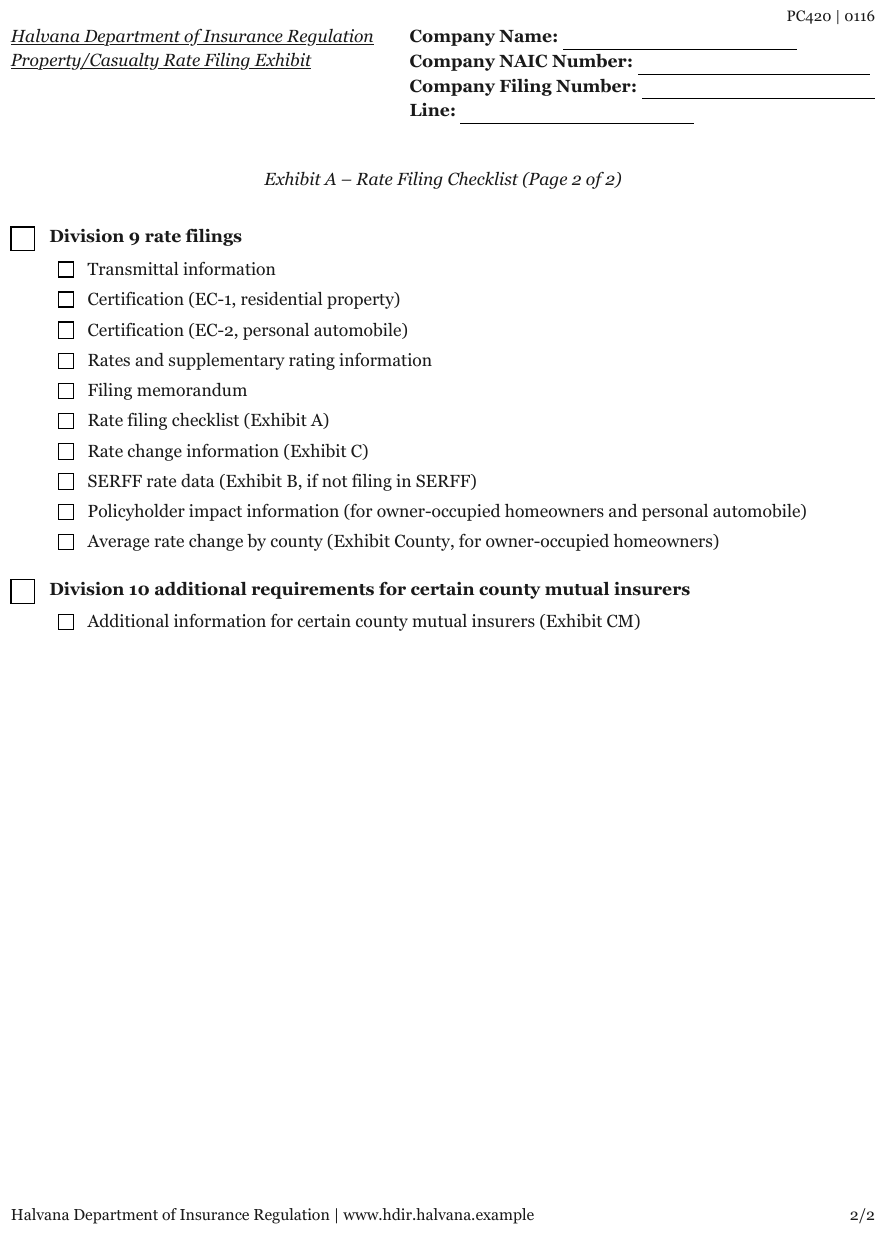
Two bold group labels, each with a large box before it; ten and one indented items under them, each with a smaller box. Four labelled fill-ins sit in the top-right corner.
PC420 | 0116
Halvana Department of Insurance Regulation Property/Casualty Rate Filing Exhibit
- Company Name: [blank]
- Company NAIC Number: [blank]
- Company Filing Number: [blank]
- Line: [blank]
Exhibit A – Rate Filing Checklist (Page 2 of 2)
- [ ] Division 9 rate filings
- [ ] Transmittal information
- [ ] Certification (EC-1, residential property)
- [ ] Certification (EC-2, personal automobile)
- [ ] Rates and supplementary rating information
- [ ] Filing memorandum
- [ ] Rate filing checklist (Exhibit A)
- [ ] Rate change information (Exhibit C)
- [ ] SERFF rate data (Exhibit B, if not filing in SERFF)
- [ ] Policyholder impact information (for owner-occupied homeowners and personal automobile)
- [ ] Average rate change by county (Exhibit County, for owner-occupied homeowners)
- [ ] Division 10 additional requirements for certain county mutual insurers
- [ ] Additional information for certain county mutual insurers (Exhibit CM)
Halvana Department of Insurance Regulation | www.hdir.halvana.example
2/2
Markdown source
PC420 | 0116
<u>Halvana Department of Insurance Regulation</u>
<u>Property/Casualty Rate Filing Exhibit</u>
- Company Name: [blank]
- Company NAIC Number: [blank]
- Company Filing Number: [blank]
- Line: [blank]
Exhibit A – Rate Filing Checklist (Page 2 of 2)
- [ ] Division 9 rate filings
- [ ] Transmittal information
- [ ] Certification (EC-1, residential property)
- [ ] Certification (EC-2, personal automobile)
- [ ] Rates and supplementary rating information
- [ ] Filing memorandum
- [ ] Rate filing checklist (Exhibit A)
- [ ] Rate change information (Exhibit C)
- [ ] SERFF rate data (Exhibit B, if not filing in SERFF)
- [ ] Policyholder impact information (for owner-occupied homeowners and personal automobile)
- [ ] Average rate change by county (Exhibit County, for owner-occupied homeowners)
- [ ] Division 10 additional requirements for certain county mutual insurers
- [ ] Additional information for certain county mutual insurers (Exhibit CM)
Halvana Department of Insurance Regulation | www.hdir.halvana.example
2/2
✅ Sample — boxes on section headings of a court form
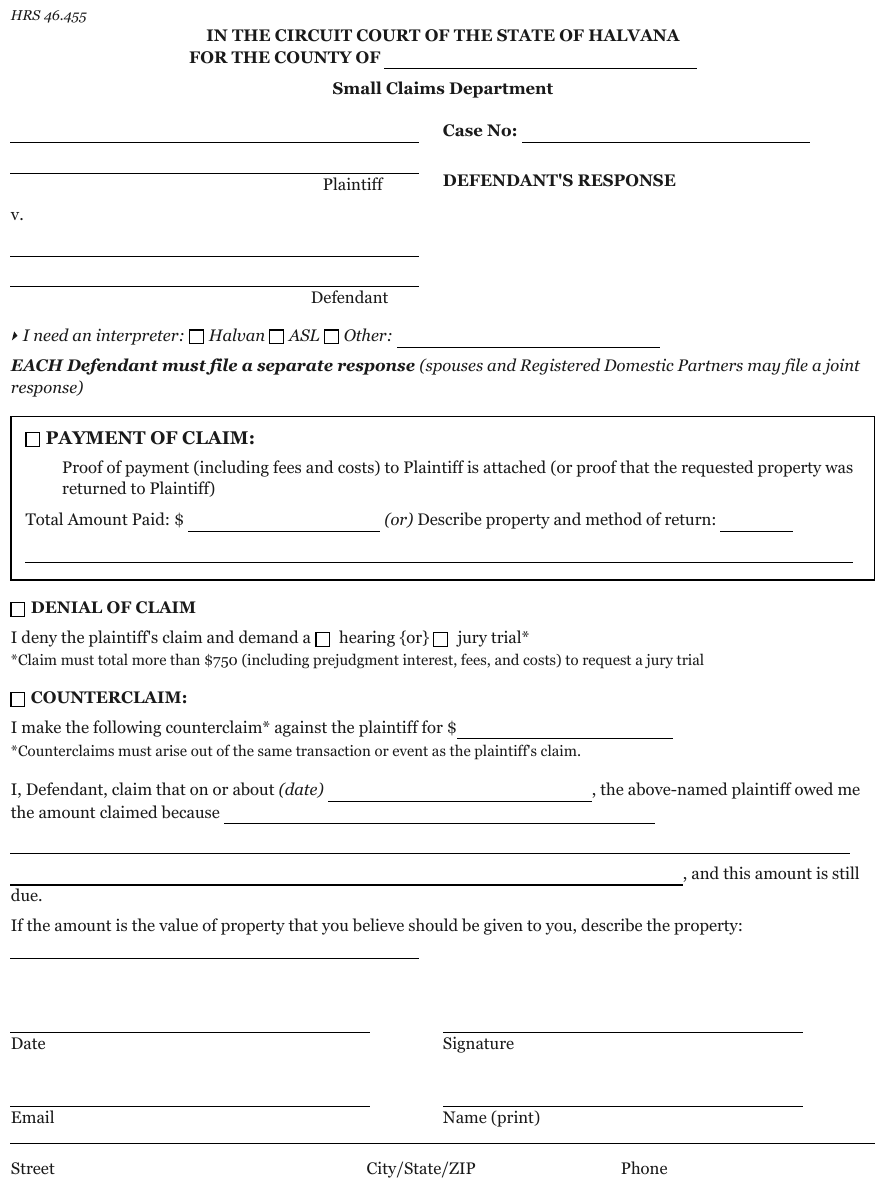
PAYMENT OF CLAIM:, DENIAL OF CLAIM and COUNTERCLAIM: each carry a box before the label; the
denial line then prints two more boxes inside its sentence (hearing {or} jury trial). Each label
stays on its box's line, with what it governs nested beneath it; none becomes a heading.
…
[ ] PAYMENT OF CLAIM:
Proof of payment (including fees and costs) to Plaintiff is attached (or proof that the requested property was returned to Plaintiff)
Total Amount Paid: $ [blank] (or) Describe property and method of return: [blank]
[ ] DENIAL OF CLAIM
I deny the plaintiff's claim and demand a [ ] hearing {or} [ ] jury trial*
*Claim must total more than $750 (including prejudgment interest, fees, and costs) to request a jury trial
[ ] COUNTERCLAIM:
I make the following counterclaim* against the plaintiff for $[blank]
*Counterclaims must arise out of the same transaction or event as the plaintiff's claim.
I, Defendant, claim that on or about (date) [blank], the above-named plaintiff owed me the amount claimed because [blank], and this amount is still due.
If the amount is the value of property that you believe should be given to you, describe the property: [blank]
…
Markdown source
<!-- … -->
[ ] PAYMENT OF CLAIM:
Proof of payment (including fees and costs) to Plaintiff is attached (or proof that the requested property was returned to Plaintiff)
Total Amount Paid: $ [blank] (or) Describe property and method of return: [blank]
[ ] DENIAL OF CLAIM
I deny the plaintiff's claim and demand a [ ] hearing {or} [ ] jury trial*
*Claim must total more than $750 (including prejudgment interest, fees, and costs) to request a jury trial
[ ] COUNTERCLAIM:
I make the following counterclaim* against the plaintiff for $[blank]
*Counterclaims must arise out of the same transaction or event as the plaintiff's claim.
I, Defendant, claim that on or about (date) [blank], the above-named plaintiff owed me the amount claimed because [blank], and this amount is still due.
If the amount is the value of property that you believe should be given to you, describe the property: [blank]
<!-- … -->
✅ Sample — an option group laid out in two rows
Audit history … is followed by five boxed options set in three columns over two rows, with no
ids. With no ids to follow, the options are read row by row, like any unnumbered grid of equal
items.
…
All A&E Contract Information:
- Total participation amount $[blank] on all Regional and RRP contracts for Architectural & Engineering services that the consultant received in the last three fiscal periods.
- The number of regions in which the consultant does business is[blank].
- Years of consultant’s experience with Cost Rule Part 31 is[blank].
- Audit history of the consultant’s current and prior years (if applicable)
- [ ] Cognizant ICR Audit
- [ ] Local Gov’t ICR Audit
- [ ] Department ICR Audit
- [ ] CPA ICR Audit
- [ ] Regional Gov’t ICR Audit
…
Markdown source
<!-- … -->
All A&E Contract Information:
- Total participation amount $[blank] on all Regional and RRP contracts for Architectural & Engineering services that the consultant received in the last three fiscal periods.
- The number of regions in which the consultant does business is[blank].
- Years of consultant’s experience with Cost Rule Part 31 is[blank].
- Audit history of the consultant’s current and prior years (if applicable)
- [ ] Cognizant ICR Audit
- [ ] Local Gov’t ICR Audit
- [ ] Department ICR Audit
- [ ] CPA ICR Audit
- [ ] Regional Gov’t ICR Audit
<!-- … -->
Blank lines used as check marks
A short printed line that stands where a box would be, in front of a checklist item, is a
checklist control: it MUST be rendered [ ] (or [x] when marked). [blank] MUST be used only when
the line asks for a written value.
✅ Sample — blank lines used as check marks
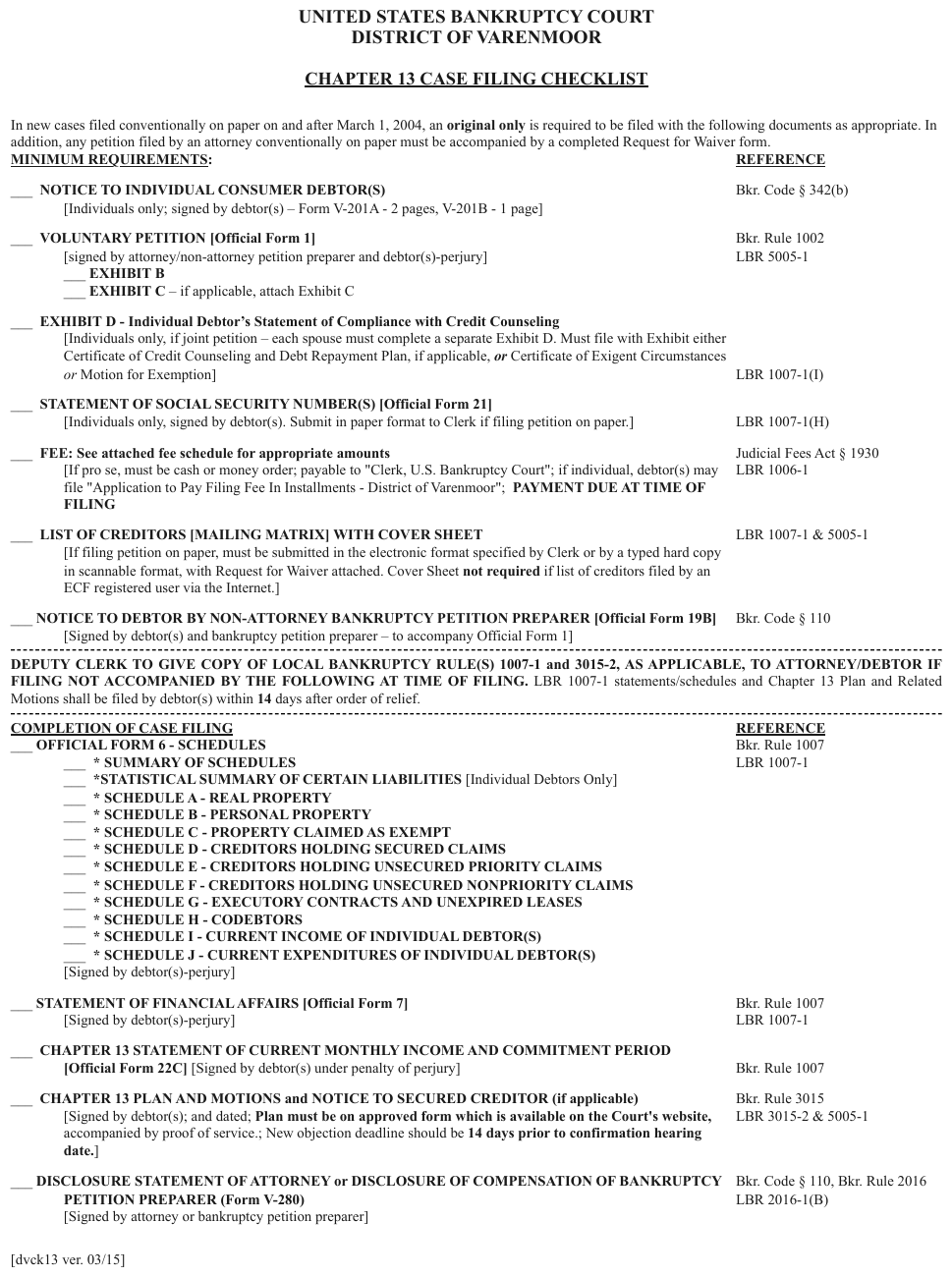
Every item is led by ___ rather than a box, including the indented * SCHEDULE A …
* SCHEDULE J run. A REFERENCE column of citations sits at the right margin under its own
printed header, aligned to the items, so each section is a two-column table whose item cells hold
the checklist.
…
| COMPLETION OF CASE FILING | REFERENCE |
|---|---|
| Bkr. Rule 1007 LBR 1007-1 |
| Bkr. Rule 1007 LBR 1007-1 |
| Bkr. Rule 1007 |
| Bkr. Rule 3015 LBR 3015-2 & 5005-1 |
| Bkr. Code § 110, Bkr. Rule 2016 LBR 2016-1(B) |
[dvck13 ver. 03/15]
Markdown source
<!-- … -->
<table>
<tr> <th><u>COMPLETION OF CASE FILING</u></th> <th><u>REFERENCE</u></th> </tr>
<tr> <td><ul><li>[ ] <strong>OFFICIAL FORM 6 - SCHEDULES</strong>
<ul>
<li>[ ] <strong>* SUMMARY OF SCHEDULES</strong></li>
<li>[ ] <strong>STATISTICAL SUMMARY OF CERTAIN LIABILITIES</strong> [Individual Debtors Only]</li>
<li>[ ] <strong> SCHEDULE A - REAL PROPERTY</strong></li>
<li>[ ] <strong>* SCHEDULE B - PERSONAL PROPERTY</strong></li>
<li>[ ] <strong>* SCHEDULE C - PROPERTY CLAIMED AS EXEMPT</strong></li>
<li>[ ] <strong>* SCHEDULE D - CREDITORS HOLDING SECURED CLAIMS</strong></li>
<li>[ ] <strong>* SCHEDULE E - CREDITORS HOLDING UNSECURED PRIORITY CLAIMS</strong></li>
<li>[ ] <strong>* SCHEDULE F - CREDITORS HOLDING UNSECURED NONPRIORITY CLAIMS</strong></li>
<li>[ ] <strong>* SCHEDULE G - EXECUTORY CONTRACTS AND UNEXPIRED LEASES</strong></li>
<li>[ ] <strong>* SCHEDULE H - CODEBTORS</strong></li>
<li>[ ] <strong>* SCHEDULE I - CURRENT INCOME OF INDIVIDUAL DEBTOR(S)</strong></li>
<li>[ ] <strong>* SCHEDULE J - CURRENT EXPENDITURES OF INDIVIDUAL DEBTOR(S)</strong></li>
</ul>
[Signed by debtor(s)-perjury]</li></ul></td> <td>Bkr. Rule 1007<br/>LBR 1007-1</td> </tr>
<tr> <td><ul><li>[ ] <strong>STATEMENT OF FINANCIAL AFFAIRS [Official Form 7]</strong><br/>[Signed by debtor(s)-perjury]</li></ul></td> <td>Bkr. Rule 1007<br/>LBR 1007-1</td> </tr>
<tr> <td><ul><li>[ ] <strong>CHAPTER 13 STATEMENT OF CURRENT MONTHLY INCOME AND COMMITMENT PERIOD</strong><br/><strong>[Official Form 22C]</strong> [Signed by debtor(s) under penalty of perjury]</li></ul></td> <td>Bkr. Rule 1007</td> </tr>
<tr> <td><ul><li>[ ] <strong>CHAPTER 13 PLAN AND MOTIONS and NOTICE TO SECURED CREDITOR (if applicable)</strong><br/>[Signed by debtor(s); and dated; <strong>Plan must be on approved form which is available on the Court's website,</strong> accompanied by proof of service.; New objection deadline should be <strong>14 days prior to confirmation hearing date.</strong>]</li></ul></td> <td>Bkr. Rule 3015<br/>LBR 3015-2 & 5005-1</td> </tr>
<tr> <td><ul><li>[ ] <strong>DISCLOSURE STATEMENT OF ATTORNEY or DISCLOSURE OF COMPENSATION OF BANKRUPTCY PETITION PREPARER (Form V-280)</strong><br/>[Signed by attorney or bankruptcy petition preparer]</li></ul></td> <td>Bkr. Code § 110, Bkr. Rule 2016<br/>LBR 2016-1(B)</td> </tr>
</table>
[dvck13 ver. 03/15]
A grid of checklists
A ruled grid whose cells each hold a checklist is a table: the cells are the table's content, and each cell's checklist is rendered as list items inside the cell.
✅ Sample — nine checklists in a grid
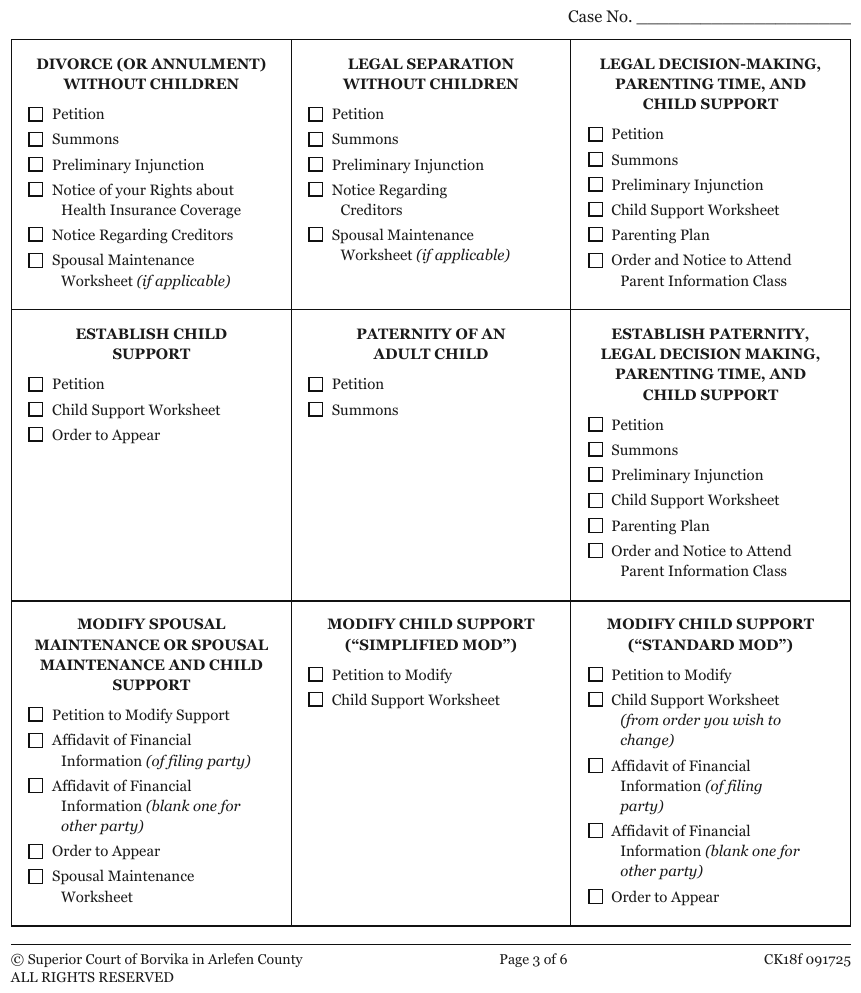
A three-by-three ruled grid, each cell a centred title over a list of boxed items, some with an italic qualifier. The cells are the table's content and the boxes are the cells' content.
- Case No.: [blank]
DIVORCE (OR ANNULMENT) WITHOUT CHILDREN
|
LEGAL SEPARATION WITHOUT CHILDREN
|
LEGAL DECISION-MAKING, PARENTING TIME, AND CHILD SUPPORT
|
ESTABLISH CHILD SUPPORT
|
PATERNITY OF AN ADULT CHILD
|
ESTABLISH PATERNITY, LEGAL DECISION MAKING, PARENTING TIME, AND CHILD SUPPORT
|
MODIFY SPOUSAL MAINTENANCE OR SPOUSAL MAINTENANCE AND CHILD SUPPORT
|
MODIFY CHILD SUPPORT (“SIMPLIFIED MOD”)
|
MODIFY CHILD SUPPORT (“STANDARD MOD”)
|
© Superior Court of Borvika in Arlefen County ALL RIGHTS RESERVED
Page 3 of 6
CK18f 091725
Markdown source
- **Case No.**: [blank]
<table>
<tr>
<td><strong>DIVORCE (OR ANNULMENT) WITHOUT CHILDREN</strong><ul><li>[ ] Petition</li><li>[ ] Summons</li><li>[ ] Preliminary Injunction</li><li>[ ] Notice of your Rights about Health Insurance Coverage</li><li>[ ] Notice Regarding Creditors</li><li>[ ] Spousal Maintenance Worksheet <em>(if applicable)</em></li></ul></td>
<td><strong>LEGAL SEPARATION WITHOUT CHILDREN</strong><ul><li>[ ] Petition</li><li>[ ] Summons</li><li>[ ] Preliminary Injunction</li><li>[ ] Notice Regarding Creditors</li><li>[ ] Spousal Maintenance Worksheet <em>(if applicable)</em></li></ul></td>
<td><strong>LEGAL DECISION-MAKING, PARENTING TIME, AND CHILD SUPPORT</strong><ul><li>[ ] Petition</li><li>[ ] Summons</li><li>[ ] Preliminary Injunction</li><li>[ ] Child Support Worksheet</li><li>[ ] Parenting Plan</li><li>[ ] Order and Notice to Attend Parent Information Class</li></ul></td>
</tr>
<tr>
<td><strong>ESTABLISH CHILD SUPPORT</strong><ul><li>[ ] Petition</li><li>[ ] Child Support Worksheet</li><li>[ ] Order to Appear</li></ul></td>
<td><strong>PATERNITY OF AN ADULT CHILD</strong><ul><li>[ ] Petition</li><li>[ ] Summons</li></ul></td>
<td><strong>ESTABLISH PATERNITY, LEGAL DECISION MAKING, PARENTING TIME, AND CHILD SUPPORT</strong><ul><li>[ ] Petition</li><li>[ ] Summons</li><li>[ ] Preliminary Injunction</li><li>[ ] Child Support Worksheet</li><li>[ ] Parenting Plan</li><li>[ ] Order and Notice to Attend Parent Information Class</li></ul></td>
</tr>
<tr>
<td><strong>MODIFY SPOUSAL MAINTENANCE OR SPOUSAL MAINTENANCE AND CHILD SUPPORT</strong><ul><li>[ ] Petition to Modify Support</li><li>[ ] Affidavit of Financial Information <em>(of filing party)</em></li><li>[ ] Affidavit of Financial Information <em>(blank one for other party)</em></li><li>[ ] Order to Appear</li><li>[ ] Spousal Maintenance Worksheet</li></ul></td>
<td><strong>MODIFY CHILD SUPPORT (“SIMPLIFIED MOD”)</strong><ul><li>[ ] Petition to Modify</li><li>[ ] Child Support Worksheet</li></ul></td>
<td><strong>MODIFY CHILD SUPPORT (“STANDARD MOD”)</strong><ul><li>[ ] Petition to Modify</li><li>[ ] Child Support Worksheet <em>(from order you wish to change)</em></li><li>[ ] Affidavit of Financial Information <em>(of filing party)</em></li><li>[ ] Affidavit of Financial Information <em>(blank one for other party)</em></li><li>[ ] Order to Appear</li></ul></td>
</tr>
</table>
© Superior Court of Borvika in Arlefen County
ALL RIGHTS RESERVED
Page 3 of 6
CK18f 091725
A box printed before an id
The order of box and id. A lettered or numbered item can print its box before its id:
☐ (h) The crime of …. It MUST be rendered box first, then the escaped id — - [ ] \[h\] The crime of … — so that the box always opens the line whether or not an id follows it.
✅ Sample — a box before a lettered id

Items (h) to (k) each print a box, then the letter id, then a paragraph with blanks inside it.
Each line opens with the box, then the escaped id: - [ ] \[h\].
…
Notification Relating to Specific Crimes: If any of the Following Paragraphs Apply, the Box Should Be Checked and the Paragraph Initialed by the Defendant.
- [ ] [h] The crime of [blank] has a mandatory minimum sentence of [blank] days in jail and a $[blank] fine, plus costs and assessments.
- [ ] [i] The crimes of solicitation, indecent exposure, permitting solicitation, and patronizing have a mandatory assessment of $[blank]. The court may reduce up to 2/3 of this assessment if the court finds that I am not able to pay the assessment. HRC 12A.410.
- [ ] [j] If this crime involves patronizing, a condition of my sentence will be that I not be subsequently arrested for patronizing or commercial sexual abuse of a minor. The court will impose crime-related geographical restrictions on me, unless the court finds they are not feasible. If this is my first offense, the court will order me to attend a program designed to educate me about the negative costs of patronizing.
- [ ] [k] This plea of guilty will result in suspension or revocation of my driving license or privilege by the Department of Licensing for a minimum period of [blank]. The Department of Licensing may impose a longer period of suspension or revocation based upon my record of conviction. The Department of Licensing shall
…
Markdown source
<!-- … -->
Notification Relating to Specific Crimes: If any of the Following Paragraphs Apply, the Box Should Be Checked and the Paragraph Initialed by the Defendant.
- [ ] [h] The crime of [blank] has a mandatory minimum sentence of [blank] days in jail and a $[blank] fine, plus costs and assessments.
- [ ] [i] The crimes of solicitation, indecent exposure, permitting solicitation, and patronizing have a mandatory assessment of $[blank]. The court may reduce up to 2/3 of this assessment if the court finds that I am not able to pay the assessment. HRC 12A.410.
- [ ] [j] If this crime involves patronizing, a condition of my sentence will be that I not be subsequently arrested for patronizing or commercial sexual abuse of a minor. The court will impose crime-related geographical restrictions on me, unless the court finds they are not feasible. If this is my first offense, the court will order me to attend a program designed to educate me about the negative costs of patronizing.
- [ ] [k] This plea of guilty will result in suspension or revocation of my driving license or privilege by the Department of Licensing for a minimum period of [blank]. The Department of Licensing may impose a longer period of suspension or revocation based upon my record of conviction. The Department of Licensing shall
<!-- … -->
Related
- Checkboxes§10.4.2 — what counts as checked
- Option Groups§10.4.5 — boxes answering one captioned question
- The Key-Value List§10.3.2 — the two field shapes a checklist sits between
- Form Reading Order§10.5.2 — ids decide the order; where there are none, rows do
10.4.4 Fill-Ins
✅ Normative · 📄 page rule
✅ Normative
Each printed entry field MUST be rendered as one line. An empty field MUST be rendered as [blank]
and MUST NOT be omitted.
The blank is the word marker [blank], like the protocol's other markers ([signature], [seal],
[stamp]). It replaces the older [___], whose underscores pair up as emphasis whenever two blanks
share a line (from [___] to [___]) and vanish when the Markdown is rendered. A printed bracketed
word [blank] on the page is escaped, \[blank\] — see Escaping Printed Marks§7.2.4.
- \[1\] **Wages, tips, other compensation**: 29,513
- \[7\] **Social security tips**: [blank]
- \[9\]: [blank]
The shapes
| The page prints | Output |
|---|---|
| id + label + value | - \[1\] **Label**: value |
| id, no label (shaded or unused boxes) | - \[9\]: [blank] |
| neither id nor label, filled | the bare value |
| neither id nor label, empty | a bare [blank] |
An empty field is content
An empty field says this was asked and not answered. Dropping it loses that, and the field count no longer matches the form — on a W-2 that is boxes 7–11, on a 1040 page 2 most of lines 17–31.
Adjacent boxes are separate fields
Two entry boxes printed side by side under one id are two fields and MUST NOT be fused into one
value. W-2 box 15 prints State and Employer's state ID number side by side:
- \[15\]
- **State**: SC
- **Employer's state ID number**: 00-0000056
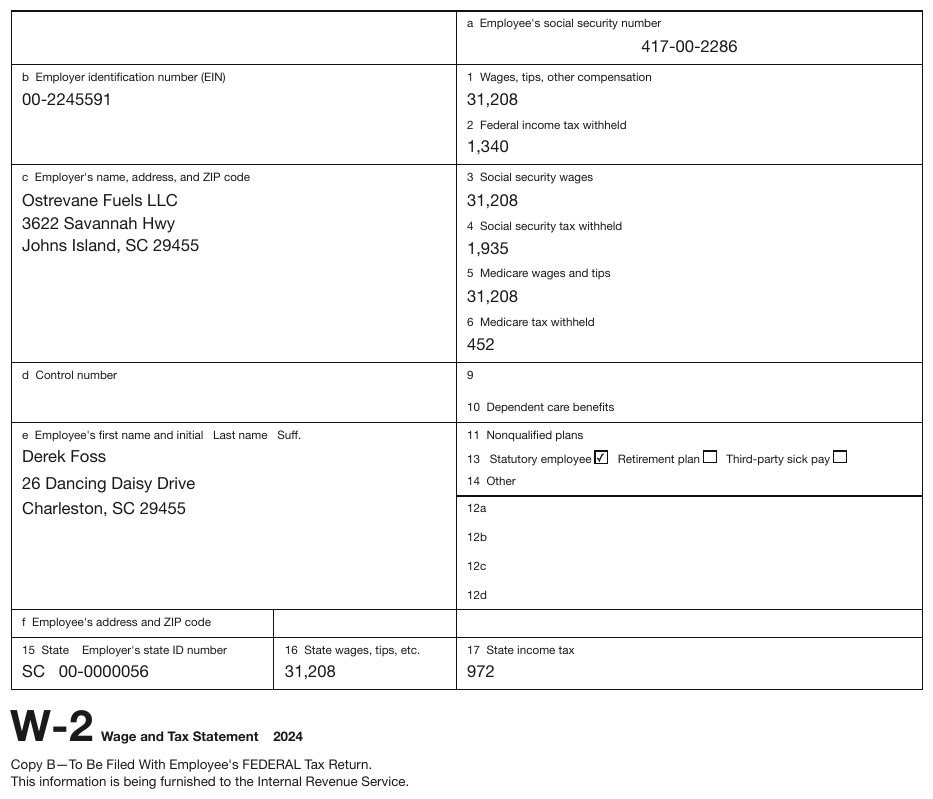
A currency glyph before a blank
A currency glyph printed before an empty field MUST be kept immediately before the blank —
$[blank] — with any printed spacing preserved. The field's label MUST stay unchanged: the glyph is
not folded into it.
✅ Sample — $ in empty cells
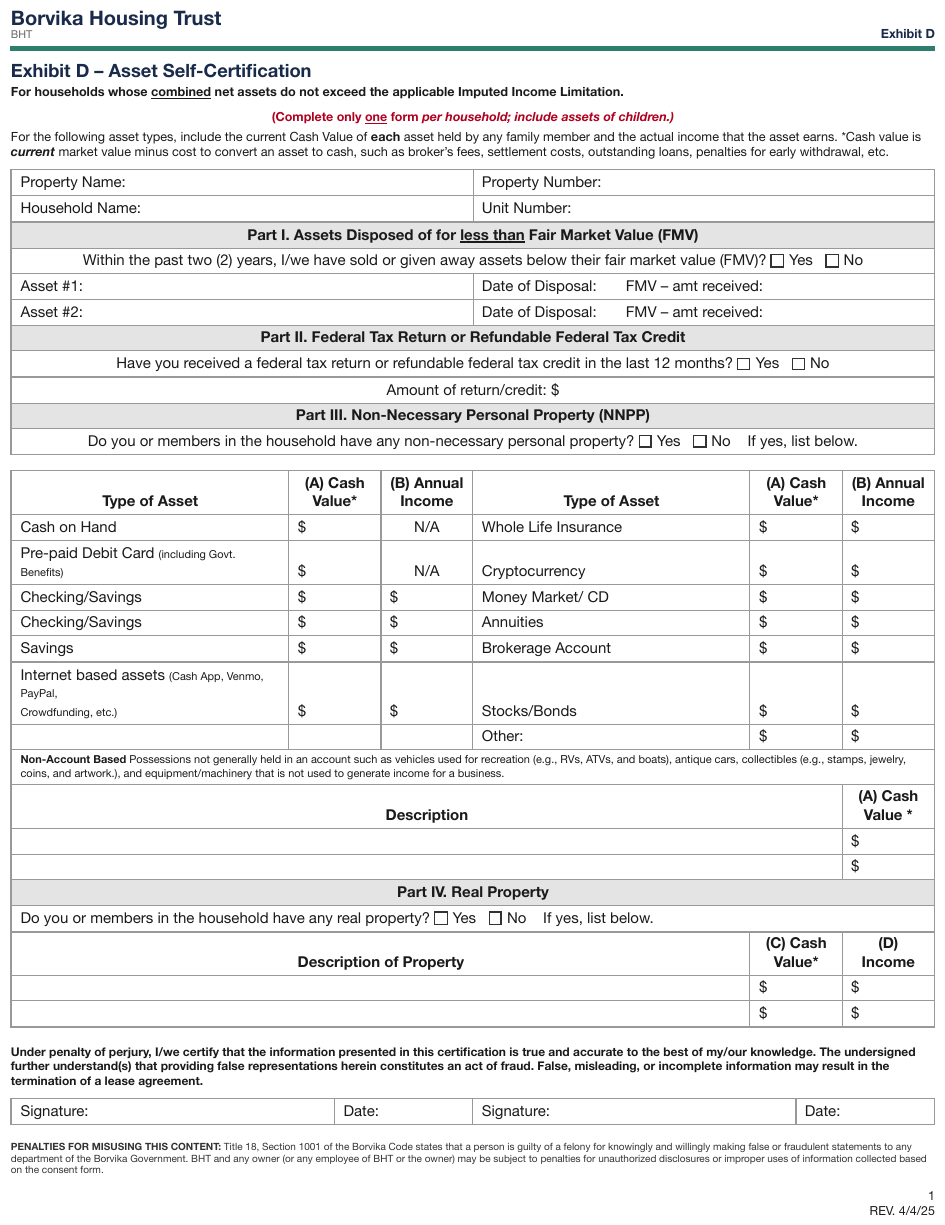
Every value cell in the Part III grids prints a $ and nothing else; two print N/A. Each $
cell is an empty field with its glyph kept: $[blank].
…
| Type of Asset | (A) Cash Value* | (B) Annual Income |
|---|---|---|
| Cash on Hand | $[blank] | N/A |
| Pre-paid Debit Card (including Govt. Benefits) | $[blank] | N/A |
| Checking/Savings | $[blank] | $[blank] |
| Checking/Savings | $[blank] | $[blank] |
| Savings | $[blank] | $[blank] |
| Internet based assets (Cash App, Venmo, PayPal, Crowdfunding, etc.) | $[blank] | $[blank] |
| Type of Asset | (A) Cash Value* | (B) Annual Income |
|---|---|---|
| Whole Life Insurance | $[blank] | $[blank] |
| Cryptocurrency | $[blank] | $[blank] |
| Money Market/ CD | $[blank] | $[blank] |
| Annuities | $[blank] | $[blank] |
| Brokerage Account | $[blank] | $[blank] |
| Stocks/Bonds | $[blank] | $[blank] |
| Other: | $[blank] | $[blank] |
…
Markdown source
<!-- … -->
<table>
<tr> <th>Type of Asset</th> <th>(A) Cash Value*</th> <th>(B) Annual Income</th> </tr>
<tr> <td>Cash on Hand</td> <td>$[blank]</td> <td>N/A</td> </tr>
<tr> <td>Pre-paid Debit Card (including Govt. Benefits)</td> <td>$[blank]</td> <td>N/A</td> </tr>
<tr> <td>Checking/Savings</td> <td>$[blank]</td> <td>$[blank]</td> </tr>
<tr> <td>Checking/Savings</td> <td>$[blank]</td> <td>$[blank]</td> </tr>
<tr> <td>Savings</td> <td>$[blank]</td> <td>$[blank]</td> </tr>
<tr> <td>Internet based assets (Cash App, Venmo, PayPal, Crowdfunding, etc.)</td> <td>$[blank]</td> <td>$[blank]</td> </tr>
<tr> <td></td> <td></td> <td></td> </tr>
</table>
<table>
<tr> <th>Type of Asset</th> <th>(A) Cash Value*</th> <th>(B) Annual Income</th> </tr>
<tr> <td>Whole Life Insurance</td> <td>$[blank]</td> <td>$[blank]</td> </tr>
<tr> <td>Cryptocurrency</td> <td>$[blank]</td> <td>$[blank]</td> </tr>
<tr> <td>Money Market/ CD</td> <td>$[blank]</td> <td>$[blank]</td> </tr>
<tr> <td>Annuities</td> <td>$[blank]</td> <td>$[blank]</td> </tr>
<tr> <td>Brokerage Account</td> <td>$[blank]</td> <td>$[blank]</td> </tr>
<tr> <td>Stocks/Bonds</td> <td>$[blank]</td> <td>$[blank]</td> </tr>
<tr> <td>Other:</td> <td>$[blank]</td> <td>$[blank]</td> </tr>
</table>
<!-- … -->
✅ Sample — $ before a dotted fee line
The bottom of a notarial form: $ then a dotted blank captioned FEE beneath the line. The same
page is the sample for Blanks Inside Sentences§10.4.1.
…
- FEE $[blank]
- PERSON TO WHOM FEE CHARGED [blank]
- PERSON PAYING FEE, IF PAID [blank]
…
Markdown source
<!-- … -->
- FEE $[blank]
- PERSON TO WHOM FEE CHARGED [blank]
- PERSON PAYING FEE, IF PAID [blank]
<!-- … -->
A field printed as several ruled lines
One answer field MUST be rendered as one [blank], however many ruled writing lines it offers.
Separate blanks MUST be emitted only for fields that are separately labelled or independently
answerable.
✅ Sample — numbered answer areas of four lines each
Items 24, 25 and 26 each print four ruled lines, then three checkbox lines, the last with a blank
inside its sentence (OBJECTION# ______ listed above). Each item's four lines are one field.
…
- [24]: [blank]
- [ ] Not Applicable
- [ ] Refer to attached list, chart, table or timeline
- [ ] Refer to document provided in response to Defendant’s Notice to Produce
- [ ] OBJECTION# [blank] listed above applies to this request
- [25]: [blank]
- [ ] Not Applicable
- [ ] Refer to attached list, chart, table or timeline
- [ ] Refer to document provided in response to Defendant’s Notice to Produce
- [ ] OBJECTION# [blank] listed above applies to this request
- [26]: [blank]
- [ ] Not Applicable
- [ ] Refer to attached list, chart, table or timeline
- [ ] Refer to document provided in response to Defendant’s Notice to Produce
- [ ] OBJECTION# [blank] listed above applies to this request
Plaintiff’s Response to Request for Interrogatories – Rev. February 2026
Page 9 of 15
Provided by Ashgrove Legal Aid and the Camberly Law Library
Markdown source
<!-- … -->
- [24]: [blank]
- [ ] Not Applicable
- [ ] Refer to attached list, chart, table or timeline
- [ ] Refer to document provided in response to Defendant’s Notice to Produce
- [ ] OBJECTION# [blank] listed above applies to this request
- [25]: [blank]
- [ ] Not Applicable
- [ ] Refer to attached list, chart, table or timeline
- [ ] Refer to document provided in response to Defendant’s Notice to Produce
- [ ] OBJECTION# [blank] listed above applies to this request
- [26]: [blank]
- [ ] Not Applicable
- [ ] Refer to attached list, chart, table or timeline
- [ ] Refer to document provided in response to Defendant’s Notice to Produce
- [ ] OBJECTION# [blank] listed above applies to this request
Plaintiff’s Response to Request for Interrogatories – Rev. February 2026
Page 9 of 15
Provided by Ashgrove Legal Aid and the Camberly Law Library
Values printed before anyone fills the form
A preprinted or computed value MUST be transcribed exactly as printed, including 0 % and
0.00. A visible value MUST NOT be replaced with a blank.
✅ Sample — computed zeros in an unfilled invoice
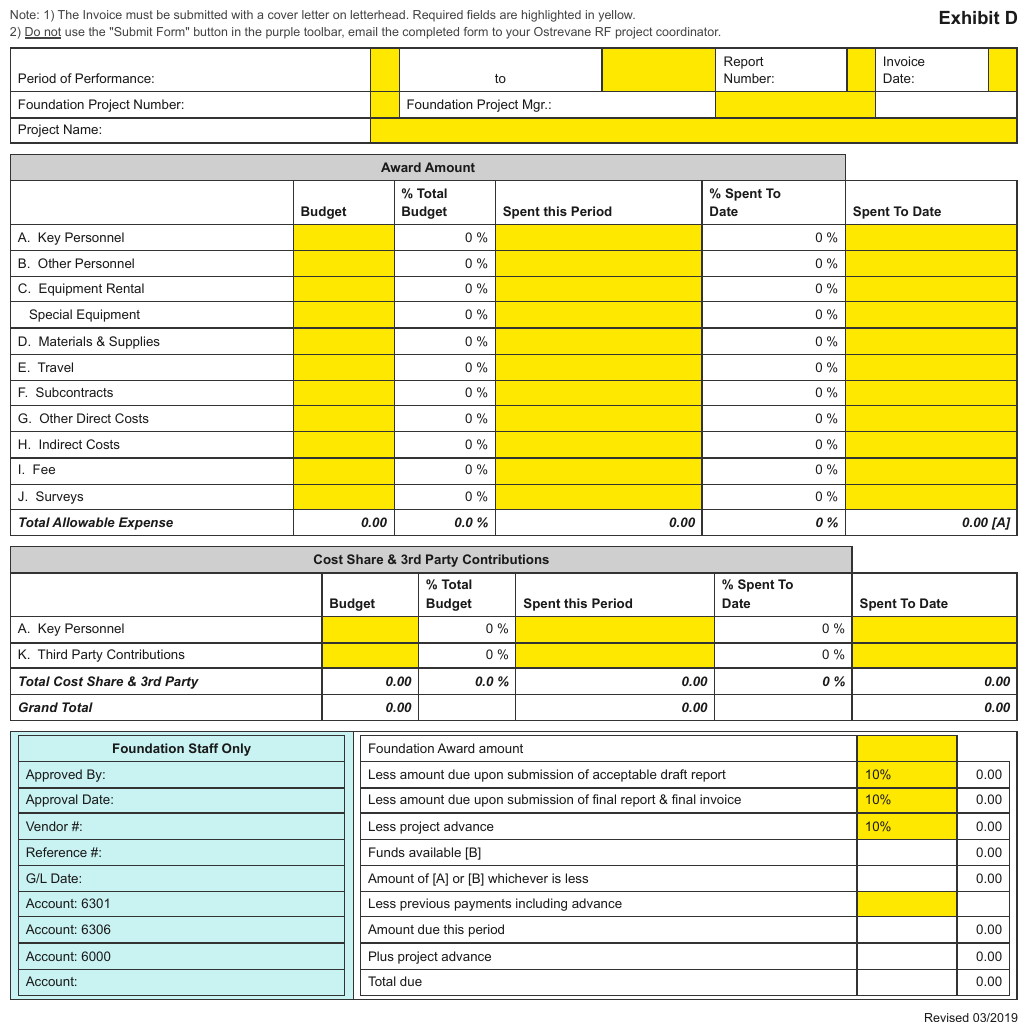
Yellow input cells sit empty; every item row prints 0 % under % Total Budget and
% Spent To Date, and the total rows print 0.00. A [A] reference tag sits beside the first
total.
…
| Award Amount | |||||
|---|---|---|---|---|---|
| Budget | % Total Budget | Spent this Period | % Spent To Date | Spent To Date | |
| A. Key Personnel | 0 % | 0 % | |||
| B. Other Personnel | 0 % | 0 % | |||
| C. Equipment Rental | 0 % | 0 % | |||
| Special Equipment | 0 % | 0 % | |||
| D. Materials & Supplies | 0 % | 0 % | |||
| E. Travel | 0 % | 0 % | |||
| F. Subcontracts | 0 % | 0 % | |||
| G. Other Direct Costs | 0 % | 0 % | |||
| H. Indirect Costs | 0 % | 0 % | |||
| I. Fee | 0 % | 0 % | |||
| J. Surveys | 0 % | 0 % | |||
| Total Allowable Expense | 0.00 | 0.0 % | 0.00 | 0 % | 0.00 [A] |
…
Markdown source
<!-- … -->
<table>
<tr> <th colspan="5">Award Amount</th> </tr>
<tr> <th></th> <th>Budget</th> <th>% Total Budget</th> <th>Spent this Period</th> <th>% Spent To Date</th> <th>Spent To Date</th> </tr>
<tr> <td>A. Key Personnel</td> <td></td> <td>0 %</td> <td></td> <td>0 %</td> <td></td> </tr>
<tr> <td>B. Other Personnel</td> <td></td> <td>0 %</td> <td></td> <td>0 %</td> <td></td> </tr>
<tr> <td>C. Equipment Rental</td> <td></td> <td>0 %</td> <td></td> <td>0 %</td> <td></td> </tr>
<tr> <td>Special Equipment</td> <td></td> <td>0 %</td> <td></td> <td>0 %</td> <td></td> </tr>
<tr> <td>D. Materials & Supplies</td> <td></td> <td>0 %</td> <td></td> <td>0 %</td> <td></td> </tr>
<tr> <td>E. Travel</td> <td></td> <td>0 %</td> <td></td> <td>0 %</td> <td></td> </tr>
<tr> <td>F. Subcontracts</td> <td></td> <td>0 %</td> <td></td> <td>0 %</td> <td></td> </tr>
<tr> <td>G. Other Direct Costs</td> <td></td> <td>0 %</td> <td></td> <td>0 %</td> <td></td> </tr>
<tr> <td>H. Indirect Costs</td> <td></td> <td>0 %</td> <td></td> <td>0 %</td> <td></td> </tr>
<tr> <td>I. Fee</td> <td></td> <td>0 %</td> <td></td> <td>0 %</td> <td></td> </tr>
<tr> <td>J. Surveys</td> <td></td> <td>0 %</td> <td></td> <td>0 %</td> <td></td> </tr>
<tr> <td><strong><em>Total Allowable Expense</em></strong></td> <td><strong><em>0.00</em></strong></td> <td><strong><em>0.0 %</em></strong></td> <td><strong><em>0.00</em></strong></td> <td><strong><em>0 %</em></strong></td> <td><strong><em>0.00 [A]</em></strong></td> </tr>
</table>
<!-- … -->
✅ Sample — a totals block under an empty grid
Six empty item rows, then Subtotal, Sales Tax, Shipping/Handling, TOTAL continuing the
frame's two right-hand columns, each printing 0.00; the last with a $. The totals stay in the
table, and every empty row is kept.
…
I CERTIFY THAT THE FOLLOWING ITEMS WERE ORDERED FROM:
[blank] (Name of Vendor) AND RECEIVED ON [blank] (Date)
| Item No. | Qty | Description | Unit Price | Extension |
|---|---|---|---|---|
| Subtotal | 0.00 | |||
| Sales Tax | 0.00 | |||
| Shipping/Handling | 0.00 | |||
| TOTAL | $ 0.00 |
- Reason(s) itemized invoice/receipt was not obtained for this order: [blank]
- Cardholder Signature [blank]
- Date [blank]
- Approving Official Signature [blank]
- Date [blank]
Rev. 03/2021
Markdown source
<!-- … -->
I CERTIFY THAT THE FOLLOWING ITEMS WERE ORDERED FROM:
[blank] (Name of Vendor) AND RECEIVED ON [blank] (Date)
<table>
<tr> <th>Item No.</th> <th>Qty</th> <th>Description</th> <th>Unit Price</th> <th>Extension</th> </tr>
<tr> <td></td> <td></td> <td></td> <td></td> <td></td> </tr>
<tr> <td></td> <td></td> <td></td> <td></td> <td></td> </tr>
<tr> <td></td> <td></td> <td></td> <td></td> <td></td> </tr>
<tr> <td></td> <td></td> <td></td> <td></td> <td></td> </tr>
<tr> <td></td> <td></td> <td></td> <td></td> <td></td> </tr>
<tr> <td></td> <td></td> <td></td> <td></td> <td></td> </tr>
<tr> <td></td> <td></td> <td></td> <td>Subtotal</td> <td>0.00</td> </tr>
<tr> <td></td> <td></td> <td></td> <td>Sales Tax</td> <td>0.00</td> </tr>
<tr> <td></td> <td></td> <td></td> <td>Shipping/Handling</td> <td>0.00</td> </tr>
<tr> <td></td> <td></td> <td></td> <th data-level="0">TOTAL</th> <td>$ 0.00</td> </tr>
</table>
- Reason(s) itemized invoice/receipt was not obtained for this order: [blank]
- Cardholder Signature [blank]
- Date [blank]
- Approving Official Signature [blank]
- Date [blank]
Rev. 03/2021
A label with no blank after it
An empty entry label such as Signed: or Date: MUST be followed by [blank] when the surrounding
form clearly asks for that value, even though no line, box or space is drawn. A field MUST NOT be
inferred from a colon in ordinary prose.
✅ Sample — signature lines with no line
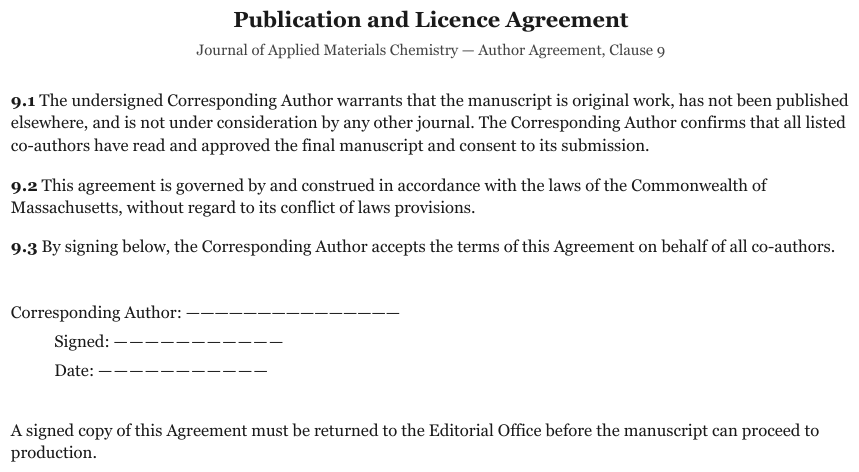
Corresponding Author: with Signed: and Date: nested beneath it, each followed by a run of
dashes and no ruled line or box. Each is an empty field.
…
9.3 By signing below, the Corresponding Author accepts the terms of this Agreement on behalf of all co-authors.
- Corresponding Author: [blank]
- Signed: [blank]
- Date: [blank]
A signed copy of this Agreement must be returned to the Editorial Office before the manuscript can proceed to production.
Markdown source
<!-- … -->
9.3 By signing below, the Corresponding Author accepts the terms of this Agreement on behalf of all co-authors.
- Corresponding Author: [blank]
- Signed: [blank]
- Date: [blank]
A signed copy of this Agreement must be returned to the Editorial Office before the manuscript can proceed to production.
✅ Sample — dotted lines as answer areas
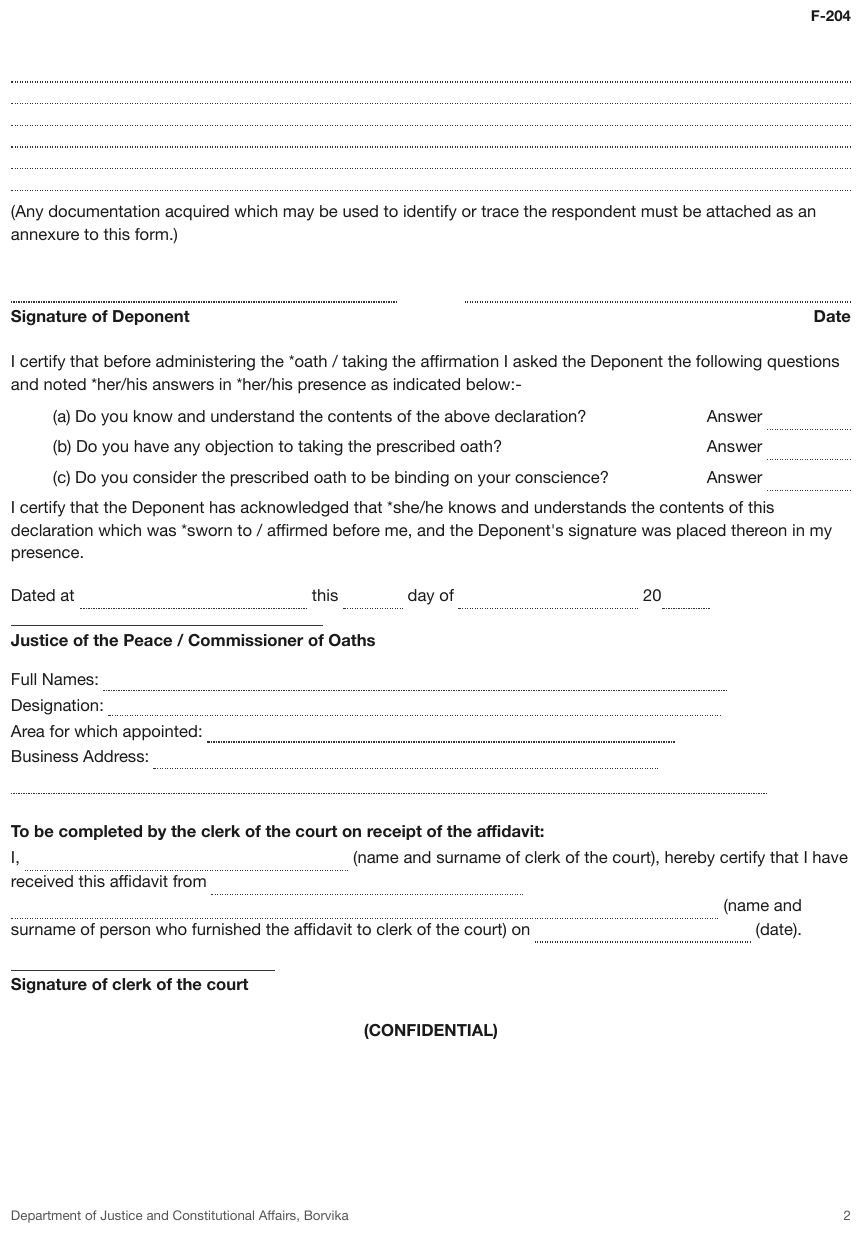
Six full-width dotted lines continue a statement from the previous page; Answer …… after each
of three questions; Dated at …… this …… day of …… 20…… with four blanks in one sentence. The six
lines are one field, and each Answer word stays beside its blank.
F-204
[blank]
(Any documentation acquired which may be used to identify or trace the respondent must be attached as an annexure to this form.)
- Signature of Deponent [blank]
- Date [blank]
I certify that before administering the *oath / taking the affirmation I asked the Deponent the following questions and noted *her/his answers in *her/his presence as indicated below:-
- [a] Do you know and understand the contents of the above declaration? Answer [blank]
- [b] Do you have any objection to taking the prescribed oath? Answer [blank]
- [c] Do you consider the prescribed oath to be binding on your conscience? Answer [blank]
I certify that the Deponent has acknowledged that *she/he knows and understands the contents of this declaration which was *sworn to / affirmed before me, and the Deponent's signature was placed thereon in my presence.
Dated at [blank] this [blank] day of [blank] 20[blank]
…
Markdown source
F-204
[blank]
(Any documentation acquired which may be used to identify or trace the respondent must be attached as an annexure to this form.)
- Signature of Deponent [blank]
- Date [blank]
I certify that before administering the *oath / taking the affirmation I asked the Deponent the following questions and noted *her/his answers in *her/his presence as indicated below:-
- [a] Do you know and understand the contents of the above declaration? Answer [blank]
- [b] Do you have any objection to taking the prescribed oath? Answer [blank]
- [c] Do you consider the prescribed oath to be binding on your conscience? Answer [blank]
I certify that the Deponent has acknowledged that *she/he knows and understands the contents of this declaration which was *sworn to / affirmed before me, and the Deponent's signature was placed thereon in my presence.
Dated at [blank] this [blank] day of [blank] 20[blank]
<!-- … -->
✅ Sample — spreadsheet errors as printed values
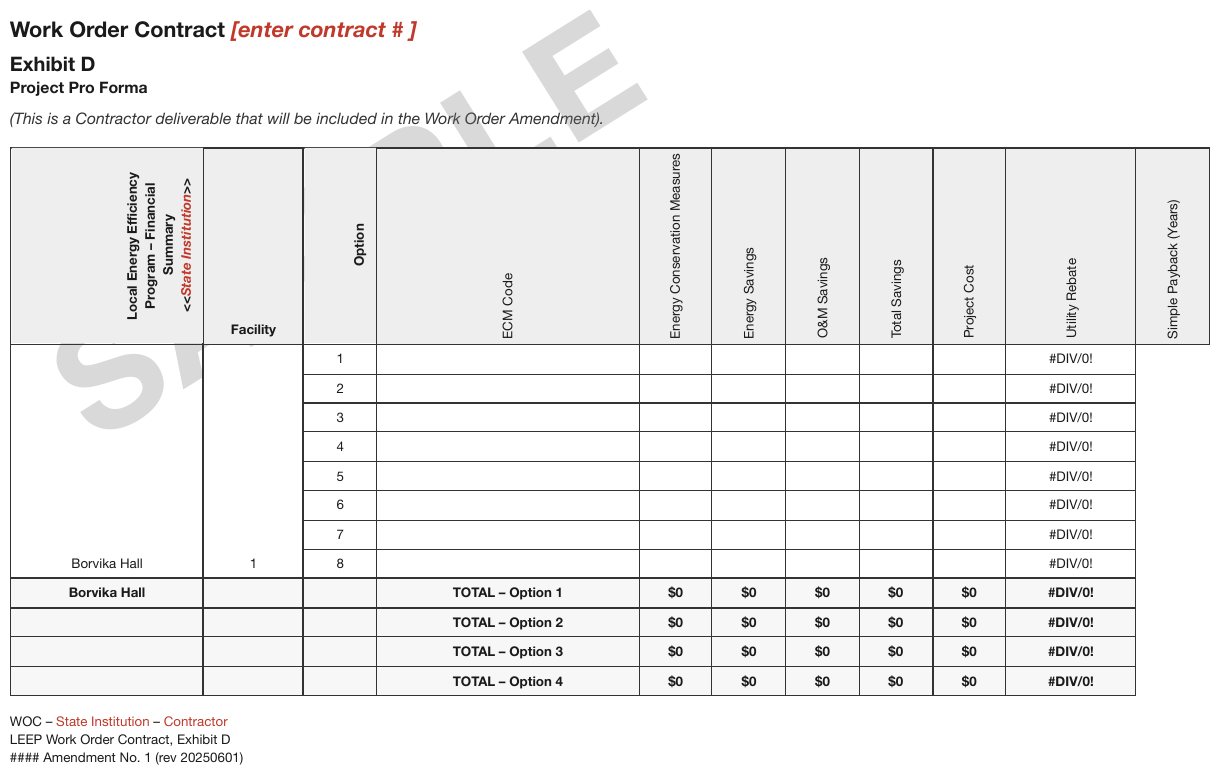
A rotated-header pro-forma grid whose Utility Rebate column prints #DIV/0! in every row and
whose totals print $0, under a SAMPLE watermark; a [enter contract # ] placeholder in the
title and a <<State Institution>> placeholder in the corner header. The error strings are
printed values and are kept; the Simple Payback (Years) column has a header and no body cells.
[watermark: SAMPLE]
Work Order Contract [enter contract # ]
Exhibit D
Project Pro Forma
(This is a Contractor deliverable that will be included in the Work Order Amendment).
| Local Energy Efficiency Program – Financial Summary <<State Institution>> | Facility | Option | ECM Code | Energy Conservation Measures | Energy Savings | O&M Savings | Total Savings | Project Cost | Utility Rebate | Simple Payback (Years) |
|---|---|---|---|---|---|---|---|---|---|---|
| Borvika Hall | 1 | 1 | #DIV/0! | |||||||
| 2 | #DIV/0! | |||||||||
| 3 | #DIV/0! | |||||||||
| 4 | #DIV/0! | |||||||||
| 5 | #DIV/0! | |||||||||
| 6 | #DIV/0! | |||||||||
| 7 | #DIV/0! | |||||||||
| 8 | #DIV/0! | |||||||||
| Borvika Hall | TOTAL – Option 1 | $0 | $0 | $0 | $0 | $0 | #DIV/0! | |||
| TOTAL – Option 2 | $0 | $0 | $0 | $0 | $0 | #DIV/0! | ||||
| TOTAL – Option 3 | $0 | $0 | $0 | $0 | $0 | #DIV/0! | ||||
| TOTAL – Option 4 | $0 | $0 | $0 | $0 | $0 | #DIV/0! |
WOC – State Institution – Contractor LEEP Work Order Contract, Exhibit D #### Amendment No. 1 (rev 20250601)
Markdown source
[watermark: SAMPLE]
Work Order Contract [enter contract # ]
Exhibit D
Project Pro Forma
(This is a Contractor deliverable that will be included in the Work Order Amendment).
<table>
<tr> <th>Local Energy Efficiency Program – Financial Summary<br/><<<em>State Institution</em>>></th> <th>Facility</th> <th>Option</th> <th>ECM Code</th> <th>Energy Conservation Measures</th> <th>Energy Savings</th> <th>O&M Savings</th> <th>Total Savings</th> <th>Project Cost</th> <th>Utility Rebate</th> <th>Simple Payback (Years)</th> </tr>
<tr> <td rowspan="8">Borvika Hall</td> <td rowspan="8">1</td> <td>1</td> <td></td> <td></td> <td></td> <td></td> <td></td> <td></td> <td>#DIV/0!</td> </tr>
<tr> <td>2</td> <td></td> <td></td> <td></td> <td></td> <td></td> <td></td> <td>#DIV/0!</td> </tr>
<tr> <td>3</td> <td></td> <td></td> <td></td> <td></td> <td></td> <td></td> <td>#DIV/0!</td> </tr>
<tr> <td>4</td> <td></td> <td></td> <td></td> <td></td> <td></td> <td></td> <td>#DIV/0!</td> </tr>
<tr> <td>5</td> <td></td> <td></td> <td></td> <td></td> <td></td> <td></td> <td>#DIV/0!</td> </tr>
<tr> <td>6</td> <td></td> <td></td> <td></td> <td></td> <td></td> <td></td> <td>#DIV/0!</td> </tr>
<tr> <td>7</td> <td></td> <td></td> <td></td> <td></td> <td></td> <td></td> <td>#DIV/0!</td> </tr>
<tr> <td>8</td> <td></td> <td></td> <td></td> <td></td> <td></td> <td></td> <td>#DIV/0!</td> </tr>
<tr> <td><strong>Borvika Hall</strong></td> <td></td> <td></td> <th data-level="0"><strong>TOTAL – Option 1</strong></th> <td><strong>$0</strong></td> <td><strong>$0</strong></td> <td><strong>$0</strong></td> <td><strong>$0</strong></td> <td><strong>$0</strong></td> <td><strong>#DIV/0!</strong></td> </tr>
<tr> <td></td> <td></td> <td></td> <th data-level="0"><strong>TOTAL – Option 2</strong></th> <td><strong>$0</strong></td> <td><strong>$0</strong></td> <td><strong>$0</strong></td> <td><strong>$0</strong></td> <td><strong>$0</strong></td> <td><strong>#DIV/0!</strong></td> </tr>
<tr> <td></td> <td></td> <td></td> <th data-level="0"><strong>TOTAL – Option 3</strong></th> <td><strong>$0</strong></td> <td><strong>$0</strong></td> <td><strong>$0</strong></td> <td><strong>$0</strong></td> <td><strong>$0</strong></td> <td><strong>#DIV/0!</strong></td> </tr>
<tr> <td></td> <td></td> <td></td> <th data-level="0"><strong>TOTAL – Option 4</strong></th> <td><strong>$0</strong></td> <td><strong>$0</strong></td> <td><strong>$0</strong></td> <td><strong>$0</strong></td> <td><strong>$0</strong></td> <td><strong>#DIV/0!</strong></td> </tr>
</table>
WOC – State Institution – Contractor
LEEP Work Order Contract, Exhibit D
#### Amendment No. 1 (rev 20250601)
Related
- The Key-Value List§10.3.2 — the line format
- Values Are Verbatim§10.3.3 — what a filled value looks like
- Blanks Inside Sentences§10.4.1 — blanks with no label before them
- Sections and Grouped Fields§10.5.3 — boxes that group several fields
- Signatures§7.3.10 — a signed signature field
10.4.5 Option Groups
✅ Normative · 📄 page rule
✅ Normative
A question answered by ticking one or more of several printed boxes MUST be rendered as one group: the caption line, then one nested box-first line per option. Every printed option MUST be listed, ticked or not.
Pick-one
- **Filing Status**
- [x] Single
- [ ] Married filing jointly
- [ ] Married filing separately (MFS)
- [ ] Head of household (HOH)
- [ ] Qualifying widow(er) (QW)
A group whose caption is only its id
W-2 box 13 prints three independent checkboxes. They are one printed cluster, so they are one group, captioned by the id alone:
- \[13\]
- [x] Statutory employee
- [ ] Retirement plan
- [ ] Third-party sick pay
Options keep their own ids and may carry a write-in
An option MUST keep its printed id — here printed before the box, and written there — and an option with a write-in MUST carry the write-in after its box:
- \[16\] **Tax (see instructions). Check if any from Form(s):**
- \[1\] [ ] 8814
- \[2\] [ ] 4972
- \[3\] [ ] [blank]
- \[16\]: 0.00
The line-16 amount is a separate unlabelled entry that shares the printed id, rendered right after the group. An id printed once per role appears once per role; that is not a duplicate.
Yes/No questions are option groups
A caption with two boxes — a virtual-currency question, K-1 items G and H1 — has the same structure as a five-option filing status and MUST be rendered the same way.

Source: IRS Form 1040 (2020), digital-asset question line (public domain)
- **At any time during 2020, did you receive, sell, send, exchange, or otherwise acquire any financial interest in any virtual currency?**
- [x] Yes
- [ ] No
Related
- Checkboxes§10.4.2 — the state of each box
- The Key-Value List§10.3.2 — the line format
- Ids and Labels§10.3.1 — option ids and caption ids
10.4.6 Printed Buttons and Placeholders
✅ Normative · 📄 page rule
✅ Normative
The text of a printed button, and the caption of a box reserved for a later stamp or seal, MUST be
transcribed as text where it sits, in reading order. A reserved box is not a fill-in and MUST NOT
be rendered with [blank].
Fillable PDFs export their widgets into the page: Print, Save, Clear buttons and the notice
beside them. Court forms reserve empty boxes — [SEAL], File Stamp Here, COURT USE ONLY —
for something to be added by hand later.
| Printed thing | Rendering |
|---|---|
Buttons — Print · Save · Clear in coloured pills at the page foot |
their text, as text, in reading order — they are printed, so they are kept (never drop) |
| Reserved boxes — an empty ruled box whose caption says what will go in it | the caption as text, nothing else — no blank, since nothing is filled in there (never invent) |
✅ Sample — buttons and a seal placeholder
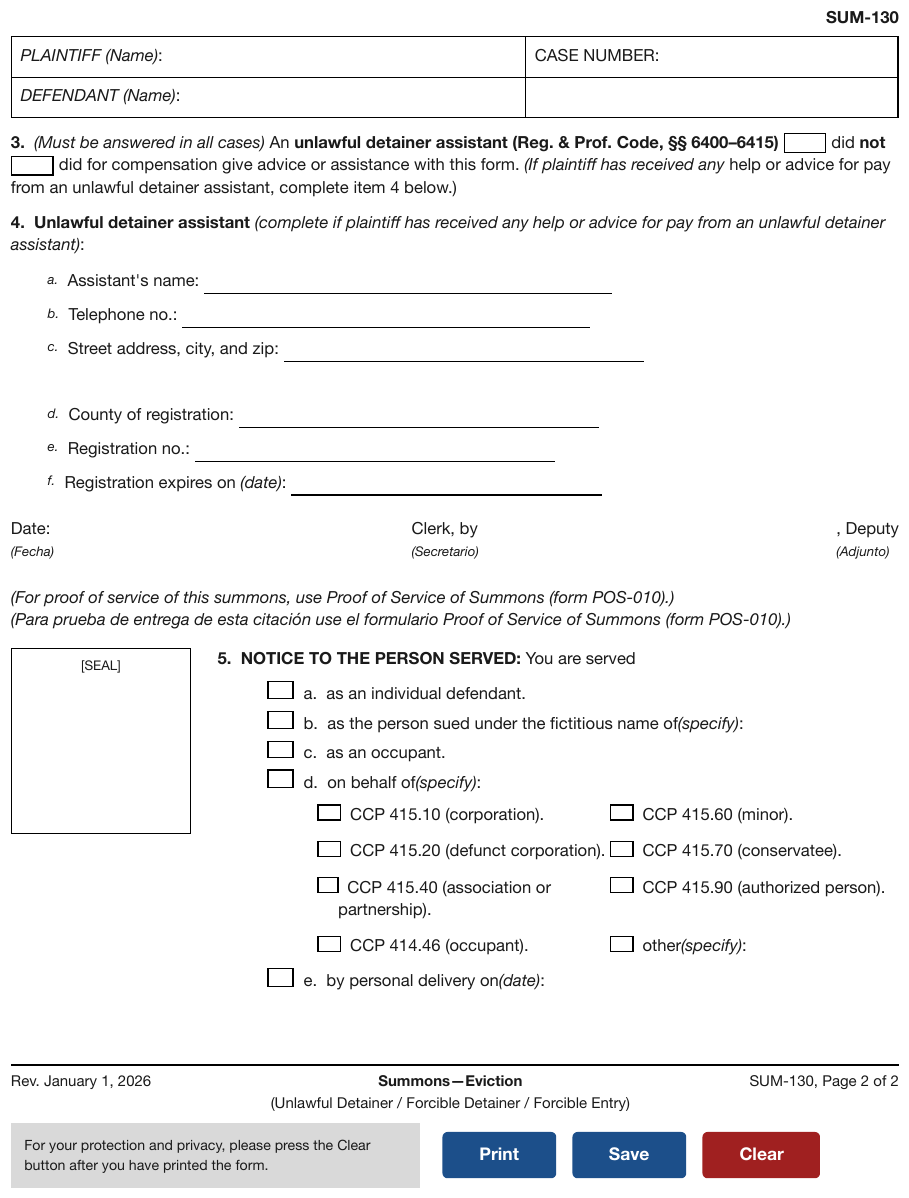
Print, Save, Clear in coloured boxes at the foot, a grey notice beside them, and an empty
box captioned [SEAL] at the left of item 5. Item 5 also nests a second row of options under d.
The button labels and the [SEAL] caption are plain text.
…
[SEAL]
- [5] NOTICE TO THE PERSON SERVED: You are served
- [ ] [a] as an individual defendant.
- [ ] [b] as the person sued under the fictitious name of(specify): [blank]
- [ ] [c] as an occupant.
- [ ] [d] on behalf of(specify):
- [ ] CCP 415.10 (corporation).
- [ ] CCP 415.60 (minor).
- [ ] CCP 415.20 (defunct corporation).
- [ ] CCP 415.70 (conservatee).
- [ ] CCP 415.40 (association or partnership).
- [ ] CCP 415.90 (authorized person).
- [ ] CCP 414.46 (occupant).
- [ ] other(specify): [blank]
- [ ] [e] by personal delivery on(date): [blank]
Rev. January 1, 2026
Summons—Eviction (Unlawful Detainer / Forcible Detainer / Forcible Entry)
SUM-130, Page 2 of 2
For your protection and privacy, please press the Clear button after you have printed the form.
Save
Clear
Markdown source
<!-- … -->
[SEAL]
- [5] NOTICE TO THE PERSON SERVED: You are served
- [ ] [a] as an individual defendant.
- [ ] [b] as the person sued under the fictitious name of(specify): [blank]
- [ ] [c] as an occupant.
- [ ] [d] on behalf of(specify):
- [ ] CCP 415.10 (corporation).
- [ ] CCP 415.60 (minor).
- [ ] CCP 415.20 (defunct corporation).
- [ ] CCP 415.70 (conservatee).
- [ ] CCP 415.40 (association or partnership).
- [ ] CCP 415.90 (authorized person).
- [ ] CCP 414.46 (occupant).
- [ ] other(specify): [blank]
- [ ] [e] by personal delivery on(date): [blank]
Rev. January 1, 2026
Summons—Eviction
(Unlawful Detainer / Forcible Detainer / Forcible Entry)
SUM-130, Page 2 of 2
For your protection and privacy, please press the Clear button after you have printed the form.
Print
Save
Clear
✅ Sample — an empty stamp box in a caption
File Stamp Here inside an otherwise empty ruled box on the right of the caption block. It is
rendered as its caption, with no blank.
…
[blank] vs [blank]
CASE NUMBER [blank]
SUBPOENA FOR DEPOSITION
File Stamp Here
…
Markdown source
<!-- … -->
[blank]
vs
[blank]
CASE NUMBER
[blank]
SUBPOENA FOR DEPOSITION
File Stamp Here
<!-- … -->
✅ Sample — a web page printed to paper
Accordion rows with chevrons, a See Less toggle, a text input printing its placeholder Enter tracking or barcode numbers, and an FAQs button, all scanned. The browser's own header and
footer URL are printed too. Every visible string is kept as text.
2/13/26, 11:17 AM
Ostrevane Post® - Parcel Tracking® Results
Text & Email Updates ▼
Parcel Tracking Plus® ▼
Product Information ▼
See Less ▲
Track Another Package
Enter tracking or barcode numbers
Need More Help?
Contact Ostrevane Post tracking support for further assistance.
FAQs
https://tools.ostrevane.example/go/TrackConfirmAction?tRef=fullpage&tLc=2&text=28777
2/2
Markdown source
2/13/26, 11:17 AM
Ostrevane Post® - Parcel Tracking® Results
Text & Email Updates ▼
Parcel Tracking Plus® ▼
Product Information ▼
See Less ▲
Track Another Package
Enter tracking or barcode numbers
Need More Help?
Contact Ostrevane Post tracking support for further assistance.
FAQs
https://tools.ostrevane.example/go/TrackConfirmAction?tRef=fullpage&tLc=2&text=28777
2/2
Related
- Fill-Ins§10.4.4 — a blank a person fills in, which these are not
- Seals and Round Stamps§7.3.9 — what arrives in the reserved box
- Court Caption Blocks§5.4 — where the reserved box usually sits
10.5 Structure
10.5.1 Fields Outside the Form
✅ Normative · 📄 page rule
✅ Normative
A field printed in a header, a footer or anywhere outside the main form body MUST still be rendered. A field printed above the form MUST be placed before the form content; any other such field MUST be placed after it.
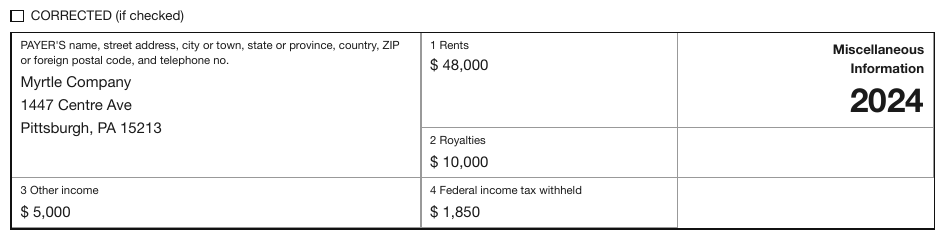
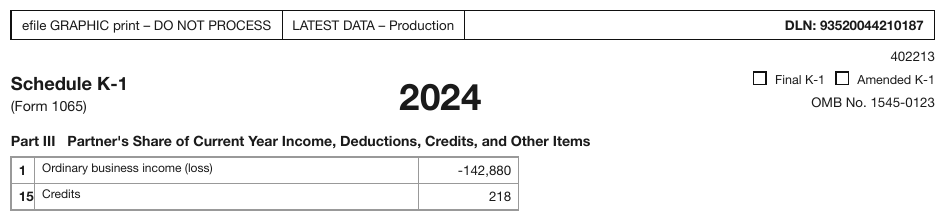
CORRECTED, Final K-1, Amended K-1 sit outside the ruled form body and are easy to sweep
past, but each changes what the whole document means: a K-1 marked Amended is not the same
filing as one that is not.
Non-field text
Instructions, preambles and fine print on a form page MUST be transcribed at their printed reading position, between the fields they accompany. They MUST NOT be gathered at the end of the region or dropped.
✅ Sample — an instruction between two sections
"Skip this section if both parties signed Section 12 above." sits between the section 13 heading and its first field, in blue. It is not a field and is transcribed where it is printed.
…
[13] Certificate of Service
Skip this section if both parties signed Section 12 above.
On (enter service date) [blank]
- I certify that I sent a copy of this document to the other parties by: (select one)
- [ ] Borvika Courts E-Filing. [www.efiling.courts.bv.gov/efile]
- [ ] Regular Mail, addressed to: Name & full address: [blank]
- [ ] Other: (explain) [blank]
- Signed: [blank]
AFF 118 – Affidavit for Decree without Appearance
R: April 2, 2025
Page 3 of 3
Markdown source
<!-- … -->
[13] Certificate of Service
Skip this section if both parties signed Section 12 above.
On (enter service date) [blank]
- I certify that I sent a copy of this document to the other parties by: (select one)
- [ ] Borvika Courts E-Filing. [www.efiling.courts.bv.gov/efile]
- [ ] Regular Mail, addressed to:
Name & full address: [blank]
- [ ] Other: (explain) [blank]
- Signed: [blank]
AFF 118 – Affidavit for Decree without Appearance
R: April 2, 2025
Page 3 of 3
Related
- Checkboxes§10.4.2 — header and footer boxes are still checkboxes
- Form Reading Order§10.5.2 — the order of the fields inside the form
- The Key-Value List§10.3.2 — the line format for these fields too
10.5.2 Form Reading Order
✅ Normative · 📄 page rule
✅ Normative
The fields of a form MUST be ordered by the form's printed indexing scheme — its ids — rather than by column-first or row-first geometry.
A form's ids are its intended order. Where lettered and numbered fields share a page, one scheme MUST be read through, then the other, rather than sweeping across the page and interleaving them.
An id sequence stays contiguous
- Fields whose ids run in sequence MUST stay together and in order, with no un-id'd field between them.
- Unlabelled fields MUST be placed around the sequence, not inside it. A 1099-MISC is the standard case.
Sections do not interleave
Fields from different printed sections MUST NOT be mixed, even when they sit side by side on the page.
Where this differs from block reading order
Reading Order§5.9 orders regions on a page the way a person reads them. This rule orders fields within a form, and the form's own numbering overrides visual position when the two disagree — which on a dense tax form they routinely do. Where a group of fields prints no ids, the order of Reading Order§5.9 applies.
Related
- Sections and Grouped Fields§10.5.3 — the sections that must not interleave
- Ids and Labels§10.3.1 — what an id is
- Fields Outside the Form§10.5.1 — fields outside the body go before or after it
- Reading Order§5.9 — the order of regions, and of fields with no ids
10.5.3 Sections and Grouped Fields
✅ Normative · 📄 page rule
✅ Normative
A printed heading that names a group of fields opens a section. Only a printed grouping MAY get a parent: fields MUST NOT be wrapped in a section or group the form does not print.
A printed grouping takes one of two shapes, depending on its size.
Form grouping and the document outline
The Markdown headings of this rule delimit local form groups. They do not make every form label a section of the document: a form's section labels are form content and MUST NOT be added to the containing page's outline — least of all inside an embedded screenshot of a form. See Recognising Ambiguous Headings§6.7 for form furniture and real document titles.
Band or part headings become Markdown headings
A bold or boxed caption in the margin or spanning the page — Part I, Filing Status,
POLICY INFORMATION, Sign Here — MUST be rendered as a ### heading, and every field printed
under or beside it MUST follow that heading.
The heading is in addition to the field labels inside it; both MUST be kept.
Where a printed designator sits beside a descriptive title, the designator is the id and the title is the heading text:
### \[Part II\] Information About the Partner
- \[E\] **Partner's SSN or TIN (Do not use TIN of a disregarded entity. See inst.)**: 38-7714902
- \[I1\] **What type of entity is this partner?**: CORPORATION
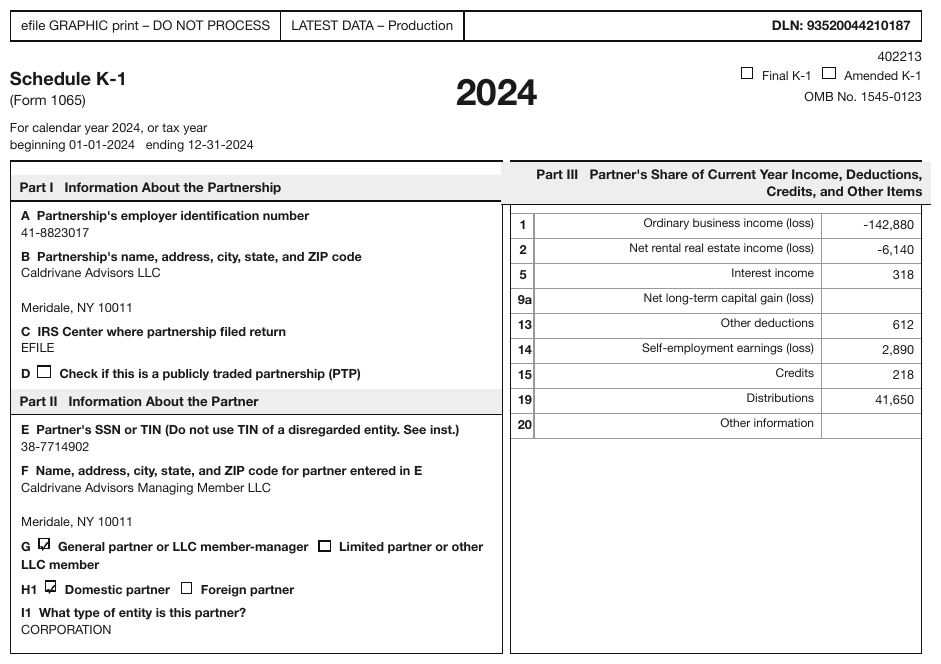
Bands with no printed ids work the same way:
### POLICY INFORMATION
- **PROPOSED EFF DATE**: 08/23/2026
- **PROPOSED EXP DATE**: 08/23/2027
- **PAYMENT PLAN**: MONTHLY
- **MINIMUM PREMIUM**: [blank]
- **POLICY PREMIUM**: 34,259.95
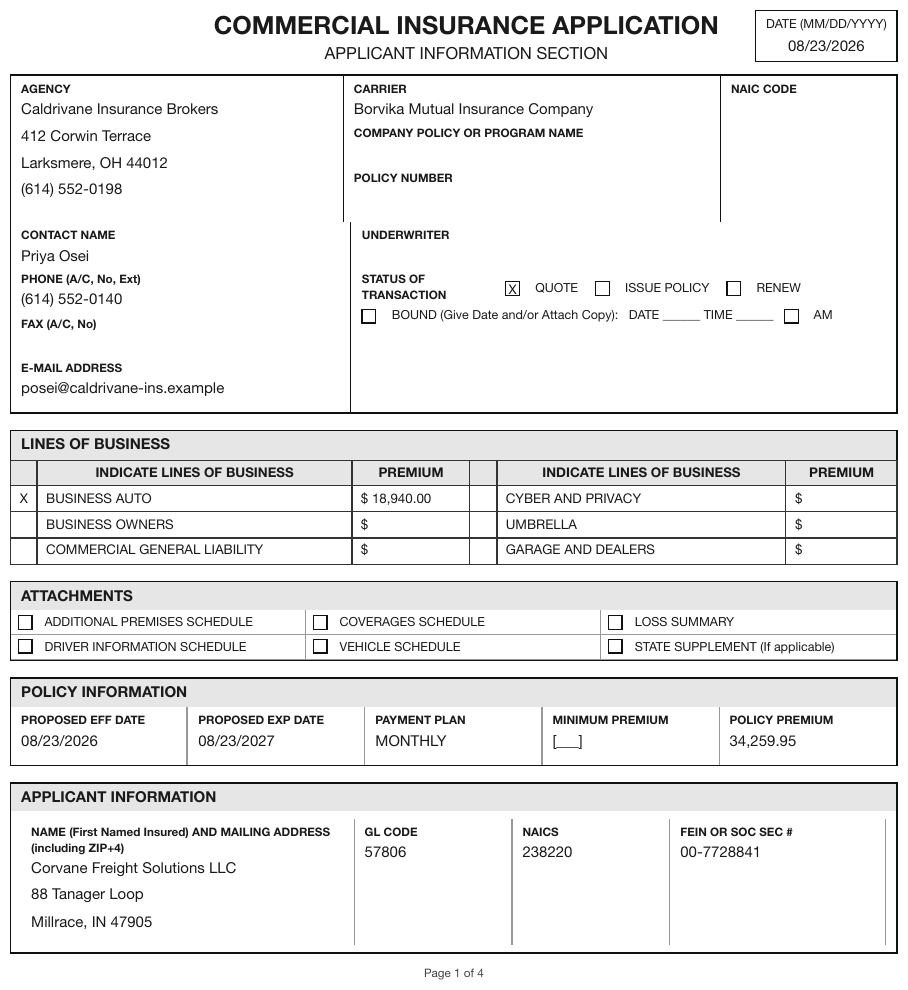
A section almost never holds a single field. One field under a heading usually means the heading was invented.
Small captioned boxes become nested list items
A printed box whose label groups a few entries MUST be rendered as a parent list item with its entries nested one level beneath it:
- \[e\]
- **Employee's first name and initial**: Joan Jackson
- **Last name**: [blank]
- **Suff.**: [blank]
- \[12a\]
- **Code**: D
- 1,500.00
- \[15\]
- **State**: SC
- **Employer's state ID number**: 00-0000056
The 12a amount slot prints no label, so it is the bare value; an unlabelled empty entry would be
a bare [blank] — see Fill-Ins§10.4.4.
Repeating groups without labels
Field groups that repeat without a printed heading are anonymous groups in printed order,
separated by blank lines, with no invented Vehicle 1 heading — see
Repeated and Unlabelled Fields§10.2.
Never invent a wrapper
The W-2 is almost entirely flat. It prints no Identification or Employer grouping, so neither
appears in the output. Inventing one is the same failure as inventing a table header: it adds
structure the page does not have.
Related
- The Key-Value List§10.3.2 — the line format inside each section
- Fill-Ins§10.4.4 — the entries a box groups
- Form Reading Order§10.5.2 — sections do not interleave
- Ids and Labels§10.3.1 — the designator beside a section title
10.5.4 Tables Inside Forms
✅ Normative · 📄 page rule
✅ Normative
Inside a form, a table MUST be used only for a genuine grid: one shared set of printed column headers over repeating rows of the same shape, or a printed row-by-column matrix. Where it is ambiguous, the fields SHOULD be rendered as individual field lines.
Numbered form lines are never table rows
A line with its own caption and one amount box is a field line, even when the amount boxes align into a ruled column. It MUST be rendered as a field line, not as a table row: the alignment is typesetting, the caption is the structure.
Dollars and cents printed in two ruled columns MUST be rendered as one value — 1,234.00 — never
split.
A matrix keeps its blank corner
The empty corner header of a matrix MUST be kept. Dropping it shifts every heading one column left:
<table>
<tr><th></th><th>Beginning</th><th>Ending</th></tr>
<tr><td>Profit</td><td>1.0000000000 %</td><td>1.0000000000 %</td></tr>
<tr><td>Loss</td><td>1.0000000000 %</td><td>1.0000000000 %</td></tr>
<tr><td>Capital</td><td>1.0000000000 %</td><td>1.0000000000 %</td></tr>
</table>
This is the rule of a blank corner cell in any table§9.3.1.
Cells carry the normal form notation
- A checkbox cell MUST be rendered
[x]or[ ]. A blank cell intended to be checked is a checkbox; a blank cell not intended to be checked stays empty. - Every printed row MUST be emitted, blank rows included, as full rows of empty cells. Rows MUST NOT be merged, reordered or added.
- Each entry belongs to its own row's rule lines, never to a neighbour's. Insurance-application coverage grids are the stress test.
- A cell containing form fields MUST use the normal form notation, as list items inside the cell.
<tr><td>Jane</td><td>Doe</td><td>987-65-4321</td><td>Daughter</td><td>[x]</td><td>[ ]</td></tr>
<tr><td></td><td></td><td></td><td></td><td>- [ ]</td><td>- [ ]</td></tr>
A table as a field's value
Some keyed entries take a grid as their value. The key MUST stay a normal field line, and the table MUST be placed below it, indented to the list item's content column, with a blank line on each side:
- \[J\] **Partner's share of profit, loss, and capital (see instructions):**
<table>
<tr><th></th><th>Beginning</th><th>Ending</th></tr>
<tr><td>Profit</td><td>1.0000000000 %</td><td>1.0000000000 %</td></tr>
</table>
- **Check if decrease is due to sale or exchange of partnership interest.**: [ ]
The indent is load-bearing. An indented table belongs to the list item, so the list — and the depth of everything after it — survives. A flush-left table between bullets ends the list and flattens everything that follows.
Not every table on a form page is form content
A large standalone data table that is not part of the fillable form — an embedded financial schedule — is an ordinary table. See Is This Even a Table§9.1.5.
✅ Sample — a self-certification form built from grids
Part III prints two side-by-side asset grids sharing one header row (Type of Asset, (A) Cash Value*, (B) Annual Income), each rendered as its own table; Parts I, II and IV are field
lines, and the description tables under Parts III and IV are empty pre-printed rows. Several empty
value cells print only a $ — see Fill-Ins§10.4.4.
Borvika Housing Trust BHT
Exhibit D
Exhibit D – Asset Self-Certification
For households whose combined net assets do not exceed the applicable Imputed Income Limitation.
**(Complete only one form *per household; include assets of children.)***
For the following asset types, include the current Cash Value of each asset held by any family member and the actual income that the asset earns. *Cash value is current market value minus cost to convert an asset to cash, such as broker’s fees, settlement costs, outstanding loans, penalties for early withdrawal, etc.
- Property Name: [blank]
- Property Number: [blank]
- Household Name: [blank]
- Unit Number: [blank]
[Part I] Assets Disposed of for less than Fair Market Value (FMV)
- Within the past two (2) years, I/we have sold or given away assets below their fair market value (FMV)?
- [ ] Yes
- [ ] No
- Asset #1: [blank]
- Date of Disposal: [blank]
- FMV – amt received: [blank]
- Asset #2: [blank]
- Date of Disposal: [blank]
- FMV – amt received: [blank]
[Part II] Federal Tax Return or Refundable Federal Tax Credit
- Have you received a federal tax return or refundable federal tax credit in the last 12 months?
- [ ] Yes
- [ ] No
- Amount of return/credit: $[blank]
[Part III] Non-Necessary Personal Property (NNPP)
- Do you or members in the household have any non-necessary personal property?
- [ ] Yes
- [ ] No
If yes, list below.
| Type of Asset | (A) Cash Value* | (B) Annual Income |
|---|---|---|
| Cash on Hand | $[blank] | N/A |
| Pre-paid Debit Card (including Govt. Benefits) | $[blank] | N/A |
| Checking/Savings | $[blank] | $[blank] |
| Checking/Savings | $[blank] | $[blank] |
| Savings | $[blank] | $[blank] |
| Internet based assets (Cash App, Venmo, PayPal, Crowdfunding, etc.) | $[blank] | $[blank] |
| Type of Asset | (A) Cash Value* | (B) Annual Income |
|---|---|---|
| Whole Life Insurance | $[blank] | $[blank] |
| Cryptocurrency | $[blank] | $[blank] |
| Money Market/ CD | $[blank] | $[blank] |
| Annuities | $[blank] | $[blank] |
| Brokerage Account | $[blank] | $[blank] |
| Stocks/Bonds | $[blank] | $[blank] |
| Other: | $[blank] | $[blank] |
| Non-Account Based Possessions not generally held in an account such as vehicles used for recreation (e.g., RVs, ATVs, and boats), antique cars, collectibles (e.g., stamps, jewelry, coins, and artwork.), and equipment/machinery that is not used to generate income for a business. | |
| Description | (A) Cash Value * |
|---|---|
| $[blank] | |
| $[blank] | |
[Part IV] Real Property
- Do you or members in the household have any real property?
- [ ] Yes
- [ ] No
If yes, list below.
| Description of Property | (C) Cash Value* | (D) Income |
|---|---|---|
| $[blank] | $[blank] | |
| $[blank] | $[blank] |
Under penalty of perjury, I/we certify that the information presented in this certification is true and accurate to the best of my/our knowledge. The undersigned further understand(s) that providing false representations herein constitutes an act of fraud. False, misleading, or incomplete information may result in the termination of a lease agreement.
- Signature: [blank]
- Date: [blank]
- Signature: [blank]
- Date: [blank]
PENALTIES FOR MISUSING THIS CONTENT: Title 18, Section 1001 of the Borvika Code states that a person is guilty of a felony for knowingly and willingly making false or fraudulent statements to any department of the Borvika Government. BHT and any owner (or any employee of BHT or the owner) may be subject to penalties for unauthorized disclosures or improper uses of information collected based on the consent form.
1 REV. 4/4/25
Markdown source
**Borvika Housing Trust**
BHT
Exhibit D
Exhibit D – Asset Self-Certification
For households whose <u>combined</u> net assets do not exceed the applicable Imputed Income Limitation.
**(Complete only <u>one</u> form *per household; include assets of children.)***
For the following asset types, include the current Cash Value of each asset held by any family member and the actual income that the asset earns. *Cash value is current market value minus cost to convert an asset to cash, such as broker’s fees, settlement costs, outstanding loans, penalties for early withdrawal, etc.
- Property Name: [blank]
- Property Number: [blank]
- Household Name: [blank]
- Unit Number: [blank]
[Part I] Assets Disposed of for <u>less than</u> Fair Market Value (FMV)
- Within the past two (2) years, I/we have sold or given away assets below their fair market value (FMV)?
- [ ] Yes
- [ ] No
- Asset #1: [blank]
- Date of Disposal: [blank]
- FMV – amt received: [blank]
- Asset #2: [blank]
- Date of Disposal: [blank]
- FMV – amt received: [blank]
[Part II] Federal Tax Return or Refundable Federal Tax Credit
- Have you received a federal tax return or refundable federal tax credit in the last 12 months?
- [ ] Yes
- [ ] No
- Amount of return/credit: $[blank]
[Part III] Non-Necessary Personal Property (NNPP)
- Do you or members in the household have any non-necessary personal property?
- [ ] Yes
- [ ] No
If yes, list below.
<table>
<tr> <th>Type of Asset</th> <th>(A) Cash Value*</th> <th>(B) Annual Income</th> </tr>
<tr> <td>Cash on Hand</td> <td>$[blank]</td> <td>N/A</td> </tr>
<tr> <td>Pre-paid Debit Card (including Govt. Benefits)</td> <td>$[blank]</td> <td>N/A</td> </tr>
<tr> <td>Checking/Savings</td> <td>$[blank]</td> <td>$[blank]</td> </tr>
<tr> <td>Checking/Savings</td> <td>$[blank]</td> <td>$[blank]</td> </tr>
<tr> <td>Savings</td> <td>$[blank]</td> <td>$[blank]</td> </tr>
<tr> <td>Internet based assets (Cash App, Venmo, PayPal, Crowdfunding, etc.)</td> <td>$[blank]</td> <td>$[blank]</td> </tr>
<tr> <td></td> <td></td> <td></td> </tr>
</table>
<table>
<tr> <th>Type of Asset</th> <th>(A) Cash Value*</th> <th>(B) Annual Income</th> </tr>
<tr> <td>Whole Life Insurance</td> <td>$[blank]</td> <td>$[blank]</td> </tr>
<tr> <td>Cryptocurrency</td> <td>$[blank]</td> <td>$[blank]</td> </tr>
<tr> <td>Money Market/ CD</td> <td>$[blank]</td> <td>$[blank]</td> </tr>
<tr> <td>Annuities</td> <td>$[blank]</td> <td>$[blank]</td> </tr>
<tr> <td>Brokerage Account</td> <td>$[blank]</td> <td>$[blank]</td> </tr>
<tr> <td>Stocks/Bonds</td> <td>$[blank]</td> <td>$[blank]</td> </tr>
<tr> <td>Other:</td> <td>$[blank]</td> <td>$[blank]</td> </tr>
</table>
<table>
<tr> <td colspan="2"><strong>Non-Account Based</strong> Possessions not generally held in an account such as vehicles used for recreation (e.g., RVs, ATVs, and boats), antique cars, collectibles (e.g., stamps, jewelry, coins, and artwork.), and equipment/machinery that is not used to generate income for a business.</td> </tr>
<tr> <th>Description</th> <th>(A) Cash Value *</th> </tr>
<tr> <td></td> <td>$[blank]</td> </tr>
<tr> <td></td> <td>$[blank]</td> </tr>
</table>
[Part IV] Real Property
- Do you or members in the household have any real property?
- [ ] Yes
- [ ] No
If yes, list below.
<table>
<tr> <th>Description of Property</th> <th>(C) Cash Value*</th> <th>(D) Income</th> </tr>
<tr> <td></td> <td>$[blank]</td> <td>$[blank]</td> </tr>
<tr> <td></td> <td>$[blank]</td> <td>$[blank]</td> </tr>
</table>
Under penalty of perjury, I/we certify that the information presented in this certification is true and accurate to the best of my/our knowledge. The undersigned further understand(s) that providing false representations herein constitutes an act of fraud. False, misleading, or incomplete information may result in the termination of a lease agreement.
- Signature: [blank]
- Date: [blank]
- Signature: [blank]
- Date: [blank]
PENALTIES FOR MISUSING THIS CONTENT: Title 18, Section 1001 of the Borvika Code states that a person is guilty of a felony for knowingly and willingly making false or fraudulent statements to any department of the Borvika Government. BHT and any owner (or any employee of BHT or the owner) may be subject to penalties for unauthorized disclosures or improper uses of information collected based on the consent form.
1
REV. 4/4/25
Related
- The Key-Value List§10.3.2 — the notation used around and inside the grid
- Checkboxes§10.4.2 — checkbox cells
- Blank and Spacer Rows§9.5.1 — blank rows that are printed are kept
- Barely-Existing Columns and Headers§9.3.1 — the blank corner cell
- Is This Even a Table§9.1.5 — standalone tables on a form page
§11 Charts
11.1 The annotation
11.1.1 Cover Every Data Point
✅ Normative · 📄 page rule
✅ Normative
A chart MUST be rendered as a chart table that holds every data point the chart draws: every category position × every series, plus every printed callout that belongs to a position. A data point MUST NOT be skipped because it is hard to read; it MAY be left out only when no printed text can locate it or it is genuinely unreadable.
A chart is a data display, so its conforming rendering is its content — see Images and Figures§12.1.2. A rendering that gets a few prominent points right while the rest of the chart is missing is not a rendering of the chart.
What full coverage means
| Chart | Data points the chart table MUST hold |
|---|---|
| Grouped or stacked bars | positions × series (the sample below: 6 years × 4 groups = 24 values) |
| Single series | one per position |
| Printed callouts and totals | one each, where a printed label can locate them — see Legend and Overlay Values§11.2.4 |
| Multi-panel figure | every panel, without exception — see Multiple Charts and Reference Ink§11.1.3 |
Two kinds of position MUST still be covered:
- A labeled position with no mark is a data point whose value is
0— the histogram's empty1500bin is0(see Bars and Histograms§11.2.1). - A position the axis does not label is located by its axis value:
2023on a year axis that ticks every third year,2500on a bin axis that labels every other bin. The printed, regularly labeled axis is the calibration; a position that no printed calibration reaches is not locatable.
What may be left out
The default is in. A data point that can be read MAY be left out only when:
- no printed text can uniquely locate it — see Labels§11.1.2; the unnamed companion curve in Legend and Overlay Values§11.2.4 is the standing example; or
- it is genuinely unreadable — too blurred, too dense, or overlapping beyond judgment.
Leaving a point out MUST NOT be replaced by invented text: a made-up series name, a made-up category or a placeholder cell stands for nothing on the page (see Never Drop, Never Invent§2.2).
The page is the only reference
Values are read from the page. A value MUST NOT be shaded towards what some parser or earlier rendering produced, and a correct value stays correct however many renderings disagree with it (see The Page Is the Ground Truth§2.1).
The chart table
Every table representing a chart MUST open with <table data-source="chart">. The
data-source="chart" attribute belongs on the opening <table> tag, including when the chart
prints a data grid that supplies the table's content (see Chart With a Printed Data Grid§9.1.2).
A table representing an ordinary printed table MUST NOT carry data-source="chart".
The layout of the chart table. A chart table MUST be laid out as follows, so that every chart table reads the same way — category down, series across:
- one HTML
<table data-source="chart">per chart or panel, at the chart's place in reading order; - the chart's title, subtitle or caption in
<caption>inside that table, first or last according to reading order (see Titles Banners Captions§9.7.3); its printed notes and source follow the table; - one row per category position (axis tick, bar, bin, slice, tile, region, named point), in the order the axis runs — left to right, top to bottom, a pie clockwise from the top;
- a first column holding the category labels, then one column per series in legend order;
- a header row holding the printed series names, its first cell holding the printed category-axis title or left empty; a single series with no printed name is headed by the printed value-axis title; when nothing printed names any column, the table has no header row;
- a printed total that is not itself a category (a stack total above its bar) sits in a last column under an empty header cell;
- printed text of the chart that is not a data point — axis titles not used as headers, unit notes, reference-line labels, event callouts, annotation boxes, legend entries of series that carry no value — follows the table as plain text in reading order.
The value in each cell is governed by Values and Tolerances§11.1.4; the labels in the first column and the header row by Labels§11.1.2.
✅ Sample — digital-services-survey-2024_p62
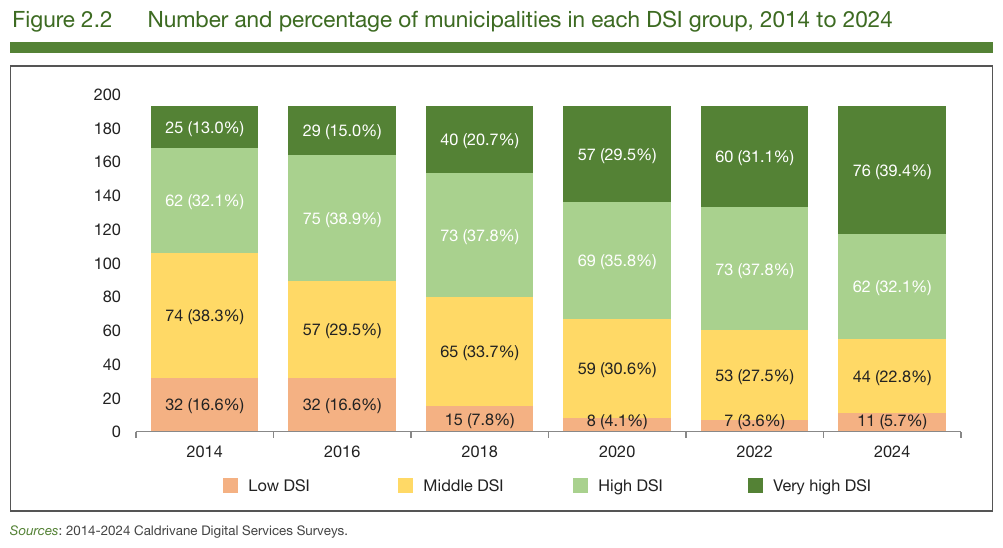
Six stacked bars over six labeled years, four legend series, every segment printing its value: full coverage is 6 × 4 = 24 values, all printed, so all copied as printed — count and share together.
| Low DSI | Middle DSI | High DSI | Very high DSI | |
|---|---|---|---|---|
| 2014 | 32 (16.6%) | 74 (38.3%) | 62 (32.1%) | 25 (13.0%) |
| 2016 | 32 (16.6%) | 57 (29.5%) | 75 (38.9%) | 29 (15.0%) |
| 2018 | 15 (7.8%) | 65 (33.7%) | 73 (37.8%) | 40 (20.7%) |
| 2020 | 8 (4.1%) | 59 (30.6%) | 69 (35.8%) | 57 (29.5%) |
| 2022 | 7 (3.6%) | 53 (27.5%) | 73 (37.8%) | 60 (31.1%) |
| 2024 | 11 (5.7%) | 44 (22.8%) | 62 (32.1%) | 76 (39.4%) |
Sources: 2014-2024 Caldrivane Digital Services Surveys.
Markdown source
<table data-source="chart">
<caption>Figure 2.2 Number and percentage of municipalities in each DSI group, 2014 to 2024</caption>
<tr> <th></th> <th>Low DSI</th> <th>Middle DSI</th> <th>High DSI</th> <th>Very high DSI</th> </tr>
<tr> <td>2014</td> <td>32 (16.6%)</td> <td>74 (38.3%)</td> <td>62 (32.1%)</td> <td>25 (13.0%)</td> </tr>
<tr> <td>2016</td> <td>32 (16.6%)</td> <td>57 (29.5%)</td> <td>75 (38.9%)</td> <td>29 (15.0%)</td> </tr>
<tr> <td>2018</td> <td>15 (7.8%)</td> <td>65 (33.7%)</td> <td>73 (37.8%)</td> <td>40 (20.7%)</td> </tr>
<tr> <td>2020</td> <td>8 (4.1%)</td> <td>59 (30.6%)</td> <td>69 (35.8%)</td> <td>57 (29.5%)</td> </tr>
<tr> <td>2022</td> <td>7 (3.6%)</td> <td>53 (27.5%)</td> <td>73 (37.8%)</td> <td>60 (31.1%)</td> </tr>
<tr> <td>2024</td> <td>11 (5.7%)</td> <td>44 (22.8%)</td> <td>62 (32.1%)</td> <td>76 (39.4%)</td> </tr>
</table>
Sources: 2014-2024 Caldrivane Digital Services Surveys.
Related
- Images and Figures§12.1.2 — why a chart is rendered as a chart table at all
- Labels§11.1.2 — the text in the first column and the header row
- Values and Tolerances§11.1.4 — what each cell holds: printed, estimated, zero
- Multiple Charts and Reference Ink§11.1.3 — coverage across panels, and what is not data
- Ground Truth — Charts§C.3 — producing chart ground truth against this rule
11.1.2 Labels
✅ Normative · 📄 page rule
✅ Normative
The category labels and series names of a chart table MUST be text printed on the chart — an axis tick, a legend entry, a direct label — copied verbatim. A label MUST NOT carry unit text imported from elsewhere on the page, colour words, chart-type words or an expanded abbreviation, and two dimensions MUST NOT be merged into one label.
Each value in a chart table is located by the labels on its row and in its column, so the labels are the lookup key of the whole table: a value under the wrong label is a wrong value.
Which label goes where
| Chart | Row label | Column label |
|---|---|---|
| Single series | the category (Cleaners) — see Values and Tolerances§11.1.4 |
the series name, or the value-axis title when no name is printed |
| Two-dimensional (grouped, stacked, multi-line) | the category (China) |
the series (Ride hailing) |
| Grouped or nested categories | the category, with its printed group (axis tier) in a column of its own where the category alone repeats | the series |
A value MUST sit at the intersection of exactly the labels that locate it: its category's row and
its series' column. Dimensions stay independent — 2024 in the row and Revenue in the column,
never one label 2024 - Revenue.
Verbatim, and what "no units" means
Each label is one printed string, copied whole — SEA, > 15000,
Option-Adjusted Spread (OAS), REDBIKE (Akira), first-day-of-month price. Parentheses printed
inside a legend entry are part of the legend text and MUST be kept.
The no-units requirement forbids importing unit text from elsewhere on the page into a label.
Where the axis corner prints (millions of euros) and the tick prints 2024, the label is 2024,
not 2024 (millions of euros). Likewise Revenue, not Revenue (USD bn), when the unit prints as
an axis note rather than inside the legend entry. The unit note itself is not dropped: it stays in
the output as the chart's own text (see Cover Every Data Point§11.1.1).
A label MUST NOT be rewritten:
- no colour words —
Blue line - GDP GrowthisGDP Growth; - no descriptive or chart-type suffixes — no
(line), no(bars); - no expanded abbreviations —
SEAstaysSEA.
Positions the axis does not label
A position on a printed, regularly labeled axis that carries no tick label of its own is labeled
by its axis value — 2023 on a year axis ticked every third year, 2500 on a bin axis labeled
every other bin. That label is a reading against printed calibration, not invented text (see
Cover Every Data Point§11.1.1).
Several charts with the same labels
Each chart or panel has its own chart table with its own printed title in <caption> (see
Multiple Charts and Reference Ink§11.1.3), so charts that reuse one label set are told apart by their
captions, without altering their labels. The caption appears once inside the table, first or last
according to reading order (see Titles Banners Captions§9.7.3).
- The twin pies in Legend and Overlay Values§11.2.4 reuse every slice name; each pie's title
(
Month of September 2025: $346B,Fiscal Year 2025 to Date: $7,010B) is what distinguishes them. - The solar panels in Multiple Charts and Reference Ink§11.1.3 need nothing more:
Chinawith619appears only in the avoided-emissions panel.
A point that no printed label can locate is not rendered in the chart table (see Cover Every Data Point§11.1.1); the unnamed companion curve in Legend and Overlay Values§11.2.4 is the standing example.
✅ Sample — mobility-survey-2024_p13
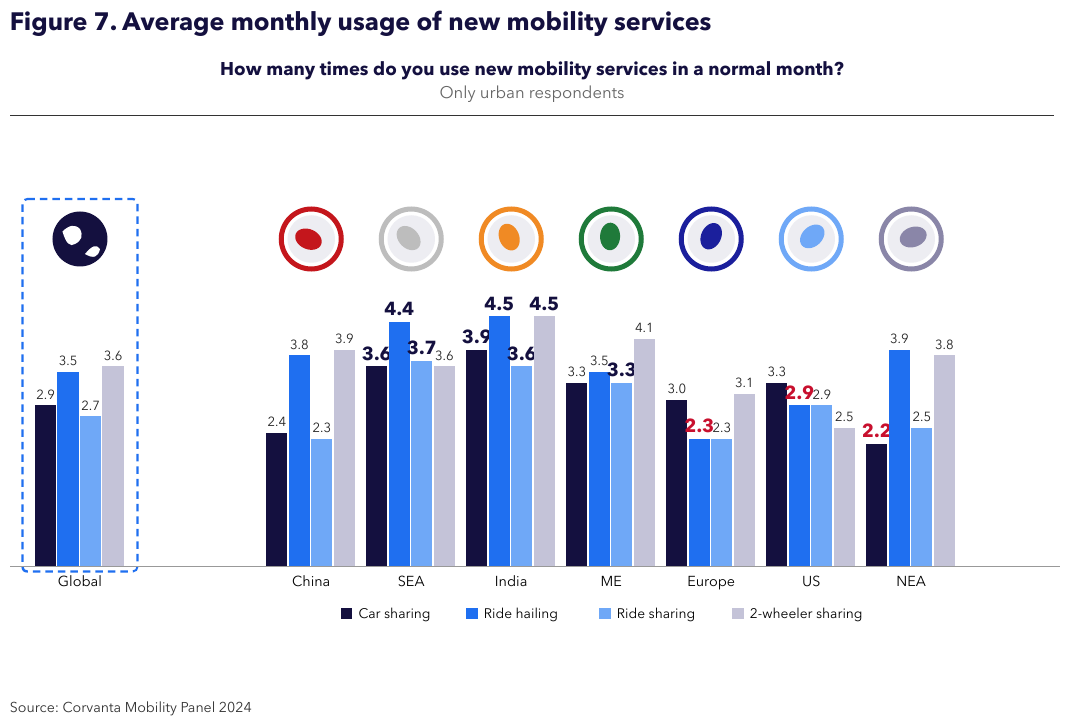
Four legend series over eight labeled regions, every value printed on its bar: 32 values, rows
labeled from the axis and columns from the legend, verbatim. Region abbreviations stay as printed
(SEA, ME, NEA). The values printed in heavier type are bold in the table; the red ones carry
no colour mark, since colour on a data label is styling.
| Car sharing | Ride hailing | Ride sharing | 2-wheeler sharing | |
|---|---|---|---|---|
| Global | 2.9 | 3.5 | 2.7 | 3.6 |
| China | 2.4 | 3.8 | 2.3 | 3.9 |
| SEA | 3.6 | 4.4 | 3.7 | 3.6 |
| India | 3.9 | 4.5 | 3.6 | 4.5 |
| ME | 3.3 | 3.5 | 3.3 | 4.1 |
| Europe | 3.0 | 2.3 | 2.3 | 3.1 |
| US | 3.3 | 2.9 | 2.9 | 2.5 |
| NEA | 2.2 | 3.9 | 2.5 | 3.8 |
Source: Corvanta Mobility Panel 2024
Markdown source
<table data-source="chart">
<caption><strong>Figure 7. Average monthly usage of new mobility services</strong>
<strong>How many times do you use new mobility services in a normal month?</strong>
Only urban respondents</caption>
<tr> <th></th> <th>Car sharing</th> <th>Ride hailing</th> <th>Ride sharing</th> <th>2-wheeler sharing</th> </tr>
<tr> <td>Global</td> <td>2.9</td> <td>3.5</td> <td>2.7</td> <td>3.6</td> </tr>
<tr> <td>China</td> <td>2.4</td> <td>3.8</td> <td>2.3</td> <td>3.9</td> </tr>
<tr> <td>SEA</td> <td><strong>3.6</strong></td> <td><strong>4.4</strong></td> <td><strong>3.7</strong></td> <td>3.6</td> </tr>
<tr> <td>India</td> <td><strong>3.9</strong></td> <td><strong>4.5</strong></td> <td><strong>3.6</strong></td> <td><strong>4.5</strong></td> </tr>
<tr> <td>ME</td> <td>3.3</td> <td>3.5</td> <td><strong>3.3</strong></td> <td>4.1</td> </tr>
<tr> <td>Europe</td> <td>3.0</td> <td><strong>2.3</strong></td> <td>2.3</td> <td>3.1</td> </tr>
<tr> <td>US</td> <td>3.3</td> <td><strong>2.9</strong></td> <td>2.9</td> <td>2.5</td> </tr>
<tr> <td>NEA</td> <td><strong>2.2</strong></td> <td>3.9</td> <td>2.5</td> <td>3.8</td> </tr>
</table>
Source: Corvanta Mobility Panel 2024
Related
- Cover Every Data Point§11.1.1 — axis-value labels for unlabeled positions, and the chart table itself
- Values and Tolerances§11.1.4 — the same verbatim discipline for printed values
- Multiple Charts and Reference Ink§11.1.3 — several charts on one page, each under its own title
- Legend and Overlay Values§11.2.4 — the twin pies and the curve no label can locate
11.1.3 Multiple Charts and Reference Ink
✅ Normative · 📄 page rule
✅ Normative
Each chart or panel on a page MUST get its own chart table, and every panel MUST be covered (see Cover Every Data Point§11.1.1). Reference ink — labeled averages, trend lines, shaded bands, event callouts — draws no data points and MUST NOT be rendered as data: it gets no row, no column and no value in any chart table. Its printed text MUST still be kept.
Several charts on one page
Every chart and every panel of a multi-panel figure is its own chart table, in reading order, with
its printed title or panel heading in <caption>. The same one-row-per-position,
one-column-per-series coverage applies to each. Where charts share a label set, each table's
caption tells them apart (see Labels§11.1.2).
A caption shared by several panels MUST appear once: first inside the first panel's table when
read before the group, or last inside the last panel's table when read after the group. A shared
caption and that panel's own title are kept in printed order within the same <caption>.
Ink printed once for several panels — a shared axis title, a single legend serving every panel — MUST NOT be lost:
- a shared legend names the series of every panel it serves, so each panel's table carries those series names as its column headers;
- a shared axis title is printed text of the figure and is kept once, as text.
Reference ink is not data
| Reference ink | Why it is not data |
|---|---|
A labeled average or trend line (10-year average, a line fitted through a scatter) |
it summarises the data points; it is not one of them |
| A shaded band or background region | it marks a span of the axis, not a value |
An event callout naming a year (1976: Tangshan Earthquake, China — see Log Scale Charts§11.2.6) |
it comments on a point; its value is the point's own |
A chart table that gains a column for a trend line, or a row for a shaded band, contains values the chart never drew as data — invented content (see Never Drop, Never Invent§2.2). The printed labels of reference ink are text on the page, kept as text, after the table in reading order — see the chart table's layout in Cover Every Data Point§11.1.1.
✅ Sample — RenewablesDeploymentTracker2024_p13
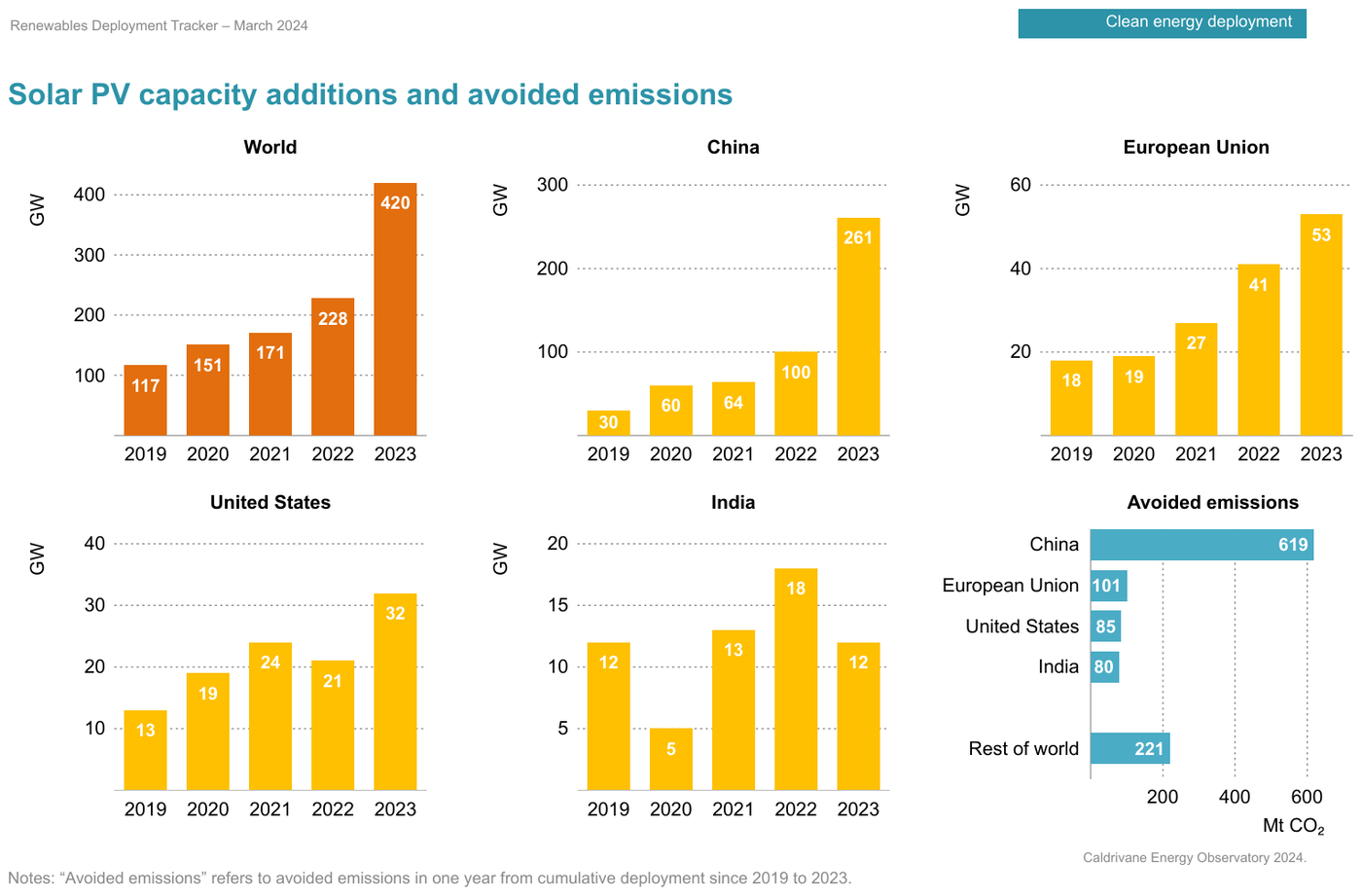
Six titled panels — five bar panels (World, China, European Union, United States, India)
over the same five years, and one horizontal panel (Avoided emissions) over regions — every bar
printing its value: 30 values in six tables. Each single-series panel is headed by its value-axis
title (GW, Mt CO₂). China appears both as a panel and as a row of the avoided-emissions
panel; each table's title keeps them apart. The bar values are printed in bold. The running header
and tab label are elided.
…
| GW | |
|---|---|
| 2019 | 117 |
| 2020 | 151 |
| 2021 | 171 |
| 2022 | 228 |
| 2023 | 420 |
| GW | |
|---|---|
| 2019 | 30 |
| 2020 | 60 |
| 2021 | 64 |
| 2022 | 100 |
| 2023 | 261 |
| GW | |
|---|---|
| 2019 | 18 |
| 2020 | 19 |
| 2021 | 27 |
| 2022 | 41 |
| 2023 | 53 |
| GW | |
|---|---|
| 2019 | 13 |
| 2020 | 19 |
| 2021 | 24 |
| 2022 | 21 |
| 2023 | 32 |
| GW | |
|---|---|
| 2019 | 12 |
| 2020 | 5 |
| 2021 | 13 |
| 2022 | 18 |
| 2023 | 12 |
| Mt CO2 | |
|---|---|
| China | 619 |
| European Union | 101 |
| United States | 85 |
| India | 80 |
| Rest of world | 221 |
Caldrivane Energy Observatory 2024.
Notes: “Avoided emissions” refers to avoided emissions in one year from cumulative deployment since 2019 to 2023.
Markdown source
<!-- … -->
<table data-source="chart">
<caption><strong>Solar PV capacity additions and avoided emissions</strong>
<strong>World</strong></caption>
<tr> <th></th> <th>GW</th> </tr>
<tr> <td>2019</td> <td><strong>117</strong></td> </tr>
<tr> <td>2020</td> <td><strong>151</strong></td> </tr>
<tr> <td>2021</td> <td><strong>171</strong></td> </tr>
<tr> <td>2022</td> <td><strong>228</strong></td> </tr>
<tr> <td>2023</td> <td><strong>420</strong></td> </tr>
</table>
<table data-source="chart">
<caption><strong>China</strong></caption>
<tr> <th></th> <th>GW</th> </tr>
<tr> <td>2019</td> <td><strong>30</strong></td> </tr>
<tr> <td>2020</td> <td><strong>60</strong></td> </tr>
<tr> <td>2021</td> <td><strong>64</strong></td> </tr>
<tr> <td>2022</td> <td><strong>100</strong></td> </tr>
<tr> <td>2023</td> <td><strong>261</strong></td> </tr>
</table>
<table data-source="chart">
<caption><strong>European Union</strong></caption>
<tr> <th></th> <th>GW</th> </tr>
<tr> <td>2019</td> <td><strong>18</strong></td> </tr>
<tr> <td>2020</td> <td><strong>19</strong></td> </tr>
<tr> <td>2021</td> <td><strong>27</strong></td> </tr>
<tr> <td>2022</td> <td><strong>41</strong></td> </tr>
<tr> <td>2023</td> <td><strong>53</strong></td> </tr>
</table>
<table data-source="chart">
<caption><strong>United States</strong></caption>
<tr> <th></th> <th>GW</th> </tr>
<tr> <td>2019</td> <td><strong>13</strong></td> </tr>
<tr> <td>2020</td> <td><strong>19</strong></td> </tr>
<tr> <td>2021</td> <td><strong>24</strong></td> </tr>
<tr> <td>2022</td> <td><strong>21</strong></td> </tr>
<tr> <td>2023</td> <td><strong>32</strong></td> </tr>
</table>
<table data-source="chart">
<caption><strong>India</strong></caption>
<tr> <th></th> <th>GW</th> </tr>
<tr> <td>2019</td> <td><strong>12</strong></td> </tr>
<tr> <td>2020</td> <td><strong>5</strong></td> </tr>
<tr> <td>2021</td> <td><strong>13</strong></td> </tr>
<tr> <td>2022</td> <td><strong>18</strong></td> </tr>
<tr> <td>2023</td> <td><strong>12</strong></td> </tr>
</table>
<table data-source="chart">
<caption><strong>Avoided emissions</strong></caption>
<tr> <th></th> <th>Mt CO<sub>2</sub></th> </tr>
<tr> <td>China</td> <td><strong>619</strong></td> </tr>
<tr> <td>European Union</td> <td><strong>101</strong></td> </tr>
<tr> <td>United States</td> <td><strong>85</strong></td> </tr>
<tr> <td>India</td> <td><strong>80</strong></td> </tr>
<tr> <td>Rest of world</td> <td><strong>221</strong></td> </tr>
</table>
Caldrivane Energy Observatory 2024.
Notes: “Avoided emissions” refers to avoided emissions in one year from cumulative deployment since 2019 to 2023.
✅ Sample — two panels sharing a legend and an axis
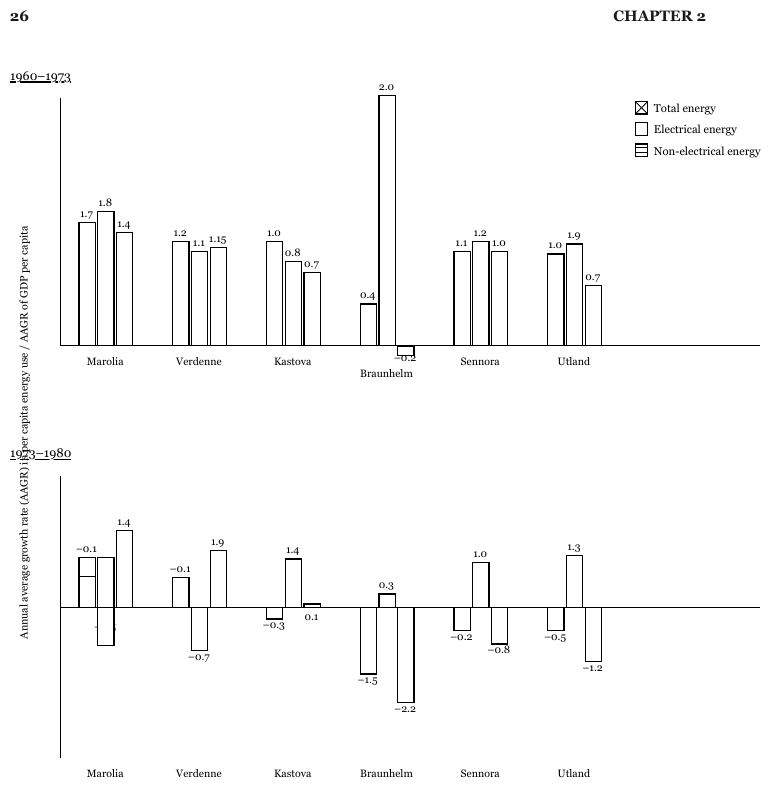
Two bar panels stacked vertically, each with its own underlined period caption (1960–1973,
1973–1980), over one rotated axis title on the far left and one legend that serves both. Each
panel is its own table, and both tables carry the three legend series as their headers: read alone,
the lower panel's bars are unnamed. The axis title, printed once, is kept once. Every bar prints its
value; the printed minus signs are written -. The lower panel runs negative, bars descending below
a zero line that crosses the panel. In the lower panel, the value label under Marolia's second bar
is covered by the bar itself and that bar is drawn both above and below the zero line, so the
Marolia row is elided. The running header is elided.
…
Annual average growth rate (AAGR) in per capita energy use / AAGR of GDP per capita
| Total energy | Electrical energy | Non-electrical energy | |
|---|---|---|---|
| Marolia | 1.7 | 1.8 | 1.4 |
| Verdenne | 1.2 | 1.1 | 1.15 |
| Kastova | 1.0 | 0.8 | 0.7 |
| Braunhelm | 0.4 | 2.0 | -0.2 |
| Sennora | 1.1 | 1.2 | 1.0 |
| Utland | 1.0 | 1.9 | 0.7 |
| Total energy | Electrical energy | Non-electrical energy | ||||||||||||||||||||||||||||||||||||||||||||||||||||||||||||||||||||||||||||||||||||||||||||||||
|---|---|---|---|---|---|---|---|---|---|---|---|---|---|---|---|---|---|---|---|---|---|---|---|---|---|---|---|---|---|---|---|---|---|---|---|---|---|---|---|---|---|---|---|---|---|---|---|---|---|---|---|---|---|---|---|---|---|---|---|---|---|---|---|---|---|---|---|---|---|---|---|---|---|---|---|---|---|---|---|---|---|---|---|---|---|---|---|---|---|---|---|---|---|---|---|---|---|---|
| … | ||||||||||||||||||||||||||||||||||||||||||||||||||||||||||||||||||||||||||||||||||||||||||||||||||
| Verdenne | -0.1 | -0.7 | 1.9 | |||||||||||||||||||||||||||||||||||||||||||||||||||||||||||||||||||||||||||||||||||||||||||||||
| Kastova | -0.3 | 1.4 | 0.1 | |||||||||||||||||||||||||||||||||||||||||||||||||||||||||||||||||||||||||||||||||||||||||||||||
| Braunhelm | -1.5 | 0.3 | -2.2 | |||||||||||||||||||||||||||||||||||||||||||||||||||||||||||||||||||||||||||||||||||||||||||||||
| Sennora | -0.2 | 1.0 | -0.8 | |||||||||||||||||||||||||||||||||||||||||||||||||||||||||||||||||||||||||||||||||||||||||||||||
| Utland | -0.5 | 1.3 | -1.2 | |||||||||||||||||||||||||||||||||||||||||||||||||||||||||||||||||||||||||||||||||||||||||||||||
Markdown source
<!-- … -->
Annual average growth rate (AAGR) in per capita energy use / AAGR of GDP per capita
<table data-source="chart">
<caption><u>1960–1973</u></caption>
<tr> <th></th> <th>Total energy</th> <th>Electrical energy</th> <th>Non-electrical energy</th> </tr>
<tr> <td>Marolia</td> <td>1.7</td> <td>1.8</td> <td>1.4</td> </tr>
<tr> <td>Verdenne</td> <td>1.2</td> <td>1.1</td> <td>1.15</td> </tr>
<tr> <td>Kastova</td> <td>1.0</td> <td>0.8</td> <td>0.7</td> </tr>
<tr> <td>Braunhelm</td> <td>0.4</td> <td>2.0</td> <td>-0.2</td> </tr>
<tr> <td>Sennora</td> <td>1.1</td> <td>1.2</td> <td>1.0</td> </tr>
<tr> <td>Utland</td> <td>1.0</td> <td>1.9</td> <td>0.7</td> </tr>
</table>
<table data-source="chart">
<caption><u>1973–1980</u></caption>
<tr> <th></th> <th>Total energy</th> <th>Electrical energy</th> <th>Non-electrical energy</th> </tr>
<!-- … -->
<tr> <td>Verdenne</td> <td>-0.1</td> <td>-0.7</td> <td>1.9</td> </tr>
<tr> <td>Kastova</td> <td>-0.3</td> <td>1.4</td> <td>0.1</td> </tr>
<tr> <td>Braunhelm</td> <td>-1.5</td> <td>0.3</td> <td>-2.2</td> </tr>
<tr> <td>Sennora</td> <td>-0.2</td> <td>1.0</td> <td>-0.8</td> </tr>
<tr> <td>Utland</td> <td>-0.5</td> <td>1.3</td> <td>-1.2</td> </tr>
</table>
✅ Sample — sixteen small panels under two captions
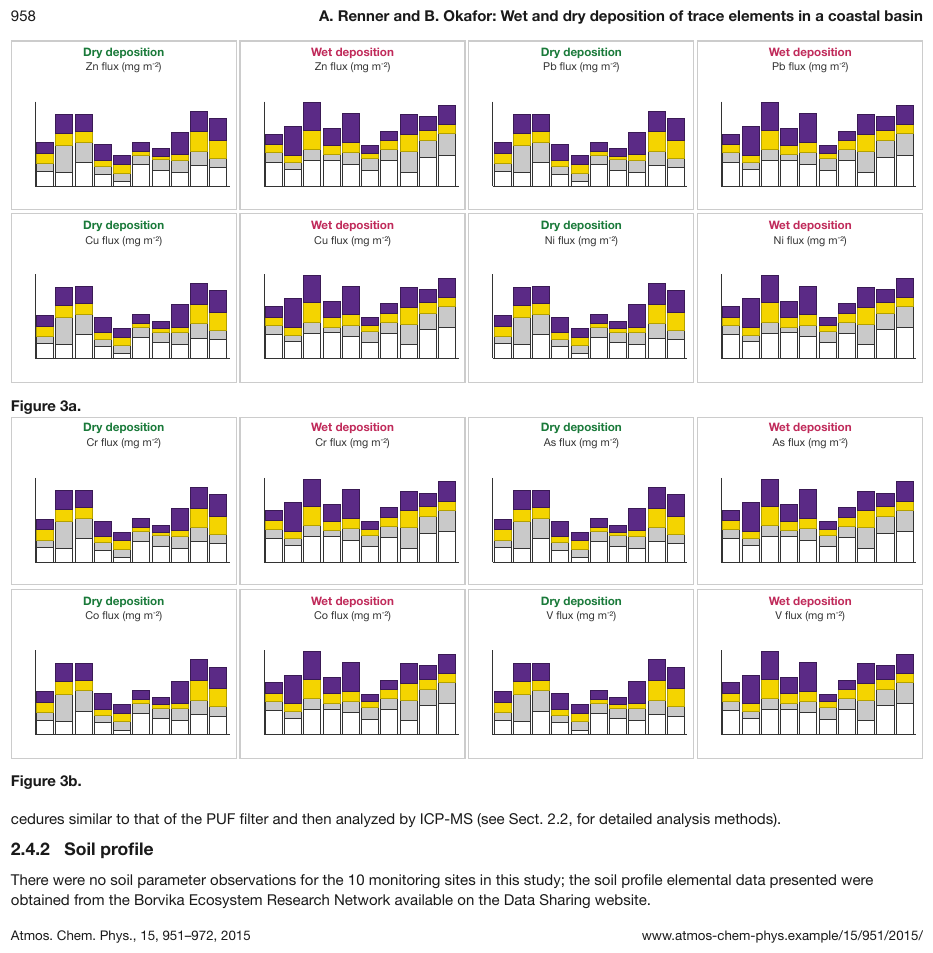
Figure 3a and Figure 3b hold eight stacked-bar panels each, every panel headed by its
deposition type and its element's flux title, each drawing ten stacks of four fill colours. No
panel prints a site name, a tick value or a legend, so no bar can be located or calibrated: the
panels carry no chart table, and the output keeps their printed headings and titles, in reading
order. Figure 3b and the text below it are elided.
…
Dry deposition Zn flux (mg m-2)
Wet deposition Zn flux (mg m-2)
Dry deposition Pb flux (mg m-2)
Wet deposition Pb flux (mg m-2)
Dry deposition Cu flux (mg m-2)
Wet deposition Cu flux (mg m-2)
Dry deposition Ni flux (mg m-2)
Wet deposition Ni flux (mg m-2)
Figure 3a.
…
Markdown source
<!-- … -->
Dry deposition
Zn flux (mg m<sup>-2</sup>)
Wet deposition
Zn flux (mg m<sup>-2</sup>)
Dry deposition
Pb flux (mg m<sup>-2</sup>)
Wet deposition
Pb flux (mg m<sup>-2</sup>)
Dry deposition
Cu flux (mg m<sup>-2</sup>)
Wet deposition
Cu flux (mg m<sup>-2</sup>)
Dry deposition
Ni flux (mg m<sup>-2</sup>)
Wet deposition
Ni flux (mg m<sup>-2</sup>)
Figure 3a.
<!-- … -->
✅ Sample — recession bands behind four lines
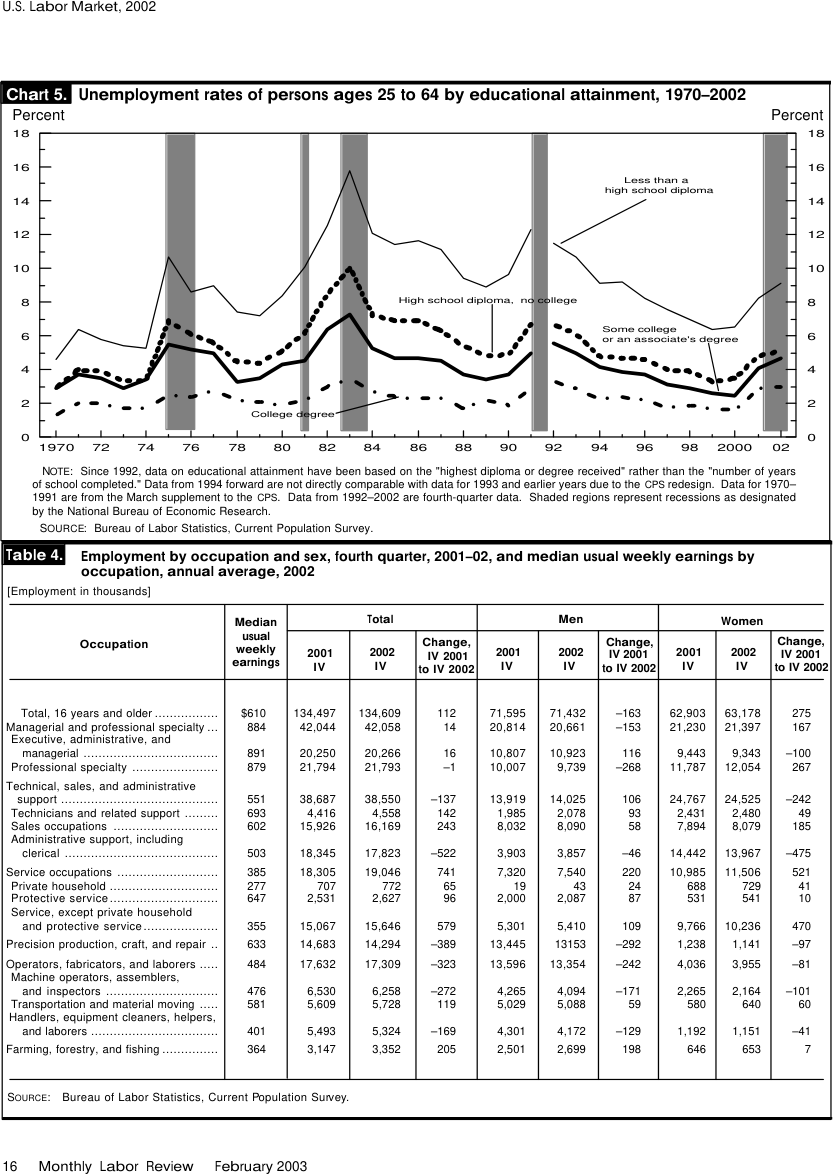
Source: U.S. Bureau of Labor Statistics, Monthly Labor Review, February 2003, Chart 5 and Table 4 (public domain)
Four line styles, each named by a direct label with a leader line, over 33 years (1970–2002, the
axis labeling every second year as 1970, 72, 74 …) and five grey vertical bands that the note
says are recessions. The four named series are the table's columns; the bands are reference ink and
add nothing to it, while the note that explains them is kept. No value is printed, so every cell is
an estimate against the 2-point grid. Only the first two labeled years are shown; the table
continues through 02, and the table sharing the page is elided.
| Less than a high school diploma | High school diploma, no college | Some college or an associate's degree | College degree | |||||||||||||||||||||||||||||||||||||||||||||||||||||||||||||||||||||||||||||||||||||||||||||||
|---|---|---|---|---|---|---|---|---|---|---|---|---|---|---|---|---|---|---|---|---|---|---|---|---|---|---|---|---|---|---|---|---|---|---|---|---|---|---|---|---|---|---|---|---|---|---|---|---|---|---|---|---|---|---|---|---|---|---|---|---|---|---|---|---|---|---|---|---|---|---|---|---|---|---|---|---|---|---|---|---|---|---|---|---|---|---|---|---|---|---|---|---|---|---|---|---|---|---|
| 1970 | 4.6 | 3.1 | 2.9 | 1.3 | ||||||||||||||||||||||||||||||||||||||||||||||||||||||||||||||||||||||||||||||||||||||||||||||
| … | ||||||||||||||||||||||||||||||||||||||||||||||||||||||||||||||||||||||||||||||||||||||||||||||||||
| 72 | 5.8 | 3.9 | 3.5 | 2.0 | ||||||||||||||||||||||||||||||||||||||||||||||||||||||||||||||||||||||||||||||||||||||||||||||
| … | ||||||||||||||||||||||||||||||||||||||||||||||||||||||||||||||||||||||||||||||||||||||||||||||||||
Percent
Percent
NOTE: Since 1992, data on educational attainment have been based on the "highest diploma or degree received" rather than the "number of years of school completed." Data from 1994 forward are not directly comparable with data for 1993 and earlier years due to the CPS redesign. Data for 1970–1991 are from the March supplement to the CPS. Data from 1992–2002 are fourth-quarter data. Shaded regions represent recessions as designated by the National Bureau of Economic Research.
SOURCE: Bureau of Labor Statistics, Current Population Survey.
…
Markdown source
<table data-source="chart">
<caption><strong>Chart 5. Unemployment rates of persons ages 25 to 64 by educational attainment, 1970–2002</strong></caption>
<tr> <th></th> <th>Less than a high school diploma</th> <th>High school diploma, no college</th> <th>Some college or an associate's degree</th> <th>College degree</th> </tr>
<tr> <td>1970</td> <td>4.6</td> <td>3.1</td> <td>2.9</td> <td>1.3</td> </tr>
<!-- … -->
<tr> <td>72</td> <td>5.8</td> <td>3.9</td> <td>3.5</td> <td>2.0</td> </tr>
<!-- … -->
</table>
Percent
Percent
NOTE: Since 1992, data on educational attainment have been based on the "highest diploma or degree received" rather than the "number of years of school completed." Data from 1994 forward are not directly comparable with data for 1993 and earlier years due to the CPS redesign. Data for 1970–1991 are from the March supplement to the CPS. Data from 1992–2002 are fourth-quarter data. Shaded regions represent recessions as designated by the National Bureau of Economic Research.
SOURCE: Bureau of Labor Statistics, Current Population Survey.
<!-- … -->
Related
- Cover Every Data Point§11.1.1 — every panel counts, and the layout of each chart table
- Labels§11.1.2 — how charts with the same labels are told apart
- Legend and Overlay Values§11.2.4 — twin pies sharing one legend
- Log Scale Charts§11.2.6 — event callouts over a logarithmic chart
11.1.4 Values and Tolerances
✅ Normative · 📄 page rule
✅ Normative
Each cell of a chart table holds one of three values. A value printed on the chart MUST be
copied character for character and in full. A value not printed MUST be estimated at the
mark's visual centre against the mark's own axis. A mark drawn at the baseline, or a labeled
position with no mark, MUST be 0.
Printed values — copied exactly
Whatever the chart prints at, on or beside the mark is the value, in full:
25 (13.0%)stays25 (13.0%)— not25, not13.0%, and never25 countries (13.0%);- printed formats stay: thousands separators (
11,270), decimal commas (2,08), currency and percent marks, parentheses for negatives (($60B)), footnote markers (<sup>1,2</sup>3.60); - printed beats geometry: where the label says
43, the value is43even if the bar top measures a hair lower.
Estimated values — the visual centre
Where nothing is printed, the value is read at the mark's visual centre against its own axis — a second axis where the series is scaled by one (see Dual-Axis and Combo Charts§11.2.2), the decade bands of a logarithmic axis (see Log Scale Charts§11.2.6), and a stacked segment's own two boundaries (see Stacked Bars and Waterfalls§11.2.9).
An estimate SHOULD be a value a careful reader could defend within the readability tolerance below — neither falsely precise nor coarser than the axis allows.
How an estimated value is written. An estimated value MUST be written as a bare number in the
axis's own format — its unit mark (2.5% on a percent axis) and its digit grouping (17 000 on an
axis ticked 18 000) — with no approximation marker, and no more precise than the reading
supports: at most one decimal place beyond the axis's tick labels, and two significant figures on a
logarithmic axis. Whether a value was printed or estimated is recoverable from the page and is not
marked in the Markdown.
Zeros
A mark drawn at the baseline is 0. A labeled position with no mark at all is also 0 —
the histogram's empty 1500 bin is 0 (see Bars and Histograms§11.2.1). A stack that simply has no
segment of one series leaves that cell empty instead (see Stacked Bars and Waterfalls§11.2.9).
Bars drawn in perspective
A printed bar value is copied first. Otherwise the value-bearing edge is read against the corresponding axis plane, excluding perspective depth. Where the reference plane is ambiguous, the value is the midpoint of the plausible readings.
How a checker compares values
A checker compares each cell with the value it reads off the page:
- Printed value — the same number, compared exactly. Formatting variants of the same number (thousands separators, decimal comma or point, currency and percent marks) MAY be treated as equal; a different number is wrong.
- Estimated value — accepted within a relative tolerance of the checker's own reading, chosen by how readable the mark is:
| How readable is the mark? | Relative tolerance |
|---|---|
| Sits on a gridline | 0.05 |
| Between gridlines, judgeable | 0.1 |
| Small, dense, or unclear scale | 0.15 – 0.2 |
| Near zero, where a relative band is too narrow | wider, as the reading demands (a -1 read on a 10-unit grid takes 0.3) |
Most estimates fall between 0.05 and 0.15, and a tolerance above 0.2 is exceptional. The tolerance is the range a careful eye can defend: not so tight that a second careful reading fails it, not so loose that a wrong reading passes. For bars drawn in perspective it is widened to cover every plausible reading.
✅ Sample — health-workforce-2024_p46
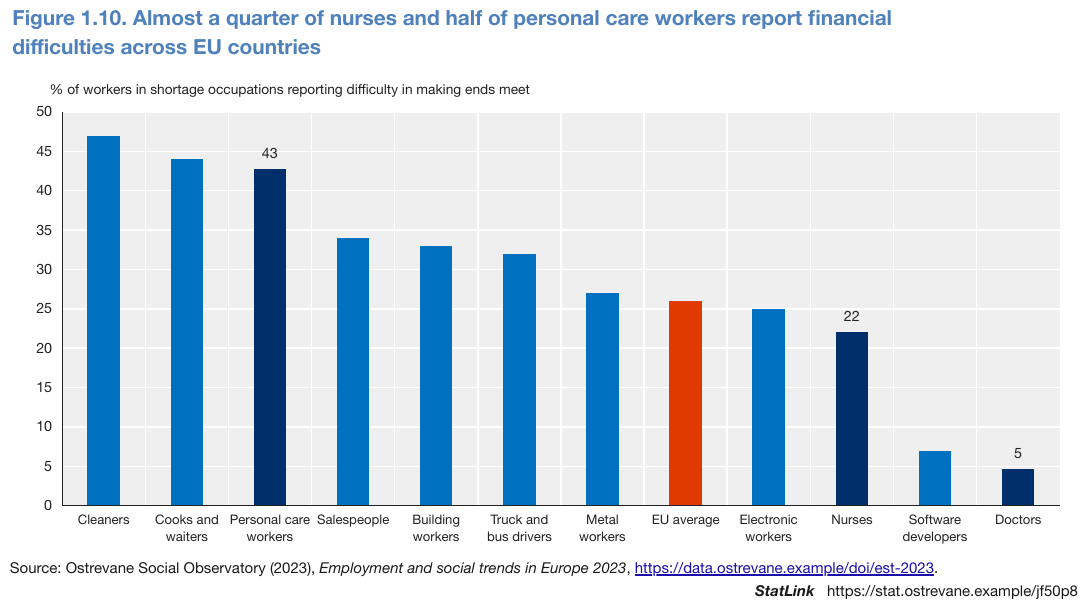
One series, twelve bars. Three bars print their number (43, 22, 5) and are copied exactly;
the other nine are estimates against the 5-unit grid, most on or near a gridline (tolerance 0.05),
the small Software developers bar harder to judge (0.1). Doctors stays 5 although its bar top
measures a touch lower. The red EU average bar is an ordinary row: highlighting is styling, not
structure. The single series has no printed name, so its column is headed by the value-axis title.
| % of workers in shortage occupations reporting difficulty in making ends meet | |
|---|---|
| Cleaners | 47 |
| Cooks and waiters | 44 |
| Personal care workers | 43 |
| Salespeople | 34 |
| Building workers | 33 |
| Truck and bus drivers | 32 |
| Metal workers | 27 |
| EU average | 26 |
| Electronic workers | 25 |
| Nurses | 22 |
| Software developers | 7 |
| Doctors | 5 |
Source: Ostrevane Social Observatory (2023), Employment and social trends in Europe 2023, https://data.ostrevane.example/doi/est-2023.
Markdown source
<table data-source="chart">
<caption><strong>Figure 1.10. Almost a quarter of nurses and half of personal care workers report financial difficulties across EU countries</strong></caption>
<tr> <th></th> <th>% of workers in shortage occupations reporting difficulty in making ends meet</th> </tr>
<tr> <td>Cleaners</td> <td>47</td> </tr>
<tr> <td>Cooks and waiters</td> <td>44</td> </tr>
<tr> <td>Personal care workers</td> <td>43</td> </tr>
<tr> <td>Salespeople</td> <td>34</td> </tr>
<tr> <td>Building workers</td> <td>33</td> </tr>
<tr> <td>Truck and bus drivers</td> <td>32</td> </tr>
<tr> <td>Metal workers</td> <td>27</td> </tr>
<tr> <td>EU average</td> <td>26</td> </tr>
<tr> <td>Electronic workers</td> <td>25</td> </tr>
<tr> <td>Nurses</td> <td>22</td> </tr>
<tr> <td>Software developers</td> <td>7</td> </tr>
<tr> <td>Doctors</td> <td>5</td> </tr>
</table>
Source: Ostrevane Social Observatory (2023), Employment and social trends in Europe 2023, <u>https://data.ostrevane.example/doi/est-2023</u>.
✅ Sample — bars drawn in perspective
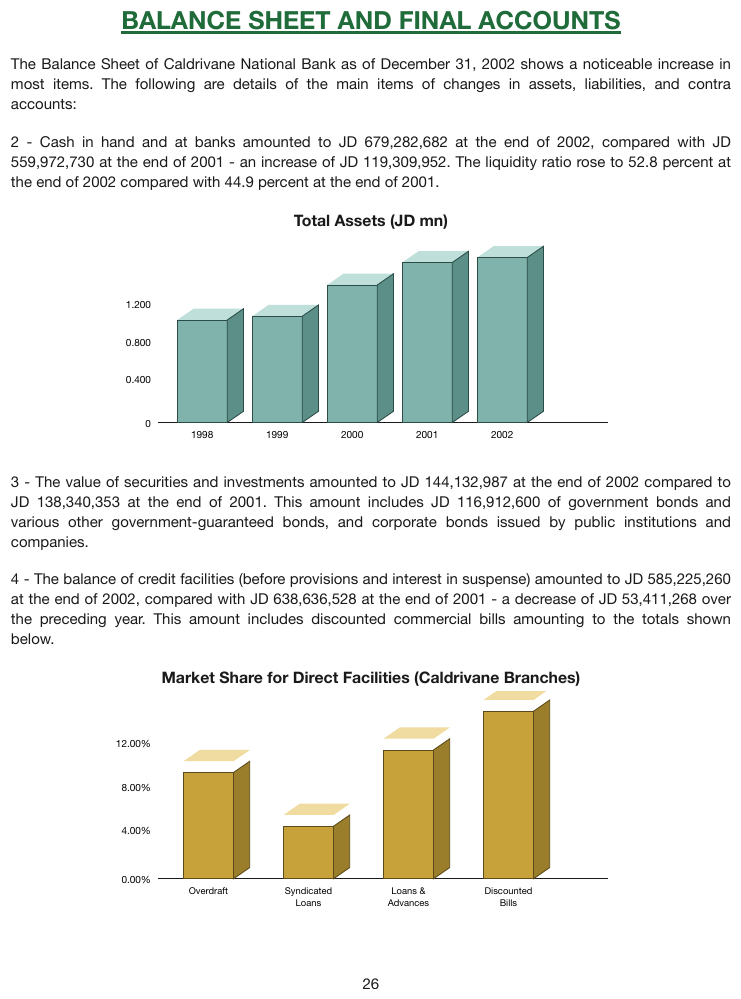
Two 3-D bar charts with no printed values. Each bar has a front top edge and a back top edge at
different heights. The axis ticks and the baseline sit on the front plane, so the front top edge is
the value-bearing edge; every value below is an estimate, read to two significant figures on the
first chart and to a tenth of a percent on the second. The tick labels print 1.200 and 12.00%,
but an estimate is not written to that precision. The paragraphs between and around the charts are
elided.
…
| 1998 | 1.0 |
| 1999 | 1.1 |
| 2000 | 1.4 |
| 2001 | 1.6 |
| 2002 | 1.7 |
…
| Overdraft | 9.3% |
| Syndicated Loans | 4.5% |
| Loans & Advances | 11.2% |
| Discounted Bills | 14.7% |
…
Markdown source
<!-- … -->
<table data-source="chart">
<caption><strong>Total Assets (JD mn)</strong></caption>
<tr> <td>1998</td> <td>1.0</td> </tr>
<tr> <td>1999</td> <td>1.1</td> </tr>
<tr> <td>2000</td> <td>1.4</td> </tr>
<tr> <td>2001</td> <td>1.6</td> </tr>
<tr> <td>2002</td> <td>1.7</td> </tr>
</table>
<!-- … -->
<table data-source="chart">
<caption><strong>Market Share for Direct Facilities (Caldrivane Branches)</strong></caption>
<tr> <td>Overdraft</td> <td>9.3%</td> </tr>
<tr> <td>Syndicated Loans</td> <td>4.5%</td> </tr>
<tr> <td>Loans & Advances</td> <td>11.2%</td> </tr>
<tr> <td>Discounted Bills</td> <td>14.7%</td> </tr>
</table>
<!-- … -->
Related
- Labels§11.1.2 — locating the cell a value belongs to
- Cover Every Data Point§11.1.1 — zeros for empty labeled positions, and full coverage
- Log Scale Charts§11.2.6 — reading against logarithmic bands
- Legend and Overlay Values§11.2.4 — charts where the printed values are the whole story
- Ground Truth — Charts§C.3 — how estimated values are measured for ground truth
11.2 Chart types
11.2.1 Bars and Histograms
✅ Normative · 📄 page rule
✅ Normative
A bar chart MUST be rendered as a chart table with one value per bar: one row per category, one
column per series. A histogram is a bar chart whose category is the bin: a bin the axis does not
label MUST still get its row, labeled by its axis value, and a labeled position with no bar
MUST hold 0.
- A single series gives a two-column table — see the full example in Values and Tolerances§11.1.4.
- Grouped bars give one column per legend series — see the full example in Labels§11.1.2.
- Horizontal bars change nothing: the category axis simply runs vertically, and rows follow it top to bottom.
- A highlighted or average bar (
EU average, shaded behind the rest) is an ordinary row. An average line is reference ink and adds nothing to the table (see Multiple Charts and Reference Ink§11.1.3).
Histogram bins
Printed bin labels are copied verbatim, catch-alls included (> 15000). When the axis labels only
every other bin, the unlabeled bins still exist: each gets a row labeled by its axis value — 2000
between the ticks 1500 and 2500 on an axis labeled every $1 000. A bin that no printed
calibration reaches is not locatable (see Cover Every Data Point§11.1.1).
✅ Sample — catastrophe-review-2025_p4
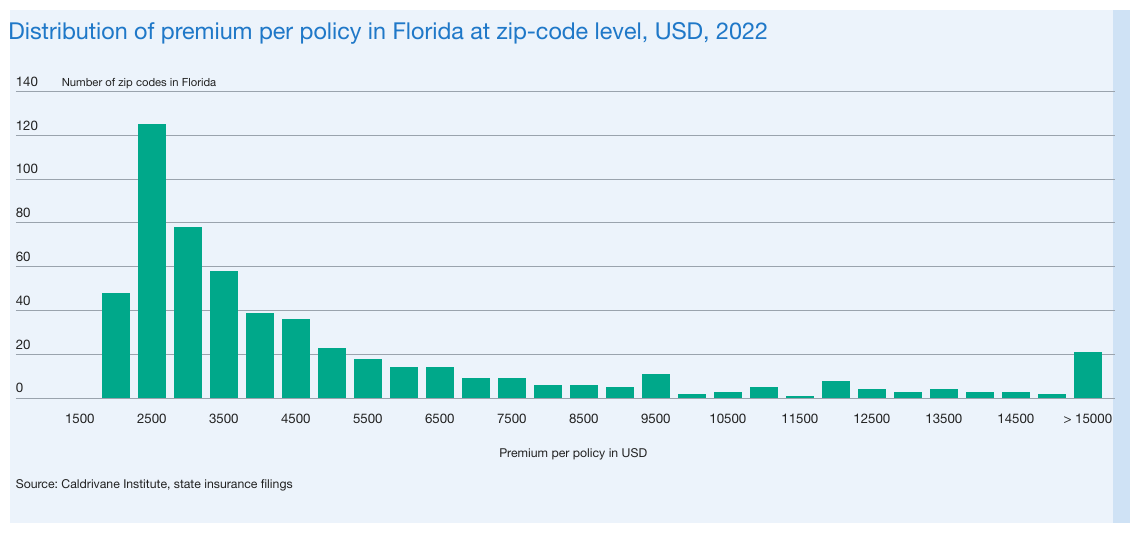
Bins every $500, labels every $1 000, a printed catch-all, and one labeled position (1500) with no
bar. Full coverage is 29 rows: 1500 holds 0; the unlabeled bins are labeled by their axis values
(2000, 3000 …); every count is an estimate against the 20-unit grid. The catch-all keeps its
printed space (> 15000). The value axis title heads the single value column; the category axis
title heads the label column.
| Premium per policy in USD | Number of zip codes in Florida |
|---|---|
| 1500 | 0 |
| 2000 | 48 |
| 2500 | 125 |
| 3000 | 78 |
| 3500 | 58 |
| 4000 | 39 |
| 4500 | 36 |
| 5000 | 23 |
| 5500 | 18 |
| 6000 | 14 |
| 6500 | 14 |
| 7000 | 9 |
| 7500 | 9 |
| 8000 | 6 |
| 8500 | 6 |
| 9000 | 5 |
| 9500 | 11 |
| 10000 | 2 |
| 10500 | 3 |
| 11000 | 5 |
| 11500 | 1 |
| 12000 | 8 |
| 12500 | 4 |
| 13000 | 3 |
| 13500 | 4 |
| 14000 | 3 |
| 14500 | 3 |
| 15000 | 2 |
| > 15000 | 21 |
Source: Caldrivane Institute, state insurance filings
Markdown source
<table data-source="chart">
<caption>Distribution of premium per policy in Florida at zip-code level, USD, 2022</caption>
<tr> <th>Premium per policy in USD</th> <th>Number of zip codes in Florida</th> </tr>
<tr> <td>1500</td> <td>0</td> </tr>
<tr> <td>2000</td> <td>48</td> </tr>
<tr> <td>2500</td> <td>125</td> </tr>
<tr> <td>3000</td> <td>78</td> </tr>
<tr> <td>3500</td> <td>58</td> </tr>
<tr> <td>4000</td> <td>39</td> </tr>
<tr> <td>4500</td> <td>36</td> </tr>
<tr> <td>5000</td> <td>23</td> </tr>
<tr> <td>5500</td> <td>18</td> </tr>
<tr> <td>6000</td> <td>14</td> </tr>
<tr> <td>6500</td> <td>14</td> </tr>
<tr> <td>7000</td> <td>9</td> </tr>
<tr> <td>7500</td> <td>9</td> </tr>
<tr> <td>8000</td> <td>6</td> </tr>
<tr> <td>8500</td> <td>6</td> </tr>
<tr> <td>9000</td> <td>5</td> </tr>
<tr> <td>9500</td> <td>11</td> </tr>
<tr> <td>10000</td> <td>2</td> </tr>
<tr> <td>10500</td> <td>3</td> </tr>
<tr> <td>11000</td> <td>5</td> </tr>
<tr> <td>11500</td> <td>1</td> </tr>
<tr> <td>12000</td> <td>8</td> </tr>
<tr> <td>12500</td> <td>4</td> </tr>
<tr> <td>13000</td> <td>3</td> </tr>
<tr> <td>13500</td> <td>4</td> </tr>
<tr> <td>14000</td> <td>3</td> </tr>
<tr> <td>14500</td> <td>3</td> </tr>
<tr> <td>15000</td> <td>2</td> </tr>
<tr> <td>> 15000</td> <td>21</td> </tr>
</table>
Source: Caldrivane Institute, state insurance filings
Progress and target bars
A goal statement with a single bar, its current value marked on it and the target at its right
end, is a one-row bar chart, not a chart type of its own. Its chart table MUST hold the current
value, the target and the axis end-points: the bar's meaning is relative to its scale, and 7
against 8 or 42% against 50% is only legible with that scale kept.
✅ Sample — goal cards with progress bars
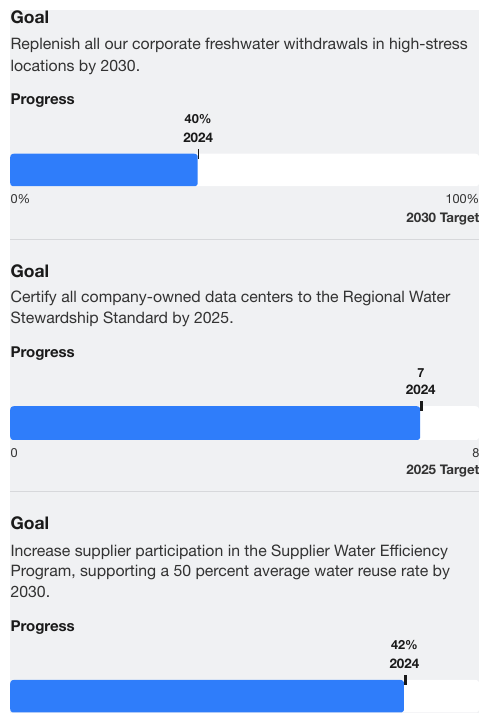
Three goal cards separated by rules. Each bar marks its current value (40%, 7, 42%, each with
the year 2024 beneath it) against a scale from its start (0%, 0) to its target (100% with
2030 Target, 8 with 2025 Target). The rows follow the axis: start, current value, target. The
third card's scale end-points fall below the crop and are not shown, so its table holds only the
current value.
Goal
Replenish all our corporate freshwater withdrawals in high-stress locations by 2030.
| 0% | |
| 2024 | 40% |
| 2030 Target | 100% |
Goal
Certify all company-owned data centers to the Regional Water Stewardship Standard by 2025.
| 0 | |
| 2024 | 7 |
| 2025 Target | 8 |
Goal
Increase supplier participation in the Supplier Water Efficiency Program, supporting a 50 percent average water reuse rate by 2030.
| 2024 | 42% |
Markdown source
**Goal**
Replenish all our corporate freshwater withdrawals in high-stress locations by 2030.
<table data-source="chart">
<caption><strong>Progress</strong></caption>
<tr> <td></td> <td>0%</td> </tr>
<tr> <td><strong>2024</strong></td> <td><strong>40%</strong></td> </tr>
<tr> <td><strong>2030 Target</strong></td> <td>100%</td> </tr>
</table>
<hr/>
Goal
Certify all company-owned data centers to the Regional Water Stewardship Standard by 2025.
<table data-source="chart">
<caption><strong>Progress</strong></caption>
<tr> <td></td> <td>0</td> </tr>
<tr> <td><strong>2024</strong></td> <td><strong>7</strong></td> </tr>
<tr> <td><strong>2025 Target</strong></td> <td>8</td> </tr>
</table>
<hr/>
Goal
Increase supplier participation in the Supplier Water Efficiency Program, supporting a 50 percent average water reuse rate by 2030.
<table data-source="chart">
<caption><strong>Progress</strong></caption>
<tr> <td><strong>2024</strong></td> <td><strong>42%</strong></td> </tr>
</table>
Related
- Values and Tolerances§11.1.4 — a complete single-series bar chart, mixed printed and estimated
- Labels§11.1.2 — a complete grouped bar chart, all printed
- Stacked Bars and Waterfalls§11.2.9 — when the series stack instead of standing side by side
- Cover Every Data Point§11.1.1 — zeros and axis-value labels
11.2.2 Dual-Axis and Combo Charts
✅ Normative · 📄 page rule
✅ Normative
Bars and lines on one canvas, or a second value axis, change only how values are read: each
series' values MUST be copied or estimated against its own axis. The chart table is laid out
as usual — one row per x position, one column per series — and a series name MUST NOT gain its
mark type or axis side (no (line), no right axis).
Before a value is estimated, the axis that scales its series is identified — from the legend order, the mark type and the magnitudes of each axis's tick labels — and the value is traced to that axis. A percentage series scaled by the right-hand axis read against the level axis on the left is a wrong value, however plausible it looks.
✅ Sample — industrial-group-financial-report-2024_p15
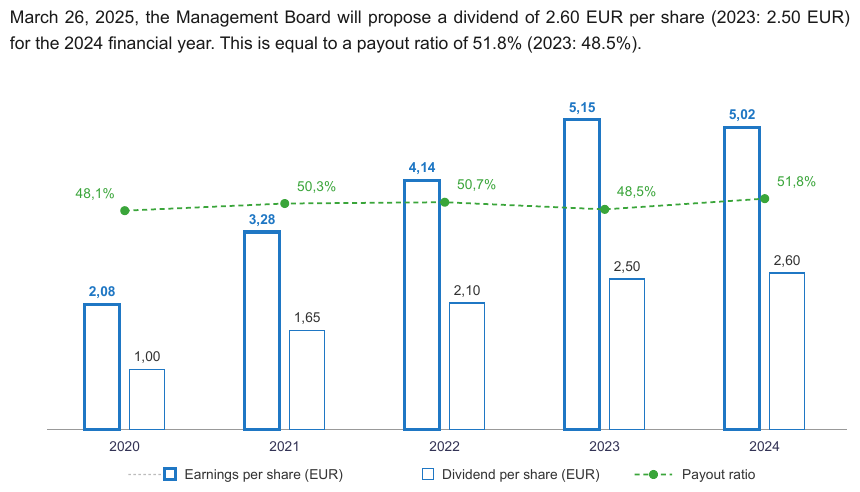
Two bar series in euros and a percentage line share one canvas; no value axis is drawn, and every
mark prints its value, so every cell is copied rather than read. Full coverage is 15 values under
the legend entries, copied whole (Earnings per share (EUR) keeps the parenthesis printed inside
the legend). The chart prints decimal commas (2,08, 48,1%), and the cells keep them. The
earnings values are printed in bold.
March 26, 2025, the Management Board will propose a dividend of 2.60 EUR per share (2023: 2.50 EUR) for the 2024 financial year. This is equal to a payout ratio of 51.8% (2023: 48.5%).
| Earnings per share (EUR) | Dividend per share (EUR) | Payout ratio | |
|---|---|---|---|
| 2020 | 2,08 | 1,00 | 48,1% |
| 2021 | 3,28 | 1,65 | 50,3% |
| 2022 | 4,14 | 2,10 | 50,7% |
| 2023 | 5,15 | 2,50 | 48,5% |
| 2024 | 5,02 | 2,60 | 51,8% |
Markdown source
March 26, 2025, the Management Board will propose a dividend of 2.60 EUR per share (2023: 2.50 EUR) for the 2024 financial year. This is equal to a payout ratio of 51.8% (2023: 48.5%).
<table data-source="chart">
<tr> <th></th> <th>Earnings per share (EUR)</th> <th>Dividend per share (EUR)</th> <th>Payout ratio</th> </tr>
<tr> <td>2020</td> <td><strong>2,08</strong></td> <td>1,00</td> <td>48,1%</td> </tr>
<tr> <td>2021</td> <td><strong>3,28</strong></td> <td>1,65</td> <td>50,3%</td> </tr>
<tr> <td>2022</td> <td><strong>4,14</strong></td> <td>2,10</td> <td>50,7%</td> </tr>
<tr> <td>2023</td> <td><strong>5,15</strong></td> <td>2,50</td> <td>48,5%</td> </tr>
<tr> <td>2024</td> <td><strong>5,02</strong></td> <td>2,60</td> <td>51,8%</td> </tr>
</table>
Related
- Stacked Bars and Waterfalls§11.2.9 — a marker series on a second axis riding on a waterfall
- Labels§11.1.2 — legend text verbatim, mark types never
- Line Charts§11.2.5 — the line half on its own canvas
- Legend and Overlay Values§11.2.4 — charts where only some series print their values
11.2.3 Gantt and Sankey Charts
✅ Normative · 📄 page rule
✅ Normative
A gantt chart MUST be rendered with one row per mark, giving the mark's label, its start and its end on the time axis — for a milestone, start and end are the same period. A sankey diagram MUST be rendered with one row per flow, giving its source node, its target node and the value it carries. Each family uses its one shape throughout, whatever the chart prints.
Gantt
The time axis is the value axis. Each bar's two edges are read against the printed ticks and
written as the periods the axis prints: months as month tokens (Jan), quarters under year headers
as quarter tokens with their year (Q1 2025). When the page prints exact dates for each task, those
printed dates are the start and end; when it prints them as a table beside the bars, that printed
table is the rendering and the bars add nothing to it (see Chart With a Printed Data Grid§9.1.2).
Nothing on the page prints the words start or end, and they MUST NOT be invented as labels of a mark; the pair lives in the row's two period cells.
How a gantt row is laid out. A gantt chart MUST be one table with one row per task bar or
milestone, in the chart's top-to-bottom order: the printed label, the start period, the end period.
Its header row MUST be Start | End over the two period columns, with the first cell holding the
printed label column's title or left empty. These header cells are protocol vocabulary, like the markers [blank] or [logo: …]: the page does
not print them, and they are the one deliberate exception to never invent, so that the columns
can be read without guessing. They are written exactly as given.
A bar edge on a period boundary. A bar that fills January through March has its right edge on
the April tick. Its end MUST be the last period the bar visibly fills (Mar), and one
reading MUST be used throughout a document (see Choices Made Once Per Document§4.2). A checker
accepts a reading one boundary off.
✅ Sample (constructed) — make_gantt
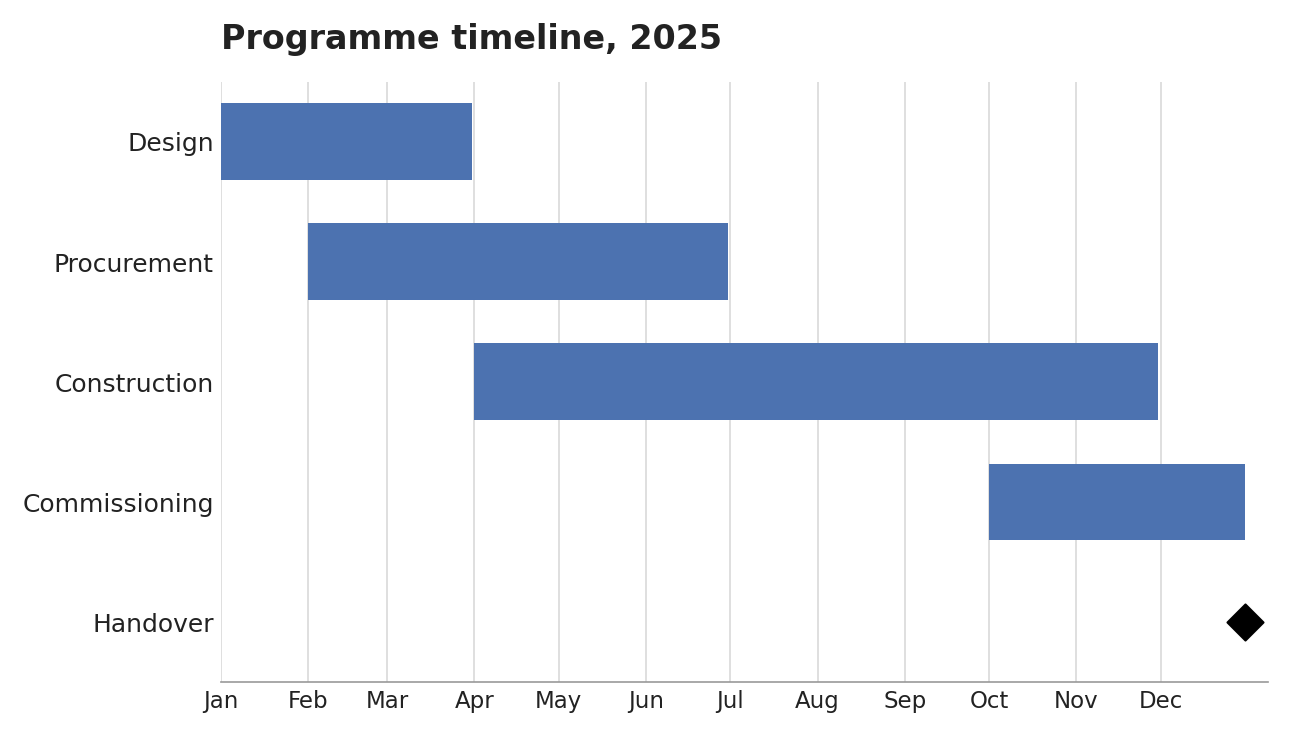
Four task bars and a diamond milestone on a month axis: five rows, the milestone with start and end
both Dec. Design fills January to March and its end is Mar, the last month it fills.
| Start | End | |
|---|---|---|
| Design | Jan | Mar |
| Procurement | Feb | Jun |
| Construction | Apr | Nov |
| Commissioning | Oct | Dec |
| Handover | Dec | Dec |
Markdown source
<table data-source="chart">
<caption><strong>Programme timeline, 2025</strong></caption>
<tr> <th></th> <th>Start</th> <th>End</th> </tr>
<tr> <td>Design</td> <td>Jan</td> <td>Mar</td> </tr>
<tr> <td>Procurement</td> <td>Feb</td> <td>Jun</td> </tr>
<tr> <td>Construction</td> <td>Apr</td> <td>Nov</td> </tr>
<tr> <td>Commissioning</td> <td>Oct</td> <td>Dec</td> </tr>
<tr> <td>Handover</td> <td>Dec</td> <td>Dec</td> </tr>
</table>✅ Sample — metro_s2_p18
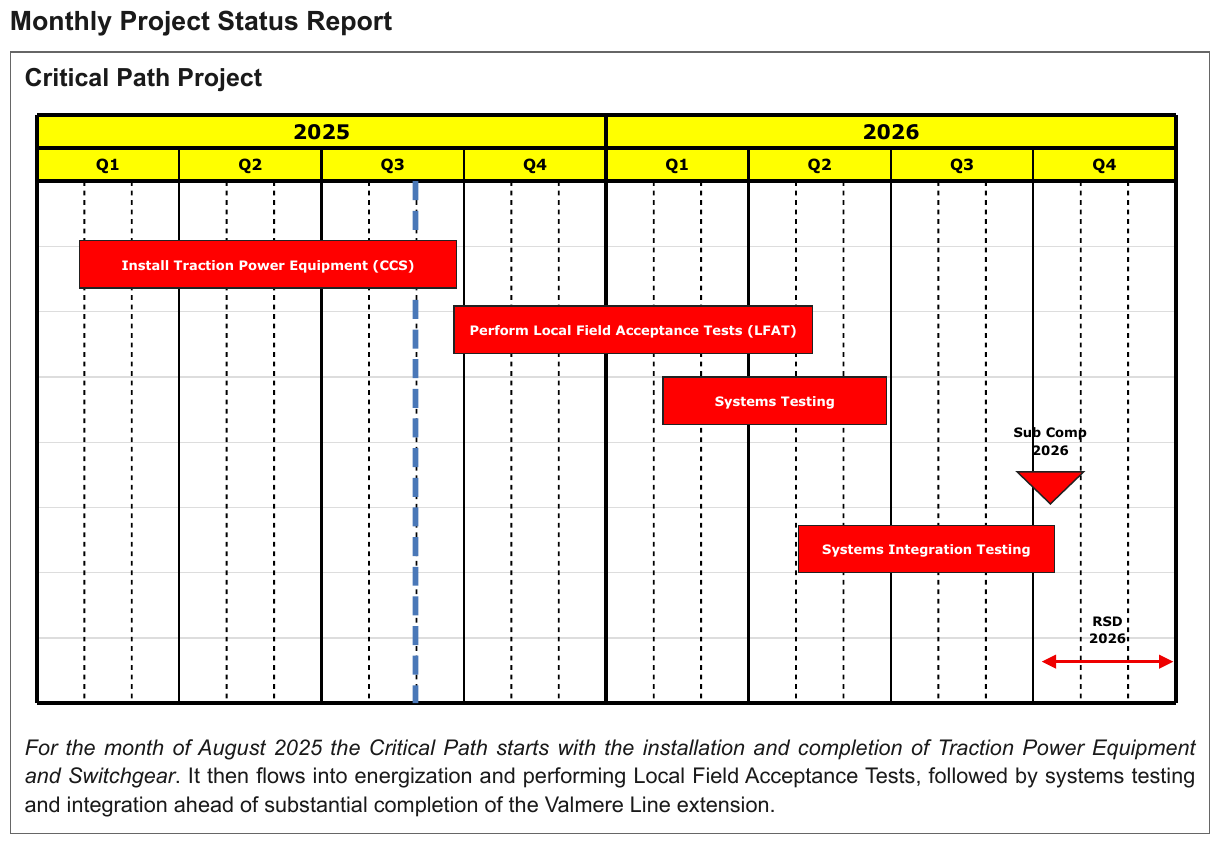
Four task bars, one milestone and the revenue-service window on a quarter axis under two year
headers — six rows in the chart's top-to-bottom order. The Sub Comp 2026 down-triangle is a
single-position mark, so start and end are the same quarter; the double-headed RSD 2026 arrow
spans the Q4 2026 column, both its edges in one quarter, so it too resolves to one period. A mark
whose two edges fall in one quarter still gets its row. The dashed vertical line is a status marker
with no label and adds nothing. The labels are printed in bold; the report headings above the chart
are elided.
…
| Start | End | |
|---|---|---|
| Install Traction Power Equipment (CCS) | Q1 2025 | Q3 2025 |
| Perform Local Field Acceptance Tests (LFAT) | Q3 2025 | Q2 2026 |
| Systems Testing | Q1 2026 | Q2 2026 |
| Sub Comp 2026 | Q4 2026 | Q4 2026 |
| Systems Integration Testing | Q2 2026 | Q4 2026 |
| RSD 2026 | Q4 2026 | Q4 2026 |
For the month of August 2025 the Critical Path starts with the installation and completion of Traction Power Equipment and Switchgear. It then flows into energization and performing Local Field Acceptance Tests, followed by systems testing and integration ahead of substantial completion of the Valmere Line extension.
Markdown source
<!-- … -->
<table data-source="chart">
<tr> <th></th> <th>Start</th> <th>End</th> </tr>
<tr> <td><strong>Install Traction Power Equipment (CCS)</strong></td> <td>Q1 2025</td> <td>Q3 2025</td> </tr>
<tr> <td><strong>Perform Local Field Acceptance Tests (LFAT)</strong></td> <td>Q3 2025</td> <td>Q2 2026</td> </tr>
<tr> <td><strong>Systems Testing</strong></td> <td>Q1 2026</td> <td>Q2 2026</td> </tr>
<tr> <td><strong>Sub Comp 2026</strong></td> <td>Q4 2026</td> <td>Q4 2026</td> </tr>
<tr> <td><strong>Systems Integration Testing</strong></td> <td>Q2 2026</td> <td>Q4 2026</td> </tr>
<tr> <td><strong>RSD 2026</strong></td> <td>Q4 2026</td> <td>Q4 2026</td> </tr>
</table>
For the month of August 2025 the Critical Path starts with the installation and completion of Traction Power Equipment and Switchgear. It then flows into energization and performing Local Field Acceptance Tests, followed by systems testing and integration ahead of substantial completion of the Valmere Line extension.
✅ Sample — guideway_schedule_p100
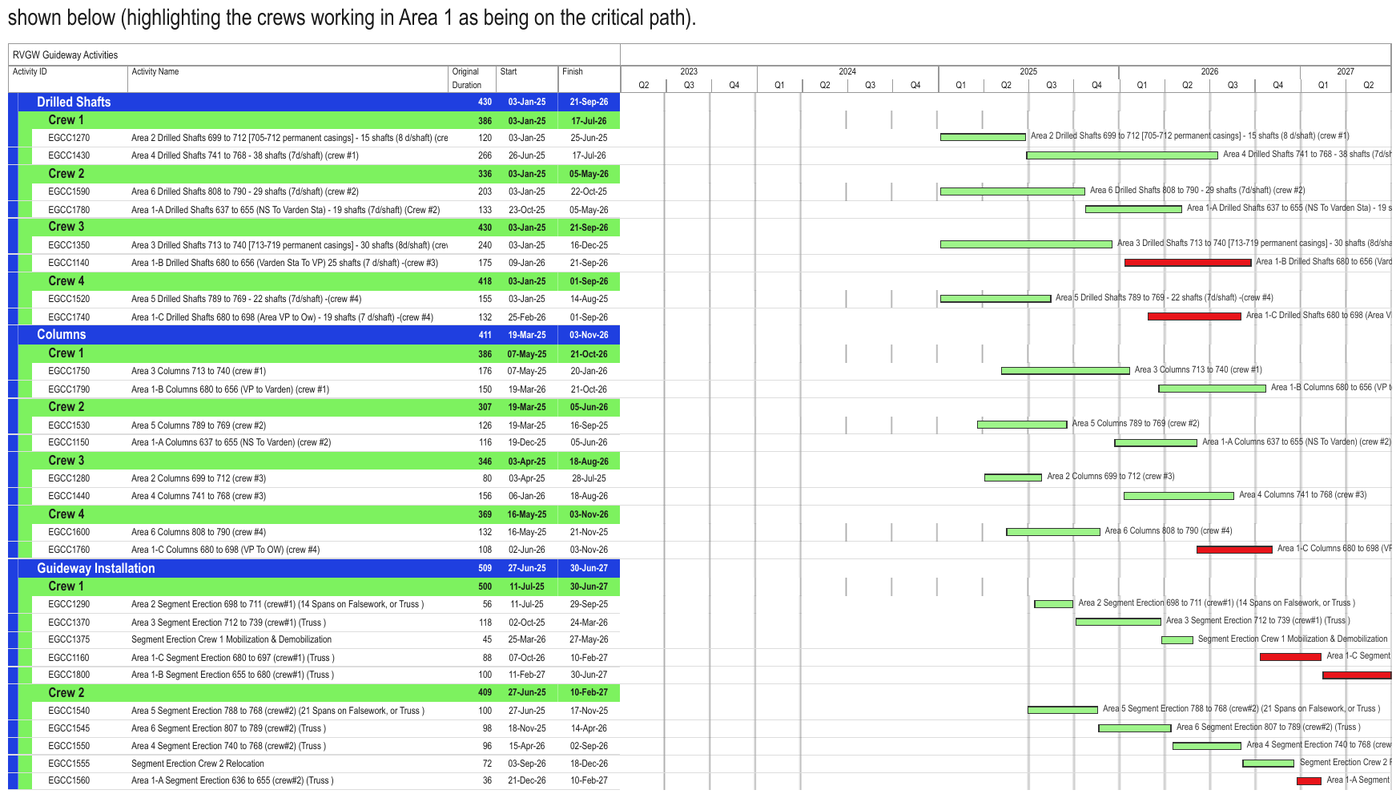
A schedule whose left-hand table prints each activity's ID, name, duration, start and finish:
that printed table is the rendering, with its printed dates as the span of each bar, and the bar
area to its right — year and quarter headers, bars, bar labels — adds nothing. The table lists
26 activities under group and crew bands. Long names are clipped at the edge of the name
column and are written as far as they are visible ((cre on EGCC1270; on EGCC1350 the next
letter is cut mid-glyph and left out). The first five activities are shown.
shown below (highlighting the crews working in Area 1 as being on the critical path).
| RVGW Guideway Activities | ||||||||||||||||||||||||||||||||||||||||||||||||||||||||||||||||||||||||||||||||||||||||||||||||||
|---|---|---|---|---|---|---|---|---|---|---|---|---|---|---|---|---|---|---|---|---|---|---|---|---|---|---|---|---|---|---|---|---|---|---|---|---|---|---|---|---|---|---|---|---|---|---|---|---|---|---|---|---|---|---|---|---|---|---|---|---|---|---|---|---|---|---|---|---|---|---|---|---|---|---|---|---|---|---|---|---|---|---|---|---|---|---|---|---|---|---|---|---|---|---|---|---|---|---|
| Activity ID | Activity Name | Original Duration | Start | Finish | ||||||||||||||||||||||||||||||||||||||||||||||||||||||||||||||||||||||||||||||||||||||||||||||
| Drilled Shafts | 430 | 03-Jan-25 | 21-Sep-26 | |||||||||||||||||||||||||||||||||||||||||||||||||||||||||||||||||||||||||||||||||||||||||||||||
| Crew 1 | 386 | 03-Jan-25 | 17-Jul-26 | |||||||||||||||||||||||||||||||||||||||||||||||||||||||||||||||||||||||||||||||||||||||||||||||
| EGCC1270 | Area 2 Drilled Shafts 699 to 712 [705-712 permanent casings] - 15 shafts (8 d/shaft) (cre | 120 | 03-Jan-25 | 25-Jun-25 | ||||||||||||||||||||||||||||||||||||||||||||||||||||||||||||||||||||||||||||||||||||||||||||||
| EGCC1430 | Area 4 Drilled Shafts 741 to 768 - 38 shafts (7d/shaft) (crew #1) | 266 | 26-Jun-25 | 17-Jul-26 | ||||||||||||||||||||||||||||||||||||||||||||||||||||||||||||||||||||||||||||||||||||||||||||||
| Crew 2 | 336 | 03-Jan-25 | 05-May-26 | |||||||||||||||||||||||||||||||||||||||||||||||||||||||||||||||||||||||||||||||||||||||||||||||
| EGCC1590 | Area 6 Drilled Shafts 808 to 790 - 29 shafts (7d/shaft) (crew #2) | 203 | 03-Jan-25 | 22-Oct-25 | ||||||||||||||||||||||||||||||||||||||||||||||||||||||||||||||||||||||||||||||||||||||||||||||
| EGCC1780 | Area 1-A Drilled Shafts 637 to 655 (NS To Varden Sta) - 19 shafts (7d/shaft) (Crew #2) | 133 | 23-Oct-25 | 05-May-26 | ||||||||||||||||||||||||||||||||||||||||||||||||||||||||||||||||||||||||||||||||||||||||||||||
| Crew 3 | 430 | 03-Jan-25 | 21-Sep-26 | |||||||||||||||||||||||||||||||||||||||||||||||||||||||||||||||||||||||||||||||||||||||||||||||
| EGCC1350 | Area 3 Drilled Shafts 713 to 740 [713-719 permanent casings] - 30 shafts (8d/shaft) (cre | 240 | 03-Jan-25 | 16-Dec-25 | ||||||||||||||||||||||||||||||||||||||||||||||||||||||||||||||||||||||||||||||||||||||||||||||
| … | ||||||||||||||||||||||||||||||||||||||||||||||||||||||||||||||||||||||||||||||||||||||||||||||||||
Markdown source
shown below (highlighting the crews working in Area 1 as being on the critical path).
<table data-source="chart">
<tr> <th colspan="5">RVGW Guideway Activities</th> </tr>
<tr> <th>Activity ID</th> <th>Activity Name</th> <th>Original<br/>Duration</th> <th>Start</th> <th>Finish</th> </tr>
<tr> <td colspan="2"><strong>Drilled Shafts</strong></td> <td><strong>430</strong></td> <td><strong>03-Jan-25</strong></td> <td><strong>21-Sep-26</strong></td> </tr>
<tr> <td colspan="2"><strong>Crew 1</strong></td> <td><strong>386</strong></td> <td><strong>03-Jan-25</strong></td> <td><strong>17-Jul-26</strong></td> </tr>
<tr> <td>EGCC1270</td> <td>Area 2 Drilled Shafts 699 to 712 [705-712 permanent casings] - 15 shafts (8 d/shaft) (cre</td> <td>120</td> <td>03-Jan-25</td> <td>25-Jun-25</td> </tr>
<tr> <td>EGCC1430</td> <td>Area 4 Drilled Shafts 741 to 768 - 38 shafts (7d/shaft) (crew #1)</td> <td>266</td> <td>26-Jun-25</td> <td>17-Jul-26</td> </tr>
<tr> <td colspan="2"><strong>Crew 2</strong></td> <td><strong>336</strong></td> <td><strong>03-Jan-25</strong></td> <td><strong>05-May-26</strong></td> </tr>
<tr> <td>EGCC1590</td> <td>Area 6 Drilled Shafts 808 to 790 - 29 shafts (7d/shaft) (crew #2)</td> <td>203</td> <td>03-Jan-25</td> <td>22-Oct-25</td> </tr>
<tr> <td>EGCC1780</td> <td>Area 1-A Drilled Shafts 637 to 655 (NS To Varden Sta) - 19 shafts (7d/shaft) (Crew #2)</td> <td>133</td> <td>23-Oct-25</td> <td>05-May-26</td> </tr>
<tr> <td colspan="2"><strong>Crew 3</strong></td> <td><strong>430</strong></td> <td><strong>03-Jan-25</strong></td> <td><strong>21-Sep-26</strong></td> </tr>
<tr> <td>EGCC1350</td> <td>Area 3 Drilled Shafts 713 to 740 [713-719 permanent casings] - 30 shafts (8d/shaft) (cre</td> <td>240</td> <td>03-Jan-25</td> <td>16-Dec-25</td> </tr>
<!-- … -->
</table>
Sankey
A flow's value is the number it carries. Where only node totals are printed, a node with a single inflow or a single outflow gives that one flow its value, and the flow takes the same row shape. A node that both splits and merges has no single flow its total belongs to: its total gives no flow row, and its printed total is kept as text. A sankey that prints no values has no readable flows: ribbon widths MUST NOT be estimated.
Node names in the source and target cells are copied without any printed node total. A ribbon is traced from end to end before its row is written — values often print at the ribbon's start, far from the target node, and a thin ribbon can pass under several others. A ribbon that cannot be traced unambiguously gets no row.
How a sankey flow is laid out. A sankey diagram MUST be one table with one row per flow,
ordered by source from top to bottom and then by target, under the header row Source | Target |
Value. Each printed node total that is not any one flow's value follows the table as text, as
printed (Industry 165). These header cells are protocol vocabulary, like the markers [blank] or [logo: …]: the page does
not print them, and they are the one deliberate exception to never invent, so that the columns
can be read without guessing. They are written exactly as given.
✅ Sample (constructed) — make_sankey
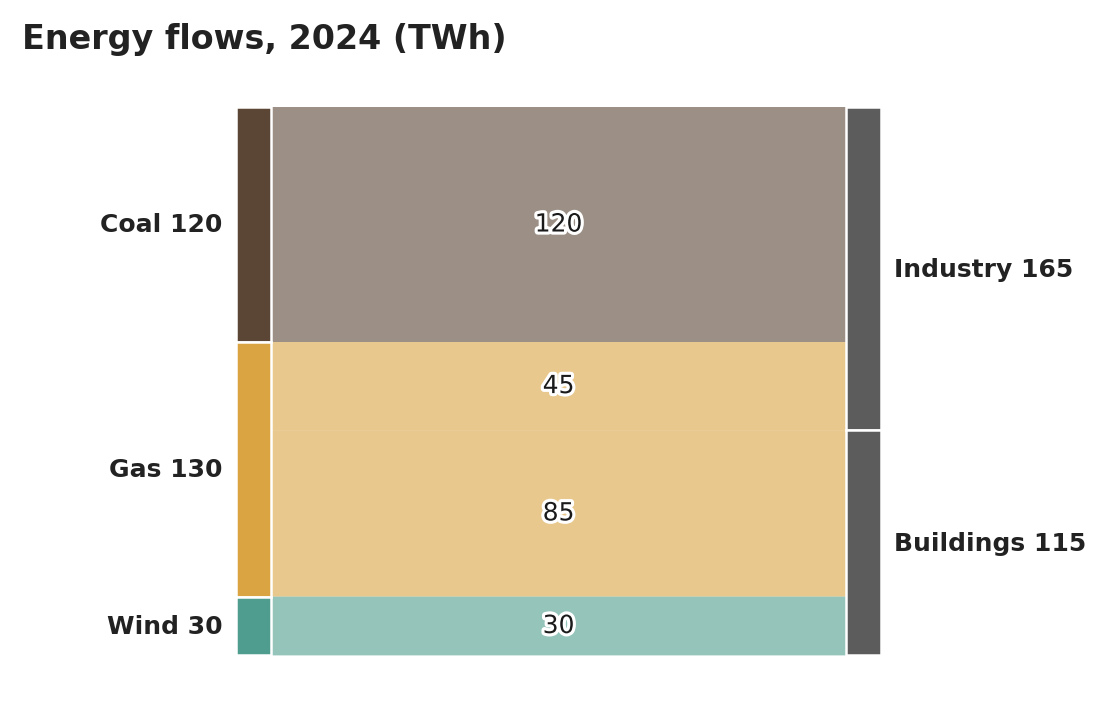
Every ribbon prints its value: four rows. Coal 120 and Wind 30 each feed a single flow, so their
totals are already the flows' values; Gas 130, Industry 165 and Buildings 115 each join or
split several flows, and their printed totals follow the table. The (TWh) in the printed title
stays in the title. Node labels are printed in bold.
| Source | Target | Value |
|---|---|---|
| Coal | Industry | 120 |
| Gas | Industry | 45 |
| Gas | Buildings | 85 |
| Wind | Buildings | 30 |
Gas 130
Industry 165
Buildings 115
Markdown source
<table data-source="chart">
<caption><strong>Energy flows, 2024 (TWh)</strong></caption>
<tr> <th>Source</th> <th>Target</th> <th>Value</th> </tr>
<tr> <td><strong>Coal</strong></td> <td><strong>Industry</strong></td> <td>120</td> </tr>
<tr> <td><strong>Gas</strong></td> <td><strong>Industry</strong></td> <td>45</td> </tr>
<tr> <td><strong>Gas</strong></td> <td><strong>Buildings</strong></td> <td>85</td> </tr>
<tr> <td><strong>Wind</strong></td> <td><strong>Buildings</strong></td> <td>30</td> </tr>
</table>
Gas 130
Industry 165
Buildings 115
✅ Sample — llnl_energy_2023_p1
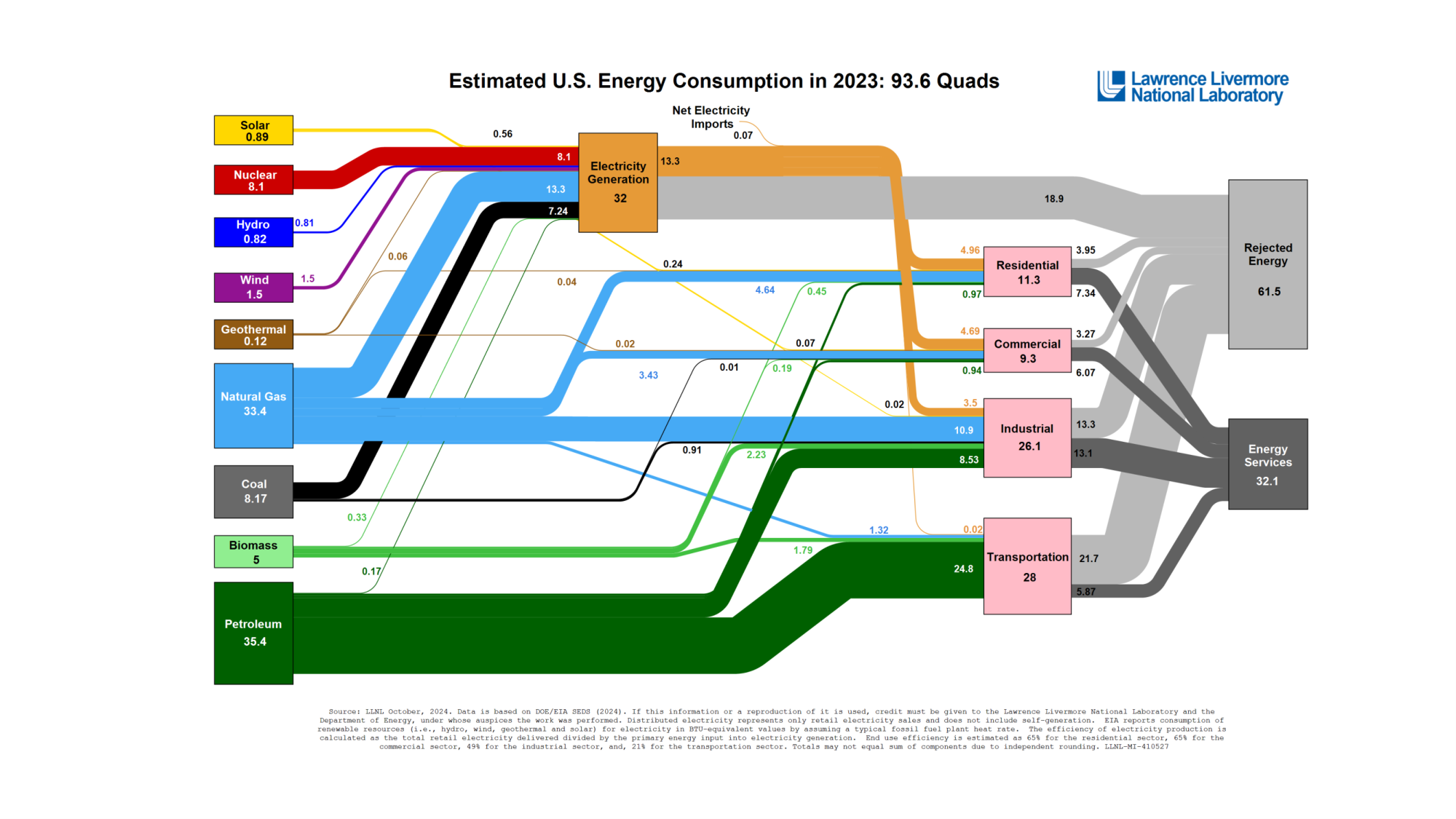
Source: Lawrence Livermore National Laboratory, U.S. Department of Energy — Estimated U.S. Energy Consumption in 2023 (public domain)
About 45 ribbons, each printing its own value in quads: one row per ribbon. Six of them, thick and thin, are shown; the rest of the table, the node totals that are no single flow's value, and the source note are elided. All text on this chart is printed in bold.
| Source | Target | Value | ||||||||||||||||||||||||||||||||||||||||||||||||||||||||||||||||||||||||||||||||||||||||||||||||
|---|---|---|---|---|---|---|---|---|---|---|---|---|---|---|---|---|---|---|---|---|---|---|---|---|---|---|---|---|---|---|---|---|---|---|---|---|---|---|---|---|---|---|---|---|---|---|---|---|---|---|---|---|---|---|---|---|---|---|---|---|---|---|---|---|---|---|---|---|---|---|---|---|---|---|---|---|---|---|---|---|---|---|---|---|---|---|---|---|---|---|---|---|---|---|---|---|---|---|
| Solar | Electricity Generation | 0.56 | ||||||||||||||||||||||||||||||||||||||||||||||||||||||||||||||||||||||||||||||||||||||||||||||||
| Nuclear | Electricity Generation | 8.1 | ||||||||||||||||||||||||||||||||||||||||||||||||||||||||||||||||||||||||||||||||||||||||||||||||
| Natural Gas | Industrial | 10.9 | ||||||||||||||||||||||||||||||||||||||||||||||||||||||||||||||||||||||||||||||||||||||||||||||||
| Coal | Industrial | 0.91 | ||||||||||||||||||||||||||||||||||||||||||||||||||||||||||||||||||||||||||||||||||||||||||||||||
| Petroleum | Transportation | 24.8 | ||||||||||||||||||||||||||||||||||||||||||||||||||||||||||||||||||||||||||||||||||||||||||||||||
| Electricity Generation | Residential | 4.96 | ||||||||||||||||||||||||||||||||||||||||||||||||||||||||||||||||||||||||||||||||||||||||||||||||
| … | ||||||||||||||||||||||||||||||||||||||||||||||||||||||||||||||||||||||||||||||||||||||||||||||||||
…
Markdown source
<table data-source="chart">
<caption><strong>Estimated U.S. Energy Consumption in 2023: 93.6 Quads</strong></caption>
<tr> <th>Source</th> <th>Target</th> <th>Value</th> </tr>
<tr> <td><strong>Solar</strong></td> <td><strong>Electricity Generation</strong></td> <td><strong>0.56</strong></td> </tr>
<tr> <td><strong>Nuclear</strong></td> <td><strong>Electricity Generation</strong></td> <td><strong>8.1</strong></td> </tr>
<tr> <td><strong>Natural Gas</strong></td> <td><strong>Industrial</strong></td> <td><strong>10.9</strong></td> </tr>
<tr> <td><strong>Coal</strong></td> <td><strong>Industrial</strong></td> <td><strong>0.91</strong></td> </tr>
<tr> <td><strong>Petroleum</strong></td> <td><strong>Transportation</strong></td> <td><strong>24.8</strong></td> </tr>
<tr> <td><strong>Electricity Generation</strong></td> <td><strong>Residential</strong></td> <td><strong>4.96</strong></td> </tr>
<!-- … -->
</table>
<!-- … -->
✅ Sample — material-flows-2020_p4
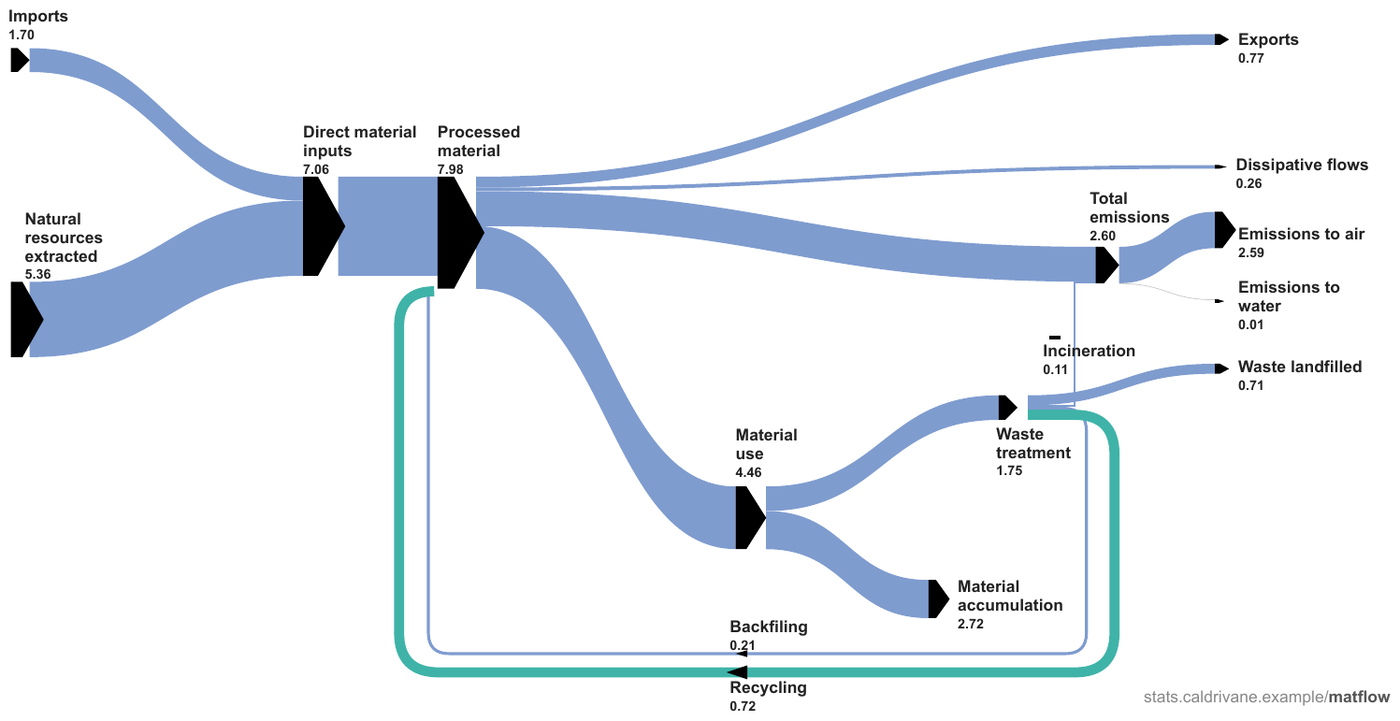
Nothing prints on the ribbons — every number is a node total. Where a node has a single inflow
or a single outflow, its total is that one flow's value: fourteen flows are read out this way, in
the same row shape as a chart whose ribbons print values. Processed material (7.98) and
Total emissions (2.60) each merge several inflows and split into several outflows, so their
totals are no single flow's value: they give no row and follow the table as printed. Backfiling
is copied as printed. All chart text is printed in bold.
| Source | Target | Value |
|---|---|---|
| Imports | Direct material inputs | 1.70 |
| Natural resources extracted | Direct material inputs | 5.36 |
| Direct material inputs | Processed material | 7.06 |
| Processed material | Exports | 0.77 |
| Processed material | Dissipative flows | 0.26 |
| Processed material | Material use | 4.46 |
| Total emissions | Emissions to air | 2.59 |
| Total emissions | Emissions to water | 0.01 |
| Material use | Material accumulation | 2.72 |
| Material use | Waste treatment | 1.75 |
| Waste treatment | Waste landfilled | 0.71 |
| Waste treatment | Incineration | 0.11 |
| Waste treatment | Recycling | 0.72 |
| Waste treatment | Backfiling | 0.21 |
Processed material 7.98
Total emissions 2.60
stats.caldrivane.example/matflow
Markdown source
<table data-source="chart">
<tr> <th>Source</th> <th>Target</th> <th>Value</th> </tr>
<tr> <td><strong>Imports</strong></td> <td><strong>Direct material inputs</strong></td> <td><strong>1.70</strong></td> </tr>
<tr> <td><strong>Natural resources extracted</strong></td> <td><strong>Direct material inputs</strong></td> <td><strong>5.36</strong></td> </tr>
<tr> <td><strong>Direct material inputs</strong></td> <td><strong>Processed material</strong></td> <td><strong>7.06</strong></td> </tr>
<tr> <td><strong>Processed material</strong></td> <td><strong>Exports</strong></td> <td><strong>0.77</strong></td> </tr>
<tr> <td><strong>Processed material</strong></td> <td><strong>Dissipative flows</strong></td> <td><strong>0.26</strong></td> </tr>
<tr> <td><strong>Processed material</strong></td> <td><strong>Material use</strong></td> <td><strong>4.46</strong></td> </tr>
<tr> <td><strong>Total emissions</strong></td> <td><strong>Emissions to air</strong></td> <td><strong>2.59</strong></td> </tr>
<tr> <td><strong>Total emissions</strong></td> <td><strong>Emissions to water</strong></td> <td><strong>0.01</strong></td> </tr>
<tr> <td><strong>Material use</strong></td> <td><strong>Material accumulation</strong></td> <td><strong>2.72</strong></td> </tr>
<tr> <td><strong>Material use</strong></td> <td><strong>Waste treatment</strong></td> <td><strong>1.75</strong></td> </tr>
<tr> <td><strong>Waste treatment</strong></td> <td><strong>Waste landfilled</strong></td> <td><strong>0.71</strong></td> </tr>
<tr> <td><strong>Waste treatment</strong></td> <td><strong>Incineration</strong></td> <td><strong>0.11</strong></td> </tr>
<tr> <td><strong>Waste treatment</strong></td> <td><strong>Recycling</strong></td> <td><strong>0.72</strong></td> </tr>
<tr> <td><strong>Waste treatment</strong></td> <td><strong>Backfiling</strong></td> <td><strong>0.21</strong></td> </tr>
</table>
Processed material 7.98
Total emissions 2.60
stats.caldrivane.example/matflow
How a checker judges spans and flows
A gantt span and a sankey flow are judged on meaning, not on a table shape: a checker accepts any output that conveys both endpoints of a span at the granularity the axis prints — a positional grid correctly aligned to the periods included — and accepts a span end one period boundary off. A flow is accepted wherever the output conveys its source, its target and its value together. A flow or span whose parts are scattered so that they can no longer be paired is not conveyed.
Related
- Labels§11.1.2 — node names and task labels copied as printed
- Values and Tolerances§11.1.4 — printed values, verbatim; printed beats geometry
- Maps and Treemaps§11.2.7 — the other families where bare geometry is not read
- Chart With a Printed Data Grid§9.1.2 — a gantt whose dates are printed as a table
- Cover Every Data Point§11.1.1 — every task, every ribbon
11.2.4 Legend and Overlay Values
✅ Normative · 📄 page rule
✅ Normative
When a chart's values are printed only in its legend or as data labels over its marks, those printed numbers are the data: every one of them MUST be in the chart table, copied exactly. A companion series without printed values is estimated as usual — unless no printed label can locate its points, in which case it has no column (see Labels§11.1.2).
Values print in three places, and all three are treated the same (see Values and Tolerances§11.1.4):
| Where the value prints | What goes in the table |
|---|---|
| On or beside each mark — bar-top numbers, slice amounts, point callouts | the printed value in the mark's cell |
In the legend — Solar (45%)-style entries |
the name part as the row or column label, the number part as the value |
| At a direct label — a line end stating its value (see Line Charts§11.2.5) | the printed value in the cell of that end position |
✅ Sample — MonthlyTreasuryStatement_202509_p8
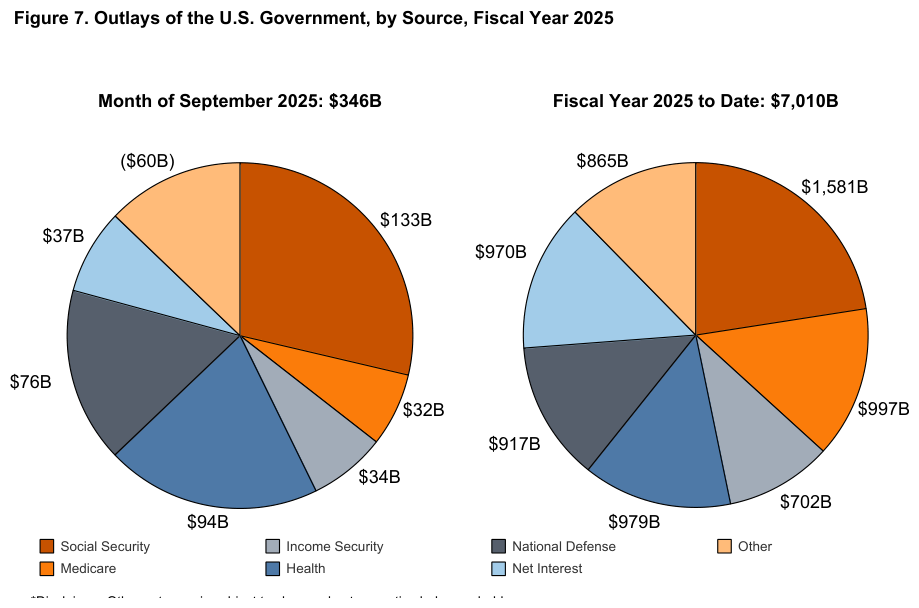
Source: U.S. Department of the Treasury, Monthly Treasury Statement — Figure 7 (public domain)
Twin pies sharing one legend, amounts printed beside the slices. Every slice name appears in both
pies with a different value, so each pie is its own table under its own printed title, and the
title is what tells them apart. Rows follow each pie clockwise from the top. The amounts are copied
as printed — $1,581B with its separator, and ($60B), whose parentheses mark the Other slice
of September as negative. The footnote under the legend is cut off at the bottom of the page and is
elided.
| Social Security | $133B |
| Medicare | $32B |
| Income Security | $34B |
| Health | $94B |
| National Defense | $76B |
| Net Interest | $37B |
| Other | ($60B) |
| Social Security | $1,581B |
| Medicare | $997B |
| Income Security | $702B |
| Health | $979B |
| National Defense | $917B |
| Net Interest | $970B |
| Other | $865B |
…
Markdown source
<table data-source="chart">
<caption><strong>Figure 7. Outlays of the U.S. Government, by Source, Fiscal Year 2025</strong>
<strong>Month of September 2025: $346B</strong></caption>
<tr> <td>Social Security</td> <td>$133B</td> </tr>
<tr> <td>Medicare</td> <td>$32B</td> </tr>
<tr> <td>Income Security</td> <td>$34B</td> </tr>
<tr> <td>Health</td> <td>$94B</td> </tr>
<tr> <td>National Defense</td> <td>$76B</td> </tr>
<tr> <td>Net Interest</td> <td>$37B</td> </tr>
<tr> <td>Other</td> <td>($60B)</td> </tr>
</table>
<table data-source="chart">
<caption><strong>Fiscal Year 2025 to Date: $7,010B</strong></caption>
<tr> <td>Social Security</td> <td>$1,581B</td> </tr>
<tr> <td>Medicare</td> <td>$997B</td> </tr>
<tr> <td>Income Security</td> <td>$702B</td> </tr>
<tr> <td>Health</td> <td>$979B</td> </tr>
<tr> <td>National Defense</td> <td>$917B</td> </tr>
<tr> <td>Net Interest</td> <td>$970B</td> </tr>
<tr> <td>Other</td> <td>$865B</td> </tr>
</table>
<!-- … -->
✅ Sample — upstream_financial_review_2024_p9
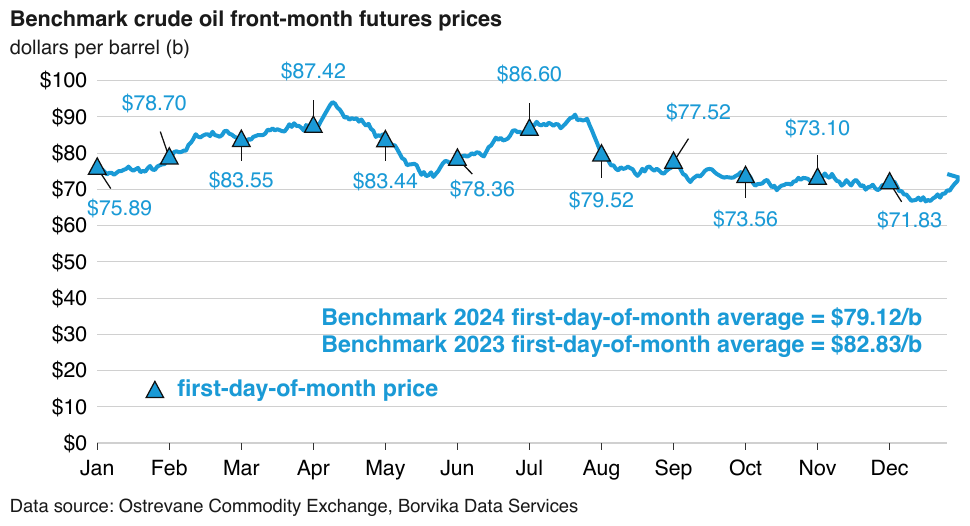
A daily price curve with no printed name or values, and a triangle-marker series whose legend entry
reads first-day-of-month price, all twelve of its values printed at the markers. The named series
is the table's one column: 12 printed values, copied with their $. The daily curve has no printed
name that could head a column — Jan alone also locates the marker series — so it gets no column.
The two bold average statements are printed text, not data points, and follow the table.
dollars per barrel (b)
| first-day-of-month price | |
|---|---|
| Jan | $75.89 |
| Feb | $78.70 |
| Mar | $83.55 |
| Apr | $87.42 |
| May | $83.44 |
| Jun | $78.36 |
| Jul | $86.60 |
| Aug | $79.52 |
| Sep | $77.52 |
| Oct | $73.56 |
| Nov | $73.10 |
| Dec | $71.83 |
Benchmark 2024 first-day-of-month average = $79.12/b
Benchmark 2023 first-day-of-month average = $82.83/b
Data source: Ostrevane Commodity Exchange, Borvika Data Services
Markdown source
dollars per barrel (b)
<table data-source="chart">
<caption><strong>Benchmark crude oil front-month futures prices</strong></caption>
<tr> <th></th> <th><strong>first-day-of-month price</strong></th> </tr>
<tr> <td>Jan</td> <td>$75.89</td> </tr>
<tr> <td>Feb</td> <td>$78.70</td> </tr>
<tr> <td>Mar</td> <td>$83.55</td> </tr>
<tr> <td>Apr</td> <td>$87.42</td> </tr>
<tr> <td>May</td> <td>$83.44</td> </tr>
<tr> <td>Jun</td> <td>$78.36</td> </tr>
<tr> <td>Jul</td> <td>$86.60</td> </tr>
<tr> <td>Aug</td> <td>$79.52</td> </tr>
<tr> <td>Sep</td> <td>$77.52</td> </tr>
<tr> <td>Oct</td> <td>$73.56</td> </tr>
<tr> <td>Nov</td> <td>$73.10</td> </tr>
<tr> <td>Dec</td> <td>$71.83</td> </tr>
</table>
Benchmark 2024 first-day-of-month average = $79.12/b
Benchmark 2023 first-day-of-month average = $82.83/b
Data source: Ostrevane Commodity Exchange, Borvika Data Services
Related
- Values and Tolerances§11.1.4 — printed values, verbatim
- Labels§11.1.2 — the twin pies told apart by their titles; the curve no label can locate
- Maps and Treemaps§11.2.7 — compositions that are nothing but printed values
- Dual-Axis and Combo Charts§11.2.2 — a combo chart whose every mark prints its value
11.2.5 Line Charts
✅ Normative · 📄 page rule
✅ Normative
A line chart MUST be rendered with one value per series per x position: one row per x position, one column per series, each series named by its legend entry or by its direct label at the line's end. A value printed at a point MUST be copied; every other value is read against the axis. Wiggles between x positions are not positions.
- A line labeled directly at its end is a named series: the printed name at the line's end heads its column (see Labels§11.1.2).
- An x position the axis does not label is labeled by its axis value (see Cover Every Data Point§11.1.1).
- A labeled trend, average or reference line adds no column (see Multiple Charts and Reference Ink§11.1.3).
- Scenario lines that share one drawn curve early on have identical values in those positions — correct, not a copying slip.
✅ Sample — health-workforce-2024_p45
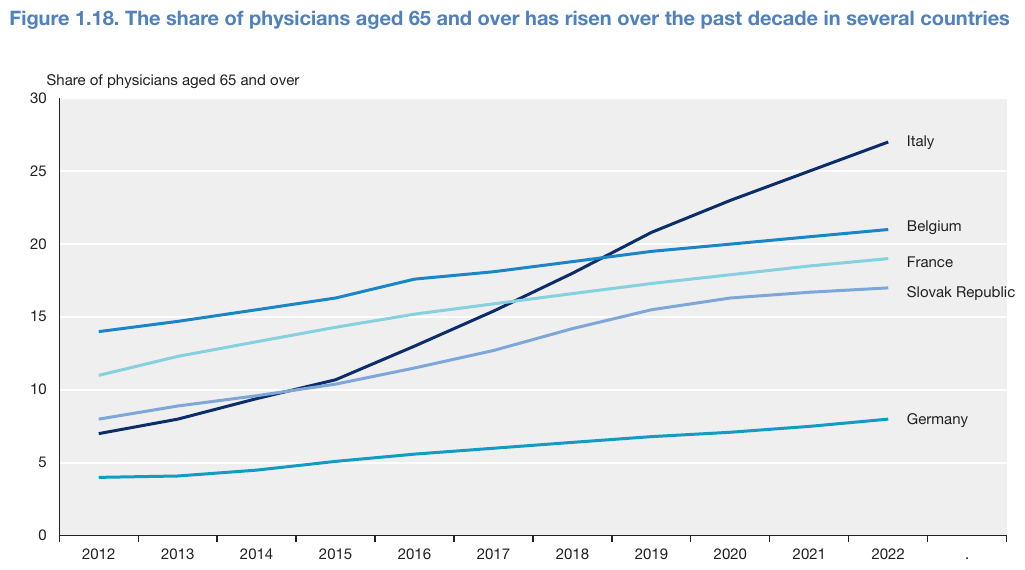
Five lines named by their direct labels over eleven labeled years, nothing printed on the lines:
5 × 11 = 55 values, each the line's centre at the year read against the 5-unit grid (tolerance
0.05 where the vertex sits near a gridline, 0.1 where it does not). Columns follow the direct
labels from top to bottom. The value-axis title follows the table. The axis also prints a stray .
after 2022, at a position with no line; it is not given a row.
| Italy | Belgium | France | Slovak Republic | Germany | |
|---|---|---|---|---|---|
| 2012 | 7 | 14 | 11 | 8 | 4 |
| 2013 | 8 | 14.7 | 12.3 | 8.9 | 4.1 |
| 2014 | 9.4 | 15.5 | 13.3 | 9.6 | 4.5 |
| 2015 | 10.7 | 16.3 | 14.3 | 10.4 | 5.1 |
| 2016 | 13 | 17.6 | 15.2 | 11.5 | 5.6 |
| 2017 | 15.4 | 18.1 | 15.9 | 12.7 | 6 |
| 2018 | 18 | 18.8 | 16.6 | 14.2 | 6.4 |
| 2019 | 20.8 | 19.5 | 17.3 | 15.5 | 6.8 |
| 2020 | 23 | 20 | 17.9 | 16.3 | 7.1 |
| 2021 | 25 | 20.5 | 18.5 | 16.7 | 7.5 |
| 2022 | 27 | 21 | 19 | 17 | 8 |
Share of physicians aged 65 and over
Markdown source
<table data-source="chart">
<caption><strong>Figure 1.18. The share of physicians aged 65 and over has risen over the past decade in several countries</strong></caption>
<tr> <th></th> <th>Italy</th> <th>Belgium</th> <th>France</th> <th>Slovak Republic</th> <th>Germany</th> </tr>
<tr> <td>2012</td> <td>7</td> <td>14</td> <td>11</td> <td>8</td> <td>4</td> </tr>
<tr> <td>2013</td> <td>8</td> <td>14.7</td> <td>12.3</td> <td>8.9</td> <td>4.1</td> </tr>
<tr> <td>2014</td> <td>9.4</td> <td>15.5</td> <td>13.3</td> <td>9.6</td> <td>4.5</td> </tr>
<tr> <td>2015</td> <td>10.7</td> <td>16.3</td> <td>14.3</td> <td>10.4</td> <td>5.1</td> </tr>
<tr> <td>2016</td> <td>13</td> <td>17.6</td> <td>15.2</td> <td>11.5</td> <td>5.6</td> </tr>
<tr> <td>2017</td> <td>15.4</td> <td>18.1</td> <td>15.9</td> <td>12.7</td> <td>6</td> </tr>
<tr> <td>2018</td> <td>18</td> <td>18.8</td> <td>16.6</td> <td>14.2</td> <td>6.4</td> </tr>
<tr> <td>2019</td> <td>20.8</td> <td>19.5</td> <td>17.3</td> <td>15.5</td> <td>6.8</td> </tr>
<tr> <td>2020</td> <td>23</td> <td>20</td> <td>17.9</td> <td>16.3</td> <td>7.1</td> </tr>
<tr> <td>2021</td> <td>25</td> <td>20.5</td> <td>18.5</td> <td>16.7</td> <td>7.5</td> </tr>
<tr> <td>2022</td> <td>27</td> <td>21</td> <td>19</td> <td>17</td> <td>8</td> </tr>
</table>
Share of physicians aged 65 and over
✅ Sample — energy-outlook-2025_p20
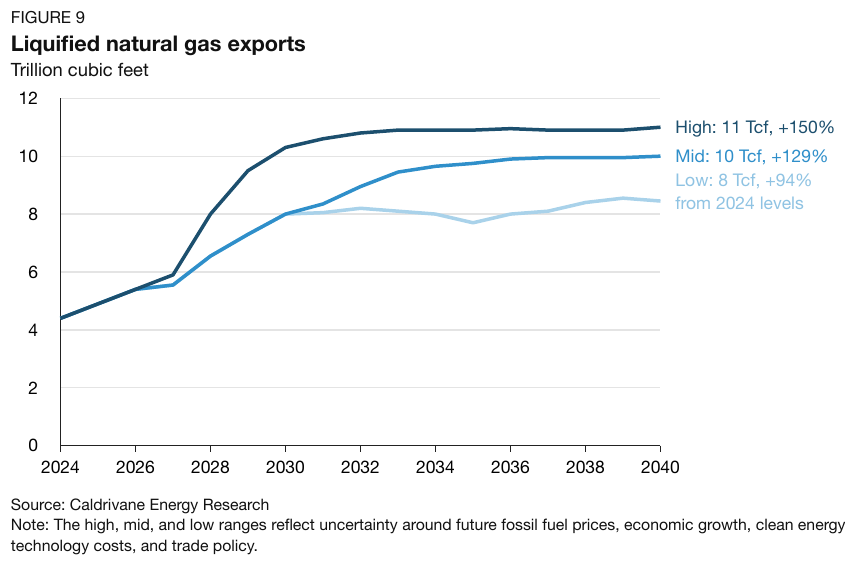
Three scenario lines named and valued by their end labels (High: 11 Tcf, +150% …). The name part
heads each column; the rest of the label, printed at the 2040 end of the line, is that line's 2040
value, copied whole — the Low label's second line (from 2024 levels) included. The Low line
ends near 8.5 on the axis, but its printed 8 Tcf wins. Every other value is an estimate on the
2-unit grid; the shared early curve gives all three series the same values in 2024 and 2026, and
Mid and Low the same values in 2028 and 2030. The rows are the 9 printed ticks (2024–2040, every
second year): 3 × 9 = 27 values.
Trillion cubic feet
| High | Mid | Low | |
|---|---|---|---|
| 2024 | 4.4 | 4.4 | 4.4 |
| 2026 | 5.4 | 5.4 | 5.4 |
| 2028 | 8.0 | 6.6 | 6.6 |
| 2030 | 10.3 | 8.0 | 8.0 |
| 2032 | 10.8 | 9.0 | 8.2 |
| 2034 | 10.9 | 9.7 | 8.0 |
| 2036 | 11.0 | 9.9 | 8.0 |
| 2038 | 10.9 | 10.0 | 8.4 |
| 2040 | 11 Tcf, +150% | 10 Tcf, +129% | 8 Tcf, +94% from 2024 levels |
Source: Caldrivane Energy Research Note: The high, mid, and low ranges reflect uncertainty around future fossil fuel prices, economic growth, clean energy technology costs, and trade policy.
Markdown source
Trillion cubic feet
<table data-source="chart">
<caption>FIGURE 9
<strong>Liquified natural gas exports</strong></caption>
<tr> <th></th> <th>High</th> <th>Mid</th> <th>Low</th> </tr>
<tr> <td>2024</td> <td>4.4</td> <td>4.4</td> <td>4.4</td> </tr>
<tr> <td>2026</td> <td>5.4</td> <td>5.4</td> <td>5.4</td> </tr>
<tr> <td>2028</td> <td>8.0</td> <td>6.6</td> <td>6.6</td> </tr>
<tr> <td>2030</td> <td>10.3</td> <td>8.0</td> <td>8.0</td> </tr>
<tr> <td>2032</td> <td>10.8</td> <td>9.0</td> <td>8.2</td> </tr>
<tr> <td>2034</td> <td>10.9</td> <td>9.7</td> <td>8.0</td> </tr>
<tr> <td>2036</td> <td>11.0</td> <td>9.9</td> <td>8.0</td> </tr>
<tr> <td>2038</td> <td>10.9</td> <td>10.0</td> <td>8.4</td> </tr>
<tr> <td>2040</td> <td>11 Tcf, +150%</td> <td>10 Tcf, +129%</td> <td>8 Tcf, +94% from 2024 levels</td> </tr>
</table>
Source: Caldrivane Energy Research
Note: The high, mid, and low ranges reflect uncertainty around future fossil fuel prices, economic growth, clean energy technology costs, and trade policy.
Related
- Values and Tolerances§11.1.4 — printed values beat axis readings
- Labels§11.1.2 — direct labels as series names
- Log Scale Charts§11.2.6 — the same reading over logarithmic bands
- Dual-Axis and Combo Charts§11.2.2 — lines sharing a canvas with bars
11.2.6 Log Scale Charts
✅ Normative · 📄 page rule
✅ Normative
A logarithmic axis changes the reading, not the chart table. Unprinted values MUST be estimated against the printed decade bands, by the mark's position inside its band, and SHOULD be given to no more than two significant figures.
On a tenfold-per-band axis the same visual gap covers ever larger ranges, so a value is
interpolated by position inside the band, not linearly: a mark a third of the way from 1 000
to 10 000 is near 2 000, not near 4 000. The tolerance a checker allows is chosen by
readability like any estimate (see Values and Tolerances§11.1.4).
Event callouts naming years (1976: Tangshan Earthquake, China) are commentary: they add no row or
column, and their text is kept as text (see Multiple Charts and Reference Ink§11.1.3).
✅ Sample — catastrophe-review-2025_p26
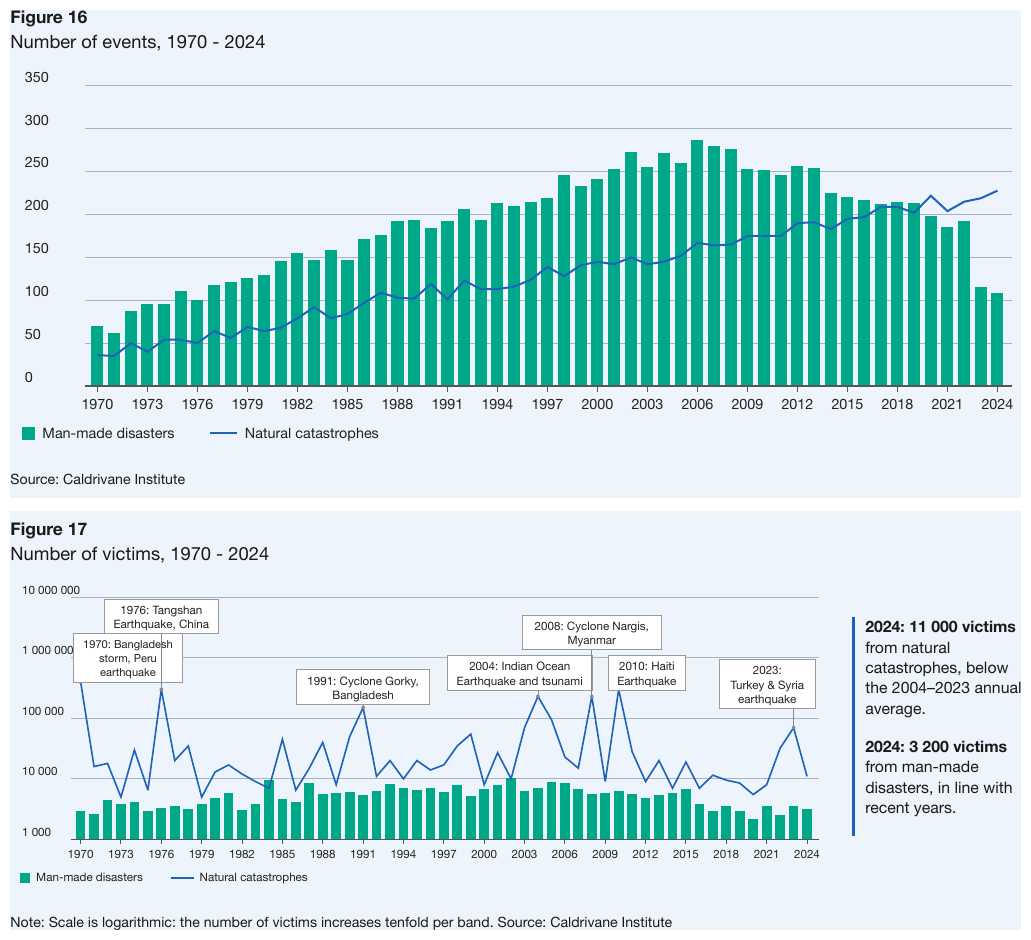
Two charts over the same 55-year axis ticked every third year: event counts on a linear axis
(Figure 16) and victims on 1 000 → 10 000 000 decade bands (Figure 17). Each has its own table
under its own title, both series across all 55 years — the ticked years by their printed labels,
the years between by their axis values (1971, 2023). On the log chart, every value is a
band-position estimate to two significant figures, written in the axis's digit grouping, except
the two 2024 values, which the side text prints (11 000, 3 200): printed beats geometry, so they
are copied. The event callouts and the side text follow the log chart's table as text. Only the
first two and last two years of each table are shown.
| Man-made disasters | Natural catastrophes | |||||||||||||||||||||||||||||||||||||||||||||||||||||||||||||||||||||||||||||||||||||||||||||||||
|---|---|---|---|---|---|---|---|---|---|---|---|---|---|---|---|---|---|---|---|---|---|---|---|---|---|---|---|---|---|---|---|---|---|---|---|---|---|---|---|---|---|---|---|---|---|---|---|---|---|---|---|---|---|---|---|---|---|---|---|---|---|---|---|---|---|---|---|---|---|---|---|---|---|---|---|---|---|---|---|---|---|---|---|---|---|---|---|---|---|---|---|---|---|---|---|---|---|---|
| 1970 | 70 | 36 | ||||||||||||||||||||||||||||||||||||||||||||||||||||||||||||||||||||||||||||||||||||||||||||||||
| 1971 | 62 | 35 | ||||||||||||||||||||||||||||||||||||||||||||||||||||||||||||||||||||||||||||||||||||||||||||||||
| … | ||||||||||||||||||||||||||||||||||||||||||||||||||||||||||||||||||||||||||||||||||||||||||||||||||
| 2023 | 115 | 219 | ||||||||||||||||||||||||||||||||||||||||||||||||||||||||||||||||||||||||||||||||||||||||||||||||
| 2024 | 108 | 228 | ||||||||||||||||||||||||||||||||||||||||||||||||||||||||||||||||||||||||||||||||||||||||||||||||
| Man-made disasters | Natural catastrophes | |||||||||||||||||||||||||||||||||||||||||||||||||||||||||||||||||||||||||||||||||||||||||||||||||
|---|---|---|---|---|---|---|---|---|---|---|---|---|---|---|---|---|---|---|---|---|---|---|---|---|---|---|---|---|---|---|---|---|---|---|---|---|---|---|---|---|---|---|---|---|---|---|---|---|---|---|---|---|---|---|---|---|---|---|---|---|---|---|---|---|---|---|---|---|---|---|---|---|---|---|---|---|---|---|---|---|---|---|---|---|---|---|---|---|---|---|---|---|---|---|---|---|---|---|
| 1970 | 3 000 | 400 000 | ||||||||||||||||||||||||||||||||||||||||||||||||||||||||||||||||||||||||||||||||||||||||||||||||
| 1971 | 2 600 | 16 000 | ||||||||||||||||||||||||||||||||||||||||||||||||||||||||||||||||||||||||||||||||||||||||||||||||
| … | ||||||||||||||||||||||||||||||||||||||||||||||||||||||||||||||||||||||||||||||||||||||||||||||||||
| 2023 | 3 600 | 70 000 | ||||||||||||||||||||||||||||||||||||||||||||||||||||||||||||||||||||||||||||||||||||||||||||||||
| 2024 | 3 200 | 11 000 | ||||||||||||||||||||||||||||||||||||||||||||||||||||||||||||||||||||||||||||||||||||||||||||||||
1970: Bangladesh storm, Peru earthquake
1976: Tangshan Earthquake, China
1991: Cyclone Gorky, Bangladesh
2004: Indian Ocean Earthquake and tsunami
2008: Cyclone Nargis, Myanmar
2010: Haiti Earthquake
2023: Turkey & Syria earthquake
2024: 11 000 victims from natural catastrophes, below the 2004–2023 annual average.
2024: 3 200 victims from man-made disasters, in line with recent years.
Note: Scale is logarithmic: the number of victims increases tenfold per band. Source: Caldrivane Institute
Markdown source
<table data-source="chart">
<caption><strong>Figure 16</strong>
Number of events, 1970 - 2024</caption>
<tr> <th></th> <th>Man-made disasters</th> <th>Natural catastrophes</th> </tr>
<tr> <td>1970</td> <td>70</td> <td>36</td> </tr>
<tr> <td>1971</td> <td>62</td> <td>35</td> </tr>
<!-- … -->
<tr> <td>2023</td> <td>115</td> <td>219</td> </tr>
<tr> <td>2024</td> <td>108</td> <td>228</td> </tr>
</table>
Source: Caldrivane Institute
<table data-source="chart">
<caption><strong>Figure 17</strong>
Number of victims, 1970 - 2024</caption>
<tr> <th></th> <th>Man-made disasters</th> <th>Natural catastrophes</th> </tr>
<tr> <td>1970</td> <td>3 000</td> <td>400 000</td> </tr>
<tr> <td>1971</td> <td>2 600</td> <td>16 000</td> </tr>
<!-- … -->
<tr> <td>2023</td> <td>3 600</td> <td>70 000</td> </tr>
<tr> <td>2024</td> <td>3 200</td> <td>11 000</td> </tr>
</table>
1970: Bangladesh storm, Peru earthquake
1976: Tangshan Earthquake, China
1991: Cyclone Gorky, Bangladesh
2004: Indian Ocean Earthquake and tsunami
2008: Cyclone Nargis, Myanmar
2010: Haiti Earthquake
2023: Turkey & Syria earthquake
2024: 11 000 victims from natural catastrophes, below the 2004–2023 annual average.
2024: 3 200 victims from man-made disasters, in line with recent years.
Note: Scale is logarithmic: the number of victims increases tenfold per band. Source: Caldrivane Institute
Related
- Values and Tolerances§11.1.4 — estimates and tolerances, whatever the axis
- Line Charts§11.2.5 — the linear-axis version of the same coverage
- Labels§11.1.2 — axis-value labels for unticked years
- Multiple Charts and Reference Ink§11.1.3 — event callouts as commentary
11.2.7 Maps and Treemaps
✅ Normative · 📄 page rule
✅ Normative
A treemap MUST be rendered with one row per tile: the tile's label and its printed value. Tile area MUST NOT be turned into a value: no axis calibrates it. A map with printed values per region MUST be rendered with one row per printed region–value pair. A shading-only map with a discrete legend MUST give each region whose fill matches one swatch unambiguously that legend class, copied verbatim.
Treemaps
A tile's printed value is copied as printed. A tile that prints no value, only a comparator
(<1%), or a truncated label (Re…) gets no estimated value: its printed text is kept as it is,
and nothing is read from its area.
✅ Sample — threat-report-2025_p29
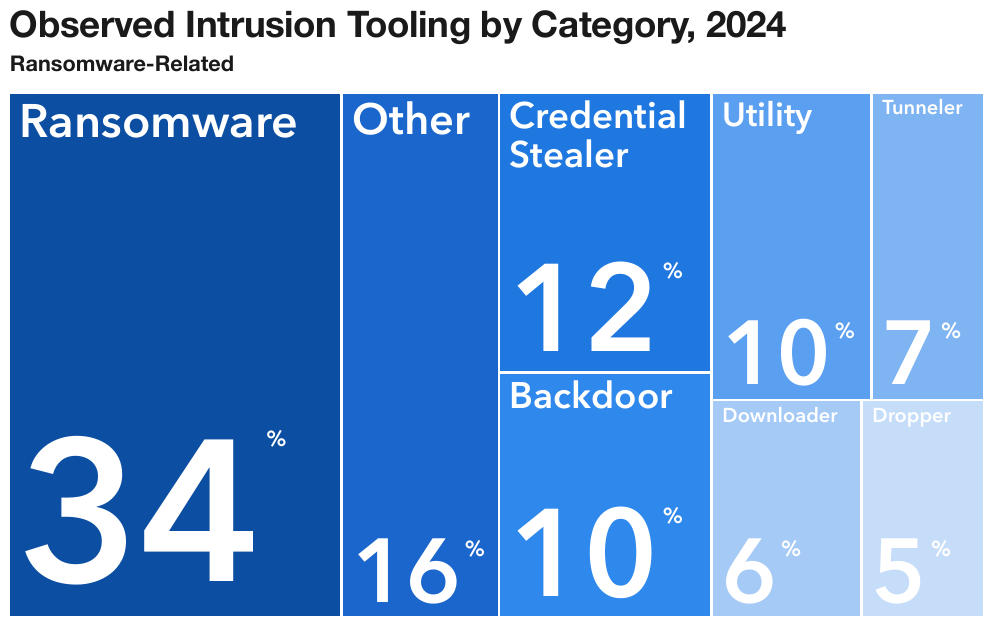
Every tile prints its label and share: eight rows in reading order, left to right and top to bottom. The percent sign is printed raised beside each number and is written as a superscript. All tile text is set in a heavier weight.
| Ransomware | 34% |
| Other | 16% |
| Credential Stealer | 12% |
| Utility | 10% |
| Tunneler | 7% |
| Backdoor | 10% |
| Downloader | 6% |
| Dropper | 5% |
Markdown source
<table data-source="chart">
<caption><strong>Observed Intrusion Tooling by Category, 2024</strong>
<strong>Ransomware-Related</strong></caption>
<tr> <td><strong>Ransomware</strong></td> <td><strong>34<sup>%</sup></strong></td> </tr>
<tr> <td><strong>Other</strong></td> <td><strong>16<sup>%</sup></strong></td> </tr>
<tr> <td><strong>Credential Stealer</strong></td> <td><strong>12<sup>%</sup></strong></td> </tr>
<tr> <td><strong>Utility</strong></td> <td><strong>10<sup>%</sup></strong></td> </tr>
<tr> <td><strong>Tunneler</strong></td> <td><strong>7<sup>%</sup></strong></td> </tr>
<tr> <td><strong>Backdoor</strong></td> <td><strong>10<sup>%</sup></strong></td> </tr>
<tr> <td><strong>Downloader</strong></td> <td><strong>6<sup>%</sup></strong></td> </tr>
<tr> <td><strong>Dropper</strong></td> <td><strong>5<sup>%</sup></strong></td> </tr>
</table>✅ Sample — crypto_usage_report2024_p33
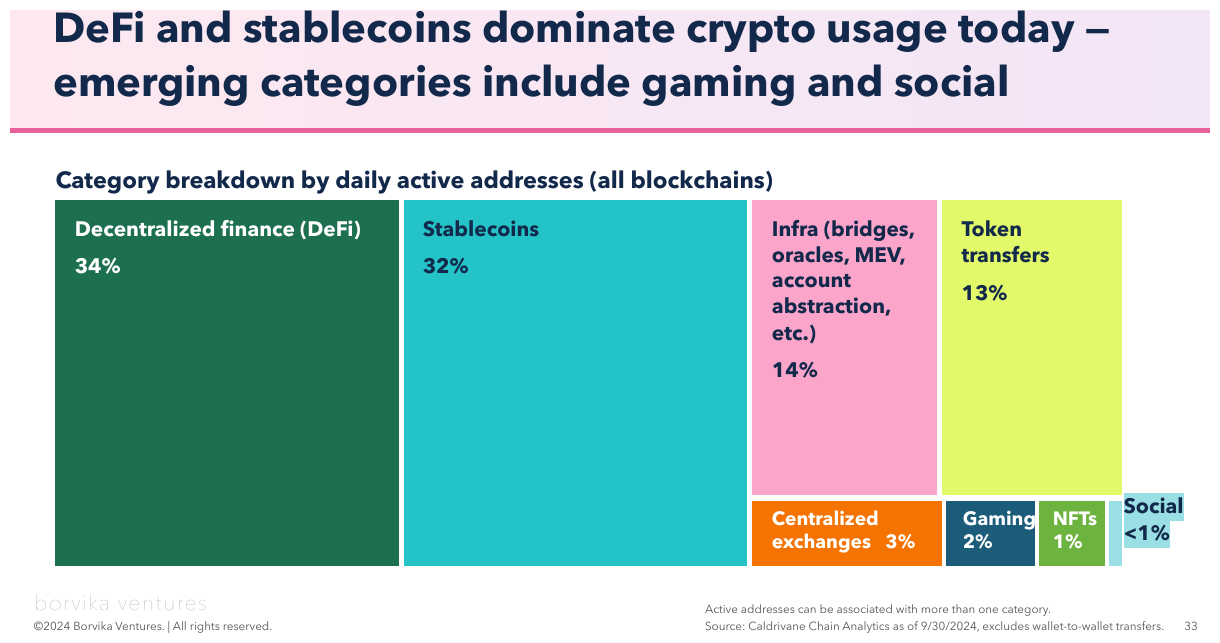
Eight tiles, every label copied whole, parenthesis and all. Seven print a number and the eighth,
Social, prints <1% — a comparator, not a value. Its row keeps the printed <1%; no value is
estimated from the sliver it draws. The footer's logo, copyright line and page number are elided.
| Decentralized finance (DeFi) | 34% |
| Stablecoins | 32% |
| Infra (bridges, oracles, MEV, account abstraction, etc.) | 14% |
| Token transfers | 13% |
| Centralized exchanges | 3% |
| Gaming | 2% |
| NFTs | 1% |
| Social | <1% |
…
Active addresses can be associated with more than one category. Source: Caldrivane Chain Analytics as of 9/30/2024, excludes wallet-to-wallet transfers.
…
Markdown source
<table data-source="chart">
<caption><strong>DeFi and stablecoins dominate crypto usage today — emerging categories include gaming and social</strong>
<strong>Category breakdown by daily active addresses (all blockchains)</strong></caption>
<tr> <td><strong>Decentralized finance (DeFi)</strong></td> <td><strong>34%</strong></td> </tr>
<tr> <td><strong>Stablecoins</strong></td> <td><strong>32%</strong></td> </tr>
<tr> <td><strong>Infra (bridges, oracles, MEV, account abstraction, etc.)</strong></td> <td><strong>14%</strong></td> </tr>
<tr> <td><strong>Token transfers</strong></td> <td><strong>13%</strong></td> </tr>
<tr> <td><strong>Centralized exchanges</strong></td> <td><strong>3%</strong></td> </tr>
<tr> <td><strong>Gaming</strong></td> <td><strong>2%</strong></td> </tr>
<tr> <td><strong>NFTs</strong></td> <td><strong>1%</strong></td> </tr>
<tr> <td><strong>Social</strong></td> <td><strong><1%</strong></td> </tr>
</table>
<!-- … -->
Active addresses can be associated with more than one category.
Source: Caldrivane Chain Analytics as of 9/30/2024, excludes wallet-to-wallet transfers.
<!-- … -->
Maps
Two readable layers, each with its own place in the table (see also Geographic Maps§12.2.4):
- Values printed per region or per pin — one row per printed pair: the region or callout text
as the label, the printed value copied as printed. A callout on a leader line (
DE 1) is read like any other. - Shading with a discrete legend — each region's fill is compared with the legend swatches, and the region takes the legend class verbatim. A region whose fill falls between two adjacent swatches is given no class.
Where a map's classes go. A choropleth MUST be one table with one row per region, in reading
order: the region label, its printed value when it has one, and its legend class in a last column
headed by the legend's printed title (no header row when the legend has none). A region with an
ambiguous fill has an empty class cell. Where the region names are recognised from the outlines
rather than printed, the region column's header carries data-recognised — see Geographic Maps§12.2.4.
A checker judges a class on meaning: it accepts the class string, an equivalent range, or a value
inside the class's range, and treats region-name variants (CO / Colorado) as the same region.
✅ Sample — apport_p19
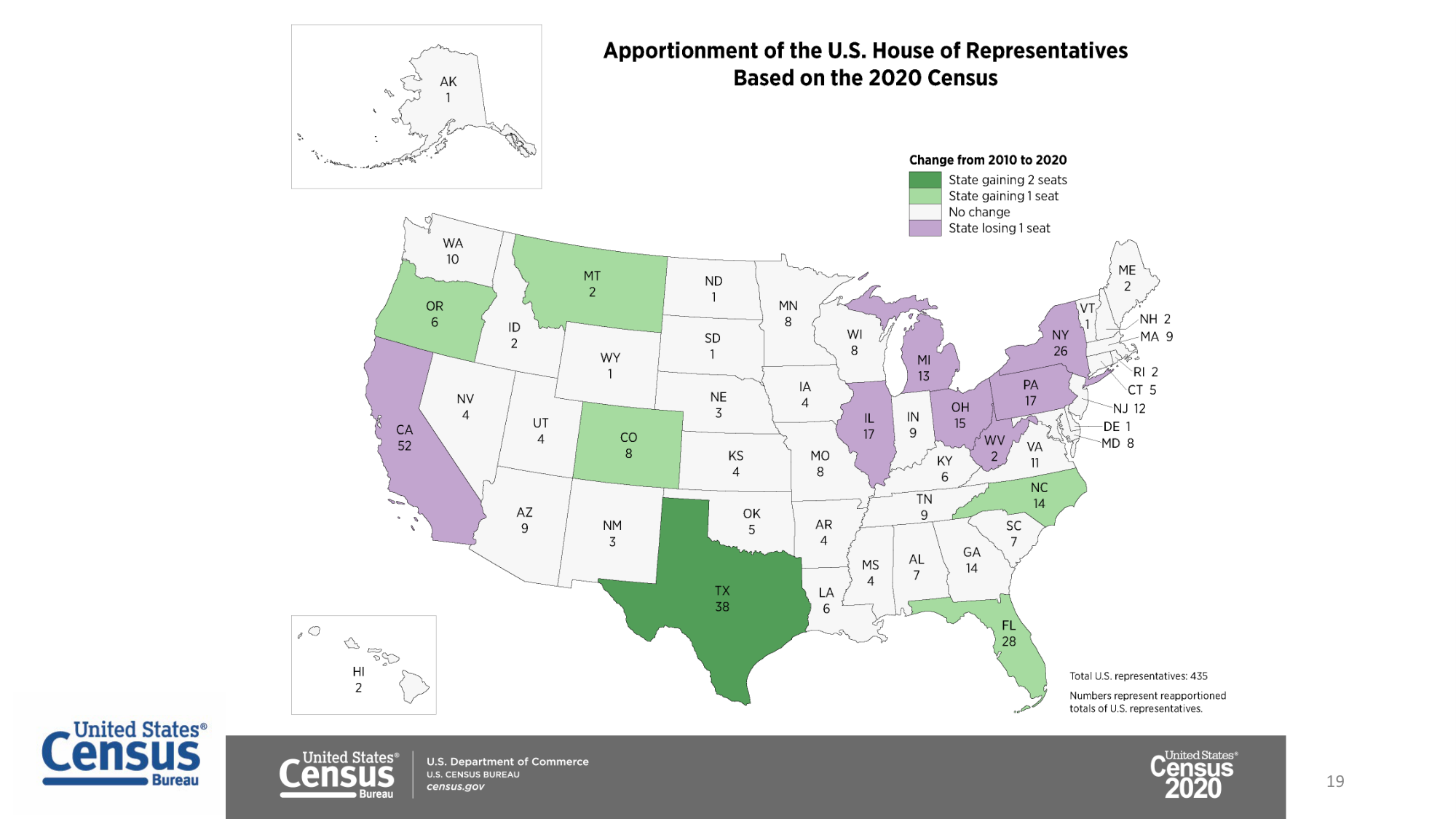
Source: U.S. Census Bureau, Apportionment of the U.S. House of Representatives Based on the 2020 Census (public domain)
Both layers on one page: every state prints its seat count, and the fill classes its change, so
each state's row holds both — 50 states. Five states are shown, then the rest; the DE 1 callout on
a leader line is read like any other. Delaware's fill is too small to compare with the swatches,
so its class cell is empty. The agency footer is elided.
| Change from 2010 to 2020 | ||||||||||||||||||||||||||||||||||||||||||||||||||||||||||||||||||||||||||||||||||||||||||||||||||
|---|---|---|---|---|---|---|---|---|---|---|---|---|---|---|---|---|---|---|---|---|---|---|---|---|---|---|---|---|---|---|---|---|---|---|---|---|---|---|---|---|---|---|---|---|---|---|---|---|---|---|---|---|---|---|---|---|---|---|---|---|---|---|---|---|---|---|---|---|---|---|---|---|---|---|---|---|---|---|---|---|---|---|---|---|---|---|---|---|---|---|---|---|---|---|---|---|---|---|
| TX | 38 | State gaining 2 seats | ||||||||||||||||||||||||||||||||||||||||||||||||||||||||||||||||||||||||||||||||||||||||||||||||
| OR | 6 | State gaining 1 seat | ||||||||||||||||||||||||||||||||||||||||||||||||||||||||||||||||||||||||||||||||||||||||||||||||
| WY | 1 | No change | ||||||||||||||||||||||||||||||||||||||||||||||||||||||||||||||||||||||||||||||||||||||||||||||||
| CA | 52 | State losing 1 seat | ||||||||||||||||||||||||||||||||||||||||||||||||||||||||||||||||||||||||||||||||||||||||||||||||
| DE | 1 | |||||||||||||||||||||||||||||||||||||||||||||||||||||||||||||||||||||||||||||||||||||||||||||||||
| … | ||||||||||||||||||||||||||||||||||||||||||||||||||||||||||||||||||||||||||||||||||||||||||||||||||
Total U.S. representatives: 435
Numbers represent reapportioned totals of U.S. representatives.
…
Markdown source
<table data-source="chart">
<caption><strong>Apportionment of the U.S. House of Representatives Based on the 2020 Census</strong></caption>
<tr> <th></th> <th></th> <th><strong>Change from 2010 to 2020</strong></th> </tr>
<tr> <td>TX</td> <td>38</td> <td>State gaining 2 seats</td> </tr>
<tr> <td>OR</td> <td>6</td> <td>State gaining 1 seat</td> </tr>
<tr> <td>WY</td> <td>1</td> <td>No change</td> </tr>
<tr> <td>CA</td> <td>52</td> <td>State losing 1 seat</td> </tr>
<tr> <td>DE</td> <td>1</td> <td></td> </tr>
<!-- … -->
</table>
Total U.S. representatives: 435
Numbers represent reapportioned totals of U.S. representatives.
<!-- … -->
✅ Sample — cdc_p3
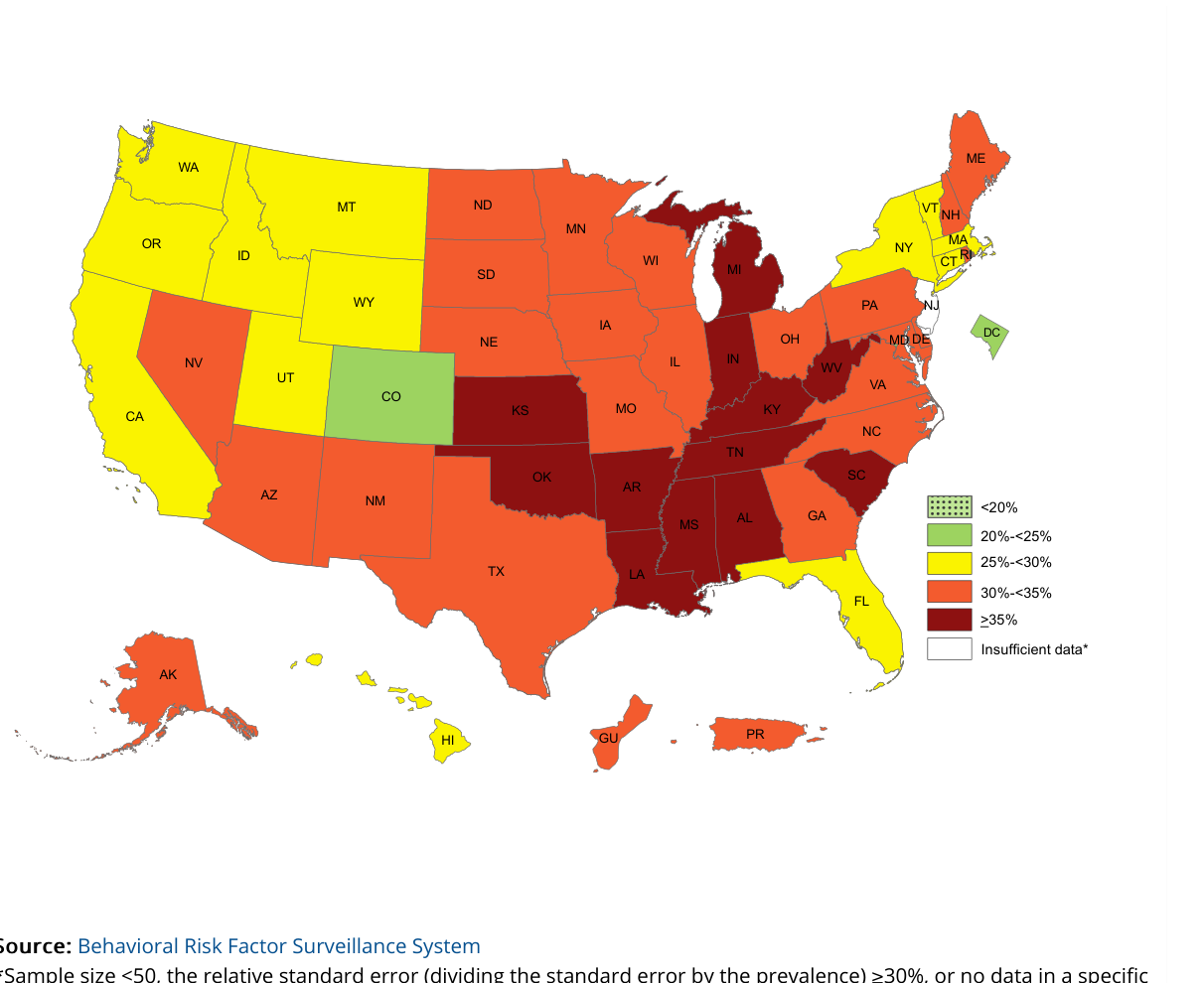
Source: U.S. CDC, Behavioral Risk Factor Surveillance System (public domain)
No values anywhere — state abbreviations printed, six legend classes, no legend title. Each region
takes its class: every state, DC and territory shown (about 53 regions). Four regions spread across
the classes are shown, then the rest. The legend draws ≥35% as a > glyph over an underline bar;
≥35% is the reading, and a checker treats >35% as the same class. The source lines are cut off
at the page edge and are elided.
| CO | 20%-<25% | |||||||||||||||||||||||||||||||||||||||||||||||||||||||||||||||||||||||||||||||||||||||||||||||||
| CA | 25%-<30% | |||||||||||||||||||||||||||||||||||||||||||||||||||||||||||||||||||||||||||||||||||||||||||||||||
| TX | 30%-<35% | |||||||||||||||||||||||||||||||||||||||||||||||||||||||||||||||||||||||||||||||||||||||||||||||||
| MS | ≥35% | |||||||||||||||||||||||||||||||||||||||||||||||||||||||||||||||||||||||||||||||||||||||||||||||||
| … | ||||||||||||||||||||||||||||||||||||||||||||||||||||||||||||||||||||||||||||||||||||||||||||||||||
…
Markdown source
<table data-source="chart">
<tr> <td>CO</td> <td>20%-<25%</td> </tr>
<tr> <td>CA</td> <td>25%-<30%</td> </tr>
<tr> <td>TX</td> <td>30%-<35%</td> </tr>
<tr> <td>MS</td> <td>≥35%</td> </tr>
<!-- … -->
</table>
<!-- … -->
❌ Counter-sample — regional-catastrophe-report-2023_p54
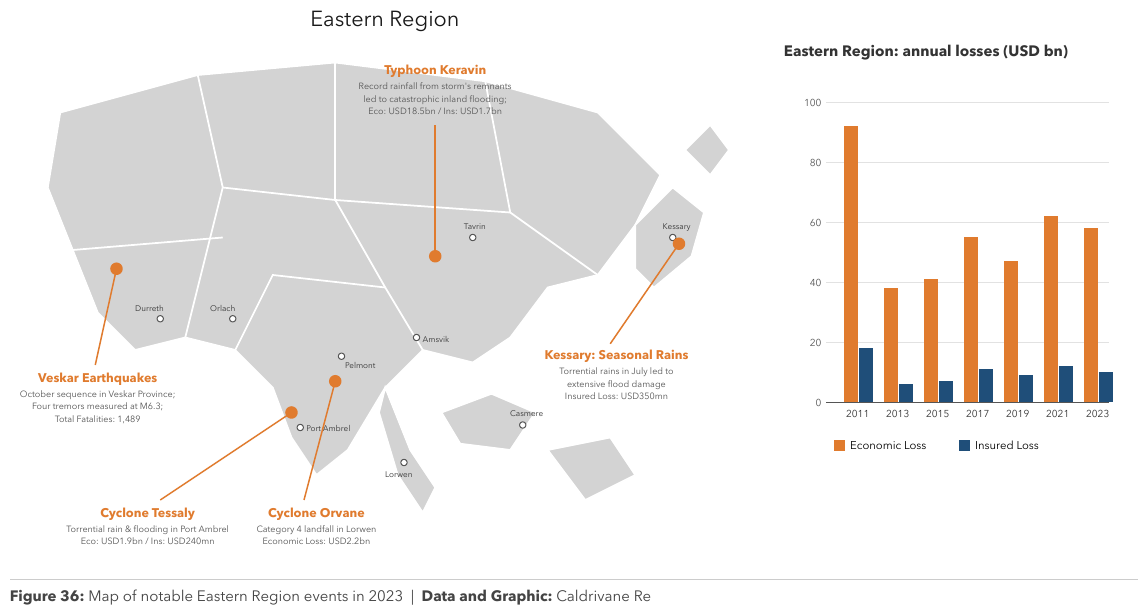
Event pins over a regional map, each callout naming an event and describing its losses
(Eco: USD1.9bn / Ins: USD240mn). The map's shading has no discrete legend to class regions
against, and a pin's position is not a value, so the map gives no chart table: its printed text is
transcribed as text. The data of this page is the loss chart beside the map, which is a chart
table like any other; its bars print no values, so they are estimates on the 20-unit grid. The
map's title, callouts and place names are elided.
…
| Economic Loss | Insured Loss | |
|---|---|---|
| 2011 | 92 | 18 |
| 2013 | 38 | 6 |
| 2015 | 41 | 7 |
| 2017 | 55 | 11 |
| 2019 | 47 | 9 |
| 2021 | 62 | 12 |
| 2023 | 58 | 10 |
Figure 36: Map of notable Eastern Region events in 2023 | Data and Graphic: Caldrivane Re
Markdown source
<!-- … -->
<table data-source="chart">
<caption><strong>Eastern Region: annual losses (USD bn)</strong></caption>
<tr> <th></th> <th>Economic Loss</th> <th>Insured Loss</th> </tr>
<tr> <td>2011</td> <td>92</td> <td>18</td> </tr>
<tr> <td>2013</td> <td>38</td> <td>6</td> </tr>
<tr> <td>2015</td> <td>41</td> <td>7</td> </tr>
<tr> <td>2017</td> <td>55</td> <td>11</td> </tr>
<tr> <td>2019</td> <td>47</td> <td>9</td> </tr>
<tr> <td>2021</td> <td>62</td> <td>12</td> </tr>
<tr> <td>2023</td> <td>58</td> <td>10</td> </tr>
</table>
Figure 36: Map of notable Eastern Region events in 2023 | Data and Graphic: Caldrivane Re
Related
- Values and Tolerances§11.1.4 — printed-or-nothing is the treemap rule
- Labels§11.1.2 — tile labels, region abbreviations and callout text as labels
- Geographic Maps§12.2.4 — how a map is rendered when it is geography rather than data
- Gantt and Sankey Charts§11.2.3 — the other families where bare geometry is not read
11.2.8 Scatter and Error Bars
✅ Normative · 📄 page rule
✅ Normative
A named scatter point MUST be rendered as one row holding its x value and its y value. Marker series over categories are ordinary series columns. An error bar's centre is an ordinary value, and its whisker span MUST be given with it: the low and high ends read at the whisker caps. A box plot MUST give its median, first and third quartiles, and its whisker ends when they are drawn. Points with no printed name have nothing to locate them and are not rendered as rows.
Scatter
Each named dot contributes its two coordinates, each read against its own axis (see Values and Tolerances§11.1.4). A fitted trend line through the cloud is reference ink (see Multiple Charts and Reference Ink§11.1.3).
How scatter points, whiskers and boxes appear in the chart table.
- A scatter chart MUST give one row per named point, a column for x and a column for y, each headed by its printed axis title.
- An error bar's interval MUST be written in the centre's cell, after the centre, as
centre (low–high)—3.60 (3.47–3.73). - A box plot MUST give one row per box: its label, then the low whisker end, first quartile, median,
third quartile and high whisker end in axis order, the whisker ends only where drawn, under the
header row
Low|Q1|Median|Q3|High(first cell: the printed label column's title, or empty). These header cells are protocol vocabulary, like the markers[blank]or[logo: …]: the page does not print them, and they are the one deliberate exception to never invent, so that the columns can be read without guessing. They are written exactly as given.
✅ Sample (constructed) — make_scatter
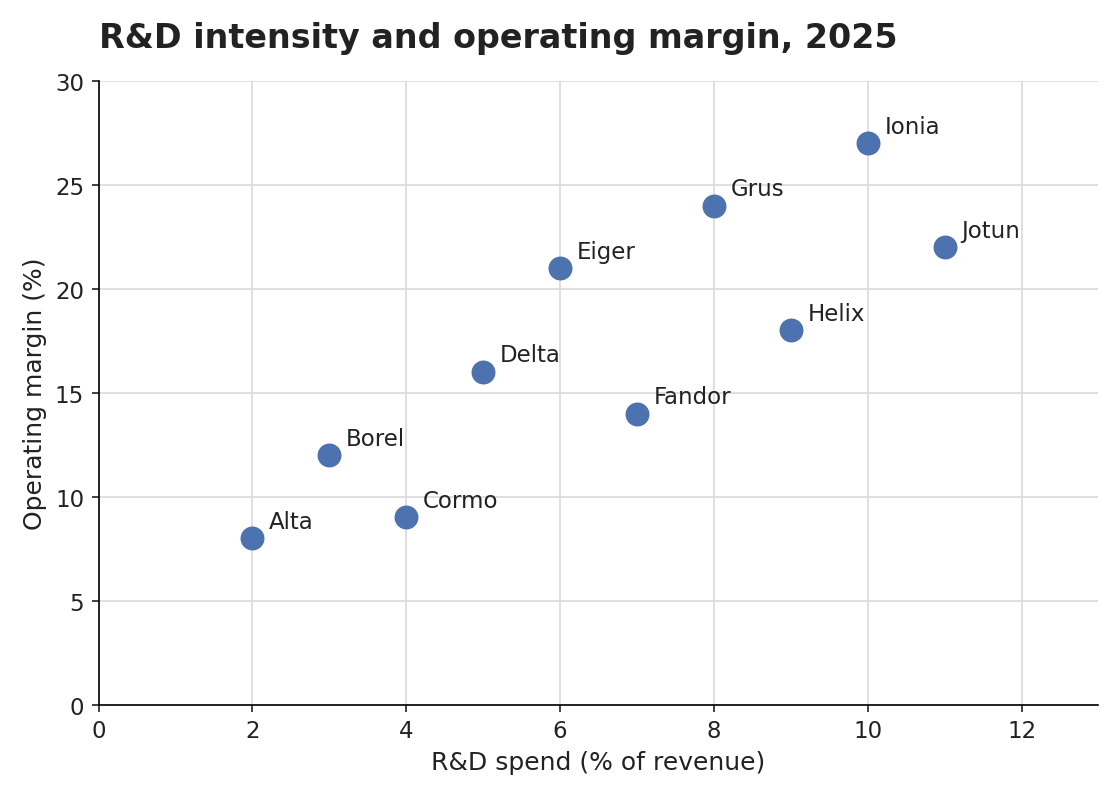
Ten named points, one row each, x and y under the two printed axis titles. The plotted values are whole numbers by construction; on a printed page they would be estimates, judged with a tolerance.
| R&D spend (% of revenue) | Operating margin (%) | |
|---|---|---|
| Alta | 2 | 8 |
| Borel | 3 | 12 |
| Cormo | 4 | 9 |
| Delta | 5 | 16 |
| Eiger | 6 | 21 |
| Fandor | 7 | 14 |
| Grus | 8 | 24 |
| Helix | 9 | 18 |
| Ionia | 10 | 27 |
| Jotun | 11 | 22 |
Markdown source
<table data-source="chart">
<caption><strong>R&D intensity and operating margin, 2025</strong></caption>
<tr> <th></th> <th>R&D spend (% of revenue)</th> <th>Operating margin (%)</th> </tr>
<tr> <td>Alta</td> <td>2</td> <td>8</td> </tr>
<tr> <td>Borel</td> <td>3</td> <td>12</td> </tr>
<tr> <td>Cormo</td> <td>4</td> <td>9</td> </tr>
<tr> <td>Delta</td> <td>5</td> <td>16</td> </tr>
<tr> <td>Eiger</td> <td>6</td> <td>21</td> </tr>
<tr> <td>Fandor</td> <td>7</td> <td>14</td> </tr>
<tr> <td>Grus</td> <td>8</td> <td>24</td> </tr>
<tr> <td>Helix</td> <td>9</td> <td>18</td> </tr>
<tr> <td>Ionia</td> <td>10</td> <td>27</td> </tr>
<tr> <td>Jotun</td> <td>11</td> <td>22</td> </tr>
</table>Dot and marker series over categories
Dots drawn per category — markers above bars, one marker per gender per country — are ordinary series: one column per marker series, one value per mark.
✅ Sample — health-profile-europe-2024_p105
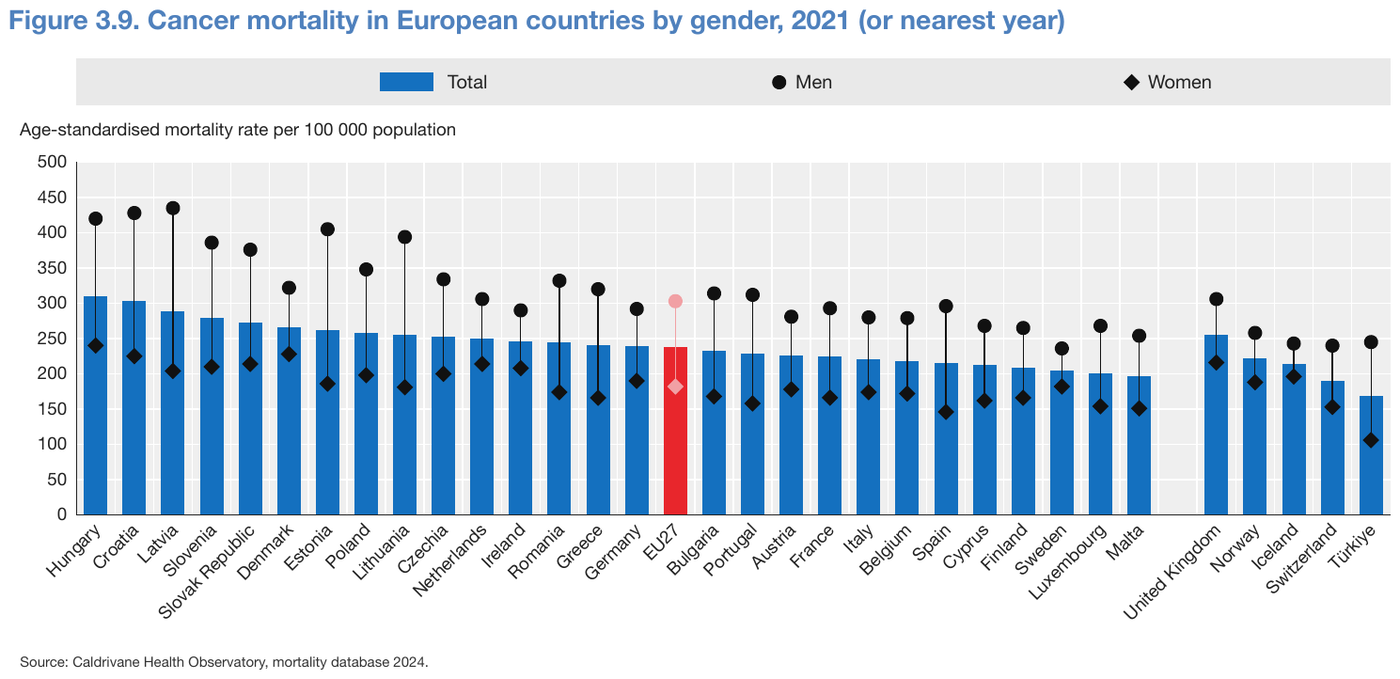
A bar series and two marker series over thirty-three countries, nothing printed on the marks:
33 × 3 = 99 values, each an estimate on the 50-unit grid (tolerance 0.05 to 0.1 by
readability). The highlighted EU27 bar is an ordinary row. The value-axis title follows the
table.
| Total | Men | Women | |
|---|---|---|---|
| Hungary | 310 | 420 | 240 |
| Croatia | 303 | 428 | 225 |
| Latvia | 288 | 435 | 204 |
| Slovenia | 279 | 386 | 210 |
| Slovak Republic | 272 | 376 | 214 |
| Denmark | 266 | 322 | 228 |
| Estonia | 262 | 405 | 186 |
| Poland | 258 | 348 | 198 |
| Lithuania | 255 | 394 | 181 |
| Czechia | 252 | 334 | 200 |
| Netherlands | 250 | 306 | 214 |
| Ireland | 246 | 290 | 208 |
| Romania | 244 | 332 | 174 |
| Greece | 241 | 320 | 166 |
| Germany | 239 | 292 | 190 |
| EU27 | 238 | 303 | 182 |
| Bulgaria | 233 | 314 | 168 |
| Portugal | 229 | 312 | 158 |
| Austria | 226 | 281 | 178 |
| France | 224 | 293 | 166 |
| Italy | 221 | 280 | 174 |
| Belgium | 218 | 279 | 172 |
| Spain | 215 | 296 | 146 |
| Cyprus | 212 | 268 | 162 |
| Finland | 208 | 265 | 166 |
| Sweden | 205 | 236 | 182 |
| Luxembourg | 201 | 268 | 154 |
| Malta | 197 | 254 | 151 |
| United Kingdom | 255 | 306 | 216 |
| Norway | 222 | 258 | 188 |
| Iceland | 214 | 243 | 196 |
| Switzerland | 190 | 240 | 153 |
| Türkiye | 168 | 245 | 106 |
Age-standardised mortality rate per 100 000 population
Source: Caldrivane Health Observatory, mortality database 2024.
Markdown source
<table data-source="chart">
<caption><strong>Figure 3.9. Cancer mortality in European countries by gender, 2021 (or nearest year)</strong></caption>
<tr> <th></th> <th>Total</th> <th>Men</th> <th>Women</th> </tr>
<tr> <td>Hungary</td> <td>310</td> <td>420</td> <td>240</td> </tr>
<tr> <td>Croatia</td> <td>303</td> <td>428</td> <td>225</td> </tr>
<tr> <td>Latvia</td> <td>288</td> <td>435</td> <td>204</td> </tr>
<tr> <td>Slovenia</td> <td>279</td> <td>386</td> <td>210</td> </tr>
<tr> <td>Slovak Republic</td> <td>272</td> <td>376</td> <td>214</td> </tr>
<tr> <td>Denmark</td> <td>266</td> <td>322</td> <td>228</td> </tr>
<tr> <td>Estonia</td> <td>262</td> <td>405</td> <td>186</td> </tr>
<tr> <td>Poland</td> <td>258</td> <td>348</td> <td>198</td> </tr>
<tr> <td>Lithuania</td> <td>255</td> <td>394</td> <td>181</td> </tr>
<tr> <td>Czechia</td> <td>252</td> <td>334</td> <td>200</td> </tr>
<tr> <td>Netherlands</td> <td>250</td> <td>306</td> <td>214</td> </tr>
<tr> <td>Ireland</td> <td>246</td> <td>290</td> <td>208</td> </tr>
<tr> <td>Romania</td> <td>244</td> <td>332</td> <td>174</td> </tr>
<tr> <td>Greece</td> <td>241</td> <td>320</td> <td>166</td> </tr>
<tr> <td>Germany</td> <td>239</td> <td>292</td> <td>190</td> </tr>
<tr> <td>EU27</td> <td>238</td> <td>303</td> <td>182</td> </tr>
<tr> <td>Bulgaria</td> <td>233</td> <td>314</td> <td>168</td> </tr>
<tr> <td>Portugal</td> <td>229</td> <td>312</td> <td>158</td> </tr>
<tr> <td>Austria</td> <td>226</td> <td>281</td> <td>178</td> </tr>
<tr> <td>France</td> <td>224</td> <td>293</td> <td>166</td> </tr>
<tr> <td>Italy</td> <td>221</td> <td>280</td> <td>174</td> </tr>
<tr> <td>Belgium</td> <td>218</td> <td>279</td> <td>172</td> </tr>
<tr> <td>Spain</td> <td>215</td> <td>296</td> <td>146</td> </tr>
<tr> <td>Cyprus</td> <td>212</td> <td>268</td> <td>162</td> </tr>
<tr> <td>Finland</td> <td>208</td> <td>265</td> <td>166</td> </tr>
<tr> <td>Sweden</td> <td>205</td> <td>236</td> <td>182</td> </tr>
<tr> <td>Luxembourg</td> <td>201</td> <td>268</td> <td>154</td> </tr>
<tr> <td>Malta</td> <td>197</td> <td>254</td> <td>151</td> </tr>
<tr> <td>United Kingdom</td> <td>255</td> <td>306</td> <td>216</td> </tr>
<tr> <td>Norway</td> <td>222</td> <td>258</td> <td>188</td> </tr>
<tr> <td>Iceland</td> <td>214</td> <td>243</td> <td>196</td> </tr>
<tr> <td>Switzerland</td> <td>190</td> <td>240</td> <td>153</td> </tr>
<tr> <td>Türkiye</td> <td>168</td> <td>245</td> <td>106</td> </tr>
</table>
Age-standardised mortality rate per 100 000 population
Source: Caldrivane Health Observatory, mortality database 2024.
Error bars
The centre is copied when printed and estimated otherwise. The whisker ends are read at the caps against the axis, like any estimate. A whisker whose ends cannot be read honestly is not given an interval.
A checker judges the interval on meaning: it accepts any output that conveys it —
3.60 ± 0.13, 3.60 (3.47–3.73), separate low and high columns, prose — within the tolerance of
an ordinary estimate, and fails a centre given with no interval.
✅ Sample — db242_p2
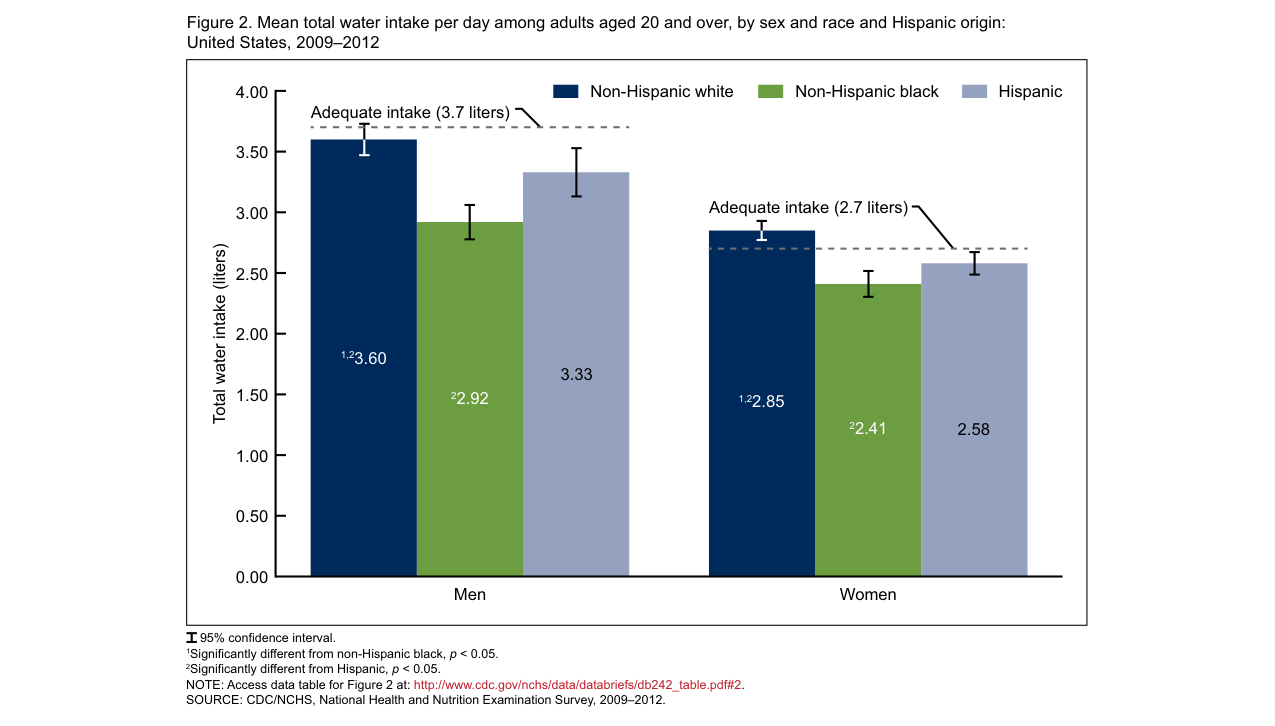
Source: CDC/NCHS, National Health and Nutrition Examination Survey, 2009–2012 — Figure 2 (public domain)
Six bars printing their means, with footnote markers, and 95% confidence whiskers drawn but not
printed. Each cell holds the printed centre, markers included, followed by the whisker ends read
against the 0.50 grid. The dashed Adequate intake lines are reference ink: their labels follow
the table as text. The whisker symbol before 95% confidence interval. is not text.
| Non-Hispanic white | Non-Hispanic black | Hispanic | |
|---|---|---|---|
| Men | 1,23.60 (3.47–3.73) | 22.92 (2.78–3.06) | 3.33 (3.13–3.53) |
| Women | 1,22.85 (2.76–2.94) | 22.41 (2.29–2.54) | 2.58 (2.49–2.67) |
Total water intake (liters)
Adequate intake (3.7 liters)
Adequate intake (2.7 liters)
95% confidence interval. 1Significantly different from non-Hispanic black, p < 0.05. 2Significantly different from Hispanic, p < 0.05. NOTE: Access data table for Figure 2 at: http://www.cdc.gov/nchs/data/databriefs/db242_table.pdf#2. SOURCE: CDC/NCHS, National Health and Nutrition Examination Survey, 2009–2012.
Markdown source
<table data-source="chart">
<caption>Figure 2. Mean total water intake per day among adults aged 20 and over, by sex and race and Hispanic origin: United States, 2009–2012</caption>
<tr> <th></th> <th>Non-Hispanic white</th> <th>Non-Hispanic black</th> <th>Hispanic</th> </tr>
<tr> <td>Men</td> <td><sup>1,2</sup>3.60 (3.47–3.73)</td> <td><sup>2</sup>2.92 (2.78–3.06)</td> <td>3.33 (3.13–3.53)</td> </tr>
<tr> <td>Women</td> <td><sup>1,2</sup>2.85 (2.76–2.94)</td> <td><sup>2</sup>2.41 (2.29–2.54)</td> <td>2.58 (2.49–2.67)</td> </tr>
</table>
Total water intake (liters)
Adequate intake (3.7 liters)
Adequate intake (2.7 liters)
95% confidence interval.
<sup>1</sup>Significantly different from non-Hispanic black, p < 0.05.
<sup>2</sup>Significantly different from Hispanic, p < 0.05.
NOTE: Access data table for Figure 2 at: http://www.cdc.gov/nchs/data/databriefs/db242_table.pdf#2.
SOURCE: CDC/NCHS, National Health and Nutrition Examination Survey, 2009–2012.
✅ Sample — climate-assessment-sdm_p7
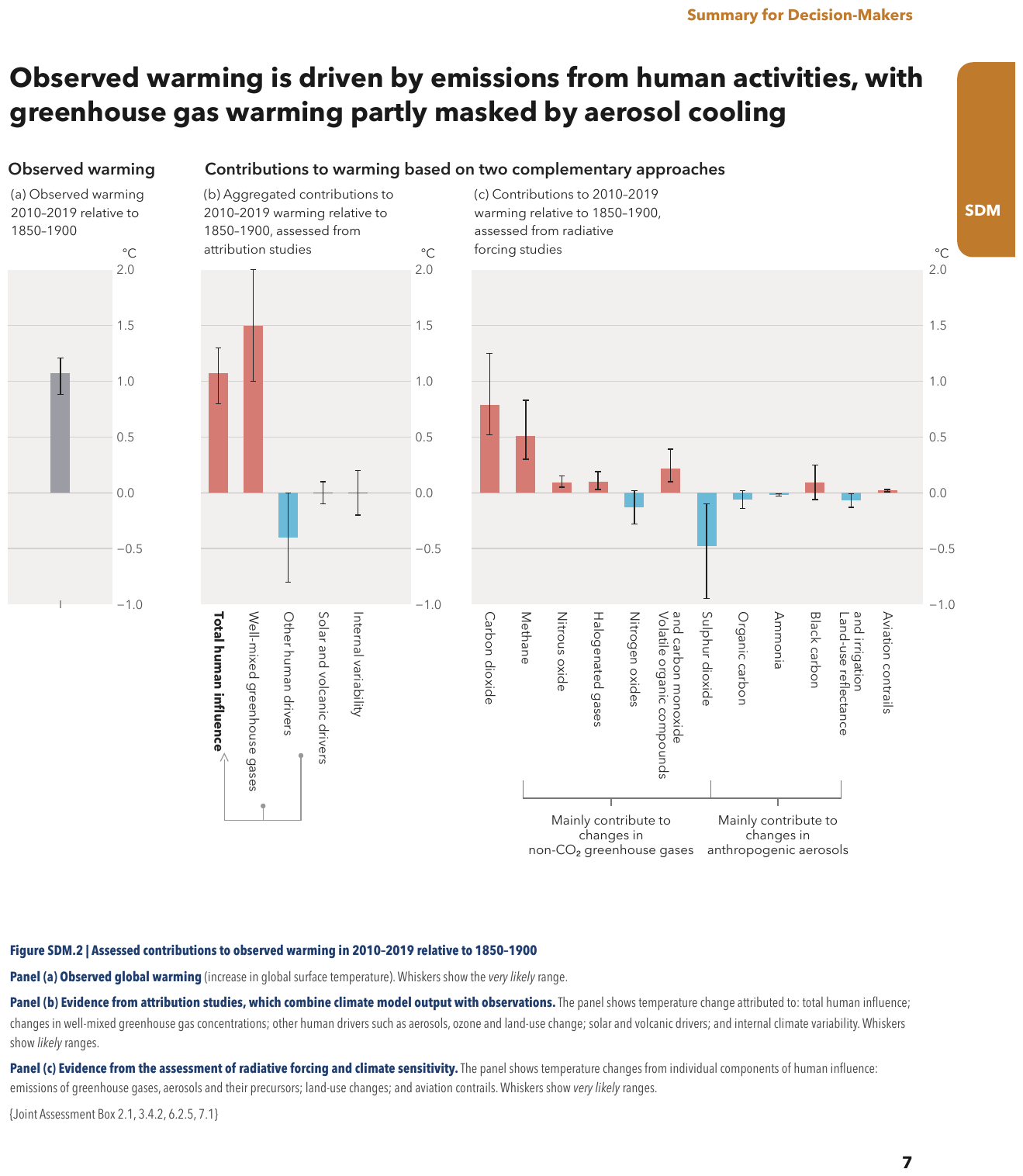
Nothing is printed on any mark: centres and whisker ends are all estimates on the 0.5 grid. A
three-panel figure, each panel its own table headed by its axis unit (°C): panel (a) has a single
bar with no category label; in panel (b), Solar and volcanic drivers and Internal variability
are drawn on the zero line, so their centre is 0, with whiskers either side. Panel (c) shows its
first three bars, then the rest; its two bracket captions follow its table as text. The page
heading and the figure caption below the panels are elided.
…
| °C | |
|---|---|
| 1.07 (0.88–1.21) |
| °C | |
|---|---|
| Total human influence | 1.07 (0.80–1.30) |
| Well-mixed greenhouse gases | 1.50 (1.00–2.00) |
| Other human drivers | -0.40 (-0.80–0.00) |
| Solar and volcanic drivers | 0 (-0.10–0.10) |
| Internal variability | 0 (-0.20–0.20) |
| °C | ||||||||||||||||||||||||||||||||||||||||||||||||||||||||||||||||||||||||||||||||||||||||||||||||||
|---|---|---|---|---|---|---|---|---|---|---|---|---|---|---|---|---|---|---|---|---|---|---|---|---|---|---|---|---|---|---|---|---|---|---|---|---|---|---|---|---|---|---|---|---|---|---|---|---|---|---|---|---|---|---|---|---|---|---|---|---|---|---|---|---|---|---|---|---|---|---|---|---|---|---|---|---|---|---|---|---|---|---|---|---|---|---|---|---|---|---|---|---|---|---|---|---|---|---|
| Carbon dioxide | 0.79 (0.52–1.25) | |||||||||||||||||||||||||||||||||||||||||||||||||||||||||||||||||||||||||||||||||||||||||||||||||
| Methane | 0.51 (0.30–0.83) | |||||||||||||||||||||||||||||||||||||||||||||||||||||||||||||||||||||||||||||||||||||||||||||||||
| Nitrous oxide | 0.09 (0.05–0.15) | |||||||||||||||||||||||||||||||||||||||||||||||||||||||||||||||||||||||||||||||||||||||||||||||||
| … | ||||||||||||||||||||||||||||||||||||||||||||||||||||||||||||||||||||||||||||||||||||||||||||||||||
Mainly contribute to changes in non-CO2 greenhouse gases
Mainly contribute to changes in anthropogenic aerosols
…
Markdown source
<!-- … -->
<table data-source="chart">
<caption><strong>Observed warming</strong>
(a) Observed warming 2010–2019 relative to 1850–1900</caption>
<tr> <th></th> <th>°C</th> </tr>
<tr> <td></td> <td>1.07 (0.88–1.21)</td> </tr>
</table>
<table data-source="chart">
<caption><strong>Contributions to warming based on two complementary approaches</strong>
(b) Aggregated contributions to 2010–2019 warming relative to 1850–1900, assessed from attribution studies</caption>
<tr> <th></th> <th>°C</th> </tr>
<tr> <td><strong>Total human influence</strong></td> <td>1.07 (0.80–1.30)</td> </tr>
<tr> <td>Well-mixed greenhouse gases</td> <td>1.50 (1.00–2.00)</td> </tr>
<tr> <td>Other human drivers</td> <td>-0.40 (-0.80–0.00)</td> </tr>
<tr> <td>Solar and volcanic drivers</td> <td>0 (-0.10–0.10)</td> </tr>
<tr> <td>Internal variability</td> <td>0 (-0.20–0.20)</td> </tr>
</table>
<table data-source="chart">
<caption>(c) Contributions to 2010–2019 warming relative to 1850–1900, assessed from radiative forcing studies</caption>
<tr> <th></th> <th>°C</th> </tr>
<tr> <td>Carbon dioxide</td> <td>0.79 (0.52–1.25)</td> </tr>
<tr> <td>Methane</td> <td>0.51 (0.30–0.83)</td> </tr>
<tr> <td>Nitrous oxide</td> <td>0.09 (0.05–0.15)</td> </tr>
<!-- … -->
</table>
Mainly contribute to changes in non-CO<sub>2</sub> greenhouse gases
Mainly contribute to changes in anthropogenic aerosols
<!-- … -->
✅ Sample — ac8b3538-en_p131
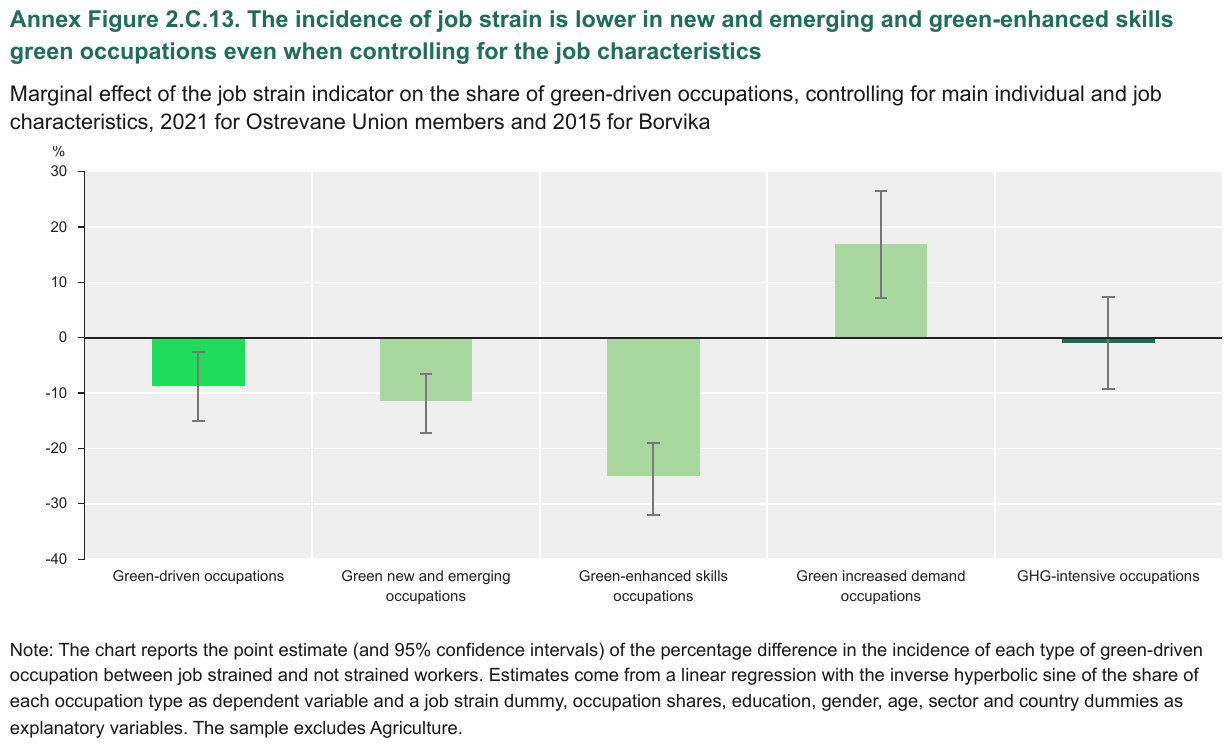
Five bars with confidence whiskers, nothing printed: five rows, negatives included, each with its
interval. The whisker ends are read at the drawn caps against the printed axis. The
GHG-intensive occupations bar sits almost on zero: a relative tolerance means little there, so a
checker widens it (0.3) rather than tightening the reading.
| % | |
|---|---|
| Green-driven occupations | -8.7 (-15–-2.6) |
| Green new and emerging occupations | -11.5 (-17.2–-6.6) |
| Green-enhanced skills occupations | -25 (-32.1–-19) |
| Green increased demand occupations | 17 (7.2–26.6) |
| GHG-intensive occupations | -1 (-9.3–7.3) |
Note: The chart reports the point estimate (and 95% confidence intervals) of the percentage difference in the incidence of each type of green-driven occupation between job strained and not strained workers. Estimates come from a linear regression with the inverse hyperbolic sine of the share of each occupation type as dependent variable and a job strain dummy, occupation shares, education, gender, age, sector and country dummies as explanatory variables. The sample excludes Agriculture.
Markdown source
<table data-source="chart">
<caption><strong>Annex Figure 2.C.13. The incidence of job strain is lower in new and emerging and green-enhanced skills green occupations even when controlling for the job characteristics</strong>
Marginal effect of the job strain indicator on the share of green-driven occupations, controlling for main individual and job characteristics, 2021 for Ostrevane Union members and 2015 for Borvika</caption>
<tr> <th></th> <th>%</th> </tr>
<tr> <td>Green-driven occupations</td> <td>-8.7 (-15–-2.6)</td> </tr>
<tr> <td>Green new and emerging occupations</td> <td>-11.5 (-17.2–-6.6)</td> </tr>
<tr> <td>Green-enhanced skills occupations</td> <td>-25 (-32.1–-19)</td> </tr>
<tr> <td>Green increased demand occupations</td> <td>17 (7.2–26.6)</td> </tr>
<tr> <td>GHG-intensive occupations</td> <td>-1 (-9.3–7.3)</td> </tr>
</table>
Note: The chart reports the point estimate (and 95% confidence intervals) of the percentage difference in the incidence of each type of green-driven occupation between job strained and not strained workers. Estimates come from a linear regression with the inverse hyperbolic sine of the share of each occupation type as dependent variable and a job strain dummy, occupation shares, education, gender, age, sector and country dummies as explanatory variables. The sample excludes Agriculture.
Box plots
A box's median, quartiles and drawn whisker ends are read from the geometry. Statistics printed beside the plot are text on the page and are copied as printed.
✅ Sample — charpy_verification_p24
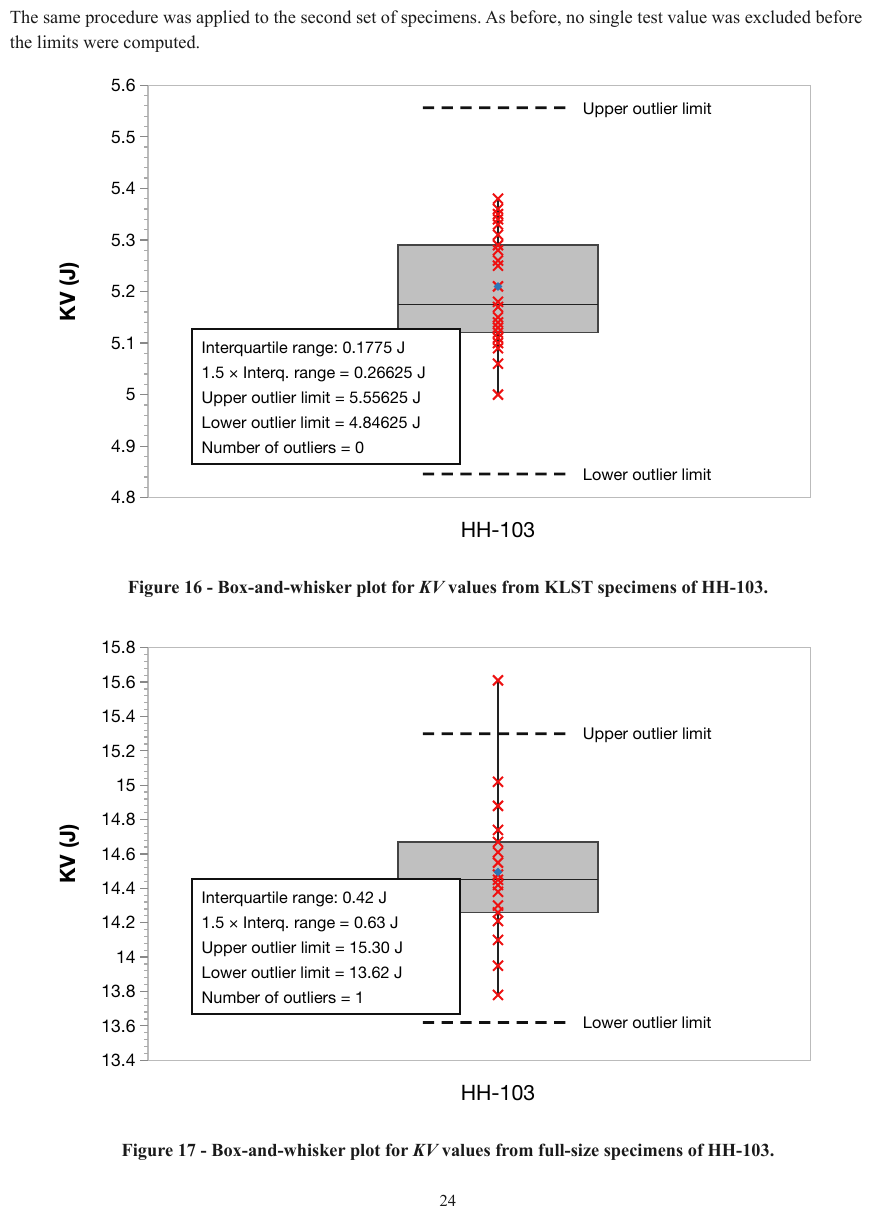
Two box plots, both over the category HH-103, each its own table under its own figure caption,
which tells them apart. Each box gives five readings against its axis; the printed annotation box
and the labels of the dashed outlier-limit lines follow the table as text. The individual test
values (crosses) and the mean marker carry no name and are not rows.
The same procedure was applied to the second set of specimens. As before, no single test value was excluded before the limits were computed.
| Low | Q1 | Median | Q3 | High | |
|---|---|---|---|---|---|
| HH-103 | 5.00 | 5.12 | 5.18 | 5.29 | 5.38 |
KV (J)
Upper outlier limit
Interquartile range: 0.1775 J 1.5 × Interq. range = 0.26625 J Upper outlier limit = 5.55625 J Lower outlier limit = 4.84625 J Number of outliers = 0
Lower outlier limit
| Low | Q1 | Median | Q3 | High | |
|---|---|---|---|---|---|
| HH-103 | 13.78 | 14.26 | 14.45 | 14.67 | 15.61 |
KV (J)
Upper outlier limit
Interquartile range: 0.42 J 1.5 × Interq. range = 0.63 J Upper outlier limit = 15.30 J Lower outlier limit = 13.62 J Number of outliers = 1
Lower outlier limit
Markdown source
The same procedure was applied to the second set of specimens. As before, no single test value was excluded before the limits were computed.
<table data-source="chart">
<tr> <th></th> <th>Low</th> <th>Q1</th> <th>Median</th> <th>Q3</th> <th>High</th> </tr>
<tr> <td>HH-103</td> <td>5.00</td> <td>5.12</td> <td>5.18</td> <td>5.29</td> <td>5.38</td> </tr>
<caption><strong>Figure 16 - Box-and-whisker plot for <em>KV</em> values from KLST specimens of HH-103.</strong></caption>
</table>
KV (J)
Upper outlier limit
Interquartile range: 0.1775 J
1.5 × Interq. range = 0.26625 J
Upper outlier limit = 5.55625 J
Lower outlier limit = 4.84625 J
Number of outliers = 0
Lower outlier limit
<table data-source="chart">
<tr> <th></th> <th>Low</th> <th>Q1</th> <th>Median</th> <th>Q3</th> <th>High</th> </tr>
<tr> <td>HH-103</td> <td>13.78</td> <td>14.26</td> <td>14.45</td> <td>14.67</td> <td>15.61</td> </tr>
<caption><strong>Figure 17 - Box-and-whisker plot for <em>KV</em> values from full-size specimens of HH-103.</strong></caption>
</table>
KV (J)
Upper outlier limit
Interquartile range: 0.42 J
1.5 × Interq. range = 0.63 J
Upper outlier limit = 15.30 J
Lower outlier limit = 13.62 J
Number of outliers = 1
Lower outlier limit
Related
- Values and Tolerances§11.1.4 — coordinates and whisker ends are ordinary estimates
- Labels§11.1.2 — named points, and the tie between two boxes over one category
- Multiple Charts and Reference Ink§11.1.3 — trend lines and reference lines are not data
- Line Charts§11.2.5 — named lines instead of named points
11.2.9 Stacked Bars and Waterfalls
✅ Normative · 📄 page rule
✅ Normative
A stacked segment's value MUST be the segment's own span — the size it draws between its two boundaries — never the cumulative height at its top edge. A waterfall step follows the same rule on a floating segment: its value is the rise or fall the step itself draws. Each segment series is a column; a printed total is a value of its own.
Writing the running total instead of the segment is the failure this family exists to catch. An estimated segment is read at both boundaries, and its value is the difference.
- A category whose stack has no segment of one series leaves that cell empty.
- A printed total above a stack sits in the stack's row, in a last column under an empty header cell (see the chart table's layout in Cover Every Data Point§11.1.1).
- A waterfall's anchor bars (start and end levels) are categories of their own; their values are levels, not changes.
✅ Sample — global-income-report-2026_p59
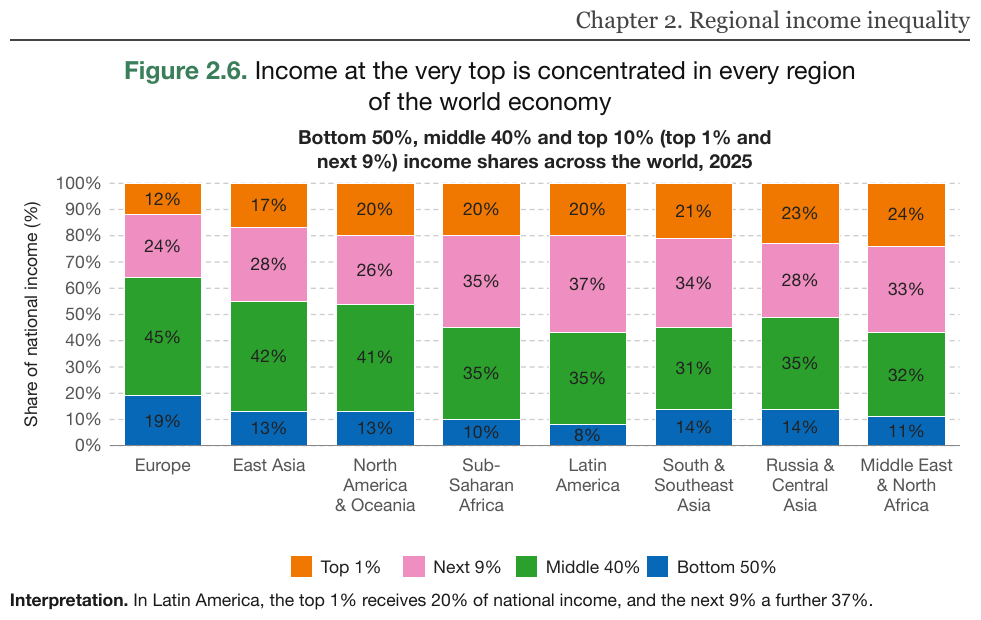
Eight regional stacks, four legend series, every segment printing its share: 32 values, copied with their percent marks. The running header is elided.
…
| Top 1% | Next 9% | Middle 40% | Bottom 50% | |
|---|---|---|---|---|
| Europe | 12% | 24% | 45% | 19% |
| East Asia | 17% | 28% | 42% | 13% |
| North America & Oceania | 20% | 26% | 41% | 13% |
| Sub-Saharan Africa | 20% | 35% | 35% | 10% |
| Latin America | 20% | 37% | 35% | 8% |
| South & Southeast Asia | 21% | 34% | 31% | 14% |
| Russia & Central Asia | 23% | 28% | 35% | 14% |
| Middle East & North Africa | 24% | 33% | 32% | 11% |
Share of national income (%)
Interpretation. In Latin America, the top 1% receives 20% of national income, and the next 9% a further 37%.
Markdown source
<!-- … -->
<table data-source="chart">
<caption><strong>Figure 2.6.</strong> Income at the very top is concentrated in every region of the world economy
<strong>Bottom 50%, middle 40% and top 10% (top 1% and next 9%) income shares across the world, 2025</strong></caption>
<tr> <th></th> <th>Top 1%</th> <th>Next 9%</th> <th>Middle 40%</th> <th>Bottom 50%</th> </tr>
<tr> <td>Europe</td> <td>12%</td> <td>24%</td> <td>45%</td> <td>19%</td> </tr>
<tr> <td>East Asia</td> <td>17%</td> <td>28%</td> <td>42%</td> <td>13%</td> </tr>
<tr> <td>North America & Oceania</td> <td>20%</td> <td>26%</td> <td>41%</td> <td>13%</td> </tr>
<tr> <td>Sub-Saharan Africa</td> <td>20%</td> <td>35%</td> <td>35%</td> <td>10%</td> </tr>
<tr> <td>Latin America</td> <td>20%</td> <td>37%</td> <td>35%</td> <td>8%</td> </tr>
<tr> <td>South & Southeast Asia</td> <td>21%</td> <td>34%</td> <td>31%</td> <td>14%</td> </tr>
<tr> <td>Russia & Central Asia</td> <td>23%</td> <td>28%</td> <td>35%</td> <td>14%</td> </tr>
<tr> <td>Middle East & North Africa</td> <td>24%</td> <td>33%</td> <td>32%</td> <td>11%</td> </tr>
</table>
Share of national income (%)
Interpretation. In Latin America, the top 1% receives 20% of national income, and the next 9% a further 37%.
✅ Sample — credit-outlook-jun2025_p12
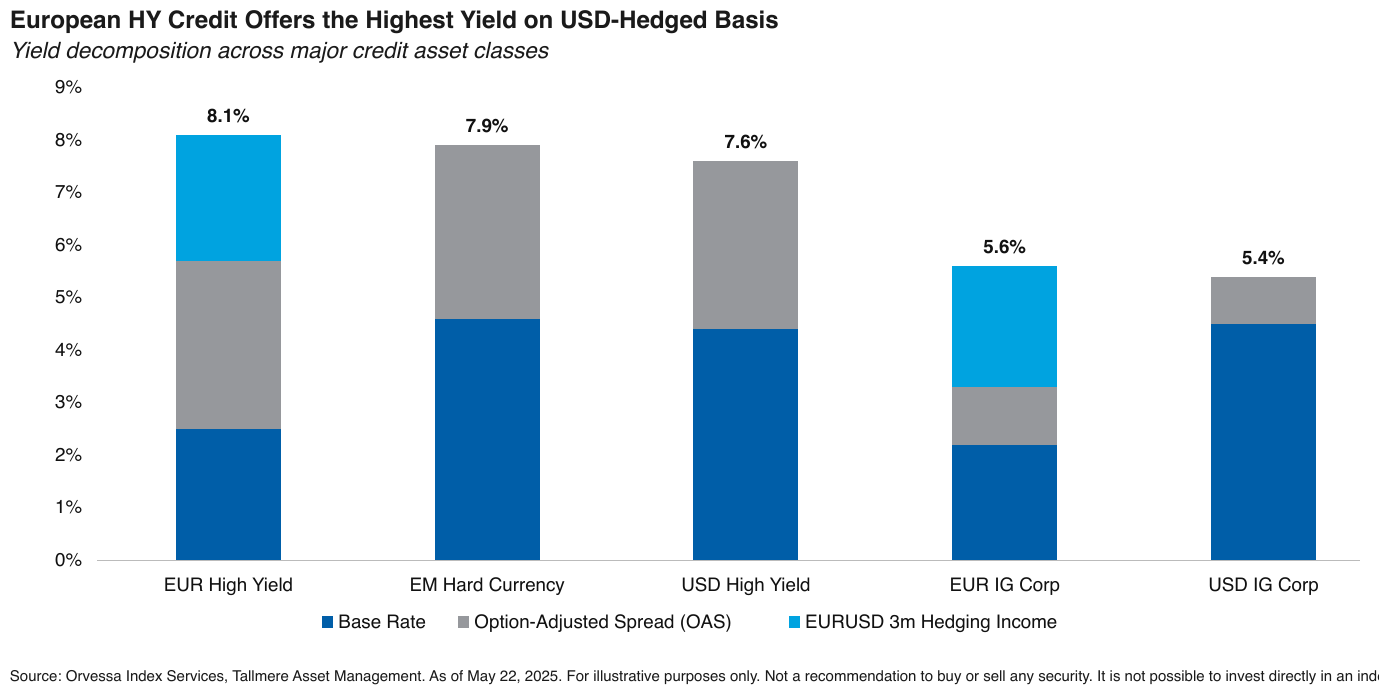
Unlabeled segments over a percent grid, with legend-named components and a printed total above
each stack. Every segment is read as its own span — EUR High Yield's grey segment runs from
about 2.5% to 5.7%, so its value is 3.2%, not 5.7% — and carries the axis's percent mark. Three
of the five classes have no hedging segment: those cells are empty. The printed totals, in bold,
sit in the last column. The source line runs off the right edge of the page and is written as far
as it is visible.
| Base Rate | Option-Adjusted Spread (OAS) | EURUSD 3m Hedging Income | ||
|---|---|---|---|---|
| EUR High Yield | 2.5% | 3.2% | 2.4% | 8.1% |
| EM Hard Currency | 4.6% | 3.3% | 7.9% | |
| USD High Yield | 4.4% | 3.2% | 7.6% | |
| EUR IG Corp | 2.2% | 1.1% | 2.3% | 5.6% |
| USD IG Corp | 4.5% | 0.9% | 5.4% |
Source: Orvessa Index Services, Tallmere Asset Management. As of May 22, 2025. For illustrative purposes only. Not a recommendation to buy or sell any security. It is not possible to invest directly in an ind
Markdown source
<table data-source="chart">
<caption><strong>European HY Credit Offers the Highest Yield on USD-Hedged Basis</strong>
<em>Yield decomposition across major credit asset classes</em></caption>
<tr> <th></th> <th>Base Rate</th> <th>Option-Adjusted Spread (OAS)</th> <th>EURUSD 3m Hedging Income</th> <th></th> </tr>
<tr> <td>EUR High Yield</td> <td>2.5%</td> <td>3.2%</td> <td>2.4%</td> <td><strong>8.1%</strong></td> </tr>
<tr> <td>EM Hard Currency</td> <td>4.6%</td> <td>3.3%</td> <td></td> <td><strong>7.9%</strong></td> </tr>
<tr> <td>USD High Yield</td> <td>4.4%</td> <td>3.2%</td> <td></td> <td><strong>7.6%</strong></td> </tr>
<tr> <td>EUR IG Corp</td> <td>2.2%</td> <td>1.1%</td> <td>2.3%</td> <td><strong>5.6%</strong></td> </tr>
<tr> <td>USD IG Corp</td> <td>4.5%</td> <td>0.9%</td> <td></td> <td><strong>5.4%</strong></td> </tr>
</table>
Source: Orvessa Index Services, Tallmere Asset Management. As of May 22, 2025. For illustrative purposes only. Not a recommendation to buy or sell any security. It is not possible to invest directly in an ind
✅ Sample — renewables-outlook-2025_p24
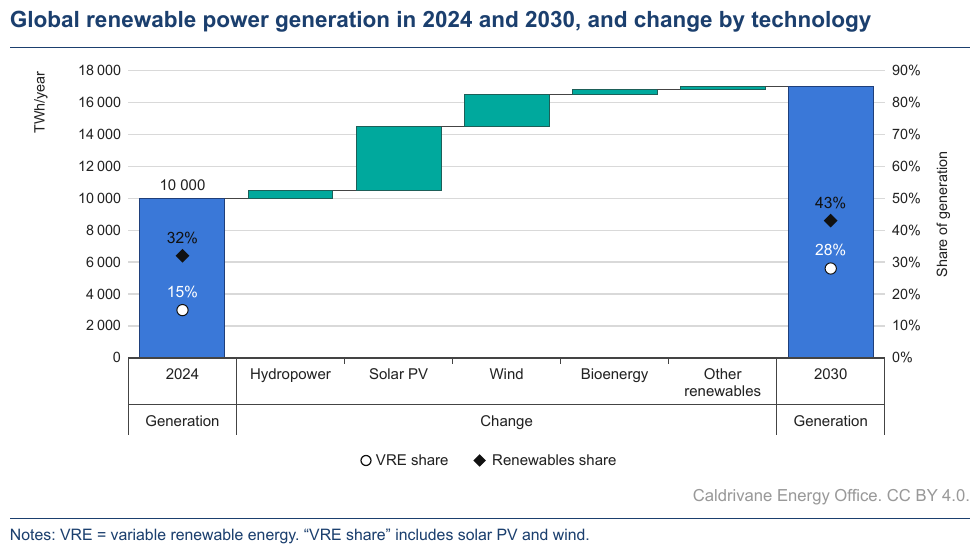
A waterfall between two anchors: 2024 prints its level (10 000), 2030 and the five steps are
estimates, each step its own rise. A marker series for each share rides on the anchors against the
right-hand axis, printing its values (see Dual-Axis and Combo Charts§11.2.2); the steps have no
markers, so those cells are empty. The printed second axis tier (Generation, Change) groups the
categories and has a column of its own; Change spans the five steps as printed. The bars have no
legend entry, so their column is headed by the left-hand axis title. Estimates are written in the
axis's digit grouping.
| TWh/year | VRE share | Renewables share | ||
|---|---|---|---|---|
| Generation | 2024 | 10 000 | 15% | 32% |
| Change | Hydropower | 500 | ||
| Solar PV | 4 000 | |||
| Wind | 2 000 | |||
| Bioenergy | 300 | |||
| Other renewables | 200 | |||
| Generation | 2030 | 17 000 | 28% | 43% |
Share of generation
Caldrivane Energy Office. CC BY 4.0.
Notes: VRE = variable renewable energy. “VRE share” includes solar PV and wind.
Markdown source
<table data-source="chart">
<caption><strong>Global renewable power generation in 2024 and 2030, and change by technology</strong></caption>
<tr> <th></th> <th></th> <th>TWh/year</th> <th>VRE share</th> <th>Renewables share</th> </tr>
<tr> <td>Generation</td> <td>2024</td> <td>10 000</td> <td>15%</td> <td>32%</td> </tr>
<tr> <td rowspan="5">Change</td> <td>Hydropower</td> <td>500</td> <td></td> <td></td> </tr>
<tr> <td>Solar PV</td> <td>4 000</td> <td></td> <td></td> </tr>
<tr> <td>Wind</td> <td>2 000</td> <td></td> <td></td> </tr>
<tr> <td>Bioenergy</td> <td>300</td> <td></td> <td></td> </tr>
<tr> <td>Other renewables</td> <td>200</td> <td></td> <td></td> </tr>
<tr> <td>Generation</td> <td>2030</td> <td>17 000</td> <td>28%</td> <td>43%</td> </tr>
</table>
Share of generation
Caldrivane Energy Office. CC BY 4.0.
Notes: VRE = variable renewable energy. “VRE share” includes solar PV and wind.
✅ Sample — a waterfall where every step prints its value
Eight steps from EBT to FCF, each printing its value above or below its bar, negatives in
parentheses; Tax paid and Working Capital are drawn as a line rather than a bar and print their
values the same way. Every value is copied as printed. The category labels keep their footnote
superscripts, and the unit note heads the value column. The page heading above the chart, and the
panels and notes below it, are elided.
…
| (£m) | |
|---|---|
| EBT1 | (348) |
| Add back D&A/other non-cash/financing expense | 421 |
| Tax paid | (6) |
| Cash generated after tax | 65 |
| Working Capital | 7 |
| Investing activities2 excluding interest | (329) |
| Net interest paid | (139) |
| FCF | (395) |
…
Markdown source
<!-- … -->
<table data-source="chart">
<tr> <th></th> <th>(£m)</th> </tr>
<tr> <td>EBT<sup>1</sup></td> <td>(348)</td> </tr>
<tr> <td>Add back D&A/other non-cash/financing expense</td> <td>421</td> </tr>
<tr> <td>Tax paid</td> <td>(6)</td> </tr>
<tr> <td>Cash generated after tax</td> <td>65</td> </tr>
<tr> <td>Working Capital</td> <td>7</td> </tr>
<tr> <td>Investing activities<sup>2</sup> excluding interest</td> <td>(329)</td> </tr>
<tr> <td>Net interest paid</td> <td>(139)</td> </tr>
<tr> <td>FCF</td> <td>(395)</td> </tr>
</table>
<!-- … -->
✅ Sample — stacked bars with an annotation column
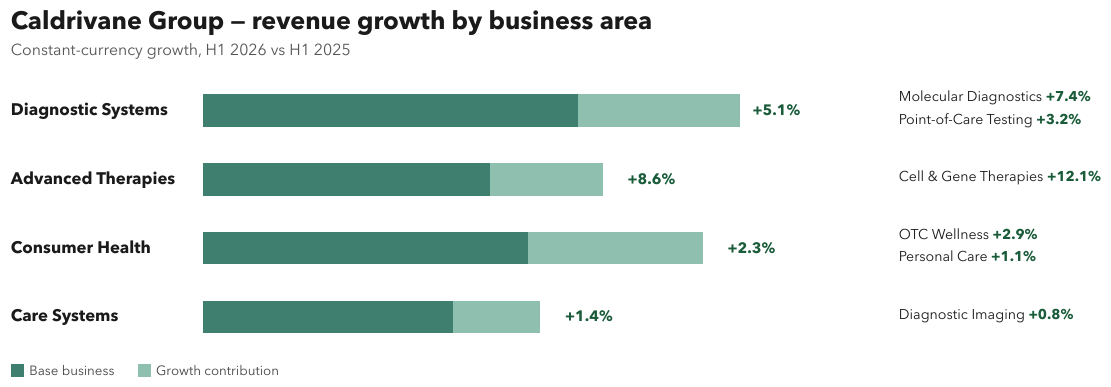
Four horizontal stacks, one per business area, each printing a growth figure at its end and, in a column to the right, one or two lines naming sub-businesses with their own growth. This is one table, one row per bar, with a column holding each row's annotation lines as a list, so the annotations stay attached to their bar. The two segments of each stack print no value and no axis calibrates them, so they give no column; their legend follows the table as text. The labels and growth figures in heavier type are bold.
| Diagnostic Systems | +5.1% |
|
| Advanced Therapies | +8.6% |
|
| Consumer Health | +2.3% |
|
| Care Systems | +1.4% |
|
Base business
Growth contribution
Markdown source
<table data-source="chart">
<caption><strong>Caldrivane Group — revenue growth by business area</strong>
Constant-currency growth, H1 2026 vs H1 2025</caption>
<tr> <td><strong>Diagnostic Systems</strong></td> <td><strong>+5.1%</strong></td> <td><ul><li>Molecular Diagnostics <strong>+7.4%</strong></li><li>Point-of-Care Testing <strong>+3.2%</strong></li></ul></td> </tr>
<tr> <td><strong>Advanced Therapies</strong></td> <td><strong>+8.6%</strong></td> <td><ul><li>Cell & Gene Therapies <strong>+12.1%</strong></li></ul></td> </tr>
<tr> <td><strong>Consumer Health</strong></td> <td><strong>+2.3%</strong></td> <td><ul><li>OTC Wellness <strong>+2.9%</strong></li><li>Personal Care <strong>+1.1%</strong></li></ul></td> </tr>
<tr> <td><strong>Care Systems</strong></td> <td><strong>+1.4%</strong></td> <td><ul><li>Diagnostic Imaging <strong>+0.8%</strong></li></ul></td> </tr>
</table>
Base business
Growth contribution
Related
- Values and Tolerances§11.1.4 — spans are estimates like any other
- Bars and Histograms§11.2.1 — the unstacked base case
- Dual-Axis and Combo Charts§11.2.2 — the right-hand-axis marker series on the anchors
- Legend and Overlay Values§11.2.4 — stacks whose segments all print their values
§12 Images and diagrams
12.1 Images
12.1.1 Images
✅ Normative · 📄 page rule
✅ Normative
The content of an image MUST be put into the text stream as whatever the image actually is — transcribed text, a table or a diagram. The output MUST NOT contain a file reference or a bracketed placeholder in place of an image.
An image is not a thing to point at; it is content that happens to have been rasterised. Whatever a reader would take away from looking at it MUST end up in the output as text, or it is lost — the never drop failure.
Decide what the image is, then encode that
| The image is really… | The output MUST contain |
|---|---|
| Text rendered as a picture | The text, transcribed verbatim |
| A data display (chart, plot) | A chart table — Cover Every Data Point§11.1.1 |
| A labelled schematic or conceptual figure | A suitable diagram/<language> block; description only if none can preserve it — Slide Diagrams§12.2.5 |
| A graph of relationships or a flow | A diagram/<language> fenced block (for example diagram/mermaid or diagram/plantUml) — Diagrams and Flowcharts§12.2.2 |
| A photo or decorative art | A prose description of what it shows |
The rows are tried in order. Where any text at all is legible inside the image, that text MUST be transcribed: it is content, and describing it instead ("a chart showing quarterly revenue") drops every number on the page.
When the type is not obvious
Some figures resist the table above: maps, chemical structures, electrical schematics, blueprints, printed staves. Each has its own rule — Geographic Maps§12.2.4, Chemical Molecules§13.1, Electrical Schematics§12.2.3, Blueprints§12.2.1, Music Notation§13.2, Slide Diagrams§12.2.5. Where that rule has no settled encoding yet, the fallback is the same: every label and every legible string MUST be preserved, and the output MUST use the encoding that loses no content.
Related
- Images and Figures§12.1.2 — the same rule with equations and multi-column pages
- Iconography and Symbols§7.3.4 — the small, semantically loaded end of the same spectrum
- Logos§12.1.3 — what a brand mark becomes in the text stream
- Output Options§3.5 — when a saved image may be referenced instead of described
12.1.2 Images and Figures
✅ Normative · 📄 page rule
✅ Normative
The output MUST NOT contain an image reference  or a bracketed placeholder
such as [The image shows…]. A figure's content MUST be rendered as text, a table or a
diagram — whichever the figure actually is.
An output is consumed by a model or an extraction step. An image reference is a dead end to both; the content has to be in the text stream.
Choosing the form
| The figure is really… | Rendering |
|---|---|
| A data display (chart, plot) | A chart table — Cover Every Data Point§11.1.1 |
| A graph of relationships | A diagram/<language> fenced block (for example diagram/mermaid or diagram/plantUml) — Diagrams and Flowcharts§12.2.2 |
| A labelled schematic | A suitable diagram/<language> block; description only if none can preserve it — Slide Diagrams§12.2.5 |
| A photo or decorative art | A prose description of what it shows |
| Text rendered as an image | The text, transcribed |
Equations
Equations MUST be LaTeX in $$ … $$, inline ones included — see Inline Equations§7.2.6. Using $$
uniformly keeps a stray currency symbol elsewhere on the page from opening an unterminated math
span.
Multi-column pages
Multi-column text MUST be unrolled into a single column in reading order. The physical column split is a typesetting artefact, not structure, and MUST NOT be preserved — see Reading Order§5.9.
Related
- Images§12.1.1 — the general rule, with the order in which the forms are tried
- Diagrams and Flowcharts§12.2.2 — when a figure is a graph
- Cover Every Data Point§11.1.1 — what a chart becomes
- Layout Regions§5.7 — separating the figure's region from the text around it
12.1.3 Logos
✅ Normative · 📄 page rule
✅ Normative
A logo MUST be rendered as a marker carrying its printed words, [logo: OSTREVANE], at the logo's
place in reading order. A logo that prints no legible text MUST be rendered as [logo]. The
artwork MUST NOT be described.
Almost every slide and letterhead carries one: a wordmark in the corner, a symbol beside it, sometimes a faint version behind the content. The marker keeps the printed words (never drop) and tells a reader that they are a brand mark rather than a word of the body text.
Requirements
- The words a logo prints MUST appear inside the marker exactly as printed, case included:
[logo: VELTRAND LIFE]. A wordmark set on two lines is one marker, its lines joined with a space. - The marker sits at the logo's place in reading order. A logo inside a header or footer band stays inside that band — see Recurring Page Furniture§4.6.
- A logo with no legible text — a symbol on its own — is the bare
[logo]. - A symbol printed beside its own wordmark is part of that logo; it does not get a second marker.
- A faint copy of a mark repeated behind the content is not a second logo and adds nothing; it MUST NOT break into the table or paragraph it lies behind. A faint background mark that carries words is a watermark — see Watermarks§7.3.13.
- The artwork — colours, shapes, the apple — MUST NOT be described.
✅ Sample — a corner wordmark and a background mark
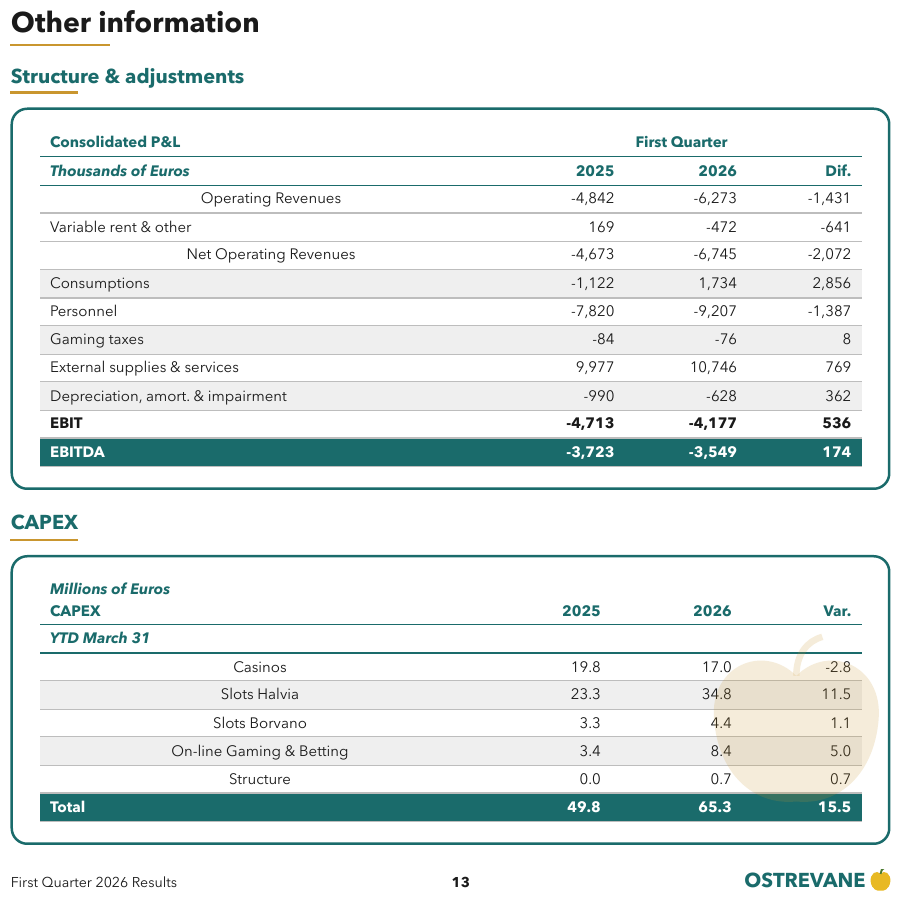
The wordmark OSTREVANE with a yellow apple symbol sits in the bottom-right corner of the footer
band, and a large faint version of the same apple sits behind the lower (CAPEX) table. The
background apple is a faint repeat of the mark and adds nothing to the table; the wordmark becomes
[logo: OSTREVANE] in the footer band. Expected boxes: the CAPEX table as one Table box; the footer band as page furniture,
with the wordmark inside it.
CAPEX
| Millions of Euros CAPEX | 2025 | 2026 | Var. |
|---|---|---|---|
| YTD March 31 | |||
| Casinos | 19.8 | 17.0 | -2.8 |
| Slots Halvia | 23.3 | 34.8 | 11.5 |
| Slots Borvano | 3.3 | 4.4 | 1.1 |
| On-line Gaming & Betting | 3.4 | 8.4 | 5.0 |
| Structure | 0.0 | 0.7 | 0.7 |
| Total | 49.8 | 65.3 | 15.5 |
First Quarter 2026 Results 13 [logo: OSTREVANE]
Markdown source
## CAPEX
<table>
<tr> <th><em>Millions of Euros</em><br/>CAPEX</th> <th>2025</th> <th>2026</th> <th>Var.</th> </tr>
<tr> <th><em>YTD March 31</em></th> <th></th> <th></th> <th></th> </tr>
<tr> <td>Casinos</td> <td>19.8</td> <td>17.0</td> <td>-2.8</td> </tr>
<tr> <td>Slots Halvia</td> <td>23.3</td> <td>34.8</td> <td>11.5</td> </tr>
<tr> <td>Slots Borvano</td> <td>3.3</td> <td>4.4</td> <td>1.1</td> </tr>
<tr> <td>On-line Gaming & Betting</td> <td>3.4</td> <td>8.4</td> <td>5.0</td> </tr>
<tr> <td>Structure</td> <td>0.0</td> <td>0.7</td> <td>0.7</td> </tr>
<tr> <th data-level="0"><strong>Total</strong></th> <td><strong>49.8</strong></td> <td><strong>65.3</strong></td> <td><strong>15.5</strong></td> </tr>
</table>
First Quarter 2026 Results 13 [logo: OSTREVANE]
✅ Sample — two stacked wordmarks on a slide
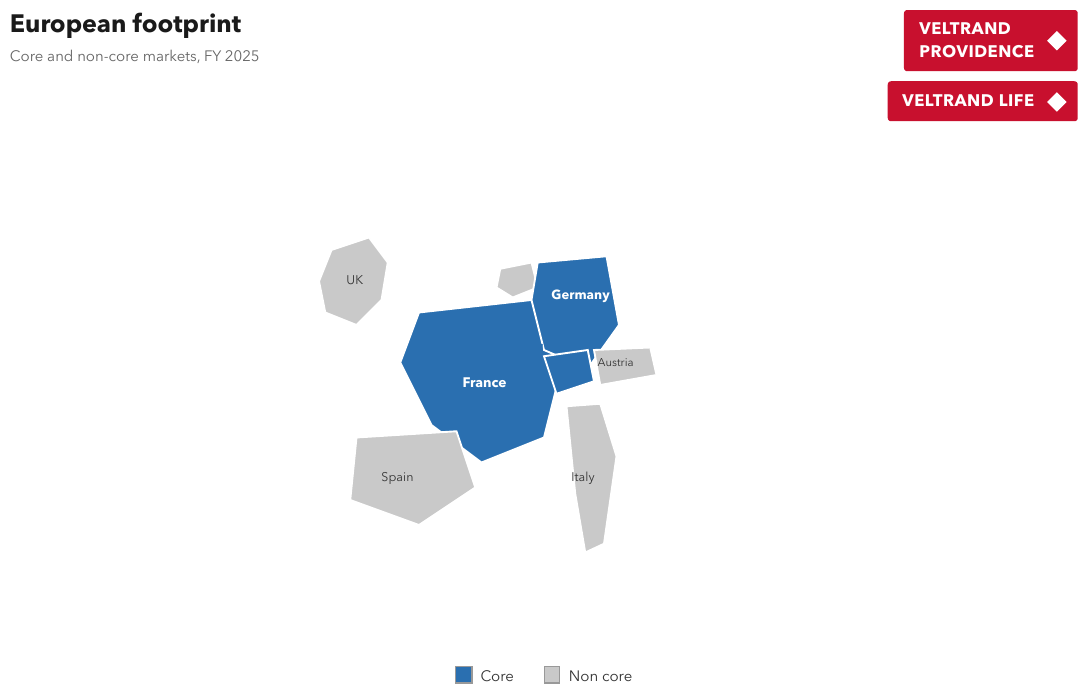
VELTRAND PROVIDENCE (set on two lines) and VELTRAND LIFE, each a red box with a white diamond
symbol, top-right. Each wordmark is one marker; the two-line one joins its lines with a space.
The slide's map is a real map with a two-entry legend — see Geographic Maps§12.2.4; it is elided
here. Expected boxes: one box per wordmark.
European footprint
Core and non-core markets, FY 2025
[logo: VELTRAND PROVIDENCE]
[logo: VELTRAND LIFE]
…
Markdown source
# European footprint
Core and non-core markets, FY 2025
[logo: VELTRAND PROVIDENCE]
[logo: VELTRAND LIFE]
<!-- … -->
Related
- Images§12.1.1 — the general rule this point extends
- Margin Banners§7.3.5 — brand text printed along the page edge
- Watermarks§7.3.13 — a faint background mark that carries words
- Output Options§3.5 — the option under which a logo may be referenced as a saved image
12.2 Diagrams
12.2.1 Blueprints
✅ Normative · 📄 page rule
✅ Normative
A floor plan or architectural drawing MUST use a faithful diagram/<language> encoding,
preferring diagram/tikz then diagram/svg. If no suitable language can represent it faithfully,
it MUST use a fenced description block. The output MUST preserve visible geometry, labels and
printed measurements without inferred relationships or computed values. It MUST NOT be a table.
Floor plans and architectural drawings.
How the element is recognised
A drawing whose content is spatial: walls, rooms, dimensions, door swings, labels placed where the thing they name sits. There are no rows and no columns — only positions.
Why a table is the wrong answer
A floor plan forced into a grid becomes a table of spatially adjacent labels that reads as data downstream. That is worse than a description, because it is confidently wrong: nothing in the output signals that the rows and columns were invented — the never invent failure. A floor plan MUST NOT be rendered as a table.
The same trap appears in Geographic Maps§12.2.4 (map coerced into a table) and Electrical Schematics§12.2.3 (circuit coerced into a graph): a spatial artefact flattened into a linear structure that cannot carry position.
Encode the spatial content
Language selection follows Diagrams and Flowcharts§12.2.2. The encoding MUST preserve visible walls, openings, door swings, relative positions, dimensions, labels, scale bars, legends and notes. Drawing coordinates MAY follow the visible geometry; they MUST NOT assert unprinted real-world measurements. Inconsistent printed dimensions MUST be copied without correction. A room graph that drops geometry is not a faithful encoding of a floor plan.
Description fallback
Only when no suitable language can faithfully encode the drawing, use a fenced description
block in this shape:
- What it is — one line describing the drawing.
- Areas and visible structure — one item per labelled area in reading order, its printed label and size verbatim, followed by visible walls, openings and spatial relationships.
- Dimensions and notes — every dimension line, scale bar, legend entry, north arrow label and note, verbatim.
Unshown adjacency, hidden openings, computed areas and corrected dimensions MUST NOT be added. A visible doorway or shared wall may be described as drawn; proximity alone does not establish a connection. The description MUST distinguish what is visible from what cannot be determined.
✅ Sample — a single-storey plan
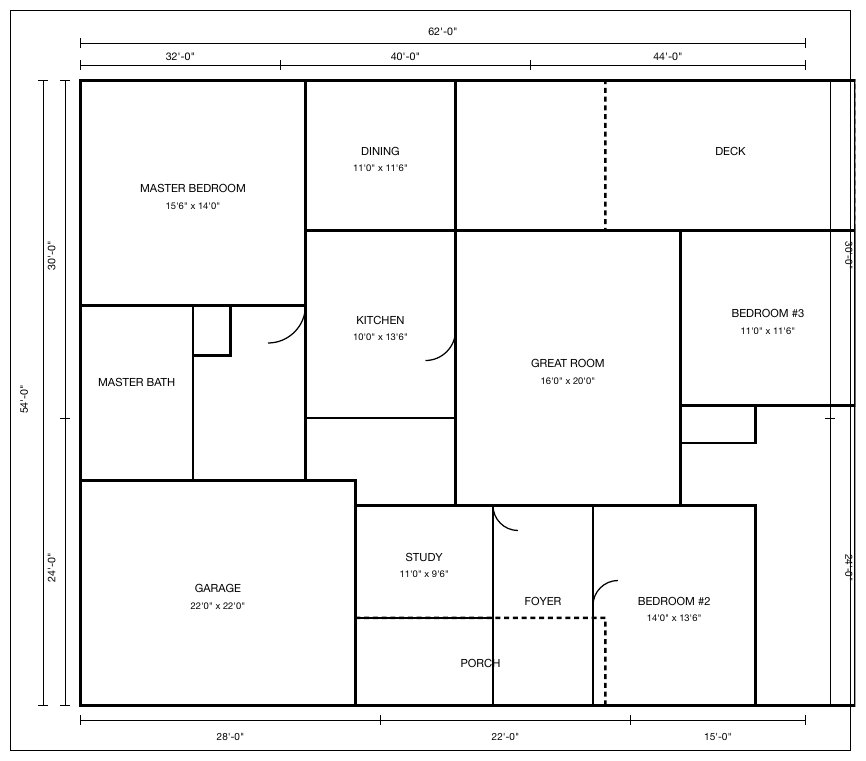
Twelve labelled areas, eight of them with a printed size, and dimension lines on all four sides. The
printed dimensions do not add up (32'-0", 40'-0" and 44'-0" under a 62'-0" span) and are
copied as printed.
Floor plan of a single-storey house.
- MASTER BEDROOM 15'6" x 14'0"
- DINING 11'0" x 11'6"
- DECK
- KITCHEN 10'0" x 13'6"
- GREAT ROOM 16'0" x 20'0"
- BEDROOM #3 11'0" x 11'6"
- MASTER BATH
- GARAGE 22'0" x 22'0"
- STUDY 11'0" x 9'6"
- FOYER
- BEDROOM #2 14'0" x 13'6"
- PORCH
Dimension lines: 62'-0" across the top, divided 32'-0", 40'-0", 44'-0"; 28'-0", 22'-0", 15'-0" along the bottom; 54'-0" down the left, divided 30'-0", 24'-0"; 30'-0" and 24'-0" on the right.
Markdown source
```description
Floor plan of a single-storey house.
- MASTER BEDROOM 15'6" x 14'0"
- DINING 11'0" x 11'6"
- DECK
- KITCHEN 10'0" x 13'6"
- GREAT ROOM 16'0" x 20'0"
- BEDROOM #3 11'0" x 11'6"
- MASTER BATH
- GARAGE 22'0" x 22'0"
- STUDY 11'0" x 9'6"
- FOYER
- BEDROOM #2 14'0" x 13'6"
- PORCH
Dimension lines: 62'-0" across the top, divided 32'-0", 40'-0", 44'-0"; 28'-0", 22'-0", 15'-0" along the bottom; 54'-0" down the left, divided 30'-0", 24'-0"; 30'-0" and 24'-0" on the right.
## Related
- [Geographic Maps](#s12-2-4)<span class="sec">§12.2.4</span> — the same trap of a spatial figure coerced into a table
- [Electrical Schematics](#s12-2-3)<span class="sec">§12.2.3</span> — a spatial figure coerced into a graph
- [Images](#s12-1-1)<span class="sec">§12.1.1</span> — the general rule for what an image becomes
12.2.2 Diagrams and Flowcharts
✅ Normative · 📄 page rule
✅ Normative
A diagram or blueprint MUST use a fenced diagram/<language> block when a suitable language
can faithfully represent its content. If no suitable language can do so, the output MUST use a
fenced description block. A diagram that is really tabular SHOULD be rendered as an HTML table.
A diagram MUST NOT be left out of the output.
Fence and language selection
The opening fence MUST identify the language actually used: diagram/mermaid, diagram/plantUml,
diagram/dot, diagram/tikz, diagram/svg, diagram/circuitikz, or another suitable
diagram/<language> tag. The suffix is case-sensitive; plantUml is the canonical PlantUML
spelling. diagram/<language> is a pattern, not a literal tag. Bare mermaid, plantuml,
diagram and diagram/text MUST NOT be used for diagram output.
The producer SHOULD use the following priority order, considering only languages that preserve all the figure's content. A higher-ranked language MUST NOT be used if doing so loses information. Different figures in one document MAY use different languages. An unlisted language MAY be used when it preserves content the listed choices cannot. The order is a protocol preference, not a claim that every language supports every figure in that row.
| Figure type | Preferred languages, in order | Content that decides suitability |
|---|---|---|
| Flowchart, process, organisation chart | Mermaid → PlantUML → Graphviz DOT → TikZ → SVG | Labels, branches, arrow directions, grouping |
| UML, sequence, class, state, ER diagram | PlantUML → Mermaid → Graphviz DOT → TikZ → SVG | Diagram-specific symbols, relations, multiplicity, message order |
| Functional block, system or network diagram | Mermaid → PlantUML → Graphviz DOT → TikZ → SVG | Blocks, ports, signal paths, nesting; positions when meaningful |
| Dense dependency graph or tree | Graphviz DOT → Mermaid → PlantUML → TikZ → SVG | Complete nodes, edges, directions and clusters |
| Blueprint, floor plan, geometric or spatial schematic | TikZ → SVG | Walls, openings, geometry, orientation, dimensions and label placement |
| Component-level electrical circuit | CircuiTikZ → TikZ circuit libraries → SVG | Component symbols, pins, junctions, wire crossings, topology and orientation |
Mermaid and PlantUML MAY represent a conceptual room-relationship diagram when its content is only nodes and connections. They MUST NOT replace a spatial floor plan with an automatically arranged graph that loses walls, openings, geometry or dimensions. A language being called “architecture” does not make it a floor-plan encoding.
The block body MUST be valid in its named language. Every printed label, connector, direction, meaningful grouping and spatial feature MUST be preserved, without adding inferred content. Internal identifiers and drawing coordinates are encoding, not additional printed measurements; coordinates MAY follow visible geometry but MUST NOT be presented as measured real-world values. Printed measurements MUST be copied verbatim even when inconsistent.
Description fallback
When no suitable language can faithfully encode the figure, the output MUST use a fence whose
entire tag is description, not diagram/description or diagram/text. The body follows the
fixed shape in Slide Diagrams§12.2.5, Blueprints§12.2.1 or Electrical Schematics§12.2.3: printed title if
present, what is visibly shown, labels and their visible features, then values and notes. It MUST
preserve all legible text and describe visible structure without guessing hidden connections,
measurements or domain meanings. Difficulty alone does not justify replacing an encodable diagram
with a description. The fallback examples below and in the specialised notes illustrate this
case; they do not require descriptions when a faithful encoding is available.
Charts, geographic maps, chemical formulae and music retain their specialised content rules.
```diagram/mermaid
flowchart TD
A[Application received] --> B{Complete?}
B -->|Yes| C[Underwriting]
B -->|No| D[Return to applicant]
```
Preserve spatial and domain meaning
Automatic graph layout is suitable when connections carry the meaning. Where positions, orientations or physical topology matter, the chosen language MUST preserve them. Floor plans follow Blueprints§12.2.1, circuits follow Electrical Schematics§12.2.3, maps follow Geographic Maps§12.2.4, and structural formulae follow Chemical Molecules§13.1. A successful render alone does not show that an encoding preserved the source.
Labelled conceptual diagrams
When no suitable language can faithfully encode a labelled conceptual figure, it is rendered as a fenced
description block that names each element and what is visibly drawn there, so a chunker keeps the labels together —
see Slide Diagrams§12.2.5:
```description
## Detector cross-section
- **Anode**: top grid
- **S2**: secondary scintillation, produced in the gas phase
- **e<sup>-</sup>**: electrons drifting upward through the liquid
```
Examples
✅ Sample — an organisation chart
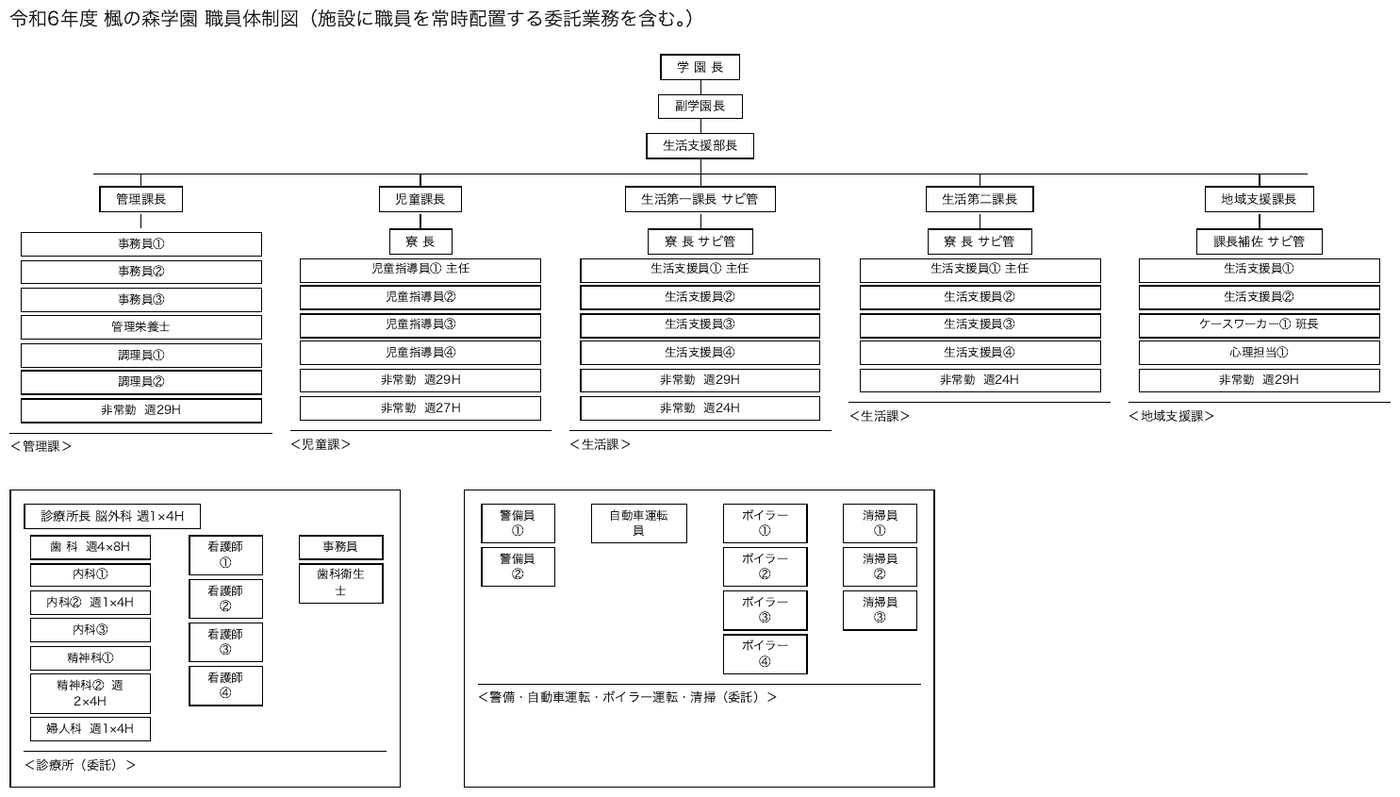
A staffing chart: boxed roles connected by rules into a strict hierarchy, five departments across the top and two separate contracted-services blocks below.
This is the case Mermaid is for. The content is entirely nodes and edges — who reports to whom — and none of the meaning lives in where a box sits on the page. Redrawn by a layout engine it would still say the same thing, which is exactly the test that a circuit or a floor plan fails.
Two things are easy to lose and MUST be carried across: the numbered suffixes distinguishing
repeated roles (事務員①, 事務員②), and the annotations inside or beside the boxes
(週29H, 週1×4H) — those are hours, not decoration, and they belong to the node they sit with.
Each bracketed department label (<管理課>) names the group above it and becomes a subgraph
title. Edges follow the printed rules: each department head connects by a rule to the stack of
roles beneath it. The two lower blocks print no connecting rules, so their roles are grouped
without edges. Expected boxes: the title line, and the chart as one Picture box.
令和6年度 楓の森学園 職員体制図(施設に職員を常時配置する委託業務を含む。)
flowchart TD
P1["学 園 長"] --> P2["副学園長"] --> P3["生活支援部長"]
subgraph G1 ["<管理課>"]
A0["管理課長"]
A1["事務員①"]
A2["事務員②"]
A3["事務員③"]
A4["管理栄養士"]
A5["調理員①"]
A6["調理員②"]
A7["非常勤 週29H"]
end
subgraph G2 ["<児童課>"]
B0["児童課長"]
B1["寮 長"]
B2["児童指導員① 主任"]
B3["児童指導員②"]
B4["児童指導員③"]
B5["児童指導員④"]
B6["非常勤 週29H"]
B7["非常勤 週27H"]
end
subgraph G3 ["<生活課>"]
C0["生活第一課長 サビ管"]
C1["寮 長 サビ管"]
C2["生活支援員① 主任"]
C3["生活支援員②"]
C4["生活支援員③"]
C5["生活支援員④"]
C6["非常勤 週29H"]
C7["非常勤 週24H"]
end
subgraph G4 ["<生活課>"]
D0["生活第二課長"]
D1["寮 長 サビ管"]
D2["生活支援員① 主任"]
D3["生活支援員②"]
D4["生活支援員③"]
D5["生活支援員④"]
D6["非常勤 週24H"]
end
subgraph G5 ["<地域支援課>"]
E0["地域支援課長"]
E1["課長補佐 サビ管"]
E2["生活支援員①"]
E3["生活支援員②"]
E4["ケースワーカー① 班長"]
E5["心理担当①"]
E6["非常勤 週29H"]
end
subgraph G6 ["<診療所(委託)>"]
F0["診療所長 脳外科 週1×4H"]
F1["歯 科 週4×8H"]
F2["内科①"]
F3["内科② 週1×4H"]
F4["内科③"]
F5["精神科①"]
F6["精神科② 週2×4H"]
F7["婦人科 週1×4H"]
F8["看護師①"]
F9["看護師②"]
F10["看護師③"]
F11["看護師④"]
F12["事務員"]
F13["歯科衛生士"]
end
subgraph G7 ["<警備・自動車運転・ボイラー運転・清掃(委託)>"]
H1["警備員①"]
H2["警備員②"]
H3["自動車運転員"]
H4["ボイラー①"]
H5["ボイラー②"]
H6["ボイラー③"]
H7["ボイラー④"]
H8["清掃員①"]
H9["清掃員②"]
H10["清掃員③"]
end
P3 --> A0 & B0 & C0 & D0 & E0
A0 --> A1 & A2 & A3 & A4 & A5 & A6 & A7
B0 --> B1 --> B2 & B3 & B4 & B5 & B6 & B7
C0 --> C1 --> C2 & C3 & C4 & C5 & C6 & C7
D0 --> D1 --> D2 & D3 & D4 & D5 & D6
E0 --> E1 --> E2 & E3 & E4 & E5 & E6
Markdown source
# 令和6年度 楓の森学園 職員体制図(施設に職員を常時配置する委託業務を含む。)
flowchart TD
P1["学 園 長"] --> P2["副学園長"] --> P3["生活支援部長"]
subgraph G1 ["<管理課>"]
A0["管理課長"]
A1["事務員①"]
A2["事務員②"]
A3["事務員③"]
A4["管理栄養士"]
A5["調理員①"]
A6["調理員②"]
A7["非常勤 週29H"]
end
subgraph G2 ["<児童課>"]
B0["児童課長"]
B1["寮 長"]
B2["児童指導員① 主任"]
B3["児童指導員②"]
B4["児童指導員③"]
B5["児童指導員④"]
B6["非常勤 週29H"]
B7["非常勤 週27H"]
end
subgraph G3 ["<生活課>"]
C0["生活第一課長 サビ管"]
C1["寮 長 サビ管"]
C2["生活支援員① 主任"]
C3["生活支援員②"]
C4["生活支援員③"]
C5["生活支援員④"]
C6["非常勤 週29H"]
C7["非常勤 週24H"]
end
subgraph G4 ["<生活課>"]
D0["生活第二課長"]
D1["寮 長 サビ管"]
D2["生活支援員① 主任"]
D3["生活支援員②"]
D4["生活支援員③"]
D5["生活支援員④"]
D6["非常勤 週24H"]
end
subgraph G5 ["<地域支援課>"]
E0["地域支援課長"]
E1["課長補佐 サビ管"]
E2["生活支援員①"]
E3["生活支援員②"]
E4["ケースワーカー① 班長"]
E5["心理担当①"]
E6["非常勤 週29H"]
end
subgraph G6 ["<診療所(委託)>"]
F0["診療所長 脳外科 週1×4H"]
F1["歯 科 週4×8H"]
F2["内科①"]
F3["内科② 週1×4H"]
F4["内科③"]
F5["精神科①"]
F6["精神科② 週2×4H"]
F7["婦人科 週1×4H"]
F8["看護師①"]
F9["看護師②"]
F10["看護師③"]
F11["看護師④"]
F12["事務員"]
F13["歯科衛生士"]
end
subgraph G7 ["<警備・自動車運転・ボイラー運転・清掃(委託)>"]
H1["警備員①"]
H2["警備員②"]
H3["自動車運転員"]
H4["ボイラー①"]
H5["ボイラー②"]
H6["ボイラー③"]
H7["ボイラー④"]
H8["清掃員①"]
H9["清掃員②"]
H10["清掃員③"]
end
P3 --> A0 & B0 & C0 & D0 & E0
A0 --> A1 & A2 & A3 & A4 & A5 & A6 & A7
B0 --> B1 --> B2 & B3 & B4 & B5 & B6 & B7
C0 --> C1 --> C2 & C3 & C4 & C5 & C6 & C7
D0 --> D1 --> D2 & D3 & D4 & D5 & D6
E0 --> E1 --> E2 & E3 & E4 & E5 & E6
```</code></pre></details></figure>
## Language references
The preference order above is a protocol choice informed by the documented language capabilities:
[Mermaid diagram types](https://mermaid.js.org/intro/syntax-reference.html),
[PlantUML diagram types](https://plantuml.com/),
[Graphviz DOT](https://graphviz.org/docs/layouts/dot/),
[TikZ coordinates](https://tikz.dev/tikz-coordinates),
[SVG](https://www.w3.org/TR/SVG2/Overview.html), and
[CircuiTikZ](https://circuitikz.github.io/circuitikz/).
## Related
- [Images and Figures](#s12-1-2)<span class="sec">§12.1.2</span> — how every other kind of figure is rendered
- [Slide Diagrams](#s12-2-5)<span class="sec">§12.2.5</span> — the `description` block for labelled figures that are not graphs
- [Electrical Schematics](#s12-2-3)<span class="sec">§12.2.3</span> — circuit encodings that preserve components and wiring
- [Blueprints](#s12-2-1)<span class="sec">§12.2.1</span> — spatial content with no graph in it
- [Geographic Maps](#s12-2-4)<span class="sec">§12.2.4</span> — geography that a layout engine would discard
12.2.3 Electrical Schematics
✅ Normative · 📄 page rule
✅ Normative
A component-level circuit schematic MUST use a faithful diagram/<language> encoding,
preferring diagram/circuitikz, then diagram/tikz, then diagram/svg. If no suitable language
can faithfully represent it, it MUST use a fenced description block. Every component symbol,
designator, value, pin, terminal, net label and visibly drawn connection MUST be preserved.
Circuit diagrams.
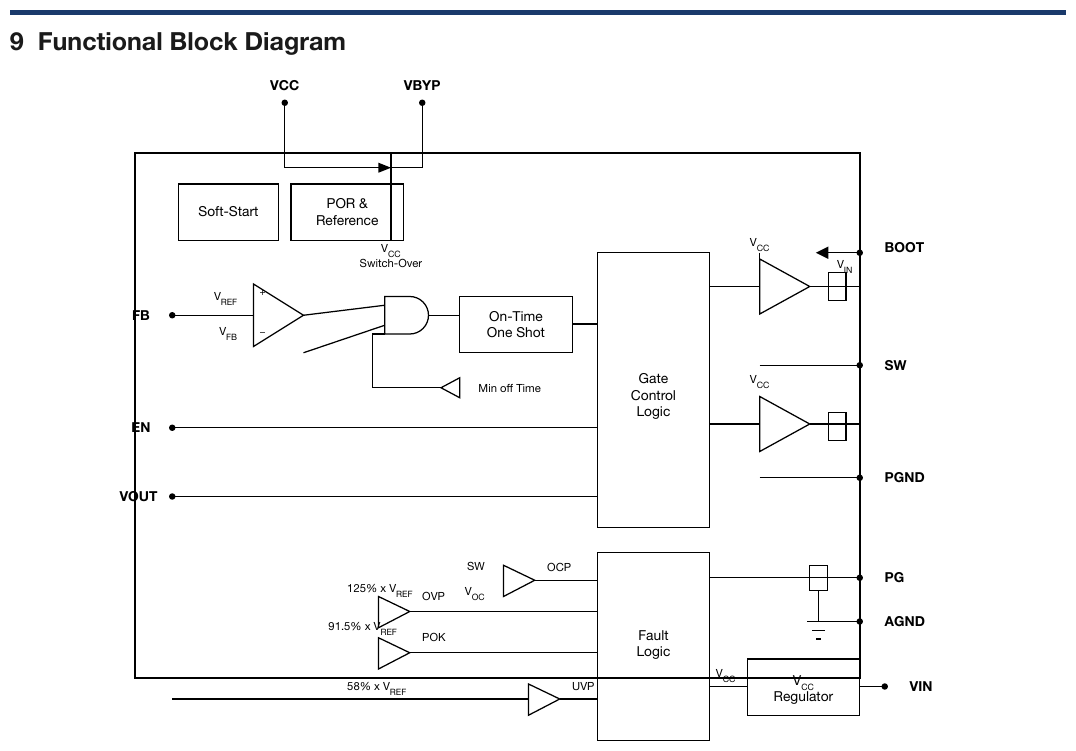
The figure above is an IC functional block diagram rather than a component-level circuit; it follows
Diagrams and Flowcharts§12.2.2, using diagram/plantUml, diagram/mermaid or another suitable language
that preserves the printed blocks and signal connections. The component-level requirements below
do not apply to a functional block diagram.
How the element is recognised
Component symbols joined by wires, usually with a reference designator and a value beside each one
(R1 1Ω, C3 10μF). The way the components are oriented, and whether they sit in series or in
parallel, is part of the content.
Preserve circuit meaning
The encoding MUST preserve component orientation, pins, junctions, crossings and series/parallel connections as drawn. An automatic graph layout that changes circuit meaning MUST NOT be used. Functional block diagrams use the block-diagram priorities in Diagrams and Flowcharts§12.2.2.
The fixed shape
When no suitable language can faithfully encode the circuit, the fallback uses a fenced
description block (see
Slide Diagrams§12.2.5).
- What it is — one line:
Buck regulator input stage. - Components — a list, one item per component in reading order (top to bottom, left to
right): designator then value, both exactly as printed (
R1 1Ω,C3 10μF). A component with no printed value is listed by its designator. - Pins, terminals and nets — every printed pin, terminal and net label, verbatim.
- Connections — describe wires and junctions visibly drawn between identified parts. A crossing MUST NOT be treated as a junction unless the drawing marks it as one. Hidden or ambiguous connections MUST NOT be guessed.
Every printed designator, value and label is printed content and MUST be transcribed (never drop). Values MUST NOT be computed, normalised or corrected.
Related
- Chemical Molecules§13.1 — the settled case of a domain notation preferred over a graph
- Diagrams and Flowcharts§12.2.2 — language priorities and the description fallback
- Blueprints§12.2.1 — another spatial drawing that a linear structure cannot carry
- Slide Diagrams§12.2.5 — labelled figures that are not circuits
12.2.4 Geographic Maps
✅ Normative · 📄 page rule
✅ Normative
How a map is rendered depends on what it is for. A data map whose values sit in drawn
regions MUST be rendered as a Region | Value table — the region names MAY be recognised from
the drawn outlines when the page does not print them, and the key column is then marked
data-recognised. A map of values placed only by position MUST be described, with its legend
transcribed, and no table. A map whose content is geography MUST be described. Every printed label
MUST be kept.
A map appearing as a figure — typically a choropleth, or a labelled regional map.
The test
What the figure is carrying decides the rendering:
| The map is… | Rendering |
|---|---|
A data display wearing a costume — a shaded rate map is a Region \| Value table drawn on an outline; the geography is decoration, the numbers are the content |
An HTML <table data-source="chart">, region in one column and value in another, with the legend's units kept in the caption |
| Data placed only by position — readings plotted at points, identified by nothing but where they sit | A description with the legend transcribed; no table |
| A real map — routes, adjacency, borders, position relative to other features; flattening it to a table destroys the only information it carried | A description, with every printed label, legend entry and scale transcribed |
| Both — shaded values and meaningful geography, or it cannot be told which | The description and the table: two encodings lose nothing, picking one loses half the figure |
The key column
A table needs a key. When the regions carry no printed names, the key MAY be supplied by
recognising the drawn regions — Italian regions from their outlines, US states from theirs — but
only when every value sits inside one drawn, bounded region and the region is unambiguous to a
reader of the page. A recognised key is not printed text, so the table MUST say so: the header cell
of the key column carries the attribute data-recognised, and a header the page does not print is
worded after the map's own caption or legend.
<tr> <th data-recognised>Regione</th> <th>Prevalenza (%) …</th> </tr>
Values positioned only by coordinates — a scatter of point readings with no names — have no region to recognise. They MUST NOT be tabulated by coordinate; the map is described and its legend transcribed.
Whatever the rendering, the printed text of a map — title, caption, legend, labels, scale — MUST be kept (never drop).
Examples
✅ Sample — a shaded rate map
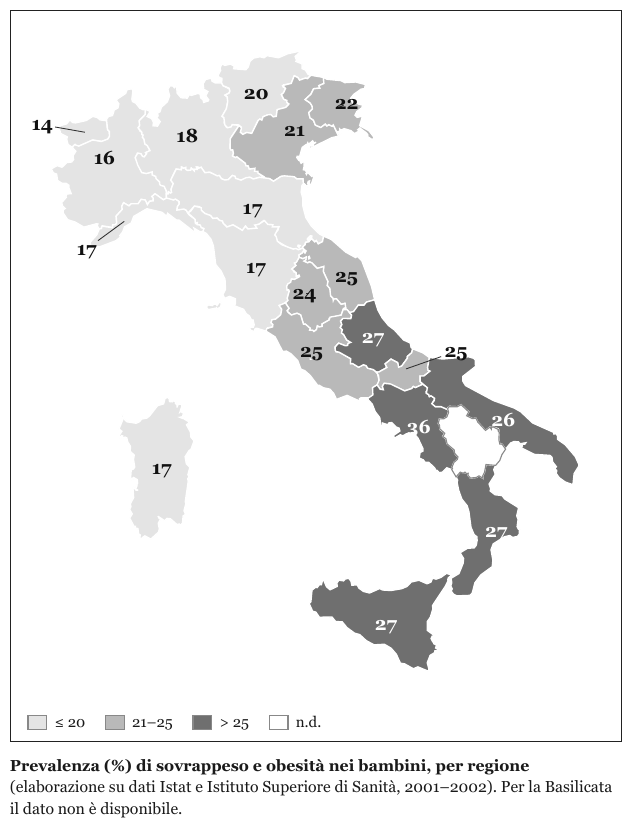
A regional map of Italy shaded in three bands, one value printed in each region, a four-entry
legend and a caption. The geography is decoration; the values are the content, so the map is a
table. The map prints only values: each region is recognised from its outline, so the key column is marked
data-recognised, and its header follows the caption's wording. Basilicata is printed white (n.d.) with no value, so it has no
row; the caption states the gap. The table as it renders:
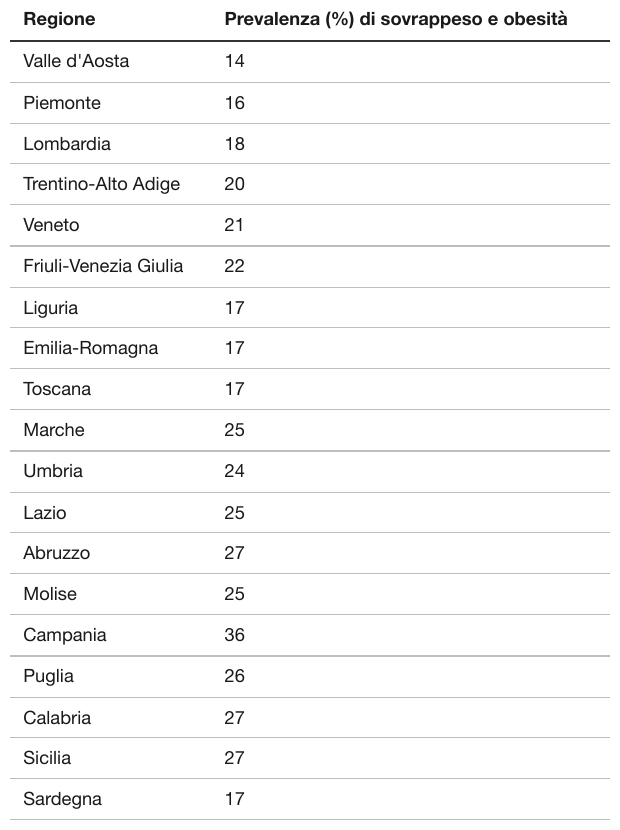
| Regione | Prevalenza (%) di sovrappeso e obesità |
|---|---|
| Valle d'Aosta | 14 |
| Piemonte | 16 |
| Lombardia | 18 |
| Trentino-Alto Adige | 20 |
| Veneto | 21 |
| Friuli-Venezia Giulia | 22 |
| Liguria | 17 |
| Emilia-Romagna | 17 |
| Toscana | 17 |
| Marche | 25 |
| Umbria | 24 |
| Lazio | 25 |
| Abruzzo | 27 |
| Molise | 25 |
| Campania | 36 |
| Puglia | 26 |
| Calabria | 27 |
| Sicilia | 27 |
| Sardegna | 17 |
Markdown source
<table data-source="chart">
<tr> <th data-recognised>Regione</th> <th>Prevalenza (%) di sovrappeso e obesità</th> </tr>
<tr> <td>Valle d'Aosta</td> <td>14</td> </tr>
<tr> <td>Piemonte</td> <td>16</td> </tr>
<tr> <td>Lombardia</td> <td>18</td> </tr>
<tr> <td>Trentino-Alto Adige</td> <td>20</td> </tr>
<tr> <td>Veneto</td> <td>21</td> </tr>
<tr> <td>Friuli-Venezia Giulia</td> <td>22</td> </tr>
<tr> <td>Liguria</td> <td>17</td> </tr>
<tr> <td>Emilia-Romagna</td> <td>17</td> </tr>
<tr> <td>Toscana</td> <td>17</td> </tr>
<tr> <td>Marche</td> <td>25</td> </tr>
<tr> <td>Umbria</td> <td>24</td> </tr>
<tr> <td>Lazio</td> <td>25</td> </tr>
<tr> <td>Abruzzo</td> <td>27</td> </tr>
<tr> <td>Molise</td> <td>25</td> </tr>
<tr> <td>Campania</td> <td>36</td> </tr>
<tr> <td>Puglia</td> <td>26</td> </tr>
<tr> <td>Calabria</td> <td>27</td> </tr>
<tr> <td>Sicilia</td> <td>27</td> </tr>
<tr> <td>Sardegna</td> <td>17</td> </tr>
<caption><strong>Prevalenza (%) di sovrappeso e obesità nei bambini, per regione</strong> (elaborazione su dati Istat e Istituto Superiore di Sanità, 2001–2002). Per la Basilicata il dato non è disponibile.</caption>
</table>✅ Sample — a map that is entirely data, with no printed key
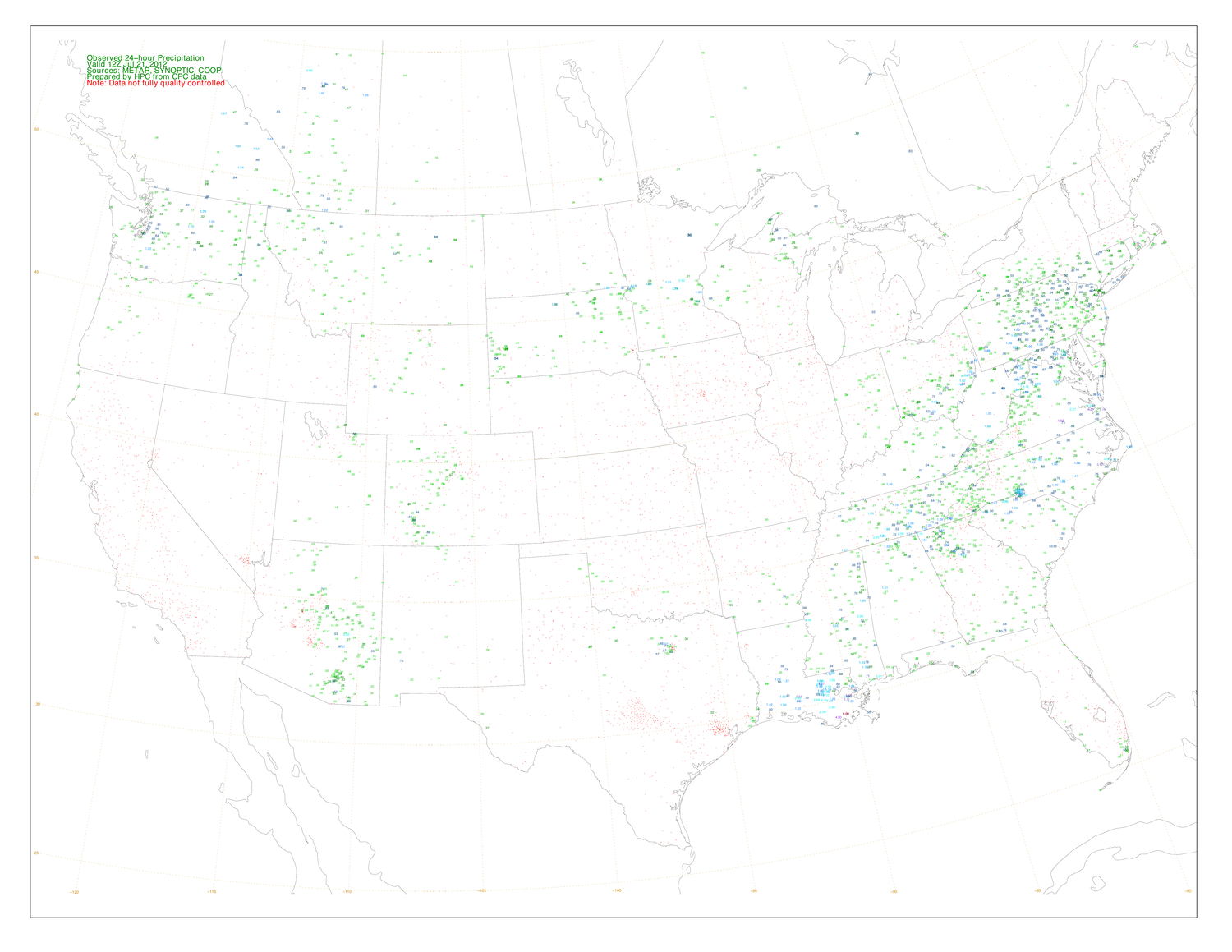
Source: U.S. National Weather Service, Hydrometeorological Prediction Center — Observed 24-Hour Precipitation map, 21 Jul 2012 (public domain)
An observed-precipitation map: state outlines, and on top of them a dense scatter of numeric readings, colour-coded by value.
Source: U.S. National Weather Service, Hydrometeorological Prediction Center — Observed 24-Hour Precipitation map (public domain)
This is a data display wearing a map, so the test says table. But it is also the case where that answer stops being practical: the readings are positioned by latitude and longitude with no station names printed, so there is no key column to put them in. The readings sit at points, not in drawn regions, so there is nothing to recognise as a key: the legend text is transcribed, the map is described, and no table is built.
The legend block in the top-left — title, valid time, sources and a red "Data not fully quality controlled" caveat — is printed text and MUST survive whatever is done with the plotted values. The red colour is emphasis, not a value, and is not carried. The plotted readings are too small to transcribe reliably at this resolution and are not listed.
Observed 24-hour Precipitation Valid 12Z Jul 21, 2012 Sources: METAR, SYNOPTIC, COOP Prepared by HPC from CPC data Note: Data not fully quality controlled
Map of the contiguous United States with state outlines and parts of neighbouring Canada and Mexico, overlaid with a dotted latitude–longitude grid labelled 50, 45, 40, 35, 30 and 25 along the left edge and -120, -115, -110, -105, -100, -95, -90, -85 and -80 along the bottom edge. Colour-coded numeric precipitation readings are plotted at point locations across the map; no station names are printed.
Markdown source
Observed 24-hour Precipitation
Valid 12Z Jul 21, 2012
Sources: METAR, SYNOPTIC, COOP
Prepared by HPC from CPC data
Note: Data not fully quality controlled
Map of the contiguous United States with state outlines and parts of neighbouring Canada and Mexico, overlaid with a dotted latitude–longitude grid labelled 50, 45, 40, 35, 30 and 25 along the left edge and -120, -115, -110, -105, -100, -95, -90, -85 and -80 along the bottom edge. Colour-coded numeric precipitation readings are plotted at point locations across the map; no station names are printed.
✅ Sample — a real map with a printed legend
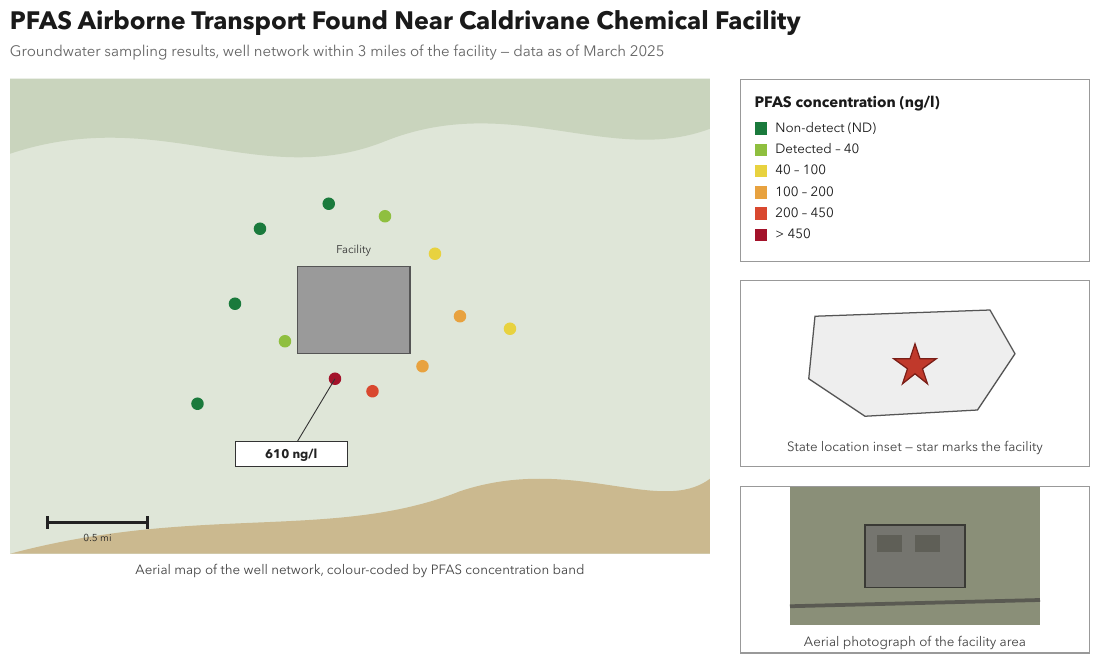
An aerial map of well locations, colour-coded by concentration band, with a six-entry legend, a
scale bar, a callout (610 ng/l), a state inset and a photograph. The positions are the content,
so the map is described as an image with every legend entry and label transcribed. Expected
boxes: the title, the subtitle, the map with its caption, the legend, the inset with its caption
and the photograph with its caption.
PFAS Airborne Transport Found Near Caldrivane Chemical Facility
Groundwater sampling results, well network within 3 miles of the facility — data as of March 2025
Aerial map of a well network around a grey building labelled "Facility". Twelve wells are plotted as coloured dots around the building: four in the Non-detect (ND) colour, two Detected – 40, two 40 – 100, two 100 – 200, one 200 – 450 and one > 450. A callout from the > 450 well, just below the building, reads 610 ng/l. A scale bar in the lower left is labelled 0.5 mi.
Aerial map of the well network, colour-coded by PFAS concentration band
PFAS concentration (ng/l) Non-detect (ND) Detected – 40 40 – 100 100 – 200 200 – 450 > 450
A state outline with a star marking the facility.
State location inset — star marks the facility
An aerial photograph of the facility area: a building with two dark rectangles on its roof, and a road crossing below it.
Aerial photograph of the facility area
Markdown source
# PFAS Airborne Transport Found Near Caldrivane Chemical Facility
Groundwater sampling results, well network within 3 miles of the facility — data as of March 2025
Aerial map of a well network around a grey building labelled "Facility". Twelve wells are plotted as coloured dots around the building: four in the Non-detect (ND) colour, two Detected – 40, two 40 – 100, two 100 – 200, one 200 – 450 and one > 450. A callout from the > 450 well, just below the building, reads 610 ng/l. A scale bar in the lower left is labelled 0.5 mi.
Aerial map of the well network, colour-coded by PFAS concentration band
PFAS concentration (ng/l)
Non-detect (ND)
Detected – 40
40 – 100
100 – 200
200 – 450
> 450
A state outline with a star marking the facility.
State location inset — star marks the facility
An aerial photograph of the facility area: a building with two dark rectangles on its roof, and a road crossing below it.
Aerial photograph of the facility area
Related
- Images§12.1.1 — the general rule for what an image becomes
- Blueprints§12.2.1 — the same "coerced into a table" trap
- Cover Every Data Point§11.1.1 — what a data display becomes when it is a chart
- Slide Diagrams§12.2.5 — labelled figures that are neither maps nor charts
12.2.5 Slide Diagrams
✅ Normative · 📄 page rule
✅ Normative
A labelled figure MUST use a suitable diagram/<language> encoding when one can preserve its
content faithfully, following the language priorities in Diagrams and Flowcharts§12.2.2. A labelled figure that no suitable diagram language can faithfully express MUST
be rendered as a fenced description block in the fixed shape: one line saying what the figure is,
then one bullet per printed label, verbatim, followed only by what is visibly drawn there, then
printed values and notes. The block MUST NOT explain what a label means.
A slide diagram or scientific figure is a picture whose meaning lives in its labels: names of parts, signal names, arrows showing direction. The labels are content and MUST NOT be lost. A plain prose description SHOULD be used only when the figure carries no labels at all.
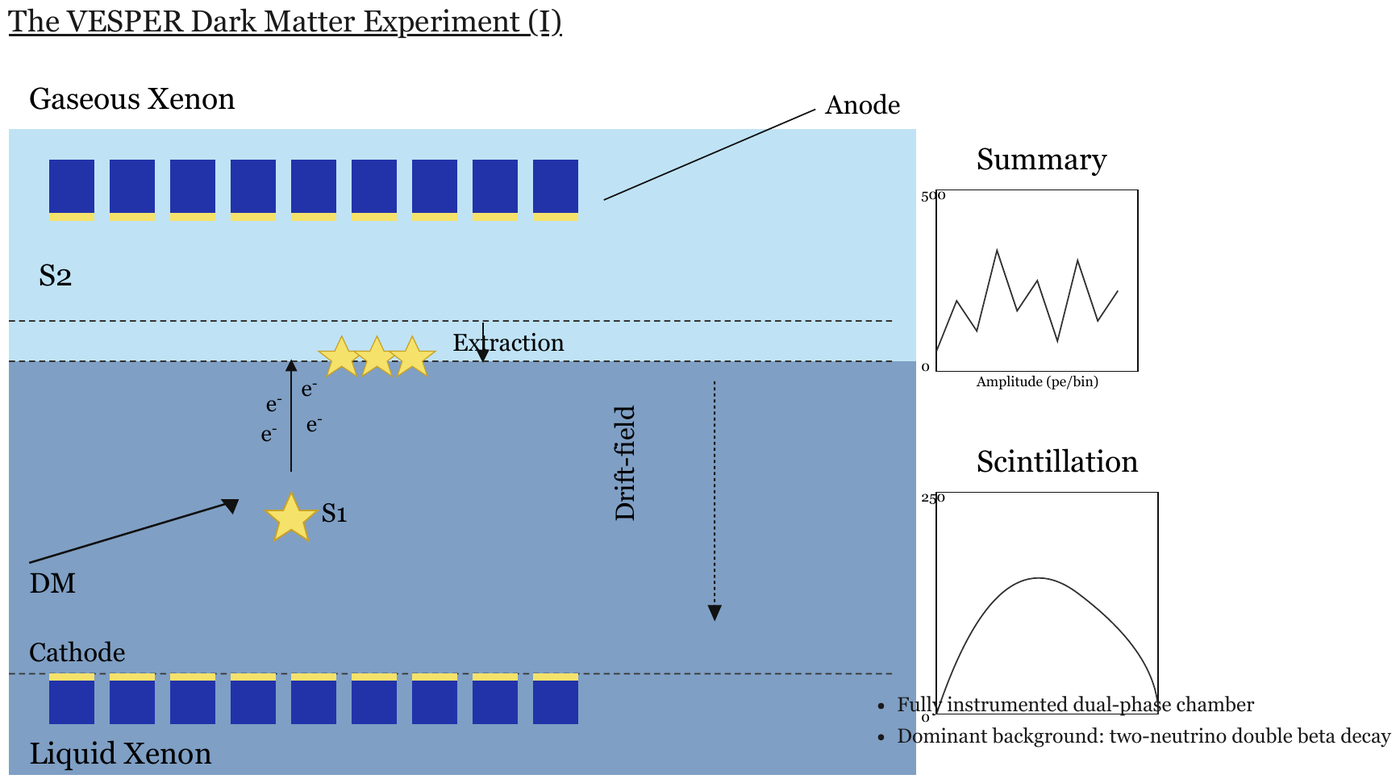
A slide: its title, a detector cross-section with labels, two small charts (Summary,
Scintillation) and two bullets. The cross-section is transcribed by the description block below;
the title, charts and bullets are separate elements.
Choose a language that fits the figure
Where the figure's content is labelled parts joined by drawn lines or arrows, it is a graph, and
Mermaid, PlantUML or another suitable language can carry it: preserve each labelled part, drawn connector, direction and meaningful position.
Where no suitable language preserves the content of a cross-section, apparatus or anatomy drawing,
use the description fallback block.
The description block
The block is a fenced code block tagged description, in the same fixed shape used for every described
figure (see Blueprints§12.2.1 and Electrical Schematics§12.2.3):
- The figure's printed title as a
##heading, if it prints one; then one line saying what the figure is, in plain visual terms. - One bullet per printed label, in reading order, the label in bold and verbatim, followed only by what is visibly drawn at it — "arrow pointing down", "row of squares at the top". A label printed several times is listed once with its count.
- Printed values, scales and notes, verbatim.
What a label means — "secondary scintillation signal produced in the gaseous phase" — is domain knowledge, not printed, and MUST NOT appear (never invent). Text around the figure — a slide title, bullets, small charts beside the drawing — is rendered as its own elements outside the block; a chart becomes a chart table.
```description
Cross-section of a two-layer detector.
- **Gaseous Xenon**: upper layer
- **Anode**: line to the row of squares at the top
- **S2**: in the upper layer
- **Extraction**: arrow pointing down at the boundary between the layers
- **e<sup>-</sup>** (four times): beside an arrow pointing up
- **Drift-field**: dotted arrow pointing down
- **S1**: beside a star
- **DM**: arrow pointing to the star
- **Cathode**: row of squares at the bottom
- **Liquid Xenon**: lower layer
```
Superscripts and subscripts inside the block stay inline as <sup> / <sub>, the same as anywhere
else — see Superscript and Subscript§7.2.11. Equations inside the block stay in $$ … $$ — see
Inline Equations§7.2.6.
Why the fenced block
The fence gives the region a boundary, so a chunker keeps the diagram's labels together rather than scattering them into surrounding prose — and a consumer that does not want diagrams can strip the block wholesale.
✅ Sample — an electrochemical cell with an equation in it
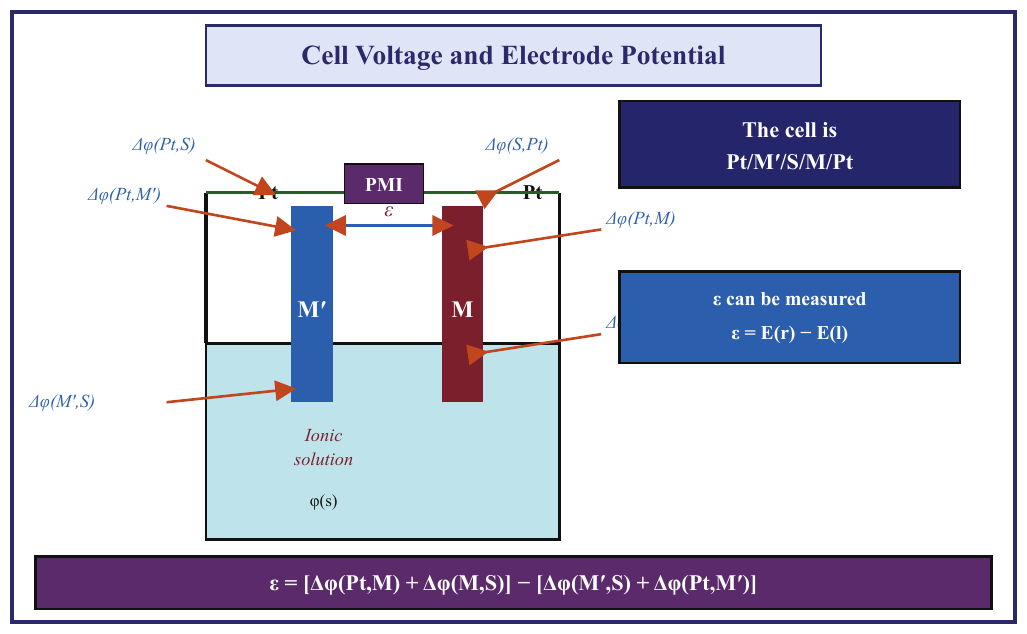
Two electrodes in a solution, Δφ(…) labels with arrows, boxed text (The cell is Pt/M′/S/M/Pt, ε can be measured) and a full equation along the bottom edge. Every string
belongs to the figure. Six arrows point at the electrodes, but only five Δφ(…) labels are
legible: the sixth, at the right, is hidden behind the ε can be measured box, and only its
leading Δ shows — so only the Δ is transcribed. Expected boxes: the whole framed figure as one
Picture box.
## Cell Voltage and Electrode Potential
The diagram shows an electrochemical cell: electrodes M′ and M stand in a vessel whose lower part holds an ionic solution, a wire joins their tops through a PMI box, and six arrows point at the electrodes and contacts.
- **Pt**: contact on the wire at the top of each electrode, left and right.
- **PMI**: box on the wire between the two electrodes.
- **ε**: double-headed arrow between the two electrodes, below the PMI.
- **M′**: left electrode.
- **M**: right electrode.
- **Ionic solution**: the liquid in the lower part of the vessel.
- **φ(s)**: printed in the solution.
- **Δφ(Pt,S)**: arrow to the left Pt contact.
- **Δφ(S,Pt)**: arrow to the right Pt contact.
- **Δφ(Pt,M′)**: arrow to the top of electrode M′.
- **Δφ(M′,S)**: arrow to electrode M′ in the solution.
- **Δφ(Pt,M)**: arrow to the top of electrode M.
- **Δ**: arrow to electrode M at the solution surface; the rest of the label is hidden behind the "ε can be measured" box.
- **The cell is Pt/M′/S/M/Pt**: boxed statement, top right.
- **ε can be measured**: boxed statement, right, followed by $$\varepsilon = E(r) - E(l)$$
- Equation along the bottom edge: $$\varepsilon = [\Delta\varphi(Pt,M) + \Delta\varphi(M,S)] - [\Delta\varphi(M',S) + \Delta\varphi(Pt,M')]$$
Markdown source
```description
## Cell Voltage and Electrode Potential
The diagram shows an electrochemical cell: electrodes M′ and M stand in a vessel whose lower part holds an ionic solution, a wire joins their tops through a PMI box, and six arrows point at the electrodes and contacts.
- **Pt**: contact on the wire at the top of each electrode, left and right.
- **PMI**: box on the wire between the two electrodes.
- **ε**: double-headed arrow between the two electrodes, below the PMI.
- **M′**: left electrode.
- **M**: right electrode.
- **Ionic solution**: the liquid in the lower part of the vessel.
- **φ(s)**: printed in the solution.
- **Δφ(Pt,S)**: arrow to the left Pt contact.
- **Δφ(S,Pt)**: arrow to the right Pt contact.
- **Δφ(Pt,M′)**: arrow to the top of electrode M′.
- **Δφ(M′,S)**: arrow to electrode M′ in the solution.
- **Δφ(Pt,M)**: arrow to the top of electrode M.
- **Δ**: arrow to electrode M at the solution surface; the rest of the label is hidden behind the "ε can be measured" box.
- **The cell is Pt/M′/S/M/Pt**: boxed statement, top right.
- **ε can be measured**: boxed statement, right, followed by $$\varepsilon = E(r) - E(l)$$
- Equation along the bottom edge: $$\varepsilon = [\Delta\varphi(Pt,M) + \Delta\varphi(M,S)] - [\Delta\varphi(M',S) + \Delta\varphi(Pt,M')]$$
```Related
- Images§12.1.1 — the general rule for what an image becomes
- Diagrams and Flowcharts§12.2.2 — language selection and fences for diagrams
- Electrical Schematics§12.2.3 — a labelled figure whose topology a label list cannot carry
- Clipped Text§7.3.1 — transcribing only the visible part of a string
§13 Other
13.1 Chemical Molecules
✅ Normative · 📄 page rule
✅ Normative
Linear formulae, ions and reactions MUST be written with \ce{...}, and drawn structures, rings
and branches with \chemfig{...}. Standalone chemical markup MUST be placed in a fenced latex
block. Legible structure MUST be preserved; an unreadable portion MUST be described rather than
guessed.
Structural formulae and reaction equations printed as figures.
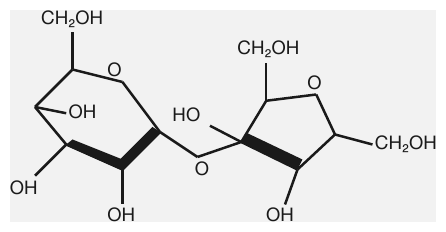
A structural formula printed as a figure — exactly the case a prose description cannot reconstruct.
Which markup
The markup follows what is printed:
| Printed | Markup | Examples |
|---|---|---|
| A formula, ion or reaction written on a line | mhchem — \ce{...} |
\ce{SO4^2-}, \ce{2H2 + O2 -> 2H2O} |
| A 2D molecular structure: rings, branches, drawn bonds | chemfig — \chemfig{...} |
a ring with its substituents |
Why a code representation rather than a description
A structural formula is exactly reconstructable — unlike a photograph, it has a canonical textual encoding that a chemist or a downstream tool can render back to the same picture. A prose description ("a benzene ring with a hydroxyl group") is lossy and unverifiable, and it silently discards stereochemistry, charges and substituent positions. A legible structure therefore MUST NOT be rendered as prose.
The same reasoning governs Electrical Schematics§12.2.3 and Blueprints§12.2.1: a domain-specific code block is preferred wherever a faithful one exists.
Placement and unreadable structures
- A formula standing on its own — a displayed structure or reaction — MUST be in a fenced
latexblock. - Every legible atom, bond, charge and substituent MUST be kept (never drop).
- Where part of a structure cannot be read, that part MUST be described in words, and the output MUST NOT fill it in with a plausible guess (never invent).
Related
- Electrical Schematics§12.2.3 — the same preference for a domain notation, still open for circuits
- Inline Equations§7.2.6 — the
$$delimiters used for mathematics - Music Notation§13.2 — the notation that would follow this pattern if settled
13.2 Music Notation
✅ Normative · 📄 page rule
✅ Normative
Every string printed on a music page MUST be transcribed as ordinary text. The staves themselves
MUST be described, not encoded: each staff region is a fenced description block in the shared fixed
shape, and no notes are read into note names, ABC, LilyPond or MusicXML.
A page of printed staves. The notes on the staff have no agreed textual form yet, but a music page is rarely only staves: it carries a great deal of ordinary printed text, and none of that may be lost while the staff question is open.
Requirements
- Every printed string MUST be transcribed. Titles, composer and arranger credits, instrument names, tempo and expression markings, dynamics, lyrics under the staff, bar numbers, rehearsal letters, chord symbols, footnotes and copyright lines are text and follow the ordinary text rules.
- Notes MUST NOT be encoded. Reading a staff into pitches is error-prone and cannot be checked by reading the page; a wrong transcription is worse than an honest description (never invent). No note names and no music notation (ABC, LilyPond, MusicXML) appear in the output.
- Each staff region MUST be described as a fenced
descriptionblock in the fixed shape shared by every described figure (see Slide Diagrams§12.2.5):- one line saying what it is — how many staves, for what instruments where printed, the clef, key and time signature as drawn, the number of bars;
- one bullet per text symbol printed on the staff — chord symbols, rehearsal letters, bar numbers, dynamics — verbatim, followed only by where it is drawn;
- lyrics printed under a staff are text and follow the block.
✅ Sample — a four-bar lead sheet
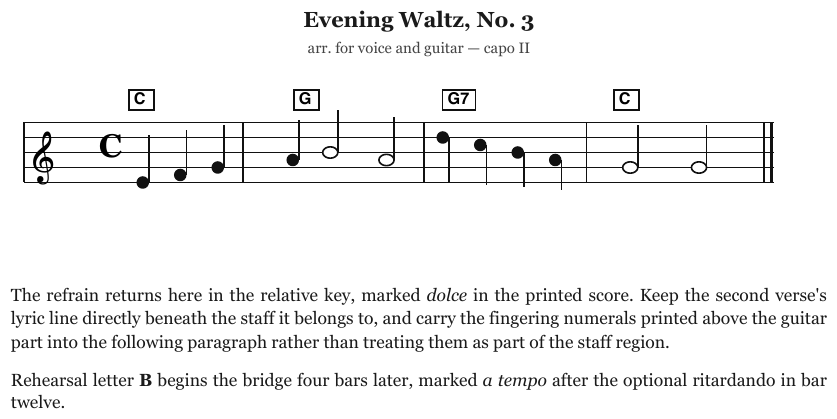
A title, an arrangement line, one treble-clef staff of four bars in common time with a boxed chord symbol over each bar, and two paragraphs of prose below. The staff is described; its four chord symbols are its labels; no notes are encoded.
Evening Waltz, No. 3
arr. for voice and guitar — capo II
One treble-clef staff of four bars, common time, ending with a final barline.
- **C**: boxed chord symbol above bar 1
- **G**: boxed chord symbol above bar 2
- **G7**: boxed chord symbol above bar 3
- **C**: boxed chord symbol above bar 4
The refrain returns here in the relative key, marked dolce in the printed score. Keep the second verse's lyric line directly beneath the staff it belongs to, and carry the fingering numerals printed above the guitar part into the following paragraph rather than treating them as part of the staff region.
Rehearsal letter B begins the bridge four bars later, marked a tempo after the optional ritardando in bar twelve.
Markdown source
## Evening Waltz, No. 3
arr. for voice and guitar — capo II
One treble-clef staff of four bars, common time, ending with a final barline.
- **C**: boxed chord symbol above bar 1
- **G**: boxed chord symbol above bar 2
- **G7**: boxed chord symbol above bar 3
- **C**: boxed chord symbol above bar 4
The refrain returns here in the relative key, marked dolce in the printed score. Keep the second verse's lyric line directly beneath the staff it belongs to, and carry the fingering numerals printed above the guitar part into the following paragraph rather than treating them as part of the staff region.
Rehearsal letter B begins the bridge four bars later, marked a tempo after the optional ritardando in bar twelve.
Related
- Images§12.1.1 — the general rule for what an image becomes
- Slide Diagrams§12.2.5 — the shared shape of every described figure
- Electrical Schematics§12.2.3 — another figure described rather than encoded
§A Equivalent forms
A.1 Accepted Alternatives
Situations where a page genuinely admits two renderings. Both conform. The middle column is the canonical form a producer SHOULD emit; the right column is also conforming, and a checker MUST treat the two as equal. Within one document, a producer MUST use one of them throughout — see Choices Made Once Per Document§4.2.
| Situation | Canonical rendering | Also conforming |
|---|---|---|
| Continuation blocks | separate tables, headers copied | stacked as a single table; the source-printed wide grid is also accepted when blocks share one enclosing frame |
| Blank space beside a header label | unmerged blank cells | rowspan/colspan onto the label |
| Empty region inside a body | either | leading empty <td>s ≡ one blank colspan/rowspan block |
| Purely blank spacer rows | the real ones rendered | presence ≡ absence |
| Currency glyph | one cell, $ 277.09 |
$-gutter colspan pair |
Marker gutters (i)/(ii) |
own column | merged "(i) text" cell |
| Section-divider rows | bold body row | <th> |
| Bullet list in a cell | <ul><li> |
<br/>• |
| Line break inside a label | <br/> if deliberate, flat if incidental |
either, when the page cannot settle it |
| Label and value in one cell | — | split across two existing columns |
| Totals block with no framing signal either way | — | footer rows ≡ its own key-value table |
Visually identical characters
These pairs never count as a difference in text:
- µ (U+00B5) ≡ μ (U+03BC)
- non-breaking hyphen (U+2011) ≡ hyphen-minus (U+002D)
- minus sign (U+2212) ≡ hyphen-minus (U+002D) — hyphen-minus is canonical
- figure and en dashes ≡ hyphen in numeric ranges
- non-breaking space ≡ space
The equivalence governs comparison only. A producer SHOULD transcribe the character the page prints and MUST NOT substitute a "cleaner" code point.
The costly one
Blank space beside a header label matters most, because the two renderings claim different things about the page. The canonical rendering is unmerged blank cells; a span SHOULD be extended only where the page shows a genuinely merged cell — see Barely-Existing Columns and Headers§9.3.1.
HTML table sections
thead, tbody and tfoot wrappers, or their absence, are equivalent. Rows MUST stay in printed
order and th/td MUST be decided per cell; a total MUST NOT move to fit a wrapper. See
Total and Subtotal Rows§9.5.6.
Related
- Conformance§1.2 — how equivalent forms are judged
- Choices Made Once Per Document§4.2 — one form per document
§C Producing ground truth
C.1 Producing Ground Truth
This appendix is for the people who produce ground truth: the reference output a parser is scored against. It is procedure, not protocol — it says how to arrive at a conforming output, and every step points at the rule it serves.
Ground truth for a page is a conforming output of it (see Conformance§1.2): its Markdown, and, where boxes are evaluated, its boxes at the evaluated granularity (see Boxes and Granularity§3.3). Chart pages additionally carry the rules of The Ground-Truth File§C.13.
Before you start
- Read The Page Is the Ground Truth§2.1 and Never Drop, Never Invent§2.2.
- Settle the document-level decisions once: Document Rules§4.1.
While you work
- When a page forces an ⚖️ choice for the first time, make it, record it with the page, and keep it for the rest of the document — see Choices Made Once Per Document§4.2.
- When a page meets a ❓ open point, follow the working default and record the page, so the case is easy to find when the point is settled.
Before you call a page done
Related
- About the Examples§C.2 — where the example pages come from and how their expected Markdown is derived
- Ambiguity List — the open points and their proposed resolutions
C.2 About the Examples
Every rule in the protocol carries worked examples — a page next to the rule it demonstrates, with the Expected Markdown for the region it shows. The expected Markdown is conforming output: it is what a producer should emit, and what ground truth is built from.
| Meaning | |
|---|---|
| ✅ Sample | The rule applies; the Expected Markdown shows what conforming output looks like. |
| ❌ Counter-sample | Either it looks like the rule and isn't — the contrast case — or a rendering of it got it wrong (shown as Non-conforming output). |
Why counter-samples matter as much as samples
Several rules here exist because two situations look identical on the page and resolve opposite ways. Side-by-side blocks that continue one series are a continuation; side-by-side blocks with their own titles and schemas are separate tables. A wrapped header label looks exactly like a two-row tier. You cannot teach either case with a sample alone — the pair is the lesson.
The most instructive examples are the ones that disagree
Many examples pair a page with an earlier rendering of it. That makes it possible to find pages where the two contradict each other, and those teach a rule far better than a clean case does:
| Example | What went wrong |
|---|---|
3samehead |
The page prints 32031.9%; the rendering records a plausible-looking 10.9% |
3cc |
The page prints 2.5; the rendering records 25 — a silently dropped decimal |
entwick |
The page prints blank cells; the rendering invents em-dash values for them |
3in1 |
The rendering fabricates a header tier that was never printed |
w |
A rowspan=2 header tier with an empty second row, where one line is printed |
wood |
Visually identical bands tagged as a header in one place and a body cell in another |
Each of these is a live illustration of the two failures the whole protocol is built around: never drop, and never invent.
What the examples do not cover
One situation has no worked example, because no example page exercises it yet — Handwriting and Stamps§9.6.5. That note keeps its schematic sketch until a real page turns up.
A few rules have exactly one example rather than several, for the same reason: only one page carries a struck-through value, only one carries a units row, only one shows a header and body disagreeing on column count.
Where the example pages come from
Every image in the protocol is either a synthetic page or a public-domain document.
- Synthetic pages re-create a situation first found on a real document, with fictional
companies, people and figures. Each is an HTML page under
tools/synthetic/pages/, rendered bytools/synthetic/render.py; the page is the source, so the Expected Markdown beside the image is correct by construction. Where an example demonstrates an annotation error, the page prints the true value and the extract keeps the documented mistake. - Public-domain documents are U.S. federal government works (statistical tables, statutes,
court opinions, agency guides, blank federal forms). They are reproduced as published; the
credit for each lives in
tools/provenance/manifest.json. - A few chart families — gantt, sankey, and a clean labeled scatter — carry constructed
examples, marked
Sample (constructed)and rendered bytools/constructed_charts/.
Each example names its page in backticks, like `3samehead`; that name is the page's stem.
tools/provenance/manifest.json records where every image comes from, and the public build
(tools/build_site.py --public) refuses to run while any embedded image lacks a cleared entry.
Chart values beyond those printed on the page were measured from the page's vector or pixel geometry (axis calibration by least squares over the axis-label positions, bars from fill rectangles, lines by vertex-snapping at the ticks) — they are not eyeballed.
Adding a new example is covered in SKILL.md — including the rule that you must look at the
rendered image before writing a caption about it.
Pages without a paired annotation
Images named bag-<slug>.png show a situation without a full expected annotation beside them;
their captions describe only what is printed and never what the annotation should be.
Related
- The Page Is the Ground Truth§2.1 · Document Representation Protocol · The annotation QA checklist§C.12
C.3 Ground Truth — Charts
How chart ground truth is produced against the chart chapter. The file format itself is in The Ground-Truth File§C.13; the checks before a chart is done are in The annotation QA checklist§C.12.
Encoding the chart table as rules
- Every cell of the chart table becomes one
chart_data_pointrule; every gantt span, sankey flow, whisker interval, box and map class becomes onechart_judge_pointrule — see The Ground-Truth File§C.13. → Cover Every Data Point§11.1.1 - A rule's
labelsare the smallest set of printed strings that locates one point: the category alone for a single series, category + series for two dimensions, a third label only when two are not unique. Too few labels match several points; extra labels only add ways to fail. Order insidelabelsdoes not matter. → Labels§11.1.2 - A printed title (or a distinctive fragment of it) joins the labels only to break a tie between
charts on one page that share a label set — the twin pies add
September 2025/Fiscal Year 2025, the two box plots addFigure 16/Figure 17. All rules of a page sit in one flat list; nothing marks which chart a rule belongs to. → Multiple Charts and Reference Ink§11.1.3 - Where long labels blur and a short identifier prints crisply beside them (Activity IDs in a schedule), the identifier is the label. A label that cannot be read at zoom is not a label. → Gantt and Sankey Charts§11.2.3
- Printed values keep their printed spelling;
normalize_numbersabsorbs formatting differences. Keep one number style per file. → Values and Tolerances§11.1.4 - Estimated values carry
relative_tolerancefrom the readability buckets and"tags": ["need_estimate"]; printed values carry no tolerance. → Values and Tolerances§11.1.4
Working a chart
- Census the points — positions × series, plus printed callouts, plus every panel — before judging any value. A skipped series, tail or panel is the most common coverage failure. → Cover Every Data Point§11.1.1
- Sweep for printed values first — on the marks, beside slices, in the legend, at line ends, in side text. A printed value missed becomes a wrong estimate. → Legend and Overlay Values§11.2.4
- Measure the estimates — chart values beyond those printed are measured from the page's vector or pixel geometry (axis calibration by least squares over the tick labels, bars from fill rectangles, lines by snapping vertices at the ticks), not eyeballed. Where the draft and the measurement disagree, the measurement wins; re-check the tolerance while there. → Values and Tolerances§11.1.4
- Flag the doubtful points rather than tightening them artificially: a 3-D bar whose reference
plane is ambiguous, a near-zero estimate needing a wide tolerance, a whisker whose ends cannot be
read (no judge rule), a comparator-only treemap tile (
<1%, no rule), a sankey that prints no values, a ribbon that cannot be traced, a map region between two swatches (no rule — pick another region). → Scatter and Error Bars§11.2.8 · Maps and Treemaps§11.2.7 · Gantt and Sankey Charts§11.2.3 - Gantt boundaries — record the last period a bar visibly fills and move on; the judge accepts one boundary off. → Gantt and Sankey Charts§11.2.3
- Hunt invented content — no rules for reference ink or event callouts, no invented label text, no computed values, no expanded abbreviations. → Multiple Charts and Reference Ink§11.1.3
Authority
- The PDF is the only source of truth. Parse results are reference material, never truth.
- A value is never adjusted to make a parser pass, and a correct rule is never deleted because a parse fails it — that failure is the benchmark doing its job. → Cover Every Data Point§11.1.1
- A chart where most points cannot be located or read fails as a test case and is deleted whole.
C.4 Ground Truth — Headings and Page Structure
What to do, when producing ground truth, in the cases the heading and page-structure rules leave to review. Each step serves the rule it links to; the rule decides the output.
| Situation | Step | Rule |
|---|---|---|
| A page has a multi-line block (masthead, address, banner) | Keep it as one block with plain newlines and flag the page, so it can be revisited when the open point closes | Line Breaks Inside a Block§6.2 |
| It is unclear which paragraph a marginal note annotates | Keep the note as its own block near its printed position and flag the page | Marginal Notes§6.4 |
| A numbered line reads plausibly both as a heading and as a list item | Apply the working default and flag the page | Numbered Section Headings§6.5 |
| A page is a table of contents or index | Choose the form the litmus test gives, record the choice for the document, and flag the page so both encodings stay visible | Table of Contents§6.10 |
| A page is a transcript with numbered Q/A lines | Apply the working default and flag the page | Transcript Pages§6.11 |
| Whether a page-top label is a running header depends on repetition on pages not in hand | Check the surrounding pages; if they are unavailable, keep the label where the page prints it and flag the page | Recognising Ambiguous Headings§6.7 · Recurring Page Furniture§4.6 |
| Only one page is available and a heading's absolute depth depends on pages not in hand | Keep the page's relative hierarchy and flag the page rather than guessing the level | Recognising Ambiguous Headings§6.7 · Heading Depth Across Pages§4.5 |
Related
- Producing Ground Truth§C.1 — the general procedure these steps belong to
- The annotation QA checklist§C.12 — the checks run before a page is called done
C.5 Ground Truth — Images, Diagrams and Other
Workflow for pages carrying figures: images, logos, diagrams, maps, schematics, floor plans, chemical structures and printed music. The rules themselves live in the protocol; this page only says what to do around them.
- Classify the figure before transcribing it. Decide what it really is — text, chart, graph, labelled schematic, photo — and pick the encoding from Images§12.1.1.
- Flag every page that falls under an open point, so the page can be revisited when the point
closes:
- a logo that carries no legible text — Logos§12.1.3;
- a floor plan or architectural drawing — Blueprints§12.2.1;
- a circuit schematic — Electrical Schematics§12.2.3;
- a map, and always a data map whose values have no printed key or one that needs both a description and a table — Geographic Maps§12.2.4;
- a labelled conceptual diagram — Slide Diagrams§12.2.5;
- a page of printed staves — Music Notation§13.2.
- Flag an unreadable part of a chemical structure alongside the words that describe it, so a reviewer can check the source rather than the guess — Chemical Molecules§13.1.
- Check an organisation chart's edges against the printed rules, one box at a time; do not add an edge the page does not draw — Diagrams and Flowcharts§12.2.2.
- Before publishing a figure page, compare every printed string on the figure with the output — labels, legend entries, scale bars, callouts, captions. A missing string is the most common defect on these pages.
C.6 Ground Truth — Inline Formatting
What to do, when producing ground truth, in the cases the inline-formatting rules leave to review. Each step serves the rule it links to; the rule decides the output.
| Situation | Step | Rule |
|---|---|---|
| A drop-cap initial is genuinely unreadable | Flag the page for review; do not guess the letter | Drop Caps§7.2.3 |
| A line-end hyphen cannot be classed as a break or part of the word | Keep the hyphen, join the parts, and flag the word | Line-End Hyphenation§7.2.7 |
| Link anchor text differs from its target, and the target looks like it carries real meaning | Keep the printed words and flag the page | Links§7.2.8 |
| An inset block is a real quotation and its quotation status looks load-bearing | Flatten it as usual and flag the page | Quote Blocks§7.2.9 |
| A page carries verse or other text whose line breaks are content | Apply the working default and flag the page, so it can be revisited when the open point closes | Verse and Hard Line Breaks§7.2.13 |
C.7 Ground Truth — Layout
How ground truth is produced for the document-level and layout rules. Each step names the rule it serves; the rule, not this note, says what the result must be.
Order of work for a document
- Open the file and settle the document type and the cover from several sheets, including the last → Document Type§4.4.
- Sweep a few pages for recurring margin bands and settle them for the whole file → Recurring Page Furniture§4.6.
- Annotate page by page. When a page forces an either-way choice for the first time, make it, flag that page with the rendering chosen, and hold it from then on → Choices Made Once Per Document§4.2.
- Before publishing, run the multi-page checks in The annotation QA checklist§C.12.
With only one page available, apply what the page supports and flag the page, so the document decision can be made once the rest of the file arrives → Document Rules§4.1.
Order of work for a page
- Confirm the page is clear, correctly cropped and correctly oriented → Ignoring and Rejecting§5.6.
- Review every existing box — boundary, class, rotation, reading order. Imported and generated boxes are proposals, not answers: verify each one, and delete duplicates and spurious ones → Block Annotation§5.1, Block Classes§5.3.
- Add every missing box → Block Annotation§5.1.
- Hide the boxes and sweep the full page for unannotated content. With the boxes visible the eye fills in what it expects to see; with them hidden, gaps and clipping become obvious.
- Recheck the reading-order sequence after every addition, deletion or exclusion: each shifts everything after it, and a gap or duplicate introduced late is easy to miss → Reading Order§5.9.
- Mark the block layer Checked, tick I swept the entire page, save the draft, then Validate page. Resolve every blocker and read every warning before publishing.
Page furniture in attribution references
In a markdown_attribution sidecar, every Page-header and Page-footer reference, folios included,
carries "optional": true. The bands are still annotated and their text still follows
Recurring Page Furniture§4.6 and Printed Page Numbers§6.6; the flag only says that a Markdown output
may leave furniture out (a consumer may drop the bands, see Markdown Rendering§3.2), so a band that
no Markdown element matches is not counted as missed. A band the output does write is scored like
any other block.
Decorative pictures in attribution references
In a markdown_attribution sidecar (scorer version 2), a Picture reference with no text carries
"decorative": true when the page prints nothing there that the Markdown must write: purely
decorative background art, shapes and ornaments that print no label or value (they MUST NOT be
described, see Slide Furniture§5.10), a faint background repeat of a mark, or a scan speck. A
decorative picture that no image element stands for is out of coverage; one the output does write
is paired and scored like any other picture. Logos (Logos§12.1.3), icons that carry a meaning or label a
field (Iconography and Symbols§7.3.4), photos and illustrations are content and never decorative.
Regions written as several blocks
When a region is naturally written as several Markdown blocks (a grid of fields, a form, a stacked
label/value list, a heading printed on two lines), annotate it in a markdown_attribution sidecar as
one parent reference with spans for the blocks. The existing span credit then scores an output
that writes the blocks; the scorer's many-to-one group match (version 2) is only a fallback for
outputs that split the region where the ground truth has no span.
When a class is unclear
Add a review note and request a second review; never pick a class merely to finish the page → Block Classes§5.3.
Excluding a region, rejecting a page
- Ignore this visible region takes a reason from the allowed list and a short review note → Ignoring and Rejecting§5.6.
- Page rejection takes an explanation, and the annotation lead is notified. A rejected page is never published.
- A page with no ink at all is neither: keep it, record that it is blank, and flag it.
Pages to flag for open points
Flag the page so the pair or the case can be found once the point is settled:
- a court caption block → Court Caption Blocks§5.4;
- pleading paper or a line-numbered manuscript; record once, out of the reading flow, that the page carries line numbers → Pleading Line Numbers§5.8.
C.8 Ground Truth — Lists and Forms
What to do, when producing ground truth, in the cases the list and form rules leave to review. Each step serves the rule it links to; the rule decides the output.
| Situation | Step | Rule |
|---|---|---|
| A form and a real ruled grid cannot be cleanly separated — they share rulings, or the fields sit inside the grid's own borders | Reject the page rather than guess a boundary between form and table | Forms and Key-Value Regions§10.1, Ignoring and Rejecting§5.6 |
A page prints buttons (Print, Save, Clear), an input placeholder, or a box reserved for a stamp or seal |
Apply the working default and record the page, so it can be revisited when the open point closes | Printed Buttons and Placeholders§10.4.6 |
| A checklist item prints its box before its id | Write the box first, per the working default, and record the page | Checklists§10.4.3 |
| A box's state cannot be read with confidence, even zoomed in | Enter [ ], as the rule requires; do not guess a tick from the text layer |
Checkboxes§10.4.2 |
C.9 Ground Truth — Marks on the Page
Steps for producing ground truth on pages that carry marks, stamps and symbols. Each step serves the rule it links to; the rule, not this list, says what the output is.
- Clipped text — flag a page whose text runs off the edge, and record the clipping in the page's review notes, never in the transcription. Serves Clipped Text§7.3.1.
- Unreadable handwriting — flag the page when part of a handwritten note cannot be read, so the left-out words are visible to review. Serves Handwritten Annotations§7.3.3.
- Obscured characters — flag a page where an overprint hides characters, noting which string lost them. Serves Overlapping Text§7.3.6.
- Seals with no legible text — flag the page whenever the bare
[seal]is used. Serves Seals and Round Stamps§7.3.9. - Codes that do not decode — still draw the code's own box, then flag the page. Serves QR Codes and Bar Codes§7.3.7.
- Open encodings — flag every page where a value-bearing icon, a meaningful text colour or a watermark was encoded, so the page can be revisited when the open point closes. Serves Iconography and Symbols§7.3.4, Text Colors§7.3.12 and Watermarks§7.3.13.
C.10 Ground Truth — Tables 1-3
What to do, when producing ground truth, in the cases the table rules on detection, boundaries and headers leave to review. Each step serves the rule it links to; the rule decides the output.
| Situation | Step | Rule |
|---|---|---|
| A page mixes form fields with a ruled grid | Render the grid as a table and the fields as key-value lines, then flag the page | Is This Even a Table§9.1.5 · Forms and Key-Value Regions§10.1 |
| A region is a form, a trailing total outside a frame, a data grid under a chart, or detached aligned cells | Decide it by that case's own rule, not by the relation test alone | Is This Even a Table§9.1.5 |
| A value in a whitespace-aligned block straddles two column tracks | Place it in the track its left edge is closest to and flag the page | Borderless Whitespace Tables§9.1.1 |
| A printed form grid has no values entered | Keep every empty row and flag the page, so a reviewer can see the grid was empty rather than missed | Empty Pre-Printed Grids§9.1.3 |
| A form prints dozens of identical empty rows | Transcribe them all rather than a few, and flag the page | Empty Pre-Printed Grids§9.1.3 |
| A header row cannot be joined to a body (gap, mismatched columns, something in between) | Write the header line as text and flag the page; when the gap makes the join doubtful, do not merge | Header-Only Tables§9.1.4 |
A fragment's title carries (cont'd), (continued) or similar |
Keep the marker and note in the review record that the fragment continues an earlier table | Continued in the Title§9.2.3 |
| A table continues across a page break | Keep each fragment on its own page as printed, and set the continuation flags on both fragments after looking at both pages | Cross-Page Tables§4.3 |
| Column headers are printed again at the foot of a page's block | Keep the repeat as a row and flag the page | Cross-Page Tables§4.3 |
| A paragraph, caption or heading sits between two fragments sharing one header | Merge while the second fragment depends on the header; flag the page when the material in the gap could read as a new section | Split Tables Sharing a Header§9.2.9 |
| A row-label column is printed once beside several value blocks | Place the blocks as further columns of the labelled table and flag the page so the choice is visible | Split Tables Sharing a Header§9.2.9 |
| Stacked header lines could be a wrap or a tier | Run the rule / self-standing-leaves / span test deliberately, not by eye | Header Wrap vs Real Tier§9.3.2 |
| A header stack is finished | Count the leaf tracks and check that every header row adds up to that count before moving on | Multi-Row Header Tiers§9.3.3 |
| A units line could go either way | Take the second header row and keep that choice for the whole document | Units Row§9.3.5 · Choices Made Once Per Document§4.2 |
| A table may be printed twice | Decide from the rendered page image, not the text layer | Duplicated Tables§9.2.4 |
Related
- Producing Ground Truth§C.1 — the general procedure these steps belong to
- The annotation QA checklist§C.12 — the checks run before a page is called done
- Ground Truth — Tables 4-8§C.11 — the same steps for the rest of the tables chapter
C.11 Ground Truth — Tables 4-8
Working steps for annotators producing ground truth for tables: columns, rows and cells, cell values, titles and edges, and special table types. Each step serves the rule it links to; the rule decides what the output is.
Structure before styling
- Read the table's structure first — rows, columns, header tiers — ignoring weight and slant. Then go cell by cell and mark bold, italic and underline only where the glyphs show it. → Bold and Italic Inside Tables§9.6.2
- Read each row's level from where its label starts in the stub, never from the numbers. → Row-Label Hierarchy§9.5.5
- Where a total's printed indent contradicts the grouping it sums, keep the printed level and add a review note describing the conflict. → Total and Subtotal Rows§9.5.6
Evidence, not eyeballing
- For a column of identical values, extract the word boxes and read their coordinates: one
occurrence means a
rowspan, distinct positions mean separate cells. → Repeated Identical Values§9.5.4 - Settle a disputed digit from a zoomed crop or the word coordinates, never from the text layer. → Cell Text Fidelity§9.6.3
- Decide from the image which glyphs are printed and which are handwritten or stamped. → Handwriting and Stamps§9.6.5
- After finding one struck-through cell, re-check the whole column at zoom. Flagging a redline table is done in addition to that check, never instead of it. → Struck and Replaced Values§9.6.7
Flag for review
- Flag any page where a header/body column-count mismatch was repaired by padding with empty cells. → Header Body Column Count Mismatch§9.4.2
- Flag pages whose icon vocabulary needed a judgement call. → Marks and Symbols in Cells§9.6.6
- Where a table's frame is ambiguous (what belongs at its bottom edge), flag the page and record the encoding chosen for the document. → Bottom Edge Totals and Islands§9.7.1
- Record once per document whether section-divider bands are bold
<td>or<th>, and apply it on every page. → Titles Banners Captions§9.7.3 - Place a footnote by its marker, not by where the frame happens to be drawn. → Footnotes Inside the Frame§9.7.2
Older annotations
- A
$kept in its own column track as a spanned pair in an existing annotation is not wrong and need not be redone; new work puts the symbol in the value's cell. → Gutter Columns§9.4.1
Related
- About the Examples§C.2 — how the worked examples in these rules were produced
- The annotation QA checklist§C.12 — the checks run before a page is published
C.12 The annotation QA checklist
Procedure
Work a table in this order, and run the same eight checks again before you call the page done.
1. Frame test first
Decide what belongs to the table by border and fill, then deal with the bands. → Titles Banners Captions§9.7.3
2. Count N from the leaf tracks
Take a body row and count the leaf columns — that is N. Then verify every header row's colspans sum to N, and that no group colspan covers the stub. → Multi-Row Header Tiers§9.3.3
3. Prove every rowspan
A repeated value printed once is a rowspan. Printed k times at distinct y-coordinates, it is k separate cells. When you cannot tell by eye, extract the word boxes. → Repeated Identical Values§9.5.4
4. Walk parallel blocks independently
Where the page repeats a structure — one block per year, one per topic — check each block has all of its sub-sections. It is easy to complete the first block carefully and skim the rest.
5. End-of-table check
The bottom edge is where content is most often lost. Check for:
- the last printed row
- trailing summary lines → Bottom Edge Totals and Islands§9.7.1
- detached islands → Bottom Edge Totals and Islands§9.7.1
- sparse trailing columns → Barely-Existing Columns and Headers§9.3.1
6. Record equivalences — don't resolve them silently
When a page genuinely admits two encodings, write the canonical form and record that the other reading is also defensible. → Accepted Alternatives§A.1
7. Keep claim types separate
Never blend these into one verdict. Say which one you mean:
what you can see on the page · what an existing annotation says · a choice you made between two defensible encodings · a settled convention · an open question
This is what stops you writing "the annotation is wrong" when what you actually observed is "the annotation differs from what I would have written".
8. Escalate conflicts
Do not silently choose among open options.
Where two conventions are both live, record both and flag the page. A silent pick becomes precedent.
The completion record
Before you call a page done, you should be able to answer:
- Which image and which crop did you inspect?
- Which case does this fall under?
- What is directly visible on the page?
- What is an encoding choice you made?
- What settled convention, if any, makes that choice the canonical one?
One page can carry several independent issues — a phantom header row, a repeated value wrongly spanned, and an out-of-frame title can all sit in a single crop. Record them separately rather than giving the page one verdict.
Working a chart
Seven checks, in order, before a chart's rules are done:
1. Census the points
Count positions × series — plus printed callouts, plus every panel — before judging any
value: that is the rule count full coverage owes. A skipped series, tail, or panel is the
number-one coverage failure. On the judge families the census includes the judged facts —
every whisker span, box, gantt mark, and unambiguous choropleth region owes its
chart_judge_point (The Ground-Truth File§C.13).
→ Cover Every Data Point§11.1.1 · Multiple Charts and Reference Ink§11.1.3
2. Check every label
Printed text only, copied whole, the minimal set that uniquely locates the point; unlabeled positions by their axis value; a title fragment only to break a tie between charts. No colors, no chart-type words, no appended units, no merged dimensions. → Labels§11.1.2
3. Sweep for printed values first
On the marks, beside slices, in the legend, at line ends, in the side text — before estimating anything. A printed value you missed becomes a wrong estimate; every printed value is exact and tolerance-free. → Values and Tolerances§11.1.4 · Legend and Overlay Values§11.2.4
4. Verify the estimated values
Visual center, read against the mark's own axis (watch second axes and log bands), stacks and steps as their own spans, tolerance from the readability buckets. → Values and Tolerances§11.1.4 · Dual-Axis and Combo Charts§11.2.2 · Stacked Bars and Waterfalls§11.2.9 · Log Scale Charts§11.2.6
5. Audit the zeros and the gaps
A baseline mark or an empty labeled position is 0; a point no label set can locate, or a
whisker end, carries no rule — deliberately, not by omission.
→ Values and Tolerances§11.1.4 · Scatter and Error Bars§11.2.8
6. Hunt invented content
No rules for reference ink or event callouts, no invented label text, no computed values, no expanded abbreviations, no tolerance on printed values. → Multiple Charts and Reference Ink§11.1.3 · Labels§11.1.2
7. Check the file
The envelope (expected_markdown null, test_rules, doc tags), one flat rule list,
need_estimate tags on estimates, tool-managed fields untouched, ids appearing on save —
not from you.
→ The Ground-Truth File§C.13
Before publishing a multi-page document
Checks that only fail when you look across pages, not at one — see Document Rules§4.1:
- [ ] The document type and its cover were decided once, and every page follows them
- [ ] Every recurring margin band is filed the same way on every page it appears on
- [ ] No heading repeats on more than half the pages — one that does is furniture filed as structure
- [ ] No page after the first opens at a top-level heading unless that page actually prints one
- [ ] Every ⚖️ choice is encoded the same way on every page, and the page that made it is flagged
- [ ] Every table that runs across a page break is one fragment per page, none is joined, and both fragments carry matching continuation flags
Before publishing a Block layout
A page-level layout pass has its own gate. Every line must be true:
- [ ] Every meaningful visible region has one correct Block and class, or is explicitly ignored with a valid reason
- [ ] Each Block's layout class matches the corresponding Markdown element's class in Elements§3.1; any disagreement was resolved against the printed page
- [ ] Table and chart captions use
<caption>inside their table HTML, first if read before the object and last if read after it; each retains its Caption class and its own box - [ ] Separate paragraphs, columns, list items, captions and notes are not merged together
- [ ] Table and Picture boundaries contain the complete object without absorbing captions or nearby prose
- [ ] Reading order is complete, contiguous and correct — starts at 0, no gaps, no duplicates
- [ ] Imported and generated Block suggestions were reviewed individually
- [ ] Hide boxes was used to sweep for gaps, clipping, duplicates and wrong classes
- [ ] The Block annotation is marked Checked
- [ ] I swept the entire page is ticked
- [ ] Validate page reports no blockers, and every warning was read
- [ ] The draft is saved before Publish page
The hide-boxes sweep is the step that finds real errors. With the boxes drawn, the eye fills in what it expects; with them hidden, a missed paragraph is obvious.
→ Block Annotation§5.1 · Block Classes§5.3 · Block Boundaries§5.2 · Reading Order§5.9
Related
C.13 The Ground-Truth File
Procedure
The deliverable for a chart page is its {name}.test.json: chart_data_point rules, one
per data point, covering every data point in the chart
(Cover Every Data Point§11.1.1) — plus a chart_judge_point rule for each fact no printed
text locates or no single table shape carries: whisker spans, choropleth classes, gantt
spans, sankey flows.
The files on disk
| File | What it is |
|---|---|
{name}.pdf |
the single page holding the chart — the only source of truth |
{name}.test.json |
the ground truth — the file you deliver |
{name}_llama_agentic.md |
a reference parse, roughly 70–80% right — reference only, never authority |
The JSON envelope has three keys: expected_markdown (stays null), test_rules, and
tags. The top-level tags carry document provenance from the fixed sector vocabulary
(domain:government, domain:energy, …); the loader copies them onto every rule.
The rule
One rule = one data point:
{
"type": "chart_data_point",
"labels": ["Very high DSI", "2014"],
"value": "25 (13.0%)",
"max_diffs": 0,
"normalize_numbers": true,
"verified": true,
"id": "4d47b974398b0306"
}
You author three things: labels (the printed text that locates the point —
Labels§11.1.2), value (printed or estimated — Values and Tolerances§11.1.4), and
relative_tolerance on estimated values only. The other fields (type, max_diffs,
normalize_numbers, verified) are handled by the annotation tool, and id is stamped on
save — never authored. Estimated rules also carry "tags": ["need_estimate"].
The judge rule
A few chart families carry facts no printed text locates — an error bar's whisker span, a choropleth's region-to-class pairing, a gantt bar's span on the time axis. Those get a second rule shape, scored by an LLM judge that accepts any output faithfully conveying the fact:
{
"type": "chart_judge_point",
"chart_type": "map_class",
"labels": ["CO"],
"expected": {"region": "CO", "class": "20%-<25%"},
"verified": true
}
You author chart_type (error_bar, box_plot, map_class, gantt_span, or
sankey_flow), the same labels, the family's expected payload, and a tolerance on
estimated payloads. Where each applies, with worked pages: Scatter and Error Bars§11.2.8
(whiskers and box plots), Gantt and Sankey Charts§11.2.3 (task spans in one gantt_span shape, ribbon flows in one
sankey_flow shape),
Maps and Treemaps§11.2.7 (choropleth classes).
Everything printed or axis-readable stays a chart_data_point.
The complete file
The file for the page in Cover Every Data Point§11.1.1: 6 years × 4 series, every value printed — 24 exact rules:
{
"expected_markdown": null,
"test_rules": [
{"type": "chart_data_point", "labels": ["Low DSI", "2014"], "value": "32 (16.6%)", "max_diffs": 0, "normalize_numbers": true, "verified": true},
{"type": "chart_data_point", "labels": ["Middle DSI", "2014"], "value": "74 (38.3%)", "max_diffs": 0, "normalize_numbers": true, "verified": true},
{"type": "chart_data_point", "labels": ["High DSI", "2014"], "value": "62 (32.1%)", "max_diffs": 0, "normalize_numbers": true, "verified": true},
{"type": "chart_data_point", "labels": ["Very high DSI", "2014"], "value": "25 (13.0%)", "max_diffs": 0, "normalize_numbers": true, "verified": true},
{"type": "chart_data_point", "labels": ["Low DSI", "2016"], "value": "32 (16.6%)", "max_diffs": 0, "normalize_numbers": true, "verified": true},
{"type": "chart_data_point", "labels": ["Middle DSI", "2016"], "value": "57 (29.5%)", "max_diffs": 0, "normalize_numbers": true, "verified": true},
{"type": "chart_data_point", "labels": ["High DSI", "2016"], "value": "75 (38.9%)", "max_diffs": 0, "normalize_numbers": true, "verified": true},
{"type": "chart_data_point", "labels": ["Very high DSI", "2016"], "value": "29 (15.0%)", "max_diffs": 0, "normalize_numbers": true, "verified": true},
{"type": "chart_data_point", "labels": ["Low DSI", "2018"], "value": "15 (7.8%)", "max_diffs": 0, "normalize_numbers": true, "verified": true},
{"type": "chart_data_point", "labels": ["Middle DSI", "2018"], "value": "65 (33.7%)", "max_diffs": 0, "normalize_numbers": true, "verified": true},
{"type": "chart_data_point", "labels": ["High DSI", "2018"], "value": "73 (37.8%)", "max_diffs": 0, "normalize_numbers": true, "verified": true},
{"type": "chart_data_point", "labels": ["Very high DSI", "2018"], "value": "40 (20.7%)", "max_diffs": 0, "normalize_numbers": true, "verified": true},
{"type": "chart_data_point", "labels": ["Low DSI", "2020"], "value": "8 (4.1%)", "max_diffs": 0, "normalize_numbers": true, "verified": true},
{"type": "chart_data_point", "labels": ["Middle DSI", "2020"], "value": "59 (30.6%)", "max_diffs": 0, "normalize_numbers": true, "verified": true},
{"type": "chart_data_point", "labels": ["High DSI", "2020"], "value": "69 (35.8%)", "max_diffs": 0, "normalize_numbers": true, "verified": true},
{"type": "chart_data_point", "labels": ["Very high DSI", "2020"], "value": "57 (29.5%)", "max_diffs": 0, "normalize_numbers": true, "verified": true},
{"type": "chart_data_point", "labels": ["Low DSI", "2022"], "value": "7 (3.6%)", "max_diffs": 0, "normalize_numbers": true, "verified": true},
{"type": "chart_data_point", "labels": ["Middle DSI", "2022"], "value": "53 (27.5%)", "max_diffs": 0, "normalize_numbers": true, "verified": true},
{"type": "chart_data_point", "labels": ["High DSI", "2022"], "value": "73 (37.8%)", "max_diffs": 0, "normalize_numbers": true, "verified": true},
{"type": "chart_data_point", "labels": ["Very high DSI", "2022"], "value": "60 (31.1%)", "max_diffs": 0, "normalize_numbers": true, "verified": true},
{"type": "chart_data_point", "labels": ["Low DSI", "2024"], "value": "11 (5.7%)", "max_diffs": 0, "normalize_numbers": true, "verified": true},
{"type": "chart_data_point", "labels": ["Middle DSI", "2024"], "value": "44 (22.8%)", "max_diffs": 0, "normalize_numbers": true, "verified": true},
{"type": "chart_data_point", "labels": ["High DSI", "2024"], "value": "62 (32.1%)", "max_diffs": 0, "normalize_numbers": true, "verified": true},
{"type": "chart_data_point", "labels": ["Very high DSI", "2024"], "value": "76 (39.4%)", "max_diffs": 0, "normalize_numbers": true, "verified": true}
],
"tags": ["domain:government"]
}
The checker looks each rule up independently — it finds the value in the parsed tables and verifies the labels sit on that cell's row and column. No order matters, no orientation matters, and no rule says which chart on the page it belongs to; the labels do the locating.
In the examples across these notes, rules are shown in the short authored form —
labels / value / relative_tolerance / tags — since the tool supplies the rest.
Related
- Cover Every Data Point§11.1.1 — how many rules a chart needs
- Labels§11.1.2 — the locator text
- Values and Tolerances§11.1.4 — printed, estimated, and zero values
- Multiple Charts and Reference Ink§11.1.3 — several charts, one flat rule list
- The annotation QA checklist§C.12 — the file check before a page is done
§D Quick reference
D.1 Quick Reference
Every rule's requirement, taken from its status callout, in section order. This page is generated; the rules themselves are the authority.
§1 Conventions
| 1.2 | ✅ | Conformance A conforming output is a Markdown rendering of a document that satisfies every MUST of this protocol, optionally accompanied by a sidecar that satisfies The Sidecar. A producer conforms when every output it emits conforms. |
§2 Principles
| 2.1 | ✅ | The Page Is the Ground Truth The output MUST represent the document as rendered: what a careful reader extracts from the pages, semantic structure over visual appearance, with text transcribed verbatim — typos included. |
| 2.2 | ✅ | Never Drop, Never Invent Every piece of printed content MUST survive into the output (never drop), and the output MUST NOT contain a label, value, span, header, structure or relationship that the page does not print (never invent). |
| 2.3 | ✅ | Traceability Every element of the output MUST be attributable to the place on the page it was read from. When boxes are requested, every Markdown element MUST have a box, and every box MUST cover exactly the printed content of its element. |
§3 Output model
| 3.1 | ✅ | Elements A document is represented as a sequence of pages, each a sequence of elements in reading order. Every element MUST have exactly one class from the table below and MUST be rendered in Markdown as that class prescribes. |
| 3.2 | ✅ | Markdown Rendering The output MUST be one Markdown document for the whole document, with pages in order separated by a line holding only |
| 3.3 | ✅ | Boxes and Granularity A box is the region of the page that an element's printed content occupies. Boxes MUST be given at exactly the granularity that was requested, and at that granularity every element MUST have one box. A producer MUST NOT return several granularities in place of one. |
| 3.4 | ✅ | The Sidecar When boxes are requested, the output MUST include a sidecar: a structured file that lists, page by page, every element with its class, its Markdown and its box. The sidecar is the source the Markdown is rendered from; the Markdown MUST be exactly the concatenation of the sidecar's element Markdown in reading order, each element preceded by its inline box anchor, with pages joined as Markdown Rendering requires. |
| 3.5 | ❓ | Output Options Four situations have more than one conforming output, depending on what the producer was asked to produce. Working default: the narrower reading — fragments separate, graphics described, everything printed recorded — which conforms under either setting. Proposed resolution: make each an explicit, named option of the request, and judge the output under the options it was produced with. |
§4 Document level
| 4.2 | ✅ | Choices Made Once Per Document Where the protocol accepts two renderings of a situation, the rendering chosen at the first page that forces the choice MUST be used on every later page of the same document. A document MUST NOT mix the accepted renderings of one situation. |
| 4.3 | ✅ | Cross-Page Tables A table that runs across a page break MUST be rendered as one fragment per page, each on its own page, complete and exactly as that page prints it. Fragments MUST NOT be joined. In the sidecar, each fragment MUST carry two continuation flags — continues from the previous page and continues onto the next page — decided at document level, from the pages on both sides of the break. |
| 4.4 | ✅ | Document Type Whether a document is a slide deck or a paged document, and which sheet is its cover, MUST be decided once from the whole document and applied to every page. Only the cover MAY carry a Title element. |
| 4.5 | ✅ | Heading Depth Across Pages A new page MUST NOT restart the heading hierarchy. A heading MUST be given the depth its place in the document implies, and a top-level heading MUST appear only where the page prints one. |
| 4.6 | ✅ | Recurring Page Furniture Whether a margin band is page furniture MUST be decided once for the document. A band that is page furniture on one page MUST be page furniture — a Page-header or Page-footer, never body text and never a heading — on every page it appears on. |
§5 Layout
| 5.1 | ✅ | Block Annotation Every meaningful visible region of a page MUST be one element with one class, one position in the page's reading order and — when boxes are requested — one box. Printed content covered by no element is dropped content, and makes the output non-conforming. |
| 5.2 | ✅ | Block Boundaries A Picture or Table element MUST contain the complete object and nothing else. Its caption, its title, its source note and nearby prose MUST NOT be absorbed into it; each is an element of its own. |
| 5.3 | ✅ | Block Classes Every element MUST have exactly one of the seventeen classes below. Its layout class MUST match the class of the corresponding Markdown element defined in Elements. A class MUST NOT be chosen merely to complete a page: where the class is genuinely unclear, the output MUST NOT assert a class the page does not support. |
| 5.4 | ✅ | Court Caption Blocks Every printed string of a court caption MUST be transcribed, the left column as one block of lines and then the right column, each printed line on its own line. Blank party and case-number lines MUST be |
| 5.5 | ✅ | Embedded Pages A page reproduced inside another page MUST be rendered as the wrapper's furniture followed by the embedded page in its own reading order. Both page numbers MUST be kept, each with its own region, and titles inside an embedded form screenshot MUST NOT be promoted into the wrapper's outline. |
| 5.6 | ✅ | Ignoring and Rejecting A visible region MAY be left out of the output only on the narrow grounds listed below, and a page MAY be declared unrepresentable only when the problem is the page itself. Content that is merely difficult to read MUST NOT be left out on either ground. |
| 5.7 | ✅ | Layout Regions A region's class MUST be settled before its content is rendered, because the class decides which rule governs the rendering. A region rendered under the wrong class is non-conforming however faithfully its text is transcribed. |
| 5.8 | ✅ | Pleading Line Numbers Printed gutter line numbers MUST NOT appear in the Markdown: the body is rendered as continuous paragraphs, as if the margin were blank. When line numbers are requested, each page MUST carry a |
| 5.9 | ✅ | Reading Order The elements of a page MUST form one reading-order sequence that includes every element of the page exactly once — no element left out, none placed twice. The sequence MUST follow the order in which a reader reads the page, not the elements' geometric position. |
| 5.10 | ✅ | Slide Furniture Every printed navigation tab of a slide MUST be transcribed, in printed order, as furniture, and a highlight that identifies the active section MUST be kept with the highlight convention. Labels printed on a photograph MUST be kept with the photograph's description; purely decorative background art MUST NOT be described. |
| 5.11 | ✅ | Stat Tiles Each stat tile MUST be rendered as one printed label–value pair, in tile reading order, under the panel's heading where the panel prints one. Units and qualifiers MUST stay attached to their value. |
§6 Headings and page structure
| 6.1 | ✅ | Dot Leader Lines Dot leaders MUST NOT appear in the output. The label and the value on either side of a leader MUST be kept exactly as printed; the dots themselves produce nothing. |
| 6.2 | ✅ | Line Breaks Inside a Block One printed block set on several lines MUST stay one element, with a plain newline between its printed lines — no trailing spaces, no |
| 6.3 | ✅ | Line Separators and Breaks A printed section separator MUST be rendered as |
| 6.4 | ✅ | Marginal Notes Each printed marginal note MUST be rendered as a separate block placed immediately after the element it annotates. Where the element it belongs to cannot be established, the note MUST still be kept as a separate block and MUST NOT be merged into body text. |
| 6.5 | ✅ | Numbered Section Headings A numbered line that stands alone as a title with body text beneath it MUST be rendered as a heading, one level deeper per level of numbering. A numbered line that is itself the content — including a bare number printed above its paragraph — MUST be rendered as a list item carrying that content. The printed number MUST be kept exactly as printed, on the same line as its text. |
| 6.6 | ✅ | Printed Page Numbers A printed page number (the folio) MUST be kept in the header or footer band it is printed in, verbatim, and MUST NOT appear as a loose element in the body. When the printed page number is requested, it MUST also be recorded on its own for the page, as printed, and MUST NOT be inferred for a page that prints none. |
| 6.7 | ✅ | Recognising Ambiguous Headings A standalone structural title that organises what follows MUST be rendered as a heading. Run-in labels, repeated item labels, captions and page furniture MUST keep their own roles and MUST NOT be rendered as headings. Font size alone MUST NOT decide whether a line is a heading. |
| 6.8 | ✅ | Run-In Headings A run-in label and the sentence, value or URL that follows it on the same line MUST be rendered as one paragraph, with the label's printed emphasis preserved. The label MUST NOT be rendered as a Markdown heading. |
| 6.9 | ✅ | Stacked Headings The wrapped lines of one title MUST be joined with spaces into one heading. An article number MUST stay with its title. A company name printed above a statement or document title, exhibit labels, units lines and other furniture MUST be kept separate from the title; a title and subtitle MAY be split only where the document establishes distinct roles for them. |
| 6.10 | ✅ | Table of Contents A table of contents, table of authorities or index MUST be rendered as a list: one item per entry, nested as the page indents it, each item the label then its page number(s) exactly as printed, separated by a space. It MUST NOT be rendered as a table. |
| 6.11 | ✅ | Transcript Pages On a transcript page, each speaker turn MUST be rendered as one paragraph that begins with its printed marker ( |
§7 Text
| 7.1 | ✅ | Text Formatting Conventions Inline marks MUST be written with exactly the markup in the table below. Where Markdown has no syntax for a mark, the output MUST use the HTML element named here and MUST NOT use a notation of its own. |
| 7.2.1 | ✅ | Bold and Italics Bold MUST be written |
| 7.2.2 | ✅ | Displayed Equations Displayed mathematics MUST be written as LaTeX inside |
| 7.2.3 | ✅ | Drop Caps A drop cap MUST be joined directly to the rest of its word, with no space, line break or styling added. The output MUST NOT mark the letter as bold, enlarged or otherwise distinct. |
| 7.2.4 | ✅ | Escaping Printed Marks A character the page prints is content, even when Markdown would read it as syntax. It MUST be escaped so that it cannot open a span — |
| 7.2.5 | ✅ | Highlighted Text Highlighted text MUST be wrapped in |
| 7.2.6 | ✅ | Inline Equations Every equation MUST be written as LaTeX inside |
| 7.2.7 | ✅ | Line-End Hyphenation A word broken across a line end MUST be joined, and a hyphen that exists only for the break MUST be removed. A hyphen that belongs to the word MUST be kept. Where the two cannot be told apart, the visible hyphen MUST be kept. |
| 7.2.8 | ✅ | Links Hyperlinks and email addresses MUST be transcribed as raw text. Link syntax — |
| 7.2.9 | ✅ | Quote Blocks A quoted or inset region MUST be flattened: its content is rendered as ordinary text, headings and tables included. The output MUST NOT add |
| 7.2.10 | ✅ | Small Capitals Text set in small capitals MUST be transcribed as uppercase letters. The output MUST NOT add small-caps styling, and MUST NOT substitute the text layer's mixed case for the capitals the page shows. |
| 7.2.11 | ✅ | Superscript and Subscript Raised and lowered text outside maths MUST be written with |
| 7.2.12 | ✅ | Underlined Text Underlined text MUST be wrapped in |
| 7.2.13 | ✅ | Verse and Hard Line Breaks Text whose line breaks carry meaning — verse, song text, deliberately broken lines — MUST be written one printed line per source line, separated by a plain newline, and MUST NOT be reflowed into running prose. No trailing spaces, no |
| 7.3.1 | ✅ | Clipped Text Text cut off at the page edge MUST be rendered as the characters actually visible. A clipped word MUST NOT be completed, and an ellipsis or marker that the page does not print MUST NOT be appended to it. |
| 7.3.2 | ✅ | E-Signature Tags A field that carries only an e-signature tag is unsigned and MUST be rendered as a blank, |
| 7.3.3 | ✅ | Handwritten Annotations A handwritten note on a printed page MUST be rendered as |
| 7.3.4 | ✅ | Iconography and Symbols An icon that carries meaning MUST NOT be dropped. It MUST be rendered as a bracketed semantic tag in the icon's position: one lower-case word naming what the icon means — |
| 7.3.5 | ✅ | Margin Banners Rotated text printed along a side margin MUST be rendered once, as a furniture block of its own outside the body flow, with its words kept — branding included. It MUST NOT be tagged as a watermark unless it actually overlays the content. |
| 7.3.6 | ✅ | Overlapping Text Where two printed strings overlap, each legible string MUST be rendered whole, in a block of its own, with the stamp first. Legible fragments MUST be kept; characters hidden by the overlap MUST NOT be reconstructed. |
| 7.3.7 | ✅ | QR Codes and Bar Codes A QR code or bar code MUST be rendered as an image reference whose alt text holds the decoded content and whose target holds the literal label: |
| 7.3.8 | ✅ | Redacted Text Each contiguous redacted span MUST be rendered as one |
| 7.3.9 | ✅ | Seals and Round Stamps A seal or round stamp MUST be rendered as |
| 7.3.10 | ✅ | Signatures A handwritten signature MUST be rendered as a bracketed placeholder: |
| 7.3.11 | ✅ | Stamps Ink applied over or beside the printed page — overprinted, boxed or rotated, or in a different ink — MUST be rendered as |
| 7.3.12 | ✅ | Text Colors Text colour MUST be carried only when it is the only thing distinguishing some text from the rest, written as |
| 7.3.13 | ✅ | Watermarks A watermark MUST NOT be deleted and MUST NOT be left inside the body text. It MUST be rendered once per page that prints it, as its own element at the top of that page's content: |
§8 Lists
| 8.1 | ✅ | Bullets and Sub-Bullets A top-level bulleted item MUST be rendered with the |
§9 Tables
| 9.1.1 | ✅ | Borderless Whitespace Tables A whitespace-aligned block with columns MUST be rendered as a table. Its column tracks MUST be read off the widest row, every value MUST be placed in the track it sits in, and the block MUST NOT be rendered as preformatted text. |
| 9.1.2 | ✅ | Chart With a Printed Data Grid When a chart prints its data grid beside or beneath the canvas, the output MUST render that grid exactly as printed — same orientation, same headers, same row order — and MUST NOT render any other table for the chart. |
| 9.1.3 | ✅ | Empty Pre-Printed Grids A printed grid with no values entered MUST be rendered as a table, with its headers and every printed empty row as a row of empty cells. It MUST NOT be skipped, and MUST NOT be reduced to its headers alone. |
| 9.1.4 | ✅ | Header-Only Tables The output MUST NOT contain a table that is a header with no body. A header row MUST either be rendered together with its body or, where no body can be joined to it, rendered as ordinary text — never as an orphan header row standing as a table. |
| 9.1.5 | ✅ | Is This Even a Table A region MUST be rendered as a table when, and only when, its rows and columns encode a relation — when the position of a value in the grid is what gives the value its meaning. A region that encodes no relation MUST NOT be rendered as a table. |
| 9.2.1 | ✅ | Bands Inside the Grid A full-width band inside a grid — a date line, a section line, a change of shading — MUST NOT end the table. The rows above and below it MUST stay in one table, and the band MUST be rendered as one row whose single cell spans every column. |
| 9.2.2 | ✅ | Column Continuation One long series printed as side-by-side blocks SHOULD be rendered as one table per printed block, each carrying its own copy of the headers, including repeated blocks inside one frame. A checker MUST accept source-supported joined equivalents without losing or reassigning records. |
| 9.2.3 | ✅ | Continued in the Title A continuation marker — |
| 9.2.4 | ✅ | Duplicated Tables Every printed occurrence of a table MUST be rendered, in reading order, each as its own table — including a table the page prints twice. Transcription is not summarisation: page content MUST NOT be deduplicated. |
| 9.2.5 | ✅ | Group and Cohort Bands Bands over stacked grids resolve on one question: is there a shared row spine? Grids sharing one spine MUST be rendered as one table. Grids with no shared spine and no column headers MUST be rendered as one table per band, with the band as that table's header row. |
| 9.2.6 | ✅ | Horizontal Slicing A table too wide for the page, printed as stacked column blocks, MUST be rendered as one table per printed block, each keeping its repeated row-label column. The blocks MUST NOT be re-widened into a single wide table. |
| 9.2.7 | ✅ | Repeated Headers and Title Bands Within one page, a column-header row printed again after data rows MUST close the table and open a new one at the repeat. Header repetition is the table-boundary signal. |
| 9.2.8 | ✅ | Side-by-Side Mini Tables Boxes sitting side by side with their own titles and their own schemas MUST be rendered as separate tables — even when their rows line up perfectly. Neighbouring tables MUST NOT be woven together, and a small side table MUST NOT be folded into the middle of another table's body. |
| 9.2.9 | ✅ | Split Tables Sharing a Header Fragments that share a header row or a label column printed only once MUST be rendered as one table. The missing header is the proof that the second fragment was never meant to stand alone. |
| 9.3.1 | ✅ | Barely-Existing Columns and Headers The output MUST transcribe what is printed and add nothing. A column or a header MUST NOT be dropped because it is empty, plainly styled or easy to miss, and a label MUST NOT be invented for a cell that has none. |
| 9.3.2 | ✅ | Header Wrap vs Real Tier A header line with a rule beneath it, standing over two or more self-standing leaf labels, is a real tier and MUST be rendered as its own header row. Fragments that simply stack with no border and read as one phrase are a wrapped label and MUST be joined with a space into a single header cell. |
| 9.3.3 | ✅ | Multi-Row Header Tiers Every printed header tier MUST be rendered as its own header row, with exact colspans. A group header MUST span only its data columns; the row-label stub takes a |
| 9.3.4 | ✅ | SEC Period Tiers A financial period stack MUST be rendered as its printed tiers: period groups over their own date leaves, an apex qualifier above them, a stacked month and year joined into one leaf label, and the units note kept verbatim as the corner header cell. |
| 9.3.5 | ⚖️ | Units Row A units line under the header MAY be rendered as a second header row, or folded into the header label above it ("Premium ($000)"). Both forms conform, and a document MUST use one of them throughout (see Choices Made Once Per Document). A units line MUST NOT become the first body row. |
| 9.4.1 | ✅ | Gutter Columns A currency glyph or a separator typeset in a column track of its own SHOULD be rendered in the same cell as the value it belongs to — |
| 9.4.2 | ✅ | Header Body Column Count Mismatch Every row of a table MUST carry the full column count. Where the header and the body disagree, the short side MUST be padded with empty cells, one per missing position, and MUST NOT be padded with a duplicated or invented value. |
| 9.5.1 | ⚖️ | Blank and Spacer Rows A genuinely printed blank row inside a table MAY be rendered as an empty row or left out; both forms conform, and a document MUST use one of them throughout. A blank row that is the only thing separating two groups of rows SHOULD be rendered as an empty row. |
| 9.5.2 | ✅ | Nested Tables A small grid printed inside one cell of a table MUST be rendered by subdividing that cell into the outer table's own grid: the inner grid's cells become rows and columns of the outer table, and the neighbouring cells span them. The output MUST NOT contain a nested |
| 9.5.3 | ✅ | Record Groups and Multi-Line Cells Independently printed records MUST each be rendered as their own row, with |
| 9.5.4 | ✅ | Repeated Identical Values A |
| 9.5.5 | ✅ | Row-Label Hierarchy Where a table's row labels are indented to show nesting, every label cell MUST carry its absolute level as a |
| 9.5.6 | ✅ | Total and Subtotal Rows In a total or subtotal row, the label cell MUST be a |
| 9.6.1 | ✅ | Accounting Number Formats Every number in a cell MUST be transcribed exactly as printed — parentheses, currency dashes, separators and change markers included. The output MUST NOT carry a normalised twin of the value beside it, and MUST NOT replace the printed form with a normalised one. |
| 9.6.2 | ✅ | Bold and Italic Inside Tables Inside a table, bold, italic and underline MUST be marked per cell, and only where the printed glyphs of that cell are heavier, slanted or underlined. A whole column or a whole header row MUST NOT be styled on principle. Inside an HTML table cell, bold MUST be written |
| 9.6.3 | ✅ | Cell Text Fidelity The text of a cell MUST be what the rendered page shows — not the text layer, not OCR, and not what the value ought to be. A character that cannot be read at any zoom MUST be written as |
| 9.6.4 | ✅ | Color as the Value A cell whose only content is a coloured fill MUST be rendered as an empty |
| 9.6.5 | ✅ | Handwriting and Stamps Handwriting over a printed value MUST keep both, the struck-through printed value first: |
| 9.6.6 | ✅ | Marks and Symbols in Cells A footnote marker MUST stay in the cell of the value it is attached to. An em-dash alone in a cell is a value and MUST be kept; a cell printed blank MUST stay blank. A cell whose content is a symbol or icon MUST be rendered as a bracketed transcription of what the mark asserts, and MUST NOT be replaced by an emoji. |
| 9.6.7 | ✅ | Struck and Replaced Values A cell holding a struck value and its replacement MUST render both, struck first — |
| 9.7.1 | ✅ | Bottom Edge Totals and Islands Content printed below or beside a table MUST NOT be dropped, even when it sits outside the ruled frame. Where it continues the table's ruled grid it MUST be rendered as rows of that table; where it stands apart as its own unbordered block it MUST be rendered as its own small key-value table. |
| 9.7.2 | ✅ | Footnotes Inside the Frame A table footnote MUST be rendered outside the table, as footnote text placed after it — even when the page prints it inside the table's ruled border. It MUST NOT be rendered as a row of the table. It retains the Footnote class and MUST NOT be wrapped in |
| 9.7.3 | ✅ | Titles Banners Captions For a table-only title, the frame and the fill decide. A band that shares the table's border or fill MUST be rendered as a header row inside the table; a table-only title outside the ruled frame MUST be rendered as |
| 9.8.1 | ✅ | Rotated and Diagonal Content A rotated table MUST be read in its own orientation, never in page orientation. A diagonally split corner cell MUST stay one cell holding both labels separated by a slash — |
| 9.8.2 | ✅ | Triangles and Matrix Tables Every row MUST carry the full column count. The jagged half MUST be padded with individual empty cells — one |
§10 Forms
| 10.1 | ✅ | Forms and Key-Value Regions Fill-in fields and checkbox regions are key-value content, not tables: they MUST be rendered as the key-value list of The Key-Value List and MUST NOT be rendered as a table. The output MUST NOT contain a two-column key/value table that the page does not print as a ruled grid. |
| 10.2 | ✅ | Repeated and Unlabelled Fields Field groups that repeat without a printed heading MUST be kept as anonymous groups in printed order, separated by a blank line in the Markdown. The output MUST NOT invent a heading, label or positional id — no |
| 10.3.1 | ✅ | Ids and Labels A field's id is its printed designator, written exactly as printed in escaped brackets outside the bold label. Its label is the printed caption, verbatim. A label MUST NOT repeat the id, and a caption MUST NOT be written as an id. |
| 10.3.2 | ✅ | The Key-Value List Fillable form content MUST be rendered as a Markdown key-value list, not as a table. Every field MUST be one list item using the |
| 10.3.3 | ✅ | Values Are Verbatim Entered content MUST be transcribed exactly as it appears on the page. A value MUST NOT be rounded, reformatted, computed or summarised. |
| 10.4.1 | ✅ | Blanks Inside Sentences A sentence with fill-in gaps MUST be kept intact, with each gap rendered as |
| 10.4.2 | ✅ | Checkboxes A checked box MUST be rendered as |
| 10.4.3 | ✅ | Checklists Each checklist item MUST be rendered box-first — the box before its printed label — and items MUST be nested under their group label. A group-level box MUST stay on its group's line. A form's group labels MUST NOT be promoted to document headings. |
| 10.4.4 | ✅ | Fill-Ins Each printed entry field MUST be rendered as one line. An empty field MUST be rendered as |
| 10.4.5 | ✅ | Option Groups A question answered by ticking one or more of several printed boxes MUST be rendered as one group: the caption line, then one nested box-first line per option. Every printed option MUST be listed, ticked or not. |
| 10.4.6 | ✅ | Printed Buttons and Placeholders The text of a printed button, and the caption of a box reserved for a later stamp or seal, MUST be transcribed as text where it sits, in reading order. A reserved box is not a fill-in and MUST NOT be rendered with |
| 10.5.1 | ✅ | Fields Outside the Form A field printed in a header, a footer or anywhere outside the main form body MUST still be rendered. A field printed above the form MUST be placed before the form content; any other such field MUST be placed after it. |
| 10.5.2 | ✅ | Form Reading Order The fields of a form MUST be ordered by the form's printed indexing scheme — its ids — rather than by column-first or row-first geometry. |
| 10.5.3 | ✅ | Sections and Grouped Fields A printed heading that names a group of fields opens a section. Only a printed grouping MAY get a parent: fields MUST NOT be wrapped in a section or group the form does not print. |
| 10.5.4 | ✅ | Tables Inside Forms Inside a form, a table MUST be used only for a genuine grid: one shared set of printed column headers over repeating rows of the same shape, or a printed row-by-column matrix. Where it is ambiguous, the fields SHOULD be rendered as individual field lines. |
§11 Charts
| 11.1.1 | ✅ | Cover Every Data Point A chart MUST be rendered as a chart table that holds every data point the chart draws: every category position × every series, plus every printed callout that belongs to a position. A data point MUST NOT be skipped because it is hard to read; it MAY be left out only when no printed text can locate it or it is genuinely unreadable. |
| 11.1.2 | ✅ | Labels The category labels and series names of a chart table MUST be text printed on the chart — an axis tick, a legend entry, a direct label — copied verbatim. A label MUST NOT carry unit text imported from elsewhere on the page, colour words, chart-type words or an expanded abbreviation, and two dimensions MUST NOT be merged into one label. |
| 11.1.3 | ✅ | Multiple Charts and Reference Ink Each chart or panel on a page MUST get its own chart table, and every panel MUST be covered (see Cover Every Data Point). Reference ink — labeled averages, trend lines, shaded bands, event callouts — draws no data points and MUST NOT be rendered as data: it gets no row, no column and no value in any chart table. Its printed text MUST still be kept. |
| 11.1.4 | ✅ | Values and Tolerances Each cell of a chart table holds one of three values. A value printed on the chart MUST be copied character for character and in full. A value not printed MUST be estimated at the mark's visual centre against the mark's own axis. A mark drawn at the baseline, or a labeled position with no mark, MUST be |
| 11.2.1 | ✅ | Bars and Histograms A bar chart MUST be rendered as a chart table with one value per bar: one row per category, one column per series. A histogram is a bar chart whose category is the bin: a bin the axis does not label MUST still get its row, labeled by its axis value, and a labeled position with no bar MUST hold |
| 11.2.2 | ✅ | Dual-Axis and Combo Charts Bars and lines on one canvas, or a second value axis, change only how values are read: each series' values MUST be copied or estimated against its own axis. The chart table is laid out as usual — one row per x position, one column per series — and a series name MUST NOT gain its mark type or axis side (no |
| 11.2.3 | ✅ | Gantt and Sankey Charts A gantt chart MUST be rendered with one row per mark, giving the mark's label, its start and its end on the time axis — for a milestone, start and end are the same period. A sankey diagram MUST be rendered with one row per flow, giving its source node, its target node and the value it carries. Each family uses its one shape throughout, whatever the chart prints. |
| 11.2.4 | ✅ | Legend and Overlay Values When a chart's values are printed only in its legend or as data labels over its marks, those printed numbers are the data: every one of them MUST be in the chart table, copied exactly. A companion series without printed values is estimated as usual — unless no printed label can locate its points, in which case it has no column (see Labels). |
| 11.2.5 | ✅ | Line Charts A line chart MUST be rendered with one value per series per x position: one row per x position, one column per series, each series named by its legend entry or by its direct label at the line's end. A value printed at a point MUST be copied; every other value is read against the axis. Wiggles between x positions are not positions. |
| 11.2.6 | ✅ | Log Scale Charts A logarithmic axis changes the reading, not the chart table. Unprinted values MUST be estimated against the printed decade bands, by the mark's position inside its band, and SHOULD be given to no more than two significant figures. |
| 11.2.7 | ✅ | Maps and Treemaps A treemap MUST be rendered with one row per tile: the tile's label and its printed value. Tile area MUST NOT be turned into a value: no axis calibrates it. A map with printed values per region MUST be rendered with one row per printed region–value pair. A shading-only map with a discrete legend MUST give each region whose fill matches one swatch unambiguously that legend class, copied verbatim. |
| 11.2.8 | ✅ | Scatter and Error Bars A named scatter point MUST be rendered as one row holding its x value and its y value. Marker series over categories are ordinary series columns. An error bar's centre is an ordinary value, and its whisker span MUST be given with it: the low and high ends read at the whisker caps. A box plot MUST give its median, first and third quartiles, and its whisker ends when they are drawn. Points with no printed name have nothing to locate them and are not rendered as rows. |
| 11.2.9 | ✅ | Stacked Bars and Waterfalls A stacked segment's value MUST be the segment's own span — the size it draws between its two boundaries — never the cumulative height at its top edge. A waterfall step follows the same rule on a floating segment: its value is the rise or fall the step itself draws. Each segment series is a column; a printed total is a value of its own. |
§12 Images and diagrams
| 12.1.1 | ✅ | Images The content of an image MUST be put into the text stream as whatever the image actually is — transcribed text, a table or a diagram. The output MUST NOT contain a file reference or a bracketed placeholder in place of an image. |
| 12.1.2 | ✅ | Images and Figures The output MUST NOT contain an image reference |
| 12.1.3 | ✅ | Logos A logo MUST be rendered as a marker carrying its printed words, |
| 12.2.1 | ✅ | Blueprints A floor plan or architectural drawing MUST use a faithful |
| 12.2.2 | ✅ | Diagrams and Flowcharts A diagram or blueprint MUST use a fenced |
| 12.2.3 | ✅ | Electrical Schematics A component-level circuit schematic MUST use a faithful |
| 12.2.4 | ✅ | Geographic Maps How a map is rendered depends on what it is for. A data map whose values sit in drawn regions MUST be rendered as a |
| 12.2.5 | ✅ | Slide Diagrams A labelled figure MUST use a suitable |
§13 Other
| 13.1 | ✅ | Chemical Molecules Linear formulae, ions and reactions MUST be written with |
| 13.2 | ✅ | Music Notation Every string printed on a music page MUST be transcribed as ordinary text. The staves themselves MUST be described, not encoded: each staff region is a fenced |